battery location YAMAHA EC-03 2011 Owners Manual
[x] Cancel search | Manufacturer: YAMAHA, Model Year: 2011, Model line: EC-03, Model: YAMAHA EC-03 2011Pages: 78, PDF Size: 2.04 MB
Page 6 of 78
TABLE OF CONTENTSSAFETY INFORMATION .................. 1-1
Further safe-riding points ................ 1-4
Charging the battery safely ............. 1-5
DESCRIPTION .................................. 2-1
Left view .......................................... 2-1
Right view ........................................ 2-2
Controls and instruments................. 2-3
EC-03 FEATURES............................. 3-1
Features ......................................... 3-1
Standard mode/power mode .......... 3-1
Traveling distance .......................... 3-2
Effective use of the battery ............. 3-3
Battery level .................................... 3-4
INSTRUMENT AND CONTROL
FUNCTIONS....................................... 4-1
Beeper ............................................ 4-1
Main switch/steering lock ................ 4-1
Multi-function display ...................... 4-2
Using the security lock .................... 4-7
Handlebar switches ...................... 4-11
Front brake lever .......................... 4-11
Rear brake lever ........................... 4-11
Seat .............................................. 4-12
Helmet holder ............................... 4-12
Luggage hook ............................... 4-13
Grab bar ....................................... 4-13FOR YOUR SAFETY –
PRE-OPERATION CHECKS............. 5-1
CHARGING THE BATTERY.............. 6-1
Battery charging location ................ 6-1
Charging procedure ....................... 6-3
Charging time ................................. 6-8
Display of charging progress
status .......................................... 6-9
About the battery ............................ 6-9
OPERATION AND IMPORTANT
RIDING POINTS................................. 7-1
Preparations for starting off ............ 7-1
Starting off ...................................... 7-3
Acceleration and deceleration ........ 7-4
Braking ........................................... 7-5
Parking ........................................... 7-5
PERIODIC MAINTENANCE AND
ADJUSTMENT................................... 8-1
General maintenance and
lubrication chart .......................... 8-2
Checking for irregular motor
sounds ........................................ 8-4
Checking the accelerator grip ........ 8-4
Tires ............................................... 8-5
Cast wheels .................................... 8-6
Adjusting the front and rear
brake lever free play ................... 8-6Checking the front and rear brake
shoes ........................................... 8-8
Checking and lubricating the
cables .......................................... 8-8
Lubricating the front and rear
brake levers ................................. 8-9
Checking and lubricating the
centerstand .................................. 8-9
Checking the front fork .................. 8-10
Checking the steering ................... 8-10
Checking the wheel bearings ........ 8-11
Replacing the headlight bulb ........ 8-11
Replacing the tail/brake light
bulb ............................................ 8-12
Replacing a turn signal light
bulb ............................................ 8-13
Checking the charging cord and
charging plug ............................. 8-14
Troubleshooting ............................ 8-15
SCOOTER CARE AND STORAGE.... 9-1
Matte color caution ......................... 9-1
Care ................................................ 9-1
Storage ........................................... 9-3
SPECIFICATIONS ........................... 10-1
CONSUMER INFORMATION........... 11-1
Identification numbers ................... 11-11CB-9-E0.book 1 ページ 2010年10月15日 金曜日 午前10時19分
Page 35 of 78
6-1
2
3
4
567
8
9
CHARGING THE BATTERY
EAU50560
WARNING
EWA15760
If the vehicle is damaged due to
overturning or accident, do not
plug in the charging plug to the
outlet. Otherwise it could cause
an electric shock or short cir-
cuit. Have a Yamaha dealer
check the charging plug before
charging the battery.
Charge the vehicle where no
rain can get to it, as this could
cause an electric shock or short
circuit.
Be sure to plug in the charging
plug to a grounded electrical
outlet with residual-current de-
vice (RCD) protection for charg-
ing the battery. If grounded
incorrectly, this could cause an
electric shock or short circuit.
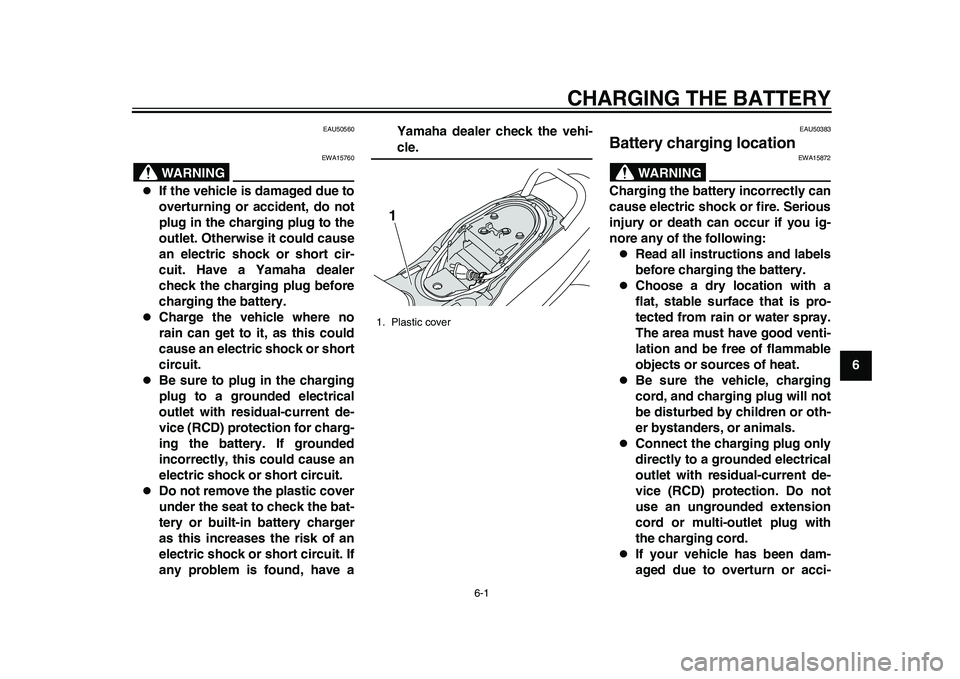
Do not remove the plastic cover
under the seat to check the bat-
tery or built-in battery charger
as this increases the risk of an
electric shock or short circuit. If
any problem is found, have aYamaha dealer check the vehi-
cle.
EAU50383
Battery charging location
WARNING
EWA15872
Charging the battery incorrectly can
cause electric shock or fire. Serious
injury or death can occur if you ig-
nore any of the following:
Read all instructions and labels
before charging the battery.
Choose a dry location with a
flat, stable surface that is pro-
tected from rain or water spray.
The area must have good venti-
lation and be free of flammable
objects or sources of heat.
Be sure the vehicle, charging
cord, and charging plug will not
be disturbed by children or oth-
er bystanders, or animals.
Connect the charging plug only
directly to a grounded electrical
outlet with residual-current de-
vice (RCD) protection. Do not
use an ungrounded extension
cord or multi-outlet plug with
the charging cord.
If your vehicle has been dam-
aged due to overturn or acci-
1. Plastic cover1
1CB-9-E0.book 1 ページ 2010年10月15日 金曜日 午前10時19分
Page 36 of 78
CHARGING THE BATTERY
6-2
1
2
3
4
56
7
8
9dent, do not plug in the charging
cord. Have your vehicle
checked by a Yamaha dealer as
soon as possible.
NOTICE
ECA17451
Improper charging can damage the
battery and built-in battery charger.
Do not charge in a place ex-posed to direct sunlight or near
a heater.
Do not charge when there is risk
of thunderstorms or lightning.
Electrical surges could cause
damage.
Do not use the AC outlet of a car
or generator for charging the
battery as this could cause amalfunction.
Park the vehicle on a flat, stable sur-
face near a grounded electrical outlet
with residual-current device (RCD) pro-
tection. The area must be dry and, if
necessary, sheltered to prevent rain
water or other moisture from wetting
the vehicle, charging cord, or outlet.
The environment affects the duration
of battery charging. For optimum
charging, charge the battery out of di-
rect sunlight in an ambient tempera-
ture of 15 C – 25 C.
TIPAlthough charging between 15 C – 25 C
provides the best results, the battery can
be charged within an ambient tempera-
ture range of –5 C – 50 C. A depleted
battery cannot be charged if ambient tem-
perature is below 0 C.
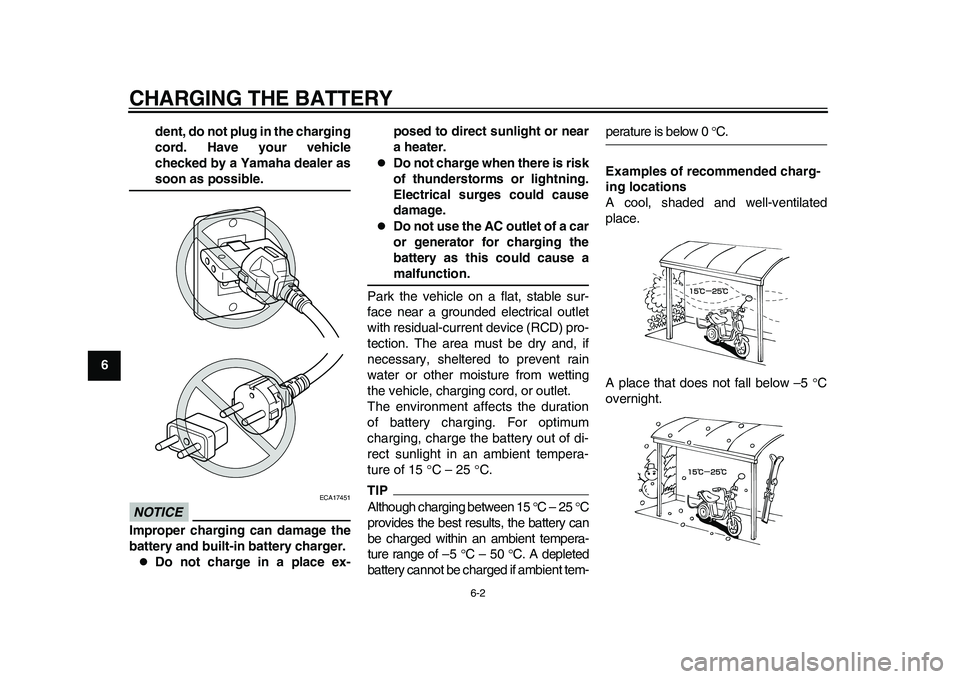
Examples of recommended charg-
ing locations
A cool, shaded and well-ventilated
place.
A place that does not fall below –5 C
overnight.
1CB-9-E0.book 2 ページ 2010年10月15日 金曜日 午前10時19分
Page 37 of 78
CHARGING THE BATTERY
6-3
2
3
4
567
8
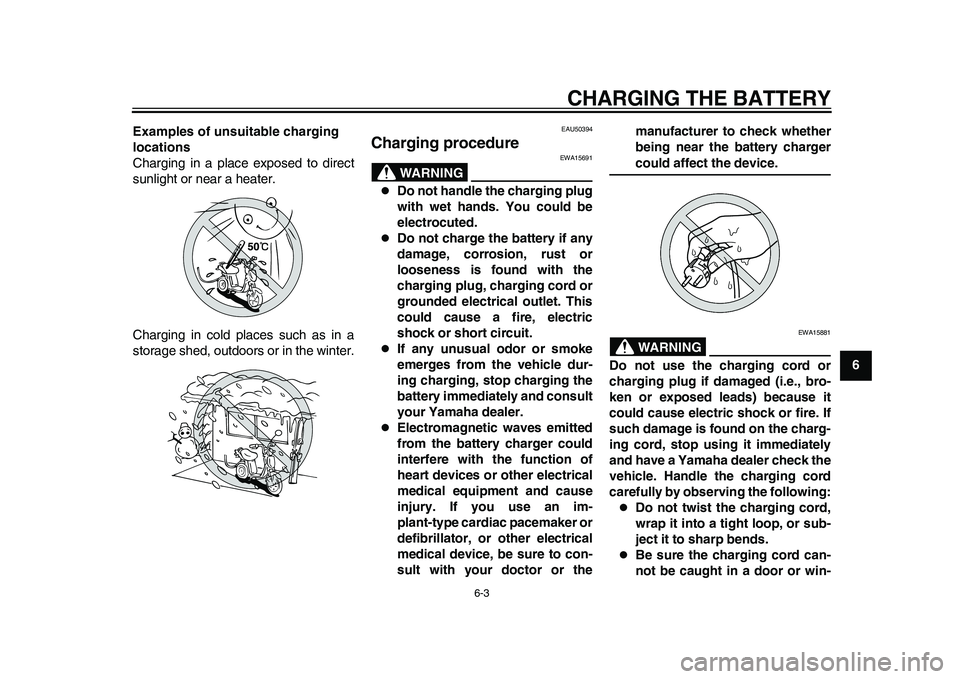
9 Examples of unsuitable charging
locations
Charging in a place exposed to direct
sunlight or near a heater.
Charging in cold places such as in a
storage shed, outdoors or in the winter.
EAU50394
Charging procedure
WARNING
EWA15691
Do not handle the charging plug
with wet hands. You could be
electrocuted.
Do not charge the battery if any
damage, corrosion, rust or
looseness is found with the
charging plug, charging cord or
grounded electrical outlet. This
could cause a fire, electric
shock or short circuit.
If any unusual odor or smoke
emerges from the vehicle dur-
ing charging, stop charging the
battery immediately and consult
your Yamaha dealer.
Electromagnetic waves emitted
from the battery charger could
interfere with the function of
heart devices or other electrical
medical equipment and cause
injury. If you use an im-
plant-type cardiac pacemaker or
defibrillator, or other electrical
medical device, be sure to con-
sult with your doctor or themanufacturer to check whether
being near the battery charger
could affect the device.WARNING
EWA15881
Do not use the charging cord or
charging plug if damaged (i.e., bro-
ken or exposed leads) because it
could cause electric shock or fire. If
such damage is found on the charg-
ing cord, stop using it immediately
and have a Yamaha dealer check the
vehicle. Handle the charging cord
carefully by observing the following:
Do not twist the charging cord,
wrap it into a tight loop, or sub-
ject it to sharp bends.
Be sure the charging cord can-
not be caught in a door or win-
1CB-9-E0.book 3 ページ 2010年10月15日 金曜日 午前10時19分
Page 76 of 78
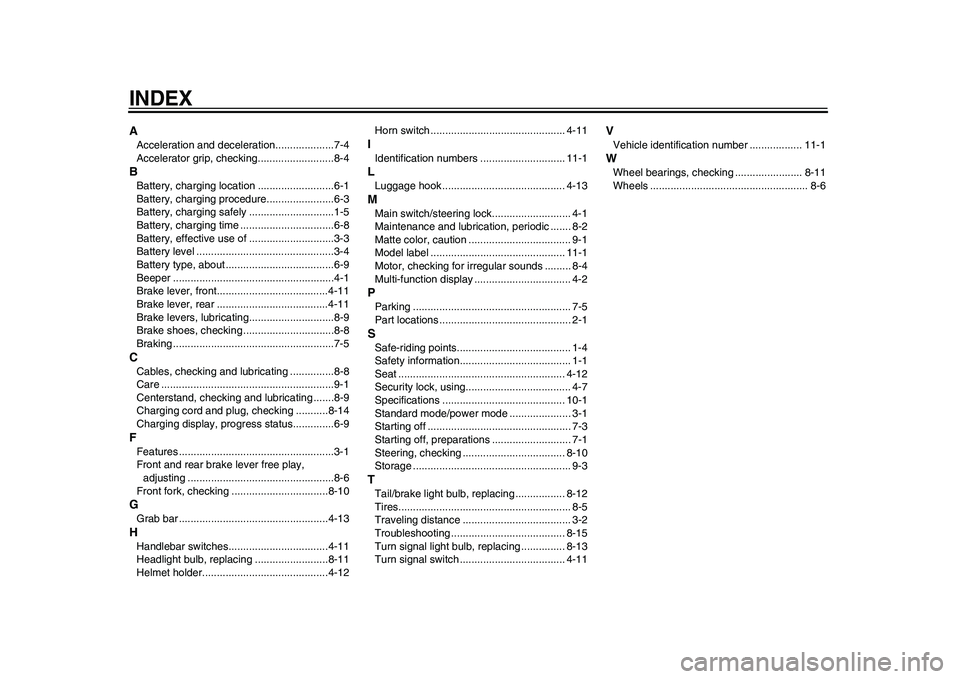
INDEXAAcceleration and deceleration....................7-4
Accelerator grip, checking..........................8-4BBattery, charging location ..........................6-1
Battery, charging procedure.......................6-3
Battery, charging safely .............................1-5
Battery, charging time ................................6-8
Battery, effective use of .............................3-3
Battery level ...............................................3-4
Battery type, about .....................................6-9
Beeper .......................................................4-1
Brake lever, front......................................4-11
Brake lever, rear ......................................4-11
Brake levers, lubricating.............................8-9
Brake shoes, checking ...............................8-8
Braking .......................................................7-5CCables, checking and lubricating ...............8-8
Care ...........................................................9-1
Centerstand, checking and lubricating .......8-9
Charging cord and plug, checking ...........8-14
Charging display, progress status..............6-9FFeatures .....................................................3-1
Front and rear brake lever free play,
adjusting ..................................................8-6
Front fork, checking .................................8-10GGrab bar ...................................................4-13HHandlebar switches..................................4-11
Headlight bulb, replacing .........................8-11
Helmet holder...........................................4-12Horn switch .............................................. 4-11
IIdentification numbers ............................. 11-1LLuggage hook .......................................... 4-13MMain switch/steering lock........................... 4-1
Maintenance and lubrication, periodic ....... 8-2
Matte color, caution ................................... 9-1
Model label .............................................. 11-1
Motor, checking for irregular sounds ......... 8-4
Multi-function display ................................. 4-2PParking ...................................................... 7-5
Part locations ............................................. 2-1SSafe-riding points....................................... 1-4
Safety information...................................... 1-1
Seat ......................................................... 4-12
Security lock, using.................................... 4-7
Specifications .......................................... 10-1
Standard mode/power mode ..................... 3-1
Starting off ................................................. 7-3
Starting off, preparations ........................... 7-1
Steering, checking ................................... 8-10
Storage ...................................................... 9-3TTail/brake light bulb, replacing ................. 8-12
Tires........................................................... 8-5
Traveling distance ..................................... 3-2
Troubleshooting ....................................... 8-15
Turn signal light bulb, replacing ............... 8-13
Turn signal switch .................................... 4-11
VVehicle identification number .................. 11-1WWheel bearings, checking ....................... 8-11
Wheels ...................................................... 8-6
1CB-9-E0.book 2 ページ 2010年10月15日 金曜日 午前10時19分