ECO mode Acura MDX 2011 Service Manual
[x] Cancel search | Manufacturer: ACURA, Model Year: 2011, Model line: MDX, Model: Acura MDX 2011Pages: 609, PDF Size: 12.7 MB
Page 242 of 609
Turn the interface dial to select the
track random icon, and press ENTER
on the interface selector.
To turn this feature off, turn the
interface dial to select the OFF icon,
and press ENTER on the interface
selector.Track Scan
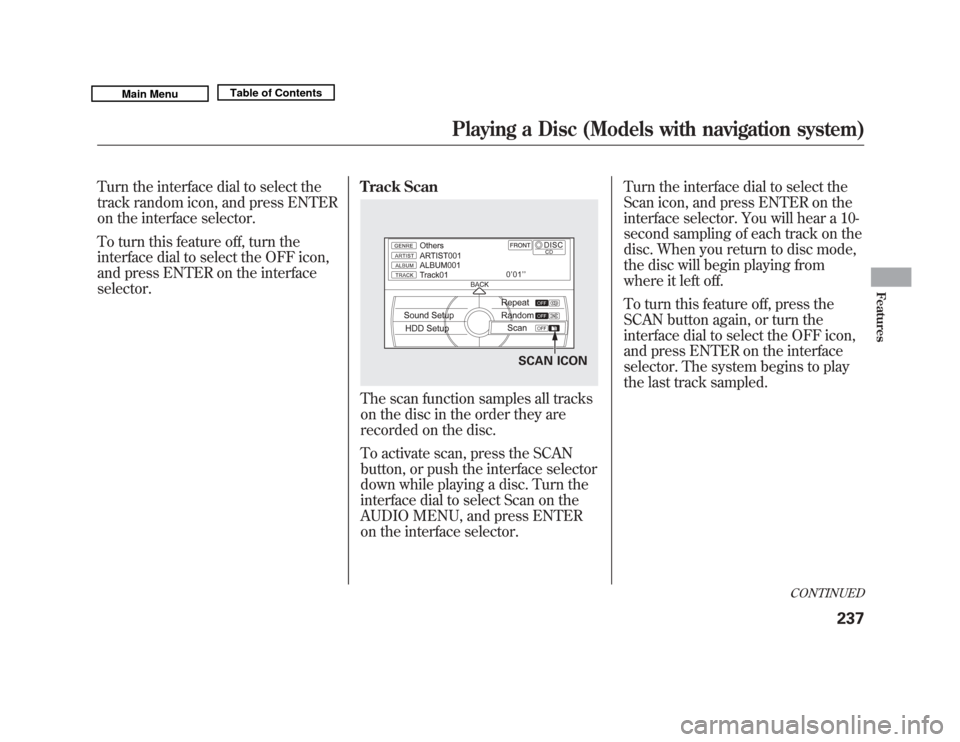
The scan function samples all tracks
on the disc in the order they are
recorded on the disc.
To activate scan, press the SCAN
button, or push the interface selector
down while playing a disc. Turn the
interface dial to select Scan on the
AUDIO MENU, and press ENTER
on the interface selector.Turn the interface dial to select the
Scan icon, and press ENTER on the
interface selector. You will hear a 10-
second sampling of each track on the
disc. When you return to disc mode,
the disc will begin playing from
where it left off.
To turn this feature off, press the
SCAN button again, or turn the
interface dial to select the OFF icon,
and press ENTER on the interface
selector. The system begins to play
the last track sampled.
SCAN ICON
CONTINUED
Playing a Disc (Models with navigation system)
237
Features
10/06/29 11:59:04 11 ACURA MDX MMC North America Owner's M 50 31STX640 enu
Page 246 of 609
To turn this feature off, turn the
interface dial to select the OFF icon,
and press ENTER on the interface
selector.File Scan
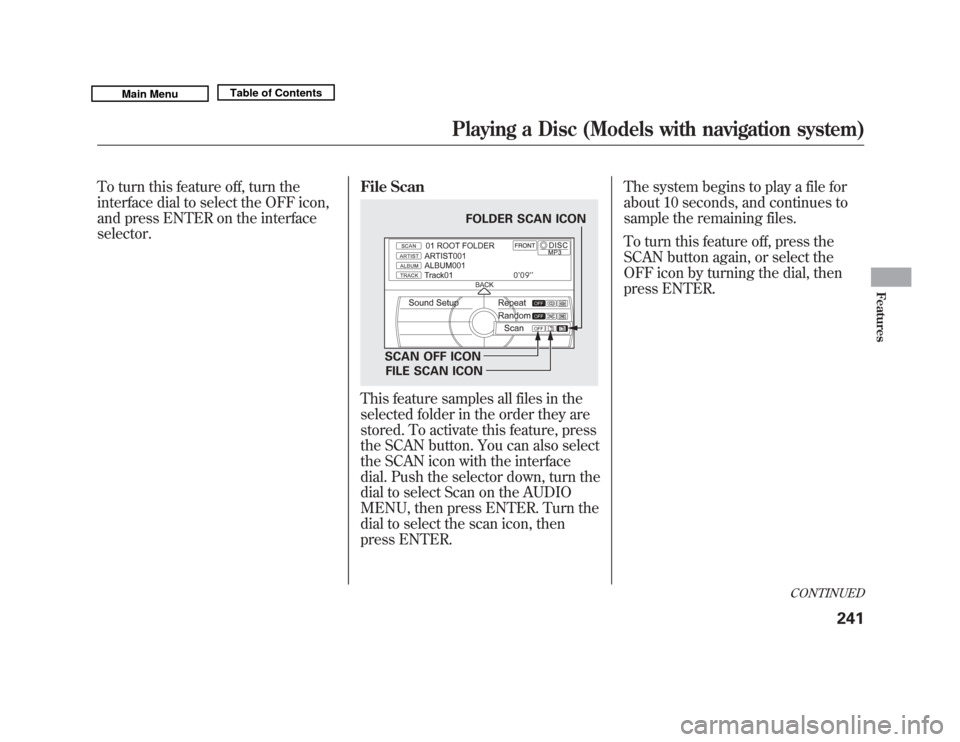
This feature samples all files in the
selected folder in the order they are
stored. To activate this feature, press
the SCAN button. You can also select
the SCAN icon with the interface
dial. Push the selector down, turn the
dial to select Scan on the AUDIO
MENU, then press ENTER. Turn the
dial to select the scan icon, then
press ENTER.The system begins to play a file for
about 10 seconds, and continues to
sample the remaining files.
To turn this feature off, press the
SCAN button again, or select the
OFF icon by turning the dial, then
press ENTER.
FOLDER SCAN ICON
SCAN OFF ICON FILE SCAN ICON
CONTINUED
Playing a Disc (Models with navigation system)
241
Features
10/06/29 11:59:04 11 ACURA MDX MMC North America Owner's M 50 31STX640 enu
Page 247 of 609
Folder Scan
This feature, when activated, samples
the first file of each folder for 10
seconds. To scan a folder, press the
SCAN button. Or, push the interface
selector down while playing a disc.
Turn the interface dial to select Scan
on the AUDIO MENU, and press
ENTER on the interface selector.
Turn the interface dial to select the
folder scan icon, and press ENTER
on the interface selector.
The system plays the first file in the
first folder for about 10 seconds. If
you do nothing, the system will then
play the first files in the next folders
for 10 seconds. After playing the first
file of the last folder, the system
plays normally.To turn this feature off, turn the
interface dial to select the OFF icon,
and press ENTER on the interface
selector. The last track sampled
begins to play.
NOTE:
When playing MP3, WMA or AAC
format disc, each time you press the
SCAN button, the system changes in
the following sequence: Scan
ꭟScan
first track in folder ꭟOFF ꭟScan.
Removing Discs from the Disc
Player
To remove the disc, press the eject
(
) button.
If you do not remove the disc from
the slot, the system will reload the
disc after 10 seconds. The disc starts
playing automatically.
Playing a DVD-A Disc
Use the disc controls previously
described.
Playing a Disc (Models with navigation system)24210/06/29 11:59:04 11 ACURA MDX MMC North America Owner's M 50 31STX640 enu
Page 251 of 609
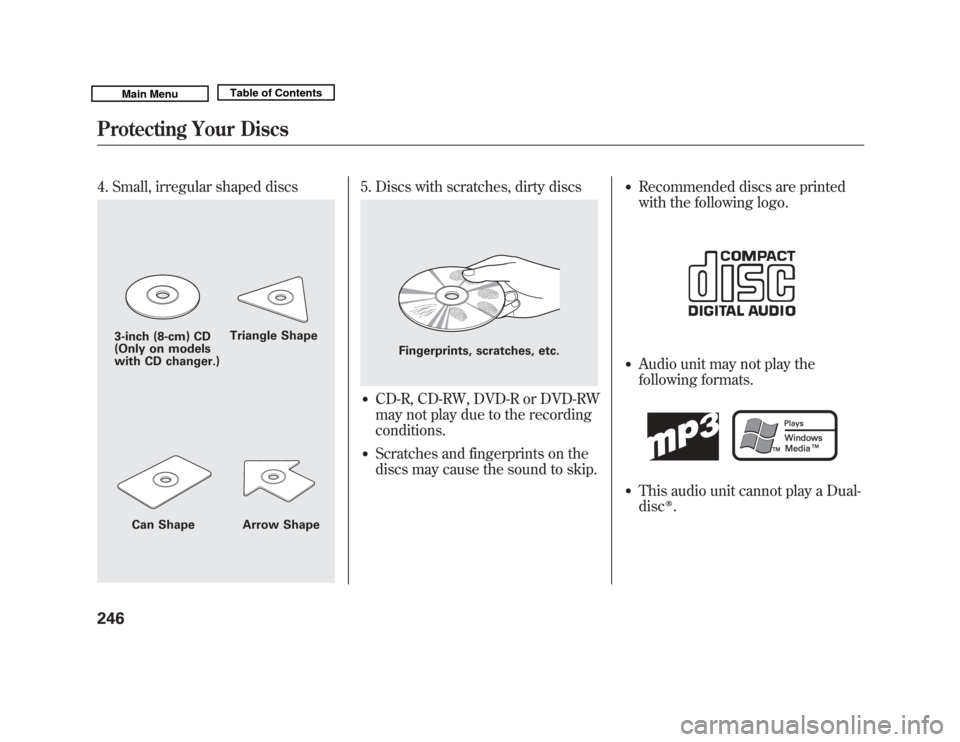
4. Small, irregular shaped discs
5. Discs with scratches, dirty discs●
CD-R, CD-RW, DVD-R or DVD-RW
may not play due to the recording
conditions.
●
Scratches and fingerprints on the
discs may cause the sound to skip.
●
Recommended discs are printed
with the following logo.
●
Audio unit may not play the
following formats.
●
This audio unit cannot play a Dual-
disc
ꭂ.
3-inch (8-cm) CD
(Only on models
with CD changer.)Triangle Shape
Can Shape Arrow Shape
Fingerprints, scratches, etc.
Protecting Your Discs24610/06/29 11:59:04 11 ACURA MDX MMC North America Owner's M 50 31STX640 enu
Page 253 of 609
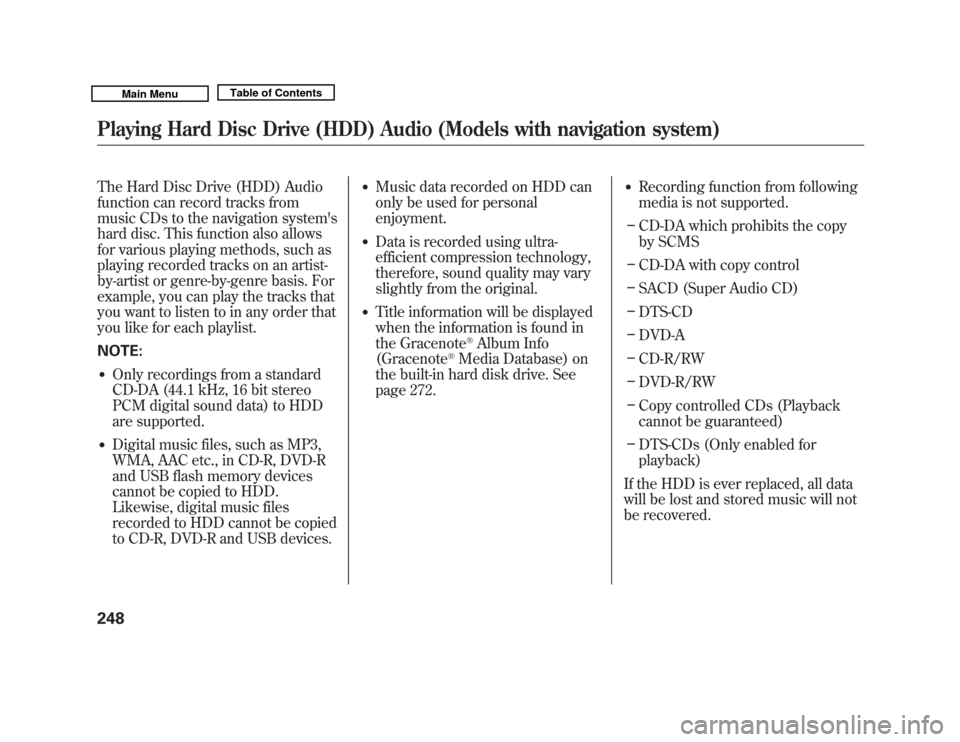
The Hard Disc Drive (HDD) Audio
function can record tracks from
music CDs to the navigation system's
hard disc. This function also allows
for various playing methods, such as
playing recorded tracks on an artist-
by-artist or genre-by-genre basis. For
example, you can play the tracks that
you want to listen to in any order that
you like for each playlist.
NOTE:●
Only recordings from a standard
CD-DA (44.1 kHz, 16 bit stereo
PCM digital sound data) to HDD
are supported.
●
Digital music files, such as MP3,
WMA, AAC etc., in CD-R, DVD-R
and USB flash memory devices
cannot be copied to HDD.
Likewise, digital music files
recorded to HDD cannot be copied
to CD-R, DVD-R and USB devices.
●
Music data recorded on HDD can
only be used for personal
enjoyment.
●
Data is recorded using ultra-
efficient compression technology,
therefore, sound quality may vary
slightly from the original.
●
Title information will be displayed
when the information is found in
the Gracenote
®Album Info
(Gracenote
®Media Database) on
the built-in hard disk drive. See
page 272.
●
Recording function from following
media is not supported.
– CD-DA which prohibits the copy
by SCMS
– CD-DA with copy control
– SACD (Super Audio CD)
– DTS-CD
– DVD-A
– CD-R/RW
– DVD-R/RW
– Copy controlled CDs (Playback
cannot be guaranteed)
– DTS-CDs (Only enabled for
playback)
If the HDD is ever replaced, all data
will be lost and stored music will not
be recovered.
Playing Hard Disc Drive (HDD) Audio (Models with navigation system)24810/06/29 11:59:04 11 ACURA MDX MMC North America Owner's M 50 31STX640 enu
Page 254 of 609

Playlists
Playlists are track lists in a certain
playback group.
Original Playlist
This playlist is automatically
generated when the music CD is
recorded. The maximum number of
original playlists that can be stored to
the HDD is 999, with 99 songs on
each playlist. Each album name on
the music CD is counted as a playlist.User Playlist
The HDD has six playlist folders for
user customizing. Each playlist can
be edited by the user, and will store
up to 999 songs. For more
information of how to edit the user
playlist, see page 260.
Track Search Methods
Songs that have been recorded on
the HDD are categorized in groups
for easy searching.
There are six categories:
Ripped date: Album titles are
arranged by date of recording.
Album
: Album names are arranged
in alphabetical order.
Artist : Artist names are arranged in
alphabetical order.
Genre : Songs are arranged by
genre.
Playlist : Any of six playlists that are
arranged by the user
Track : Track titles are arranged in
alphabetical order.
For more information of how to
search a music, see page 255.
CONTINUED
Playing Hard Disc Drive (HDD) Audio (Models with navigation system)
249
Features
10/06/29 11:59:04 11 ACURA MDX MMC North America Owner's M 50 31STX640 enu
Page 255 of 609

Recording a Music CD to HDD
Audio
If you play a music CD that has not
yet been recorded on the HDD, the
system will automatically begin
recording to the HDD once the disc
is loaded. To turn this feature off, see
page 251.
The icons show the recording
conditions for each track:
Rec icon: Now recording
Rec ready icon: Next to be recorded
Rec done icon: Recording finishedNOTE:
●
Please note that there will be no
compensation offered in the case
of unsuccessful recording of audio
data or the loss of audio data due
to any cause whatsoever.
●
During recording, operation of this
product may be slower.
●
If you stop the engine or the
ignition switch is turned off while
recording a CD, there may be
pauses between songs when you
play back from the HDD.
●
Tracks from music CDs are
recorded at 6 times the playback
speed. You can listen to tracks as
they are being recorded.
●
Skip up/down, forward/rewind,
repeat, random and scan functions
are not available during recording.
REC DONE ICON
REC READY ICON REC ICON
Playing Hard Disc Drive (HDD) Audio (Models with navigation system)25010/06/29 11:59:04 11 ACURA MDX MMC North America Owner's M 50 31STX640 enu
Page 256 of 609

●
You can listen to tracks from other
playlists that have already been
recorded while recording. Press
the HDD button and switch over to
HDD Audio.
●
With the factory settings, all of the
songs on a music CD are
automatically recorded.
●
Recording settings cannot be
changed during recording.
●
If the number of songs in the
playlist exceeds 999, the oldest
song will be overwritten each time
you add a new song.To Cancel Recording a Music CD
to HDD
In order to suspend recording, push
the interface selector down, select
Cancel Rec to HDD, and press
ENTER on the interface selector.
Changing the Recording Settings
Recording a Track on a Music CD
ManuallyTo change the setting to manual
mode, push the interface selector
down on the HDD screen. Turn the
interface dial to select HDD Setup
and press ENTER on the interface
selector. Turn the interface dial to
select Ripping, and press ENTER on
the interface selector.
HDD SETUP ICON
CONTINUED
Playing Hard Disc Drive (HDD) Audio (Models with navigation system)
251
Features
10/06/29 11:59:04 11 ACURA MDX MMC North America Owner's M 50 31STX640 enu
Page 257 of 609
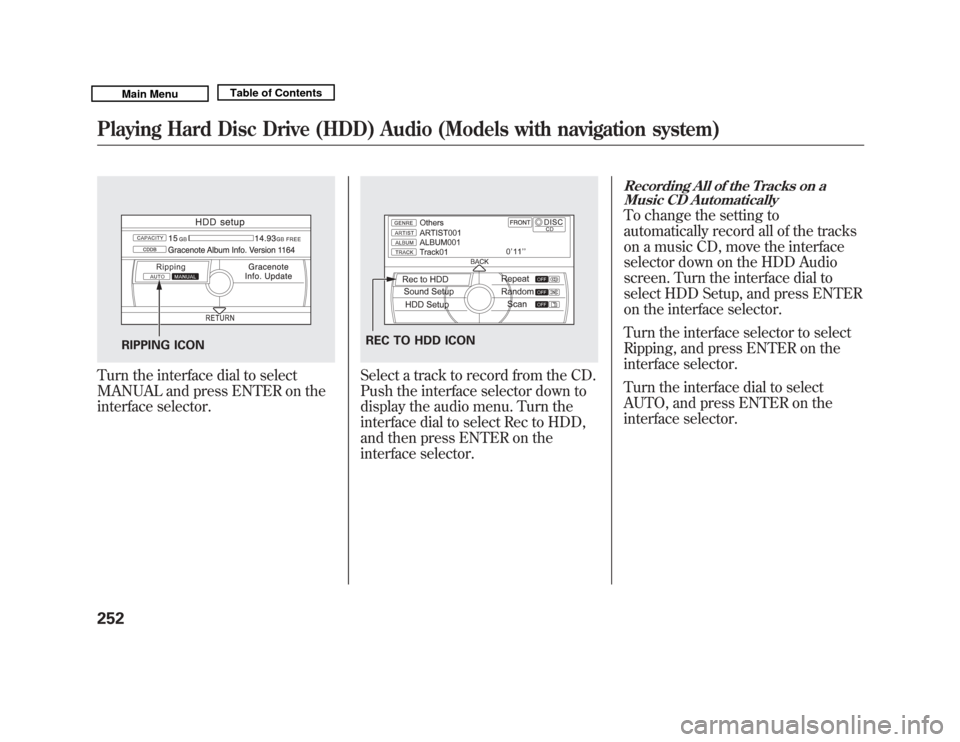
Turn the interface dial to select
MANUAL and press ENTER on the
interface selector.
Select a track to record from the CD.
Push the interface selector down to
display the audio menu. Turn the
interface dial to select Rec to HDD,
and then press ENTER on the
interface selector.
Recording All of the Tracks on aMusic CD AutomaticallyTo change the setting to
automatically record all of the tracks
on a music CD, move the interface
selector down on the HDD Audio
screen. Turn the interface dial to
select HDD Setup, and press ENTER
on the interface selector.
Turn the interface selector to select
Ripping, and press ENTER on the
interface selector.
Turn the interface dial to select
AUTO, and press ENTER on the
interface selector.
RIPPING ICON
REC TO HDD ICON
Playing Hard Disc Drive (HDD) Audio (Models with navigation system)25210/06/29 11:59:04 11 ACURA MDX MMC North America Owner's M 50 31STX640 enu
Page 260 of 609

Scan PlaybackThis function samples the tracks in
the current search mode in the order
that they were recorded.
To activate scan, press the SCAN
button, or push the interface selector
down during track playback. Turn
the interface dial to select Scan on
the HDD AUDIO MENU, and press
ENTER on the interface selector.Turn the interface dial to select the
scan icon. Press ENTER on the
interface selector. You will hear a 10-
second sampling of each track in the
current search mode.
To turn this feature off, turn the
interface dial to select the OFF icon,
then press ENTER.
Searching the Music
While playing music in the HDD
playback screen, push the interface
selector up to select MUSIC
SEARCH. You can search a track by
album, artist, track, playlist, genre, or
ripped date, or you can shuffle all
tracks.
The voice command music search
feature, Song By Voice
TM
, is also
available. Refer to the navigation
system manual for complete details.
SCAN ICON
SCAN OFF ICON
CONTINUED
Playing Hard Disc Drive (HDD) Audio (Models with navigation system)
255
Features
10/06/29 11:59:04 11 ACURA MDX MMC North America Owner's M 50 31STX640 enu