display Acura MDX 2016 Navigation Manual
[x] Cancel search | Manufacturer: ACURA, Model Year: 2016, Model line: MDX, Model: Acura MDX 2016Pages: 349, PDF Size: 14.87 MB
Page 265 of 349
264
XX
AcuraLink®
XAcuraLink® Message
AcuraLink®
•Find Acura Dlr. : Searches for the nearest Acura dealer.
• Delete : Deletes the displayed message.
• Call Your Dealer: Calls your Acura dealer using HFL.
• Schedule Dealer Appointment: Automatically sets an appointment date at your
dealer.
• Phone number : Dials a number displayed in the message via HFL.
• Diagnostic Info : Updates the current diagnostic message by connecting to the
Acura server using HFL.
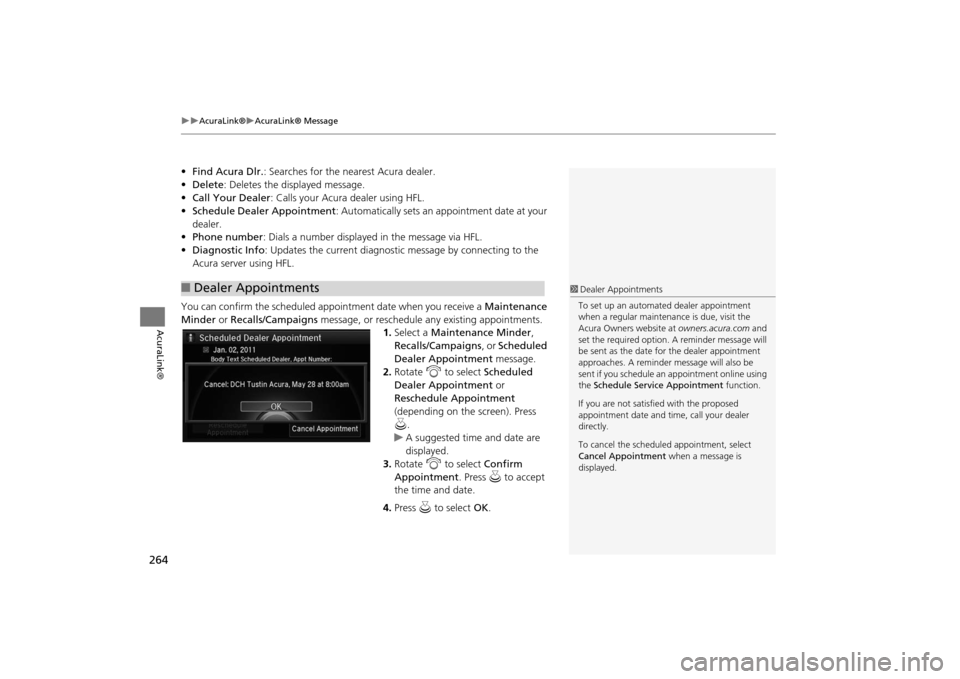
You can confirm the scheduled appointment date when you receive a Maintenance
Minder or Recalls/Campaigns message, or reschedule any existing appointments.
1.Select a Maintenance Minder ,
Recalls/Campaigns , or Scheduled
Dealer Appointment message.
2. Rotate i to select Scheduled
Dealer Appointment or
Reschedule Appointment
(depending on the screen). Press
u .
X
A suggested time and date are
displayed.
3. Rotate i to select Confirm
Appointment . Press u to accept
the time and date.
4. Press u to select OK.
■Dealer Appointments
1 Dealer Appointments
To set up an automated dealer appointment
when a regular maintena nce is due, visit the
Acura Owners website at owners.acura.com and
set the required option. A reminder message will
be sent as the date for the dealer appointment
approaches. A reminder me ssage will also be
sent if you schedule an appointment online using
the Schedule Service Appointment function.
If you are not satisfied with the proposed
appointment date and ti me, call your dealer
directly.
To cancel the scheduled appointment, select
Cancel Appointment when a message is
displayed.
MDX_KA-31TZ58200.book 264 ページ 2014年12月18日 木曜日 午後3時59分
Page 266 of 349

265
XX
AcuraLink®
XAcuraLink® Subscription Status
AcuraLink®
AcuraLink® Subscription StatusHSETTINGS buttons (in FM mode)
X Info Settings
X AcuraLink Subscription
Status
Confirm your AcuraLink®
subscription status.
Signal strength
Item
Information
You can check the signal strength.
Current Contract
The AcuraLink® subscription number and subscription level is
displayed.
Service
You can confirm the type of service.
Subscription
You can confirm the expiration date.
Status
The following message can be displayed:
• Check Antenna: There is a problem with the AcuraLink® antenna. Contact a dealer.
• No data: The signal is received, but the system cannot receive traffic data.
• OK: The system is receivin g the signal or traffic data.
MDX_KA-31TZ58200.book 265 ページ 2014年12月18日 木曜日 午後3時59分
Page 269 of 349
268Rear Entertainment System
Rear Entertainment SystemThe Rear Entertainment System (RES) is operable from both the front control panel
and the rear control panel.2Front Control Panel Operation
P. 282
2Rear Control Panel Operation
P. 271
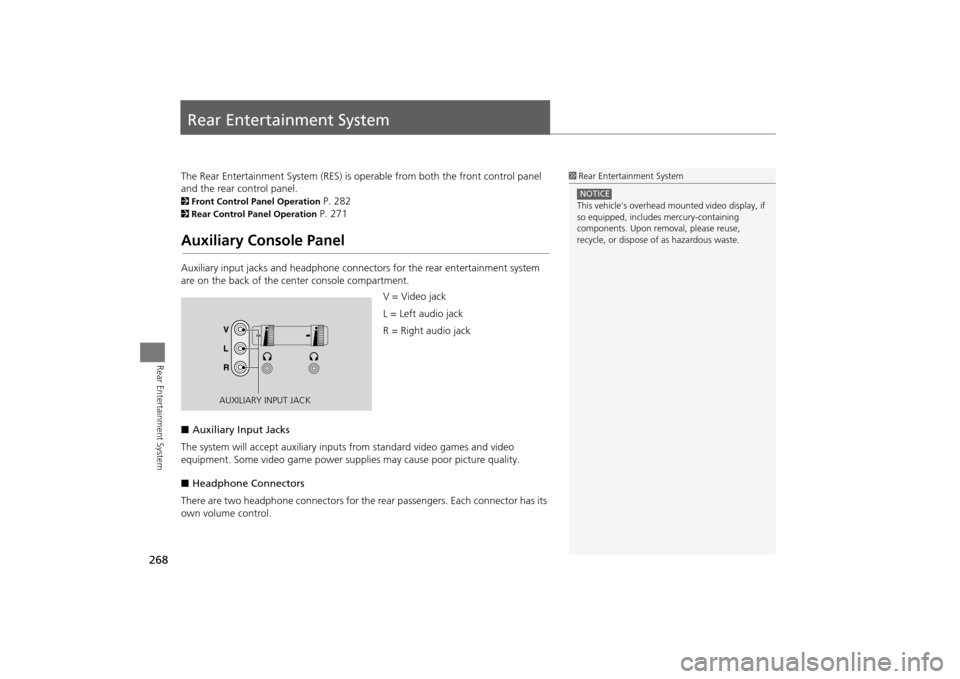
Auxiliary Console PanelAuxiliary input jacks and headphone connectors for the rear entertainment system
are on the back of the center console compartment.
V = Video jack
L = Left audio jack
R = Right audio jack
■ Auxiliary Input Jacks
The system will accept auxiliary input s from standard video games and video
equipment. Some video game power su pplies may cause poor picture quality.
■ Headphone Connectors
There are two headphone connectors for th e rear passengers. Each connector has its
own volume control.
1 Rear Entertainment System
This vehicle’s overhead m ounted video display, if
so equipped, include s mercury-containing
components. Upon removal, please reuse,
recycle, or dispose of as hazardous waste.NOTICE
AUXILIARY INPUT JACK
MDX_KA-31TZ58200.book 268 ページ 2014年12月18日 木曜日 午後3時59分
Page 272 of 349
271Rear Entertainment System
Rear Control Panel OperationSelecting the Audio Source■RES
1. Press the Rear Power button on the front control panel.
2. Press the audio source button on the rear control panel.X
You can also change the audio source by the front control panel. 2 Selecting the Audio Source using front control panel
P. 282
3. Select a station, channel, track, or chap ter using the CH/FOLDER, TUNE/SKIP, or
CATEGORY bars.
2 Overhead Screen and Rear Control Panel
P. 15
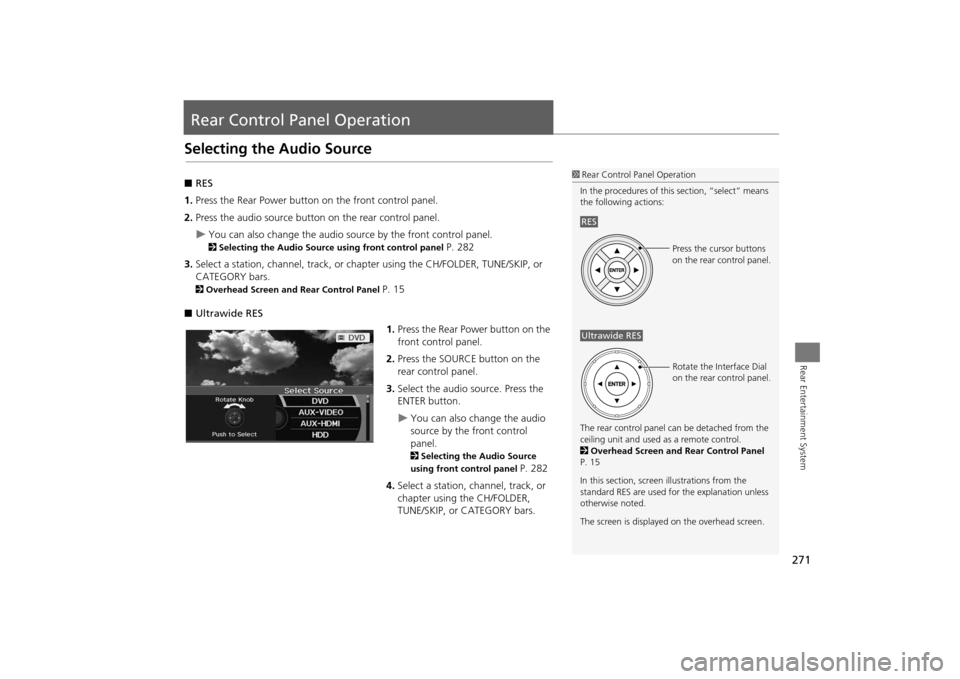
■ Ultrawide RES
1.Press the Rear Power button on the
front control panel.
2. Press the SOURCE button on the
rear control panel.
3. Select the audio source. Press the
ENTER button.
X
You can also change the audio
source by the front control
panel. 2 Selecting the Audio Source
using front control panel
P. 282
4. Select a station, channel, track, or
chapter using the CH/FOLDER,
TUNE/SKIP, or CATEGORY bars.
1Rear Control Panel Operation
In the procedures of this section, “select” means
the following actions:
The rear control panel ca n be detached from the
ceiling unit and used as a remote control.
2 Overhead Screen and Rear Control Panel
P. 15
In this section, screen illustrations from the
standard RES are used for the explanation unless
otherwise noted.
The screen is displayed on the overhead screen.RES
Press the cursor buttons
on the rear control panel.
Ultrawide RES
Rotate the Interface Dial
on the rear control panel.
MDX_KA-31TZ58200.book 271 ページ 2014年12月18日 木曜日 午後3時59分
Page 273 of 349
272
XX
Rear Control Panel Operation
XRear DVD Menu
Rear Entertainment System
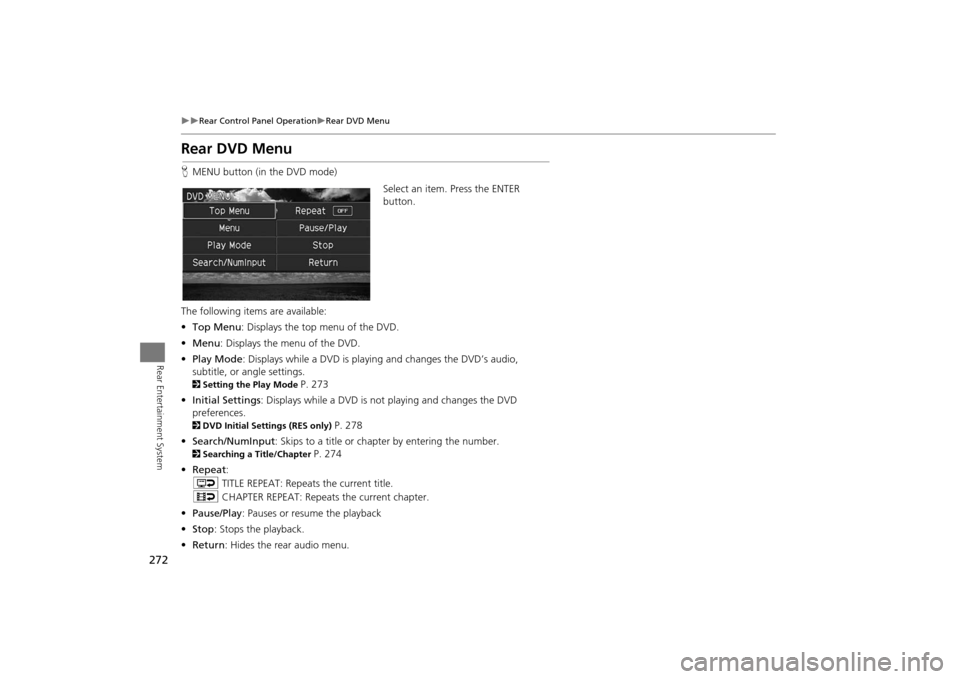
Rear DVD MenuHMENU button (in the DVD mode)
Select an item. Press the ENTER
button.
The following item s are available:
• Top Menu : Displays the top menu of the DVD.
• Menu : Displays the menu of the DVD.
• Play Mode : Displays while a DVD is playing and changes the DVD’s audio,
subtitle, or angle settings.2 Setting the Play Mode
P. 273
• Initial Settings : Displays while a DVD is not playing and changes the DVD
preferences.
2 DVD Initial Settings (RES only)
P. 278
• Search/NumInput : Skips to a title or chapter by entering the number.
2Searching a Title/Chapter
P. 274
• Repeat :
o TITLE REPEAT: Repeats the current title.
p CHAPTER REPEAT: Repeats the current chapter.
• Pause/Play : Pauses or resume the playback
• Stop : Stops the playback.
• Return : Hides the rear audio menu.
MDX_KA-31TZ58200.book 272 ページ 2014年12月18日 木曜日 午後3時59分
Page 276 of 349
275
XX
Rear Control Panel Operation
XScreen and Surround Settings
Rear Entertainment System
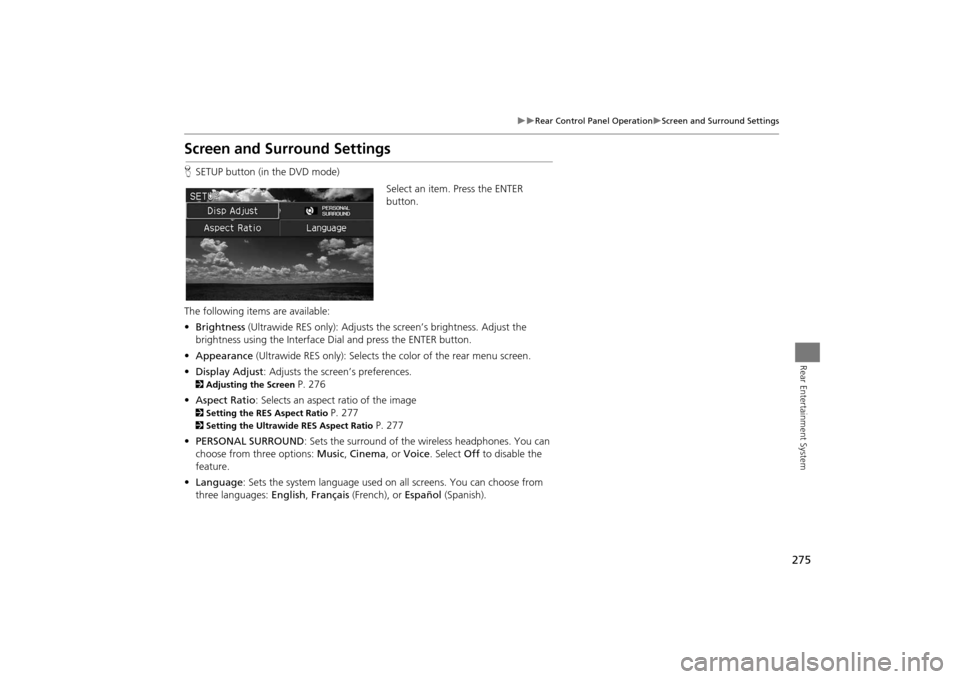
Screen and Surround SettingsHSETUP button (in the DVD mode)
Select an item. Press the ENTER
button.
The following items are available:
• Brightness (Ultrawide RES only): Adjusts the screen’s brightness. Adjust the
brightness using the Interface Dial and press the ENTER button.
• Appearance (Ultrawide RES only): Selects th e color of the rear menu screen.
• Display Adjust : Adjusts the screen’s preferences.2Adjusting the Screen
P. 276
• Aspect Ratio: Selects an aspect ratio of the image
2 Setting the RES Aspect Ratio
P. 277
2Setting the Ultrawide RES Aspect Ratio
P. 277
• PERSONAL SURROUND : Sets the surround of the wireless headphones. You can
choose from three options: Music, Cinema , or Voice . Select Off to disable the
feature.
• Language : Sets the system language used on all screens. You can choose from
three languages: English, Français (French), or Español (Spanish).
MDX_KA-31TZ58200.book 275 ページ 2014年12月18日 木曜日 午後3時59分
Page 277 of 349

276
XX
Rear Control Panel Operation
XScreen and Surround Settings
Rear Entertainment System
HSETUP button (in the DVD mode)
X Display Adjust
1.Select an item. Press the ENTER
button.
2. Make the adjustment. Press the
ENTER button.
The following item s are available:
• Brightness (RES only): Adjusts the screen’s brightness.
• Contrast : Adjusts the screen’s contrast.
• Black Level : Adjusts the screen’s black level.
• Color : Adjusts the screen’s color strength.
• Tint : Adjusts the screen’s hue.
• Reset : Resets all the settings to their factory default.
■Adjusting the Screen
MDX_KA-31TZ58200.book 276 ページ 2014年12月18日 木曜日 午後3時59分
Page 279 of 349
278
XX
Rear Control Panel Operation
XDVD Initial Settings (RES only)
Rear Entertainment System
DVD Initial Settings (RES only)HMENU button (in the DVD mode)
X Initial Settings
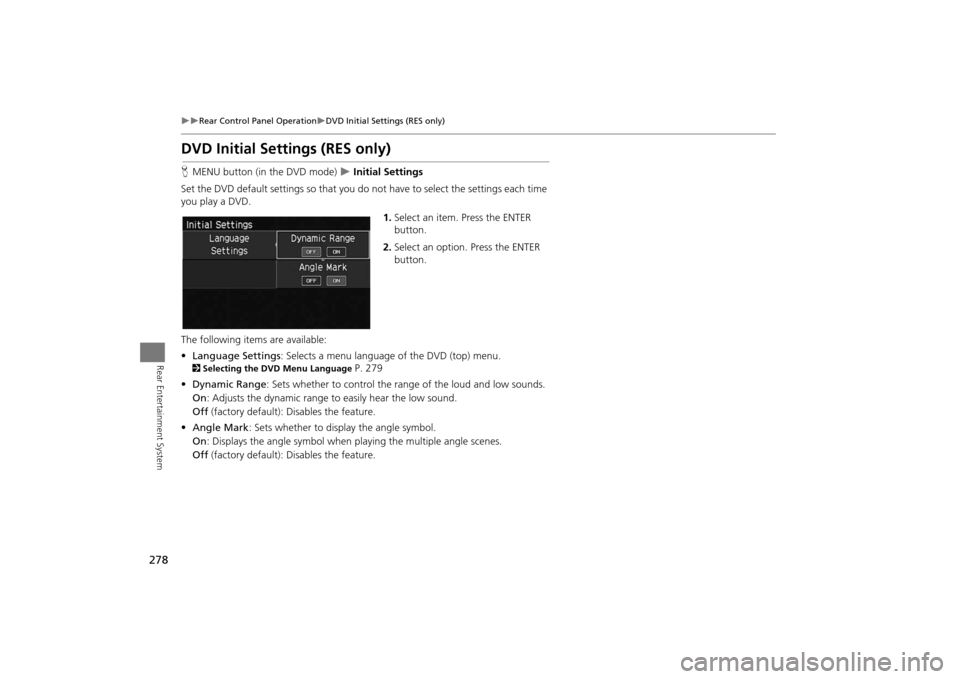
Set the DVD default settings so that you do not have to select the settings each time
you play a DVD.
1.Select an item. Press the ENTER
button.
2. Select an option. Press the ENTER
button.
The following item s are available:
• Language Settings : Selects a menu language of the DVD (top) menu.
2Selecting the DVD Menu Language
P. 279
• Dynamic Range : Sets whether to control the rang e of the loud and low sounds.
On : Adjusts the dynamic range to easily hear the low sound.
Off (factory default): Disables the feature.
• Angle Mark : Sets whether to display the angle symbol.
On : Displays the angle sy mbol when playing the multiple angle scenes.
Off (factory default): Disables the feature.
MDX_KA-31TZ58200.book 278 ページ 2014年12月18日 木曜日 午後3時59分
Page 280 of 349
279
XX
Rear Control Panel Operation
XDual Screen Mode (Ultrawide RES only)
Rear Entertainment System
HMENU button (in the DVD mode)
X Initial Settings
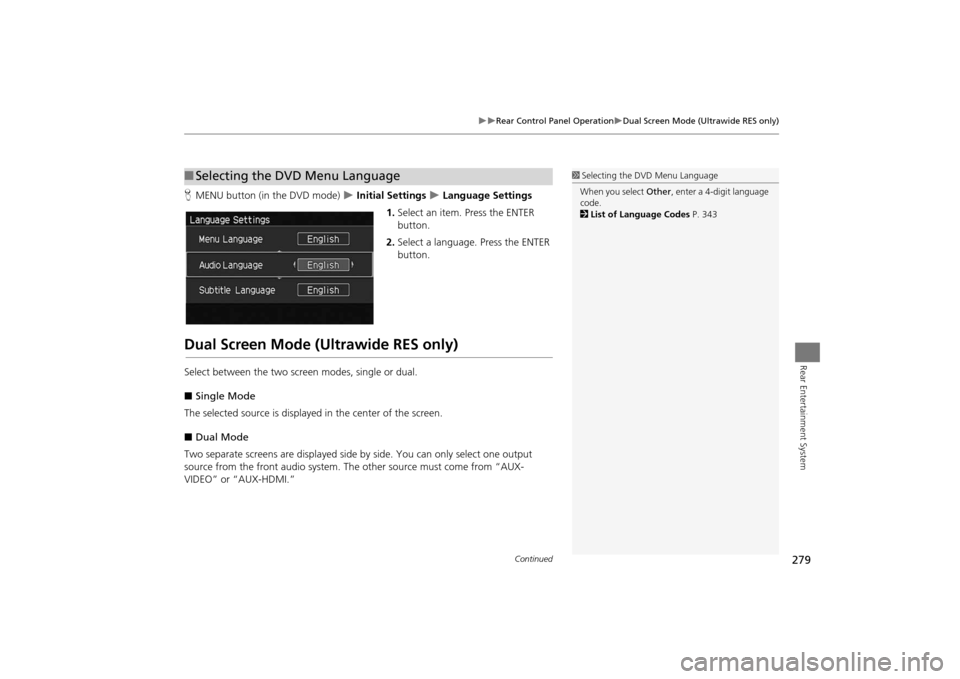
X Language Settings
1. Select an item. Press the ENTER
button.
2. Select a language. Press the ENTER
button.
Dual Screen Mode (Ultrawide RES only)Select between the two scre en modes, single or dual.
■ Single Mode
The selected source is displaye d in the center of the screen.
■ Dual Mode
Two separate screens are displayed side by side. You can only select one output
source from the front audio system. Th e other source must come from “AUX-
VIDEO” or “AUX-HDMI.”■ Selecting the DVD Menu Language
1 Selecting the DVD Menu Language
When you select Other, enter a 4-digit language
code.
2 List of Language Codes P. 343
Continued
RearEntertainmentSystem.fm 279 ページ 2014年12月24日 水曜日 午前11時33分
Page 283 of 349

282Rear Entertainment System
Front Control Panel OperationOperate the Rear Entertainment System (RES) from the front control panel.Selecting the Audio Source using front control panel
1.Press the Rear 9 (Power) button
on the front control panel.
2. Press the REAR AUDIO button.X
The rear source is displayed on
the front audio/information
screen and the On Demand
Multi-Use Display™.
X
The rear source is heard from
the front speakers.
3. Select Rear Audio Source on the
On Demand Multi-Use Display™.
4. Select the audio source icon on the
On Demand Multi-Use Display™.
5. Select a station, channel, track, or
chapter in the same way as the
front audio system.
2 Audio
P. 143
MDX_KA-31TZ58200.book 282 ページ 2014年12月18日 木曜日 午後3時59分