display Acura MDX 2016 Navigation Manual
[x] Cancel search | Manufacturer: ACURA, Model Year: 2016, Model line: MDX, Model: Acura MDX 2016Pages: 349, PDF Size: 14.87 MB
Page 188 of 349
187
XX
Playing an iPod®
XAudio Screen Control
Audio
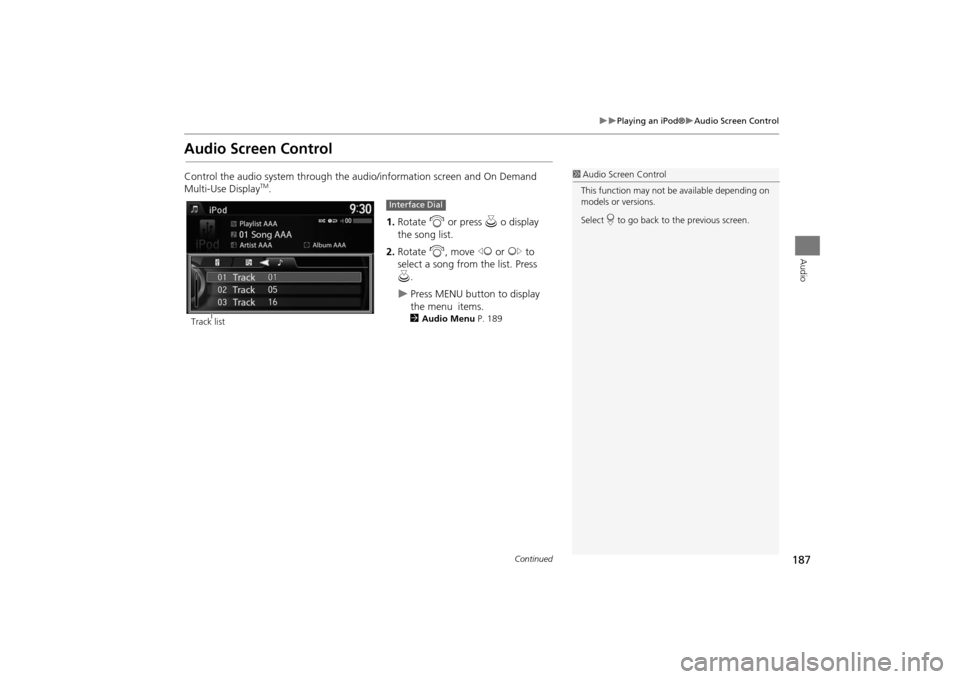
Audio Screen ControlControl the audio system through the audio/information screen and On Demand
Multi-Use Display
TM.1.Rotate i or press u o display
the song list.
2. Rotate i, move w or y to
select a song from the list. Press
u .
X
Press MENU button to display
the menu items.2Audio Menu P. 189
1Audio Screen Control
This function may not be available depending on
models or versions.
Select r to go back to the previous screen.
Track list
Interface Dial
Continued
MDX_KA-31TZ58200.book 187 ページ 2014年12月18日 木曜日 午後3時59分
Page 189 of 349
188
XX
Playing an iPod®
XAudio Screen Control
Audio
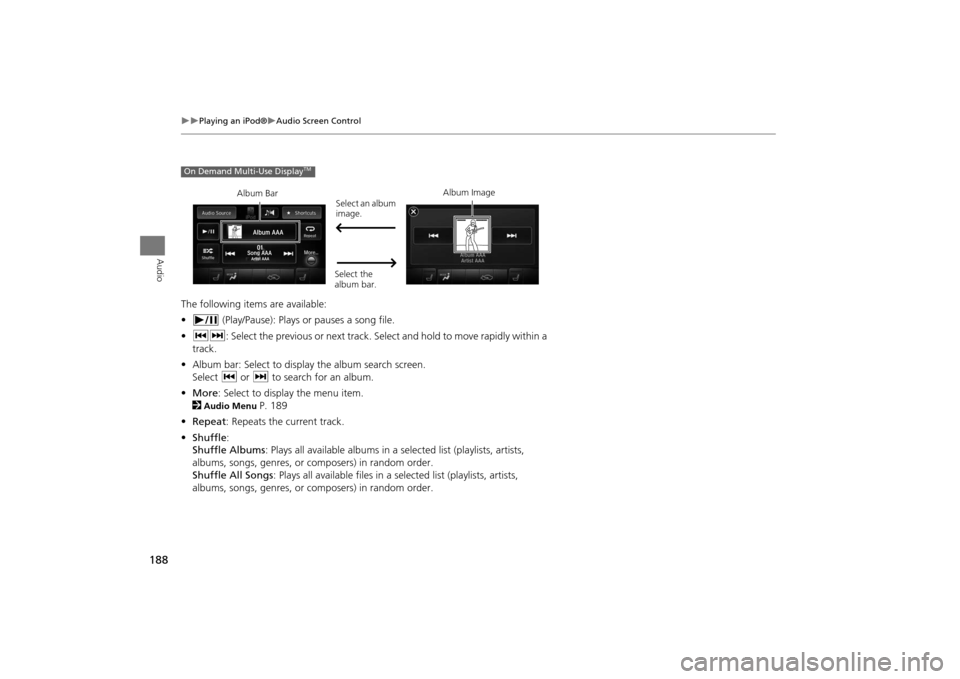
The following items are available:
• (Play/Pause): Plays or pauses a song file.
• cx : Select the previous or next track. Select and hold to move rapidly within a
track.
• Album bar: Select to display the album search screen.
Select c or x to search for an album.
• More : Select to display the menu item.
2
Audio Menu
P. 189
• Repeat : Repeats the current track.
• Shuffle :
Shuffle Albums : Plays all available albums in a se lected list (playlists, artists,
albums, songs, genres, or composers) in random order.
Shuffle All Songs : Plays all available files in a se lected list (playlists, artists,
albums, songs, genres, or composers) in random order.
On Demand Multi-Use Display
TM
Album Bar Album Image
Select an album
image.
Select the
album bar.
MDX_KA-31TZ58200.book 188 ページ 2014年12月18日 木曜日 午後3時59分
Page 191 of 349
190
XX
Playing an iPod®
XAudio Menu
Audio
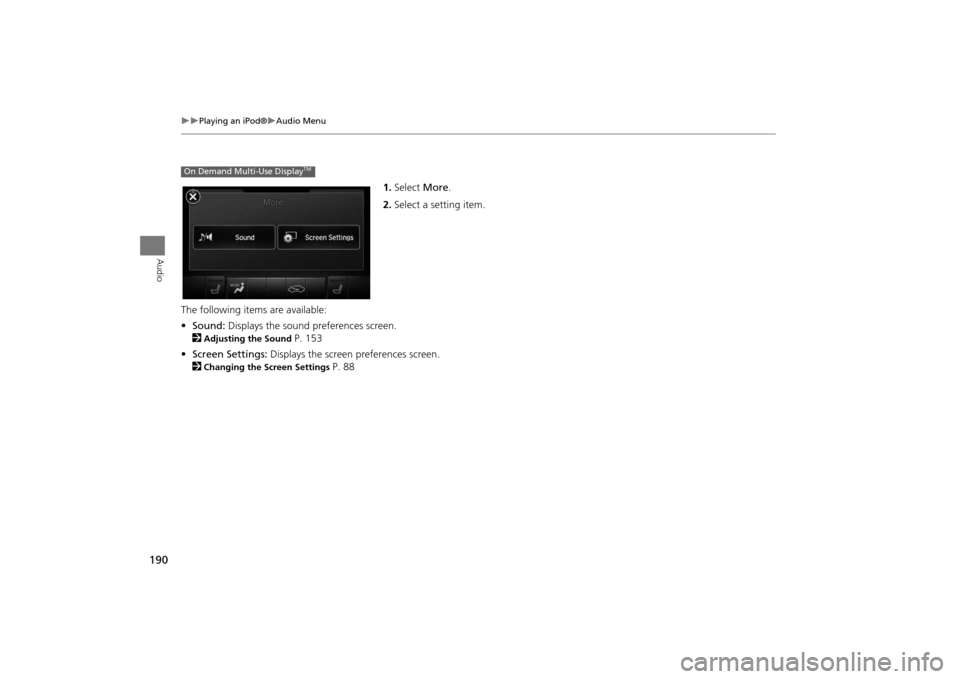
1.Select More.
2. Select a setting item.
The following item s are available:
• Sound: Displays the sound preferences screen.
2
Adjusting the Sound
P. 153
• Screen Settings: Displays the screen preferences screen.
2
Changing the Screen Settings
P. 88
On Demand Multi-Use Display
TM
MDX_KA-31TZ58200.book 190 ページ 2014年12月18日 木曜日 午後3時59分
Page 198 of 349
197Audio
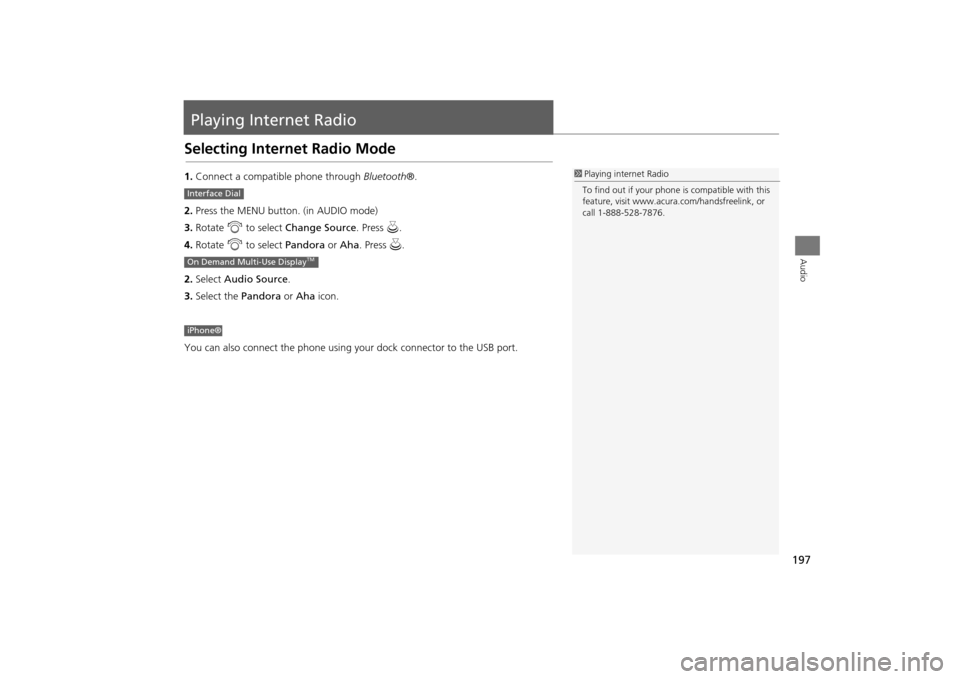
Playing Internet RadioSelecting Internet Radio Mode1.Connect a compatible phone through Bluetooth®.
2. Press the MENU button. (in AUDIO mode)
3. Rotate i to select Change Source . Press u.
4. Rotate i to select Pandora or Aha. Press u.
2. Select Audio Source .
3. Select the Pandora or Aha icon.
You can also connect the phone using your dock connector to the USB port.
1 Playing internet Radio
To find out if your phone is compatible with this
feature, visit www.acura .com/handsfreelink, or
call 1-888-528-7876.
Interface DialOn Demand Multi-Use Display
TM
iPhone®
MDX_KA-31TZ58200.book 197 ページ 2014年12月18日 木曜日 午後3時59分
Page 199 of 349
198
XX
Playing Internet Radio
XPandora® Menu
Audio
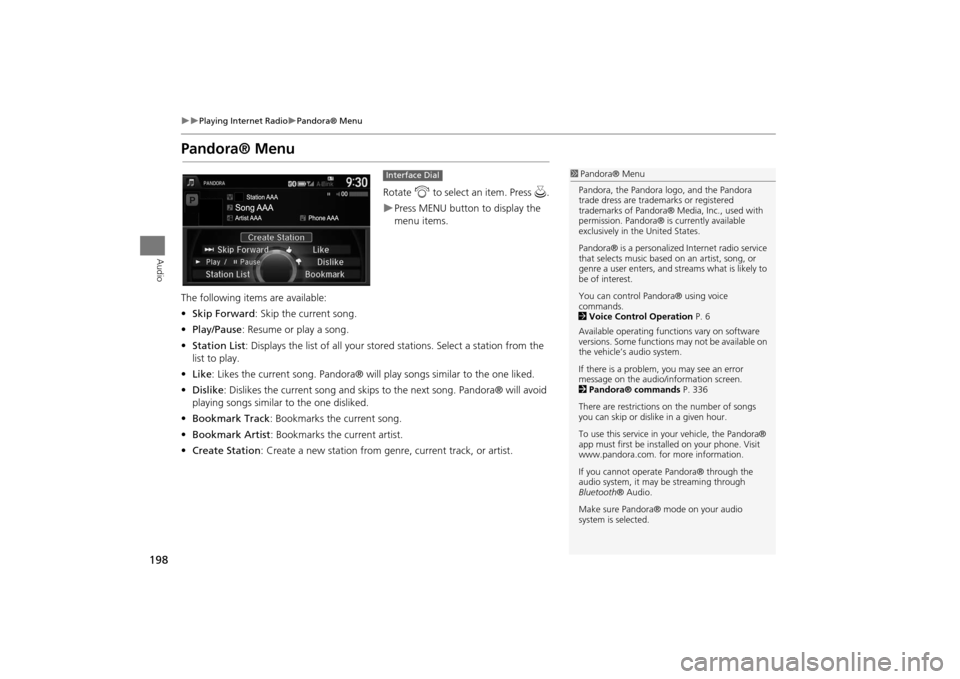
Pandora® Menu
Rotate i to select an item. Press u .XPress MENU button to display the
menu items.
The following item s are available:
• Skip Forward : Skip the current song.
• Play/Pause : Resume or play a song.
• Station List : Displays the list of all your stor ed stations. Select a station from the
list to play.
• Like : Likes the current song. Pandora® will play songs similar to the one liked.
• Dislike : Dislikes the current song and skips to the next song. Pandora® will avoid
playing songs similar to the one disliked.
• Bookmark Track : Bookmarks the current song.
• Bookmark Artist : Bookmarks the current artist.
• Create Station: Create a new station from genre, current track, or artist.Interface Dial
1Pandora® Menu
Pandora, the Pandora l ogo, and the Pandora
trade dress are trademarks or registered
trademarks of Pandora® Media, Inc., used with
permission. Pandora® is currently available
exclusively in the United States.
Pandora® is a personalized Internet radio service
that selects music based on an artist, song, or
genre a user enters, and st reams what is likely to
be of interest.
You can control Pandora® using voice
commands.
2 Voice Control Operation P. 6
Available operating functi ons vary on software
versions. Some functions may not be available on
the vehicle’s audio system.
If there is a problem, you may see an error
message on the audio/information screen.
2 Pandora® commands P. 336
There are restrictions on the number of songs
you can skip or dislike in a given hour.
To use this service in your vehicle, the Pandora®
app must first be installed on your phone. Visit
www.pandora.com. for more information.
If you cannot operate Pandora® through the
audio system, it may be streaming through
Bluetooth ® Audio.
Make sure Pandora® m ode on your audio
system is selected.
MDX_KA-31TZ58200.book 198 ページ 2014年12月18日 木曜日 午後3時59分
Page 200 of 349
199
XX
Playing Internet Radio
XPandora® Menu
Audio
1.Select b or n to change a
station.
2. Select x to skip a song.X
Select to resume or play a
song.
X
Select or to evaluate a
song.
X
Select More to display the menu
item. 2 Adjusting the Sound P. 153
2 Changing the Screen
Settings P. 88
On Demand Multi-Use Display
TM
MDX_KA-31TZ58200.book 199 ページ 2014年12月18日 木曜日 午後3時59分
Page 201 of 349

200
XX
Playing Internet Radio
XAha
TM Radio Menu
Audio
Aha
TM
Radio Menu
Rotate i to select an item. Press u .XPress MENU button to display the
menu items.
Select c or x to skip contents.XSelect to resume or play a
song.XSelect an icon to evaluate a song.XSelect More to display the menu
item.2 Adjusting the Sound P. 153
2 Changing the Screen Settings
P. 88Interface Dial
1 Aha
TM Radio Menu
AhaTM by Harman is a cloud-based service that
organizes your favorite web content into live
radio stations. You can access podcasts, internet
radio, location-based se rvices, and audio updates
from social media sites.
You can control Aha
TM Radio using voice
commands.
2 Voice Control Operation P. 6
Available operating functi ons vary on software
versions. Some functions may not be available on
the vehicle’s audio system.
If there is a problem, you may see an error
message on the audio/information screen.
2 Aha
TM Radio P. 311
The menu items vary depending on the station
you selected.
To use this service in your vehicle, the
AcuraLink® app must be installed on your
phone. Visit owners .acura.com/apps for more
information.
You must have a previously set up Aha account
prior to using the service in your vehicle. Visit
www.aharadio.com for more information.
On Demand Multi-Use Display
TM
MDX_KA-31TZ58200.book 200 ページ 2014年12月18日 木曜日 午後3時59分
Page 203 of 349
202Audio
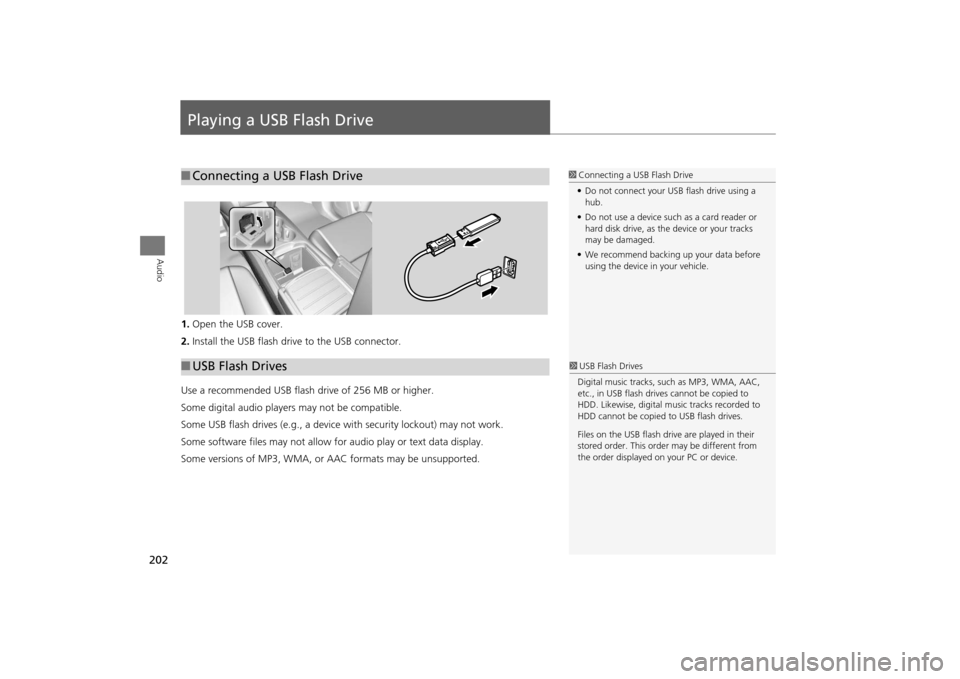
Playing a USB Flash Drive1.Open the USB cover.
2. Install the USB flash drive to the USB connector.
Use a recommended USB flash drive of 256 MB or higher.
Some digital audio players may not be compatible.
Some USB flash drives (e.g., a device with security lockout) may not work.
Some software files may not allow for audio play or text data display.
Some versions of MP3, WMA, or AAC formats may be unsupported.■ Connecting a USB Flash Drive
1 Connecting a USB Flash Drive
• Do not connect your US B flash drive using a
hub.
• Do not use a device such as a card reader or
hard disk drive, as th e device or your tracks
may be damaged.
• We recommend backing up your data before
using the device in your vehicle.
■ USB Flash Drives
1 USB Flash Drives
Digital music tracks, such as MP3, WMA, AAC,
etc., in USB flash drives cannot be copied to
HDD. Likewise, digital music tracks recorded to
HDD cannot be copied to USB flash drives.
Files on the USB flash drive are played in their
stored order. This orde r may be different from
the order displayed on your PC or device.
MDX_KA-31TZ58200.book 202 ページ 2014年12月18日 木曜日 午後3時59分
Page 204 of 349
203
XX
Playing a USB Flash Drive
XSelecting USB Mode
Audio
Selecting USB Mode1.Connect the USB flash drive to the US B port in the console compartment.
2. Press the MENU button. (in AUDIO mode)
3. Rotate i to select Change Source . Press u.
4. Rotate i to select USB. Press u.
2. Select Audio Source .
3. Select the iPod icon.
1Playing a USB Flash Drive
You can control a USB flash drive using voice
commands.
2 Voice Control Operation P. 6
Files in WMA/AAC format protected by digital
rights management (DRM) cannot be played.
The audio system displays Unplayable File, and
then skips to the next file.
If there is a problem, you may see an error
message on the audio/information screen.
2 iPod®/USB Flash Drive P. 307
Interface DialOn Demand Multi-Use Display
TM
MDX_KA-31TZ58200.book 203 ページ 2014年12月18日 木曜日 午後3時59分
Page 205 of 349
204
XX
Playing a USB Flash Drive
XAudio Screen Control
Audio
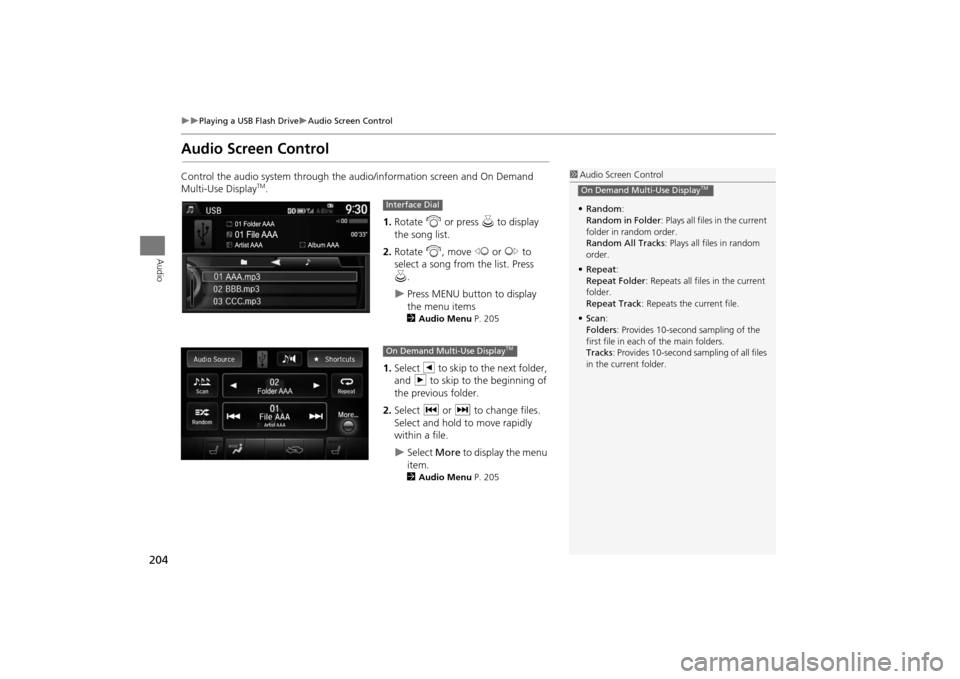
Audio Screen ControlControl the audio system through the audio/information screen and On Demand
Multi-Use Display
TM.1.Rotate i or press u to display
the song list. .
2. Rotate i, move w or y to
select a song from the list. Press
u .
X
Press MENU button to display
the menu items2 Audio Menu P. 205
1.Select b to skip to the next folder,
and n to skip to the beginning of
the previous folder.
2. Select c or x to change files.
Select and hold to move rapidly
within a file. X
Select More to display the menu
item.2 Audio Menu P. 205
1Audio Screen Control
• Random :
Random in Folder : Plays all files in the current
folder in random order.
Random All Tracks : Plays all files in random
order.
• Repeat :
Repeat Folder : Repeats all files in the current
folder.
Repeat Track : Repeats the current file.
• Scan :
Folders : Provides 10-second sampling of the
first file in each of the main folders.
Tracks : Provides 10-second sampling of all files
in the current folder.On Demand Multi-Use Display
TM
Interface DialOn Demand Multi-Use Display
TM
MDX_KA-31TZ58200.book 204 ページ 2014年12月18日 木曜日 午後3時59分