SSA Acura RDX 2017 Owner's Guide
[x] Cancel search | Manufacturer: ACURA, Model Year: 2017, Model line: RDX, Model: Acura RDX 2017Pages: 449, PDF Size: 10.88 MB
Page 87 of 449
86
uuIndicators uMulti-Information Display Warn ing and Information Messages
Instrument Panel
*1:On the left: Models without full color display
On the right: Models with full color display
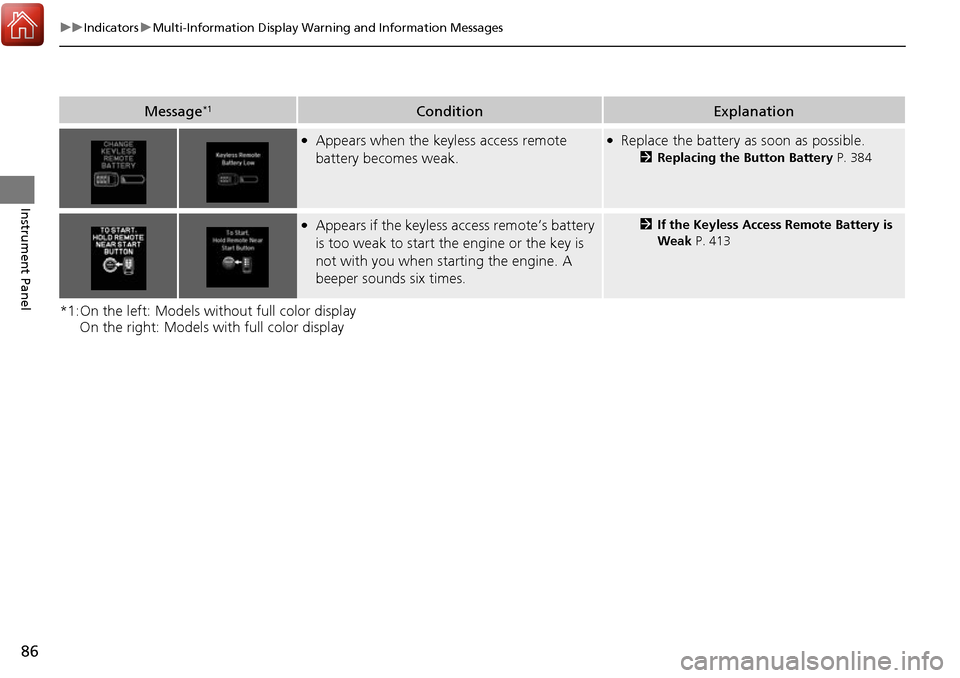
Message*1ConditionExplanation
●Appears when the keyless access remote
battery becomes weak.●Replace the battery as soon as possible.
2Replacing the Button Battery P. 384
●Appears if the keyless access remote’s battery
is too weak to start the engine or the key is
not with you when starting the engine. A
beeper sounds six times.2 If the Keyless Access Remote Battery is
Weak P. 413
Page 88 of 449
87
uuIndicators uMulti-Information Display Warning and Information Messages
Continued
Instrument Panel
*1:On the left: Models wi thout full color display
On the right: Models with full color display
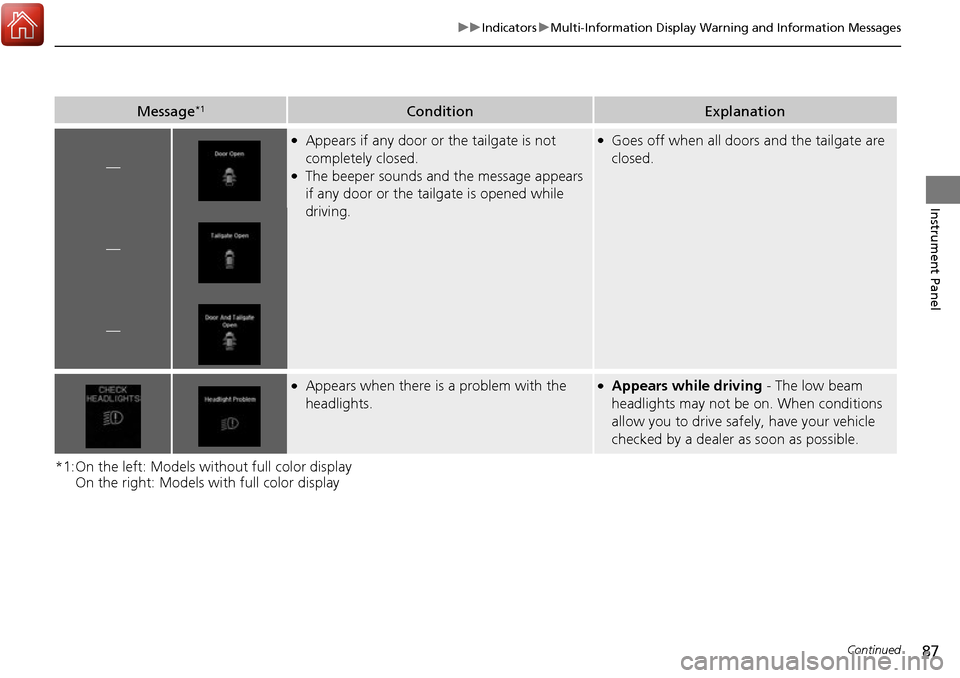
Message*1ConditionExplanation
—
●Appears if any door or the tailgate is not
completely closed.
●The beeper sounds and the message appears
if any door or the tailgate is opened while
driving.
●Goes off when all doors and the tailgate are
closed.
—
—
●Appears when there is a problem with the
headlights.●Appears while driving - The low beam
headlights may not be on. When conditions
allow you to drive safely, have your vehicle
checked by a dealer as soon as possible.
Page 89 of 449
88
uuIndicators uMulti-Information Display Warn ing and Information Messages
Instrument Panel
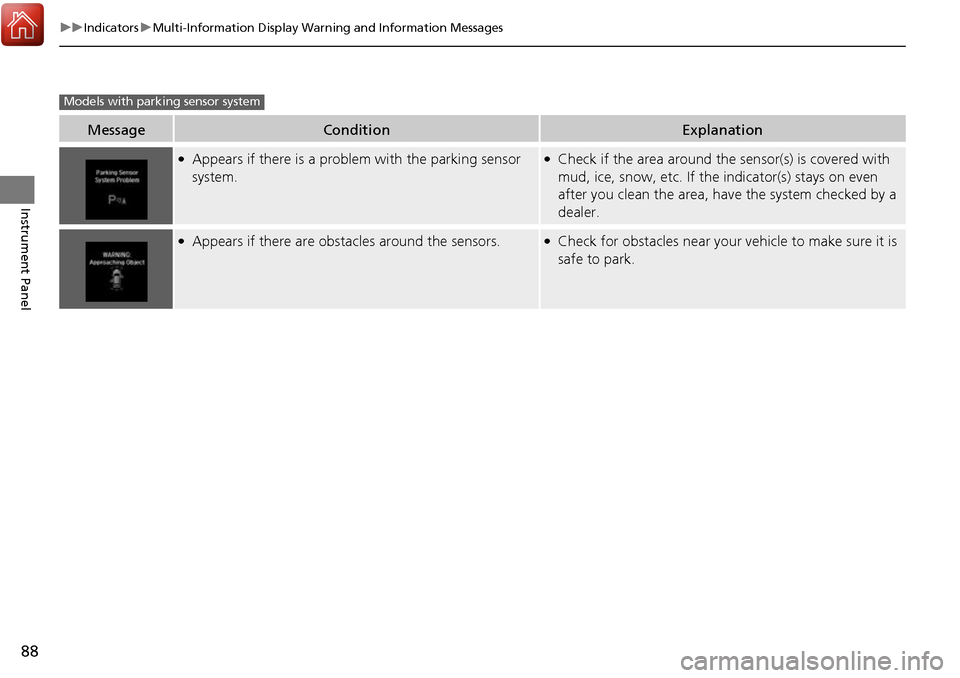
MessageConditionExplanation
●Appears if there is a problem with the parking sensor
system.●Check if the area around the sensor(s) is covered with
mud, ice, snow, etc. If the indicator(s) stays on even
after you clean the area, have the system checked by a
dealer.
●Appears if there are obstacles around the sensors.●Check for obstacles near your vehicle to make sure it is
safe to park.
Models with parking sensor system
Page 90 of 449
89
uuIndicators uMulti-Information Display Warning and Information Messages
Continued
Instrument Panel
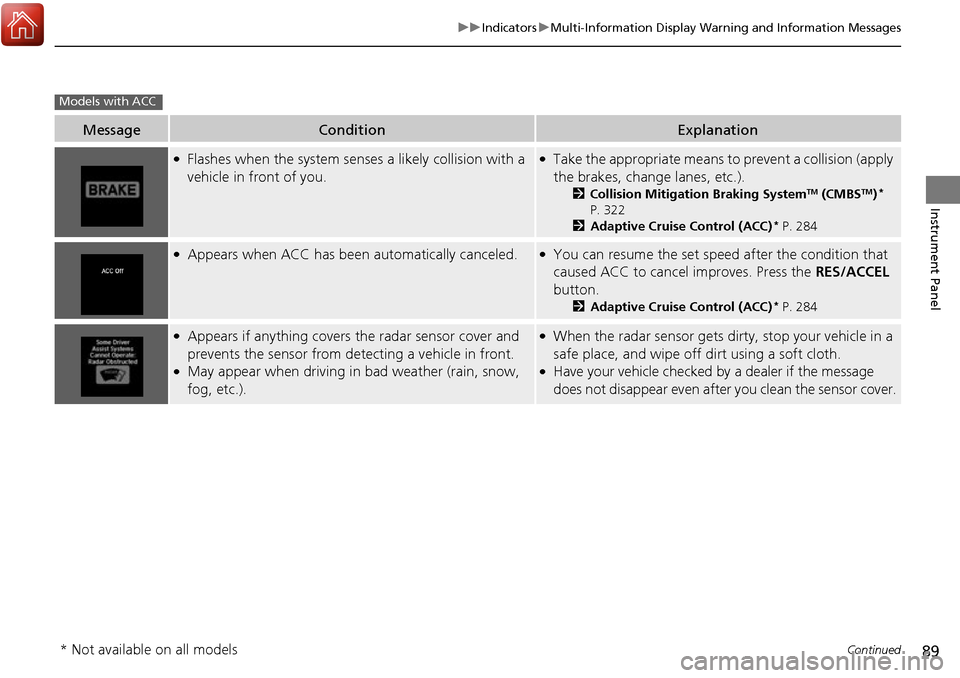
MessageConditionExplanation
●Flashes when the system sens es a likely collision with a
vehicle in front of you.●Take the appropriate means to prevent a collision (apply
the brakes, change lanes, etc.).
2 Collision Mitigation Braking SystemTM (CMBSTM)*
P. 322
2 Adaptive Cruise Control (ACC)
* P. 284
●Appears when ACC has been automatically canceled.●You can resume the set speed after the condition that
caused ACC to cancel improves. Press the RES/ACCEL
button.
2 Adaptive Cruise Control (ACC)* P. 284
●Appears if anything covers the radar sensor cover and
prevents the sensor from detecting a vehicle in front.
●May appear when driving in bad weather (rain, snow,
fog, etc.).
●When the radar sensor gets dirty, stop your vehicle in a
safe place, and wipe off dirt using a soft cloth.
●Have your vehicle checked by a dealer if the message
does not disappear even after you clean the sensor cover.
Models with ACC
* Not available on all models
Page 91 of 449
90
uuIndicators uMulti-Information Display Warn ing and Information Messages
Instrument Panel
MessageConditionExplanation
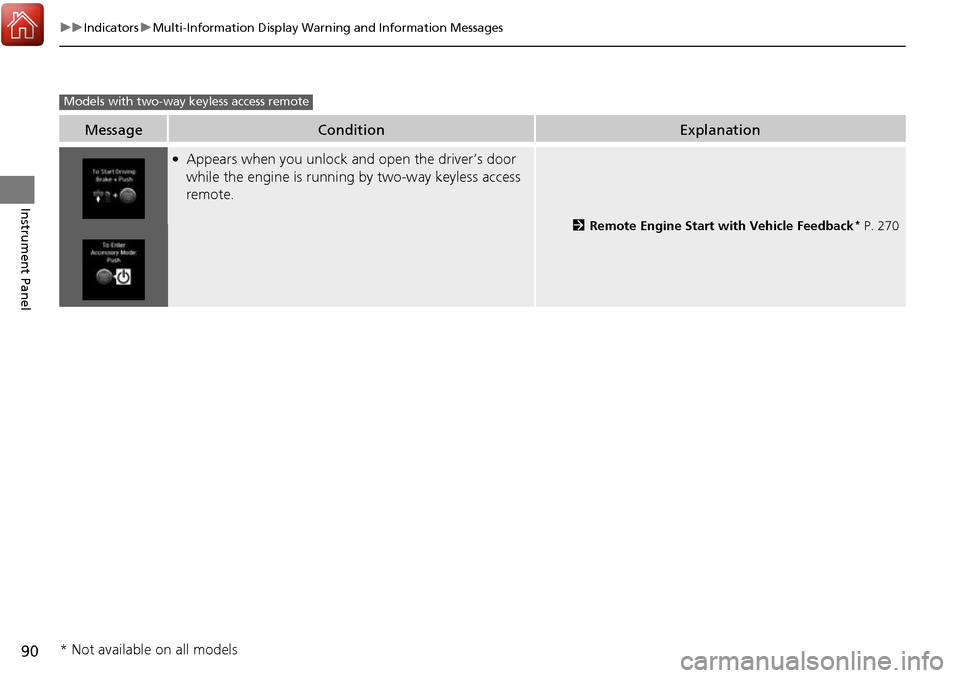
●Appears when you unlock and open the driver’s door
while the engine is running by two-way keyless access
remote.
2 Remote Engine Start with Vehicle Feedback* P. 270
Models with two-way keyless access remote
* Not available on all models
Page 92 of 449
91
uuIndicators uMulti-Information Display Warning and Information Messages
Continued
Instrument Panel
MessageConditionExplanation
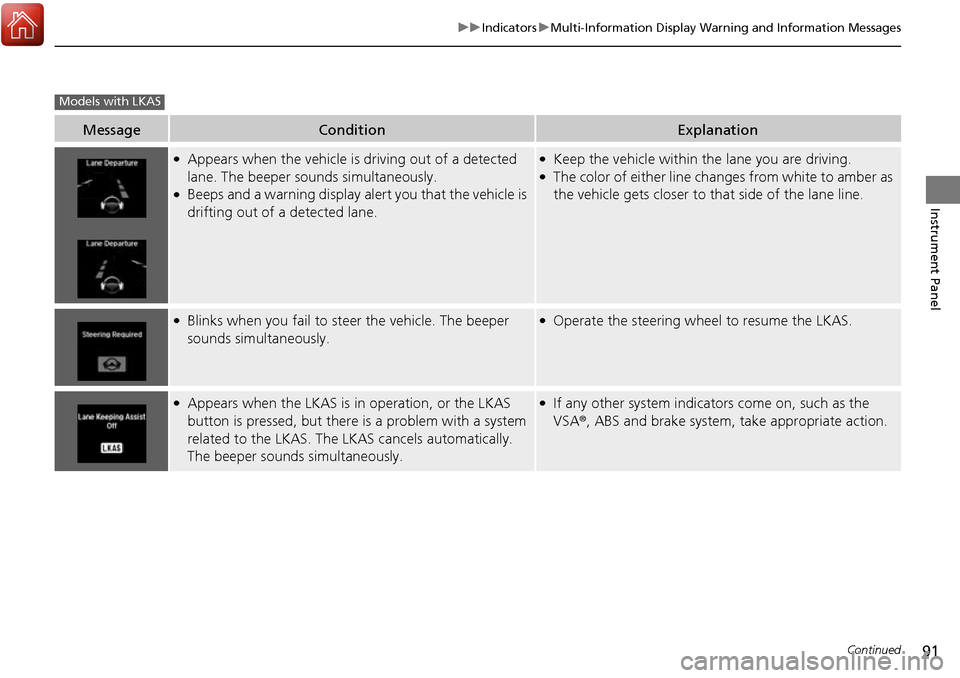
●Appears when the vehicle is driving out of a detected
lane. The beeper sounds simultaneously.
●Beeps and a warning display alert you that the vehicle is
drifting out of a detected lane.
●Keep the vehicle within the lane you are driving.●The color of either line changes from white to amber as
the vehicle gets closer to that side of the lane line.
●Blinks when you fail to steer the vehicle. The beeper
sounds simultaneously.●Operate the steering wheel to resume the LKAS.
●Appears when the LKAS is in operation, or the LKAS
button is pressed, but there is a problem with a system
related to the LKAS. The LKAS cancels automatically.
The beeper sounds simultaneously.●If any other system indicators come on, such as the
VSA ®, ABS and brake system, take appropriate action.
Models with LKAS
Page 93 of 449
92
uuIndicators uMulti-Information Display Warn ing and Information Messages
Instrument Panel
MessageConditionExplanation
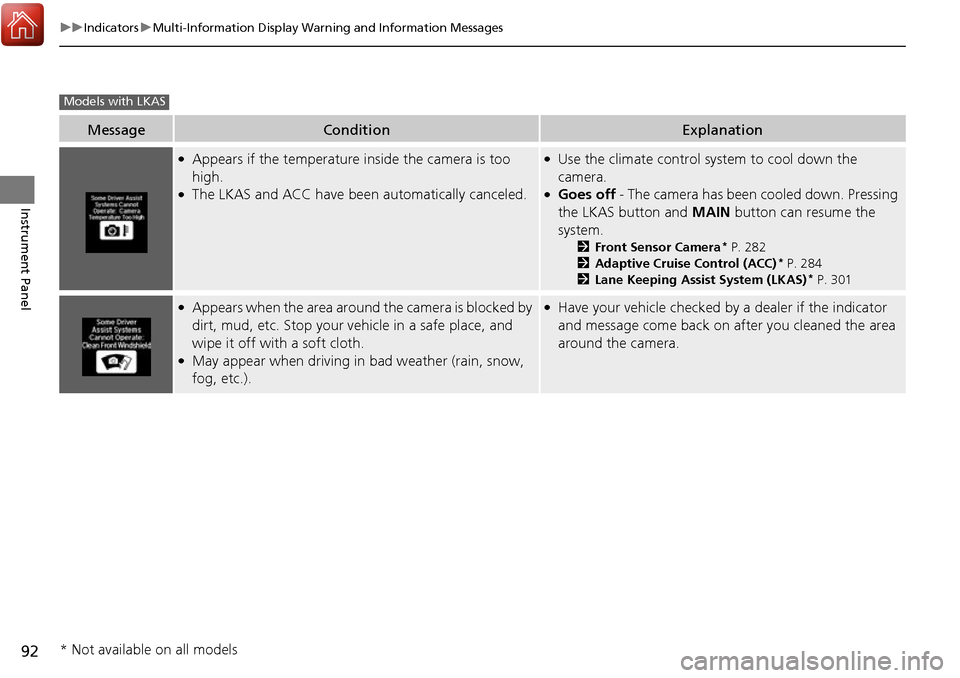
●Appears if the temperature inside the camera is too
high.
●The LKAS and ACC have been automatically canceled.
●Use the climate control system to cool down the
camera.
●Goes off - The camera has been cooled down. Pressing
the LKAS button and MAIN button can resume the
system.
2 Front Sensor Camera* P. 282
2 Adaptive Cruise Control (ACC)* P. 284
2 Lane Keeping Assist System (LKAS)* P. 301
●Appears when the area around the camera is blocked by
dirt, mud, etc. Stop your ve hicle in a safe place, and
wipe it off with a soft cloth.
●May appear when driving in bad weather (rain, snow,
fog, etc.).
●Have your vehicle checked by a dealer if the indicator
and message come back on after you cleaned the area
around the camera.
Models with LKAS
* Not available on all models
Page 95 of 449
94
uuGauges and Multi-Information Display uMulti-Information Display
Instrument Panel
Multi-Information Display
The multi-information display shows the od ometer, trip meter, outside temperature
indicator, and other gauges. It also disp lays important messages such as warnings
and other helpful information.
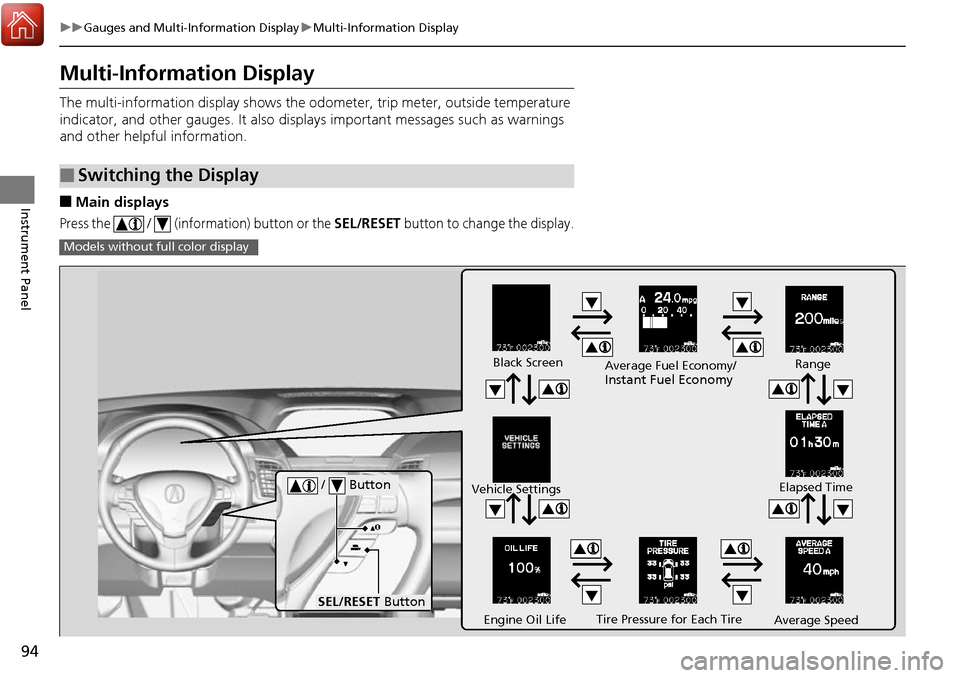
■Main displays
Press the / (information) button or the SEL/RESET button to change the display.
■Switching the Display
Models without fu ll color display
Tire Pressure for Each Tire
Black Screen
Engine Oil Life
Vehicle Settings
Average SpeedRange
Elapsed Time
Average Fuel Economy/
Instant Fuel Economy
/ Button
SEL/RESET
Button
Page 118 of 449
117
Controls
This chapter explains how to operate the various controls necessary for driving.
Setting the Clock.............................. 118
Locking and Unlocking the Doors Key Types and Functions .................. 119
Low Keyless Access Remote Signal Strength ..... 122Locking/Unlocking the Doors from the Outside .......................................... 123
Locking/Unlocking the Doors from the Inside ... 128Childproof Door Locks ..................... 129
Auto Door Locking/Unlocking .......... 130
Opening and Closing the Tailgate ... 131
Security System Immobilizer System .......................... 137
Security System Alarm ...................... 137
Opening and Closing the Windows .... 140Opening and Closing the Moonroof....... 143Operating the Switches Around the
Steering Wheel ENGINE START/STOP Button............. 144
Turn Signals ..................................... 147
Light Switches.................................. 147
Fog Lights
*...................................... 150
Daytime Running Lights ................... 150
Wipers and Washers ........................ 151
Brightness Control ........................... 154
Rear Defogger/Heated Door Mirror Button ... 155Driving Position Memory System ...... 156 Adjusting the Steering Wheel .......... 158
Adjusting the Mirrors Interior Rearview Mirror ................... 159
Power Door Mirrors ......................... 160
Adjusting the Seats Adjusting the Seat Positions ............. 162
Interior Lights/Interior Convenience ItemsInterior Lights .................................. 169
Interior Convenience Items .............. 171
Climate Control System Using Automatic Climate Control .... 180
Synchronized Mode ......................... 182
Automatic Climate Control Sensors.....183
* Not available on all models
Page 145 of 449
144
Controls
Operating the Switches Around the Steering Wheel
ENGINE START/STOP Button
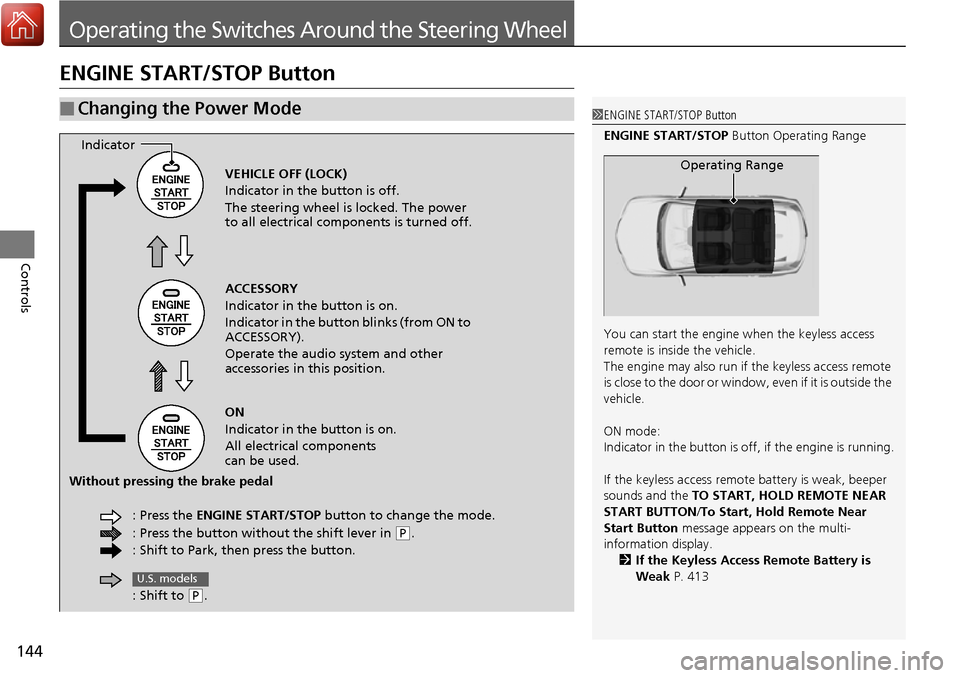
■Changing the Power Mode1ENGINE START/STOP Button
ENGINE START/STOP Button Operating Range
You can start the engine when the keyless access
remote is inside the vehicle.
The engine may also run if the keyless access remote
is close to the door or window, even if it is outside the
vehicle.
ON mode:
Indicator in the button is of f, if the engine is running.
If the keyless access remote battery is weak, beeper
sounds and the TO START, HOLD REMOTE NEAR
START BUTTON /To Start, Hold Remote Near
Start Button message appears on the multi-
information display. 2 If the Keyless Access Remote Battery is
Weak P. 413
Operating RangeVEHICLE OFF (LOCK)
Indicator in the button is off.
The steering wheel is locked. The power
to all electrical components is turned off.
ACCESSORY
Indicator in the button is on.
Indicator in the button blinks (from ON to
ACCESSORY).
Operate the audio system and other
accessories in this position.
ON
Indicator in the button is on.
All electrical components
can be used.
: Press the ENGINE START/STOP button to change the mode.
: Press the button without the shift lever in
( P.
: Shift to Park, then press the button.
Indicator
Without pressing the brake pedal
: Shift to
(P.
U.S. models