parking Acura TLX 2019 User Guide
[x] Cancel search | Manufacturer: ACURA, Model Year: 2019, Model line: TLX, Model: Acura TLX 2019Pages: 591, PDF Size: 34.5 MB
Page 102 of 591

100
uuIndicators uMulti-Information Display Warn ing and Information Messages
Instrument Panel
MessageConditionExplanation
●Appears when the automatic brake hold system is
turned off.
2 Automatic Brake Hold P. 432
●Appears when the automatic brake hold button is
pressed without wearing the driver’s seat belt.●Fasten the driver’s seat belt.
2Automatic Brake Hold P. 432
●Appears when the automatic brake hold button is
pressed without depressing the brake pedal while the
automatic brake hold system is in operation.●Press the automatic brake hold button with the brake
pedal depressed.
2Automatic Brake Hold P. 432
●Appears when the parking brake is applied
automatically while it is in operation.
2Automatic Brake Hold P. 432
2 Parking Brake P. 428
19 ACURA TLX-31TZ36400.book 100 ページ 2018年2月16日 金曜日 午後12時22分
Page 105 of 591
103
uuIndicators uMulti-Information Display Warning and Information Messages
Continued
Instrument Panel
MessageConditionExplanation
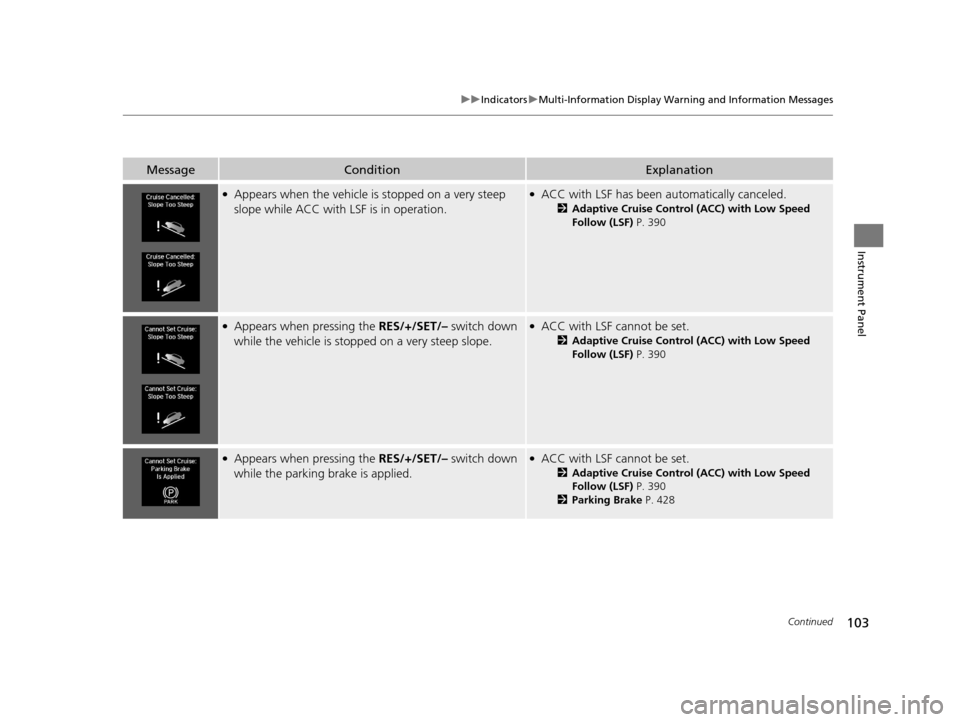
●Appears when the vehicle is stopped on a very steep
slope while ACC with LSF is in operation.●ACC with LSF has been automatically canceled.
2 Adaptive Cruise Control (ACC) with Low Speed
Follow (LSF) P. 390
●Appears when pressing the RES/+/SET/– switch down
while the vehicle is stopped on a very steep slope.●ACC with LSF cannot be set.
2 Adaptive Cruise Control (ACC) with Low Speed
Follow (LSF) P. 390
●Appears when pressing the RES/+/SET/– switch down
while the parking brake is applied.●ACC with LSF cannot be set.
2 Adaptive Cruise Control (ACC) with Low Speed
Follow (LSF) P. 390
2 Parking Brake P. 428
19 ACURA TLX-31TZ36400.book 103 ページ 2018年2月16日 金曜日 午後12時22分
Page 114 of 591
112
uuIndicators uMulti-Information Display Warn ing and Information Messages
Instrument Panel
MessageConditionExplanation
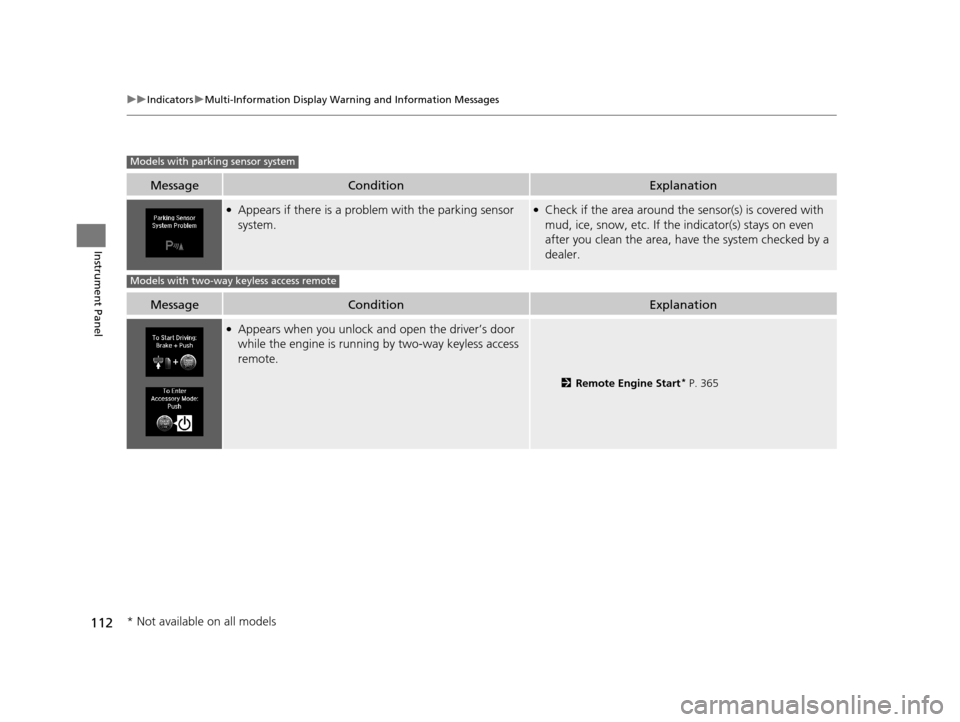
●Appears if there is a problem with the parking sensor
system.●Check if the area around the sensor(s) is covered with
mud, ice, snow, etc. If the indicator(s) stays on even
after you clean the area, have the system checked by a
dealer.
MessageConditionExplanation
●Appears when you unlock and open the driver’s door
while the engine is running by two-way keyless access
remote.
2 Remote Engine Start* P. 365
Models with parking sensor system
Models with two-way keyless access remote
* Not available on all models
19 ACURA TLX-31TZ36400.book 112 ページ 2018年2月16日 金曜日 午後12時22分
Page 164 of 591
162
uuOperating the Switches Around the Steering Wheel uLight Switches
Controls
Light Switches
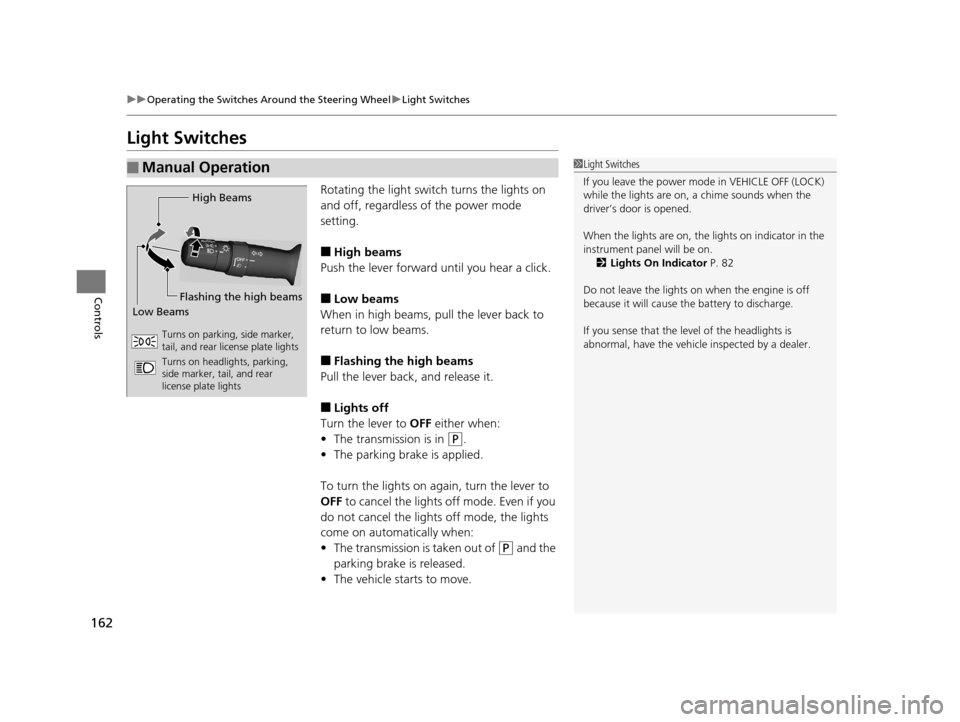
Rotating the light switch turns the lights on
and off, regardless of the power mode
setting.
■High beams
Push the lever forward until you hear a click.
■Low beams
When in high beams, pull the lever back to
return to low beams.
■Flashing the high beams
Pull the lever back, and release it.
■Lights off
Turn the lever to OFF either when:
• The transmission is in
(P.
• The parking brake is applied.
To turn the lights on again, turn the lever to
OFF to cancel the lights off mode. Even if you
do not cancel the lights off mode, the lights
come on automatically when:
• The transmission is taken out of
(P and the
parking brake is released.
• The vehicle starts to move.
■Manual Operation1Light Switches
If you leave the power mode in VEHICLE OFF (LOCK)
while the lights are on, a chime sounds when the
driver’s door is opened.
When the lights are on, the lights on indicator in the
instrument pane l will be on.
2 Lights On Indicator P. 82
Do not leave the lights on when the engine is off
because it will cause the battery to discharge.
If you sense that the le vel of the headlights is
abnormal, have the vehicl e inspected by a dealer.
High Beams
Flashing the high beams
Low Beams
Turns on parking, side marker,
tail, and rear license plate lights
Turns on headlights, parking,
side marker, tail, and rear
license plate lights
19 ACURA TLX-31TZ36400.book 162 ページ 2018年2月16日 金曜日 午後12時22分
Page 165 of 591
Continued163
uuOperating the Switches Around the Steering Wheel uLight Switches
Controls
Automatic lighting control can be used when
the power mode is in ON.
When the light switch is in AUTO, the
headlights and other exterior lights will switch
on and off automatically depending on the
ambient brightness.
You can change the auto light sensitivity
setting.
2 Customized Features P. 120, 292
The headlights comes on when you unlock a
door in dark areas with the headlight switch in
AUTO.
u Once you lock the door, the headlights
will go off.
■Automatic Operation (automatic lighting control)1Automatic Operation (aut omatic lighting control)
We recommend that you tu rn on the lights manually
when driving at night, in a dense fog, or in dark areas
such as long tunnels or parking facilities.
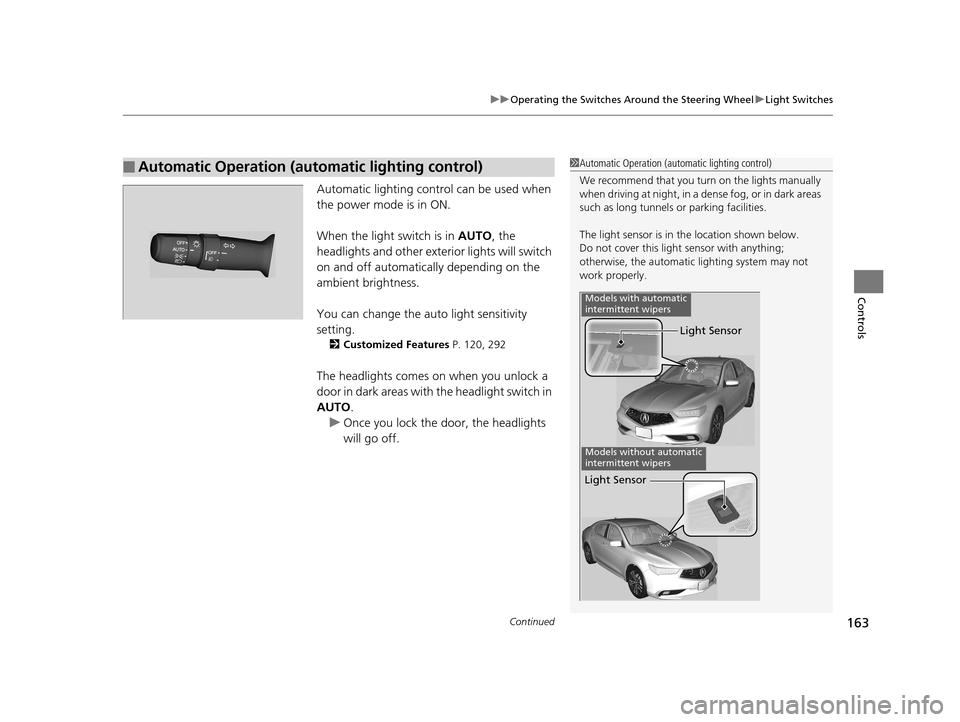
The light sensor is in the location shown below.
Do not cover this light sensor with anything;
otherwise, the automatic lighting system may not
work properly.
Light Sensor
Models with automatic
intermittent wipers
Models without automatic
intermittent wipers
Light Sensor
19 ACURA TLX-31TZ36400.book 163 ページ 2018年2月16日 金曜日 午後12時22分
Page 167 of 591
165
uuOperating the Switches Around the Steering Wheel uFog Lights*
Controls
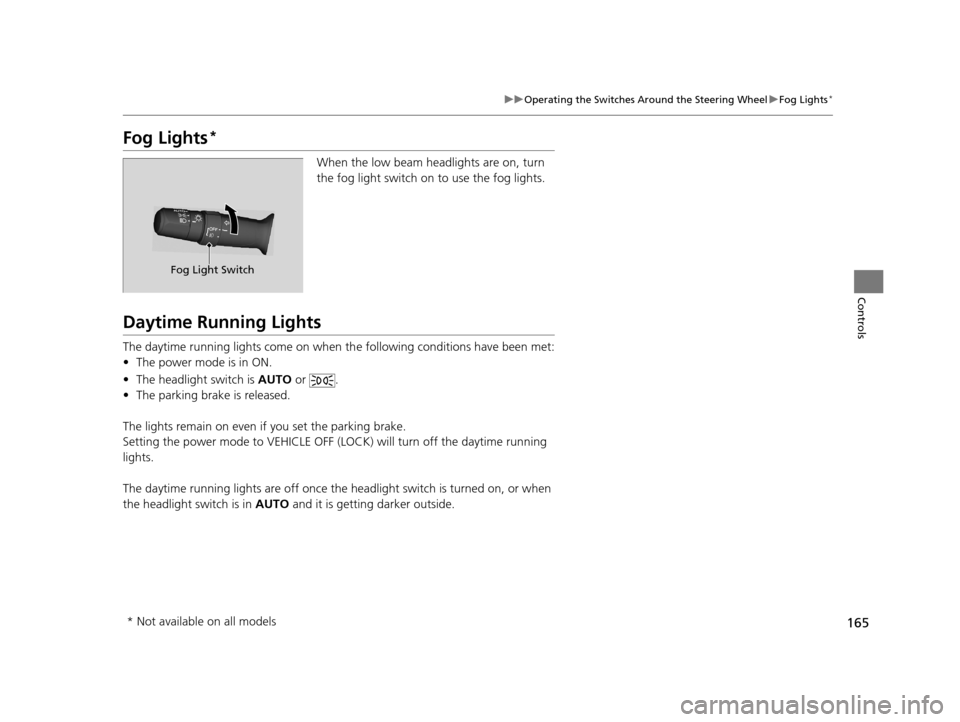
Fog Lights*
When the low beam headlights are on, turn
the fog light switch on to use the fog lights.
Daytime Running Lights
The daytime running lights come on when th e following conditions have been met:
• The power mode is in ON.
• The headlight switch is AUTO or .
• The parking brake is released.
The lights remain on even if you set the parking brake.
Setting the power mode to VEHICLE OFF (L OCK) will turn off the daytime running
lights.
The daytime running lights are off once the h eadlight switch is turned on, or when
the headlight switch is in AUTO and it is getting darker outside.
Fog Light Switch
* Not available on all models
19 ACURA TLX-31TZ36400.book 165 ページ 2018年2月16日 金曜日 午後12時22分
Page 177 of 591
175
uuOperating the Switches Around the Steering Wheel uDriving Position Memory System
Controls
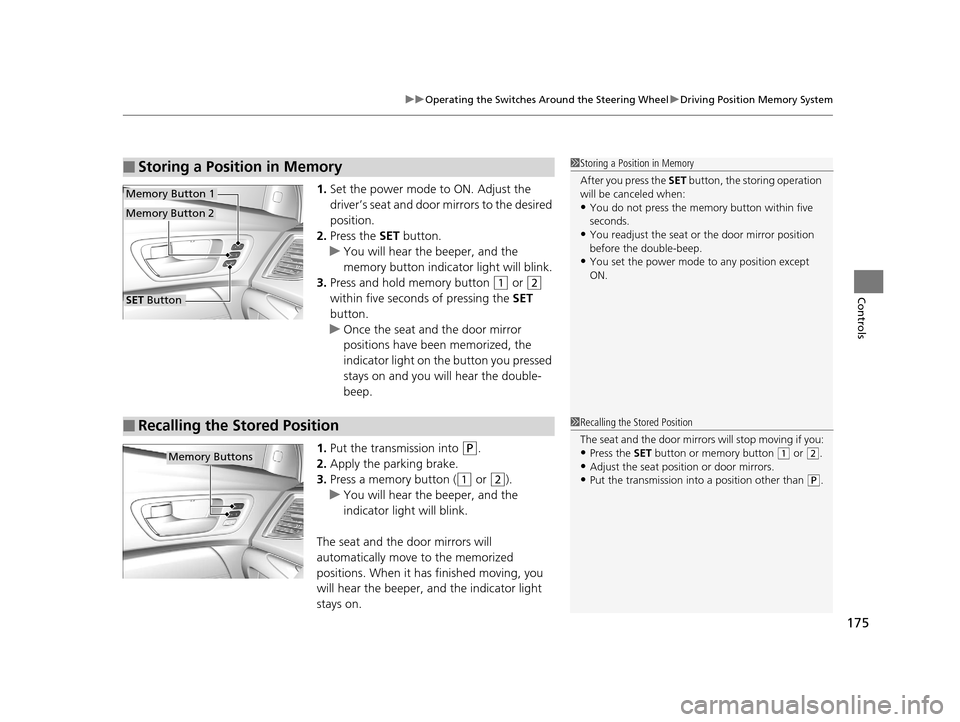
1. Set the power mode to ON. Adjust the
driver’s seat and door mirrors to the desired
position.
2. Press the SET button.
u You will hear the beeper, and the
memory button indicator light will blink.
3. Press and hold memory button
(1 or (2
within five seconds of pressing the SET
button.
u Once the seat and the door mirror
positions have been memorized, the
indicator light on the button you pressed
stays on and you will hear the double-
beep.
1. Put the transmission into
(P.
2. Apply the parking brake.
3. Press a memory button (
(1 or (2).
u You will hear the beeper, and the
indicator light will blink.
The seat and the door mirrors will
automatically move to the memorized
positions. When it has finished moving, you
will hear the beeper, and the indicator light
stays on.
■Storing a Position in Memory1 Storing a Position in Memory
After you press the SET button, the storing operation
will be canceled when:
•You do not press the memory button within five
seconds.
•You readjust the seat or the door mirror position
before the double-beep.
•You set the power mode to any position except
ON.
SET Button
Memory Button 1
Memory Button 2
■Recalling the Stored Position1 Recalling the Stored Position
The seat and the door mirrors will stop moving if you:
•Press the SET button or memory button (1 or (2.•Adjust the seat position or door mirrors.
•Put the transmission into a position other than (P.
Memory Buttons
19 ACURA TLX-31TZ36400.book 175 ページ 2018年2月16日 金曜日 午後12時22分
Page 193 of 591
191
uuInterior Lights/Interior Convenience Items uInterior Lights
Controls
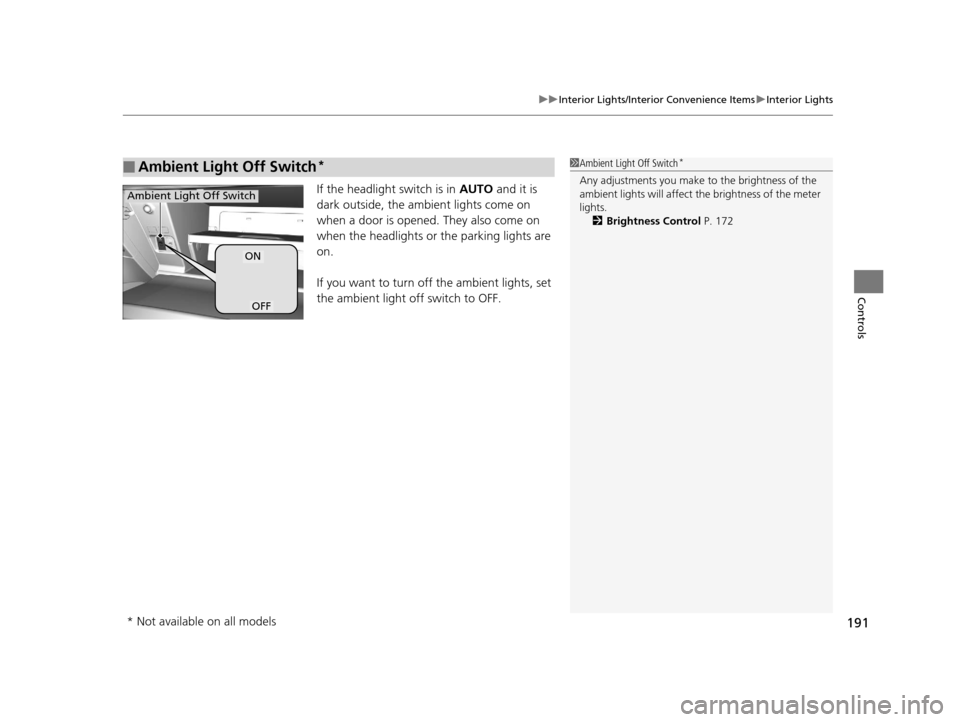
If the headlight switch is in AUTO and it is
dark outside, the ambient lights come on
when a door is opened. They also come on
when the headlights or the parking lights are
on.
If you want to turn off the ambient lights, set
the ambient light off switch to OFF.
■Ambient Light Off Switch*1 Ambient Light Off Switch*
Any adjustments you make to the brightness of the
ambient lights will affect the brightness of the meter
lights.
2 Brightness Control P. 172
ON
OFF
Ambient Light Off Switch
* Not available on all models
19 ACURA TLX-31TZ36400.book 191 ページ 2018年2月16日 金曜日 午後12時22分
Page 194 of 591
192
uuInterior Lights/Interior Convenience Items uInterior Convenience Items
Controls
Interior Convenience Items
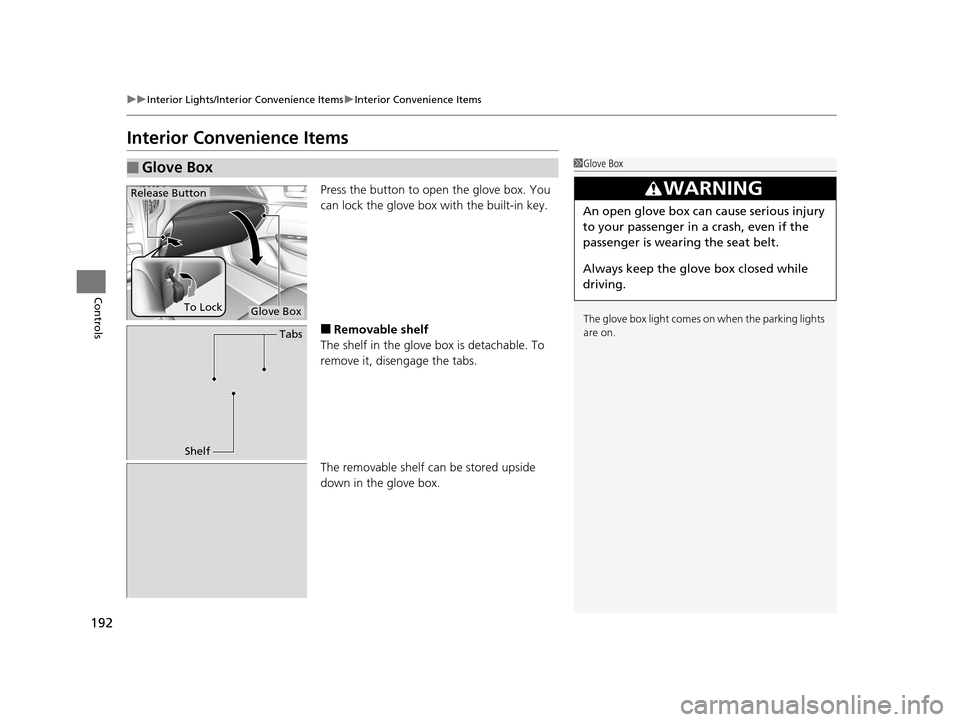
Press the button to open the glove box. You
can lock the glove box with the built-in key.
■Removable shelf
The shelf in the glove box is detachable. To
remove it, disengage the tabs.
The removable shelf can be stored upside
down in the glove box.
■Glove Box1 Glove Box
The glove box light comes on when the parking lights
are on.
3WARNING
An open glove box can cause serious injury
to your passenger in a crash, even if the
passenger is wearing the seat belt.
Always keep the glove box closed while
driving.
Glove Box
Release Button
To Lock
Tabs
Shelf
19 ACURA TLX-31TZ36400.book 192 ページ 2018年2月16日 金曜日 午後12時22分
Page 195 of 591
Continued193
uuInterior Lights/Interior Convenience Items uInterior Convenience Items
Controls
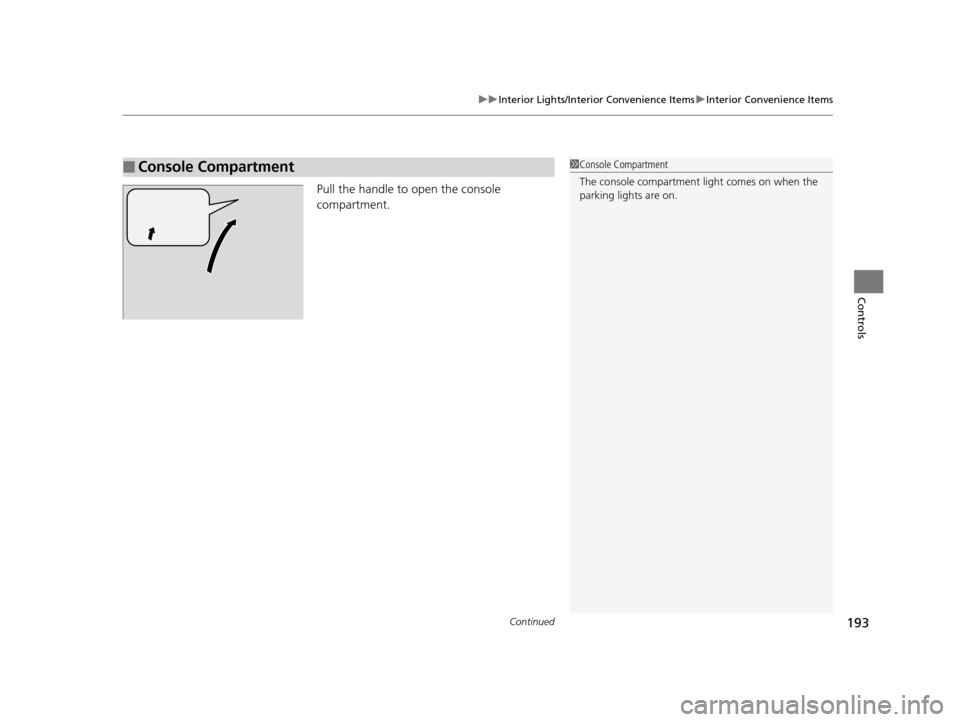
Pull the handle to open the console
compartment.
■Console Compartment1Console Compartment
The console compartment light comes on when the
parking lights are on.
19 ACURA TLX-31TZ36400.book 193 ページ 2018年2月16日 金曜日 午後12時22分