lock Acura ZDX 2012 Workshop Manual
[x] Cancel search | Manufacturer: ACURA, Model Year: 2012, Model line: ZDX, Model: Acura ZDX 2012Pages: 370, PDF Size: 10.06 MB
Page 127 of 370
125
uuOpening and Closing the Windows uOpening/Closing the Power Windows
Controls
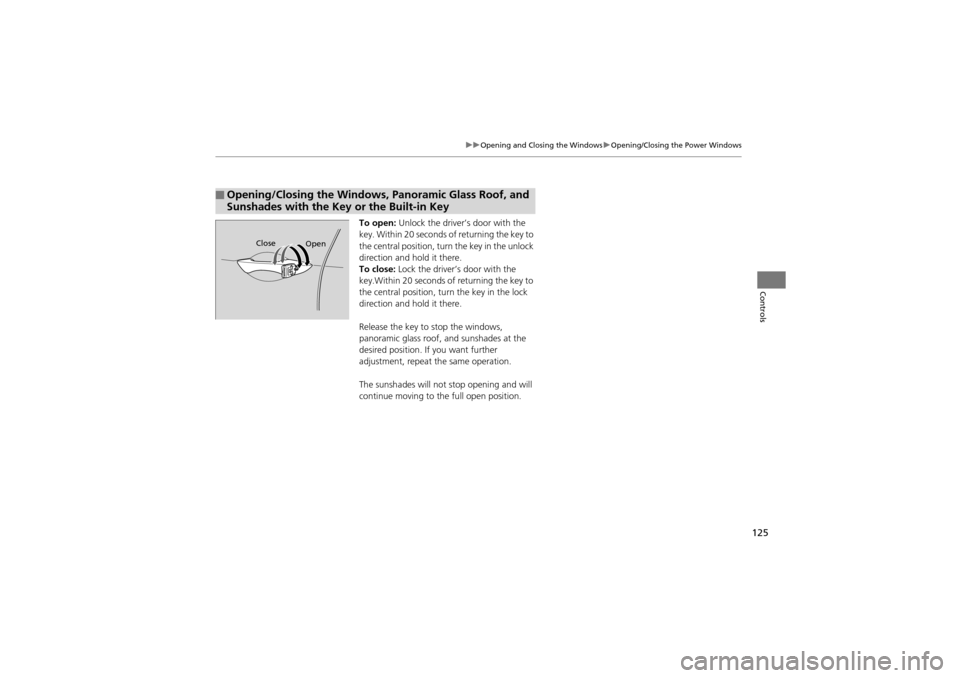
To open: Unlock the driver’s door with the
key. Within 20 seconds of returning the key to
the central position, turn the key in the unlock
direction and hold it there.
To close: Lock the driver’s door with the
key.Within 20 seconds of returning the key to
the central position, turn the key in the lock
direction and hold it there.
Release the key to stop the windows,
panoramic glass roof, and sunshades at the
desired position. If you want further
adjustment, repeat the same operation.
The sunshades will not stop opening and will
continue moving to the full open position.
■Opening/Closing the Windows, Panoramic Glass Roof, and
Sunshades with the Key or the Built-in Key
Open
Close
Page 129 of 370
127
Controls
Operating the Switches Around the Steering Wheel
Ignition Switch
1Ignition Switch
You cannot take the key out unless the shift lever is
in
(P.
If you open the driver’s door when the key is in LOCK
(0 or ACCESSORY (q, a warning buzzer will sound
to remind you to take the key out.
When this happens, the following messages appear
on the multi-information display:
•In LOCK (0: REMOVE KEY.•In ACCESSORY (q: REMOVE KEY
The buzzer will stop when you take the key out.
If the key won’t turn from LOCK
(0 to ACCESSORY (q, turn the key while moving the steering wheel left
and right. The steering wheel will unlock, allowing
the key to turn.
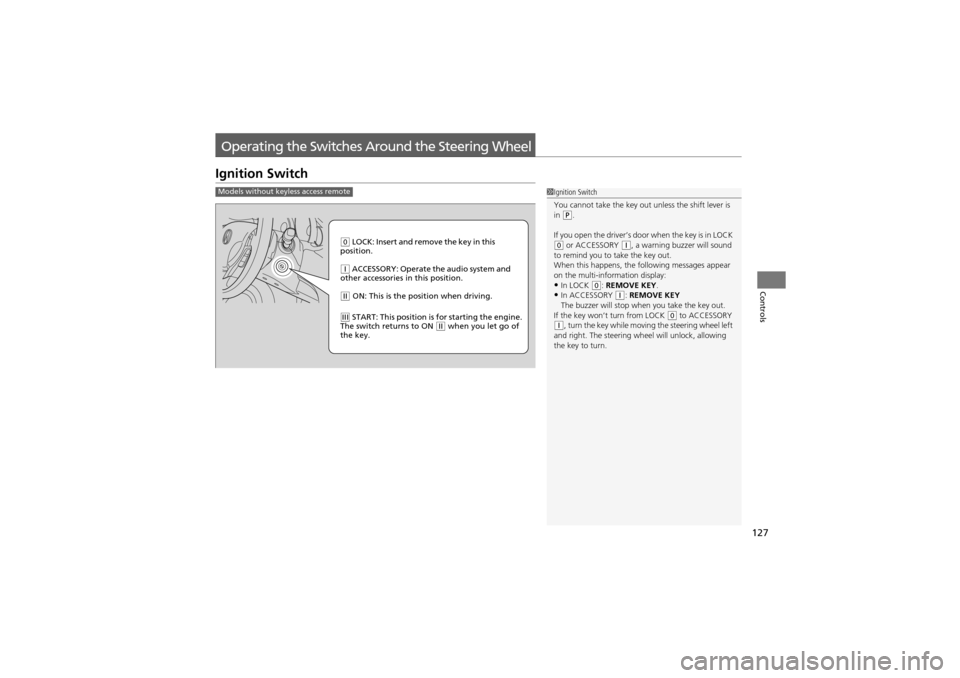
Models without keyless access remote
0 LOCK: Insert and remove the key in this
position.
q ACCESSORY: Operate the audio system and
other accessories in this position.
w ON: This is the position when driving.
e START: This position is for starting the engine.
The switch returns to ON w when you let go of
the key.
Page 130 of 370
128
uuOperating the Switches Around the Steering Wheel uENGINE START/STOP Button*
Controls
ENGINE START/STOP Button*
1ENGINE START/STOP Button*
ENGINE START/STOP Button Operating Range
You can start the engine when the keyless access
remote is inside the vehicle.
The engine may also run if the keyless access remote
is close to the door or window , even if it is outside the
vehicle.
If you open the driver’s door in the ACCESSORY, a
warning buzzer will sound to remind you to set the
power mode to VEHICLE OFF.
If you cannot start the engine with the keyless access
remote inside the vehicle, insert the remote into the
slot. 2 Keyless Access Remote Slot P. 130
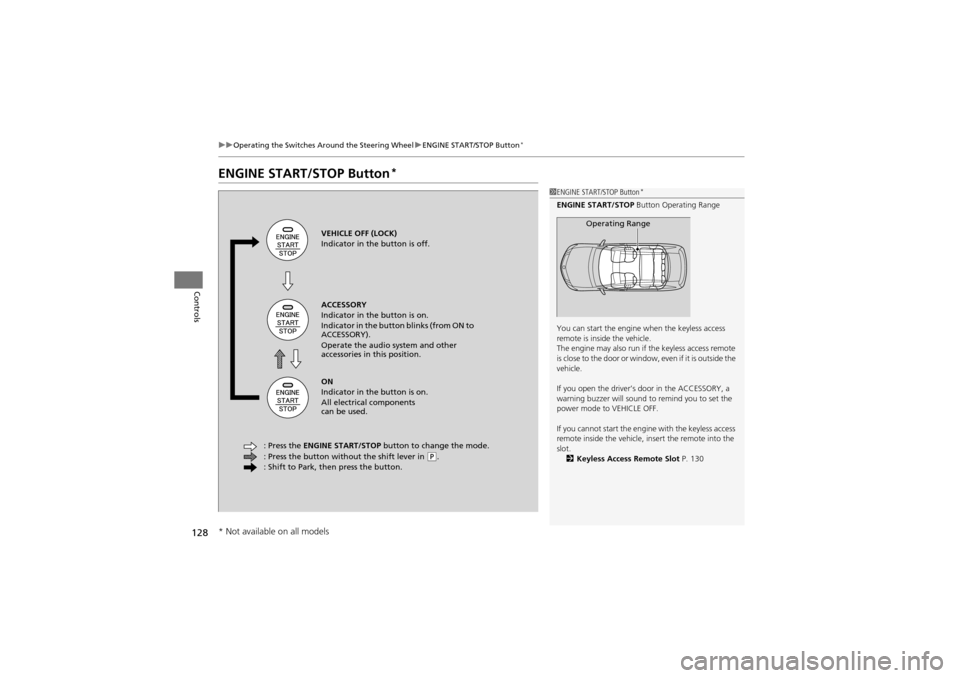
Operating RangeVEHICLE OFF (LOCK)
Indicator in the button is off.
ACCESSORY
Indicator in the button is on.
Indicator in the button blinks (from ON to
ACCESSORY).
Operate the audio system and other
accessories in this position.
ON
Indicator in the button is on.
All electrical components
can be used.
: Press the ENGINE START/STOP button to change the mode.
: Press the button without the shift lever in
( P.
: Shift to Park, then press the button.
* Not available on all models
Page 131 of 370
129
uuOperating the Switches Around the Steering Wheel uENGINE START/STOP Button*
Continued
Controls
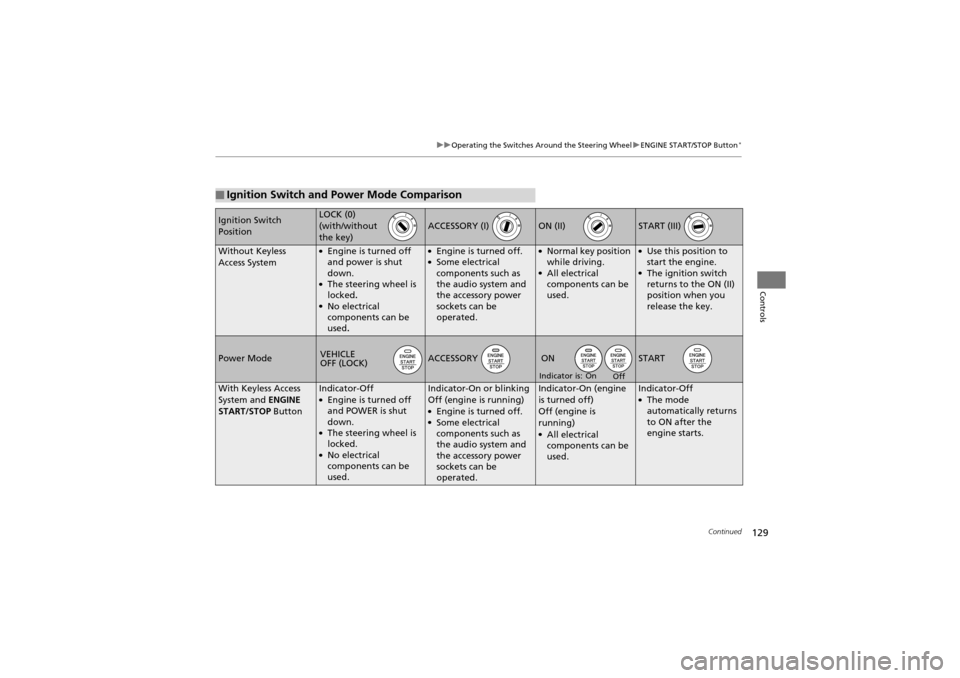
■Ignition Switch and Power Mode Comparison
Ignition Switch
PositionLOCK (0)
(with/without
the key)
ACCESSORY (I) ON (II) START (III)
Without Keyless
Access System●Engine is turned off
and power is shut
down.
●The steering wheel is
locked.
●No electrical
components can be
used.
●Engine is turned off.●Some electrical
components such as
the audio system and
the accessory power
sockets can be
operated.
●Normal key position
while driving.
●All electrical
components can be
used.
●Use this position to
start the engine.
●The ignition switch
returns to the ON (II)
position when you
release the key.
Power ModeACCESSORY START
With Keyless Access
System and ENGINE
START/STOP ButtonIndicator-Off●Engine is turned off
and POWER is shut
down.
●The steering wheel is
locked.
●No electrical
components can be
used.
Indicator-On or blinking
Off (engine is running)
●Engine is turned off.●Some electrical
components such as
the audio system and
the accessory power
sockets can be
operated.
Indicator-On (engine
is turned off)
Off (engine is
running)
●All electrical
components can be
used.
Indicator-Off●The mode
automatically returns
to ON after the
engine starts.
VEHICLE
OFF (LOCK)ON
On
Off
Indicator is:
Page 134 of 370
uuOperating the Switches Around the Steering Wheel uLight Switches
132
Controls
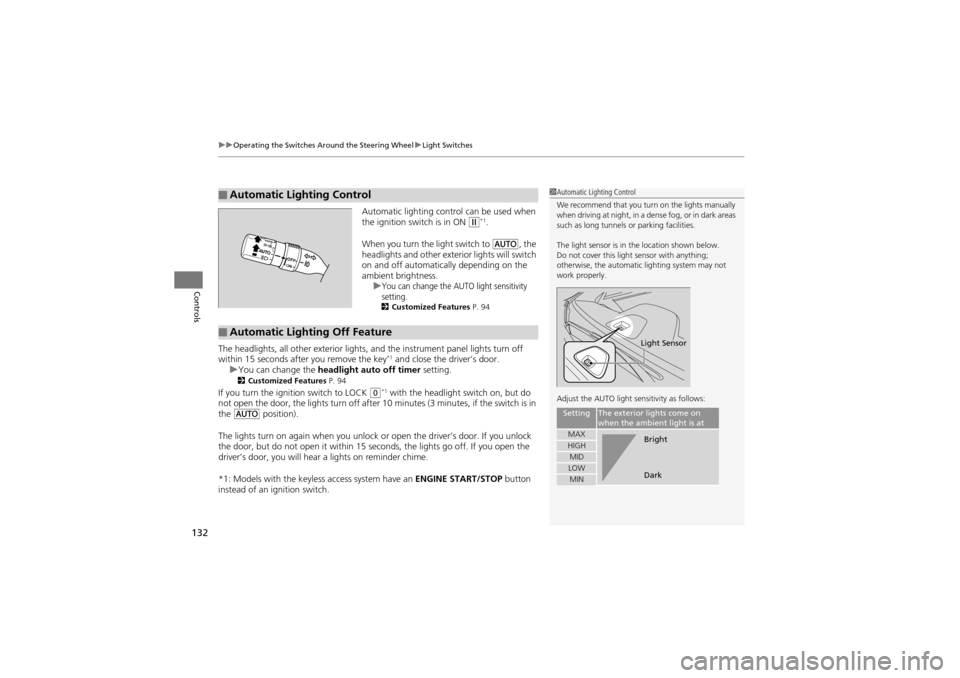
Automatic lighting control can be used when
the ignition switch is in ON w*1.
When you turn the light switch to
Y, the
headlights and other exterior lights will switch
on and off automatically depending on the
ambient brightness. u
You can change the AUTO light sensitivity
setting.
2 Customized Features P. 94
The headlights, all other exterior lights, and the instrument panel lights turn off
within 15 seconds a fter you remove the key*1 and close the driver’s door.
u You can change the headlight auto off timer setting.
2Customized Features P. 94
If you turn the ignition switch to LOCK 0*1 with the headlight switch on, but do
not open the door, the lights turn off after 10 minutes (3 minutes, if the switch is in
the
Y position).
The lights turn on again when you unlock or open the driver’s door. If you unlock
the door, but do not open it within 15 seconds, the lights go off. If you open the
driver’s door, you will hear a lights on reminder chime.
*1: Models with the keyless access system have an ENGINE START/STOP button
instead of an ignition switch.
■Automatic Lighting Control1 Automatic Lighting Control
We recommend that you turn on the lights manually
when driving at night, in a dense fog, or in dark areas
such as long tunnels or parking facilities.
The light sensor is in the location shown below.
Do not cover this light sensor with anything;
otherwise, the automatic lighting system may not
work properly.
Adjust the AUTO light sensitivity as follows:
SettingThe exterior lights come on
when the ambien t light is at
MAXHIGHMIDLOWMIN
Light Sensor
Bright
Dark
■Automatic Lighting Off Feature
Page 140 of 370
138
uuOperating the Switches Around the Steering Wheel uDriving Position Memory System
Controls
Driving Position Memory System
You can store two driver’s seat (excep t for power lumbar), steering wheel and
outside mirror positions with the driving position memory system.
When you unlock and open the driver’s door with a remote transmitter, or keyless
access system
*, the seat and outside mirrors adjust automatically to one of the two
preset positions.
The steering wheel will move to the stored position when you insert the key into the
ignition switch.
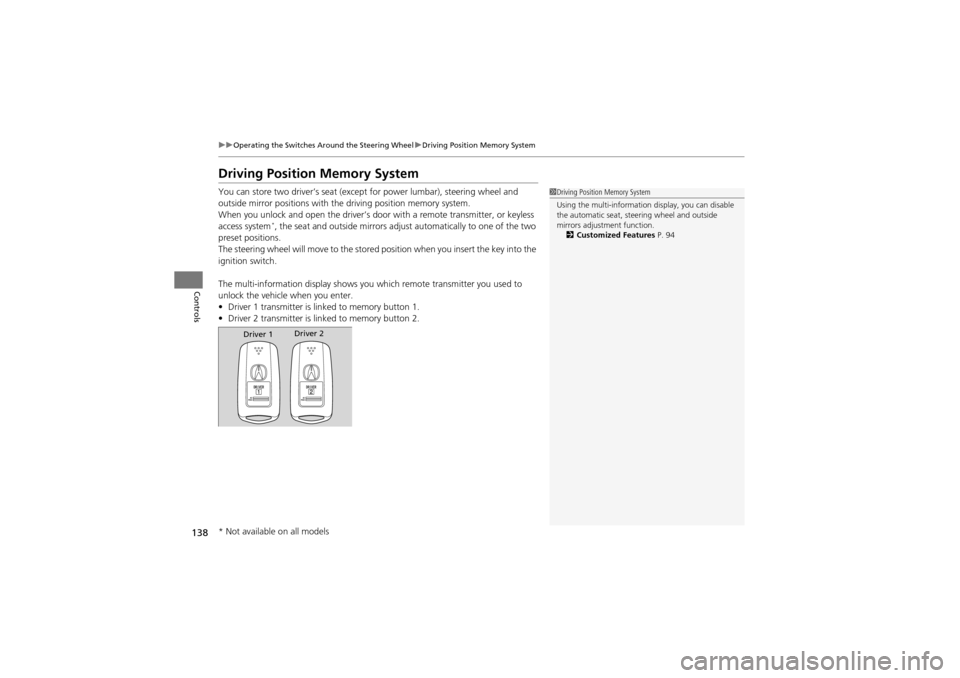
The multi-information disp lay shows you which remote transmitter you used to
unlock the vehicle when you enter.
• Driver 1 transmitter is lin ked to memory button 1.
• Driver 2 transmitter is lin ked to memory button 2.
1Driving Position Memory System
Using the multi-information display, you can disable
the automatic seat, steering wheel and outside
mirrors adjustment function.
2 Customized Features P. 94
Driver 1Driver 2
* Not available on all models
Page 149 of 370
Continued147
uuAdjusting the Seats uAdjusting the Seat Positions
Controls
Head restraints can be removed for cleaning or repair.
To remove a front or rear center head restraint:
Pull the restraint up as far as it will go. Then push the release button, and pull the
restraint up and out.
To remove a rear outer head restraint:
Push the tilt button, then fold the head restraint backward. Push the release button,
then pull the restraint up and out.
To reinstall a head restraint:
Insert the legs back in place, then adjust the head restraint to an appropriate height
while pressing the release button. Pull up on the restraint to make sure it is locked
in position.
■Removing and Reinstallin g the Head Restraints1Removing and Reinstalling the Head Restraints
3WARNING
Failure to reinstall, or correctly reinstall, the
head restraints can result in severe injury
during a crash.
Always replace the head restraints before
driving.
Page 151 of 370
149
uuAdjusting the Seats uRear Seats
Controls
Rear Seats
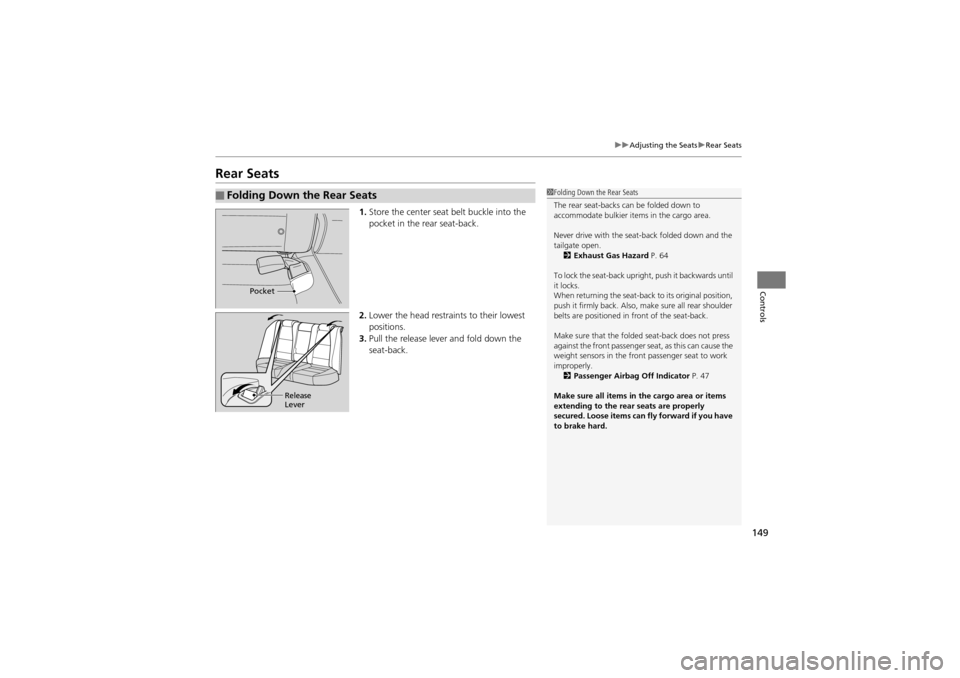
1. Store the center seat belt buckle into the
pocket in the rear seat-back.
2. Lower the head restrain ts to their lowest
positions.
3. Pull the release lever and fold down the
seat-back.
■Folding Down the Rear Seats1Folding Down the Rear Seats
The rear seat-backs can be folded down to
accommodate bulkier it ems in the cargo area.
Never drive with the seat-back folded down and the
tailgate open. 2 Exhaust Gas Hazard P. 64
To lock the seat-back uprig ht, push it backwards until
it locks.
When returning the seat-back to its original position,
push it firmly back. Also, ma ke sure all rear shoulder
belts are positioned in front of the seat-back.
Make sure that the folded seat-back does not press
against the front passenger seat, as this can cause the
weight sensors in the front passenger seat to work
improperly. 2 Passenger Airbag Off Indicator P. 47
Make sure all items in th e cargo area or items
extending to th e rear seats are properly
secured. Loose items can fly forward if you have
to brake hard.
Pocket
Release
Lever
Page 153 of 370
151Continued
Controls
Interior Lights/Interior Convenience Items
Interior Lights
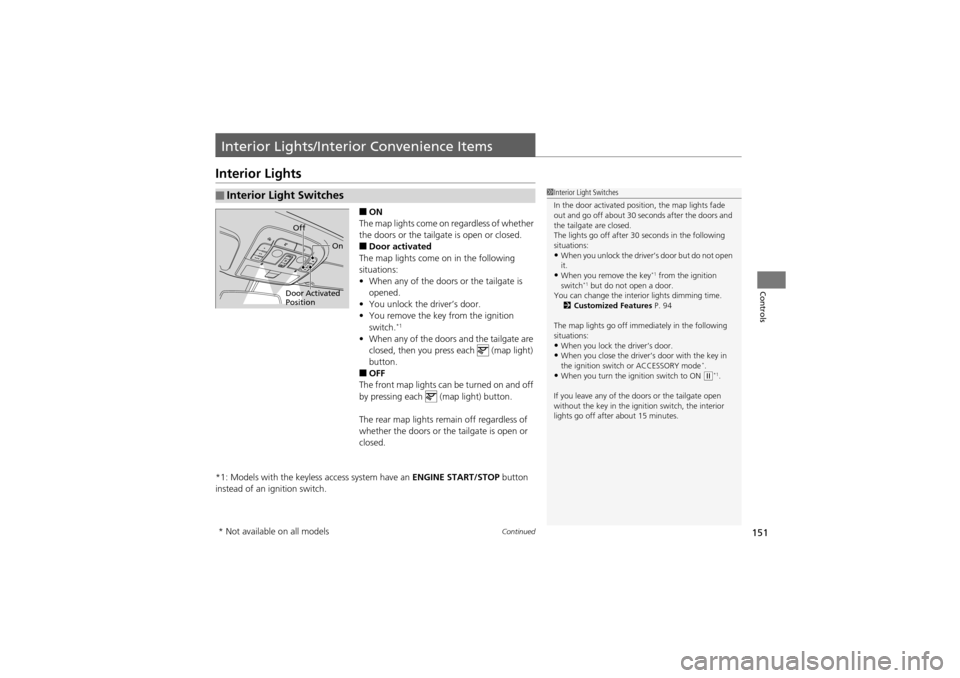
■ON
The map lights come on regardless of whether
the doors or the tailgate is open or closed.
■Door activated
The map lights come on in the following
situations:
• When any of the doors or the tailgate is
opened.
• You unlock the driver’s door.
• You remove the key from the ignition
switch.
*1
•When any of the door s and the tailgate are
closed, then you press each (map light)
button.
■OFF
The front map lights can be turned on and off
by pressing each (map light) button.
The rear map lights remain off regardless of
whether the doors or the tailgate is open or
closed.
*1: Models with the keyless access system have an ENGINE START/STOP button
instead of an ig nition switch.
■Interior Light Switches1Interior Light Switches
In the door activated position, the map lights fade
out and go off about 30 seconds after the doors and
the tailgate are closed.
The lights go off after 30 seconds in the following
situations:
•When you unlock the driver’s door but do not open
it.
•When you remove the key*1 from the ignition
switch*1 but do not open a door.
You can change the interior lights dimming time.
2 Customized Features P. 94
The map lights go off immediately in the following
situations:
•When you lock the driver’s door.•When you close the driver’s door with the key in
the ignition switch or ACCESSORY mode*.•When you turn the ignition switch to ON (w*1.
If you leave any of the do ors or the tailgate open
without the key in the ignition switch, the interior
lights go off after about 15 minutes.
Door Activated
Position Off
On
* Not available on all models
Page 155 of 370
153
uuInterior Lights/Inter ior Convenience Items uInterior Convenience Items
Continued
Controls
Interior Convenience Items
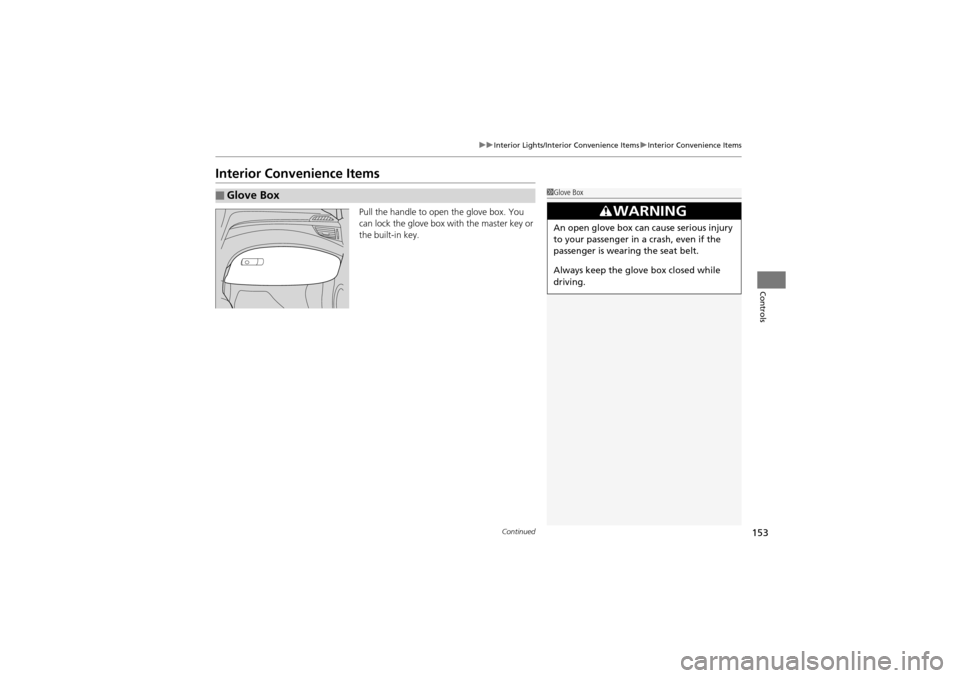
Pull the handle to open the glove box. You
can lock the glove box with the master key or
the built-in key.
■Glove Box1Glove Box
3WARNING
An open glove box can cause serious injury
to your passenger in a crash, even if the
passenger is wearing the seat belt.
Always keep the glove box closed while
driving.