light Alfa Romeo Giulietta 2013 Owner handbook (in English)
[x] Cancel search | Manufacturer: ALFA ROMEO, Model Year: 2013, Model line: Giulietta, Model: Alfa Romeo Giulietta 2013Pages: 292, PDF Size: 13.06 MB
Page 16 of 292
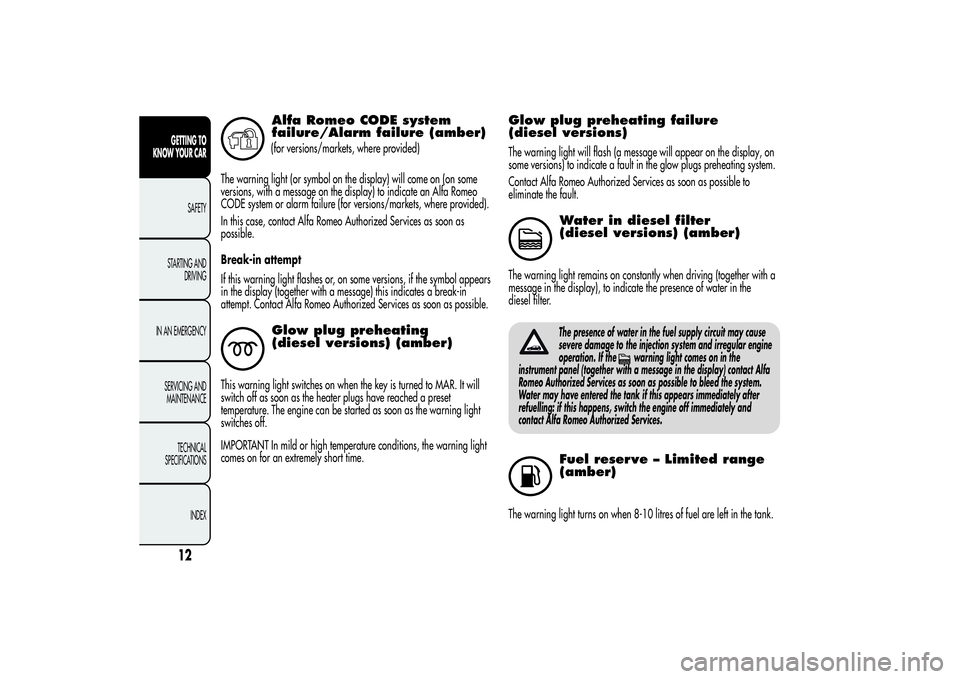
Alfa Romeo CODE system
failure/Alarm failure (amber)(for versions/markets, where provided)
The warning light (or symbol on the display) will come on (on some
versions, with a message on the display) to indicate an Alfa Romeo
CODE system or alarm failure (for versions/markets, where provided).
In this case, contact Alfa Romeo Authorized Services as soon as
possible.
Break-in attempt
If this warning light flashes or, on some versions, if the symbol appears
in the display (together with a message) this indicates a break-in
attempt. Contact Alfa Romeo Authorized Services as soon as possible.Glow plug preheating
(diesel versions) (amber)
This warning light switches on when the key is turned to MAR. It will
switch off as soon as the heater plugs have reached a preset
temperature. The engine can be started as soon as the warning light
switches off.
IMPORTANT In mild or high temperature conditions, the warning light
comes on for an extremely short time.
Glow plug preheating failure
(diesel versions)The warning light will flash (a message will appear on the display, on
some versions) to indicate a fault in the glow plugs preheating system.
Contact Alfa Romeo Authorized Services as soon as possible to
eliminate the fault.
Water in diesel filter
(diesel versions) (amber)
The warning light remains on constantly when driving (together with a
message in the display), to indicate the presence of water in the
diesel filter.
The presence of water in the fuel supply circuit may cause
severe damage to the injection system and irregular engine
operation. If the
warning light comes on in the
instrument panel (together with a message in the display) contact Alfa
Romeo Authorized Services as soon as possible to bleed the system.
Water may have entered the tank if this appears immediately after
refuelling: if this happens, switch the engine off immediately and
contact Alfa Romeo Authorized Services.
Fuel reserve – Limited range
(amber)
The warning light turns on when 8-10 litres of fuel are left in the tank.
12GETTING TO
KNOW YOUR CAR
SAFETY
STARTING AND
DRIVING
IN AN EMERGENCY
SERVICING AND
MAINTENANCE
TECHNICAL
SPECIFICATIONS
INDEX
Page 17 of 292
When the remaining range is lower than approx. 50 km (or equivalent
value in miles), on some versions, the display will show a warning
message.
If the warning light flashes with the car in motion,
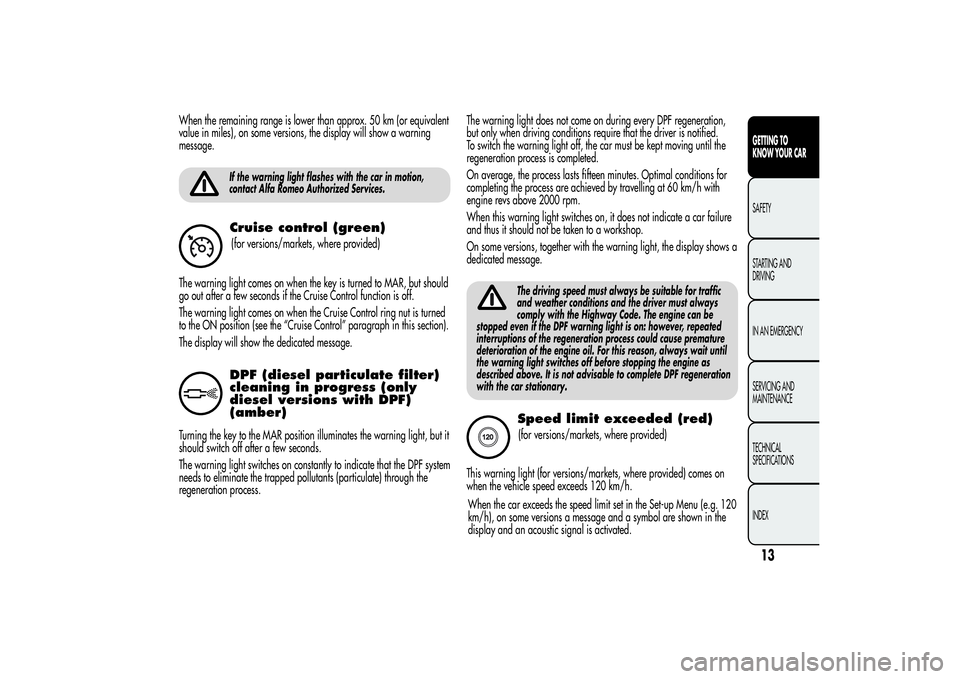
contact Alfa Romeo Authorized Services.Cruise control (green)(for versions/markets, where provided)
The warning light comes on when the key is turned to MAR, but should
go out after a few seconds if the Cruise Control function is off.
The warning light comes on when the Cruise Control ring nut is turned
to the ON position (see the “Cruise Control” paragraph in this section).
The display will show the dedicated message.DPF (diesel particulate filter)
cleaning in progress (only
diesel versions with DPF)
(amber)
Turning the key to the MAR position illuminates the warning light, but it
should switch off after a few seconds.
The warning light switches on constantly to indicate that the DPF system
needs to eliminate the trapped pollutants (particulate) through the
regeneration process.The warning light does not come on during every DPF regeneration,
but only when driving conditions require that the driver is notified.
To switch the warning light off, the car must be kept moving until the
regeneration process is completed.
On average, the process lasts fifteen minutes. Optimal conditions for
completing the process are achieved by travelling at 60 km/h with
engine revs above 2000 rpm.
When this warning light switches on, it does not indicate a car failure
and thus it should not be taken to a workshop.
On some versions, together with the warning light, the display shows a
dedicated message.
The driving speed must always be suitable for traffic
and weather conditions and the driver must always
comply with the Highway Code. The engine can be
stopped even if the DPF warning light is on: however, repeated
interruptions of the regeneration process could cause premature
deterioration of the engine oil. For this reason, always wait until
the warning light switches off before stopping the engine as
described above. It is not advisable to complete DPF regeneration
with the car stationary.Speed limit exceeded (red)(for versions/markets, where provided)
This warning light (for versions/markets, where provided) comes on
when the vehicle speed exceeds 120 km/h.
13GETTING TO
KNOW YOUR CARSAFETY
STARTING AND
DRIVING
IN AN EMERGENCY
SERVICING AND
MAINTENANCE
TECHNICAL
SPECIFICATIONS
INDEX
When the car exceeds the speed limit set in the Set-up Menu (e.g. 120
km/h), on some versions a message and a symbol are shown in the
display and an acoustic signal is activated.
Page 18 of 292
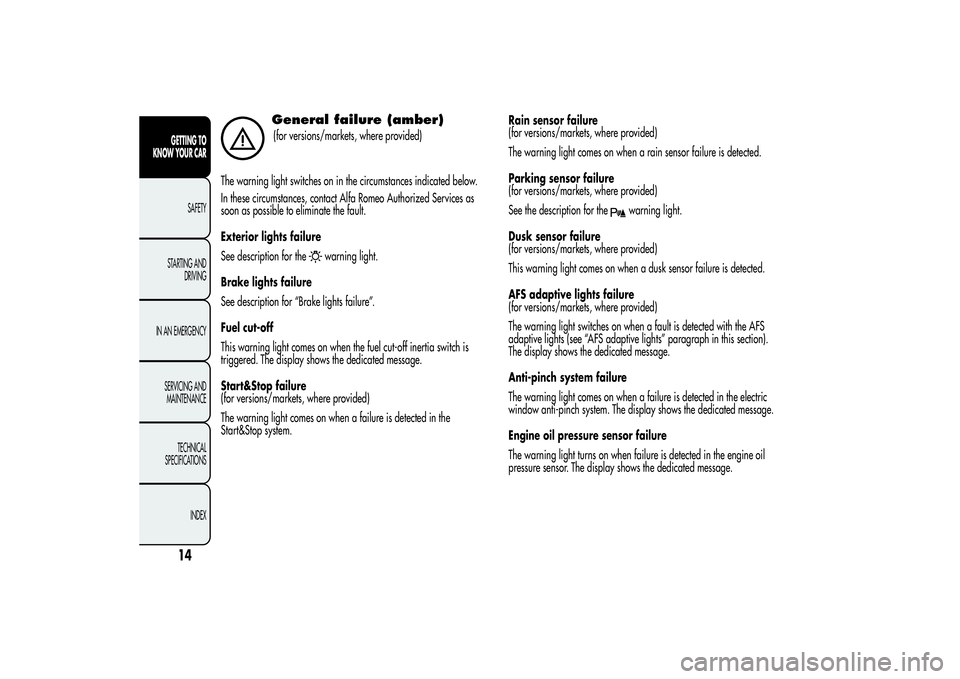
General failure (amber)(for versions/markets, where provided)
The warning light switches on in the circumstances indicated below.
In these circumstances, contact Alfa Romeo Authorized Services as
soon as possible to eliminate the fault.
Exterior lights failure
See description for the
warning light.
Brake lights failure
See description for “Brake lights failure”.
Fuel cut-off
This warning light comes on when the fuel cut-off inertia switch is
triggered. The display shows the dedicated message.
Start&Stop failure
(for versions/markets, where provided)
The warning light comes on when a failure is detected in the
Start&Stop system.Rain sensor failure
(for versions/markets, where provided)
The warning light comes on when a rain sensor failure is detected.
Parking sensor failure
(for versions/markets, where provided)
See the description for the
warning light.
Dusk sensor failure
(for versions/markets, where provided)
This warning light comes on when a dusk sensor failure is detected.
AFS adaptive lights failure
(for versions/markets, where provided)
The warning light switches on when a fault is detected with the AFS
adaptive lights (see “AFS adaptive lights” paragraph in this section).
The display shows the dedicated message.
Anti-pinch system failure
The warning light comes on when a failure is detected in the electric
window anti-pinch system. The display shows the dedicated message.
Engine oil pressure sensor failure
The warning light turns on when failure is detected in the engine oil
pressure sensor. The display shows the dedicated message.
14GETTING TO
KNOW YOUR CAR
SAFETY
STARTING AND
DRIVING
IN AN EMERGENCY
SERVICING AND
MAINTENANCE
TECHNICAL
SPECIFICATIONS
INDEX
Page 19 of 292
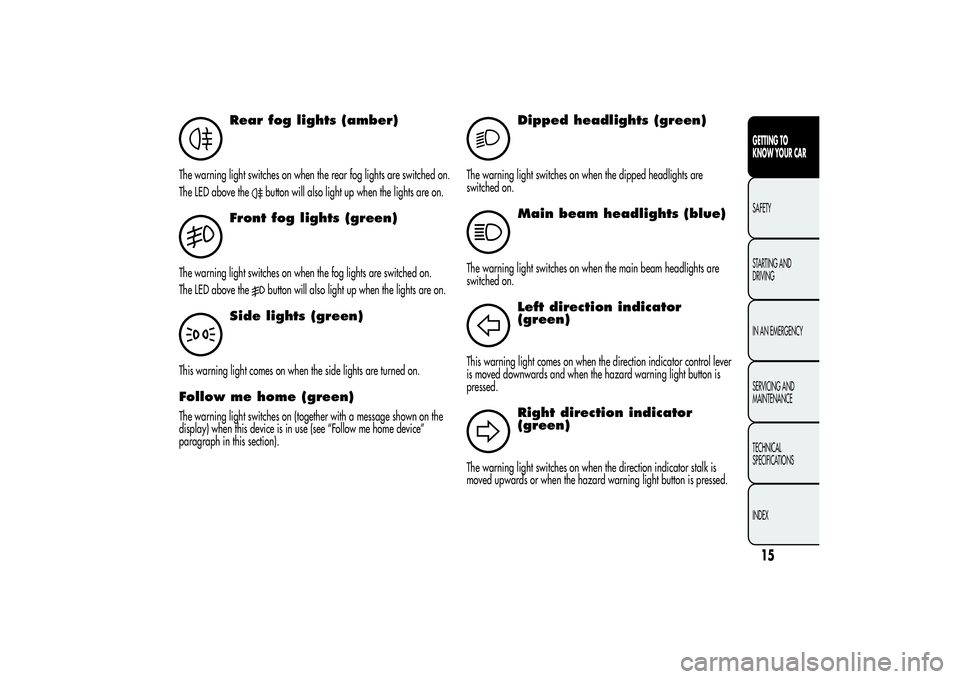
Rear fog lights (amber)
The warning light switches on when the rear fog lights are switched on.
The LED above the
button will also light up when the lights are on.
Front fog lights (green)
The warning light switches on when the fog lights are switched on.
The LED above the
button will also light up when the lights are on.
Side lights (green)
This warning light comes on when the side lights are turned on.Follow me home (green)The warning light switches on (together with a message shown on the
display) when this device is in use (see “Follow me home device”
paragraph in this section).
2
Dipped headlights (green)
The warning light switches on when the dipped headlights are
switched on.
Main beam headlights (blue)
The warning light switches on when the main beam headlights are
switched on.
Left direction indicator
(green)
This warning light comes on when the direction indicator control lever
is moved downwards and when the hazard warning light button is
pressed.
Right direction indicator
(green)
The warning light switches on when the direction indicator stalk is
moved upwards or when the hazard warning light button is pressed.
15GETTING TO
KNOW YOUR CARSAFETY
STARTING AND
DRIVING
IN AN EMERGENCY
SERVICING AND
MAINTENANCE
TECHNICAL
SPECIFICATIONS
INDEX
Page 21 of 292
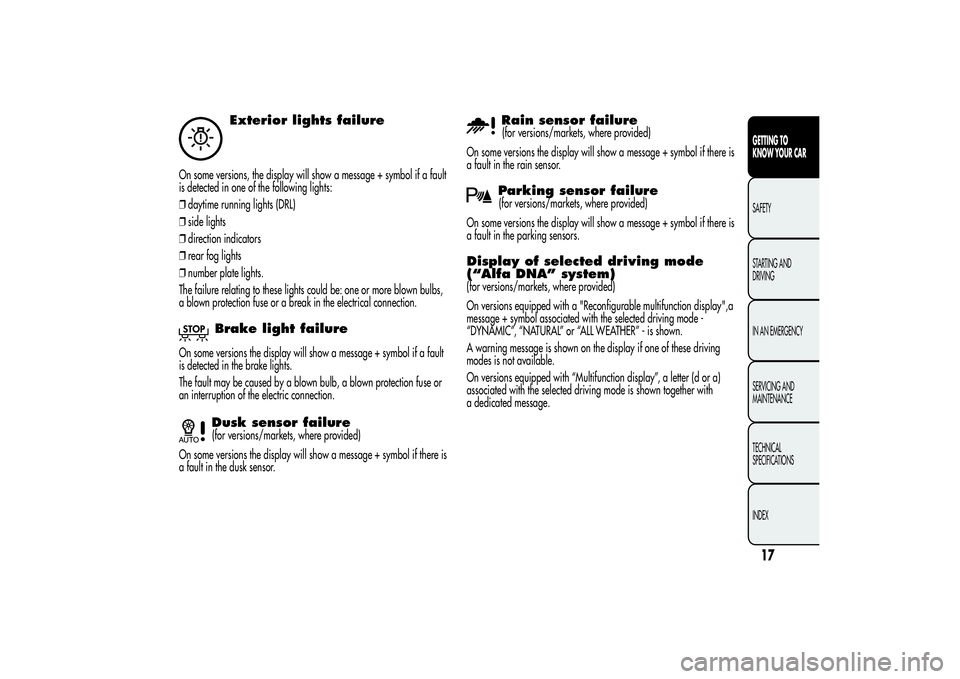
Exterior lights failure
On some versions, the display will show a message + symbol if a fault
is detected in one of the following lights:
❒daytime running lights (DRL)
❒side lights
❒direction indicators
❒rear fog lights
❒number plate lights.
The failure relating to these lights could be: one or more blown bulbs,
a blown protection fuse or a break in the electrical connection.
Brake light failure
On some versions the display will show a message + symbol if a fault
is detected in the brake lights.
The fault may be caused by a blown bulb, a blown protection fuse or
an interruption of the electric connection.
Dusk sensor failure(for versions/markets, where provided)
On some versions the display will show a message + symbol if there is
a fault in the dusk sensor.
Rain sensor failure(for versions/markets, where provided)
On some versions the display will show a message + symbol if there is
a fault in the rain sensor.Parking sensor failure(for versions/markets, where provided)
On some versions the display will show a message + symbol if there is
a fault in the parking sensors.
Display of selected driving mode
(“Alfa DNA” system)(for versions/markets, where provided)
On versions equipped with a "Reconfigurable multifunction display",a
message + symbol associated with the selected driving mode -
“DYNAMIC”, “NATURAL” or “ALL WEATHER” - is shown.
A warning message is shown on the display if one of these driving
modes is not available.
On versions equipped with “Multifunction display”, a letter (d or a)
associated with the selected driving mode is shown together with
a dedicated message.
17GETTING TO
KNOW YOUR CARSAFETY
STARTING AND
DRIVING
IN AN EMERGENCY
SERVICING AND
MAINTENANCE
TECHNICAL
SPECIFICATIONS
INDEX
Page 24 of 292
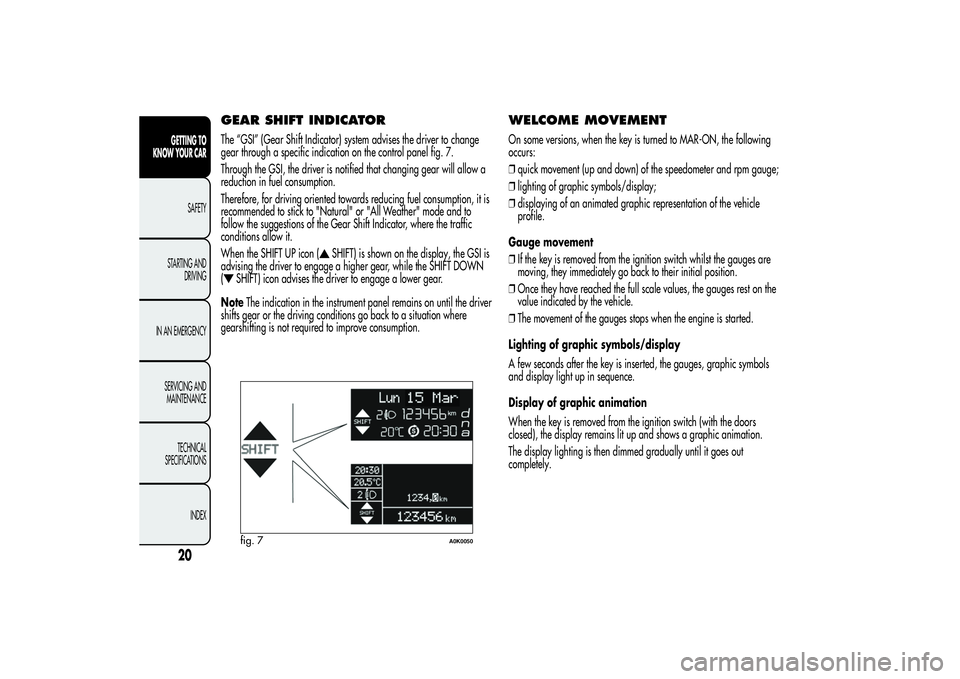
GEAR SHIFT INDICATORThe “GSI” (Gear Shift Indicator) system advises the driver to change
gear through a specific indication on the control panel fig. 7.
Through the GSI, the driver is notified that changing gear will allow a
reduction in fuel consumption.
Therefore, for driving oriented towards reducing fuel consumption, it is
recommended to stick to "Natural" or "All Weather" mode and to
follow the suggestions of the Gear Shift Indicator, where the traffic
conditions allow it.
When the SHIFT UP icon (
SHIFT) is shown on the display, the GSI is
advising the driver to engage a higher gear, while the SHIFT DOWN
(
SHIFT) icon advises the driver to engage a lower gear.
NoteThe indication in the instrument panel remains on until the driver
shifts gear or the driving conditions go back to a situation where
gearshifting is not required to improve consumption.
WELCOME MOVEMENTOn some versions, when the key is turned to MAR-ON, the following
occurs:
❒quick movement (up and down) of the speedometer and rpm gauge;
❒lighting of graphic symbols/display;
❒displaying of an animated graphic representation of the vehicle
profile.
Gauge movement
❒If the key is removed from the ignition switch whilst the gauges are
moving, they immediately go back to their initial position.
❒Once they have reached the full scale values, the gauges rest on the
value indicated by the vehicle.
❒The movement of the gauges stops when the engine is started.
Lighting of graphic symbols/display
A few seconds after the key is inserted, the gauges, graphic symbols
and display light up in sequence.
Display of graphic animation
When the key is removed from the ignition switch (with the doors
closed), the display remains lit up and shows a graphic animation.
The display lighting is then dimmed gradually until it goes out
completely.
fig. 7
A0K0050
20GETTING TO
KNOW YOUR CAR
SAFETY
STARTING AND
DRIVING
IN AN EMERGENCY
SERVICING AND
MAINTENANCE
TECHNICAL
SPECIFICATIONS
INDEX
Page 25 of 292
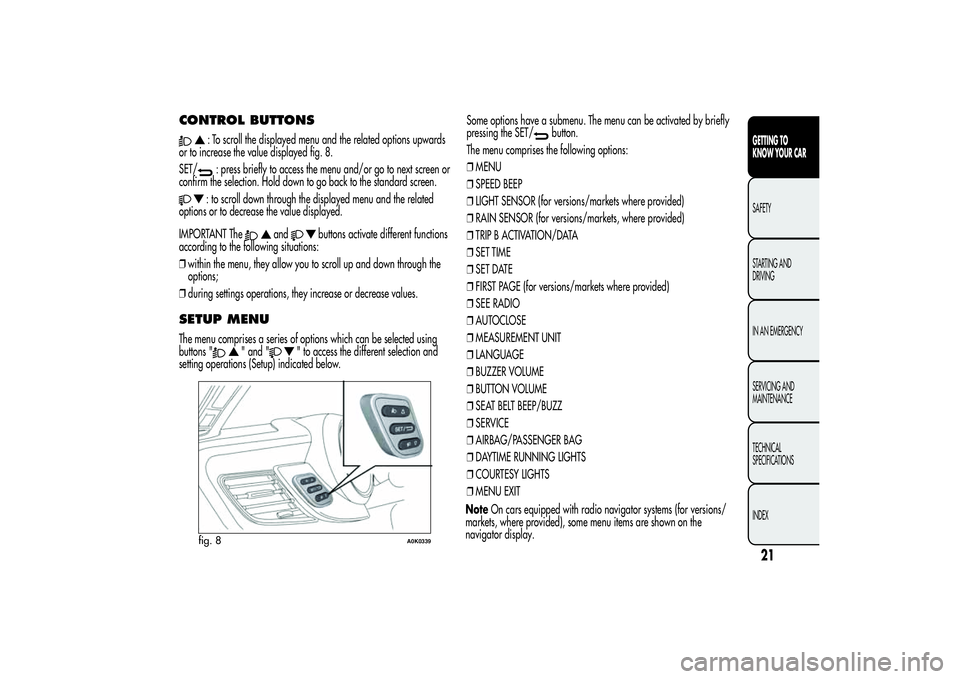
CONTROL BUTTONS
: To scroll the displayed menu and the related options upwards
or to increase the value displayed fig. 8.
SET/: press briefly to access the menu and/or go to next screen or
confirm the selection. Hold down to go back to the standard screen.: to scroll down through the displayed menu and the related
options or to decrease the value displayed.
IMPORTANT The
and
buttons activate different functions
according to the following situations:
❒within the menu, they allow you to scroll up and down through the
options;
❒during settings operations, they increase or decrease values.
SETUP MENUThe menu comprises a series of options which can be selected using
buttons "
" and "
" to access the different selection and
setting operations (Setup) indicated below.Some options have a submenu. The menu can be activated by briefly
pressing the SET/
button.
The menu comprises the following options:
❒MENU
❒SPEED BEEP
❒LIGHT SENSOR (for versions/markets where provided)
❒RAIN SENSOR (for versions/markets, where provided)
❒TRIP B ACTIVATION/DATA
❒SET TIME
❒SET DATE
❒FIRST PAGE (for versions/markets where provided)
❒SEE RADIO
❒AUTOCLOSE
❒MEASUREMENT UNIT
❒LANGUAGE
❒BUZZER VOLUME
❒BUTTON VOLUME
❒SEAT BELT BEEP/BUZZ
❒SERVICE
❒AIRBAG/PASSENGER BAG
❒DAYTIME RUNNING LIGHTS
❒COURTESY LIGHTS
❒MENU EXIT
fig. 8
A0K0339
21GETTING TO
KNOW YOUR CARSAFETY
STARTING AND
DRIVING
IN AN EMERGENCY
SERVICING AND
MAINTENANCE
TECHNICAL
SPECIFICATIONS
INDEX
NoteOn cars equipped with radio navigator systems (for versions/
markets, where provided), some menu items are shown on the
navigator display.
Page 27 of 292
To cancel the setting, proceed as follows:
❒briefly press the SET/
button, "On" will flash in the display;
❒press button
, "Off" will flash on the display;
❒briefly press the SET/
button to go back to the menu screen or
hold the button down to go back to the standard screen without
saving.
Headlight sensor (Automatic
headlight/dusk sensor sensitivity
adjustment)(for versions/markets, where provided)
This function enables the headlights to come on or go off depending on
external lighting conditions.
The dusk sensor sensitivity can be adjusted according to 3 levels (level
1= minimum sensitivity, level 2= average sensitivity, level 3= maximum
sensitivity).
The higher the sensitivity set, the lesser is the external light variation
needed to switch the lights on (e.g. with a setting on level 3 at sunset
the headlights come on in advance in relation to levels 1 and 2).
Proceed as follows to set the desired adjustment:
❒press the SET/
button briefly to make the display flash the
previously set level;
❒press the ""or"
" button to select;
❒briefly press the SET/
button to go back to the menu screen or
hold the button down to go back to the standard screen without
saving.
Rain sensor (Rain sensor sensitivity
adjustment)This function allows you to adjust the rain sensor sensitivity to 4 levels.
To set the required sensitivity level proceed as follows:
❒briefly press the SET/
button, the previously set sensitivity level
will flash on the display;
❒press the "
"or"
" button to make the adjustment;
❒briefly press the SET/
button to go back to the menu screen or
hold the button down to go back to the standard screen without
saving.
Activation/Trip B data
(Trip B enablement)This function may be used to activate (On) or deactivate (Off) the Trip B
(partial trip). For further information see “Trip computer”.
Proceed as follows to switch the function on and off:
❒press the SET/
button briefly to make the display flash "On" or
"Off" according to what was previously set;
❒press the ""or"
" button to select;
❒briefly press the SET/
button to go back to the menu screen or
hold the button down to go back to the standard screen without
saving.
23GETTING TO
KNOW YOUR CARSAFETY
STARTING AND
DRIVING
IN AN EMERGENCY
SERVICING AND
MAINTENANCE
TECHNICAL
SPECIFICATIONS
INDEX
Page 32 of 292
Daytime running lights (DRL)With this function is possible to turn the daytime running lights on and
off.
Proceed as follows to activate or deactivate this function:
❒press the SET/
button briefly to display a submenu;
❒press the SET/button briefly to make the display flash "On" or
"Off" according to what was previously set;
❒press the ""or"
" button to select;
❒press the SET/
button briefly to return to the submenu screen or
hold the button down to return to the main menu screen without
saving;
❒hold the SET/button down again to return to the standard
screen or to the main menu according to where you are in the menu.
Courtesy lights (Activation/
deactivation of “Greeting lights”)(for versions/markets, where provided)
With this function it is possible to turn on the side lights, the number
plate lights and the ceiling lights for approximately 25 seconds when
the doors or boot are opened using the remote control, with the
following exceptions:
❒interruption after 5 seconds from when the door closes
❒interruption after locking using the remote control
❒interruption after a lock or other action using the remote controlProceed as follows to switch the function on and off:
❒press the SET/
button briefly to make the display flash "On" or
"Off" according to what was previously set;
❒press the ""or"
" button to select;
❒briefly press the SET/
button to go back to the menu screen or
hold the button down to go back to the standard screen without
saving.
Menu exitThis is the last function that closes the cycle of settings listed in the
menu screen.
Pressing the SET/
button briefly will return the display to the
standard screen without saving.
Press the
button to return to the first menu item.
28GETTING TO
KNOW YOUR CAR
SAFETY
STARTING AND
DRIVING
IN AN EMERGENCY
SERVICING AND
MAINTENANCE
TECHNICAL
SPECIFICATIONS
INDEX
Page 36 of 292
SYMBOLSSome car components have coloured labels whose symbols indicate
precautions to be observed when using this component. Under the
bonnet there is also a label that summarises all the symbols.
ALFA ROMEO CODE SYSTEMTo further protect your car from theft, it has been fitted with an engine
immobilising system. It is automatically activated when the ignition
key is removed.
Each key contains an electronic device which modulates the signal
emitted during ignition by an antenna built into the ignition device. The
modulated signal, which changes each time the engine is started, is
the “password”, by means of which the control unit recognises the key
and enables to start the engine.OPERATIONEach time the car is started by turning the ignition key to MAR, the
Alfa Romeo CODE system control unit sends an acknowledgement
code to the engine management control unit to deactivate the inhibitor.
The code is sent only if the Alfa Romeo CODE system control unit has
recognised the code transmitted from the key.
Each time the ignition key is turned to STOP, the Alfa Romeo CODE
system deactivates the functions of the engine management control
unit. If, during starting, the code is not correctly recognised, the
warning light switches on in the instrument panel.
In this case, turn the key to STOP and then to MAR; if it is still locked,
try again with the other keys that come with the vehicle. If you are
still unable to start the engine contact Alfa Romeo Authorized Services.
32GETTING TO
KNOW YOUR CAR
SAFETY
STARTING AND
DRIVING
IN AN EMERGENCY
SERVICING AND
MAINTENANCE
TECHNICAL
SPECIFICATIONS
INDEX