lights AUDI A3 2015 User Guide
[x] Cancel search | Manufacturer: AUDI, Model Year: 2015, Model line: A3, Model: AUDI A3 2015Pages: 288, PDF Size: 71.46 MB
Page 22 of 288
20 Instruments and indicator lights
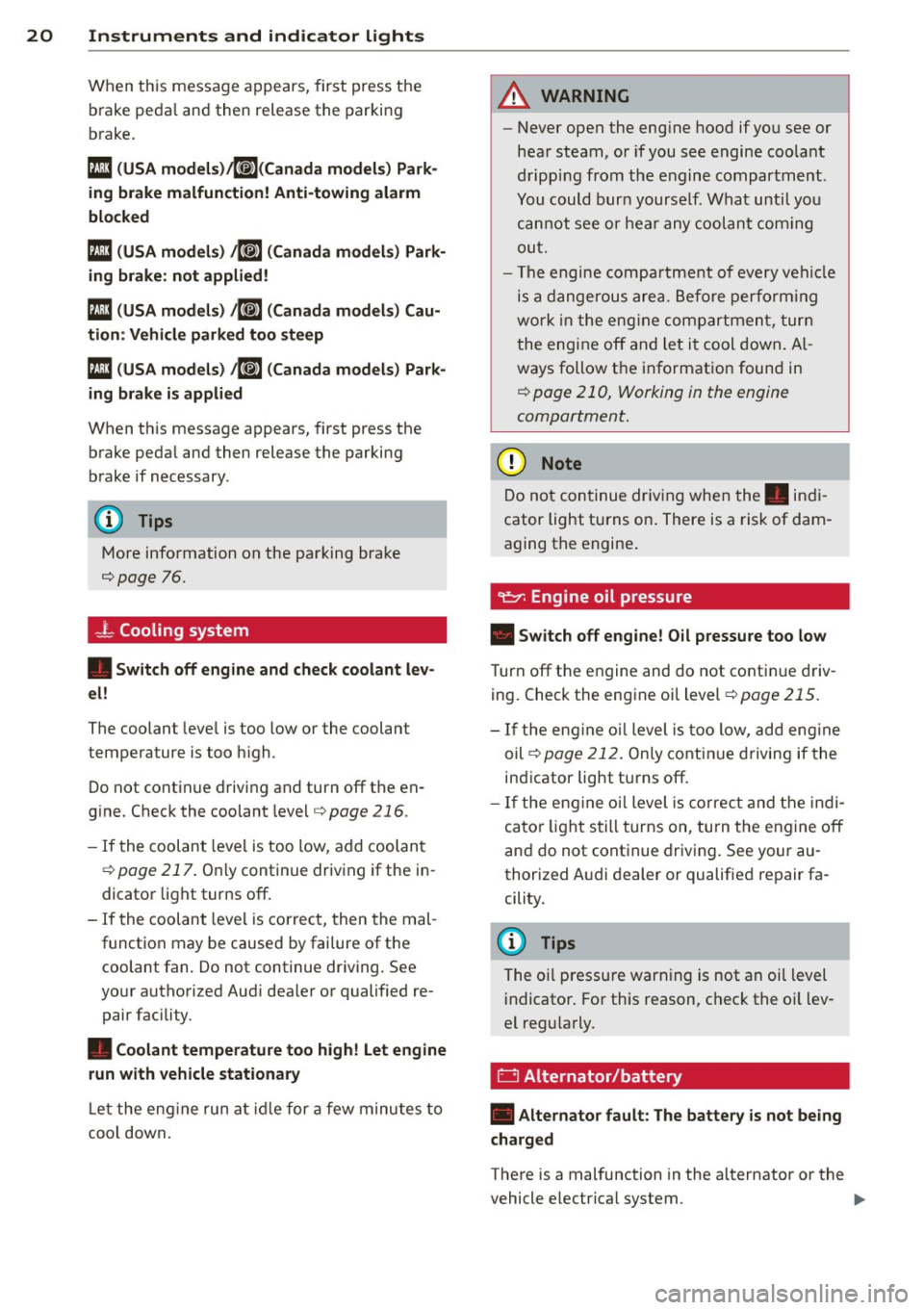
When this message a ppears, first press the
b rake peda l and then release the parking
b rake .
113 (USA models)/K@'A
blocked
Ill ( USA models) t6] (Canada model s) Park
ing brake: not applied!
113 ( USA models) t6J (Canada models) Cau
tion : Vehicle parked too steep
113 (USA models) t6] ( Canada models ) Park
ing brake is applied
When th is message appears, first press the
b rake pedal and then release the parking
brake if necessary .
(D Tips
More information on the pa rking brake
c::;,page 76.
- l Cooling system
• Switch off engine and check coolant lev
el!
The coolant leve l is too low or the coolant
temperature is t oo high .
D o not cont inue driving and turn off t he en
g ine. Check the coolant leve l
c::;, page 216 .
-If the coolant leve l is too low, add coo lan t
c::;, page 217 . Only continue driv ing if the in
dicato r light tur ns off .
- If the coolant leve l is co rrect, then the mal
function may be caused by fai lure of the
coolant fan. Do not continue dr iv ing. See
yo ur authorized Aud i dea le r or qualified re
pair fac ility .
• Coolant temperature too high! Let engine
run with vehicle stationary
L et the eng ine run at idl e for a few minu tes to
coo l down .
A WARNING
-Never open the eng ine hood if y ou see or
hear steam, or if you see engine coo la nt
d ripping from t he e ngine compartment .
You could bur n yourse lf . What until you
ca nno t see or hea r any coolant co min g
ou t.
- T he engi ne compa rtment o f eve ry ve hicl e
is a dange rou s ar ea . B efo re perfo rmin g
wo rk in t he eng ine com par tmen t, tur n
t he eng ine off and let i t co ol d own. A l
ways follow t he i nfo rmat ion foun d in
c::;, page 210 , Working in the engine
compartment .
(D Note
Do n ot con tinue dr iv ing whe n the . indi
cator light turns on . There is a ris k of dam
a g ing t he engine .
Turn off the en gine and do not co nti nu e dr iv
ing. Check the eng ine oil level
c::;, page 21 5.
- If the en gin e o il level is too low, ad d eng in e
oil
c::;, page 212 . Only cont inue drivin g if the
in di cator light tu rns off.
- If the en gine oil level is co rrec t and the in d i
ca to r lig ht still turns on, tu rn t he engine off
an d do not cont inue driv ing . See your au
thorized A udi deale r or qualifie d repair fa
cility.
(D Tips
The oi l press ure warn ing is not an oil level
i ndicato r. For this reas on, chec k th e o il lev
e l reg ularly .
D Alternator/battery
• Alternator fault: The battery is not being
charged
There is a malfunction in the al ternator or the
vehicle e lectr ica l system .
Page 24 of 288
22 Instruments and indicator lights ~Engine
• Engin e stopped: brake servo and power
steering not possible
There is a malfunct io n in the eng ine or in the
f u e l supp ly system .
A large amou nt of steering and braking force
i s required when driving a ro lli ng vehicle w it h
the eng ine stopped. Try to stop a ro lling veh i
cle ca refully on the s ide of th e road . See your
author ized Audi dealer or qua lified repai r fa
cili ty.
_&. WARNING
If the eng ine stops whi le driving, a la rge
amount of braking force is required . This
increases the risk of an accident. As long
as the ve hicle rolls wit h the ignition
sw itched on and there is e nough battery
charge, the power steering wi ll still work.
If not, a large amoun t of steeri ng force is
re quir ed.
-
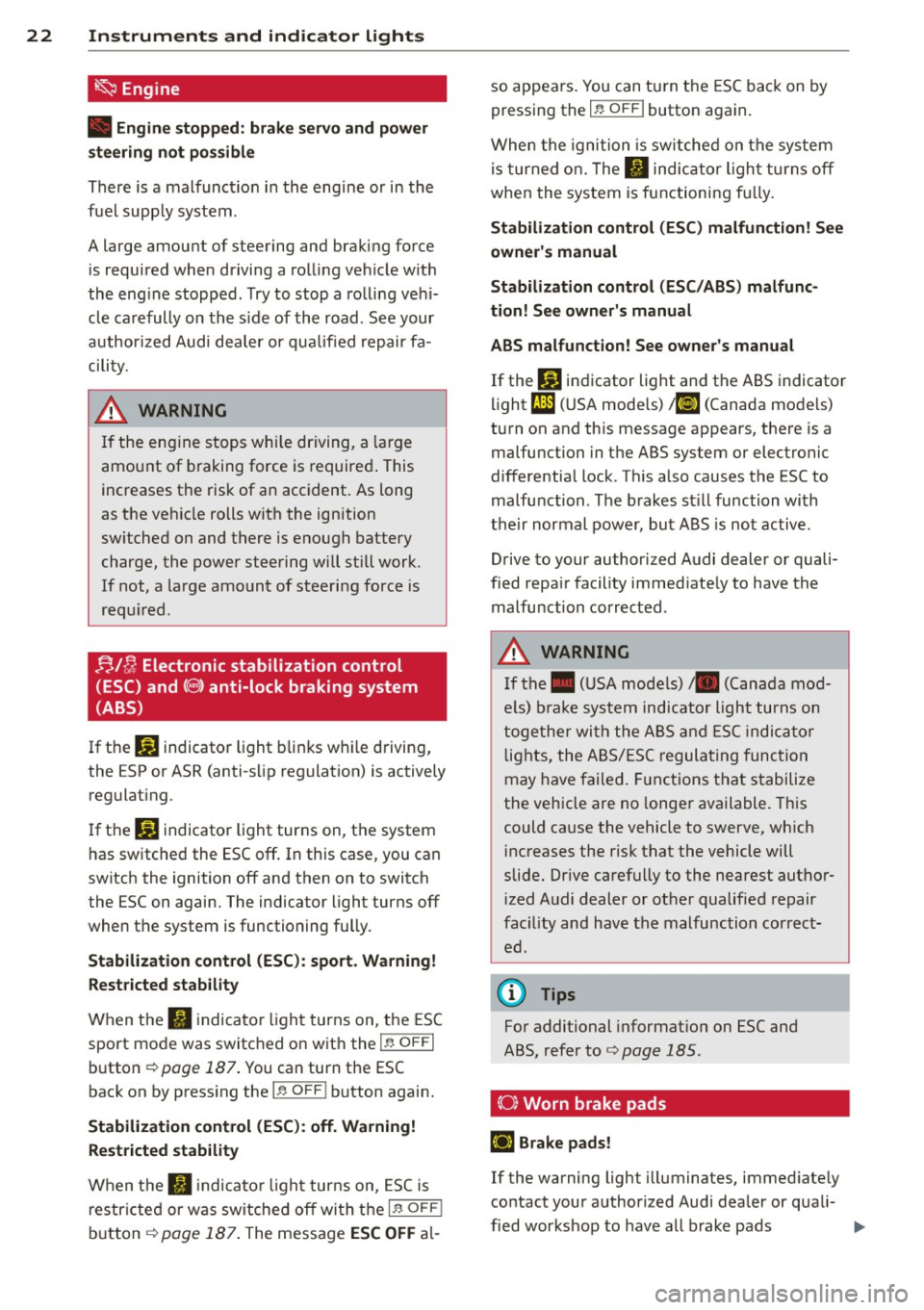
;;IC, Electronic stabilization control
(ESC) and
(8) anti-lock braking system
(ABS)
If t h e J;,J indicator light b links w hile d riving,
the ESP or ASR (anti-s lip regulat ion) is actively
regulat ing.
I f th e
J;,J indicator light turns on, t he system
h as sw itche d the ESC
off . In th is case, you can
switch the ignition
off and then on to switch
the ESC on again. The indicator light turns
off
when th e system is functioning fully .
Stabilization control (ESC ): sport. Warning!
Rest ricted stability
When the II indica to r li gh t turns on, the ES C
sport mo de was switc hed on w it h the
!1' O FF I
button ¢ page 187. You can turn the ESC
bac k on by press ing the
!1' O FF i button again.
Stabilization control (ESC ): off. Warning!
Restricted stability
Wh en the II indicato r ligh t tur ns on, ESC i s
restri cte d or was sw itche d
off wi th the I~ O FF I
but ton ¢ page 187 . The mess age ESC OFF al- so appears
. You can t urn the ESC bac k on by
pressing the
1 -P. O FF I butto n again .
When the igni tion is sw itche d on t he sys tem
is tur ned o n. The
fl indica tor ligh t turns off
when the system is functioning f ully.
Stabilization control (ESC) malfunction! See
owner's manual
Stabilization control (ESC/ABS) malfunc
tion! See owner's manual
ABS malfunct ion! See owner's manual
If the DJ in di cator light and the ABS indicator
li ght
i;l (U SA mode ls) ;tiJ (Canada mode ls)
turn on and this message appears, there is a
malfuncti on in the ABS system or electronic
differentia l lock . T hi s also causes the ESC to
malfu nction . The brakes st il l function wi th
t h eir normal power, but A BS is not
active.
Drive to y our auth orized A udi dealer or quali
fied repa ir facility immed iate ly to have the
malfu nction corrected .
_&. WARNING
-If the. (U SA mode ls) • (Cana da mod-
e ls) brake sys tem indi ca tor ligh t turns on
to ge ther wi th the A BS an d ESC ind icat or
li g hts, the A BS/ ES C r egu la t ing func tion
may have fa iled . Fu nctions that s tabili ze
the veh icle are no longe r available . This
could ca use the vehicle to
swerve, wh ich
in creases the r is k th at the vehicle will
slide . Dr ive carefully to the nearest aut hor
i z e d A udi dealer or ot her qualified repair
fac ility an d have t he malfu nction cor rect
e d .
@ Tips
Fo r additional informat io n o n ESC an d
A BS, refer to
Q pag e 185.
(0} Worn brake pads
£t3 Brake pads!
If the warning light illuminates, immed iate ly
co ntact your author ized Audi dea ler or qua li-
fi ed wor kshop to have all b rake pads ..,_
Page 25 of 288
inspected. On USA models the warning light
[IJ comes on together with the warning light
• . Both sets of brake pads on an axle must
always be rep laced at the same time.
_& WARNING
Dr iv ing with bad brakes can cause a coll i
sion and serious personal injury.
- If the warning light
[IJ and the warning
light
. l) with the message Brake pads!
comes o n in the instrument cluste r dis
play, immed iately contact your au thor
i z ed Audi dea le r or q ualified wor kshop to
have all bra ke p ad s ch ecked or rep laced if
necessary.
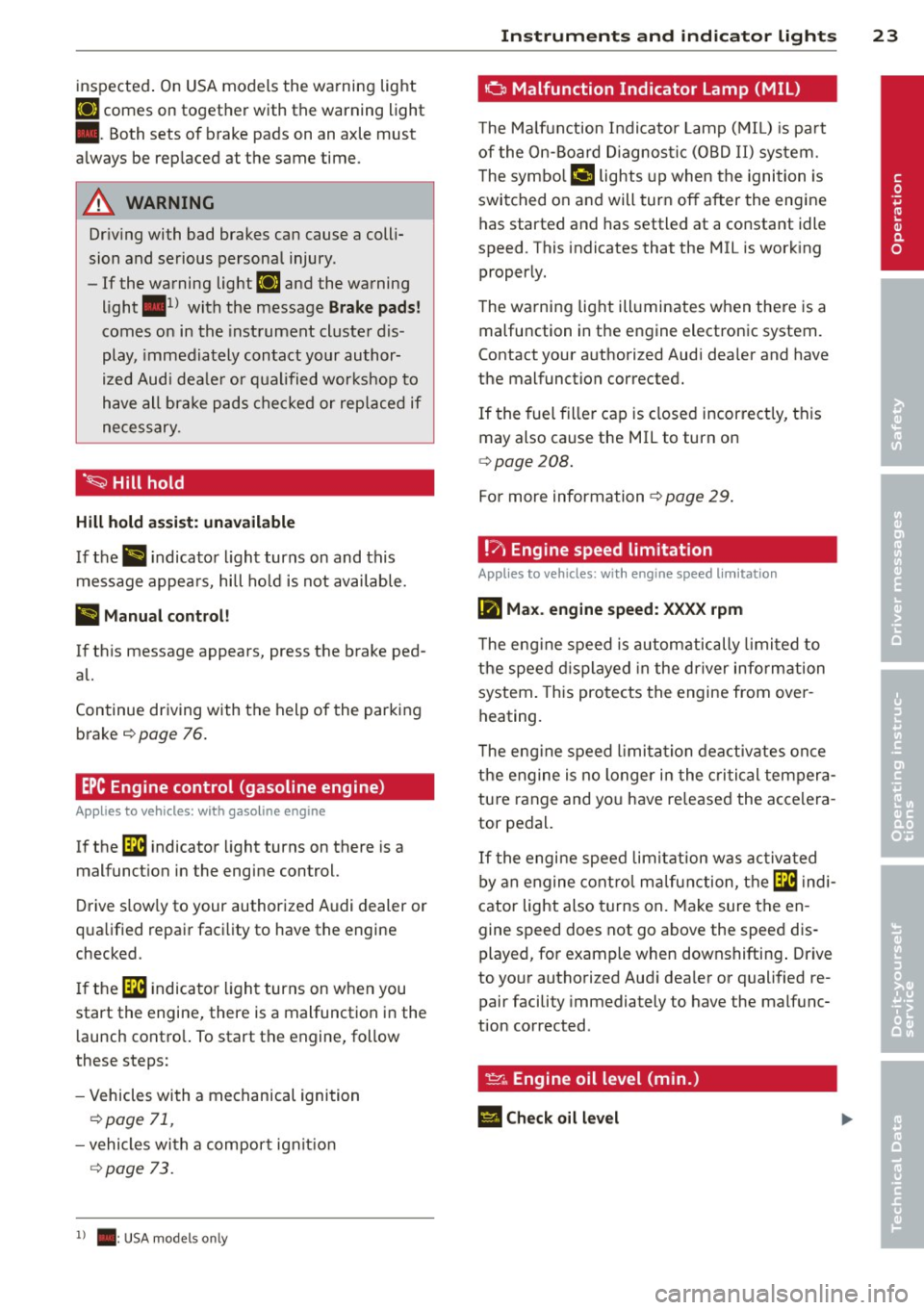
· ~ Hill hold
Hill hold a ssis t: un available
If th e> #j •ndicato r light turns on and this
message appea rs, hill ho ld is not available.
II Manual control!
If this message appears, press the b rake ped·
al.
Continue driving w ith the help of the parking
brake ¢
page 76.
EPC Engine control (gasoline engine)
Applies to vehicles: with gasoline engine
If the ~ indicator light turns on there is a
malfunct ion in the engine control.
D rive s low ly to your authorized Audi dealer or
q ua lified repair faci lity to have the engine
checked .
I f the ~ indica to r li ght turns on when you
start the engine, there is a malfunction in the
l aunch contro l. To start the engine, follow
these steps:
- Vehicles wi th a mechanical ignition
¢ page 71 ,
-vehicles wi th a compor t igni tion
c:> page 73.
1) . : USA mode ls onl y
Instrument s and indicator ligh ts 23
o Malfunction Indicator Lamp (MIL)
The Ma lfun ction Indi cato r Lamp ( MIL) is pa rt
of the On-Board Diagnos tic (OBD II) sys tem.
T he sym bo l
('4 lights up when the ignition is
switched on and will tur n off after the engine
has started and has settled at a constant idle
speed . This indicates that the MIL is work ing
properly.
T he wa rning lig ht ill uminates when the re is a
malfunction in the engine electronic system .
Contact your a uthorized Aud i dea ler and have
the malfunction corrected.
If the fuel fille r cap is closed incor rect ly, this
may also cause the MIL to turn on
c:> poge 208.
For more information ¢ page 29 .
!7, Engine speed limitation
Applies to vehicles: wi th engine speed lim itatio n
(m Max. engine speed: XXXX rpm
T he eng ine speed is automatically limi ted to
the speed displayed in the driver info rm ation
system . This pro te cts the engine from over
heating.
T he eng ine speed l imi ta tion dea ctivates on ce
the engine is no longer in the cri tical tempera
tu re range and yo u have re lease d the acce lera
tor pedal.
If t he engine speed limi tat ion was act iva ted
b y an engine cont rol m alfunc tio n, the ~ indi
cator light also turns on. Make sure the en
gine speed does not go above the speed dis
played, fo r example when downshifting . Drive
to yo ur authorized Aud i dea le r or qualified re
pair facility immediately to have the malfunc
tion corrected .
~. Engine oil level (min.)
El Check oil level
•
Page 26 of 288
24 Instruments and indicator lights
You may continue driving for the time being .
Check the oil level as soon as possible
¢ page 212.
-If the engine oil level is too low, add engine
oi l
¢ page 215.
-If the engine oil level is correct and the indi
cator light still turns on, drive at low engine
speed to the nearest authorized Audi dea ler
or qualified repair facility.
_..,. Engine oil sensor
II Oil level sensor: system fault!
The sensor to check the engine oil level has
failed. Drive to an authorized Audi dealer or
qua lified repair faci lity immediately to have
the malfunction corrected.
Q;) Note
Pay attention to the description in the
Owner 's Manual
¢ page 215 and
¢ page 215, Adding engine oil "l::;1:.
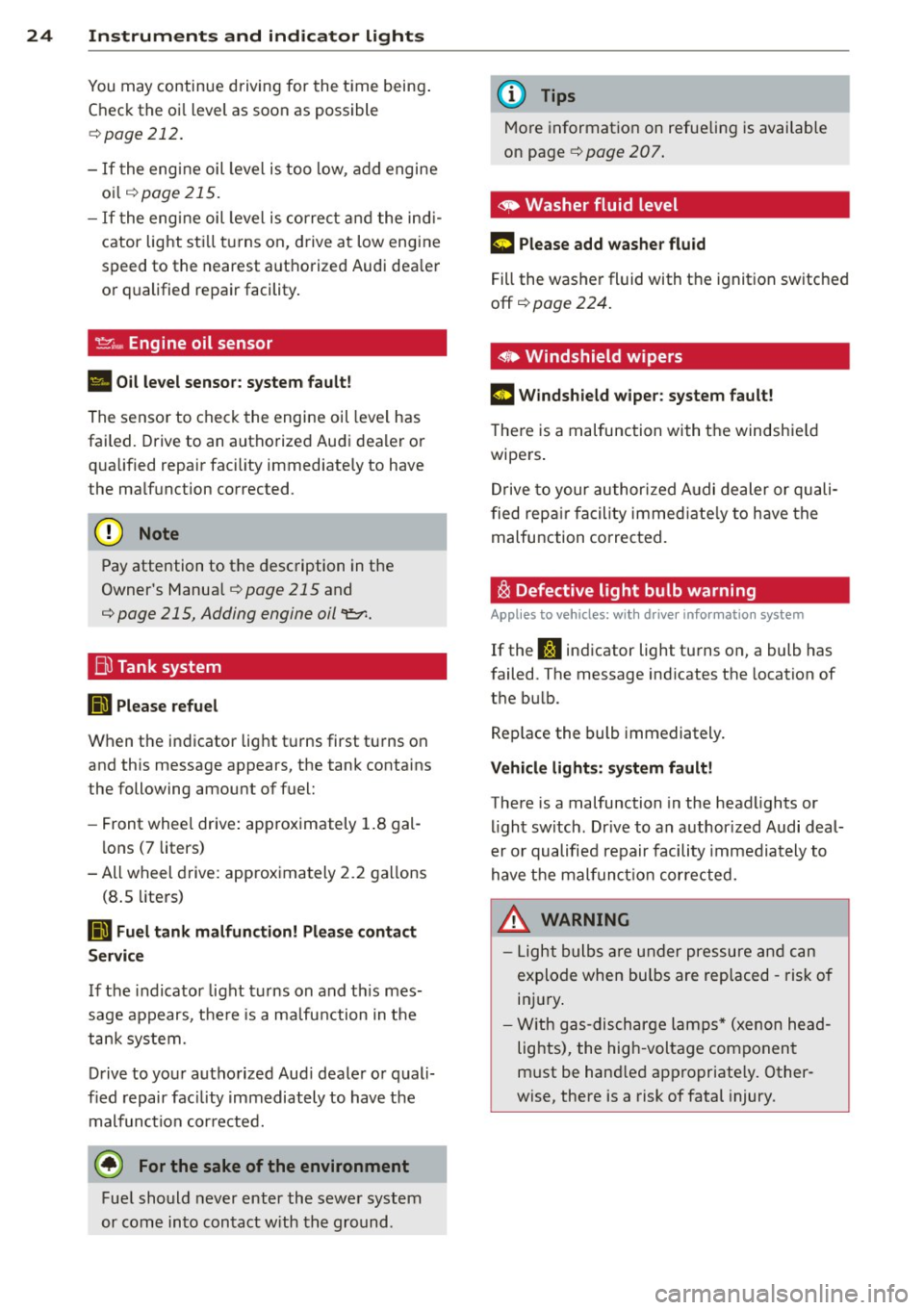
Bil Tank system
RD Please refuel
When the indicator light turns first turns on
and this message appears, the tank contains
the following amount of fuel:
- Front wheel drive : approximately 1.8 gal
lons (7 liters)
- All wheel drive: approximately 2.2 gallons
(8 .5 liters)
RD Fuel tank malfunction! Please contact
Service
If the indicator light turns on and this mes
sage appears, there is a ma lfunction in the
tank system.
Drive to your authorized Aud i dealer or quali
fied repair facility immediately to have the
malfunction corrected.
@) For the sake of the environment
Fuel should never enter the sewer system
or come into contact w ith the ground.
(D Tips
More information on refueling is available
on page ¢
page 207.
~ Washer fluid level
m Please add washer fluid
Fill the washer fluid with the ignition switched
off ¢
page 224.
• Windshield wipers
m Windshield wiper: system fault!
There is a malfunction with the windshie ld
wipers .
Drive to your authorized Audi dealer or quali
fied repair facility immediate ly to have the
malfunction corrected.
~ Defective light bulb warning
Applies to vehicles: wit h drive r info rmatio n system
If the S:i indicator light turns on, a bulb has
failed. The message ind icates the location of
the bulb .
Replace the bulb immediately.
Vehicle lights: system fault!
There is a malfunction in the headlights or
light switch. Drive to an author ized Audi deal
er or qualified repair facility immediately to
have the malfunction corrected.
_&. WARNING
- Light bulbs are under pressure and can
explode when bu lbs are replaced -risk of
inj ury.
- With gas-discharge lamps* (xenon head
lights), the high -voltage component
must be hand led appropriate ly. Other
wise, there is a risk of fatal injury.
-
Page 27 of 288
~(D Dynamic headlight range control
system
App lies to vehicles: with Xe non lig hts
II Headlight range control system: system
fault!
There is a malfunct ion i n the dynam ic head
light range con trol system, wh ich may cause
g la re for other drivers.
D rive to you r autho rized Aud i dea le r o r quali
fied repair faci lity immediately to have the
mal funct ion cor rected.
l§O Audi adaptive light
Applies to vehicles: with Audi adaptive light
rDI Audi adaptive light: system fault!
There is a malfunct io n in the adaptive lights.
The headlights still function.
Drive to an authorized Aud i dealer or qualified
repair facility immediately to have the mal
function corrected .
@) Light/rain sensor
Applies to vehicles: with light/ra in se nsor
El Automatic headlights: system fault!
El Automatic wipers: system fault!
The light/rain sensor is not working.
F or safety reasons , the low beams are turned
on permanent ly with the switch in
AUTO. You
can continue to turn the lights on and off us
ing the light switch. You can still control all
wiper functions that are independent of the
rain sensor.
Drive to an authorized Audi dea ler or qualified
repair facility immediately to have the mal
function corrected .
Q Adaptive dampers
Applies to vehicles: with Audi drive select
II Suspension: system fault!
There is an adaptive damper malfunction.
Instruments and indicator lights 25
Drive to an authorized A udi dealer or qualified
repair facility immediately to have the mal
function corrected .
¢i Q Turn signals
If the B or 1B in dicator light blinks, a turn
s ignal is turned on. If both indicator lights are
blinking, the emergency flashers are on.
In an indicator light blinks twice as fast as
usual then a blinker bulb has failed. Carefully
drive to your author ized Audi dealer or quali
fied repa ir facility immed iately to have the
malfu nction corrected . T he indicator light
does not indicate a malfunction if a turn sig
nal on the trailer or on the vehicle fails when
towing a trailer.
(D Tips
For more information on the turn signals,
see
~ page 44.
{d i~ Rear safety belt
App lies to vehicles: with rear safety belt detection
The IJ ;ffl i ndicator light turns on briefly
when you swi tch the ignition on.
An indica tor light turns on briefly when the
safety belt in the rear seat is buckled or un
buckled.
l!I -if the ind icator light turns on briefly, the
r ear seat is not occupied or the safety belt is
not buckled . Th ere is also an audio warning
signal if the be lt is unbuckled whi le driving.
II -if the ind icator light turns on briefly, the
r ear safety belt is buckled.
{D Tips
For additional information on safety belts,
refer to~
page 131.
•
Page 28 of 288
26 Driver information system
Driver information
system
Overview
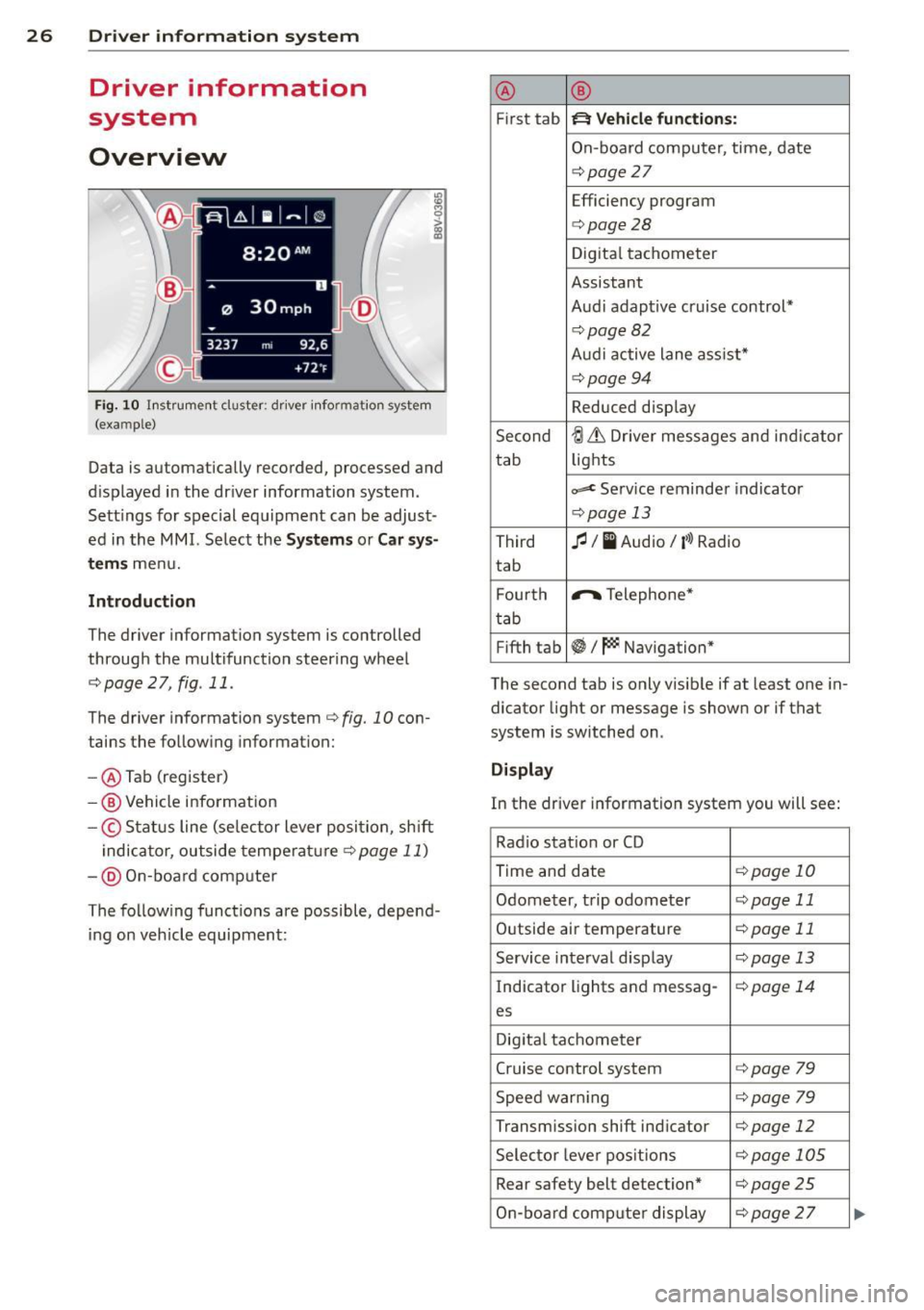
Fig . 10 In strument cluster : dr iver info rm ation system
(ex am ple)
Data is automatically recorded, processed and
d isplayed in the dr iver information system.
Sett ings for spec ial equipment can be adjust
ed in the
MMI. Select the Systems or Car sys
t e ms
menu.
Introduction
The driver information system is controlled
through the multifunction steering wheel
r::;, page 2 7, fig . 11 .
The driver information system
c:> fig. 10 con
tains the follow ing informat ion:
- @ Tab (register)
-® Vehicle information
-© Status line (se lector lever position, sh ift
indicator, outside temperature
c:> page 11)
- @ On-board comp uter
The following functions are possible, depend
ing on veh icle equipment: @
®
First tab ~ Vehicle
functions:
On-board computer, time , date
c:> page
27
Efficiency program
c:> page28
Digital tachometer
Assistant
Audi adaptive cruise control*
c:> page 82
Audi active lane ass ist*
r::;, page 94
Reduced display
Second
ti & Dr iver messages and indicator
tab lights
c,,..c Service reminder indicator
r::;, page 13
Third
fl I I Audio/ ('l) Radio
tab
F ourth .,..,.
Telephone*
tab
Fifth tab
~I~ Navigation*
The second tab is only visible if at least one in
dicator light or message is shown or if that
system is switched on .
Display
In the driver information system you will see:
Radio station or CD
Time and date
r::;, page 10
Odometer, trip odometer
r::;, page 11
Outside air temperature
r::;, page 11
Service interval display
r::;, page 13
Indicator lights and messag-
r:!:> page 14
es
Digital tachometer
Cruise control system c:>page
79
Speed warn ing r::;, page 79
Transmission shift indicator c:>page 12
Selector lever positions
r::;, page 105
Rear safety belt detection* c:>page25
On-board computer display
r::;, page 2 7
Page 30 of 288
28 Driver information system
• To access additional in formation be low or
above, rotate the thumbwheel @dow n or
up .
• To confirm a se lection, press the thumb
whee l@ .
• To select a fu nction programmed to a steer
i ng w heel button, p ress the bu tto n@ . Fo r
additional information, see
9 page 28, As
signing a fun ction to the programmable
s teering wheel button.
Calling up the Vehicle functions
> Se lect t he first tab w ith the button @.
• Pr ess the button @. The
Vehicle functions
me nu is displayed 9 fig . 12 .
• To se lec t a menu item, turn and p ress the
t hu mbwheel @.
Resetting values to zero
• In the Vehicle functions menu, se lect On
board computer or Efficiency program .
• Se lect a va lue in th e desired t rip comput er
o r i n the efficiency program.
• To reset the va lues i n a memo ry, press and
ho ld the thumbwhee l@ for one second.
Recalling indicator lights and messages
.. Pr ess the button CD repeate dly until the a
ta b appears .
The
U tab is only vis ible whe n there is a mal
f u nction.
Assigning a function to the
programmable steering wheel button
> Se lect: I MENU I button > Systems or Car Sys
tems
> Vehicle s ettings > Steering wheel
button programming .
The U tab is only visible whe n there is at
least one i ndicator light/driver message is d is
p layed .
@ Tips
-If the vehicle battery is d iscon nected, all
memo ry values are e rased .
- Informati on on the efficiency program
¢ page 28.
- There is more in formation on the m ulti
function stee ring w heel in the MMI own
er's manua l.
Efficiency program
Description
Applies to vehicles: wit h driver informat ion system
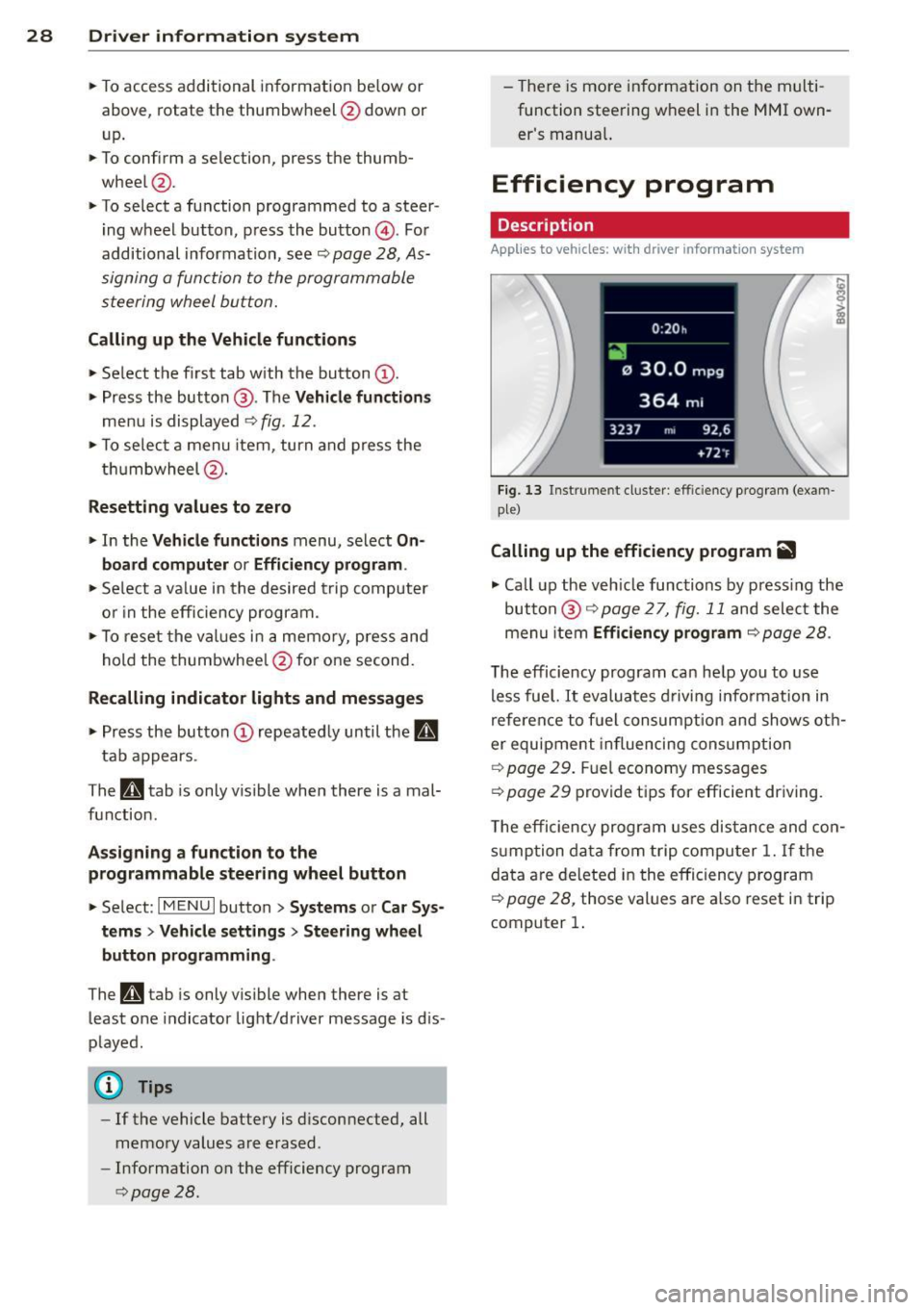
Fig . 13 Instrume nt cluster: effi cie ncy progra m (exa m
p le)
Calling up the efficiency program ii
• Call up the veh icle func tions by press ing the
bu tton @
9 page 2 7, fig. 1 1 and select the
menu item
Efficiency program 9 page 28.
The effici ency program ca n he lp you to use
less fue l.
It evaluates d riving info rmation in
refe ren ce to f uel consum ption and shows ot h
er equipment in fluencing cons umption
9 page 2 9. Fuel economy messages
9 page 29 prov ide t ips for efficie nt dr iv ing .
T he efficiency progr am uses di stance and co n
s u mp tion da ta from trip compu ter
1. If the
da ta a re de leted in the e fficiency program
9 page 28, those values a re a lso reset i n trip
computer
1.
Page 41 of 288
Opening th e windows
"' Press the sw itch to the fir st sto p and hold i t
until the window reaches the desi red posi
tion .
"' Press the switch briefly to the
se cond stop
to automatic ally open the window .
Clos ing th e windows
"' Pull the swi tch to t he fir st sto p and hold it
until the window reaches the desi red posi
tion .
"' Pull the switch briefly to the
sec on d s top to
automatica lly close the window .
Pow er wi nd ow switch es
@ Sw itch c::> fig. 2 7 f or the window in the
driver's door.
@ Sw itch for the window in the fron t pas
senger 's door .
© Switch for the window in the left rear
door.
@ Sw itch for the window in the r ight re ar
door.
® Safety bu tton* .
Child safe ty lock
When the safety button® c::> fig. 2 7 is press
ed, the~ symbol in the button lights up . The
power w indow switches in the rear doors are
switched off.
A WARNING
- Always remove the ignition key when you
leave your vehicle, even for a short peri
od of time . This applies particularly when
children remain in the vehicle . Otherwise
the chi ldren could start the engine or op
erate electrical equ ipment such as power
windows. The power windows continue
to function unt il the driver 's door or
front passenger's door has been opened .
- Pay carefu l attent ion when closing the
window . It could cause injury by pinch
ing.
- When locking the veh icle from outs ide,
the vehicle must be unoccupied s ince the
Opening and clo sin g 39
windows can no longer be opened in an
emergency.
(D Tips
After turning the ignition off you can s till
open and close the windows for approxi mately 10 seconds. The power windows
are not switched off until the driver's door
or front passenger's door has been
opened .
Convenience opening/closing
With the convenience open ing/closing func
tion, you can centrally and eas ily ope n the
windows and the pano rama sunroof* from the
o utside.
Convenienc e opening
"' Press the open button~ on the remote con
trol key u ntil all w indows and the panorama
sunroof* have reached the desired position,
or
"' First unlock the vehicle using the open but
ton
Im on the remote cont ro l key and then
keep the key in the lock on the driver's door
until a ll windows and the and the panorama
sunroof* have reached the desired position .
Conven ience closing
"' Hold the key in the lock on the drive r's door
i n the closed position unt il a ll windows and
the panorama sunroof * are closed.
Adjusting the convenience opening in the
MMI
"' Select: !MENU I > button System s contro l
button or
Car s ystems > Vehicle settings >
C entral locking > Open windows b y press
ing long
or > F ront windo ws on /off or Roof
on /off *.
A WARNING
- Be careful when clos ing the windows and
panorama sunroof* - the re is a risk of in-
Jury.
li1'-
•
Page 44 of 288
42 Lights an d Vi sion
Lights and Vision
Exterior lighting
Switching lights on and off
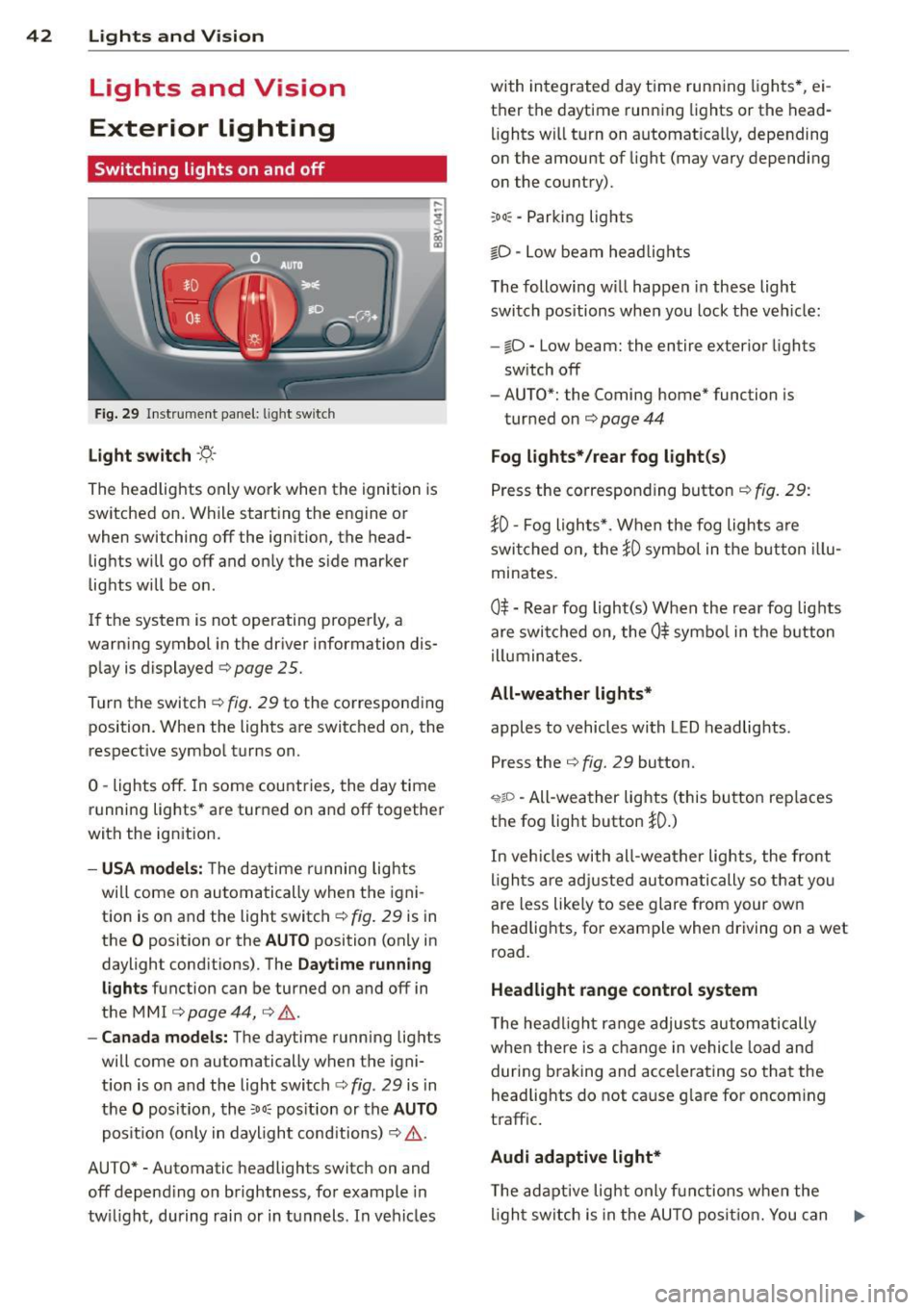
Fig . 29 Instrument pane l: l ig ht switc h
Light swit ch -'tj.-
The headlights only work when the ignition is
switched on. While start ing the engine or
when switching off the ignition, the head
lights will go off and only the side marker
lights will be on .
If the system is not operating properly, a
warning symbol in the driver information dis
play is displayed
¢ page 25.
Turn the switch¢ fig. 29 to the corresponding
position . When the lights are switched on, the
respective symbol turns on.
0 -lights off. In some countries, the day time
running lights* are turned on and off together
with the ignition.
- USA model s: T he daytime running lights
wi ll come on automatically when the igni
tion is on and the light switch¢
fig. 29 is in
the
O position or the AUTO position (only in
daylight conditions) . The
Daytime runn ing
li ghts function can be turned on and off in
the MM I ¢
page 44, ¢ .&. .
- Canad a models: The daytime running lights
will come on automa tically when the igni
t ion is on and the light switch¢
fig. 29 is in
the
O posit ion , the :oo: pos ition or the AUTO
posit ion (only in daylight conditions) ¢,& .
AUTO* -Automatic headligh ts swi tch on and
off depend ing on brightness, for example in
tw il ight, during rain or in tunnels . In vehicles with integrated day time runn
ing lights *, ei
t h er the daytime running lights or the head
lights wi ll turn on automat ically, depending
on the amount of light (may vary depending
on the country).
: oo : -Parking lights
iD -Low beam head lights
T he following w ill happen in these light
switch pos itions when you lock the veh icle:
- iD -Low beam: the entire exterior lights
sw itch off
- AUTO*: the Coming home* function is
turned on ¢
page 44
Fog lights* / rear fog light (s)
Press the corresponding button¢ fig. 29:
}0 -Fog lights*. When the fog lights are
swi tched on, the
}0 symbol in the button illu
minates.
0$ -Rear fog light(s) When the rear fog lights
are switched on, the
Ot symbo l in the b utton
illuminates.
All-weather lights*
apples to vehicles with LED headlights .
Press the
¢ fig. 29 button.
'i'!io -All-weather lights (this button rep laces
the fog light button
}0.)
In veh icles with all-wea ther lights , the front
l igh ts are adj usted automati cally so that yo u
are less like ly to see glare from your own
headlights, for example when driving on a wet
road.
Headlight range control system
T he headlight range adjus ts automatically
when there is a c hange in vehicle load and
during b raking and accelera ting so that the
headlig hts do not ca use g lare for oncom ing
traffic .
Audi adaptive light *
The ad aptive light only functions when the
li gh t switch is in the AU TO posit ion. You can
IJ,-
Page 45 of 288
deactivate adaptive light in the MMI
¢ pag e 44.
When swi tched on, adapt ive light adjusts to
curves depend ing on the vehicle speed and
steering whee l ang le . This provides b etter
lighting through the curve. The system oper
ates in a speed range from approx imately 6
mph (10 km/h) to 68 mph (110 km/h) .
Static corner ing light * (vehicles with adaptive
light) -the cornering light switch es on auto
mat ica lly when the steer ing whee l is turned at
a certa in angle at speeds up to approximately
44 mph (70 km/h) and when the tu rn signal is
activated at speeds up to approximately 25
mph (40 km/h) . The area to the s ide of the ve
h icle is illuminated bette r when turning .
Speed dependent ligh t dis tributi on* -The
speed dependent light distribution adapts the
light in towns and on h ighways o r express
ways . Inte rsect io ns can also be illuminated on
veh icles w ith a navigation system* .
Highway light function*
(Vehicles wi th adap tive light or LED head
lights) -T his function adapts the light ing for
h ighway driving based on vehicle speed .
A WARNING
-Automatic headlights* are only intended
to assist the dr iver. They do not relieve
the driver of responsib ility to check the
headlights and to turn them on ma nually
according to the current light and visibili
ty conditions . For examp le, fog cannot
be detected by the light sensors. So al
ways switch on the low beam under
these weather conditions and when driv
ing in the dark
io .
-Crashes can happen when you cannot see
the road a head and when you cannot be
seen by other motorists . Always turn on
the headlights so that you can see ahead
and so that others can see your car from beh ind.
- Please obse rve lega l regulations when
using the light ing systems descr ibed . Ligh
ts and Visi on 4 3
(D Note
The rear fog lights shou ld only be turned
on in accordance with traffic regu lations,
to prevent glare for traffic behind your ve
hicle.
{!) Tips
- The light sensor for the automatic head
lights* is in the rearview mirror mount.
Therefore , do not place any stickers in
this area o n the windshield .
- Some funct ions of the exterior lighting
can be adjusted
c:> page 44.
- If you turn off the ignition while the ex
terior lights are on and open the door,
you will hear a warning to ne.
- In some countries, the tail lights do not
switch on when the daytime runn ing
lamps switch on.
- In cool or damp weather, the inside of
the headlights, turn signals and tail
lights can fog over due to the tempera
t u re difference between the inside a nd
outside. They w ill clear shortly after
switching them on . This does no t affect
the serv ice life of the lighting.
- In the event of a light senso r malfu nc
ti on, the dr iver is notified in the instru
ment cl uste r display ¢
page 25.
Emergency flasher
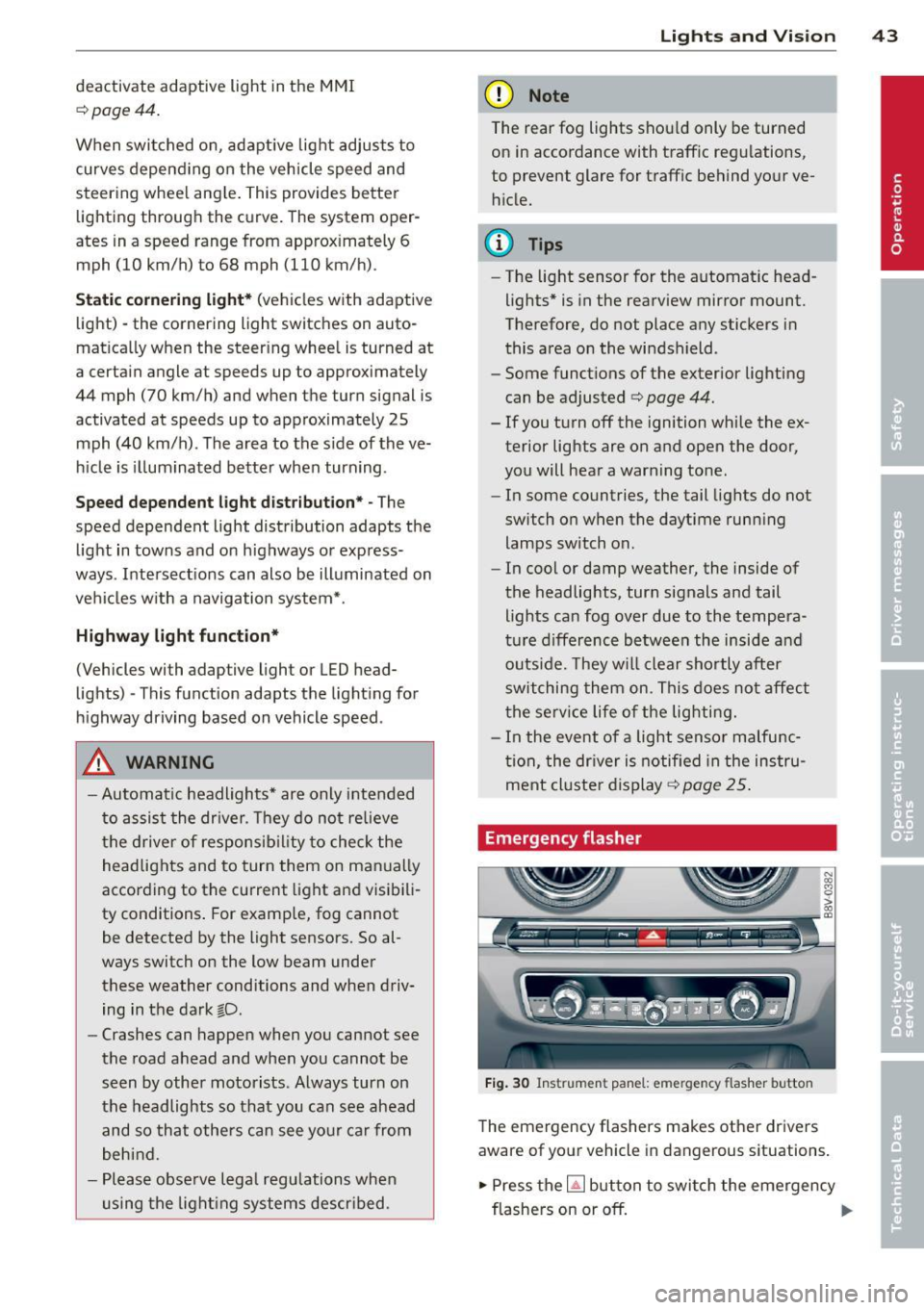
Fig. 30 Ins trume nt panel : emer gency flash er butt on
The emergency flashers makes other dr ivers
aware of your veh icle in dangerous situat ions .
.,. Press the~ but ton to swi tch the emergency
flashe rs on or off.
Ill-