lights AUDI A3 2015 Owner's Guide
[x] Cancel search | Manufacturer: AUDI, Model Year: 2015, Model line: A3, Model: AUDI A3 2015Pages: 288, PDF Size: 71.46 MB
Page 87 of 288
.. Automa tic transmission: To activate the reg
ulation while stationary , you must press the
brake pedal.
Switching adaptiv e cruise control off
.. Push the lever away from you into position
@ until it cl icks into p lace. The message
A CC: off appears.
The stored speed in the L ED line is erased.
@ Indicato r lights
II -adaptive cruise contro l is switched on . No
objects are detected ahead. The sto red speed
is ma inta ined .
• -An object ahead was detected . The adap
tive cruise control system regulates the speed
and distance to the object ahead and brakes/
accelerates automatica lly.
fai -Automatic transmission: The adapt ive
cr uise control is switched on . An object ahead
was detected. Your vehicle remains stopped
and will not start driving automatically .
• -The automatic brak ing is not eno ugh to
maintain a sufficient d istance to an object
ahead . Yo u must intervene
¢ page 88, Re
quest for driver intervention.
© Instrument cluster display
I f adap tive cruise contro l is not shown in the
instr ument cluster disp lay, you ca n call it up
using the mu ltifunction steering wheel but
tons
¢ page 2 7 .
B ased on t he g raphics in the display, you can
dete rmine if the system is maintaining a dis
tance to a veh icle ahead and what that dis
tance to this vehicle is:
N o vehicle -No object ahead was detec ted .
White vehicle -An object ahead was detected .
Red vehicle -Request for the dr iver to take ac
t ion ¢
page 88 .
Both arrows on the scale © indicate the dis
tance to the object ahead. No arrow appears
when the vehicle is on an open road and there
Audi ad apti ve crui se control 85
is no object ahead. If an object is detected
ahead, the ar row moves on t he scale.
T he green zone on t he sca le indicates the
store dis tance . Fo r informa tion on chang ing
the distance, refe r to ¢
page 87. If the dis
tance selected is exceeded or not reached, the
arrow moves into the red zone on the scale.
_& WARNING
Improper use of the adaptive cruise con
trol can cause collisi ons, other accidents
a nd se rious personal injur ies.
- Automatic transmission: If you press the
ISETI butto n when dr iv ing at speeds be
low 20 mph (30 km/h) , the veh icle accel
erates au tomatically up to 20 mph
(30 km/h), which is the mi nimum speed
th at can be set.
{i) Tips
- If you switch the ignit ion or the adaptive
cruise cont rol system off, the set speed
is e rased fo r safety reason.
- With the adaptive cruise control activat
ed the ESC spo rt mod e cannot be activat
ed.
- The e lectronic stab ilizat ion cont ro l (E SC)
and the anti-slip-regulat ion (ASR) are a u
t oma tic a lly turned on w hen the adapt ive
c ruise cont ro l is turned on. Bot h sys tems
canno t be turned off if the a daptive
cruise cont rol is turned on .
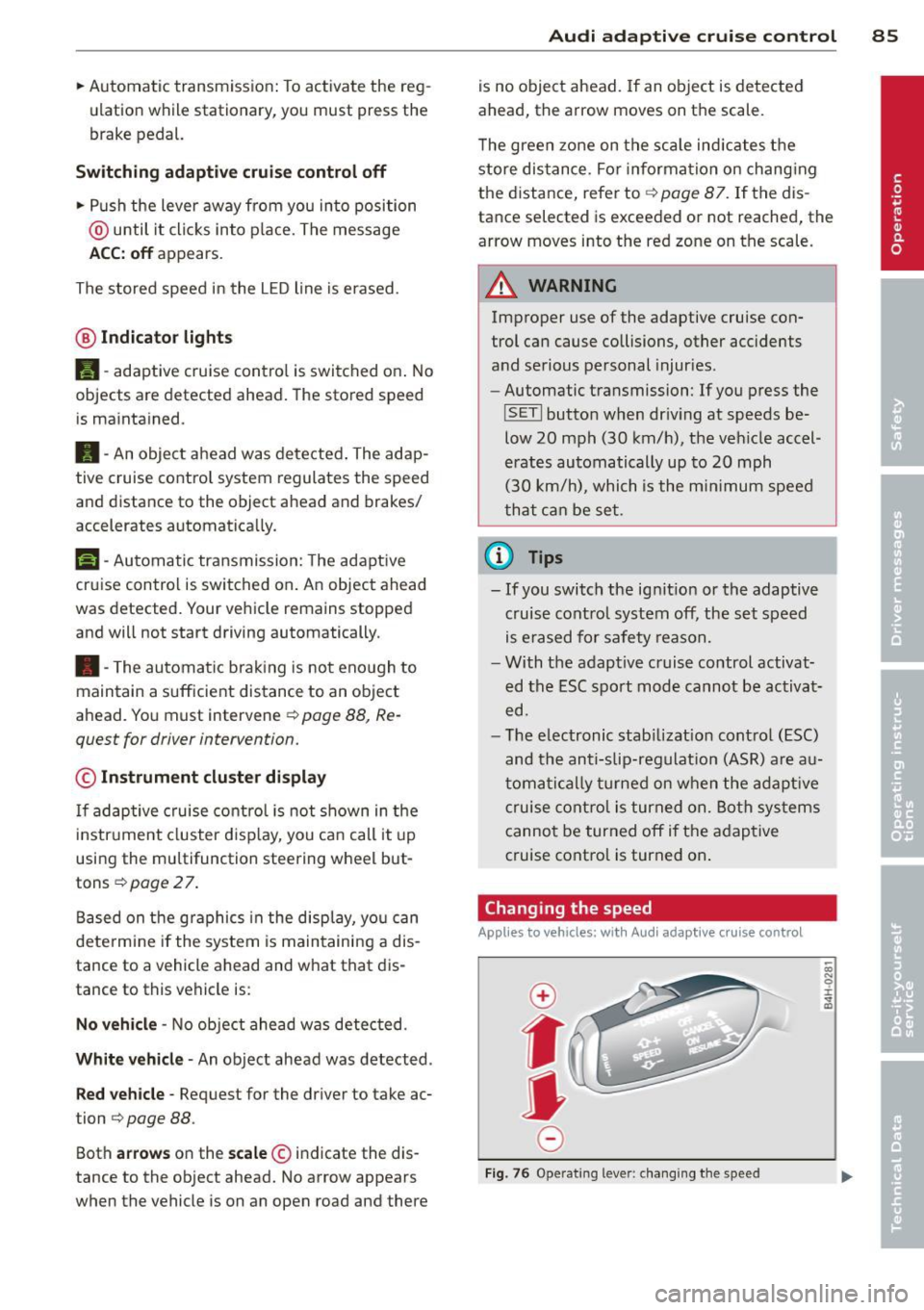
Changing the speed
Applies to vehicles: with Audi adaptive cru ise control
0
f
jJ
0
Fi g. 76 Operat ing leve r: c ha ng in g the spee d
0)
"' 0 i.
" a,
Page 97 of 288
Switching on and off
Applies to vehicles: with Audi active lane assist
•
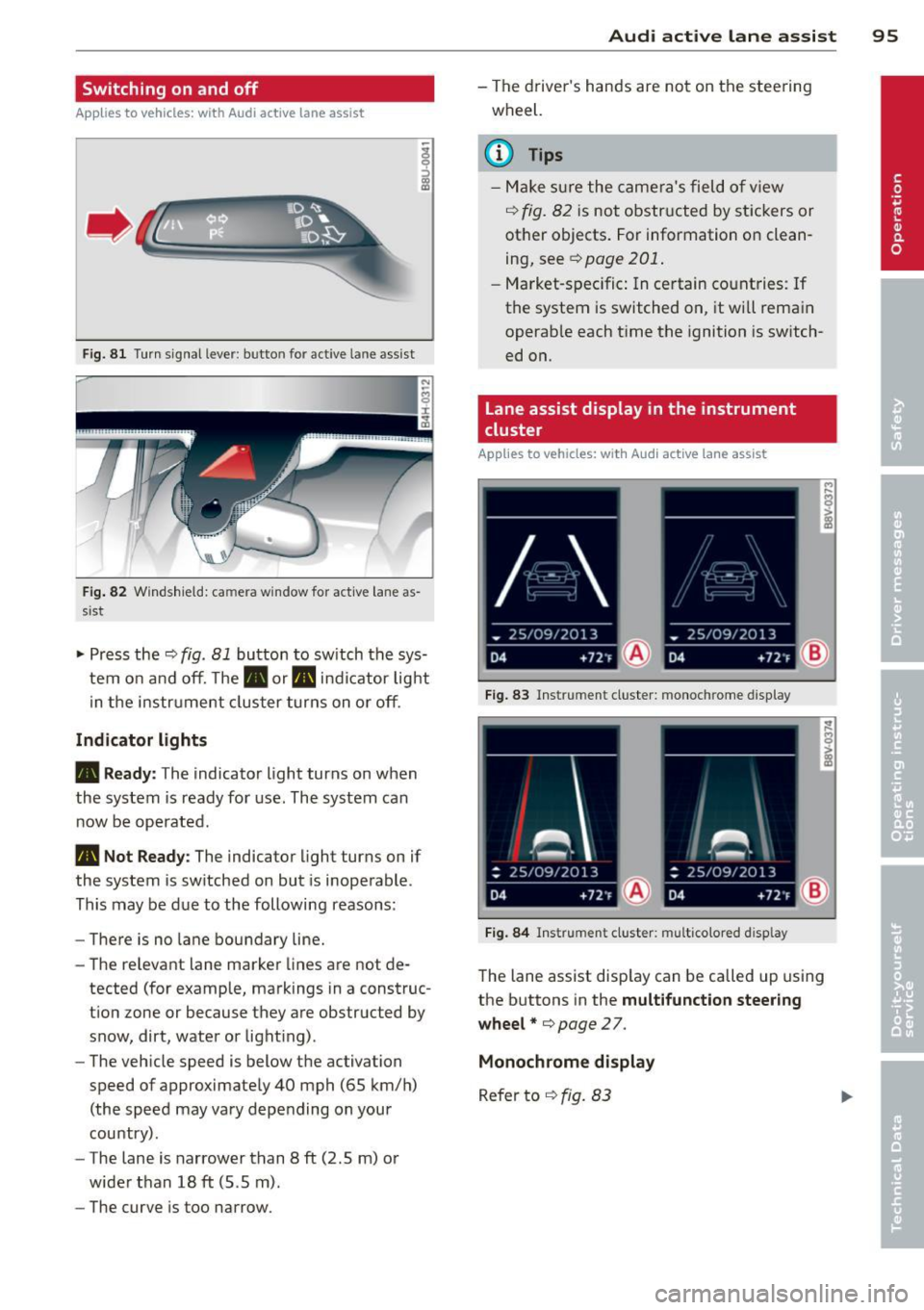
Fig. 81 Turn signal lever: butto n for act ive la n e ass ist
Fig. 82 Windsh ield: ca mera w indow for act ive lane as
s is t
.. Press the~ fig. 81 button to switch the sys
tem on and off. The . or. indicator light
in the instr ument cluster turns on or off.
Indicator lights
• Ready:
The indicator light turns on when
the system is ready for use. The system can
now be operated .
• Not Ready : The indica tor light turns on if
the system is switched on but is inoperable.
This may be due to the following reasons:
- There is no lane boundary line.
- The relevant lane marker lines are not de-
tected (for example, markings in a construc
tion zone or because they are obstructed by
snow, dirt, water or light ing) .
- The vehicle speed is below the activation
speed of approximately 40 mph (65 km/h)
(the speed may vary depending on your
country) .
- The lane is narrower than 8
ft (2 .5 m) or
wider than 18
ft (5.5 m).
- The curve is too narrow.
Audi active lane assist 95
-The driver's hands are not on the steering
wheel.
a) Tips
- Make sure the camera's field of view
~ fig. 82 is not obstructed by stickers or
other objects. For information on clean
ing, see¢
page 201 .
-Market-specific: In certain countries: If
the system is switched on, it wi ll remain
operab le each time the ignition is switch
ed on.
lane assist display in the instrument
cluster
Applies to vehicles: with Audi active lane assist
Fig. 83 Ins trumen t cluster: monoc hrome d ispl ay
Fig. 84 Instrume nt clust er: mult icolored d isp lay
The lane assist display can be called up using
the buttons in the
multifunction steering
wheel* ¢
page 27.
Monochrome display
Refer to ~ fig. 83
Page 107 of 288
Automatic
transmission S tronic-transmission
Introduction
Applies to vehicles: with S tronic transmiss ion
Your vehicle is equipped with an electronical
l y -controlled DSG transmission called S tronic.
T wo independent clutches transfer the power
between the engine and transmission. It al
lows the vehicle to accelerate without a no
ticeable interruption in traction .
T he transmission upshifts or downshifts auto
matically. The driving style continuously influ
ences the selection of the driving program .
When a
moderate driving style is used, the
transmission selects the most econom ica l
driving mode. The transmission upshifts at a
lower RPM and downshifts at a higher RPM to
improve fuel effic iency .
T he transmission switches to a sporty mode
after a kick-down or when the driver uses a
sporty driving style characterized by quick ac
celerator pedal movements, heavy accelera
tion, frequent changes in speed and traveling
at the maximum speed.
If desired, the driver can also select the gears
manually (tiptronic mode) r=> page 110,
Shifting manually (tiptronic mode) .
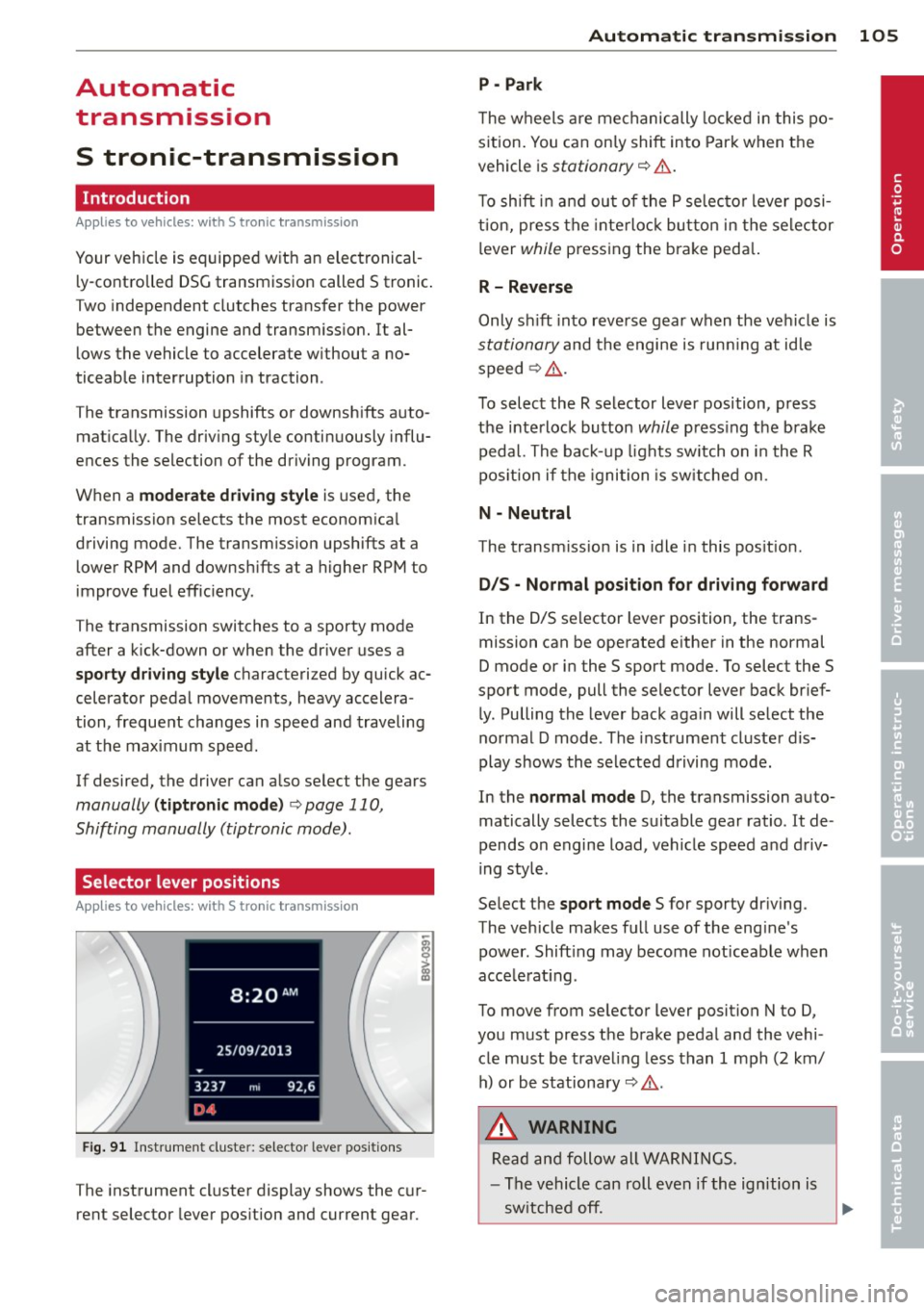
Selector lever positions
Applies to vehicles: with S tro nic transmission
Fig. 91 Instrument cluster: selector leve r positions
The instrument cluster display shows the cur
rent selector lever position and current gear .
Automatic transmission 105
P -Park
The wheels are mechanically locked in this po
sition. You can only shift into Park when the
vehicle is
stationary r=> &..
To shift in and out of the P selector lever posi
tion, press the interlock button in the selector
lever
while pressing the brake peda l.
R- Reverse
Only shift into reverse gear when the vehicle is
stationary and the engine is running at idle
speed
r=> &. .
To select the R selector lever position, press
the interlock button
while press ing the brake
pedal. The back-up lights sw itch on in the R
pos ition if the ignition is switched on .
N -Neutral
The transm iss ion is in idle in this position .
DIS -Normal position for driving forward
In the D/S selector lever position , the trans
mission can be operated either in the normal
D mode or in the S sport mode. To select the S
spor t mode, pull the selector lever back brief
ly. Pulling the lever back again will select the
normal D mode . The instrument cluster dis
play shows the selected driving mode.
In the
normal mode D, the transmission auto
matically selects the suitable gear ratio . It de
pends on engine load, vehicle speed and driv
ing style .
Select the
sport mode S for sporty driving .
The vehicle makes full use of the eng ine's
power. Shift ing may become noticeable when
acce lerat ing.
To move from selector lever position N to D,
you must press the brake pedal and the vehi cle must be traveling less than 1 mph (2 km/
h) or be stationary~ &.-
.&_ WARNING
Read and follow all WARNINGS.
- The vehicle can roll even if the ignition is
switched off. ...
.__ _____________ __J ....
•
Page 109 of 288
lock engages if the lever stays in the N posi
tion longer than approximately 2 seconds
when the brake pedal is not pressed.
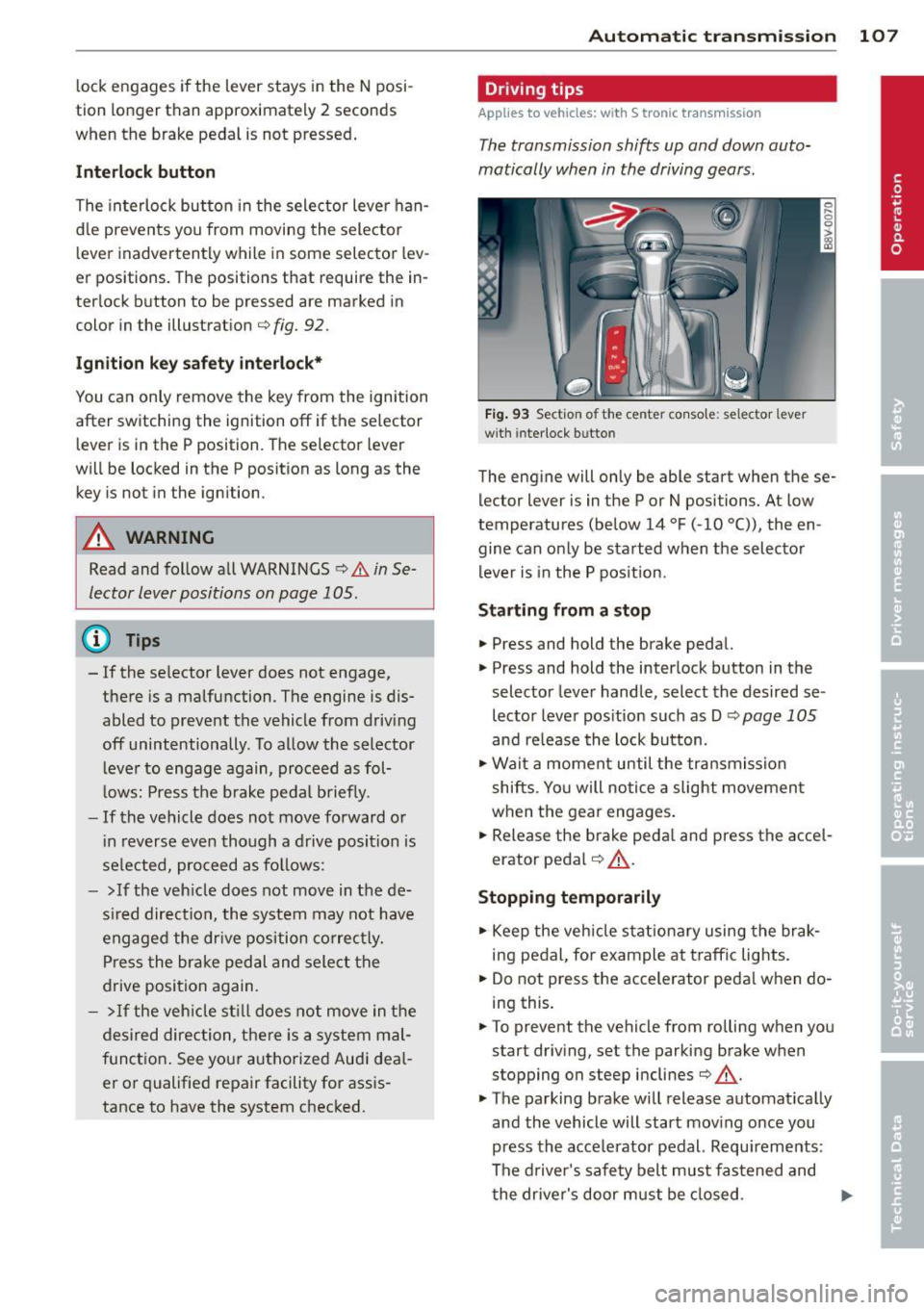
Interlock button
The interlock button in the selector lever han
d le prevents you from moving the selector
l ever inadvertently while in some selector lev
er positions. The positions that require the in
ter lock button to be pressed are marked in
color in the illustration
c;, fig. 92.
Ignition key safety interlock*
You can only remove the key from the ignition
after switching the ignition off if the se lector
lever is in the P position. The selector lever
will be locked in the P position as long as the key is not in the ignition .
A WARNING
Read and follow all WARNINGS c> .&. in Se
lector lever positions on page 105 .
@ Tips
-If the se lector lever does not engage,
there is a malfunction . The engine is dis
abled to prevent the vehicle from driving
off unintentionally . To allow the selector
le ver to engage again, proceed as fol
l ows: Press the brake pedal b riefly.
- If the vehicle does not move forward or
i n reverse even though a drive position is
se lected, proceed as follows:
- >If the veh icle does not move in the de
s ire d direction, the system may not have
engaged the dr ive position correctly.
Press the brake pedal and select the
drive position again.
- > If the vehicle still does not move in the
desired direction, there is a system mal
function. See your authorized Aud i dea l
er or qualified repair facility for assis
tance to have the system checked.
Autom atic transm ission 107
Driving tips
Applies to vehicles: with S tronic transmission
The transmission shifts up and down auto
matically when in the driving gears.
Fig. 93 Section of the center co nsole: selector leve r
w ith inte rlock b utto n
The engine will only be able start when these
lector lever is in the P or N positions. At low
temperatures (below 14 °F (-10 °C)), the en
gine can only be started when the selector
lever is in the P position.
Starting from a stop
.,. Press and hold the brake pedal.
.,. Press and hold the interlock button in the
selector lever handle, select the desired se
lector lever pos ition such as D
c;, page 105
and release the lock button.
.,. Wait a moment until the transmission
shifts . Yo u will notice a slight movement
when the gear engages.
... Release the brake peda l and press the acce l
erator pedal
c;, .&_ .
Stopping temporarily
.,. Keep the vehicle stationary using the brak
ing pedal, for example at traffic lights.
.,. Do not press the accelerator peda l when do
ing this .
.,. To prevent the vehicle from ro lling when you
start driving, set the parking brake when
stopping on steep inclines
c;, .&. -
.,. The parking brake will release automat ically
and the vehicle will start moving once you
press the acce lerator pedal. Requ irements :
The driver's safety belt must fastened and
the driver's door must be closed.
IJll,-
Page 133 of 288
Safety belts
General notes
Always wear safety belts!
Wearing safety belts correctly saves lives!
T his chapter explains why safety belts are nec
essary, how they work and how to adjust and
wear them correctly .
~ Read all the information that follows and
heed all of the instructions and WARNINGS.
A WARNING
Not wearing safety belts or wearing them
improperly increases the risk of serious
personal injury and death.
- Safety belts are the single most effective
means available to reduce the risk of se
rious injury and death in automobile acci
dents. For your protection and that of
your passengers, always correctly wear
safety belts when the vehicle is moving .
- Pregnant women, injured, or physically
impaired persons must also use safety
belts. Like all vehicle occupants, they are
more likely to be seriously injured if they
do not wear safety belts. The best way to
protect a fetus is to protect the mother -
throughout the entire pregnancy.
Number of seats
Your Audi has a total of five seating positions:
two in the front and three in the rear. Each
seating position has a safety belt .
A WARNING
Not wearing safety belts or wearing them
improperly increases the risk of serious
personal injury and death.
- Never strap more than one person, in
cluding small children, into any belt. It is
especially dangerous to place a safety
belt over a child sitting on your lap.
- Never let more people ride in the vehicle
than there are safety belts available.
Safety belts 131
-Be sure everyone riding in the vehicle is
properly restrained with a separate safe
ty belt or child restraint.
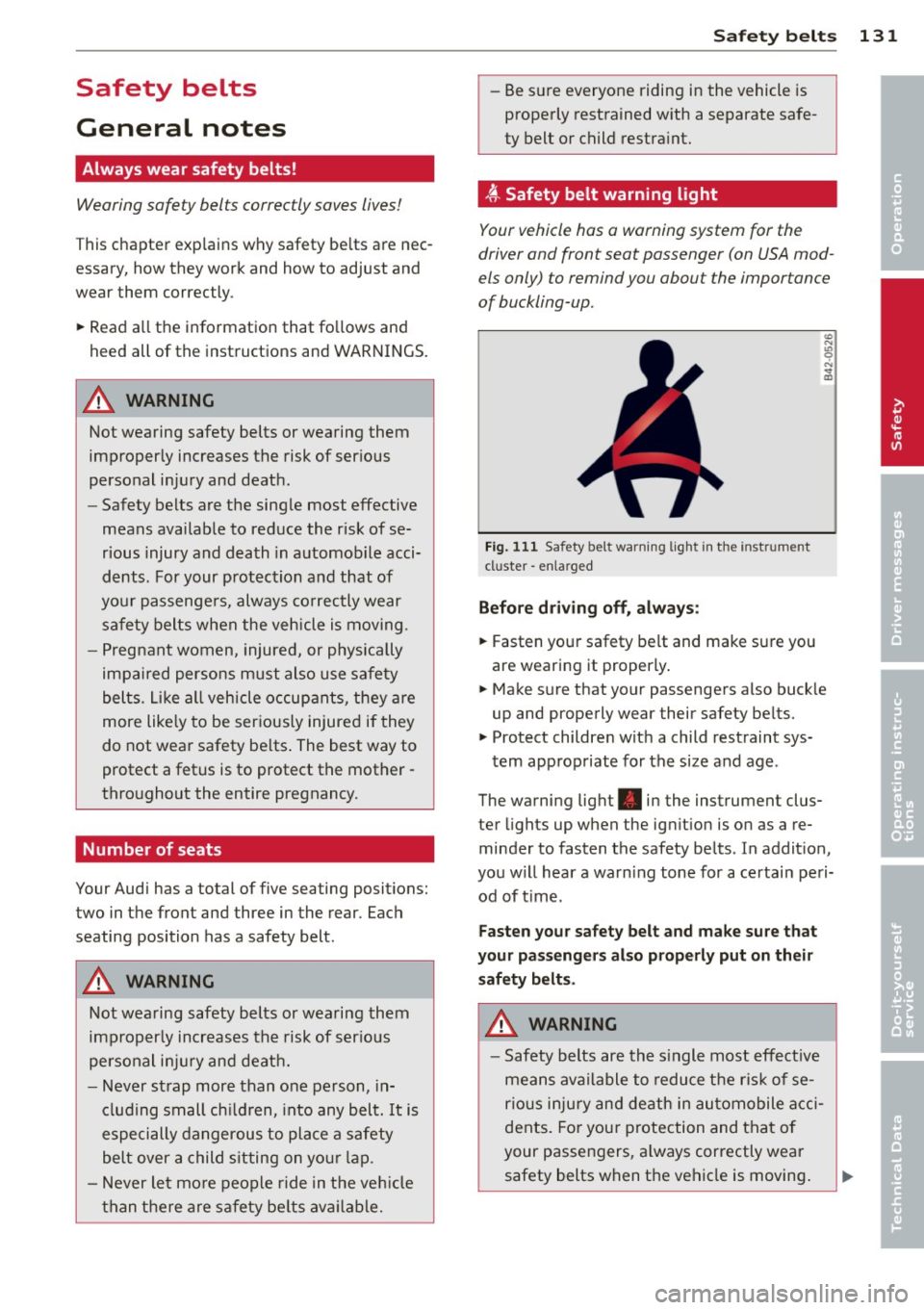
~ Safety belt warning light
Your vehicle has a warning system for the
driver and front seat passenger (on USA mod
els only) to remind you abou t the importance
of buckling-up.
Fig. 111 Safety bel t warn ing light in the instr ume nt
cl uster -enla rged
Before driving off, always:
~ Fasten your safety belt and make sure you
are wearing it properly.
~ Make sure that your passengers also buckle
up and properly wear their safety belts.
~ Protect children with a child restraint sys-
tem appropriate for the size and age .
The warning light . in the instrument clus
ter lights up when the ignition is on as a re
minder to fasten the safety belts . In addition,
you will hear a warning tone for a certain peri
od of time .
Fasten your safety belt and make sure that
your passengers also properly put on their
safety belts.
A WARNING
- Safety belts are the single most effective
means available to reduce the risk of se
rious injury and death in automobile acci
dents. For your protection and that of
your passengers, always correctly wear
safety belts when the vehicle is moving. •
•
•
Page 189 of 288
Smart Technology 187
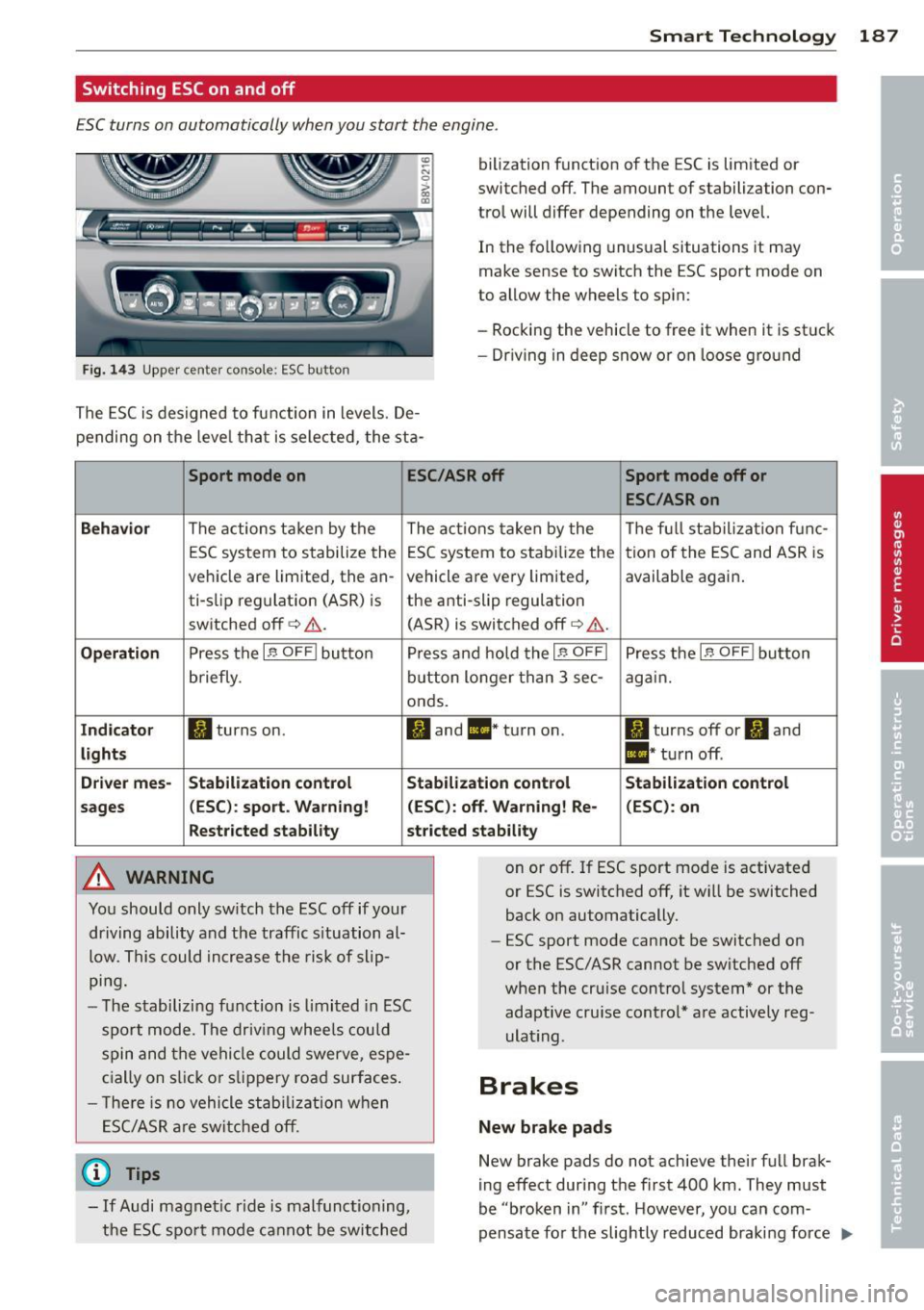
Switching ESC on and off
ESC turns on automatically when you start the engine .
Fig. 143 Upper center console: ESC button
bilization function of the ESC is limited or
switched off. The amount of stabilization con
tro l will differ depending on the level.
In the following unusual situations it may
make sense to switch the ESC sport mode on
to allow the wheels to spin:
- Rocking the vehicle to free it when it is stuck
- Dr iving in deep snow or on loose gro und
The ESC is designed to function in levels. De
pending on the leve l that is selected, the sta-
Sport mode on ESC
/ASR off
Sport mode off or
ESC /ASRon
Behavior
The actions taken by the
The actions taken by the Th
e fu ll stabilization fu nc-
ESC system to stabilize the ESC system to stab ilize the tion of the ESC and ASR is
vehicle are limited, the an- vehicle are very limited, available again.
ti-slip reg ulation (ASR) is the anti-slip regulation
sw itched off
q .&.. (ASR) is switched off q .&. .
Operation Press the If) OFF I button P ress and hold the If) OFFI Press the I.$ OFF I button
briefly. button longer than 3 sec- again.
onds.
Indicator II turns on. II and II * turn on . II turns off or II and
lights II* turn off.
Driver mes-
Stabilization control Stabilization control
Stabilization control
sages (ESC):
sport. Warning! (ESC): off. Warning! Re- (ESC): on
Restricted stability stricted stability
A WARNING
You should only sw itch the ESC off if your
driving ability and the traffic s ituation al
low. This could increase the risk of slip
ping.
- The stabilizing function is limited in ESC
sport mode. The driving wheels could
spin and the vehicle could swerve, espe
cially on slick o r slipp ery road surfaces .
- T here is no vehicle stabilizat ion when
ESC/ASR are switched off.
@ Tips
-If Audi magnet ic ride is malfunctioning,
the ESC sport mode cannot be switched on or off. If ESC sport mode is activated
or ESC is switched off, it w
ill be switched
back on automatically.
- ESC sport mode cannot be switched on
or the ESC/ASR cannot be switched off
when the cru ise contro l system* or the
adaptive cru ise contro l* are actively reg
ulat ing.
Brakes
New brake pads
New brake pads do not achieve their full brak
ing effect during the first 400 km. They must
be "broken in" first. However, you can com
pensate fo r the slightly reduced braking force ""
Page 191 of 288
for a test. Brakes will dry and ice coatings will be cleaned off after a few
careful brake applications.
- Driving for an extended period of time on
salt-covered roads without using your
brakes can also affect braking efficiency.
Clean off accumulated salt coating from
brake discs and pads with a few careful
brake applications.
- If you damage the front spoiler, or if you
install a different spoiler, be sure the air
flow to the front brakes is not obstruct
ed. Otherwise the brake system could
overheat reducing the effectiveness of
the entire brake system.
- Failure of one brake circuit will impair
the braking capability resulting in an in
creased stopping distance. Avoid driving
the vehicle and have it towed to the near
est Audi dealer or qualified workshop.
- Never let the vehicle roll to a stop with
the engine shut off.
- If the brake booster is not working, the
brake pedal must be pressed considera
bly harder to make up for the lack of
booster assistance.
(D Note
- Never let the brakes "rub" by pressing
the pedal lightly when braking is not really necessary. This causes the brakes
to overheat and increases braking dis
tance and causes wear.
- Before driving on a long stretch with
steep slopes, reduce your speed and shift
to the next lower gear This makes use of
the engine braking effect and relieves
the brakes. If you need to brake addition
ally, brake in intervals and not continu
ously.
(D Tips
- If the brake booster is not working, you
must press the brake pedal with much
more force then normal.
- If you retrofit your vehicle with a front
spoiler, wheel covers or similar items,
Smart Technology 189
make sure that the air flow to the front
wheels is not interrupted. Otherwise the
brake system can become too hot.
Electromechanical
steering
The electromechanical steering supports the
driver's steering movements.
Power steering adapts electronically based on
the vehicle speed.
The vehicle still has full steering functionality if the power steering fails or when the engine
is stopped (towing) . To steer, you must apply
much more force than usual.
Indicator lights and messages
• Do not drive vehicle: steering defective
If this indicator light turns on and stays on
and this message appears, the power steering
may have failed.
Do
not continue driving . See your authorized
Audi dealer or qualified repair facility.
• Do not drive vehicle: steering defective
There is an electronic steering column lock
malfunction . You cannot turn the ignition on.
Do
not tow your vehicle because it cannot be
steered. See your authorized Audi dealer or qualified repair facility.
c~ij Steering malfunction: you can continue
driving
If the indicator light turns on, the steering
wheel may be more difficult to move or more
sensitive than usual. The steering wheel may
also be at an angle when driving straight.
Drive slowly to your authorized Audi dealer or
qualified workshop to have the malfunction
corrected.
Ill Steering lock: system fault! Please con
tact Service
There is an electronic steering column lock
malfunction.
•
•
•
Page 198 of 288
196 Driving and the environment
than the posted speed limit and weather con
ditions permit.
Reducing unnecessary idling
Even wh en your car is just idling it burns up
fuel.
,.. Shu t the engine off when you a re not dr iv ing
the vehi cle.
... Do not warm up the vehicle by letting the
engine run at idle.
It is efficien t to switch off the engine when
stopped at railroad crossings and long red
lights. Turning the engine
off for j ust 30-40
seconds saves mo re f uel than is burned by
start ing the engine again.
It takes a long time fo r the engine to wa rm up
fu lly when it is running at idle. However , wear
and noxious emissions are especially high
when the engine is warming up. So you should
drive away as soon as you start the engine and
avoid ru nning at h igh rpms while the engine is
still warming up.
{[) Note
Do not leave engine idling unattended af
ter starting. If warning lights s hould come
on to indicate improper operation, they
wou ld go unheeded . E xtended idling also
produces heat, which cou ld resu lt in over
heat ing or o ther da mage to the vehicle or
o ther prope rty.
Regular maintenance
A badly tuned engine unnecessarily wastes a
lot of fuel .
... Have your vehicle serv iced at regular inter-
vals.
H aving your vehicle regular ly serviced by an
author ized Audi dealer helps to ensure that it
runs properly and economically . T he condition
of yo ur vehicle not only affects its safety and
ab ility to hold its value, it also affec ts
fuel
con sumption. Check
your oil each t ime you fill your tank.
T he amou nt of oi l used is re lated to engine
lo ad a nd speed.
It is normal fo r the oil consumption of a new
engine to reach its lowest valu e after a c erta in
mileage has bee n driven.
You must drive your veh icle about 3,000 m iles
(5,000 kilometers) before you can properly
assess oil consumpt io n.
This also app lies to fue l consumption and en
gine output .
(0 Note
- Have your veh icle ma inta ined properly
and in accordance with the service rec
ommendations in your Wa rranty
& Ma in
tenance boo klet . Lack of proper ma inte
nance as well as improp er use of the ve
hicle will impair the fu nction of the
em iss io n con trol system and cou ld lead
t o dam age.
- Do not alte r or remove any component of
t he Emis sio n Control Sys tem unless ap
proved by the manufacturer .
- Do not alter or remove any device, such
as hea t sh ie lds, swi tches, ig nitio n w ires,
valves, which are designed to p rotec t
your vehicle's Emission Control System
and other impo rtant vehicle compo
nents.
' Fewer short trips
Fuel consumption will always be relatively
high on short trips.
... Try to avoid dr iv ing sho rt distances w it h a
cold engine .
T he eng ine and cat alytic conver ter h ave to
re ach their opt imal
operating t emperature to
reduce fuel consumpt io n and nox ious em is
sions effectively.
Jus t aft er s tarti ng, a c old eng ine in a mid-s ize
ca r on ly achieves a fuel economy of 6-8 m iles
per gallon (30 -40 l/100 km) . After about a
half a mile , fu el economy climbs to 12 mpg .,..
Page 200 of 288
198 Trailer towing
Trailer towing Driving with a trailer
General information
Your Audi was designed primarily for passen
ger transportation .
If you plan to tow a tra iler, p lease remember
that the addit ional load will affect durability,
economy and performance .
T railer towing not on ly places more stress on
the vehicle, it also calls for more concentra
tion from the driver.
F or this reason, always fo llow the operating
and drivi ng in str uctions provided and use
common sense.
@ Note
If you are going to tow a trai le r, you must
activate the trailer operation mode
c:::> page 198 , Operating instructions.
Technical requirements
Traile r hitch
Use a weight-carrying hitch conforming to the
gross trailer weight. The hitch must be suita
b le for your veh icle and trailer and must be
mo unted secure ly on the ve hicle's chassis at a
technically sound loca tion . Use only a trailer
hi tch with a removab le ball moun t. A lways
check with the tra ile r hitch manufac turer to
make sure that you are using t he cor rect
hitch.
Do not use a bumper hit ch .
The hitch must be installed in such a way that
i t does not interfe re with the impact-absorb
ing bumper system. No modifications should
be made to the vehicle exhaust and brake sys
tems . From time to time, check th at a ll hitch
mo unt ing bo lts remain securely fastened.
When you are not towing a trailer, remove the
tra iler hitch ball moun t. T his prevents the
h itch from causing damage sho uld your veh i
cle be str uck from be hind
c:::> A .
Trailer brake s
If your trailer is equipped wi th a b ra ki ng sys
tem, c heck to be sure t hat i t conforms to all
regulations .
T he trailer hyd rauli c brake system mus t not be
direc tly connec ted to the vehicle's hydraulic
brake system .
Safety chains
Always use safety chains between your veh icle
and the tra ile r.
Trailer lights
Trai ler lights must meet all regulations. Be
sure to check w ith your Audi dealer for correct
wiring, switches and relays .
Mirrors
If you are unable to see the traffic behind you
us ing the regular o utside mirrors, then you
must install extended mirrors. It is important
that you
always have clear v is ion to the rear.
A WARNING
--
Afte r removi ng the trailer hitch, do not
stor e it in your vehicle . In case of sudden
b raking, t he hitch co uld fly forwa rd and i n
j ur e you or your passengers.
Operating instructions
Maximum trailer weight
A tra ile r fo r your vehicle is limited to a typical
class 1 or class 2 tr ailer.
Trailer load distribution
Be sure the load in the tra ile r is held secure ly
i n place to p revent it from shift ing forward,
backward or sideways.
Ne ver allow a pa ssenger to ride in a trailer
c:::> A in Driving instructions on page 199 .
Engine cooling system
Towing a trailer makes the engine work hard
er . It is important that the cooling system's
performance is up to the additional load.
Page 201 of 288
Make sure that the cooling system has enough
f luid .
Tire pressure
When tow ing a trai ler, inflate the t ires of your
veh icle to the cold tire pressure listed under
"Full load" on the label located on the driver's
side B-pillar (visible when the door is open) .
Inflate trailer tires to trai ler and tire manufac
turers' specifications.
Lights
Check to make sure both veh icle and trailer
lights are working properly.
Safety chains Be sure tra iler safety cha ins are properly con
nected from the trailer to the hitch on the ve
hicle. Leave enough slack in the chains to per
mit turning corners . When you install safety
chains, make sure they wi ll not drag on the
road when you are driving.
The chains should cross under the trailer
tongue to prevent it from dropping in case of
sepa ration from the hitch.
Driving instructions
Driving with a trailer always requires extra
care and consideration.
To obta in the best poss ible handling of vehicle
and trai le r, p lease note the following:
.. Do not tow a loaded tra iler when your car it
self is not loaded .
.. Be especially carefu l when passing other
vehicles.
.. Observe speed limits.
.. Do not drive at the maximum permissible
speed .
.. Always apply brakes early.
.. Monitor the temperature gauge.
Weight distribution
Tow ing a loaded trailer with an empty ca r re
sults in a high ly unstable distribution of
weight . If this cannot be avoided, drive at very
Trailer towing 199
low speeds on ly to avoid the risk of losing
steering contro l.
A "balanced " rig is easier to operate and con
trol. This means that the tow vehicle should
be loaded to the extent possible and permissi
ble, while keeping the trailer as light as possi
ble under the c ircumstances. Whenever poss i
ble, transfer some cargo to the luggage com
partment of the tow vehicle while observing
tongue load requirements and vehicle loading
considerations.
Speed
The higher the speed, the more difficu lt it be
comes for the driver to control the rig. Do not
drive at the maximum permissible speed. Re
duce your speed even more if load, weather or
wind conditions are unfavorable -particularly
when going downhill .
Reduce vehicle speed
immediately if the trail
er shows the slightest sign of swaying .
Do not
try to stop the swaying by accelerating .
Observe speed limits. In some areas, speeds
for vehicles towing tra ilers are lower than for
regular veh icles .
Always apply brakes early. When driving
downhill, shift into a lower gear to use the en gine braking effect to slow the vehicle . Use of
the brakes alone ca n cause them to overheat
and fail.
Coolant tempe rature
The coo lant temperature gauge¢
page 12
must be observed carefully. The coolant tem
perature can increase if you drive on long in
cli nes in a low gear at high engine speeds . Re
duce your speed immediately if the LEDs in
the top part of the display turn on.
For more information about ind icator lights,
refer to. ¢
page 20 .
A WARNING
Anyone not properly restrained in a mov
ing vehicle is at a much greate r risk in an
accident. Never let anyone ride in yo ur car
-
•
•
•