battery AUDI A3 CABRIOLET 2015 Owners Manual
[x] Cancel search | Manufacturer: AUDI, Model Year: 2015, Model line: A3 CABRIOLET, Model: AUDI A3 CABRIOLET 2015Pages: 302, PDF Size: 73.83 MB
Page 5 of 302
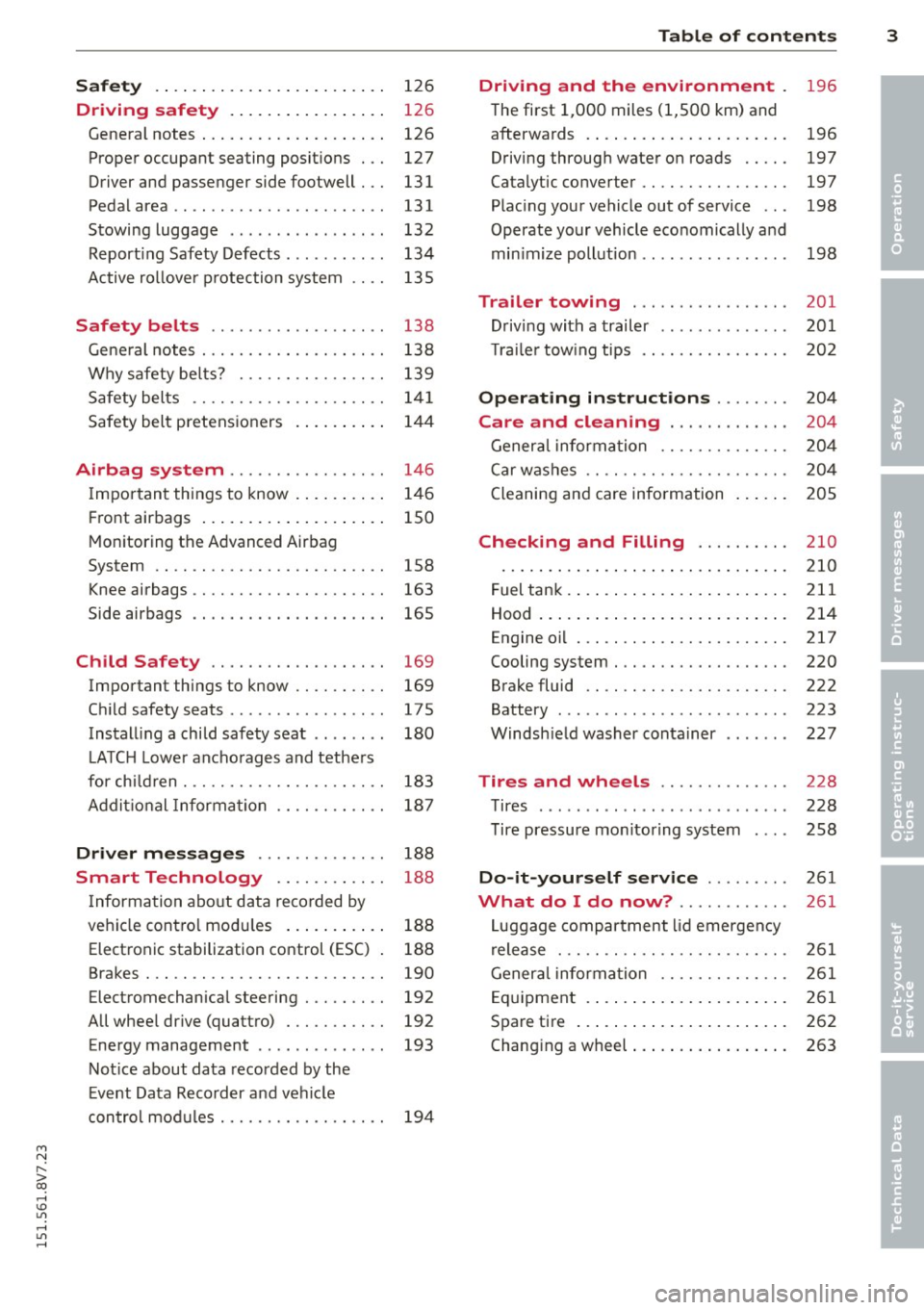
Safety . . . . . . . . . . . . . . . . . . . . . . . . . 126
Driving safety . . . . . . . . . . . . . . . . . 126
General notes . . . . . . . . . . . . . . . . . . . . 126
Proper occupant seating posit ions . . . 127
Driver and passenger side footwell . . . 131
Pedalarea .. .. .............. ... .. 131
Stowing luggage . . . . . . . . . . . . . . . . . 132
R eport ing Safety Defects . . . . . . . . . . . 134
Active ro llover p rotection system 135
Safety belt s . . . . . . . . . . . . . . . . . . . 138
Gene ral notes . . . . . . . . . . . . . . . . . . . . 138
Why safety be lts? . . . . . . . . . . . . . . . . 139
Safety belts . . . . . . . . . . . . . . . . . . . . . 1 41
Safety bel t pretens ioners . . . . . . . . . . 14 4
Airbag system ......... .. .. .. . .
Impor tant things to know . ... .. .. . .
Fr ont airbags .... ..... ... .. .. .. . .
Monitoring the Advanced Airbag
System .. .. ................. .. . .
Knee airbags .. ........... .. .. .. . .
Side airbags .. .. .. .... .... . .... . .
Ch ild Safety ............... .. . .
Important things to know .. .. .. .. . .
C hi ld safety seats ............ .... .
Install ing a chi ld safety seat .. .. ... .
L A TC H L ower ancho rag es and tethe rs
fo r ch ild ren . ............. .... .. . .
A ddit io nal Informa tion 146
1
46
150
158
163
165
169 169
175
180
183
187
Driver messages . . . . . . . . . . . . . . 188
Smart Technology . . . . . . . . . . . . 188
I nforma tion abo ut data reco rded by
ve hicl e cont ro l mod ules . . . . . . . . . . . 188
Elect ron ic stabilization control (ESC) 188
Brakes . . . . . . . . . . . . . . . . . . . . . . . . . . 190
Electromechanical steering . . . . . . . . . 192
All whee l drive (quatt ro) . . . . . . . . . . . 192
Energy management . . . . . . . . . . . . . . 193
Not ice about data recorded by the
E vent Data R eco rder and ve hicle
con tro l mod ules . . . . . . . . . . . . . . . . . . 194
Table of contents 3
Driving and the environment
196
T he first 1,000 miles (1 ,500 km) and
afterwa rds . . . . . . . . . . . . . . . . . . . . . . 196
Driving through wate r on roads . . . . . 197
Catalytic converter . . . . . . . . . . . . . . . . 197
Plac ing your vehicle out of service . . . 198
Operate your vehicle eco nomically and
min imize poll ution . . . . . . . . . . . . . . . . 198
Trailer towing . . . . . . . . . . . . . . . . . 201
D rivi ng with a trailer . . . . . . . . . . . . . . 201
T ra ile r tow ing t ips . . . . . . . . . . . . . . . . 202
Operating instructions . . . . . . . . 204
Care and cleaning . . . . . . . . . . . . . 204
Genera l infor mation . . . . . . . . . . . . . . 20 4
C ar w ashes .. .. .. .. . ............ .
Cleaning and care information
Checking and Filling ......... .
Fuel tank . ... .... .. . .. .. ..... ... .
Hood ... .. .. .. .... . ... ...... ... .
Engine oi l ... .. .. .... ........... .
Cooling system . .. .. ............. .
Brake fluid .. .. .. .... ........... .
Battery ......... .. ..... ........ .
Windsh ie ld washer container
Tires and wheels ............. .
Tires ... .. .. .. .... .. ........ ... . 2
0 4
20 5
210
210
2 11
214
217
220
222
223
22 7
228
228
T ire pressure mo nitoring system 258
Do-it-yourself service . . . . . . . . . 261
What do I do now? . . . . . . . . . . . . 261
L uggage compartment lid emergency
r elease . . . . . . . . . . . . . . . . . . . . . . . . . 261
Gener al infor mation . . . . . . . . . . . . . . 261
E q uipment . . . . . . . . . . . . . . . . . . . . . . 261
Spare tire . . . . . . . . . . . . . . . . . . . . . . . 262
Changi ng a wheel . . . . . . . . . . . . . . . . . 263
•
•
M a N ,....
> co ,...., \!) 1.1'1 ,...., 1.1'1 ,....,
Page 15 of 302
....,
N
r--. > co
rl I.O
"' rl
"' rl
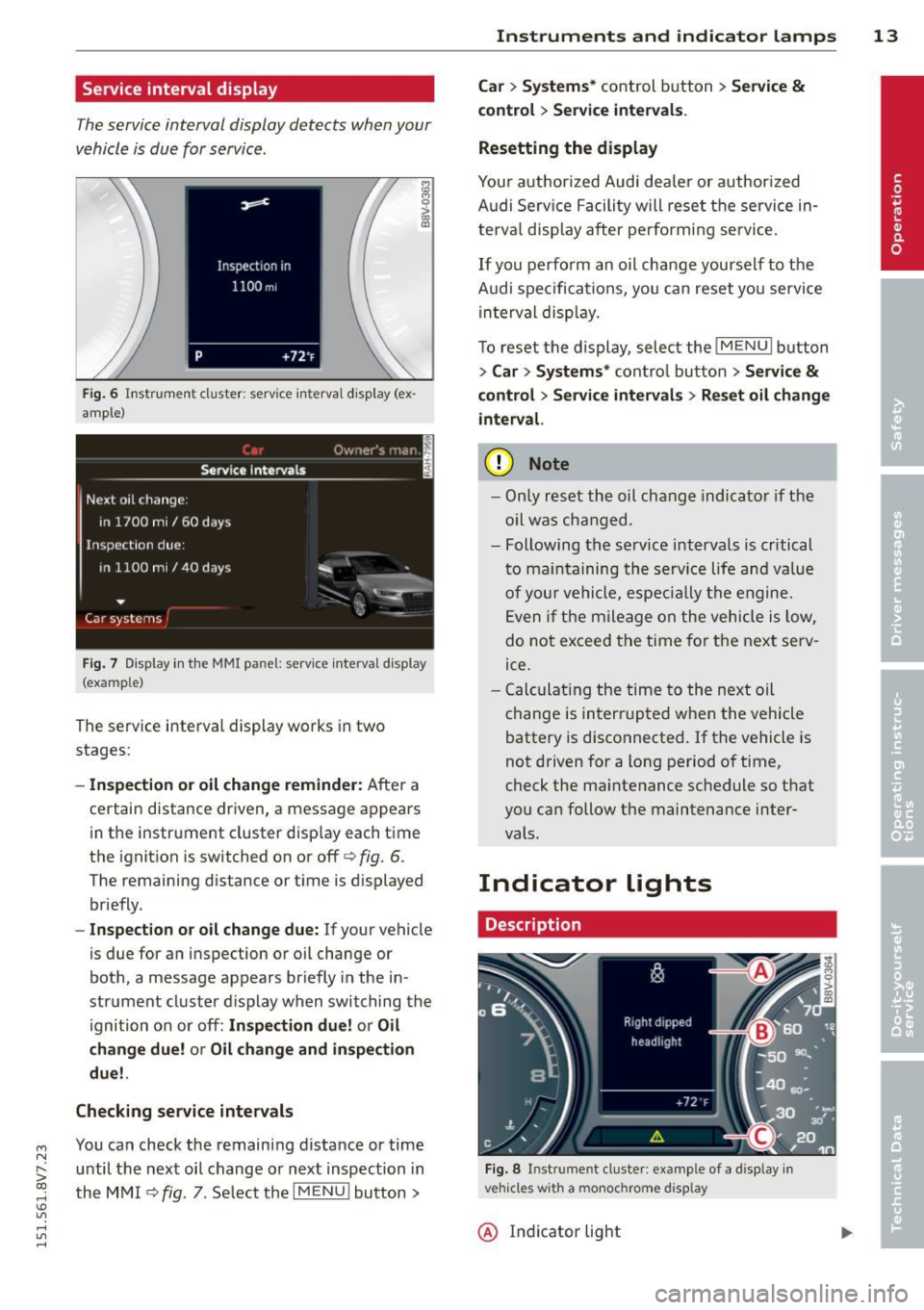
Service interval display
The service interval display detects when your
v e hicle is due for service .
Fig. 6 In str um en t cluste r: serv ice inte rva l d isp lay (ex
a m ple)
Fig. 7 Disp lay in th e MMI panel: se rv ice interval display
(exa mple )
The serv ice interva l display works in two
stages:
- Inspection or oil change reminder : After a
certain distance driven, a message appears
i n t he instr ument cluster d isp lay each time
the ignit ion is switched on or off
r=> fig. 6.
The remaining distance or t ime is d isplayed
briefly.
- Inspect ion or oil change due : If your vehicle
is due for a n insp ection or o il change or
bot h, a message appears br iefly in the in
strument cluster d isplay when switching the
ignition o n or off:
In spection due! or Oil
change due! or Oil change and in spection
due!.
Checking service intervals
You can check the remaining distance or time
until the nex t oil change or next inspection in
the M MI
¢ fig. 7. Se lect t he I MENU ! button >
Instruments and indicator lamps 13
Car > Systems* control button > Service &
control
> Service intervals .
Resetting the display
Your a uth orized Audi dea le r or auth oriz ed
A udi Se rv ice F acility will rese t the service in
te rv al disp lay after pe rfo rmi ng se rvice.
I f you perfo rm an o il change you rself to the
A udi spe cifications, yo u can reset yo u service
in terval disp lay.
T o reset the display, select the
!ME NUI button
> Car > Sy stem s* control button > Service &
control
> Servi ce interval s > Reset oil change
interval.
(D Note
- On ly r eset th e oil chang e indicato r if th e
oil was cha nged.
- Following the se rv ice intervals is critical
t o m ain ta ini ng th e se rv ic e life a nd val ue
o f yo ur v ehicl e, espe cially th e e ngine.
E ven i f the mile age on t he vehicle i s low,
d o no t exceed the time for th e nex t serv
ice.
- Calcu lating t he time to the next oil
c hange is in te rrupt ed whe n the vehicle
battery is dis connected. If t he vehicle is
n ot d riven f or a long period o f time,
check the ma intenance schedule so th at
you ca n follow the maintena nce inter
vals.
Indicator lights
Description
Fig. 8 Instrum en t cluste r: example of a display in
vehicles wit h a mo noc hrome display
@ Ind icator light
Page 18 of 302
16 Instruments and indicator lamps
or
·~
Lt
CD
TPMS
;
or
or
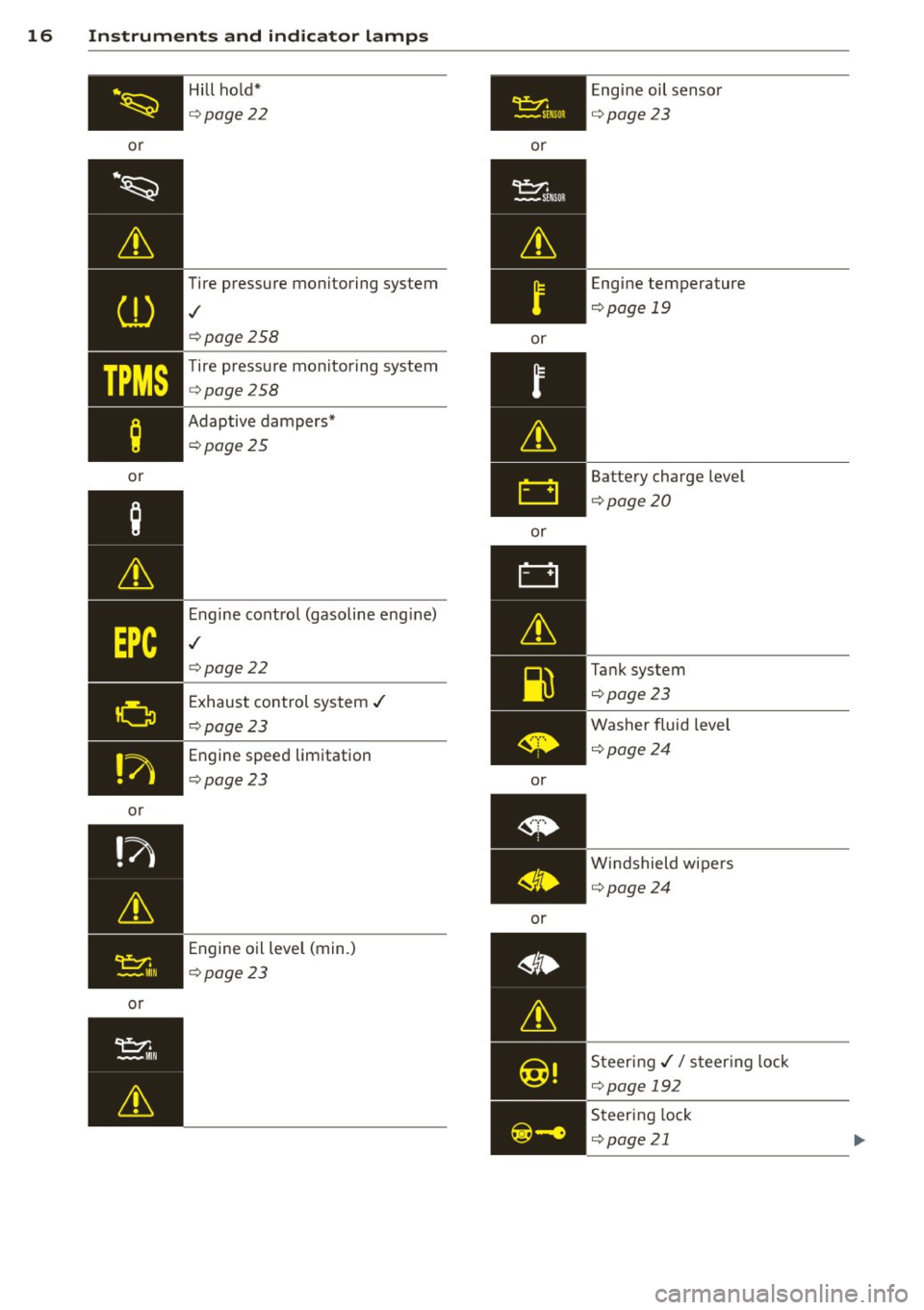
or Hill ho
ld*
Q page 22
Tire pressure monitoring system
,/
Qpage 258
Tire pressure monitoring system
Q page 258
Adaptive dampers*
Qpage25
Engine control (gasoline eng ine)
,/
Q page 22
Exhaust control system ,/
Qpage 23
Engine speed limitation
Qpage 23
Engine oil level (min.)
Qpage 23
~ -SE NSOR
or
or
or
or
or Engine
oil sensor
Qpage23
Engine temperature
Qpage 19
Battery charge level
Qpage20
Tank system
Qpage23
Washer fluid level
Qpage24
Windshield wipers
Qpage24
Steer ing,// s teer ing lock
Qpage 192
Steering lock
Q page21
Page 19 of 302
M N
" > co ,...., \!) 1.1'1 ,...., 1.1'1 ,....,
or
or
or
or
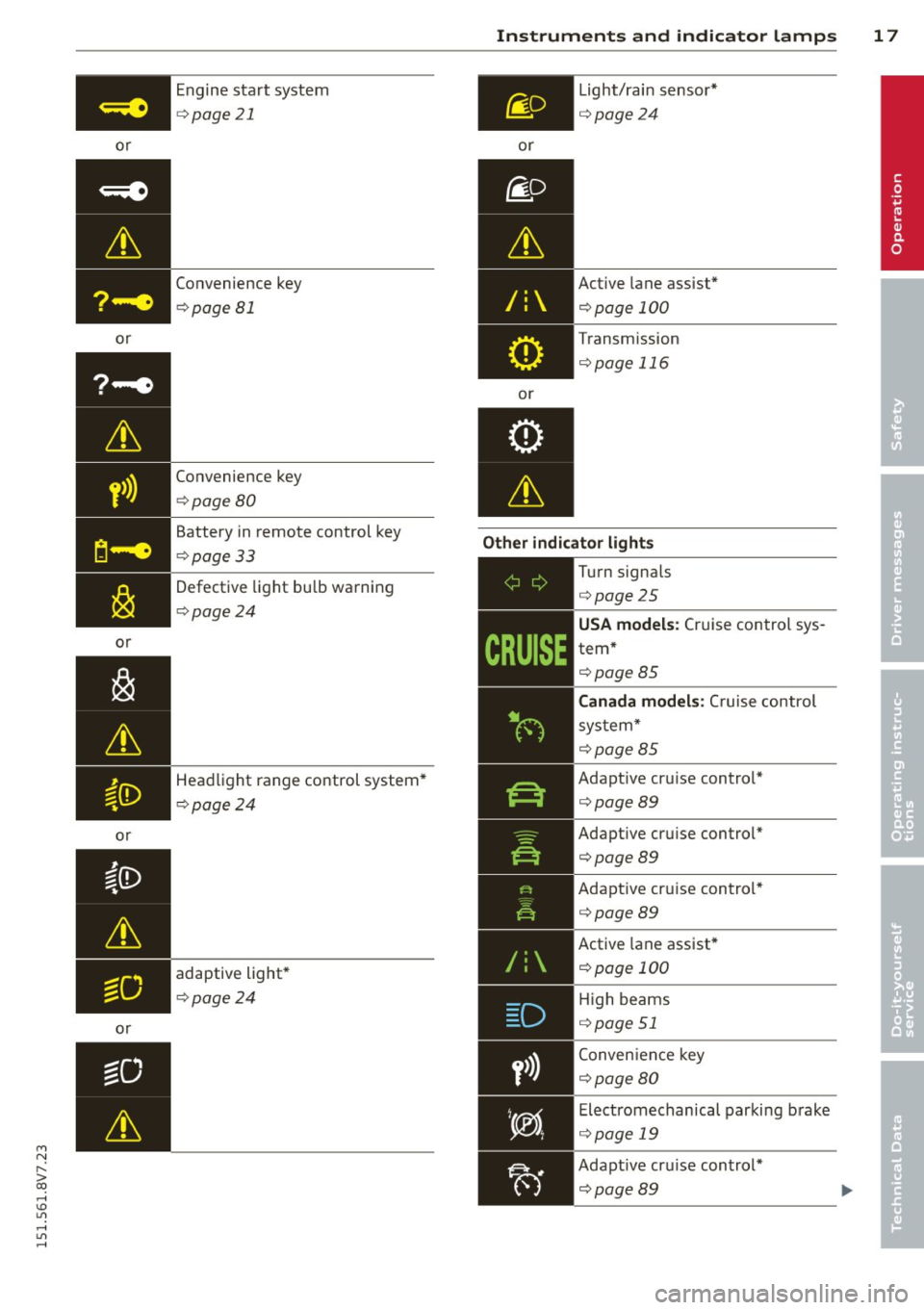
or Engine start system
¢
page 21
Convenience key
¢page Bl
Convenience key
¢page BO
Battery in remote control key
¢page 33
Defective light bulb warning
¢ page24
Headlight range control system*
¢ page 24
adaptive light*
¢ page24
Instruments and indicator lamps 17
or
/:
or Light/rain
sensor*
¢page24
Active lane assist*
¢page 100
Transmission
¢page 116
Other indicator lights
-------------
Turn signals
¢page25
USA models: Cruise control sys
tem*
¢ page BS
Canada models : Cruise control
system*
¢page BS
Adapt ive cru ise control*
¢ page89
Adaptive cruise control* ¢page89
Adaptive cruise control* ¢page89
Active lane assist*
¢page 100
High beams
¢ page 51
Conven ience key
¢page 80
Electromechanical parking brake
¢ page 19
Adapt ive cru ise control*
¢page89
•
Page 22 of 302
20 Instruments and indicator lamps
_& WARNING
-Never open the hood if you can see or
hear steam or coolant escaping from the
engine compartment . This increases the
risk of burns. Wait until you no longer
see or hear steam or coolant escaping.
-
-The engine compartment in any vehicle
can be a dangerous area. Stop the engine
and allow it to cool before working in the
engine compartment. Always follow the
information found in
<:;>pag e 214, Work
ing in the engine compartment.
(D Note
Do not continue driving if the. indicator
light turns on - th is increases the risk of
engine damage.
off engine! Oil pressure too low
Stop the engine and do not continue driving.
Check the engine oil level
<:;>page 218.
-If the engine oil level is too low, add engine
o il ¢
page 217. Only continue driving once
the indicator light turns off.
- If the engine oil level is correct and the indi
cator light still turns on, turn the engine
off
and do not continue driving. See an author
ized Audi dealer or author ized Audi Serv ice
Fac ility for assistance.
@ Tips
The oil pressure warning is not an oil level
ind icator. For this reason, check the oil lev
el regularly.
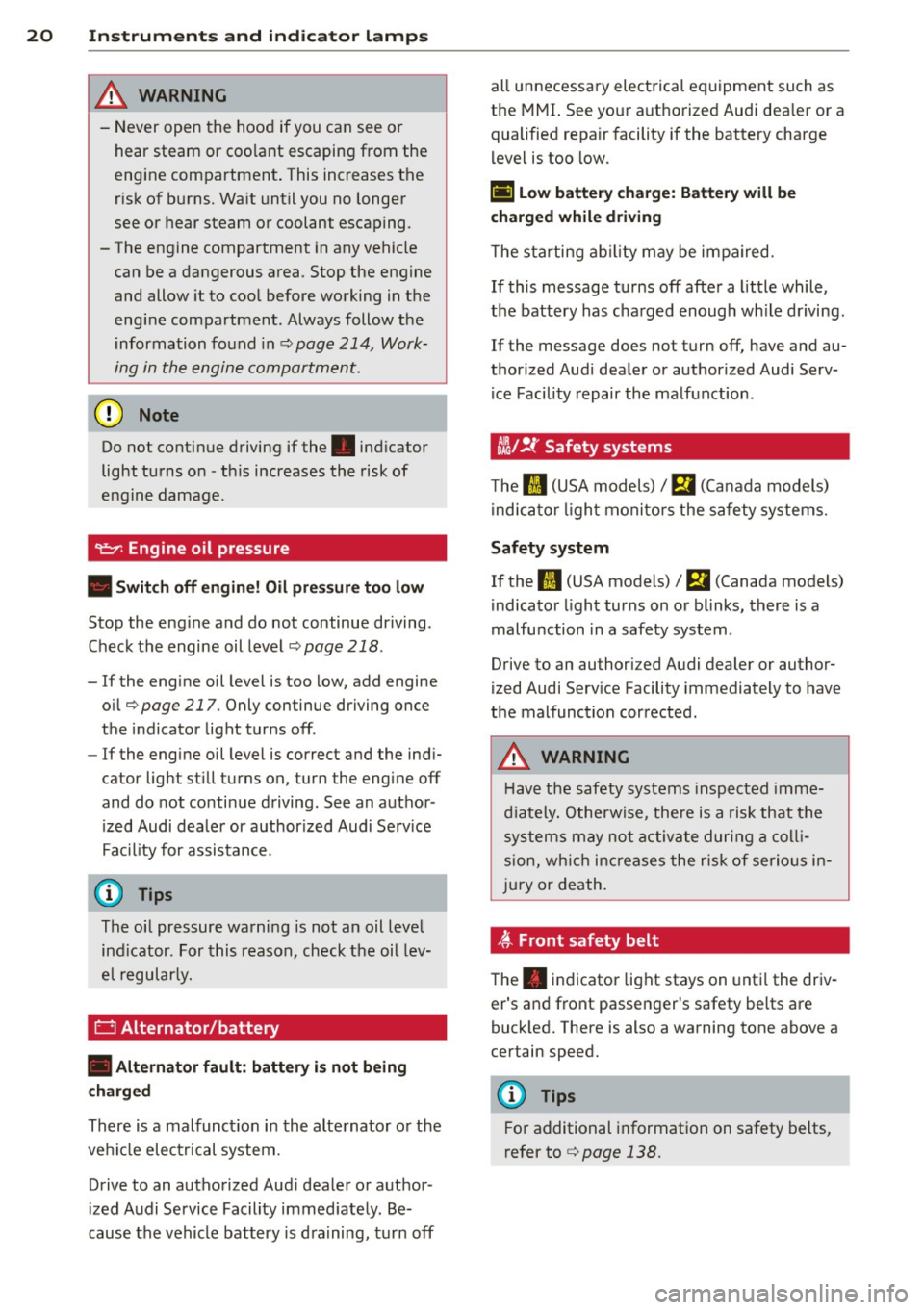
0 Alternator/battery
• Alternator f ault: battery is not being
charged
There is a malfunct ion in the alternator or the
vehicle electrical system.
Drive to an authorized Aud i dealer or author
ized Audi Service Facility immed iately. Be
cause the vehicle battery is draining, turn off all unnecessary electrical equipment such as
the
MMI. See your authorized Audi dea ler or a
qualified repair facility if the battery charge
l evel is too low.
(•] low battery charge: Battery will be
charged while driving
The starting ability may be impaired.
If this message turns off afte r a little while,
the battery has charged enough wh ile driving.
If the message does not turn off, have and au
thorized Audi dea ler or authorized Audi Serv
ice Facility repair the malfunction.
tli1 !I: Safety systems
The II (USA models) Im (Canada models)
indicator light monitors the safety systems.
Safety system
If the II (USA models)/ m (Canada models)
indicator light turns on or blinks, there is a
malfu nction in a safety system.
Drive to an authorized Audi dealer or author
ized Audi Serv ice Facility immediately to have
the malfunction corrected.
_& WARNING
-Have the safety systems inspected imme-
diately. Otherwise, there is a risk that the
systems may not activate during a colli
s ion, wh ich increases the risk of serious in
jury or death.
4f-Front safety belt
The. indicator light stays on until the driv
er's and front passenger's safety belts are
buck led. There is also a warning tone above a
certain speed .
(D Tips
For additional information on safety belts,
refer to¢
page 138.
Page 23 of 302
M N
" > co ,...., \!) 1.1"1 ,...., 1.1"1 ,....,
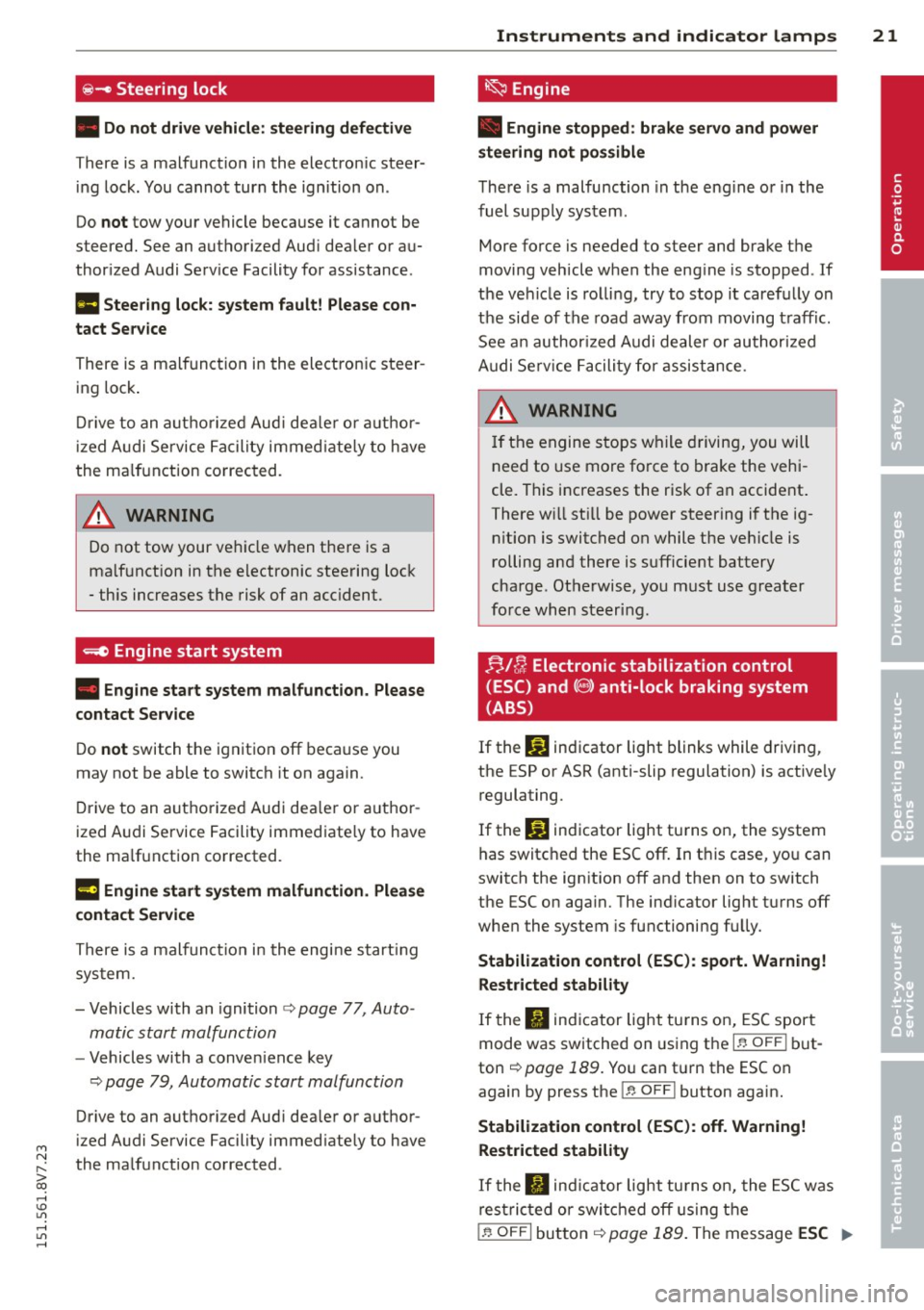
~- Steering lock
• Do not drive vehicle : ste ering defective
There is a malfunct io n in the electron ic steer
in g lock . You canno t turn the ign ition on .
Do
not tow your vehicle beca use it ca nnot be
steered. See an authorized Aud i dea ler or a u
thor ized Audi Se rv ice Facility for assistance .
Ill Steering lock: system fault! Please con
tact Service
There is a malfunct ion in the electron ic s teer
ing lock .
Dr ive to an a uth o rize d Aud i de aler or auth or
iz ed A udi Service Faci lity immed iate ly to h ave
the ma lf u nction co rrec ted.
~ WARNING
Do not tow your ve hicle when t he re is a
ma lf u nction in t he e lectronic steering lock
- this increases t he risk of an acc ident.
-.e Engine start system
-
• Engine start system malfunction. Please
contact Service
Do not switch the ignit io n off because you
may not be able t o switch it on aga in.
D rive to an a uth o rized Aud i dea le r o r a uth or
ized A udi Service Facility immed iate ly to have
the ma lfunction co rrected.
l3 Engine start system malfunction . Please
contact Service
Th ere is a malfunct io n in th e engi ne s tart ing
s y st em.
- Vehicles with an ignition <=>
page 77, Auto
matic start malfunction
- Vehicles with a conve nience key
¢ pag e 79, Automatic start malfunction
Drive to an authori zed Aud i dea ler or a uth or
i zed A udi Service Facility immed iate ly to have
the ma lfunction corrected .
Instruments and indicator lamps 21
~ Engine
• Engine stopped: brake servo and power
steering not pos sible
T he re is a malfunction in the eng in e or i n the
fuel sup ply sys tem .
More force is needed to steer and brake t he
moving veh icle when the eng ine is stopped . If
t h e ve hicle is rolli ng, try to stop i t caref ully on
the side of the ro ad away fro m moving t raffi c.
S ee a n author ized Audi dealer or au thor ized
A udi Serv ice F acili ty for a ssistance .
A WARNING
If th e engine stops w hile driving, you will
need to use mo re fo rce to brake the vehi
cle. T his increases the r isk of an accident .
There w ill still be power steer ing i f th e ig
n it ion is switched on while t he ve hicle is
rolling and there is sufficie nt battery
cha rge . Ot herwise, you must use greater
fo rce when steer ing.
r;,/ fr, Electronic stabilization control
(ESC) and(@)) anti-lock braking system
(ABS)
If the DJ ind icator light blinks while driving,
the ESP or ASR (anti-slip regulation) is active ly
regulating.
If the
DJ ind icator light tu rns on, the system
has switc hed the ESC off . In t his case, yo u can
switch the ign ition off and then on to switch
the ESC on aga in. The ind icator lig ht tu rns off
whe n the system is fu nctioni ng fu lly.
Stabilization control (ESC): sport . Warning!
Restricted stability
If the B ind icator light tu rns on, ES C sport
mode was switched on using the
I" OF F! bu t
ton <=>
page 189. You can t urn the ESC on
again by press the
I ~ O FF ! button again.
Stabilization control (ESC): off . Warning!
Restricted stability
If t he II in dica tor light tu rn s on, the ESC was
rest ricted or swi tc h ed o ff usin g th e
i .i, OFF I but to n <=> page 189. T he message ESC .,..
•
Page 30 of 302
28 Driver information system
• To access additional in formation be low or
above, rotate the thumbwheel @dow n or
up .
• To confirm a se lection, press the thumb
whee l@ .
• To select a fu nction programmed to a steer
i ng w heel button, p ress the bu tto n@ . Fo r
additional information, see
9 page 28, As
signing a fun ction to the programmable
s teering wheel button
Calling up the Vehicle functions
> Se lect the first tab w ith the button @.
• Press the button @. The
Vehicle functions
me nu is displayed 9 fig . 11 .
• To se lec t a menu item, turn and p ress the
t hu mbwheel @.
Resetting values to zero
• In the Vehicle functions menu, se lect On
board computer or Efficiency program .
• Se lect a va lue in th e desired t rip computer
o r i n the efficiency program.
• To reset the va lues i n a memo ry, press and
ho ld the thumbwhee l@ for one second.
Recalling indicator lights and messages
.. Pr ess the button CD repeate dly until the a
tab appears .
The
U tab is only vis ible whe n there is a mal
f u nction.
Assigning a functi on to the
programmable steering wheel button
> Se lect: the I MENU ! button >Car > Systems*
co ntrol button > Vehicle settings > Ste ering
wheel button programming .
The U tab is only visible whe n there is at
least one i ndicator light or message d is
p layed .
@ Tips
-If the vehicle battery is d iscon nected, all
memo ry values are e rased .
- Informati on on the efficiency program
¢ page 28.
- There is more in formation on the m ulti
function stee ring w heel in the
M MI*
owne r's manual.
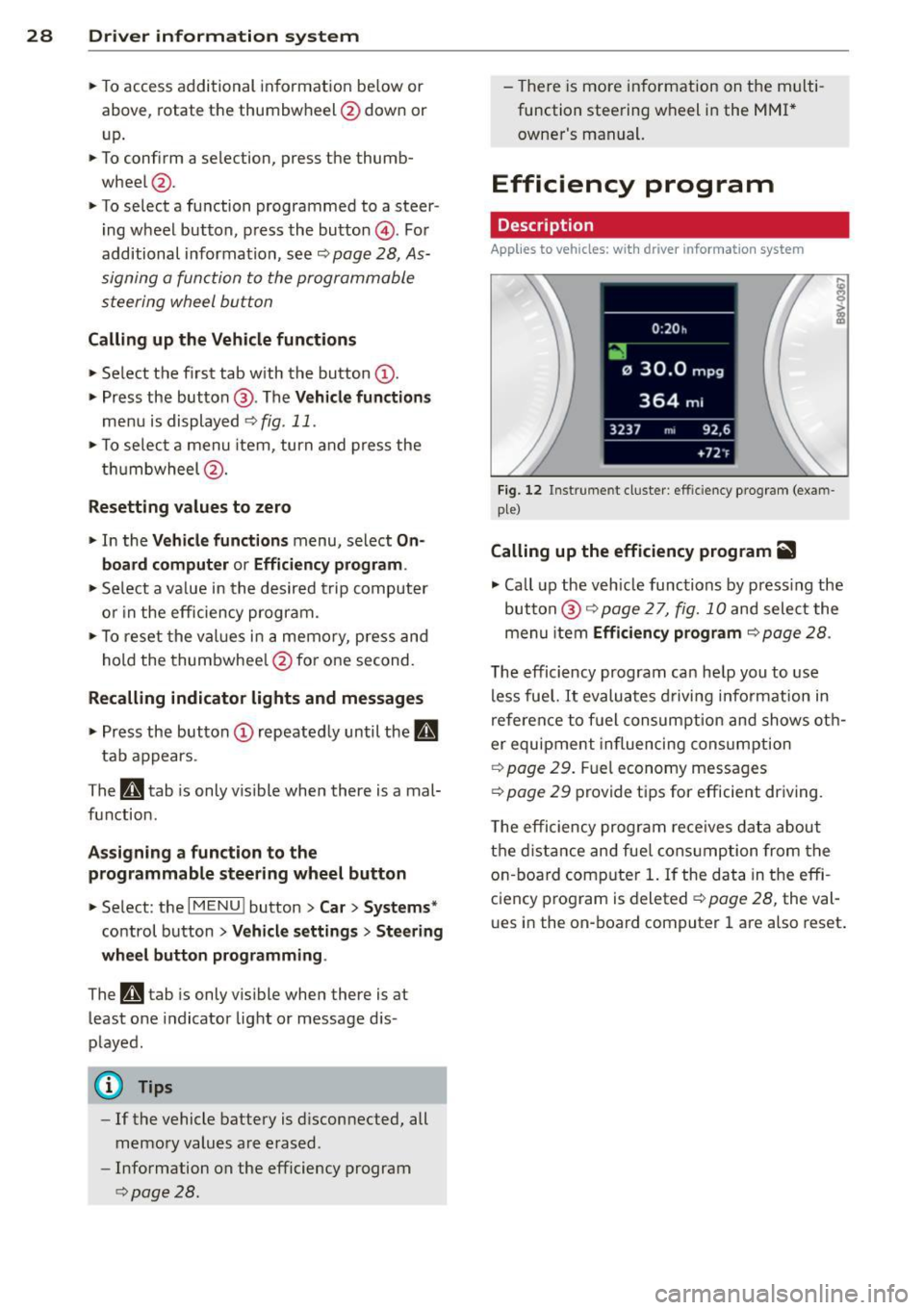
Efficiency program
Description
Applies to vehicles: with driver informat ion system
Fig . 12 Instrume nt cluste r: effi cie ncy progra m (exa m
p le)
Calling up the efficiency program ii
• Call up the veh icle func tions by press ing the
bu tton @
9 page 2 7, fig. 1 0 and select the
menu item
Efficiency program 9 page 28.
The effici ency program ca n he lp you to use
less fue l.
It evaluates d riving info rmation in
refe ren ce to f uel consum ption and shows ot h
er equipment in fluencing cons umption
9 page 2 9. Fuel economy messages
9 page 29 prov ide t ips for efficie nt dr iv ing .
T he efficiency progr am re ce ives da ta abou t
t h e di sta nce and fue l cons ump tion from the
on -board com puter
1. If the data in the effi
c iency p rog ram is deleted
¢ page 28, the va l
u es i n the on -board computer 1 are a lso reset .
Page 35 of 302
LED and batteries in the remote control
key
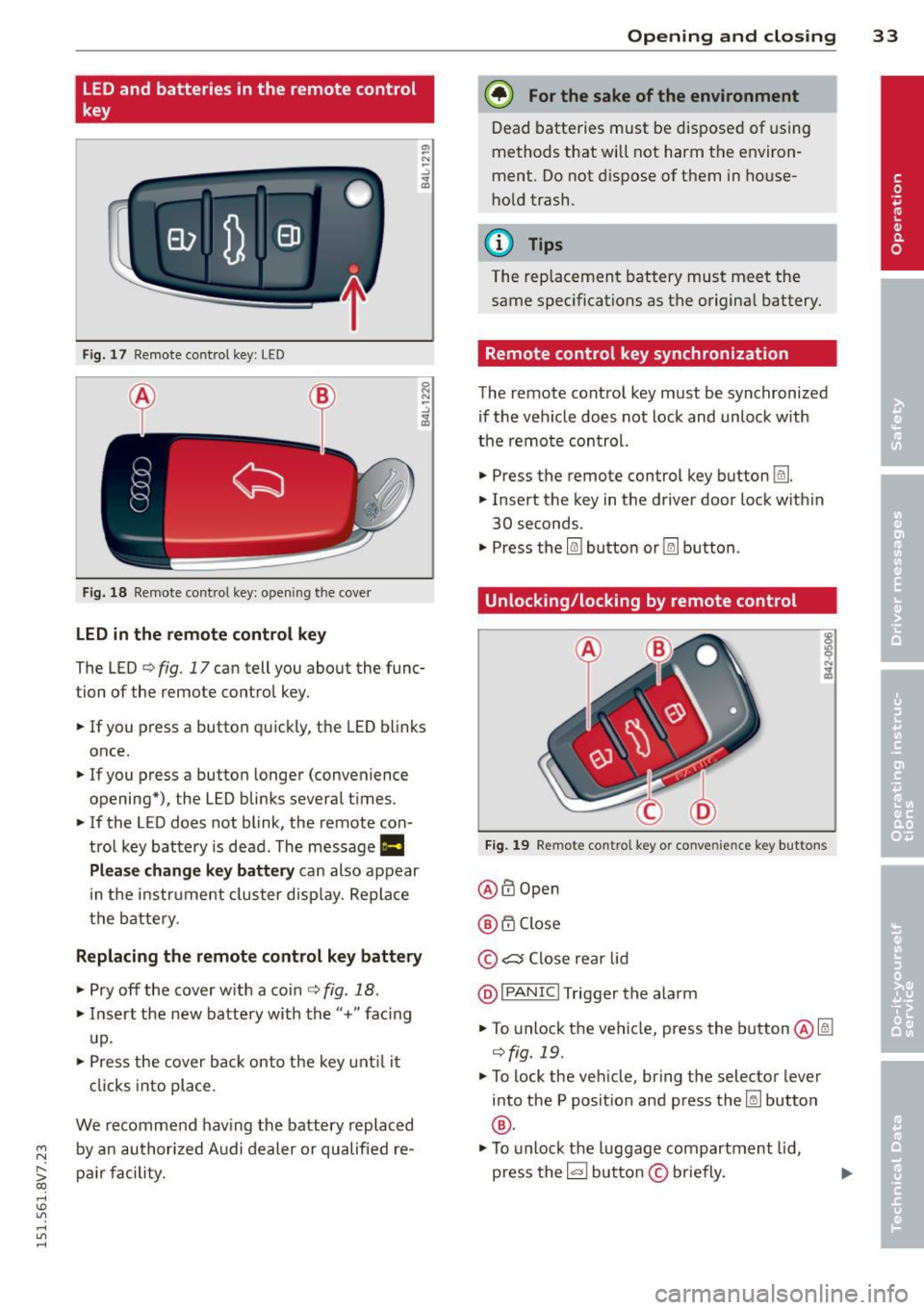
Fig. 17 Remote control key: LED
Fig. 18 Remote control key: opening the cover
LED in the remote control key
The LED ¢ fig. 17 can tell you about the func
tion of the remote control key .
.. If you press a button quickly, the LED blinks
once .
.. If you press a button longer (convenience
opening*), the LED blinks several t imes .
.. If the LED does not blink, the remote con
trol key battery is dead. The message
1111
Plea se change key battery can also appear
in the instrument cluster display. Replace
the battery .
Replacing the remote control key battery
.. Pry off the cover w ith a coin¢ fig. 18.
.. Insert the new battery with the"+" facing
up.
.. Press the cover back onto the key until it
clicks into place.
We recommend having the battery replaced
~ by an authorized Audi dealer or qualified re-
S;: pair facility. co
rl I.O
"' rl
"' rl
Opening and closing 33
@) For the sake of the environment
Dead batteries must be disposed of using
methods that will not harm the environ
ment. Do not dispose of them in house
hold trash.
{!) Tips
The rep lacement battery must meet the
same specifications as the origina l battery.
Remote control key synchronization
The remote control key must be synchronized
if the veh icle does not lock and unlock w ith
the remote control.
.. Press the remote control key button
Im .
.. Insert the key in the driver door lock w ith in
30 seconds.
"' Press the
l@J button or~ button.
Unlocking/locking by remote control
Fig. 19 Remote control key or convenience key buttons
@ ffi Open
@ 6".i Close
© c:s Close rear lid
@I PANIC I Trigger the alarm
.. To unlock the vehicle, press the button@lm
¢fig. 19 .
"'To lock the vehicle, bring the selector lever
into the P posit ion and press the~ button
®·
"'To unlock the luggage compartment lid,
press the~ button
© briefly.
Page 37 of 302
....,
N
r--. > co
rl I.O
"' rl
"' rl
WARNING
----Read and following all WARNINGS. ¢ & in
Key set on page 31
@ Tips
If your vehicle is left standing for a long
period of time, note the following:
- The proximity sensor switches off after a
few days to save energy. You then have
to pull once on the door handle to unlock
the vehicle and a second time to open it.
- To prevent the battery from draining and
to retain the starting ability of yo ur vehi
cle as long as possible, the energy man
agement system gradua lly tuns off un
necessary convenience functions You
may not be able to unlock your vehicle
using the convenience key .
- For an explanation on conformity with
the FCC regulations in the United States
and the Industry Canada regulations, re
fer to¢
page 285.
Unlocking/locking with the key
In the event that the power locking system
fails, the driver's door can locked and un
locked using the door lock .
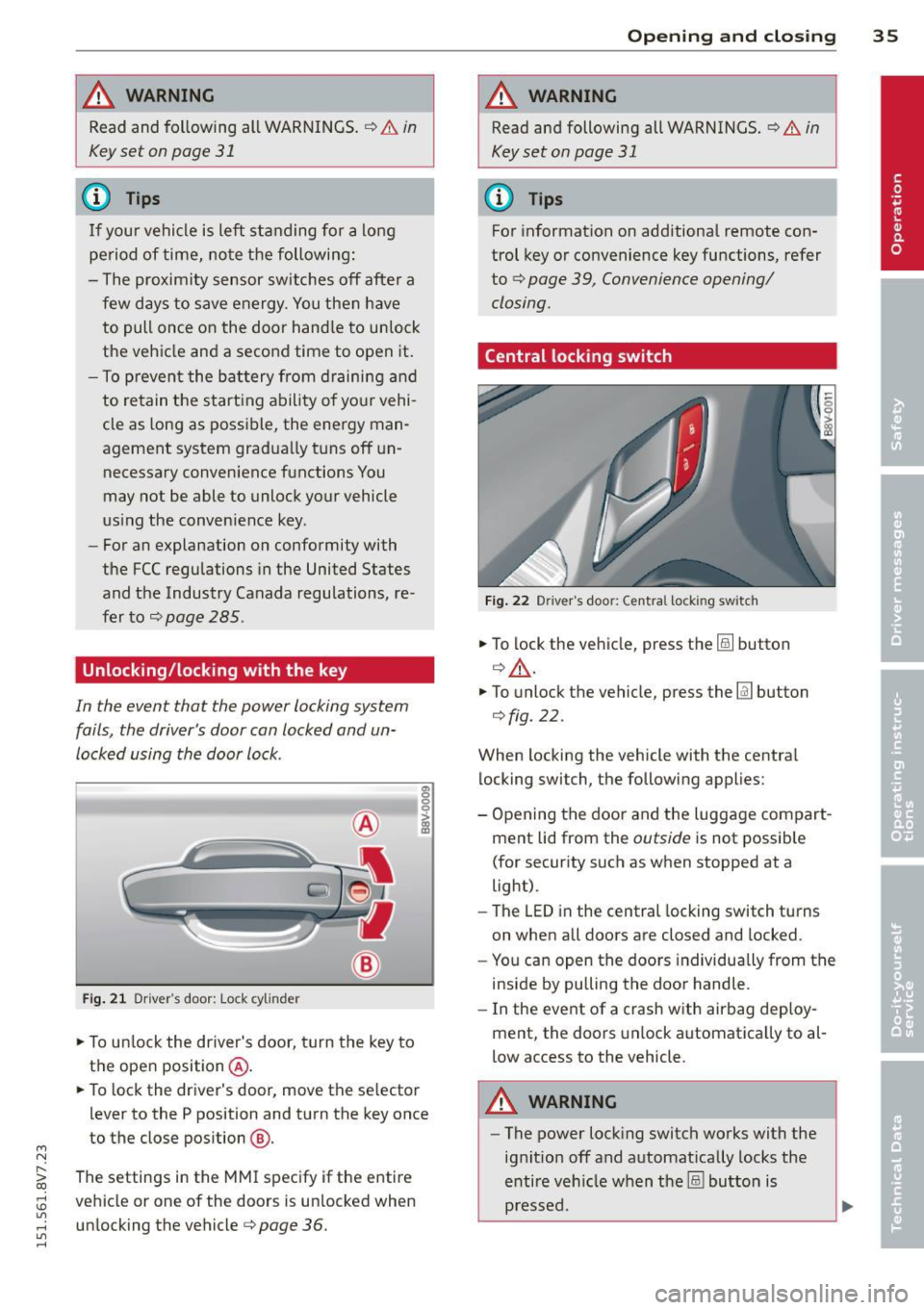
Fig. 21 Driver 's door: Lock cy linder
.,. To unlock the driver's door, turn the key to
the ope n position @ .
en 0 g
~
.,. To lock the driver's door, move the se lector
lever to the P position and turn the key once
to the close position
@ .
The settings in the MMI specify if the entire
vehicle or one of the doors is un locked when
unlocking the vehicle¢
page 36.
Opening and closing 35
A WARNING
Read and following all WARNINGS. ¢ & in
Key set on page 31
(D Tips
For information on additional remote con
trol key or convenience key functions, refer
to ¢
page 39, Convenience opening/
closing.
Central locking switch
Fig. 22 Drive r's doo r: Centra l locki ng sw itch
.,. To lock the vehicle, press the@! button
¢.&, .
.,. To unlo ck the vehicle, press the @J button
¢fig. 22.
When locking the vehicle with the central
locking switch, the following applies:
- Opening the door and the Luggage compart
ment lid from the
outside is not possible
(for security such as when stopped at a
light).
- The
LED in the central locking switch turns
on when all doors are closed and locked .
- You can open the doors individually from the
inside by pulling the door handle.
- In the event of a crash with airbag deploy
ment, the doors unlock automatica lly to al
low access to the vehicle.
A WARNING
- The power locking switch works with the
ignit ion off and automat ically locks the
entire vehicle when the@! button is
pressed.
Page 42 of 302
40 Opening and closing
stops when the key is moved into the
starting position.
Correcting power window malfunctions
After disconnecting the vehicle battery, the one -touch up and down feature must be acti
vated again.
• Pull the power window switch until the win
dow is comp lete ly raised.
• Release the switch and pull it again for at
l east one second.