Park AUDI A4 CABRIOLET 2009 User Guide
[x] Cancel search | Manufacturer: AUDI, Model Year: 2009, Model line: A4 CABRIOLET, Model: AUDI A4 CABRIOLET 2009Pages: 340, PDF Size: 77.32 MB
Page 64 of 340
Power top
• If you park the vehicle with the power top open, be aware that
you leave the interior exposed to the effects of unexpected weather
changes as well as to criminal access. To protect your property,
close the top before leaving the car and lock away any valuables in
the luggage compartment. •
Open the power top
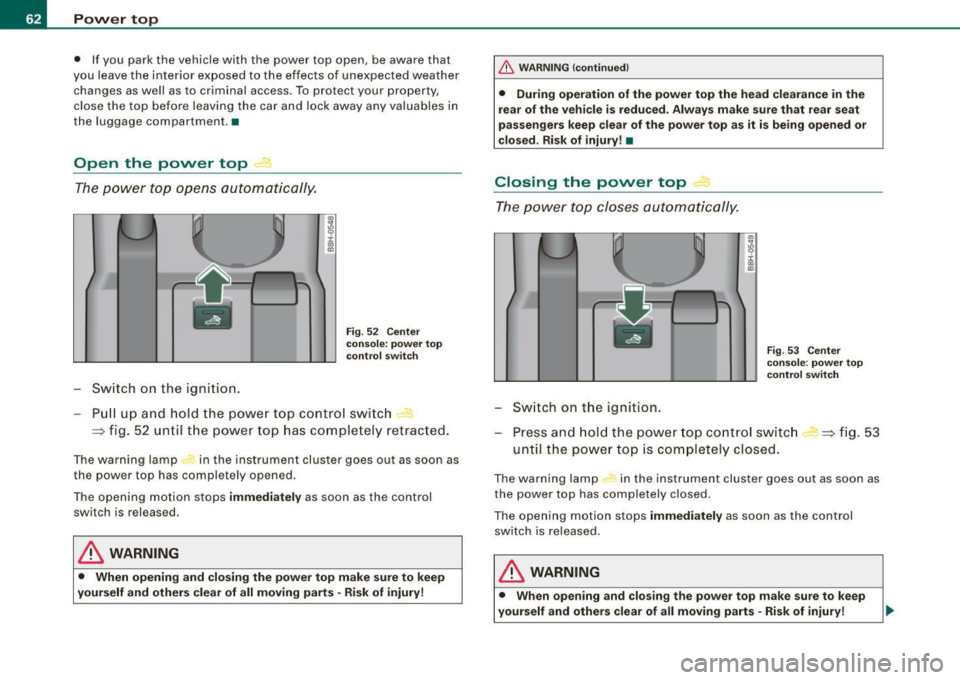
The power top opens automatically.
Switch on the ignition.
Fig. 52 Center
console: power top
control switch
Pull up and hold the power top control switch -
=:> fig. 52 until the power top has completely retracted.
The warning lamp in the instrument cluster goes out as soon as
the power top has completely opened.
The opening motion stops immediately as soon as the control
switch is released.
& WARNING
• When opening and closing the power top make sure to keep
yourself and others clear of all moving parts · Risk of injury!
_& WARNING (continued)
• During operation of the power top the head clearance in the
rear of the vehicle is reduced . Always make sure that rear seat
passengers keep clear of the power top as it is being opened or
closed . Risk of injury! •
Closing the power top 4
The power top closes automatically.
Switch on the ignition.
"'
I
Fig. 53 Center
console: power top
control switch
Press and hold the power top control switch
until the power top is completely closed. =:> fig. 53
The warning lamp #, in the instrument cluster goes out as soon as
the power top has completely closed .
The opening motion stops immediately as soon as the control
switch is released.
& WARNING
• When opening and closing the power top make sure to keep
yourself and others clear of all moving parts -Risk of injury!
Page 82 of 340
Clear vision
Applies to vehi cles : equip ped wit h Ligh t se nso r pa ckag e
Coming home /leaving home function gr!}
The coming home/leaving home function switches on the
external lights on a vehicle parked in the dark to illumi
nate the surroundings.
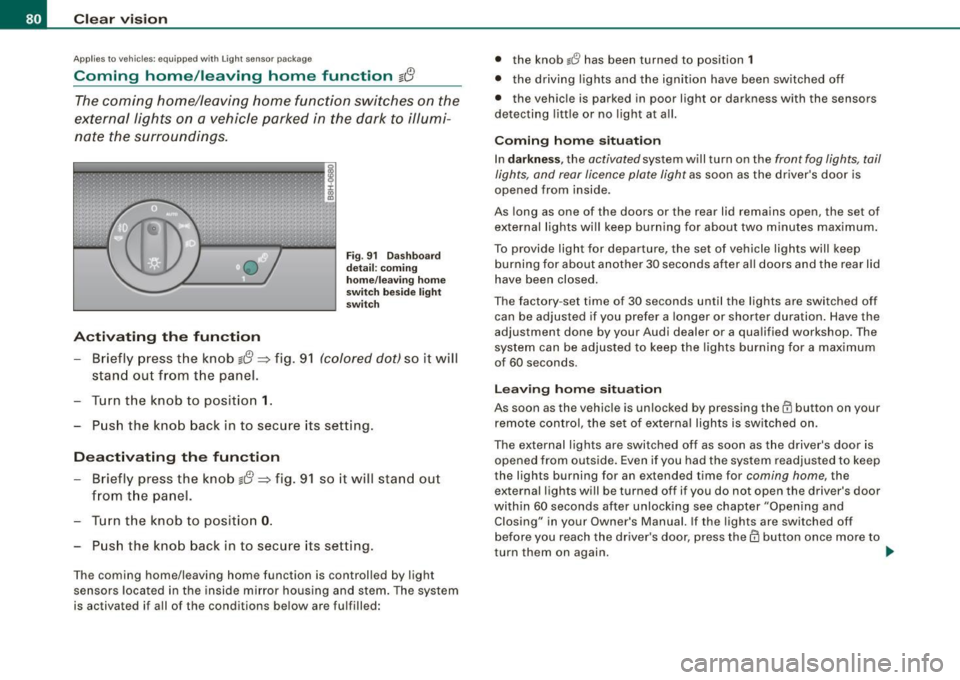
Activating the function
Fig . 91 Dashboard
detail: coming
home/leaving home
switch beside light
switch
- Briefly press the knob g{!} => fig. 91 (colored dot) so it will
stand out from the panel.
Turn the knob to position
1.
Push the knob back in to secure its setting.
Deactivating the function
- Briefly press the knob g{!} => fig. 91 so it will stand out
from the panel.
- Turn the knob to position
0.
Push the knob back in to secure its setting.
The coming home/leaving home function is controlled by light
sensors located in the inside mirror housing and stem. The system
is activated if all of the conditions below are fulfilled: •
the knob
lJ has been turned to position 1
• the driving lights and the ignition have been switched off
• the vehicle is parked in poor light or darkness with the sensors
detecting little or no light at all.
Coming home situation
In darkness , the activated system will turn on the front fog lights, tail
lights, and rear licence plate light as soon as the driver's door is
opened from inside.
As long as one of the doors or the rear lid remains open, the set of
external lights will keep burning for about two minutes maximum.
To provide ligh t for departure, the set of vehicle lights will keep
burning for about another 30 seconds after all doors and the rear lid
have been closed.
The factory -set time of 30 seconds until the lights are switched off
can be adjusted if you prefer a longer or shorter duration. Have the
adjustment done by your Audi dealer or a qualified workshop . The
system can be adjusted to keep the lights burning for a maximum
of 60 seconds.
Leaving home situation
As soon as the vehicle is unlocked by pressing the@ button on your
remote control, the set of external lights is switched on .
The external lights are switched off as soon as the driver's door is opened from outside. Even if you had the system readjusted to keep
the lights burning for an extended time for coming home, the
external lights will be turned off if you do not open the driver's door
within 60 seconds after unlocking see chapter "Opening and Closing" in your Owner's Manual. If the lights are switched off
before you reach the driver's door, press them button once more to
turn them on again. .,_
Page 83 of 340

[ i J Tip s
• Do not attach any stickers to the windshield in front of the two
light sensors, as this would interfere with both the automatic oper
ation of the head ligh ts and the automatic dimming of the inside
mirror(s).
• If the veh icle is remotely un locked and locked
three times in
succession,
leaving home will not turn on the lights a fourth time to
safeguard the battery and lights.
• If you wish to use the coming home/leaving home function regu
larly, you can leave it activated at all times wi thout risking perma
nent strain on the electrical system. As the system is contro lled by
light sensors, i t wi ll only b e energi zed in darkness.
• Frequent use of the coming home/leaving home function for
approac hin g and departing a vehicle parked in the dark wi ll strain
the batte ry. This applies particularly if only short distances are
driven between stops . Occasiona lly drive longer distances to make
sure the battery is recharged sufficient ly.
• If the fo g lights have been switched on by the coming
home/leaving home function, they will always be switched off when
you switch on the ig nition. •
Contro ls and eq uip
ment
Cle ar v ision
Instrument panel illumination
The ill umina tion of the ins trume nts, dis pla ys and the
cente r consol e can be adjusted.
9:3 6
02.11.2008
Fig . 9 2 Instru men t
pane l illum in a ti on
Press the"+" button to increase the brigh tness .
Press the" -" b utton to reduce the br ig htness.
Igniti on ON , light swit ch at @ .
With the ignition switched ON, the glow of instrument needles can
be adjusted to appear brighter or dimmer.
Ignition ON , light switch at :oo: or gD.
With the lights switched on, the brightness of instrument cluster
(i .e. needles, gauges and displays) and center c onsole il luminat io n
can be adjusted .
0 Note
The instrument c luster and center console i llumination ( gauges and
needles) comes on when you swi tch on the ignition and the
vehicle
headlights are off .
Be aware of the following difference between
models built to US or Canadian specifications:
• USA model s: illumination of the in strument cluster (gauge s and
needles ), dash and center conso le around the gearshift lever is
controlled
by a light sen sor located in the instrument panel. The .,
~ehicle care Technical data
Page 91 of 340
& WARNING
The glass of the inside rearview mirror is layered and contains an
electrolyte to achieve its properties. Be aware of liquid electrolyte
leaking from a broken mirror glass. This liquid can cause irritation
to skin, eyes, and respiratory system. If you get electrolyte in your
eyes or on your skin, immediately rinse with plenty of water. If irri
tation persists, seek medical attention.
0 Note
Liquid electrolyte leaked from a broken mirror glass will damage any
plastic surfaces it comes in contact with. Clean up spilled electrolyte
immediately with clear water and a sponge.
[ i] Tips
• If you switch off the automatic dimming function on the inside
mirror, automatic dimming of the outside mirrors will likewise be
disabled.
• Check to make sure there are no objects preventing light from
reaching the inside mirror.
• Do not attach any stickers to the windshield in front of the light
sensor, as this would interfere with the automatic operation of the
headlights and the automatic dimming of the inside mirror.•
Controls and eq uip
ment
Clear vision
Outside mirrors
The outside mirrors are electrically adjusted.
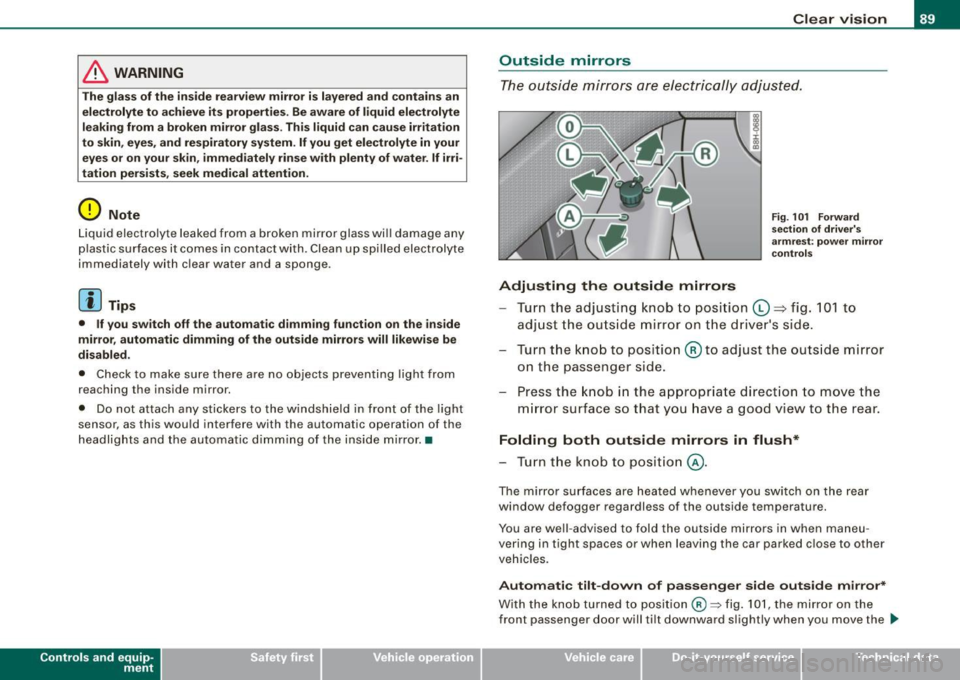
Adjusting the outside mirrors
Fig. 101 Forward
section of driver's
armrest: power mirror
controls
Turn the adjusting knob to position (D => fig. 101 to
adjust the outside mirror on the driver's side.
Turn the knob to position
@ to adjust the outside mirror
on the passenger side.
Press the knob in the appropriate direction to move the
mirror surface so that you have a good view to the rear.
Folding both outside mirrors in flush*
- Turn the knob to position @.
The mirror surfaces are heated whenever you switch on the rear
window defogger regardless of the outside temperature.
You are well -advised to fold the outside mirrors in when maneu
vering in tight spaces or when leaving the car parked close to other
vehicles.
Automatic tilt-down of passenger side outside mirror*
With the knob turned to position@:::::, fig. 101, the mirror on the
front passenger door will tilt downward slightly when you move the .,_
~ehicle care Technical data
Page 92 of 340
Clear vision
selector lever into R (Reverse). This feature provides a better view of
the curb when you are backing into a parking space.
The mirror returns to its initial position as soon as reverse gear is disengaged and vehicle speed is above about 9 mph (15 km/h). The
mirror also returns to its initial position if the switch is moved to the
driver's outside mirror © or@ .
Memory setting for the outside mirrors*
On vehicles with the memory function*, when you store a seat posi
tion in the memory, the position of the outside mirrors is also stored
in the memory =>
page 101.
0 Note
• Curved (i.e. convex) mirror surfaces increase your field of view.
Remember that vehicles or other objects will appear smaller and
farther away than when seen in a flat mirror . If you use this mirror to
estimate distances of following vehicles when changing lanes, you
could estimate incorrectly and cause an accident.
• If the mirror housing is moved unintentionally (for example,
while parking your vehicle), then you must first fold the mirror elec
trically. Do not readjust the mirror housing manually. You could
damage the motor which controls the mirror.
[ i] Tips
I f there should be a malfunction in the electrical system, you can
still adjust the outside mirrors by pressing the edge of the mirror. •
Applie s to vehic les : w ith au tomat ica lly dim ming ou ts id e m irrors
Automatic dimming for the outside mirrors *
The outside mirrors dim at the same time as the inside mirror. When
th e ignition is switched on, the mirrors automatically dim
depending on the amount of flight striking the mirrors (such as
headlights shining into the vehicle from the rear). When you switch on the interior light, or when you move the
selector lever into
R (Reverse), the dimming function stops and the
mirrors return to their original condition (not darkened).
[ i] Tips
The automatic dimming feature on the mirrors will not operate
properly if the light shining on the mirrors is blocked by other
objects .•
Digital compass
Ap plies to veh icles : with digita l compass
Activating or deactivating the compass
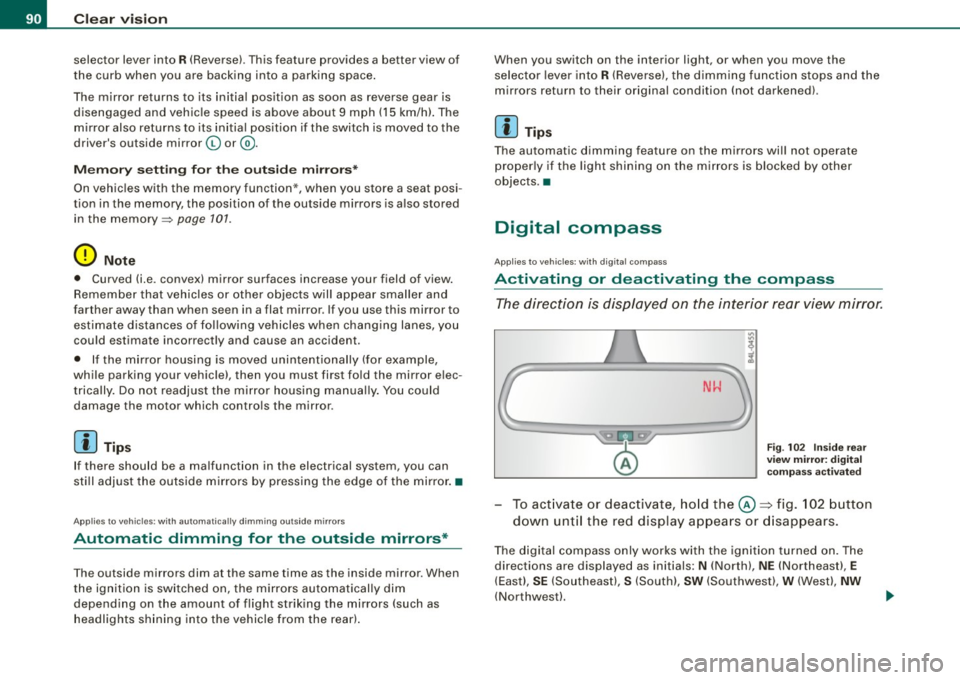
The direction is displayed on the interior rear view mirror.
Fig. 102 Inside rear
view mirror: digital
compass activated
To activate or deactivate, hold the©~ fig. 102 button
down until the red display appears or disappears.
The digital compass only works with the ignition turned on. The
directions are displayed as initials:
N (North), NE (Northeast), E
(East), SE (Southeast), S (South), SW (Southwest), W (West), NW
(Northwest).
Page 113 of 340
Warm and cold -
----------------
If a different driver uses your key and changes the air conditioner
settings, the latest adjustments will erase and replace the settings
you have stored.
& WARNING
Reduced visibility is dangerous and can cause accidents .
• For safe driving it is very important that all windows be free of
ice, snow and condensation.
• Fully familiarize yourself with the proper use and function of
the heating and ventilation system and especially how to defog
and defrost the windows.
• Never use the windshield wiper/washer system in freezing
weather until you have warmed the windshield first, using the
heating and ventilation system. The washer solution may freeze
on the windshield and reduce visibility.
0 Note
• If you suspect that the air conditioner has been damaged, switch
on ECON and contact an authorized Audi dealer to have the system
inspected.
• Repairs to the Audi air conditioner require special technical
knowledge and special tools. Contact an authorized Audi dealer for
assistance.
[ i] Tips
• Keep the air intake slots (in front of the windshield) free from ice,
snow and debris in order to maintain the proper function of the
climate control system.
• Air escapes through vents under the rear window. When placing
items of clothing on the luggage compartment cover, ensure that
the openings are not covered.
Controls and equip
ment
• If the inside temperature is very high (for example, if the vehicle
has been parked in sun), open the windows and allow the hot air to
escape before turning on the air conditioner. •
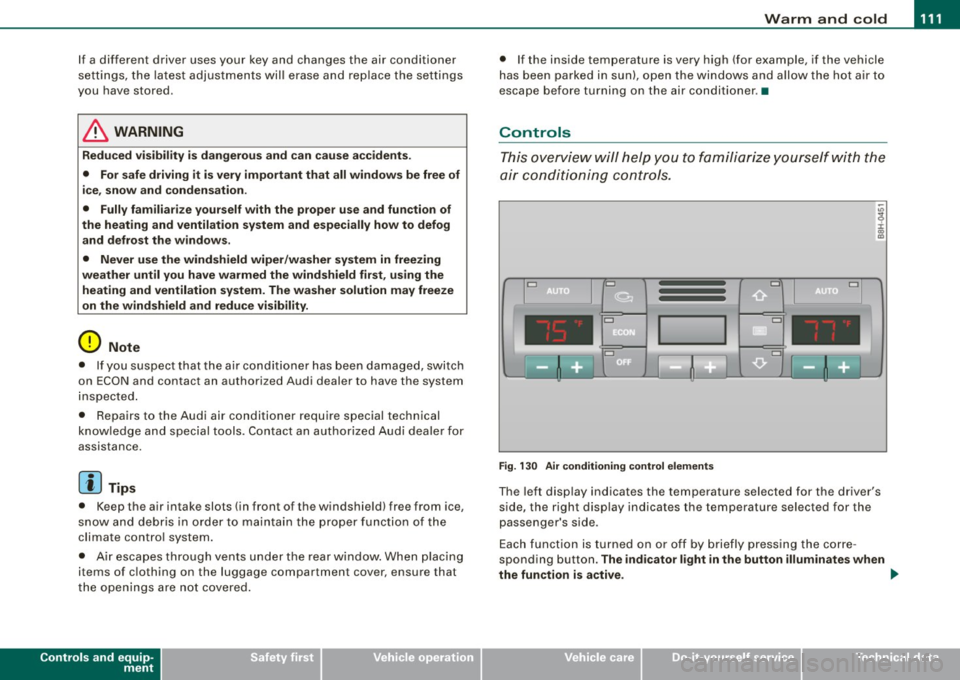
Controls
This overview will help you to familiarize yourself with the
air conditioning controls.
Cl Cl
Cl •
I I
•
Fig. 130 Air conditioning control elements
The left display indicates the temperature selected for the driver's
side, the right display indicates the temperature selected for the
passenger's side.
Each function is turned on or off by briefly pressing the corre
sponding button.
The indicator light in the button illuminates when
the function is active. _,.
Page 121 of 340
___________________________________________________ O_ n_ t_h _e_ r_o _a_ d _ ___,11111
Ignition lock and ignition switch
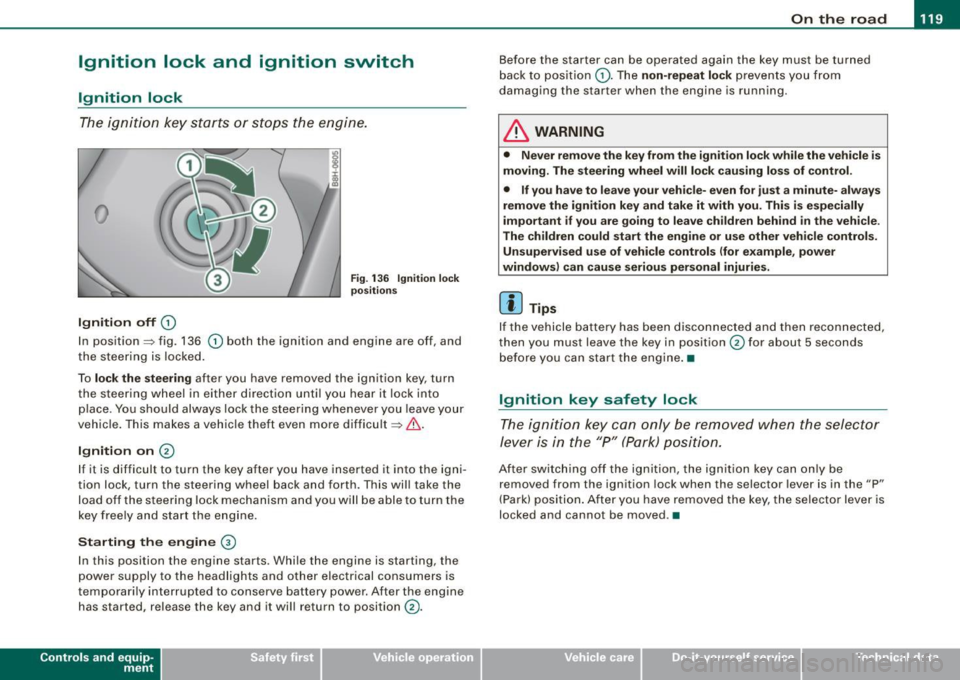
Ignition lock
T he i gnition k ey sta rts or st ops t he e ngin e.
0
Ignition off 0
Fig. 13 6 Ignition lock
positi ons
In position~ fig. 136 0 both the ignition and engine are off, and
t he stee rin g is locke d.
To
lo ck the steering after you have removed the ignit ion key, turn
t he stee rin g wheel in either direc tion un til you hear it loc k into
p lace . You should always lock the steering whenever you leave your
vehicle . This ma kes a vehic le theft even more difficult ~ & .
Ignition on 0
If it is difficult to turn the key afte r yo u have inserted it into the igni
tion lock, turn the steering wheel back and forth. This will take the
load off the steering lock mechanism and you will be able to turn the
key free ly an d start the engine.
Starting the engine @
In th is position the engine starts . While the engine is starting, the
power supply to the headlights and other electrical consumers is
temporarily interrupted to conserve battery power. After the engine has started, release the key and it wi ll return to position
(v.
Contro ls and eq uip
ment
Before the starter can be operated again the key must be turned
b ack to position
(D . Th e non -repeat lock p re vents y ou fr om
damag ing the starter when the engine is running .
& WARNING
• Never remove the key from the ignit ion lock while the vehicle is
moving. The steering wheel will lock causing loss of control .
• If you have to leave your vehi cle- even for just a minute- always
remove the ignition key and take it with you. This is especially
important if you are going to leave children behind in the vehicle.
The children could start the engine or use other vehicle controls. Unsupervised use of vehicle controls (for e xample , power
windows) can cause serious personal injuries.
[ i ] Tips
If the vehicle battery has been disco nnec ted and then recon nected,
then you must leave the key in position
0 for about 5 seconds
be fore you can start the eng ine .•
Ignition key safety lock
T he i gnit ion key ca n only be remove d when the se lector
lever is in the "P " (Pa rk) pos itio n.
A fte r swi tc h ing o ff th e ig nition, the ig nition key can only be
removed from the ignition lock when the selector lever is in the "P"
(Park) posi tio n. Af ter y ou h ave remo ved the key, the selec to r lever is
locked and cannot be moved. •
~ehicle care irechnical data
Page 122 of 340
• .___O_ n_ t_h _e _ r_o _a_ d __________________________________________________ _
Starting and stopping the engine
Starting the engine
The engine can only be started with your original Audi
key.
- Set the parking brake.
- Move the selector lever to the neutral position (automatic
transmission: selector lever in P or N)
=> &.
- On vehicles with manual transmission, fully depress the
clutch pedal.
- Turn the ignition key to position
0 => page 119, fig. 136
- do not depress the gas pedal when starting the engine!
- Let go of the key as soon as the engine starts.
A cold engine may at first be loud after it has been started. This is
due to the hydraulic valves building up the oil pressure. This normal
and no need for concern.
If the engine does not start immediately, stop trying after 10
seconds and then try to restart the engine about 30 seconds later.
What to do if the engine does not start
• ~ page 304, "Starting with jumper cables"
• ~ page 306, "Emergency towing with commercial tow truck".
& WARNING
Never start or let the engine run in a confined or enclosed area .
Exhaust fumes from the engine contain carbon monoxide, a color
less and odorless gas. Carbon monoxide can be fatal if inhaled.
• Never leave the engine idling unattended. An unattended
vehicle with a running engine poses a danger of personal injury or
theft.
0 Note
• Avoid high engine speeds, fast acceleration or heavy engine
loads while the engine is still cold. This could damage the engine.
• The engine cannot be started by pushing or towing the vehicle.
~ For the sake of the environment
To avoid unnecessary engine wear and to reduce exhaust emis
sions, do not let your vehicle stand and warm up. Be ready to drive
off immediately after starting your vehicle. Maintain moderate
speed until the engine is completely warm. Remember, the engine
performs best at operating temperature.•
Stopping the engine
- Turn the ignition key to position (D => page 119, fig. 136.
& WARNING
• Never turn off the engine until the vehicle has come to a
complete stop.
• The brake booster and servotronic only work when the engine
is running . With the ignition turned off, you have to apply more
force when steering or braking. Since you cannot steer and stop
normally, this can lead to accidents and serious injuries.
• The radiator fan can continue to run for up to 10 minutes even
after you have turned off the engine and removed the ignition key.
The radiator fan can also turn on again if the engine coolant heats
up because of intense sunlight or heat build-up
in the engine
compartment. _,.
Page 123 of 340

On the road -_______________ ____,
0 Note
Do not stop the engine immediately after hard or extended driving.
Keep the engine running for approximately two minutes to prevent
excessive heat build-up. •
Parking brake
Parking brake
When the parking brake is set, it prevents the vehicle from
rolling away unintentionally.
Setting the parking brake
Fig . 137 Center
console: Parking brake
set
- Pull the parking brake lever all the way up.
Releasing the parking brake
- Pull the parking brake lever up slightly
and press the
release button at the same time=:> fig. 137 -arrow-.
- Keep the release button pressed and lower the parking
brake =>
&-
Contro ls and eq uip
ment
If you should drive off with the parking brake still set, a warning tone
will sound and the following will appear in the instrument cluster to
remind you to release the parking brake:
Parking brake set
The parking brake warning comes on only after you have driven for longer than 3 seconds and faster than 5 mph (5 km/h).
The parking brake warning light Brake (Canada:
{(j))) illuminates
when the parking brake is set and you switch on the ignition .
& WARNING
Always release the parking brake completely. A partially engaged
brake will overheat the rear brakes, reduce their effectiveness and
cause excessive wear. This could lead to brake failure and an acci
dent.
0 Note
Only after the vehicle has come to complete stop, should you firmly
set the parking brake and either move the gearshift lever into 1st.
gear (manual transmission) or move the selector lever into P (Auto
matic transmission). •
Parking
To prevent a parked vehicle from rolling away, there are a
few things you should do.
When you park your vehicle, do the following:
- Stop the vehicle using the brake pedal.
- Set the parking brake firmly.
- Move the selector lever into the
P position =:> &.
~ehicle care Technical data
Page 124 of 340

-L___:O~ n'.... t ~h~ e~r ~o~a ~ d:...._ _______________________________________________ _
-Swit ch off the e ngine an d rem ove the ignitio n key f rom
t h e ig nition loc k.
What else you should do when parking your vehicle on
an i ncline o r de clin e
Turn the s teering wheel so that if the vehic le sh ould start to ro ll, it
wi ll ro ll into the curb .
I f you are parking on a
decline (the fron t of your vehicle facing
downhil l), turn the front wheels to the right so that they point
toward the curb.
If you are par king on an incline (the font of your vehic le fac ing
uphill), turn the front whee ls to the lef t so that they point
away from
the curb .
Move the selector lever into the P position.
LJ}. WARNING
This is how you can redu ce the r isk of injury when leaving your
vehicle .
• Never par k the vehi cle where it c an come i n contact with dry
gra ss, spilled fuel or any other flammable materials .
• Never allow an yone -especi ally s mall ch ildren -to remain in the
vehicle when it i s locked . Locked doors make it more difficult for
res cuer s to acce ss the pas senger compartment in the e vent of a n
emergency _ Danger to life!
• Never leave children unsupervised in the vehicle . Children
c ould release the parking brake or move the gear shift lever out of
gear . The vehi cle could st art to roll awa y and cau se an a ccident .
• No matter wha t the sea son i s, the temperature in a parked
vehi cle can reach d angerous levels . •
Acoustic park assist
A pplies to vehicles : with 4 -ch an nel a co ustic park ass is t
Rear acoustic park assist
The rear acoustic park assist warns you of obstacles or
objects behind your car.
How it works
The acoustic park assist warning system (4-channel acoustic park
assist) uses ultr asonic sensors to warn yo u when you are
backing
your vehicle close to an obstacle . The system 's 4 sensors are located
inside the rear bumper .
Acti va ting
The rear acoustic park assist is ac tivated whenever you shift into
Reverse . You will hear a warn ing tone when the system is on .
Reverse
With the car backing up in reverse gear, the col lision warning sound
sets in at the fol lowing
approximate d istances to obstacles :
straight aft 5ft(1.5m)
angling aft off vehicle corners 2 ft (0
.6 m)
As the dis tance shr inks, the time interva l between the audible tones
grows shorter.
The sound changes to a continuous tone as soon as the remaining distance to an obstacle closes to less than about 1 ft. (0 .3 ml. The
steady tone cautions you that you have backed up hazardously
close and you ris k co llision by backing up any further .
Malfunctions in the system
If a warning tone is audible for about five seconds when you turn on
the ignit ion, there is a malfunction in the system . Have the prob lem
corrected by your authorized Audi dea ler. _,.