Park AUDI A4 CABRIOLET 2009 Owner's Manual
[x] Cancel search | Manufacturer: AUDI, Model Year: 2009, Model line: A4 CABRIOLET, Model: AUDI A4 CABRIOLET 2009Pages: 340, PDF Size: 77.32 MB
Page 125 of 340

On the road ------------------------------.J
Keep the sensors in the rear bumper clean and free from ice so that
the acoustic park assist system can function properly.
& WARNING
• Sensors have dead spaces in which objects cannot be
detected . Be especially alert for small children and animals, since
they are not always detected by the sensors.
• The acoustic park assist system is not a substitute for the
driver's own caution and alertness. Ultimate responsibility always
remains with the driver during parking and similar maneuvers .
Always watch where you are driving.
0 Note
• Remember that low obstacles for which a warning has already
been issued may "dive" below the system's sensing zone if the
vehicle is being backed up closer. In this case, the warning sound
shutting off does
not indicate that you have cleared the obstacle .
Instead, impact is imminent.
• Objects such as trailer hitches, barrier chains, narrow posts or
fences covered by a thin layer of paint may not always be detected
by the system . They can still damage your vehicle without a
warning.
[ i] Tips
Keep the sensors in the rear bumper clean and free of snow and ice
so that the acoustic parking assist system can function properly. •
Controls and equip
ment
Cruise control
General information
The cruise control system allows you to maintain a
constant speed.
The cruise control system allows you to maintain a constant driving
speed when driving faster than 18 mph (30 km/h) -to the extent this
is possible with the given engine power and braking characteristics .
This allows you to take your foot off the "gas" and rest it, especially
on long trips.
The indicator light (U.S. models :
CRUISE , Canadian models:•(') ) in the
instrument cluster illuminates when the system is on.
& WARNING
• To help keep the vehicle under control, do not use the cruise
control system when driving on winding or slippery roads (as
caused by heavy rain or loose gravel on the road surface), or in
heavy or varying traffic.
• Only use the cruise control when traffic, road and weather
conditions allow you to drive at a steady speed.
[ i] Tips
The cruise control cannot maintain a constant speed when driving
downhill. The vehicle will accelerate under its own weight. Down
shift to a lower gear or use the brakes to slow down .•
Page 128 of 340

• .___T_ ra_ n_s_ m_ i_ s _s_ i_ o _n ___________________________________________________ _
Transmission
tiptronic® (6-speed automatic
transmission)
A pplies to vehi cles : w it h 6-s peed auto mati c tra nsm issio n
General information
Your vehic le is equipped with an electronically controlled automatic
transmission. Upshifting and downshifting takes place
automati
cally.
The transmiss ion is also equipped with tiptronic®. It allows the
driver to shi ft gears
manually if desired~ page 130 . •
A pplies to vehi cles: with 6-s p eed autom atic tra nsm ission
Driving the automatic transmission
Start ing th e engine
~ i CD m
- The selector lever must be in N or P .
St art ing off
- Press and hold the brake pedal.
Fig . 139 S hift gate o n
th e ce nter co nso le:
selector leve r with
r e lease butto n
- Press and hold the release b utton in the se lector lever
handle and move the selector lever from
P or N to Dor S
and release the button=>& .
- Wait br iefly until the transm ission has shif ted (you will
fee l a sligh t movement) .
- Remove your foot from the brake ped al a nd accelerate .
Maneuvering
- Shift only between D and R when the vehicle is at a full
stop and the engine is runn ing at idle speed.
Stopping
- Press a nd h old the brake pedal until the vehicle has come
to a complete stop.
- Keep the brake pedal depressed so that the vehic le
cannot ro ll forwa rd or backward while it is idling =>& .
- Once stopped,
do not dep ress the acce lerator pedal to
rev up the engine=>& .
Par king
- Press a nd h old the brake pedal un til the vehicle has com e
to a complete stop.
- Se t the parking brake firmly=>
page 121, "Parking" .
- Press and hold the release button in the se lector lever
handle, move the selector lever into
P and then let go of
the release button => & . _,.
Page 129 of 340

_______________________________________________________ T_ ra_ n_s_ m __ is_s_ io_ n ____ !II
The se lector lever must be in Nor P. If one of the driving positions
is engaged a safety switch w ill preven t the eng ine from being
started. See also=> page 120 .
Before you move the selector lever from the P position, you must
a lways apply the brake peda l before and wh ile de press ing the
button in the hand le of the selector lever.
& WARNING
• Unintended vehicle movement can cause serious injury .
- When the selector lever is in a driving position , the vehicle
may creep , even at idle speed . Therefore do not release the
parking brake or foot brake until you are ready to move,
because power is transmitted to the wheels as soon as a
driving position is engaged.
- Do not accelerate while selecting a driving position . At this
time the engine must be at idle speed so that undue stress is
not placed on the clutches in the transmission .
- Remember: -even when stopped briefly with the automatic
transmission in "D ", "S " or "R ", engine power is being trans
mitted to the wheels. Your vehicle could "creep" forward or
ba ckward . When stopped , keep the brake pedal fully depressed
and use the parking brake if necessary to keep the vehicle from
rolling .
• If the selector lever is unintentionally moved into N while you
are driving , take your foot off the accelerator pedal and wait for
the engine to return to idle speed before selecting a driving posi
tion .
• Never shift into "R " or "P " when the vehicle is in motion .
• Never get out of the driver 's seat when the engine is running .
• If you must get out of the vehicle , move the selector lever
securely into the P pos ition and apply the parking brake firmly .
• If the engine must remain running , never have any dr iving posi
tion engaged when checking under the hood . Make sure the
selector lever has securely engaged and is locked in "P " with the
Controls and equip
ment
& W ARNING (continued )
park ing brake firmly set=> page 242, "Engine compartment ".
Otherwi se , any increase in engine speed may set the vehi cle in
motion , even w ith the parking brake appl ied . •
App lies to veh icles: wi th 6-speed automatic transm ission
Selector lever positions
T his sec tion d escri be s th e sel ector le ver po sitio ns an d
d ri vin g rang es.
Fig. 140 D ispl ay in the
in strument c luster:
se lector lever in posi
tion D
The se lecto r lev er p ositi on engage d ap pears next to t he se lec to r
leve r as well as in the instrument cluster display .
P -Park
In this selecto r lever position the transmission is mechanica lly
l oc ked. Engage P only whe n th e ve hicle is completely stopped=>
&
in "Dr iving the automatic transmission" on page 126.
To shift in or out o f po sition P, yo u m ust firs t pr ess an d hol d th e
brake pedal and then press the re lease button in the se lector lever
handle w hile mov ing the se lector leve r to or from P. Yo u can shif t
out o f this pos it io n onl y wit h th e i gn it ion on. _..,
Page 131 of 340
_______________________________________________________ T_ ra_ n_s_ m __ is_s_ io_ n ____ llJIII
- Tur n t he ignition on.
- Step on the brake pedal.
At the same time press and hold
the interlock butto n on the side of the gear selector knob
=> page 128, fig. 141 with your thumb until you have
moved the selector lever to the desi red posi tion .
Autom atic s elect or l ever l ock 53
The se lector lever is locked in the
P and N positions when the igni
tion is turned on. To move the lever from these positions the driver must depress the brake pedal. As a reminder to the driver, the
f ollow ing warning appears in the instrument c luster display when
the selector is in
P and N :
When sta tionary apply footbr ake whil e selecting gear
In addition, the symbol 53 will light up on the shift gate at the base
of the selector lever.
A time delay e lement prevents the selecto r lever from locking when
it is moved through the
N position (going from R to Dl. The locking
element will lock the selector lever if the lever is left in N (Neutral)
for more than approx imately 1 second, without the brake pedal
being pressed .
At speeds above about 3 mph (5 km/h) t he Automatic Shif t Lock is
automatically deactivated in the
N position.
Int erlock button
The lock button on the selector lever prevents the lever from be ing
accidentally shifted into certain positions . Pressing this bu tton
deactivates the selector lever lock . Depending on the direction of
the shift, the se lec tor lever locks at different posi tions. The positions
are highlighted in the illustration~
page 128, fig. 141 .
Ignition key safety int erlo ck
The key cannot be removed from the ignition un less the selector
lever is in the
P park position. When the ignitio n key is re moved, the
selector lever wil l be locked in the
P position. •
Controls and equip
ment
App lies to veh icles: with 6-speed automatic transmission
Kick-down
T he kick-down feature allows the vehicle to generate
ma ximum acceler ati on.
When you press the accelerator peda l beyond the resistance point
that is reached at ful l throttle, the transmission will select a lower
gear ratio based o n vehicle speed and engine RPM. The engine RP M
wil l be control led to produce maximum vehicle acceleration as long
as you continue to press the acce lerato r pedal beyond this resis
tance point.
& WARNING
Be care ful when using the ki ck-down feature on slippery road s.
Rapid acceleration may cause the vehicle to skid . •
App lies to vehicles: with 6-speed automatic transm iss ion
Dynamic shift program (DSP)
T he aut omatic transmission is electronically controlle d.
The transmission is se lf adapting and will auto matically se lect the
best sh ift program suited to the driving conditions and driving style.
The transmission wil l select one of the
e conomy programs when
you drive at a steady speed or a gradually changing speed without
heavy acceleration. This achieves optimum fuel efficiency, with early
upshifting and delayed downshifting.
The transmiss ion w ill automatically select the
s porty shift programs
when you drive at higher speeds, or with heavy acceleration and
frequently changing speeds . Upshifts are delayed to make full use
of engine power. Downshifting takes place at higher engine speeds
than in the economy p rog rams . _,.
Page 134 of 340

-Tr
ansmi ssion
.___ ______________ _
engine power is applied smoothly and comfortably , and better fuel
economy is achieved.
The transmiss ion selects the appropria te gear ra tio (upshifts and
downshiftsl automatically based on set driving programs
=> page 136.
You can a lso manually select a shift program (tiptronic®)
=> page 136 .
You should note, that the multit ronic transmission differs from a
conventional Automatic Transmission. In the multitronic transmis
sion the engine power is transferred via a link -plate chain, rather
than by a conventional torque converter. The multitronic transmis
sion greatly reduces vehicle "creep"" when at a standstil l and the
transmission is in
D Sor R. •
Ap plies to vehicles: with mult it ro nic® Contin uous ly Va ria ble Transm iss ion ( CVT)
Driving the multitroni c®
The gear ratio is continuously adapted to vehicle speed
and load.
Start ing the engine
- The s ele ctor lever mus t be i n Nor P.
Fi g. 14 5 Sec tion of th e
ce nte r c on sol e:
s ele ctor leve r wit h lo ck
b utt on
St arting off
- Press and hold the brake pedal.
- Press and hold the release butto n in the se lector lever
handle and move the selector lever from
P (a lternatively
N ) to D (alternatively S) and release the button.
- Wait br iefly u ntil the transm ission has shif ted (you will
fee l a slight movem ent) .
- Rem ove your foot from the b rake p edal a nd acce lera te
=> & .
Rocking ba ck and forth to b ecom e unstu ck
- Shift only between D and R when the ve hicle is at a fu ll
stop and the eng ine is runn ing at idle speed .
Stopping
- Press a nd h old the brake pedal un til the vehicle has com e
to a comp le te stop.
- Keep the brake pedal depressed so that the vehic le
cann ot ro ll forwa rd or ba ckw ard while it is id lin g => & .
- Once stop ped,
do not depress the acce lera to r p edal to
r ev up the engine => & .
Parking
- Press and hold the brake pedal until the vehicle has come
to a complete stop .
- Set t he park ing brake firmly =>
page 121, "Parking" .
- Press and hold the release button in the se lector lever
handle, m ove the select or leve r in to
P and then let go of
the releas e button => & . .,
Page 135 of 340

Tra nsmission -
----------------
Your vehicle is equipped with a starting assis t that a llows for easier
starting on inclines. The system is activated when the brake pedal is
depressed for a few sec onds. After releasing the brake pedal, the
brake power is he ld for a moment to prevent the vehicle from rol ling
back when starting .
The se lector lever must be in Nor
P. If one of the driv ing positions
is engaged a safety switch will prevent the eng ine from being
star ted. See also=>
page 120.
Before you move the selector lever from the P position, you must
a lways apply the brake peda l before and while depressing the
button in the handle of the selecto r lever.
& WARNING
• Unint ended vehicle movement can cau se seriou s injury.
- When the select or lever i s
in a dri ving p osition , th e vehi cle
may cre ep , even at idle speed . Ther efore do not release the
parking br ake or foot br ake until you are r eady to move ,
because powe r is tran smitted to the wheel s as soon as a
driving po sition i s engaged.
- Do not acce lerate while sele cting a driving po sition. At thi s
time th e engine mu st be at idle spe ed so th at undu e stre ss is
not pla ced on the c lut che s in the transmis sion .
- Remember : - even when stopp ed briefly with the automatic
tran smi ssion in "D ", "S " or "R ", eng ine power is being tran s
mitted to the wheel s. Your vehicle could "creep " forw ard or
b ac kw ard . Wh en stopped , keep th e brake pedal full y depre ssed
a nd u se the parking br ake if nece ssary to keep the vehicle from
rolling.
- If the selector lev er i s unintentionally moved into N while you
are dr iv ing , take your foot off the accelerator ped al and wait for
the eng ine to return to idle speed before selecting a driving
p osition .
- Never shift into "R " or ''P " when the vehicle is in motion .
- Never get out of the dr iver 's seat when the engine is running.
Controls and equip
ment
& WAR NING (conti nued )
- If yo u mu st get out of the vehicle , move the selector lever
s ecurel y into the P po sition and apply the pa rking br ake fir mly.
- If the engine mu st remain running , never have any driving
po sition eng aged when che cking under the h ood. M ake sure
t he selector lever ha s secure ly engaged and i s lo cked in "P "
w ith the parkin g brake firmly set =>
page 242, "Engine
c ompartment ". Otherwise , any incre ase in eng ine speed may
s et the vehicle in motion , e ven with the parking brake
a ppl ied.•
Ap plies to vehic les : wit h mu lt itro nic® Conti nuous ly Va riab le Tra nsmissi on (CVT )
Selector lever positions
This section describes the selector lever positi ons and
drivi ng r anges.
Fig . 1 46 Dis pl ay in th e
in strum ent c lust er:
s el ector le ver in po si
tion P
The se lector lever posit ion engaged appears next to the se lector
lever as w ell as in the instrum ent clust er display .
P -Pa rk
In this selector lever position the transmission is mechanica lly
locked .
Page 137 of 340
Transmission -
----------------
Applies to vehi cles : wit h m ultit r o ni c® Con tin uous ly Variab le Tra nsmi ssion (CVTl
Automatic Shift Lock (ASL)
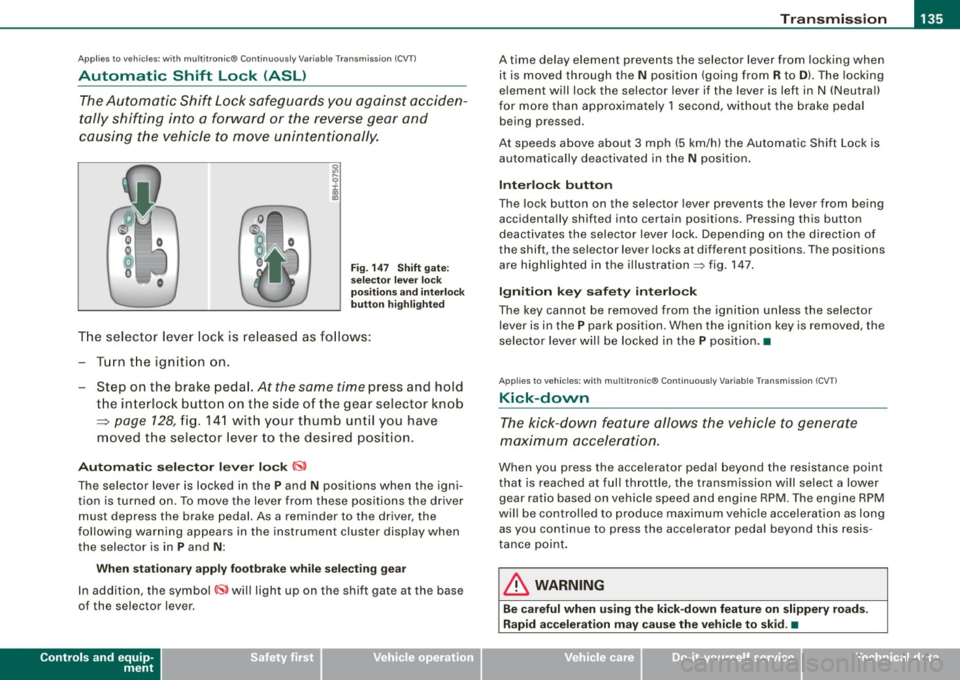
The Automatic Shift Lock safeguards you against acciden
tally shifting into a forward or the reverse gear and
causing the vehicle to move unintentionally.
Fig. 147 Shift gate:
selector lever lock
positions and interlock
button highlighted
The selector lever lock is released as follows:
-Turn the ignition on.
- Step on the brake pedal.
At the same time press and hold
the interlock button on the side of the gear selector knob
=> page 128, fig. 141 with your thumb until you have
moved the selector lever to the desired position.
Automatic selector lever lock CS,
The selector lever is lock ed in the P and N positions when the igni
tion is turned on. To move the lever from these positions the driver
must depress the brake pedal. As a reminder to the driver, the
following warning appears in the instrument cluster display when
the selec tor is in
P and N :
When stationary apply footbrake while selecting gear
In addition, the symbol~ will light up on the shift gate at the base
of the selector l ever.
Controls and equip
ment
A time delay element prevents the selector lever from locking when
it is moved through the
N position (going from R to D). The locking
element will lock the selector lever if the lever is left in N (Neutral)
for more than approximately 1 second, without the brake pedal
being p ressed .
At speeds above about 3 mph (5 km/h) the Automatic Shift Lock is
automatically deactivated in the
N position.
Interlock button
The lock button on the selecto r lever prevents the lever from being
acc identally sh ifted into certain positions. Pressing this button
deactivates the selector lever lock. Depending on the direction of
the shift, the sel ector lever locks at different positions . Th e positions
are highlighted in the illustration=> fig. 147.
Ignition key safety interlock
The key cannot be removed from the ignition unless the selector
lever is in the
P park posit ion . Wh en the ignition key is removed , th e
selector lever will be locked in the P position. •
Applies to vehicl es : wit h mu lt itro nic® Co nti nuous ly V ariab le Tra nsmi ssion ( CVTl
Kick-down
The kick-down feature allows the vehicle to generate
maximum acceleration.
Wh en you press the accel erator pedal beyond the res istance point
that is reached at full throttle , the transmission will select a lower
gear ra tio based on veh icle speed and engin e RPM . The eng ine RPM
will be controlled to produce maximum vehicle acceleration as long as you cont inu e to press the accelerator pedal beyond this resis
tance point.
& WARNING
Be careful when using the kick-down feature on slippery roads.
Rapid acceleration may cause the vehicle to skid . •
Page 141 of 340

___________________________________________________ H_ o_m_ e_ L_ i_ n _ k_ ® ____ l'III
HomeLink®
Universal remote control
Ap plies to vehicles : with Home link ® unive rsa l remote cont ro l
General information
The Homelink® fea ture c an le arn u p to thr ee r ad io
frequency codes for mos t cu rrent transmi tters used for
operating gar age doors, es tate gates, home or ou tdoor
ligh tin g sy stems, an d other de vices .
You m ust first pr ogra m the Hom eLin k® trans mitte r befo re y ou can
use the system=> page 140, "Programm ing the HomeLink® tra ns
mi tter".
I n ord er to program the HomeLink® tra nsmitter fo r devices uti lizing
ro lling code, a second person on a ladder who can safe ly reach the
gara ge doo r ope ner moto r is r eco mmended. It is also necessa ry to
locate the "learn" button on your garage door opener motor . Refer
t o th e ope rati ng in stru ction s f or the opener, as the loca tion and
color of th is button may vary b y manufacturer.
Yo u ca n st ill u se the origina l re mote cont ro l f or the device a t any
tim e.
& WARNING
• Never use the Homelink'"' transmitter with any garage door
opener that does have not the safety stop and reverse feature as
required by federal safety standards . This includes any garage
door opener model manufactured before April 1 , 1982 .
• A garage door opener whi ch cannot detect an object , signaling
the door to stop and reverse does not meet current federal safety standards . Using a garage door opener without these features
increases risk of serious injury or death .
Controls and equip
ment
& WARNING (continued)
• For safety reasons never release the parking brake or start the
engine while anyone is standing in front of the vehicle .
• A garage door or an estate gate may sometimes be set
in
motion when the Homelink ® remote control is being
programmed . If the device is repeatedly activated , this can over
strain motor and damage its electrical components -an over
heated motor is a fire hazard!
• To avoid possible injuries or property damage , please always
make absolutely certain that no persons or objects are located in
the range of motion of any equipment being operated.
[ i ] Tips
• If you wou ld lik e m ore informa tion on H om eli nk®, wh ere to
purchase the HomeLink ® compatib le products, or would lik e to
p urc h ase the H omeLink® Hom e Ligh ting Package , p lease ca ll to ll
fre e: 1- 80 0-355 -3515.
• Fo r D ec lara tion of Co mplian ce to Unite d S tate s FCC and I ndustry
C anada regulat ions => page
320 . •
Page 142 of 340

• .___H_ o_m _ e_ L_ i_ n _k_ ®_R __________________________________________________ _
App lies to vehicles: w ith Homelin k® un ive rsal remote contro l
Programmi ng th e Hom eLink ® transmitt er
The transmitter is programmed in two phases. For rolling
code transmitters, a third phase is also necessary .
Fig. 151 Overhead
console : Homelink®
keypad
Fig.152 Frontbumper,
driver side: location of
transmitter unit
Phase 1: programming the overhead keypad
1. Make sure your vehicle is w ithin operat ing range o f the
remote controlled garage door opener .
2. Set the parking brake=>
& in "General information" on
page 139.
3. Turn the ignit ion on. Do not sta rt the engine! 4. Press and ho
ld the two outside Homelink® buttons
(D
and @for app roximately 20 seconds until indicator
light ©=:> fig.
151 beg ins to flash. Then release both
buttons . Do not hold the buttons for longer than
30
seconds.
This procedure only needs to be performed
once. It
erases the factory-set default codes and does not have to
be repeated to program additional remote controls.
5. Press and hold the Homelink ® button (D, ® or @ until
the indicator light © starts flashing
slowly. Release the
button.
- The system will remain in programming mode for 5
minutes.
Go to the front of the v ehicle and proceed w ith
phase 2.
Phase 2:
programming the bumper mounted transmitter
6. Hold the original remote control at a distance between 0-
6 in. (0-15 cm) from the b umper below the appropriate
headlight for your vehicle => fig.
152 (use the shortest
distance possible) .
7. Aim the remote control just below the
driver side head
lig ht.
8. Press and hold the act ivation button on the remote
control.
- May be different in Canada . If so, press and re-press
(cycle) the activation button on your remote control every
two seconds. -.,
Page 157 of 340

• The tire pressure must correspond to the load -see the tire pres
s ur e s tick er on d river 's s ide B-p ill ar o r insid e t he f uel fill er fla p.•
Reporting Safety Defects
Applicable to U.S.A.
If you believe that your vehicle has a defect
which could cause a crash or could cause injury or death, you should immediately inform
the National Highway Traffic Safety Adminis
tration (NHTSA) in addition to notifying Audi of
America, Inc.
If NHTSA re ceives similar complaints, it may
open an investigation, and if it finds that a
safety defects exists in a group of vehicles , it
may order a recall and remedy campaign.
However , NHTSA cannot become involved in
individual problems between you , your dealer,
or Audi of America , Inc.
To contact NHTSA , you may call the Vehicle
Safety Hotline toll -free at:
Tel.: 1 -888 -327 -4236 (TTY: 1 -800 -424 -9153)
or write to:
Admini strator
NHTSA
1200 New Jersey Avenue , SE
Controls and equip
ment Safety first Vehicle operation
Driving Safely 1111
Washington
, D.C. 20590
You can also obtain other information about motor vehicle safety from:
http: //www.safercar.gov
Applicable to Canada
Canadian customers who wish to report a
safety -related defect to Tran sport Canada ,
Defect Investigations and Recall s, may tele
phone the toll free hotline:
Tel.: 1 -800 -333 -0371
or conta ct Transport Canada by mail at:
Road Safet y and Moto r Veh icle Regulation
Directorate
Transport Canada
Tower C, Place de Ville, 330 Sparks Street
Ottawa, ON K1 A 0N5
For additional road safety information , please
vi sit the Road Safety web site at:
http:/ /www.tc.gc.ca /roadsafety /menu.htm •
Vehicle care Do-it-yourself service Technical data