warning light AUDI A4 CABRIOLET 2009 Owner's Guide
[x] Cancel search | Manufacturer: AUDI, Model Year: 2009, Model line: A4 CABRIOLET, Model: AUDI A4 CABRIOLET 2009Pages: 340, PDF Size: 77.32 MB
Page 78 of 340

Clear vision
Clear vision
Lights
Switching the headlights on and off ·'t!-·
Fi g. 85 Ins tru ment
pan el: lig ht sw itc h
Fi g.
86 Turn sig nal
lev er: high beam
ON /OFF
All switch pos itions refer to the indentation on the switc h
aligned with the spec if ied symbol. The light switch m ust not
be overt urned past the stops in either direction .
Switching on the side marker lights
- Turn t he light switch light to=> fig. 85
;oo:: .
Switching on the headlights and high beam
- T urn the light switch to ~D.
- Push the turn signa l lever forward towa rds the ins tru -
ment panel => fig. 86, to turn on the high beam, pu ll the
lever back to turn it off=>
page 83.
Swit ching off th e lights
- T urn the light switch to
0 .
The headlights only work when the ignition is switched on . While
starting the engine or when sw itching off the ignition , the head
lights wi ll go of f and only the side marker lights wil l remain lit .
& WARNING
Crashe s can happen when you cannot se e t he ro ad ah ead and
whe n you c annot b e seen by othe r motori sts.
• Alway s turn on the headlights so that you can see ahead and
s o that other s can see y our car fr om the b ack.
[ i ] Tip s
• If you remove the ignition from the ign ition lock whi le the head
lights are still on, a bu zzer will sound as long as the driver 's door is
open to remind you to switch off the lights .
• Always observe the specific local regulations for your area when
to use your lights .•
Page 79 of 340
Applies 10 vehic les: with light senso r package
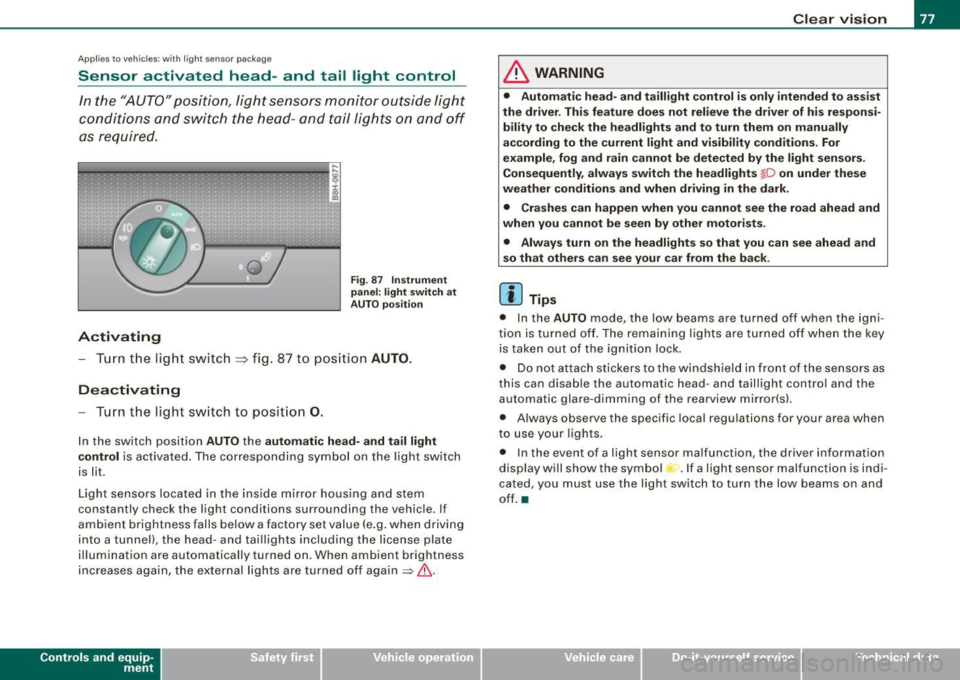
Sensor activated head -and tail light control
In the "AUTO" position, light sensors monitor outside light
conditions and s witch the head- and t ail lights on and off
as required.
Activating
F ig . 87 Instru men t
p an el: li ght sw itch at
A UTO pos ition
- Tur n the light switch ~ fig. 87 to positi on AUTO.
Deactivating
- Turn the light switch to posit ion 0.
In the switch position AUTO the automati c head -a nd ta il light
contr ol
is activated . The corresponding symbol on the light switch
is lit.
Light sensors located in the ins ide mirror housing and stem
constantly check the light conditions surrounding the vehicle . If
ambient brightness falls below a factory set value (e .g. when driving
into a tunnel), the head -and tai llights including the license plate
illumination are automatically turned on. When ambient brightness
increases again, the external lights are turned off again
=> & -
Contro ls and eq uip
ment
Cle ar v ision
& WARNING
• Autom ati c head - and tailli ght control is only int ended to a ss is t
the driver . Th is feature does not reli ev e th e driver of h is res pon si
bilit y to che ck the headl ights and to turn them on m anuall y
according to the current light and vi sibilit y condition s. For
e xa mple , fo g and r ain cannot be dete cted by the light s en sor s.
Consequently , alw ay s swit ch th e headlights
fD on under the se
we ather condition s and when driving in th e da rk .
• Crashe s can happen when you cannot s ee the road ahead and
w hen you cannot be seen by oth er m otori sts .
• Alway s turn on the headlight s so that you can see ahead and
s o that others ca n s ee your car fr om th e back.
[ i ] Tip s
• In the AUTO mode , the low beams are turned off when the igni
tion is turned off. The remaining lights are turned off when the key is taken out of the ignition lock.
• Do not at tach stickers to the windshield in front of the sensors as
this can disable the automatic head- and taillight contro l and the
automatic glare -dimming of the rearview mirror(s).
• Always observe the specific local regulations for your area when
to use your lights .
• In the event of a light sensor malfunction, the driver information
display wi ll show the sy mbol -.
If a light sensor malfu nction is indi
cated, you must use the light switch to turn the low beams on and
off. a
~ehicle care irechnical data
Page 80 of 340
Clear vision
Ap plies to vehi cles: with d ayt ime running ligh ts
Daytime running lights (DRL) (USA models)
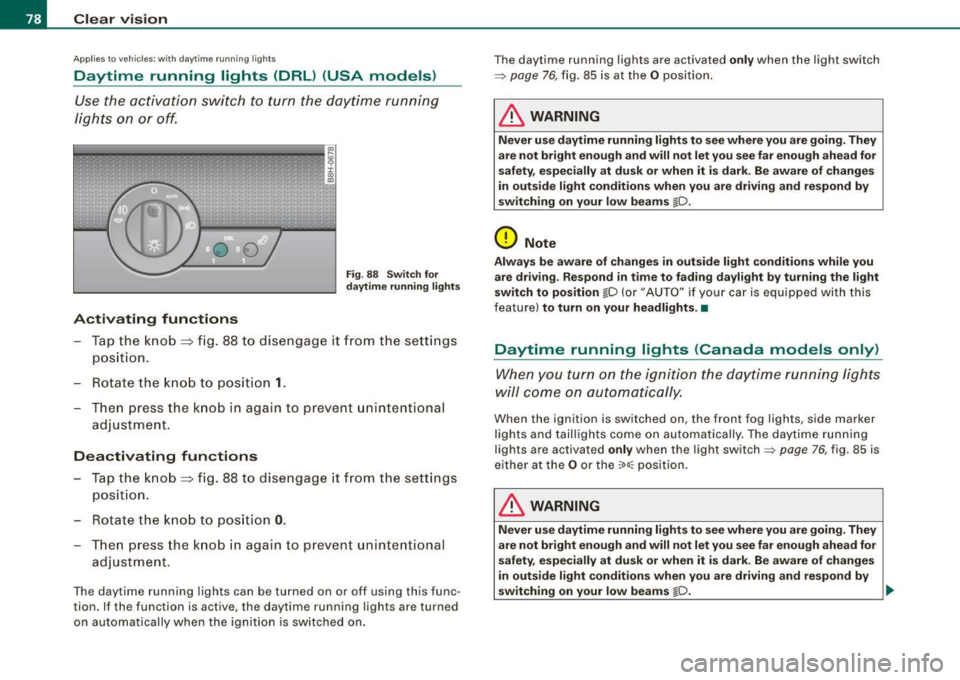
Use the activation switch to turn the daytime running
lights on or off.
Activating functions
Fi g. 88 Sw itch for
d ayt ime runn ing light s
-Tap the knob ==> fig. 88 to dise ngage it from the sett ings
position.
- Rot ate the k nob to positi on
1.
T hen p ress the knob i n again to prevent unintentional
adjustment .
Deactivating functions
-Tap the knob==> fig. 88 to disengage it from the sett ings
posit ion.
- Rota te th e kn ob to p osition
0 .
- T hen p ress the knob in aga in to p reve nt uninte ntiona l
adjustment .
The daytime running lights can be turned on or off using this func
tion. If the function is active, the daytime running lights are turned
on automatically when the ignition is sw itched on . The daytime running lights are activated
only when the light switch
=>
page 76, fig. 85 is at the O posi tion .
& WARNING
Never u se daytime running lights to see where you are going. They
are not bright enough and will not let you see f ar enough ahead for
s afety , e spe cially at dusk or when it i s dark. Be aware of change s
i n out side light condition s when you are driving and re spond by
s witching on your low beams
@-0.
0 Note
Alway s be aware of change s in outside light conditions while you
are dr iving . Re spond in tim e to fading da ylight b y turning the light
s witch to po sition
@-0 {or "AUTO" if you r car is equipped with this
feature)
to turn on your headlight s.•
Daytime running lights (Canada models only)
When yo u tur n on the igni tion t he da ytime running ligh ts
w ill c ome on au toma tic ally.
When the ignition is switched on , the front fog lights, side marker
lights and taillights come on au toma tica lly . The daytime runn ing
lights are activated
only when the light switch=> page 76, fig. 85 is
e ithe r at the
O or the ~o o:: pos ition.
& WARNING
Never u se dayt ime running lights to see where you ar e going. They
ar e not bright enough and will not let y ou see far eno ugh ahead for
s afet y, espe cially at dusk or when it is dark. Be aware of changes
i n out side light conditions whe n you are dri ving a nd respond by
s witching on your low beam s
@-0. ~
Page 84 of 340
Clear vision
inst rument panel ill umination will automaticall y become dimmer
a s the daylight fades away and eventually will go out completely
when out side l ight i s very low . Thi s is to remind you , the dri ver , to
s witch on the headlights befor e it g ets too dark.
• Canada model s: instrument panel illumination will stay bright
re gardles s of the intensity of ambient light . Alway s be aware of
c hange s in outside light cond itions while you are d riv ing . Resp ond
in time to f ading dayl ight by turning the ligh t switch to po sit ion
io
(or "AUTO" if your car is equipped with this feature) to turn on your
he adl ights . •
Ap plie s to vehic le s: wi th x eno n hea dlig ht s
Xenon headlights
After s tarting the engine, the xenon headligh ts are automatically
adjusted to the load and angle of the vehicle (for example, during
acce leration and brak ing) . This prevents oncoming tra ffic from
experienc ing unnecessa ry glare from your head lights .
If the system is not operating properly, a warning sy mbol in the
Auto -Check Contro l is displayed:::::,
page 34. •
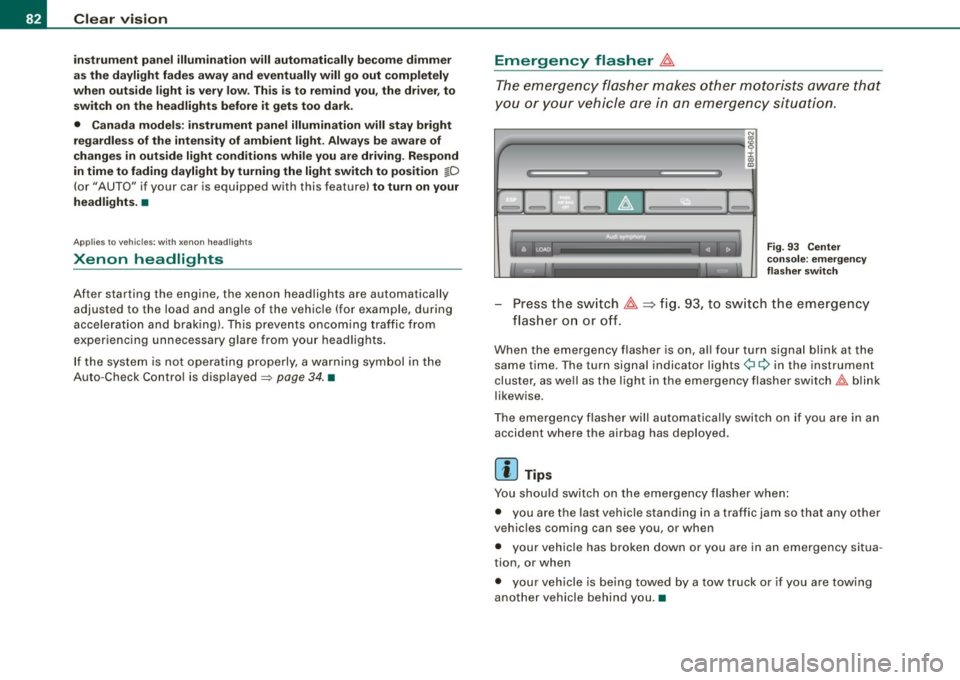
Emergency flasher &.
The emergency flasher makes other mot orists aw are that
y o u or your vehicle are in an emergency situation.
1Jia---------------...,i ij ::c .,
"'
-
Fig. 9 3 Ce nter
cons ole: e mergen cy
fla sher swit ch
Press the sw itch ~~fig . 93, to sw itch the emergency
fl ash er o n or o ff.
When the emergency flasher is on, al l four turn signa l blink at the
same time . The turn signal indicator lights¢¢ in the instrument
cluster, as we ll as the light in the emergency flasher sw itch
t!:;,,. b link
likewise .
The emergency flasher will automatica lly switch on if you are in an
accident where the airbag has deployed .
[ i ] Tips
You should switch on the emergency flasher when :
• you are the last vehicle stand ing in a t raffic jam so that any other
veh ic les coming can see you , or when
• your vehic le has broken down or you are in an emergency situa
tion, or when
• your veh ic le is being towed by a tow truck or if you are towing
another vehicle behind you .•
Page 88 of 340
Clear vision
& WARNING
• Wiper blade s are cru cial fo r safe driving ! O nly when they are in
good cond it ion are they able to clear the window s properly to
p ro vi de un comp romi sed vis ibility . Worn or damaged wiper blade s
are a safety hazard
=> page 8 7, "In stalling new w ipe r blades "!
• The rain sen sor is onl y de signed to a ssis t and support the
driver. It remain s ent irely the driver' s re spon sibility to monitor
o ut side weather condit ion s a nd to manually acti vate the wipers a s
soon a s rain or drizzle reduces vi sibility through the wind shield .
• The wind shield mu st not be treat ed w ith water -repellent mate
rials. They can increase glare under poor visibility conditions such
a s w etne ss, darknes s, or when the sun i s lo w on t he horizon . In
addition , they can cause the windshield wipers to chatter .
0 Note
In freezing or near freezing conditions :
• Always check that the wiper blades are not frozen to the g lass
before you turn the wipers on. Loosen a wiper b lade which is frozen
in place before operating the wipers to prevent damage to the wiper
b lade or the wipe r motor.
• Do not use the wipers to clear a frosted window . Using the
wipe rs as a convenient ice scraper wil l destroy the wiper blades .
• Before you take your vehicle to an automatic car wash , make sure
you have the wi ndshield w iper system switched off (lever in position
0), otherwise the windshield wiper system could get damaged in the
car wash if it should suddenly come on .
[ i ] Tips
• The rain sensor is part of the interva l wiping system . Turning off
the ignition will also deactivate the rain sensor. To reactivate the sensor, switch off the interva l wiping function, then switch it back
on aga in. • I
f you switch off the ignition with the windshield wiper lever sti ll
in the interva l wipe position and then come back a while late r and
drive off, the rain sensor will reactivate itself after the vehicle speed
has exceeded 4 mph (6 km/h) .
• Worn or dirty windshield wiper b lades cause smearing which
can affect the operation of the rain sensor . Check the condition of
your windshield wiper b lades regularly .
• Make sure the washer fluid reservoir in the engine co mpartment
is topped off before going on a long trip. Look up=>
page 266 for
checking and f illing the washer container .•
Headlight washer system
The headlight washer system cleans the headlights.
Operate the w indshie ld wiper/washer system, leve r posi
tion
© =>page 85, fig. 97, w ith the head lig hts switched
on
by h old ing the lever for longer than o ne second .
The washer jets extend forward out of the front bumper driven by
water pressure to s pray the front headlights with water .
You should inspec t the head lights regu larly (for examp le when refu
e ling) and c lean off any so lid dirt or insects from the lenses .
To ensure the sys tem works proper ly in winter, keep the washer jets
free of snow and
remove any ice using a de -icing spray .•
Page 91 of 340
& WARNING
The glass of the inside rearview mirror is layered and contains an
electrolyte to achieve its properties. Be aware of liquid electrolyte
leaking from a broken mirror glass. This liquid can cause irritation
to skin, eyes, and respiratory system. If you get electrolyte in your
eyes or on your skin, immediately rinse with plenty of water. If irri
tation persists, seek medical attention.
0 Note
Liquid electrolyte leaked from a broken mirror glass will damage any
plastic surfaces it comes in contact with. Clean up spilled electrolyte
immediately with clear water and a sponge.
[ i] Tips
• If you switch off the automatic dimming function on the inside
mirror, automatic dimming of the outside mirrors will likewise be
disabled.
• Check to make sure there are no objects preventing light from
reaching the inside mirror.
• Do not attach any stickers to the windshield in front of the light
sensor, as this would interfere with the automatic operation of the
headlights and the automatic dimming of the inside mirror.•
Controls and eq uip
ment
Clear vision
Outside mirrors
The outside mirrors are electrically adjusted.
Adjusting the outside mirrors
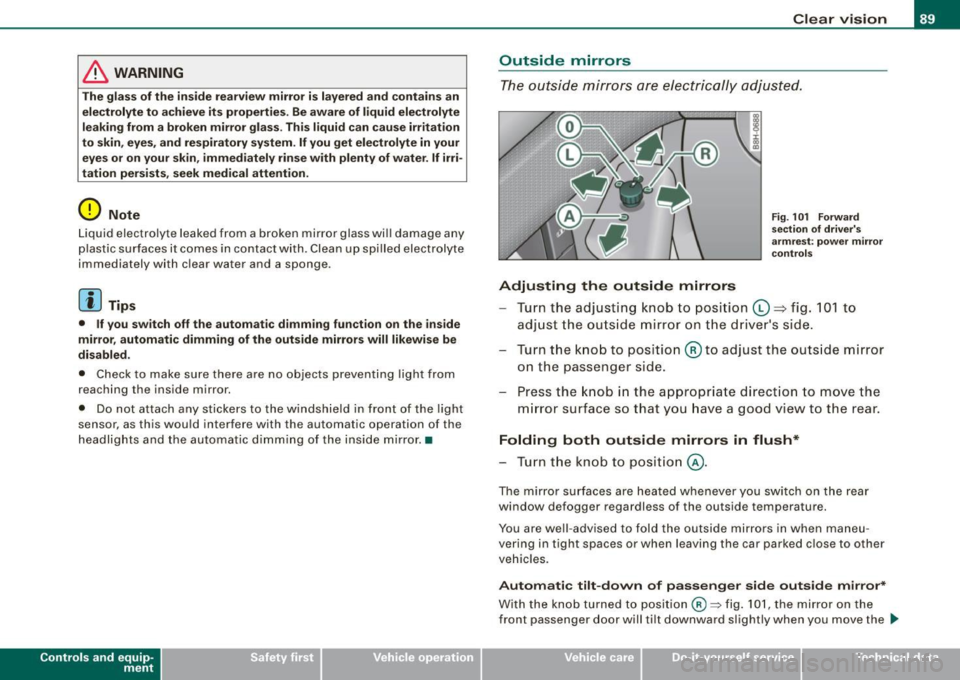
Fig. 101 Forward
section of driver's
armrest: power mirror
controls
Turn the adjusting knob to position (D => fig. 101 to
adjust the outside mirror on the driver's side.
Turn the knob to position
@ to adjust the outside mirror
on the passenger side.
Press the knob in the appropriate direction to move the
mirror surface so that you have a good view to the rear.
Folding both outside mirrors in flush*
- Turn the knob to position @.
The mirror surfaces are heated whenever you switch on the rear
window defogger regardless of the outside temperature.
You are well -advised to fold the outside mirrors in when maneu
vering in tight spaces or when leaving the car parked close to other
vehicles.
Automatic tilt-down of passenger side outside mirror*
With the knob turned to position@:::::, fig. 101, the mirror on the
front passenger door will tilt downward slightly when you move the .,_
~ehicle care Technical data
Page 95 of 340
- Adjust the seat in fore and aft direction so that you can
easily push the pedals to the floor while keeping your
knee slightly bent==>
& in "Why is your seat adjustment
so important?".
- Adjust the seatback so that when you sit with your back against the seatback, you can still grasp the top of the
steering wheel.
- Position the head restraints according to the occupant's
height. For maximum protection, the upper edge of the
head restraints should be at least at eye level, or higher
==>
page 757,fig.156.
& WARNING
Never place any objects in the driver's footwell. An object could
get into the pedal area and interfere with pedal function. In case
of sudden braking or an accident, you would not be able to brake
or accelerate! •
Front passenger seat
Always move the front passenger seat into the rearmost
position.
To avoid contact with the airbag while it is deploying, do not
sit any closer to the instrument panel than necessary and
always wear the three-point safety belt provided adjusted
correctly. We recommend that you adjust the passenger's
seat in the following manner:
- Move the front passenger seat into the rearmost position
of the fore and aft adjustment range ==>
& in "W hy is
your seat adjustment so important?" on
page 92.
Controls and eq uip
ment
Seats and storage
- Bring the backrest up to an (almost) upright position . Do
not ride with the seat reclined.
- The ideal position for the head restra int is with the upper
edge of the restraint level with the top of your head
==>
page 95 and ==> page 98. You should not lower the top
of the rest ra int below the level of your eyes.
- Place your feet on the floor in front of the passenger's
seat. •
Manual seats
Applies to veh ic les: with manua lly adjustab le seats
Adjustment controls
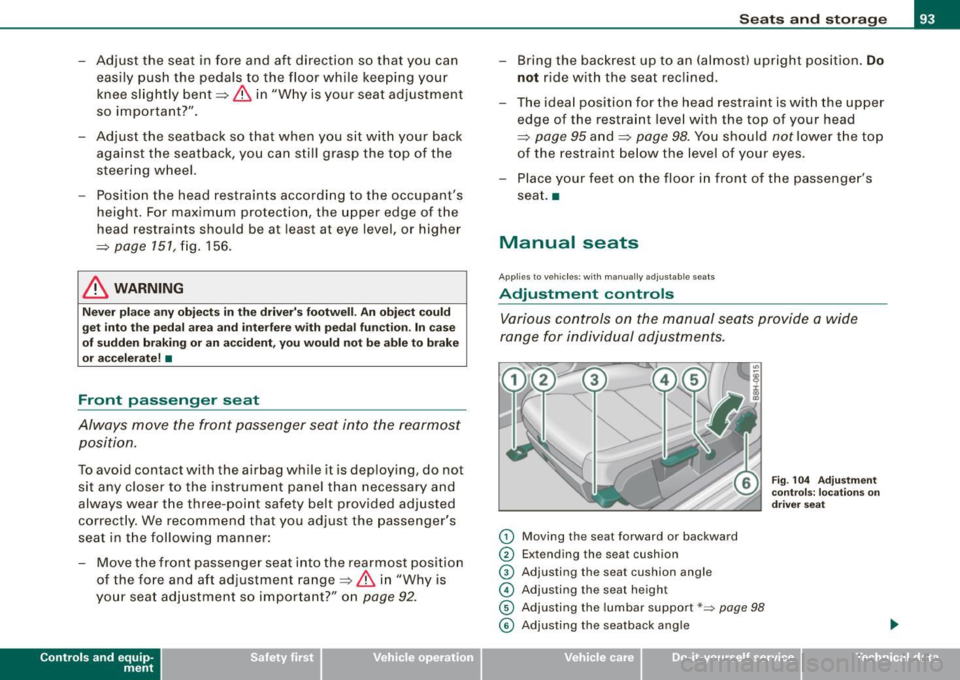
Various controls on the manual seats provide a wide
range for individual adjustments.
0 Moving the seat forward or backward
0 Extending the seat cushion
© Adjusting the seat cushion angle
© Adjusting the seat height
© Adjusting the lumbar support*~ page 98
Fig. 104 Adjustment
controls: locations on
driver seat
© Adjusting the seatback angle .,
~ehicle care irechnical data
Page 105 of 340
__________________________________________________ S_ e_ a_t _s _ a_n _ d_ s_ t _ o_ r_a ...;:g ::.. e _ ___,_
Luggage compartment
Ski sack
Use the ski sack to transport and protect skis and other
long , light items in the passenger compartment.
Loading
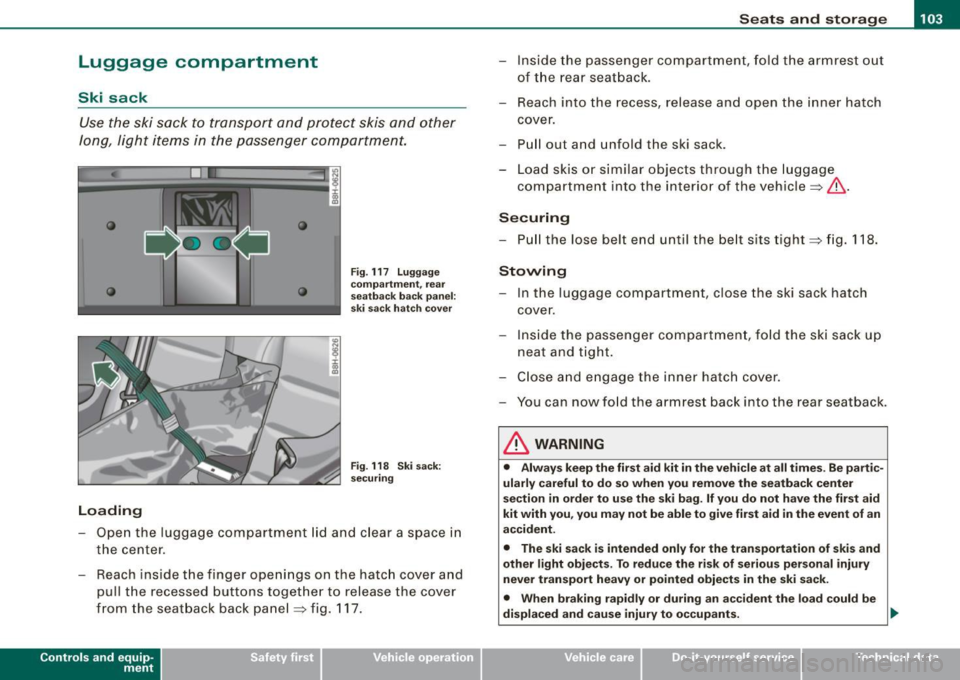
Fig . 117 Luggage
compartment, rear
seatback back panel:
ski sack hatch cover
Fig . 118 Ski sack:
securing
- Open the luggage compartment lid and clear a space in
the center.
- Reach ins ide the finger openings on the hatch cover and
pull the recessed buttons together to release the cover
from the seatback back panel :::;, fig. 117.
Contro ls and eq uip
ment
- Inside the passenger compartment, fold the armrest out
of the rear seatback.
- Reach into the recess, release and open the inner hatch
cover.
- Pull out and unfold the ski sack .
- Load skis or similar objects through the luggage
compartment into the interior of the vehicle :::;,,& .
Securing
-Pull the lose belt end until the belt sits tight :::;, fig. 118.
Stowing
- In the luggage compartment, close the ski sack hatch
cover .
- Inside the passenger compartment, fold the ski sack up
neat and tight.
- Close and engage the inner hatch cover.
- You can now fold the armrest back into the rear seat back.
& WARNING
• Always keep the first aid kit in the vehicle at all times . Be partic
ularly careful to do so when you remove the seatback center
section in order to use the ski bag. If you do not have the first aid
kit with you, you may not be able to give first aid in the event of an
accident.
• The ski sack is intended only for the transportation of skis and
other light objects . To reduce the risk of serious personal injury
never transport heavy or pointed objects in the ski sack.
• When braking rapidly or during an accident the load could be
displaced and cause injury to occupants. .,
~ehicle care irechnical data
Page 107 of 340
________________________________________________ S_e_ a_ ts_ a_ n_d _ s_t _o _r_ a ....; g::. e _ ___,1111
To reinstall ashtray
- Press the ashtray insert back into its holder.
& WARNING
Never put waste paper in the ashtray. Hot ashes or other hot
objects in the ashtray could set waste paper on fire. •
Rea r as htr ay
& WARNING
Never put waste paper in the ashtray. Hot ashes or other hot
objects in the ashtray could set waste paper on fire. •
Cigarette lighter/socket
Cig are tt e light er
r 00 a,
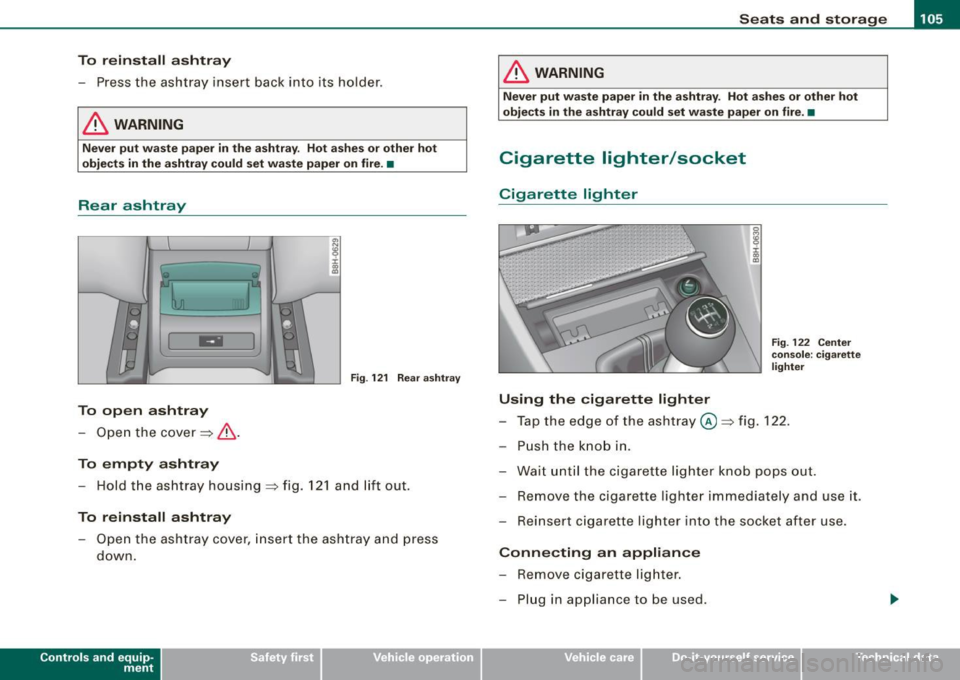
m:I Fig. 122 Center
Fig . 121 Rear ashtray
To open ashtray
- Open the cover==> &.
To empty ashtray
- Hold the ashtray housing ==> fig. 121 and lift out.
To reinstall ashtray
-Open the ashtray cover, insert the ashtray and press
down.
Contro ls and eq uip
ment
console : cigarette
lighter
Using the cigarette lighter
- Tap the edge of the ashtray @==> fig. 122.
- Push the knob in.
- Wait until the cigarette lighter knob pops out.
- Remove the cigarette lighter immediately and use it.
- Reinsert cigarette lighter into the socket after use.
Connecting an appliance
- Remove cigarette lighter.
- Plug in appliance to be used.
~ehicle care irechnical data
Page 108 of 340
• .___S_ e_a _ t_ s_ a_ n_ d_ s_t _o _r_ a...; g==- e ________________________________________________ _
The socket of the cigarette lighter may be used for 12 -volt appli
ances with maximum consumption of up to 100 wat ts, such as a
flash light, small vacuum cleaner, etc.
Before you purchase any accessories, always read and fo llow the
informat ion in~ page
318, "Additional accessories and parts
replacement".
& WARNING
Improper use of the cigare tte l ighter can cause seriou s injury or
s ta rt a fire .
• Be c are ful when u sing the cigarette lighter. If you do n ot pay
attention t o what you a re do ing wh en you are u sing the cig are tte
lighter you can burn yourself .
• The cig arette lighte r and so ck et r em ain fu nctio nal e ven if the
ign ition i s switched off or the ig nition k ey is re m oved . Never l eave
c hildren in side the veh icle w ithout supe rvisi on.
0 Note
• To avoid damaging the socket, only use p lugs that fit properly .
• Only use the cigarette lighter socket as a power source for elec
trical accessories for short durations. Use the socke ts in the vehicle
when a power source is needed for longer durations .
[ i ] Tips
When the engine is off and accessories are sti ll plugged in and are
on, the vehic le battery can sti ll be drained. •
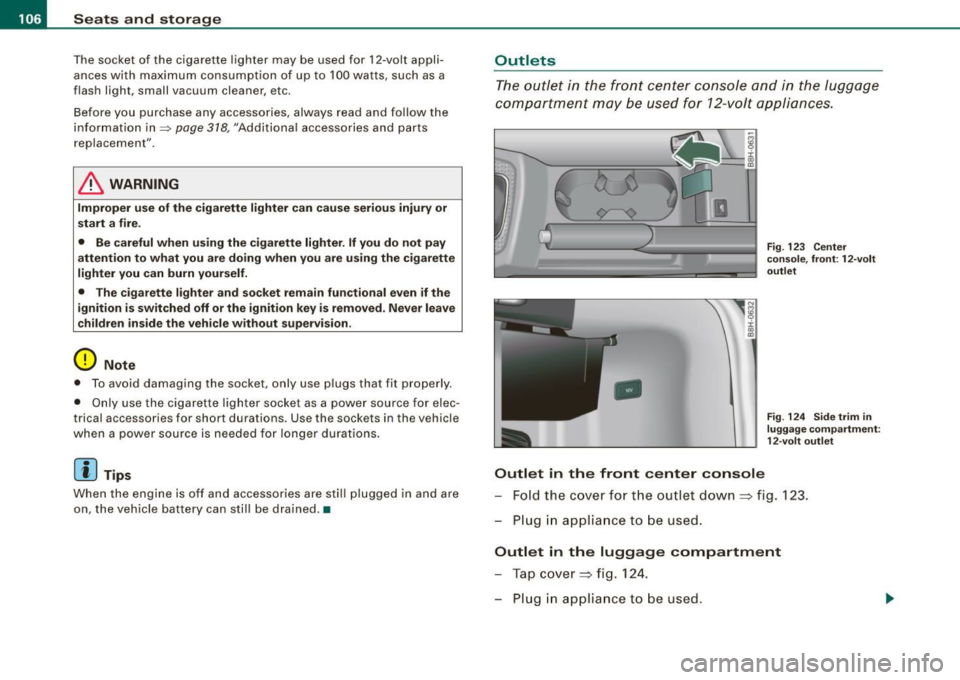
Outlets
The outlet in the front center console and in the luggage
compartment may be used for 12-volt appliances .
IJ
-
Outlet in the front cent er co nsole
Fig. 12 3 Center
co nsole, fron t: 12-volt
outl et
F ig . 12 4 Sid e trim i n
lu gga ge co mpartmen t:
1 2- vol t outl et
Fo ld the cover fo r the outlet down => fig . 123.
Plug in appliance to be used .
Outlet in the luggage compartment
Tap cover => fig. 124.
Plug in appliance to be used .