instrument cluster AUDI A5 CABRIOLET 2014 Owner's Manual
[x] Cancel search | Manufacturer: AUDI, Model Year: 2014, Model line: A5 CABRIOLET, Model: AUDI A5 CABRIOLET 2014Pages: 286, PDF Size: 70.4 MB
Page 99 of 286

Audi adaptive cruise control and braking guard 97
Interrupting cruise control
Applies to vehicles: with Audi adaptive cruise control
Fig. 110 Selector lever
Requirement: adaptive cruise control must be
switched on
¢fig. 110@.
Overriding cruise control
• To accelerate manually, press the accelera
tor pedal. The message
ACC override ap
pears.
• To resume adaptive cruise control, remove
your foot from the gas pedal. The system re
turns again to the speed that was saved be
fore.
• You can save a new speed at any time by
pressing the
I SETI button ¢ page 11, fig. 4.
Canceling cruise control while driving
• Move the lever into position @. The mes
sage
ACC standby appears. Or
• press the brake pedal.
• To resume the stored speed, move the lever
into position @.
A WARNING
Never resume the stored speed if the
speed is too high for prevailing road, traf
fic or weather conditions.
Setting the distance
App lies to vehicles: wit h Aud i adapt ive cr uise contro l
Fig.
111 Selector lever: setting the distance
• Tap the switch to display the current set dis
tance
¢ fig. 111.
• To increase or reduce the distance by incre
ments, tap the switch again to the left or
r ight. The distance between the two vehicles
w ill c hange in the instrument cluster dis
p lay .
When approach ing a moving vehicle up ahead,
the adapt ive cruise control system brakes to
match that object's speed and then mainta ins
the stored distance. If the vehicle ahead ac
ce lerates, adaptive cruise contro l will also ac
celerate up to the stored speed.
T he higher the speed, the greater the distance
in yards (meters) ¢& .The
Distance 3 setting
is recommended.
T he distances provided are specified va lues .
Depend ing on the driv ing s ituation and the
how the vehicle ahead is driving, the actual
distance may be more or less than these tar
get distances.
T he var ious symbols for the time increments
appear briefly in the informat ion line @
¢ page 95, fig. 108 when you change the set
tings.
c:::::,_c:::::, ___ Distance 1 : This setting corre-
sponds to a distance of 92 feet/28 meters
when traveling at 62 mph (100 km/h), or a
time interval of 1 second.
c:::::, __ c:::::, __ Distance 2 : This setting corre
sponds to a distance of 118 feet/36 meters
when traveling at 62 mph ( 100 km/h), or a
time interval of 1.3 seconds.
Page 100 of 286

98 Audi adapti ve cruise control and bra king gu ard
<:::::> __ _ <:::::> _ Dista nc e 3: This setting corre-
sponds to a distance of 164 feet/SO meters
when traveling at 62 mph (100 km/h), or a
time interva l of 1.8 seconds.
<:::::> ____ <:::::> Dista nce 4 : This setting corre-
sponds to a distance of 210 feet/64 meters
when traveling at 62 mph (100 km/h), or a
time interva l of 2 .3 seconds.
A WARNING
Following other vehicles too closely in
creases the risk of collisions and serious
personal injury.
- Setting short distances to the traffic
ahead reduces the t ime and distance
available to br ing your vehicle to a safe
stop and ma kes it even mo re necessa ry
to pay close attention to traffic.
- Always obey applicable traffic laws, use
good judgment, and select a safe follow
ing dis tance for the traffic, road and
weather condit ions.
(0 Tips
- Di stanc e 3
is set automatically each time
you sw itch the ignition on.
- Your standa rd settings are automatically
stored and assigned to the remote con
trol key bei ng used.
Setting the driving program
Ap plies to vehicles: with Audi adaptive cruise co ntrol
Depending on the se lected driving program
and d istance, driving behavior when accelerat
ing will vary from dynamic to comfortab le .
Setting the driving program for vehicles
w ithout Audi dr ive s elect*
• In the radio/MM I*, select: I CAR ! function
button
> Adapti ve c ruis e control > Driv ing
p rog .
> comf ort , s tanda rd or dy nam ic. Or
• Se lect :
I CAR I function button > Car system s*
control button > Driv er as sist > Adapt ive
crui se c ontrol > Driv ing program *
> Com
f o rt, Standard
or Dynami c. S
etting the driving mod e for vehicles w ith
Audi dri ve select*
Refer to¢ page 107.
(D Tips
Your settings are automatical ly stored and
assigned to the remote control key being
used .
· Request for driver intervention
App lies to vehicles: wit h Audi adapt ive c ruise contro l
Fig. 1 12 In strument cluster: request for driver inter ·
vent ion
In certa in situations, the system will p rompt
you to take action. This could happen, for ex
amp le, if braking by the adaptive cruise con
tro l system is not enough to maintain enough
distance to the veh icle ahead.
The instrument cluster will warn you about
the danger ¢
fig. 112:
-A red vehicle is p ictured in the display.
- The text
DISTANCE! appears in the status
ba r.
- The red indicator light . blinks.
- In addition, a warning tone sounds.
Page 107 of 286

@ Tips
-Side assist is not active whi le you are
making the adjustment.
- Your settings are automatica lly stored
and assigned to the remote control key
being used.
Driver messages
Applies to vehicles: with Audi side assist
If s ide ass ist switches off by itself, the LED in
the button turns off and a message will ap
pear in the instrument cluster display:
Audi side assist unavailable: Sensors blocked
The radar sensors' vision is affected. Do not
cover the area in front of the sensors with bike
wheels, stickers, dirt or other objects. Clean
the area in front of the sensors, if necessary
¢ page 103, fig. 117.
Audi side assist: Currently unavailable
Side assist cannot be switched on temporarily
because there is a malfunc tion (for example,
the battery charge leve l may be too low) .
Audi side assist: System fault!
The system cannot guara ntee that it will de
tect veh icles correctly and it is switched off .
The sensors have been displaced or are faulty.
H ave the system checked by an authorized
Aud i dealer or authorized Aud i Service Facility
soon.
Audi side assist: Unavailable when towing
Side assist sw itches off automatically when a
factory- insta lled trailer h itch is connected to
the electrical connector on the trailer. There is
no guarantee the system will switch off when
usi ng a retrofitted t ra iler hitch. Do not use
side assist when towing a trailer .
Audi side assist 105
Page 109 of 286

-For vehicles with an automatic transmis
sion, selecting the
Dynamic mode re
su lts in sporty shifting characteristics .
The
5 gear posit ion engages automati
cally.
- In vehicles that have dynamic steering*,
operating noise is heard when starting or
stopping the eng ine. Th is does not indi
cate a problem .
Selecting the driving mode
Applies to vehicles: with Audi drive select
You con choose between Comfort, Auto , Dy
namic
and Individual* modes.
drive I I fi el•ct _ ~-=
Fig. 119 Center console ; Con trol for Aud i dr ive se lect
Fig. 120 MMI*: Aud i drive select
Adjusting the Individual mode
Applies to vehicles: with MMI and Aud i d rive select
Audi drive select 107
.. To set the mode, press the 1.:il'.'l button
r=> fig. 119 multiple times until the desired
mode is displayed in the instrument cluster .
Or
.. In the MMI*, select: ICARlfunction button>
Comfort, Auto , Dynamic or Individual* .
In vehicles without the MMI*, the ~:/~c1 button
is found underneath the shift/selecto r lever.
You can change the driving mode when the ve
hicle is stationary or whi le driving.
If traffic
permits, after changing modes, briefly take
your foot off the accelerator pedal so that the
recently selected mode is a lso activated for
the engine and transmission.
Comfort -provides a comfort-oriented vehicle
setup and is suited for long drives on high
ways.
Auto -provides an overall comfortable yet dy
nam ic driving feel and is suited for every day
u se.
Dynamic -gives the driver a sporty driving
feel and is suited to a sporty driving style.
Individual* -~page 107.
& WARNING ~
Pay attention to traffic when operating
drive select to prevent potential risk of an
accident .
You con personally specify the vehicle setup in the MMI* .
.. Select the ICARI function button > Set indi
vidual
control button. Once you select the
men u, you will automatically drive in the
in
dividual
mode.
Systems Comfort
Engine/Transmission
balanced
Steering comfortable T
he equ ipment in your vehicle will determ ine
which settings you can adjust. The following
table provides an overview of the characteris
tics of eac h driving mode.
Auto Dynamic
balanced spo
rty
balanced sporty
Page 134 of 286
13 2 Safety belts
Safety belts
General notes
Always wear safety belts!
Wearing safety belts correctly saves lives!
This chapter explains why safety be lts are nec
essary, how they work and how to adjust and
wear them correctly .
.. Read a ll the information that fo llows and
heed all of the instructions and WARNINGS.
A WARNING
Not wearing safety belts or wearing them
improperly increases the risk of ser ious
personal in jury and death .
- Safety belts are the sing le most effective
means avai lab le to reduce the risk of se
r ious injury and dea th in a utomob ile acci
dents. For your protection and that of
yo ur passenge rs, always co rrectly wear
safety belts when the vehicle is moving.
- Pregnant women, injured, or physically
im paired perso ns m ust also use safety
belts. Lik e all veh icle occup ants, they are
more like ly to be ser iously injured if they
do not wea r safety be lts . The best way to
protect a fetus is to protect the mother -
throughout the entire pregnancy.
Number of seats
Your Audi has a total of four seating positions: two in the front and two in the rear. Each seat
ing position has a safety belt .
A WARNING
Not wearing safety belts or weari ng them
improp erly increases th e risk of ser ious
pe rsonal i njury and deat h.
- Never st rap more than one pe rson, in
cl uding small ch ild ren, into any belt.
It is
e speci ally dange rous to pla ce a safety
belt over a child s itting on yo ur lap.
- N ever le t mo re people ride in the ve hicl e
than there are s afe ty be lts avail able. -
Be s ure everyone riding in the vehicle is
properly restrained w ith a separate safe
ty belt or child restra int.
Safety belt warning light
Your vehicle hos o warning system for the
driver and (on USA models only) front seat
passenger to remind you about the impor
tance of buckling-up .
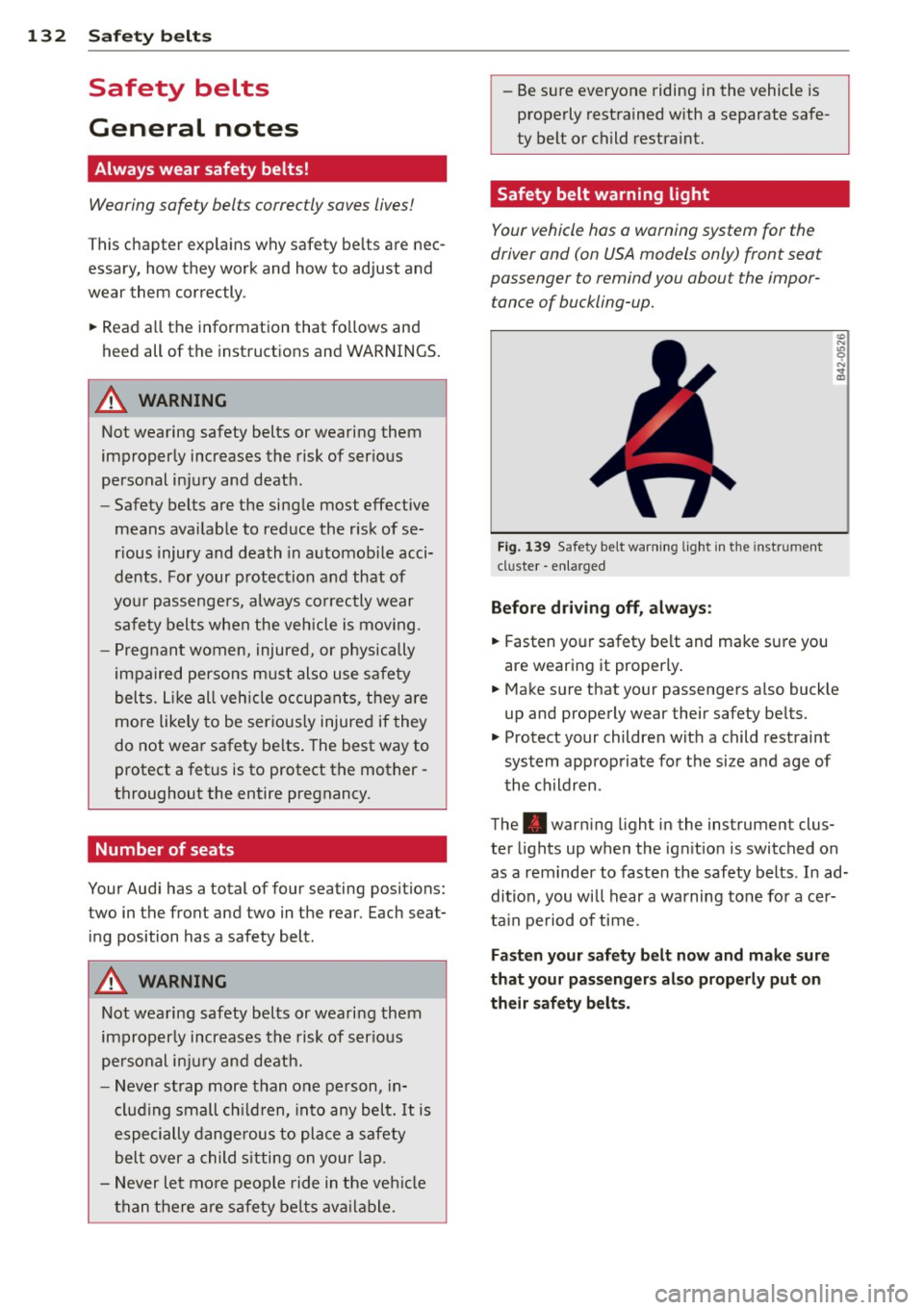
F ig. 139 Safety belt warni ng lig ht in the instrument
cluster -en larged
Before driv ing off, always :
.. Fasten yo ur safety belt and make sure you
are wearing it properly .
.. Make sure that your passengers also buck le
up and properly wear their safety be lts.
.. Protect your children wit h a child restraint
system approp riate fo r the size and age of
t he children.
The . war ning light i n the instrument clus
ter lights up when the ig nition is switched on
as a rem inder to fasten the safety belts. In ad
dition, you will hear a warning tone fo r a cer
ta in pe riod of time.
Fasten your safety belt now and make sure
that your pa ssenger s also prope rly put on
their safety belts.
Page 144 of 286
142 Airbag system
Even though your vehicle is equipped with an
Advanced Airbag System, make certain that
all chi ldren, especially those 12 years and
younger, a lways ride in the back seat properly
restrained for their age and size. The airbag
on the passenger side makes the front seat a potentially dangerous place for a ch ild to ride.
The front seat is not the safest place for a
child in a forward-facing child safety seat. It
can be a very dangerous place for an infant or
a child in a rearward-facing seat.
The Advanced Airbag System in your veh icle
has been certified to comply with the Requ ire
ments of United States Federal Motor Vehicle
Safety Standard 208 as applicable at the time
your vehicle was manufactured.
The Standard requires the front a irbag on the
passenger side to be turned off ("sup
pressed") if a child up to about one year of
age restrained in one of the rear-facing or for
ward -facing infant restraints listed in Federal
Motor Vehicle Safety Standard 208 with which
the Advanced Airbag System in your vehicle
was certified has been installed on the front passenger seat . For a listing of the child re
strai nts that we re used to certify compliance
with the US Safety Standard
r=v page 163.
The PASSENGER AIR BAG OFF light in the in
strument panel te lls you when the front Ad
vanced A irbag on the passenger side has been
turned off by the e lectronic control unit.
Each t ime you turn on the ignition, the
PAS
SENGER AIR BAG OFF
light will come on for a
few seconds and:
- will stay on if the front passenger seat is not
occupied,
- will stay on if there is a small child or child restraint on the front passenger seat,
- wi ll go off if the front passenger seat is oc
cupied by an adult as registered by the
weight-sensing mat
r=v page 150, Monitor
ing the Advanced Airbag System .
The PASSENGER AIR BAG OFF light comes on
when the control un it detects a total weight
on the front passenger seat that requires the
front airbag to be turned off.
If the total weight on the front passenge r
seat is more than that of a typica l 1 year -old
chi ld but less than the weight of a small
adult, the front airbag on the passenger side
can deploy (the
PASSENGER AIR BAG OFF
light does not come on). If the PASSENGER
AIR BAG OFF
light does not come on, the
front airbag on the passenger side has not
been turned off by the electronic con trol unit
and can deploy if the control unit senses an
impact that meets the cond itions stored in its
memory .
For example, the airbag may deploy if:
-a small ch ild that is heav ier than a typical 1
year-old ch ild is on the front passenger seat
( re gard less of whether the child is in one of
the child safety seats listed
r=v page 163), or
- a child who has outgrown ch ild restraints is
on the front passenger seat.
If the front passenger airbag is turned off, the
PASSENGER AIR BAG OFF light comes on in
the instrument cluster and stays on.
The front airbag on the passenger s ide may
not deploy (the PASSENGER AIR BAG OFF
light does not illum inate and stay lit) even if a
small adult or teenager, or a passenger who is
not sitt ing upright with their back against a
non-reclined backrest with their feet on the
vehicle floor in front of the seat is on the front
passenger seat
r=v page 122, Proper seating
position for the driver.
If the front passenger airbag deploys, the
Federal Standard requires the airbag to meet
the "low risk" deployment criteria to reduce
the risk of injury t hroug h interaction with the
airbag. "Low risk" deployment occurs in those
crashes that take place at lower dece lerat ions
as defined in the electronic control unit
r=v page 151, PASSENGER AIR BAG OFF light .
Always remember, a child safety seat or infant
carr ier installed on the front seat may be
struck and knocked out of posit ion by the rap
idly inflat ing passenger's airbag in a frontal
collision . The air bag could greatly reduce the
effectiveness of the ch ild restraint and even
seriously injure the child during inflation .
Page 149 of 286
-Always move the passenger seat into its
rearmost position in the seat's fore and
aft adjustment range, as far away from
the a irbag as poss ible, before insta lling
the forward-facing child restraint. The backrest must be adjusted to an upr ight
posit ion.
- Make sure that the
PASSENGER AIR BAG
OFF
light comes on and stays on all the
t ime w henever the ignition is sw itched
o n.
Advanced Airbag System components
The fron t passenger seat in your vehicle has a
lot of very important parts of the Advanced
Airbag System in it. These parts include the
weight-sens ing mat, sensors, wiring, brack
ets, and more. The function of the system in
the front passenger seat is checked by the
e lectronic control u nit when the ignit ion is on .
The control un it mon itors the Advanced Air
bag System and turns the airbag indicator
l ight on whe n a ma lfunction in t he sys tem
components is de tected. The function of the
airbag indicator light is described in greater
detai l below . Because the front passenger
seat contains important parts of the Ad
vanced A irbag System, you m ust take care to
prevent it from being damaged. Damage to
the seat may prevent the Advanced Airbag for
the front passenger seat from doing its job in
a crash .
The front Advanced Airb ag Sy stem
consists of the following:
- Crash sensors in the front of the veh icle that
measure veh icle acceleration/decele ration
to provide information to the Advanced Air
bag System about the seve rity of the crash.
- An electronic co ntrol unit, with integrated
c rash se nsors for front and side impacts .
T he cont ro l unit " decides " whethe r to fire
the front airbags based on the inform ation
received from the crash senso rs . The contro l
unit a lso "decides" whether the safety belt
pretensioners should be activated .
Airbag system 147
-An Advanced A irbag w ith gas gene rator and
contro l valve fo r the driver ins ide the steer
ing wheel h ub.
- An Advanced Airbag w ith gas gene rator and
contro l valve inside the instrument pane l for
the front passenger.
- A weight-sensing mat under the upholstery
padding of the front passenger seat cushion
that measures the total weight on the seat.
The informat ion reg istered is sent continu
ously to the electronic control unit to regu
late deployment of the front Advanced Air
bag on the passenger side.
- An airbag monitor ing system and ind icator
light in the instrument cluster
q page 150 .
-A sensor in each front seat registers the dis
tance between the respective seat and the
steer ing whee l o r inst rument panel. The in
forma tion registered is sent cont inuo usly to
t he elect ron ic cont ro l uni t to regula te de
ployment o f the front Advance d Airbags .
- The
PASSENGER AIR BAG OFF ligh t comes
on and st ays on in the cen ter o f th e instr u
ment panel
<:!;> page 151, fig . 153 and tells
you whe n the front Advanced Airbag on the
passenger side has been tu rned
off .
-A sensor below the safety be lt latch fo r the
front seat passenger to measure the tension on the safety be lt . The tension on the safety
be lt and the weight registered by the
weight-sensi ng mat he lp the control unit
"decide" whether the front a irbag for the
front passenge r seat should be turned
off or
not
<=;> pag e 141, Child restraints on the
front seat -some important things to
know.
- A senso r in the safety belt latch fo r the d riv
er a nd fo r the fro nt sea t passenger tha t
senses w hethe r that safe ty belt is latched or
no t and transmi ts this informa tion to the
electronic control unit.
_&. WARNING
Damage to the front passenger seat can
prevent the front airbag from work ing
properly.
-
•
•
Page 154 of 286

152 Airbag sys te m
make certain that the PA SSENGER AIR BAG
OFF
light stays on continuous ly whenever the
ignit ion is on. If the
PASS ENGER AIR BAG
OFF
light does not appear and not stay on all
the time, stop as soon as it is safe to do so
and
- react ivate the system by turning the ignition
off and then turning it on again;
- remove and reinstall the child restraint.
Make sure that the child restraint is properly
installed and that the safety belt for the
front passenger seat has been correctly
routed around the child restraint as descr i
bed in the child restraint manufacturer's in
structions;
- make sure that the convertible locking fea
ture on the safety belt for the front passen
ger seat has been activated and that t he
safety belt has been pulled tight. The belt
must not be loose or have loops of slack so
that the sensor below the safety be lt latch
on the seat can do its job ¢
page 171.
-make su re that th ings that may increase the
weight of the chi ld and child safety seat are
not being transported on the front passen
ger seat;
- make sure that the safety belt tension sen
sor is not b locked. Shake the safety belt
latch on the front passenger seat back and
forth;
- If a strap or tether is being used to tie the child safety seat to the front passenger
seat, make sure that it is not so tight that it
causes the we ight-sensing mat to measure
more we ight than is actua lly on the seat.
If the PASSEN GER AIR BAG OFF light st ill
doe s not come o n
and does not stay on con
tinuously (when the ignition is switched on),
- take the chi ld restraint off the front passen -
ger seat and install it properly at one of the
rear seat pos itions . Have the a irbag system
inspected by your authorized Audi dealer
immediately .
- move the ch ild to a rear seat pos it io n and
make sure that the child is properly restrain
ed in a child restraint that is appropriate for
i ts size and age. The
PA
SSENGER AIR BAG OFF light sho uld
NOT come on when the ignition is on and an
adult is s itting in a proper seating position on
the front passenger seat. If the
PAS SENGER
AIR BAG OFF
light comes on and stays on or
flashes for about 5 seconds wh ile driving, un
der these c ircumstances, make sure that:
- the adult on the front passenger seat is properly seated on the center of the seat
cushion with his or her back up aga inst the
backrest and the backrest is not recl ined
¢ page 122, Proper occupant seating posi
tions,
- the adult is not tak ing weight off the seat by
holding on to the passenger assist handle
above the fron t passenger door or support
ing thei r weight on the armrest,
- t he safety belt is being properly wo rn and
t hat there is not a lot of s lack in the safety
be lt webb ing,
- accesso ry seat covers or cushions o r othe r
t hings tha t may cause an incorrect reading
or impression on the weight-sensing mat
under the upho lstery of the seat have been
removed from the front passenger seat,
- a safety belt extender has not been left in the safety belt latch for the front passenger
seat.
In add ition to the
PASSENGER AIR BAG OFF
li ght in the center o f the instrument panel,
t h e message
PASSENGER AIR BAG OFF or
PAS SEN GER AIR BAG ON wi ll briefly appear
in the instrument cluster disp lay. This is to in
form the dr iver of the current front passenger
airbag status.
Important safety instructions on
monitoring the Advanced Airbag System
A WARNING
An a irbag system that is not functioning
properly cannot provide supplemental pro
tection in a frontal c rash.
- If the airbag ind icator light
¢ page 20
comes when the veh icle is being used,
have the system inspected immediately
by your authorized Audi dealer .
It is
-
Page 160 of 286

158 Airbag system
Side airbags
Description of side airbags
The airbag system can provide supplemental
protection to properly restrained occupants .
Fig. 156 Side a irbag locat io n in the dr iver 's seat
The s ide airbags are located in the sides of the
front sea t bac krests
~ fig. 156. They are iden
tified by the word "AIRBAG" .
The sid e airbag system basicall y consis ts of :
-the electronic control module and external
side impact sensors
- the two side airbags located in the sides of
t h e front backrests
- the a irbag warn ing light in the instrument
cluster.
The airbag system is monitored electronica lly
to make certain that it is functioning properly at all times. Each time you turn on the igni
tion, the airbag system indicator light will
come on for a few seconds (self diagnostics) .
The s ide airbag system supplements the safe
ty belts and can help to reduce the risk of in
jury to the drive r's and front passenger's up
pe r torso on the side of the vehicle that is
struck in a side col lision . The airbag deploys
on ly in side impacts and on ly when the veh icle
acceleration registered by the control unit is h igh eno ugh . If this rate is below the refer
ence va lue programmed into the control un it,
the side airbags will not be triggered, even
though the car may be badly damaged as a re sult of the collision. It is not possible to de
f ine an a irbag tr igger ing range that will
cover
every
possible angle of impact, since the cir
cumstances w ill
vary considerably between one collision and another.
Important factors
incl ude, for example, the nature (hard or soft)
of the impacting object, the angle of impact,
vehicle speed, etc .
Q page 159, Important
safety instructions on the side airbag system .
Aside from their normal safety function, safe
ty belts work to help keep the driver or front
passenger in position in the event of a side
collision so that the side airbags can provide
protection .
The airbag system is
not a substitute for your
safety belt. Rather, it is part of the overa ll oc
cupant restraint system in your vehicle. Al
ways remember that the side airbag system
can only help to protect you if you are wea ring
your safety belt and wea ring it p roperly . This
is anothe r reason why you should always wear
yo ur safe ty be lts, no t ju st because the law re
quires yo u to do so~
page 132, General
notes .
It is impo rtant to remembe r th at w hile the
s u pplementa l side airbag system is designed
to reduce the likelihood of ser ious inju ries,
othe r injuries, for example, swelling, br uising,
and minor abrasions ca n also be associated
with deployed side airbags. Remember too,
s ide airbags will deploy only once and only in
certain kinds of accidents -your safety belts
are always there to offer protection .
Vehicle damage, repair costs or
even the lack
of ve hicle damage are not necessarily an ind i
cation of over-sensitive or failed airbag activa
t io n. In some coll is ions, both front and side
airbags may inflate . Remembe r too, t hat air
bags will deploy only once and on ly in ce rtain
ki nds of col lisions -yo ur safety belts a re a l
ways there to offer pro tection in those acc i
den ts in which airbags are not supposed to
deploy or when they have a lready deployed.
The side airbag system will not deploy:
- when t he ignit ion is tu rned off
- in side co llisions when the acceleration
measured by the sensor is too low
- in front -end collisions
- in rear-end collisions
Page 181 of 286

Intelligent technology Notice about data
recorded by vehicle
control modules
Your vehicle is not equipped with an Event Da
ta Recorder (EDR), installed by some manu
facturers for the express purpose of capturing
data for retrieval after an accident or crash
event. EDR's are sometimes called "crash re
corders".
Some state laws restrict the retr ieval or down
loading of data stored by EDR's that were in
stalled in a vehicle for the express purpose of
retrieving data after an accident or crash
event without the owner's consent.
Although your vehicle is not equipped with an
EDR, it is equipped with a number of electron
ic control modules for various vehicle systems
such as, for examp le, engine function, emis
sion control, as well as for the airbags and
safety belts.
These electronic control modules also record
vehicle-related data during norma l vehicle op
eration for diagnostic and repair purposes.
The recording capacity of the electronic con
trol modules is limited to data (no sound is re
corded) and only a small amount of data is ac
tually recorded over a very limited period of
time and stored when a system fault or other
condition is sensed by a control unit. Some of
the data then stored may relate to vehicle
speed, direction, braking as we ll as restraint
system use and performance in the event of a
crash or other condition. Stored data can only be read and downloaded with special equip
ment.
Electronic Stabilization
Control (ESC)
Description
ESC helps to improve road holding and vehicle
dynamics to help reduce the probability of
skidding and loss of veh icle control. It works
only when the engine is running. ESC detects
Intelligent technology 179
certain difficult driving situations, including
when the vehicle is beginning to spin (yaw)
out of control and helps you to get the veh icle
back under control by se lectively braking the
wheels, and/or reducing engine power and
providing steering ass istance to help hold the
vehicle on the driver's intended course. The in
dicator light
B.J in the instrument cluster
blinks when ESC is taking action to help you
control the vehicle.
ESC has limitations .
It is important to remem
ber that ESC cannot overcome the laws of
physics.
It will not always be able to help out
under all conditions you may come up against.
For example, ESC may not always be able to
help you master situations where there is a
sudden change in the coefficient of friction of
the road surface. When there is a section of dry road that is suddenly covered with water,
slush or snow, ESC cannot perform the same
way it would on the dry surface . If the vehicle
hydroplanes (rides on a cushion of water in
stead of the road surface), ESC will not be
able to help you steer the vehicle because con
tact with the pavement has been interrupted
and the vehicle cannot be braked or steered .
During fast cornering, particularly on winding
roads, ESC cannot always deal as effectively
with difficu lt driving situations than at lower
speeds. When towing a trailer, ESC is not able
to help you regain control as it would if you
were not tow ing a trailer.
Always adjust your speed and driving style to road, traffic and weather conditions. ESC can
not override the vehicle's physical limits, in
crease the available traction, or keep a vehicle
on the road if road departure is a result of
driver inattention. Instead, ESC improves the
possibility of keeping the vehicle under con
trol and on the road dur ing extreme maneu
vers by using the driver's steering inputs to
help keep the vehicle going in the intended di
rection. If you are traveling at a speed that
causes you to run off the road before ESC can
provide any assistance, you may not experi
ence the benefits of ESC.
•
•