ECU AUDI A8 2018 User Guide
[x] Cancel search | Manufacturer: AUDI, Model Year: 2018, Model line: A8, Model: AUDI A8 2018Pages: 356, PDF Size: 54.71 MB
Page 104 of 356

Ass is tanc e system s
- Keep in mind that braking guard can brake
unexpected ly. Always secure any cargo or
objects that you are transport ing to reduce
the r isk of damage or in jury.
Settings in the Infotainment system
Applies to: vehicles with Audi adaptive cruise control
.,. Select : the ICARI function button > Ca r sy stems
control button > Dri ver a ssistan ce > Audi bra k
ing guard .
Sy stem
-switches the brak ing guard On /Off .
When you switch the ignition on, the message
Braking guard: Off appears if the system is
sw itched off .
Early warning -the distance and approach warn
ings in the display can be sw itched
On /Off .
(D Tips
- Your settings are automatically stored and
assigned to the remote control key being used.
- If you restrict or sw itch off the ESC, the
braking guard also switches itse lf off
c> page 128.
-Switch braking guard off when you are load
i ng the veh icle onto a vehicle carr ier, train,
sh ip or other type of transportation . This
can prevent undesired warnings from the braking gua rd system.
Messages
Applies to: vehicles with Audi adaptive cruise control
Braking guard : Off
This message appears if the system is sw itc hed
off throug h the Infota inment system . Otherwise ,
if the system is tur ned off, the information ap
pea rs every time shortly after the start of t he
trip .
The message also appears if the system is not
ava ilable d ue to a ma lfunct ion or if the ESC is
sw itched
off ¢ page 128 . If this is the case, the
system wi ll not provide warnings about a possi
b le co llision.
Braking guard : engaged
102
This message appears if a sharp brake pressure
was applied due to an acute warning .
ACC: Unavailable!
ACC and Audi braking guard: Una vailable
The system cannot guarantee that it will detect
objects correctly and is sw itched off. The sensors
have been moved or are faulty . The pre sense
funct ions may also be affected . Drive to an au
t h orized Aud i dea ler or authorized Audi Se rvice
Fac il ity immed iate ly to have the ma lfunction cor
r ec ted .
ACC : Currently unavailable . No sen sor vis ion
AC C and Audi braking gua rd: Curr entl y una vail
able. No sensor vision
This message appears if the sensor view is ob
structed, for examp le by leaves, snow, heavy
spray or dirt. Clean the
sensors ¢ page 95,
fig. 104.
ACC : Cu rrently un avail able . G radient too steep
The road exceeds the maxim um poss ible a ngle
fo r safe adaptive cruise co ntro l opera tion. Ada pa
tive cru ise con trol is switched off.
ACC : Only available in D , Sor M
Se lect the D, Sor M selector lever position .
ACC: Cu rrently un available . Parking br ake ap
plied
The adaptive cru ise con trol system sw itches o ff
automatica lly if the parking brake is set .
ACC: Currently unavailabl e. Stability contr ol
( ES C) inpu t.
This message appears if the electron ic stabiliza
tion cont rol ( ESC) is tak ing action to stabilize the
vehicle. In t his case, adaptive c ruise cont ro l
swi tches off autom atically.
ACC off: Manual control!
This message appears when adaptive cruise con
trol cannot set the parking brake. Press the brake
pedal to prevent the vehicle from rolling .
... ~
Page 114 of 356
Ass is tanc e system s
In the sporty dynamic mode, the transmission
shifts at higher speed ranges.
Air su spen sion
The adaptive air suspension/adaptive air suspen
sion spo rt* is an e lectron ica lly contro lled a ir sus
pens ion and damping system . The adjustment
depends on the driving mode selected, steering movements, the driver's braking and accelera
tion , and as the road surface, vehicle speed and
load . A sporty sett ing is generally used in vehicles
with adap tive a ir suspension sport*.
The vehicle ground clearance depends on the mode se lected and the speed . When you are in
the auto or dynamic mode, the h ighway sett ing is
activated when you dr ive above 75 mph (120 km/
h) for more than 30 seconds . The ground clear
ance is increased automatically if the speed
drops below 44 mph (70 km/h) for more than 120 seconds .
Stee ring
The power steer ing adap ts . Indirect steer ing that
moves easily as in comfort mode is especially
suited to long drives on a h ighway . The dynam ic
mode p rovides spo rty , d irect steering.
Applies to: vehicles with dynamic steering
The steering ratio changes based on vehicle
speed in order to ma intain optimum steering ef
fort for the dr ive r at all times . This sets the steer
i n g to be less sensit ive at hig he r speeds in o rder
to p rovide imp roved vehicle contro l. At reduced
speeds, steer ing is more direct in order to keep
the steering effort as minima l as possib le when
the driv er is maneuvering the v ehicl e. At low and
average speeds, dynamic steering* addit ionally
provides more responsive steering performance.
Sport diff ere ntial *
As a component of the all wheel drive system (quattro)
¢ page 131, the sport differential dis
tributes the driving power to the rear axle de
pending on the situation. The distribution of
power va ries from balanced (comfort) to sporty
(dynamic) depending on the selec ted mode . The
goal is a high level of agility and ab il ity to accel
erate on curves . The ve hicle is very respons ive to
steer ing .
112 Corn
ering light *
The co rnering ligh t adapts the hig h beams to the
direction of the curve depending on the speed.
The pivoting action and the lighting also adapt to
the mode.
Adaptive cruise cont rol*
The be hav io r whe n accelerat ing ca n be adjusted
from comfortable to sporty, depending on the drive select mode. Adaptive cruise control also
responds to the driving behavior of the vehicle
ahead in a more cons ervative or sporty manner.
Engine sound *
The eng ine sound adapts to the c urrent mode
and can be subtle to spo rty.
{[» Note
- Make s ure there is enough clearance above
and be low the vehicle when pa rk ing . T he
heig ht of t he ve hicle can change on ce it is
parked d ue to temperature fluctuations,
changes to the load conditions and changes
to the driv ing modes, which can affect clear
ance .
- When transporting the vehicle on a car car
rier, train, ship or by other means, on ly tie
the vehicle down at the runn ing surface of
the tires, which is the outer c ircumference.
Securing the vehicle at the axle compo
nents, suspens ion struts o r tow ing eyes is
not pe rm itted because the p ressure i n the
air suspe nsion s truts ca n change d uring
t ra nspo rt. The vehi cle may not be secu red
sufficiently i f th i s happens.
(D Tips
- In some mo dels, the max imum ve hicle
speed can only be reached in t he auto and
dynamic modes.
- Th e S se lector lever posi tion a utomat ic all y
engages if the dynami c mode is selected.
- In ve hicl es tha t h ave dynam ic stee rin g*, op
erat ing no ise is he ard when sta rting o r stop
ping the engine . This does no t indi ca te a
prob lem.
Page 163 of 356
u. co .... N
" N .... 0 0 :c '
my Audi Account <=> page 168 or on line map
view
<=> page 17 2.
- Traffic information (Sirius): receive informa
tion about accidents, road construction and other incidents
c;,page 176
Audi connect services on the phone
Applies to: vehicles with Audi connect
The follow ing Audi connect serv ices are currently
ava ilable:
- Storing contacts on yo ur computer using your
myAudi Account and loading the contacts into
the MMI directory
c:;, page 154
Wi-Fi hotspot
Applies to: vehicles with Audi connect
You can use the MMI as a Wi-Fi hotspot to con
nect up to eight wireless devices to the Internet. While driving , restricted use of non-secured,
light, small wireless devices is only possible from the rear of the vehicle.
.,. Select : the IT EL! button > Settings control but-
ton
> Wi-Fi settings .
The following settings can be modified in the Wi
Fi settings
menu:
Wi-Fi active
The MMI Wi-Fi hotspot is deactivated at the fac
tory. Your Wi-Fi hotspot must be activated and
visible to establish a connection between your ve hicle and your w ireless device .
-Off : the MMI Wi-Fi hotspot is deactivated. An
Internet connection is not poss ible.
- Visible : th e MMI Wi-Fi hotspot is active and can
be used to connect to the Internet.
-Invisible : the MMI Wi-Fi hotspot is active but
not visib le to other devices. A connection can
not be established with a new w ireless device.
The Wi-Fi connection between your vehicle and
your wire less device (laptop, cell phone) is en
crypted. To establish a connection, yo u must en
ter the following settings when setting up your
wire less device. You can change them if necessa
ry.
Audi connect
- Network ID (SSID) :
name of the Wi-Fi net
work .
-Encryption type : WEP , WPA or WPA2
-Password : depending on the encrypt ion type, a
passwo rd may be generated in the MMI that is
used to encrypt the wireless connection. The
password can be changed. Be sure to se lect a
secure password. For t he WEP encryption type,
the password must be exactly 13 characters.
For the WPA or the WPA2 encrypt ion types, the
password must be at least
8 (maximum of 63)
characters.
- Apply settings : the modified settings are ap
plied to the MMI. You must then update the
changes in your mobile wirel ess device .
A WARNING
-
-As the driver, do not allow usage of the Wi
Fi hotspot to distract you from driv in g, as
this could increase the risk of an accident.
-It is only safe to use laptops and similar mo
b ile devices when the vehicl e is stationary
beca use, like all loose objects, they could be
thrown around the inside of the vehicle in a
cras h and cause serious injuries . Store these
types of devices securely while driving.
- Do not use any wireless devices on the front
seats within range of the airbags whi le driv
ing. Also read the warnings in the chapter
c:;, page 208.
@ Note
-Under some conditions, certain mobile devi
ces and operating systems may automati
cally sw itch from your vehicle's Wi-Fi hot
spot to the device's mobile data connection.
In that event, standard text and data usage
rates would apply wh ile the device's mobile
data connect ion is in use. Please refer to
documentation provided by your mobile de
vice's manufacture and your data carrier for
details, rela ted terms and privacy state
ment .
- You are respons ible for all precautions tak
en for data protection, anti-virus protection
and protection against loss of data on mo
bile devices th at are used to access the In
ternet through the Wi-Fi hotspot.
161
Page 164 of 356
Audi connect
@ Tips
-In vehicles without Audi connect*, the use
of the Wi-Fi hotspot is only possible for the
Wi-Fi audio player*. A data connection to
the Internet cannot be established.
- A separate, paid mobile subscription may be
needed to use the Wi-Fi hotspot. You can
obtain more information from your cell phone service provider .
- Depending on your cell phone plan, rece iv
i ng data packages through the Wi-Fi hot
spot may result in additional charges, par
ticularly w hen in another country. The use
of a flat rate data plan is highly recom
mended. You can obtain more information
from your cell phone service provider.
Configuring a data
connection
A pp lies to: ve hicles with Aud i co nn ect
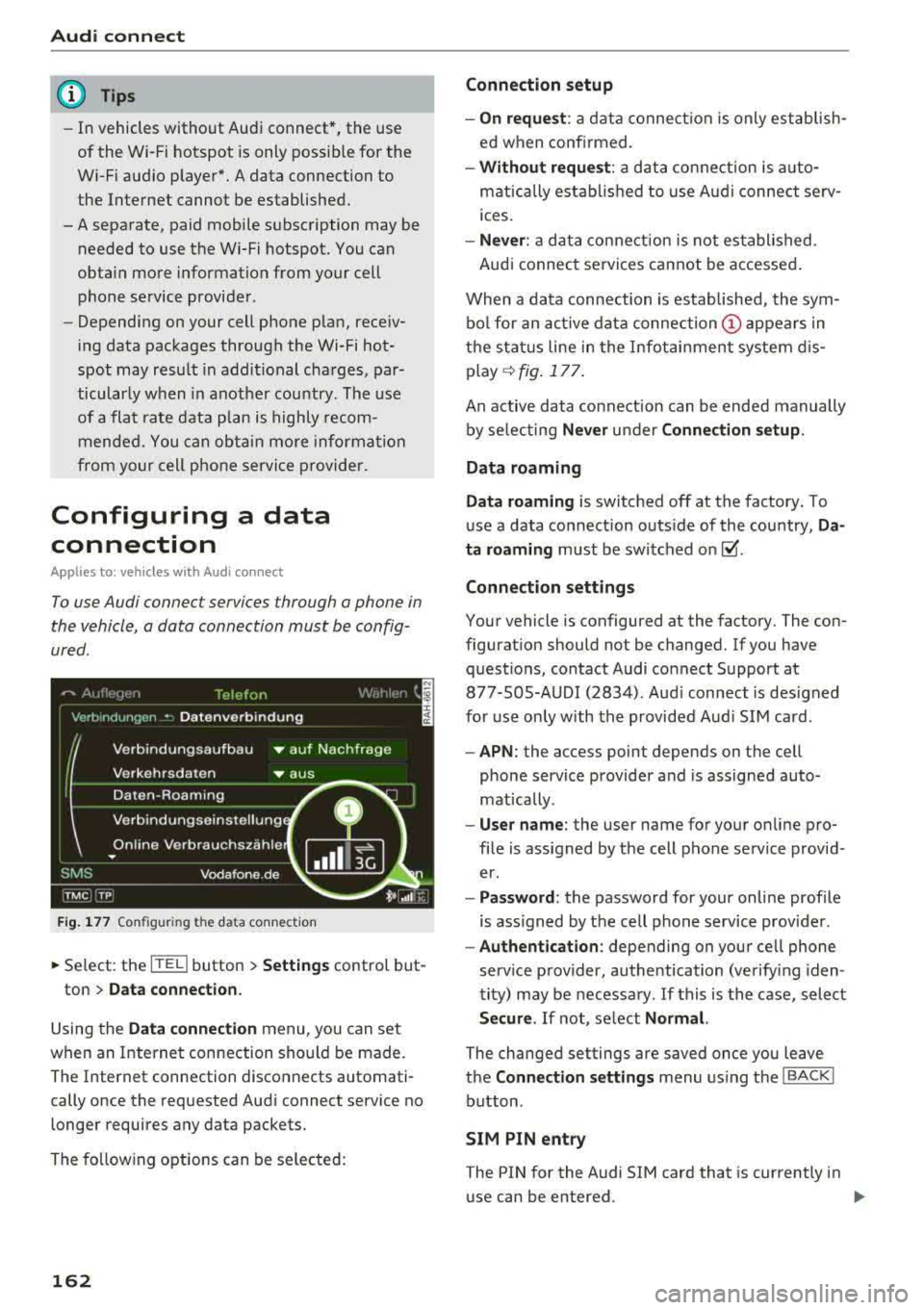
To use Audi connect services through a phone in
the vehicle, a data connection must be config
ured.
F ig. 177 Configu ring the da ta conne ction
~ Se lect : the [fED button > Settings control but-
ton
> Data connection.
Using the Data connection menu , you can set
when an Internet connection should be made .
The Internet connection disconnects automati
cally once the requested Audi connect service no
longer requires any data packets.
The following options can be selected:
162
Connection setup
- On request :
a data connection is only establish
ed when confirmed.
- Without request: a data connection is auto
matically established to use Audi connect serv
ices.
- Never : a data connection is not established .
Audi connect services cannot be accessed .
When a data connection is established, the sym
bol for an active data
connection (!) appears in
the status line in the Infotainment system dis
play
q fig. 177.
An active data connection can be ended manually
by selecting
Never under Connection setup.
Data roaming
Data roaming
is switched off at the factory. To
use a data connection outs ide of the country,
Da
ta roaming
must be switched on~ -
Connection settings
Your vehicle is configured at the factory. The con
figuration should not be changed. If you have
questions, contact Audi connect Support at 877-S0S-AUDI (2834) . Aud i connect is designed
for use only with the provided Aud i SIM card.
-APN: the access point depends on the cell
phone service provider and is assigned auto
mat ically .
-User name: the user name for your on line pro
file is assigned by the cell phone service provid
er.
- Password : the password for your online profile
is ass igned by the cell phone service provider .
-Authentication : depending on your cell phone
service provider, authentication (verify ing iden
tity) may be necessary .
If this is the case, select
Secure. If not, select Normal.
The changed settings are saved once you leave
the
Connection settings menu using the I BACK !
button.
SIM PIN entry
The PIN for the Audi S IM card that is currently in
use can be entered.
Page 165 of 356
u. co .... N
" N .... 0 0 :c '
The numbe r of data packets that are sen t and re
ceived through the MMI is displayed. You can re
set the data usage information to zero using the
Reset d ata usa ge option .
Start automatic configuration
An online profile is set up and configu red auto
mat ica lly. The connection settings that you
changed manua lly are reset to the defa ult set
tings.
Online status overvi ew
An on line status overv iew with information abo ut
your data connect io n (such as the cell phone
service provider) is shown in the Infotainment
disp lay .
Switching the data conn ection module off
The data connection module is sw itched off . An
I nternet connect ion is no longe r poss ible.
Network set ting s
Under Login , select Auto to log into a network
automatically or select
Manu al to select from a
list of networks w ith in range . The available net
works in the area can be selected in the
Netw ork
se lec tion
list. Th is function is on ly avai lab le when
M anu al Login is set.
Seri al numb er (IMEi )
The serial number for the MMI that is installed is
d isplayed .
A WARNING
-As the dr iver, do not allow usage of the Wi
Fi hotspot to dist rac t you from d riving, as
th is could inc rease the risk of an ac cident .
-It is only safe to use tab lets and s imilar mo
bile devices whe n the vehicle is s tat io nary
because, like all loose objects, t hey could be
thrown aro und the inside of the vehicle
when invo lved in an accident and can cause
serious injur ies. Store these types of devices
securely whi le driving.
-Do not use any wire less devices on the front
seats w it hi n range of the a irbags while driv -
Audi conn ect
ing . A lso read the warnings in the chapter
¢page 208.
@ Note
You are responsible fo r all precautions taken
for data protection, anti -virus protection and
protection against loss of data on mobi le de
v ices that are used to access the Internet
through the W i-F i hotspot.
(D Tips
- When using On line map view, you are
prompted again to allow roam ing before
connect ing to a foreign mob ile network.
- The speed of the data connection may vary
depending on the veh icle location, the cov
erage area of your cell phone serv ice prov id
er and if the recommended provider is used
o r not.
- A data connection cannot be established if
incorrect data is entered in the
Conn ect ion
s ett ing s.
-The W i-F i hotspot recept io n quality depends
on the sig nal st rengt h and the availab ility of
the mobile network. You can obtain more
information from your cell phone se rvice
prov ider.
About Audi connect
Audi connect services
Applies to: vehicles with Aud i connect
(D Tips
- You can only use serv ices supported by Aud i
connect if you have t he optional MMI Nav i
gation pl us eq uipment and Aud i connect.
- Audi connect is designed for use only with
the provided Aud i SIM ca rd . Receiving data
packets from the Internet w ill quickly in
cr ease the vo lume of data used. Fo r more
information, contac t A udi connect cus tome r
support at 87 7-505 -AU DI (2834) .
-The Aud i connect se rvices a re availab le in
t he USA. Audi connect serv ices are currently
not avai lab le in Canada or in Mexico .
163
...
Page 166 of 356
Audi connect
-Availability, scope, providers, screen display
and costs of services may vary depending on
the country, model, model year, end device
and rates. Additional information can be
found under
www.audiusa.com/audicon
nect .
-An initial registration/activation on the
myAudi platform at www.audiusa.com/
myaudi is necessary to use individual serv
ices . You can contact an authorized Audi
dealer or Audi connect Support at 877-S0S
AUDI (2834) to receive information on op
tions for expanding your usage and any
costs that may result.
-It is only possible to use Audi connect serv
ices with a valid Audi SIM card.
-To ensure all of the Audi connect features
work correctly, Audi recommends setting up
a data service and Wi-Fi package with your
cell phone service provider. Your cell phone service provider can be authorized by law,
through a judicial order or other lawful in
structions, to disclose the position of your
vehicle. Additional information on your cell
phone service provider's privacy policies can
be found in their Terms of Use .
-The availability of Audi connect services,
such as weather information, depends on
the cell phone service provider .
-You can specify when the MMI establishes
an online connection
~ page 162. The Inter
net connection ends automatically when the
Audi connect service in use no longer re
quires any data packets.
-The Audi connect services are a Wi-Fi/Inter
net-based system. If the system does not
function correctly even though all of the re
quirements are met, please try again later
or contact Audi connect Support at 877-505-AUDI (2834).
-For detailed information on Audi connect
and the Terms of Use, visit
www.audiusa.com/audiconnect.
164
Privacy protection
App lies to: vehicles with A udi connect
(D Tips
-Your privacy is important to us.
-AUDI AG collects, processes, shares and
transmits your personal information in ac cordance with legal regulations in order to
ensure proper function and availability of
the individual Audi connect services. You
can view the complete, current and valid
Audi connect data protection policy in your MMI. The myAudi website is available for to
you to activate additional Audi connect serv ices and to transfer data with your vehicle,
among other services. A one-time registra
tion is required to establish a connection to
your vehicle. For this purpose, AUDI AG col
lects, processes, transmits and uses your re
quired personal information as required for
you to use the services provided by AUDI
AG. Your information is not distributed to
third parties. Using your cell phone with the help of your myAudi platform, you can
transfer information for Audi connect serv ices functions to your vehicle and allow spe
cific information to be transmitted from
your vehicle.
- By activating special information services
that are part of your Audi connect portfolio,
you can use these functions directly in your
vehicle by entering data to confirm your
identity (to use social networks, for exam
ple). To do this, the identification informa
tion you provided is forwarded with the re
quest to the respective service provider.
Then you can access your personal content
using a secure connection. This content is
displayed in the vehicle for your use. Your
personal content is not stored within Audi
AG. The necessary connection information is
processed and used for providing services
and the proper function of the services in
accordance with applicable legal guidelines.
- By providing Audi connect services, Audi of
America is authorized to collect, process,
transmit and transfer information about
..,_
Page 201 of 356
lL t:0 ....
"' ......
"' .... 0 0 :c '
-Attach the supplied label CD or @ ¢ fig. 208 on
the inside of the lef t/right wire less head
phones .
L abeling the w ireless headphones:
CD W ireless headphones label (paired with the
left RSE disp lay)
@ Wireless headphones labe l (paired with the
right RSE display)
Switching w irel ess headphones on /off
- Swit ching on : to switch the wireless head
phones on, p ress the On/ Off
button
¢ fig. 207 on the right earp iece (R) for approxi
mately
3 sec ond s and release it once the LED
@ starts blinking. The light @will blink s lowly
once the connection to the wireless head phones has been established .
-Sw itching off : to switch the wireless head
phones off, press and hold the On/Off button
CD until the LED @turns off.
The wireless headphones switch off automatical ly about five minutes after the RSE switches off .
Disconnect wireless headphones
You can delete the pairing between the w ireless
h eadphones and the RS E if yo u need to switch
out the headphones o r change the pairing.
- Se lect :
IM ENU I button > Setup RSE cont rol but
ton
> Head set > Delet e wirele ss heads et.
& WARNING
- F or safety reasons, as the dr iver, only use
the headphones when the vehicle is station ary to reduce the risk of a crash.
- When driving, store the headphones secure
ly so that they do not move around in the
vehicle interior when bra king or in a crash .
- Maintai n a mode rate vo lume leve l when lis
tening to audio playback through the head
phones. Continuo us expos ure to extreme
volume levels may result in loss of hear ing.
(D Tips
- If the wireless headphones were already
paired, the connection to the headphones
-
Rear Seat Entertainment
wi ll be reestablished after switc hing the
RSE on if the headphones are switched on.
- The RSE on ly supports wireless headphones
from an authorized Audi dealer .
- Audio/video output through the wire less
headphones stops during the pai ring proc
ess.
- The pairing process must be done separate
ly for the left and right wireless head
phones. The wire less headphones are as
signed to the left or right RSE display de
pending on the side of the RSE control unit
where you started the pairing process . The
pairing between the w ireless headp hones
and the left/right RSE display is ident ified
w ith a label.
- Volume that is too high or too low is auto
matically adjusted to a p reset leve l when
the wireless headphones are connected .
Charging and changing the battery
Applies to: vehicles with Rear Seat Entertainment
If the light on the wireless headphones turns
red, the batteries are low and need to be charg
ed or replaced.
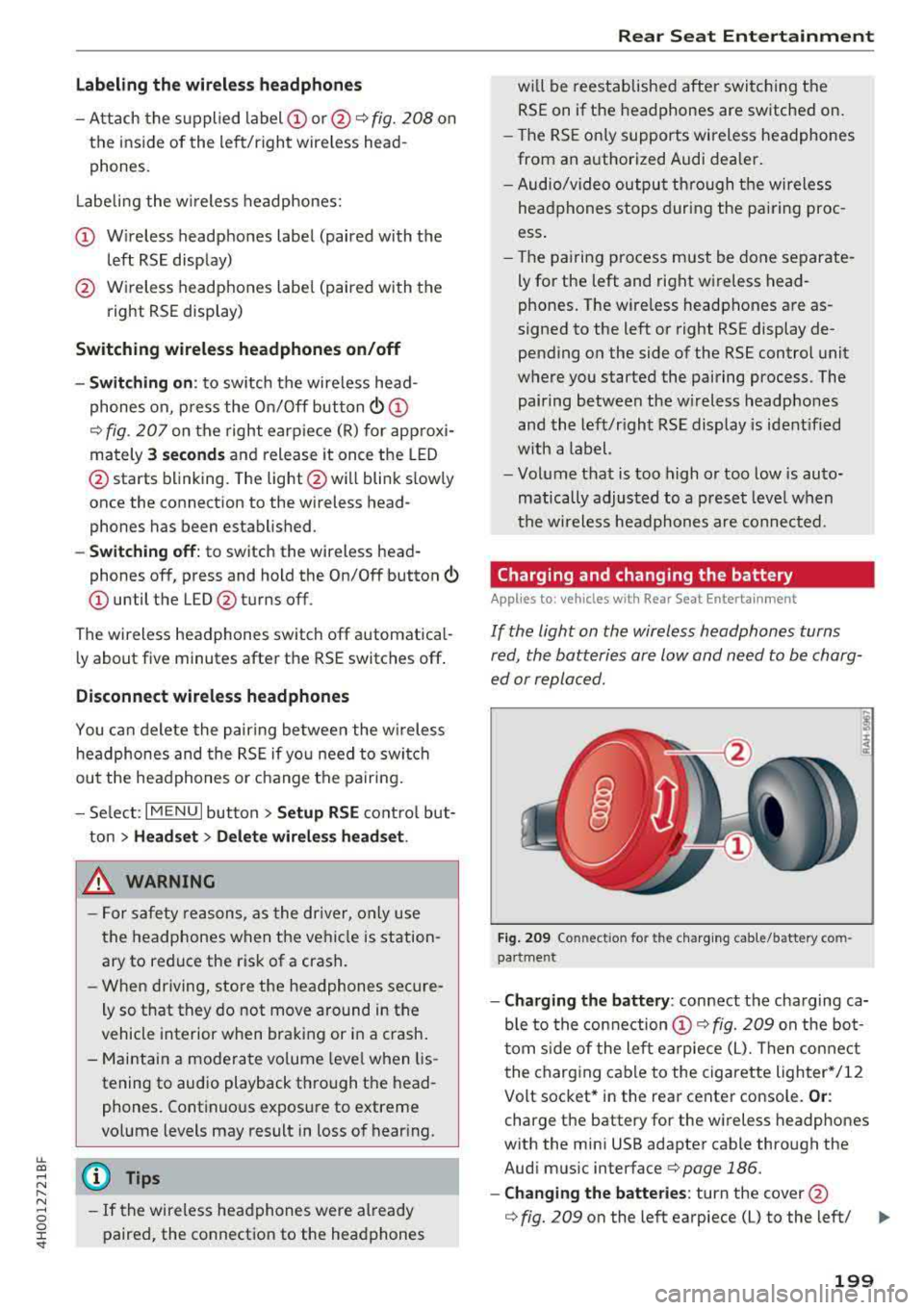
F ig . 209 Co nn ectio n fo r th e charg ing cab le /battery co m
pa rt me nt
- Charging the battery : connect the charging ca
ble to the connection
CD ¢ fig. 209 on the bo t
t om s ide of the left ea rpiece (L). Then con nect
the charging cable to the cigarette lighter */12
Volt socket* in the rear center console.
Or :
charge the battery for the wireless headp hones
w ith the min i USB adapter cable th rough the
Aud i mus ic interface
¢ page 186.
- Ch anging th e batterie s: turn the cover@
¢ fig. 209 on the left earpiece (L) to the left/ IJI,,-
199
Page 213 of 356
lL t:0 ....
'"" ......
'"" .... 0 0 :c '
rear seats
Rear seat passengers must sit upright with both
fee t on the fl oor consistent with their physical
size and be properly restrained whenever the ve
hicle is in use .
To reduce the r isk of injury caused by an incorrect
seating position in the event of a sudden b raking
maneuver or a n accident, your passengers on the
rear bench seat must a lways observe the follow
ing:
• For adjustable head restraints: Adjust the head
restraint so the upper edge is as even as poss i
ble with the top of your head . If that is not pos
sibl e, try to adjust the h ead restraint so that it
is as close to this position as possib le
c> page 211.
• Keep bo th feet flat in the footwell in front of
the rear seat .
• Fasten and wear safety belts properly
c>page222 .
• Make sure that child ren are always properly re
strained in a child restraint that is appropriate
for their size and age
c> page 249.
8_ WARNING
Passengers who are improperly seated on the
rear seat can be seriously injured in a crash.
- Each passenger m ust always sit on a seat of
their own and proper ly fasten and wear the
safety belt belonging to that seat.
- Safety belts only offer maximum p rotection
when the safety belts are properly posi
t ioned on the body and securely latched. By
not sitt ing upright, a rear seat passenger in
c reases the risk of personal injury from im
properly pos itioned safety belts!
- Always adjust the head restraint properly so
that it can g ive maximum protection .
1l Vehicl es with re clin in g re ar seat: This fun ction is not avail·
abl e fo r the front passe ng er 's s eat.
Dri ving safety
Proper adjustment of head restraints
Correctly adjusted head restraints are an impor
tant part of your vehicle's occupant restraint sys
tem and can help to reduce the risk of injuries in
accident situations.
F ig . 218 H ead restrain t: v ie wed from t he front
The head r est raints must be correct ly adjusted to
a chieve the best p rotection.
• For adj ustab le head restraints: adjust the head
restraint so the upper edge is as even as possi
bl e wi th th e top of your he ad . If that is not pos
s ible, try to adjust the head restraint so that it
is as close to this posit ion as possible.
¢ fig . 218 .
Adjusting head restraints c> page 58.
Crash - active head restraints
In the event of a re ar-end co llision, i t is poss ible
that the c rash -active head restra ints on the driv
er 's seat and front passenger's
seat1
) are trig
gered . On head restraints that have been trig
gered, the padding protrudes forwards by several
cent imeters. Drive the vehicle to your authori zed
Audi dealer w ithout delay and have the funct ion
of the act ive head restra ints restored .
8_ WARNING
-Driving without head restraints or w ith head
r est rai nts that are not prope rly a dju sted in
creases the ris k of serious or fata l neck injury
dramat ica lly . To help reduce the risk of injury:
- Always d rive with the head restra ints in
p lace and properly adjus ted .
211
Page 215 of 356
Pedal area
Pedals
The pedals must always be free to move and
must never be interfered with by a floor mat or
any other object.
Make sure that all pedals move freely without in
terference and that noth ing prevents them from
return ing to the ir original positions .
Only use floor mats that leave the pedal area free
and can be secured with floor mat fasteners.
If a brake circuit fails, increased brake peda l trav
e l is required to bring the vehicle to a full stop.
A WARNING
Peda ls that cannot move free ly can cause loss
of vehicle control and increase the risk of seri
ous injury .
- Never place any objects in the driver's foot
well. An object could get into the pedal area and interfere w ith pedal function . In case of
sudden braking o r an accident, you would
not be able to brake or accelerate!
- Always make sure that nothing can fall or
move into the dr iver's footwe ll.
Floor mats on the driver side
Always use floor mats that can be securely at
tached to the floor mat fasteners and do not in
terfere with the free movement of the pedals .
.. Make sure that the floor mats are properly se
cured and cannot move and interfere with the
pedals ~,&. .
Use only floor mats that leave the pedal area un
obstructed and that are firmly secured so that
they cannot slip out of pos it ion . You can obtain
suitab le floo r mats from your autho rized Aud i
Dea le r.
F loor mat fasteners are installed in your Audi.
Fl oor mats used in your vehicle must be attached
u. ~ to these fasteners. Properly securing the floor
~ mats w ill prevent them from sliding into posi-N ...... 0 0 :c '
tions that could interfe re with the pedals or im
pair safe operation of your vehicle in other ways.
A WARNING
--
Pedals that cannot move freely can res ult in a
l oss of vehicle contro l and increase the risk of
serious personal injury.
- Always make sure that floor mats are prop erly secured.
- Never p lace or install floor mats o r othe r
floor coverings in the vehicle that cannot be properly secured in place to prevent them
from slipping and interfer ing with the ped
als o r the ab ility to cont rol the vehicle .
- Never p lace or install floor mats or other
floor coverings on top of al ready installed
floor mats . Additional floor mats and other
cover ings will reduce the si ze of the pedal
a rea and in terfere with the pedals.
- Always p roperly re insta ll and secure floor
mats tha t have been ta ken ou t fo r clean ing.
- Always make sure that objects cannot fall
into the d river footwe ll whi le the vehicle is
mov ing.
Objects can become trapped under
the brake pe dal and accelerator pedal caus
ing a loss o f vehicle control.
Storing cargo correctly
Loading the luggage compartment
All luggage and other objects must be properly
stowed and secured in the luggage compart
ment.
Loose items in the luggage compartment can
shift suddenly, changing vehicle handling charac
teristics. Loose items can a lso increase the risk of
serious persona l injury i n a sudden veh icle ma
neuver or in a collision .
.. Distribute the load even ly in the luggage com
partment .
.. Always place and properly secure heavy items in
the luggage compartment as far forward as
possible .
.. Secure luggage items using the tie-downs pro-
vided
~ page 65. ..,
213
Page 216 of 356
Drivin g saf ety
A WARNING
Improperly stored luggage or other items can
fly through the vehicle causing serious per sonal injury in the event of hard braking or an
accident. To help reduce the risk of serious
personal injury:
- Always put objects, for example, luggage or other heavy items in the luggage compart
ment.
- Always secure objects in the luggage com
partment using the tie-down hooks and
suitable straps .
A WARNING
Heavy loads will influence the way your vehi
cle handles. To help reduce the r isk of a loss
of control leading to serious pe rsonal injury:
- Always keep in mind when transporting heavy objects, that a change in the center of
grav ity can also cause changes in vehicle
hand ling:
- Always distribute the load as even ly as
possible.
- Place heavy objects as far forward in the
luggage compartment as poss ible.
- Never exceed the Gross Axle Weight Rating
o r the Gross Vehicle Weight Rating specified
on the safety compliance sticker on the left
doo r jamb. Exceed ing permissible weight
standards can cause the vehicle to slide and
hand le differently .
- Please observe information on safe driving
c> page 208.
A WARNING
To help prevent poisonous exhaust gas from
being d rawn into the vehicle, always keep the
rear lid closed whi le driving.
- Never transport objec ts larger than those
fi tt ing complete ly into the luggage a rea be
ca use the rear l id cannot be fully closed.
- If you absolutely mus t drive w ith the rea r lid
open, obse rve the follow ing notes to reduce
t h e risk of poisoning:
- Close all windows,
- Close the power roof,
214
-
- Open all a ir outlets in the instrument pan
el,
- Switch off the air reci rculat ion
'
- Set the fresh air fan to the highest speed .
A WARNING -
Always make su re that the doo rs, all win
dows, the powe r roof and the rear lid are se
curely closed and locked to re duce the risk of
in jury when the veh icle is not being used.
- After closing the rear lid, always ma ke sure
that it is properly closed and locked.
- Never leave your veh icle unattended espe
cially with the rear lid left open . A child
could crawl into the vehicle through the lug
gage compartment and close the rea r lid be
coming trapped and unab le to get o ut. Be
ing trapped in a vehicle can lead to ser ious
pe rsonal injury.
- Never let ch ildren play in o r around the vehi
cle.
- Never let passengers ride in the luggage
compa rtment . Vehicle occupants mus t al
ways be properly restrained in one of the ve hicle's seat ing pos itions.
(D Tips
- Air circulation helps to reduce w indow fog
ging . Stale ai r esca pes to the outs ide
through vents in the trim panel, on the left
side of the luggage compartment. Be sure
to keep t hese s lo ts free and open.
- T he tire p ressure must correspond to the
load. The t ire pressure is shown on t he tire
press ure label. The ti re pre ssure label is lo
c ated on the drive r's side B- pilla r. The tire
pressu re label lists the recommen ded cold
t ire inflation pressures fo r the veh icle at its
maximum capac ity we ight and the tires that
we re on your veh icle at the time it was man
ufactured . For recommended t ire pressures
for normal load conditions, p lease see chap
ter
c> page 294.