ignition AUDI Q2 2021 Owner´s Manual
[x] Cancel search | Manufacturer: AUDI, Model Year: 2021, Model line: Q2, Model: AUDI Q2 2021Pages: 364, PDF Size: 87.77 MB
Page 34 of 364
Instruments and controls
When the vehicle has gathered speed you will al
so hear
a
warning chime.
Applies to: vehicles with manual gearbox
© Note
For further information on the seat belts
•=>
page 275.
©-•
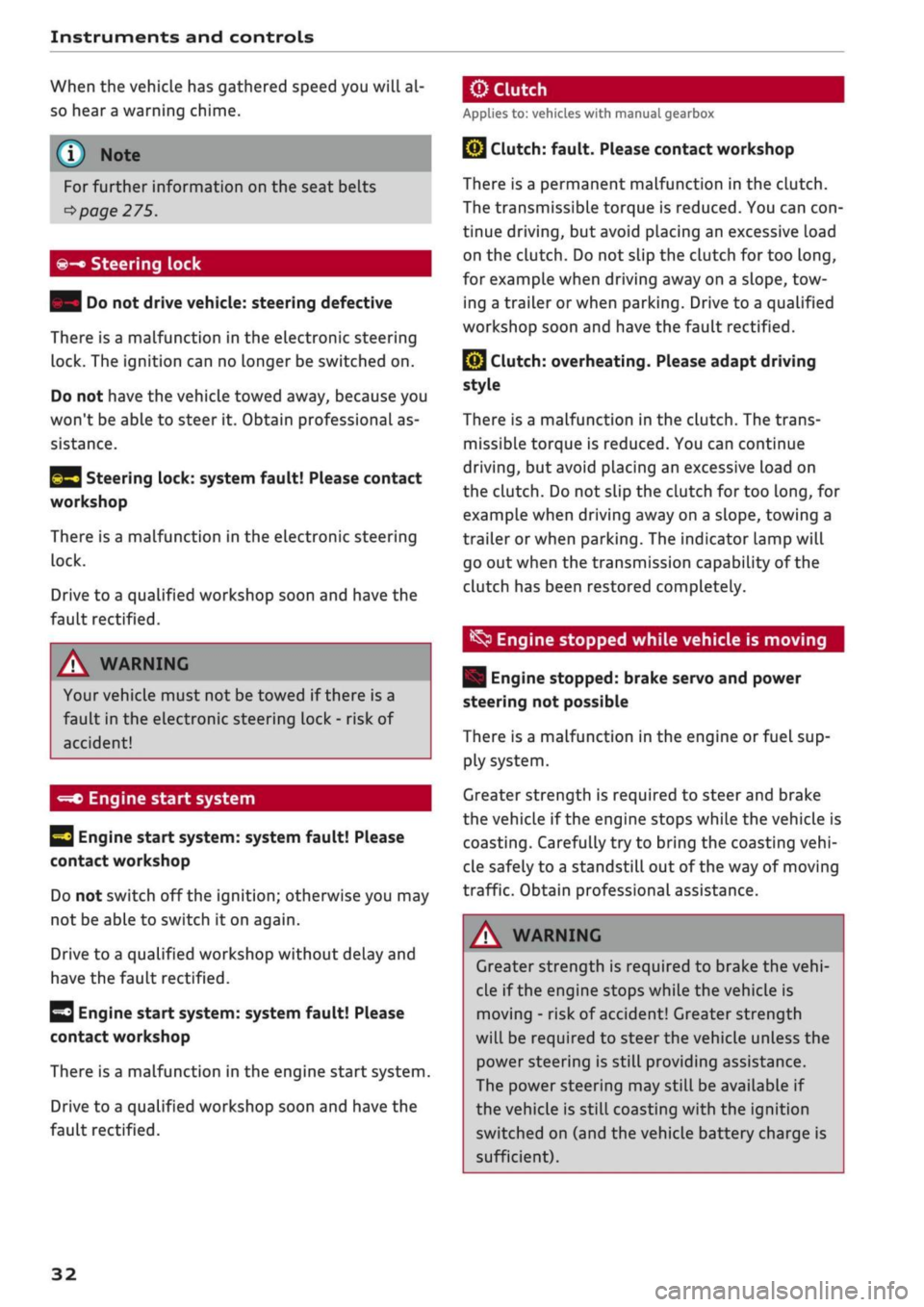
Steering lock
| Do not drive vehicle: steering defective
There is a malfunction in the electronic steering
lock. The ignition can no longer be switched on.
Do not have the vehicle towed away, because you
won't be able to steer it. Obtain professional as
sistance.
^3
Steering lock: system fault! Please contact
workshop
There is a malfunction in the electronic steering
lock.
Drive to a qualified workshop soon and have the
fault rectified.
A WARNING
Your vehicle must not be towed if there is a
fault in the electronic steering Lock - risk of
accident!
-=*>
Engine start system
H
Engine start
system:
system fault! Please
contact workshop
Do not switch off the ignition; otherwise you may
not be able to switch it on again.
Drive to a qualified workshop without delay and
have the fault rectified.
3
Engine start
system:
system fault! Please
contact workshop
There is a malfunction in the engine start system.
Drive to a qualified workshop soon and have the
fault rectified.
jBy
Clutch:
fault. Please contact workshop
There is a permanent malfunction in the clutch.
The transmissible torque is reduced. You can
con
tinue driving, but avoid placing an excessive load
on the clutch. Do not slip the clutch for too
long,
for example when driving away on a slope, tow
ing a trailer or when parking. Drive to a qualified
workshop soon and have the fault rectified.
Q}
Clutch: overheating. Please adapt driving
style
There is a malfunction in the clutch. The trans
missible torque is reduced. You can continue
driving,
but avoid placing an excessive load on
the clutch. Do not slip the clutch for too
long,
for
example when driving away on a slope, towing a
trailer or when parking. The indicator lamp will
go out when the transmission capability of the
clutch has been restored completely.
^
Engine stopped while vehicle is moving
| Engine stopped: brake servo and power
steering not possible
There is a malfunction in the engine or fuel sup
ply system.
Greater strength is required to steer and brake
the vehicle if the engine stops while the vehicle is
coasting.
Carefully try to bring the coasting
vehi
cle safely to a standstill out of the way of moving
traffic. Obtain professional assistance.
A WARNING
Greater strength is required to brake the
vehi
cle if the engine stops while the vehicle is
moving - risk of accident! Greater strength
will be required to steer the vehicle unless the
power steering is still providing assistance.
The power steering may still be available if
the vehicle is still coasting with the ignition
switched on (and the vehicle battery charge is
sufficient).
32
Page 35 of 364
Instruments and controls
CO
< o rN
iv
rN
•-i
00
£=s
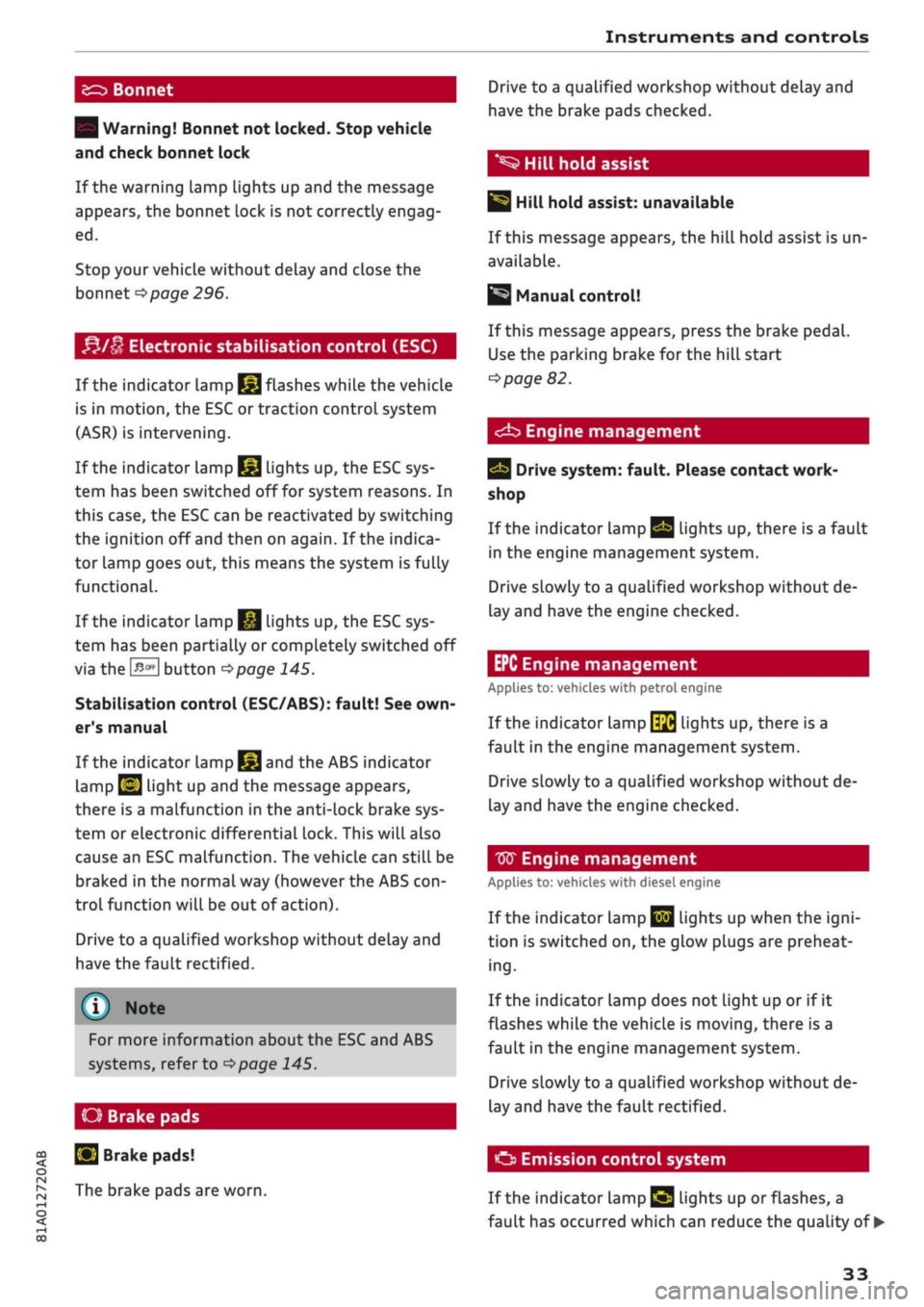
Bonnet
| Warning! Bonnet not locked. Stop vehicle
and check bonnet lock
If the warning lamp lights up and the message
appears, the bonnet lock is not correctly engag
ed.
Stop your vehicle without delay and close the
bonnet
^page
296.
f*lu
Electronic stabilisation control (ESC)
If the indicator lamp
§jj
flashes while the vehicle
is in motion, the ESC or traction control system
(ASR) is intervening.
If the indicator lamp
§|j
lights up, the ESC sys
tem has been switched off for system reasons. In
this case, the ESC can be reactivated by switching
the ignition off and then on again. If the indica
tor lamp goes out, this means the system is fully
functional.
If the indicator lamp
|g
lights up, the ESC sys
tem has been partially or completely switched off
via the
J^OFF
button
^>page
145.
Stabilisation control (ESC/ABS): fault! See
own
er's manual
If the indicator lamp
§§J
and the ABS indicator
lamp
EJ
light up and the message appears,
there is a malfunction in the anti-lock brake sys
tem or electronic differential lock. This will also
cause an ESC malfunction. The vehicle can still be
braked in the normal way (however the ABS
con
trol function will be out of action).
Drive to a qualified workshop without delay and
have the fault rectified.
(T)
Note
For more information about the ESC and ABS
systems, refer to
^>page
145.
O Brake
pads
S
Brake pads!
The brake pads are worn.
Drive to a qualified workshop without delay and
have the brake pads checked.
*S
Hill hold assist
|§i
Hill hold assist: unavailable
If this message appears, the hill hold assist is un
available.
Manual control!
If this message appears, press the brake pedal.
Use the parking brake for the hill start
^>page
82.
<^b
Engine management
Drive system: fault. Please contact work
shop
If the indicator lamp
Qg
lights up, there is a fault
in the engine management system.
Drive slowly to a qualified workshop without de
lay and have the engine checked.
EPC Engine management
Applies to: vehicles with petrol engine
If the indicator lamp
\$fi
lights up, there is a
fault in the engine management system.
Drive slowly to a qualified workshop without de
lay and have the engine checked.
W
Engine management
Applies to: vehicles with diesel engine
If the
indicator
Lamp
|jjj
Lights up when the
igni
tion is switched on, the glow plugs are preheat
ing.
If the indicator lamp does not light up or if it
flashes while the vehicle is moving, there is a
fault in the engine management system.
Drive slowly to a qualified workshop without de
lay and have the fault rectified.
O
Emission control system
If the indicator Lamp
£3 Lights
up or flashes, a
fault has occurred which can reduce the quality of •
33
Page 37 of 364
Instruments and controls
CO
s
rN rN
•-i
00
Fuel has entered the engine oil due to low out
side temperatures or frequent short trips. Drive
until the engine is warm to allow the fuel to
evaporate out of the engine oil. When doing so,
avoid high engine speeds, full acceleration and
heavy engine loads.
m
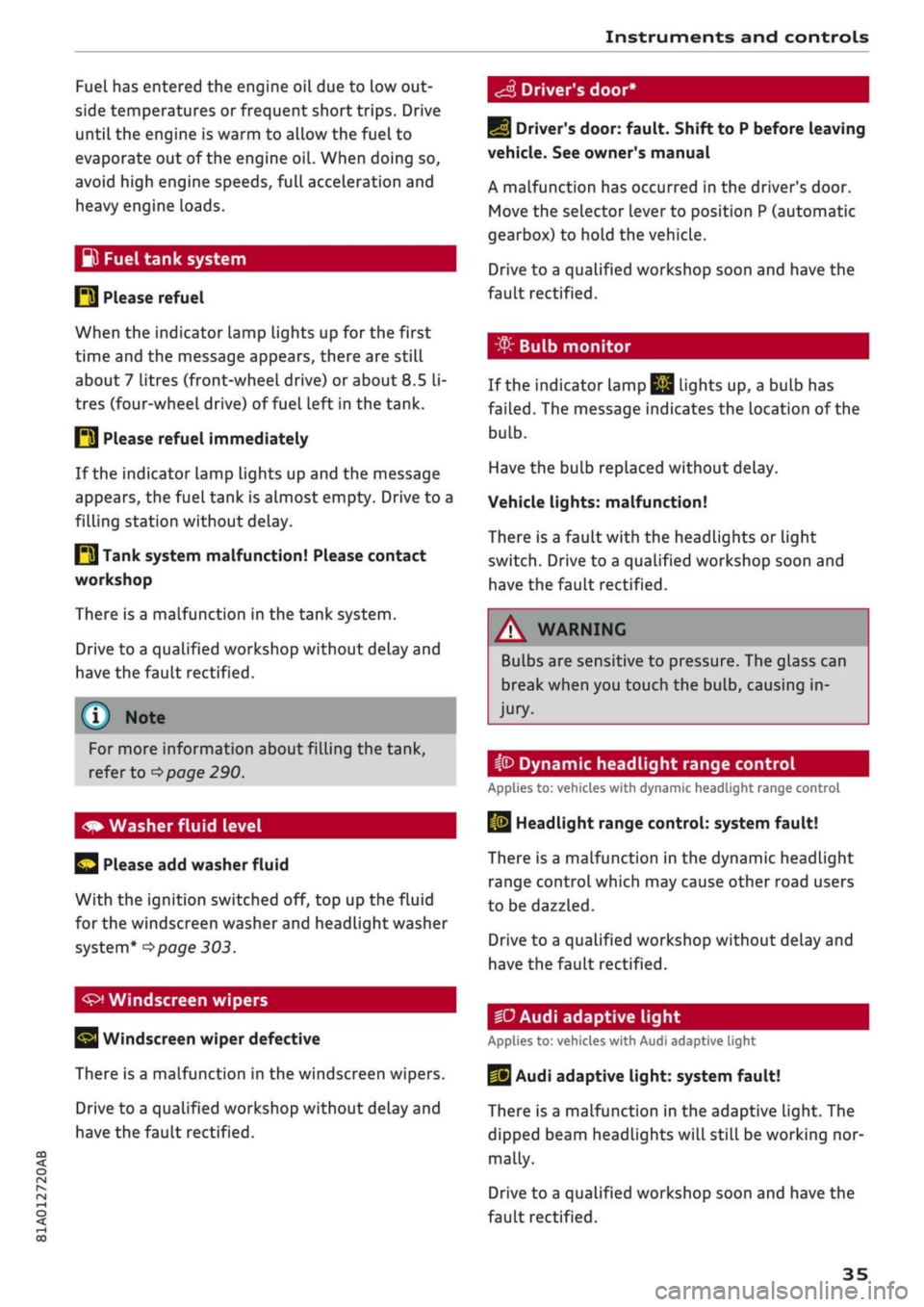
Fuel tank system
P3 Please refuel
When the indicator lamp lights up for the first
time and the message appears, there are still
about 7 litres (front-wheeL drive) or about
8.5
li
tres (four-wheel drive) of fuel left in the tank.
IM
Please refuel immediately
If the indicator lamp lights up and the message
appears, the fuel tank is almost empty. Drive to a
filling station without delay.
E3
Tank system malfunction! Please contact
workshop
There is a malfunction in the tank system.
Drive to a qualified workshop without delay and
have the fault rectified.
S
Driver's door*
For more information about filling the tank,
refer to
=>page
290.
Please add washer fluid
With the ignition switched off, top up the fluid
for the windscreen washer and headlight washer
system*
^>page
303.
Windscreen wipers
Windscreen wiper defective
There is a malfunction in the windscreen wipers.
Drive to a qualified workshop without delay and
have the fault rectified.
E]
Driver's door: fault. Shift to P before leaving
vehicle. See owner's manual
A malfunction has occurred in the driver's door.
Move the selector lever to position P (automatic
gearbox) to hold the vehicle.
Drive to a qualified workshop soon and have the
fault rectified.
-
If the indicator Lamp
jjjj
Lights up, a bulb has
failed.
The message indicates the location of the
bulb.
Have the bulb replaced without delay.
Vehicle lights: malfunction!
There is a fault with the headlights or light
switch.
Drive to a qualified workshop soon and
have the fault rectified.
/\
WARNING
Bulbs are sensitive to pressure. The glass can
break when you touch the bulb, causing in
jury.
ip
Dynamic headlight range control
Applies to: vehicles with dynamic headlight range control
13
Headlight range control: system fault!
There is a malfunction in the dynamic headlight
range control which may cause other road users
to be dazzled.
Drive to a qualified workshop without delay and
have the fault rectified.
•D
Audi adaptive light
Applies to: vehicles with Audi adaptive light
US
Audi adaptive light: system fault!
There is a malfunction in the adaptive light. The
dipped beam headlights will still be working nor
mally.
Drive to a qualified workshop soon and have the
fault rectified.
35
Page 39 of 364
Doors and windows
Doors and windows
Central locking system
Accidental lock-out
To
prevent
yourseLf from being locked out, only
lock the vehicle when the remote control key is
not in the vehicle and all of the doors and the
boot lid are closed.
The central locking system prevents you from be
ing locked out of the vehicle in the following sit
uations:
- When the driver's door is open, you cannot Lock
the vehicle by pressing the
M
button on the re
mote control key or touching the locking
sen
sor* on one of the doors.
- The boot lid will be released again automatical
ly if the convenience key* that was last in use is
left inside the boot when the boot lid is closed.
- If the convenience key* that was last in use is
detected in the vehicle, it is not possible to lock
the vehicle from the outside.
A WARNING
- Always take the key with you when leaving
the vehicle - even if
you
only intend to be
gone for a short time. This is especially im
portant if children are left in the car. They
might otherwise be able to start the engine
or use power-operated equipment such as
the electric windows - this could lead to in
juries.
- Locked doors could delay assistance in an
emergency, potentially putting lives at risk.
Do not leave anyone (especially children) in
the vehicle.
© Note
- Never leave any valuable items in the
vehi
cle unattended. Even a locked vehicle is not
a safe.
- When you lock the vehicle, the LED on the
driver's window sill flashes. If the LED is
still on about 30 seconds after the vehicle is
locked,
the central locking system is not
working properly. You should have the
mal
function repaired by
a
qualified workshop.
Description
The vehicle can be locked and unlocked via the
central locking system. You can use any of the
following:
- Remote control key
^>page
39, or
- Sensors in the front door handles*
cépage
39, or
- Lock on driver's door
^>page
41
- Interior central locking switch
^>page
40
Turn signals
The turn signals will flash twice when the vehicle
is unlocked and once when the vehicle is locked.
If the turn signals do
not
flash, the ignition may
still be on or one of the doors, the bonnet or the
boot lid may still be open.
Automatic locking function (Auto Lock)
The Auto Lock function Locks the doors and the
boot lid when the vehicle exceeds a speed of
about 15 km/h.
The vehicle is unlocked again immediately when
the ignition key is removed, the unlock button on
the central locking switch is pressed or one of the
interior door handles is pulled. The Auto Lock
function can be switched on and off in the info
tainment system
^> page
41.
In the event of an accident in which the airbags
inflate,
the doors will be automatically unlocked
to facilitate access and assistance.
Selecting which doors are unlocked with the
remote control
When you lock the vehicle, the central locking
system will lock the doors and the boot lid. When
you unlock the vehicle, the central Locking system
will unlock either the driver's door
only,
or all the
locks on the vehicle, depending on the setting
you have selected on the infotainment system
^
<=> page
41.
o
rN
.-i
o
37
Page 40 of 364
Doors and windows
Set of keys
service work is required. This also applies to
vehicles with convenience key*.
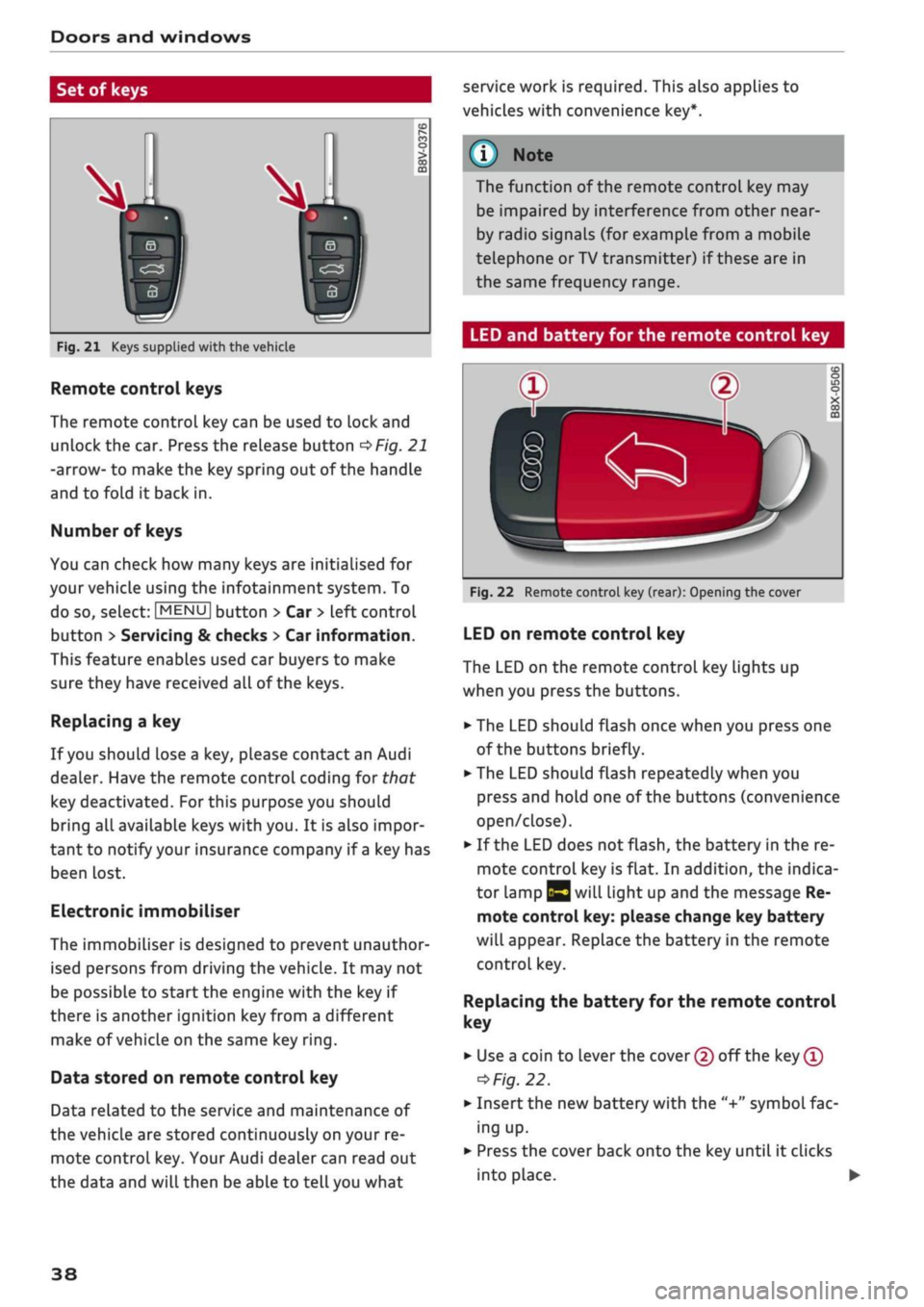
Fig.
21 Keys supplied with the vehicle
Remote control keys
The remote control key can be used to lock and
unlock the car. Press the release button
OFig.
21
-arrow- to make the key spring out of the handle
and to fold it back in.
Number of keys
You can check how many keys are initialised for
your vehicle using the infotainment system. To
do so, select:
|MENU|
button > Car
>
left control
button
>
Servicing & checks
>
Car information.
This feature enables used car buyers to make
sure they have received all of the keys.
Replacing a key
If
you
should lose a key, please contact an Audi
dealer. Have the remote control coding for that
key deactivated.
For
this purpose you should
bring all available keys with you. It is also impor
tant to notify your insurance company if
a
key has
been lost.
Electronic immobiliser
The immobiliser is designed to prevent unauthor
ised persons from driving the vehicle. It may not
be possible to start the engine with the key if
there is another ignition
key
from a different
make of vehicle on the same key
ring.
Data stored on remote control key
Data related to the service and maintenance of
the vehicle are stored continuously on your re
mote control key. Your Audi dealer can read out
the data and will then be able to tell you what
The function of the remote control key may
be impaired by interference from other
near
by radio signals (for example from a mobile
telephone or TV transmitter) if these are in
the same frequency range.
LED and battery for the remote control key
Fig.
22 Remote control key (rear): Opening the cover
LED on remote control key
The LED on the remote control key lights up
when you press the buttons.
•
The LED should flash once when you press one
of the buttons briefly.
•
The LED should flash repeatedly when you
press and hold one of the buttons (convenience
open/close).
•
If the LED does not flash, the battery in the re
mote control key is flat. In addition, the indica
tor lamp |y will light up and the message Re
mote control key: please change key battery
will appear. Replace the battery in the remote
control key.
Replacing
the battery for the remote control
key
• Use a coin to lever the cover (2) off the key
®
=>
Fig.
22.
•
Insert the new battery with the "+"
symbol
fac
ing up.
•
Press the cover back onto the key until it clicks
into place. •
38
Page 43 of 364

Doors and windows
CO
s
rN
rN
t-H
o <
- The central locking switch is still operative
when the ignition is switched off and will
automatically lock the entire vehicle when
the [H
button is pressed.
-The central locking switch inside the vehicle
is not operative if
you
lock the vehicle from
the outside.
© Not
The doors and the boot lid are Locked auto
matically when the vehicle reaches a speed of
about 15 km/h (Auto Lock)
^>page
37. You
can unlock the vehicle again via the
â
button
in the central locking switch.
Adjusting the settings for the central
locking
system
You
can use the infotainment system to select
which functions are controlled via the central
locking system.
•
Select the following on the infotainment sys
tem:
|MENU|
button > Car
>
left control button
> Vehicle settings > Central locking.
Doors to unlock - You can select whether all
doors or only the driver's door are unlocked by
the central locking system. The boot lid will also
be unlocked if
you
select all. If
you
select driver's
door on vehicles with convenience key*, only one
door will be unlocked (whichever door you grip by
the handle).
When the driver's door setting is activated, you
can still unlock all the doors and the boot lid by
pressing the
M
button on the remote control key
twice.
Long press to open windows - The convenience
open/close function can be activated/deactivated
•=>
page 47.
Lock when
driving^
- If
you
activate this func
tion,
the whole vehicle is Locked automatically
when you are driving.
Fold mirrors* - If
you
activate this function, the
exterior mirrors are folded in automatically when
the vehicle is Locked.
Locking and unlocking the doors manually
Fig.
26 Driver's door lock
*m
@
Fig.
27 End face of (open) door: Locking manually
If the central locking system should fail to work,
the doors must be locked/unlocked separately.
Locking and unlocking the driver's door
• To unlock the driver's door, turn the key to the
unlock position
(T)
^>Fig.
26
<>(J).
•
To lock the driver's door, move the selector lev
er to position
P
(automatic gearbox) and turn
the key to the Lock position (2) once
•=>
A.-
Applies to vehicles with anti-theft alarm system:
Switch on the ignition or press the
\M
button on
the remote control key after opening the driver's
door. Otherwise the alarm will be triggered.
The system will unlock either all the doors or only
one of the doors, depending on the settings you
have chosen on the infotainment system
•=>
page 41. •
1J
This function is not available on all export versions.
41
Page 44 of 364

Doors and windows
Locking the passenger's door/rear doors
The mechanical Locking device is located on the
end face of the front passenger's door and the
rear doors. It is only visible when the door is
open.
•
Pull the cap out of the opening
^>Fig.
27.
•
Insert the key in the slot inside and turn it as
far as the stop to the right (if the door is on the
right side) or to the Left (if the door is on the
leftside).
A WARNING
- Read and follow all the warnings
=>
A in De
scription on page 37.
- Applies to vehicles with anti-theft alarm
system:
Do not leave anyone (especially
chil
dren) in the car if it is locked from the out
side and the
safelock
mechanism* is activa
ted:
the doors and windows cannot then be
opened from the inside
^>page
42. Locked
doors could delay assistance in an emergen
cy, potentially putting Lives at risk.
© CAUTION
Ensure that you only insert the the key in the
lock in the direction illustrated to avoid dam
aging the key and the lock
^>Fig.
26. On right-
hand drive vehicles, the key should be inser
ted the other way around correspondingly.
Anti-theft alarm system
Applies to: vehicles with anti-theft alarm system
Fig.
28 End face of (open) driver's door: Button for interior
monitor/tow-away protection
If the anti-theft alarm system senses interfer
ence with the vehicle it triggers an audible and
visible alarm. The anti-theft alarm system is
acti
vated when you lock the vehicle in the usual way
and is switched off again when you unlock the ve
hicle.
The anti-theft alarm system comprises the
fol
lowing components:
Anti-theft alarm
The alarm is triggered if the bonnet, the boot Lid
or any of the doors are forced open. The alarm
system is armed whenever the vehicle is locked.
If
you
unlock the vehicle by turning the key in the
driver's door lock, you should switch on the
igni
tion within 15 seconds to prevent the alarm from
being triggered. On some export versions, the
alarm is triggered immediately when you open a
door.
To deactivate the alarm, switch on the ignition or
press the
\M
button on the remote control key.
Interior monitor and tow-away protection
When the vehicle is locked, the alarm will be
trig
gered if movements are detected in the interior
(e.g.
by animals) or if the vehicle's inclination is
changed (e.g. during transport). You can prevent
the alarm from being triggered accidentally by
switching off the interior monitor and/or tow-
away protection. To do so, proceed as follows:
•
Press the
B
button
oF/g.
28. The LED in the
button will light up.
•
If
you
now lock the vehicle, the interior monitor
and tow-away protection will remain deactiva
ted until the vehicle is unlocked again.
Safelock1)
The doors can no Longer be opened from the in
side.
This makes it more difficult to break into
the vehicle
,=>^.
The message Be aware of door
safelock. See owner's manual appears on the in
strument cluster display when you switch off the
ignition as a reminder that the safelock mecha
nism*
will be activated. You can switch off the
11
This function is not available on all export versions/equip
ment versions.
42
Page 47 of 364

Doors and windows
A WARNING
CO
s
rN rN
•-i
00
- After closing the boot lid, always check that
the catch has engaged properly. The boot lid
could otherwise open suddenly when the ve
hicle is moving - this could result in an
acci
dent.
- Always make sure that no-one is in the boot
lid's area of movement (especially near the
hinges) when it is moving. Risk of severe in
juries to fingers or hands!
- The boot lid must always be completely
closed when the vehicle is moving; other
wise toxic exhaust fumes can be drawn into
the interior.
- If
a
luggage rack (e.g. a bicycle carrier) is at
tached to the boot lid, the boot lid may not
open completely or may move downwards
by itself due to the added weight. For this
reason,
make sure you support the boot lid
or
take the luggage off the carrier before
opening the boot lid - risk of injury!
© Note
- When towing a trailer* the automatic open
function can only be operated via the re
lease catch on the boot lid.
- If the battery is low, the boot lid can still be
opened and closed manually; however, this
will require more effort. If
you
move the
boot lid slowly less effort will be required.
- When the vehicle is locked, you can unlock
the boot Lid separately by pressing the
button on the remote control key. The boot
lid will Lock automatically when you close it
again.
Releasing boot lid manually from inside
Applies to: vehicles with manual release on inside
The
boot lid can be released manually from the
inside.
Fig.
32 Detail of inside of boot lid: Access to manual re
lease
•
Fold the rear seat backrest forwards
opoge
63.
*•
Use the blade of the ignition key to prise off the
cover
(Tj^F/'g.
32.
•
Insert the key in the opening behind the cover
(D
and press the key in the direction of the ar
row until the boot is unlocked.
45
Page 49 of 364
Doors and windows
CO
s
rN rN
•-i
00
• To set an intermediate position,
press/pulL
the
switch to the first position until the window has
reached the desired position.
Switches for electric windows
(T)
Front left
(2) Front right
(D
Rear
left
(4) Rear right
/\
WARNING
- Always take the key with you when Leaving
the vehicle - even if
you
only intend to be
gone for a short time. This is especially im
portant if chiLdren are left in the car. They
might otherwise be able to start the engine
or use power-operated equipment such as
the electric windows - this could lead to in
juries.
- Always be careful when closing the
win
dows.
Careless use of the electric windows
can cause severe injuries.
- When locking the vehicle from the outside,
make sure that nobody is inside the vehicle,
as the windows cannot be opened from the
inside in an emergency.
© Note
The windows can be operated for about ten
minutes after the ignition has been switched
off. The window switches are only deactivated
when the driver's door or the front passeng
er's door is opened.
Convenience open/close function
Applies to: vehicles with convenience open/close function
All the windows and the panorama sun
roof*
can
be opened and closed together.
Convenience open function
•
Press and hold the
\§\
button on the remote
control key until all the windows and the panor
ama sun roof* have reached the desired
posi
tion.
Convenience close function
•
Press and hold the
\M
button on the remote
control key until all the windows and the panor
ama sun roof* are closed
c>^.
Or:
• Applies to vehicles with convenience key: Touch
and keep your hand in contact with the sensor
on one of the front door handles until
all
the
windows and the panorama sun roof* are
closed.
Do not
rest
your hand on the door
han
dle while this is happening.
This function can be switched
on/off
via the info
tainment system
•=>
page 41.
A WARNING
-Take care when closing the windows and the
panorama sun roof*. Careless or uncontrol
led use can cause injuries.
- For safety reasons, you should only use the
remote control key to open and close the
windows and panorama sun roof* within
about 2 metres of the vehicle. To avoid
inju
ries,
always keep an eye on the windows and
the panorama sun roof* when pressing the
m
button to close them. The windows and
sun roof stop moving as soon as the 0 but
ton is released.
What to do after a malfunction
You
can reactivate the one-touch open and close
function if it fails to operate.
•
Pull and hold the electric window switch until
the window is fully closed.
•
Release the switch and then pull it again for at
least one second.
47
Page 50 of 364
Doors and windows
Panorama sun roof
Description
Applies to: vehicles with panorama sun roof
1
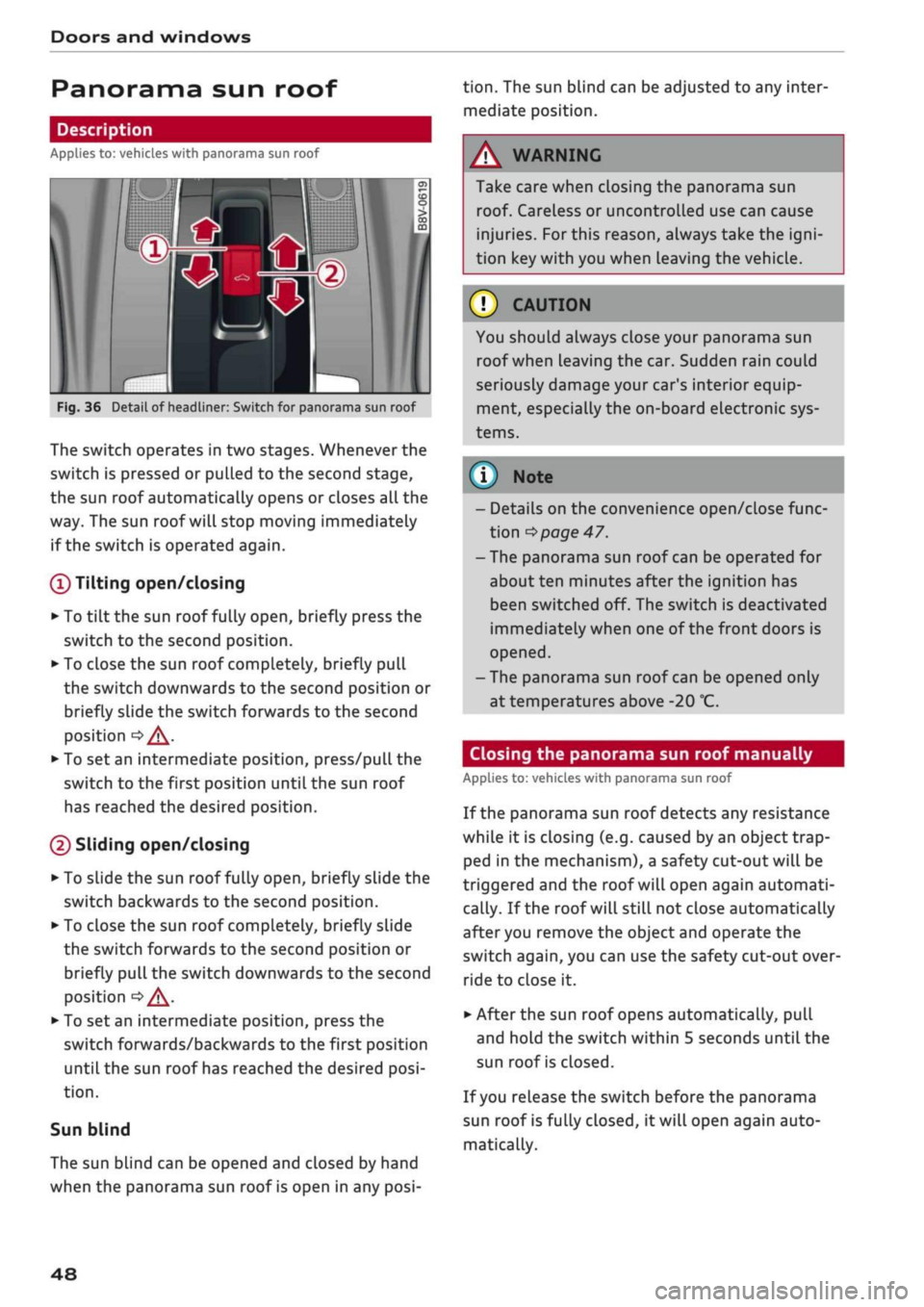
Fig.
36 Detail of headliner: Switch for panorama sun roof
The switch operates in two stages. Whenever the
switch is pressed or pulled to the second stage,
the sun roof automatically opens or closes all the
way. The sun roof will stop moving immediately
if the switch is operated again.
(T)
Tilting open/closing
• To
tilt
the sun roof fully open, briefly press the
switch to the second position.
•
To close the sun roof completely, briefly pull
the switch downwards to the second position or
briefly slide the switch forwards to the second
position
•=> /\.
• To set an intermediate position, press/pull the
switch to the first position until the sun roof
has reached the desired position.
(D Sliding open/closing
•
To slide the sun roof fully open, briefly slide the
switch backwards to the second position.
•
To close the sun roof completely, briefly slide
the switch forwards to the second position or
briefly pull the switch downwards to the second
position
oA-
•
To set an intermediate position, press the
switch forwards/backwards to the first position
until the sun roof has reached the desired
posi
tion.
Sun blind
The sun blind can be opened and closed by hand
when the panorama sun roof is open in any
posi
tion.
The sun blind can be adjusted to any inter
mediate position.
Take care when closing the panorama sun
roof. Careless or uncontrolled use can cause
injuries. For this reason, always take the
igni
tion key with you when Leaving the vehicle.
© CAUTION
You should always close your panorama sun
roof when leaving the car. Sudden rain could
seriously damage your car's interior equip
ment, especially the on-board electronic sys
tems.
© Note
- Details on the convenience open/close func
tion
^>
page 47.
-The panorama sun roof can be operated for
about ten minutes after the ignition has
been switched off. The switch is deactivated
immediately when one of the front doors is
opened.
-The panorama sun roof can be opened only
at temperatures above -20
°C.
Closing the panorama sun roof manually
Applies to: vehicles with panorama sun roof
If the panorama sun roof detects any resistance
while it is closing (e.g. caused by an object trap
ped in the mechanism), a safety cut-out will be
triggered and the roof will open again automati
cally. If the roof will still not close automatically
after you remove the object and operate the
switch again, you can use the safety cut-out over
ride to close it.
• After the sun roof opens automatically, pull
and hold the switch within 5 seconds until the
sun roof is closed.
If
you
release the switch before the panorama
sun roof is fully closed, it will open again auto
matically.
48