change wheel AUDI Q2 2021 Owner´s Manual
[x] Cancel search | Manufacturer: AUDI, Model Year: 2021, Model line: Q2, Model: AUDI Q2 2021Pages: 364, PDF Size: 87.77 MB
Page 142 of 364
Parking aids
- Please note that the park assist only
han
dles the steering. As the driver you are al
ways responsible for braking and accelerat
ing.
- It is the driver's responsibility to decide
whether a parking space shown in the dis
play is suitable for the vehicLe.
- The front of the vehicle swings out during
the parking manoeuvre. Please take all nec
essary measures to ensure that other road
users are not endangered.
- The steering wheel turns rapidly on its own
when parking the vehicle and leaving the
space.
Injury may result if
a
person reaches
between the spokes on the steering wheel
when it is turning.
(T)
CAUTION
- Please observe the safety warnings
•=>©
in
General notes on page 134.
- In certain situations, the park assist will
guide the vehicLe onto or across the kerb,
for instance if other vehicles are parked on
the kerb. You should always be ready to
take over the steering wheel in order to pre
vent damage to the tyres and/or wheel
rims.
- Certain conditions in and around the park
ing space can cause unexpected results
when parking.
- Pillars, posts, etc.
- Loose gravel, snow, ice, etc.
© Note
-The electronic stabilisation control (ESC)
must not be switched off during the parking
manoeuvre
^>page
146.
- The park assist cannot be used to park the
vehicle on tight bends.
- The park assist cannot be used to park the
vehicle if
a
trailer is attached and the elec
trical connector for the trailer socket is
plugged in.
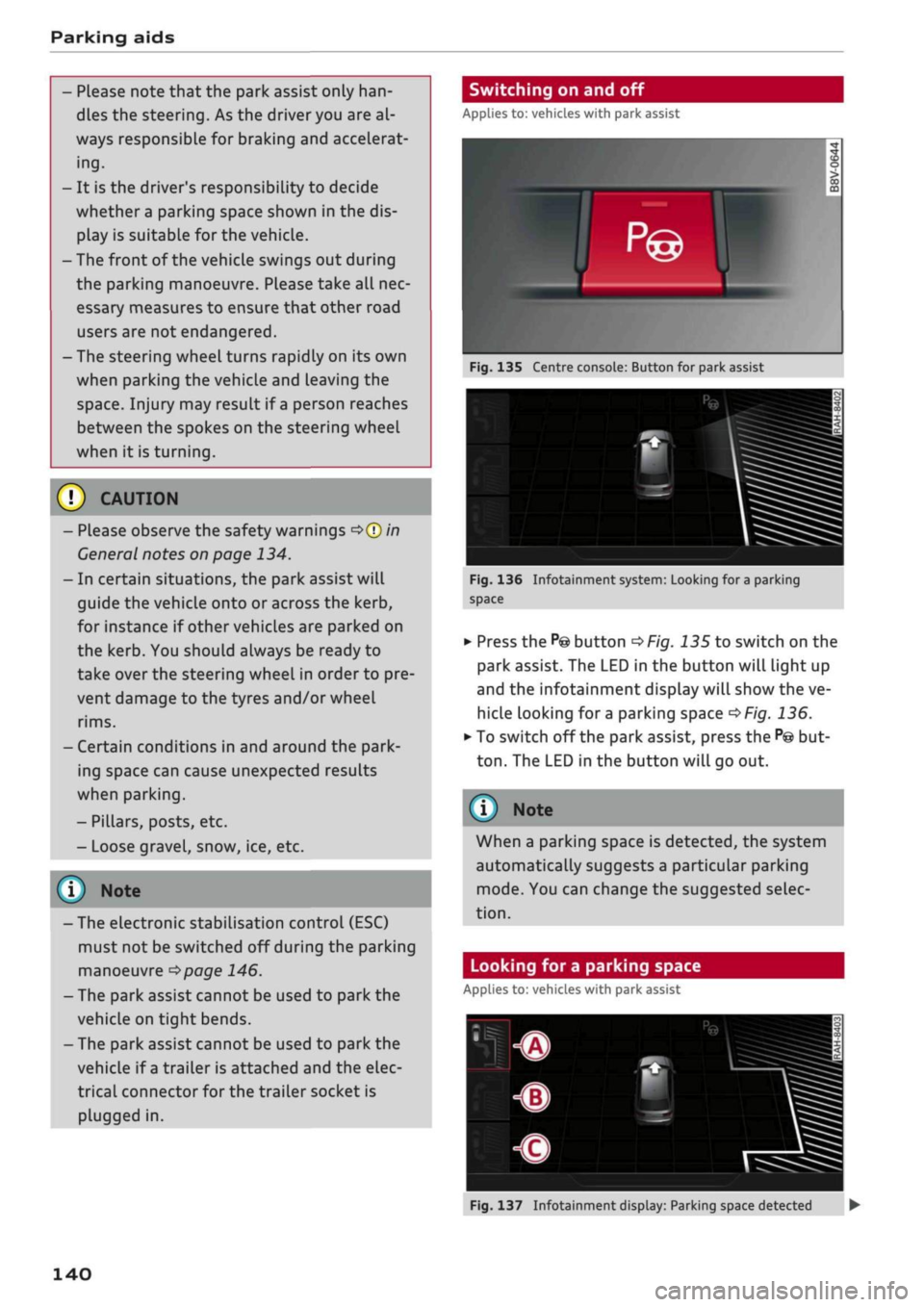
Switching on and off
Applies to: vehicles with park assist
Fig.
135 Centre console: Button for park assist
^^i=^k—
Bp-"1
Fig.
136 Infotainment system: Looking for
a
parking
space
•
Press the
P@
button
^>Fig.
135 to switch on the
park assist. The LED in the button will light up
and the infotainment display will show the ve
hicle looking for
a
parking space
^>Fig.
136.
• To switch off the park assist, press the
P@
but
ton.
The LED in the button will go out.
© Note
When a parking space is detected, the system
automatically suggests a particular parking
mode.
You can change the suggested selec
tion.
Looking for a parking space
Applies to: vehicles with park assist
140
Fig.
137 Infotainment display: Parking space detected •
Page 143 of 364
Parking aids
CO
< o rN
iv
rN
i—i
00
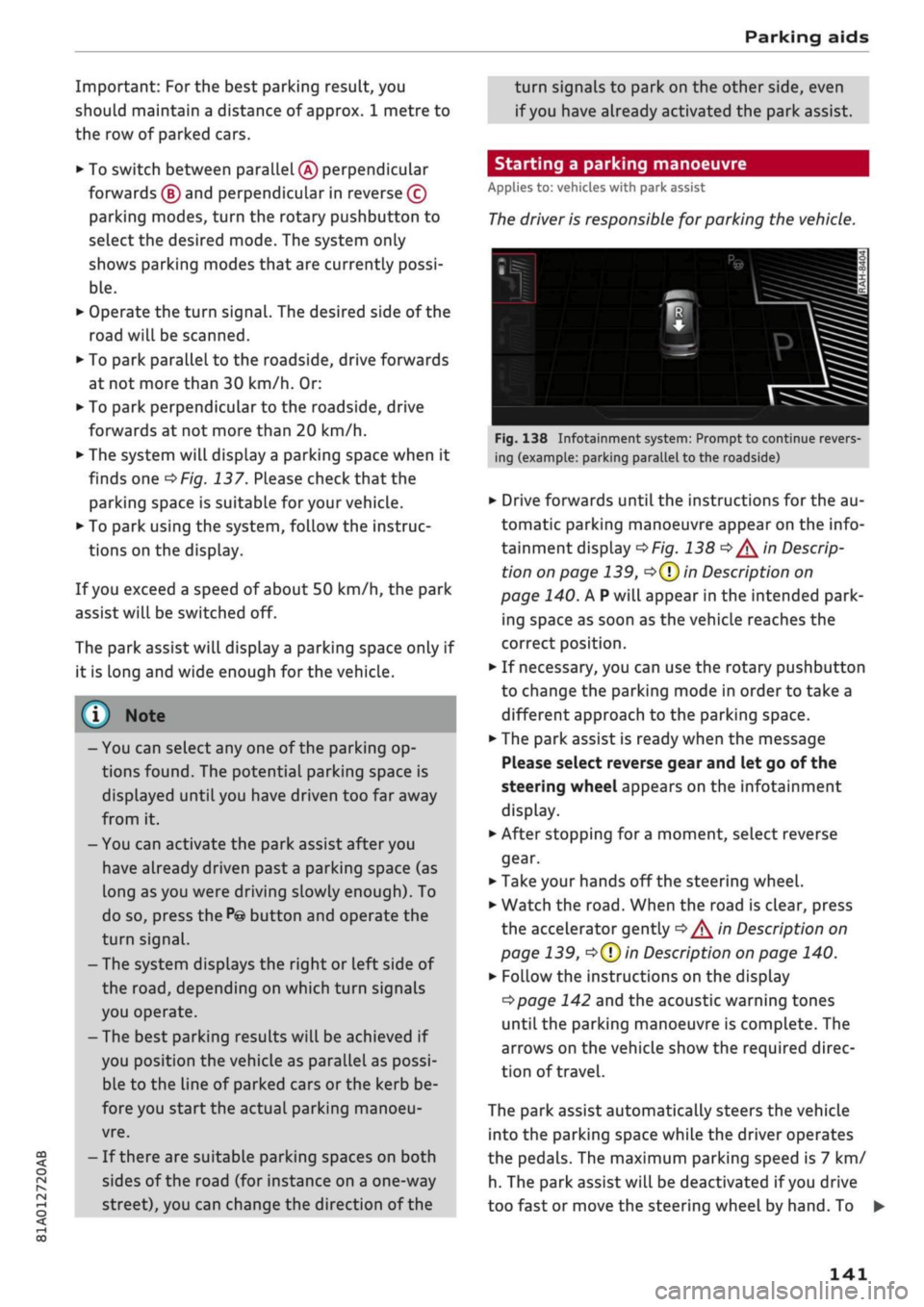
Important: For the best parking result, you
should maintain a distance of approx. 1 metre to
the row of parked cars.
•
To switch between parallel
(Â)
perpendicular
forwards
(B)
and perpendicular in reverse (?)
parking modes, turn the rotary pushbutton to
select the desired mode. The system only
shows parking modes that are currently possi
ble.
•
Operate the turn signal. The desired side of the
road will be scanned.
•
To park parallel to the roadside, drive forwards
at not more than 30 km/h. Or:
•
To park perpendicular to the roadside, drive
forwards at not more than 20 km/h.
•
The system will display
a
parking space when it
finds one
^Fig.
137. Please check that the
parking space is suitable for your vehicle.
•
To park using the system, follow the instruc
tions on the display.
If
you
exceed a speed of about 50 km/h, the park
assist will be switched off.
The park assist will display
a
parking space only if
it is Long and wide enough for the vehicLe.
© Note
-You can select any one of the parking op
tions found. The potential parking space is
displayed until you have driven too far away
from it.
- You can activate the park assist after you
have already driven past a parking space (as
long as you were driving slowly enough). To
do so, press the
P©
button and operate the
turn signal.
- The system displays the right or left side of
the
road,
depending on which turn signals
you operate.
- The best parking results will be achieved if
you position the vehicle as parallel as possi
ble to the line of parked cars or the kerb be
fore you start the actual parking manoeu
vre.
- If there are suitable parking spaces on both
sides of the road (for instance on a one-way
street), you can change the direction of the
turn signals to park on the other side, even
if
you
have already activated the park assist.
Starting a parking manoeuvre
Applies to: vehicles with park assist
The
driver is responsible for parking the vehicle.
Id it nl ila 1 i
L
ml\Jf '- ,H
i^*feâSi^T^,s*'ii^**£^B
'
1
Jr
r
i
fm
-
rf
"
!B—^-ASSL
^
tc^^^T-^T^^Tfr^a^j^
*
If*
Tf dl if
ïï
F ~"i
1VT"
•*-•.'' iiS^S
Fig.
138 Infotainment system: Prompt to continue revers
ing (example: parking parallel to the roadside)
•
Drive forwards until the instructions for the au
tomatic parking manoeuvre appear on the info
tainment display
^>Fig.
138
^/^
in Descrip
tion on page 139,
o(T)
in Description on
page 140. A
P
will appear in the intended park
ing space as soon as the vehicle reaches the
correct position.
•
If necessary, you can use the rotary pushbutton
to change the parking mode in order to take a
different approach to the parking space.
•
The park assist is ready when the message
Please select reverse gear and let go of the
steering wheel appears on the infotainment
display.
•
After stopping for
a
moment, select reverse
gear.
•
Take your hands off the steering wheel.
•
Watch the
road.
When the road is clear, press
the accelerator gently
^/^
in Description on
page 139,
•=>(?)
in Description on page 140.
•
Follow the instructions on the display
^>page
142 and the acoustic warning tones
until the parking manoeuvre is complete. The
arrows on the vehicLe show the required direc
tion of travel.
The park assist automatically steers the vehicle
into the parking space while the driver operates
the pedals. The maximum parking speed is 7 km/
h. The park assist will be deactivated if
you
drive
too fast or move the steering wheel by hand. To •
141
Page 166 of 364
Speech dialogue system
Speech dialogue system
How to use the speech
dialogue system
Applies to: vehicles with speech dialogue system
You
can operate many infotainment functions
conveniently by voice.
Important: The ignition and the MMI system
must be switched on
^>page
152, you must not
be talking on the phone, and the parking aid
must not be active.
•
To switch on: Briefly press the
0
button (J)
^>page
17, Fig. 12/(3)
^>page
18, Fig. 14 on
the multi-function steering wheel and give a
spoken command after the beep signal.
*•
To switch off: Press and hold the
0
button for
several seconds. Or: Press the
0
button.
•
To pause: Say the command Pause. To end the
pause,
press the
S
button.
•
To make a correction: Say the command Cor
rection.
Input help
The system guides you through the input routine
with cues and messages.
- Input help messages on screen: After the
speech dialogue system is switched on, a selec
tion of possible commands will be shown. The
command display can be switched on or off as
required.
Select:
|MENU|
button
>
Settings >
left control button > MMI settings
>
Speech
dialogue system.
- Spoken input help
cues:
To have the system
play the commands currently possible, switch
on the speech dialogue system and say Help.
How to help the system understand you
Speak clearly in a normal volume. Speak louder if
you are driving fast.
Speak in a normal tone without long pauses.
Close doors, windows and sun roof* to reduce
background noise. Make sure that passengers are
not talking when you say a command.
Keep the air outlets of the air distribution system
pointed away from the microphone, which is fit
ted in the vicinity of the front interior lights in
the headliner.
The system should only be operated by the driv
er, since the handsfree microphone is directed
towards the driver.
Other settings
Refer to
^>page
262.
© No
-The dialogue is paused when an incoming
telephone call is received; you can continue
the dialogue by ignoring the
call.
If
you
an
swer the
call,
the dialogue will be cancelled.
- No navigation cues* or traffic announce
ments are played when a dialogue is
run
ning.
- You can select an entry from a list both via
the speech dialogue system and using the
rotary pushbutton.
- The speech dialogue system does not sup
port commands in Arabic, Norwegian or
Hungarian.
Notes on the overviews
of commands
Applies to: vehicles with speech dialogue system
The following overviews show you the commands
that you can give to operate the MMI via the
speech dialogue system. •
A WARNING
- Please direct your full attention to the road
at all times! As the driver, you have full re
sponsibility for the safety of the vehicle and
other road users.
For
this reason, you should
only use the functions in a manner that al
lows you to maintain control of the vehicle
in all situations - accident risk!
- The speech dialogue system must not be
used in cases of emergency, since the voice
changes in stressful situations. This could
result in a failed or delayed telephone
con
nection.
Always dial emergency numbers
manually!
164
Page 310 of 364
Wheels
DOT ...2216...
means, for example, that the tyre was produced
in the 22nd week of 2016.
Audi Genuine Tyres
Audi Genuine Tyres with the marking "AO" are
specially matched to your Audi. When used prop
erly, these tyres meet the highest standards in
safety and handling. Your specialist retailer will
be glad to provide more information.
Tyre wear / damage
A
WARNING
- Use only tyre/rim combinations and match
ing wheel bolts approved by Audi. Otherwise
damage to the vehicLe and an accident could
result.
- For technical reasons, it is not possible to
use wheels from other vehicles. In certain
cases, it is not even possible to use wheels
from another vehicle of the same model.
- It is very important to ensure that the tyres
you have chosen have adequate clearance.
When selecting replacement tyres, do not
rely entirely on the nominal tyre size
marked on the tyre; with some makes of
tyre the effective tyre size can differ signifi
cantly from the nominal dimensions, even
though the tyres have the same size desig
nation.
Inadequate tyre clearance can result
in damage to the tyres or the vehicle, caus
ing a serious safety risk.
- Avoid running the car on tyres that are more
than 6 years old. If
you
have no alternative,
you should drive slowly and with extra care
at all times.
- The use of run-flat tyres on your vehicle is
NOT authorised! Unauthorised use can cause
an accident or damage your vehicLe.
- If wheel trims are fitted after the car is pur
chased,
ensure that there is an adequate
flow of air for cooling the brakes - risk of ac
cident!
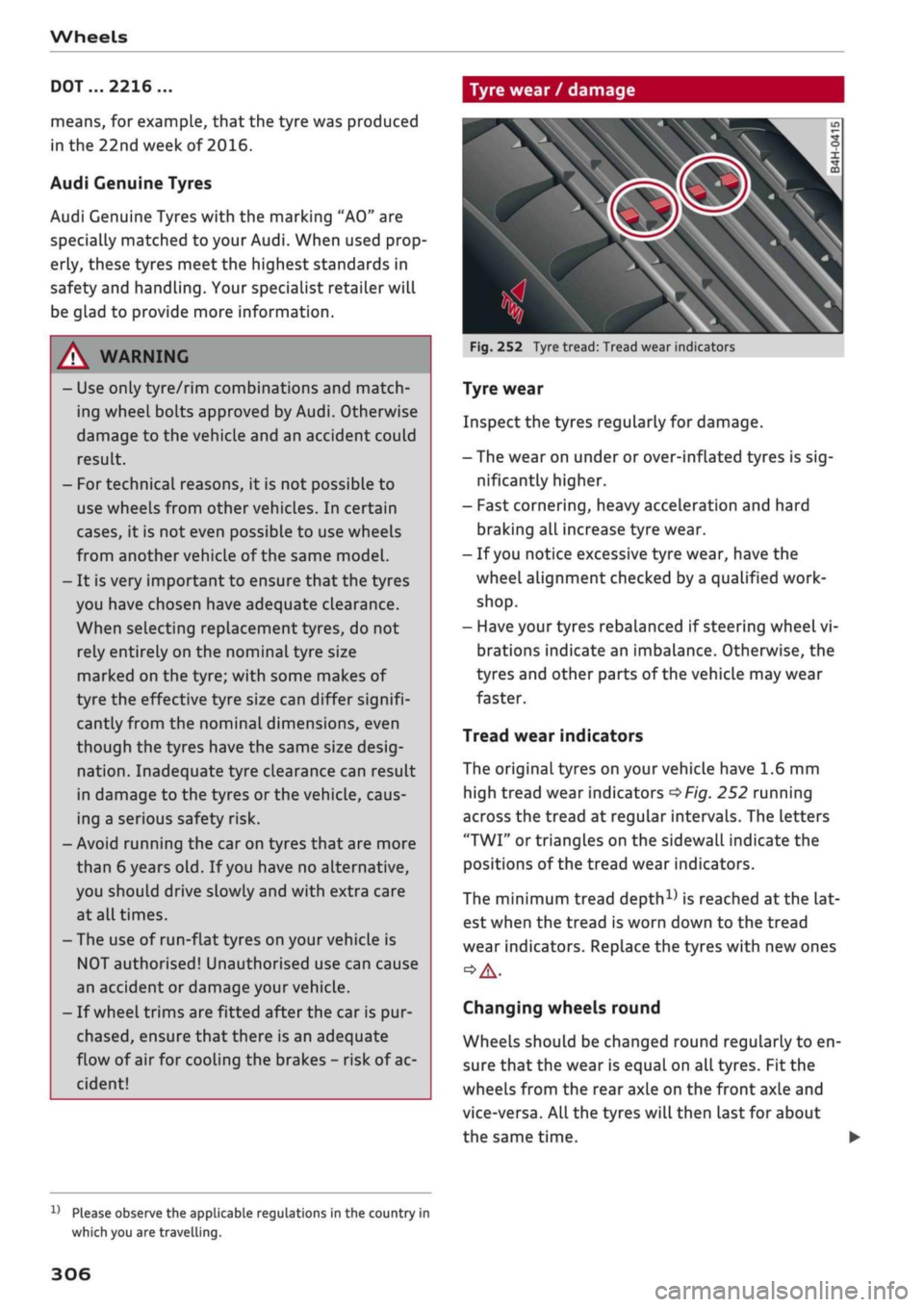
Fig.
252 Tyre tread: Tread wear indicators
Tyre wear
Inspect the tyres regularly for damage.
- The wear on under or over-inflated tyres is
sig
nificantly higher.
- Fast cornering, heavy acceleration and hard
braking all increase tyre wear.
- If
you
notice excessive tyre wear, have the
wheel alignment checked by a qualified work
shop.
- Have your tyres rebalanced if steering wheel vi
brations indicate an imbalance. Otherwise, the
tyres and other parts of the vehicLe may wear
faster.
Tread wear indicators
The original tyres on your vehicle have 1.6 mm
high tread wear indicators
^>Fig.
252 running
across the tread at regular intervals. The letters
"TWI"
or triangles on the sidewall indicate the
positions of the tread wear indicators.
The minimum tread
depth1)
is reached
at
the lat
est when the tread is worn down to the tread
wear indicators. Replace the tyres with new ones
Changing wheels round
Wheels should be changed round regularly to en
sure that the wear is equal on all tyres. Fit the
wheels from the rear axle on the front axle and
vice-versa. All the tyres will then last for about
the same time.
x)
Please observe the applicable regulations in the country in
which you are travelling.
306
Page 313 of 364
Wheels
CO
< o rN
iv
rN
i—i
o < 00
All-weather tyres can also be used instead of
winter tyres. Please note that winter tyres
with the
A
symbol are required by law during
the winter season in some countries.
Snow chains
Snow chains will improve braking ability as well
as traction in winter conditions.
• Snow chains can be used on the front wheels
only. This also applies to vehicles with four-
wheel drive*.
•
Check that the snow chains are correctly seated
after driving for
a
few yards; follow the instruc
tions given by the manufacturer.
•
Keep your speed below 50 km/h. Please ob
serve the applicable local regulations.
Only use snow chains with fine-pitch links. The
links must not protrude more than 13.5 mm
from the tyres (including tensioner).
You must remove the snow chains on roads which
are free of snow; otherwise the vehicLe handling
may be impaired and the tyres may be damaged.
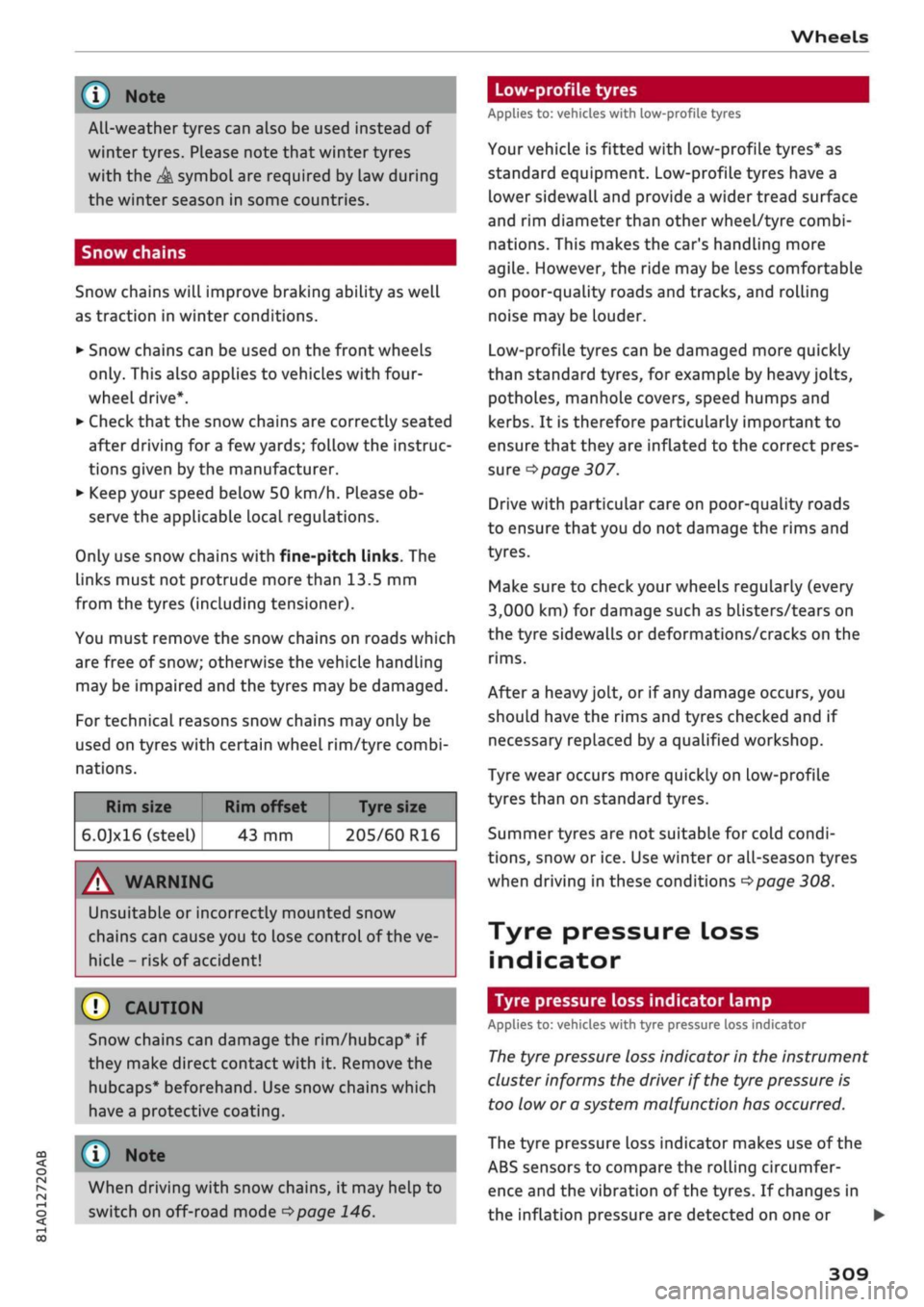
For technical reasons snow chains may only be
used on tyres with certain wheel rim/tyre combi
nations.
Rim size
6.0]xl6 (steel)
Rim offset Tyre size
43 mm 205/60 R16
A WARNING
UnsuitabLe
or incorrectly mounted snow
chains can cause you to lose control of the ve
hicLe-
risk
of accident!
© CAUTION
Snow chains can damage the rim/hubcap* if
they make direct contact with it. Remove the
hubcaps* beforehand. Use snow chains which
have a protective coating.
© Note
When driving with snow chains, it may help to
switch on off-road mode
^page
146.
Low-profile tyres
Applies to: vehicles with low-profile tyres
Your vehicLe is fitted with low-profile tyres* as
standard equipment. Low-profile tyres have a
lower sidewall and provide a wider tread surface
and rim diameter than other wheel/tyre combi
nations. This makes the car's handling more
agile.
However, the ride may be Less comfortable
on poor-quality roads and tracks, and rolling
noise may be louder.
Low-profile tyres can be damaged more quickly
than standard tyres, for example by heavy jolts,
potholes, manhole covers, speed humps and
kerbs.
It is therefore particularly important to
ensure that they are inflated to the correct pres
sure
o
page 307.
Drive with particular care on poor-quality roads
to ensure that you do not damage the rims and
tyres.
Make sure to check your wheels regularly (every
3,000 km) for damage such as blisters/tears on
the tyre sidewalls or deformations/cracks on the
rims.
After a heavy jolt, or if any damage occurs, you
should have the rims and tyres checked and if
necessary replaced by
a
qualified workshop.
Tyre wear occurs more quickly on low-profile
tyres than on standard tyres.
Summer tyres are not suitable for cold condi
tions,
snow or ice. Use winter or all-season tyres
when driving in these conditions
^>page
308.
Tyre pressure loss
indicator
Tyre pressure loss indicator lamp
Applies to: vehicles with tyre pressure loss indicator
The
tyre pressure loss indicator in the instrument
cluster informs the driver if the tyre pressure is
too low or a system malfunction has occurred.
The tyre pressure loss indicator makes use of the
ABS sensors to compare the rolling circumfer
ence and the vibration of the tyres. If changes in
the inflation pressure are detected on one or •
309
Page 314 of 364
Wheels
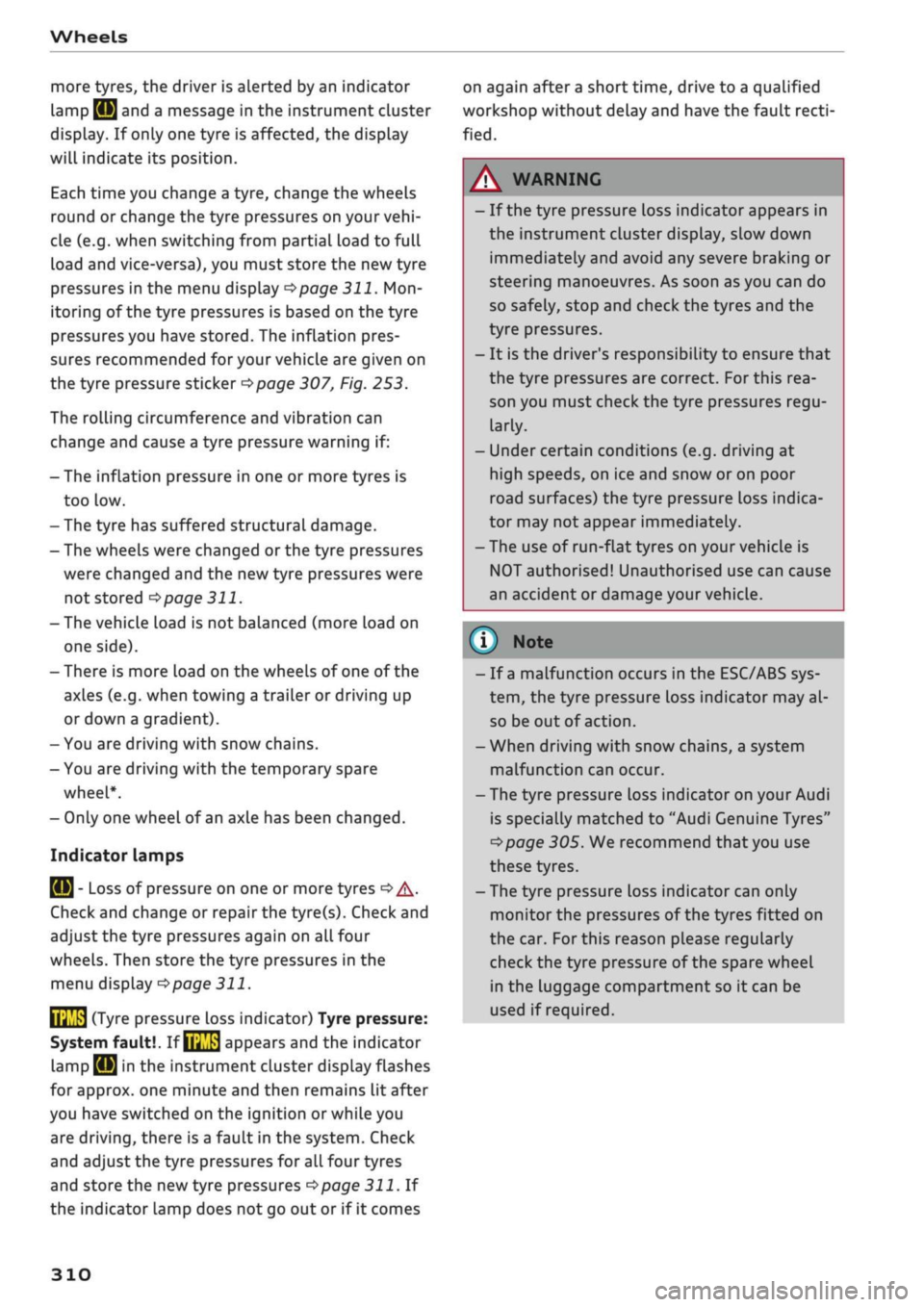
more tyres, the driver is alerted by an indicator
lamp
0H ar|d a
message in the instrument cluster
display. If only one tyre is affected, the display
will indicate its position.
Each time you change a tyre, change the wheels
round or change the tyre pressures on your
vehi
cle (e.g. when switching from partial load to full
load and vice-versa), you must store the new tyre
pressures in the menu display
<=>page
311.
Mon
itoring of the tyre pressures is based on the tyre
pressures you have stored. The inflation pres
sures recommended for your vehicle are given on
the tyre pressure sticker
opage
307, Fig. 253.
The rolling circumference and vibration can
change and cause a tyre pressure warning if:
- The inflation pressure in one or more tyres is
too low.
- The tyre has suffered structural damage.
- The wheels were changed or the tyre pressures
were changed and the new tyre pressures were
not stored
<>page
311.
- The vehicLe load is not balanced (more load on
one side).
- There is more load on the wheels of one of the
axles (e.g. when towing a trailer or driving up
or down a gradient).
- You are driving with snow chains.
- You are driving with the temporary spare
wheel*.
- Only one wheel of an axle has been changed.
Indicator lamps
flfl - Loss of pressure on one or more tyres
o
A-
Check and change or repair the tyre(s). Check and
adjust the tyre pressures again on all four
wheels. Then store the tyre pressures in the
menu dispLay
opage
311.
IIJ'f.1
(Tyre pressure loss indicator) Tyre pressure:
System fault!.
If llil'f>1
appears and the indicator
LampBH in the
instrument cluster dispLay flashes
for approx. one minute and then remains lit after
you have switched on the ignition or while you
are driving, there is a fault in the system. Check
and adjust the tyre pressures for all four tyres
and store the
new
tyre pressures
•=>page
311. If
the indicator lamp does not go out or if it comes
on again after
a
short time, drive to a qualified
workshop without delay and have the fault
recti
fied.
®
No
- If
a
malfunction occurs in the ESC/ABS sys
tem,
the tyre pressure loss indicator may al
so be out of action.
-When driving with snow chains, a system
malfunction can occur.
-The tyre pressure Loss indicator on your Audi
is specially matched to "Audi Genuine Tyres"
^>page
305. We recommend that you use
these tyres.
- The tyre pressure Loss indicator can only
monitor the pressures of the tyres fitted on
the car. For this reason please regularly
check the tyre pressure of the spare wheel
in the luggage compartment so it can be
used if required.
A
WARNING
- If the tyre pressure loss indicator appears in
the instrument cluster display, slow down
immediately and avoid any severe braking or
steering manoeuvres. As soon as you can do
so safely, stop and check the tyres and the
tyre pressures.
- It is the driver's responsibility to ensure that
the tyre pressures are correct. For this rea
son you must check the tyre pressures
regu
larly.
- Under certain conditions (e.g. driving at
high speeds, on ice and snow or on poor
road surfaces) the tyre pressure loss indica
tor may not appear immediately.
- The use of run-flat tyres on your vehicLe is
NOT authorised! Unauthorised use can cause
an accident or damage your vehicle.
310
Page 315 of 364
Storing tyre pressure settings
Applies to: vehicles with tyre pressure loss indicator
When
you change a tyre or the tyre pressure on
your vehicle, you must confirm the change on the
system.
Before storing the new tyre pressures, check that
the current pressures on all four wheels corre
spond to the specified values and adapt the pres
sures to the current Load
^>page
306.
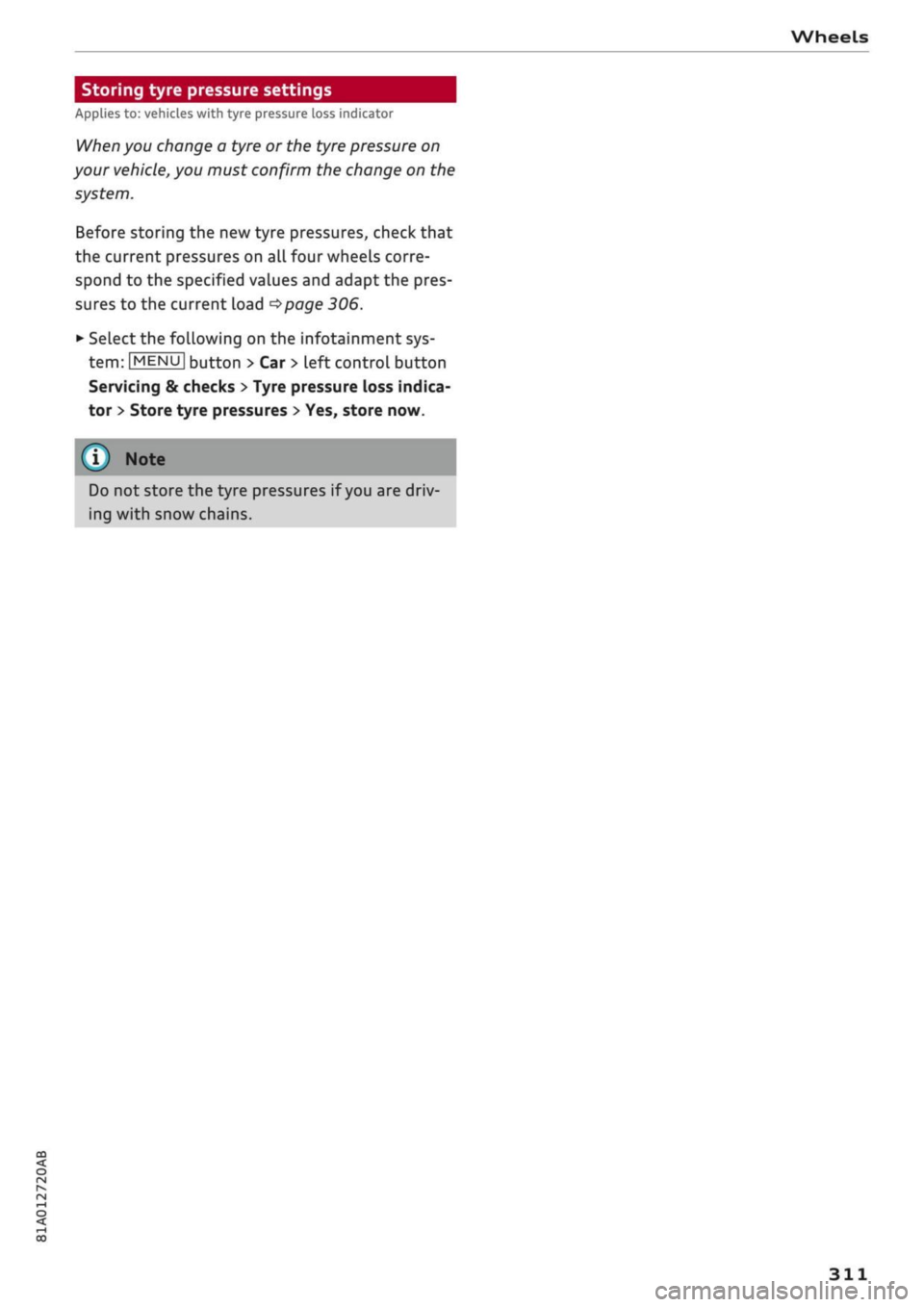
•
Select the following on the infotainment sys
tem:
|MENU|
button > Car
>
left control button
Servicing & checks
>
Tyre pressure loss indica
tor
>
Store tyre pressures
>
Yes, store now.
Do not store the tyre pressures if
you
are driv
ing with snow chains.
Page 325 of 364
Mobility
CO
rN
IV
rN
•-i
00
- Do not drive faster than 80 km/h.
- Avoid heavy acceleration, hard braking and
fast cornering.
-Vehicle handling could be impaired.
- If the tyre is too badly damaged, you should
seek professional assistance.
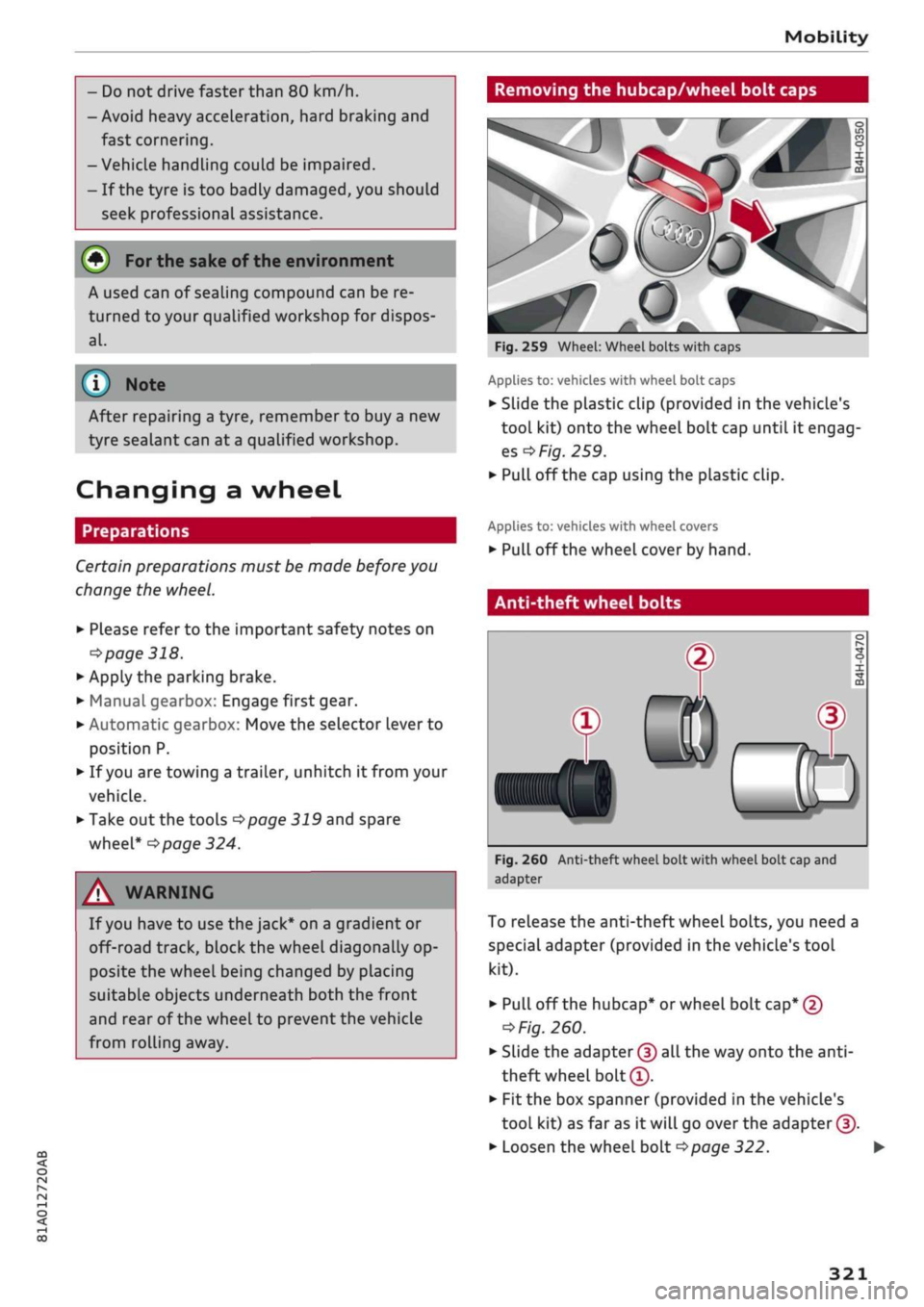
Removing the hubcap/wheel bolt caps
(#) For
the sake of the environment
A used can of sealing compound can be re
turned to your qualified workshop for dispos
al.
Note ©
After repairing a tyre, remember to buy
a
new
tyre sealant can at
a
qualified workshop.
Changing a wheel
Preparations
Certain preparations must be made before you
change the wheel.
• Please refer to the important safety notes on
^page
318.
• Apply the parking brake.
• Manual gearbox: Engage first gear.
• Automatic gearbox: Move the selector Lever to
position P.
• If
you
are towing a trailer, unhitch
it
from your
vehicle.
• Take out the tools
^>page
319 and spare
wheel*
^>page
324.
A WARNING
If
you
have to use the jack* on a gradient or
off-road track, block the wheel diagonally op
posite the wheel being changed by placing
suitable objects underneath both the front
and rear of the wheel to prevent the vehicle
from rolling away.
0
Fig.
259 Wheel: Wheel bolts with caps
Applies to: vehicles with wheel bolt caps
• Slide the plastic clip (provided in the vehicle's
tool kit) onto the wheel bolt cap until it engag
es
^F/'g.
259.
• Pull off the cap using the plastic clip.
Applies to: vehicles with wheel covers
• Pull off the wheel cover by hand.
Anti-theft wheel bolts
T
0)
®
Fig.
260 Anti-theft wheel bolt with wheel bolt cap and
adapter
To release the anti-theft wheel bolts, you need a
special adapter (provided in the vehicle's tool
kit).
• Pull off the hubcap* or wheel bolt
cap*
@
^>
Fig.
260.
• Slide the adapter
©
all the way onto the
anti-
theft wheel bolt®.
• Fit the box spanner (provided in the vehicle's
tool kit) as far as it will go over the adapter ©.
• Loosen the wheel bolt
^>page
322.
321
Page 326 of 364

Mobility
\J Note
Note the code number of the anti-theft wheel
bolt and keep it in a safe place - not in your
vehicle. If
you
need a replacement adapter,
give the code number to your Audi dealer.
Loosening the wheel bolts
Raising the vehicle
Fig.
261 Wheel: Loosening the wheel bolts
•
Fit
the box spanner (provided in the vehicle's
tool kit) as far as it will go over the wheeL
bolt1'.
• Turn the wheel bolt approx. one turn
anti
clockwise -arrow-. To apply the necessary tor
que,
hold the box spanner
near
the end. If the
wheel bolt is very tight, you may be able to
loosen it by pushing down the end of the span
ner carefully with your foot. Hold on to the car
for support and take care not to slip.
WARNING
To avoid accidents, the wheel bolts should on
ly be loosened slightly (one turn) before rais
ing the vehicle with the jack*.
:v<
:
Fig.
262 Sills: markings (example)
Fig.
263 Door
sill:
Applying the jack under the door sill
• Always provide a firm base for the jack* on the
ground.
(The jack can be found in the vehicle's
tool kit). If necessary use a large, strong board
or similar support. On a
hard,
slippery surface
(such as tiles) use a rubber mat or similar to
prevent
the
jack from slipping
^> /\.
• Locate the marking (recess or rib) on the door
sill closest to the wheel being changed
^>Fig.
262. The jacking point is located behind
the marking under the door
sill.
• Wind up
the
jack* under
the
jacking point until
the claw
(A)
•=>
Fig.
263 of the jack is directly
be
low the jacking point.
• Align
the
jack* so
that
the
claw
(A)
grips the
jacking point under the door sill and the mova
ble base plate of the jack
(B)
is flat on the
ground.
The base plate
(B)
must be positioned
vertically underneath
the
jacking point®.
• Raise the vehicle until the defective wheel is
clear of the ground.
11
An adapter is required to unscrew or tighten the anti-theft
wheel bolts
opage
321.
322
Page 327 of 364

Mobility
A WARNING
CO
rN
IV
rN
•-i
00
- Make sure the jack* is stable. If the ground
underneath the jack* is slippery or soft, the
jack can slip or sink in - risk of injury!
- Use only the jack* supplied with your vehicle
to raise the vehicle. If
you
use
a
jack from a
different vehicle, your vehicle may slip off
the
jack - risk of injury!
- Apply the jack* only at the jacking points lo
cated behind the markings on the door sill
and align it properly. Otherwise there is a
risk of injury since
the
jack* can slip off
sud
denly if it is not properly engaged.
-The height of the parked vehicle can change
as a result of variations in loading.
- Never start the engine when the vehicle is
on the jack - risk of accident!
- If work has to be done under the vehicle, en
sure that it is
safely
supported on suitable
stands - risk of injury!
© CAUTION
The vehicle must not be lifted up on its sills.
Only apply the jack*
at
the jacking points loca
ted behind the markings on the door
sill.
Oth
erwise your vehicle could be damaged.
Taking off / putting on the wheel
Fig.
264 Wheel: Hexagonal socket for turning wheel bolts
Fig.
265 Wheel: Mounting pin in wheel bolt hole nearest
to the top
Taking off the wheel
• Using the hexagonal socket in the screwdriver
handle (provided in the vehicle's tool kit), un
screw the top wheel bolt and place it on a clean
surface
<=>Fig.
264.
• Screw in the mounting pin (provided in the ve
hicle's tool kit) by hand in place of the wheel
boit*Fig.
265.
• Then unscrew the other wheel bolts.
• Take off the wheel
*(£).
The mounting pin
stays where it is.
Putting on the wheel
When putting on a tyre with directional tread
pattern,
refer to
*page
324.
• Put on the wheel, using the mounting pin to
guide it into place
<=>([).
• Screw in the wheel bolts and tighten them
lightly using the hexagonal socket.
• Then unscrew the mounting pin and tighten the
remaining wheel bolt lightly.
• Carefully lower the car with the jack*.
• Tighten the wheel bolts in diagonal sequence
with the box spanner.
The wheel bolts should be clean and turn easily.
Before putting on the wheel, inspect the condi
tion of the wheel and hub mounting surfaces.
These surfaces must be clean before mounting
the wheel.
A WARNING
Do not use the hexagonal socket in the screw
driver handle to tighten the wheel bolts. It is
323