ECO mode AUDI Q3 2015 User Guide
[x] Cancel search | Manufacturer: AUDI, Model Year: 2015, Model line: Q3, Model: AUDI Q3 2015Pages: 258, PDF Size: 64.9 MB
Page 75 of 258
M N
M N
0 ::i co ,...., \!) ..,.,
,...., ..,., ,....,
vehicle to skid or the rear end to break away -risk ing an accident.
Speed warning system
Overview
T he speed warning system helps you to keep
your driving speed below a set speed limit.
The speed warning system warns if the driver
exceeds a prev iously stored maximum speed .
A warning tone will sound as soon as the vehi
cle speed exceeds the set speed by about
3 mph (3 km/h). At the same time , an indica
tor lamp
(mj (USA models) / ISJ (Canada mod
e ls) will light up in the instrument cluster dis
p lay and the driver message
Spe ed limit
wa rning exceeded.
wi ll appear. The indicator
l amp
1mj / i•j will go out when the speed
drops below the set speed lim it aga in.
Setting a thresho ld is recommended if you
wou ld like to be reminded when you reach a
certain maximum speed . Situations where yo u
may want to do so include driving in a country
with a general speed limit or if the re is a
specified max imum speed for winter tires .
(D Tips
Even though your vehicle is equipped with
a speed warning system, you should st ill
watch the speedometer to make sure you are not driving faster than the speed lim it.
Setting speed limit
You can set , change and delete the threshold
in the MMI.
.,. Se lect :
I CAR I funct ion button > S ystem s or
Car System s control button > Vehicle set
tings > Speed warning .
You can set any thresho ld between 20 mph
(30 km/h) and 150 mph (240 km/h). Settings
can each be adjusted in increments of 6 mph
(10 km/h) .
On the ro ad 73
Cruise control
Description
The cruise cont ro l system makes it poss ible to
drive at a constant speed start ing at 15 mph
(20 km/h).
The speed is kept constant by modifying en
gine powe r or th rough an active brake inte r
vention.
A WARNING
- Always pay attention to the traffic
around you when the cruise control is in
operation. You are always responsible for
your speed and the distance between
your vehicle and other vehicles.
- For reasons of safety, cr uise control
should not be used in the city, in stop
and-go traffic, on winding roads and
when road cond it ions are poor (such as
ice, fog, gravel, heavy rain and hydro
plan ing) -you could have an accident .
- Sw itch the cruise control off temporar ily
when dr iv ing in turning lanes, h ighway
exits or in constr uction zones.
- Please note that unconsc iously "resting"
your foot on the accelerator pedal pre
vents the cruise control from braking .
This is due to the control system be ing
overridden by the dr iver's acceleration .
- If a b rake system malfunction s uc h as
overheating occurs when the cruise con
trol system is swi tched on, the braking
function in the system may be switched off . The other cruise control functions re
main active as long as the indicator light
II (US models) !l'I (Canada mode ls) is
on .
(D Tips
-The cruise control system is ideal for
stretches w ith speed limits. The driver is
responsib le for adhering to the correct
speed.
- The cru ise control remains act ive when
shift ing gears .
Page 76 of 258
7 4 On the road
-The brake lights turn on when the brakes
are activated .
Switching on
0
f
®t
0
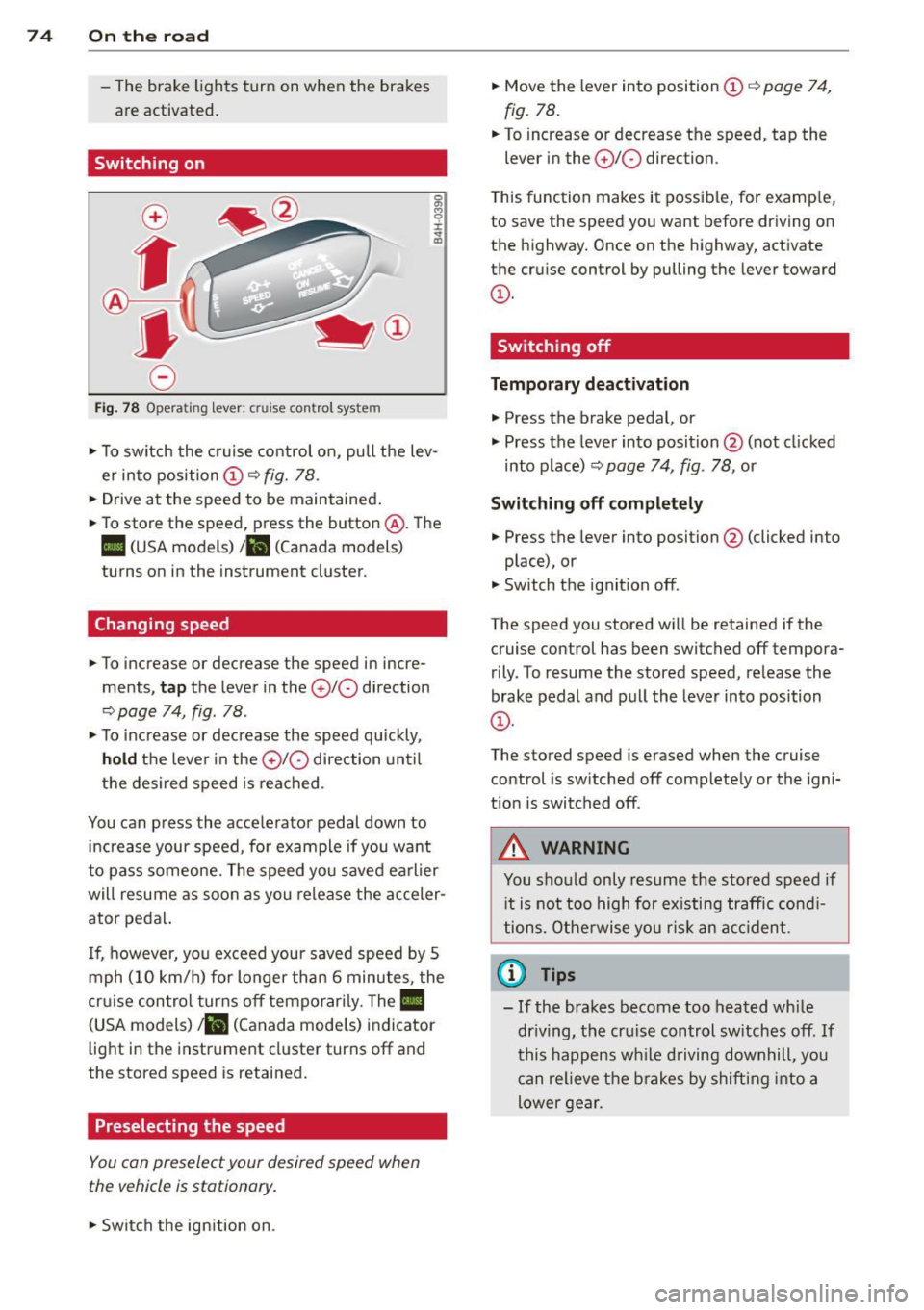
Fig. 78 Opera ting lever: crui se co ntro l system
0 O>
8
i
"' m
.,. To sw itch the cruise control on, pull the lev
er into position
CD c::> fig. 78 .
.,. Drive at the speed to be maintained .
.,. To store the speed, press the button @. The
II (USA models) Iii (Canada models)
turns on in the instrument cluster.
Changing speed
.,. To increase or decrease the speed in incre
ments,
tap the lever in the 010 direction
c::> page 74, fig. 78 .
.,. To increase or decrease the speed quickly,
hold the lever in the 0 10 direction until
the desired speed is reached.
You can press the acce lerator pedal down to
increase your speed, for example if you want
to pass someone. The speed you saved earlier
will resume as soon as you release the acceler
ator pedal.
I f, however, you exceed your saved speed by 5
mph (10 km/h) for longer than 6 minutes, the
cr uise contro l turns off temporarily. The
Ill
(USA models) ill (Canada mode ls) indicator
light in the instrument cluster turns off and
the stored speed is retained.
Preselecting the speed
You con preselect your desired speed when
the vehicle is stationary.
.,. Swi tch the ign ition on. .,.
Move the lever into position
CD c::> page 74,
fig. 78.
.,. To increase or decrease the speed, tap the
lever in the
0 10 direction.
T his function makes it possible, for examp le,
to save the speed you want before driving on
the highway. Once on the highway, activate
the cruise control by pulling the lever toward
CD-
Switching off
Temporary deactivation
.,. Press the brake pedal, or
.,. Press the lever into position @ (not cl icked
into p lace)
c::> page 74, fig. 78, or
Switching off completely
.,. Press the lever into position @(clicked into
place), or
.,. Switch the ignition off.
The speed you stored wi ll be retained if the
cruise control has been switched off tempora
rily . To resume the stored speed, release the
brake pedal and pull the lever into position
CD-
The stored speed is erased when the cruise
control is sw itched off complete ly or the igni
t ion is switched off .
A WARNING
-You should only resume the stored speed if
i t is not too high for existing traffic condi
tions. Otherwise you risk an accident.
(D Tips
-If the brakes become too heated while
dr iving, the cruise control switches off.
If
this happens while driving downhill, you
can relieve the brakes by shifting into a
lower gear.
Page 83 of 258
M N
M N
0 ::i co ,...., \!) 1.1'1 ,...., 1.1'1 ,....,
Automatic
transmission
tiptronic
Introduction
The automatic transmission is controlled elec
tronically. The transmission upshifts or down
shifts automatically depending on which drive
program is selected.
When a
moderate driving style is used, the
transmission selects the most economica l
driving mode. It will then change up early and
delay the downshifts to give better fuel econ
omy.
The transmission switches to a sporty mode
after a kick-down or when the driver uses a
sporty driving style characterized by quick ac
celerator pedal movements, heavy accelera
tion, frequent changes in speed and traveling
at the maximum speed.
If desired, the driver can also select the gears
manually
(tiptronic mode) o page 84.
In the tiptronic transmission, power is trans
ferred by a torque converter .
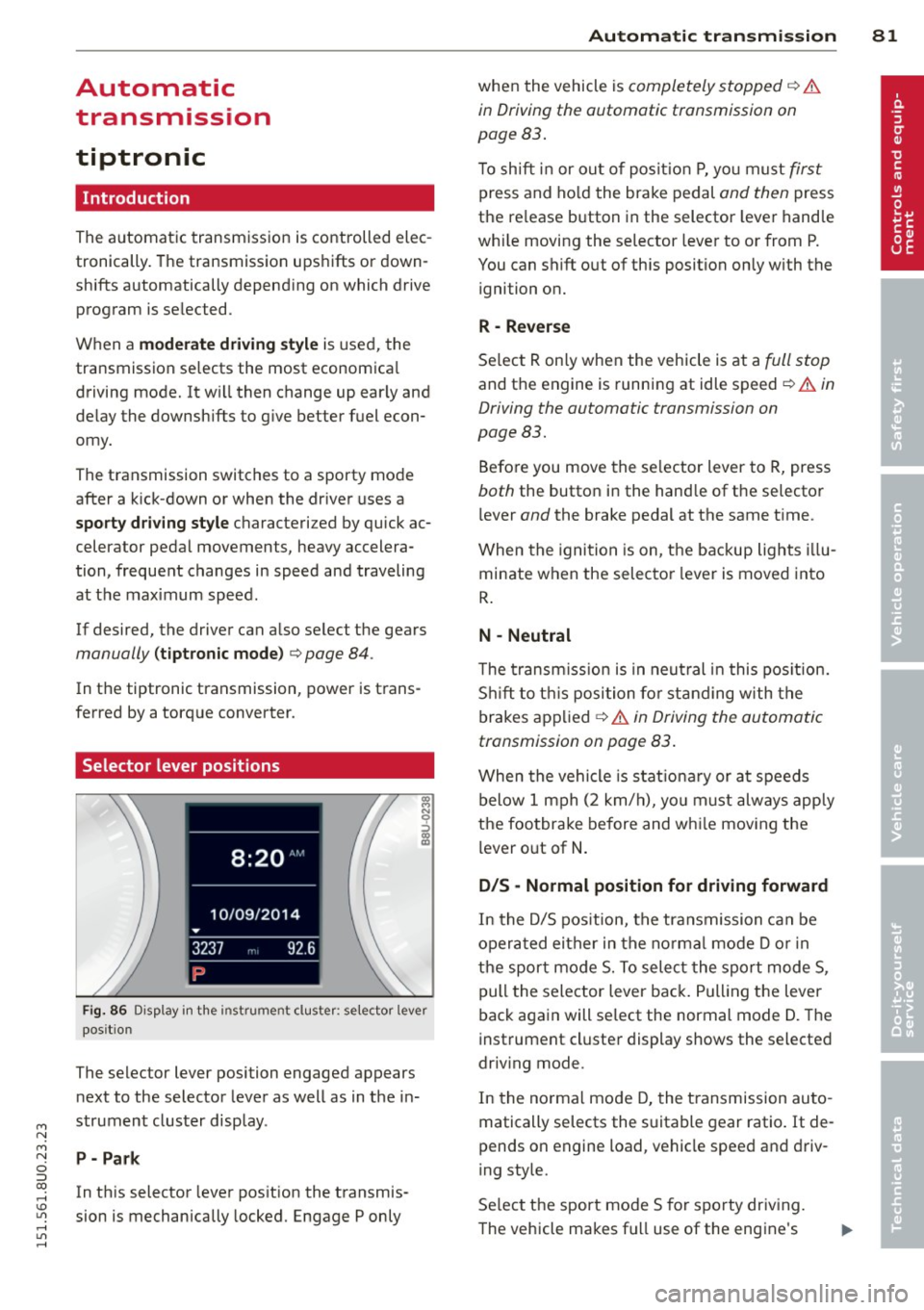
Selector lever positions
Fig. 86 Disp lay in the instru men t clu ster: se lecto r lever
pos it io n
The selector lever posi tion engaged appears
next to the selector lever as well as in the in
strument cluster display.
P- Park
In this selector lever posit ion the transmis
sion is mechanically locked. Engage P only
Automatic transmission 81
when the vehicle is completely stopped q A
in Driving the automatic transmission on
page 83.
T o shift in or out of position P, yo u must first
press and hold the brake pedal and then press
the re lease button in the selector lever handle
wh ile moving the selector lever to or from P.
You can shift out of th is position only with the
ignition on.
R -Reverse
Select R only when the vehicle is at a full stop
and the engine is running at idle speed¢.&. in
Driving the automatic transmission on
page 83.
Before you move the selector lever to R, press
both the button in the hand le of the selector
l ever
and the brake pedal at the same time .
When the ignition is on, the backup lights illu
minate when the selector lever is moved into
R.
N -Neutral
The transmission is in neutral in this position.
Shift to this position for standing with the
brakes applied
q A in Driving the automatic
transmission on page 83.
When the vehicle is stat ionary or at speeds
below 1 mph (2 km/h), you must always apply
the footbrake before and whi le moving the
lever out of
N.
D/S -Normal position for driving forward
In the D/S position, the transmission can be
operated either in the norma l mode D or in
the sport mode S. To select the sport mode S,
pull the selector lever back. Pulling the lever
back again will select the normal mode D. The
instrument cluster display shows the selected
driv ing mode .
In the normal mode D, the transmission auto
matically selects the suitable gear ratio. It de
pends on engine load, vehicle speed and driv
ing style.
Select the sport mode S for sporty driving.
The vehicle makes fu ll use of the engine's
Page 85 of 258
M N
M N
0 ::i co ,...., \!) 1.1'1 ,...., 1.1'1 ,....,
selector lever position such as D/S and re
lease the button.
~ Wait briefly until the transmission has shift
ed (you will feel a slight movement).
~ Remove your foot from the brake pedal and
accelerate.
St opp ing tem porar ily
~ Keep the vehicle stationary using the brak
ing peda l, for examp le at traffic lights.
~ Do not press the accelerator pedal when do
ing this.
~ To prevent the veh icle from roll ing when you
start driving, set the parking brake when
stopp ing on steep inclines
c::, ,& .
~ The parking brake will re lease automatically
and the vehicle will s tart moving once you
press the accelerator peda l.
Stopping/p ar king
If the selecto r lever is not in the P position
when you ope n the dr iver's door, the vehicle
could ro ll. The message
Shift to P and turn
off i gniti on, o therwi se vehicle ca n roll aw ay
appears.
~ Press and ho ld the brake pedal unt il the ve-
hicle has come to a complete stop.
~ Apply the parking brake c::, page 71, Parking.
~ Se lect the P selector leve r position c::, ,& .
Stopping on an incline
~ Always press the brake peda l to hold the ve
hicle i n place and prevent it from " rolling
back "
c::> &_. Do not try to prevent the vehi
cl e from "roll ing back" when a gea r is en
gaged by increasing the engine speed
c::> (D .
Starting on an incline
~ Activate the parking b rake .
~ With the d riving gea r se lected, press the ac
c e lerator pedal ca refully. The parking brake
will release automat ica lly if yo ur seat belt is
f astened.
Unde r ce rtain circumstances, such as dr iv ing
in the moun tains, it may be useful to swi tch
tempo rari ly to the manua l shift prog ram in o r-
Automa tic tran sm iss ion 83
der to ad just the gears to the driving condi
tions by hand
c::, page 84.
On s lopes, activate the parki ng b rake first and
then move the selec to r l ever to the P posi tion.
T his prevents too much stress from being
placed on the locking mechanism .
A WARNING
-The vehicle can also roll when the engine
is stopped.
- Unintended vehicle movement can cause
serio us injury.
- Never leave your vehicle with the engine
ru nning while in gear. If you must leave
your veh icle when the engine is running,
activate the parking brake and move the
selector lever to P.
- Power is still transm itted to the wheels
when the engine is runn ing at idle. To
prevent the vehicle from "creeping", you
must keep your foot on the brake when
the eng ine is ru nning and the se lector
leve r is in D/S o r R or "t ipt ron ic" mode is
selec ted .
-Do not press the accelerator pedal when
changing the se lector lever posi tion
while the veh icle is stationary and the
engine is running .
- Never sh ift into R or P wh ile driving.
- Before driving down a steep slope, re-
duce your speed and shift into a lowe r
gear wi th "tiptronic".
- Do not ride the bra kes o r press the bra ke
pe dal too often or too long when d riving
down a hi ll. Constant braking causes the
brakes to overheat and substantially re
duces braking performance, increases
brak ing distance or causes complete fa il
ure of the brake system .
- To prevent the vehicle from ro lling back
when stopp ing o n inclines, always ho ld it
in place with the brake pedal or parking
brake .
- Never hold the vehicle on an incline with
a slipping clutch. The clutch opens auto matically when it becomes too hot from
Page 95 of 258
M N
M N
0 ::i co ,...., \!) ..,.,
,...., ..,., ,....,
Adjusting the display and the warning tones
App lies to vehicles: with pa rking system p lus wit h rear
view ca mera
The display and warning tones con be adjust
ed in the Infotainment.
~ Se lect: I CARI f u nction button > System s or
Car systems contro l button > D riv er assi st >
Parking aid .
Display
On * -
optical d isplay is shown for the parking
system plus, rear view came ra image is shown
for parking system plus with rear view cam
era.
Off -when the park ing system is switched on,
on ly audib le signa ls are given.
Warning tones
Front volume -
Volume fo r the front area
Rear volume -Volume for the rear area
Front frequen c:y -Freq uency for the front area
Rear frequency -Frequency for the rear area
Music volume while parking -When the park
i ng system is turned on, the volume of the au
d io/v ideo source is lowered.
The new ly adjusted value is briefly heard from
the signal gene rator.
(0 Tips
- The warning tones can also be adjusted
direct ly from the visual display or the
r ear view camera image . Simply press
the
Settings cont ro l button .
- Changed settings are activated when the parking system is switched on aga in.
- The settings a re automatically stored
and ass igned to the remote control key
that is in use.
Parking systems 93
Error messages
App lies to vehicles: wi th parking syste m plus w ith rea r
v iew camera
T he re is an error i n the system if the LED i n
the
P' "A bu tton is bl ink ing and yo u hear a con
t inu ous alarm for a few seconds after sw itch
ing on the park ing system or when the park
ing system is already activated. If the error is
not co rrected before yo u switch off the ign i
tion, the LED in the
? 1J.A. button will blink the
next t ime you sw itch on the parking system by
shifting into reverse .
If a sensor is fa ulty, the~ symbol will appear
in front of/behind the vehicle in the Infota in
ment display. If a rear sensor is faulty, only
obstacles that are in areas @and @ are
shown
Q page 88, fig . 92. If a front senso r is
faulty, only obstacles that are in areas © and
@ are shown.
Drive to your authorized Audi dealer or au
t h orized repa ir facility immed iately to have
the malfunct ion corrected .
Trailer hitch
Applies to vehicles: wit h parking system pluswith rear
v iew camera a nd t railer hitch
For vehicles using the trailer socket, the park
ing system rear sensors do not turn on when
you shift into reverse gear or when you press
the
P, "~ button . This resu lts in the following re
str ictions:
There is no distance warn ing for the rear. The
front sensors remain act ivated . The visual dis
play sw itches to the trailer towing mode. The
rear view camera image will not show the or i
entat io n lines and the bl ue surfaces.
(D Tips
Trailer h itches that are not installed at the
factory may ca use the par king system to
malfunction or they may restr ict its func
tion.
Page 128 of 258
126 Airbag sys te m
turned off , and PASSENGER AIR BAG OFF
will stay on.
Repair, care and disposal of the airbags
Parts of the a irbag system are installed at
many different places on your Audi. Installing,
removing, servicing or repairing a part in an
area of the vehicle can damage a part of an
a irbag system and prevent that system from
wo rking prope rly in a co llision.
There are some important things you have to know to make sure that the effect iveness of
the system will not be impa ired and that dis
carded components do not cause injury or po l
l ute the env ironme nt.
& WARNING
Imprope r ca re, servicing and repair proce
dures can increase the risk of personal in
jury and death by preventing an airbag from deploy ing when needed or deploying
an airbag unexpected ly:
- Never cover, obstr uct, o r change the
steering wheel horn pad or airbag cover
or the instrument pane l or modify them
in any way .
- Never attach any objects such as cu pholders or telephone mountings to the
surfaces covering the airbag units.
- For cleaning the horn pad or instrument
pane l, use only a soft, dry cloth or one
moistened w ith plain wate r. Solvents or
cleaners co uld damage the airbag cover
or change the stiffness o r strength of the
material so that the airbag cannot de
ploy and p rotect properly.
- Never repa ir, adjust, or change any parts
of the airb ag sy stem.
- All wo rk on the ste ering wheel, inst ru
me nt pane l, front sea ts or elec trical sys
tem (incl uding the installation of au di o
equipment, ce llular telephones and CB
radios, etc.) must be performed by a
qualifie d technician who has the t raining
and special equipment necessary. -
For any wo rk on the airbag system, we
strongly recommend that yo u see y our
author ized Audi dealer or qualified work
shop.
- Never modify the front b umper or parts
of the vehicle body .
- Always make sure that the s ide airbag
can inflate without interference:
- Never ins tall seat covers or re place
ment uphols te ry over the fron t seat
ba cks tha t have not been specifically
approved by Audi.
- Never use addi tional seat c ushio ns th at
cove r the areas where the si de a irbags
inflate .
- Dam age to the orig inal se at cove rs or
to the seam in the area of the side a ir
bag module must a lways be repaired
immediately by an author ized Audi
dealer.
- The airbag system can be activated only
once. After an airbag has in flated, it
m ust be replaced by an authorized Aud i
dealer or qualified technician w ho has
the techn ical information , training and
specia l equipm ent necessary .
- The airbag system can be deployed only
once . After an airbag has been deployed,
it must be re placed wit h new replac e
men t pa rts designed and ap proved espe
ci ally f or you r A udi model version. Re
p lacement of complete airbag systems
or airbag components must be pe r
formed by qualified workshops on ly .
Make sure that any airbag serv ice action
is entered in your Audi Warranty
& Main
tenance booklet under
AIRBAG REPLACE
MENT RECORD .
@ For the sake of the environment
Undeployed airbag modules and p reten
s ione rs might be classified as Perchlorate
Materia l -special handling may app ly, see
www .dtsc .ca.gov/hazardouswaste/per-
ch lo rate . When the veh icle or parts of the
r est raint system including airbag modu les
liJI,
Page 137 of 258
M N
M N
0 ::i co ,...., \!) ..,.,
,...., ..,., ,....,
seat. The weight of a child restraint and its
"footprint" vary for different kinds of child re
straints and for the different models of the
same kind of child restraint offered by child restra int manufacturers.
The weight ranges for the individual types, makes and mode ls of ch ild restra ints that the
NHTSA has specified in the Safety Standard
together with the we ight ranges of typical in
fants and typical 1 year-old child have been
stored in the control unit of the Advanced A ir
bag System. When a chi ld restraint is being
used on the front passenge r seat with a typi
cal 1 year -old ch ild, the A dvanced Airbag Sys
tem compares the we ight measured by the
weight sensing mat with the information stor
ed in the electronic control unit.
The electron ic contro l unit al so registers the
tension on the front passenger safety be lt.
The tension on the safety be lt for the front
passenger seat will be different for an adult
who is properly using the safety belt as com
pared to the tension on the be lt when it is
used to attach a child restraint to the seat.
The sensor below the latch for the safety belt
for the front seat passenger measures the
tension on the belt. The input from this sen
sor is t hen used w ith the we ight to "decide",
whether there is a ch ild restraint with a typ ica l
1 year-o ld child on the front passenger seat
and whether or not the airbag must be turned
off .
Child restraints and Advanced Airbags
Regard less of the child restraint that you use,
make sure that it has been certified to meet
United States Federal Motor Vehicle Safety
Standards and has been certified by its manu
facturer for use with an airbag . Always be sure
that the chi ld restraint is p roperly instal led at
one of the rear seat ing pos itions. If in excep
tional ci rcumstances you must use it on the
front passenger seat, carefu lly read all of the
information on child safety and Advanced Air
bags and heed a ll of the app licable WARN
INGS. Make certain that the child restraint is
correctly recognized by the weight-sensing
Child Sa fet y 135
mat inside the front passenger seat, that the
front passenger airbag is turned off and that
the a irbag status is always correct ly signaled
by the
PAS SENGE R AIR BAG OFF light.
Many types and models of child restraints
have been available over t he years, new mod
els are introduced regu larly incorporating new
and improved des igns and o lder models are
taken out of product ion. Ch ild restraints are
not standard ized . Child restraints of the same
type typ ically have d ifferent weights and sizes
and different 'footpr ints,' the size and shape
of the bottom of the ch ild restrai nt that sits
o n the seat, when they a re insta lled on a veh i
cle seat. These diffe rences make it v irtually
impossible to certify compliance with the re
quirements for advanced airbags with each
and every ch ild restraint that has ever been
sold in the past or will be sold over the course
of the useful life of your veh icle.
For this reason, the United States National
Highway Traffic Safety Adm inistrat ion has
published a list of spec ific type, makes and
models of child restraints that must be used
to certify comp liance of the Advanced Airbag
System in your veh icle with the suppression
requirements of Federal Motor Vehicle Safety
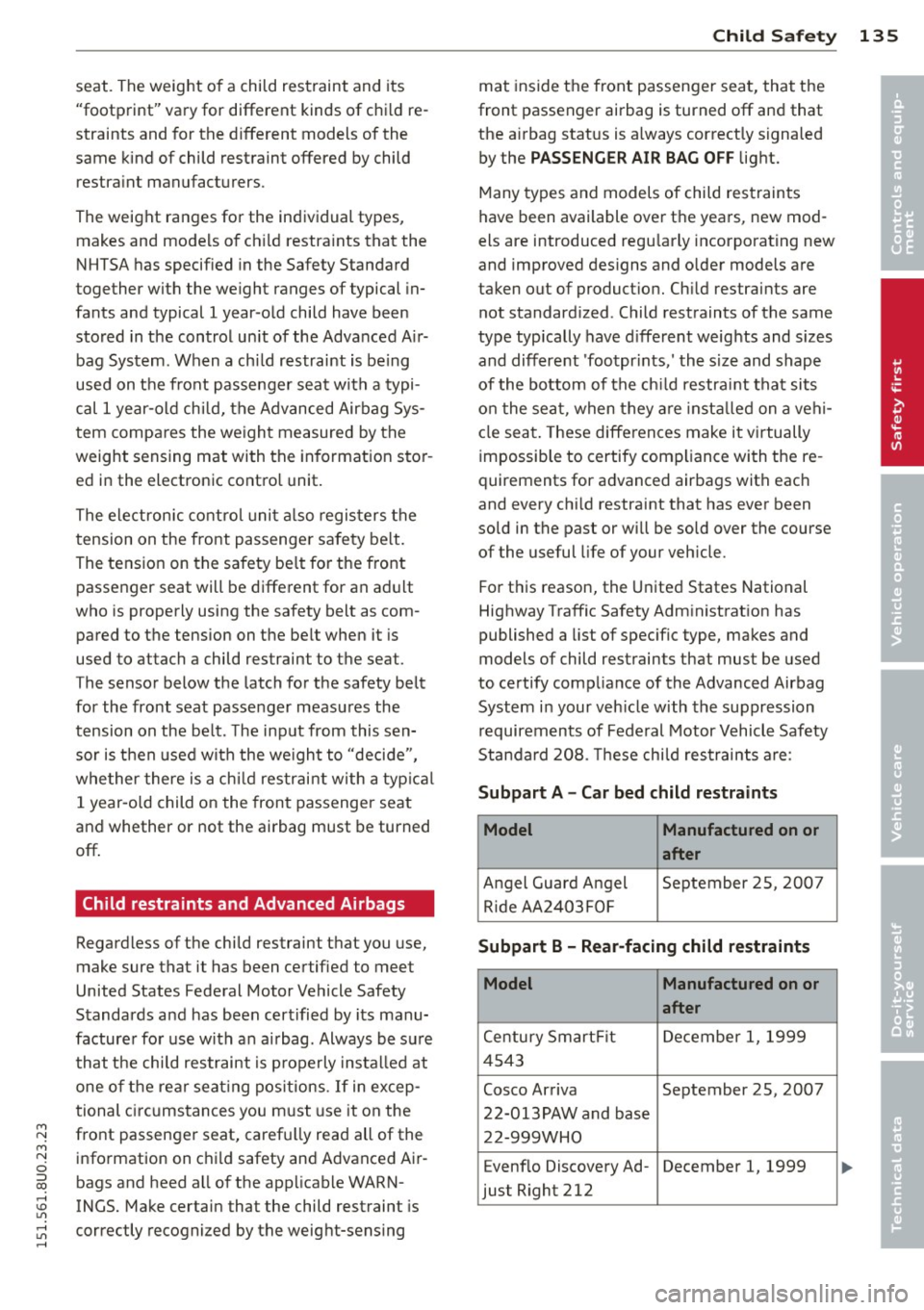
Standa rd 208. These chi ld restraints are:
Subpart A - Car bed child restraints
Model Manufactured on or
after
Angel Guard Angel September 25, 2007 R ide AA 2403FOF
Subpart B - Rear-facing child restraints
Model Manufactured on or
after
Century Smart Fit December 1, 1999
4543
Cosco Arriva September 25, 2007 22-013PAW and base
22-999WHO
Evenflo Discovery Ad- December 1, 1999
just Right 212
•
•
Page 165 of 258
M N
M N
0 ::i co ,...., \!) 1.1'1 ,...., 1.1'1 ,....,
If you anticipate what you need to do next and
drive economically, you can easily cut your
fuel consumption by 10-15 percent. This sec
tion will give you some tips on how you can help the environmen t and your pocketbook.
The consumption estimates as published by ENVIRONMENTAL PROTECTION AGENCY
(EPA) and Transport Canada may not corre
spond to your actual consumption on the
road, wh ich will vary depend ing upon vehi
cle load and speed, road and weather con
ditions, tr ip length, etc.
Drive smoothly and keep a lookout
ahead
Vehicles use the most fuel when they are ac
celerating.
.,. Avoid unnecessa ry accelerating and braking.
Vehicles use the most fuel when they are ac
celerating . If you anticipate what is go ing to
happen next, you will need to brake less and,
thus , accelerate less. Let the vehicle coas t
whenever poss ible -for example when you see
that the next traffic light is red.
Avoid full throttle
Driving at moderate speeds saves fuel and
improves your mileage.
.,. Try and keep well be low your car's max imum
speed.
Accelerating gently reduces fuel consump
tion, engine wear, and does not disturb the
environment. Fue l consumption, exhaust emissions and en
g ine no ise increase d isproportionately at high
speeds . If you dr ive at approximately three
qua rters of top speed, fue l consumption will
be red uced by one half. Never dr ive faste r
than the posted speed limi t and wea ther con
ditions permit.
Dri vin g and en vironm ent 163
Reducing unnecessary idling
Even when your car is just idling it burns up
fuel .
.,. Shut the engine off when you are not driving
the vehicle .
.,. Do not warm up the vehicle by lett ing the
eng ine run at idle .
It makes sense to shut off the engine in traffic
jams, when wa it ing for tra ins to pass at rail
road crossings, or at t raff ic lights that have
l ong waits on red . T u rning the eng ine off for
just 30-40 seconds saves mo re fuel tha n is
bur ned star ting the engine again.
It takes a long t ime for the engine to warm up
fully when it is runn ing at id le. However, wear
and noxious emissions are especia lly hig h
when the eng ine is wa rm ing up. So yo u shou ld
drive away as soon as yo u start the engine and
avoid r unning at high rpms whi le the engine is
still warming up.
(D Note
D o not leave engine idling unattended af
ter starting. If warning lights sho uld come
on to indicate improper operation, they
would go unheeded. Extended idling also produces heat, w hich could res ult in over
heating or other damage to the veh icle or
other p roperty .
Regular maintenance
A badly tuned engine unnecessarily wastes a
lot of fuel .
.,. Have you r veh icle serviced at regu lar inter-
vals.
By having your ve hicle reg ularly serviced by an
a uthorized Audi dea le r helps to ensure that it
runs properly and econom ica lly. The cond ition
of your veh icle not only affects its safety and
ability to ho ld its va lue, it a lso affects
fuel
con sumption .
Chec k your o il each t ime you fill your tank.
Ill-
•
•
Page 166 of 258
164 Driving and en vironm ent
The amount of oil used is related to eng ine
load and speed.
I t is normal for the oil consumption of a new
engine to reach its lowest val ue after a certain
mileage has been driven.
You must drive your vehicle about 3 ,000 miles
(5,000 kilometers) before you can properly
assess o il cons umption .
This a lso applies to fuel consumption and en
g ine output .
0 Note
-Have your vehicle maintained properly
and in accordance with the service rec
ommendations in your War ranty
& Main
tenance booklet. Lack of proper mainte
nance as well as imp roper use of the ve
hicle will impair the function of the
emission control system and could lead
to damage.
- Do not a lter or remove any component of
the Emi ssion Contro l System unless ap
proved
by the manufacturer.
- Do not a lter or remove any device, such
as heat shields, switches, ignition wires,
va lves, which are designed to protect
your vehicle's Emiss ion Control System
and other important veh icle compo
nents .
Fewer short trips
Fuel consumption will always be relatively
high on short trips .
• Try to avo id driving sho rt distances with a
cold eng ine.
The engine and catalytic converter have to reach their optimal
ope rating tempe ratu re to
reduce fuel con sumption and noxious emis
sions effect ively.
Just after starting, a cold engine in a mid-size car on ly achieves a fuel economy of 6-8 miles
per gallon (30-40 l/100 km) . After about a
half a m ile, fuel economy climbs to 12 mpg
(20 l/100 km) . After about
2. 5 miles (4 km), the engine is at its proper operating tempera
ture and fuel economy has reached a normal
l evel. So you can see that you should avo id
short trips whenever possible.
T he
out sid e tempe rature is also critical in this
regard . Your car consumes more fue l in the
winter than in the s ummer.
Driving offroad
General information
When driving off road, the functions fo r the
electron ic stabiliza tion control ( ESC) are ex
panded . The ESC-Offroad-Mode can be activat
ed in driving situations in which a wheel lock
or a differential lock function is needed
c> page 155.
Your Audi i s howev er, n ot an offroad vehicle.
Ne ver dri ve the vehicle in te rrain wh ich i s n ot
suitable for the vehicle , o r w hich ex ceeds
y ou r driv ing skill s. Ne ver tak e an y u nneces
s ar y risk s!
Aft er d riving offroad
-After driving offroad, remove branches and
other debris from the radiator gri lle, under
body, and wheels. Look especially for objects
(stones) that have been caught in the tire
tread.
- Clean the body and the vehicle underbody
and inspect the vehicle for possible damag
es.
- Clean off the dirty windows, headlights, tail
lights and the license plate .
- Pe rform a brake test (especially after driving
through water).
A WARNING
- Be especially aware and attent ive when
driving under difficult condit ions . Dam
ages to the vehicle and injur ies may oc
cur when driv ing at an excessively high
speed or with incor rect driving maneu
vers.
- Always adjust you r speed and hand ling
to the roads, terrain, t raff ic and weather
~
Page 188 of 258
186 Checking and filling
Engine cooling system
Coolant
The engine coolant performs two functions: it
keeps the engine from overheating and it pro
tects the engine from freezing in the winter .
The cooling system is sealed and generally re
qu ires little attention .
The cooling system has been filled at the fac
tory with a permanent coo lant which does not
need to be changed. The coolant consists of a
mixture of spec ially conditioned water and the
manufacturer's glycol-basedcoolant addi-
tive G13 antifreeze with ant icorros ion addi
tives (50% for USA models; 60% for Ca nada
models) . This mixture both assures the neces
sary frost protection and protects metal com
ponents in the engine's cooling system from
corrosion and scaling.
It a lso raises the boil
ing point of the coo lant.
Do not reduce the concentration o f the coo l
ant in the summer by adding plain water .
The
proportion of coolant additive must be at
least 50% but not more than 60%
to main
tain antifree ze protection and cooling efficien
cy. If the coolant frost protect ion is too low,
the coolant could freeze and damage the veh i
cle heating and engine cooling system .
For year-round driving, antifree ze is added at
the factory for temperatures down to:
- -31°F(-35°C)USA
- - 40 °F ( -40 °C) Canada.
I f you must add coo lant, use a mixture of wa
ter and coolant addit ive. Mixing the coolant
additive with distilled water is recommended.
_& WARNING
Before yo u check anything in the engine
compartment, always read and heed all
WARNINGS
~ &. in Working in the engine
compartment on page 179.
(D Note
- Before winter sets in, have the coolant
checked to see if the coolant additive in
-
your vehicle is sufficient to meet the cli mate conditions . This is especia lly impor
tant if you live in a reg ion where the win
ter is extreme ly cold. If necessary, in
crease the proportion of coolant add itive
to 60% .
- When adding coolant additive to your
cooling system, remember:
- We recommend using only coolant ad
ditive G12++ or G13 for your vehicle.
This coolant additive is available at au
thorized Audi dealers. Other types of
antifreeze can significantly reduce cor rosion protection. The resulting corro
sion can cause a loss of coolant and se
rious engine damage .
- Do not add any type of rad iator leak seal
ant to your vehicle's engine coolant.
Adding radiator repair flu id may adverse
ly affect the function and performance of
your cooling system and could result in
damage not covered by your New Vehicle
Limited Warranty.
Checking the engine coolant level
The engine coolant level can be checked with
a quick glance.
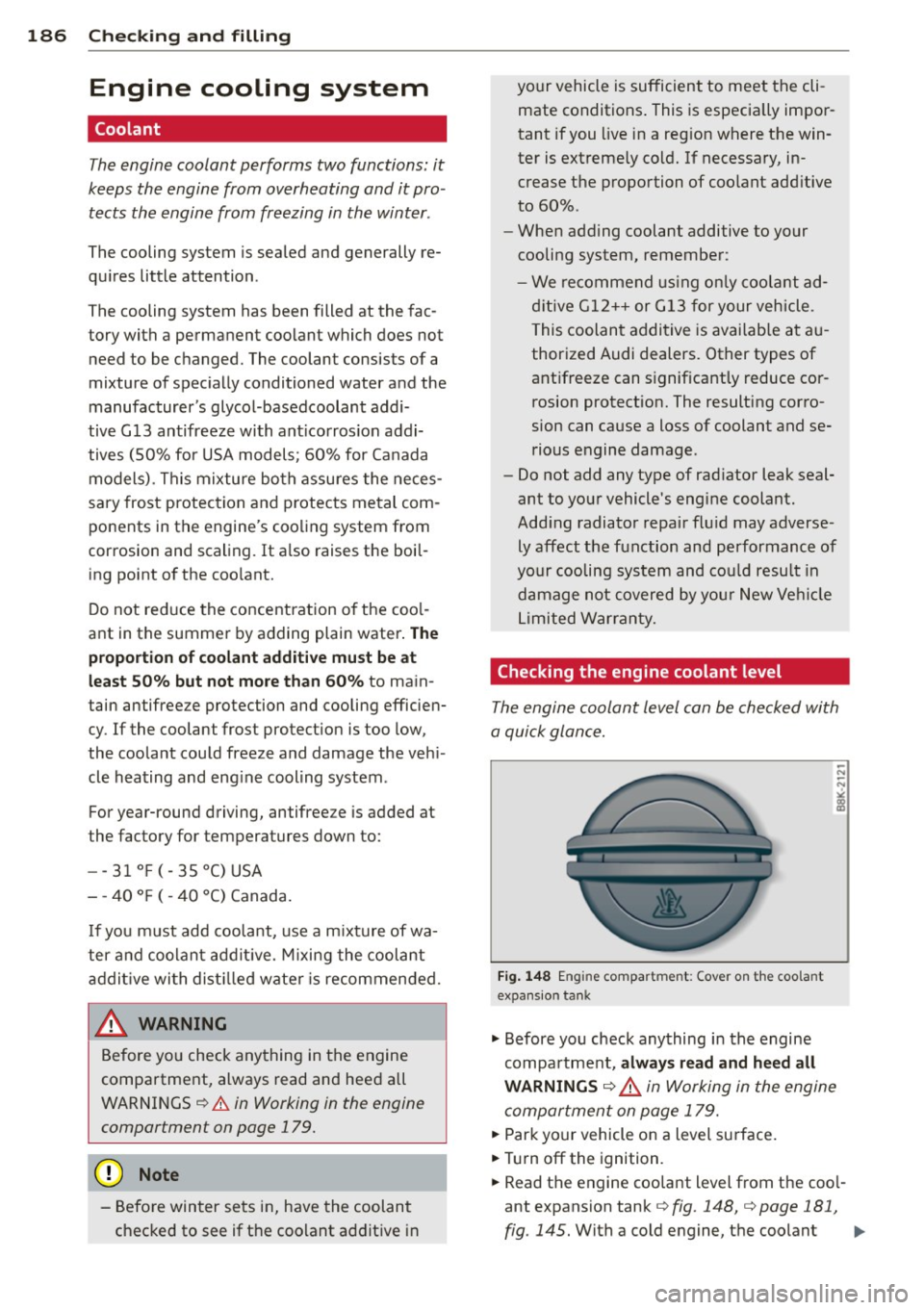
Fig. 148 E n gin e compart men t: Cover on the coo la n t
expans io n tank
.,. Before you check anything in the engine
compa rtment,
always read and heed all
WARNINGS ~ ,& in Working in the engine
compartment on page 179.
.,. Park your vehicle on a level surface .
.,. Tur n off the ignition.
.,. Read the engine coolant level from the coo l
ant expansion tank
c:> fig . 148, c:> page 181,
fig. 145.
With a cold engine, the coolant Iii>-