warning AUDI Q7 2009 Owner´s Manual
[x] Cancel search | Manufacturer: AUDI, Model Year: 2009, Model line: Q7, Model: AUDI Q7 2009Pages: 426, PDF Size: 97.13 MB
Page 170 of 426
• .___A_ d_a_ p:- t_i v_ e_ C_ r_u _is _ e_C_ o_ n_ t_ r_ o_ l --------------------------------------------
Audi braking guard
App lies to vehicles: with Adaptive Cruise Contro l
Description
Audi braking guard warns you of a possible collision with
a moving vehicle up ahead.
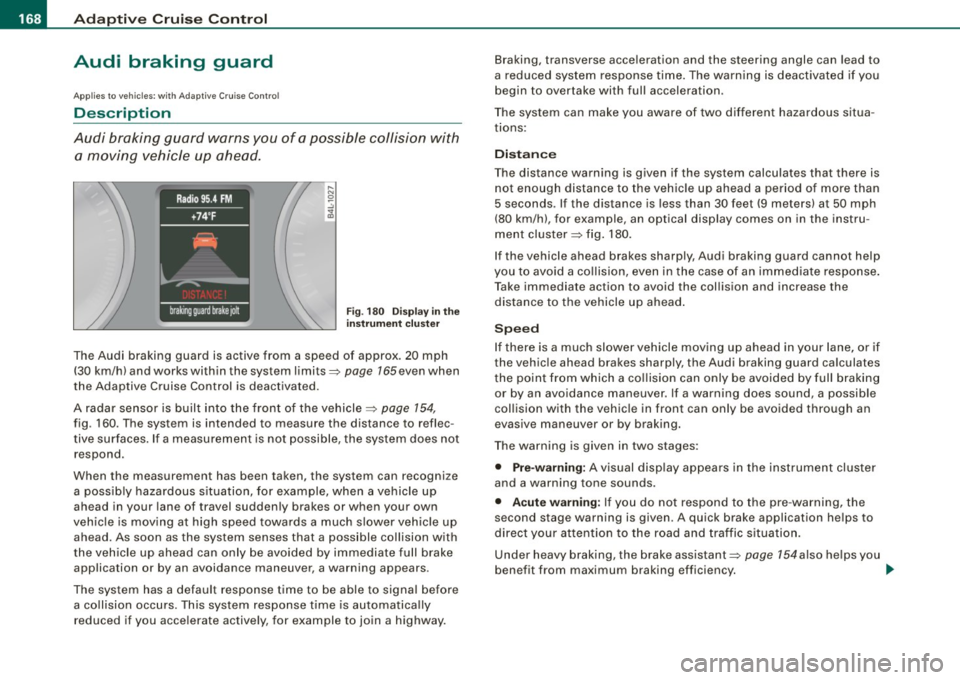
F ig. 180 Disp lay in t he
i nstrumen t cluster
The Audi braking guard is active from a speed of approx. 20 mph
(30 km/h) and works within the system limits=>
page 165 even when
the Adaptive Cruise Control is deactivated.
A radar sensor is built into the front of the vehicle=>
page 154,
fig. 160. The system is intended to measure the distance to reflec
tive surfaces. If a measurement is not possible, the system does not respond.
When the measurement has been taken, the system can recognize a possib ly hazardous s ituation, for example, when a vehicle up
ahead in your lane of travel sudden ly brakes or when your own
vehic le is mov ing at high speed towards a much s lower vehic le up
ahead. As soon as the system senses that a possible collision with
t he vehicle up ahead can only be avoided by immediate full brake
application or by an avoidance maneuver, a warning appears.
The system has a default response time to be able to signal before a co llision occurs. This system response time is automatica lly
reduced if you acce lerate actively, for example to join a highway. Braking, transverse acceleration and the steering angle can lead to
a reduced system response time. The warning is deact
ivated if you
begin to overtake with full acceleration.
The system can make you aware of two different hazardous situa
t ions:
Distan ce
The distance warning is g iven if the system calculates that there is
not enough distance to the vehic le up ahead a period of more than
5 seconds . If the distance is less than 30 feet (9 meters) at 50 mph
(80 km/h), for example, an optical display comes on in the instru
ment cluster=> fig. 180.
If the vehicle ahead brakes sharply, Audi braking guard cannot help
you to avoid a co llision, even in the case of an immed iate response .
T ake immediate action to avoid the collision and increase the
distance to the vehicle up ahead .
Speed
If there is a much slower vehicle moving up ahead in your lane, or if
the vehic le ahead brakes sharply, the Aud i braking guard calculates
t he point from which a co llision can only be avoided by full braking
or by an avoidance maneuver. If a warning does sound, a possible
collision with the vehicle in front can only be avoided through an
evasive maneuver or by braking.
The warning is given in two stages :
• Pre-warning: A visual disp lay appears in the instrument cl uster
and a warning tone sounds.
• Acut e warning : If you do not respond to the pre -warning, the
second stage warning is given . A quick brake application helps to
direct your attention to the road and traffic situation .
Under heavy braking, the brake assistant::::>
page 154also he lps you
benefit from maximum braking efficiency. _..
Page 171 of 426
_____________________________________________ A_ d_a ...: pc.. t _i_ v _e_ C_ ru_ is_ e_ C_ o_n_ t_ r_ o _ l __ lfflll
& WARNING
Inattention can cause collisions, other accidents and serious
personal injuries.
• Always pay close attention to the traffic , even when the Audi
braking guard is switched on. The Audi braking guard provides a
warning but does not brake the car for you. You must apply the
brakes yourself!
• Always keep the safe and legal distance between your vehicle
and vehicles up ahead.
• Audi braking guard works within limits and will not respond
outside the system limits, for example when approaching a
stopped vehicle or stationary obstacle (end of a traffic jam or
vehicle that has broken down in traffic ).
• Always remember that the radar sensor for the Audi brak ing
guard works within defined detection and range limits that may
prevent the proper detection of other vehicles .
• The radar sensor's function and range can be reduced by rain,
snow and heavy spray . Moving vehicles up ahead may not be
promptly detected or may not be detected at all.
• Always pay careful attention to the traffic situation and be
ready to intervene and be ready to take complete control when
ever necessary .
• Reflective surfaces including crash barriers or tunnel entrances
may impair the function of the radar sensor . •
Controls and equip
ment
App lies to veh ic les: with Adap tive Cru ise Contro l
Settings in the MMI
The sett ing s of the Aud i braking guard are performe d in
the MM/ .
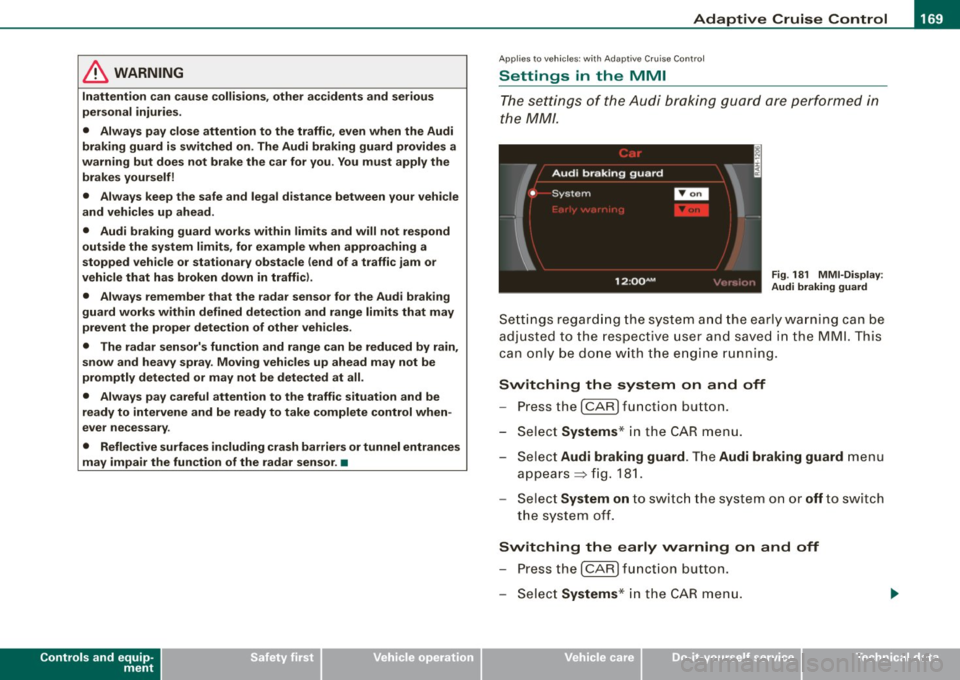
Fig. 181 MMI -Display :
Audi braking guard
Settings regarding the system and the ear ly warn ing can be
adju sted to the respect ive u ser and saved in the MML This
can on ly be done with the engine run ning.
Switching the system on and off
- Press the I CAR ] func tion b utton .
- Se lect Systems * in the
CAR menu .
Se lect Audi braking guard . The Audi braking guard menu
appears => fig. 181.
Se lect System on to switch the system on or off t o swi tch
the system off.
Switching the early warning on and off
P res s the I CAR I functio n button .
Select Systems * in the
CAR menu .
I • •
Page 172 of 426
• .___A_ d_a_ p:- t_iv _ e_ C_ r_u _is _ e_C_ o_ n_ t_ r_ o_ l --------------------------------------------
- Select Audi braking guard. The Audi braking guard menu
appears.
Select
Early warning on to switch the acoustic and visual
warning on or
off to switch the system off.
[ i] Tips
When handing over the keys to another person, the previous
settings are adopted if the Audi braking guard is activated
=> page 53. •
Applies to vehicles: with Adaptive Cruise Contro l
Driver's information in the instrument cluster
display
braking guard brake jolt
This message appears when the Audi braking guard applies the
brakes during a second stage (acute) warning.
braking guard off
This message appears when the system has been deactivated via
the MMI. This message also appears briefly at each beginning of a
trip if the system is switched off.
This message also appears when the system is not available
because of a malfunction or if ESP is switched to the Offroad
mode :::>
page 288. The system can no longer warn of an impending
collision. •
Page 173 of 426
Audi lane ass is t -
-------------------------
Audi lane assist
Lane assist
Applies to veh icles : with lane assist
Description
Lane a ssist helps you keep y our vehicle in your lane .
Lane assist uses a camera to detect lane boundary lines. If the
system detects that your vehicle is about to leave a lane boundary
line, the steering wheel
vibrates to alert the driver. If lane assist
detects boundary lines on both sides of the vehicle's lane, the
system enters active standby mode, which is indicated by the green
indica tor light /: on the instrument cluster .
I f the system is in active standby mode and the turn signal is acti
vated before driving ov er the boundary line, the warning does not
occur since the sys tem allows for intenti onal lane changes.
The system is designed for driving on freeways and expanded high
ways and t hus works on ly at speeds of 40 mph (65 km/h) or mo re .
& WARNING
• Lane ass ist will not k eep your vehicle in your lane. The sy stem
only warns the d riv er w hen t he vehicle i s le av ing the lan e. The
driv er is alway s re spon sible for keeping the vehicle in the lane.
• The camera is not able to d ete ct all lane boundary lines and in
s o me cases might al so dete ct lane str ucture s or objects as
boundary lines . This c an le ad to in corre ct wa rning s or warnings
that fa il to go off at all .
• The camer a's visibili ty ca n be i mpaired by vehi cle s ahe ad of
you , for instan ce, or by rain , snow , h eavy spray or li ght shining into
th e cam era lens . Thi s can ca use lane as sis t to f ail to d ete ct
boundary line s. •
Con tro ls and eq uip
ment
Ap plies to vehi cles : wi th la ne assi st
Activating and deactivating
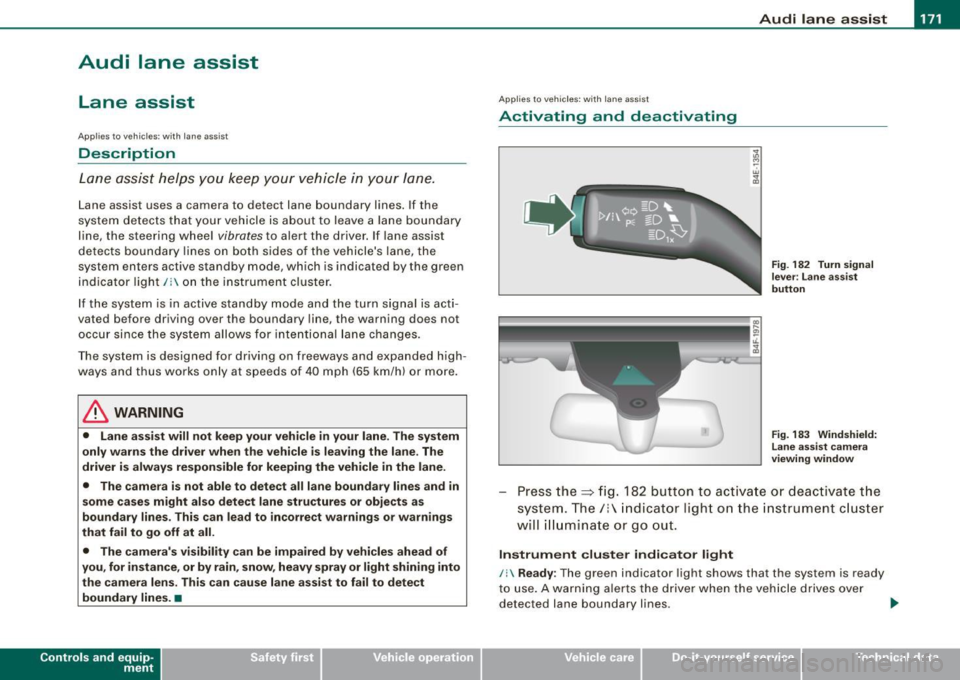
Fig . 1 82 Turn signal
l ev er: La ne assis t
butt on
F ig . 1 83 Win dshie ld:
L ane assist ca mera
v iewing win dow
Press the :::> fig. 182 button to activa te or deactivate the
syst em . T he/ : in dica tor ligh t on t he i nstrument c luster
will illuminate or go out.
Instrument c lu ster indi ca tor light
/: Ready:
The green indicator light shows that the system is ready
to use . A warning a lerts the drive r when the veh icle drives over
dete cted lane boundary l ines. .,.
Vehicle care I I irechnical data
Page 174 of 426
-Audi lane
assist --------------------
I Not ready: The yellow indicator light shows that the system is
turned on but unable to send a warn ing. This can be due to the
following:
• There are no boundary lines, or there is on ly one boundary line
present .
• The boundary lines are not detected (e.g. due to snow, dirt, wet
conditions or light shining into the camera lens).
• More than two boundary lines (such as at construction sites) are
located in the vehicle's lane.
• The vehicle's speed is below the speed needed to activate it,
which is about 40 mph (65 km/h).
• The lane is narrower than about 8 ft . (2.5 ml, or wider than about
16 ft. (5 ml.
• The curve is too sharp.
Notes on the instrument cluster display
When the lane assist turns off automatically, the instrument cluster
indicator goes out and one of the following messages appears on
the display:
Audi lane assist not available: Currently no sensor vision
This message appears when the camera can no longer function
because it cannot detect the boundary lines. This may be due to the
following :
• The exterior s ide of the camera viewing window=>
page 171,
fig. 183 is covered with dirt or ice. Clean this part of the windshield.
• The camera v iewing window is fogged up on the inside. In this
case, wait until the fog disappears before turning lane assist on
again.
• The system was unable to detect boundary lines over an
extended period of time due to road conditions (such as snow
covered lanes). Do not turn lane assist on again until the lines can
be more easily detected.
Audi lane assist not available
A temporary malfunction is preventing lane assist from operating .
Try turning on lane assist again a t a later time.
Audi lane assist: system fault
The system should be checked by an authorized Audi dealer or other
qualified workshop .
[ i ] Tips
• Make sure that the camera viewing window:::> page 171, fig. 183
is not covered by stickers or similar objects .
• Always keep the camera viewing window clean. This can usually
be done by operating the windshield wipers. •
Applies to vehicles: with lane assist
MMI settings
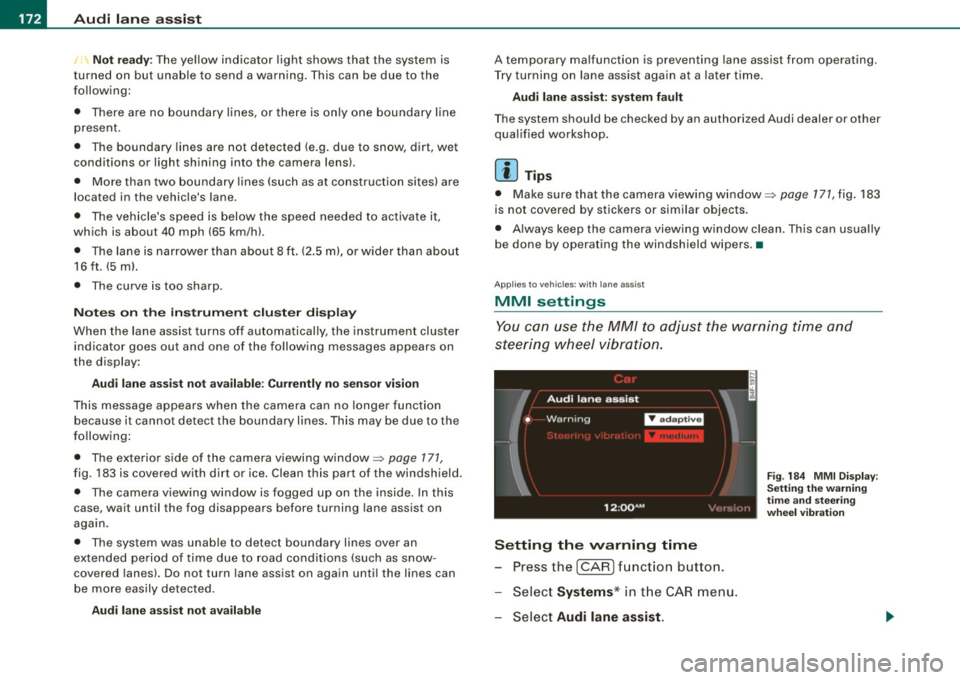
You can use the MM/ to adjust the warning time and
steering wheel vibration.
Setting the warning time
Press the I CAR] function button.
- Select
Systems * in the CAR menu .
- Select
Audi lane assist.
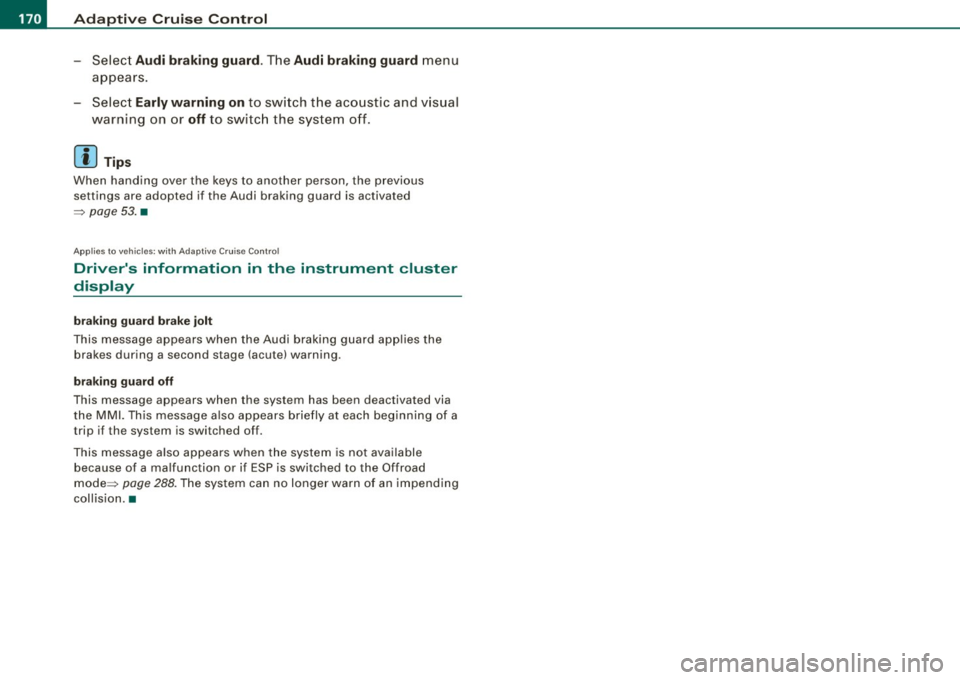
Fig. 184 MMI Display :
Setting the warning
time and stee ring
wheel vibration
Page 175 of 426
Audi lane a ssist -
----------------
-Sele ct Warning early , adaptive or late ~ page 172,
fig. 184 .
Setting th e st eering wheel vibration
- Press the
I CAR I function button.
- Selec t
Systems ·* in t he CAR me nu.
- Selec t
Audi lane a ssis t.
- Selec t Steering vibrat ion weak , medium or strong.
Setting th e warning tim e
Earl y:
This setting warns the driver before a wheel touches the
detected lane boundary line. The warning depends on the vehicle's
angle as it approaches the boundary line . If you approach a
boundary l ine gradua lly, the warning will occur ear lier. If you
approach the boundary line at a very sharp angle, the warning wi ll
occur just before a whee l touches the line.
Adapti ve : In this setting, the warning time adjusts to the character
istics of the road and the vehicle speed. The warning occurs later for
curves and occurs earlier for straight stretches of road. The warning
occurs later on narrow roads than on wide roads.
Late: This setting warns the driver when a whee l drives over the
detected lane boundary line.
Se ttin g th e steering wheel vibration
When adjusting the steering wheel vibration, the steering wheel
vibrates so that you can check the intensity you have set.
[ i ] Tips
• When making the adjustment, lane assist is not activated . The
steering whee l vibrates briefly only to assist you in changing the
setting .
• Your settings are automatically stored and assigned to the
remote contro l key being used. •
Controls and equip
ment I • •
Page 177 of 426

________________________________________________ ....:..A.:.:u=- d =-=- i ..:S:.: i.=d :.:e::....: a:.: S::.: S:::: i:.:: S :.:t:....__1111
Deactivating
- Press t he button again . T he ind icato r light on the butto n
goes out.
T he system works at speeds faster than 19 mph (30 km/h) .
& WARNING
• Improper reliance on the side assist system can cause colli
sions and seriou s per sonal injury:
- Never rely only on side assist when changing lanes .
- Always check rear view mirrors to make sure that it is safe to
c hange lanes.
• Side assist cannot detect all vehicles under all conditions
danger of accident!
• Side assist cannot detect vehicles in time to alert you when
they approach from behind at very high speed , or fall drop back
very quickly.
• The radar sensor's
vision can be reduced or entirely blocked by
rain , snow, and heavy spray . This can result in side assist not
adequately detecting veh icles or , in some cases, not detecting
them at all . Always keep an eye on the direction you are traveling
and the relevant area around the vehicle.
• Please note that side assi st indicates there are approaching
vehicles, or vehicles in your bl ind spot , only after your vehicle has
reached a driving speed of at lea st 19 mph (30 km /h).
• Side assist signal does not work around tight corners (turning
radiu s less than 328 feet , or 100 m l.
• Side assist is no replacement for the driver's full attention . The
d river alone is responsible for lane changes and similar driv ing
maneuvers. Always keep an eye on the d ire ction you are travel ing
and the relevant area around the vehicle .
Controls and equip
ment
0 Note
• To e nsu re t hat you do not adverse ly a ffect s ide assist, do not
b lock the area on the rear bumper where the radar sensors are
located w it h f oreign objects (s uch as st ickers or bicycle rac ks).
• M ake su re that the signal light on the o utside mi rror is not
b loc ked by st ic ke rs or ot her items.
[ i ] Tips
• Side ass ist automaticall y deact ivates i f it detects t hat t he ra dar
sensors are blocked=>
page 181. The indicator light on the button
goes out.
• The area on the bumper whe re the rada r sen so rs a re loca ted
must cons iste ntly re mai n fr ee o f snow, ice, and heavy so iling so t hat
side assist can function properly. Follow the additiona l notes on
=>
page 182.
• F or vehicle s with a factory insta lled towing hitch* or a t railer
hi tc h* th at was installed later accordi ng to factory speci ficat ions,
side assist is automatically deactivated as soon as the electrical
co nnect ion to the tra iler elec trical socket is m ade =>
page 181 .
• For vehicle s with a t raile r hitch that was not insta lled acco rding
t o factory speci ficat io ns, sw itch off t he side assis t w hen towi ng a
trai le r.
• Add itiona l tin ting on the front side w indows can make it harder
to see and co rrect ly understand the signal light on the outside
mi rror.
• Fo r Decla ration of Comp liance to Uni ted States FCC and Ind ust ry
Canada regula tions=>
page 404. •
I • •
Page 182 of 426
• ..__A_ u_ d_ i _s _i_d _e_ a_ s_ s _ is_ t __________________________________________________ _
G) Signal on outside mirror does not light up
If you activate your turn signal in driving situation@, the signal still
does not ligh t up on the outside mirror::::;,
& in "Safety tips" on
page 782 . •
A pplies t o vehi cles : w it h side assist
MMI settings
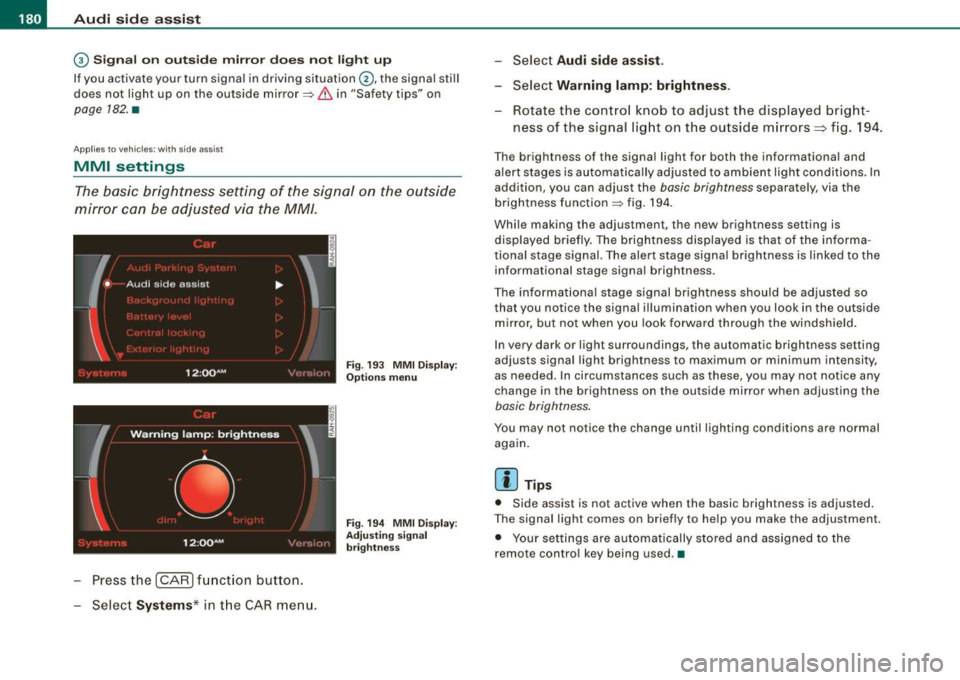
The basic brightness setting of the signal on the outside
mirror can be adjusted via the MM/.
- Pressthe!CAR)function button.
Select Systems* in the
CAR menu.
Fig. 193 MMI Display:
Options menu
Fig . 194 MMI Display :
Adjusting signal
brightness
Select Audi side assist.
- Select Warning lamp: brightness .
Rotate the control knob to adjust the displayed bright
ness of the signal light on the outside mirrors:::::, fig. 194 .
The brightness of the signal light for both the informational and
alert stages is automatically adjusted to ambient light conditions . In
addition, you can adjust the
basic brightness separat ely, via th e
brightness function::::;, fig. 194.
While making the adjustment, the new brightness setting is displayed briefly. The brightness displayed is that of the informa
tional stage signal. The alert stage signal brightness is linked to the
informational stage signal brightness.
The informational stage signal brightness should be adjusted so
that you notice the signal illumination wh en you look in the outside
mirror, but not when you look forward through the windshield.
In very dark or light surroundings, the automatic brightness setting
adjusts signal light brightness to maximum or minimum intensity,
as needed . In circumstances such as these, you may not notice any
change in the brightness on the outside mirror when adjusting the
basic brightness.
You may not notice the change until lighting conditions are normal
again.
[ i ] Tips
• Side assist is not active when the basic brightness is adjusted.
The signal light comes on briefly to help you make the adjustment .
• Your settings are automatically stored and assigned to the
remote con trol key being used .•
Page 183 of 426
___________________________________________________ A_u_ d_i_ s_ id_e_ a_ s_s _i_s _t _ __._
Ap plies to vehicle s: with side assist
General information
Side assist has lim its and cannot detect vehic les under all road and
weather conditions. P lease remember system limitations and
never
rely on the system, especially when:
• driving through curves=>
page 181,
• lanes are of different widths=> page 181. •
Ap plie s to vehicles: with side ass ist
When driving through curves
Side assist cannot detect vehicles in curves with a turning radius of
less than 328 feet (100 m).
When driving through a curve , it is possible that side assist may
register a vehicle two lanes
over, and the signal on the outside
m irror will ligh t up .•
A pplies to vehicle s: with side ass is t
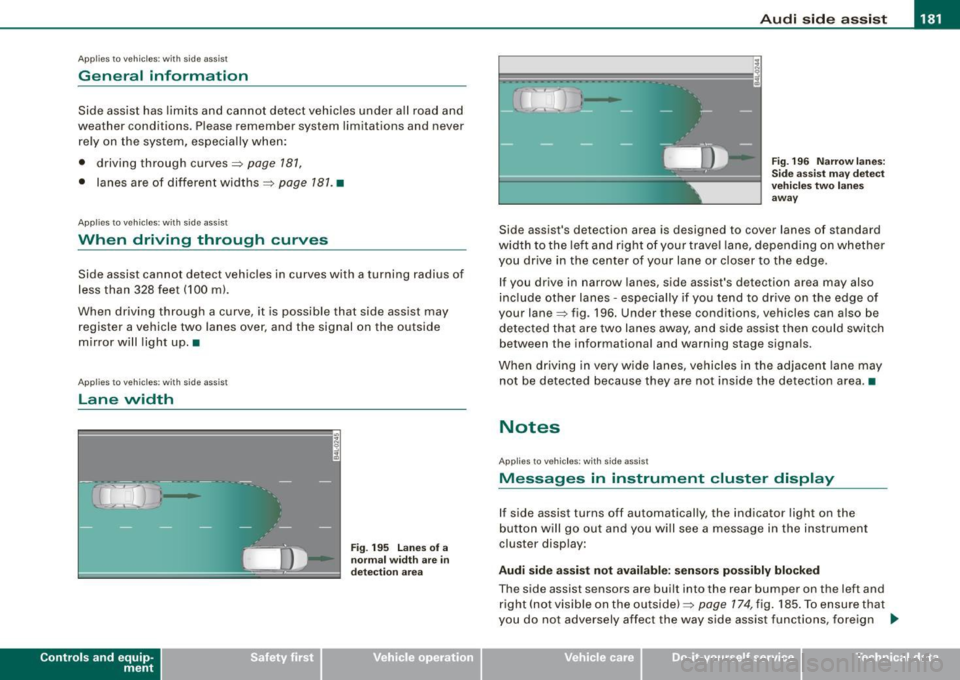
Lane width
Controls and eq uip
ment
,
' ' ' '
• •
Fi g. 19 5 Lanes o f a
n orm al w idth are in
d etec tion a re a
Fig . 19 6 Narrow l anes:
Si de ass is t m ay d etec t
v ehicle s tw o la n es
a w ay
Side assist's detection area is designed to cover lanes of standard
width to the le ft and right o f your trave l lane, depending on whethe r
you drive in the center of your lane or c loser to the edge.
If you drive in narrow lanes, side assist's detection area may also
inc lude other lanes -especially if you tend to dr ive on the edge o f
your lane=> fig . 196. Under these conditions, vehicles can also be
de tected tha t are two lanes away, and s ide assist then could switch
between the informational and warning stage signa ls.
When d riving in very wide lanes, vehicles in the adjacent lane may
not be detected because they are not inside the detection area. •
Notes
Applies to veh ic les : with side assist
Messages in instrument cluster display
If side assist turns off automatically, the indicator light on the
button will go out and you will see a message in the instr ument
cluster display:
Audi side a ssist not available : sensors po ssibly blocked
The side assist sensors are built into the rear bumper on the left and
right ( not visible on the outside) =>
page 174, fig. 185 . To ensure that
you do not adversely affect the way side assist functions, foreign .,_
Vehicle care I I irechnical data
Page 184 of 426

• .___A_ u_ d_ i_s_ i_ d _e_ a_ s_ s_is _ t __________________________________________________ _
objects (such as stic kers o r bicyc le rac ks) shou ld no t be attach ed to
th e ar ea on the rea r bump er where t he sen so rs ar e loca ted. I f side
assist functions are adve rsely aff ect ed, you will see this m essage in
th e ins trum ent clu ster dis pla y. Remove an ything that may be
blocking the sensors.
If no veh ic le is detected for a longer period of time while d riving,
s id e ass ist w ill a lso sw itc h off aut omat ica lly.
Audi side assist currently not available If th ere is a tem porary prob le m (such as the veh ic le 's battery char ge
being low), side ass ist cannot be activated tem porar ily .
Audi side assist: system fault H ave the sys te m chec ked by an a uthorize d A udi dea ler o r qua lified
wor ks h op.
Audi side assist not available when towing
T he radar sensor 's view is limited when towing a trailer . Fo r vehicles
wi th a fac tory insta lle d t owi ng hitc h or a tra ile r h it c h th at was
install ed later according to factory specificat ions, side assist is
a uto matica lly deact iva te d as so on as the e lect ric a l c onn ectio n to
t h e trai ler's elect rical soc ket is m ade, and th is sta tus m essage
a ppears in the instrument c luster disp lay . Deactivat ion cannot be
gua ra nte ed w hen usin g a retro fitted to wi ng hitch that was not
insta lled according to factory specifications .•
Ap plies to vehic les : w it h side assist
Safety tips
T he s ide ass is t de tect io n may be limited whe n drivi ng a round
narrow street corners, on hilly streets, and under poor weather
c o ndition s.
It is possibl e that the radar sensors may also detect other ob jects,
suc h as h igh or s tagge re d guar drails. S
ide assist does not measure actua l lane width . The sys tem
assumes a fixed la ne wid th. Dete cti on in th e le ft an d rig ht l anes is
based on this assumed lane width . When d riv ing on narrow roads or
w hen driving to t he left or right of the ce nte r of a travel la ne, it i s
possible that vehicles will be detected that are
not in th e lane next
to the lane yo u are us ing.
& WARNING
• Improper reliance on the side assist system can cause colli
sions and serious personal injury :
- Never rely only on side assist when changing lanes.
- Always check rear view mirrors to make sure that it is safe to
change lanes .
• Side assist cannot detect all vehicles under all conditions
danger of accident!
• Side assist cannot detect vehicles in time to alert you when
they approach from behind at very high speed , or fall drop back
very quickly .
• The radar sensor's
vision can be reduced or entirely blocked by
rain , snow , and heavy spray . This can result in side assist not
adequately detecting vehicles or , in some cases, not detecting
them at all . Always keep an eye on the direction you are traveling
and the relevant area around the vehicle .
• Please note that side assist indicates there are approaching
vehicles , or vehicles in your blind spot , only after your vehicle has
reached a driving speed of at least 19 mph (30 km /h).
• Side assist signal does not work around tight corners (turning
radius less than 328 feet , or 100 ml.
• Side assist is no replacement for the driver's full attention. The
driver alone is responsible for lane changes and similar driving
maneuvers . Always keep an eye on the direction you are traveling
and the relevant area around the vehicle. .,,_