brake light AUDI Q7 2009 Owner´s Manual
[x] Cancel search | Manufacturer: AUDI, Model Year: 2009, Model line: Q7, Model: AUDI Q7 2009Pages: 426, PDF Size: 97.13 MB
Page 35 of 426
& WARNING (continued)
vehicle control and an accident. Have your vehicle repaired immediately by your authorized Audi dealer or a qualified workshop.
Drive slowly and avoid sudden, hard brake applications. •
Engine cooling system malfunction -L
A mo/function in the engine cooling system must be
repaired as soon as possible.
When the _ t symbol in the display blinks, then either the
engine coolant temperature is too high, or the coolant level
is too low. An additional driver message can also be
displayed by pressing the [ CHECK] button:
Switch off engine and check coolant level
- Pull off the road .
- Stop the vehicle.
- Turn off the engine.
- Check coolant level => page 338.
- Add coolant if necessary => page 339.
- Continue driving only after the engine coolant
warning/indicator light goes out.
- Contact your authorized Audi dealer for assistance if
necessary.
If the engine coolant level is correct, then the radiator fan may be
the cause of the malfunction.
If the O warning symbol (alternator malfunction) also lights up on
the instrument panel~
page 32, then the fan belt may be damaged .
Controls and equip
ment
Driver information display
& WARNING
• If your vehicle should break down for mechanical or other
reasons, park at a safe distance from moving traffic, turn off the
engine and turn on the hazard warning lights
~ page 76, "Emer
gency flasher
A".
• Never open the hood if you see or hear steam or coolant
escaping from the engine compartment -you risk being scalded.
Wait until you can no longer see or hear steam or coolant
escaping.
• The engine compartment of any vehicle is a dangerous area.
Before you perform any work in the engine compartment, turn of
the engine and allow it to cool. Follow the warning stickers
~ page 324, "Engine compartment".
0 Note
Do not continue driving if the _f_ symbol illuminates. There is a
malfunction in the engine cooling system -you could damage your
engine. •
Engine oil pressure malfunction "l::;r.
The red engine oil pressure warning symbol requires
immediate service or repair. Driving with a low-oil -pres
sure indication is likely to inflict severe damage to the
engine.
If the 'l::::11 symbol appears in the display and blinks, the oil
pressure is too low. An additional driver message can also
be displayed by pressing the [CHECK] button:
Switch off engine and check oil level
Immediate actions
- Pull off the road.
I • •
Page 37 of 426

If there is a malfunction in the electronic ignition lock, the ignition
cannot be turned off. Drive immediately to an authorized Audi
dea ler to have the cause of the malfunction corrected .
On vehicles with Convenience key*, the engine should not be
switched off using the
I S T OP! button because the engine cannot be
started again after the ignition is switched off. •
Yellow symbols
A yellow symbol means WARNING.
Fig. 19 Display: low
fu el leve l wa rnin g
(pr io rity 2)
Yellow symbols indicate a priority 2 malfunction -Warning!
When a yel low warning symbol appears,
one warning tone sounds .
A driver message appears as well to explain the malfunction in more
detail. The driver warning goes out after about 5 seconds, but it can
be brought up again at any time by pressing the
I CH ECK! button.
Check the displayed function as soon as possible . If
more than one
priority 2 malfunction is detected, all symbols will appear one after
the other for about 2 seconds.
Yellow symbols mean:
Con tro ls and eq uip
ment
Dri ver inf orm atio n di spl ay
Convenience key* ~ page 146
Key not in vehicle
IIUSA model s: ~ page27
Defective brake light
Canad a mod els: ~ page27
Defective brake light
Defective light bulb
~ page27
Light/rain sensor defective* ~ page36
Windshield washer fluid ~ page36
level low
L ow fue l leve l
~ page36
Battery voltag e ~ page36
Worn brake pads ~ page37
Dynamic headlight range => page 37
control defective
Check engine oil level
~ page 37
~ page335
IIEngine oil sensor malfunction ~ page 37
-
Engine speed limitation* ~ page37
-
Adaptive Light d efective* ~ page37
Ignition lock malfunction => page 38
]iwindshield wiper defect ive ~ page38
Vehicle care I I irechnical data
Page 39 of 426

Driver message appears and does not go out again
If this driver notification appears after the ignition is turned on or
while driving and does not go out again , the battery's state of
charge is not in the optimal range . Starting capability is restricted.
Have the battery checked by an authorized Audi dealer as soon as
possible .•
Worn brake pads )
Brake pads!
If the warning light illuminates, immediately contact your autho
ri zed Audi dealer or qualified workshop to have all brak e pads
inspected. On USA models the warning light .,...,,. comes on together
with the warning light
BRAKE. Both sets of brak e pads on an axl e must
always be replaced at the same time.
& WARNING
Driving with bad brakes can cause a collision and serious personal
injury.
• If the warning light and the warning light
BRAKE21 with the
message Brake pads! comes on in the instrument cluster display,
immediately contact your authorized Audi dealer or qualified
workshop to have all brake pads checked or replaced if
necessary. •
Headlight range control defective )
' Headlight range control defective !
If the symbol illuminates , the dynamic headlight range control is no
longer working properly. Have the system checked and repaired at
your authorized Audi dealer. •
21 BRAKE: USA models only
Controls and equip
ment
Driver information display
Engine oil level ~
~ Please check oil level
When the symbol illuminates, check the engine oil level as soon as
possible=>
page 335. Top off the oil at your earliest opportunity
=>
page 336. •
Engine oil sensor defective -
Oil level! Sensor defective
If the symbol illuminates, contact your authorized Audi dealer and
have the oil sensor inspected. Until you have this done, check the oil
level each time you refuel just to be on the safe side=>
page 335. •
Applies to vehi cles : wit h engi ne spee d lim itation
Engine speed limitation f,,.
Engine speed maximum XXXX RPM
The I symbol illuminates when there is an engine control malfunc
tion . The indicator light in the instrument cluster also illumi
nates. The engine speed is limited to the speed displayed in the
driver information system. Keep in mind that the engine speed will
not exceed the value displayed in the driver information system, for
example when downshifting .
Please go to an authorized Audi dealer or other qualified workshop
to have the malfunction repaired. •
Applies to vehic les : with Ada ptive ligh t
Adaptive Light defective ~l
' Adaptive Light defective
I • •
Page 121 of 426
________________________________________________ S_ e_ a _ t_ s _a_ n_d _ s_t _o _ r_ a...: g==-- e __ llll
Storage
General overview
There are numerous places to store items in your vehicle.
Glove compartment
Cooling box in glove compartment
Storage compartment in roof
Storage in the door panels
Storage net in footwell
Storage net in the front seat backs
Storage net in luggage compartment
Storage compartment beneath cargo
floor
& WARNING
=> page 119
=> page 120
=> page 121
=> page 121
=> page 122
=> page 122
=> page 109
• Always remove objects from the instrument panel. Any items
not stored could slide around inside the vehicle while driving or
when accelerating or when applying the brakes or when driving
around a corner.
• When you are driving make sure that anything you may have
placed in the center console or other storage locations cannot fall
out into the footwells. In case of sudden braking you would not be
able to brake or accelerate.
• Any articles of clothing that you have hung up must not inter
fere with the driver's view. The coat hooks are designed only for
lightweight clothing. Never hang any clothing with hard, pointed
or heavy objects in the pockets on the coat hooks. During sudden
braking or in an accident -especially if the airbag is deployed -
these objects could injure any passengers inside the vehicle. •
Controls and equip
ment
Glove compartment
To open glove compartment
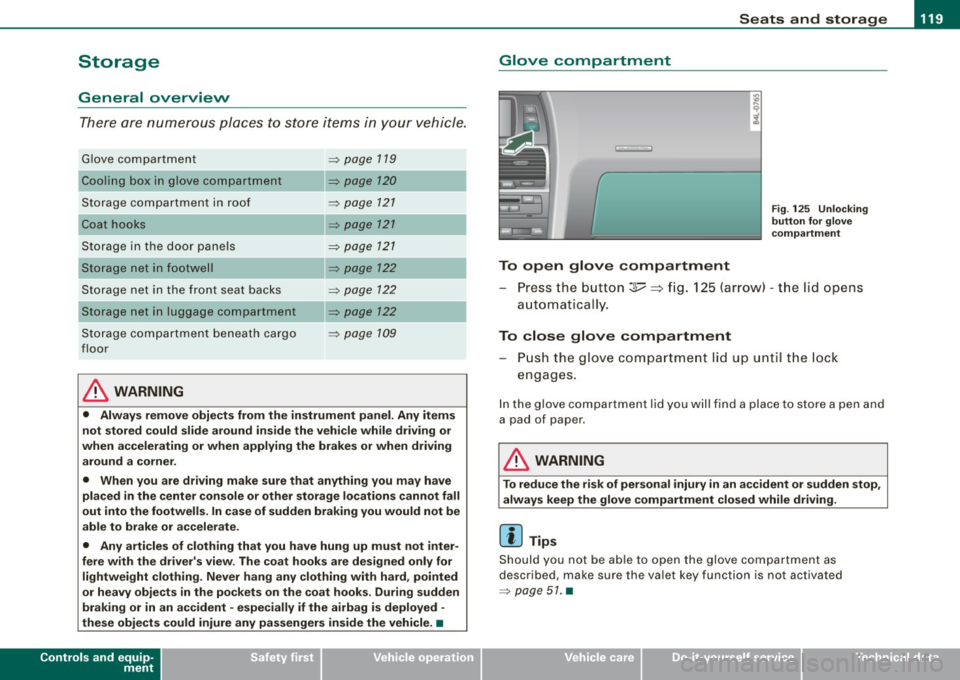
Fig . 125 Unlocking
button for glove
compartment
Press the button :];,, ~ fig. 125 (arrow) -the lid opens
automatica I ly.
To close glove compartment
- Push the glove compartment lid up until the lock
engages.
In the glove compartment lid you will find a place to store a pen and
a pad of paper .
& WARNING
To reduce the risk of personal injury in an accident or sudden stop,
always keep the glove compartment closed while driving.
[ i] Tips
Should you not be able to open the glove compartment as
described, make sure the valet key function is not activated
=> page 51. •
I • •
Page 146 of 426

• ..__O_ n_ t_h _e _ r_o _a _ d __________________________________________________ _
& WARNING
Never start or let the engine run in a confined or enc losed area .
Exhaust fumes from the engine contain carbon monoxide , a color
le ss and odorless gas . Carbon monoxide can be fatal if inhaled .
• Never leave the engine idling unattended . An unattended
vehi cle with a runn ing engine poses a danger of personal injury or
theft.
0 Note
• Avoi d high engine speed s, fa st a ccele rati on or heavy eng ine
loads while the engi ne is sti ll cold. This cou ld damage the engine.
• The e ngi ne canno t be sta rt e d by pushing o r to w ing the vehicle.
~ For the sake of the environment
To avoid unnecessary engine wear and to re duce ex hau st emis
sions, do not let your vehicle stand and warm up. Be ready to drive
off immed iate ly afte r start ing y our veh icle. Maintain modera te
sp eed unt il the engine is completely warm. Remembe r, th e engine
performs best a t operati ng tempe ra ture .•
Stopping the engine
- Turn t he ignit ion key to position ©~ page 1 43, fig. 153 .
& WARNING
• Never turn off the engine until the vehicle has come to a
complete stop.
• The brake booster and servotroni c only work when the engine
is running . With the ignition turned off , you have to apply more
force when steering or braking . Since you cannot steer and stop
normally, this can lead to accidents and serious injuries .
& WARNING (continued )
• The radiator fan can continue to run for up to 10 minutes even
after you have turned off the engine and removed the ignition key .
The radiator fan can also turn on again if the engine coolant heats
up because of inten se sunlight or heat build -up in the engine
compartment .
0 Note
Do not stop the engine immediatel y after hard or extended driving.
Keep the eng ine runn ing f or ap proximate ly t wo minu tes to preven t
excessive heat build -up. •
Starting and stopping the engine
with Convenience key
Ap plies to vehicles: wit h C onvenien ce key
Starting the engine with th e [ START) button
This button s witches on the i gnition and starts the en gine.
Fig. 154 C onvenienc e
key ; EN GINE START
button
T he [ S TA RT ] b utto n is prov ided with two-stage operation
~ fig . 15 4. .,,_
Page 149 of 426
_________________________________________________ O_ n_ t_h _e _ ro_ a_d _ __._
and then the driver's door is opened. In this instance, the steering is
not locked . The steering is locked :
• If you press the
I STOP ] button aga in for more than 1 second.
• If you c lose the driver's door and lock your vehicle from the
outside .•
Parking brake
Operation
The parking brake replaces the handbrake.
Applying parking brake
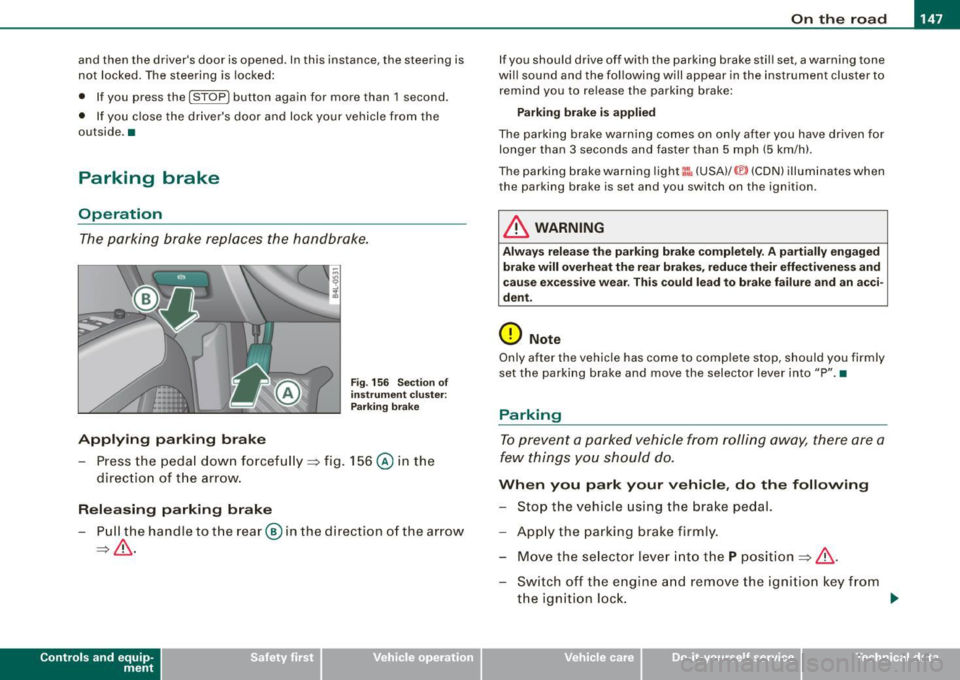
F ig . 156 Sec tion of
in strum ent clu ster:
P ark in g brake
- Press the peda l down forcefu lly ~ fig. 156 @ in the
direc tio n of the arrow.
Releasing parking brake
- Pull the handle to t he rear @ in the direction of the a rrow
~ & .
Con tro ls and eq uip
ment
I f you should drive off with the parking brake stil l set, a warning tone
wi ll sound and the following will appear in the instrument cluster to
remind you to release the parking brake:
Parking bra ke i s applied
The parking brake warning comes on on ly after you have driven for
longer than 3 seconds and faster than 5 mph (5 km/h).
The pa rking brake warning light
I:: , (USA) /© (CDN) illum inates when
the parking brake is set and you switch on the ignition .
& WARNING
Always relea se t he parking brake completely. A p artially engaged
brake will overh eat th e rea r brake s, reduce their effe ctiven ess and
ca use e xcessive w ear. Thi s co uld lead to brake failure and an a cci
dent .
(D Note
Only after the vehicle has come to comp lete stop, should you firmly
set the parking bra ke and move the selector lever into "P ". •
Parking
To prevent a parked vehicle from roll ing away, there are a
few things yo u should do.
Wh en you park your vehicle , do the following
- Stop the vehicle using the brake pedal.
- App ly the parking brake firmly.
- Mov e the se lector l ev er in to th e
P pos ition ~ & .
- Switch off the engine a nd remove the ig nitio n key from
the ignition loc k. ..,_
Vehicle care I I irechnical data
Page 151 of 426

___________________________________________________ O_ n_ t_h _e_ r_o _a_ d _ ___.BIII
& WARNING !continued )
• In order to prevent the vehicle from rolling back unintentionally
when starting in stop -and -go traffic , keep the brake pedal
depressed for a few se conds before driving off .
• When you leave the vehicle -eve n if only briefly -, switch off the
ignition and make sure to remove the ignition key. Also engage the
parking brake to prevent your vehicle from rolling unintentionally .
This particularly applies if ch ildren are left in the vehicle -danger
of accident! •
Cruise control
Switching the system on
The cr uise c ontro l syst em makes i t possible to drive a t a
c o ns tan t spee d star ting at 20 mph (30 km /h).
A ---....,;;
Con tro ls and eq uip
ment
-
Fi g. 15 7 Control lever
with set button
Fig . 158 D ispl ay:
Selected speed
P ull t he lev er t o po siti on G) => fig. 1 57 to sw itch the
sy stem on.
D riv e at th e s peed yo u wish to set .
P ress b utton
© to set th at speed.
T he display => fig. 158 wi ll show the set speed. The display may vary
d epend ing on the type o f dis play i n yo ur vehicle. The indi cator lig ht
CRUISE (US model)/ 0" (Canadian model) will a lso light up in the
instr ument clus te r.
& WARNING
• Always pay attention to traffic even when the cruise control is
switched on . You are always responsible for your speed and the
distance between your vehicle and other vehicles.
• For safety reasons, the cruise control should not be used in the
city, in stop -and -go traffic, on twisting roads and when road condi
tions are poor (such as ice , fog , gravel , heavy rain and hydro
planing ) -risk of accident.
• Turn off the cruise control temporar ily when entering turn
lanes, highway exit lanes or in constru ction zones.
• Please note that inadvertently "rest ing " your foot on the accel
erator pedal cau ses the cruise control not to brake . This is because
the cruise control is overridden by the driver's acceleration . ..
Vehicle care
I I irechnical data
Page 152 of 426
• .___O_ n_ t_ h_ e_ r_ o_ a_d ____________________________________________________ _
& WARNING (continued)
• Never use the cruise control when driving off-road or on
unpaved roads. The Cruise control is intended for use only when
the vehicle is being operated on paved roads , and is not suitable
for use off -road or on unpaved roads .
[ i J Tips
The cruise control cannot maintain a constant speed when driving
downhill. The vehicle will accelerate under its own weight. Down
shift to a lower gear or use the brakes to slow down. •
Changing speed
-Press lever in the 0 or O direction ~ page 149, fig. 157
to increase or decrease your speed.
- Release the lever to save that speed.
Change speed in increments of 1 mph (1 km/h) by lightly pressing
the lever . If you keep the lever pressed down, you will alter your
speed in 5 mph (10 km/h) increments.
You can also press the accelerator pedal down to increase your
speed, e.g. if you want to pass someone. The speed you saved
earlier will resume as soon as you release the accelerator pedal.
If, however, you exceed your saved speed by 5 mph (10 km/h) for
longer than 5 minutes, the cruise control will turn off temporarily.
The symbol will go out but the saved speed will be retained. •
Presetting your speed
You can preset your desired speed while the vehicle is not
moving.
- Turn on the ignition.
- Pull lever into position
G) ~ page 149, fig. 157.
- Press the lever in the
0 or O direction to increase or
decrease your speed.
- Release the lever to save that speed.
This function makes it possible, for example, to save the speed you
want before driving on the highway. Once on the highway, activate
the cruise control by pulling the lever toward
G). •
Swit ching th e syst em off
Temporary deactivation
- Press the brake pedal, or
- Press the lever into posit ion
0 (not clicked into place)
~ page 149, fig. 157, or
- Drive for longer than 5 minutes at more than 5 mph
(10 km/h) above the stored speed .
Switching off completely
- Press lever into position
0 (clicked into place), or
- Switch the ignition off.
The system retains the saved speed if you deactivate the cruise
control temporarily . To resume the saved speed, release the brake
pedal and pull the lever to position
G).
Switching the ignition off erases the saved speed.
Page 158 of 426
-L.....:.A:::::: d:.::a:1 Pt:.::. ti:...:v :...: e::::....: C:::..:,_ ru::.:.: is::,: e::::....: C::..:: o::n..:. t:.: r..: o :..: I:__ __________________________________________ _
Applies to ve hicles : w it h Ad aptive Crui se Co nt rol
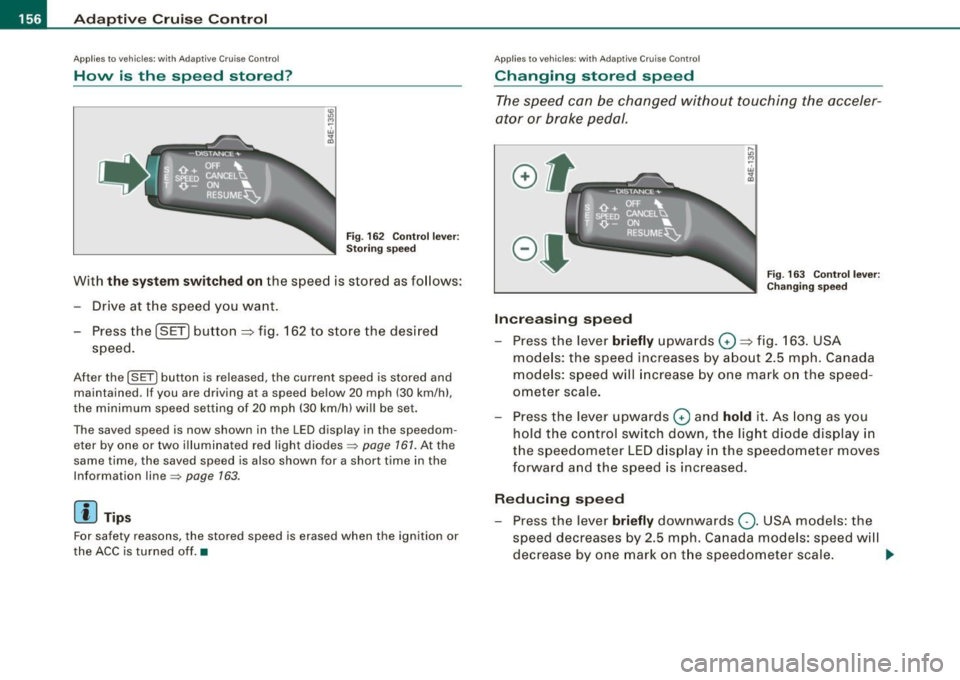
How is the speed stored?
Fig. 162 Control lever:
Storing speed
With the system switched on the speed is stored as follows :
- Drive at the speed you want.
Press the ( SET] button
::::> fig. 162 to store the desired
speed.
After the I SET I button is released, the current speed is stored and
maintained . If you are driving at a speed below 20 mph (30 km/h) ,
the minimum speed setting of 20 mph (30 km/h) will be set.
The saved speed is now shown in the LED display in the speedom eter by one or two illuminated red light diodes~
page 161. At the
same time , the saved speed is also shown for a short time in the
Information line~
page 163.
[ i J Tips
For safety reasons, the stored speed is erased when the ignition or
the ACC is turned off. •
Applies to vehi cles: with Ad aptive Crui se Contro l
Changing stored speed
The speed can be changed without touching the acceler
ator or brake pedal.
Increasing speed
....
"' M ~ w .,
"'
Fig . 163 Control lever:
Changing speed
Press the lever briefly upwards Q ::::> fig. 163. USA
models: the speed increases by about 2.5 mph. Canada
models: speed will increase by one mark on the speed
ometer scale.
- Press the lever upwards
Q and hold it. As long as you
hold the control switch down, the light diode display in
the speedometer LED display in the speedometer moves
forward and the speed is increased.
Reducing speed
- Press the lever briefly downwards Q. USA models: the
speed decreases by 2.5 mph. Canada models: speed will
decrease by one mark on the speedometer scale. _,,.
Page 159 of 426
_____________________________________________ A_ d..:.a....! p..:. t _i_ v _ e_;_ C.:...._ ru.:...._ is..:.e_;_ C.:...: o..:.n..:.. t:.; r..:. o ..:. I_---J_
- Press the lever downwards Q and hold it. As long as you
hold the control switch down, the light diode display in
the speedometer LED display moves backward and the speed is reduced.
After releasing the control switch, the system regulates the speed to
the value just set .
After each adjustment, the newly -set speed is shown for a short
time in the Information line=> page
163.
& WARNING
Improper use of the Adaptive Cruise Control features and inatten
tion can lead to an accident causing serious personal injury.
• It is dangerous to use the "RESUME" feature when the previ
ously set speed is too high for existing road, traffic or weather
conditions.
• Always read and heed the information and WARNINGS =>
& in
"Description" on
page 152.
[ i] Tips
You can increase your speed at any time by stepping on the acceler
ator pedal. After you release the accelerator pedal, the system
adjusts back down to the speed you previously set . A new desired
speed can be stored at any time by pressing the [SET ] button
=> page
756 , fig. 162. •
Con tro ls and eq uip
ment
A pp lies to veh icles: with Ad aptive Crui se Co ntro l
Turning Adaptive Cruise Control off
temporarily
In some situations it makes sense to turn Adaptive Cruise
Control off temporarily.
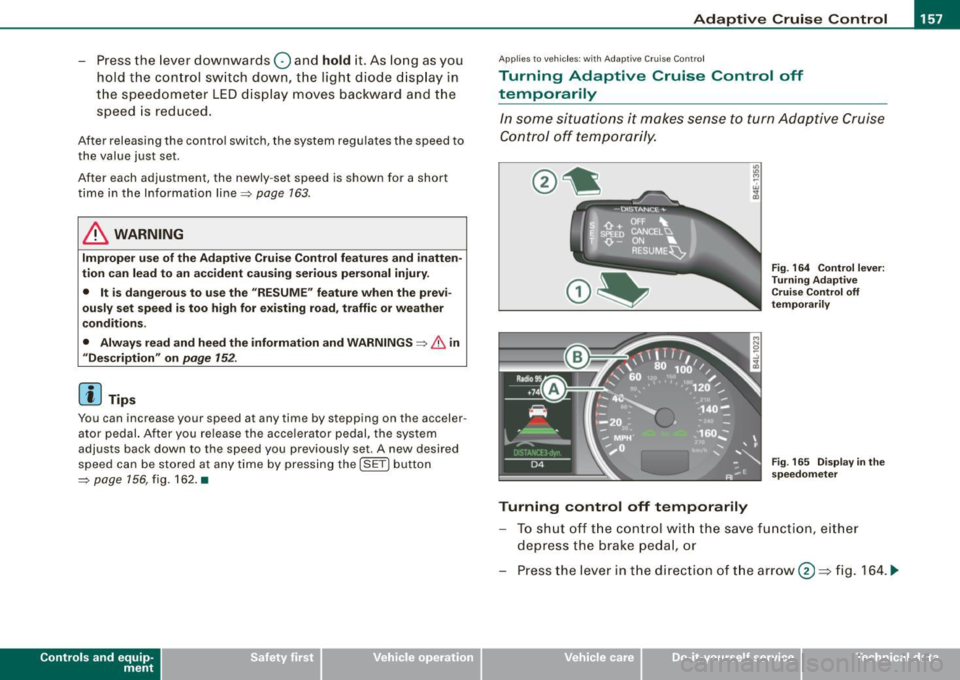
Turning control off temporarily
Fig. 164 Control lever:
Turning Adaptive
Cruise Control off
temporarily
Fig . 165 Display in the
speedometer
To shut off the control with the save function, either
depress the brake pedal, or
Press the lever in the direction of the arrow@=> fig. 164 . ._
Vehicle care I I irechnical data