seat AUDI Q7 2012 Owner´s Manual
[x] Cancel search | Manufacturer: AUDI, Model Year: 2012, Model line: Q7, Model: AUDI Q7 2012Pages: 342, PDF Size: 86.42 MB
Page 4 of 342
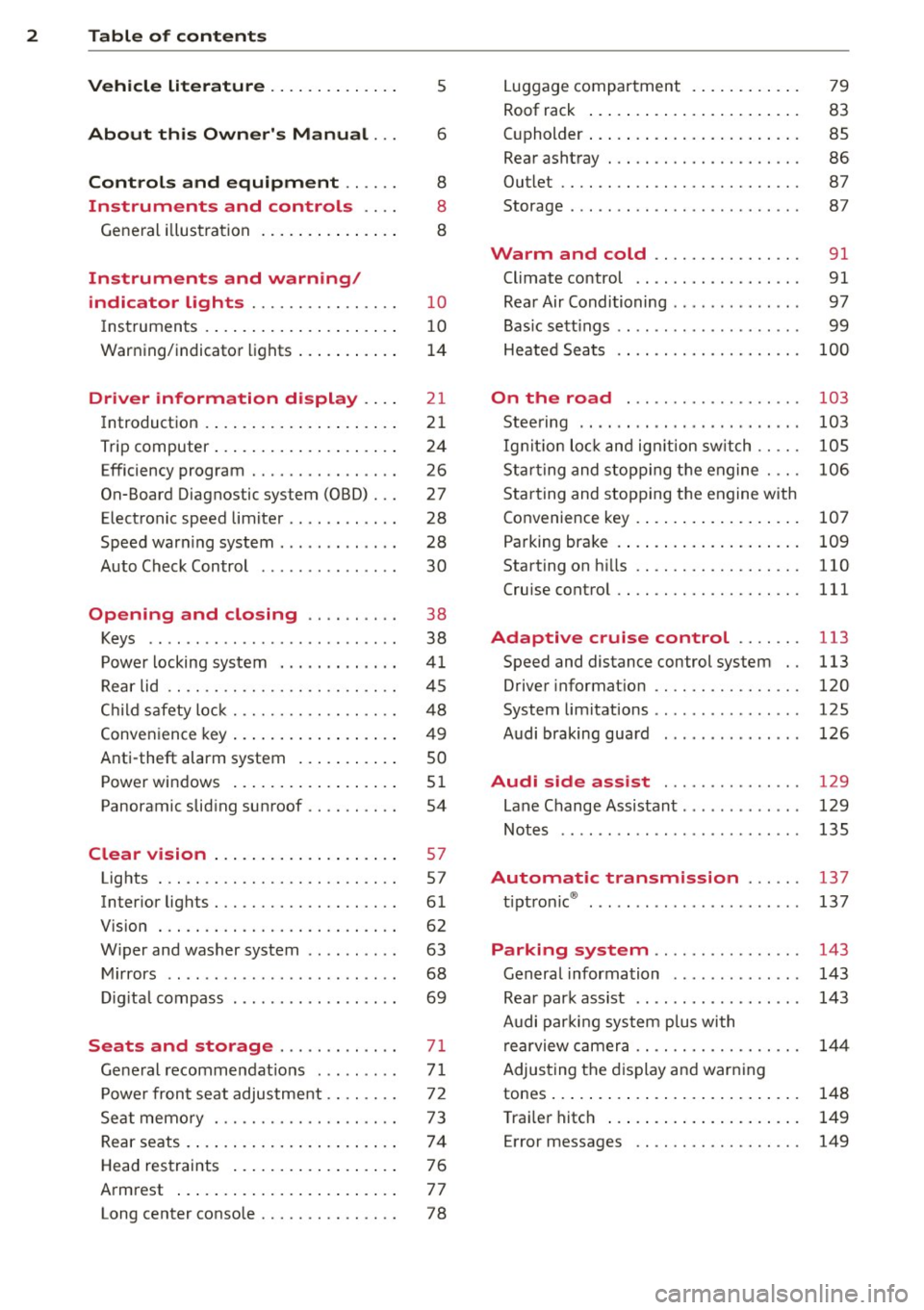
2 Table of contents Vehicle literature .. .. .. .. .. ... .
About this Owner's Manual ...
Controls and equipment .. ... .
Ins truments and controls .. . .
General illus tration .... ... .. .. ... .
Instruments and warning /
indicator lights ........ .. .. .. . .
Ins truments . .. .. ..... ... .. .. ... .
War ning/ indi cator lights ... .. ... .. .
Driver information d isplay .. . .
Introduct ion . .. .. ..... ... .. .. ... .
Trip computer .. .. ..... ... .. .. ... .
Efficiency program ........ .. .. ... .
On-Board Diagnostic system (OBD) . . .
Elect ronic speed limiter .. .. .. .. .. . .
Speed war ning system ...... ..... . .
Auto Check Control ........ ... .. . .
Opening and closing .. .. .. .. . .
Keys .. .. .. ................ ... . .
P owe r locking system . .. .. .. .. .. . .
R ear lid .. .. .. . .......... .. .. .. . .
C hild sa fety lo ck .......... .. .. .. . .
Conven ien ce key .. ..... ... .. .. ... .
Anti-theft alarm system ... .. ... .. .
Power win dows .. ..... ... .. .. ... .
Panoramic slid ing sun roof .. .. .. ... .
Clear vision .. .. ..... ... .. .. ... .
Lights . .. .. .. . .......... .. .. ... .
Inter ior lights ............. ... ... .
V 1s 1on . ...... ........... .... ... .
W iper and washer system . ... .. .. . .
M ir rors .. .. ................ ... . .
D ig ita l compass . ...... ... .. .. .. . .
Seats and storage ......... .. . .
G en eral recomme ndat ions ... .. .. . .
P owe r fron t seat adjus tment .. .. .. . .
Se at mem ory ............ .. .. ... .
Rear seats . ... . .. ..... ..... .. ... .
Head res traints .. ..... ... .. .. ... .
A rmrest .... .. .. ..... ... .. .. ... .
5
6
8
8
8
10
10
14
21
21
24
26
27
28
28
30
38
38
41
4 5
48
49
so
5 1
54
57
57
61
62
63
68
69
71
7 1
72
73
74
7 6
7 7
Long center conso le . . . . . . . . . . . . . . . 78 L
ugga ge compartment . ..... .... . .
Roof rack ..... .. .. ... ..... ... .. .
( upholder ... .. .. .. ... .. .. .. .. .. .
Rear asht ray ..... ............. .. .
Out let .... .... .. ............. .. .
Storage ...... ... .. ............. . 79
83
85
86
87
87
Warm and cold
. . . . . . . . . . . . . . . . 91
Climate control . . . . . . . . . . . . . . . . . . 91
Rea r Air Conditioning . . . . . . . . . . . . . . 97
Bas ic sett ings . . . . . . . . . . . . . . . . . . . . 99
Heated Sea ts . . . . . . . . . . . . . . . . . . . .
100
On the road . . . . . . . . . . . . . . . . . . . 103
Stee ring .. .. ... . .. ... .. ... ... .. . 103
Ig nition lo ck and ig nition sw itch . . . . . 105
St arti ng and sto pp ing t he engine . . . . 10 6
S tar ting and stopping the engine with
Co nvenience key . . . . . . . . . . . . . . . . . .
107
Pa rking bra ke . . . . . . . . . . . . . . . . . . . . 109
Starting on h ills . . . . . . . . . . . . . . . . . . 110
Cru ise contro l . . . . . . . . . . . . . . . . . . . . 111
Adaptive cruise control . . . . . . . 113
Speed and distance control system . . 113
Driver informat io n . . . . . . . . . . . . . . . . 120
System limitations . . . . . . . . . . . . . . . . 125
Audi braking gua rd . . . . . . . . . . . . . . . 126
Audi side assist . . . . . . . . . . . . . . . 129
Lane Change Assistant. . . . . . . . . . . . . 129
Not es . . . . . . . . . . . . . . . . . . . . . . . . . . 135
Automatic transmission ... .. .
t.
t . ® 1p ro ni c ..... .. .......... ... .. .
Parking system ... .. .. ... ..... .
General information ............. .
Rea r park assist .. ... ... .... ... .. .
Audi par king syste m plus with
re arview c amer a .. ............... .
Adjus ting the d is p lay a nd warning
tones ... .. .... .. ... .. ..... ... .. .
T ra ile r hitch ..... .. .... .... ... .. .
Error messages .. ... .......... .. .
137
137
143
143
143
14 4
148
149
149
Page 5 of 342
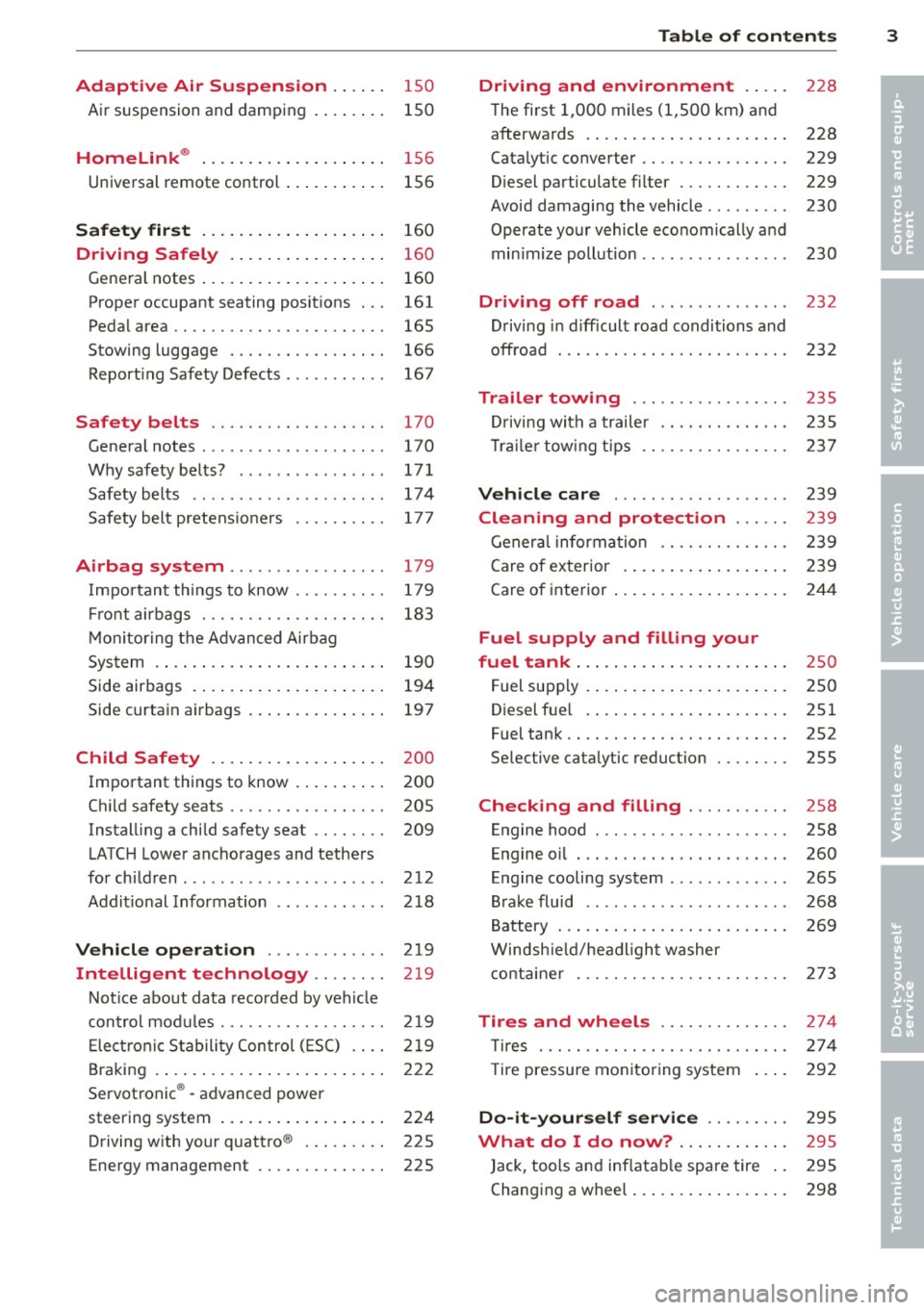
Adaptive Air Suspension .. .. . .
Air suspension and damping 150
150
Homelink ® . . . . . . . . . . . . . . . . . . . . 156
Universal remote control . . . . . . . . . . . 156
Safet y fir st . . . . . . . . . . . . . . . . . . . . 160
Driving Safely . . . . . . . . . . . . . . . . . 160
Gene ral notes . . . . . . . . . . . . . . . . . . . . 160
Proper occupant seating posit ions . . . 161
Ped al area . . . . . . . . . . . . . . . . . . . . . . . 165
Stowing luggage . . . . . . . . . . . . . . . . . 166
Report ing Safety Defects . . . . . . . . . . . 167
Safety belts . . . . . . . . . . . . . . . . . . . 170
General notes . . . . . . . . . . . . . . . . . . . . 170
Why safety belts? . . . . . . . . . . . . . . . . 171
Safety belts . . . . . . . . . . . . . . . . . . . . . 17 4
Safety bel t pretens ioners . . . . . . . . . . 177
Airbag system .......... ... ... .
Important things to know .. .. .. .. . .
Fr ont airbags ............ .... .. . .
M on itoring the A dvanced Airbag
System .... .. ... .. ..... ... .. .. . .
Side airbags . ... ...... ... .. .. .. . .
Side curtain airbags .... ... .. .. .. . .
Child Safety .. .. .... ... .. .. .. . .
Important th ings to know . ... .. .. . .
Ch ild safety seats ......... .... .. . .
Instal ling a child safety seat .. .. .. . .
LATC H Lower ancho rages and tethers
for chi ldren .... .. .. ...... .. .. .. . .
Addit ional Information
Vehicle operation ..... .. .. .. . .
Intelligent technology .. .. . .. .
179
179
183
190
194
197
200
200
205
209
212
218
219
219
Not ice about data recorded by vehi cle
con trol mod u Les . . . . . . . . . . . . . . . . . . 2 19
E lect ronic S tabili ty Control ( ES C) . . . . 219
Braking . . . . . . . . . . . . . . . . . . . . . . . . . 222
Servotronic ® -advanced power
steering system . . . . . . . . . . . . . . . . . . 224
Driving w ith your quattro ® . . . . . . . . . 225
Energy management . . . . . . . . . . . . . . 225
Table of contents 3
Driving and environment . . . . .
228
The first 1,000 miles (1,SOO km) and
afterwa rds . . . . . . . . . . . . . . . . . . . . . . 228
Catalytic co nverter . . . . . . . . . . . . . . . . 229
Diesel particulate filter . . . . . . . . . . . . 229
Avoid damaging the vehicle . . . . . . . . . 230
Operate your vehicle eco nomically and
min imize poll ution . . . . . . . . . . . . . . . . 230
Driving off road . . . . . . . . . . . . . . . 232
Driving in d ifficult road conditions and
offroad . . . . . . . . . . . . . . . . . . . . . . . . . 232
Trailer towing . . . . . . . . . . . . . . . . . 235
D riving with a trailer . . . . . . . . . . . . . . 235
T rai le r tow ing tips . . . . . . . . . . . . . . . . 237
Vehicle care . . . . . . . . . . . . . . . . . . . 239
Cleaning and protection . . . . . . 239
General information . . . . . . . . . . . . . . 239
Care of ex terior . ... .. .. .. .... ... .
Care of inte rior ... .. . .. .. ..... ... .
Fuel supply and filling your
fuel tank ... .... .. . .. .. ..... ... .
Fuel supply ...... .. . .. .. ..... ... .
Diesel f uel .. .. .. .. .. ... ..... ... .
Fuel tank .. .. .. .. .... ........... .
Se lective cata lytic reduction ..... .. .
Checking and filling .......... .
Engine hood ... .. ............... .
E n gine oi l ... .... ... .. .... ...... .
Engine cooling system .. .. ... ..... .
B rake fluid ....... ...... ........ .
B attery ... .. .. .. .. . ............ .
Windsh ie ld/headl ight washer
conta iner . .. .. .. .. ............. . 239
244
25
0
250
251
252
255
258
258
260
265
268
2 69
2 73
Tires and wheels . . . . . . . . . . . . . . 274
T ires . . . . . . . . . . . . . . . . . . . . . . . . . . . 274
T ire pressure monitoring system 292
Do -it -yourself service . . . . . . . . . 295
What do I do now? . . . . . . . . . . . . 295
Jack , tools and inflatab le spare tire . . 295
Changing a wheel . . . . . . . . . . . . . . . . . 298
•
•
Page 11 of 342
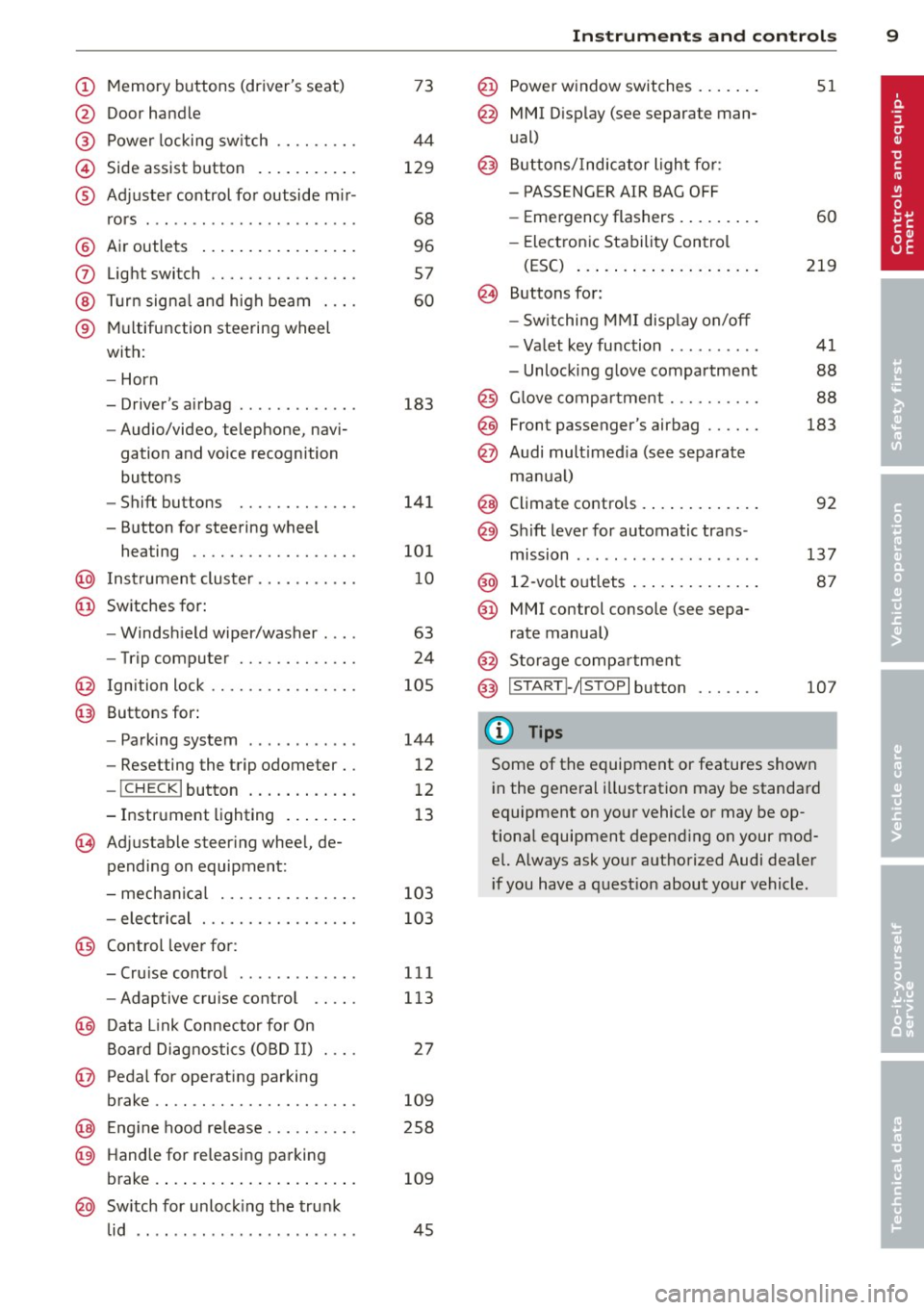
(!) Memory buttons (driver's seat)
@ Door handle
@ Power locking switch .... .. .. .
© Side assist button .......... .
® Adjuster control for outside m ir-
rors .... ... ............... .
@ Air outlets ................ .
(J) Light switch ........... .... .
@ Turn signal and high beam . .. .
® Multifunction steering wheel
with:
- Horn
- Driver's airbag ............ .
- Audio/video, telephone, navi-
gation and vo ice recognition
buttons
- Shift buttons ........ .. .. .
- Button for steering wheel heating ............. .... .
@ Instrument cluster ...... .. .. .
@ Switches for:
- Windshield wiper/washer . .. .
- Trip computer ........ .. .. .
@ Ignition lock ........... .... .
@ Buttons for:
- Parking system
- Resetting the trip odometer ..
- !CHECK lbutton ... ' ... .... .
- Instrument lighting ....... .
'3 Adjustable steer ing wheel, de
pending on equipment:
- mechanical .......... .... .
- electrical ............ .... .
@ Control lever for: 73
44
129
68
96
57
60
183
141
101
10
63
24
105
144
12
12
13
103
103
- Cru ise control . . . . . . . . . . . . . 111
- Adaptive cruise control . . . . . 113
@ Data Link Connector for On
Board Diagnostics (OBD II) . . . . 27
@ Pedal for operating parking
brake . . . . . . . . . . . . . . . . . . . . . . 109
@ Engin e hood release . . . . . . . . . . 258
@ Handle for releasing parking
brake. ..... .... .... ... .. .. . 109
@ Switch for unlock ing the trunk
lid . . . . . . . . . . . . . . . . . . . . . . . . 45
Instruments and controls 9
@ Power window switches ...... .
@ MMI Display (see separate man
ual)
@ Buttons/Indicator light for:
- PASS ENG ER AIR BAG OFF
- Emergency flashers ........ .
- Electronic Stability Control
(E5C) ... .... .. . ......... .
@ Buttons for:
- Switching MMI display on/off
- Valet key function ......... .
- Unlocking glove compartment
@ Glove compartment ......... .
@ Front passenger's airbag ..... .
@ Audi multimed ia (see separate
manua l)
@ Climate controls . .. .. .. ..... .
@) Sh ift lever for automatic trans -
mission ....... .. .......... .
@ 12-volt outlets ... . .. .. ..... .
@ MMI control console (see sepa
rate manual)
@ Storage compartment
@ IS TART I- / IS T OPI button
(D Tips
51
60
219
41
88
88
183
92
137 87
107
Some of the equipment or features shown
in the general illustration may be standard
equipment on your vehicle or may be op
tional equipment depend ing on your mod
el. Always ask your authorized Audi dealer
i f you have a question about your vehicle .
Page 41 of 342
The transmitter and battery a re located in the
head of the remote control. The receiver is lo
cated inside the vehicle. The maxim um effec
tive range depends on several things. Remem
ber, if the battery is weak, the effective range
decrease s.
If you need to replace the remote contro l, or if
you need to have it repaired, you must see
your author ized Audi dealer. Only then can
you use the key again .
Personalizing the ma ster key
When t he ignit ion is t urned off or when the
veh icle is locked, vari ous conven ience settings
are stored automatically and assigned to the
key that was used . The settings that are as
signed to the maste r key are recalled auto
ma ticall y when the veh icle is unlocked, when
the door is opened o r when th e ignition is
sw itched on .
Sett ings are saved for the following systems :
- Climate control
- Central lock ing
-W indows
- Am bien ce light ing*
- Seat memory*
- Steering w heel heat ing*
- Adaptive cruise control*
- Audi side ass ist*
- Pa rking system*
The
Remote control key f unc tion mus t be ac
t iv at ed in t he MMI ¢
page 74, so that the
set tings for the driver 's seat (i ncluding the
settings for the steering co lumn and exter ior
mirrors) are saved on the master key through
the seat memory when the vehicle is locked,
and a re set automatically when the ve hicle is
u nl ocked.
(D Tips
- If
the ignition is sw itched on, t he remote
contr ol system is deact ivated.
- The remote control system can be affec t
ed by other systems operating in the
same frequency range close to the vehi-
Opening and clo sin g 39
cle, such as mo bile telep hones, televi
sion broadcast ing stations, etc .
- F or Declara tion of Com pliance to United
States FCC and In du stry Canada re gula
ti ons¢
page 322 .
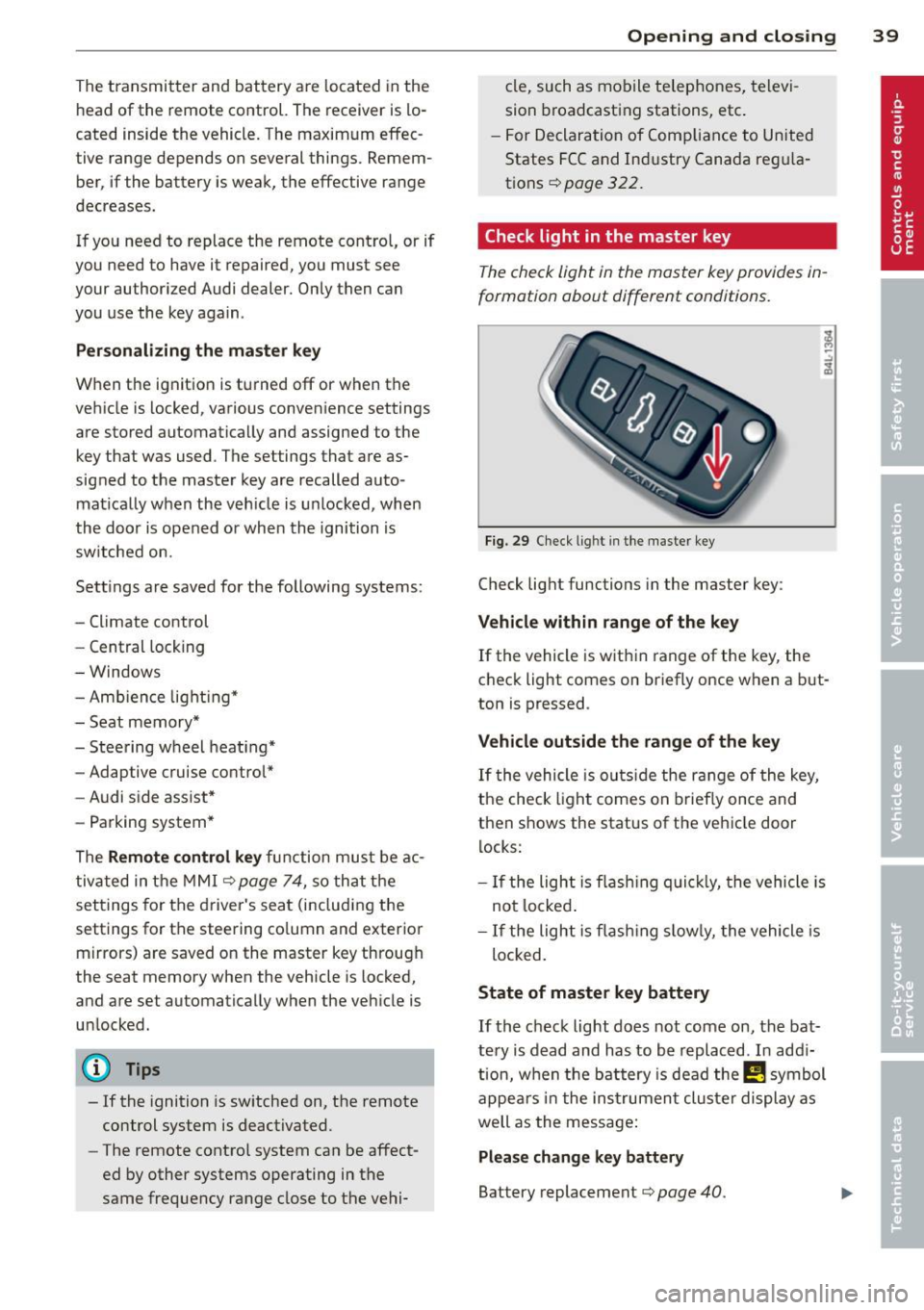
Check light in the master key
The check light in the m aster key provides in
formation about different conditions .
Fig. 29 Ch eck l ig ht in t he m aster key
Check lig ht functions in the master key :
Vehicle within range of the key
If
the vehicle is w it hi n range of the key, the
c heck light comes on br iefly once when a b ut
ton is pressed .
Vehicle outside the range of the key
If
t he vehicle is ou ts id e the r ange of the key,
the check light comes on brie fly once and
then shows the status of the vehicle door l ocks:
- If the ligh t is fla shin g qu ickl y, the vehicle is
no t locke d.
- If the ligh t is f lash ing slow ly, the vehicle is
loc ked .
State of master key battery
If
t h e ch ec k light does not come on, the bat
te ry is d ead and has to b e re pla ced . In ad di
tio n, w hen the b attery is dea d the
!I! symbo l
a p pe ars in t he instrumen t clu ste r displ ay a s
well as the message:
Please change key battery
Battery replacement¢ page 40.
Page 50 of 342
48 Openin g and clo sing
- As soon as the electrical connec tion to
the trailer socket is completed on vehi
cles with a factory installed towing h itch,
or a trailer hitch that was installed later
according to factory specifications, the
automat ic rear lid function can on ly be
operated via the handle in the rear lid.
Rear lid emergency unlocking
If the rear lid cannot be opened, an emergen
cy release is provided .
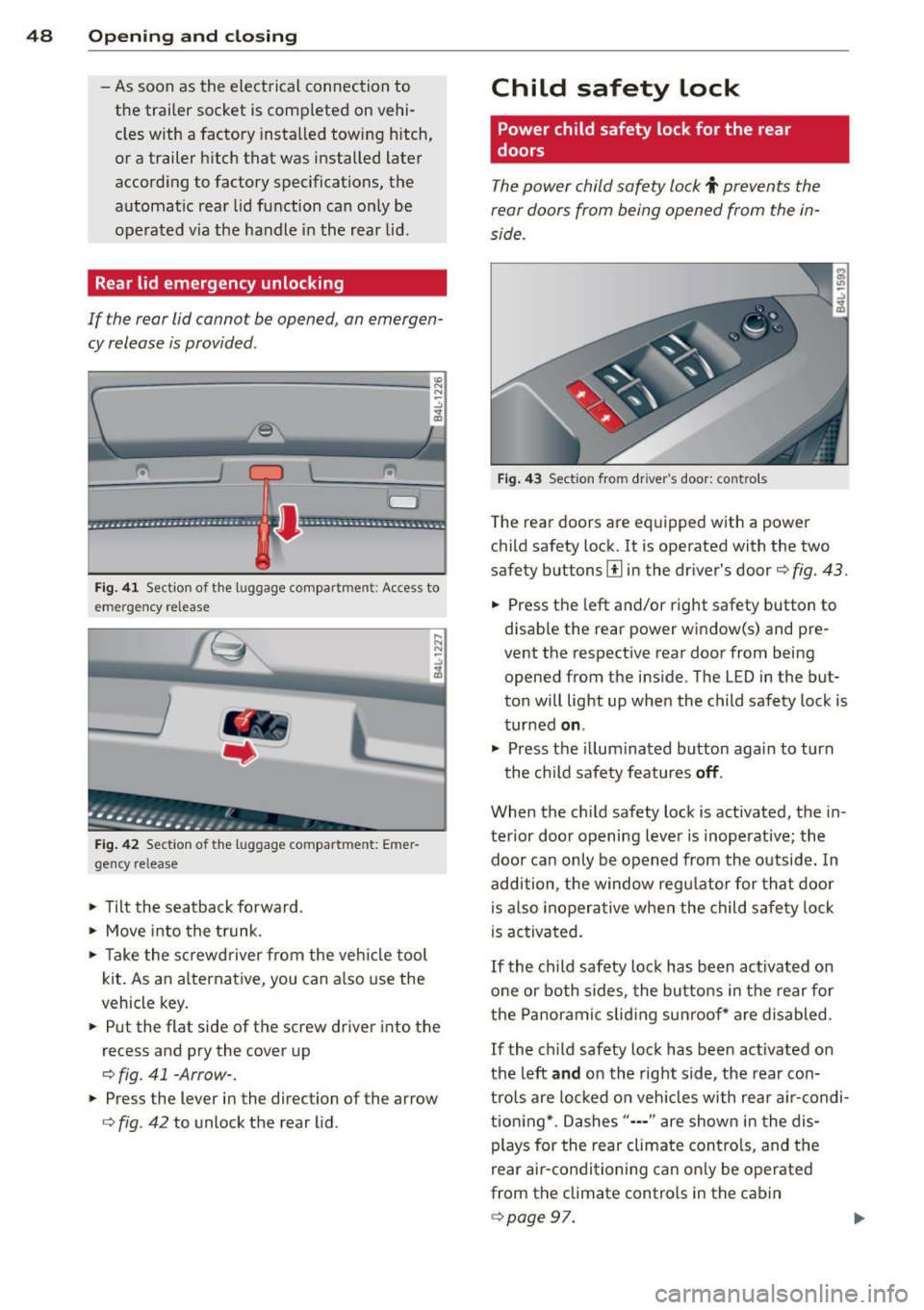
1----------------- --,l~ N
Fig . 4 1 Section of the luggage compar tment : Access to
emerge ncy re lease
Fig . 42 Sect ion of the luggage compartment: Emer
gency release
,.. Tilt the seatback forward .
,.. Move into the t runk.
,.. Take the sc rewd river from the veh icle tool
kit. As an alternat ive, you can a lso use the
vehicle key.
,.. Put the flat side of the screw driver into the
recess and pry the cover up
o fig. 41 -Arrow-.
,.. Press the lever in the direction of the arrow
ofig . 42 to unlock the rear lid .
Child safety lock
Power child safety lock for the rear
doors
The power child safety lock t prevents the
rear doors from being opened from the in
side .
Fig . 43 Sect ion fro m driver's door: controls
The rear doors are equipped with a power
child safety lock.
It is operated with the two
safety buttons
III in the dr iver's door o fig. 43.
,.. Press the left and/or right safety button to
disab le the rear power window(s) and pre
vent the respective rear door from being
opened from the inside. The LED in the but
ton will light up when the child safety lock is
turned
on .
,.. Press the illum inated button aga in to turn
the child safety featu res
off .
When the c hild safety lock is activated, the in
te rior door opening lever is inoperative; the
doo r can only be opened from th e outside. In
addition, the window regu lator for that doo r
is also inoperative when the child safety lock
is activa ted.
If the child safety lock has been ac tivated on
one or both sides, the butto ns in the rear for
the Panoramic slid ing su nroof* are disabled .
If the child safety lock has been act ivated on
the left
and on the right side, the rear con
tro ls are locked on veh icles with rear a ir-condi
tion ing *. Dashes"··-" are show n in t he dis
plays for the rear climate contro ls, and the
rear air-conditioning can on ly be operated
from the climate controls in the cabin
opage 97.
Page 58 of 342
56 Openin g and clo sing
& WARNING
Be careful when closing the Panoramic
sliding sunroof. Not pay ing attention cou ld
cause you or others to be trapped and in
jured as the Pa noramic s lid ing sunroof
closes.
Opening and closing sunshade
App lies to vehicles: with Pa norami c sli di ng sunroo f
s [:)
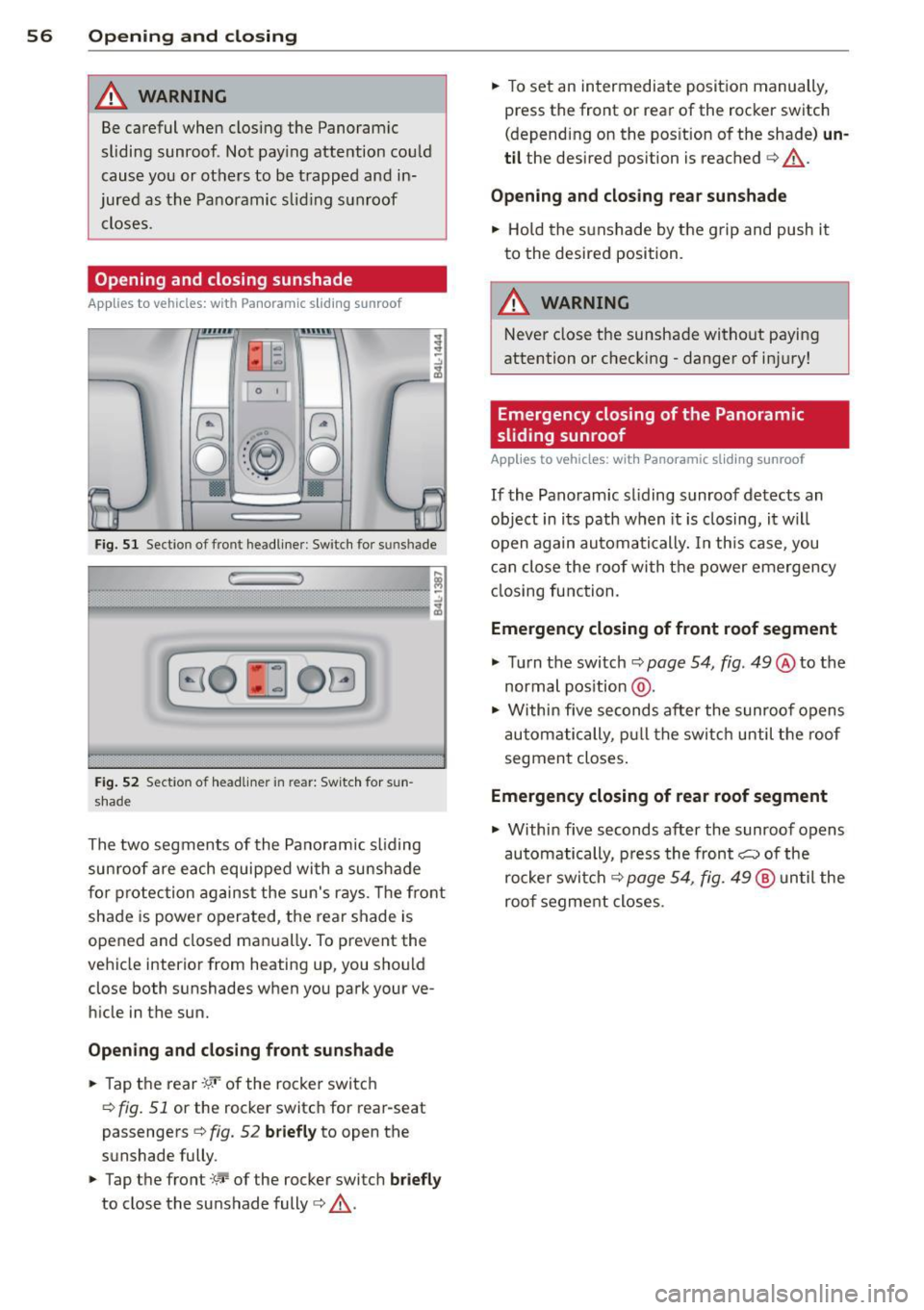
o::~ o ..
Fig. S l Section of front head liner : Sw itch fo r su nshade
r: ,
B O ~ OG
Fig. 5 2 Section of headliner in rear: Switc h for sun
shade
The two segments of the Pano ramic sliding
sun roof are each equipped with a suns hade
for protection against the sun's r ays. The fro nt
shade is power opera ted, the rear shade is
opened and closed ma nually . To prevent the
vehicle interior from heating up, you should
close both sunshades when you park your ve
hicle in the sun.
Opening and clo sing front sunshade
.,. Tap t he rear -:9.•· of the rocker switc h
<=> fig. 51 or the rocker switc h for rear-seat
passengers
c:> fig. 52 briefly to open the
sunshade fully .
.,. Tap the front
:'c'r-of the rocker switch briefl y
to close the sunshade fully c:> &.-
.,. To set an intermediate position manually,
press the front or rear of the rocker switch
(depending on the pos ition of the shade)
un
til the desired position is reached c:> &.-
Opening and clo sing rea r sun shade
.,. Hold the sunshade by the g rip and push it
to the desired position.
A WARNING
Never close the sunshade without paying
attention or checking - danger of in jury!
· Emergency closing of the Panoramic
sliding sunroof
App lies to vehicles: wit h Pano ramic sli ding su nroof
If the Panoramic sl iding sunroof detects an
object in i ts path when it is closing, it w ill
open again automa tically. In th is case, you
c an close the roof with t he power emergency
cl osing function.
Emergency closing of f ront roof segment
.,. Turn the switch c:> page 54, fig . 49 @to the
normal pos ition @ .
.,. Within five seconds after the sunroo f opens
a utomatically, pu ll the switc h until the roof
segmen t closes .
Emergency closing of rear roof segment
.,. Within five seconds after the sunroof opens
automatically, p ress the front~ of the
rocke r swi tch
c:> page 54, fig. 49 @ until the
roof segme nt closes.
Page 64 of 342
62 Clear vis ion
• Press one of the switches ~~ to tu rn the
right or left reading light on or off~
fig. 60.
For vehicles w ith third row seating*, the lug
gage compartment light can be switched on
and off with the button'*' and used as a read
ing light
~fig. 61. The rear lid has to be
closed.
The lights in the l uggage compartment and in
the rear lid sw itch on and off automatically
when the lid is opened and closed .
@ Tips
If the rear lid remains open longer than 10
minutes, the luggage compartment lights
turn off a utomatically to prevent the vehi
cle battery from discharging.
Ambience lighting
App lies to vehicles: with amb ience light ing
The ambience lighting con be adjusted in the
MMI .
• Se lect: Funct ion button ICARI > Cont ro l bu t
ton
Systems * > Ambience lighting. Or
• Se lect: Funct ion button
ICARI > Contro l but
ton
Car systems* > Vehicle settings > Inte
rior lighting .
When the vehicle is unlocked, t he standard
lighting turns on automatically and dims after
approx. 2 minutes, and when the ignition is
turned o n it switches off immediately .
The following interior lighting is
controlled :
-Front footwe ll
- Rea r footwell
- Front door panel
- Re ar doo r panel
Vision
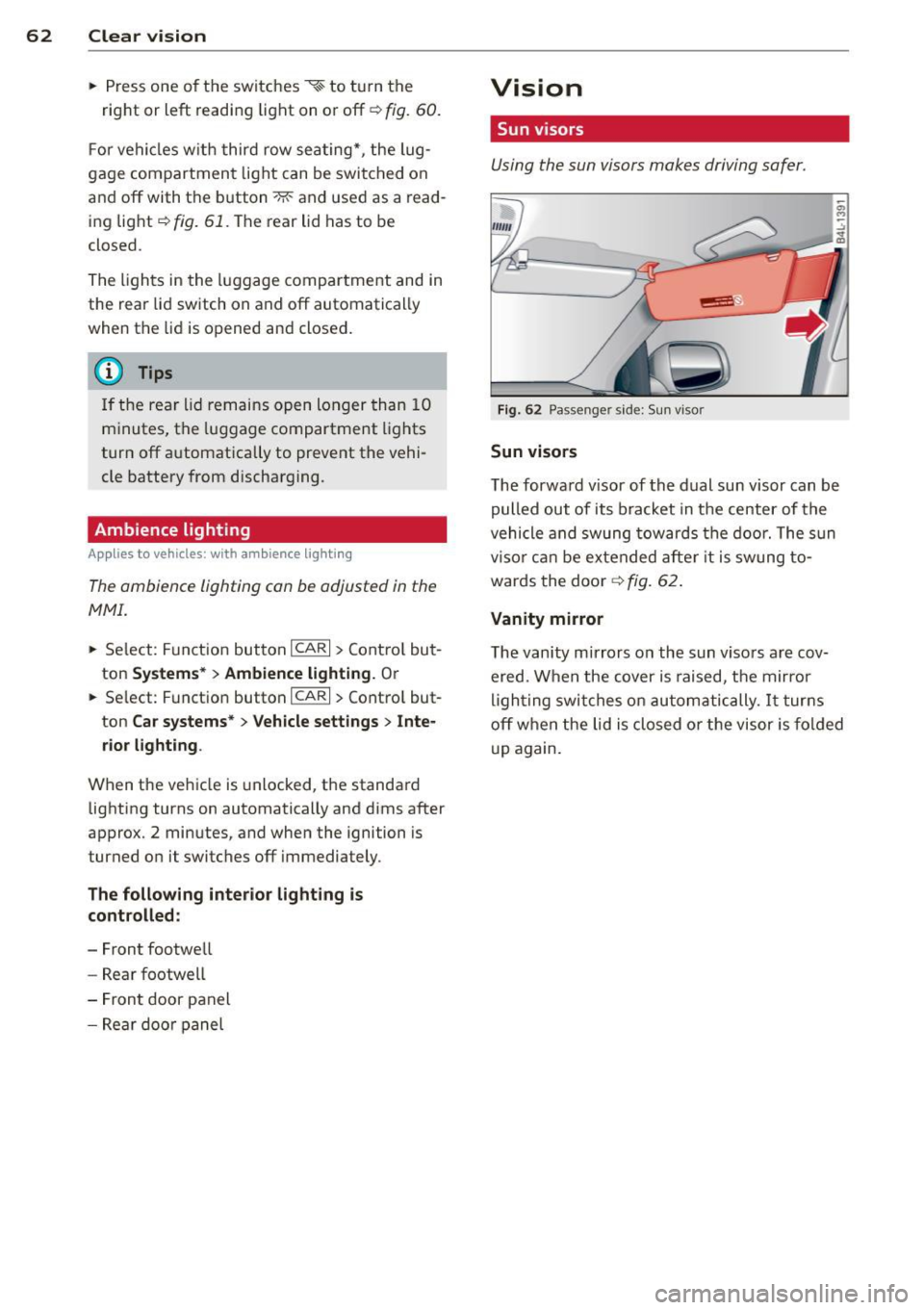
Sun visors
Using the sun visors makes driving safer .
Fig. 62 Passe nger side: Su n visor
Sun visors
The forwa rd v isor of the dual sun visor can be
pulled out of its bracket in the center of the
vehicle and swung tow ards the doo r. The s un
vi so r ca n be e xtended afte r it is swung to
wards the doo r
~fig. 62.
Vanity mirror
The van ity mirrors on the sun viso rs are cov
ered. When the cover is raised, the mirror
l igh ting swit ches on au tom atic ally.
It tur ns
off when the lid is closed or the visor is fo ld ed
u p again.
Page 70 of 342

68 Clear vision
Mirrors
Adjusting the exterior mirrors
Fig. 70 Fo rwa rd sect ion of driver's armrest: powe r mir
ror controls
Adjusting exterior mirrors
.,. Rotate the knob to the© posit ion (driver's
exterio r mirror) or to the ® position (pas
senger's exterior mir ror)
9 fig. 70.
.,. Rotate the knob and the mirror so that you
have a clear view to the rear.
Heated mirrors
.,. Rotate the knob to pos it ion @.
Folding both exterior mi rrors flat*
.,. Rotate the knob to position @.
Depending on the outside temperature, the
mirror surfaces are heated until the ignition is
switched off -even if the knob is no longer in
position @.
You are well-advised to fold the exterior m ir
rors in when maneuvering in tight spaces or
when leaving the car parked close to other ve
h icles.
Memory setting for the exterior mirrors*
When the seat position is saved in the memo
ry, the position of the exterior mirrors is saved
at the same time
9 poge 73.
If the position of the passenger mirror is
changed when the vehicle is in reverse gear
and the switch is in the ® position, this new
tilted position will be automat ically saved to
the remote key when the vehicle is taken out
of reverse gear. To save, the rotary knob for
mirror adjustment must be in the ® position, the selector lever must
be in the P pos ition
and the ignition must be off . This will now be
come the stored setting when the vehicle is
put in reverse gear again.
Tilt ing the passenger's side exterior
mirror (only with seat memory)
When you move the selector lever into R (Re
verse), the mirror on the front passenger's door (knob turned to® ¢
fig. 70) will tilt
s light ly downward . This make is easier for you
to see the curb when you are backing into a
parking space .
The m irror returns to its initial position as
soon as reverse gear is d isengaged and veh icle
speed is above about 9 mph (15 km/h). The
mirror also returns to its initial position if the
switch is moved to the driver's ex ter ior mirror
© or the ignition is switched off .
(D Note
-Curved (i .e . convex) mirror surfaces in
crease your field of view. Remember that
vehicles or other objects will appear
smaller and farther away than when
seen in a flat mirror. If you use this mir
ror to estimate distances of following ve
hicles when changing lanes, you could
estimate incorrectly and cause an acci
dent.
- If the mirror housing is moved uninten
tionally (for examp le, while parking your
vehicle), then you must first fold the mir
ror electrically. Do not readjust the mir
ror housing manually. You could damage
the motor which controls the mirror.
-If you take the vehicle to an automatic
car wash, you must fold the exter ior mir
rors flat to prevent damaging them.
Power folding exterior mirrors* must not
be folded in or out by hand. Use the pow
er function!
(D Tips
If t here should be a malfunction in the
electr ical system, you can still adjust the
exterior mirrors by pressing the edge of
the mirror .
Page 73 of 342
Seats and storage
General recommen
dations
Why is your seat adjustment so important?
The safety belts and the airbag system can
only provide maximum protection if the front
seats are correctly adjusted.
There are various ways of adjusting the front
seats to provide safe and comfortable support
for the driver and the front passenger. Adjust
your seat properly so that :
- you can easily and quick ly reach all the
switches and controls in the instrument
panel
- your body is properly supported thus reduc ing physical stress and fatigue
- the safety belts and airbag system can offe r
maximum protection
¢ page 179.
In the following sections, you will see exactly
how you can best adjust your seats .
There are special regulations and instructions
for installing a child safety seat on the front passenger's seat. Always follow the informa
tion regard ing child safety provided in
¢ page 200, Child Safety.
A WARNING
Incorrect seating position of the driver and
all other passengers can result in serious
personal injury.
- Always keep your feet on the f loor when
the vehicle is in motion -never p ut your
feet on top of the instrument panel, out
of the w indow or on top of the seat cush
ion. Th is applies especially to the passen
gers . If your seating position is incorrect,
you increase the r isk of injury in the case
of sudden braking or an acc ident. If the
airbag inflates and the seating position
is incorrect, this could result in persona l
injury or even death.
- It is important for bo th the driver and
front passenger to keep a distance of a t
Seat s an d sto rage 71
least 10 inches (25 cm) between them
selves and the steering wheel and/or in
strument panel. If you're s itting any
closer than th is, the airbag system can
not protect you properly. In addition, the
front seats and head restraints must be
adjusted to your body height so that t hey
can give you maximum protect ion.
- Always try to keep as much distance as
possible between yourself and the s teer
ing wheel o r instrument pane l.
- Do not adjust the driver's or front pas
senger's seat whi le the vehicle is moving.
Your sea t may move unexpected ly, caus
ing sudden loss of vehicle cont rol and
personal injury . If you adjust yo ur seat
while the veh icle is moving, yo u are out
of posit ion.
Driver's seat
The correct seat position is important for safe
and relaxed driving.
We recommend that you adjus t the dr iver's
seat in the fo llowing manner:
.,. Adjust t he seat in fore and aft direction so
that you can easily push the peda ls to the
floor wh ile keeping your knees s lightly bent
i:::> A in Why is your seat adjustment so im
portant? on page 71.
.,. Adjust the seatback so that when you sit
w ith your back against the seatback, you can
still grasp the top of the steering wheel.
.,. Adjust the head restraint so the upper edge
is as even as possible with the top of your head . If that is not poss ible , try to adjust
the head res traint so that it is as close to
this pos ition as possib le
i:::> page 76.
A WARNING
Never place any objects in the dr iver's foot
well. An object could get into the pedal
area and interfere with pedal funct ion . In
case of sudden braking or an acc ident, you
wo uld not be able to brake or accelerate.
Page 74 of 342
7 2 Seats and storage
Front passenger's seat
Always move the front passenger seat into
the rearmost position .
To avoid contact with the airbag while it is de
ploying, do not sit any closer to the instru
ment panel than necessa ry and always wear
the three-point safety belt provided adjusted correctly . We recommend that you adjust the
passenger's seat i n the fol low ing ma nner:
• Move the front passenger seat into the rea r
most position of the fore and aft adjustment
r ange
¢ A in Why is your seat adjustment
so important? on page 71.
• Bring the backrest up to an ( almost) uprigh t
pos it ion .
Do not ride w it h the seat reclined .
• Adjust the head restraint so the upper edge
is as even as possible with the top of your
head . If that is not possible, try to adjust
the head restraint so that it is as close to
t h is position as possible
c:> page 76 .
• Place your feet on the floor in front of the
passenger's seat .
Power front seat
adjustment
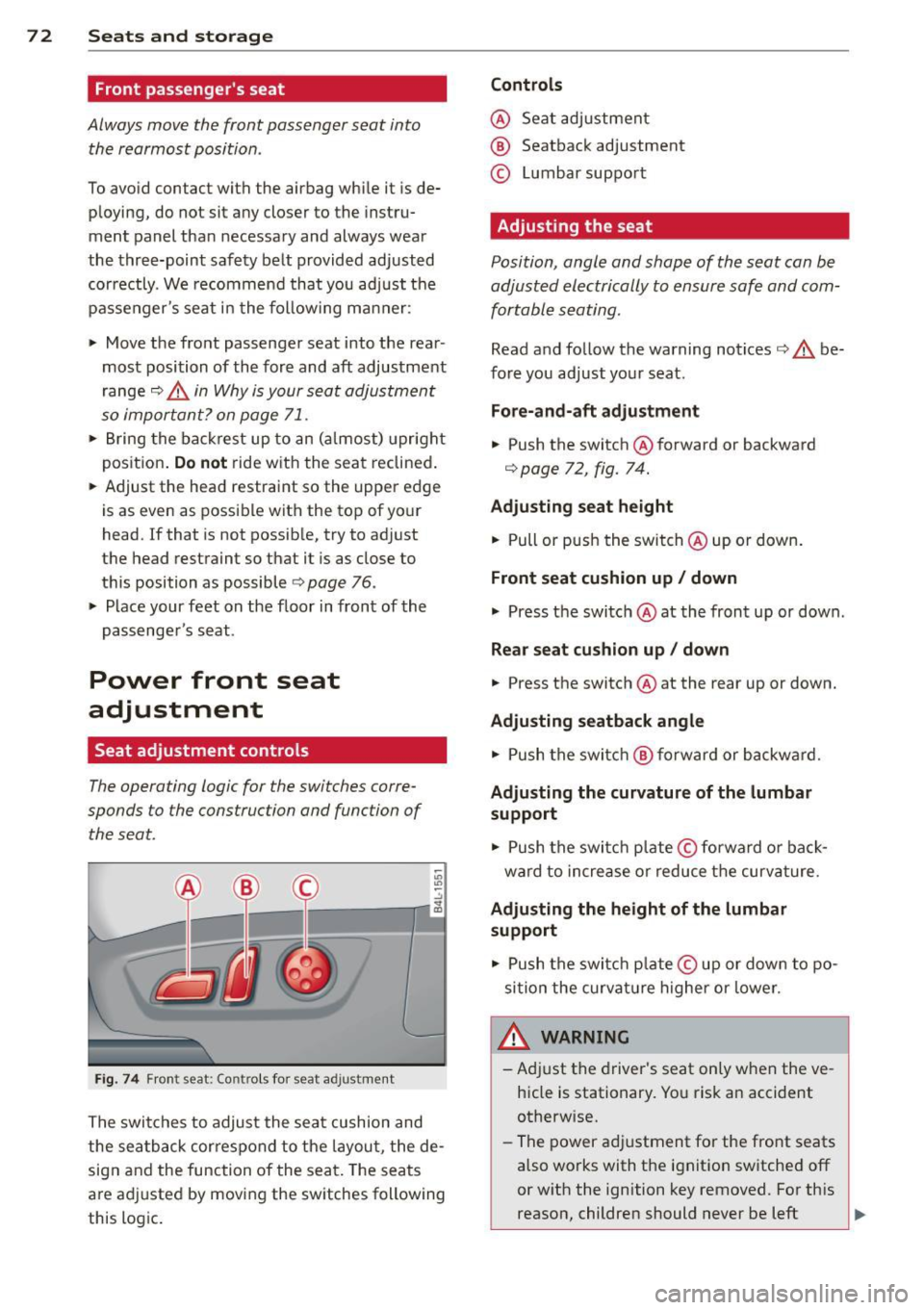
Seat adjustment controls
The operating logic for the switches corre
sponds to the construction and function of
the seat.
"' "' ~ ..,
,.._..---, 1,--~--,4 ;g
F ig . 74 Fron t seat : Co ntr ols for seat a djustment
The swi tches to adjust the sea t cushion and
the sea tback cor respond to the layou t, the de
sig n and the function of the seat. The seats
a re ad justed by movi ng the sw itches following
this logic .
Controls
@ Seat adjustmen t
® Seatback adjustment
© Lumbar suppo rt
Adjusting the seat
Position, angle and shape of the seat can be
adjusted electrically to ensure safe and
com
fortable seating .
Read and follow the warning notices c:> A be
fore you adjust yo ur seat.
Fore-and-aft adjustment
• Push the switch @forward or backward
c:> page 72 , fig. 74.
Adjusting seat height
• Pull or p ush the switch @up o r down .
Front seat cushion up/ down
• Press t he switch @at the front up or down .
Rear seat cu shion up / down
• Press the switch @at the rear up or down.
Adjusting seatback angle
• Push the switc h @ forward or backwa rd.
Ad justing the curvature of the lumbar
support
• Push the switc h plate © forward or bac k
ward to increase o r reduce t he curvature.
Adjusting the height of the lumbar
support
• Push the switc h plate © up or down to po
si tion the curva ture higher or lower.
WARNING
-Ad just the driver's seat only when the ve
h icle is stationary. Yo u risk an accident
otherwise.
- The power a djustment for the front seats
also works with the ignit ion sw itched off
or w ith the ignition key removed. For th is
reason, children should never be left ..,.