driver door AUDI Q7 2013 Owner´s Manual
[x] Cancel search | Manufacturer: AUDI, Model Year: 2013, Model line: Q7, Model: AUDI Q7 2013Pages: 348, PDF Size: 87.72 MB
Page 45 of 348
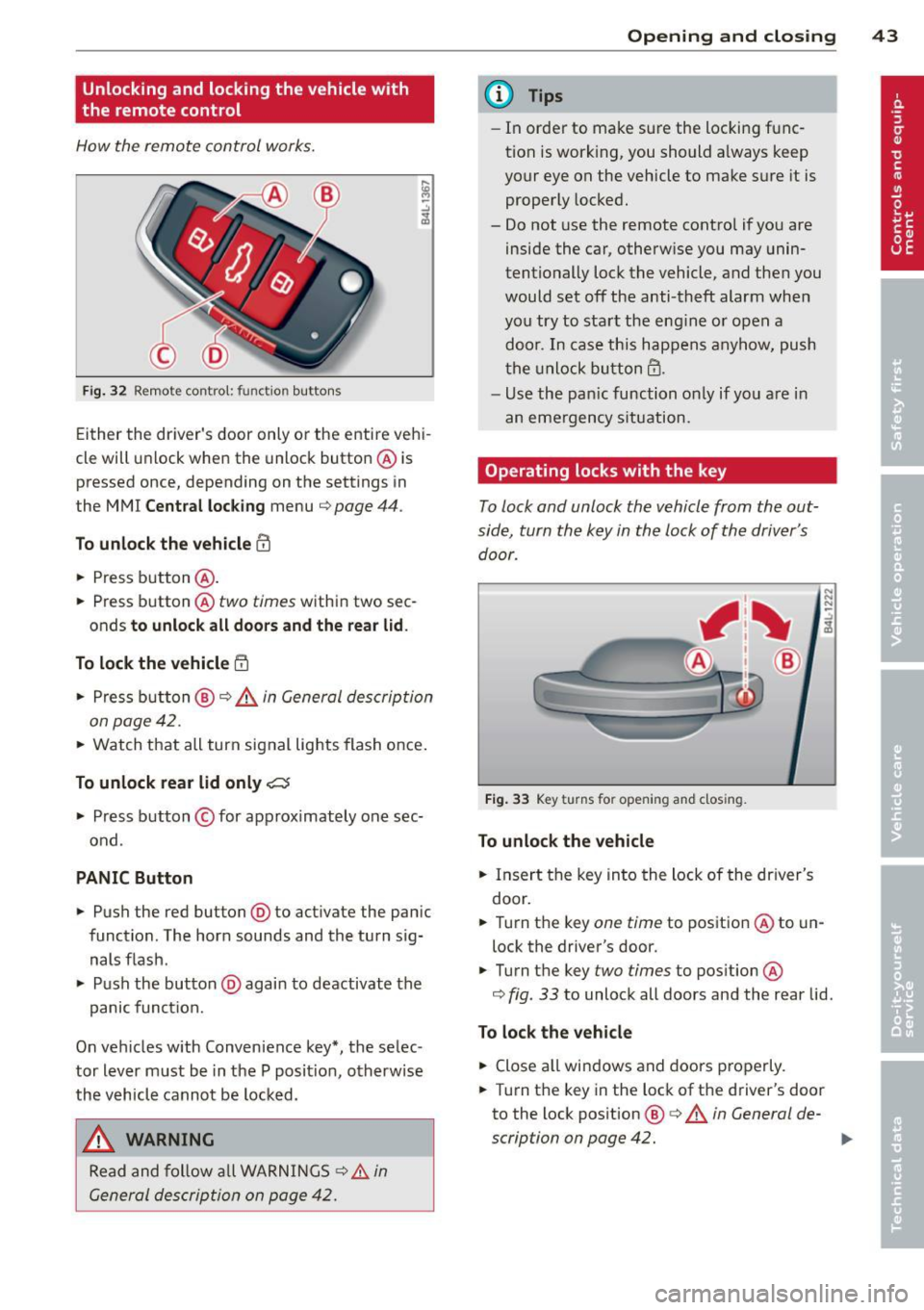
Unlocking and locking the vehicle with
the remote control
How the remote control works.
Fig. 32 Remot e contr ol: fun ctio n but ton s
Either the driver 's door only or the entire vehi
cle will unlock when the unlock button @ is
pressed once, depending on the settings in
the MMI
Central locking menu ¢ page 44 .
To unlock the vehicle CD
.. Press button @.
.. Press button @two
times within two sec
onds
to unlock all doors and the rear lid .
To lock the vehicle 5'.l
.. Press button @¢.&. in General description
on page 42 .
.. Watch that all turn signal lights flash once.
To unlock rear lid only~
.. Press button © for app roximately one sec
ond .
PANIC Button
.. Push the red button@) to act ivate the panic
function. The horn sounds and the turn sig nals flash .
.. Push the button @again to deactivate the
panic function.
On vehicles w ith Convenience key*, the selec
tor lever must be in the P posit ion, otherwise
the vehicle cannot be locked.
_& WARNING
Read and follow all WARNINGS ¢&. in
General description on page 42.
-
Opening and closing 43
@ Tips
-In order to make sure the locking func
tion is working, you should a lways keep
your eye on the vehicle to make s ure it is
properly locked.
- Do not use the remote control if you are
inside the car, otherwise you may unin
tentionally lock the vehicle, and then you
would set off the anti-theft alarm when
you try to start the eng ine or open a
door . In case this happens anyhow, push
the unlock button@.
- Use the pan ic function on ly if you are in
an emergency s ituation.
Operating locks with the key
To lock and unlock the vehicle from the out
side, turn the key in the lock of the driver's door .
Fig. 33 Key turns fo r open in g and clos ing .
To unlock the vehicle
.. Insert the key into the lock of the driver's
door .
N N N :;
~
.. Turn the key one time to position @to un
lock the driver's door.
.. Turn the key
two times to position @
¢
fig . 33 to unlock all doors and the rear lid .
To lock the vehicle
.. Close all windows and doors properly.
.. Turn the key in the lock of the driver's door
to the lock pos ition @ ¢
A in General de-
scription on page 42. ..,.
Page 46 of 348
44 Opening and clo sing
& WARNING
Read and follow all WARNINGS c> .&. in
General description on page 42.
Settings in the MMI
The driver can determine the functions for
power locking in the MMI.
• Se lect : ICARI funct ion button> S ystem s*
control button > Cent ral locking . Or
• Se lect :
ICARI function button > Ca r sys
tems *
control button > Vehicle setting s >
(Central lo ck ing) *.
Pa ssenger 's door *, Left rea r door *, Right re ar
door *, Trunk lid /tailgate * -
You can specify
which doors should unlock when you unlock
the vehicle .
- If you se lect
On and then press the [@) but
ton on the remote control key, the corre
sponding door w ill unlock .
- If you se lect
Off and then press the[@] but
ton on the remote control key , the corre
sponding door w ill not unlock. If you press
the
Im button twice, all doors and the lug
gage compartment will unlock . When lock
ing the vehicle, all of the doors and the lug
gage compar tme nt lock a utoma tica lly.
Unlock doors * -You can spec ify if all doors o r
only the d river's doo r shou ld un lock wh en un
l oc king t he ve hicle.
- If you select All and press the
l@J button o n
the remote control key, a ll of the doors and
the luggag e compartment will un lock .
- If you select
Driv er and then press the Im
button on the remote control key, only the
dr ive r's door w ill unlock. If you press the
l@J
button twice, all doors and the luggage
compar tment will u nlock. When lo cking the
vehicle, a ll of the doors and the luggage
compartment lock a utomatically. In vehicles
with a convenience key*, on ly t he door
whose hand le you pu ll w ill unlock.
Auto l ocking /Lo ck when d riv in g -If you se
lect
On , the doors and the luggage compart
ment will lock automatically .
(D Tips
The central locking settings are stored in
the remote contro l key .
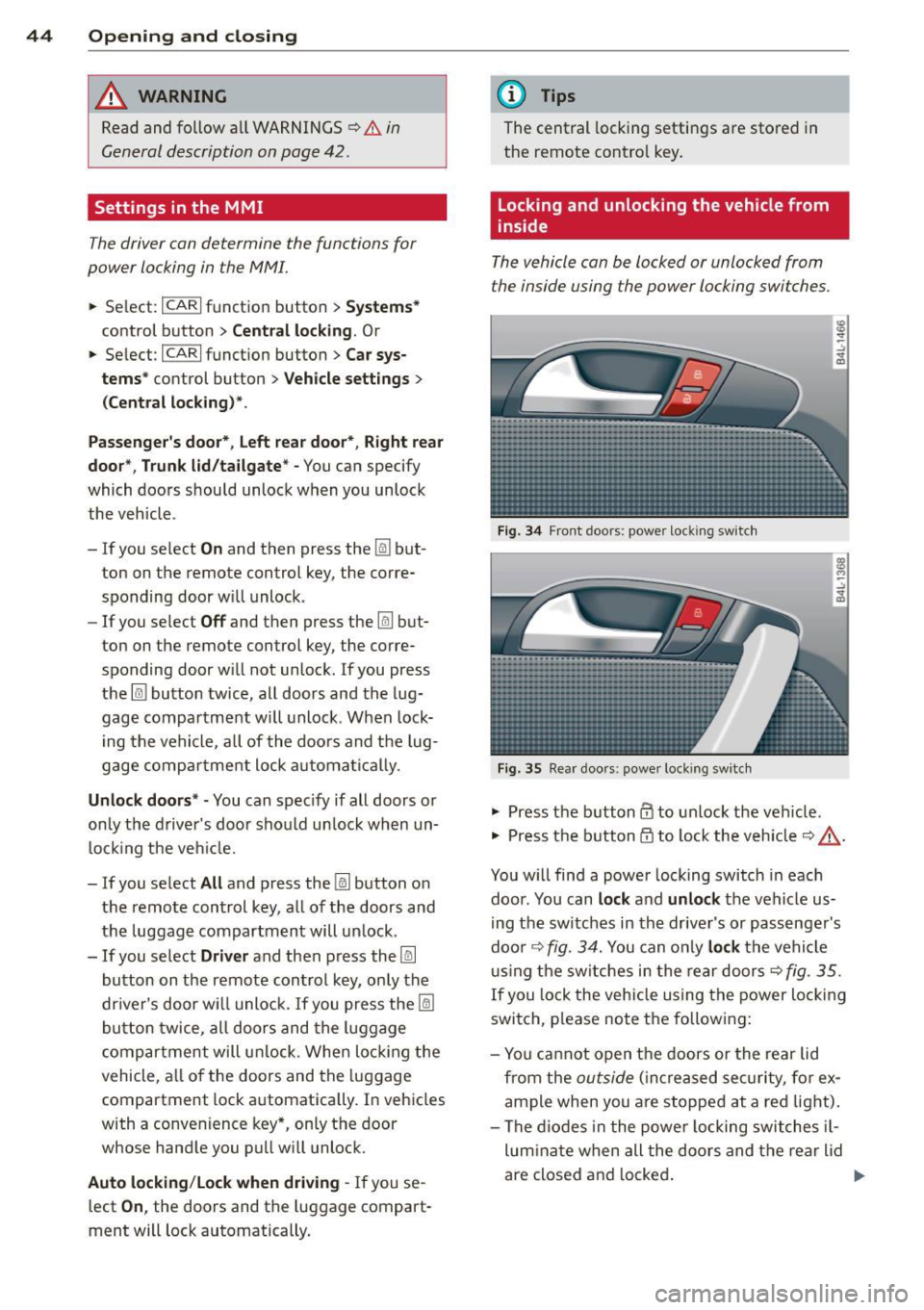
Locking and unlocking the vehicle from
inside
The vehicle can be locked or unlocked from
the inside using the power locking switches .
Fig. 34 Front doors : powe r lock ing swit ch
Fig. 35 Rear doors : powe r locking sw itc h
• Press the b utton CD to unlock the veh icle .
• Press the b utton
tfJ to lock the veh icle c> & -
You w ill find a power locking switch in eac h
doo r. You can
lock and unlock the vehicle us
i ng the switches in the drive r's or passenger's
doo r¢
fig. 3 4. You can o nly lock the vehicle
u sing the sw itches in the rear doors
c>fig . 35.
If you lock the veh icle using the power locking
switch, p lease note the following:
- Yo u ca nnot open the doors or the rear lid
from the
outside ( in cr eased se cur it y, for ex
ample when you are stopped at a red light).
- The diodes in the powe r locking switches il-
lum ina te when all the doors and the rear lid
are close d and locked .
Page 47 of 348
-Front doors: you can un lock and open the
doors from the inside by pulling on the door
handle.
- Rear doors: pu ll the door handle
once to re
lease the lock. Pull the hand le
again to open
the doo r.
- If the driver's door is opened (after you have
locked the vehicle from the inside using the
power locking switch), the door will remain
unlocked to prevent you from locking your
self out of your vehicle . After you close the
door, you have to lock the driver 's door
again .
- If you have a crash and the airbag is act ivat
ed, the doors automatically unlock.
A WARNING
- If you use the powe r locking switch with
the doors closed, remember that all the
vehicle doors will lock.
- Locked doors make it more difficult for
emergency workers to get into the vehi
cle, which puts lives at risk. Do not leave
anyone behind in the vehicle, especially
children.
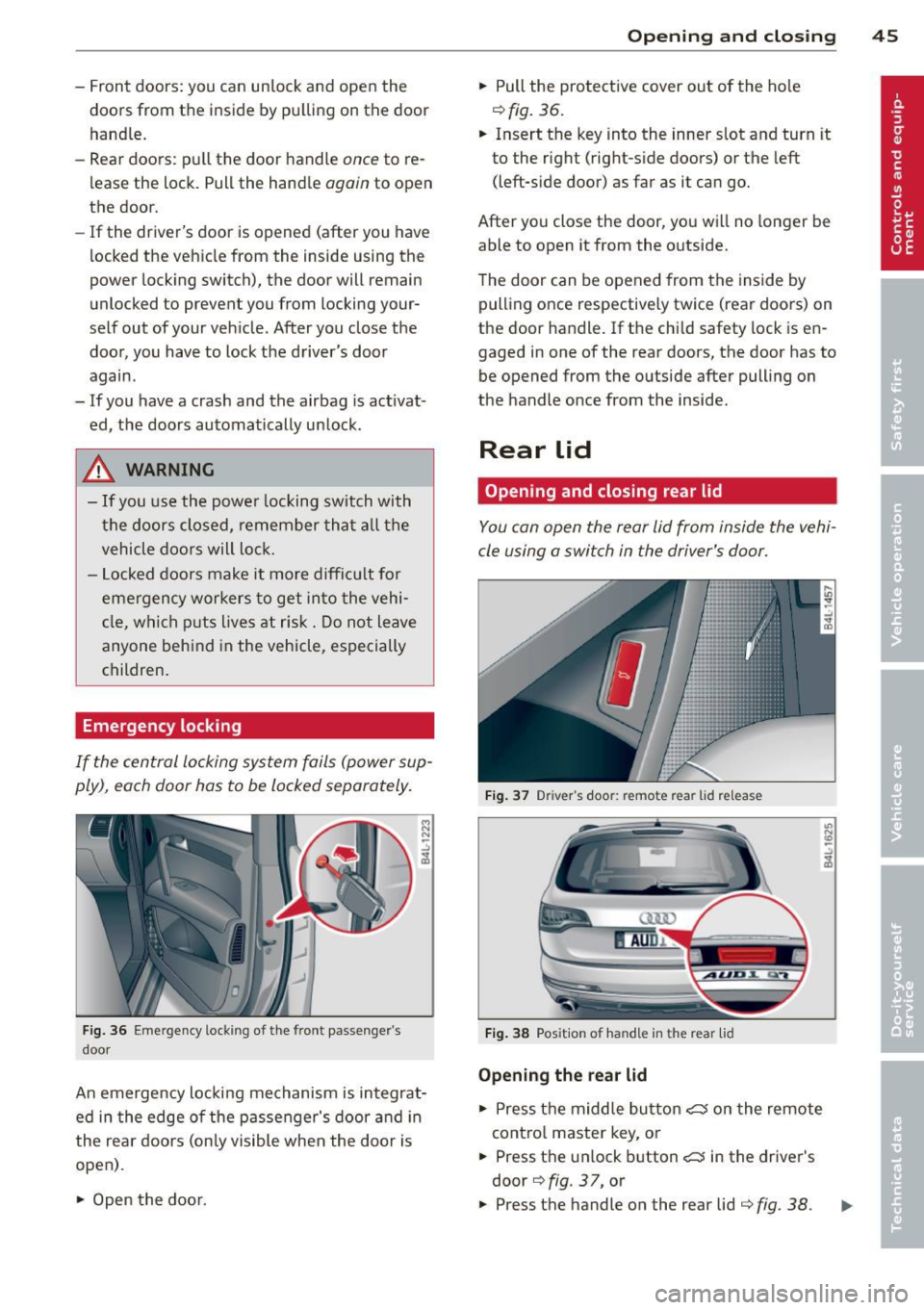
Emergency locking
If the central locking system fails (power sup
ply), each door has to be locked separately.
Fig. 36 Em ergency lockin g o f the front passe nger's
doo r
i:i N
-..:,
~
An emergency locking mechanism is integrat
ed in the edge of the passenger's door and in
the rear doors (only visible when the doo r is
open) .
~ Open the door.
Opening and closing 45
~ Pull the protective cover out of the hole
¢fig. 36.
~ Insert the key into the inner slot and turn it
to the right (right-s ide doors) or the left
(left-s ide door) as far as it can go.
After you close the door, you will no longer be
able to open it from the outside.
T he door can be opened from the inside by
pulling once respectively twice (rear doors) on
the door handle . If the chi ld safety lock is en
gaged in one of the rear doors, the door has to
be opened from the outside after pull ing on
the handle once from the inside.
Rear lid
Opening and closing rear lid
You can open the rear lid from inside the vehi
cle using a switch in the driver's door.
Fig. 37 Driver 's doo r: remote rear lid release
Fig. 38 Posit io n of ha ndle in t he re ar lid
Opening the rear lid
~ Press the middle button C::5 on the remote
cont rol master key, or
~ Press the un lock button C::5 in the driver's
door
¢ fig . 37, or
U) N
"' -..:,
i3
~ Press the handle on the rear lid ¢ fig. 38 . .,.
Page 48 of 348
46 Opening and clo sing
• The rear lid un locks automatically and
opens slight ly.
• Lift the rear lid .
Clos ing the r ear lid
• Pull the rear lid down and allow it to drop
gently. The lid is then closed automat ica lly
Q A .
A WARNING
-After closing the rear lid, always pull up
on it to make sure that it is properly
closed. Otherw ise it could open sudden ly
when the vehicle is moving .
- To help prevent po isonous exhaust gas
from being drawn into the veh icle , al
ways keep the rear lid closed while dr iv
ing . Never transport objects larger than
those which fit completely into the lug
gage area, because then the rear lid can
not be fully closed .
- Never leave you r vehicle unattended es
peci ally wi th the re ar lid left open. A
c h ild could c rawl into the ca r th rough the
l u ggage compartment and pull the lid
shut, becom ing trapped and unab le to
get out. To reduce the risk of persona l in
jury, never let children play in or around yo ur vehicle . A lways keep the rear lid as
well as the vehicle doors closed when not
in use .
- Always ensure that no one is w ith in
range of the rear lid when it is mov ing, in
part icula r close to the h inges -fingers o r
hands can be pinched.
@ Tips
- If the rear lid is open or not properly
clos ed w hen the ig nition is turned on,
the door and rea r lid war ning
Q page 22
appears in the ins trument clus ter dis
play.
- Should you not b e able to open the re ar
li d as desc ribed, make sure the valet key
func tion is not ac tiv at ed
~ page 41.
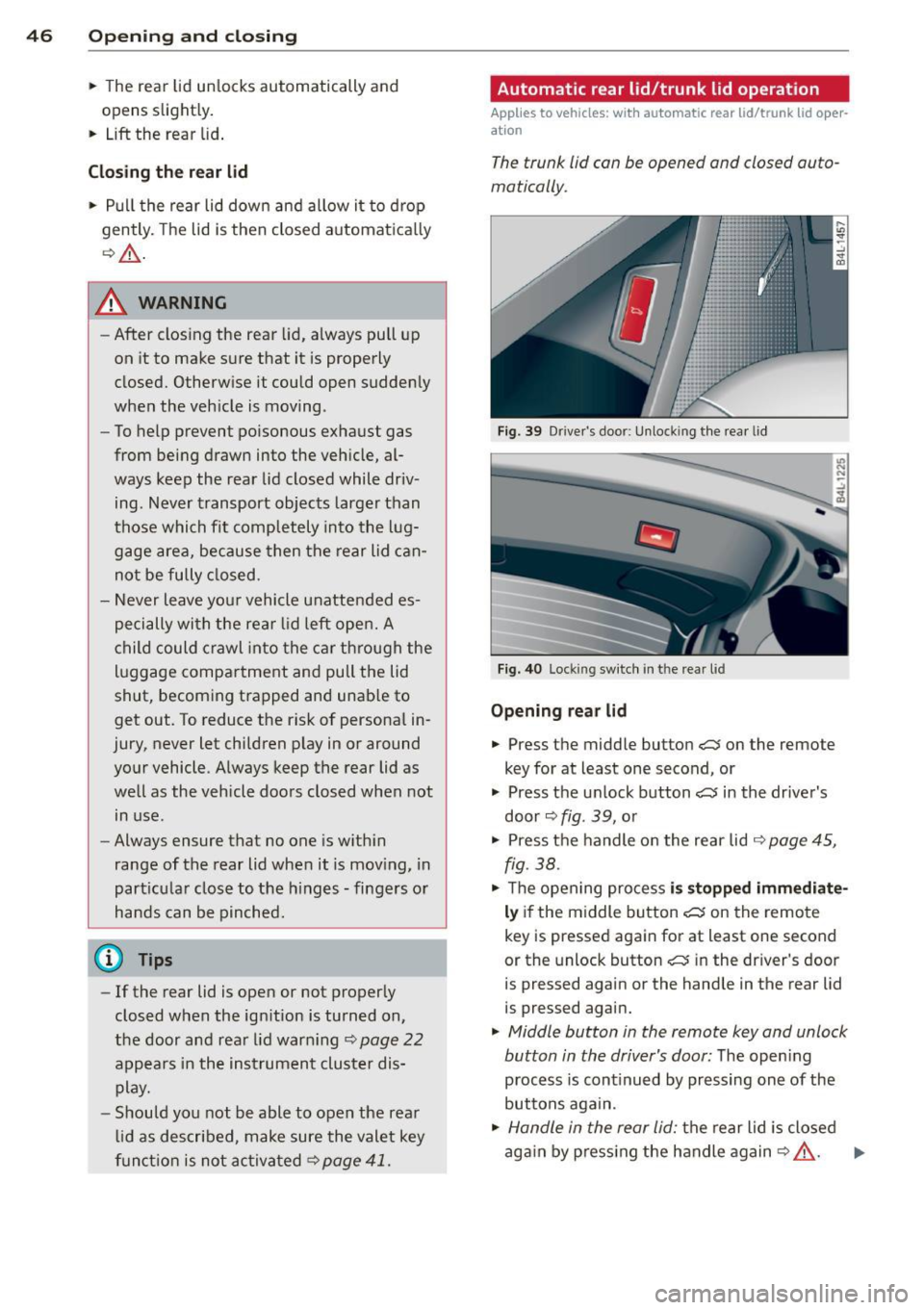
Automatic rear lid/trunk lid operation
Applies to vehicles: with automatic rear lid/trunk lid oper
ation
The trunk lid can be opened and closed auto
matically.
Fig. 39 D rive r's doo r: Unlock ing t he rea r lid
Fi g. 4 0 Lock ing sw itc h in t he rear l id
Opening rear lid
• Press the middle button C:$ on the remote
key for at least one second, or
• Press the u nlock button
c:5 in the driver's
door ~
fig. 39, o r
• Press the handle o n the rear lid
¢ page 45,
fig. 38 .
• Th e open ing pro cess is stopped immediate
ly if the middle button c:5 on the remote
key is pressed again for at least one second
or the unlock button
c:5 in the dr iv e r's door
is pressed again or the hand le in the rear lid
is pressed aga in.
• Middle button in the remote key and unlock
button in the driver's door:
T he open ing
p rocess is cont inued by pressing on e of the
buttons aga in.
• Handle in the rear lid: the rear l id is closed
ag ain by p ress ing the handle again
Q A . ..,.
Page 50 of 348
48 Openin g and clo sing
- As soon as the electrical connec tion to
the trailer socket is completed on
vehicles with a factory installed towing
hitch, or a trailer hitch that was installed
later according to factory specifications,
the automatic rear lid function can only be operated v ia the handle in the rear lid.
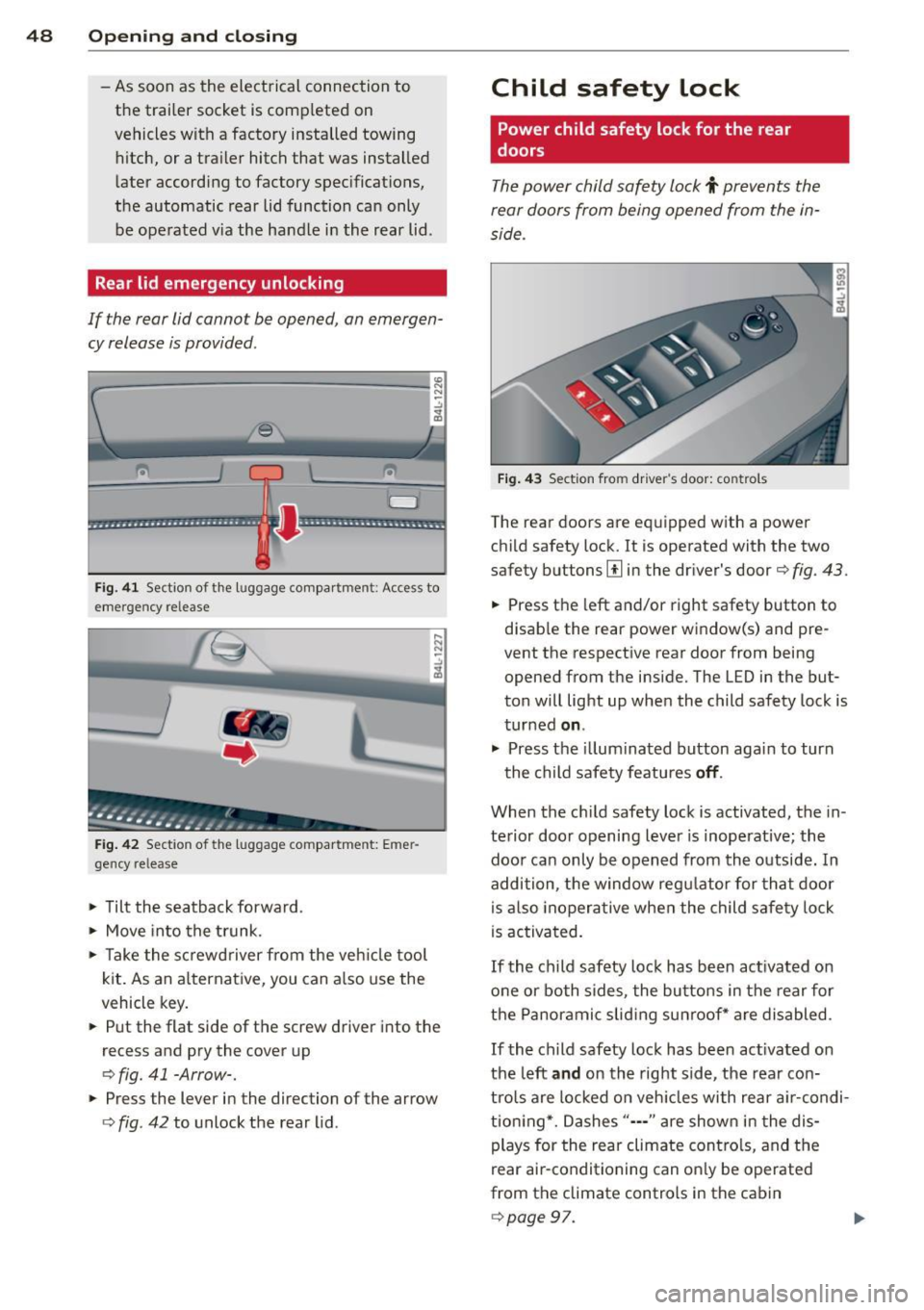
Rear lid emergency unlocking
If the rear lid cannot be opened, an emergen
cy release is provided .
1----------------- --,l~ N
Fig . 4 1 Section of the luggage compar tment : Access to
emerge ncy re lease
Fig . 42 Sect ion of the luggage compartment: Emer
gency release
,.. Tilt the seatback forward .
,.. Move into the t runk.
,.. Take the sc rewd river from the veh icle tool
kit . As an alternat ive, you can a lso use the
vehicle key.
• Put the flat side of the screw driver into the
recess and pry the cover up
o fig. 41 -Arrow-.
• Press the lever in the direction of the arrow
ofig . 42 to unlock the rear lid .
Child safety lock
Power child safety lock for the rear
doors
The power child safety lock t prevents the
rear doors from being opened from the in
side .
Fig . 43 Sect ion fro m driver's door: controls
The rear doors are equipped with a power
child safety lock.
It is operated with the two
safety buttons
III in the dr iver's door o fig. 43.
• Press the left and/or right safety button to
disab le the rear power window(s) and pre
vent the respective rear door from being
opened from the inside. The LED in the but
ton will light up when the child safety lock is
turned
on .
,.. Press the illum inated button aga in to turn
the child safety featu res
off .
When the c hild safety lock is activated, the in
te rior door opening lever is inoperative; the
doo r can only be opened from th e outside. In
addition, the window reg ulator for that doo r
is also inoperative when the child safety lock
is activa ted.
If the child safety lock has been ac tivated on
one or both sides, the butto ns in the rear for
the Panoramic slid ing su nroof* are disabled .
If the child safety lock has been act ivated on
the left
and on the right side, the rear con
tro ls are locked on veh icles with rear a ir-condi
tion ing *. Dashes" ••• " are show n in t he dis
plays for the rear climate contro ls, and the
rear air-conditioning can on ly be operated
from the climate controls in the cabin
opage 97.
Page 51 of 348
@ Tips
-In order to activate the chi ld safety lock
on the left and the right side, you have to press the two safety buttons in succes
sion.
- Make certain that the check light comes
on in the corresponding safety sw itch
when the child safety lock is activated.
Convenience key
Description
A pp lies to vehicles: with Convenie nce key
Access and vehicle operation based on: Mas
ter key remains in driver 's pocket .
The Convenience key veh icle authorization
system allows
keyless unlock ing , locking and
starting of the vehicle . You only have to carry
the master key on your pe rson.
It makes no d ifference whether the master
key is in your jacket pocket or in your brief
case . As soon as you approach your vehicle,
the Convenience key recognizes the request
for access, checks for a uthorization and ena
b les the fo llowing functions:
- Unlocking the vehicle~
page 49.
-Locking the vehicle~ page 50.
-Switching on ignition and starting the en -
gine by pressing the
I START! button; the
master key does not have to be in the igni
t ion switch
~page 107.
_& WARNING
-When you lock your vehicle from outside,
nobody- especially ch ildren -should re
main inside the vehicle. Remember,
when you lock the vehicle from the out
side the windows cannot be opened from
the ins ide .
- When you leave the vehicle, always re
move the ignition key and take it with
you. This will prevent passengers (chil
dren, for example) from accidentally be
ing locked in the veh icle should they acci-
Opening and clo sin g 49
dentally press the power locking switch
in the front doors.
- Do not leave chi ldren inside the vehicle
unsupervised. In an emergency it would
be imposs ible to open the doors from
the outside without the key.
(D Tips
- In order for the Convenience key to func
tion, you must a lways carry the master
key with you .
- In order to be able to unlock or lock the
vehicle, the author ized master key must
be within a range of about S feet (l.S
meters) from the door or the rear lid.
- Of course, you can still unlock and lock
your vehicle using the buttons on the
master key . The selector lever must be in
the P position .
- For Declaration of Compliance to United
States FCC and Industry Canada regula
tions ~
page 328.
Unlocking the vehicle
App lies to vehicles : wit h Co nve nience key
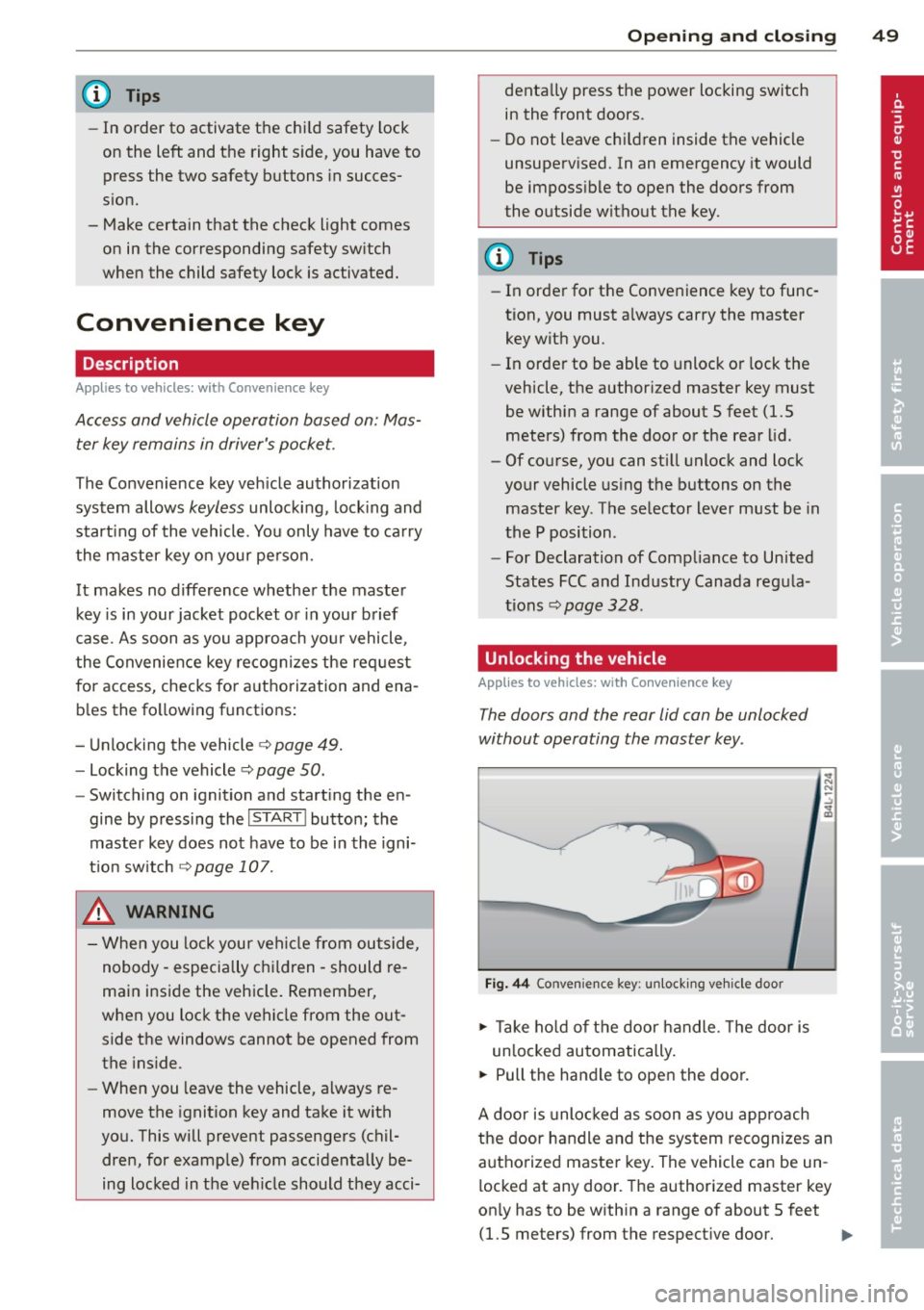
The doors and the rear lid can be unlocked
without operating the master key .
Fig. 44 Convenie nce key : unlocking vehicle door
.,. Ta ke hold of the door handle. The door is
un locked automatically.
.,. Pull the handle to open the door.
A door is unlocked as soon as you approach
the door handle and the system recognizes an
authorized master key. The vehicle can be un
locked at any door. The authorized master key
on ly has to be within a range of about 5 feet
(1.5 meters) from the respective doo r.
II>-
Page 52 of 348
50 Openin g and clo sing
When a door is unlocked, the driver 's door is
a lways unlocked as we ll.
It depends on the
settings in the central locking menu in the
MMI whether the entire vehicle is unlocked or
only certain doors ¢
page 44.
{O) Tips
If your vehicle has been stand ing for an ex
tended period, please note the following:
- The proximity sensors are deactivated af-
ter a few days to save power. You then
have to pull on the door handle once to
unlock the vehicle and a second time to
open the veh icle.
- To prevent the battery from being dis
charged and to preserve your veh icle's
ability to start for as long as possible,
the energy management system gradu
a lly switches off unnecessary co nven
i ence f unct io ns.
It is possible that you
will not be able to unlock your vehicle us
ing these convenience f unctions.
Locking the vehicle
Applies to vehicles: with Conve nience key
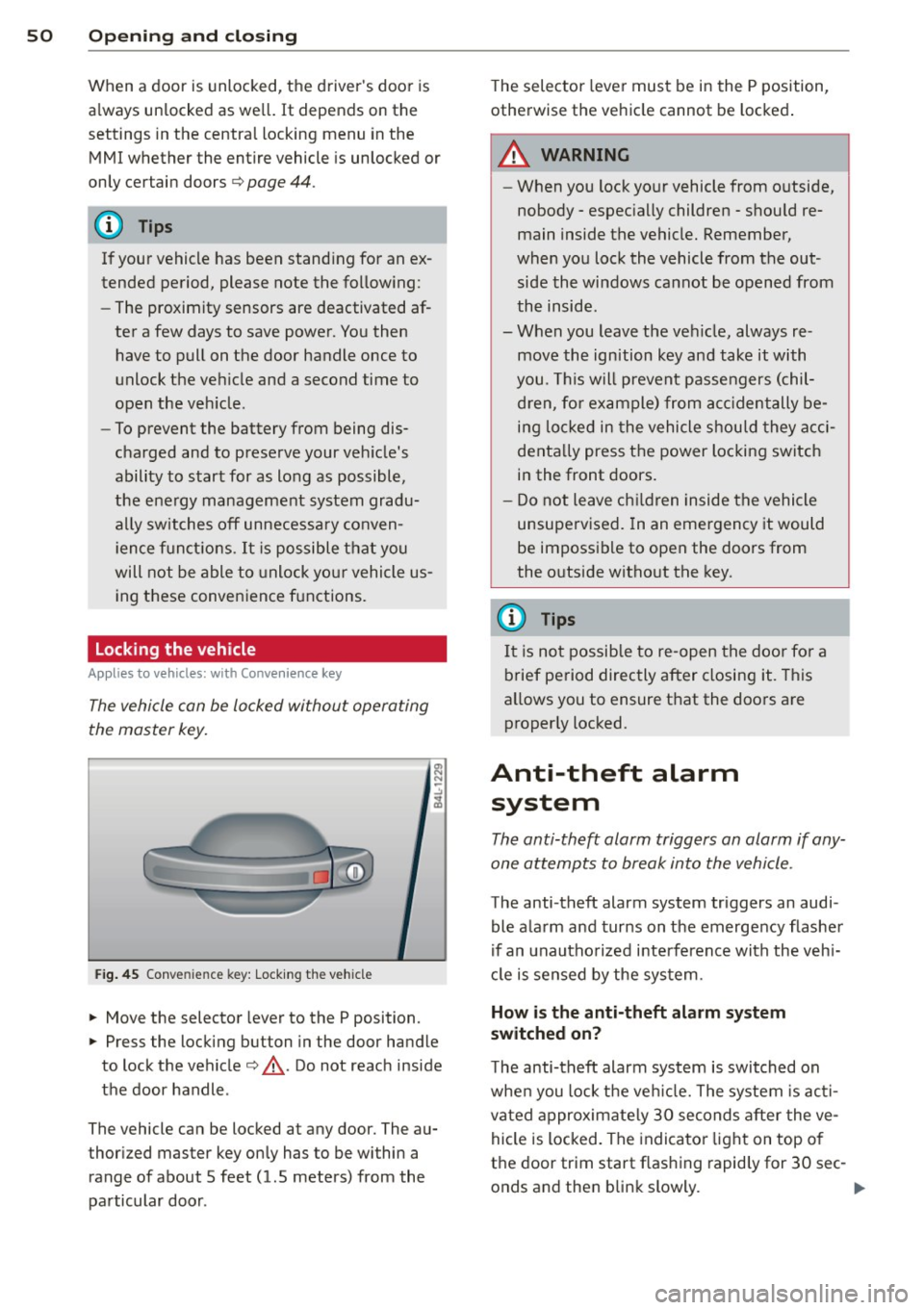
The vehicle can be locked without operating
the master key.
Fig . 45 Conve nience key: Lock ing th e ve hicle
.. Move the selector lever to the P position.
.. Press the locking button in the door handle
to lock the vehicle¢,&.. Do not reach inside
the door handle .
The vehicle can be locked at any door. The au
thor ized master key on ly has to be within a
range of about 5 feet (1.5 meters) from the
pa rticular door . T
he selec tor lever must be in the P position,
otherwise the ve hicle cannot be locked .
A WARNING
--When you lock yo ur vehicle from o utside,
nobody - espec ia lly children - shou ld re
main inside the vehicle. Remember,
when you lock the vehicle from the out
side the wi ndows cannot be opened from
the inside.
- When you leave the veh icle, always re
move the ign ition key and take it with
you. This will prevent passengers (chil
d ren, fo r ex ample) from acci dentally be
i n g lo cked in the vehicle shou ld they acci
denta lly press the power locking switch
in the front doors.
- Do not leave ch ildren inside the vehicle
unsupervised. In an emergency it would
be impossible to open the doors from
the o utside witho ut the key.
(J} Tips
It i s no t possible to re -open the doo r fo r a
brief pe riod directly after closing it. This
allows you to ensure that the doo rs are
properly locked.
Anti-theft alarm system
The anti-theft alarm triggers an alarm if any
one attempts to break into the vehicle.
The anti-theft alarm system triggers an audi
ble ala rm and turns on the emergency flashe r
if an unautho rized interfe rence with the veh i
cl e is sensed by the sys tem.
How is the anti-theft alarm system
switched on?
T he anti-theft alarm system is switched on
whe n you lock the ve hicle. The system is ac ti
vated approximate ly 30 seconds after the ve
hicle is locked. The indicato r ligh t on top o f
the door trim start flashing rapid ly for 30 sec -
onds and then blink slowly. ..,.
Page 54 of 348
52 Openin g and clo sing
opened are the power windows switched
off.
- Be careful when closing the windows .
Check to see that no one is in the way, or
serious injury could result!
- Always remove the ignition key whenever
you leave your vehicle.
- If you lock your vehicle from the outside,
no one, especia lly children, sho uld re
main in the vehicle .
- Do not stick anything on the windows or
the windshield that may interfere with
the driver's fie ld of vision.
In addition to t he switches in the drive r's
door there is a separate switch in each
door for the power window in that door
¢ page 53, fig. 47.
Switches in the driver's door
T he driver can operate all windows.
I f the respective switch is pushed or pulled
the w indow will open or close. The power win
dow switches have a
two -positi on fun ction :
Opening the windows
.. Push the sw itch to the fir st stop and hold it
there unt il the wi ndow has lowered to the
desired position.
.. Push the switch briefly to the
sec ond stop:
the window wi ll automatically open all the
way.
Closing the windows
.. Pu ll the switch up to the fir st stop and ho ld
it there until the window has risen to the de
sired position .
.. Pu ll the switch q uickly to the
second po si
tion :
the w indow w ill automatically close all
t he way ¢
A in Controls on page 5 l.
Activating /deactivating the r ear windows
.. Press the left [!I switch ¢ page 51 , fig. 46 to
deactivate on ly the window regulator in the
left door. The indicator light in the switch i l
luminates.
.. Press the right
[!I switch ¢ page 51, fig. 46
to
d eacti vate only the window regu lator in
the
right door. The ind icator light in the
sw itch illuminates .
.. Press the
[!I sw itch aga in to reactivate the
w indow regu lator . The indicato r light in the
sw itch goes out .
If you press both
[!I switches ® in succession,
the following funct ions are switched off in the
rear of the vehicle:
- The window regulator switches in the rear
doors .
- The buttons for the Panoramic slid ing su n
roof* .
- On veh icles with rear climate control*, oper
ation from the rear is blocked . Dashes" ---"
are show n in the displays for the rear cli
mate cont ro ls, and the rear air-cond ition ing
can only be operated from the climate con
trols in the cabin ¢page 97.
- I f
only th e left [!I sw itch was pressed, the
w indow regu lator in the
left rear do or and
t he buttons in t he rear for the Panoramic
sliding sunroof* are deactivated . In addi
t ion , the door is locked .
- If
o nly the right [!I switch was pressed, the
w indow regu lator in the
right re ar door and
the buttons in the rear for the Panoramic
sliding sunroof* are deactivated . In addi
tion, the door is locked.
T his feature has been provided for the safety
of small children riding in the rear of the ve hi
cle .
(D Tips
- T he windows can sti ll be opened and
closed for about ten minutes after the
ignition has been t urned off . The powe r
w indows are not shut off unt il one of the
front doors is opened.
- In order to act ivate the child safety lock
on the left and the right side, you have to
press the two safety switches in succes
sion . Make certa in that the check light
comes on the correspond ing safety
Page 55 of 348
switch when the chi ld safety lock is acti
vated .
Switch in the front passenger 's door and
on the rear doors
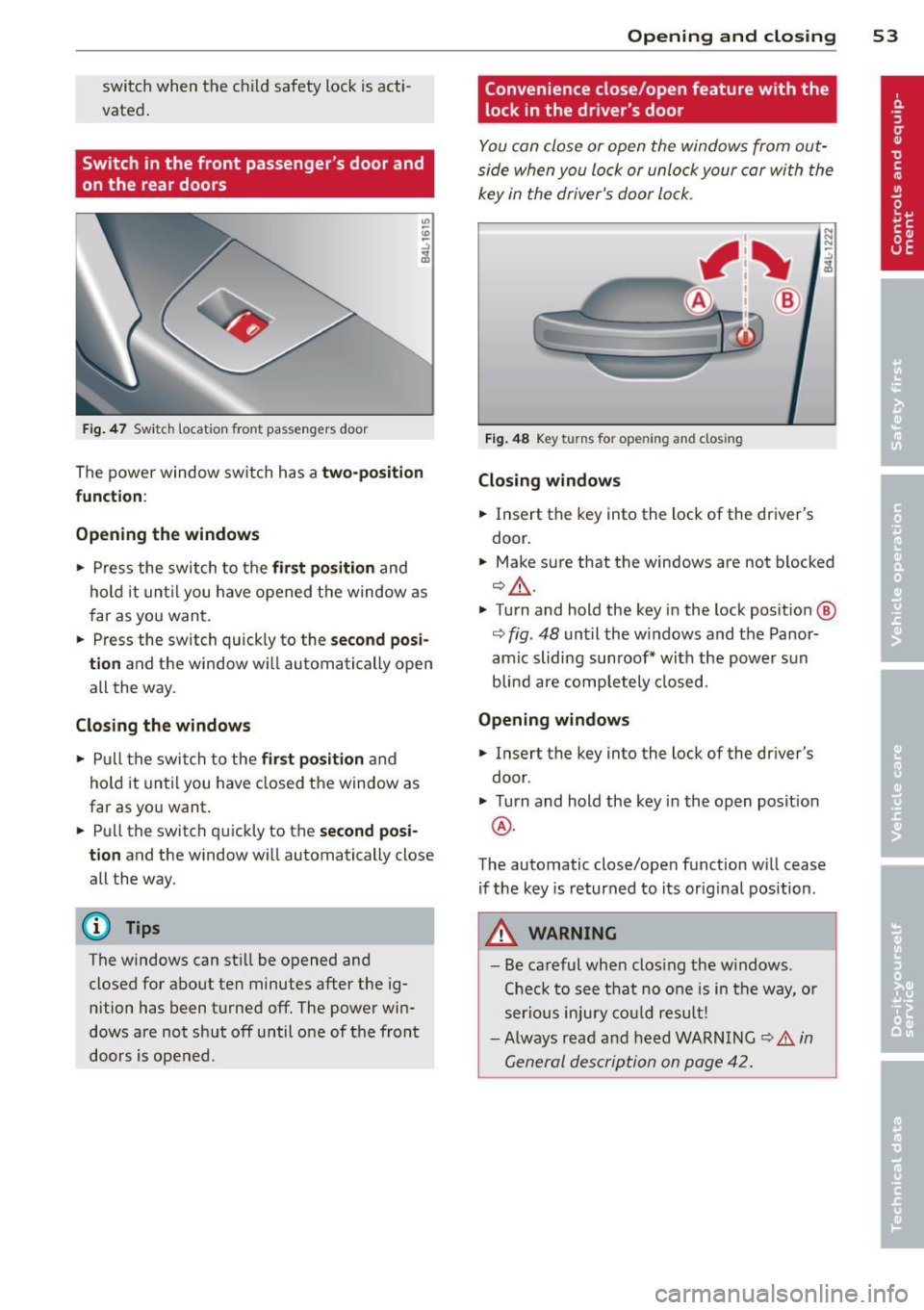
F ig. 4 7 Swit ch loca tion front pass engers door
The power window sw itch has a two-po sit ion
function :
Opening the windows
.. Press the switch to the fir st position and
hold it until you have opened t he window as
f ar as yo u wan t.
.. Press the sw itch quickly to the
second posi
tion
and the window w ill automatically open
all the way .
Closing the windows
.. Pull t he swi tch to the first position and
hold it until you have closed the window as
far as yo u want .
.. Pull the switch q uickly to the
second posi
tion
and the window wi ll automatically close
all the way.
(D Tips
The windows can st ill be opened and
closed for abo ut ten minutes after the ig
nition has been t urned off . The powe r win
dows are not sh ut off until o ne of t he front
doors is opened .
Opening and clo sin g 53
Convenience close/open feature with the
lock in the dr iver 's door
I
You can close or open the windows from out
side when you lock or unlock your car wi th the
key in the driver's door lo ck .
Fig. 48 Key turns for opening and closing
Closing windows
.. Insert the key into the lock of the dr iver's
door .
.. Make su re that the windows are not blocked
¢ _& .
.. Turn and hold the key i n the lock pos it io n @
¢ fig . 48 unt il the windows and the Panor
amic sliding sunroof * with the power s un
blin d are comp letely closed.
Opening windows
.. Insert the key into the lock of the driver's
door .
.. Turn and hold the key in the open posit ion
@ .
The automatic close/open f unction w ill cease
if the key is returned to its orig inal pos ition .
A WARNING
-
- Be careful wh en clos ing the w indows .
Che ck to see t hat no one is in the way, o r
ser ious injury could result!
- Always rea d an d h eed WARN ING
¢ A in
G eneral descrip tion on p age 42.
Page 56 of 348
54 Opening and closing
Reactivating the system after battery
disconnection
If the vehicle battery is disconnected and then
reconnected, the a utomatic closing and open
ing function wilt not work until it is reactivat
ed. To reactivate this feature, perform the fol
lowing steps:
Reactivating close /open feature
., Pull and hold the power window switch un
til the window is completely closed .
., Release the switch .
., Pull the switch again for one second. The
automatic closing/opening is now reactivat
ed .
Panoramic sliding
sunroof
Description
App lies to vehicles: with Pa noramic slidi ng sunroo f
The Panoramic sliding sunroof is comprised of
two individual g lass roof segments, which can
be adjusted electrically independently of each
other.
The front segment can be tilted and slid open.
The rear segment can be tilted, but it cannot
be slid open .
The Panoramic sliding sunroof is operated by
the driver or passenger when the ignition is on
with a rotary switch (for the front roof seg
ment) and a rocker switch (rear roof seg
ment).
After the ignition has been switched off, the Panoramic sliding sunroof can st ilt be opened
or closed for about 10 m inutes. However, as
soon as the driver's or passenger's door is
opened , the switches for the Panoramic slid
ing sun roof are inoperat ive.
CD Note
You should always close the Panoramic
sliding sunroof when you leave you r vehi
cle. Sudden rain can drench the interior
equ ipment and damage the electronic con
venience features in your vehicle .
(D Tips
If you park your vehicle in the sun, we rec
ommend that you close both sun blinds
c>page56.
Tilting/sliding open Panoramic sliding
sunroof
Applies to vehicles: w ith Panoramic sliding sunroof
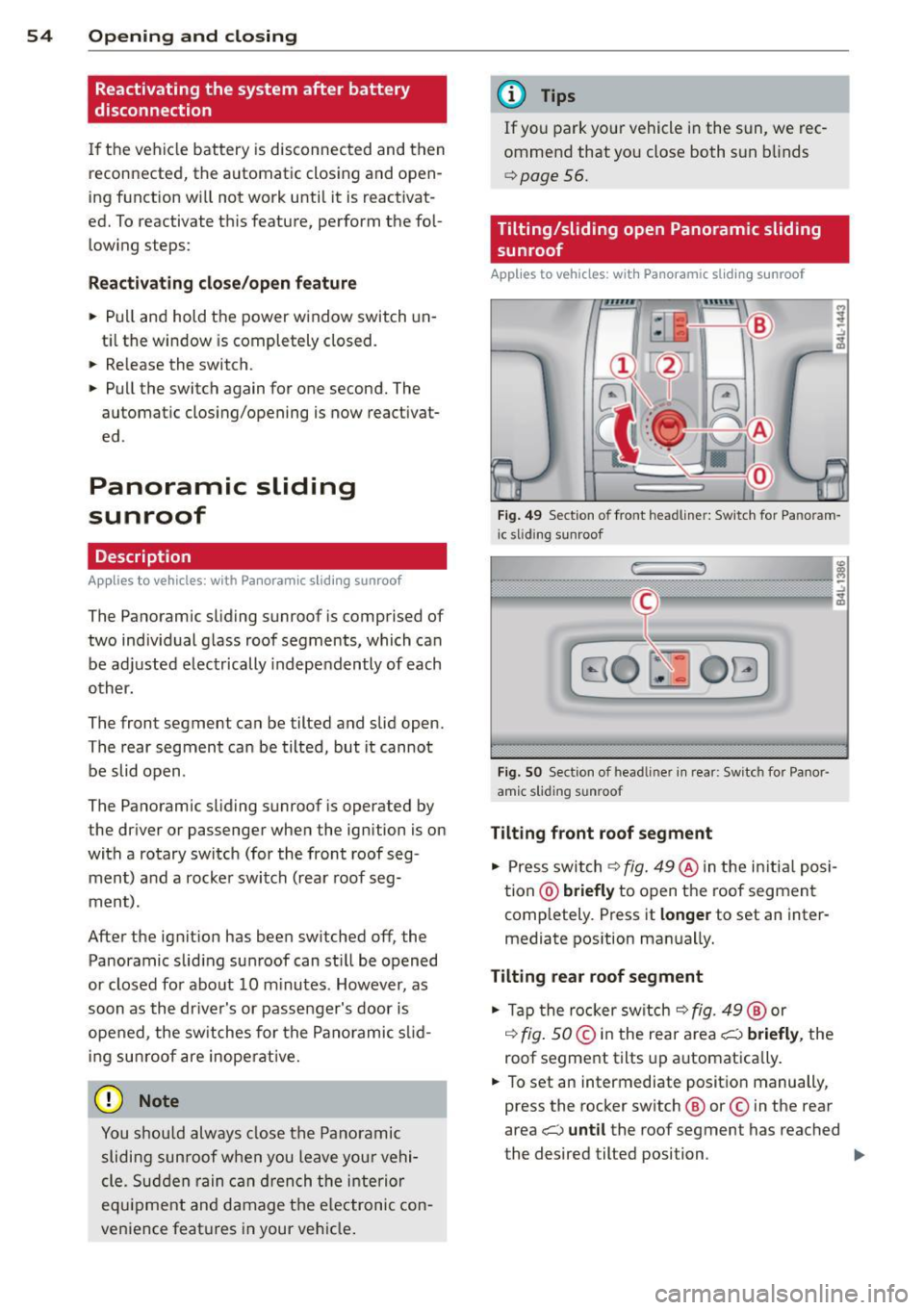
Fig. 49 Se ction o f fro nt headline r: Sw itch for Pa noram
i c slid ing sunroof
Fi g. SO Sect ion of head liner in rear : Switc h for Panor
amic s lidin g sunroof
Tilting front roof segment
., Press switch c>fig. 49@ in the in itia l posi
tion @)
briefly to open the roof segment
completely . Press it
longer to set an inter
mediate pos ition manually.
Tilting rear roof segment
., Tap the rocker switch c> fig. 49 ® or
,:¢, fig. SO@in the rear area i;:::) briefly, the
roof segment tilts up automatica lly .
., To set an intermediate position manually,
press the rocker switch ® or© in the rear
area
i;:::) until the roof segment has reached
the desired tilted position . ..,.