ignition AUDI Q7 2013 Owner´s Manual
[x] Cancel search | Manufacturer: AUDI, Model Year: 2013, Model line: Q7, Model: AUDI Q7 2013Pages: 348, PDF Size: 87.72 MB
Page 109 of 348
-The brake booster and servotronic only
work when the engine is running. With
the ignition turned off, you have to apply
more force when steering or braking .
S ince you cannot steer and stop normal
ly, this can lead to accidents and ser ious
injuries.
- The rad iator fan can continue to run for
up to 10 min utes even after you have
turned off the engine and removed the ign ition key. The radiator fan can also
turn on again if the engine coolant heats
up because of intense sunlight or heat
build -up in the engine compartment.
«I) Note
Do not stop the engine immed iate ly after
hard or extended dr iving. Keep the engine
running for approximately two minutes to
prevent excessive heat build-up .
Starting and stopping
the engine with
Convenience key
Starting the engine with the~
button
App lies to vehicles: with Convenie nce key
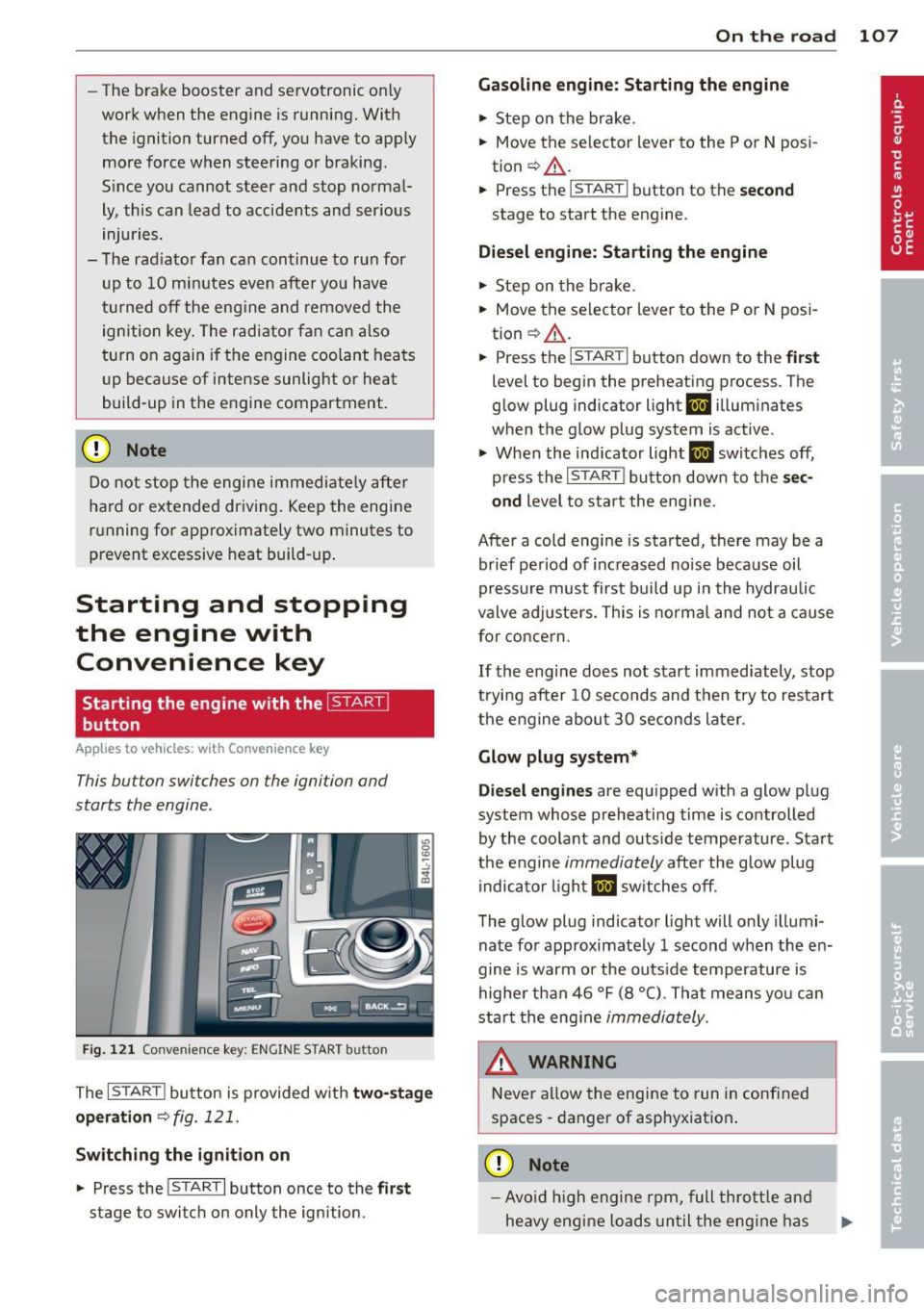
This bu tton swi tches on the ign ition and
starts the engine .
Fig. 121 Co nvenie nce k ey: ENG INE START b utton
The I S TAR T! button is provided w ith two -sta ge
o p era tion
¢ fig. 121.
Switching the ignition on
.. Press the !START I button once to the fir st
stage to switch on only the ign ition .
On th e road 107
Gasoline eng in e: St arting th e engine
.. Step on the brake.
.. Move the se lector lever to the P or N posi
tion ¢,&. .
.. Press the
r::1s=Tc:- A=RT =I button to th e seco nd
stage to start the engine .
Diesel en gine : Starting the engine
.. Step on the brake.
.. Mov e the selector lever to the P or N posi
tion ¢,&. .
.. Press the
r::1s=TAc:-=R T=I button down to the fi rst
level to begin the preheating process . The
glow plug indica tor light
II illumina tes
when t he glow plug system is active .
.. When the indicator light
II switches off,
press the
I ST ART ! button down to the se c
ond
level to star t the eng ine .
After a cold engine is started, there may be a br ief period of increased no ise because oil
pressure must first build up in the hydraulic
valve adjuste rs. This is norma l and not a cause
for concern .
If the engine does not start immediately, stop
trying after 10 seconds and then try to restart
the engine abou t 30 seconds later .
Glow plug system *
Di ese l engine s
are equ ipped with a glow plug
system whose preheating time is controlled
by the coolant and outs ide temperature . Start
the engine
immediately afte r the glow plug
indicator light
II sw itches off .
The glow plug indicator light will only illumi
nate fo r approximate ly 1 second when the en
gine is warm or the outs ide temperature is
highe r than 46 °F (8 °C) . That means yo u can
start the eng ine
immediately .
WARNING
Never allow the engine to run in confined
spaces -danger of asphyxiation .
(D Note
-Avo id h igh engine rpm, full thrott le and
heavy engine loads until the eng ine has
Page 110 of 348
108 On the road
reached operating temperat ure -other
wise yo u risk engine damage.
- The eng ine cannot be sta rted by pushing
or towing the vehicle.
@ For the sake of the environment
Do not allow the engine to warm up with
t he vehicle stationary. Start driving righ t
away . In th is way you avoid unnecessa ry
emissio ns.
@ Tips
If you open the drive r's door when the ig
nition is switched o n, a buzze r sounds and
the message
Ignition is on appears i n the
instrument cluster disp lay. Please switch
the ignition off.
Switching engine off with the~
button
App lies to vehicles: with Convenience key
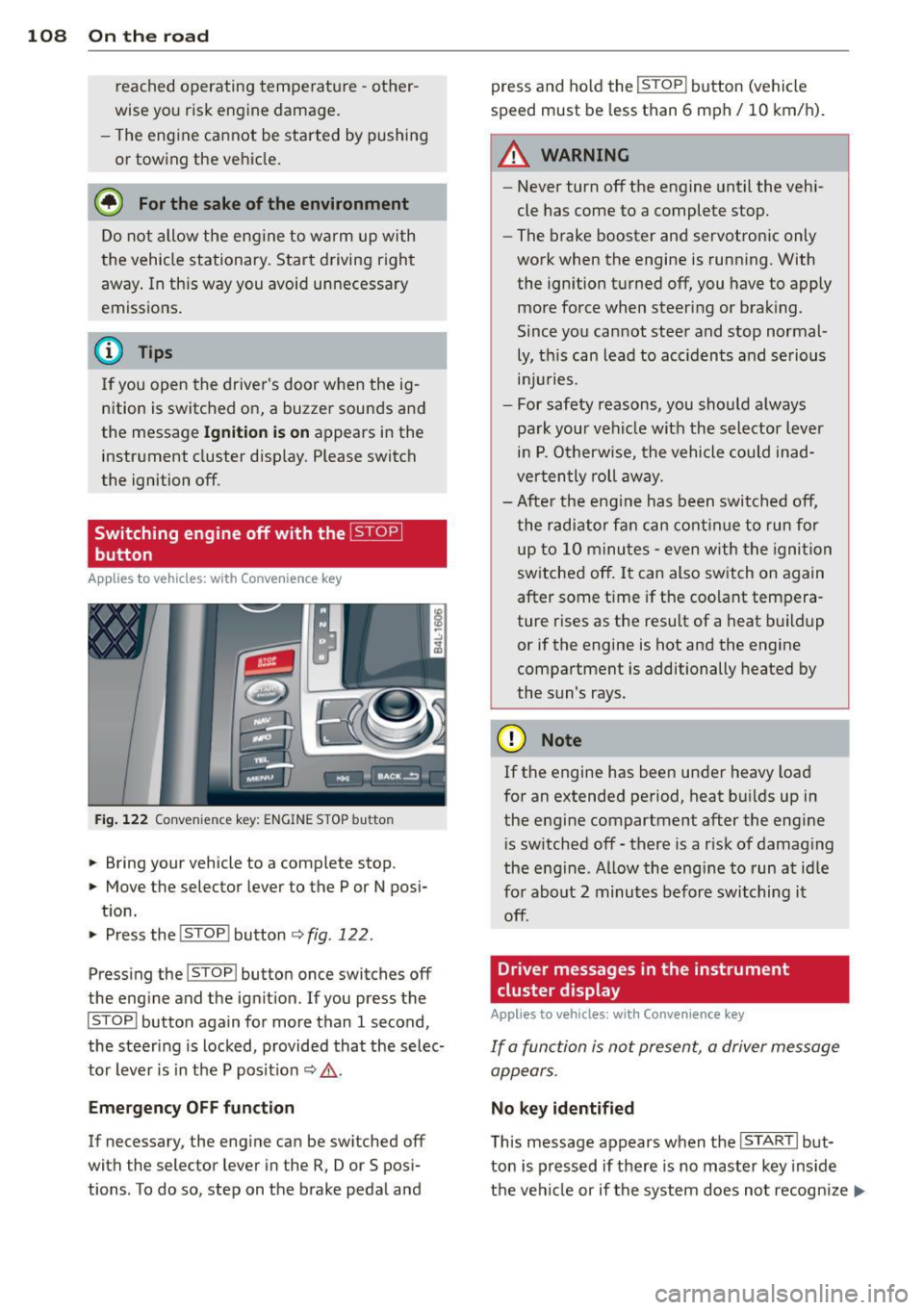
Fig. 122 Convenience key: ENGINE STOP butto n
.. Bring your vehicle to a complete stop.
.. Move the selector lever to the P or N posi-
t ion.
.. Pressthe !STOP !button
¢fig.122.
Press ing the I STOP I button once switches off
the engine and the ignition. If you press the
ISTOPI button again for more than 1 second,
the steering is locked, provided that the selec
tor lever is in t he P pos it ion
¢ & .
Emergency OFF function
If necessary, the engine can be switched off
with the selector lever in the
R, Dor S posi
tions . To do so, step on the brake peda l and press and ho
ld the !STOP ! b utton (vehicle
speed must be less than 6 mph/ 10 km/ h).
.&_ WARNING
-
- Never turn off the engine until the vehi-
cle has come to a complete stop.
- The brake booster and servotronic only
work when the engine is running. With
the ignition turned off, you have to apply mo re force when steeri ng or brak ing.
Since you cannot steer and stop normal
ly, t his can lead to acc idents and se rious
. . . in Juries.
- For safety reasons, you sho uld a lways
pa rk your vehi cle wit h the selector lever
i n P. O therwise, the vehicle could inad
ver ten tly roll aw ay.
- Afte r the eng ine has been switch ed off,
t he r adi at or f an can co ntinu e to run f or
up to 10 minu tes -even with the igni tion
switched off . It can also switch on again
after some t ime if the coolant tem pera
ture rises as the resu lt of a heat b uildup
or if the engine is hot and the engine
compa rtment is additionally heated by
the sun's rays.
(D Note
If the engine has been under heavy load
for an extended pe rio d, heat b uilds up in
the engine compartment after the engi ne
i s sw itched off -there is a r isk of damag ing
the e ng in e. A llow th e engi ne to run a t id le
fo r abo ut 2 minutes befor e switching it
off .
Driver messages in the instrument
cluster display
Applies to vehicles: with Co nvenience key
If a func tion is not present, a driver message
appears .
No key identified
This message appears when t he I STAR T I but-
ton is pr essed if there is no master key ins id e
the vehi cle or if t he system does not recogn ize
IJ,-
Page 111 of 348
it. For example, the master key cannot be rec
ognized if it is covered by an object (e.g. alu
minum brief case) which
screens the radio s ig
nal. Electronic devices such as cell phones can
also interfere with the radio signal.
Press brake pedal to start engine
This message appears if you press the I START !
button to start the engine and do not depress
the brake pedal. The engine can only be start
ed if the brake pedal is depressed .
Engage Nor P to start engine
This message appears when the engine is
started if the selector lever for the automatic
transmission is not in the P or N position. The
engine can only be started with the selector in
these posit ions.
B Key not in vehicle
This message appears along with the B sym
bol if the master key is removed from the ve
hicle with the engine r unning .
It is intended
to remind you (e .g. when changing drivers)
not to continue the journey without the mas
ter key .
If the master key is no longer in the vehicle,
you cannot sw itch off the ignition after stop
ping the engine and you also cannot start the
engine again. Moreover, you cannot lock the
vehicle from the outside with the key.
Shift to P otherwise vehicle can roll away.
Doors do not lock if you are not in P.
This message appears for safety reasons
along w ith a warning buzzer if the selector
lever for the automatic transmission is not in
the P pos ition when the ignit ion is switched
off with the
ISTOPI button and the dr iver's
door is opened. Move the se lector lever to the
P position, otherwise the vehicle is not se
cured against rolling away . You a lso cannot
lock the vehicle using the lock ing button on
the door hand le or using the remote key.
On the road 109
To engage steering lock, press and hold
STOP button
This message appears for safety reasons if the
engine and the ignition have been switched
off by pressing the
I STOPI button once, and
then the driver's door is opened. In this in
stance, the steering is not locked . The steer
ing is locked:
- If you press the
IS TOPI button again for
more than 1 second.
- If you close the driver's door and lock your
veh icle from the outside.
Parking brake
Operation
The parking brake replaces the handbrake .
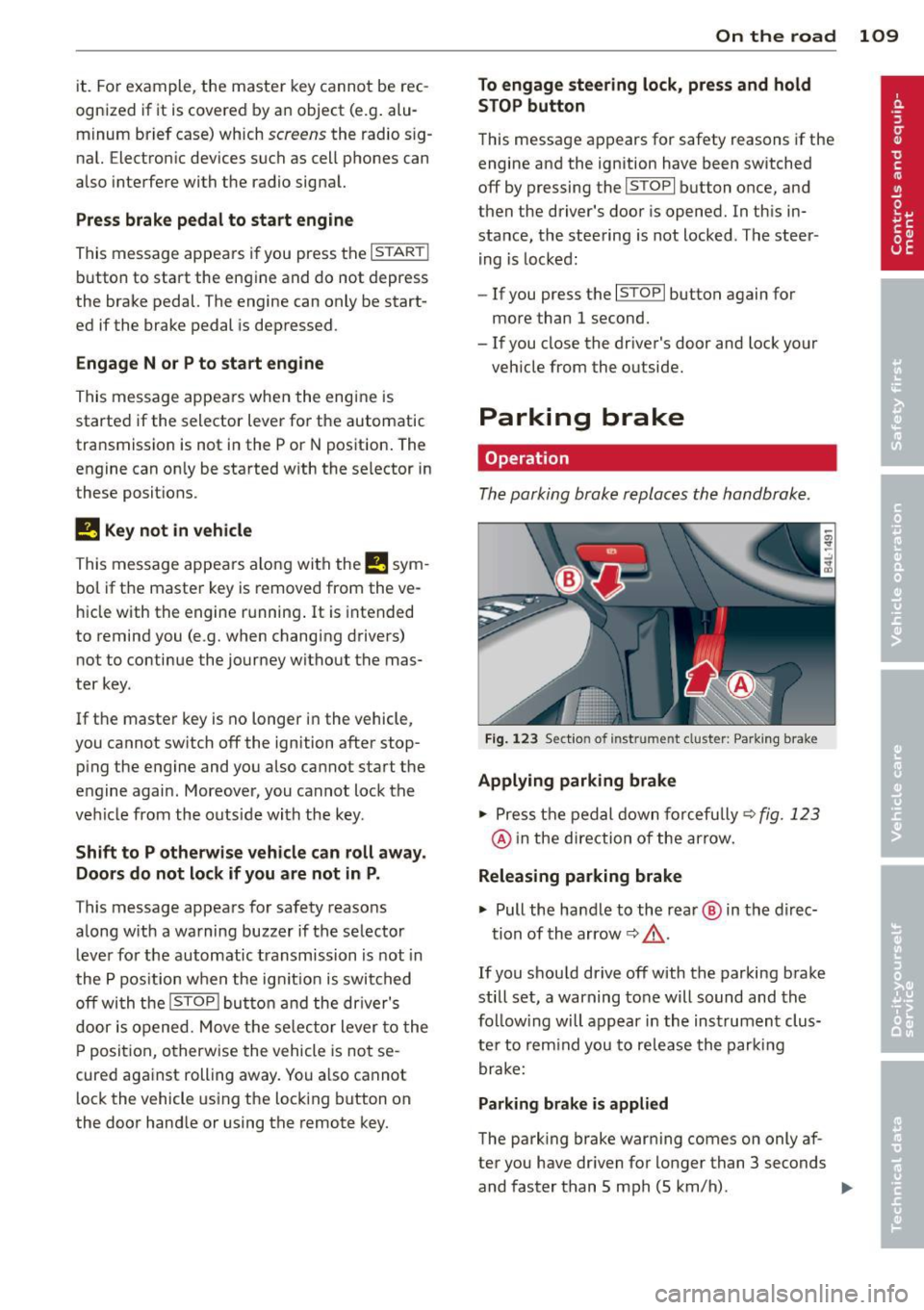
Fig. 123 Section of inst rume nt clust er: Pa rking brake
Applying parking brake
.,.. Press the pedal down forcefully~ fig. 123
@ in the direction of the arrow.
Releasing parking brake
.,.. Pull the hand le to the rear @ in the direc-
tion of the arrow
~ _&. .
If you should drive off with the parking brake
still set, a warning tone will sound and the
fo llow ing will appear in the instrument clus
te r to remind you to release the parking
brake:
Parking brake is applied
The park ing brake warning comes on only af
ter you have dr iven for longer than 3 seconds
and faster than 5 mph (5 km/h) . .,._
Page 112 of 348
110 On the road
The parking brake warning light. (USA)/ .
(CON) illuminates when the parking brake is
set and you switch on the ignition.
A WARNING
-
Always release the parking brake com
pletely. A partially engaged brake will
overheat the rear brakes, reduce their ef
fectiveness and cause excessive wear. This could lead to brake failure and an accident .
(D Note
Only after the vehicle has come to com
plete stop, should you firmly set the park
ing brake and
move the selector lever into
"P".
Parking
When you park your vehicle, do the
following
• Stop the vehicle using the brake pedal.
• Apply the parking brake firmly.
• Move the selector lever into the P position
c:>A .
• Switch off the engine and remove the igni-
t ion key from the ignition lock.
When you park your vehicle on hills, do
the following
• Stop the vehicle using the brake pedal.
• Apply the parking brake firmly.
• If you are parking headed
downhill, turn
the front wheels
toward the curb.
• If you are parking headed uphill, turn the
front wheels
away from the curb.
• Move the selector lever into the
P position.
• Switch off the engine and remove the igni
tion key from the ignition lock.
A WARNING
This is how you can reduce the risk of in
jury when leaving your vehicle.
- Never park the vehicle where it can come
in contact with dry grass, spilled fuel or
any other flammable materials. -
When parking on hills, always turn the
wheels so that the front wheels will first roll into the curb, if the vehicle should
start to roll.
- Never allow anyone - especially small
children - to remain in the vehicle when
it is locked. Locked doors make it more
difficult for rescuers to access the pas
senger compartment in the event of an
emergency. Danger to life!
- Never leave children unsupervised in the
vehicle. Children could release the park
ing brake or
move the gearshift lever out
of gear. The vehicle could start to roll
away and cause an accident.
- No matter what the season is, the tem
perature in a parked vehicle can reach
dangerous levels.
(D Note
- Please exercise care when you park your
vehicle in parking areas with parking bar riers or curbs. Parking barriers and curbs
vary in height and could damage your
bumper and related components as the
front of your vehicle moves
over a barrier
or curb that is too high, as you park or as
you back out of a parking spot. In order
to be sure that no such damage can oc
cur, you may wish to stop short of having
the front tires of your car touch the park
ing barrier or curb.
- Please also exercise exceptional care
when you drive up or down steep ramps
or drive over curbs or other obstacles, for
which the vehicle is not designed, be
cause components of the vehicle close to
the ground, such as bumper covers, spoilers and suspension and exhaust sys
tem components, may become dam
aged.
Starting on hills
Hill Hold makes it easier to start on hills.
The system is activated when the brake pedal is depressed
for a few seconds. For this, the ll-
Page 113 of 348
vehicle must be standing in uphill driving direction.
After releasing the brake pedal , the brake
power is held for a
brief moment to prevent
the vehicle from rolling back when starting. At
this time, you can easily beg in to move your
veh icle.
A WARNING
- If you did not begin moving immediately
after releasing the brake pedal, under
certain circumstances, the vehicle would
begin to roll backward . Depress the
brake pedal immediately or engage the
park ing brake.
- Should the engine stall, depress the
brake pedal immediately or engage the
par king brake.
- In order to prevent the vehicle from ro ll
ing back un intentionally when sta rting in
stop-and-go traffic, keep the brake pedal depressed for a few seconds before d riv
ing off.
- When you leave the vehicle -even if only
briefly - , switch off the ignition and
make sure to remove the ignition key . Al
so engage the
p a rking b rake to prevent
your vehicle from rolling unintentionally. Th is particu larly applies if ch ildren are
left in the veh icle -danger of acc ident!
Cruise control
Switching the system on
The cruise control system makes it possible to
drive at a constant speed starting at
20 mph
(30 km/h).
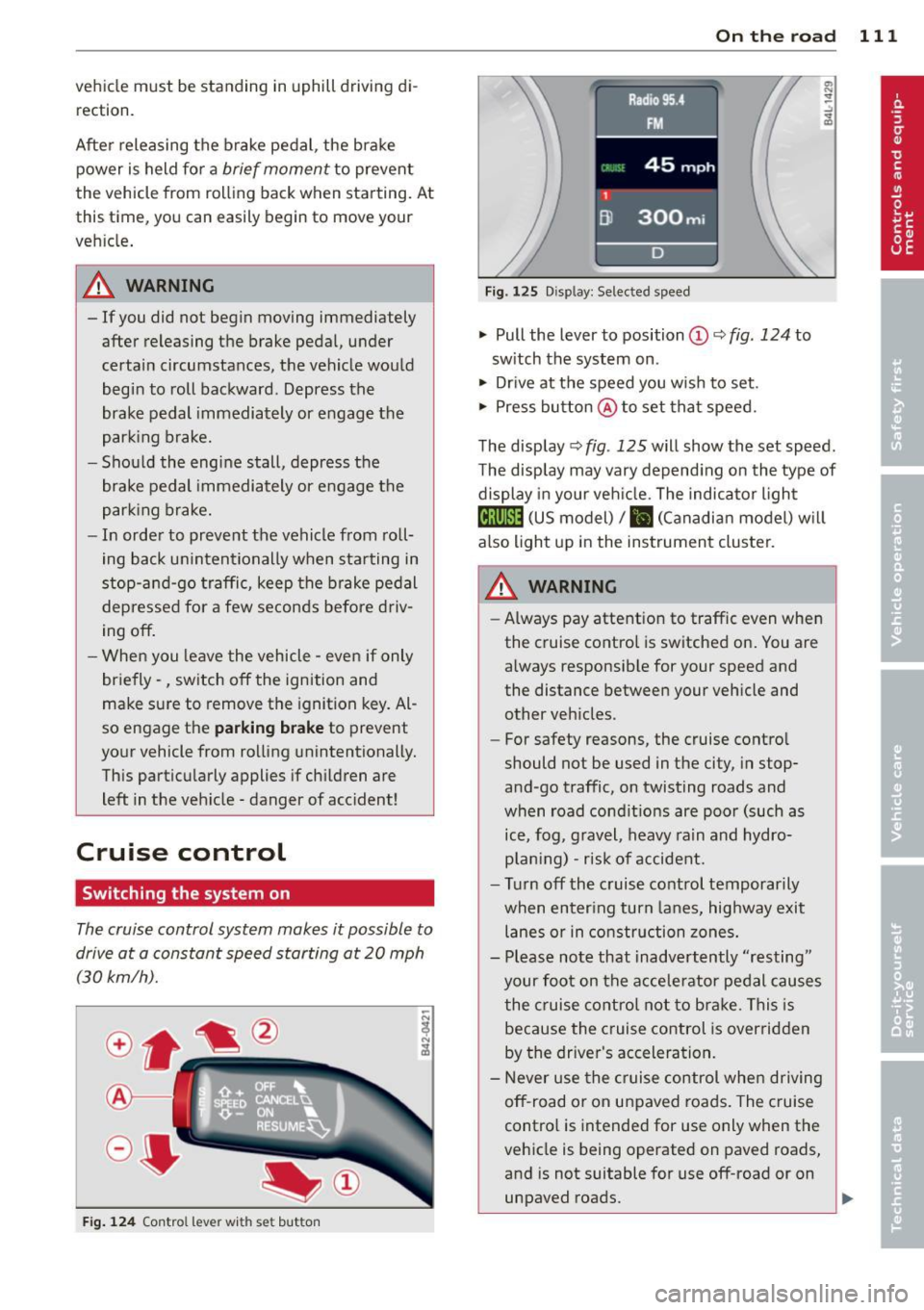
F ig . 124 Con tro l le ver w ith set button
On th e road 111
Fig. 1 2 5 Disp lay: Se lec te d speed
.. Pull the lever to position@c::> fig. 124 to
sw itch the system on .
.. Drive at the speed you wish to set .
.. Press button @to set tha t speed.
The display c::>
fig. 125 will show the set speed .
T he display may vary depend ing on the type of
display in your veh icle. The indicato r light
@;\1)~1~ (US model)/ B (Canadian model) w il l
also light up in the instrument cluster.
_& WARNING
- Always pay attention to traffic even when
the cruise control is switched on. You are
always responsible for your speed and
the distance between your veh icle and
other vehicles .
- For safety reasons, the cruise contro l
should not be used in the city , in stop
and -go traffic, on twisting roads and
when road condit ions are poor (such as
ice, fog , gravel , heavy rain and hydro
p lan ing) -risk of accident.
- Turn off the cruise control temporarily
when enter ing turn lanes, highway exit
lanes or in construction zones.
- Please note that inadvertently "resting"
your foo t on the accelerator pedal causes
the cruise contro l not to bra ke. This is
because the c ruise control is overridden
by the driver's acceleration.
- Never use the cruise control whe n driving
off -road or on unpaved roads. The c ruise
contro l is intended for use only when the
vehicle is being operated on paved roads,
and is not suitable for use off-road or on
unpaved roads.
1J1,,,
Page 114 of 348
112 On the road
The cruise control cannot maintain a con
stant speed when driving downhill. The ve
hicle will accelerate under its own weight.
Downshift to a lower gear or use the
brakes to slow down.
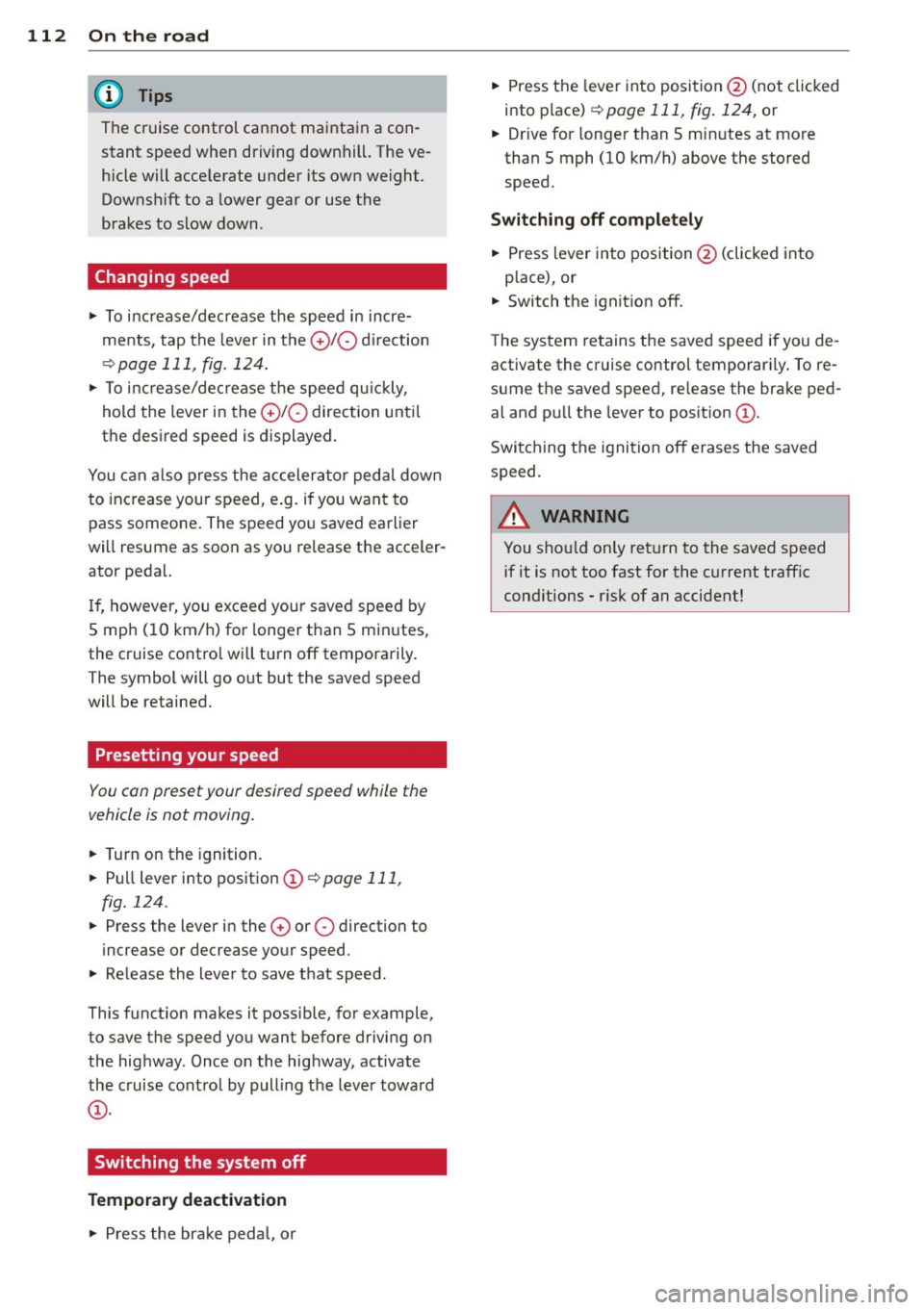
Changing speed
.. To increase/decrease the speed in incre
ments , tap the lever in the
010 direction
~p age 111, fig. 124.
.. To increase/decrease the speed qu ickly,
hold the lever in the
010 direction until
the desired speed is displayed.
You can also press the accelerator pedal down
to increase your speed, e .g. if you want to
pass someone . The speed yo u saved earlier
will resume as soon as you release the acceler
ator peda l.
If , however, you exceed your saved speed by
5 mph (10 km/h) for longer than 5 minutes,
the cruise contro l will turn off temporarily.
The symbol will go out but the saved speed
will be retained.
Presetting your speed
You con preset your desired speed while the
vehicle is not moving .
.. Turn on the ignition .
.. Pu ll lever into position
(D ¢ page 111,
fig.
124 .
.. Press the lever in the
0 or 0 direction to
increase or decrease your speed .
.. Releasethelevertosavethatspeed.
This funct ion makes it possible, for example,
to save the speed you want before driving on
the highway . Once on the highway, activate
the cruise contro l by pull ing the lever toward
(D .
Switching the system off
Temporary deactivation
.. Press the brake pedal, or ..
Press the leve r into position @(not clicked
into place)
¢ page 111, fig. 124, or
.. Drive for longer than 5 minutes at more
than 5 mph (10 km/h) above the stored
speed.
Switching off completely
.. Press lever into position @(clicked into
p lace), or
.. Switch the ignition off .
The system retains the saved speed if you de
activate the cruise control temporarily . To re
sume the saved speed, re lease the brake ped
al and pull the lever to pos it ion
(D .
Switching the ignition off erases the saved
speed.
A WARNING
You sho uld only return to the saved speed
if it is not too fast for the c urrent traffic
conditions -risk of an accident!
Page 116 of 348
114 Adapti ve crui se co ntrol
brake and take evasive action to avoid
collisions and other accident situations.
- Never allow the closing speed between
you and other vehicles to be so high that
the adaptive cruise control may not be
able to slow your vehicle safely. If clos
ing speed is too high, you must apply the
brakes yourself to reduce the risk of a
rear-end crash.
- Never rest your foot on the accelerator peda l, especia lly when the adaptive
cruise control is be ing used. Pressu re on
the accelerator w ill override the ACC
braking function and prevent the brakes
from being applied when ACC detects a
situation when the brakes must be ap
plied.
- Never use adaptive cruise contro l when
you cannot drive safe ly at a steady
speed, including on city streets, on wind
ing roads or when road conditions are
poor (for example, on ice, gravel, in fog,
heavy rain or on wet roads that increase
the risk of hydroplaning) .
- The radar sensor's
vision can be reduced
by rain, snow and heavy road spray.
T hese and sim ilar condit ions can prevent
vehicles up a head from being accurately
detected and in some cases they may not
be detected at al l. Do not use ACC when
the radar sensors cannot accurately de
tect vehicles moving ahead of yo u in traf
fic.
- Always turn off adaptive cruise contro l
when entering turn lanes, exit lanes and
construction zones or in similar situa
t ions because the vehicle will automati
cally accelerate to the stored speed when
the road ahead is clear.
- To prevent unintended operation, always
switch ACC off when it is not be ing used.
(D Tips
- For safety reasons, the stored speed is
deleted when the ignition is turned off .
- The E lectronic Stab ilizat ion Control (ESC)
and the Anti-Slip Regulation (ASR) can not be deactivated when the adaptive cruise contro
l is switched on . If the ESC
and the Anti-Slip Regu lation (ASR) has
been deactivated and you then switch on
the adaptive cruise control, the ESC func tion will also be activated automatically.
- Damage caused by accidents and some m inor collisions can affect the radar sen
sor settings and cause the system to
ma lf u nction or switch off completely.
- The radar sensor cover is heated. In win
ter conditions, you should st ill check be
fore dr iv ing to make su re it is free of ice
and snow. If necessary, clean the a rea
nea r the radar sensor ca refully
¢ fig. 126.
- To ensure that the radar sensor is not
bloc ked, foreig n objects (e.g. s tickers,
larger license plate mount s, add -on
par ts) mus t not cover the area near the
radar sensor ¢
fig. 126 . The area near
the radar sensor must not be pa inted, ei
ther.
- For Declaration of Compliance to United
States FCC and Ind ustry Canada reg ula
tions¢
page 328.
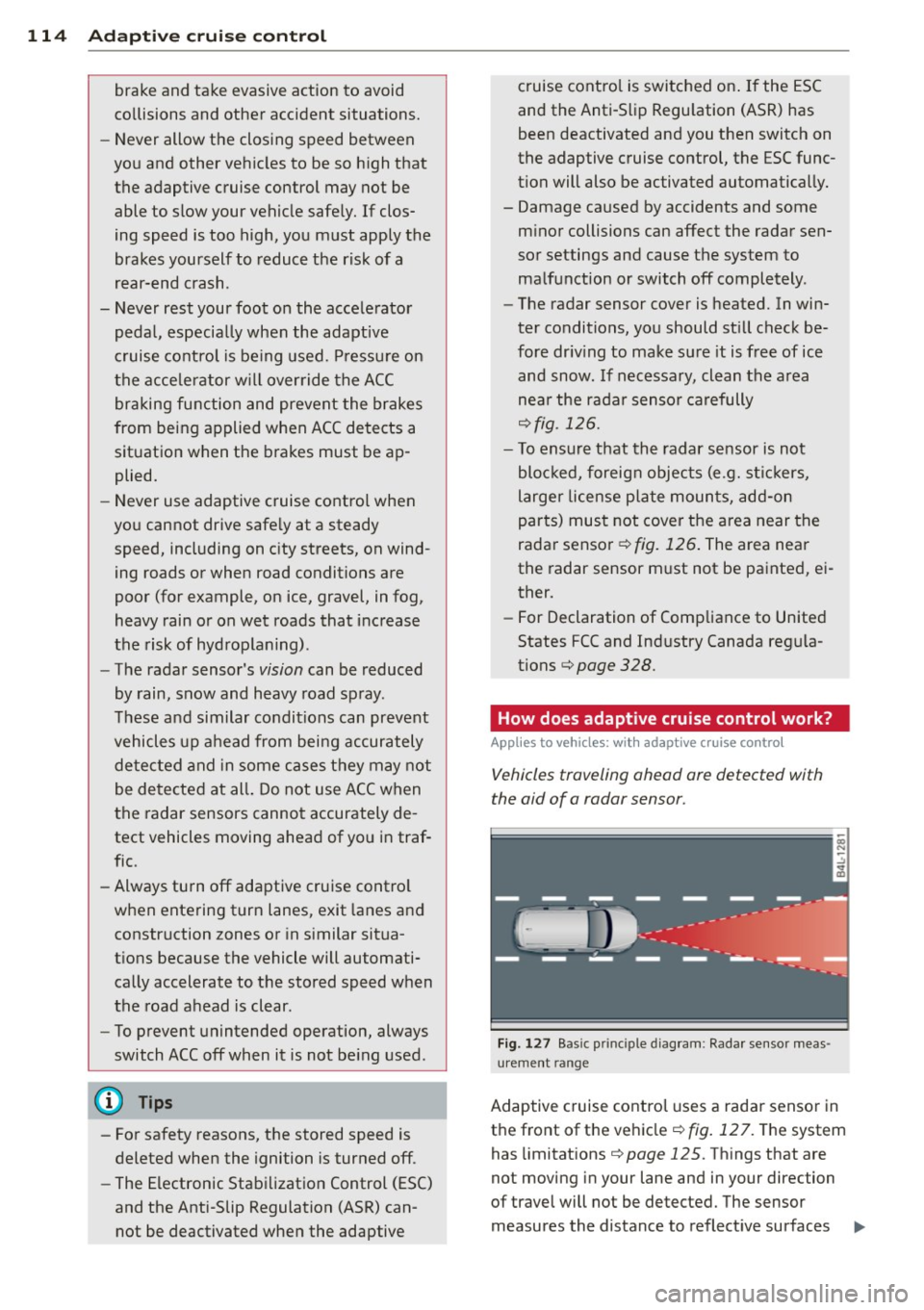
How does adaptive cruise control work?
Applies to vehicles : wit h adaptive c ruise contro l
Vehicles traveling ahead are detected with
the aid of a radar sensor .
Fig. 1 27 Bas ic pri ncip le d iag ram : Radar sensor meas
urement range
Adaptive cruise control uses a rada r senso r in
t h e front of the vehicle ¢
fig. 12 7. The system
has limitat ions ¢
page 125. Things that are
not moving in your lane and in your direction
of travel will not be detected. The sensor
measures the distance to reflect ive surfaces ..,.
Page 119 of 348
a short time in the Information line
¢ page 122.
@ Tips
For safety reasons, the stored speed is
erased when the ignition or the ACC is
turned off.
Changing stored speed
Applies to vehicles : with adaptive cruise co ntrol
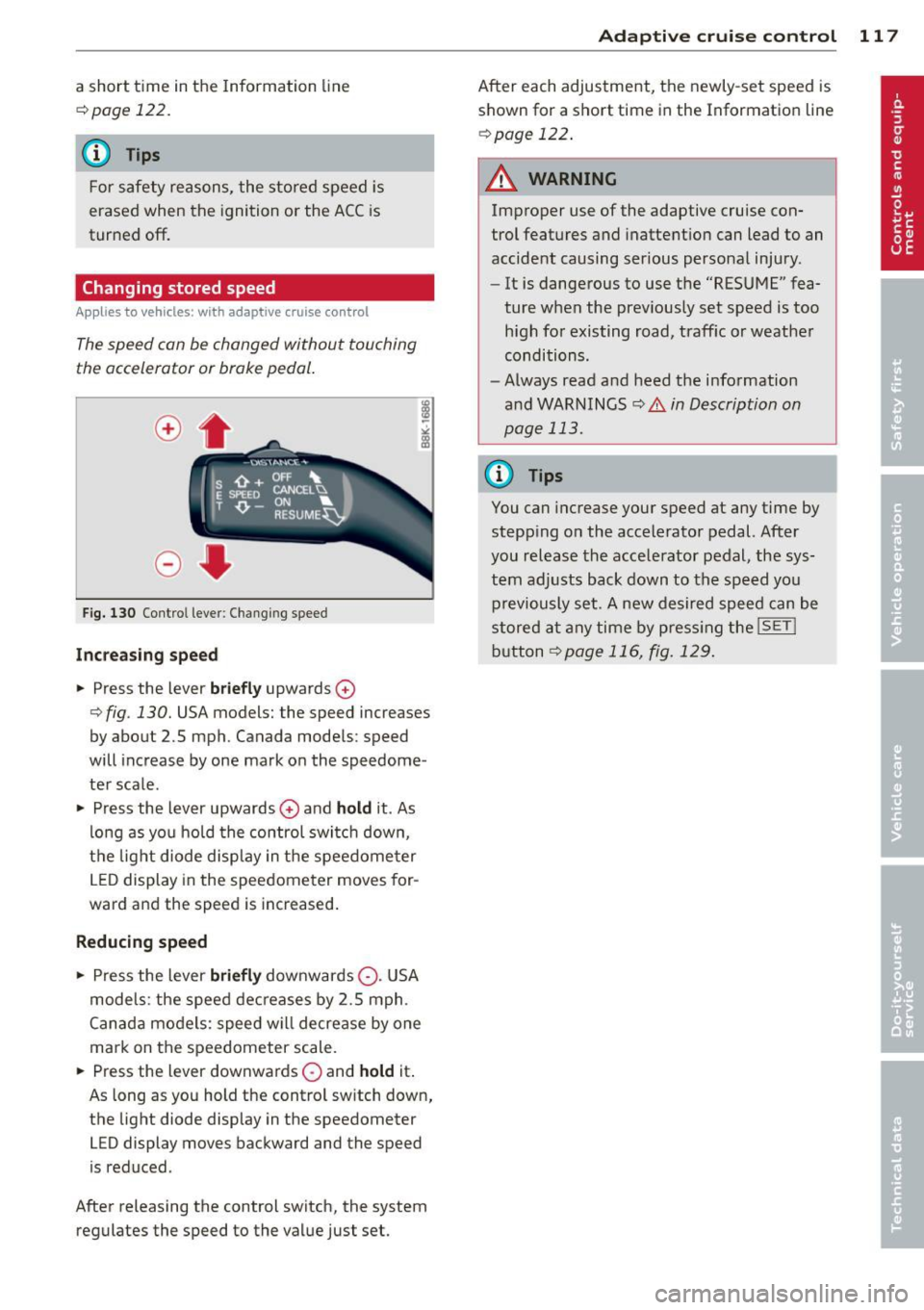
The speed can be changed without touching
the accelerator or brake pedal .
Fig. 130 Contro l leve r: Changing speed
Inc re as ing speed
• Press the lever briefl y upwards 0
9 fig. 130. USA models: the speed increases
by about 2.5 mph. Canada models : speed
will increase by one mark on the speedome
ter sca le .
• Press the lever upwards
0 and hold it. As
long as you ho ld the control switc h down,
the lig ht diode display in t he speedome ter
L E D display in the speedometer moves for
ward and the speed is increased.
R educing speed
• Press the lever briefly downwards Q. USA
models: the speed decreases by 2.5 mph .
Canada models: speed w il l decrease by one
mark on the speedometer scale.
• Press the lever downwards
O and hol d it.
As long as you hold the control sw itch down,
the lig ht diode display in the speedometer
LED display moves backward and the speed
is reduced .
After releasing the control switch, the system regulates the speed to the va lue just set.
Ad apti ve crui se control 11 7
After each adjustment, the newly-set speed is
shown for a short time in the Information line
9page 122 .
_& WARNING
Improper use of the adaptive cruise con
trol features and inattent ion can lead to an
accident causing ser ious personal injury.
- It is dangerous to use the "RES UME" fea
ture when the prev iously set speed is too
high for existing road, traff ic or weather
conditions.
- Always read and heed the information
and WARNINGS
¢.&. in Description on
page
113 .
(D Tips
You can increase your speed at any time by
stepp ing on the accelerato r pedal. After
you release the acce lerator pedal, the sys
tem adjusts back down to the speed you
p reviously set . A new desired speed can be
stored a t any time by press ing the
!SET I
button 9page 116, fig. 12 9.
-
Page 140 of 348
138 Automatic transmi ssion
co uld "creep" forward or backward.
When stopped, keep the brake pedal
fully depressed and use the parking brake if necessary to keep the vehicle
from ro lling .
- If the selector lever is unintentionally
moved into N wh ile you are driving, take
yo ur foot off the accele rato r pedal and
wa it for the engine to return to idle
speed befo re selecting a d rivi ng position .
- Never shift into "R" or "P" when the vehi
cle is in mot ion.
- Never get out of the dr iver 's seat when
the engine is runn ing .
- If you must get out of the vehicle, move
the se lector lever securely into the P po
sit io n and apply the par king brake f irm ly.
- If the eng ine must remain ru nning, never
hav e any driv ing pos ition engaged when
c hec king under the hood . M ake sure t he
sele ctor lever has securely eng aged and
is locke d in "P" with the par king brake
firmly set ¢
page 255, Engine compart
ment .
Otherw ise, any increase in eng ine
speed may set the vehicle in m otion,
even w ith the par kin g brake applied.
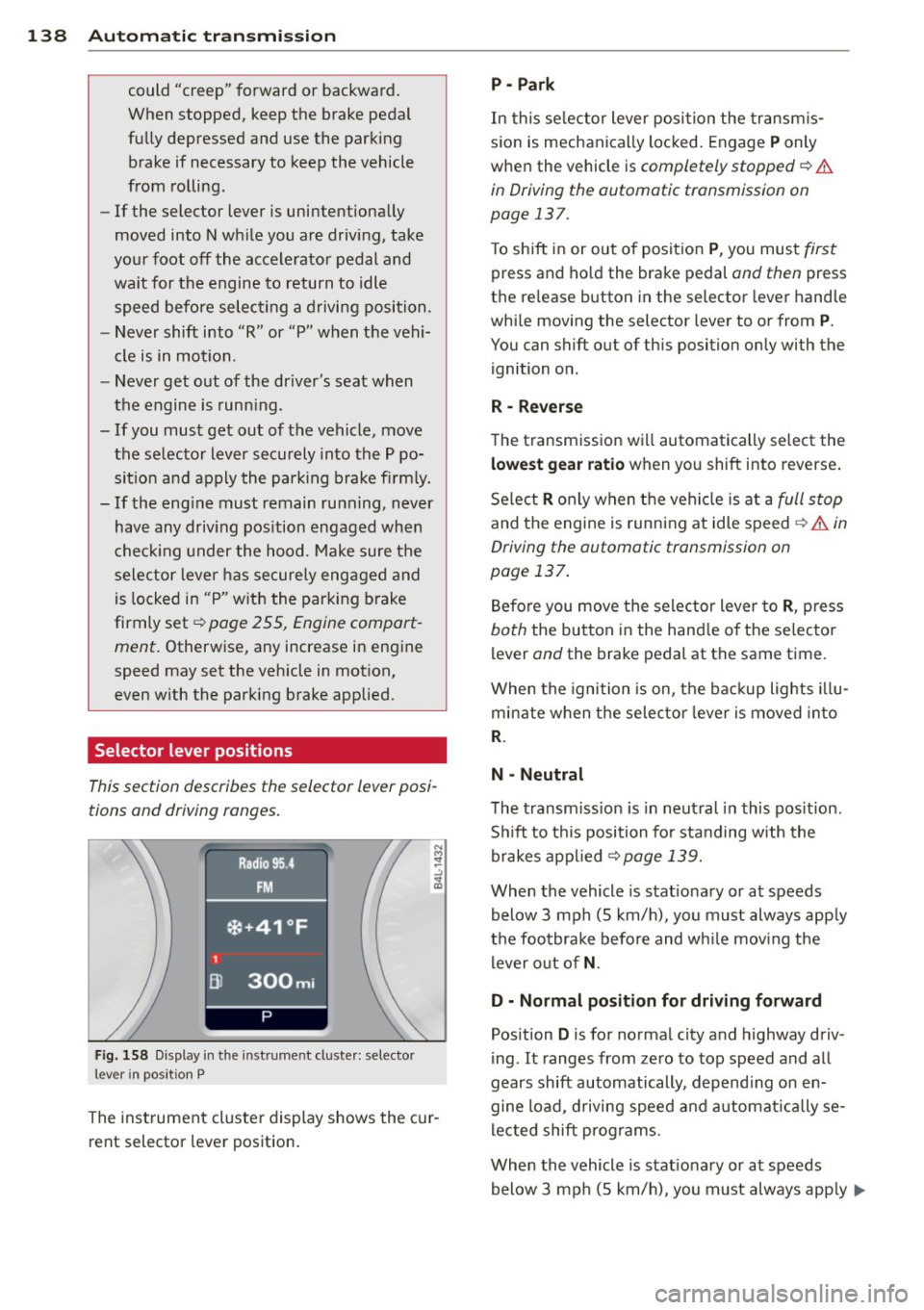
Selector lever positions
This section describes the selector lever posi
tions and driving ranges.
F ig. 158 Display in t he in st rum en t cluste r: selecto r
lev er in po sit ion P
The inst rumen t cluste r display shows the c ur
rent selector lever position .
P - Park
In this selector lever posi tion the transm is
s ion is mechanica lly locked. Engage
P only
whe n the vehicle is
completely stopped¢&.
in Driving the automatic transmission on
page 137.
T o shift in or out of posit ion P , you mus t first
press and ho ld the brake pedal and then press
the re lease button in the selector leve r hand le
whi le moving the selector lever to or from
P .
You can shift out of th is position only with the
ignition o n.
R • Reverse
The transm iss ion w ill automatically select the
lowest gear ratio when you shift into reverse .
Se lect
R o nly when t he vehi cle is at a full stop
and the engine is running at idle speed¢&. in
Driving the automatic transmission on
page 137.
B efore you move the se lector lever to R , press
both the button in the hand le o f the se lecto r
lever and the brake pedal at the same t ime.
W hen the ignition is on, the bac kup light s illu
minate w hen t he selec to r l ever is
moved in to
R .
N -Neutral
The transm iss io n is in neut ral in this pos it ion .
S hi ft to t his position fo r standing with the
brakes app lied
¢ page 139.
When the vehicle is stat iona ry or at speeds
below 3 mph (5 km/h) , you must always app ly
t h e foo tbrake before and wh ile mov ing the
l ever o ut o f
N.
D - Normal position for driving forward
Position D is for no rma l city and highway driv
ing . It ranges from zero to top speed and all
gears shift automatically , depend ing on en
gine load, d riving speed and a utomat ically se
l ected shift p rog rams.
When the vehicle is stat iona ry or at speeds
below 3 mph (5 km/h), you must always app ly
IJ,,
Page 141 of 348
the foot brake before and while moving the lever to
D o ut of N .
In ce rt a in circumst ances i t may be advan ta
geous to tempor arily swi tch to the manu al
shift p ro g ram to manually se lect gear ratios
to matc h specif ic dr iving conditions
r::!) page 140.
S - Sport position
Select this pos ition for sport ie r perfo rmance.
I n t his posi tion , the transm iss ion w ill not up
shift as soon, allowing the vehicle to use the increased power avai lab le at higher engine
speeds to achieve live lier acce lerat ion.
W hen the ve hicle is st ationary o r at speeds
be low 3 mph (5 km/h), you must a lways a pply
the foot brake before and while moving t he
l ever to
S out of N .
A WARNING
Read and follow a ll WARNI NGS <=> & in
Driving th e automatic transmission on
page 137.
(D Note
-
Coast ing downh ill with the transmission in
N and the engine not running w ill result in
damage to the automatic transmiss io n
and possibly t he catalytic converte r.
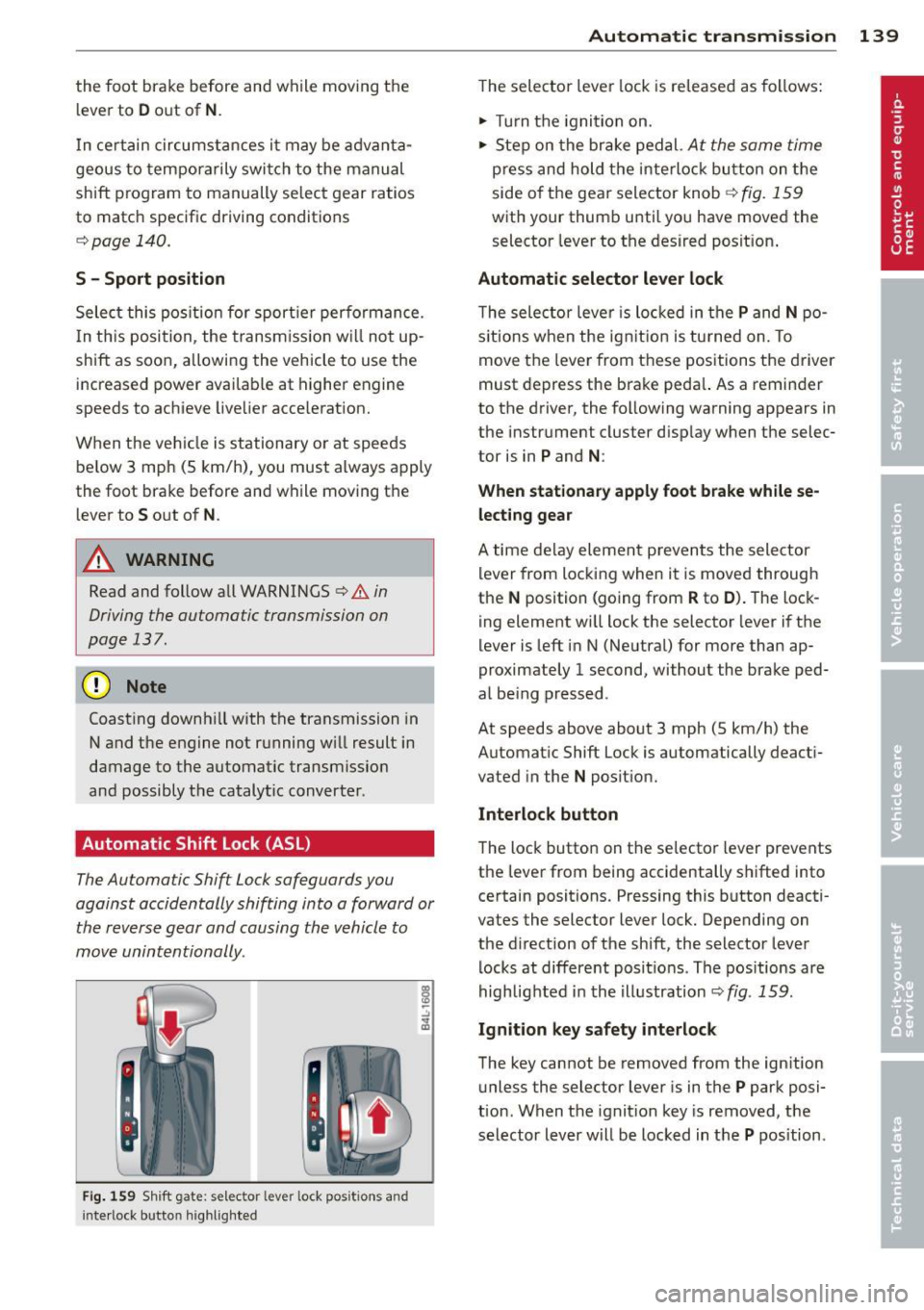
Automatic Shift Lock (ASL)
The Automa tic Shift Lock safeguards you
against accidentally shifting into a forward or
the reverse gear and causing th e vehicle to
move unintentionally .
Fig. 159 Shift gate: s elec tor lever lock pos itions and
i n te rl ock bu tt on highli ght ed
Autom atic transm ission 139
T he selector lever lock is re leased as follows:
.. Turn t he igni tion on .
.. Ste p on the bra ke pedal.
At the same time
press and hold the inte rlock bu tton on the
side o f the gea r sele ctor knob
r::!) fig . 159
w ith your thum b until yo u have moved the
selector leve r to the desired posit ion .
Automatic selector lever lock
The selecto r leve r is lo cked in the P and N po
s itions w hen the ig nitio n is tu rned on. To
move t he lever from these posit ions the driver
must de press the brake peda l. As a remin der
to the d river, the following warning appears in
the instr ument cluster d isp lay w hen the selec
tor is in
P and N :
When stationary apply foot brake while se
lecting gear
A time de lay eleme nt preven ts the sele ctor
l ever from locking when it is moved through
the
N position (going from R to D ). T he lock
ing element wi ll lock the selector lever i f the
lever is left i n N (Ne utral) for more than ap
proximately 1 second, without the brake ped
al be ing pressed .
At speeds above about 3 mph (5 km/h) the
Automat ic Shift Lock is automatically deact i
vated in the
N posit ion.
Interlock button
The loc k button on t he selecto r lever prevents
the lever from being accidentally s hifted into
certain positions. Pressing this b utton deacti
vates the selector lever lock. Depending on
the d irection of the shift, the selector lever
l ocks at differe nt pos it io ns. Th e pos itions are
highlig hted i n the i llustration
r::!) fig . 159.
Ignition key safety interlock
The key cannot be removed from the ign ition
u nless the selector lever is in t he
P park posi
tion . When the ignit ion key is removed, t he
selector lever w ill be locked in t he
P pos ition.