service AUDI Q7 2017 Owner´s Manual
[x] Cancel search | Manufacturer: AUDI, Model Year: 2017, Model line: Q7, Model: AUDI Q7 2017Pages: 402, PDF Size: 100.39 MB
Page 30 of 402
Cockpit over view
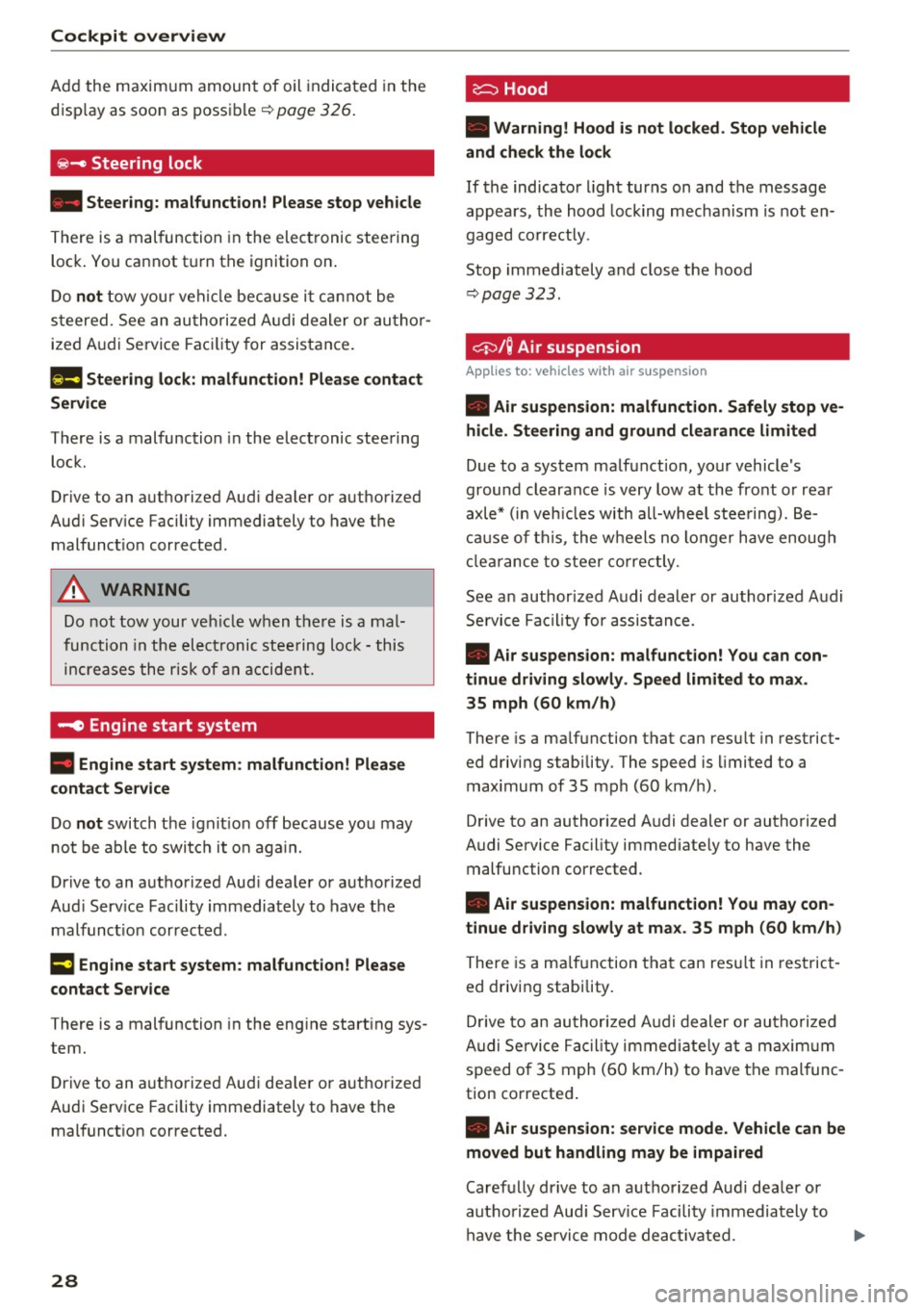
Add the maximum amount of oil indicated in the
disp lay as soon as possible¢
page 326.
~- Steering lock
• Steerin g: malfunction ! Plea se stop vehicle
There is a malfunction in the electronic stee ring
lock . You cannot t urn the ignition on .
Do
not tow your vehicle because i t cannot be
s teered. See an au thori zed A udi dealer o r au tho r
ized Aud i Service Faci lity for assistance .
Ell Steering lock : malfunc tion! Plea se contact
Service
There is a malfunction in the electronic steering
lock .
Drive to an authori zed Aud i dea ler or authori zed
Aud i Serv ice Facility immediately to have the
malfunct ion corrected.
A WARNING
-
Do not tow your veh icle when the re is a mal
function in the electronic stee ring loc k - this
increases the risk of an accident.
~ Engine start system
• Engin e s tart system : malfunction ! Plea se
c on tact Service
Do not switch the ignit ion off because you may
not be able to switc h it o n aga in.
Drive to an authorized Aud i dealer or authorized
Aud i Serv ice Fac ility immediately to have the
malfunct ion corrected .
= Engine start system : malfunction ! Plea se
c ontact Service
There is a malfunction in the engine start ing sys
tem.
D rive to an a uthorized Audi dea ler or authorized
Aud i Service Facility imm ediately to have t he
malfunct ion corrected.
28
· c:::::::, Hood
• Warning! Hood i s not lo cked. Stop vehicl e
and ch eck the lo ck
If the indicator light turns on and the message
appears , the hood lock ing mechanism is not en
gaged co rrectly .
Stop immediately and close the hood
¢ page 323 .
0/Q Air suspension
Applies to: vehicles with air suspension
• Air suspension : malfunction . Saf ely stop ve
hi cle. St ee ring and ground clearan ce limited
Due to a system malfunction, you r vehicle's
ground clearance is very low at the front or rea r
axle* (in veh icles with all-wheel stee ring). Be
ca use of this, the wheels no longer have enoug h
clea rance to steer co rrectly.
See an author ized Audi dealer or authorized Audi
Se rvice Facility for assis tance .
• Air s uspens ion: mal func tion! You can con
t inu e driv ing slowl y. Speed limited to max .
35 mph
(60 k m /h)
There is a ma lfunction that can resu lt in restrict
ed driving s tabili ty . T he speed is limited to a
max imum of 35 mph (60 km/h) .
Drive to an authorized Audi dealer or authorized
Audi Service Facility immediate ly to have the
malfunc tion corrected .
• Air suspens ion: malfunction! You m ay con
tinue dri ving slowl y at m ax. 3 5 mph
(60 km /h )
There is a ma lfunction that can res ult in restric t
ed driving stability .
D rive to an authori zed A udi dealer or authori zed
Audi Se rvice Fac il ity immediate ly a t a maxim um
speed of 35 mph (60 km/h) to have the mal func
tion corrected .
• Air su spen sion: service mode. Vehicle can b e
m oved but han dling may be impaired
Carefully drive to an a uthorized Aud i dealer or
autho rized Aud i Serv ice Facility immediately to
have the service mode deactivated.
jll,,
Page 31 of 402
u co ...... N r-... N ...... 0
0
:E: '
Service
There is a system malfunction that can result in
rest ricted driving stability or reduced ground
clearance.
Drive to an authorized Audi dea le r or authorized
Aud i Service Facility imm ediately to have the
malfunct ion corrected.
II Air suspension: vehicle too low. Limited
ground clearance
T he ground clearance is very low due to a system
malfunction. Wait until the air suspens ion sys
tem has restored normal ground clearance . Ot h
e rwise, conditions such as an uneven road s urface
can lead to vehicle damage .
B Suspension: malfunction! You may continue
driving
There is a suspension control malfunction .
Drive to an authorized Audi dea ler or authorized
Audi Service Faci lity immediately to have the
malfunct ion corrected.
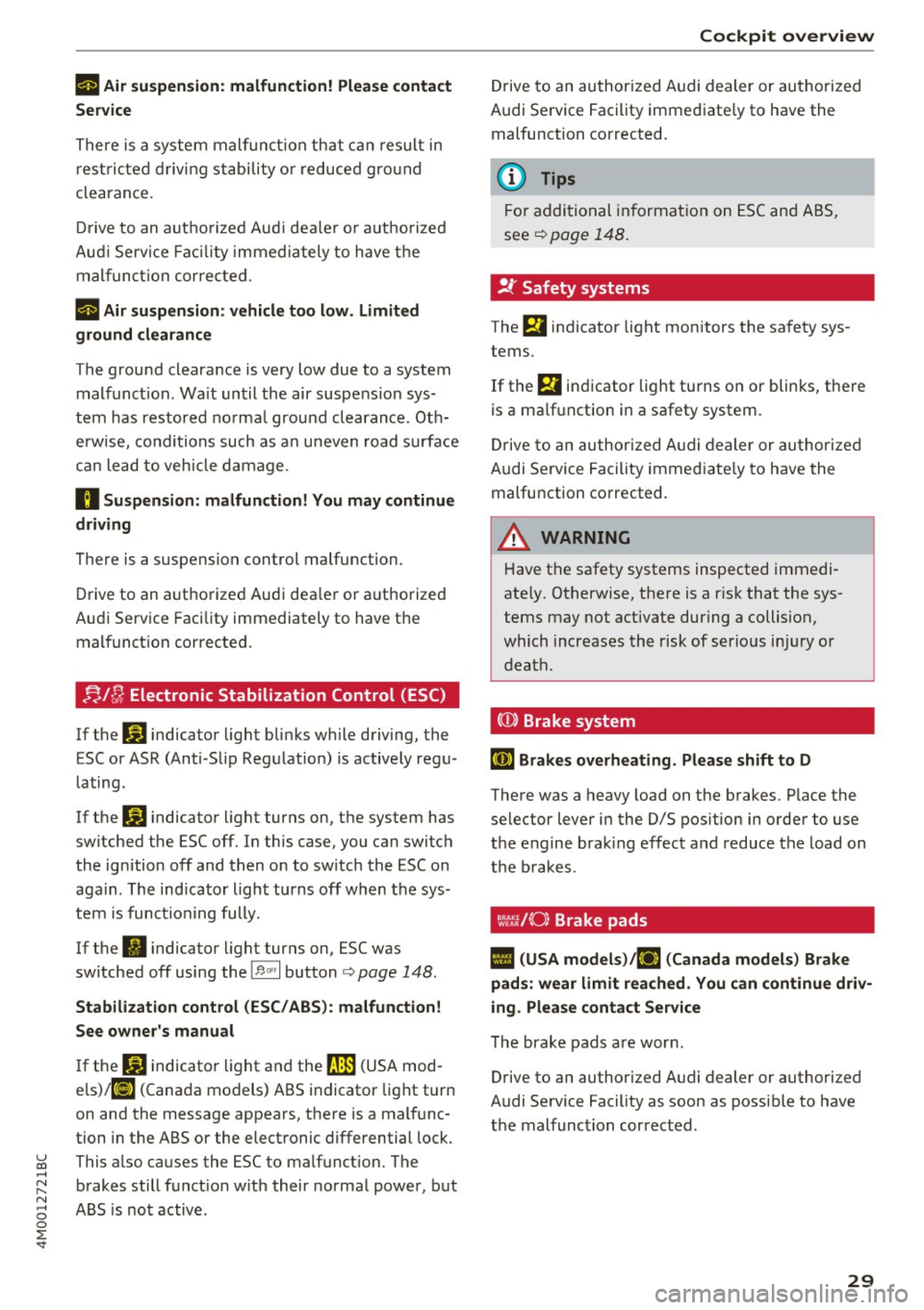
J=J,t !J Electronic Stabilization Control (ESC)
If the D] indicator light blinks while driving, the
ESC or ASR (Anti -Slip Regulation) is actively regu
l ating .
If thE:
G1 indicator light turns on, the system has
switched the ESC off. In this case, you can switch
the ignition off and then on to switch the ESC on
aga in . The ind icator l ight turns off when the sys
tem is functioning fully.
If the
fil indicator light turns on, ESC was
sw itched off using the
!B ,« I button <=> page 148.
Stabilization control (ESC/ ABS): malfunction!
See owner's manual
If thE: DJ indicator light and the fJ]J (USA mod
els)/ 11] (Canada models) ABS indicator light turn
on and the message appears, there is a malfunc
tion in the ABS or the electronic differential lock.
This a lso causes the ESC to malfunct ion. The
brakes still funct ion w ith their normal power, but
ABS is not active . Cockpit overview
Drive to an authorized Audi dealer or authorized
Audi Service Facility immediate ly to have the
malfunction corrected.
(D Tips
For additional information on ESC and ABS,
see
¢ page 148.
!f Safety systems
The E,i indicator light monitors the safety sys
tems.
If the m indicator light turns on or blinks, there
is a ma lfunction in a safety system .
Drive to an authorized Audi dealer or authorized
Audi Service Facility immed iate ly to have the
malfunction corrected.
,& WARNING ~ -
Have the safety systems inspected immedi
ately. Otherwise, there is a r isk that the sys
tems may not activate during a collision,
which increases the risk of serious injury or
death.
((D) Brake system
liJ Brakes overheating. Please shift to D
There was a heavy load on the brakes. P lace the
selector lever in the D/S pos ition in order to use
the engine braking effect and reduce the load on
the brakes.
wt:t./(0) Brake pads
II (USA models).!EiJ (Canada models) Brake
pads: wear limit reached. You can continue driv
ing. Please contact Service
The brake pads are worn.
Drive to an authorized Audi dealer or authorized
Audi Service Facility as soon as possible to have
the malfunction corrected.
29
Page 32 of 402
Cockpit over view
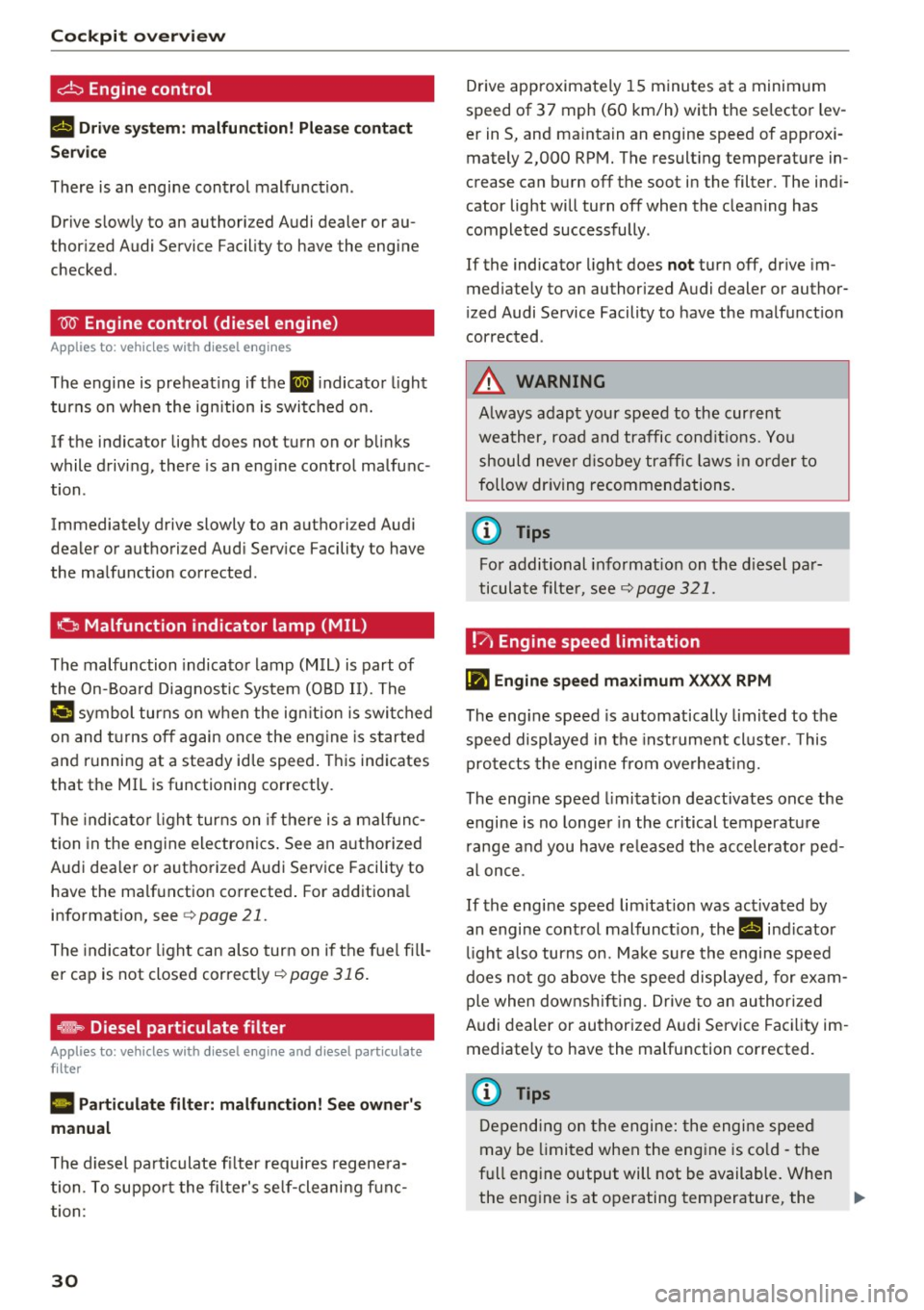
d::, Engine control
II Dri ve sys tem: malfunction! P lea se conta ct
Servic e
There is an engine control malfunction .
Drive s low ly to an authorized Audi dealer or au
thor ized Audi Service Fac ility to have the engine
checked .
W Engine control (diesel engine)
Applies to: vehicles w ith diesel engines
The engine is preheat ing if the El indicato r light
turns on when the ign ition is switched on.
If the indicator light does not turn on or bli nks
while driving, there is an eng ine control malfunc
tion .
Immediately drive slowly to an authori zed Audi
dealer or authorized Audi Serv ice Facility to have
the malfunction corrected.
o Malfunction indicator lamp (MIL)
The malfunction indicato r lamp (M IL) is part of
the On-Board Diagnostic System (080 II). The
¢..ij c;ymbol turns on when the ign ition is switched
on and t urns off again on ce the eng ine is started
and r unning at a steady id le speed . This indicates
that the MIL is functioning correctly.
The indica to r li ght turns on if there is a malfunc
tion in the engine electronics . See an a uthorized
Aud i dea ler o r authorized Audi Serv ice Facility to
have the ma lfunction corrected . For additiona l
information, see
c> page 21.
The indicator light can also turn on if the fuel fi ll
er cap is not closed correctly ~
page 316.
effls> Diesel particulate filter
Applies to: veh icles w ith diesel engine and diesel particulate
filter
II Particul ate filt er: malfunction! See own er' s
manual
The diesel pa rticulate fi lter requires regene ra
tion. To suppo rt the fil ter's se lf-cleani ng f unc
tion :
30
Drive app roximate ly 15 m inutes at a minimum
speed of 37 mph (60 km/h) with the se lector lev
er in S, and ma intain an engine speed of approxi
mately 2,000 RPM. The result ing temperature in
crease can burn off the soot in the filter. The ind i
cator light will turn off when the cleaning has completed successfully .
If the indicator light does
not turn off, drive im
med iate ly to an authorized Audi dealer or author
i zed Audi Se rvice Facility to have the malfunct ion
corrected .
A WARNING
Always adapt your speed to the cur rent
weather, road and traffic cond it ions. You
should never d isobey traffic laws in order to
follow dr iving recommendations.
(D Tips
Fo r additional informat ion on the d iesel pa r
ticulate filte r, see
c> page 321.
!?>i Engine speed limitation
II) Engine spe ed maximum XXXX RPM
The eng ine speed is automatically limited to the
speed displayed in the inst rument cl uste r. This
pro tects the engine from overheati ng.
The eng ine speed limita tion deactivates once the
engine is no longe r in the critical temperatu re
r ange and you have re leased the accelerator ped
al once .
If the engine speed limitation was activated by
an engine cont rol malfunct ion, the
II ind icator
li ght a lso turns on. Make s ure the engine speed
does not go above the speed displayed, for exam
ple when downshif ting . Drive to an authori zed
Audi dealer or au thorized A udi Service Fac ility im
med iate ly to have the ma lfunction corrected.
(D Tips
Depending on the engine: the engine speed
may be limited when the eng ine is co ld -the
full engine output will not be available. When
the eng ine is at operating temperature, the
II>
Page 33 of 402
u co ...... N r-... N ...... 0
0
:E: '
RPM range.
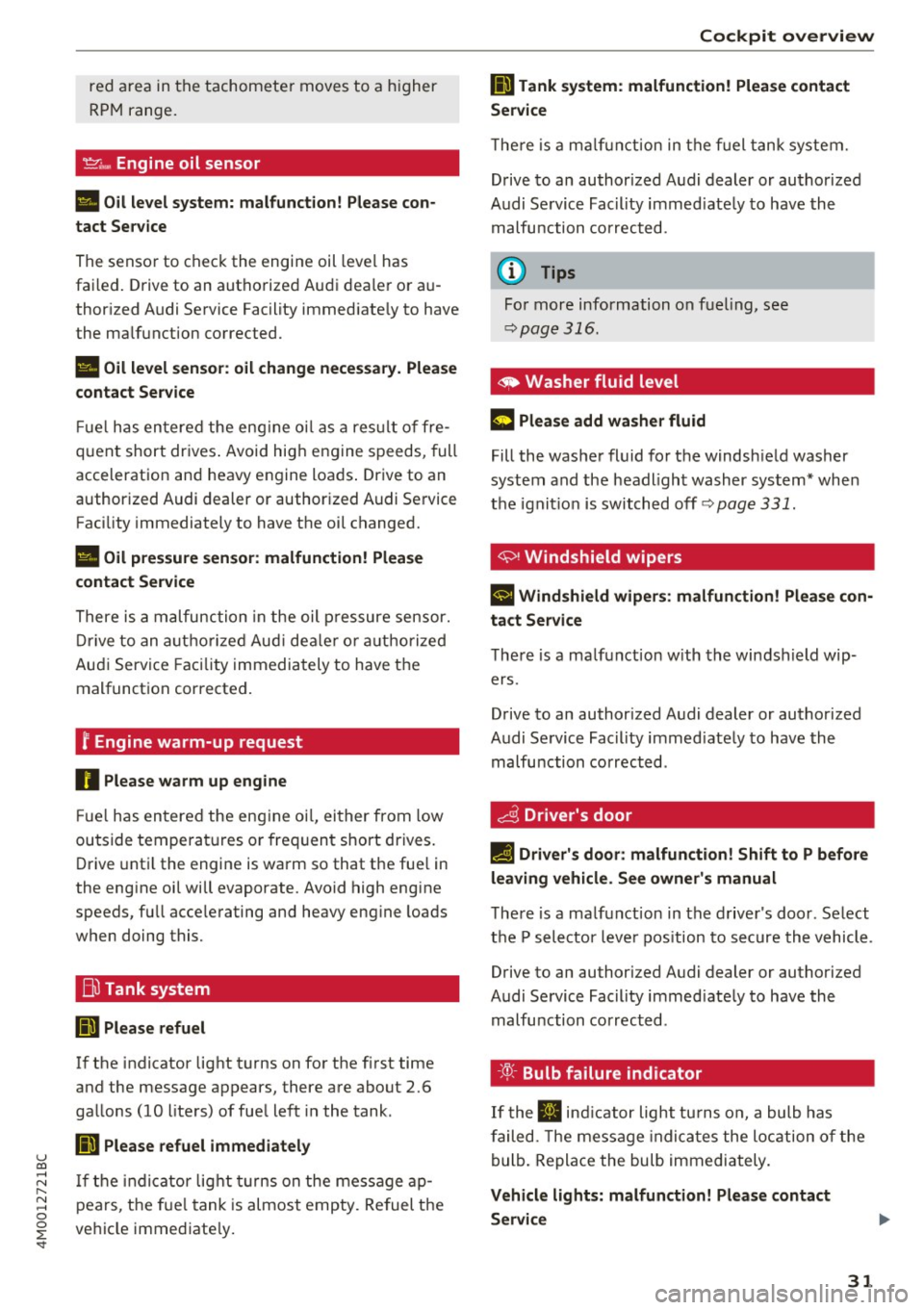
~ .... Engine oil sensor
• Oil le vel sy ste m: malfunction! Please co n
tact Service
The sensor to check the engine oil leve l has
fa iled. Drive to an authorized Audi dealer or au
thorized Audi Service Facility immediate ly to have
the ma lfunction corrected .
• Oil le vel sen sor : o il change nece ssary. Plea se
contact Service
Fu el has en tered the eng ine oi l as a res ult of fre
q uent short dr ives . Avoid hig h engine speeds, full
acceleration and heavy engine loads . Drive to an
authorized Audi dealer or authoriz ed Audi Service
Facility immediately to have the oil changed .
• Oil pre ssure se nso r: malfunction ! Please
contact Service
There is a malfunction in the oil p ressure sensor.
D rive to an autho rized Aud i dea le r o r a uthorized
Audi Service Facility immediately to have the
malfunct ion corrected.
f Engine warm-up request
n Plea se w arm up eng ine
Fu el has entered the engine oi l, either from low
outside temperat ures or freq uent short drives.
Drive unti l the engine is warm so that the fue l in
the eng ine oil will evaporate. Avoid high engine
speeds, full acce lerating and heavy eng ine loads
when doing this.
Bil Tank system
ID'J Plea se r efuel
If the indicator light turns on for the f irst time
and the message appea rs, there are about 2.6
gal lons (10 liters) of fuel left in the tank .
li}'J Please refuel immediately
If the indicator lig ht turns on the message ap
pears, the fue l tank is almost empty. Re fuel the
vehicle immediate ly.
Coc kpit o ve rv iew
li}'J Tank system : malfunction! Please cont act
Ser vic e
T he re is a m alfu nction in the f uel tank system.
Drive to an author ized Audi dealer or authorized
Audi Service Facility immed iate ly to have the
malfunction corrected.
(D Tips
For more information on fuel ing, see
c:;, page 316.
~ Washer fluid level
m Plea se ad d wa sher fluid
Fill the washer fluid for the windsh ield washer
system and the headlight washer system * when
the ignit ion is switched off
9 page 331.
~ , Windshield wipers
$ vVindshield wipers : malfun ction ! Please con
tact Service
The re is a ma lf u nction w ith the windshield wip
ers .
Drive to an author ized Audi dealer or authorized
Audi Service Fac ility immed iately to have the
malfunction corrected .
~ Driver's door
IJI Driver's door: malfun ction! Shif t to P before
leaving vehicle . See owner' s manual
The re is a ma lfunction in the d rive r's door . Select
t h e P selector leve r pos ition to secure the vehicle.
Drive to an au thorized Audi dealer or authorized
Audi Service Facility immed iately to have the
malfu nction corrected.
-:cp:-Bulb failure indicator
If the II ind icator light tu rns o n, a bulb has
failed. The message indica tes the location of the
bulb. Replace the bulb immediately.
Vehicle light s: m alfunction! Please contact
Servi ce
31
Page 34 of 402
Cockpit over view
There is a malfunction in the headlights or the
light switch. Drive to an authorized Audi dealer or
author ized Audi Service Facility immed iate ly to
have the ma lfunction corrected.
.,&. WARNING
- light bu lbs are under pressure and can ex
plode when bulbs are replaced, which in
creases the risk of injury .
- With HID headlights (xenon headlights), the
high -voltage component must be handled
correctly . Othe rw ise, there is a risk of fata l
mJury.
~!D
Dynamic headlight range control
II Headlight range control : malfun ction! See
owner 's manual
There is a malfunction in the headl ight range
control system, which may ca use g la re fo r othe r
d rivers.
Drive to an autho rized Aud i dea ler or authorized
Aud i Serv ice Facility immediately to have t he
malfunct io n corrected.
§0 Audi adaptive light
Applies to: veh icles with Audi adapt ive light
m;J Audi adaptive light: malfunction! See own
er' s manual
Adapt ive light is not wor king . The headlights st ill
fu nction.
Drive to an a uthorized Aud i dea ler or aut horized
Aud i Serv ice Facility immediately to have t he
malfunct io n corrected.
@.D Light/rain sensor
ral Automatic headlights : malfunction! See
owner 's manual
£I Automatic wipers: malfunction! See owner's
manual
The light/rain sensor is malfunct ion ing .
The low beams remain switched on at all times
for safety reasons when the lig ht switch is in the
32
AUTO position. However, yo u can cont in u e to
turn the lights on and off using the light switch .
Yo u can sti ll contro l all functions that are inde
pendent of the rain senso r th rough the wind
shield wiper leve r .
Drive to an authorized A udi deal er or authorized
Audi Se rvice Fac ility immed iate ly to have the
malfunction corrected .
I-I Sport differential
Applies to: vehicles with sport different ia l
Ill Sport d ifferential: malfunct ion! Please con
tact Service
T here is a ma lfunction.
Drive to an au thorized A udi dealer or au thorized
Audi Service Facility immediate ly to have the
malfunction corrected.
Ill Sport differential: temperatur e too high.
Please adapt driving style
The transmission temperatu re has inc reased sig
nificantly d ue to t he sporty dr iv ing manner. Drive
i n a less spo rty manne r unt il the temperat ure re
turns to t he norma l ran ge and t he i ndicator lig ht
switches of .
.,&. WARNING
Contact an author ized Audi dealer or author
ized A udi Service Fac ility if the spo rt differen
tial is fa ulty or malfunctioning. The repair
must be performed by trained perso nnel us
ing the correct oil in order to ensure safety .
¢¢Turn signals
If the . or B in dicator lig ht blinks , a tur n sig
nal is t urned on .
If both indica to r li ghts are bl ink
i ng, t he emergency flashers are on .
If an ind icator light blinks tw ice as fast as us ual,
a turn signal bu lb has fai led. Care fully drive to an
a uth orized Aud i dea le r o r auth orized Aud i Serv ice
Fa cil ity immed iate ly to have the malfunction cor
r ec ted .
Page 37 of 402
-The LE D in the drive r's door rai l blinks when
you lock the vehicle . If t he LED lights up for
approximately 30 seconds after locking,
there is a malfunct ion in the cent ral locking
system. Have the p roblem corrected by an
a uth orized Audi dea ler or authorized Audi
Se rvice Fac ility.
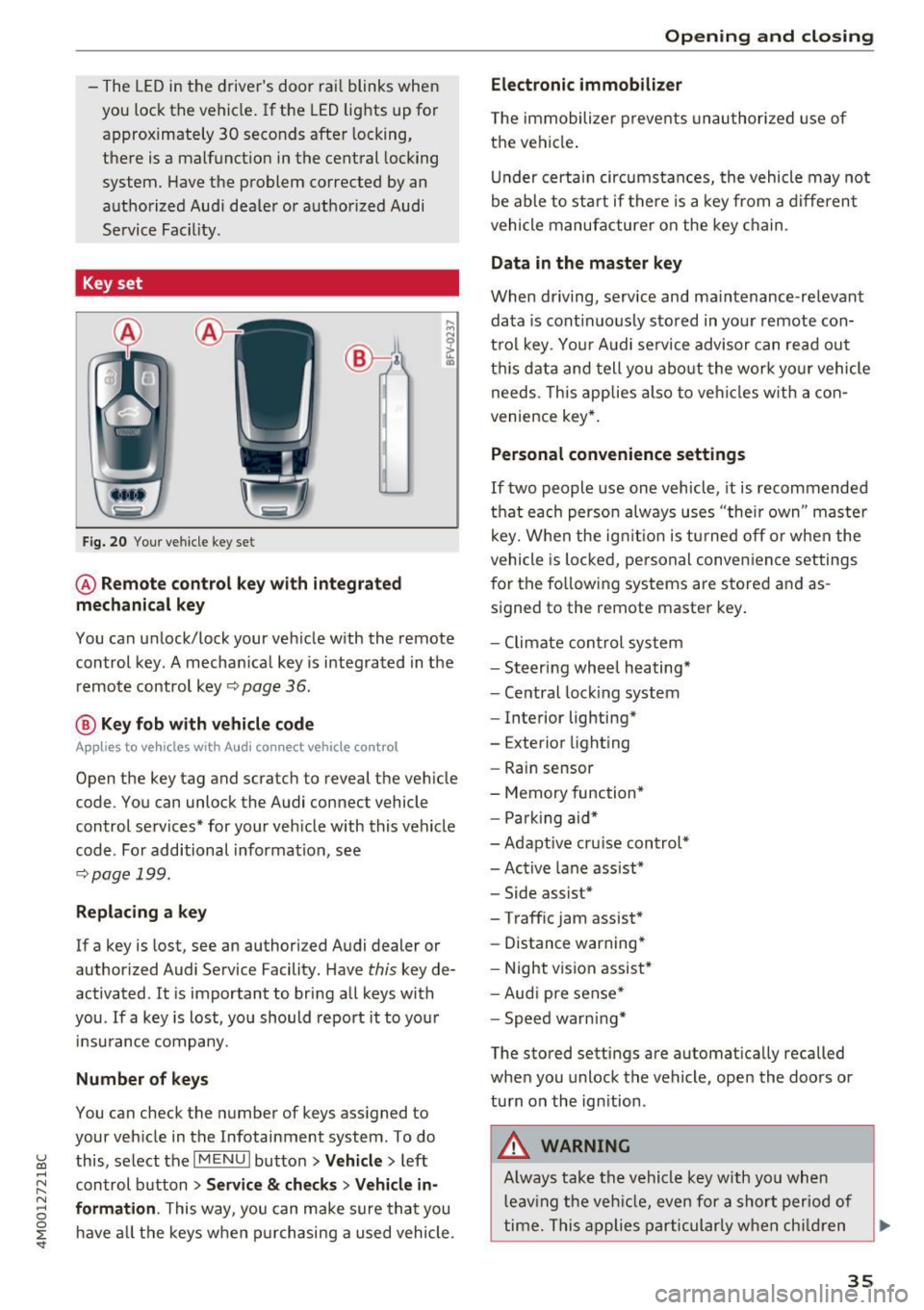
Key set
Fig. 20 You r ve hicle key set
@ Remote control key with integrated
mechanical key
You can unlock/ lock your veh icle w ith the remote
control key . A mecha nica l key is integ rated in the
remo te contro l key ~
page 36.
@ Key fob with vehicle code
Appl ies to vehicles w ith Audi connect vehicle control
Open the key tag and scratch to reveal the veh icle
code. You can unlock the Audi connect vehicle
control services* for your veh icle with this vehicle
code . For additional informat ion, see
~ pag e 199.
Replacing a key
If a key is lost, see an authorized A udi dealer or
author ized Audi Service Facility. Have
this key de
activated .
It is important to bring a ll keys with
you . If a key is lost, you should report it to you r
in sura nce company.
Number of keys
You can check the number of keys ass igned to
your veh icle in the Infotainment system . To do
~ this, select the I M ENU I butto n >Vehicl e> left ......
~ control b utton > Service & checks > Vehicle in-
N 8 formation . This way, you can m ake sure th at you
0 :E ha ve all th e keys when p urch asing a used vehicle .
Electronic immobilizer
T he immobilizer preve nts unau thori zed use of
t h e vehi cle.
Un der certai n circumstan ces, the vehicle may not
be able to start if there is a key from a diffe ren t
vehicle manufa cture r on the key c hain .
Data in the master key
When driving, service and ma intenance-re levant
da ta is cont inuo usly stored in you r remote con
t rol key . Yo ur Audi se rvice advisor can rea d ou t
t hi s data and tell you abo ut the w ork yo ur vehicle
needs. This app lies also to ve hicles w ith a con
ven ience key* .
Personal co nvenience settings
If two people use one vehicle, it is recommended
th at each perso n always u ses "thei r own " maste r
k ey. W hen the ig nitio n is t urne d off or when the
vehicle is lo cked , pe rsonal conve nien ce settings
for the follow in g systems are stored and as
s igned to the remote master key .
- Climate con trol sys te m
- Steer ing whee l heating *
- Ce ntral loc king system
- Interior lighting*
- Exterior light ing
- Rain sensor
- Memory function *
- Par king aid*
- Adapt ive cr uise con trol*
- Ac tive lane assist*
- Side assist*
- Traff ic jam assist *
- Distance warning*
- Night visio n assis t*
- Aud i p re sense *
- Spe ed wa rn in g*
The stored settings are automat ica lly recalled
whe n you unlock the vehicle, ope n the doo rs or
tu rn on th e ign ition .
_&. WARNING
-Always tak e t he ve hicle key w ith yo u wh en
l e av ing t he veh icle, eve n for a shor t per io d of
ti m e. Th is app lies par tic ularly w he n c hildr en
-
35
Page 45 of 402
u (0 ...... N r--. N ...... 0
0
:E
release
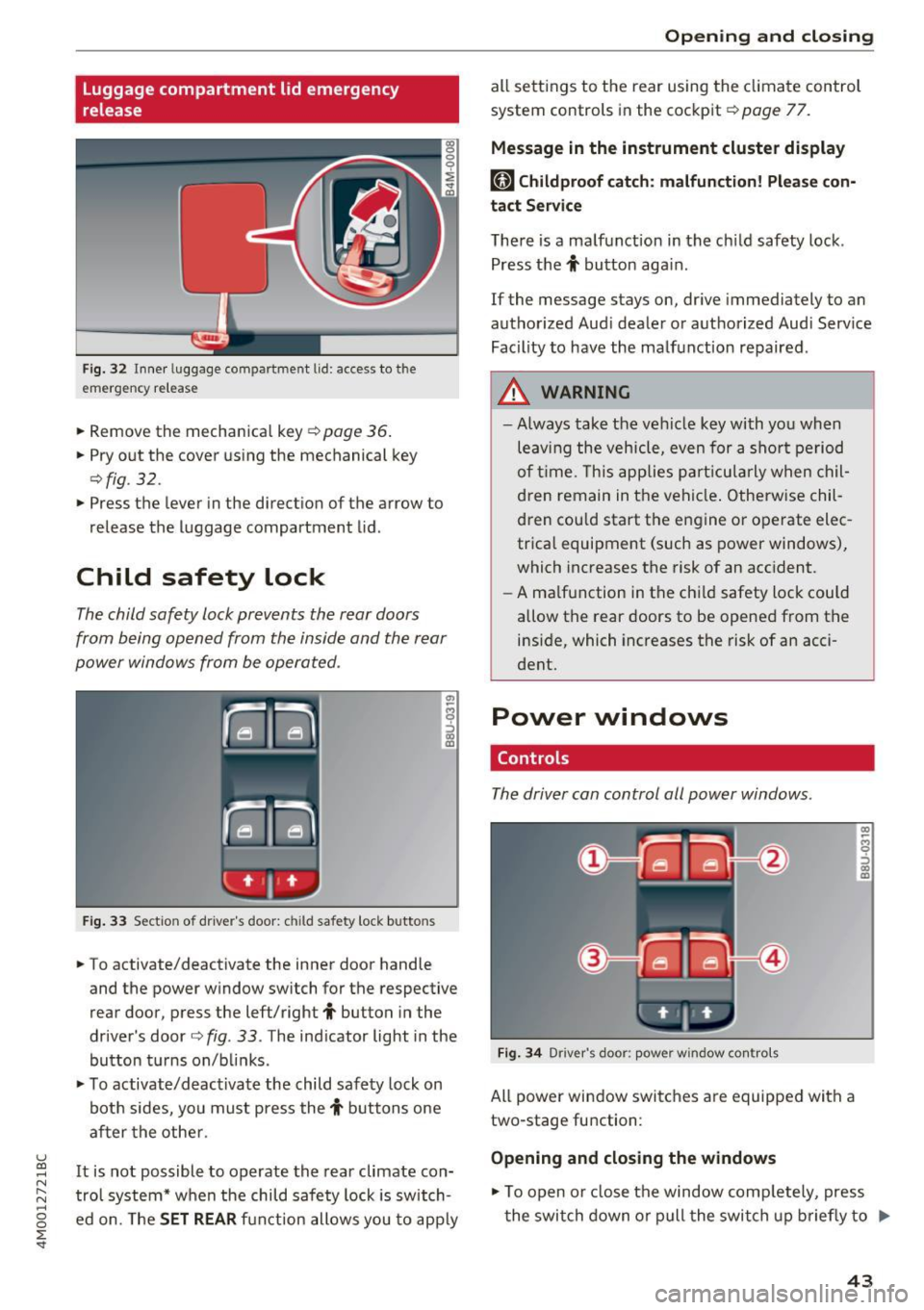
Fig . 32 Inner luggage co mpartme nt lid : access to the
emerge ncy re le ase
• Remove the mechanica l key ~ page 36 .
• Pry o ut the cover us ing the mechanical key
¢ fig . 32 .
• Press the lever in the direct io n of the arrow to
release the luggage compartment lid .
Child safety lock
The child safety lock prevents the rear doors
from being opened from the inside and the rear
power windows from be operated .
Fig. 33 Sect io n of dr ive r's door : chil d sa fety lock b utto ns
• To activate/deactivate the inner door handle
and the power w indow switch for the respective
rear door , press the left/right
t button in the
driver 's door ¢
fig. 33 . The ind icator light in the
bu tton turns on/b links .
• To activate/d eact ivate the child safety lock on
bot h sides, yo u must press the
t buttons one
a fter the othe r.
It is not possible to operate the rear climate con
tro l system* w hen the child safe ty lock is switch
e d on. The
SET REAR fu nction allows y ou to app ly
Open ing and closing
all sett ing s to the rear using the cl imate control
system controls in the cockpit ¢
page 77.
Message in the instrument cluster display
[81 Childproof catch : malfun ction! Please con·
tact Service
The re is a ma lfunction in the ch ild safety lock .
Press the
t button aga in .
If the message stays on, dr ive immediately to an
authorized Aud i dealer o r a uthorized Aud i Serv ice
Facility to have the ma lf u nction repaired .
A WARNING
=
-Always take the ve hicl e key with yo u when
leav ing the vehicle, even for a s hort pe riod
o f ti me. This applie s pa rtic ula rly w hen chil
dren remain in t he vehi cle. O therwise chil
d ren cou ld sta rt the en gine or operate elec
trica l equipment (such as power windows),
which increases the risk of an acc ident.
- A ma lf u nction in the ch ild safety loc k could
allow the rear doors to be opened from t he
inside, which increases the risk of an acci
dent.
Power windows
Controls
The driver can control all power windows.
F ig . 34 Dr iver 's doo r: pow er w indow co ntro ls
All power win dow switc hes are equipped wit h a
two-stage fu nction :
Opening and closing the windows
-
CX) ~ M 0
::'> CX) (D
• To open o r close the window comp letely, press
t he swi tch down or pull the swi tch up briefly to
IJi,,-
43
Page 50 of 402
Lights and Vision
Lights and Vision
Exterior lighting
Switching the lights on and off
M
::== === =----======= ~!
:,
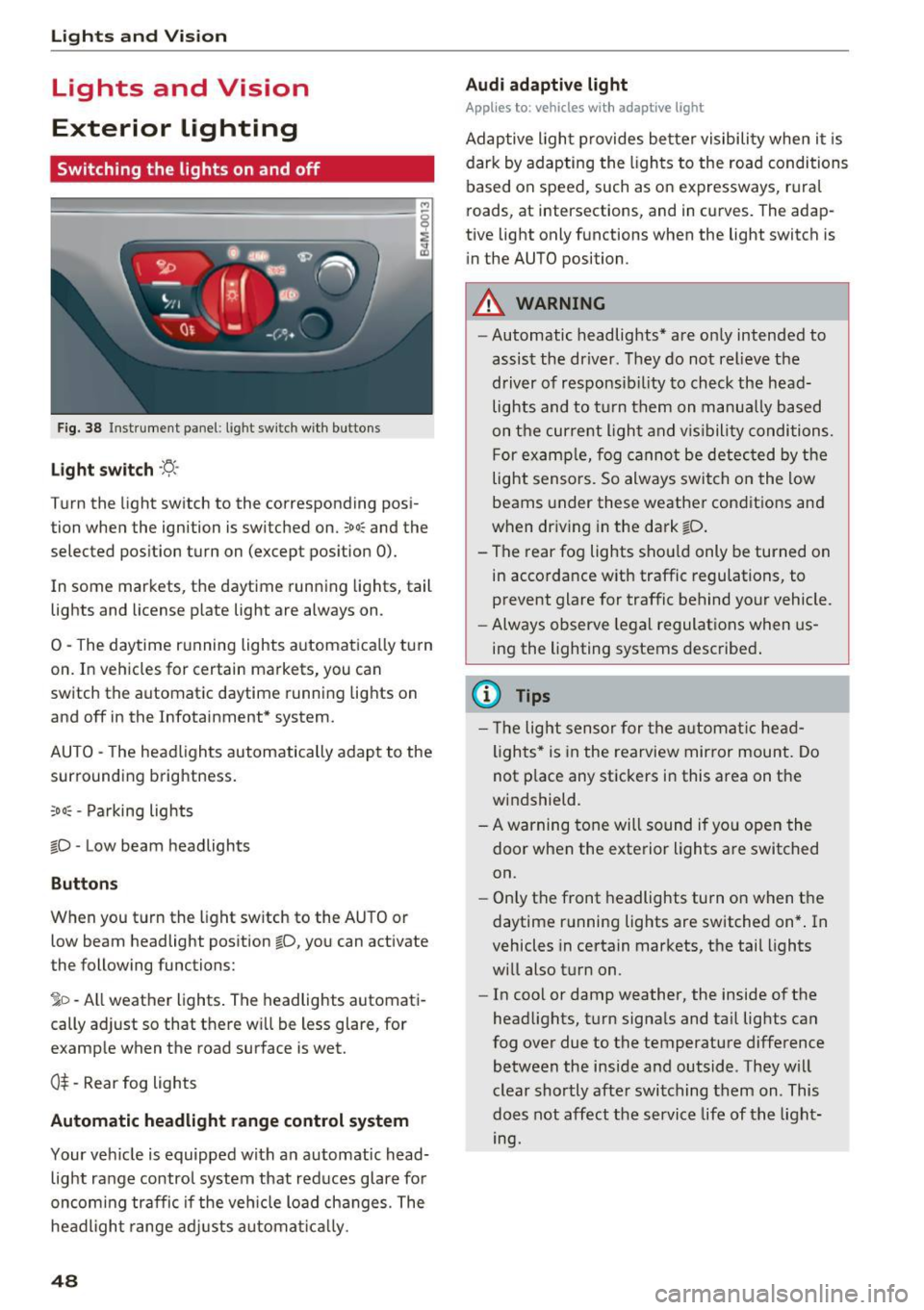
Fig. 38 Instrument panel : lig ht sw it c h w ith buttons
Li ght switch ·ti:
Turn the light switch to the corresponding posi
tion when the ignition is switched on.
;oo: and the
selected pos ition turn on (except pos ition 0).
In some markets, the daytime running lights, tail lights and license p late light are always on .
0 -The daytime r unning lights a utomatica lly turn
on. In veh icles for certain markets, you can
sw itch the automatic daytime runn ing lights on
and off in the Infotainment* system.
AUTO - The headlights automatically adap t to the
surrounding brightness.
;o o: -Pa rking lights
tD -Low beam headlights
Buttons
When you t urn the light sw itch to the AUTO or
low beam headlight position
tD , yo u can activate
the following functions:
jD -All weather lights . The headlights automati
cally ad just so that there w ill be less glare, for
example when the road surface is wet.
0$ -Rear fog lights
Automatic headlight range control system
Your vehicle is equipped with a n automatic head
light range contro l system that red uces glare for
oncom ing traffic if the veh icle load changes. The
headligh t range ad justs a utoma tically .
48
Audi adaptive light
App lies to: vehicles with adaptive light
Adaptive ligh t provides be tter visibility when i t is
dark by adapting the ligh ts to the roa d conditions
based on speed, such as on expressways, r ura l
roads, at intersections, and in curves. The adap
tive light only functions when the light switch is
i n the AUTO position .
A WARNING
-Automatic headlig hts* are on ly intended to
assist the driver . They do not relieve the
driver of responsib il ity to check the head
lights and to t urn them on manua lly b ased
on t he curre nt ligh t and v is ibility conditions.
F or exa mple, fog cannot be detec ted by the
light sensors. So always switch on the low
beams under these weather condit ions and
when dr iv ing in the dark
tD .
- T he rear fog lights shou ld only be turned on
in acco rdance w ith traffic regulations, to
prevent glare for traffic behind your vehicle.
- Always observe le g al regulat ions when us
ing the lighting systems desc ribe d.
{l) Tips
- Th e light sensor for the a utomat ic he ad
ligh ts * is in the rearview mir ror mount. Do
not p lace any stickers in this area on the
w indshield .
- A warning tone will sound if yo u ope n the
door when the exte rior Lights a re switched
on.
- Only the front headlights turn on when t he
daytime running lights are switched on* . In
vehicles in certain markets, t he tail lights
w ill also t urn on .
- In cool or damp weather, the inside of t he
head lights, t urn signa ls and ta il lig hts can
fog over due to the temperature difference
between the inside and outside . They w ill
clear shortly afte r swi tching them on . This
does not affect the service life of t he light
mg.
Page 58 of 402

Lights and Vi sion
from switching on unintentionally and ca us
ing damage to the windshield wiper system.
@ Tips
- The windshield wipers switch off when the
ignition is switched off. You can activate the
windshield wipers after the ignition is
switched back on by moving the windshield
wiper lever to any pos it ion.
- Worn or dirty windshield wiper blades result
in streaking. This can affect the rain sensor
funct ion. Check your windshield wiper
blades regularly.
- The washer fluid nozzles for the windshield
washer system are heated at low tempera
tures when the ignition is on .
- When stopp ing temporarily, such as at a
traffic light, the speed of the windshield
wipers automatically reduces by one level.
Cleaning the wiper blades
Clean the wiper blades when you see wiper
streaks. Use a soft cloth and a glass clea ne r.
Windshield wiper
"' Place the windshield wiper arms in the service
pos ition
¢ page 56 .
"'Fold the windshield wiper arms away from the
winds hield.
Rear window wiper
"' Fo ld the wiper arm away from the rear window.
A WARNING
Dirty windshield wiper blades can impair vi
sion, which increases the risk of an accident.
56
-
· Replacing wiper blades
Fig. 51 Removing windshie ld wiper blades
Windshield wiper service position/blade
replacement position
"'T o br ing the windshield w ipers into the serv ice
position, turn the ign ition off and move the
w indshie ld wiper lever into position@
¢page 55, fig. 49.
"'To bring the wip ers into the starting position ,
turn the ignition on and move the windshield
wiper lever into position @for at least two sec
onds
¢ page 55, fig. 49.
You can also turn the service position on or off in
the Infotainment system:
"' Switch the windshie ld wipers off (position @
¢page 55, fig . 49).
"' Select: the IM ENU I button > Vehicle > left con
trol button
> Service & checks > Wiper change
position .
Removing the wiper blade
"'Fold the windshie ld wiper arm away from the
windshield.
"' Press the locking knob
(D ¢ fig. 51 on the w iper
blade. Hold the wiper blade firmly.
"' Remove the wiper blade in the direction of the
arrow.
Installing the wiper blade
"' Insert the new wiper blade into the mount on
the wiper arm @until it clicks into place.
"' Place the wiper arm back on the windsh ield.
"' Turn the service position off.
1111>
Page 59 of 402
A WARNING
For safety reasons, the windshield wiper
blades should be replaced once or tw ice each
year .
(D Note
-Only fold the windshield wipers away when
they are in the service position . Otherwise,
you r isk damaging the paint on the hood or
the windshie ld wiper motor.
- You should not move your vehicle or operate
the windshield w iper lever when the wiper
arms are fo lded away from the w indshield.
The windshield wipe rs would move back in
to their original position and could damage
the hood and w indshield.
- To reduce the risk of damage to the wiper
system, always loosen blades which are fro
zen to the windsh ield before operating the
wipe rs .
- To reduce the risk of damage to the wiper
blades, do not use gasoline, kerosene, paint
thinner, or other so lvents on or near the
wiper blades.
- To reduce the risk of damage to the wiper arms or other components, do not attempt
to move the wipers by hand.
@ Tips
- You can also use the service position, for ex
ample, if you want to protect the windsh ield
from icing by using a cover.
- You cannot activate the service position
when the hood is open.
Replacing rear wiper blade
Fig . 52 Rear w indow wiper : in stalling the wiper blade
Lights and V ision
Removing the wiper blade
.,. Fold the wiper arm away from the rear window.
.,. Remove the wiper blade from its holder.
Installing the wiper blade
.,. Press the w iper blade mount into the retainer .
.,. Fold the window w iper arm back onto the rear
w indow.
A WARNING
F or safety reasons, the windshield wiper
b lades should be rep laced once or twice each
year.
Digital compass
Switching the compass on and off
Applies to: vehicles with digita l compass
Fig. 53 Rearview mirror: digita l compass is sw itched on
0 N 0
l Cl)
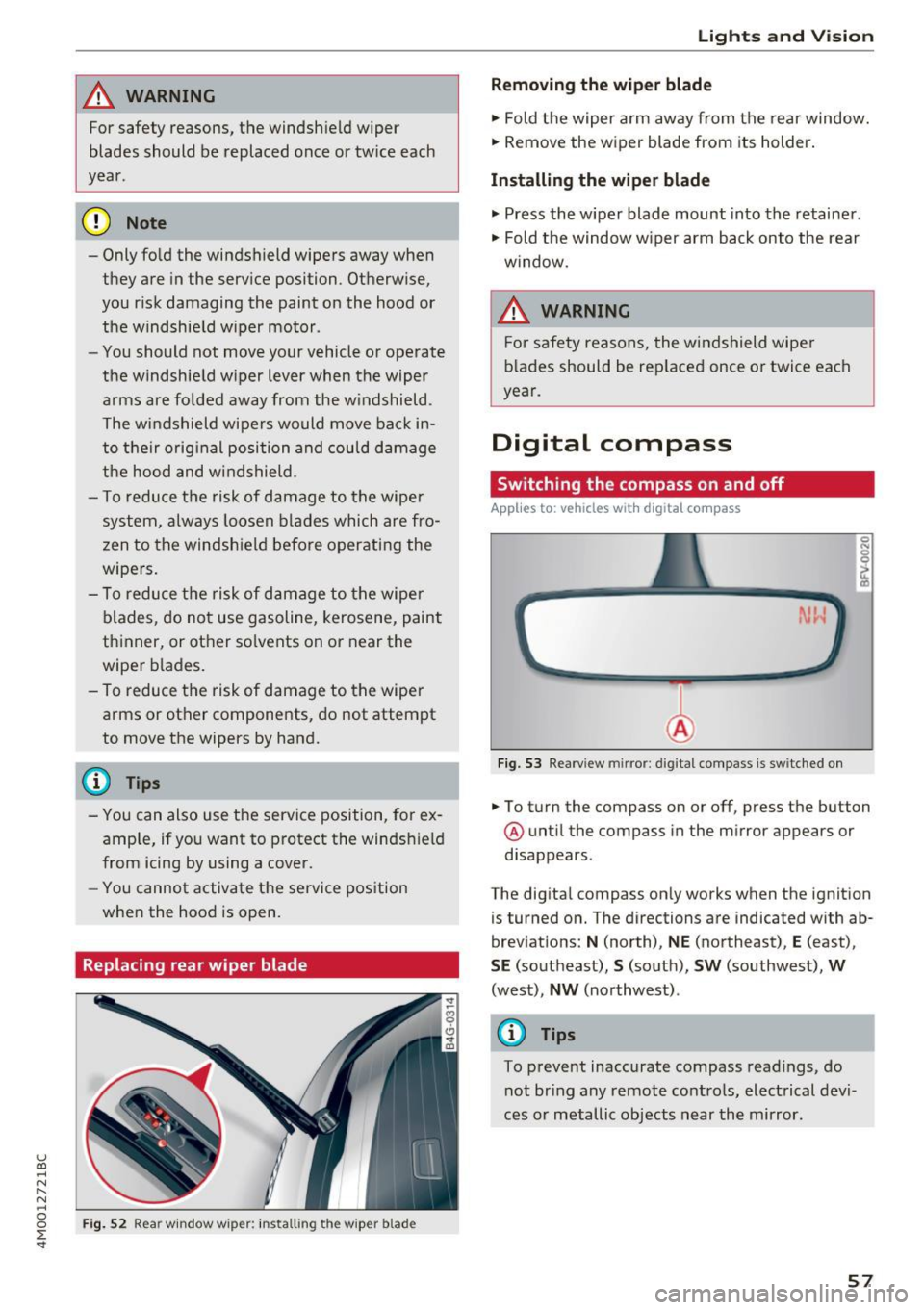
.,. To turn the compass on or off, press the button
@ until the compass in the mirror appears or
disappears .
The digital compass only works when the ignition
is turned on. The directions are indicated with ab
breviations:
N (north), NE (northeast), E (east),
SE (southeast), S (south), SW (southwest), W
(west), NW (northwest) .
@ Tips
To prevent inaccurate compass readings, do
not bring any remote controls, electrical devi
ces or metallic objects near the mirror.
57