driver AUDI RS5 CABRIOLET 2015 Owner's Guide
[x] Cancel search | Manufacturer: AUDI, Model Year: 2015, Model line: RS5 CABRIOLET, Model: AUDI RS5 CABRIOLET 2015Pages: 284, PDF Size: 69.56 MB
Page 66 of 284

64 Seats and storage
In addition to the driver 's seat settings, you
can also store and access the exterior mirror
ad justment settings* using the remote con
trol key or memory button.
Remote control key
Applies to vehicles: with seat memory
To assign the driver's seat settings to the re
mote contro l key when locking the vehicle, the
function must be activated in the radio or
MMI*
• Se lect :
I CAR I funct ion button> Seat adj ust
ment
> Dri ver's se at > Remote c ontrol k ey >
on .Or
• Se lect :
,..,I Cc-cAc-cRc-, 1 funct ion button > Car system s*
control button > Vehicle setting s > Seats >
Driv er' s s eat > Remot e cont rol key > On .
(D Tips
If you do not want another d river's set
tings to be assigned to the remote key,
sw itch off the memory function us ing the
rad io or MMI* or the
!ON/OFF I button
c:::>page 64.
Memory buttons
App lies to vehicles: with seat memory
Fig. 73 Driver 's door: memory functio n buttons
The memo ry but tons are located in the dr iv
e r's door .
Switching the memory function on /off
• Press the ION/O FF I button to switch the
memo ry fu nction on/off. The word
OFF
li ghts up when the memory funct io n is
swit ched off. Seat profi les are neither stored
nor recalled .
Storing a s eat p rofile
• Press the ISET I button. When the word SET
lights up, the memory is ready to store set
tings.
• Press a memory button
dII or [Ii) briefly . A
tone confirms that the settings were stored.
Acces sing a seat profile
• If the driver's door is open and the ignition
is switched off, press the memory button.
• If the driver's door is closed or the ignition is
switched on, press and ho ld the memory
button until the seat adjustment is com
plete .
A WARNING
-For safety reasons ., the seat setting can
only be recalled when the vehicle is sta
tionary -ot herwise you ris k having an ac
cident.
- I n an emergency the recall proced ure can
be cancelled by p ressing the
ION/OFF I
sw itch or by tapping the memory bu t
ton s.
Ashtray
Fig. 7 4 Center console : ashtray
Opening /cl osi ng
• To open the ashtray, slide the cover up
c:::> fig. 74.
• To close the ashtray, press down on the cov
er.
Emptying the ashtray
• To remove the insert, s lide the latch to the
right
c:::> fig. 74 -arrow- . ..,_
Page 74 of 284

7 2 Warm and cold
(D Note
To avoid damage to the heating elements
in the seats, do not kneel on the seats or
place heavy loads on a small area of the
seat .
Setup
The basic climate control settings can be ad
justed in the radio or MM!*.
.. Se lect: ICAR !function button> A /C control
button. Or
.. Se lect : ICAR !funct ion button>
Car sy st e m s*
control button > AC.
Automatic re ci rculation*
When switched on, automatic recirculation
controls the recirculation mode automatica lly.
If the windows fog up, press the I@ FRONTI
button.
Synchronization*
When synchronization is sw itched on, the
same settings are applied to both the driver
and front passenger, except for the seat heat
ing/ventilat ion *. Synchronization switches off
when you adjust the settings on the front pas
senger's side.
You can a lso switch synchronization on by
press ing and holding the knob on the driver's
side.
Upper cabin heating
A ppl ies to vehicles: with upper ca bin heati ng
Fi g. 85 Drive r's seat: vent for upper cabin heating F
ig. 86 Driver's sea t: uppe r cab in heat ing but ton
The uppe r cabin area of the front seats can be
heated at three l evels when the eng ine is run
ning .
.. Press the~ button to switch the upper cab
in heating on . The LED illuminates .
.. Press the~ button repeatedly unt il the LE D
goes out to switch the upper cabin heating
o ff.
_& WARNING
e-------
- I ndividuals wit h reduced sensitivity to
pa in or temperature cou ld deve lop burns
when using the upper cabin heating . To
red uce the risk of injury, these individu
als shou ld not use upper cabin heating.
- The output from the upper cabin heating
system may be very hot tempora rily if
the air vents in the seats ¢
fig. 85 are
covered by clothing or other objects
when the system is switched on . T h is can
cause burns on unprotected skin exposed
dir ect ly to t he vents .
@ Tips
-Upper cab in heat ing a lways switc hes on
at the highest level. You can red uce the
heat output with the~ button and in
c re as e it wi th the~ button as needed.
- En ergy management¢
pag e 177 may
reduce the heat output if the battery
voltage is too low.
-
Page 75 of 284

"' N
a: LL co
rl I.O
"' rl
"' rl
On the road
Steering
Manually adjustable steering wheel
The steering wheel position is fully adjustable
up and down and forward and back.
Fig. 87 Lever under the steer ing column
First, adjust the driver's seat correctly.
• Pull the lever
Q fig . 87 <=> ,& .
• Move the steering wheel to the desired posi
t ion.
• Push the lever against the steering column
until it locks.
There must be at least 10 inches (25 cm) be
tween your chest and the center of the stee~
ing wheel.
If you cannot sit more than 10 in
ches (25 cm) from the steering wheel, see if
adaptive equipment is available to help you
reach the pedals and increase the distance
from the steering wheel.
For detailed information on how to adjust the
driver's seat, see
<::)page 61.
& WARNING
Improper use of steering wheel adjust
ment and improper seating position can
cause serious personal injury.
- Adjust the steering wheel column only
when the vehicle is not moving to pre
vent loss of vehicle control.
- Adjust the driver's seat or steering wheel
so that there is a minimum of 10 inches
(25 cm) between your chest and the
steering wheel
c> page 113, fig . 131. If
you cannot maintain this minimum dis-
On the road 73
tance, the airbag system cannot protect
you properly.
- If physical limitations prevent you from
sitting 10 inches (25 cm) or more from
the steering wheel, check with your au
thorized Audi dealer to see if adaptive
equipment is available.
- If the steering wheel is aligned with your
face, the supplemental driver's airbag
cannot provide as much protection in an
accident . Always make sure that the
steer ing whee l is aligned with your
chest.
- Always hold the steering whee l w ith your
hands at the 9 o'clock and 3 o'clock posi
tions to reduce the risk of persona l injury
if the driver's airbag dep loys .
- Never hold the steering wheel at the 12
o'clock position or with your hands inside
the steeri ng wheel rim or on the steering
wheel hub. Holding the steering wheel
the wrong way can cause serious injuries
to the hands, arms and head if the driv
er's airbag deploys.
Ignition lock
Starting engine with the key
Applies to veh icles : w it h ig ni tio n lock
The ignition is switched on and the engine
started with the ignition key .
Fig. 88 Ignition key
Starting the engine
• Insert the key into the ignition lock .
• Step on the brake pedal and move the selec-
tor lever to the P or N position. ..,.
Page 79 of 284

M N
er
u..
co ,...., \!) 1.1'1 ,...., 1.1'1 ,....,
note that electrica l equipment such as
exterior lights wi ll switch off as well
when that happens.
Switching engine off
App lies to vehicles: with conve nien ce key
.,. Bring your vehicle to a complete stop.
.,. Move the selector lever to the P or N pos i
t ion.
... Press the
I START ENGINE STOPI button
~ page 76, fig. 91 .
Steering lock
The steering locks when you turn the engine
off us ing the
I STAR T ENGINE STOP I button
and open the dr iver's door. The locked steer
ing helps prevent vehicle theft.
E mergenc y off
If necessary, the eng ine can be sw itched off
with the selector lever in the R or D/S pos i
tions. To do so, step on the brake pedal and
press and hold the
I STAR T ENGINE STOP I but
ton vehicle speed must be less than 6 mph (10 km/h).
.&, WARNING
- Never t urn off the eng ine be fore the ve
hicle has come to a complete stop . The
f ull function of the brake booster and the
power steering is not guaranteed . You
must use more force to turn or brake if
necessary. Because you cannot steer and
brake as you usually would, this could
lead to c rashes and serious injur ies.
- For safety reasons, you should always
park your vehicle with the se lector lever
in P. Otherwise, the veh icle could inad
vertent ly roll away.
- The rad iator fan can continue to run for
up to 10 minutes eve n afte r you have
tu rned off the eng ine and removed the
ignition key. The radiator fan can also
turn on again if the eng ine coolant hea ts
up because of intense sunlight or hea t
build -up in the engine compartment.
On th e ro ad 77
-Always take the key with you whenever
you leave your ve hicle. Otherw ise, the
e ngine could be started or electrical
equipment such as the power windows
could be operated. This can lead to seri
ous injury.
(D Note
If the engine has been under heavy load
for an extended period, heat bu ilds up in
the eng ine compartment after the engine
i s sw itched off - there is a r is k of damag ing
the e ngine. A llow the eng ine to run at id le
for abo ut two minutes before switching it
off.
Driver messages
I g nition i s on
This message appears and a warning tone
sounds if you open the d river's door when the
ignition is sw itched on.
No key ident ified
This message appears when the
I START ENGINE STOP I button is pressed if
there is no master key ins ide the ve hicle or if
the system does not recognize it . For exam
ple, the master key cannot be recognized if it
i s covered by an object (e .g . aluminum brief
case) which
screens the radio s ignal. Electron
ic dev ices such as cell p hones can also inte r
f ere with the radio s ignal.
Pr ess brake p edal to start engine
This message appears if you do not press the
brake pedal to start the eng ine .
Shift to N or P to start eng ine
T his message appears w hen attempt ing to
star t the eng ine if the selecto r lever for the
automatic transmiss ion is not in the P or N
pos ition . The engine can only be started with
the se lector in these positions.
!I I s the ke y in the vehicle?
Page 82 of 284
80 On the road
soon as the switch @is released, or the accel
erator pedal is depressed, emergency braking
stops .
.&_ WARNING
Emergency braking should only be used in
an emergency, when the normal foot brake
has failed or the brake pedal is obst ructed.
Using the parking brake to perform emer
gency braking will slow yo ur vehicle down
a s if you had made a full brake application.
The laws of physics cannot be s uspended
even w ith ESC and its associated compo
nents (ABS, ASR, EDS). In corners and
when road or weather conditions are bad,
a full brake application can cause the vehi
cle to skid or the rear end to break away -
r isking an accident.
Speed warning system
Overview
The speed warning system helps you to keep
your driving speed below a set speed limit.
The speed warning system warns if the driver
exceeds a prev iously stored maximum speed.
A warning ton e will sound as soon as the vehi
cle speed exceeds the set speed by about
3 mph (3 km/h). At the same time, a warning
symbol appears in the d isplay . The symbol's
appearance might be d ifferent in some mod
e ls.
The speed warning sys tem has two warn ing
thresholds that function independently of
each other and that have somewhat different
purposes:
Speed warning 1
You can use speed warning 1 to set the maxi
m um speed whil e you are dr iv ing . This setting
will remain in effect until you turn off the igni
tion, assuming that you have not changed or reset the setting .
The. (USA models)/ . (Canada models)
speed warning symbol in the warning 1 dis
play appears when you exceed the maximum speed
. It goes out when the speed falls be low
the stored maximum speed.
T he speed warning symbol will also go out if
the speed
exceeds the stored maximum speed
by more than about 25 mph (40 km/h) for at
least 10 seconds . The stored maximum speed
is de leted .
Speed warning 2
Storing warning 2 is recommended if you al
ways
want to be rem inded of a ce rtain speed,
f or example when you are traveling in a coun
try that has a general maximum speed limit,
or if you do not want to exceed a specified
speed for winter tires.
The. (USA models)/ . (Canada models)
speed warning 2 symbol appears in the dis
play when you exceed the stored speed Limit.
Unlike warning 1, it will not go out until the
vehicle speed drops below the stored speed
limit .
Setting speed warning 2
c> page 81 .
(D Tips
Even though your vehicle is eq uipped with
a speed warning system, you should still
watch the speedometer to make sure you
are not driv ing faster than the speed limit.
Speed warning 1: setting a speed limit
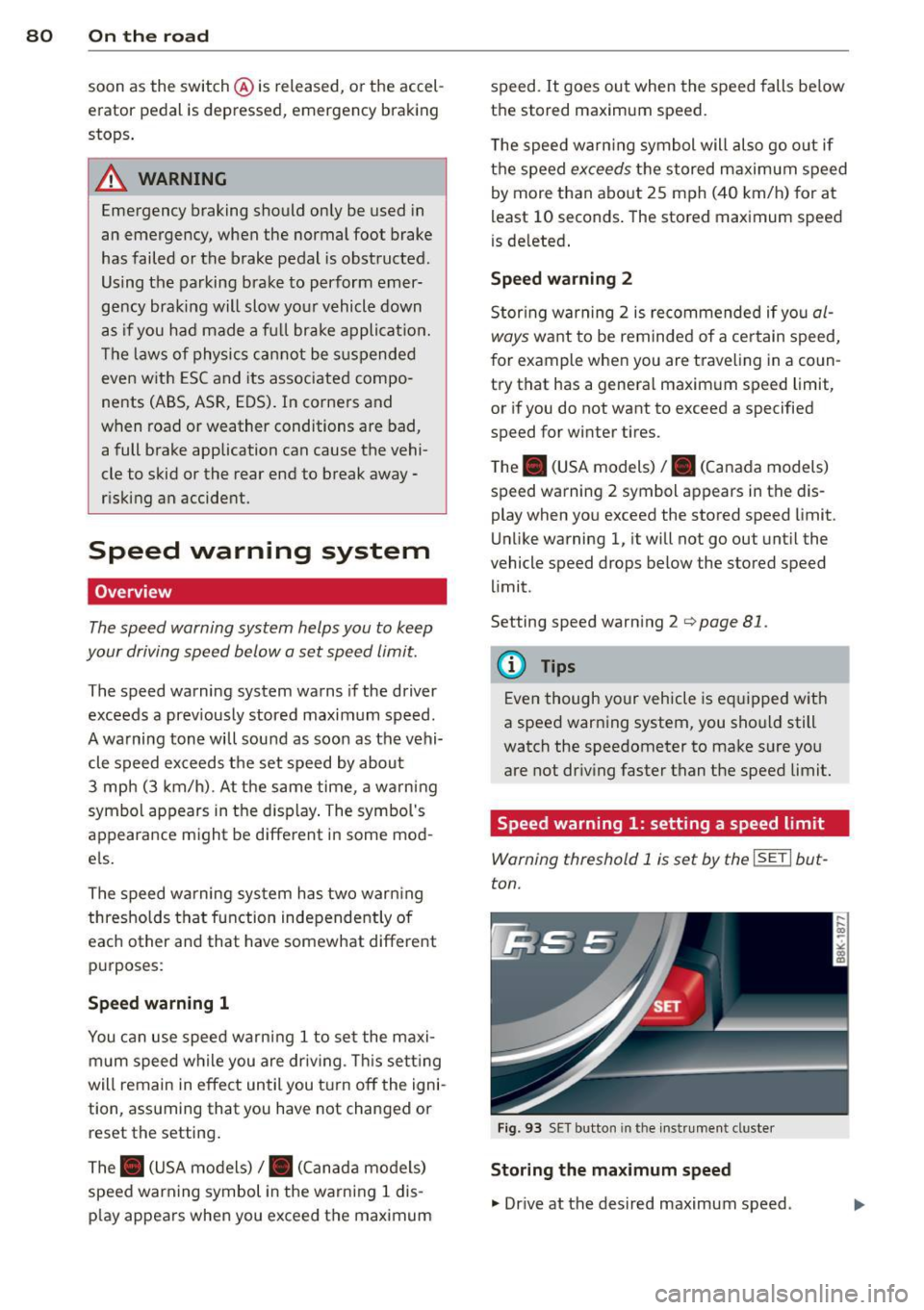
Warning threshold 1 is set by the ISETI but
ton.
Fig . 93 SET button in the instr umen t cluste r
Storing the maximum speed
., Dr ive at the desired maximum speed .
Page 83 of 284

"' N
a: LL co
rl I.O
"' rl
"' rl
.. Press the !SET ! button in the instrument
panel display
9 fig. 93 for 1 second.
Resetting the maximum speed
.. Drive the vehicle at a speed of at least
3 mph (5 km/h)
.. Press the
!SE T! button for mo re than 2 sec-
onds.
The . (USA models) /. (Canada models)
speed warning symbol will appear briefly in
the display when you release the
!SE TI button
to indicate that the maximum speed has been
stored successfully.
The maximum speed remains stored until it is
changed by pressing the
!SETI button again
briefly or until it is de leted by a lengthy push
on the button.
Speed warning 2: setting a speed limit
The radio or MMI* control unit is used to set,
change or delete warning threshold
2 .
.. Se lect : ICAR I function button> Instrument
clu ster > Speed warning.
Or
.. Select : I CARI function button > Car systems*
control button > Driver assist > Speed warn
ing.
Warning threshold 2 can be set in the speed range starting from 20 mph to 150 mph (30
km/h to 240 km/h). Settings can each be ad
justed in intervals of 6 mph (10 km/h).
On the road 81
Cruise control
Switching on
The cruise control system makes it possible to
drive at a constant speed starting at
20 mph
(30 km/h) .
0
f
~
0
Fig. 94 Contro l lever w ith pus h-b utton
Fig. 95 Display: Se lected speed
.. Pull the lever to position (!)¢ fig. 94 to
sw itch the system on.
.. Drive at the speed to be controlled .
.. Press button @to set that speed.
a,
~ 0 er a, a,
The sto red speed and the green symbol
cij;(i)~1j (US mode l)/ Iii (Canadian model) are
shown in the display¢
fig. 95. The display
may vary, depending on the type of display in
your vehicle.
The speed is kept constant by modifying en
gine power or through an active brake inter
vention.
A WARNING
- Always pay attention to the traffic
around you when the cruise control is in
operation . You are always responsible for
your speed and the distance between
your veh icle and other vehicles . .,,.
Page 87 of 284
"' N
a: LL co
rl I.O
"' rl
"' rl
lever is left in N (Neutral) for more t han ap
prox imately 2 seconds, without the b rake ped
a l being pressed .
Release button
The release b utton on the selec tor leve r pre
ve nts the leve r from bei ng accide ntally s hifte d
i n to ce rtain positions. Depen ding on the direc
tion of the shift, the se lector lever locks at d if
ferent positions. The positions are h ighlighted
in the ill ustration
c!> fig . 97.
Ignition key safety interlock
The key canno t be removed from the igni tion
un less the se lector lever is in the P park posi
tion . When the ignition key is remove d, the
se lecto r lever wi ll be locked in the P pos ition.
Driving the automatic transmission
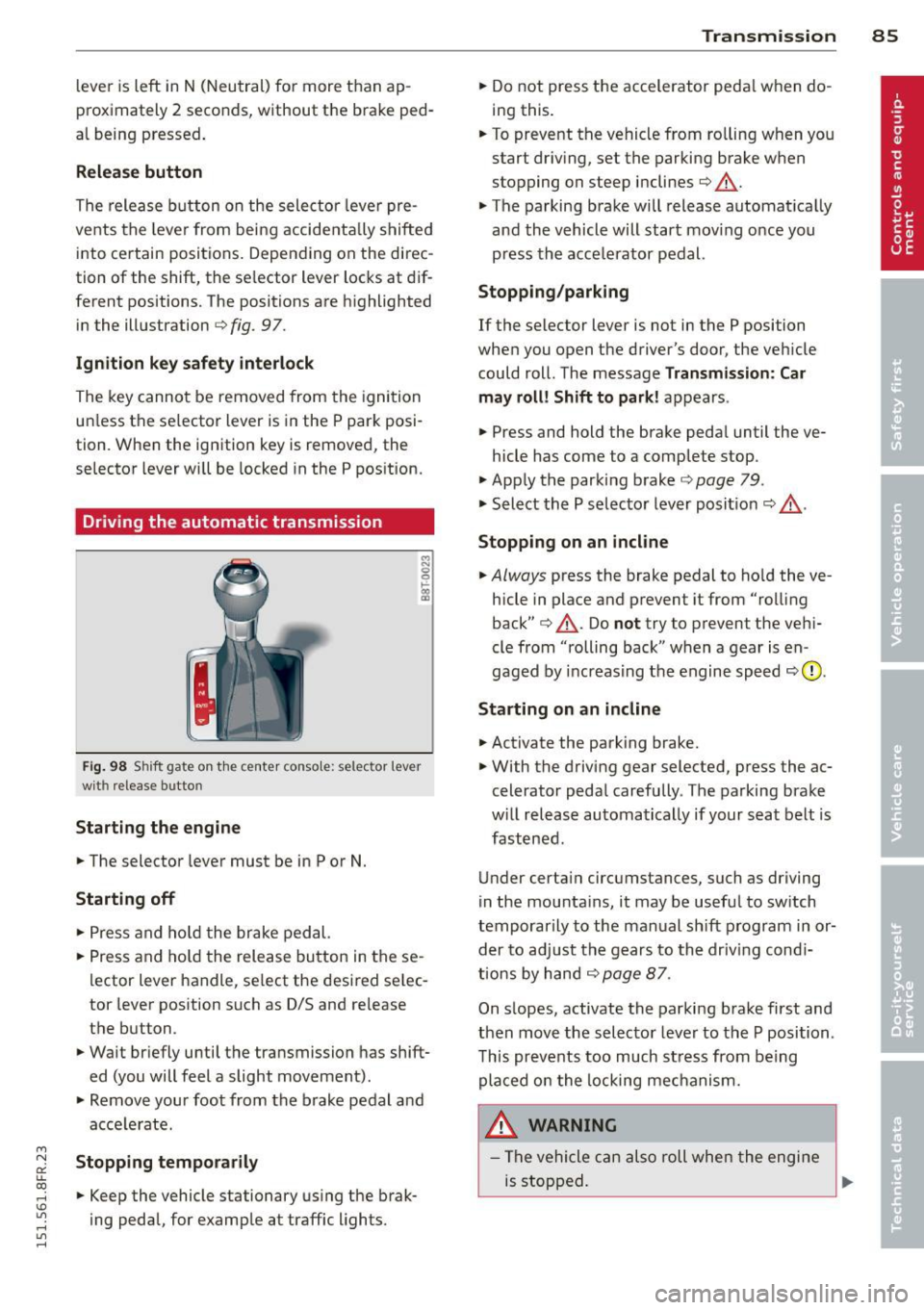
F ig. 98 S hift gate o n th e ce nte r conso le: selector lever
wit h release bu tton
Starting the engine
.. The selector leve r must be in P or N.
Starting off
.. Press a nd ho ld t he brake ped al.
.. Press and ho ld the release bu tton in these
l ector lever handle, se lect the desi red se lec
tor leve r pos ition such as D/S and re lease
t h e b utton.
.. Wait br iefly u ntil t he transmission has shift
ed (you will feel a slight movement).
.. Remove your foot from the b rake pedal a nd
acce le rate.
Stopping temporarily
.. Keep the vehicle stationary us ing the brak
ing peda l, for e xamp le at traffic lights.
Transm ission 85
.. Do not press the accelerator peda l w hen do
ing this .
.. To preve nt t he vehicle from ro lling when yo u
start dr iv ing, set the parking b rake w hen
stopping on steep inclines
c!> _&. .
.. The parking brake will release automat ica lly
an d the vehicle will start mov ing o nce you
p ress th e acce lerator pedal.
Stopping/parking
If the selector lever is not in the P position
whe n you open the driver's door , the veh icle
could roll . The message
Transmission: Car
may roll! Shift to park! ap pears .
.. Press and hold the brake peda l until the ve-
hicle has come to a comp lete stop .
.. App ly t he park ing brake
co page 79 .
.. Select the P selec to r lever posit io n
co _&. .
Stopping on an incline
.. Always press the brake pedal to ho ld the ve
hicle in place and prevent it from "ro lling
back"
co _&. . Do not try to p revent the ve hi
cle from "rolling back" when a gear is en
gaged by increas ing t he engine spee d co (!).
Starting on an incline
.. Activate the parking brake .
.. With t he driving gear selected, p ress the ac
celerato r peda l carefully . The parking brake
w ill rel ease au toma tically if your sea t belt is
fast ene d .
U nder certa in circumstances, such as driving
in the mounta ins, i t may be usefu l to sw itch
t emporar ily to the man ual sh ift program in or
d er to adju st the gears to th e d riv in g con di
ti ons by ha nd
co page 87 .
On s lopes, activate the parki ng b rake first and
t hen move the s electo r leve r to the P posi tion .
T his pr eve nts t oo much st ress from be ing
p la ced o n the locking me chani sm .
&_ WARNING
- Th e vehicle c an als o roll whe n the engi ne
is s topped .
~
Page 88 of 284
86 Transmission
-Unintended vehicle movement can cause
serious injury .
- Never leave your vehicle with the engine
running while in gear. If you must leave
your vehicle when the engine is running,
activate the parking brake and move the
selector lever to P .
- Power is still transmitted to the wheels
when the engine is running at idle. To
prevent the vehicle from "creeping", you
must keep your foot on the brake when
the engine is running and the selector
lever is in D/S or R or "tiptronic" mode is
selected.
- Do not press the accelerator pedal when
changing the selector lever position
while the vehicle is stationary and the
engine is running.
- Never shift into
R or P while driving.
- Before driving down a steep slope, re-
duce your speed and shift into a lower
gear with "tiptronic".
- Do not ride the brakes or press the brake
pedal too often or too long when driving
down a hill. Constant braking causes the
brakes to overheat and substantially re
duces braking performance, increases
braking distance or causes complete fail
ure of the brake system.
- To prevent the vehicle from rolling back
when stopping on inclines, always hold it
in place with the brake pedal or parking
brake .
- Never hold the vehicle on an incline with
a slipping clutch . The clutch opens auto
matically when it becomes too hot from
the overload . An indicator lamp
l'§J illu
minates and a driver message appears
Q page 88 when the clutch is overload
ed.
- If the engine must remain running, never
have any driving position engaged when
checking under the hood. Make sure the
selector lever has securely engaged and
is locked in P with the parking brake set
Q page 195. Otherwise, any increase in
engine speed may set the vehicle in mo- tion
, even with the parking brake ap
plied.
@ Note
- When stopping on an incline, do not try
to hold the vehicle in place by pressing
the accelerator pedal while a driving gear is selected. This can cause the transmis
sion to overheat and can damage it. Acti
vate the parking brake or press the brake
pedal to prevent the vehicle from rolling .
- Allowing the vehicle to roll when the en
gine is stopped and the selector lever is
in N will damage the transmission be
cause it is not lubricated under those cir
cumstances.
(D Tips
For safety reasons, the parking brake is re
leased automatically only when the driv
er's safety belt is engaged in the buckle.
Hill descent control
The hill descent control system assists the
driver when driving down declines.
Hill descent control is activated when these
lector lever is in D/S and you press the brake
pedal. The transmission automatically selects
a gear that is suitable for the incline. Hill de
scent control tries to maintain the speed ach
ieved at the time of braking, within physical
and technical limitations. It may st ill be nec
essary to adjust the speed with the brakes.
Hill descent control switches off once the de
cline levels out or you press the accelerator
pedal.
On vehicles with the cruise control system*
Q page 81 , hill descent control is also activat
ed when the speed is set.
A WARNING -
Hill descent control cannot overcome
physical limitations, so it may not be able
to maintain a constant speed under all
Page 91 of 284
![AUDI RS5 CABRIOLET 2015 Owners Guide " N
a: LL co
rl I.O
" rl
" rl
gear. Drive to your autho rized A ud i dealer o r
q ua lified repair fac ility immediate ly to have
the ma lfunction corrected .
m] Transmission mal](/img/6/57644/w960_57644-90.png "AUDI RS5 CABRIOLET 2015 Owners Guide \" N
a: LL co
rl I.O
\" rl
\" rl
gear. Drive to your autho rized A ud i dealer o r
q ua lified repair fac ility immediate ly to have
the ma lfunction corrected .
m] Transmission mal")
"' N
a: LL co
rl I.O
"' rl
"' rl
gear. Drive to your autho rized A ud i dealer o r
q ua lified repair fac ility immediate ly to have
the ma lfunction corrected .
m] Transmission malfunction: Stop vehicle
and shift to park .
Do not cont inue driving. Select the P se lector
l eve r position and see yo ur autho rized Aud i
dealer or qualified repa ir facili ty for assis
tance.
(D Note
If the transmiss io n sw itches to emerge ncy
mo de, you sh ould take the vehicle to an
au thor ized Audi dealersh ip as soon as pos
sible to have the cond ition co rrected.
Selector lever emergency release
If th e vehicle's power supply fails, the s elec
tor lever can be released in an emergency.
Fi g. 10 1 Fro nt ce nter co nsole : Re movi ng t he ash tray
i nser t
Fig. 10 2 Select o r lever e mergency re lea se
.. To access the emerge ncy release mecha
nism, remove the ash tray insert @ using the
release swi tch @ r:!>
fig. 101.
.. Loosen and remove the cap in the ashtray
mount.
Transm ission 89
.. You now have access to a pin. Using a screw
driver or simi lar object, press the pin down
and hold it in that position
<=> fig. 102.
.. Now press the re lease button and move the
selec tor lever to the N posit ion.
The selector lever can only be moved from the P position i f the key is in the lock and the ign i
tion is switc hed on. If the power supply fails
(for example , the battery is discharged) and
the ve hicle must be pushed or towed , move
the selec to r lever to the
N posit ion first using
t h e emerge ncy release.
Page 92 of 284

90 Audi adaptive cruise control and braking guard
Audi adaptive cruise
control and braking
guard
Introduction
App lies to vehicles: with Audi adaptive cruise co ntrol
The adaptive cruise control system assists the
driver by regulating vehicle speed and helping
to maintain a set distance to the vehicle
ahead, within the limits of the system .
If the
system detects a moving vehicle up ahead,
adaptive cruise control can brake and then ac
celerate your vehicle. This he lps to make driv
ing more comfortable on long highway
stretches.
The braking guard system can warn you about
an impending collision and initiate braking
maneuvers
c:::> page 96.
Adaptive cruise control and braking guard
have technical limitations that you must
know, so please read this section carefully, un
derstand how the system works and use them
properly at all times.
General information
General information
Applies to vehicles: with Audi adaptive cruise co ntrol
Fig. 103 Front of the vehicle: Position of radar senso r
The area that contains the radar sensor
c:::> fig. 103 must never be cove red by stickers
or other objects or obstructed with dirt, in
sects, snow or i ce that will interfere with the
adaptive cruise control system and braking
guard. For information on cleaning, refer to
c:::> page 184. The same applies for any modifi
cations made in the front area . T
he function of the adaptive cruise cont rol
system and braking guard is limited under
some condit ions:
- Objects can only be detected when they are
within sensor range
c:::>page 92, fig . 106.
-The system has a limited ability to detect
objects that are a short d istance ahead, off
to the side of your vehicle or moving into
your lane.
- Some kinds of vehicles are hard to detect;
for examp le motorcycles, vehicles with high
ground clearance or overhanging loads may
be detected when it is too late or they may
not be detected at all.
- When driving through curves
c:::> page 91.
-Stat ionary objects c:::> page 91 .
A WARNING
-
Always pay attention to traffic when adap-
tive cruise contro l is switched on and brak
ing guard is active. As the driver, you are
still respons ible for starting and for main
tain ing speed and distance to other ob
jects. Braking guard is used to assist you.
The driver must always take action to avoid
a col lision. The driver is always responsible
for braking at the correct time.
- Im proper use of adaptive cruise con trol
can cause collisions, other accidents and
serio us personal injury.
- Never let the comfor t and convenience
that adaptive cruise control and braking
guard offer distract you from the need to
be alert to traffic conditions and the
need to remain in full control of your ve
h icle at a ll times,
- Always remember that the adaptive
cru ise contro l and brak ing guard have
lim its -they will not s low the vehicle
down or maintain the set distance when
you drive towards an obstacle or some
thing on or near the road that is not
mov ing, such as vehicles stopped in a
traffic jam, a stalled or disabled vehicle.
If registered by the radar sensor, vehicles
or obsta cles that are not moving can
trigger a co llision warning and if