key AUDI RS7 SPORTBACK 2014 Owner's Manual
[x] Cancel search | Manufacturer: AUDI, Model Year: 2014, Model line: RS7 SPORTBACK, Model: AUDI RS7 SPORTBACK 2014Pages: 292, PDF Size: 73.56 MB
Page 71 of 292
Warm and cold Four-zone automatic
climate control
Description
Applies to vehicles: with four-zone automat ic climate co n
tro l
The climate control system warms, cools and
adds humidity to the a ir in the veh icle inter io r.
It is the most effect ive when the windows and
sunroof* are closed.
If the temperature inside
the parked vehicle becomes very warm, open ing the window briefly will speed up the cool
ing process.
I n all heating mode functions except
defrost,
the blower on ly switches to a higher speed
once the engine coolant has reached a certain
temperature.
Condensation from the cooling system can
drip and form a puddle of water under the ve
hicle. This is normal and does not mean there
is a leak.
Pollutant filt er
The po llutant filter removes pollutants such
as dust and pollen from the air.
The air pollutants filter must be changed at
the intervals spec ified in your Wa rranty
&
Maintenance book let, so that the air condi
tioner can properly work.
I f you d rive your vehicle in an area with h igh
air po llution, the fi lter may need to be
changed more frequent ly than specified in
your Audi Warranty
& Maintenance booklet. If
in doubt, ask your authorized Audi Service Ad·
visor for advice.
Key coded setting s
The clima te control sett ings are a utomat ica lly
stored and assigned to the remote contro l key
that is in use .
Warm and c old 69
A WARNING
-
Reduced visibi lity is dangerous and can
cause acc idents .
- For safe driving it is very important that
all windows be free of ice, snow and con
densat ion.
- Comp letely fam il iarize yourse lf with the
proper use and funct ion of the heat ing
a nd ventilation system and especially
how to defog and defrost the w indows.
- Never use the windshield wiper/washer system in freez ing weathe r unt il you
have warmed the windshie ld first, using
the heating and ventilation system. The
washer sol ution may freeze on the wind
shie ld and red uce visibi lity.
CJ) Note
- If you s uspect that the air conditioner
has been damaged, switch the system
off to avoid furt her damage and have it
inspected by a qualified dea lership .
- Repairs to the Audi air conditioner re
quire specia l technical know ledge and
special tools. Contact an authorized Audi
dealer fo r ass istance.
@ For the sake of the envi ronment
By reducing the amount of f uel you use,
you also red uce the amount of pollutants
emitted into the air.
(D Tips
- Keep the air intake s lo ts ( in front of the
w indshield) free from ice, snow and de
bris in order to maintain the proper func
tion of the climate control system.
- The energy ma nagement system may
switch the seat heating* or rear window defroster off temporar ily. These systems
are available again as soon as the energy
balance has been restored .
- Air escapes through vents under the rear window. When plac ing items of cloth ing
on the luggage compartment cover, en
sure that the openings are not covered.
Page 74 of 292
7 2 Warm and cold
(D Note
To avoid damage to the heating e lements
in the seats, do not kneel on the seats or
place heavy loads on a small area of the
seat .
Setup
Applies to vehicles: with four-zone a utomat ic clima te con·
tro l
The climate control system setup is accessed
through the MMI .
.,. Se lect : I CAR I func tion button> (Car )* sys·
terns
con trol but ton > AC .
Rear cabin settings*
When th is fu nction is selected, all sett ings for
the rear can be adjusted through the climate
control sys tem in the cockpit. The cl imate
con trol sys tem se tt ings cannot be adjusted in
the rea r seat at the same time. This func tion
switches
o ff after a certain period of time or
when one of the dia ls in the cockp it is press
ed .
Auto recirculation*
The sensit ivity level of the au tomatic rec ircu
lation mode can be set at vario us leve ls from
off to sensit ive. The recirculation mode is con
trolled a utomat ica lly. You must p ress the ~
button if fog forms on the windows.
Footwell temperature
You can adju st the footwell temperat ure so
that it is cooler or wa rme r.
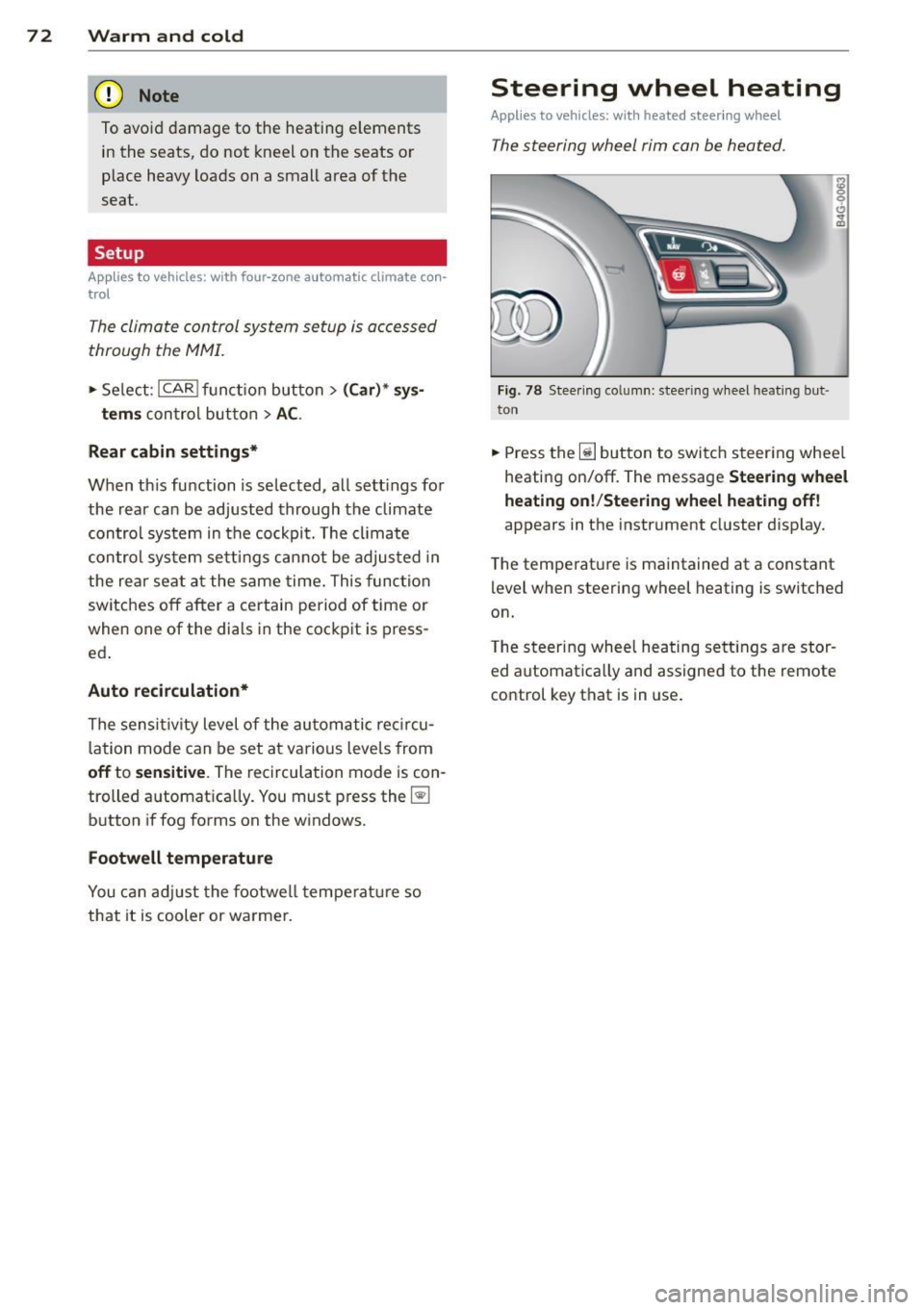
Steering wheel heating
Applies to vehicles: wi th hea ted s tee rin g wheel
The steering wheel rim can be heated .
Fig. 78 Stee ring co lu mn : steeri ng w heel hea tin g but ·
ton
.,. Press the~ button to switch steering whee l
heating on/off. The message
Steering wheel
heating on !/Steering wheel heating off !
appears in the instrument cluster d isp lay.
T he temperat ure is maintained at a constant
l evel when steering wheel heating is switched
on.
T he steering wheel hea ting se tt ings are stor
ed automat ica lly and assigne d to the remote
control key that is in use .
Page 78 of 292
76 On the road
Driver message in the instrument
cluster display
Turn off ignition befor e le a v ing car
This message appears and a warning tone
sounds if yo u open the dr iver's door when the
ignition is switched on.
Press brake p edal to start engin e
This message appears if you press the
I STAR T ENGINE ST OP ! button to start the en
g ine and do not depress the brake pedal. The
engine can on ly be started if the brake pedal
is depressed.
!I I s ke y in th e vehicle?
If the indicator light turns on and the mes
sage appears, the remote control key was re
moved from the vehicle while the engine was
running. If the ignit ion key is not in the vehi
cle you w ill not be able to sw itch on the ign i
tion or resta rt the engine after it has been
switched off. You w ill also not be ab le to lock
the veh icle from the outside.
Shift to P , oth erwise vehicl e can roll away.
Doors do not lo ck if lever i s not in P .
This message appears for safety reasons
along w ith an audib le warn ing tone if the P
selecto r lever posit io n is not engaged when
stopping the engine with the
I STAR T ENGINE ST OP ! button. Select the P se
lector lever pos it ion. Othe rwise the veh icle
could ro ll and it cannot be locked.
(I Key is n ot recogn iz e d . Ho ld b ack o f key
ag ain st marked ar ea . Se e owner's manual.
If the indicator light tu rns on and th is mes
sage appears, there is a malfunction
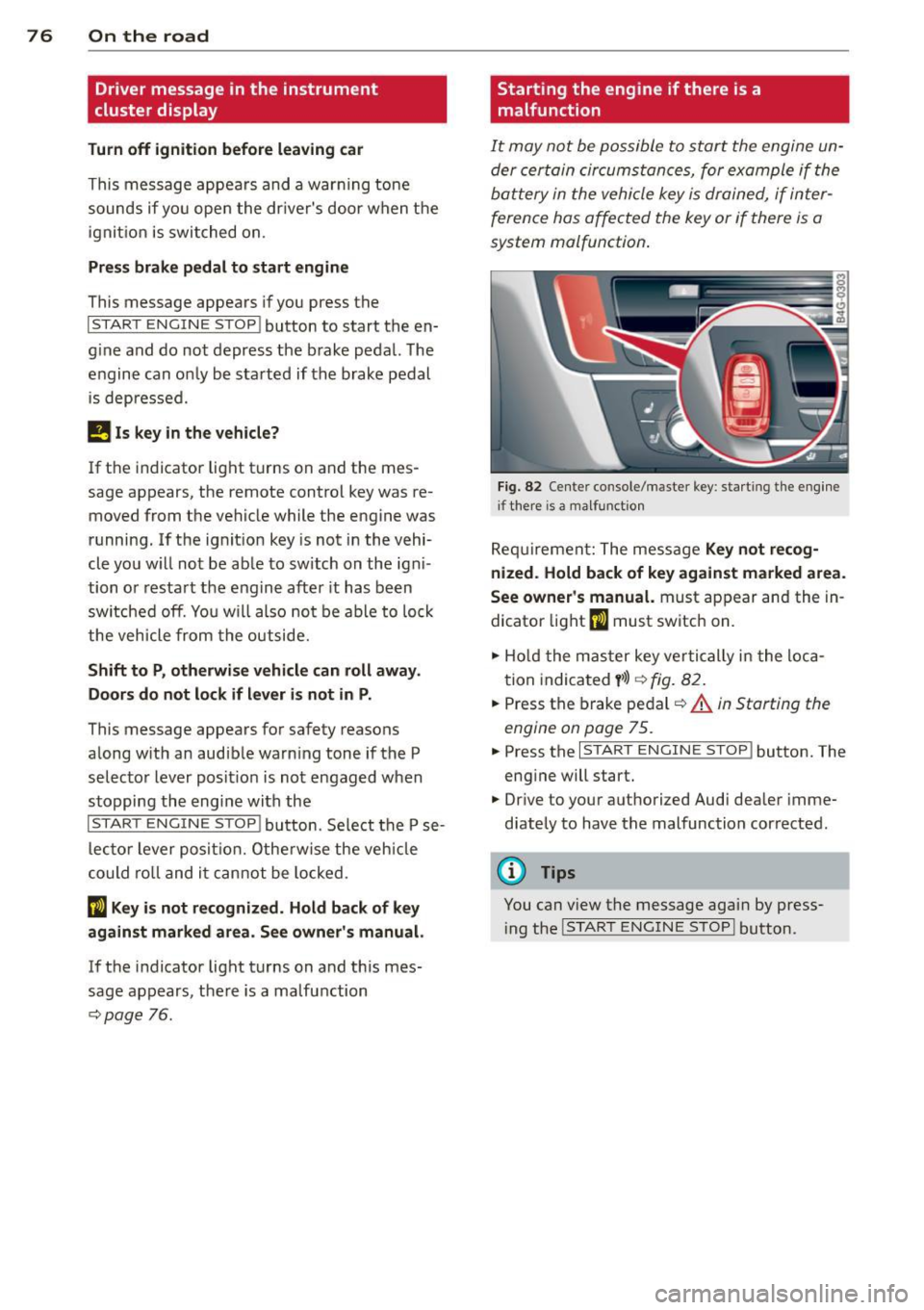
c::>page 76. Starting the engine if there is a
malfunction
It may not be possible to start the engine un
der certain circumstances, for example if the
battery in the vehicle key
is drained, if inter
ference has affected the key or if there
is a
system malfunction .
Fig . 82 Center console/master key: starting the eng ine
i f there is a malfunction
Req uirement: The message Ke y not r ecog
ni ze d. H old back of key aga inst ma rked are a.
Se e owne r's manual.
must appear and the in
dicator
light (I must switch on.
.,.. Ho ld the mas ter key vertically in the loca
tion indicated
y >l) r=:>fig. 82.
.,.. Press the brake pedal c::> A in Starting the
engine on page 75.
.,.. Press the I START ENGINE S T OP ! button. The
eng ine will start.
.,.. Dr ive to your authorized Audi dealer imme
diately to have the malfunction corrected.
(D Tips
You can v iew the message again by press
i ng the
I STAR T ENGINE STOP I button.
Page 80 of 292
78 On the road
regular intervals . Any associated noises
are norma l.
Parking
• Press the brake peda l to stop the vehicle .
• Pull the switch(®) to set the parking brake .
• Move the selector lever to P.
• Turn the eng ine off ¢.&_ .
• When on incl ines or declines, turn the steer
i ng wheel so that your vehicle will roll into
the curb if it begins to move.
_& WARNING
- When you leave your veh icle - even if on
ly briefly - always take the ignition key
with you . This applies particu la rly when
children remain in the veh icle. Otherw ise
the ch ildren could start the engine, re
lease the parking brake or operate e lec
trical equipment (e.g . power windows) .
The re is the risk of an accident .
- When the vehicle is locked, no one - par
t icu la rly not children should remain in
the vehicle . Locked doo rs make it more
difficult for emergency wor kers to get in
to the vehicle - putt ing lives at risk.
Starting from rest
The starting assist function ensures that the
parking brake is released automatically upon
starting .
Stopping and applying park ing brake
• Pull the switch© to apply the park ing
brake .
Starting and automat ically releasing the
parking brake
• When you start to drive as usua l, the park
ing brake is automatically re leased and your
vehicle begins to move .
When stopp ing at a traff ic signa l or stopp ing
i n city traffic, the parking brake can be ap
plied . The veh icle does not have to be held
with the footbrake. The par king brake e limi
n ates the te ndency to creep with a drive ra nge engaged. As soon as yo
u drive off as usu a l,
the parking brake is re leased automatically
and the vehicle starts to move .
Starting on slopes
When starting on inclines, the starting assist
prevents the vehi cle from u nintent ionally roll
ing back . The braking force of the parking
brake is not re leased unti l sufficient driving
f orce has been built up at the wheels.
(D Tips
F o r safety reasons, the parking brake is re
l eased a utomatically on ly when t he d riv
er's safety belt is engaged in the buckle.
Emergency braking
In the event that the conventional brake sys
tem fails or locks.
• In an emergency, pu ll the switc h C®> and
continue to pull it to s low your vehicle down
with the parking b rake .
• As soon as you re lease the switch «:El) or ac -
celerate, the brak ing process stops.
If you pu ll the switch «:El) and hold it above a
speed of abo ut 5 mph (8 km/h), the eme rgen
cy brak ing f unct ion is initiated . The vehicle is
braked at all four whee ls by activating the hy
draulic brake system . The brake performa nce
i s sim ila r to making an emergency stop
c::> .&. .
In order not to act ivate the eme rgency brak
ing by mistake, an audib le warning tone (bu z
zer) sounds whe n the switch(®) is pulled . As
soon as the sw itch
®) is released, or the accel
erato r peda l is depressed, eme rgency b raking
stops.
_& WARNING
E mergency br aking should only be u sed in
a n emergency, when the norma l foot bra ke
has fai led or the brake pedal is obstruc ted.
Using the parking brake to pe rform eme r
gency b raking will s low your veh icle down
as if you had made a full brake application.
The laws of physics cannot be suspended
~
Page 88 of 292
86 Audi adaptive cruise control and braking guard
When approaching a moving vehicle up ahead,
the adaptive cruise control system automati
cally brakes to match that object's speed and
then maintains the stored distance. If the ve
h icle ahead accelerates, adaptive cruise con
trol will also accelerate up to the stored
speed.
The higher the speed , the greater the distance
in yards (meters)
c::> & . The Distance 3 setting
is recommended .
The distances prov ided are spec ified values .
Depending on the driving situation and the
how the vehicle ahead is driving, the actual
d istance may be more or less than these tar
get distances.
The various symbols for the time increments
appear briefly in the information line @
c::> page 83, fig . 91 when you change the set
tings .
~-~- --Distance 1 : This setting corre
sponds to a distance of 92 feet/28 meters
when traveling at 62 mph (100 km/h), or a
time interval of 1 second.
~--~- -Distance 2: This setting corre
sponds to a distance of 118 feet/36 meters
when traveling at 62 mph (100 km/h), or a
time inte rval of 1.3 seconds .
~--- ~-Distance 3: This setting corre
sponds to a distance of 164 feet/SO meters
when traveling at 62 mph (100 km/h), or a
time interval of 1.8 seconds .
~---- ~ Distance 4: This setting corre
sponds to a distance of 210 feet/64 meters
when traveling at 62 mph (100 km/h), or a
time interval of 2.3 seconds .
A WARNING ,. -
Following other vehicles too closely in
creases the risk of collisions and serious
personal inj ury.
- Setting short distances to the traffic
ahead reduces the time and distance
available to bring your vehicle to a safe
stop and makes it even more necessary
to pay close attention to traffic. -
Always obey applicable traffic laws, use
good judgment, and select a safe follow ing d istance for the traff ic, road and
weather conditions.
@ Tips
- Distance 3 is set automatically each time
you switch the ignition on.
- Your standard settings are automatically
stored and assigned to the remote con
trol key being used.
Selecting the driving mode
Applies to veh icles: w ith Audi adaptive cruise co ntrol
.,. Select the desired driving mode in drive se
lect
c::> page 96 .
(D Tips
Your settings are automatically stored and
ass igned to the remote control key being
used.
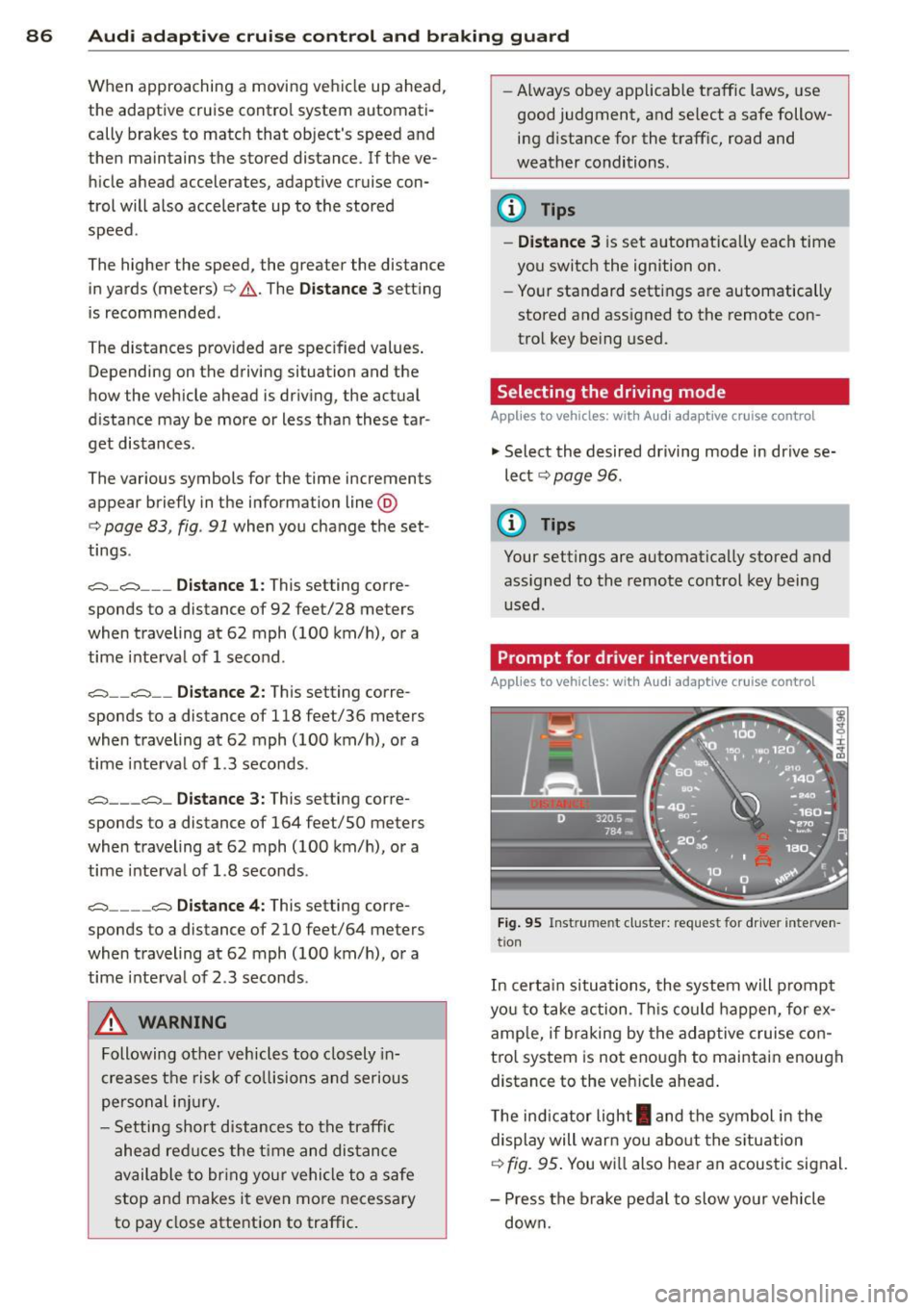
Prompt for dr iver intervention
Applies to veh icles: w ith Audi adaptive cruise co ntro l
Fig. 95 Instrume nt cluster: req uest fo r drive r inte rven
t ion
In certain situations, the system will prompt
yo u to take action . This could happen, for ex
amp le, if braking by the adap tive cruise con
tro l system is not enough to maintain enough
distance to the veh icle ahead .
T he indicator light
I and the symbol in the
display will war n you abo ut the situat ion
c::>fig. 95 . You wi ll also hear an acoustic signal.
- Press the brake pedal to slow yo ur vehicle
down.
Page 90 of 292
88 Audi adaptive cruise control and braking guard
stopped vehicle or stationary obstacle (end of a traffic jam or vehicle that has
broken down in traffic).
- Always remember that the radar sensor
for the braking guard works only within
defined detection and range limits that
may prevent the proper detection of oth
er vehicles.
- The radar sensor's function and range
can be reduced by rain, snow and heavy
spray . Moving vehicles up ahead may not
be promptly detected or may not be de
tected at all.
- Reflective surfaces including crash barri
ers or tunnel entrances may impair the
function of the radar sensor.
({) Tips
-You can cancel the braking with increas
ing force that is initiated by the system
by braking yourself, by accelerating no
ticeably or by swerving.
- Braking guard error messages
¢page 88.
- Keep in mind that braking guard can
brake unexpectedly . Always secure any
cargo or objects that you are transport
ing to reduce the risk of damage or in
jury.
Settings in the MMI
Applies to vehicles: with Audi adaptive cruise co ntrol
.. Select : I CARI function button > (Car)* sys
tems
control button > Driver assist > Audi
braking guard.
System -
Switch braking guard On and Off.
When you switch the ignition on, the message
Audi braking guard off appears if the system
is switched off.
Early warning -The distance and approach
warnings in the display can be switched
On/
Off.
(D Tips
- Your settings are automatically stored
and assigned to the remote control key being used at the time the settings are
made.
- If you restrict or switch off the ESC, the
braking guard also switches itself off
¢page 191.
- Switch braking guard off when you are
loading the vehicle onto a vehicle carrier,
train, ship or other type of transporta
tion. This can prevent undesired warn
ings from the braking guard system.
Messages
Applies to vehicles: with Aud i adapt ive cru ise contro l
Braking guard: off
This driver message appears if the system is
turned off via the infotainment. Otherwise , if
the system is turned off, the information ap
pears every time shortly after the start of the
trip.
The driver message also appears if the system
is not available due to a malfunction or if the
ESC is not switched on
¢ page 191. If this is
the case, the system will not provide warnings about a possible collision.
Braking guard: activated
This driver message appears if sharp brake
pressure was applied due to an acute warning.
ACC: Unavailable!
ACC and Audi braking guard: not available
The system cannot detect moving vehicles up
ahead correctly and is switched off. The sen
sors have been displaced or are not working
properly. The Audi pre sense functions may al
so be affected . Drive to your authorized Audi
dealer or authorized Audi service facility im
mediately to have the malfunction corrected.
ACC: currently unavailable. No sensor vision
ACC and braking guide: currently unavaila
ble. No sensor vision
This message appears if the sensor view is ob
structed, for example by leaves, snow, heavy
spray or dirt. Clean the sensors¢
page 81,
rg.86. ~
Page 94 of 292
92 Audi active lane assist
White Act ive l an e assist is switched on
line(s) and ready to p rov ide warnings
on the side tha t is ind ic a ted
¢ fig. 99.
Red line Act ive l ane assist is warning you
(left o r t hat you are about to leave your
r ight) lan e
c'.> fig. 99. In addition, t he
s teer ing whee l v ibrates s lig htly.
G ray Act ive l ane assist is switched on
line(s) but is not ready to provide wa rn-
ings
c-.> fig . 100 .
Messages in the instrument cluster
display
When t he active lane ass ist tu rns off automat
i cally, t he i nstrument cluster i ndicator goes
out and one of t he fo llow ing me ssages ap
pea rs on the disp lay :
Audi active lane ass ist: Currently unavaila
ble. No camera view
This message appears if the camera is no lon
ge r functional after the system has cont inous
ly failed to detect the lane markings . T his
could happe n if:
- The camera field of view
c-.> page 91 , fig . 98
is d irty or covered i n ice. Clean t he area on
t h e windsh ie ld .
- The camera field of view is fogged over. Wait
until the fog has cleared before switching
active lane assis t on .
- The system has been unable to detect the
lanes fo r an extended pe riod of time due to
road cond itions . Switch ac tive lane ass ist
back on w hen the lines are more visible.
Audi active lane ass ist: Currently unava ilable
A tempora ry malf unct ion is preventing lane
assist from operating. Try sw itch ing active
lane assist on again later.
Audi active lane a ssist: System fault!
Dr ive to yo ur authoriz ed Au di dealer soon to
h ave the m alfunc tion co rrec ted .
Audi active lane a ssist : Please take over
steering
T his message ap pears if yo u do no t steer the
vehicle yourself . If th is is the case, active lane
ass ist does not switch off, but it does sw itch
to the "not ready" stat us. T he system can help
you keep t he vehicle in the lane. However it is
yo ur own responsibility to stee r and control
the ve hicle .
Setting the steering wheel vibration
Applies to vehicles: with active lane assist
"' Sele ct: !CARI function button> (Car) * sys
tem s
con trol button > Driver assi st > Audi
active lane assi st.
You can swi tc h the vibrating warn ing in the
stee ring w heel
on or off .
(D Tips
Your s etting is a utom atically store d and
ass igned to the rem ote control key b eing
u sed.
Page 97 of 292
Have your authorized Audi dealer or au
thorized A udi Service Facility check the ir
function.
@ Tips
- If the win dow g lass in the driver 's door
or front passenger's door has been tint
ed, the disp lay in the exterior m irror may
be misinterp reted .
- For Decla rat ion of Compliance to United
States FCC and Industry Canada regula
tions
¢ page 2 76.
Activating and deactivating
Applies to vehicles: mit side assist
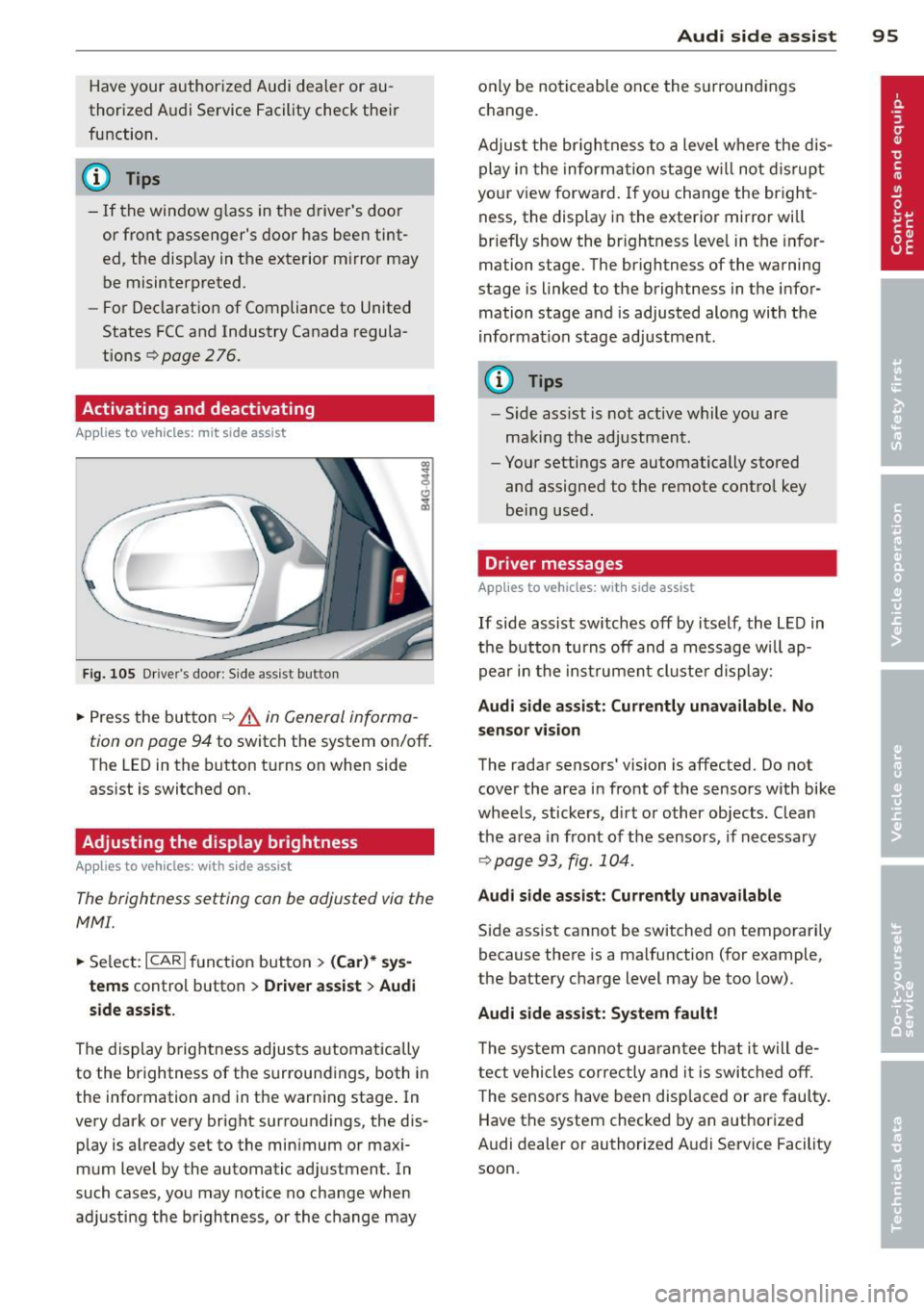
Fig. 10 5 Drive r's d oor : Sid e ass is t butt on
.. Press the but ton ¢ .&. in General informa
tion on page 94
to switch the system on/off .
The LED in the button t urns on when side
ass ist is switc hed on.
Adjusting the display brightness
Applies to vehicles: with side assist
The brightness setting can be adjusted via the
MMI.
.. Se lect : ICAR I function button> (Car)* sys
tems
contro l button > Drive r assist > Audi
side assist.
The display brig htness adjusts a utomatically
to the brightness of the surroun dings, both in
the information and in the warn ing stage . In
very dark or very bright surro undings, the dis
p lay is a lready set to the min imum or maxi
mum Level by the automatic ad justment. In
such cases, you may notice no cha nge when
a d ju sting the brightness, or the change may
Aud i side assist 95
only be no ticeable once the s urround ings
c hange.
Adjus t the br igh tness to a leve l where the dis
play i n the informa tion stage w ill no t dis rup t
your view forward . If you change the br igh t
ness, the display in the exterior mirror will
brief ly show the br ightness leve l in the infor
mation stage. The brightness of the warning
stage is linked to the brightness in the infor
mation stage and is adjusted alo ng with the
i nfor mation stage ad justment.
(D Tips
- Side ass ist is not act ive while you are
making the adjustment .
- Yo ur settings are automatically stored
and assigned to the remote contro l key
being used.
Driver messages
Applies to vehicles: with side assist
If side assist sw itches off by i tself, the L ED in
t he b utto n turns off and a message wi ll ap
pe ar in the inst rume nt cl uste r d is play:
Audi side assist: Currently unavailable. No
sensor vi sion
The rada r sensors' vision is affected. Do not
cover the area in fro nt of the sensors with bike
whee ls, sticke rs, d irt o r other objects. Clean
the a rea in front of the sensors, if necessary
¢page 93, fig . 10 4.
Audi side assist: Currently unavailable
Side assist cannot be switched on temporari ly
because there is a malfunction (for example,
the battery c ha rge level may be too low) .
Audi side assist: System fault !
The sy stem cannot gu arant ee th at it w ill de
tect vehicles correctly and it is swi tched o ff.
T he sensors have been disp laced or are faul ty .
Have the system checked by an authorized
A udi dealer or authorized A udi Service Facility
soon.
Page 100 of 292
98 Audi drive select
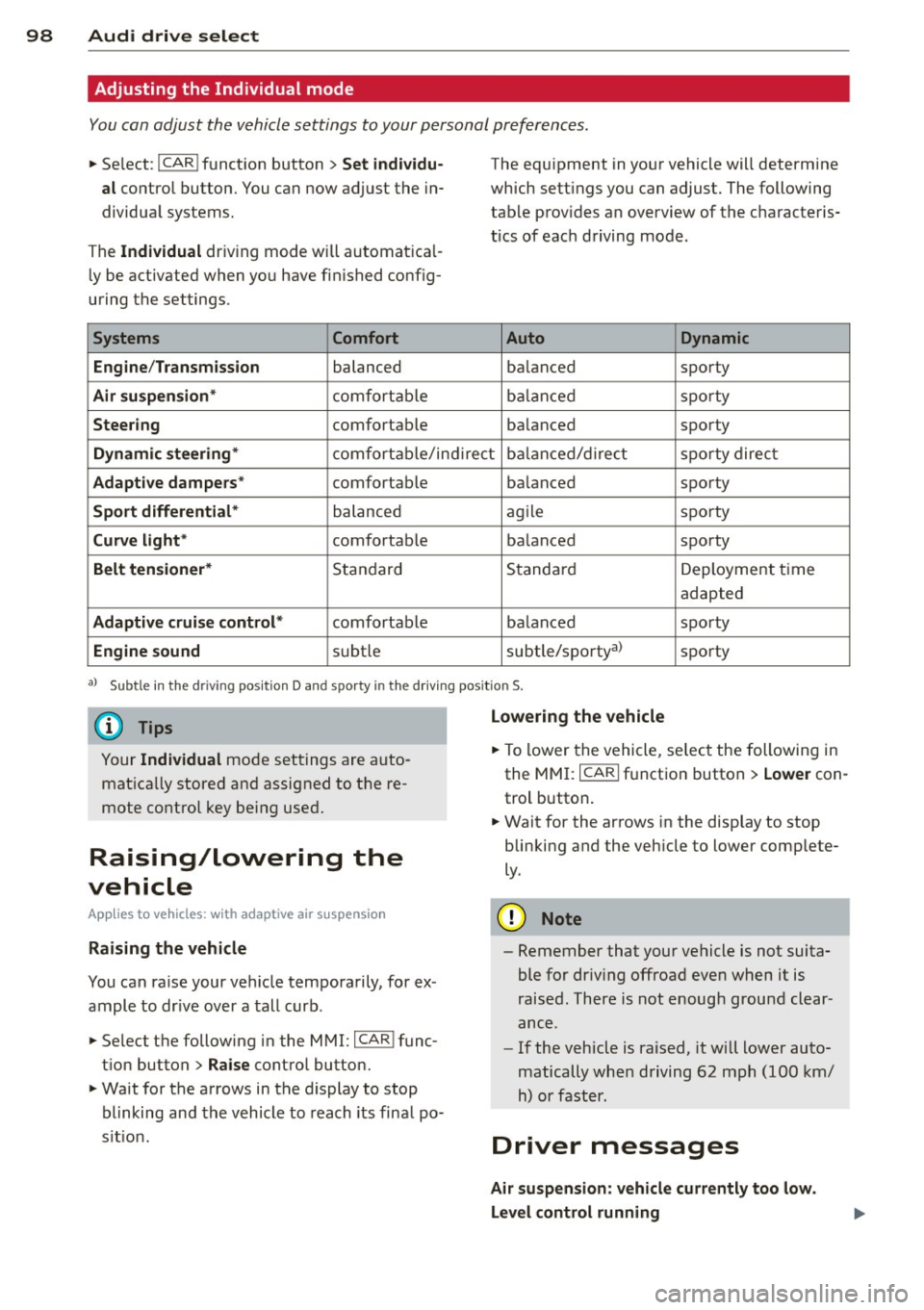
Adjusting the Individual mode
You can adjust the vehicle settings to your personal preferences .
• Se lect : I CAR ! function button > Set individu
al
control button. You can now adjust the in
dividual systems.
The
Individual dr iving mode will automatica l
ly be activated when you have finished config
uring the settings .
Systems Comfort
Engine /Transmission
balanced
Air suspension* comfortable
Steering comfortable The equipment
in your vehicle will determine
which settings you can adjust. The following
table provides an overview of the characteris
tics of each driving mode.
Auto Dynamic
balanced sporty
balanced sporty
balanced sporty
Dynamic steering* comfortable/indirect balanced/direct sporty direct
Adaptive dampers* comfortable balanced sporty
Sport differential* balanced agile sporty
Curve
light* comfortable balanced sporty
Belt tensioner* Standard Standard
Deployment time
adapted
Adaptive cruise control* comfortable balanced sporty
Engine sound subtle subtle/sportyal sporty
al
Sub tle in th e d riving po sit ion D an d sp orty in the driv ing pos itio n S.
(D Tips
Your Individual mode settings are auto
matically stored and assigned to the re
mote control key being used.
Raising/lowering the
vehicle
App lies to vehicles: with adaptive air suspension
Raising the vehicle
You can raise your vehicle temporarily, for ex
ample to drive over a tall curb.
• Se lect the following in the MMI: ICAR!func
tion button>
Raise control button.
• Wait for the arrows in the display to stop
blinking and the vehicle to reach its final po
s it ion .
Lowering the vehicle
• To lower the vehicle, select the following in
the MMI: ICARI function button >
Lower con
trol button.
• Wait for the arrows in the display to stop
blinking and the vehicle to lower complete
ly .
(D Note
- Remember that your vehicle is not suita
ble for dr iv ing offroad even when it is
raised. There is not enough ground clear
ance .
- If the vehicle is raised, it will lower auto
matically when driving 62 mph (100 km/
h) or faster.
Driver messages
Air suspension: vehicle currently too low.
Level control running
Page 122 of 292
120 Parking systems
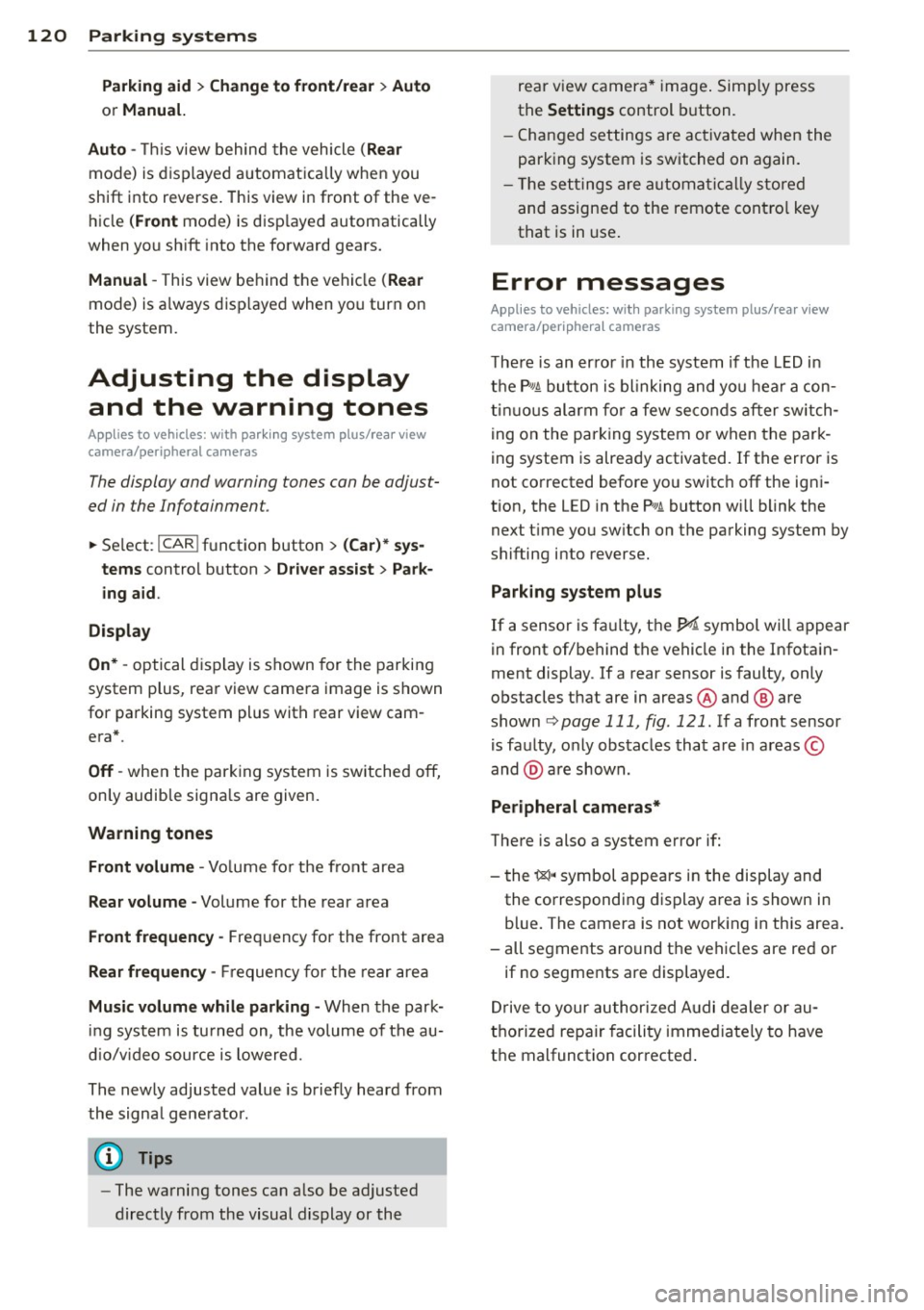
Parking aid > Change to front/rear > Auto
or Manual.
Auto -
This view behind the vehicle (Rear
mode) is displayed automatically when you
shift into reverse . This view in front of the ve
hicle
( Front mode) is disp layed automatically
when you shift into the forward gears.
Manual -This view behind the vehicle (Rear
mode) is a lways disp layed when you turn on
the system.
Adjusting the display and the warning tones
Applies to vehicles: with parking system plus/rear view
camera/peripheral cameras
The display and warning tones can be adjust
ed in the Infotainment.
.. Se lect: I CAR ! function button > (Car)* sys
tems
control button > Driver assist > Park
ing aid.
Display
On* -
optical display is shown for the parking
system plus, rear view came ra image is shown
for parking system plus with rear view cam
era*.
Off -when the parking system is switched off,
on ly audib le signals are given.
Warning tones
Front volume -
Volume for the front area
Rear volume -Volume for the rear area
Front frequency -Frequency for the front area
Rear frequency -Frequency for the rear area
Music volume while parking -When the park
ing system is tu rned on, the volume of the au
dio/video source is lowered.
The newly adjusted value is briefly heard from
the signa l gene rator .
(D Tips
-The warning tones can a lso be adjusted
directly from the visual display or the rear v
iew camera* image. Simply press
the
Settings control button.
- Changed settings are activated when the
parking system is switched on again.
- The settings are automatically stored
and assigned to the remote cont rol key
that is in use .
Error messages
Applies to vehicles: with parking system plus/rear view
camera/peripheral cameras
T here is an error in the system if the LED in
the
p, q~ button is blinking and you hear a con
tinuous alarm for a few seconds after switch
ing on the parking system or when the park
ing system is already activated. If the error is
not corrected before you switc h
off the igni
tion, the LED in the
Pwi button will blink the
next t ime you sw itch on the parking system by
shifting into reverse.
Parking system plus
If a sensor is fa ulty, the~ symbol will appear
in front of/behind the vehicle in the Infotain
ment display. If a rear sensor is faulty, only
obstacles that are in areas @ and ® are
shown
Q page 111, fig. 121. If a front sensor
is faulty, only obstacles that are in areas ©
and @are shown.
Peripheral cameras*
There is also a system error if:
- the
i:80 ·• symbol appears in the display and
the corresponding display area is shown in
blue. The camera is not working in this area.
- all segments aro und the vehicles are red or
if no segments are displayed.
Drive to your authorized Audi dealer or au
thorized repa ir facility immed iately to have
the malfunction corrected.