wheel AUDI S3 2015 User Guide
[x] Cancel search | Manufacturer: AUDI, Model Year: 2015, Model line: S3, Model: AUDI S3 2015Pages: 310, PDF Size: 76.15 MB
Page 59 of 310
....,
N
0 > co
rl I.O
"' ....,
"' rl
restraint so that it is as close to this position
as possible
q page 59 . Move the head re
stra int so that it is as close to the back of
the head as possible .
A WARNING
Never place any objects in the driver's foot
well. An object could get into the pedal
area and interfere with pedal function. I n
case of sudden braking or an accident, you
would not be ab le to brake or acce lerate.
Front passenger's seat
Always move the front passenger seat into
the rearmost position.
To avoid contact with the airbag while it is de
ploying, do not sit any closer to the instru
ment panel than necessary and always wear
the three -point safety belt provided adjusted
correctly . We recommend that you adjust the
passenger's seat in the following manner :
• Bring the backrest up to an (almost) upright
pos ition.
D o not ride w ith the seat reclined.
• For adjustable head restraints : adjust the
head restraint so the upper edge is as even
as possib le with the top of your head. If that
is not possible, try to adjust the head re
straint so that it is as close to this position
as possible
q page 59 . Move the head re
straint so that it is as close to the back of
the head as possible.
• Place your feet on the floor in front of the
passenger's seat .
Sea ts a nd s to rage 57
Front seats
Manual seat adjustment
App lies to vehicles: with manually adjustab le seats
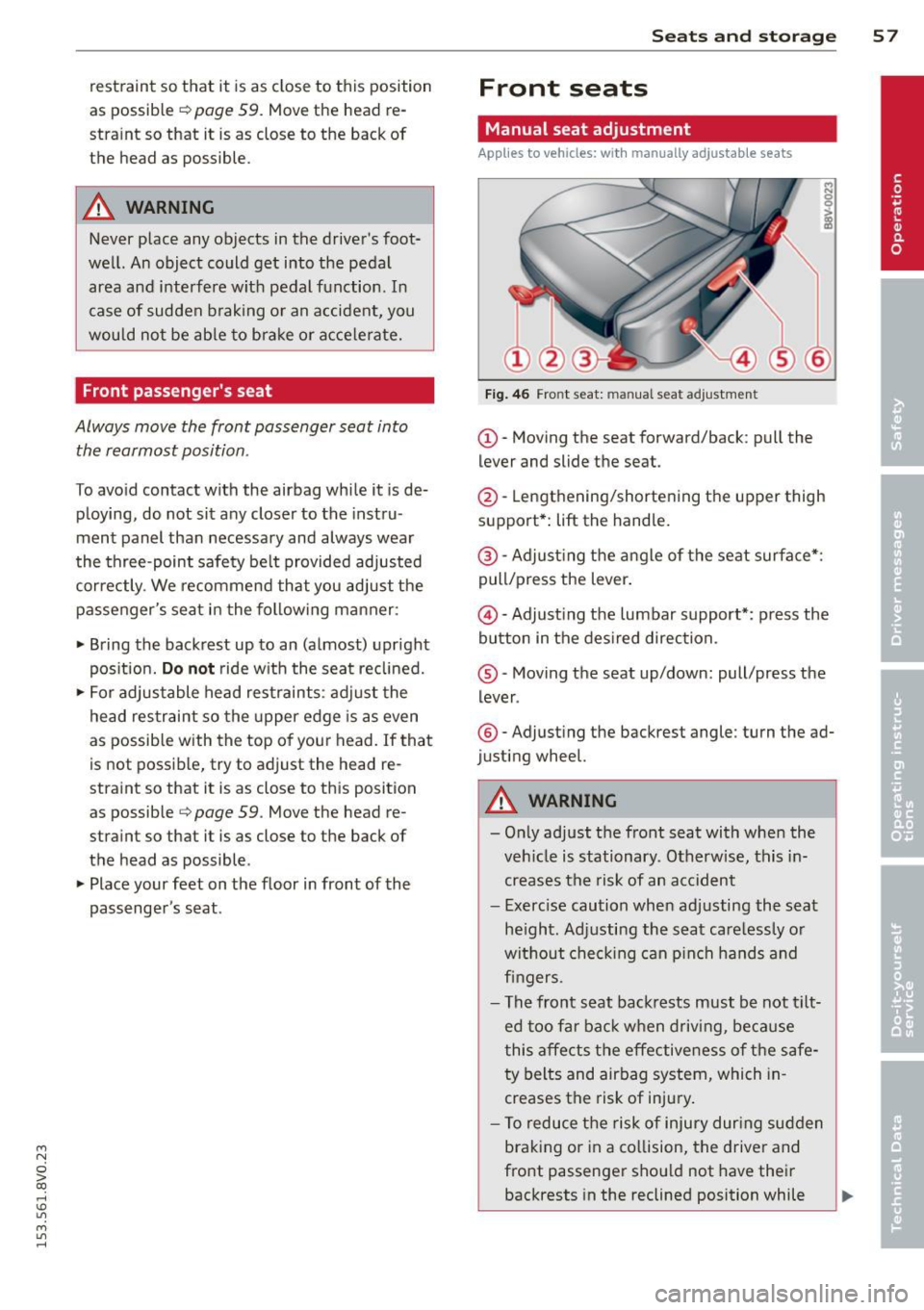
Fig . 46 Fro nt seat: man ual seat adjustment
(D-Moving the seat forward/back : pull the
lever and slide the seat.
@-Lengthening/shortening the upper thigh
support*:
lift the handle.
@ -Adjust ing the a ngle of the seat surface*:
pull/press the lever.
@ -Adjusting the lumbar support*: press the
button in the des ired direction.
® -Moving the seat up/down: pull/press the
lever .
®-Adjust ing the backrest angle : turn the ad
justing wheel.
A WARNING
-Only adjust the front seat with whe n the
veh icle is stationary. Otherwise, this in
creases the risk of an accident
- Exerc ise caution when adjusting the seat
he ight. Ad justing the seat care lessly or
without check ing can p inch hands and
fingers .
- The front seat backrests must be not tilt
ed too far bac k when driving, because
this affects the effective ness of the safe
ty belts and airbag system, which in
creases the risk of injury.
- To reduce the risk of injury dur ing sudden
braking or in a co llision, the driver and
front passenger shou ld not have their
backrests in the reclined position while ..,.
Page 76 of 310
74 Driving
Driving
Steering
Adjusting the steering wheel position
The steering wheel position is fully adjustable
up and down and forward and bock .
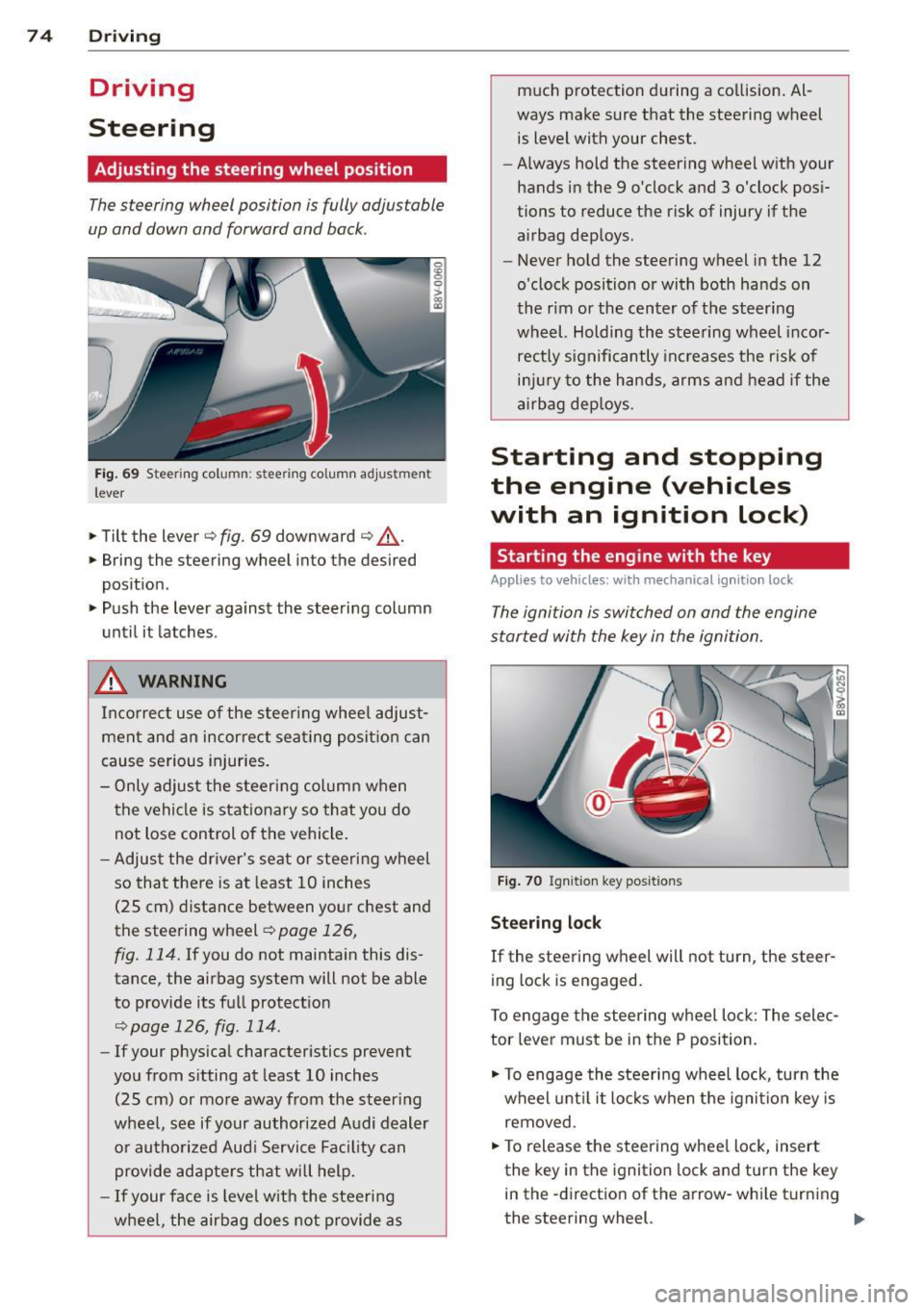
Fig. 69 Steering column: stee ring column adjustmen t
lever
.. Tilt the lever ¢ fig. 69 downward ¢ &_.
.. Bring the steering wheel into the desired
position .
.. Push the lever against the steering column
until it latches .
_& WARNING
Incorrect use of the steer ing whee l adjust
ment and an incorrect seating position can
cause serious injuries.
- Only adjust the steering column when
the vehicle is stationary so that you do
not Lose control of the vehicle .
- Adjust the driver's seat or steering wheel
so that there is at least 10 inches
(25 cm) distance between your chest and
the steering wheel~
page 126,
fig. 114.
If you do not maintain this dis
tance, the airbag system will not be able
to provide its full protect ion
<=> page 126, fig. 114.
- If your phys ical characteristics prevent
you from sitting at least 10 inches
(25 cm) or more away from the steer ing
wheel, see if your authorized Audi dealer or authorized Audi Service Fac ility can
provide adapters that will help.
- If your face is level with the steering
wheel, the airbag does not provide as much protection during a co
llision. Al
ways make sure that the steering wheel is level with your chest .
- Always hold the steering wheel with your
hands in the 9 o'clock and 3 o'clock pos i
tions to reduce the risk of injury if the
airbag deploys.
- Never hold the steering wheel in the 12
o'clock position or with both hands on
the rim or the center of the steering
wheel. Holding the steering wheel incor
rectly significantly increases the r is k of
inj ury to the hands, arms and head if the
airbag deploys.
Starting and stopping
the engine (vehicles
with an ignition lock)
Starting the engine with the key
Applies to vehicles: wit h mechanical ignition loc k
The ignition is switched on and the engine
started with the key in the ignition.
Fig. 70 Ignit ion key pos itions
Steering lock
If the steering wheel will not turn, the steer
ing lock is engaged.
To engage the steering wheel Lock: The selec
tor leve r must be in the P position.
.. To engage the steering wheel lock, turn the
wheel until it locks when the ignition key is
removed .
.. To release the steering wheel Lock, insert
the key in the ignition lock and turn the key
in the -direction of the arrow-whi le turning
the steering wheel. .,.
Page 78 of 310
76 Driving
(D Tips
-If it is difficult to turn the key to position
(D , turn the steering wheel back and
forth slightly to release the steering
wheel lock .
- After starting a cold engine, there may
be a brief period of increased noise be
cause the oil pressure must first build up
in the hydraulic valve adjusters. This is
normal and not a cause for concern .
- If the battery is disconnected and recon
nected, you have to hold the ignition key
in position
(D for five seconds for the en
gine to start .
- After switching the ignition off, you can
only remove the key when the selector
lever is in the "P" (Park) position. After
that the selector lever is locked.
,
Stopping the engine with the key
App lies to vehicles: with mechanical ig niti on lock
Stopping the engine
.,,. Br ing the vehicle to a full stop.
.,,. Turn the key to position @.
Releasing the steering lock
Requirement : The selector lever must be in
the P position.
.,,. Remove the ignition key in position @
Qpage 77, fig . 71 Q &-
.,,. Turn the steering wheel until you hear the
steering wheel lock.
The locked steering helps prevent vehicle
theft .
_& WARNING
-Never turn off the engine before the ve
hicle has come to a complete stop. The
full function of the brake booster and the
power steering is not guaranteed. You
must use more force to turn or brake, if
necessary. Because you cannot steer and
brake as you usually would, this could
lead to accidents and serious injuries . -
Never remove the ignition key from the
ignition look while the vehicle is moving .
Otherwise, the steering lock could sud
denly engage and you would not be able
to steer the vehicle .
- Please note that the brake booster and
power steering only work when the en
gine is running. When the engine off, you
must use more force to steer or brake
the vehicle . Because the usual steering
and braking capability is not available,
the risk of accidents or injuries increases.
- Always take the vehicle key with you
when leaving the vehicle, even for a
short period of time. This applies partic
ularly when children remain in the vehi
cle. Otherwise the children could start
the engine or operate electrical equip
ment such as power windows.
- For safety reasons, always park the vehi
cle with the selector lever in the P posi
tion . Otherwise, there is the risk that the
vehicle could roll.
- After the engine has been switched off,
the radiator fan can continue to run for
up to 10 minutes - even with the ignition
switched off. It can also switch on again
after some time if the coolant tempera
ture rises as a result of heat buildup or if
the engine compartment is heated by
sunlight and the engine is hot .
(D Note
-If the engine has been under heavy load
for an extended period of time, heat
builds up in the engine compartment af
ter the engine is switched off -there is a
risk of damaging the engine. For this
reason, let the engine run for at idle for
approximately two minutes before shut
ting it off.
Page 79 of 310
....,
N
0 > co
rl I.O
"' ....,
"' rl
Starting and stopping
the engine (vehicles
with a convenience key)
St t· th · ith the
button
Applies to vehicles: with convenience key
The I START ENGINE STOPI button switches
the ignition on and starts the engine.
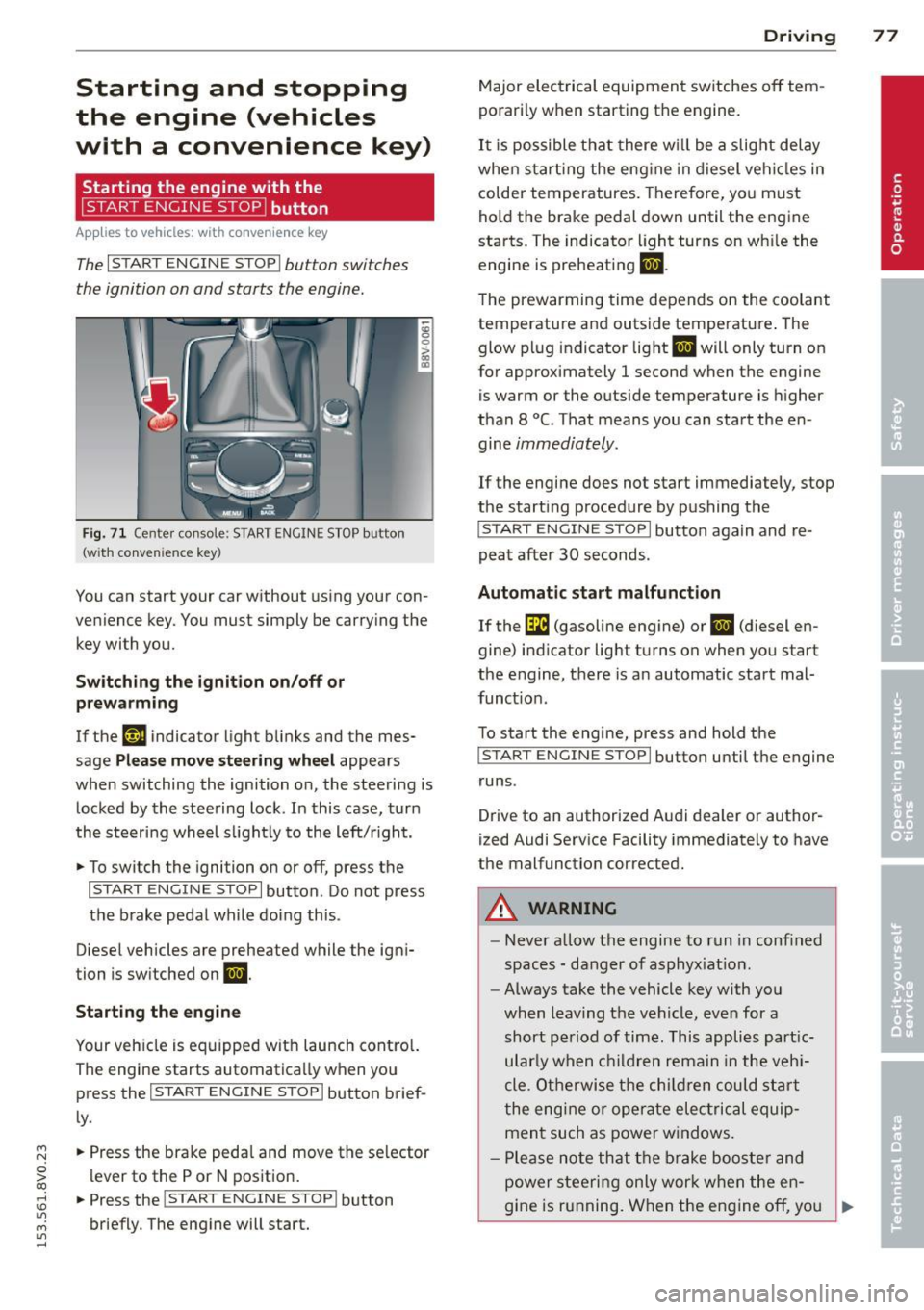
Fig. 71 C en ter con sole : START ENGINE STOP b utton
(w ith conve nien ce key)
You can start your car without using your con
venience key. You must simply be carry ing the
key with you.
Switching the ignition on/off or
prewarming
If the 'y.ij indicator light blinks and the mes
sage
Please move steering wheel appears
when switching the ignition on, the steering is
locked by the steering lock . In this case, turn
the steering wheel slightly to the left/r ight .
.,. To switch the ignition on or off, press the
I START ENGINE STOPI button . Do not press
the brake pedal while do ing this .
Diesel vehicles are preheated while the igni
tion is switched on
II.
Starting the engine
Your vehicle is equipped with launch contro l.
The engine starts automatically when you press the
I START ENGINE STOP I button brief
ly .
.,. Press the brake pedal and move the se lector
lever to the P or N position.
.,. Press the
I START ENGINE STOPI button
briefly. The engine will start .
Driving 77
Major electrical equipment switches off tem
porarily when starting the engine.
It is possible that there will be a slight delay
when starting the engine in diesel vehicles in
colder temperatures. Therefore, you must
hold the brake pedal down until the engine
starts. The indicator light turns on wh ile the
engine is preheating
II .
The prewarming time depends on the coolant
temperature and outside temperature . The
glow plug indicator light
II will only turn on
for approximately 1 second when the engine
is warm or the outside temperature is higher
than 8
°C. That means you can start the en
gine
immediately.
If the engine does not start immediately, stop
the start ing procedure by pushing the
I START ENGINE STOP I button again and re
peat after
30 seconds.
Automatic start malfunction
If the GI (gasoline engine) or II (diesel en
gine) indicator light turns on when you start
the engine, there is an automatic start mal
funct ion .
To start the engine, press and hold the
I START ENGINE STOP I button until the engine
runs .
Drive to an authorized Audi dealer or author
ized Audi Service Facility immediately to have
the malfunction corrected .
A WARNING
-Never allow the engine to run in confined
spaces - danger of asphyx iat ion.
- Always take the vehicle key with you
when leaving the vehicle, even for a
short period of time. This applies part ic
ular ly when children remain in the vehi
cle . Otherwise the children could start
the engine or operate electrical equip
ment such as power windows .
- Please note that the brake booster and
power steering only work when the en-
gine is running. When the engine off, you
~
Page 83 of 310
M N
0 > co ,...., \!) ..,.,
M ..,., ,....,
driving force has been built up at the
whee ls.
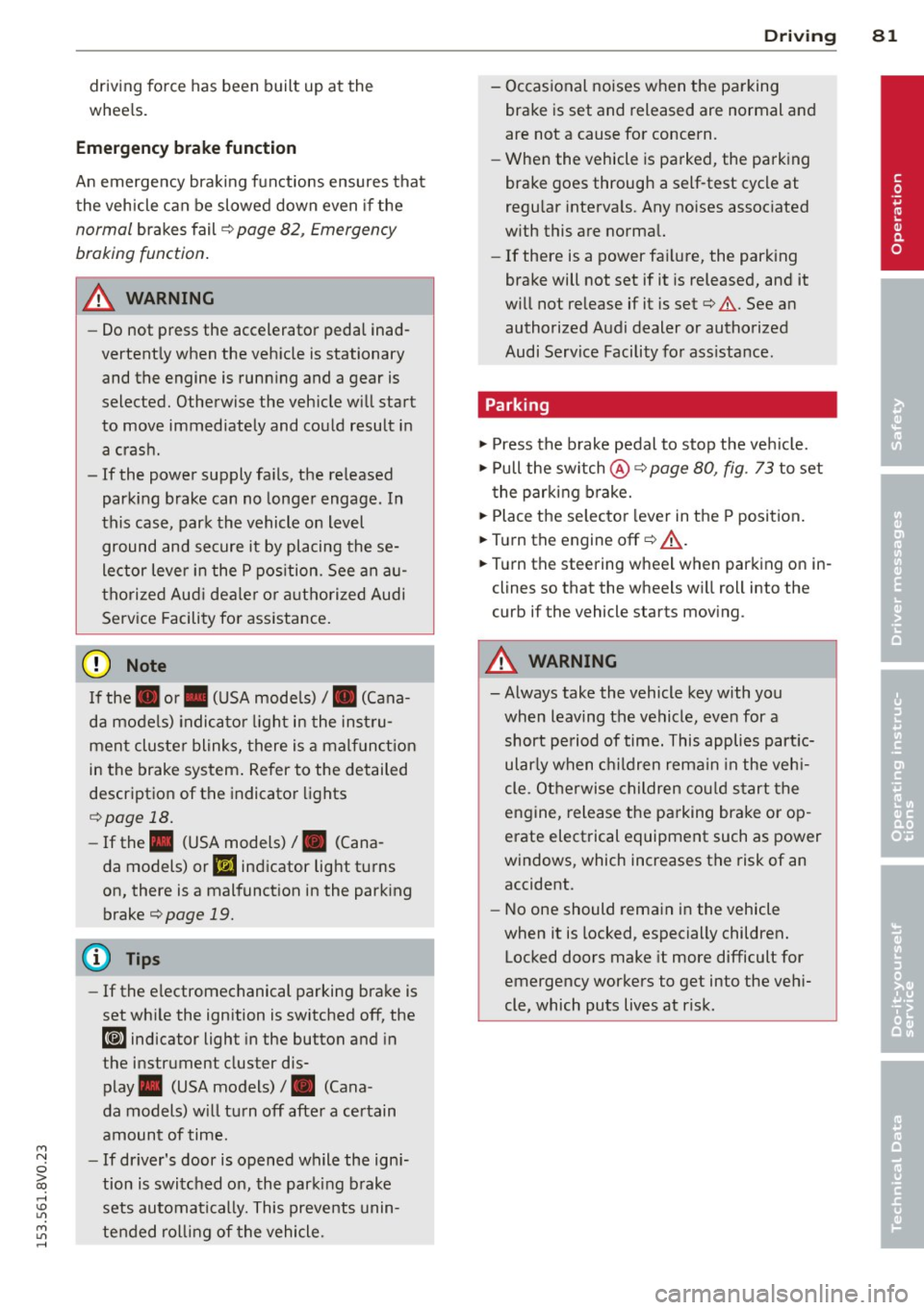
E mergenc y brake fun ction
An emergency braking funct ions ensures that
the vehicle can be slowed down even if the
normal brakes fail¢ page 82, Emergency
braking function .
A WARNING
-Do not press the accelerator pedal inad
vertent ly when the vehicle is stationary
and the engine is runn ing and a gear is
selected. Otherwise the vehicle will start
to move immediately and could result in a crash .
- If the power supply fa ils, the re leased
park ing brake can no longer engage. In
this case, par k the vehicle on level
ground and secure it by placing the se
lector lever i n the P pos ition. See an au
thori zed Aud i dea ler or a utho rized Aud i
Serv ice Facility for ass istance.
(D Note
I f the . or. (U SA mode ls) /. (Cana
da mode ls) indicato r light in t he instru
ment cluster blinks, there is a mal fun ct ion
in the brake system . Re fer to the detailed
description of the indicator lights
r=:>page 18.
-If the . (USA models) /. (Cana-
da models) or
Iii indicator light turns
on, there is a malfunct ion in the park ing
brake
r=:> page 19.
(D Tips
- If the electromechanical parking brake is
set wh ile the ignition is switched off, the
¢C)'A indicator light in the button and in
the instrument cluster dis- play . (USA models)
I. (Cana-
da models) w ill t urn off afte r a ce rtain
amount of time.
- If dr iver's door is opened while the ign i
tion is switched on, the parking b rake
sets automat ically. This prevents unin
tended ro lling of the vehicle .
Dri vin g 81
-Occasional noises when the pa rking
brake is set and released are normal and
are not a cause for concern.
- When the vehicle is pa rked, the park ing
brake goes through a self -test cycle at
regu lar interva ls. Any no ises assoc iated
w ith this are normal.
- If there is a power fa ilure, the park ing
brake will not set if it is released, and it
w ill not release if it is set
r=;, & . See a n
authorized Audi dealer or autho rized
Audi Service Facility fo r ass ista nce.
Parking
" Press the b rake pedal to stop the veh icle.
" Pull the switch @¢
page 80, fig. 73 to set
t he par king brake.
" Place the se lecto r lever in the P position .
.. Turn the engine off¢
A_.
"Tu rn the steering wheel when parking on in
clines so that the wheels w ill roll into the
curb if the vehicle starts moving.
A WARNING
- Always take the vehicle key w ith you
when leav ing the vehicle, even for a
short pe riod of time. This applies part ic
ularly when children rema in in the veh i
cle . Ot herwise children co uld s tart the
engine, release the pa rking brake o r op
erate electrical equipment such as power
windows, which increases the risk of an
accident.
- No one should remain in the vehicle
when it is locked, especially children.
Loc ked doors make it more difficult for
emergency workers to get into the ve hi
cle, which puts lives at risk.
•
Page 84 of 310
82 Driving
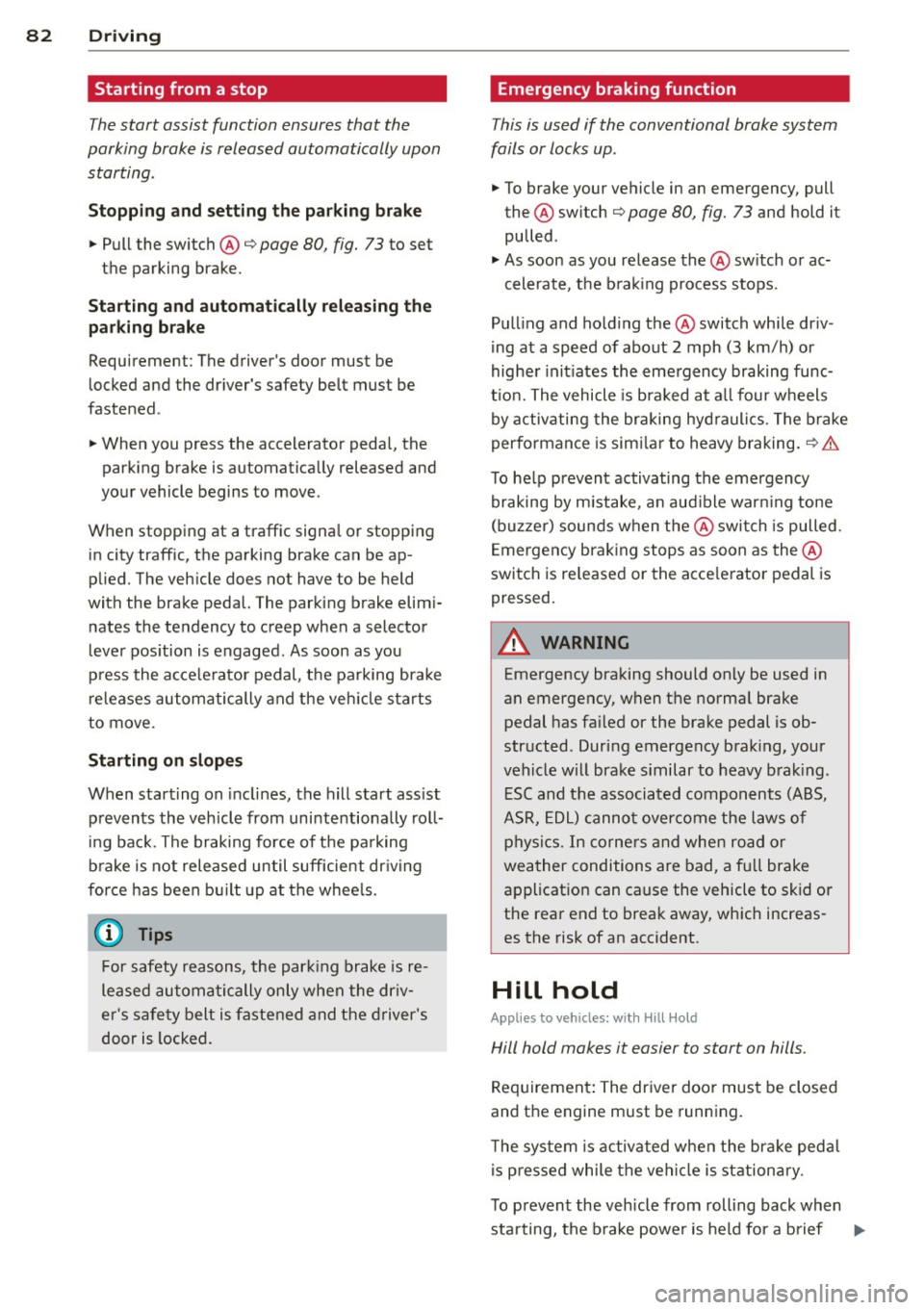
Starting from a stop
The start assist function ensures that the
parking brake is released automatically upon
starting.
St opping and sett ing the p ark ing br ake
.. Pull the switch@¢
page 80, fig. 73 to set
the parking brake.
St arting a nd aut omaticall y relea sing the
pa rking br ake
Requirement: The driver's door must be
locked and the driver's safety belt must be
fastened.
.. When you press the accelerator pedal, the
parking brake is automatically released and
your vehicle begins to move.
When stopping at a traffic signa l or stopping
in city traffic, the parking brake can be ap
plied. The vehicle does not have to be held
with the brake pedal. The parking brake elim i
nates the tendency to creep when a selector
l ever pos ition is engaged . As soon as you
press the accele rator pedal, the parking bra ke
re leases automatically and the veh icle starts
to move.
Starting on slope s
When starting on incl ines, the hill start ass ist
prevents the vehicle from unintentiona lly roll
i ng back. The braking force of the parking
brake is not released until sufficient dr iving
force has been bu ilt up at the whee ls.
(D Tips
For safety reasons, the park ing brake is re
leased automatically only when the dr iv
er 's sa fety belt is fastened and the driver 's
door is locked. Emergency braking function
This is used if the conventional brake system
fails or locks up .
.. To brake your vehicle in an emergency, pull
the @switch ¢
page 80, fig. 73 and hold it
pulled .
.. As soon as you release the@ switch or ac-
celerate, the b rak ing process stops.
Pul ling and ho ld ing the @switch while dr iv
ing at a speed of about 2 mph (3 km/h) or
higher init iates the emergency braking func
t ion. The vehicle is braked at a ll four wheels
by activating the braking hyd rauli cs . The brake
performance is sim ila r to heavy braking.
~ .&.
To he lp prevent activating the emergency
braking by mistake, a n aud ible war ning tone
(buzzer) sounds when the @switch is pulled .
Emergency brak ing stops as soon as the@
swi tch is re leased or the acce lerator pedal is
pressed.
.&, WARNING ,_
Emergency braking should only be used in
an emergency, when the normal brake pedal has fa iled or the brake pedal is ob
structed. During emergency brak ing, your
vehicle will brake s imilar to heavy b rak ing .
E SC and the associated components (ABS,
ASR, EDL) canno t overcome the laws of
physi cs. In corne rs and when road or
weather conditions are bad, a fu ll brake
application can cause the vehicle to skid or
the rea r end to break away, which increas
es the risk of an accident.
Hill hold
Applies to veh icles : w ith Hill Hold
Hill hold makes it easier to start on hills.
Req uirement: The dr iver door mus t be closed
and the engine must be running.
T he system is activated when the bra ke peda l
is p ressed while the vehi cle is stationa ry.
T o p revent the vehicle from rolling back when
sta rting, the b rake power is held fo r a b rief
ll>
Page 89 of 310
....,
N
0 > co
rl I.O
"' ....,
"' rl
-When approaching stationary objects
such as stopped traffic, adaptive cruise
control will not respond and pre sense
front will have limited function.
- The adaptive cruise control system and
pre sense front do not react to people,
animals, objects crossing the road or on
coming objects.
- The function of the radar sensors can be
affected by reflective objects such as
guard rails, the entrance to a tunnel,
heavy rain or ice.
- Never follow a vehicle so closely that you
cannot stop your vehicle safely. The
adaptive cruise control cannot slow or
brake the vehicle safely when you follow
another vehicle too closely. Always re
member that the automatic braking
function cannot bring the vehicle to a
sudden or emergency stop under these
conditions.
- To prevent unintended operation, always
switch ACC off when it is not being used.
(D Note
The sensor can be displaced by impacts or
damage to the bumper, wheel housing and
underbody. The adaptive cruise control
and pre sense front may become impaired
as a result. Have an authorized Audi dealer
or authorized Audi Service Facility check
their function.
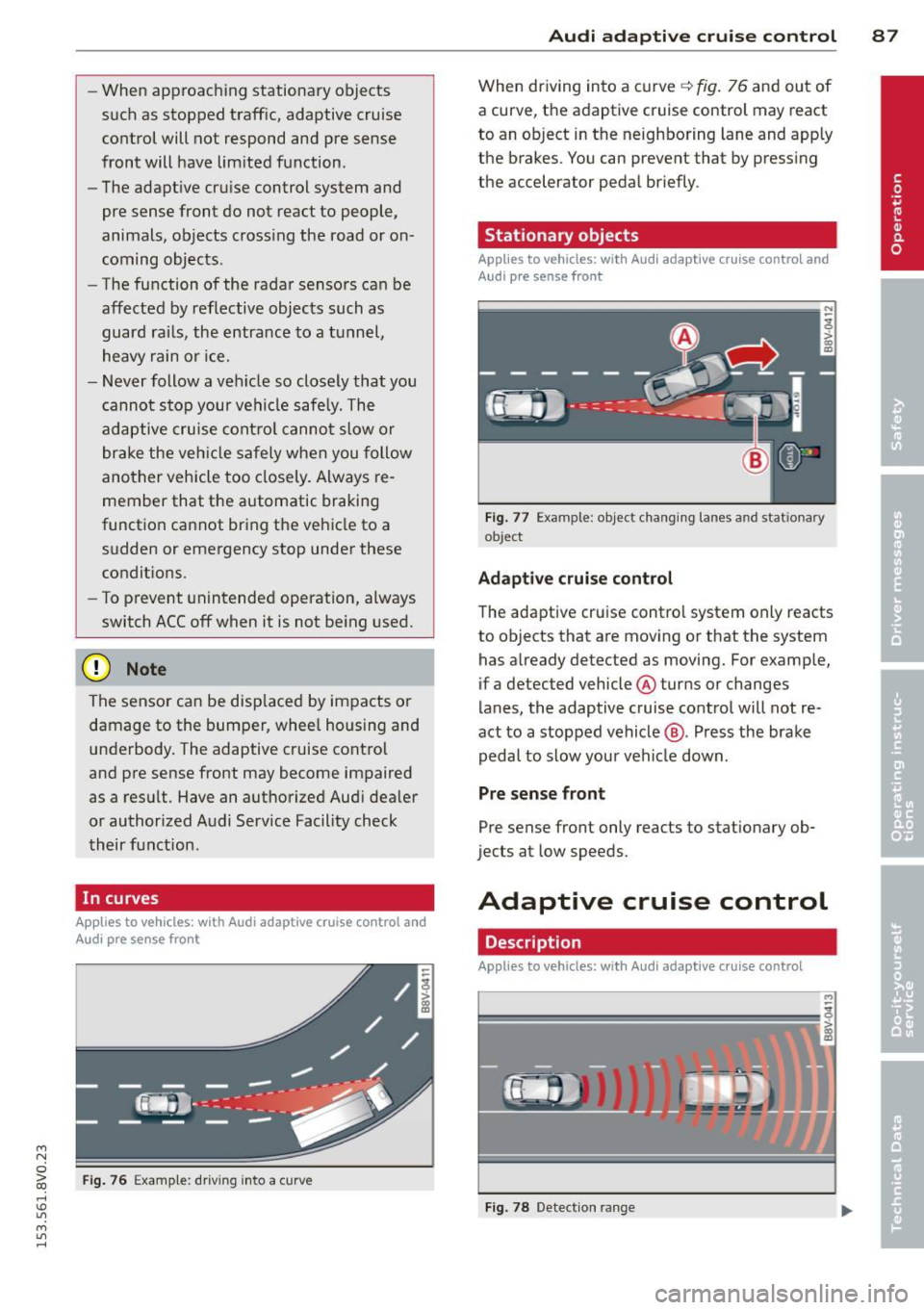
In curves
Applies to vehicles: with Audi adaptive cruise control and
Audi pre se nse front
Fig. 76 Example: driv ing into a curve
Audi adaptive crui se control 87
When driving into a curve q fig. 76 and out of
a curve, the adaptive cruise control may react
to an object in the neighboring lane and apply
the brakes. You can prevent that by pressing
the accelerator pedal briefly.
Stationary objects
Applies to vehicles: with Audi adaptive cruise control and
Aud i pre sense front
Fig. 77 Example : object changing lanes and stat ionary
ob ject
Adaptive cruise control
The adaptive cruise control system only reacts
to objects that are moving or that the system
has already detected as moving. For example,
if a detected vehicle @turns or changes
lanes, the adaptive cruise control will not re
act to a stopped vehicle@. Press the brake
pedal to slow your vehicle down .
Pre sense front
Pre sense front only reacts to stationary ob
jects at low speeds.
Adaptive cruise control
Description
Applies to vehicles: with Audi adaptive cruise control
=--=~----
?!!!! = ';! ~~~~
Fig. 78 Detection ran ge
Page 91 of 310
....,
N
0 > co
rl I.O
"' ....,
"' rl
Switching adaptiv e cruis e control off
• Push the lever away from you into position
@ until it clicks into p lace. The message
ACC: off appears.
The stored speed in the L ED line is erased .
@ Indicato r light s
Ill-adaptive cru ise control is switch ed on . No
objects ar e detected ahead. The stored spe ed
is maintained .
B-An object ahead was detected . The adap
tive cruise contro l system regulates the speed
and d istance to the object ah ead and brakes/
accelerates automatica lly.
$ -adaptive cruise contro l is switched on . An
object ahead was detected. Yo ur vehicle re
mains stopped and will not start driving auto
matica lly.
• -The automatic braking is not eno ugh to
maintain a sufficient distance to an ob ject
ahead . Yo u must int ervene ¢
page 92 , R e
quest for driver intervention.
© Instrument cluster display
If adaptive cruise cont ro l is not shown in the
instr ument cluster d isp lay, you can call it up
using the multifunction steering wheel b ut
tons ¢
page 28 .
Based on the g raphics in the display, yo u can
determ ine if the system is maintaining a dis
tance to a vehicle ahead and what that dis
tance to this vehicle is:
N o vehicle -No object ahead was detected .
White vehicl e -An object ahead was detected .
Red vehicle -Request for the driver to take ac
tion ¢
page 92 .
Both arrows on the scale© in dicate the dis
tance to the object ahead. No arrow appears
when the vehicle is on an open road and there
is no object ahead.
If an object is detected
ahead, the arrow moves on the scale.
The green zone on the scale indicates the
store distance. Fo r information on changing
Audi ad apti ve crui se control 89
the distance, refer to r::!> page 91. If the dis
tance selected is exceeded or not reached, the
arrow moves into the red zone on the scale.
_& WARNING
- Using adaptive cru ise contro l incorrectly
can cause collisions, other acc idents and
ser ious inju ries .
- If you press t he
~IS-E T ~I button when driv
ing at speeds below 20 mph (30 km/h),
the vehicle acce lerates automatically up
to 20 mph (30 km/h), wh ich is the mini
m um speed that can be set.
(D Tips
- If you switch the ig nit ion or the adaptive
cruise cont ro l system off, the set speed
is e rased for safety reason .
- The Elect ronic Stabilization Control (ESC)
and Anti-Slip Regulat ion (ASR) both
switch on when the adaptiv e cruis e con
tr ol is swi tched o n. ESC and AS R canno t
be switched off when ad aptive cruise
cont ro l is switched on .
- Wi th t he adap tive c ruise control activat
ed the ESC sport mode cannot be ac tiv at
ed.
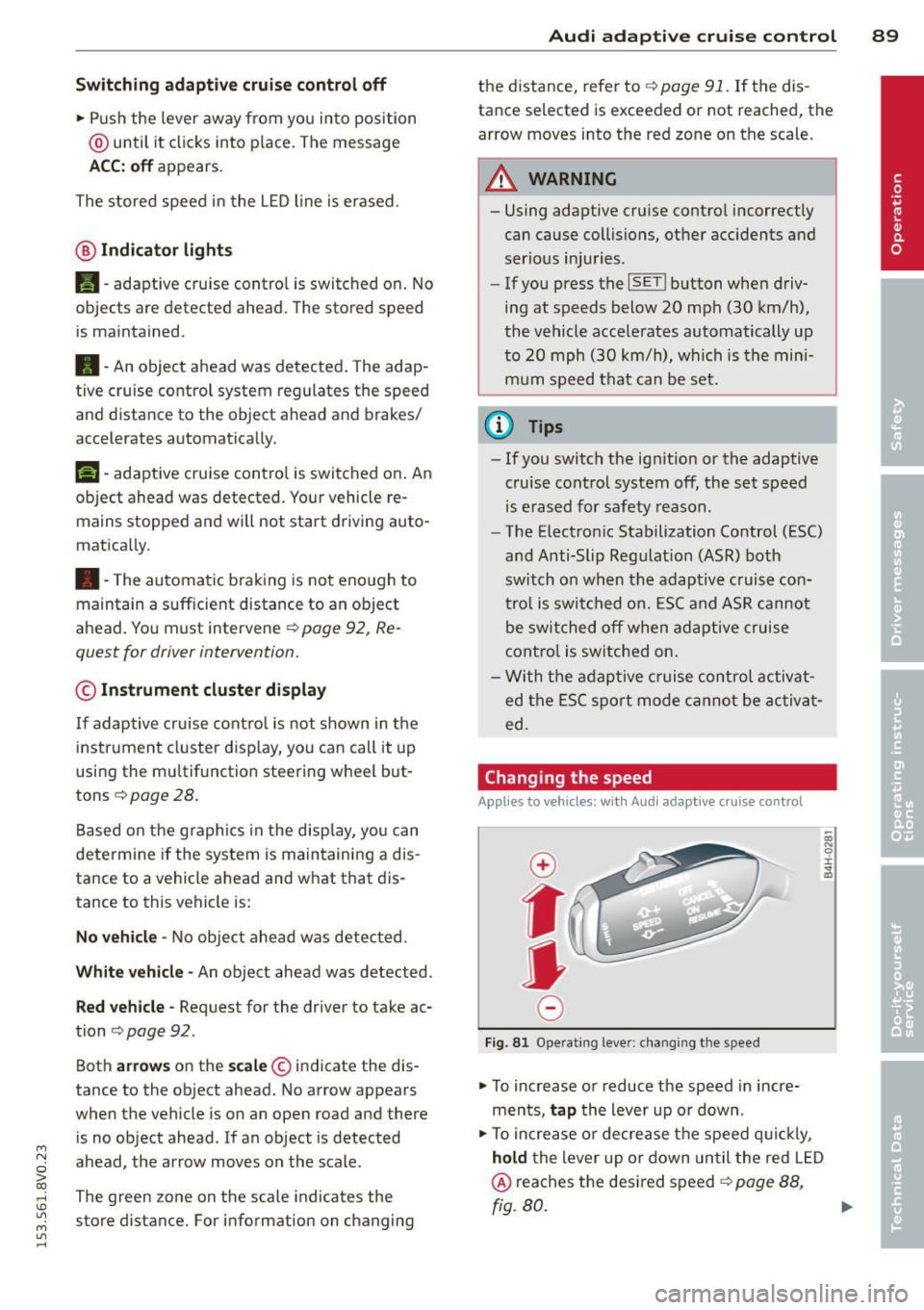
Changing the speed
Applies to vehicles: wit h Audi adaptive cru ise control
0
f
JJ
0
Fi g. 81 Operati ng leve r: c ha ngi ng the s pee d
• To increase o r reduce the speed in incre
ments,
tap the lever up o r down .
• To increa se o r de crea se t he speed q uickl y,
hold the lever up or down until the red L ED
@ reaches the desired speed r::!> page 88,
rg. 80. ~
Page 100 of 310
98 Audi acti ve lane a ssi st
Audi active lane assist
Lane assist
Description
App lies to vehicles: with Audi active lane assist
Active lane ass ist detects lane ma rker lines
within t he lim its of the system using a camera
in the w indshield . If you a re approaching a de
tected lane marker line and it appears likely
that you wi ll leave the lane, the system will
warn you with corrective steering. You can
ove rride this steering at any time . If you pass
over a line, the steering wheel will vibrate lightly. In order for th is warning v ibration to
occur, it must first be switched on in the MMI.
Active lane ass ist is operable when the lane
marker line is detected on at least one side of
the vehicle .
The system will not warn you before cross ing
a lane marker Line if you have activated the
turn signal. In t his case, it assumes that you
a re changing lanes intent ionally.
The system is designed for driv ing on express
ways and h ighways and therefore only acti
vates at speeds above app roximately 40 mp h
(65 km/h).
A WARNING
- The sys tem wa rns the d river that the ve
hicle is leaving the lane using corrective
steering . The driver is always responsible
for keeping the vehicle within the lane .
- The system can help you keep the vehicle
in the lane, but it does not drive by itself.
Always keep your hands on the steering
wheel.
- Co rrective stee ring may not occur in cer
tain situations, such as d uring heavy
braking.
- There may be cases where the camera
does not recognize all lane marker lines.
Corrective steering can only take p lace
on the side of the veh icle where lane
marker lines are detected .
l) Th is func tion is not available in a ll co untries.
- Other road structures or objects cou ld
possibly be identified un intent ionally as
lane marker lines. As a result, correct ive
steer ing may be unexpected or may not
occ ur.
- The camera view can be restricted, for
example by vehicles driving ahead or by
ra in, snow , heavy spray light shining into
the camera or by dirt on the window . T his
can result in act ive lane assist not detect
ing the lane marke r lines or detec ting
them incorrect ly .
- I n certain sit uat ions where visibili ty is
low, the vehicle may swi tch from "early"
to "late" corrective steering
l).
-Unde r ce rtain condi tions such as ruts in
the road, an incl ined roadway or c ross
winds, the corrective steering alone may not be enough to keep the vehicle in the
middle of the lane.
- For safety reasons, active lane assist
must not be used when the re a re poor
road and/or weather conditions such as
slippery roads, fog, grave l, heavy rain,
snow and the potential for hydroplaning .
Using act ive lane assist under these con
d itions may increase the risk of a c rash .
Page 101 of 310
....,
N
0 > co
Switching on and off
Applies to vehicles: with Audi active lane assist
•
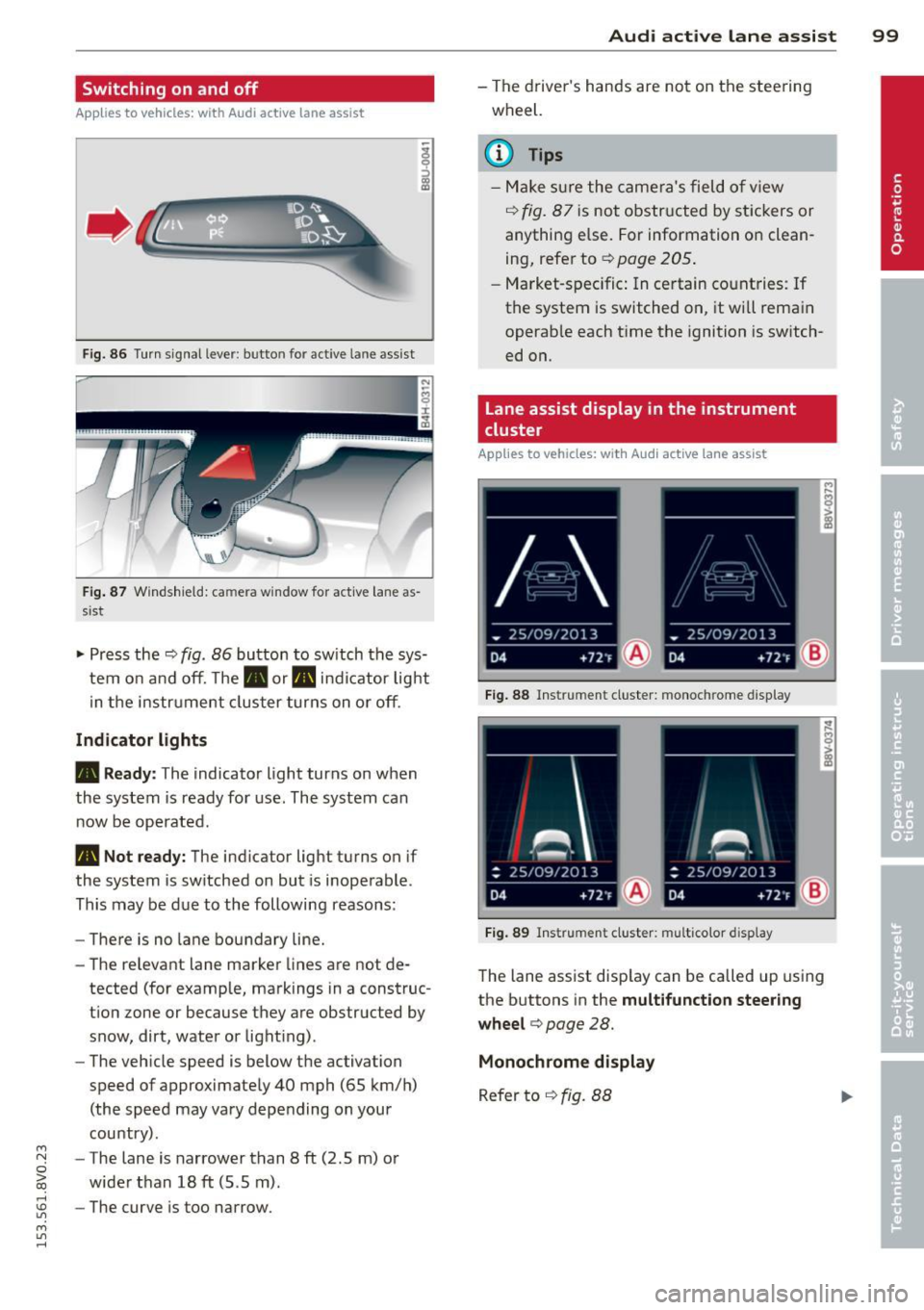
Fig. 86 Turn signal lever: butto n fo r act ive la n e ass ist
Fig. 87 Windsh ield: ca mera w indow for act ive lane as
s is t
.. Press the q fig. 86 button to switch the sys
tem on and off. The . or. indicator light
in the instr ument cluster turns on or off.
Indicator lights
• Ready:
The indicator light turns on when
the system is ready for use. The system can
now be operated .
• Not ready: The indicator light turns on if
the system is switched on but is inoperable.
This may be due to the following reasons:
- There is no lane boundary line.
- The relevant lane marker lines are not de-
tected (for example, markings in a construc
tion zone or because they are obstructed by
snow, dirt, water or light ing) .
- The vehicle speed is below the activation
speed of approximately 40 mph (65 km/h)
(the speed may vary depending on your
country) .
- The lane is narrower than 8
ft (2 .5 m) or
wider than 18
ft (5.5 m).
rl 1.0 -The curve is too narrow.
"' ....,
"' rl
Audi active lane assist 99
-The driver's hands are not on the steering
wheel.
a) Tips
- Make sure the camera's field of view
¢ fig. 87 is not obstructed by stickers or
anything else. For information on clean
ing, refer to
¢ page 205.
- Market-specific: In certain countries: If
the system is switched on, it wi ll remain
operab le each time the ignition is switch
ed on.
lane assist display in the instrument
cluster
Applies to vehicles: with Audi active lane assist
Fig. 88 Instrumen t cluster: monoc hrome d ispl ay
Fig. 89 Instrume nt clust er: mult icolor display
The lane assist display can be called up using
the buttons in the
multifunction steering
wheel ¢
page 28.
Monochrome display
Refer to q fig. 88