light AUDI S3 2015 Owner's Guide
[x] Cancel search | Manufacturer: AUDI, Model Year: 2015, Model line: S3, Model: AUDI S3 2015Pages: 310, PDF Size: 76.15 MB
Page 53 of 310
M N
0 > co ,...., \!) ..,.,
M ..,., ,....,
A WARNING
-The ra in sensor is only intended to assist
the driver. The driver is still responsible
for manually sw itching the w ipers on ac
cording to the v is ibility conditions.
- The windshield may not be treated w ith
water-repe lling windshield coat ing
agents. Unfavorable conditions, such as
wetness, darkness o r low sun, can result
in increased glare. W iper blade chatter is
also possible.
- Properly functioning windshie ld w iper
blades are requi red fo r a clear view and
safe driving~
page 51, Replacing
front windshield wiper blades .
(D Note
-In case of frost, make sure the wind
shield wiper b lades are not frozen to the
windsh ield . Sw itching on the windshield
wipers when the blades are frozen to the
windsh ield can damage the wiper blades.
- Prior to using a car wash, the windshield
wipe r system must be switched
off (lever
in position 0). This prevents unintention
al sw itching on and damage to the wind
s h ield wiper system.
- Do not use the wipers to remove ice from
the windows. Using windshie ld w ipers as
i ce scrapers destroys the wiper b lades.
(D Tips
- The windshield wipe rs switch off when
t h e ignit ion is turned
off. You can acti
vate the windshield wipers after the igni
tion is switched back on by moving the
windsh ield wiper leve r to any pos ition.
- Worn or dirty windsh ie ld w iper blades
r esult in streak ing. This can affect the
r ain senso r funct ion. Check your wind
s hi eld wipe r blades regularly.
- The washer fluid nozzles in the w ind
s hi eld washer system are heated* at low
temperatures when the ig nit ion is on.
- When stopping temporar ily, e.g. at a
traff ic light, the se t speed of the w ind- Light
s and Visi on 5 1
shield w ipers is automatically reduced by
one speed.
- In vehi cles w ith an MMI, you can switch
the rain senso r or
off in the Driver assi s
tance
menu.
Cleaning windshield wiper blades
Clean the wiper b lades when you see w iper
streaks . Use a soft clot h and a glass cleaner .
.,. Place the windshie ld wiper arms in the serv
ice pos ition
~ page 51.
.,. Fold the windshie ld w iper arms away from
the windshield.
A WARNING
Di rty windsh ield wiper b lades can impair
v ision, which increases the r isk of an acci
dent.
(D Note
If you see streaks again after clean ing the
wiper blades, the blades must be replaced
~page 51.
Replacing front windshield wiper blades
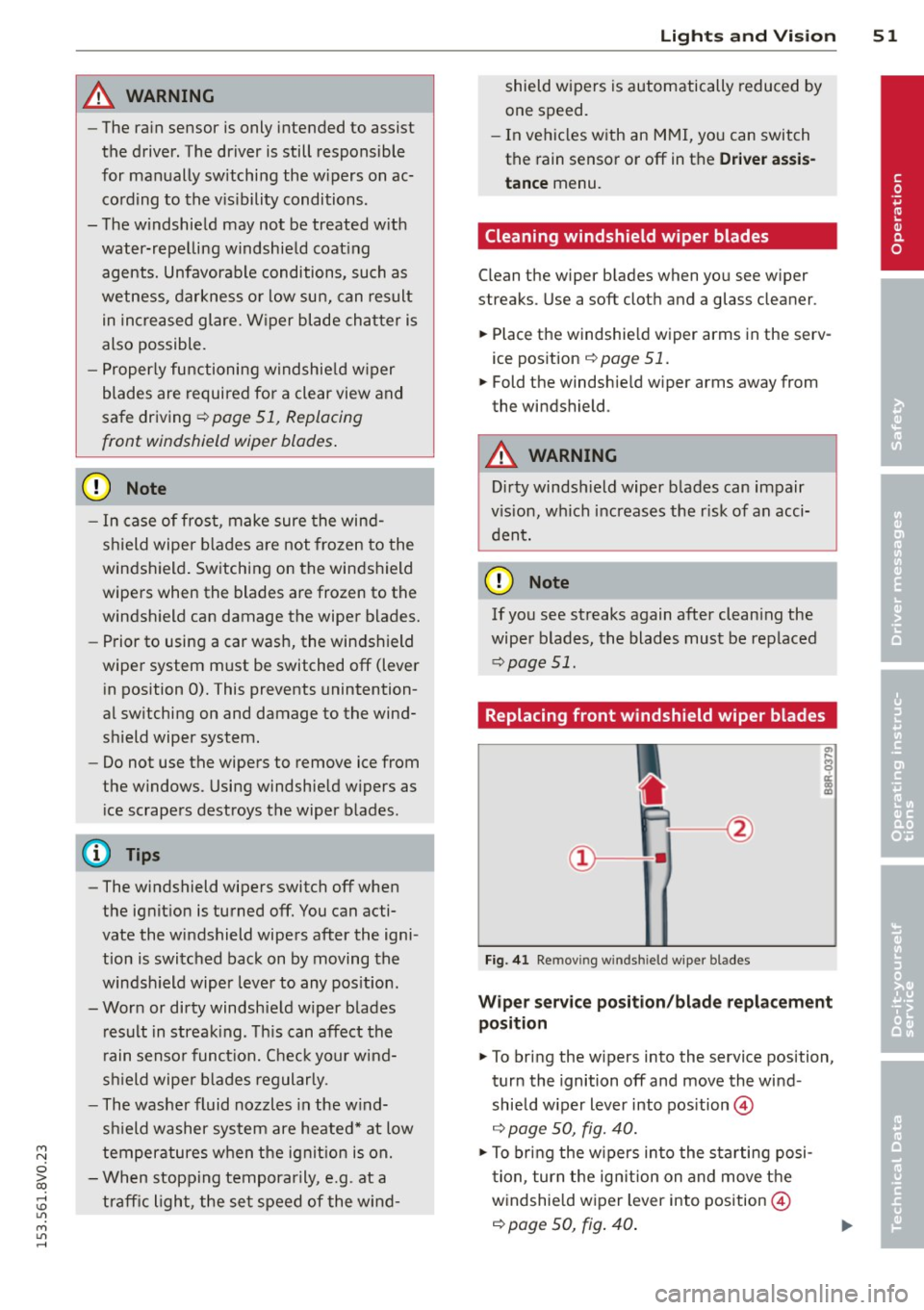
Fig. 41 Remov ing w indsh ie ld wipe r blades
Wiper servic e posit ion /bl ade repl ace ment
position
.,. To bri ng the w ipers into the service position,
tur n the ignition
off and move the wind
shield w iper lever into pos ition @
~ page 50, fig. 40.
.,. To bring the w ipers into the starting posi
t ion, tur n the ig nition on and move t he
w indshie ld w iper lever into position @
~ page 50, fig. 40 .
•
Page 54 of 310
52 Lights an d Vi sion
Removing the wip er blad e
.,. Fold the w indshield wiper arm away from
the windshie ld .
.,. Press the locking knob
(D ¢ fig. 41 on the
wip er blade . Hold th e wiper blade f irm ly.
.,. Remove the wipe r blade in the direction of
t he arrow.
In stall ing t he wip er blade
.,. Inse rt the new wipe r blade into the mount
on the w iper arm @ until you hear it latch
into place .
.,. Place the wiper arm back on the windshie ld.
.,. Tu rn the serv ice position off.
_& WARNING
For safety reasons, the windshield wiper
blades should be replaced once or twice
each year.
Q) Note
- The w indshield wiper blades must only
be folded away when in the serv ice posi
tion . Otherw ise, you risk damag ing the
paint on the hood or the windshield wip
er motor.
- You should not drive your veh icle or
press the w indshield w iper lever when
the wiper arms are folded away from the
winds hield. The w indshie ld w ipers would
move back into their original position
and could damage the hood and wind
shield.
- To prevent damage to the windshield
washer system, always loosen wiper
blades that have frozen to the wind
s h ield before turning the wipers on.
- To prevent damage to the wiper blades,
do not apply gasoline, petroleum, thin
ning agents or other solvents on the wip
er blades or near them.
- To prevent damage to the wipe r arms or
other components, do not try to move
the windshie ld w ipers by hand .
-
(D Tips
-Commercial hot wax such as the types
used by car washes make it more d ifficult
to clean the windshie ld.
- You can also use the service position, for
example, if you want to protect the
w indshield from icing by using a cover.
- Yo u cannot activate the serv ice position
when the hood is open .
Outside mirror
Adjusting the exterior mirrors
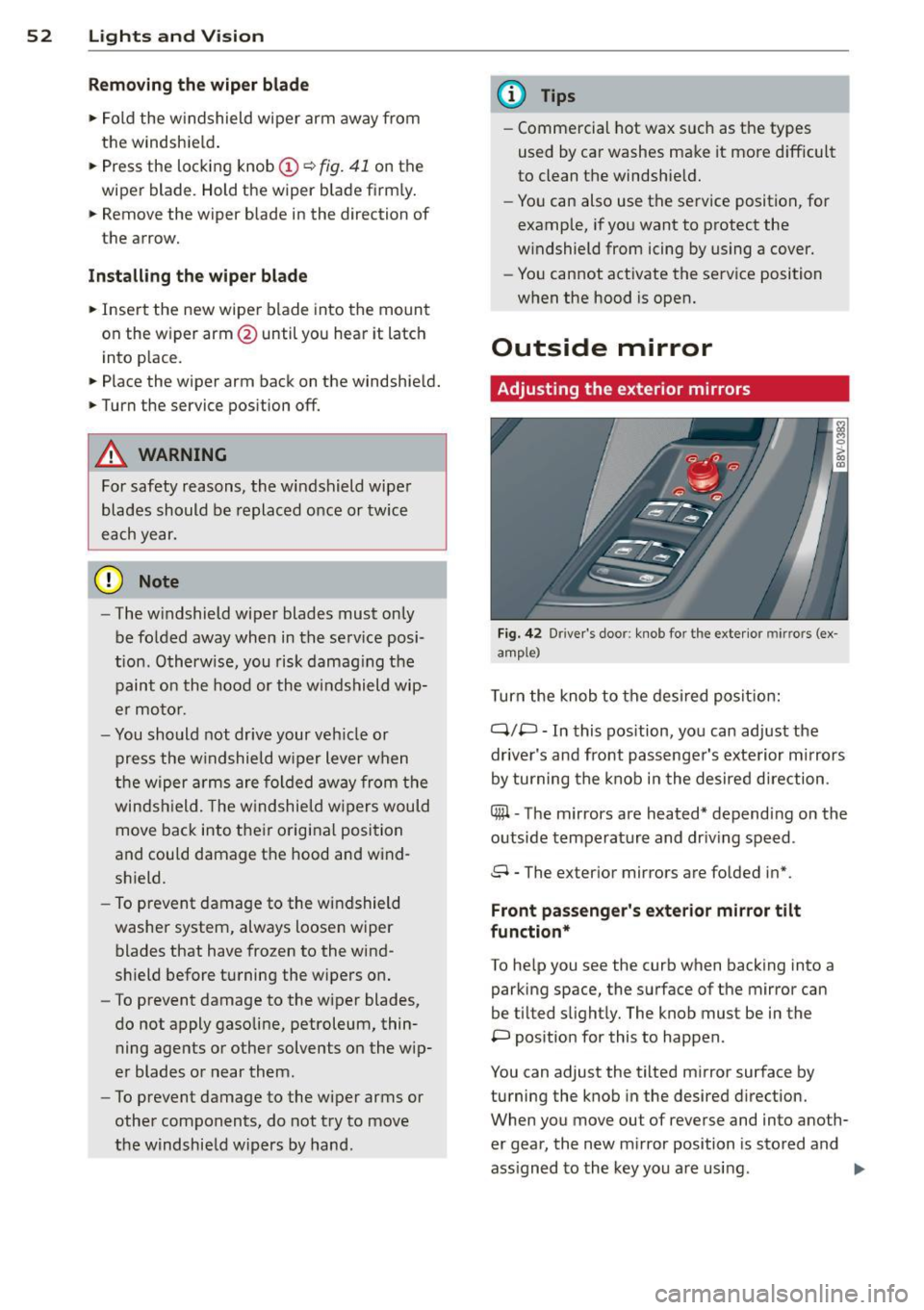
F ig. 42 Drive r's doo r: kno b fo r th e exte rior mir rors (ex
amp le)
T urn the knob to the des ired posit ion:
q;p -In this pos ition, yo u can adjust the
dr iver's and front passenger's exterior m irrors
by turning the knob in the desired direction .
Cffil -The mirrors are heated* depend ing on the
outside temperature and dr iv ing speed .
8 - The ex ter ior m irrors are folded in*.
Front passenge r's ex terior mirror tilt
function*
To he lp you see the curb when backing into a
parking space , the surfa ce of the mirror can
be tilted s light ly. The knob mus t be in the
P pos ition for this to happen .
You can adjust the tilted mir ror surface by
turning the knob in the desired direction.
When you move ou t of reverse and into ano th
er gear, the new m irror position is stored and
ass igned to the key you are using. .,.
Page 55 of 310
....,
N
0 > co
rl I.O
"' ....,
"' rl
The mirror goes back into its original position
once you drive forward faster tha n 9 mph
(15 km/h) or turn the ign ition
off .
Folding mirr ors in and out
To fold the mirrors i n w ith the knob, turn the
knob in the
&l pos it ion .
To fold the m irrors out, turn the knob in the
q or
P or O position.
You can set in the MMI if the mirrors should
fold in when locking the vehicle or not
~ page 40 . When you lock the vehicle, the
m irrors fold in . When you start the ignit ion,
the mirrors fold out .
_& WARNING
Curved mirror surfaces (convex or asphe
ric*) enlarge the field of vision. However,
they make objects in the mirror appear sma ller and farther away. Your may est i
mate incorrectly when you use these m ir
rors to gauge your d istance from the
vehicles behind you when changing lanes -
accident risk!
(D Note
- For vehicles with power folding exterior
mirrors*: If the m irror housing was
moved by outside forces (such as an im
pact when maneuvering), you must use
the power folding function to fold the mir ror a ll the way out. You will hear a
l oud noise when the mi rrors are latched
back in place. The mirror housing must
not be moved back into place by hand
because this would affect the mirror
mechan ism.
- Applies to vehicles witho ut power fold
i ng exterior mirro rs:
If the mirror hous
ing was moved by outside forces (s uch as
i n impact d uring maneuvering), you
must move the mirror housing back into
place by hand.
- If you wash the vehicle in an automatic
car wash, you must fold the exterior m ir
rors in to reduce the r isk of damage to
the mi rrors. Never fold power foldi ng ex-
-
Ligh ts and Visi on 5 3
terior mirrors by hand . On ly fold them in
and out using the power controls.
a) Tips
If t h e power ad justmen t fa ils, bot h mir
rors can be adjusted by hand by pressing
on the edge of the mirror surface.
Dimming the mirrors
Your vehicle is equipped with a manual or au
tomatic* dimming reorview mirror.
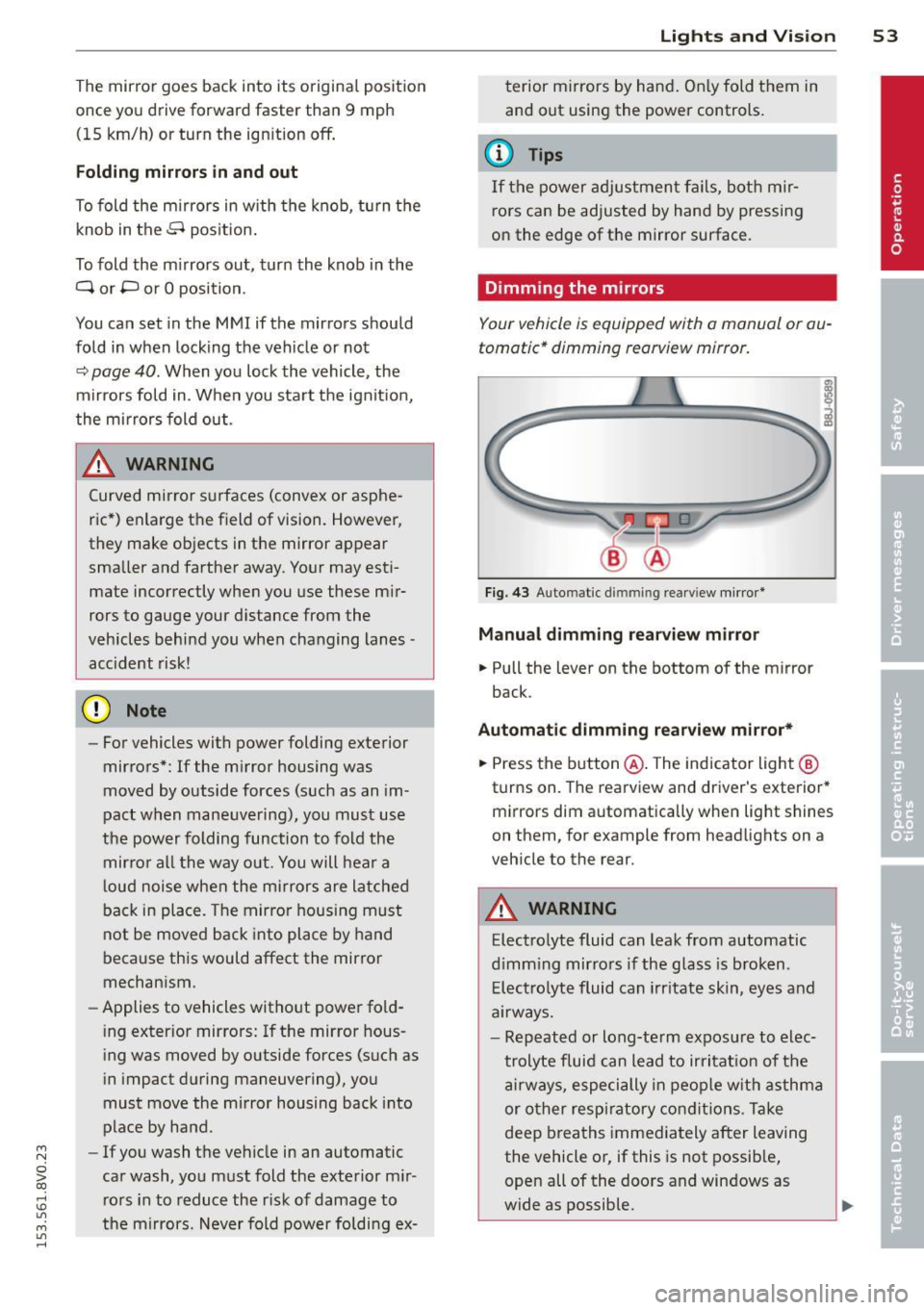
F ig. 43 Auto mat ic d immin g rea rv iew mi rror *
Manu al dimming rear view mirror
.,. Pull the lever on the bottom of the mirror
back.
Automat ic dimming rearview mirror*
.,. Press the b utton @. The indicator light @
turns on. The rearview and driver 's exterior*
m irrors dim automatically when light shines
on them, for example from headlights on a
veh icle to the rear.
A WARNING
Elect ro lyte fluid can leak from automatic
d imm ing mirro rs if the glass is b roken .
E lec tro lyte fluid can irr itate skin, eyes and
a ir ways.
- Repeated or long-te rm expos ure to elec
trolyte fluid can lead to irritat io n of the
a irways, especially in peop le w it h asthma
or other resp iratory co ndit ions . T a ke
deep breaths immediately after leaving
the vehicle or, if this is not possib le,
open all of the doors and windows as
wide as possible.
Page 56 of 310

54 Lig hts an d Vi sion
- If electrolyte fluid enters the eyes, f lush
them thoroughly with a large amo unt of
clean water for at least 15 m inutes and
then seek medical attention .
- If electrolyte fluid comes into contact
with the skin, flush the affected area
with clean water for at least 15 m inutes
and then clean with soap and water and
seek medical attention. Clean affected
cl othing and shoes thoroughly before
wearing aga in.
- If the fluid was swallowed and the per
son is co nscious, f lush the mou th wi th
water for at least 1 5 minu tes. Do not in
duce vomiting unless this is recommend
ed by medical professionals . Seek medi
cal attention immediately .
(D Note
If the glass o n an automatic dimming m ir
ror breaks, electrolyte can leak o ut. This
liquid damages plastic surfaces . Clean this
liquid as quickly as poss ible with a wet
sponge.
@ Tips
- If the light reac hing the rearview mirror
i s obstructed, the automatic dimming
mirror will not function correctly,
- The automatic dimming mirrors do not
dim when the interior lighting is turned
on or the reverse gear is selected.
Digital compass
Switching the compass on and off
Appl ies to vehicles: with digital compass
Fig. 44 Rearv iew m irro r: d ig ital compass activated
.,. To turn the compass on o r off, press the but
ton @until the compass in the mirror ap
pears or disappears.
T he dig ita l compass on ly works when the igni
tion is turned on. The d irections are indicated
with abbrev iations:
N (north), NE (northeast),
E (east), SE (southeast), S (south), SW (south
west),
W (west), NW (northwest).
You must recalibrate the compass if it does not display t he correct direction
~ page 55,
Calibrating the compass.
(D Tips
To prevent inaccurate compass readi ngs ,
do not bring any remote cont ro ls, e lectri
ca l devices or metallic objects near the
mirror.
Adjusting the magnetic zone
Applies to vehicles: wit h digita l compass
The magnetic zone must be adjusted correctly
for the compass to read accurately.
®
F ig. 4 5 North A merica: Magnetic zone map
.,. Press and hold the button @ q page 54,
fig . 44
until the number of the magnetic
zone appears in the rearv iew mirror .
Page 57 of 310
M N
0 > co ,...., \!) ..,.,
M ..,., ,....,
~ Press the button@repeated ly to select the
correct magnetic zone. The selection mode
turns off after a few seconds.
Calibrating the compass
Applies to vehicles: with dig ital compass
You must recalibrate the compass if it does
not display the correct direction .
~ Press and hold the button @ ~page 54,
fig . 44
until a C appears in the rearview mir
ror.
~ Drive in a circle at about 5 mph ( 10 km/h)
unti l a direction is displayed in the rearview
mirror.
A WARNING
- To avoid endanger ing you rself and other
dr ivers, calibrate the compass in an area
whe re the re is no traff ic.
- The dig ital compass should only be used
as an or ientat ion aid . If you want to
check the compass while dr iving, you
must still pay atten tion to traff ic, the
road, the weather and any other possible
hazards.
Light s and Visi on 55
•
Page 64 of 310
62 Seats and storage
The glove compartment can be locked using
the vehicle key.
.&_ WARNING
Always leave the lid on the glove compart ment cover closed while driving to reduce
the risk of injury.
Additional storage compartments
There are additional storage compartments,
compartments and holders at other locations
in the vehicle :
- In the upper part of the glove compart
ment .
- In the center console under the center arm
rest* .
- On the back of the right front seat. The com
partment* can hold a maximum weight of
2 lbs (1 kg).
- Garment hooks on the 8-pillar
c:> &, .
.&_ WARNING
-Do not place any objects on the instru
ment panel. Objects that are not stored
securely can slide around in the vehicle
while driving, when accelerating or brak ing or when turning.
- Make sure that objects cannot fall out of
the center console storage compartment
or other compartments and into the
footwell while driving. These objects
could prevent you from braking or accel
erating during sudden braking maneu
vers.
- Garments hung on the hooks must not obstruct the driver's view. The garment
hooks are only designed for light objects.
Do not hang any garments with hard,
sharp or heavy objects in the pockets on
the garment hooks. These objects could
injure vehicle occupants during sudden
braking or in a collision - especially if the
airbags deploy.
-Always keep the glove compartment
closed while driving to reduce the risk of
injury during a collision or heavy braking. -
Read and following the WARNINGS in
c:> page 165, Important safety instruc
tions on the side airbag system .
- Hang garments so that they do not ob
struct the driver's view.
- The garment hooks should only be used
for light articles of clothing. Do not leave
any heavy or sharp-edged objects in the
pockets that could interfere with the side
airbags unfolding and cause injuries in
the event of a collision.
- Do not use coat hangers to hang gar ments, because this could reduce the ef
fectiveness of the side curtain airbags .
- Do not hang any heavy objects on the garment hooks, because they could
cause injury during heavy braking.
- Because of their load capacity, the hooks
should only be used to secure objects
that weigh a maximum of 10 lb (5 kg).
Heavy objects will not be secured suffi
ciently, and this increases the risk of in
jury.
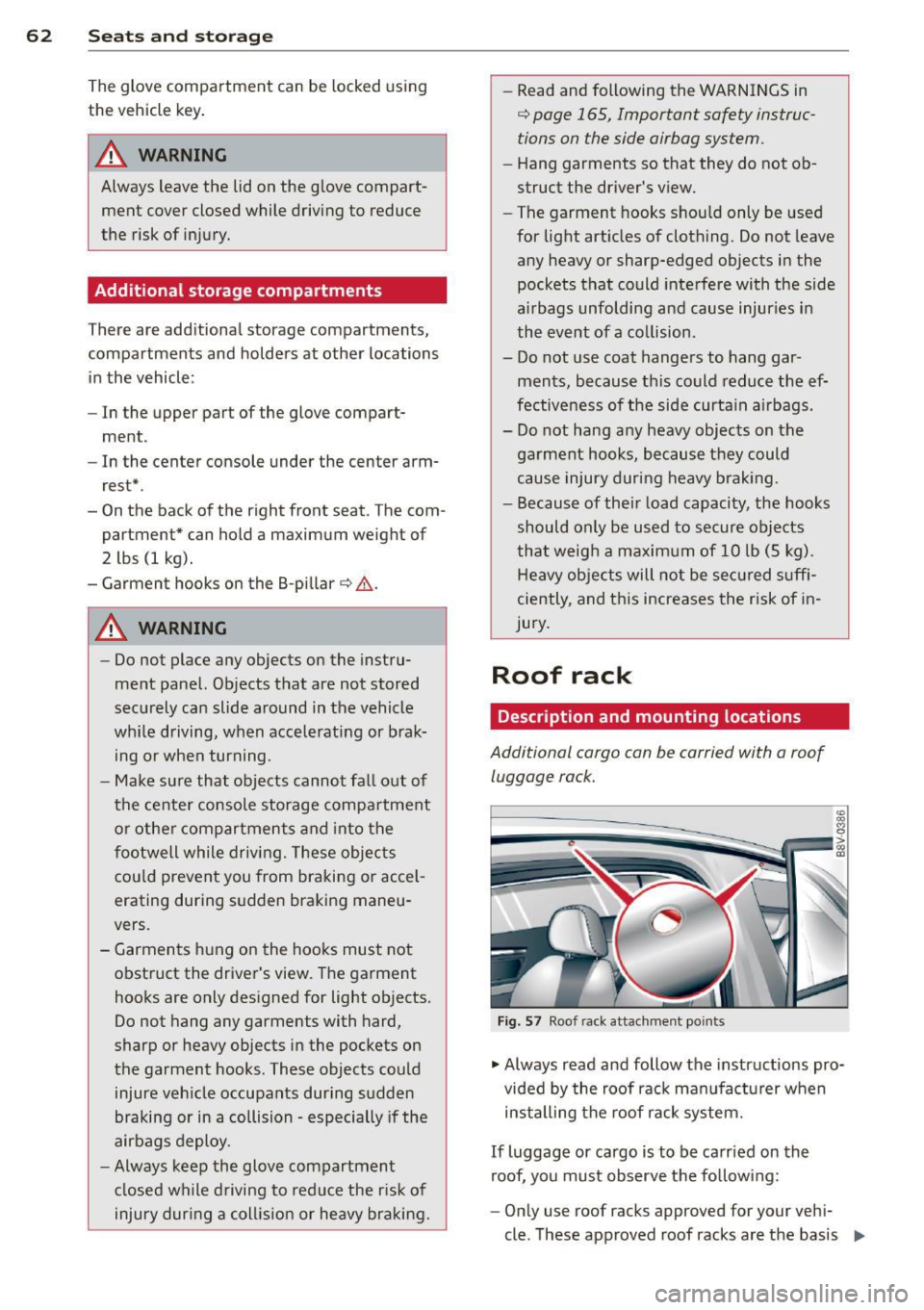
Roof rack
Description and mounting locations
Additional cargo can be carried with a roof
luggage rack.
Fig. 57 Roof rack attachment po ints
• Always read and follow the instructions pro
vided by the roof rack manufacturer when
installing the roof rack system.
If luggage or cargo is to be carried on the
roof, you must observe the following:
- Only use roof racks approved for your vehi-
cle. These approved roof racks are the basis ..,
Page 68 of 310
66 Seats and st o rage
• Observe the safety notes q page 132 , Tie-
downs.
Due to the laws of phys ics , even small objects
that are loose in the vehicle can become heavy
p rojectiles and cause serious inj uries during a
collision . Objects in the vehicle inc rease in ki
neti c energy, wh ich varies depend ing on the
vehicle and the we ight of the objec t. The vehi
cle speed is the most important factor in t his.
F or example: In a fronta l impact at a speed of
30 mph (48 km/h). the weight of a 10 lb
(5 kg) object increa ses to approxima tely
20 times its normal weight due to the forces
acting upon it . This means the we ight of the
object is suddenly equ ivalent to approximate
ly 200 lb (90 kg) . It is easy to imagine the
type of injuries a n objec t of that weight could
cause if it slides thro ugh the passenger com
pa rtment unrestrained during a collision at a
re lative ly low speed.
A WARNING
Weak, damaged or faulty straps used to
secure objects to the tie-downs can fa il
during heavy braking or a collision and
lead to serious injuries .
- Always use suitable straps and secure
objects to the t ie-downs in the luggage
compartment to prevent objects from
shifting and slid ing fo rward.
- Never secure a ch ild seat restraint to a
t ie-down .
- Because of their load capacity, the hooks
should only be used to secu re objects
that weigh a max imum of 10 lb (5 kg) .
Heavy objec ts will not be secured suffi
c iently, a nd this increases the risk of in
jury.
Storage hooks
Applies to vehicles: with bag hooks
F ig. 62 Lugg age compart men t: s torage hooks
You can also use the hooks to hang light purs
es, bags , etc .
A WARNING
-The hooks can ho ld a maximum weight of
6 lb (3 kg). Heav ier objects are not ade
q uate ly secured . Th ere is risk of personal
Injury.
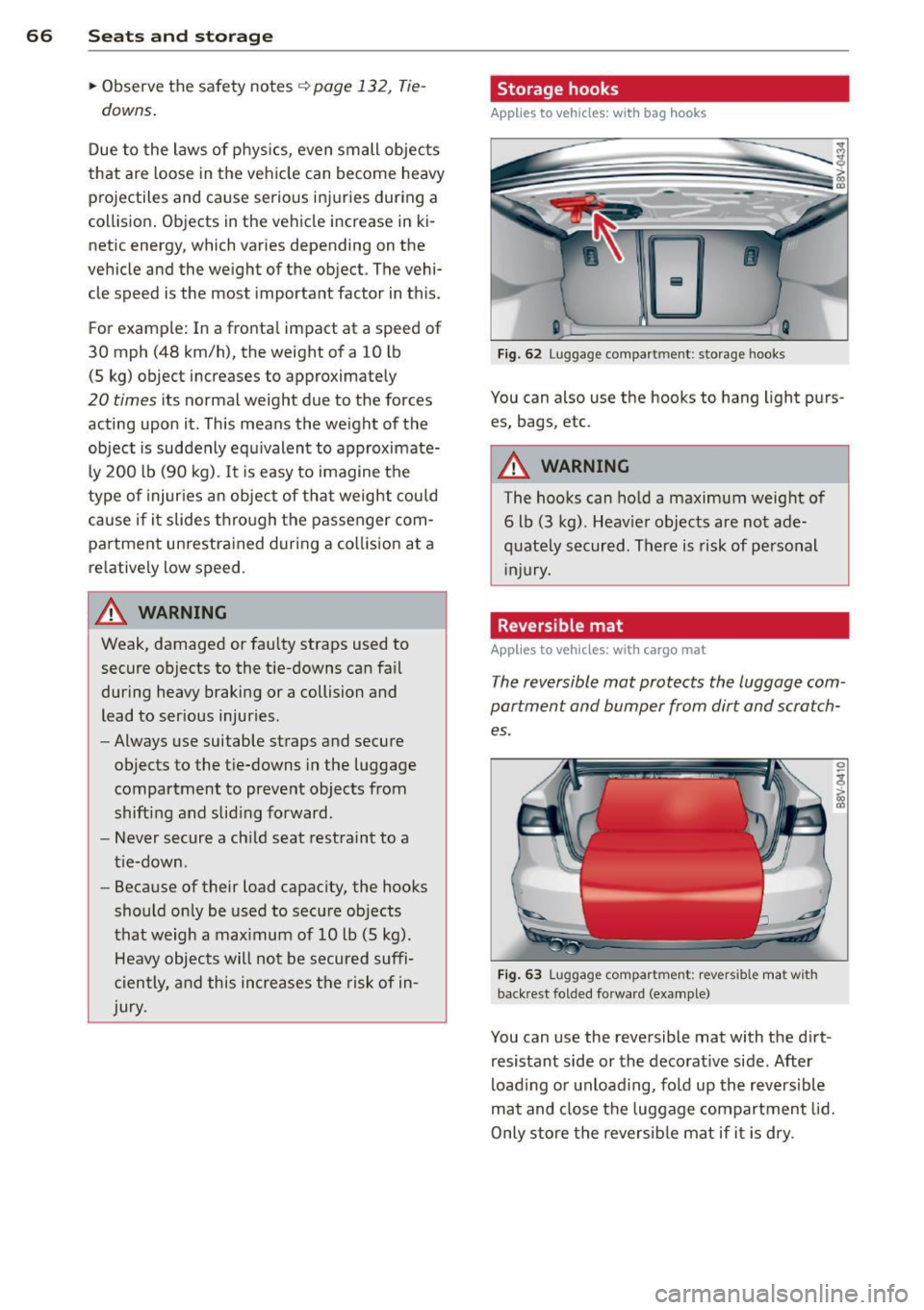
. Reversible mat
Applies to vehicles: with cargo mat
The reversible mat protects the luggage com
partment and bumper from dirt and scratch
es.
F ig . 63 Lu gg age compar tment: re vers ible mat w it h
back re st fo lded fo rwa rd (example)
You can u se the reversible mat with the d irt
resistant side or the decorat ive side. After
load ing or unload ing, fold up the revers ible
mat and close the luggage compartment lid.
Only store the reversib le mat if it is dry .
Page 71 of 310
....,
N
0 > co
rl I.O
"' ....,
"' rl
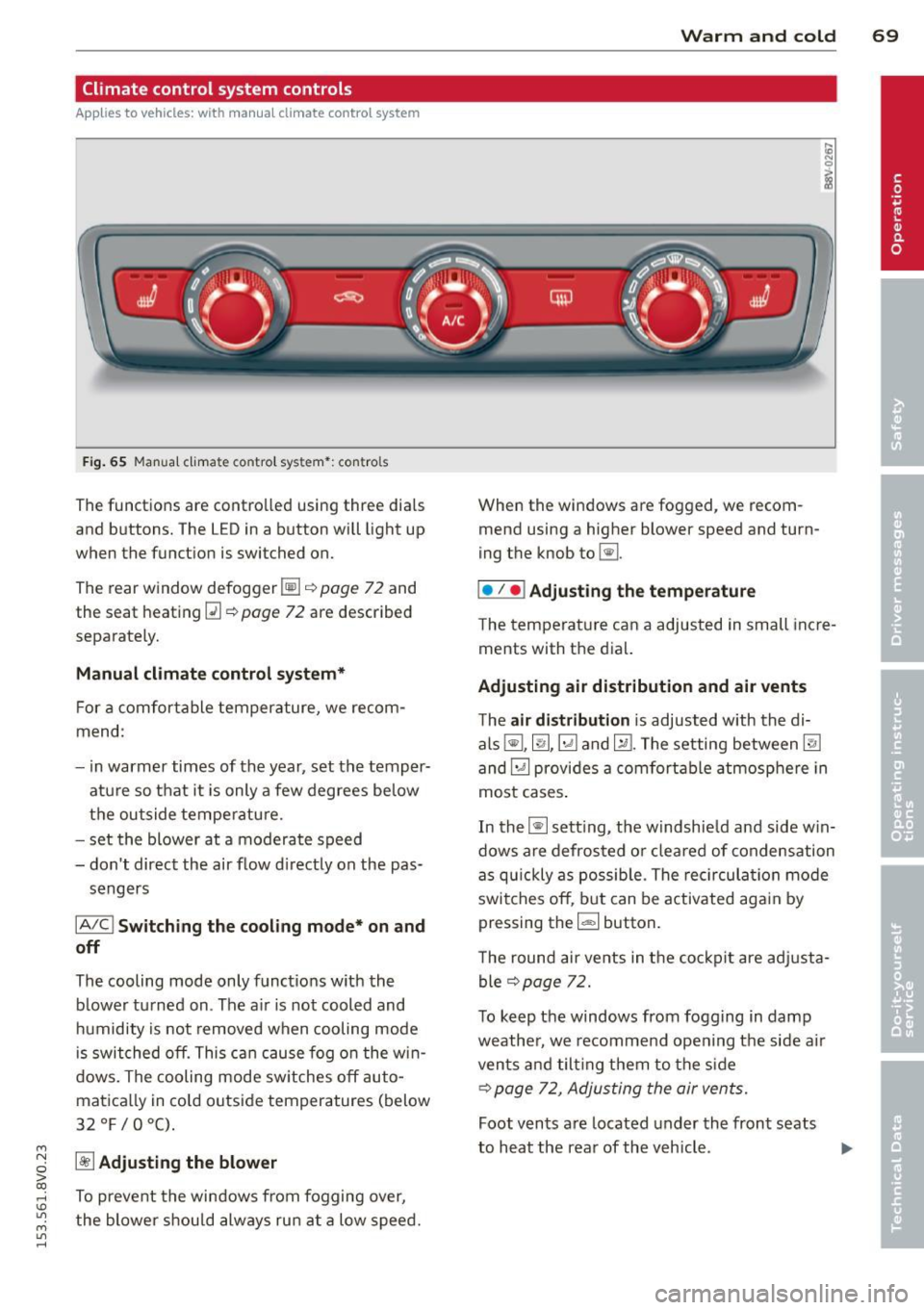
Climate control system controls
App lies to ve hicles: with manu al cl im ate c ontrol syst em
F ig . 65 Man ual cl ima te con tro l sy ste m•: con tro ls
The functions are contro lled using three dia ls
and buttons. The L ED in a button will light up
when the function is switched on.
The rear window defogger~¢
page 72 and
the seat heating~
c::> page 72 are described
separate ly.
Manual climat e control sy stem*
For a comfortable temperature, we recom
mend :
- in warmer times of the yea r, set the temper
atu re so that it is only a few degrees be low
the outside tempe ratu re.
- set the blower at a moderate speed
- don't direct the air flow d irectly on the pas-
sengers
IA/C l Switching the cooling mode* on and
off
The cooling mode only f unct ions w ith the
b lower turned on . The a ir is not cooled and
h umidity is not removed when cooling mode
i s swit ched off. This c an cause fog o n the w in
dows. The cooling mode sw itches off auto
matica lly in co ld outside temperatures (below
32°F/0°C) .
~ Adjusting the blower
To prevent the windows from fogging over,
the blower shou ld always ru n at a low speed .
W arm and cold 69
When the w indows are fogged , we recom
mend using a h igher blowe r speed and tu rn
ing t he knob to~-
I• I • I Adjusting the temperature
T he tempera ture can a adjusted in small inc re
ments with t he dial.
Adjusting air distribution and air vents
The air di stribution is adjusted with the di
als ~'~ .~ and ~-The setting between
@J
and~ provides a comf ort abl e atmosphere in
most cases .
In the~ setting, the windshie ld and side w in
dows are defros ted o r cleared of condensation
as q uickly as possib le . The rec ircul ation mode
switche s off , b ut can be activated aga in by
pressing the
l d;) I button.
T he round air ve nts in t he coc kp it are adj usta
ble
¢ page 72.
T o keep the windows from fogg ing in damp
weathe r, we recomme nd open ing the side a ir
vents and tilt ing them to the s ide
c::> page 7 2 , Adjusting the air vents.
Foot vents a re located under the front seats
to h eat the rear of the veh icle . ...,
Page 72 of 310
70 Warm and cold
1- 1 Sw itching r ecircul ation mode on and
off
In recirculation mode, the air inside the vehi
cle is circu lated and filtered. This prevents the
unfiltered air outside the vehicle from enter ing the vehicle inter ior. We recommend
switch ing recirculation mode on when driving
through a tunnel or when sitt ing in traffic
c::> ,& .
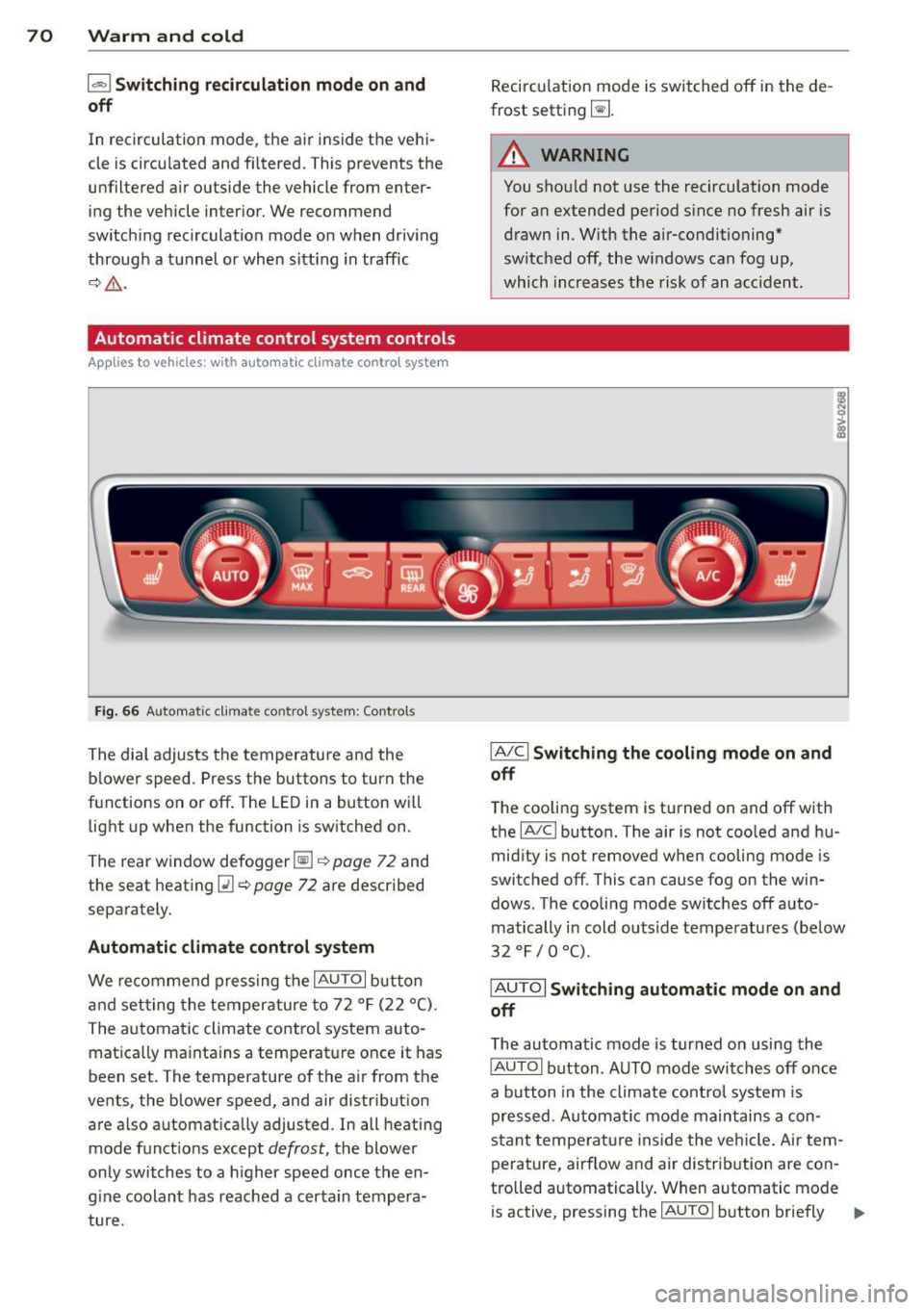
Automatic climate control system controls
App lies to vehicles: with a utomat ic climate contro l system
Fig . 66 A ut oma tic cl ima te co ntro l sy ste m: Control s
The dial adjusts the temperature and the
blower speed. Press the buttons to turn the
functions on or off . T he LED in a button w ill
light up when the function is sw itched on .
The rear window defogger~
c::> page 72 and
the seat heating
Q] c::> page 72 are described
separately.
Automatic climate control syst em
We re commend pressing the IAU TO I button
and setting the temperature to 72
° F (22 °() .
The automatic climate control system auto
matica lly ma inta ins a temperature once it has
been set. The temperature of the air from the
vents, the blower speed, and air distribution
are also automat ically adju sted . In all heat ing
mode funct ions except
defrost, the blower
only switches to a h igher speed once the en
g ine coolant has reached a certa in tempera
ture . Recirculation mode is switched off in the de
frost setting ~-
.&_ WARNING
-You shou ld not use the recirculation mode
for an extended period s ince no fresh air is
drawn in. With the air-conditioning*
switched off, the w indows can fog up,
which increases the risk of an acc ident .
IA/ Cl Switching th e cooling mode on and
off
T he cooling system is turned on and off with
the
IA/C l button. The air is not coo led and hu
mid ity is not removed when cooling mode is
switched off . This can cause fog on the win
dows . The cooli ng mode switches off auto
matically i n cold outside temperatu res (be low
32 °F / 0 °() .
IAUTOI Switch ing automatic mode on and
off
The automatic mode is turned on using the
IAUTOI button . AUTO mode switches off once
a b utton in the climate control system is
pressed . Automatic mode maintains a con
sta nt temperature ins ide the ve hicle . Air tem
perature, airflow and air d istribution are con
trolled automatically . When automatic mode
is active, pressing the
IAU TO I button briefly IJJ,-
Page 73 of 310
M N
0 > co ,...., \!) ..,.,
activates the "eco" mode*1>. I n "eco" mode*,
a ll settings are lowered slightly to save fuel.
When in "eco" mode* ,
eco is shown in the dis
play. To ex it "eco" mode*, press the
!AU TO !
button again .
I• I • I Setting the temperature
The temperature can be adjusted individually
for the driver and front passenger using the
dials . Temperatu res between 60 °F (+16 °C)
and 84 °F (+28 °C) can be set . Outs ide of this
range,
Lo or Hi will appear in the climate con
trol system display. In both settings, the cli mate control runs with constantly at the max
i mum cooling or heating level. The tempera
ture is not regu lated.
Synchronization: By pressing the ! AU TO I but
ton for two seconds , the temperature setting
for the driver is transferred to the front pas
senger's side. This applies a temperature
change to the front passenger's side.
~ Adjusting the blower
To prevent the windows from fogging over,
the blower should always run at a low speed.
You can adj ust the volume of air generated by
the blower to you r preference. To have the
blower regulated automatically, press the
!AU TO! button.
Adjusting the air distribution
The air distribution is adjusted with the~, [Ml
and ~ buttons. To have the air distribution
r eg ulated automatically, press the
!AUTO ! but
ton .
The round air vents in the cockpit are adjusta
ble
~ page 72.
T o keep the w indows from fogging in damp
weather, we recommend opening the side air
vents and tilting them to the side
~ page 72, Adjusting the air vents.
Foot vents are located under the front seats
and adjustable vents on the end of the center
console to heat the rear of the vehicle.
M "' l) This func tio n is not available in all c oun tri es . ,....,
Warm and cold 71
~ Switching the defroster on and off
The w indshield and side windows are defrost
ed or cleared of condensation as quickly as
possible . The maximum amount of air flows
main ly from the vents below the windshield.
Recircu lation mode switches off. The tempera
ture is controlled automatically. In the
[i] set
ting, the
! AIC ! cooling mode sw itches on auto
matically, depending on the outside air tem
perature .
The
! AU TO ! button sw itches the defroster off.
l""'I Switching recirculation mode on and
off
The recircu lation mode can be turned on man
ually or automatically* .
- Switching manual recirculation mode on and
off: Press the~ button. The LED light up
when switched on.
- Automatic* recirculation mode: The recircu
lation mode must be activated in the MMI.
Select: the
I MENU I button >C ar> Systems*
con trol button> AC > Auto recirculation.
The a ir quality sensor that is des igned for
diesel and gasoline exhaust automatically
switches the recirculation mode on or off
depending on the leve l of pollutants in the
outside air .
In recirculation mode, the air inside the vehi
cle is circulated and filtered . This prevents the
unfiltered air outside the vehicle from enter
ing the vehicle interior. We recommend
switching recircu lation mode on when driving
th rough a tunne l or when sitting in traffic
~ .&. .
The 1- 1 button, IAU TO ! or the [i] button
switches rec irc ulation mode off.
The system switches to recirculation mode
whe n driving in reverse when the engine is
cold.
•