ignition AUDI S3 SEDAN 2017 Service Manual
[x] Cancel search | Manufacturer: AUDI, Model Year: 2017, Model line: S3 SEDAN, Model: AUDI S3 SEDAN 2017Pages: 400, PDF Size: 67.32 MB
Page 100 of 400
e-tron
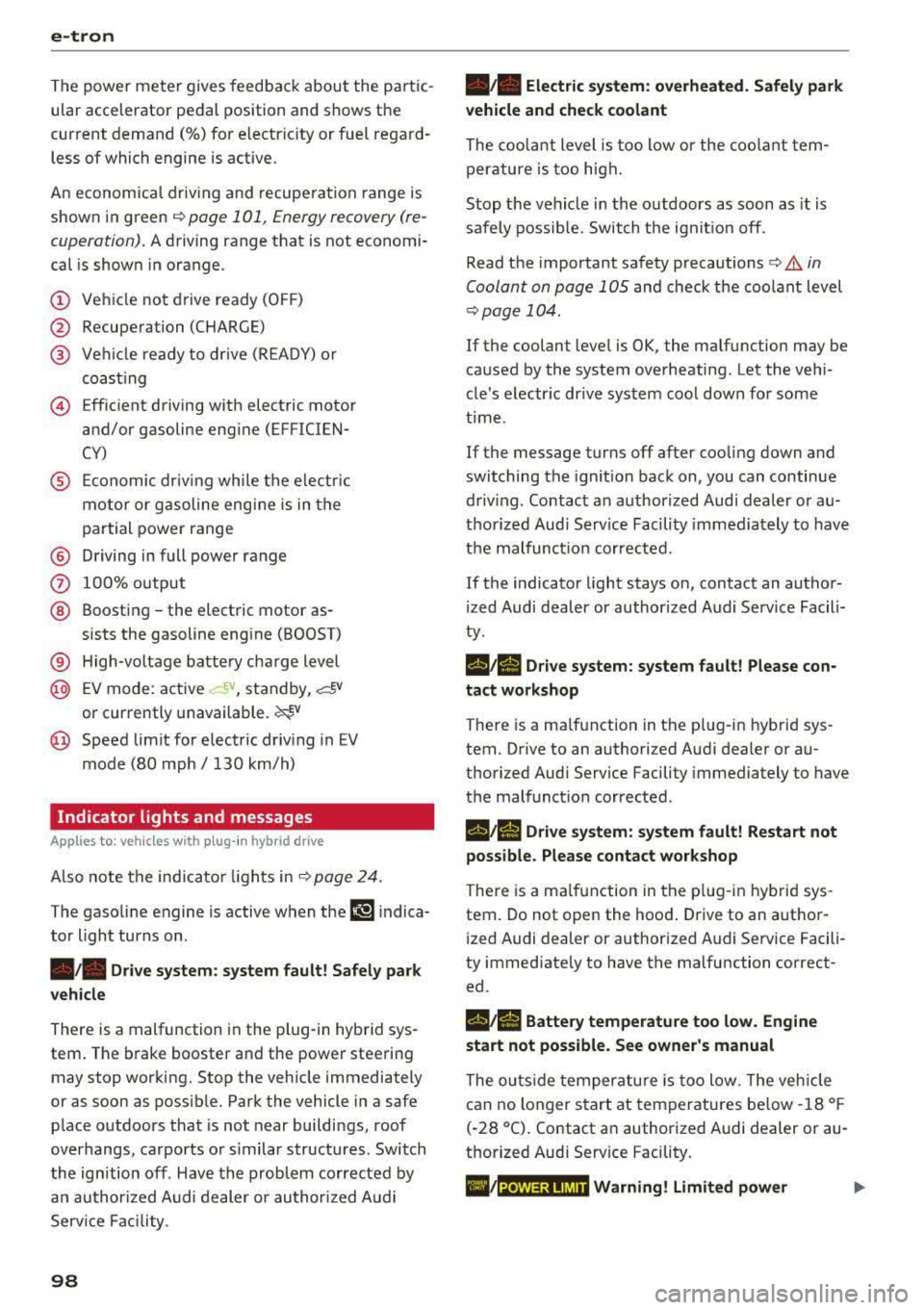
The power meter gives feedback about the pa rt ic
ular accelerator pedal position and shows the
cur rent demand
(%) fo r electric ity or fuel rega rd
less of which engine is active.
An economica l driv ing and recupe ra tion range is
shown i n green
r:!> page 101, Energy recovery (re
cuperation). A driving range that is not economi
cal is shown in orange.
CD Ve hicl e no t drive ready (O FF)
@ Recuperation (CHARGE)
® Ve hicl e ready to d rive ( READY) o r
c oastin g
@ Effic ient driving w ith electric moto r
and/or gasoline eng ine (EFFICIEN-
CY)
® Ec onomic driv ing while t he e lectr ic
mot or or g asoline e ng in e is i n th e
p a rt ial power range
® D riving in full power range
0 100 % outp ut
® Boosting -the elect ric motor as-
sists the gasoline engine (BOOST)
® H igh-voltage battery cha rge level
@ EV mo de: a ct ive av , standby, c::§V
or cur rently unavailable. ~v
@ Speed limit for elect ric driv ing in EV
m ode (80 mph/ 130 km/h)
Indicator lights and messages
A pp lies to: ve hicles w ith p lug -in hybr id drive
A lso note the in dica to r li ghts in r:!> page 24.
The gaso line engine is active when the
111 indica
to r ligh t turns o n.
./. Drive system: system fault! Safely park
vehicle
There is a malfunction in the plug-in hybrid sys
tem . T he br ake booster and the powe r steering
may stop wor king. Stop the veh icle immediately
or as soon as possib le . Park the vehicle in a safe
p lace o utdoors that is not near buildi ngs, roof
overhangs, carports o r similar structures . Sw itch
the ig nition off . Have the problem cor rected by
an a uthor ized A udi dealer or au thor ized A udi
S erv ice Facil it y .
98
•• Electric system: overheated. Safely park
vehicle and check coolant
The coolant level is too lo w or the coo lan t tem
p er at ure is too hig h.
Stop t he vehi cle in the o utdoors as soon as it is
safely possib le. Swi tch t he ig nitio n off.
Read the important safety precautions
r:!> .& in
Coolant on page 105 and check the coolant level
r:!> page 104.
If the coolant level is OK, the malfunction may be
ca used by the system ove rheating . Let the vehi
cle's e lectr ic dr ive system coo l dow n for so me
t im e.
If the message turns off after coo ling down and
switching the ignition back on, you can continue
driv ing . Co ntac t an author ized Audi dealer or au
t h orized Audi Serv ice Facili ty immedia tely to have
t h e malfunct io n co rrecte d.
If the indicato r light stays on , contact an autho r
i zed Audi dealer or author ized A udi Se rvice Facili
ty.
11;11 D rive system: system fault! Please con
tact workshop
There is a ma lf u nction in t he p lug -in hy brid sys
tem. D rive to an authorized Aud i deale r or au
thorized Aud i Serv ice Facility immediately to have
the malfunct ion co rrected.
11;11 Drive system: system fault! Restart not
possible. Please contact workshop
There is a ma lf u nction in the plug-in hybrid sys
tem. Do not ope n the hoo d. Drive to an a uth o r
i zed Audi dealer or author ized A udi Se rvice Facili
ty immediate ly to have the malfuncti on correct
ed.
11;11 Battery temperature too low. Engine
start not possible . See owner's manual
The o utsid e tem per atur e is too low. The veh icle
can no longer s tart at tem peratures be low -18 °F
(-28 ° C). Contact an author ized A udi dea ler or au
thorized Audi Serv ice Facility.
•
POWER LIMIT Warning! Limited power
Page 106 of 400
e-tron
Vehicle transport
Applies to: vehicles with plug-in hybr id drive
The following contains information you should
know about transporting your vehicle.
The MQB-A high-voltage lithium-ion battery sys
tem equipped in your vehicle is composed of SA
NYO 12 UF 261 591 high -voltage batteries and
has passed test 38.3 in accordance with the UN
Tests and Criteria handbook. The vehicle may be
transported with the high-voltage battery instal
led as conventional class 9 hazardous materials
without additional official consent for air and sea
shipment (current law !CAO-TI and IMDG-Code
01.01.2012).
Jump starting
Applies to: ve hicles with plug -in hybrid drive
The term "vehicle battery" refers to the 12 Volt
battery in your vehicle.
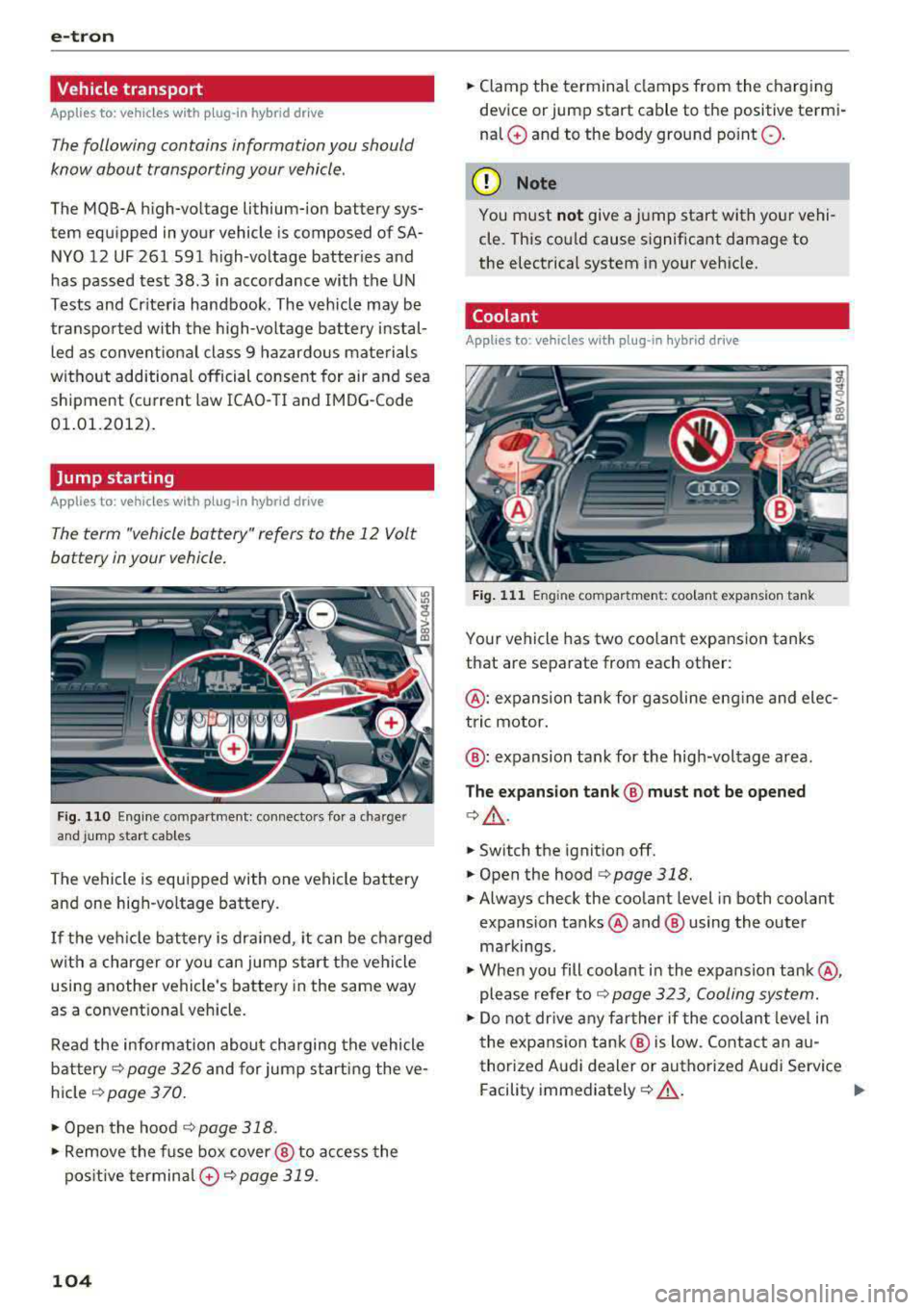
F ig. 110 Engine co mpartment: connectors for a cha rge r
and jump star t cab le s
The vehicle is equipped with one vehicle battery
and one high-voltage battery .
If the vehicle battery is drained, it can be charged
with a charger or you can jump start the vehicle
using another vehicle's battery in the same way
as a conventional vehicle.
Read the information about charging the vehicle
battery
r:!> page 326 and for jump starting the ve
hicle
r:!> page 370.
• Open the hood r:!>page 318 .
• Remove the fuse box cover @ to access the
pos itive terminal
0 r:!> page 319.
104
• Clamp the terminal clamps from the charg ing
device or jump start cable to the positive termi
nal
0 and to the body ground point Q.
(D Note
You must not give a jump start with your vehi
cle. This could cause significant damage to
the electrical system in your vehicle.
Coolant
Applies to : vehicles with plug -in hybrid drive
Fig. 111 En g in e compar tmen t: coolant expans ion tank
Your vehicle has two coolant expansion tanks
that are separate from each other:
@ : expansion tank for gasoline eng ine and elec
tric motor.
@: expansion tank for the high-voltage area.
The expansion tank @ must not be opened
r:!> &.
• Switch the ignition off.
• Open the hood r:!> page 318.
• Always check the coolant level in both coolant
expansion tanks @and @ using the outer
markings .
• When you fill coolant i n the expansion tank @,
please refer to r:!> page 323, Cooling system.
• Do not drive any farther if the coolant level in
the expansion tank @ is low. Contact an au
thorized Audi dealer or authorized Aud i Service
Facility immediately
r:!> .&,. ..,.
Page 128 of 400
Assistance systems
(D Tips
-A maximum of 30 lap times (ana log instru
ment cluster) or 99 lap t imes (Audi virtual
cockpit*) can be measured.
- If timing is paused, you can continue it later
even if you switch the ignition off.
- Saved lap times cannot be individually de
l eted from the total resu lts.
- The saved lap timer values will remain after
switching the ignition off .
Lap statistics
Applies to: vehicles with lap timer
Display ing lap statistics
You can d isplay the number of laps driven, the
fastest lap" +", the s lowest lap" -", and the aver
age time
"0" in the instrument cluster.
~ Applies to: vehicles with analog instrument
cluster: select
Statistics in the menu using the
multifunction steering wheel.
~ Applies to: vehicles with Audi virtual cockpit: on
the multifunction steering wheel, select: left
control button
> Lap statistics or Statistics .
~ Turn the thumbwheel down or up to display the
individual lap times.
~ To retur n to the lap t iming that was begun,
press the left thumbwheel.
Resetting lap statistics
Applies to: vehicles with Audi virtual cockpit
~ On the multifunction steer ing wheel, select:
the right control button
> Reset statistics.
(D Tips
- The lap statistics list the lap times for the
last 30 laps.
-Applies to: vehicles with Audi virtual cock
pit: the fastest and slowest lap times from
up to 99 timed laps will be disp layed.
126
Audi adaptive cruise
control
Description
Applies to: vehicles with Audi adaptive cruise control
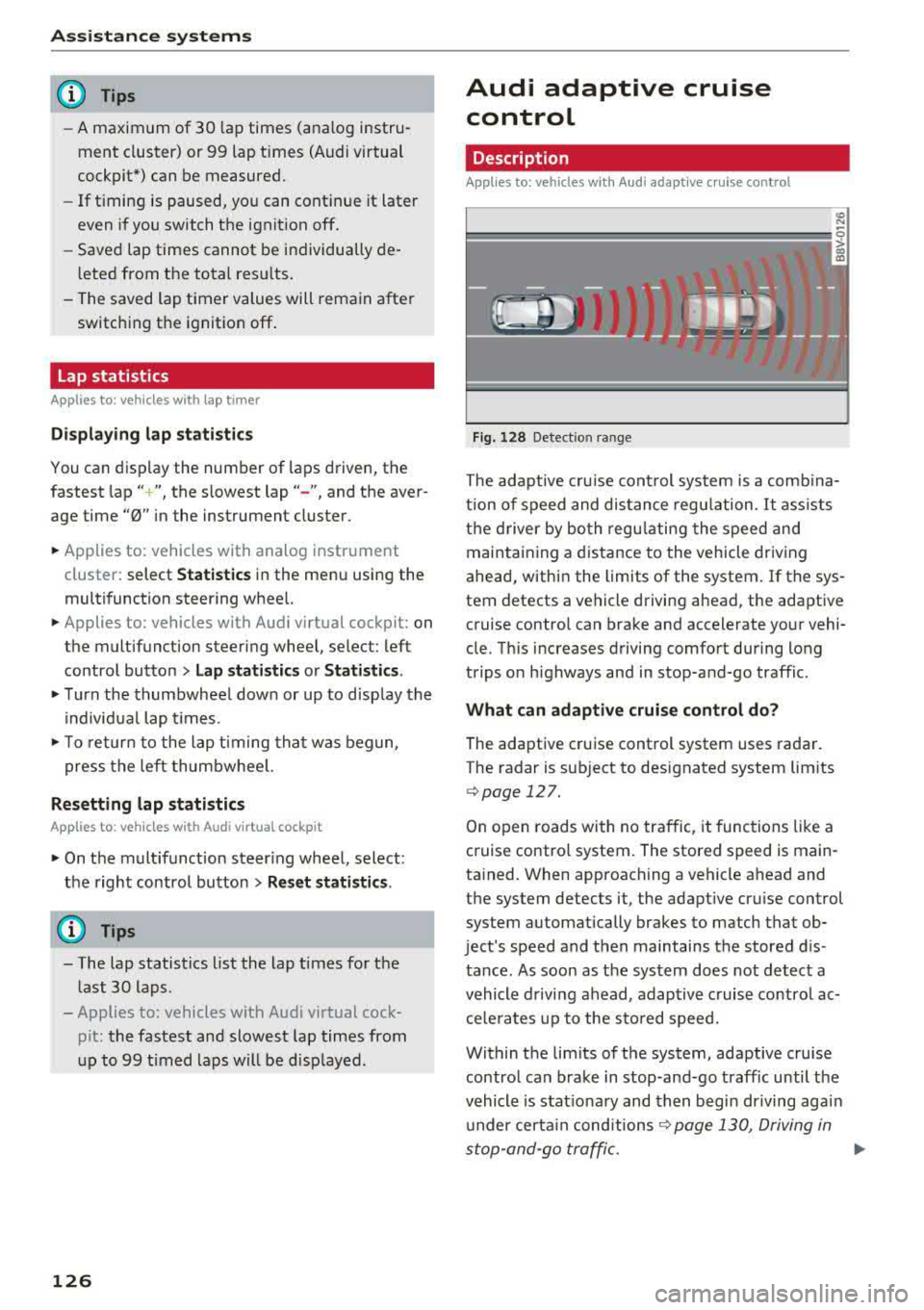
Fig. 128 Detect ion range
> (0 (0
The adaptive cru ise control system is a comb ina
tion of speed and dis tance regu lation.
It ass ists
the d river by both regulating the speed and
maintaining a distance to the vehicle driving
ahead, within the limits of the system. If the sys
tem detects a vehicle driving ahead, the adaptive
cruise contro l can brake and accelerate your vehi
cle. Th is increases driving comfort during long
trips on highways and in stop-and-go traffic.
What can adaptive cruise control do?
The adaptive cruise control system uses radar.
The radar is sub ject to designated system lim its
q poge 127.
On open roads with no traffic, it functions like a
cruise contro l system. The stored speed is main
tained. When approaching a vehicle ahead and
the system detects it, the adapt ive cru ise control
system automatically brakes to match that ob
ject's speed and then maintains the stored dis
tance. As soon as the system does not detect a
vehicle driving ahead, adaptive cruise contro l ac
celerates up to the stored speed.
Within the limits of the system, adaptive cruise control can brake in stop-and-go traffic until the
vehicle is stat ionary and then begin driving agai n
under certain
conditions ~ page 130, Driving in
stop-and-go traffic.
ll>
Page 131 of 400
a, a, ..... N
" N ..... 0 N > 00
The stored speed in the LED line is erased.
@ Indicator lights
It -Adaptive cruise control is switched on. No
vehicles are detected ahead. The stored speed is
maintained .
B-A vehicle driving ahead was detected. The
adaptive cruise control system regulates the
speed and distance to the vehicle ahead and
brakes/accelerates automatically.
r51 -Adaptive cruise control is switched on. Ave
hicle was detected ahead. Your vehicle remains
stopped and will not start driv ing automat ically.
•-The automatic braking is not enough to
maintain a sufficient distance to a veh icle driving
ahead. You must intervene
c::> page 132, Driver
intervention request.
@ Instrument cluster display
I f adaptive cruise control is not shown in the in
strument cluster display, yo u can call it up using
the mu ltifunction steering wheel buttons
c::> page 13.
Based on the g raphics in the disp lay, you can de
termine if the system is maintaining a distance to
a vehicle ahead and what that distance to th is ve
hicle is:
No vehicle -no vehicle was detected driving
ahead.
Silver vehicle -a veh icle was detec ted dr iv in g
ahead .
Red vehicle -request for driver intervention
<=:>page 132 .
The five distance bars on the gauge © represent
the set d istance (refer to
c::> page 131 for infor
mat ion on how to change the distance) .
If you
fal l below the selected distance, the distance
bars become red from the bottom upward.
A WARNING
If you press the !SETI button when driving at
speeds below 20 mph (30 km/h), the vehicle
accelerates automatically up to 20 mph (30
Assistance systems
km/h), which is the minimum speed that can
be set.
(D Tips
-If you switch the ignition or the adaptive
cruise control system off, the set speed is
erased for safety reasons .
-The e lectronic stabilization control (ESC)
and the anti-slip -regulation (ASR) are auto
matically switched on when the adaptive
cruise control is switched on.
Changing the speed
Applies to: vehicles with Audi adaptive cruise control
0
f
J
0
Fig. 134 Operat ing lever: changing the speed
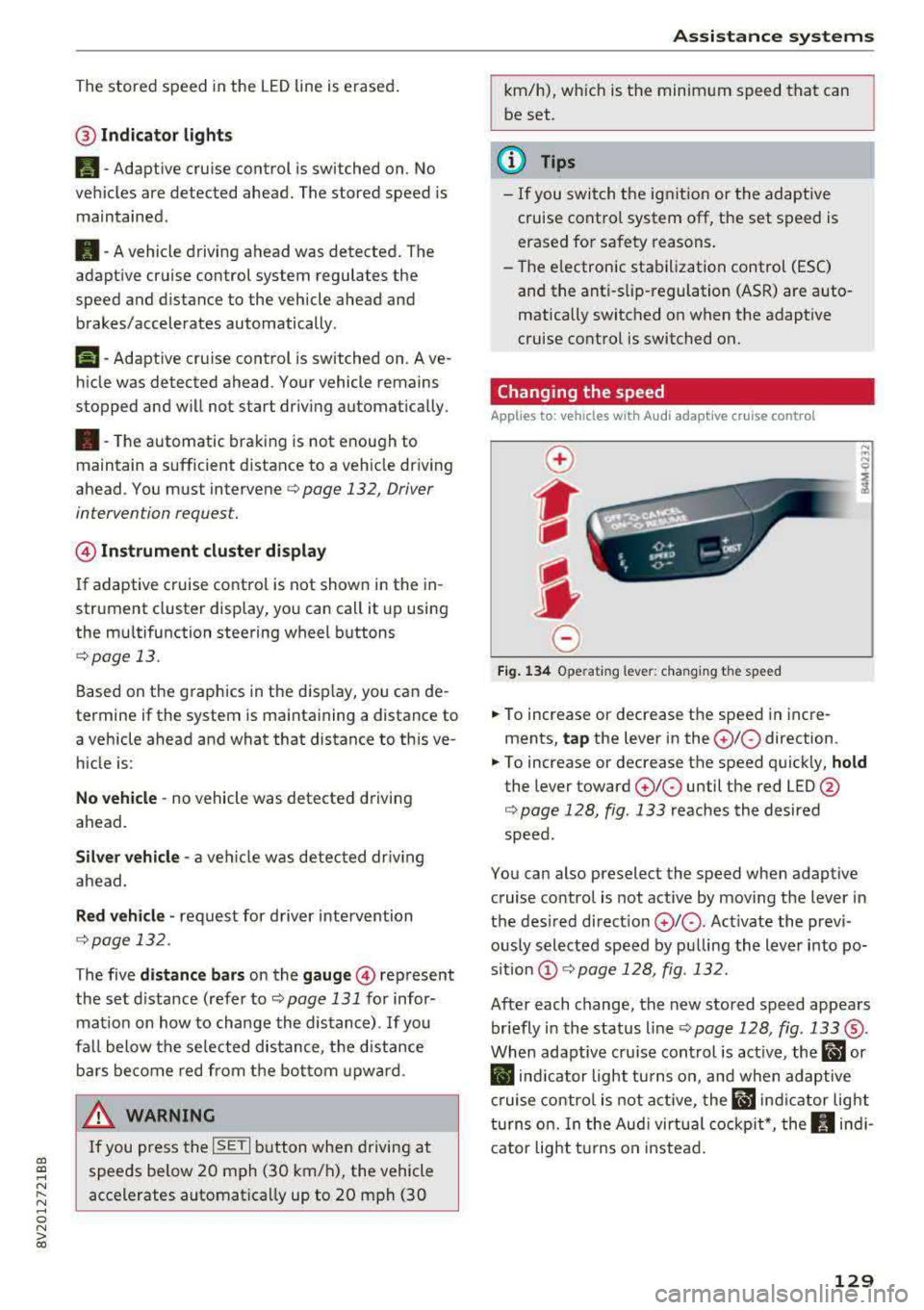
.. To increase or decrease the speed in incre
ments,
tap the lever in the 0 10 direction .
.. To increase or decrease the speed quickly, hold
the lever toward 010 until the red LED @
c::> page 128, fig. 133 reaches the desired
speed.
You can also preselect the speed when adaptive cruise control is not active by moving the lever in
the desired direction
0 10 . Act ivate the previ
ously selected speed by pulling the lever into po
s ition
@ c::> page 128, fig . 132.
After each change, the new stored speed appears
briefly in the status line
c::> page 128, fig. 133 ®·
When adaptive cru ise control is active, the ill or
• indicator light turns on, and when adaptive
cruise control is not active, the
ill ind icator light
turns on. In the Audi virtual cockpit*, the
II indi
cator light t urns on instead.
129
Page 138 of 400
Assistance systems
by this. Have an authorized Audi dealer or au
thorized Audi Service Facility check their func
tion.
(D Tips
- You can cancel the braking with increasing
force that is initiated by the system by brak
ing yourself, by accelerating noticeably or
by swerving.
- Certain pre sense front functions switch off
when ESC is switched off (sport mode) or
when driving in reverse.
- If you restrict or switch off the ESC, the pre
sense also switches itself off ¢
page 152.
Settings in the Infotainment system
Applies to: vehicles with Audi pre sense front/Audi adaptive
cruise control
~ Select in the Infotainment system: I MENU I but
ton
> Vehicle > left control button > Driver as
sistance
> Audi pre sense.
System -
the pre sense functions can be switched
on/off.
If the system is switched off, it switches on again
automatically once the ignition is switched on
again.
Prewarning -the early warning can be switched
off permanently or the pre sense front warning
point can be set
(Early/Medium/Late).
Messages
Applies to: vehicles with Audi pre sense
IIJ Audi pre sense: malfunction! Please contact
Service
This message appears when the pre sense func
tion is affected. For example, this could be
caused by a faulty sensor. If the message stays
on, drive immediately to an authorized Audi deal
er or authorized Audi Service Facility to have the
malfunction corrected.
IIJ Audi pre sense currently restricted. Restrict
ed sensor vision due to surroundings.
This message appears if the sensor view is ob
structed, for example by leaves, snow, heavy
136
spray or dirt. Clean the sensor if necessary
¢page 127, fig. 129.
II] Audi pre sense: currently restricted
This message appears if the ESC is restricted or
switched off, for example .
II] Audi pre sense: currently restricted. See
owner's manual
This message appears when there is a temporary
failure in a subsystem, such as the ESC. If this
message appears repeatedly, drive to an author
ized Audi dealer or authorized Audi Service Facili
ty to have the malfunction corrected .
fl] Audi pre sense: emergency braking system
off
This message appears if the pre sense functions
are switched off through the Infotainment sys
tem or if the system is not ready.
Audi active lane assist
Description
Applies to: vehicles with Audi active lane assist
Active lane assist (lane departure warning) de
tects lane marker lines within the limits of the
system using a camera in the windshield. If you
are approaching a detected lane marker line and
it appears likely that you will leave the lane, the
system will warn you with corrective steering.
You can override this steering at any time. If you pass over a line, the steering wheel will vibrate
lightly. In order for this warning vibration to oc
cur, it must first be switched on in the Infotain
ment system. Active lane assist is ready for oper
ation when the lane marker line is detected on at
least one side of the vehicle.
The system is designed for driving on express
ways and highways and therefore only activates
at speeds above approximately 40 mph (65 km/
h).
Applies to: vehicles with Audi side assist
If you activate a turn signal when active lane as
sist is ready and it classifies a lane change as crit
ical because of vehicles traveling alongside you or
approaching you, there will be noticeable
.,.
Page 150 of 400
Parking system s
-The ignition is switc h off and back on again.
-The park ing brake is set and then re leased.
-T he selector lever must be in the P position .
Segments in the vis u al display
The segments in front of and behind the vehicle
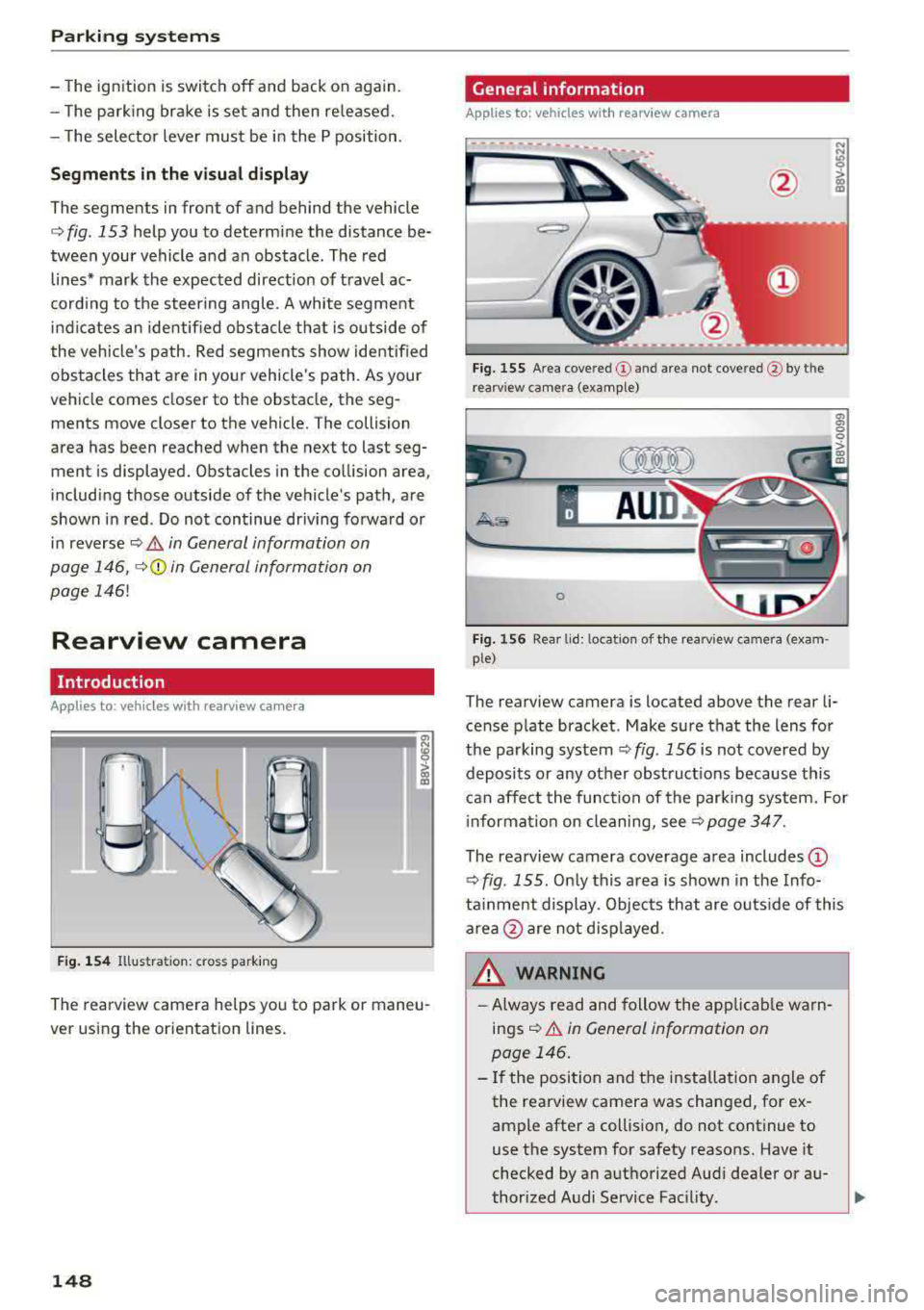
i::> fig . 153 help you to determine the distance be
tween your vehicle and an obstacle. The red
lines* mark the expected direction of travel ac
cord ing to the steering angle . A white segment
i n dicates an identified obstacle that is outside of
the vehicle's path. Red segments show identified
obstacles that are in your vehicle's path . As your
veh icle comes closer to the obstacle, the seg
ments move closer to the veh icle. The collision
area has been reached when the next to last seg ment is displayed. Obstacles in the collision area ,
including those outside of the vehicle's path, are
shown in red . Do not continue dr iv ing forward or
i n
reverse ¢.& in General information on
page 146,
¢ Cf) in General information on
page 146!
Rearview camera
Introduction
App lies to: veh icles with rearview camera
Fig. 1 54 Illustra tion: c ross park ing
a, N
~
> 00 (X)
The rearview camera helps you to park or maneu
ver using the orientation lines .
148
General information
Applies to: vehicles with rearview camera
Fig. 155 Area cove re d (D and area not cove re d @ by t he
r earv iew camera (examp le)
A UD ~
0
Fig . 156 Rea r lid: loca tion of the rearv iew ca mera (exa m
ple)
The rearview camera is located above the rear li
cense p late bracket . Make sure that the lens for
the parking system
¢ fig . 156 is not covered by
deposits or any other obstruct ions because this
can affect the function of the parking system. For
i nforma tion on cleaning,
see¢ page 347.
The rearview camera coverage area includes (D
¢ fig . 155 . Only this area is shown in the Info
ta inme nt display. Objects that are o uts ide of this
area
@ are not disp layed .
WARNING
-Always read and follow the applicab le warn
ings
¢ &. in General information on
page 146 .
-If the position and the installation angle of
the rearview camera was changed, for ex
ample after a collision, do not continue to
use the system for safety reasons. Have it
checked by an aut horized Aud i dealer or au-
thorized Audi Service Fac ility .
..,
Page 155 of 400
CXl CXl .... N ,.__
N .... 0 N > 00
-There is no vehicle stabilization when ESC/
ASR are switched off.
(D Tips
-ESC/ASR cannot be switched off or sport
mode cannot be switched on if the cruise
control system * or the adaptive cruise con
tro l* is sw itched on.
-Malfunctions in the Audi magnetic ride *
may make it imposs ible to switch the ESC/
ASR off or to switch sport mode on.
Brakes
New brak e pad s
New brake pads do not achieve their full braking
effect during the first 2S0 mi (400 km) . They
must be "broken in" f irst. However, you can com
pensate for the slightly reduced braking force by
pressing firmly on the brake pedal. Avoid heavy
braking during the break-in per iod.
Wear
B rake pad
wear depends largely on the way the
veh icle is driven and on operat ing cond itions.
This is especially true if you are driving frequently
in the c ity and on curves or with a sporty driving
style.
Operat ing no ise
Noises may occur when braking depending on the
speed, braking force and outs ide cond itions such
as temperature and humidity .
Effect of wat er and road salt
In certain situations, for example after driving
through water, in heavy rain, after overnight con
densation or after washing your car, the braking
effect can be reduced by moisture or ice on the brake rotors and brake pads . The brakes must be
"dr ied" first w ith a few careful brake applica
tions .
At higher speeds and with the windsh ield wipers
turned on, the brake pads press against the brake
rotors for a short amount of time. Th is action,
which is not felt by the d river , happens at regular
Intellig ent Technology
interva ls and ensures a better reaction time for
the brakes in wet weather.
T he brak ing effect ca n also be reduced if yo u are
driv ing on sal ted roads and yo u do not app ly the
brakes for long per iods o f time. The layer o f salt
on the brake rotors and pads must be worn off
first when the brakes are applied.
Corrosion
Leav ing the veh icle pa rked for long periods of
time, low mileage and avoiding heavy b raking
can contribute to corrosion on the brake roto rs
and to dirty brake pads .
If you usua lly avoid heavy bra king or if there is
corrosion present, occasiona l heavy brak ing at
high speeds is recommended to clean the brake
rotors and
pads ¢,& .
Brake system malfunction
If you notice that the bra ke pedal travel has sud
denly inc re ased, then a br ake circuit in the dua l
c ircuit b rake system may have malfunctioned.
Drive to an authorized Audi dealer or authorized
Audi Service Facility immediate ly to have the
problem corrected. On the way there, drive with
reduced speed and keep in mind that you will
need a longer distance to stop and you will need
to press the brake pedal harder.
L o w bra ke fluid le ve l
When the brake fluid level is low, malfunctions in
the brake system may occur. The brake fluid level is electronically monitored.
Brake bo oster
The brake boos ter amplifies the p ressure you ap
ply to the brake pedal. It on ly operates whi le the
engine is running or when the ignition is switched
on (p lug-in hybrid dr ive*) .
A WARNING
-Only app ly the brakes for the purpose of
cleaning the brake system when road and
traffic cond itions permit. You must not en
danger other road users. This increases the
risk of an accident.
153
Page 160 of 400
Multi Media Interface
Multi Media Interface
Traffic safety information
Aud i recommends performing certa in Infotain
ment system functions, such as entering a desti
nation, only when the vehicle is stationary . Al
ways be p repared to stop opera ting the Info tain
ment system i n the interest of your safety and
t he safe ty of other road users.
_& WARNING
Only use the In fotain ment sys tem w hen tra f
fic con ditions permit and always in a way that
allows you to ma inta in complete control ove r
your vehicle.
@ Tips
Cer tain functi ons are no t avail ab le wh ile driv
ing .
Introduction
The Multi Media Interface , or MMI for short,
combines various
systems for communication ,
navigation* and entertainment in your Audi . You
can operate the MMI using the MMI control pan
el, the multifunction steering wheel or the voice
recognition system* .
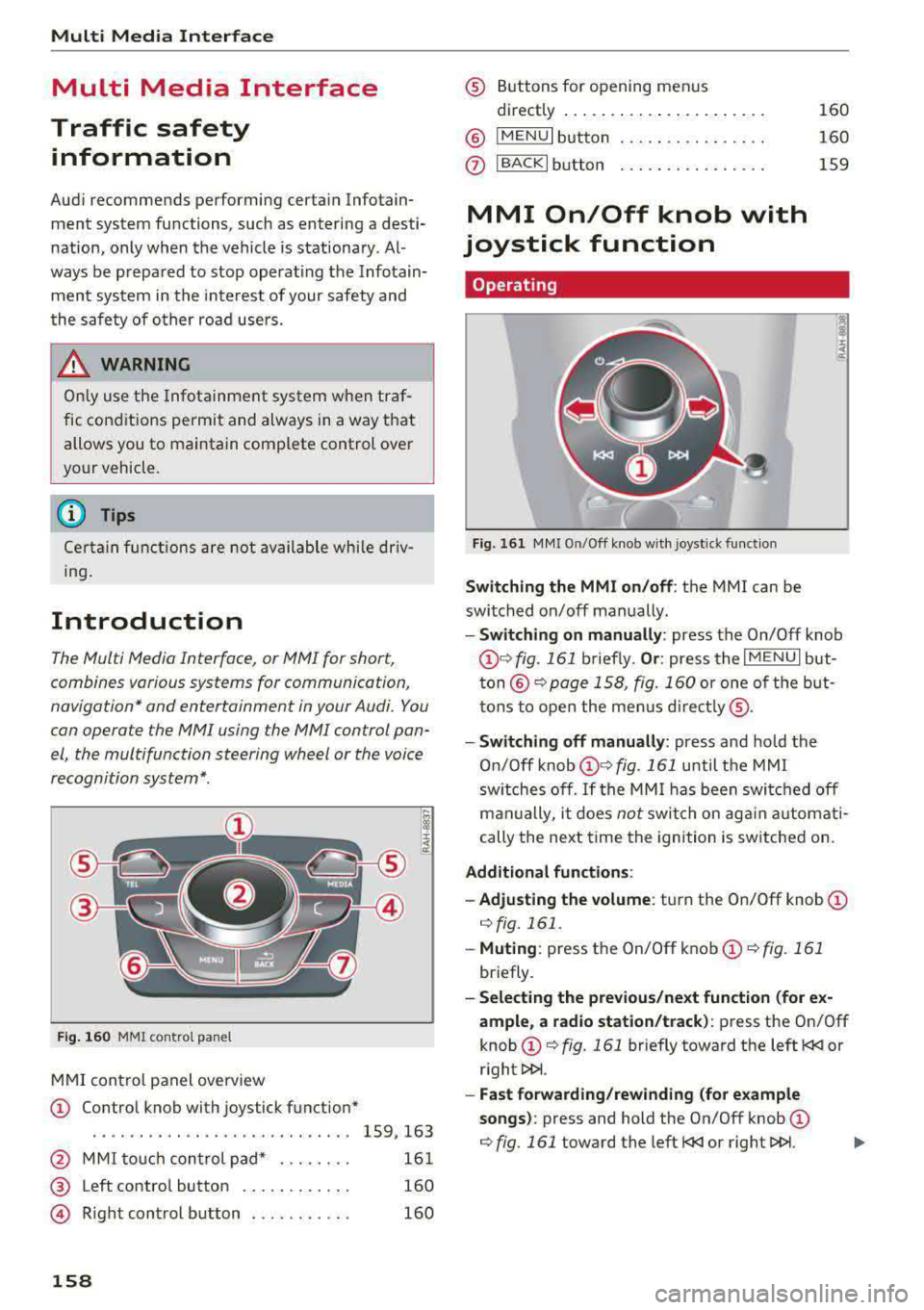
Fig. 16 0 MMI co ntro l panel
M MI cont rol panel overview
CD Contro l knob with joystick function"
. . . . . . . . . . . . . . . . . . . . . . . . . . . . 159, 163
@ MMI to uch con trol pad * . . . . . . . . 161
@ Left contro l button . . . . . . . . . . . . 160
@ R ight cont rol b utton . . . . . . . . . . . 160
158
® Buttons fo r opening men us
directly .... . .. .. .. .... .. .... .
@ IMENU I button
(J) I BACK I button . .. .. .... .. ... . .
MMI On/Off knob with
joystick function
Operating
Fig . 161 MM I On/Off k nob w ith joys tick f unctio n
Switching the MMI on /off : the MMI can be
swi tched on/off man ually. 160
160
159
- Switching on manually : press the On/Off knob
CD ¢ fig. 161 briefly. Or : press the I M ENU I but
ton @ ¢ page 1 58, fig. 160 or one of t he bu t
t ons to ope n the me nus d irectl y® ·
-Switch ing off manually : press and hold the
O n/Off knob
CD ¢ fig. 161 until t he M MI
sw itches off .
If the MM I has been swi tch ed off
m an ually, i t does
not swi tch on ag ai n au tomati
cally the ne xt time the ignition is sw itched on.
Additional function s:
- Adjusting the volume :
turn the On/Off knob CD
¢fig. 161 .
-Muting : press the On/Off knob CD¢ fig. 1 61
briefly.
- Selecting the previous/ne xt function (for ex
ample , a r adio station/t rack) :
press the On/Off
knob
CD ¢ fig. 161 briefly toward the left l
l>!>i .
-Fast forwarding /rewinding (fo r example
songs) :
press and hold the On/Off knob CD
¢ fig. 161 toward the left l
Page 172 of 400
Voice recognition system
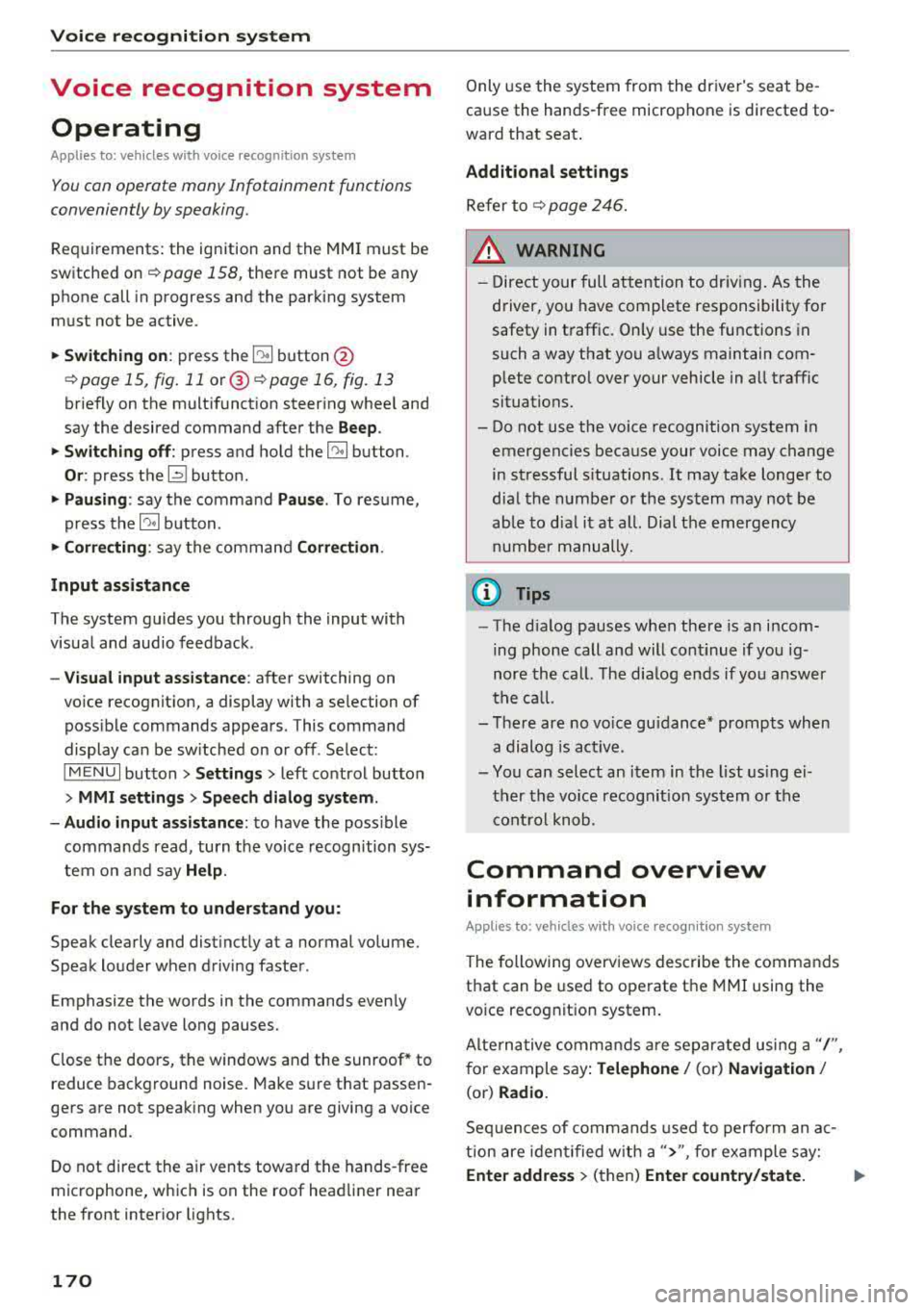
Voice recognition system Operating
Applies to: vehicles with vo ice recognition system
You con operate many Infotainment functions
conveniently by speaking.
Requirements: the ignition and the MM I must be
sw itched
on~ page 158, the re must not be any
phone call in progress and the parking system
m ust not be active.
.. Switching on : press the~ button @
¢ page 15, fig. 11 or@ ~ page 16, fig . 13
briefly on the multifunct ion steer ing whee l and
say the desired command after the
Beep.
.. Switching off : press and hold the~ button.
Or : press the l2l butto n.
.,. Pausing : say the command Pause. To resume,
press
the~ button.
.,. Corre cting : say the command Correction .
Input assistance
The system guides you through the input with
visua l and audio feedback.
- Visual input as sistance : after switching on
vo ice recognit ion, a display with a selection of
poss ible commands appears. This command
display can be sw itched on or off . Se lect:
IMENU I button> Settings > left control button
> MMI settings > Speech dialog sy stem .
- Audio input as sis tance :
to have the poss ible
commands read, turn the voice recognition sys
tem on and say
Help .
For the system to understand you:
Speak clearly and distinct ly at a normal volume.
Speak louder when driving faster.
Emphasize the words in the commands even ly
and do not leave long pauses.
Close the doors, the windows and the sunroof* to
reduce background noise. Make sure th at passen
gers are not speaking when you are giving a voice
command.
D o not direct the air vents toward the hands-free
microphone, whic h is on the roof head liner near
the front interior lights.
170
Only use the system from the dr iver's seat be
cause the hands-free microphone is directed to
ward that seat.
Additional sett ings
Refer to~ page 246.
_&. WARNING
- Direct your full attention to dr iv ing. As the
driver, you have complete responsibility fo r
safety in t raffic. Only use the functions in
such a way that you a lways maintain com
plete contro l over your vehicle in all traffic
situations.
-
- Do not use the voice recognition system in
emergencies because your voice may change
in stressful s ituations.
It may take longer to
dial the numbe r or the system may not be
ab le to dia l it at all. Dial the emergency
number manually .
(D Tips
- The d ia log pauses when the re is an incom
ing phone call a nd will continue i f you ig
nore the cal l. The dia log ends if you answer
the ca ll.
- There are no vo ice gu idance* prompts when
a dialog is act ive.
- You can select an item in the list using ei
ther the vo ice recognit ion system or the
cont rol knob.
Command overview
information
Applies to: vehicles with voice recognition system
The following overv iews des cribe the commands
that can be used to operate the MMI using the
vo ice recog nit ion system.
Alte rnative commands are separated using a"/",
for example say:
Telephone / (or) Navigation /
(or) Radio.
Sequences of com mands used to perform an a c
tion are iden tified w ith a
">", fo r example say:
Ente r addre ss > (then) Enter country /state. IJ,,
Page 177 of 400
CXl CXl .... N r--N .... 0 N > 00
Voice recognition system
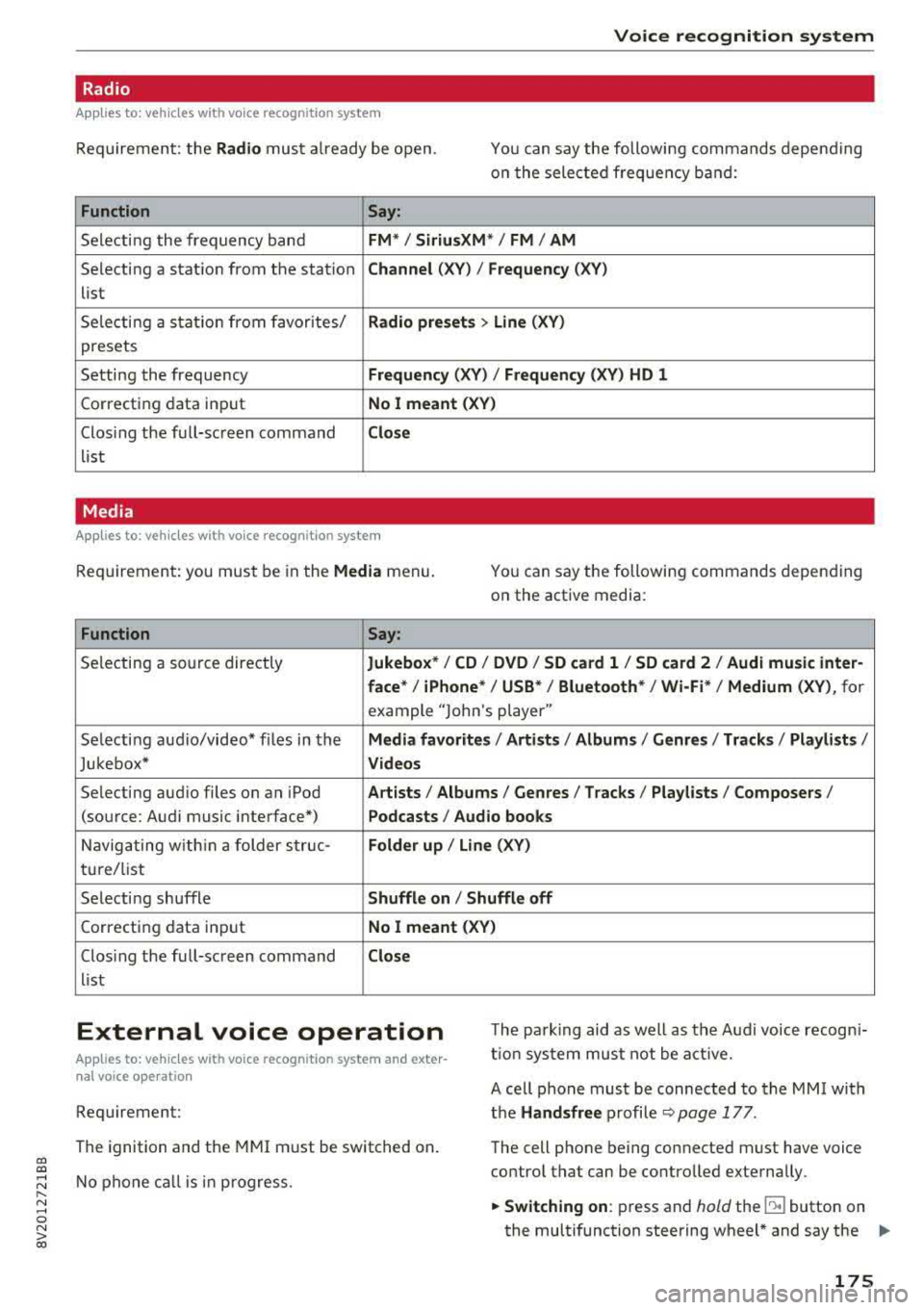
Radio
Applies to: vehicles with voice recognition system
Requ ireme nt: the Radio must a lready be open. You can say the followi ng commands depend ing
o n t he sele cted frequen cy b and:
Function Say:
Sele cti ng the frequency ba nd FM */ SiriusXM * / FM / AM
Selecting a stat ion from the station Channel (XV ) / Frequency (XV)
list
S ele cti ng a s tat io n from favorites/
Radio prese ts > Line (XV)
presets
Setting the frequency
Frequency (XV) I Frequency (XV) HD 1
Correcting data inp ut No I meant (XV )
Closing the full-sc reen command Close
list
Media
Applies to: vehicles with voice recognitio n system
Re qui reme nt: you mus t be in the Media menu.
You can say the following commands depen ding
on the active media:
Function Say:
Selectin g a so urce directly Jukebox* / CD / DVD / SD card 1 / SD card 2 / Audi music inter-
face *
I iPhone* / USB * / Bluetooth* / Wi-Fi * / Medium (XV) , for
example "Jolhn 's player"
Selecti ng aud io/video * fi les in the
Media favorites / Artists / Albums / Genres / Track s/ Playlists /
Jukebox* Videos
Selecting aud io files on an iPod A rt ists / Albums / Genres / Tracks / Playlists /Composers /
(source: Audi music interface*) Podcasts / Audio books
Naviga ting w ith in a folder s truc -Folder up / Line (XV)
tu re/list
Selecti ng shuffle
Shuffle on I Shuffle off
C orrecting data inp ut No I meant (XV)
Clos ing the fu ll-sc reen command Close
list
External voice operation T he pa rk ing aid as well as the A ud i voice r ecogn i
t io n sys te m must not be a ctive.
Applies to: vehicles with voice recognition system and exter
nal voice operation
Requirement:
The ignition and the MMI m ust be switched on.
N o phone call is in progress . A cell phone must be connected to the MMI with
the Handsfree p rofile ~ pag e 177.
The cell p hone be ing connected must have voice
contro l that can be contro lled exte rna lly.
.,. Switching on : press and hold the lei.I button on
the multifunction steering wheel * and say the
liJJ,,
175