ECO mode AUDI S4 2014 User Guide
[x] Cancel search | Manufacturer: AUDI, Model Year: 2014, Model line: S4, Model: AUDI S4 2014Pages: 296, PDF Size: 73.56 MB
Page 58 of 296
56 Clear vision
Replacing the rear wiper blade
Applies to vehicles: with rear wiper
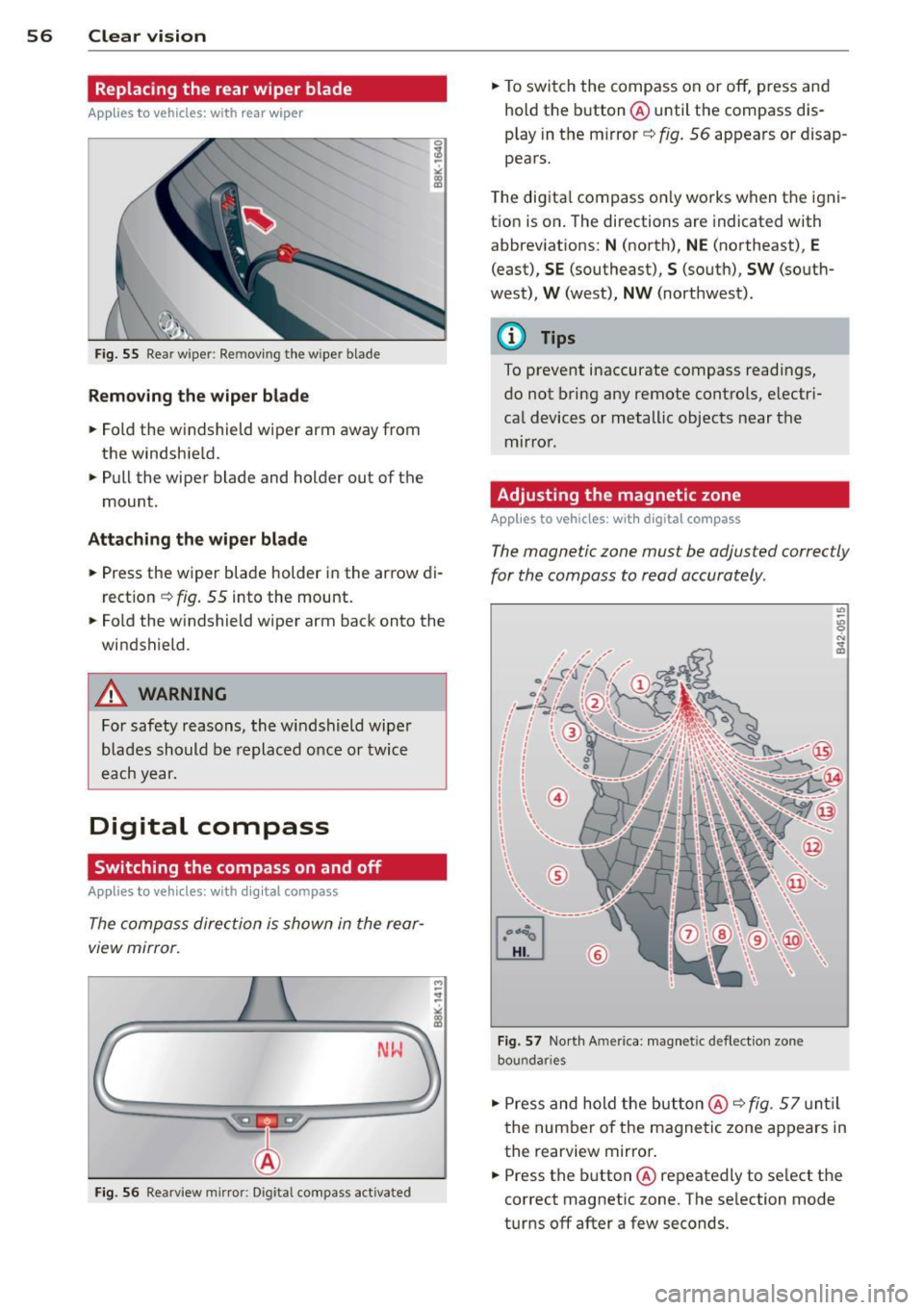
Fig. 55 Rear w ipe r: Re movi ng the w ipe r blade
Removing the wiper blade
.. Fold the windshield wiper arm away from
the windshie ld .
.. Pull the wiper blade and holder out of the
mount .
Attaching the wiper blade
.. Press the wiper blade holder in the arrow di
rection
~ fig. 55 into the mount .
.. Fold the w indshield wiper arm back onto the
windshield .
A WARNING
For safety reasons, the windshield wiper
blades should be replaced once or twice
each year.
Digital compass
Switching the compass on and off
Applies to vehicles: with digital compass
The compass direction is shown in the rear
view mirror.
-
M ~ :!
"' L;;.=== =====~ll!
Fig. 56 Rearview mirror: Dig ital compass activated
.. To switch the compass on or off, press and
hold the button @ until the compass dis
play in the mirror ~
fig. 56 appears or disap
pears.
T he digital compass only works when the igni
tion is on . The directions are indicated with
abbreviations:
N (north), NE (northeast), E
(east), SE (southeast), S (south), SW (south
west),
W (west), NW (northwest) .
@ Tips
To prevent inaccurate compass readings,
do not bring any remote controls, electri
cal devices or metallic objects near the
mirror .
Adjusting the magnetic zone
Applies to vehicles: with digita l compass
The magnetic zone must be adjusted correctly
for the compass to read accurately .
@
Fig. 57 North A merica: magnet ic deflection zone
bou nda ries
.. Press and hold the button @ ~ fig. 57 until
the number of the magnetic zone appears in
the rearview mirror .
.. Press the button @ repeatedly to select the
correct magnetic zone . The selection mode
turns off after a few seconds.
Page 79 of 296
Warm and cold 77
Operation
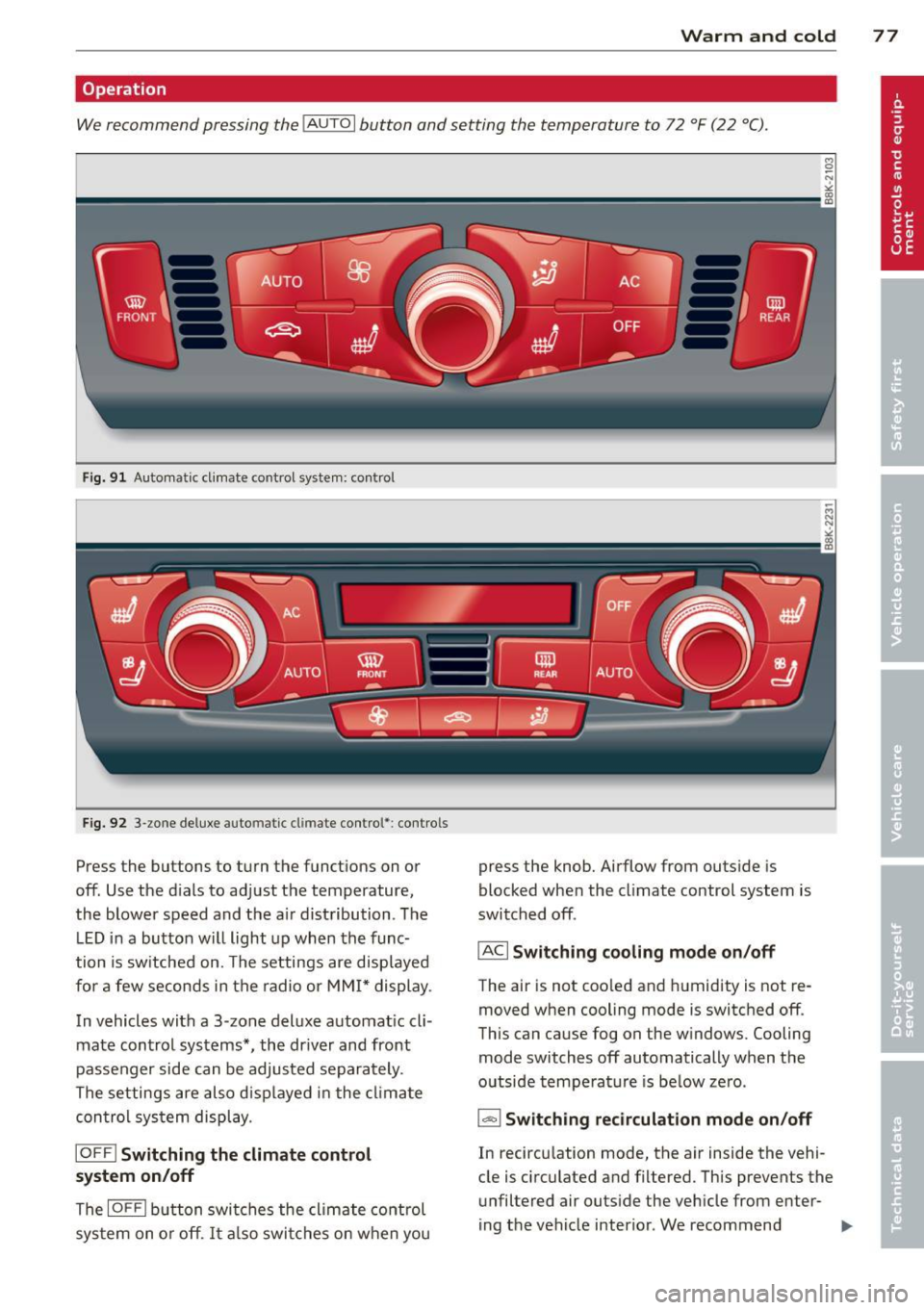
We recommend pressing the IAUTO I button and setting the temperature to 72 °F (22 °C).
Fig. 91 Automatic cl imate control system: control
Fig. 92 3-zone deluxe automatic climate control': controls
Press the buttons to turn the functions on or
off. Use the d ials to adjust the temperature,
the blower speed and the a ir distribution. The
L ED in a button will light up when the func
tion is switched on. The settings are displayed
for a few seconds in the radio or MMI* display.
In vehicles with a 3-zone deluxe automat ic cl i
mate control systems *, the dr iver and front
passenger side can be adjusted separately.
The settings are also d isplayed in the climate
con trol system display.
IOFFI Switching the climate control
system on/off
The IOF FI button switches the climate control
sys tem on or off.
It also switches on when you press the knob. Airflow from outs
ide is
blocked when the climate control system is
switched off.
IACI Switching cooling mode on/off
The air is not coo led and humidity is not re
moved when cooling mode is switched off.
This can cause fog on the w indows. Cooling
mode switches off automatically when the
outside temperature is be low zero.
1- 1 Switching recirculation mode on/off
In recircu lation mode, the air inside the vehi
cle is circulated and filtered. This prevents the
unfiltered air outside the vehicle from enter
ing the vehicle interior. We recommend
Page 80 of 296
78 Warm and cold
switching recirculation mode on when driving
through a tunnel or when sitting in traffic
c:::> &. .
The IAUTOI button or I@ FRONT I butt on
switches recircu lation mode off .
IAUTO I Switching automatic mode on
Automatic mode ma inta ins a constant tem
perature inside the vehicle. Air temperature,
airflow and air distribution are controlled au
tomatically.
Adjusting the temperature
Temperatures between 60 °F (+16 °C) and
84 °F (+28 °C) can be set . Outside of this
range,
LO or HI will appea r in the climate con
trol system disp lay. At both of these settings,
the climate control system runs continuously
at maximum cooling or heating power . There
is no temperature regu lation.
~ Adjusting the airflow
You can adjust the airf low manually to su it
your needs . To have the airflow regulated au
tomatically, press the
!AUTO ! button.
~ Adjusting the air distribution
You can manually select the vents where the
a ir will flow. To have the air d istribution regu
la ted automatically, press the
IAUTOI button .
~ Adjusting seat heating*
Pressing the button switches the seat heat ing
on at the highest sett ing (level 3) . The LEDs
indicate the temperature leve l. To reduce the
temperature, press the button again. To
switch the seat heating off, press the button
repeatedly until the LED turns off.
After 10 minutes, the seat heating automati
cally switches from level 3 to leve l 2.
[ill Adjusting seat ventilation*
Pressing the button switches the seat ventila
tion on at the highest setting (level 3) . The
LE Ds indicate the ventilat ion level. To reduce
the ventilation leve l, press the button again.
To switch the seat ventilat ion off, p ress the
button repeatedly until the LED turns off.
I@ FRONT I Switch the defroster on /off
T he w indshield and side windows are defrost
ed or cleared of condensation as quickly as
possible . The maximum amount of air flows
main ly from the vents below the windshield.
Recirc ulation mode switches off. The tempera
ture should be set to 72 °F (22 °C) or higher.
The temperature is controlled automatically.
The
! AUTO ! button switches the defroster off.
l!liil REAR I Switching rear window heater
on/off
The rear window heater only operates when
the engine is running . It switches off auto
matically after a few minutes, depending on
the outside temperature.
To prevent the rear window heater from
switching off automatically, press and hold
the
I Cilil REARI button for more than 2 seconds.
This remains stored until the ign ition is
switched off .
Air vents
You can open and close the center and rear air
vents using the thumbwheels. The levers ad
j ust the direction of the airf low from the
vents.
In vehicles with a 3-zone de luxe automatic cli
mate control system*, yo u can adjust the air
temperature in the rear by turn ing the thumb
wheel toward the red side to make it warmer
or toward the blue side to make it cooler .
A WARNING
-Do not use the recirculation for extended
periods of time. The windows could fog
up since no fresh air can ente r the vehi
cle. If the windows fog up, press the air
recirculation button again immediately
to switch off the air reci rculation func
tion or se lect defrost .
- I ndividuals with reduced sensitivity to
pain or temperature cou ld develop burns
when using the seat heating function. To
reduce the risk of injury, these indiv idu
als shou ld not use seat heating.
Page 88 of 296
86 On the road
Emerge ncy b rake function
An emergency brake ensures t hat the vehicle
can be slowed down even if the normal brakes
fail
c::> page 87, Emergency broking.
Indicat or light s
-If the par king b rake is closed w ith the igni
t ion
s witc hed on the . (USA mode ls) /
• (Canada models) indica tor lights come
on in the instrument cluster and the switch .
-If the parking brake is closed w ith the igni
tion
s witc hed off the . (USA mode ls) /
• (Canada models) indicator lights come
on in the instrument cluster and the switch
for about 20 seconds .
A WARNING
If a gear or a drive range (automat ic trans
m ission) is engaged with the vehicle sta
tionary and the engine runn ing, you must
in no instance accelerate o r release the
cl utch * careless ly. Otherw ise the vehicle
w ill sta rt to move immediately- r isk of an
accident .
@ Note
If the . symbol in the display or the.
(USA models) . (Canada models) indica
tor light i n the instrument cluster flashes,
t here is a mal function i n the brake system.
By pressing the
ISETI button, you can bring
up a driver message which explains the malfunct ion in more detai l. If the driver
message
Parking b rake! appears, there is
an operating malfunction in the park ing
brake wh ich you shou ld have repa ired im
mediately by an author ized Audi dealer or
qualified workshop c::>poge 15.
(D Tips
-You can apply the parking brake at any
time -even w ith the ignition switched
off . The ignit ion must be turned on and
the b rake peda l must be pressed in o rder
to release the pa rking brake . - Occasional noises when the parking
brake is applied and released are normal
and are not a cause for concern.
- When the vehicle is parked, the parking
brake goes through a self-test cycle at
regu lar interva ls. Any associated noises
are normal.
Parking
.. Press the brake pedal to stop the veh icle .
.. Pull the sw itch @
c::> page 85, fig . 98 to set
the parking brake .
.,. Automatic transmission: Move the selecto r
lever to P.
.. Turn the engine off
c::> ,&. .
.. Manual transmission: Shift into 1st gear.
.. When on inclines o r declines, turn the steer
ing wheel so that the vehicle will roll into
the curb if it begins to move.
A WARNING ...__
- When you leave your vehicle -even if on
ly br iefly -always remove the ignition
key . Th is app lies pa rticularly whe n chi l
d ren remai n in the vehicle. Otherwise the
children could st art the eng ine , release
the par king brake or operate electrical
equ ipment (e.g. power windows). The re
is the risk of an accident.
- When the veh icle is locked, no one -par
ticularly not children should remain in
the vehicle. Locked doors make it more
d ifficult for emergency workers to get in
to the vehicle -putting lives at risk.
Starting from rest
The starting assist function ensures that the
parking broke is released automatically upon
starting.
Stopping and applying par king brake
.. Pull the switch @¢ page 85, fig. 98 to ap-
ply the parking brake .
Ill>
Page 90 of 296
88 On the road
vehicle speed exceeds the set speed by about
3 mph (3 km/h). At the same time, a warning
symbol appears in the d isp lay . The symbol's
appeara nce m ight be d ifferent in some mod
els.
The speed warning system has one or two*
warn ing thresholds that f unct ion independ
ently of each other and that have somewhat
d ifferent purposes:
Speed warn ing 1
You can use speed warning 1 to set the maxi
m um speed w hile you are driv ing. T his setting
will remain in effect until you turn
off the igni
tion, assuming that you have not changed or
reset the setting.
The . (USA models)/ . (Canada models)
speed warning symbol in the warning 1 dis
p lay appears when you exceed the maximum
speed. It goes out when the speed fa lls below
the stored max imum speed .
The speed warning symbo l wi ll also go out if
the speed
exceeds the stored max imum speed
by more than about 25 mph (40 km/h) for at
least 10 seconds. The stored maximum speed
is deleted .
Sett ing speed warning 1
c::> page 88.
Speed warning 2*
Sto ring warning 2 is recommended if you al
ways
want to be reminded of a certain speed,
for example when yo u are traveling in a coun
try that has a general maximum speed limit,
or if you do not want to exceed a specified
speed for winter tires.
The . (USA models) /. (Canada models)
speed warning 2 symbo l appears in the dis
play when you exceed the stored speed limit.
Unlike warning 1, it will not go out until the
vehicle speed drops be low the stored speed
lim it.
Sett ing speed warning 2
c::> page 88.
(D Tips
Even tho ugh your vehicle is equipped with
a speed warning system, you should st ill watch the speedome
ter to ma ke s ure you
are not dr iving faster than the speed limit .
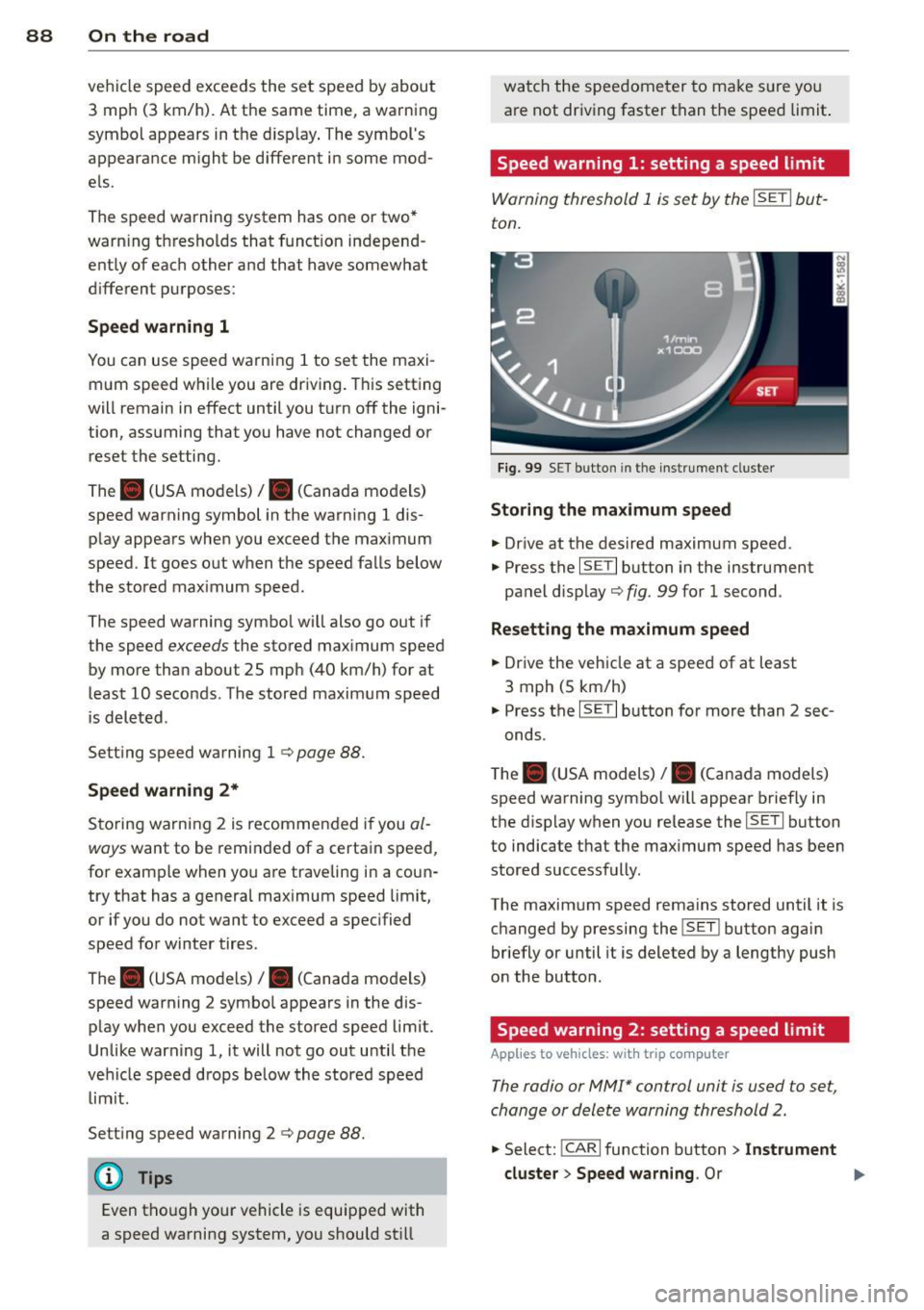
Speed warning 1: setting a speed limit
Warning threshold 1 is set by the ISETI but
ton.
F ig . 99 SET bu tton in the instr ume nt cluste r
Storing the max imum speed
.,. Dr ive at the desired maximum speed.
.,. Press the
ISE TI button in the instrument
panel disp lay
c::> fig . 99 for 1 second .
Resetting the maximum speed
.,. Drive the vehicle at a speed of at least
3 mph (5 km/h)
.,. Press the
ISE TI button for more than 2 sec-
onds.
T he . (USA models)/ . (Canada models)
speed warning symbo l w ill appear briefly in
the display when you release the
I SE TI button
to indicate that the maximum speed has been
stored successfully.
The maximum speed remains stored until it is changed by pressing the
! SET ! button again
briefly or until it is deleted by a lengthy push
on the button.
Speed warning 2: setting a speed limit
Applies to vehicles: wit h trip computer
The radio or MMI* control unit is used to set,
change or delete warning threshold 2.
.,. Select: !CARI function button > In strument
cluster > Speed warning .
Or .,.
Page 93 of 296
Transmission Manual transmission
Gearshift lever
App lies to vehicles: with manual transmission
The clutch pedal must be depressed all the
way before you can start the engine.
T he manual transmission in your Audi is
equipped with an
interlock-feature.
~ Depress the clutch pedal all the way.
~ Start the eng ine with the gearshift lever in
Neutral and the clutch pedal depressed.
(D Note
Always depress the clutch pedal fully when
changing gears . Do not hold the vehicle on
a hill with the clutch pedal partially de
pressed. This may cause premature clutch
wear or damage .
@ Tips
-Resting your hand on the gearshift lever
knob while driving will cause premature
wear in the transmission.
- The back-up lights go on when you shift
into Reverse w ith the ignition on.
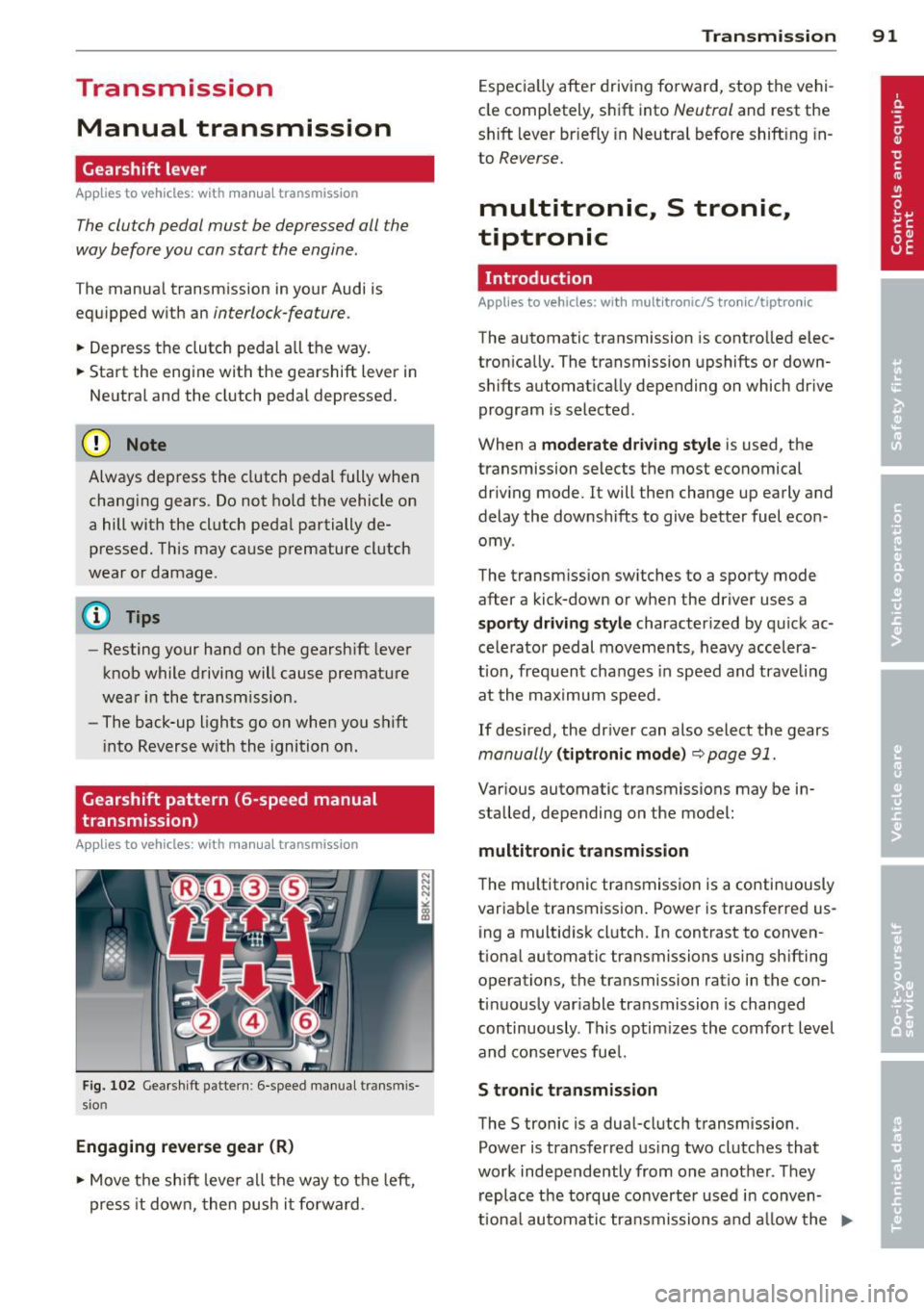
Gearshift pattern (6-speed manual
transmission)
Applies to vehicles: with manual transmission
Fig. 102 Gearshift pattern : 6-speed manual transmis
sio n
Engaging reverse gear (R)
~ Move the shift lever all the way to the left,
press it down, then push it forward . Transmission
91
Especially after driving forward, stop the vehi
cle completely, shift into
Neutral and rest the
shift lever br iefly in Neutral before shift ing in
to
Reverse.
multitronic., S tronic.,
tiptronic
Introduction
Applies to vehicles: with multitronic/S tronic/tiptronic
The automatic transmission is controlled elec
tronically. The transmission upshifts or down
shifts automatically depending on which drive
program is selected .
When a
moderate driving style is used, the
transmission selects the most economical
driving mode. It will then change up early and
delay the downshifts to give better fuel econ
omy .
The transmission switches to a sporty mode
after a kick-down or when the driver uses a
sporty driving style characterized by quick ac
celerator pedal movements, heavy accelera
t ion, frequent changes in speed and trave ling
at the maximum speed.
If desired, the driver can also select the gears
manually (tiptronic mode) ~ page 91.
Various automatic transmissions may be in
stalled, depending on the model:
multitronic transmission
The multitronic transmission is a continuously
variable transmission. Power is transferred us
ing a multidisk clutch. In contrast to conven
tional automatic transmissions using shifting
operations, the transmission ratio in the con
tinuously variable transmission is changed
continuously . This optimizes the comfort level
and conserves fuel.
S tronic transmission
The S tronic is a dual-clutch transmission .
Power is transferred using two clutches that
work independently from one another_ They
replace the torque converter used in conven
tiona l automatic transmissions and allow the ..,_
Page 94 of 296
92 Transmission
vehicle to accelerate without a noticeable in
terruption in traction.
tiptronic transmission
I n the tiptronic transmission, power is trans
ferred by a torque converter.
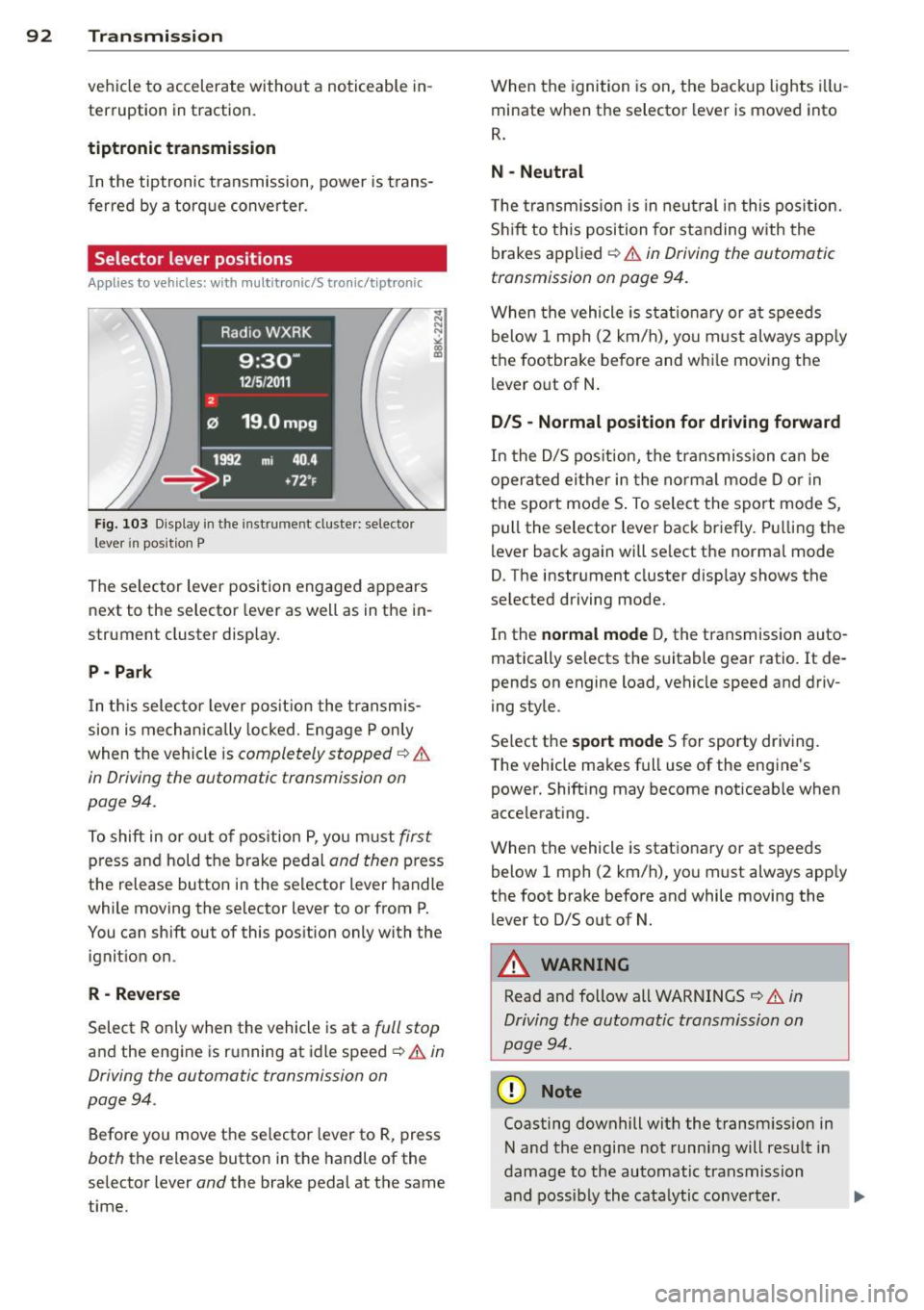
Selector lever positions
Applies to vehicles: with multitronic/5 tronic/tiptronic
Fig. 103 Display in the in stru me nt duste r: selecto r
lever in position P
The selector lever position engaged appears
next to the selector lever as well as in the in
strument cluster display.
P - Park
In this selector lever position the transmis
sion is mechanically locked. Engage P only
when the vehicle is
completely stopped ¢ &
in Driving the automatic transmission on
pag e 94 .
To shift in or out of pos ition P, you must first
press and hold the brake pedal and then press
the release button in the selector lever handle
wh ile mov ing the se lector lever to or from P.
You can shift out of this position only with the
ignition on .
R-Reverse
Select R only when the vehicle is at a full stop
and the engine is running at idle speed ¢ & in
Driving the automatic transmission on
page 94 .
Before you move the selector lever to R, press
both the release button in the handle of the
selector lever
and the brake pedal at the same
time. When the
ignition is on, the backup lights illu
minate when the selector lever is moved into
R.
N -Neutral
The transmission is in neutral in this position .
Shift to this position for standing with the
brakes applied ¢
& in Driving the automatic
transmission on page 94.
When the vehicle is stat ionary or at speeds
below 1 mph (2 km/h), yo u must always apply
the footbrake before and whi le moving the
lever out of N.
D/S - Normal position for driving forward
In the D/S position, the transmission can be
operated either in the normal mode D or in
the sport mode S . To select the sport mode S,
pull the selector lever back briefly. Pulling the
lever back again will se lect the normal mode
D. The instrument cluster disp lay shows the
selected driving mode.
In the
normal mode D, the transmission auto
matically selects the suitable gear ratio.
It de
pends on engine load, vehicle speed and driv
ing style .
Select the
sport mode S for sporty driving .
T he vehicle makes full use of the engine's
power. Shift ing may become noticeable when
accelerating.
When the vehicle is stationary or at speeds
below 1 mph (2 km/h), you must always app ly
the foot brake before and while moving the lever to D/S out of N.
A WARNING
Read and follow all WARNINGS ¢ & in
Driving the automatic transmission on
page 94 .
(D Note
Coasting downhill with the transm ission in
N and the engine not running will result in
damage to the automatic transmission
and possibly the catalytic conve rter. .,..
Page 95 of 296
@ Tips
-On vehicles with drive select*, you can
adjust the sporty shift characteristics in
the
Dynamic driving mode.Swill appear
in the instrument cluster display instead
ofD.
- If you accidentally select N while driving,
take your foot off the accelerator pedal
immediately and wait for the engine to
slow down to idle before selecting D/S.
- If there is a power failure, the selector
lever will not move out of the P position .
The emergency release can be used if
th is happens ~
page 98.
Automatic Shift Lock (ASL)
Applies to vehicles: with multitronic/5 tronic/tiptron ic
The Automatic Shift Lock safeguards you
against accidentally shifting into a forward or
the reverse gear and causing the vehicle to
move unintentionally.
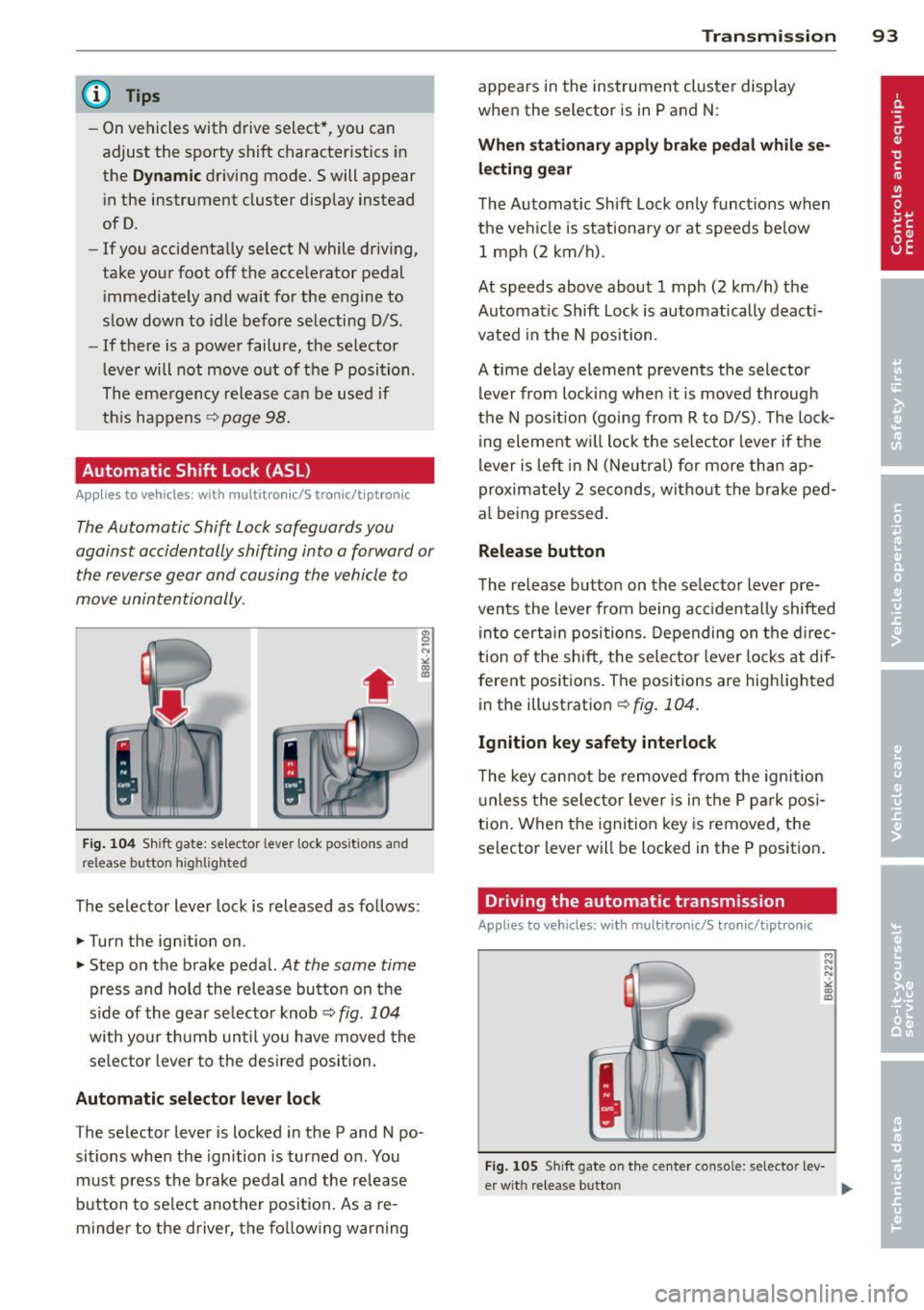
Fig. 104 Shift gate: selector lever lock positions and
release button highlighted
The selector lever lock is released as follows:
... Turn the ign ition on .
... Step on the brake pedal.
At the same time
press and hold the release button on the
side of the gear se lector knob¢
fig. 104
with your thumb until you have moved the
selector lever to the desired position.
Automatic selector lever lock
The selector lever is locked in the P and N po·
sitions when the ignition is turned on. You
must press the brake pedal and the release
button to select another position. As a re·
m inder to the driver, the following warning
Transmission 93
appears in the instrument cluster display
when the selector is in P and N:
When stationary apply brake pedal while se
lecting gear
The Automatic Shift Lock only functions when
the vehicle is stationary or at speeds below 1 mph (2 km/h).
At speeds above about 1 mph (2 km/h) the
Automatic Shift Lock is automatically deacti
vated in the N position .
A time delay element prevents the selector lever from locking when it is moved through
the N position (going from R to D/S). The lock
ing element will lock the selector lever if the
lever is left in N (Neutral) for more than ap
proximately 2 seconds, without the brake ped
al being pressed.
Release button
The release button on the selector lever pre
vents the lever from be ing accidentally shifted
into certain positions. Depending on the direc
tion of the shift, the selector lever locks at dif
ferent positions. The positions are highlighted
in the illustration¢
fig. 104 .
Ignition key safety interlock
The key cannot be removed from the ignition
unless the selector lever is in the P park posi
tion. When the ignition key is removed, the
selector lever will be locked in the P position.
Driving the automatic transmission
Applies to vehicles; with mult itronic/S tronic/tiptronic
Fig. 105 Sh ift gate on the center console: selector lev-
er w it h re lease button ..,_
Page 96 of 296
94 Transmission Starting the engine
.. The selecto r lever must be in P or N.
Starting off
.. Press and hold the brake pedal.
.. Press and hold the release button in these
lector lever handle, se lect t he des ired selec
tor lever position such as D/S and release
the button .
.. Wait briefly unti l the transmission has shift
ed (you will feel a slight movement) .
.. Remove your foot from the brake pedal and
acce lerate.
Stopping temporarily
.. Keep the vehicle stationary usin g the brak
ing peda l, for examp le at traffic lights .
.. Do not press the accelerator pedal when do
ing this .
.. To prevent the veh icle from rolling when you
start driving, set the parking brake when
stopping on steep inclines
c> _& .
.. The parking brake will release automatically
and the vehicle w ill start moving once you
press the accelerator pedal.
Stopping/parking
If the selector lever is not in the P position
when you open the dr iver's door, the vehicle
could roll. The message
Transmission: Car
may roll! Shift to park!
appears.
.. Press and hold the brake pedal until the ve-
hicle has come to a complete stop .
.. Apply the parking brake
c> page 86, Parking .
.. Select the P selector lever position c> _&.
Stopping on an incline
.. Always press the brake pedal to hold the ve
hicle in place and prevent it from "rolling
back"
c> _& . Do not try to prevent the vehi
cle from "roll ing back" when a gear is en
gaged by increasing the eng ine speed
c> (D.
Starting on an incline
.. Activate the parking brake.
.. With the driving gear se lected, press the ac
celerator pedal carefully. The park ing brake will release automatically if your seat
belt is
fastened .
Under certain circumstances, such as driving
in the mountains, it may be usefu l to switch
temporarily to the manual shift program in or
der to adjust the gears to the driving cond i
tions by hand
c> page 96.
On slopes, activate the parking brake first and
then move the selector lever to the P position .
This prevents too much stress from being
placed on the locking mechanism .
Vehicles with multitronic transmission: Your
vehicle is equipped with
hill hold assist allow
ing you to start while on an incline. The sys
tem is activated when the brake pedal is
pressed down and he ld
for a few seconds . The
brake pressure will hold for
a moment after
the brake pedal loosens to prevent the vehicle
from roll ing backwards wh ile starting up .
A WARNING
-The vehicle can also roll when the engine
is stopped.
- Unintended vehicle movement can cause
serious injury.
- Never leave your vehicle with the engine
r un ning while in gear. If you must leave
your veh icle when the engine is running,
activate the parking brake and move the
selecto r lever to P.
- Power is still transmitted to the wheels
when the engine is running at idle. To
prevent the vehicle from "creeping", you
must keep your foot on the brake when
the engine is running and the selector
lever is in
DIS or R or "tiptronic" mode is
selected .
- Do not press the accelerator pedal when changing the selector lever position
while the veh icle is stationary and the
engine is running.
- Never shift into R or P while driving.
- Before driving down a steep s lope, re-
duce your speed and shift into a lower
gear with "tiptronic".
Page 99 of 296
A WARNING 1=
Please note that the drive wheels can spin
if kick-down is used on a smooth slippery
road - there is a risk of skidding.
Launch Control Program
App lies to vehicles: with S tronic
The Launch Control Program provides the
best acceleration possible when starting from
a stop .
Requirement : The engine must be at operat
ing temperature and the steering wheel must
not be turned .
~ Sedan: Press the l.e OFFI button ¢ page 188
while the engine is running . The II indica
tor light illuminates in the instrument clus
ter and
Stabilization cont ro l ( ES C): S port .
Warning! R estrict ed s tabilit y
appears in the
driver information system display.
~ all road: Press the l.e O FF I but to n
¢
page 188 while the engine is running.
T he
II indicator light illuminates in the in
strument cluster and
Stabilization control
( ES C): Off ro ad. W arning! Restri cted stabil
it y
appears in the driver information system
display.
~ Move the selector lever to the D/S pos ition
to select sport mode (S) or select the
dy
namic
driving mode in drive select*
¢ page 114.
~ Press the bra ke peda l st rongly wit h your left
foot and hold it dow n for at least 1 second.
~ At the same time, press the accelerator ped
al down complete ly with your right foot un
ti l the engine reaches and maintains a high
RPM .
~ Remove your foot from the brake pedal
within S seconds¢.& .
A WARNING
-Always adapt your driving to the traffic
flow .
- Only use the Launch Control Program when road and traffic condit ions allow it
and other dr ivers will not be endangered
-
Tran sm iss ion 97
or annoyed by your driving and the vehi
cle's acceleration.
- Please note that the driving wheels can
spin and the vehicle can break away
when sport mode/offroad mode is
sw itched on, especially when the road is
slippery.
- Once you have accelerated, you shou ld
sw itch sport mode/offroad mode off by
press ing the
I~ O FFI button .
(l) Tips
- The transmission temperature may in
crease s ignificantly after using the
Launch Control Program. If that hap-
pens, the program may not be availab le
for a few m inutes .
It will be ava ilable
again after a cool-down per iod.
- When accelerating using the Launch
Cont ro l program, a ll vehicle parts are
subjec t to heavy loads. This can result in
increase d wear.
Transmission malfunction
Applies to vehicles: with multitronic/S tronic/tiptronic
[il Transmission : Pre ss brake pedal and se
lect gear again.
Press the br ake peda l and select the desired
selector lever posi tion again. You ca n then
continue driving .
[il Transmi ssion overh eating : Pl ea se drive
con servatively .
The transm iss ion temperature has increased
s ignificantly due to the sporty d riving manner.
D rive in a less sporty ma nner until the tem
perature re turns to the normal range and the
i ndica tor ligh t switches o f.
[O] Transmission malfunction : You can con
tinu e driving
There is a system malfunction i n the transmis
s io n. You may cont inue d rivi ng . Drive to your
authorized Aud i dea le r or qualified repa ir fa
c ili ty soon to have the ma lfunction corrected. ..,.