ESP AUDI S6 2008 Owner's Manual
[x] Cancel search | Manufacturer: AUDI, Model Year: 2008, Model line: S6, Model: AUDI S6 2008Pages: 390, PDF Size: 88.42 MB
Page 63 of 390
• The proximity sensors are deactivated after a few days to save
power. You then have to pull on the door handle once to unlock the
vehicle and a second time to open the vehicle .
• To prevent the ba ttery from being discharged and to preserve
your vehicle's ability to start for as long as possible , the energy
management system gradual ly swi tches off unnecessa ry conve
nience functions. It is possib le that you will not be ab le to un lock
your vehicle using these convenience functions .•
Ap plie s to v ehicl es: with Adv ance d Key
Locking the vehicle
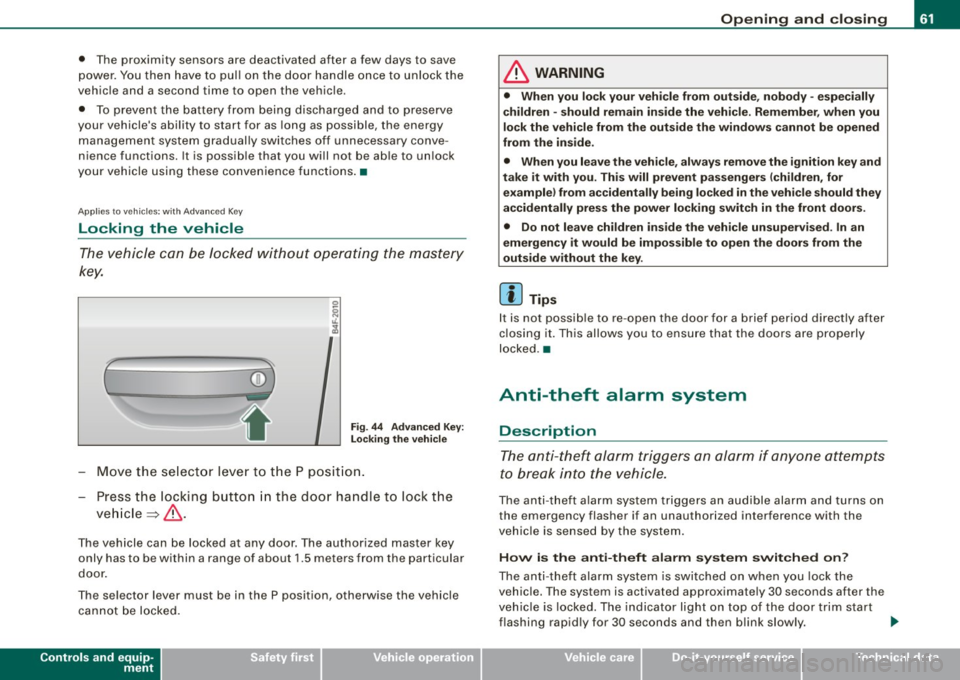
The vehicle can be Jocked wi thou t op era ting the mas tery
key.
(
i
Fig . 44 Ad vanced Key:
L ock ing th e vehi cle
- Move th e se lect or lever to t he P posit ion.
- Press the locking butto n in the doo r handle to lock the
ve hicle ~ & -
The vehicle can be locked at any door. The authorized master key
only has to be within a range of about 1.5 meters from the particular
door .
The se lector lever must be in the P position, otherwise the vehicle
can not be locked.
Controls and equip
ment
Opening and clo sing
& WARNING
• When you lock your vehicle from out side , nobody -espe cially
children -should remain inside the vehicle . Remember , when you
lock the vehicle from the outs ide the windo ws ca nnot be opened
from the in side .
• When you leave the vehi cle , al wa ys remo ve the ignition key and
t ak e it with you. Thi s will prevent pa ssenger s (children , for
e x ample ) from a ccidentally b ein g locked in the vehic le should they
accidentally pre ss the power locking swit ch in the front door s.
• Do not lea ve ch ildren in side the vehi cle un supe rvised . In an
emergency it would be impo ss ible to open the doors from the
out side w ithout the key .
[ i ] Tips
It is not possib le to re -open the door for a brief period directly after
c losing it. This allows you to ensu re that the doo rs are properly
locked .•
Anti-theft alarm system
Description
The anti- theft alarm triggers an alarm if anyone attempts
to break into the vehicle.
The an ti- theft a la rm system trig gers an audible alarm and turns on
the emergency flasher if an unauthorized interference with the
vehic le is se nsed by the system .
How is the anti-theft alarm s yst em switch ed on?
The anti -theft alarm system is switched on when you lock the
vehic le. The system is activated approximately 30 seconds after the
veh ic le is locked. The indicator light on top of the door trim start
flashing rapid ly for 30 seconds and then blink slow ly. .,_
I • •
Page 65 of 390
The next time t he vehicle is locked, the ti lt sensors a re automaticall y
tu rn ed on again.•
Power windows
Controls
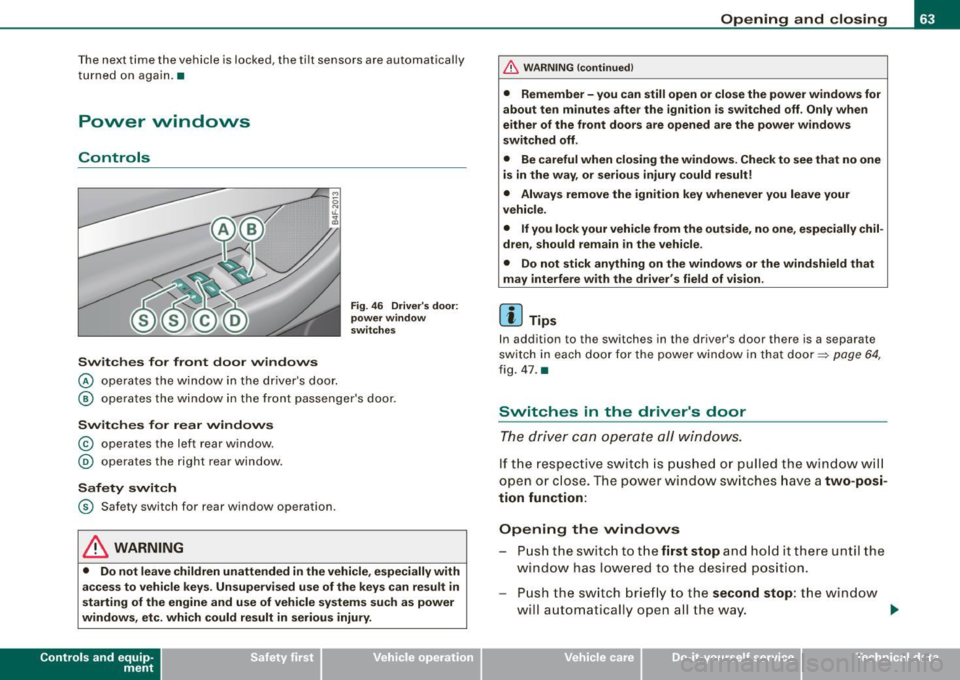
Switches for front door windows
@ o per ates th e wi ndow in th e d river 's d oor.
Fig . 46 Driver 's door:
power window
switches
@ ope ra tes th e window in the fr ont passe nger's door.
Switches for rear windows
© operates the left r ear window .
@ operates the right rear window .
Safety switch
© S afety switch fo r rear window operation.
& WARNING
• Do not leave children unattended in the vehicle , especially with
access to vehicle keys. Unsupervised use of the keys can result in
starting of the engine and use of vehicle systems su ch as power
windows, etc. which could result in serious injury.
Con tro ls and eq uip
ment
Opening and closing
& WARNING !continued)
• Remember -you can still open or close the power windows for
about ten minutes after the ignition is switched off . Only when
either of the front doors are opened are the power windows
switched off .
• Be careful when closing the windows . Check to see that no one
is in the way , or serious injury could result!
• Always remove the ignition key whenever you leave your
vehicle .
• If you lock your vehicle from the outside, no one , especially chil
dren , should remain in the vehicle .
• Do not stick anything on the windows or the windshield that
may interfere with the driver 's field of vision .
[ i ] Tips
In addition to the switches in the driver 's door there is a separate
sw itc h in eac h do or f or the po wer window in th at do or =::> page 64,
fi g . 4 7 .
a
Switches in the driver's door
The dr iver can operate all windows .
If th e re spect ive sw itc h is pu shed or pull ed the w ind ow will
ope n or clos e. T he powe r w in dow swi tc hes ha ve a two-posi
tion function:
Opening the vvindovvs
P u sh the s wit c h to the first stop and hold it there un til the
w ind ow has l ow ered t o th e desired position.
Pu sh the s witch brie fly to the second stop : the win dow
w ill a uto maticall y open a ll the way. _.
Vehicle care I I irechnical data
Page 66 of 390
Opening and closing
Closing th e w ind ows
- Pull the switch up to the first stop and hold it there until
the window has risen to the desired position.
- Pull the sw itch qu ickly to the
second pos ition : the
window will automatically close all the way~
& in
" Contro ls" .
Activating /deactivating rear windows
Press the left 00 sw itch ~ page 63, fig. 46 to deactivate
only the w indow reg ulato r in t he left door. The ind icat or
l igh t in the switch illuminates .
Press the right
00 switch => page 63, fig. 46 to deactivate
only the window regulator in th e right door. The indicator
light in t he switch illuminates.
- Press the
[ t ] switch aga in to reac tivate the win dow regu -
lator . The indica to r l ight in the switch goes out.
This function can also deactivated. Press both (I) switches @ in
succession.
• If
only the left (I) switch was pressed, only the window regulator
sw itch in the
left r ear door is deac tiva ted. In addition , the door is
locked .
• If
onl y the right (I) switch was press ed, o n ly the window regu
lator switch in the
right rear do or is deactivated . In addition, the
door is locked .
This feature has been prov ided for the safety of small chi ldren riding
in the rear of the vehicle .
[ i ] Tips
• The windows can still be opened and closed fo r about ten
minutes after the ignition has been turned off. The power windows
are no t shut off until one of the front doors is opened . •
In order to activate the child safety lock on the left and the right
side, you have to press the two safety switches in succession. Make
certain that the check light comes on the co rresponding safety
switch when the child safety lock is activated .•
Switch in the front passenger 's door and on
the rear doors
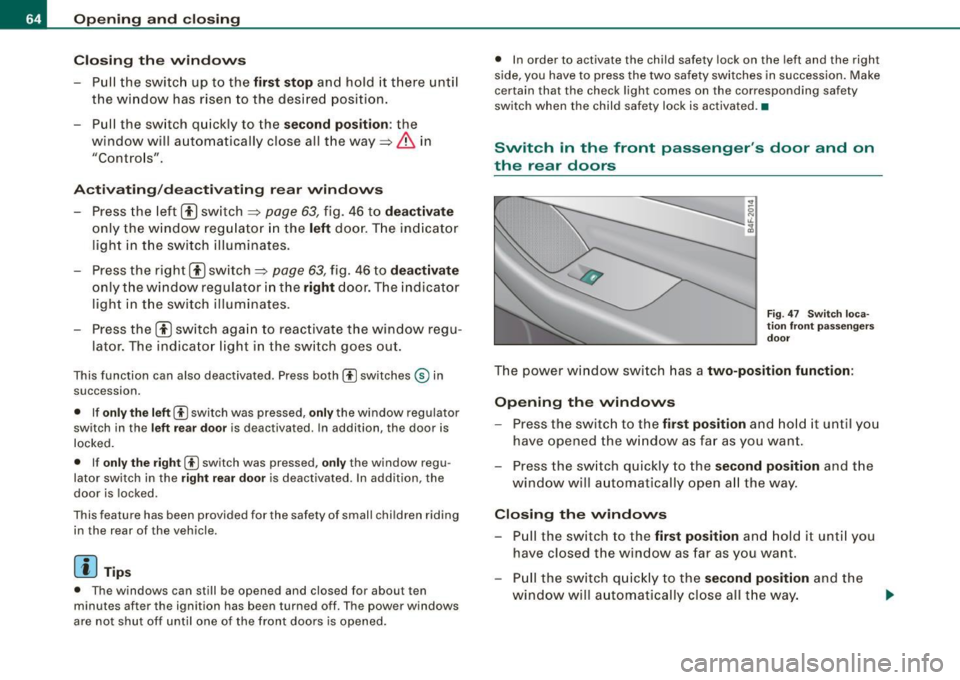
F ig . 4 7 Sw itc h l oca
ti on fr ont p asseng ers
d o or
The power window switch has a two-position function :
Opening the windows
-Press the switch to the first po sition and ho ld it until you
have opene d the w indow as fa r as you wan t.
- Press the sw itch quickly to the
s econd position and the
window will a utomatically open a ll the way.
Closing the windows
- Pu ll the sw itch to the first position and hold it unt il you
have closed the window as far as you want.
- Pull the sw itch q uick ly to th e
second position and the
window w ill a utomatically close all t he w ay.
Page 69 of 390
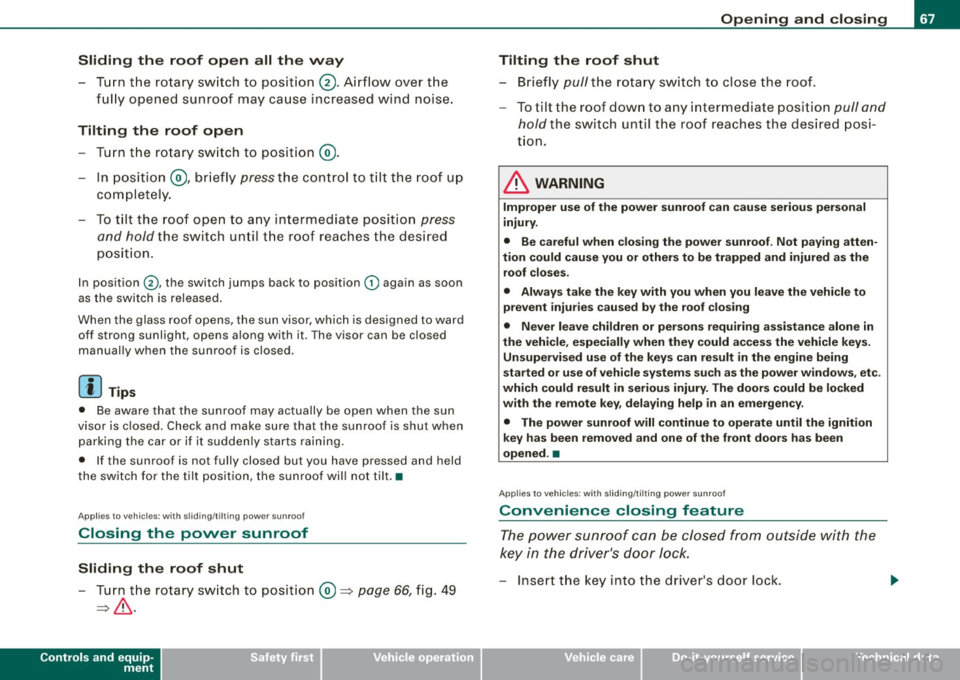
Sliding the roof open all the way
- Turn the rotary switch to position
0-Airflow over the
fully opened sunroof may cause increase d wind noise.
Tilting the roof open - Turn the rotary switch to position @.
- In position @, briefly
press the control to tilt the roof up
completely.
To tilt the roof open to any intermediate position
press
and hold
the switch until the roof reaches the desired
position.
In position ©, the switch jumps back to position G) again as soon
as the switch is released.
When the glass roof opens, the sun visor, which is designed to ward
off strong sunlight, opens along with it. The visor can be closed
manually when the sunroof is closed.
[ i] Tips
• Be aware that the sunroof may actually be open when the sun
visor is closed. Check and make sure that the sunroof is shut when
parking the car or if it suddenly starts raining.
• If the sunroof is not fully closed but you have pressed and held
the switch for the tilt position, the sunroof will not tilt. •
Appl ies to vehicles: with sliding/tilt ing power sunroof
Closing the power sunroof
Sliding the roof shut
- Turn the rotary switch to position
0 => page 66, fig. 49
=>& .
Controls and equip
ment
Opening and closing
Tilting the roof shut Briefly
pull the rotary switch to close the roof.
To tilt the roof down to any intermediate position
pull and
hold
the switch until the roof reaches the desired posi
tion.
& WARNING
Improper use of the power sunroof can cause serious personal
injury.
• Be careful when closing the power sunroof . Not paying atten
tion could cause you or others to be trapped and injured as the roof closes.
• Always take the key with you when you leave the vehicle to
prevent injuries caused by the roof closing
• Never leave children or persons requiring assistance alone in
the vehicle, especially when they could access the vehicle keys. Unsupervised use of the keys can result in the engine being
started or use of vehicle systems such as the power windows. etc .
which could result in serious injury. The doors could be locked
with the remote key, delaying help in an emergency.
• The power sunroof will continue to operate until the ignition
key has been removed and one of the front doors has been
opened. •
Applies to veh icles: with sliding/t ilting power sunroof
Convenience closing feature
The power sunroof can be closed from outside with the
key in the driver's door lock.
-Insert the key into the driver's door lock.
I • •
Page 70 of 390
Opening and closing
- Turn and hold the key in the lock position ® ::::>page 55,
fig. 35 until the sunroof is completely closed=>
& in
"Closing the power sunroof".
& WARNING
Be careful when closing the power sunroof. Not paying attention
could cause you or others to be trapped and injured as the roof
closes. •
Applies to vehicles: with slid ing/ tilti ng power sunroof
Power emergency closing
The sunroof can still be closed electrically if for some
reason the overload protection function becomes acti
vated.
The power sunroof is equipped with an overload protection
feature. If, under normal conditions, the power sunroof will
not close, you can close it using this feature.
Turn the rotary switch to position ®~page 66, fig. 49 .
- Now pull the switch
and hold it in this position until the
power sunroof closes completely.
& WARNING
Improper use of the power sunroof can cause serious personal
injury.
• Be careful when closing the power sunroof . Not paying atten
tion could cause you or others to be trapped and injured as the
roof closes.
• Always take the key with you when you leave the vehicle to
prevent injuries caused by the roof closing.
& WARNING (continued)
• Never leave children or persons requiring assistance alone in
the vehicle, especially when they could access the vehicle keys.
Unsupervised use of the keys can result in the engine being
started or use of vehicle systems such as the power windows, etc .
which could result in serious injury . The doors could be locked
with the remote key, delaying help in an emergency.
• The power sunroof will continue to operate until the ignition
key has been removed and one of the front doors has been
opened. •
Applies to vehicles: with sliding/tilt ing pow er sunroof
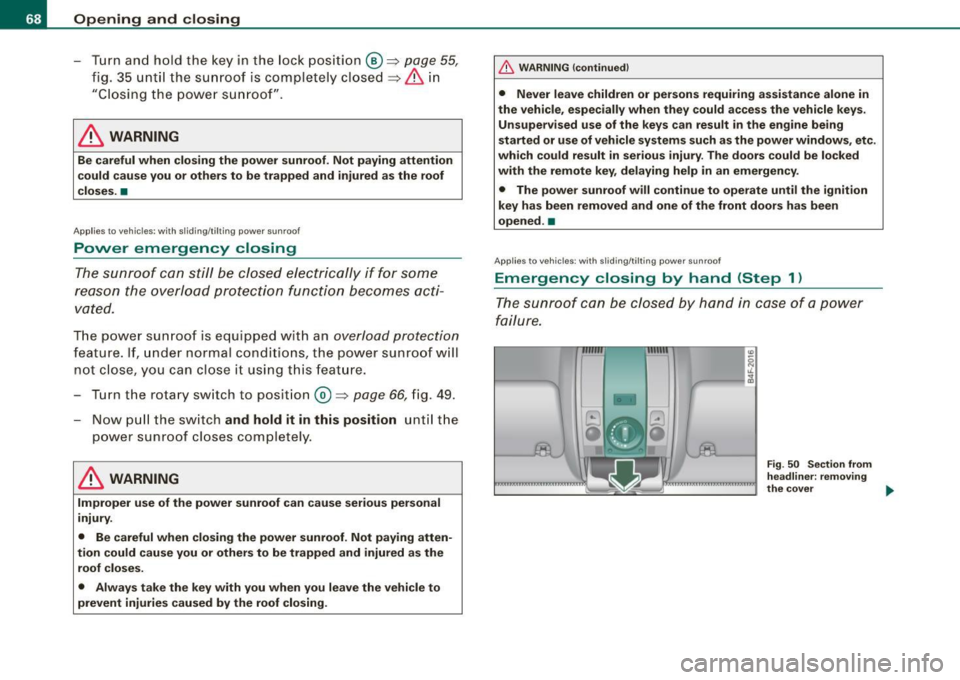
Emergency closing by hand (Step 1)
The sunroof can be closed by hand in case of a power
failure.
-
Fig . 50 Section from
headliner: removing
the cover ..
Page 72 of 390
Clear vision
Clear vision
Lights
Switching the headlights on and off ·t/.·
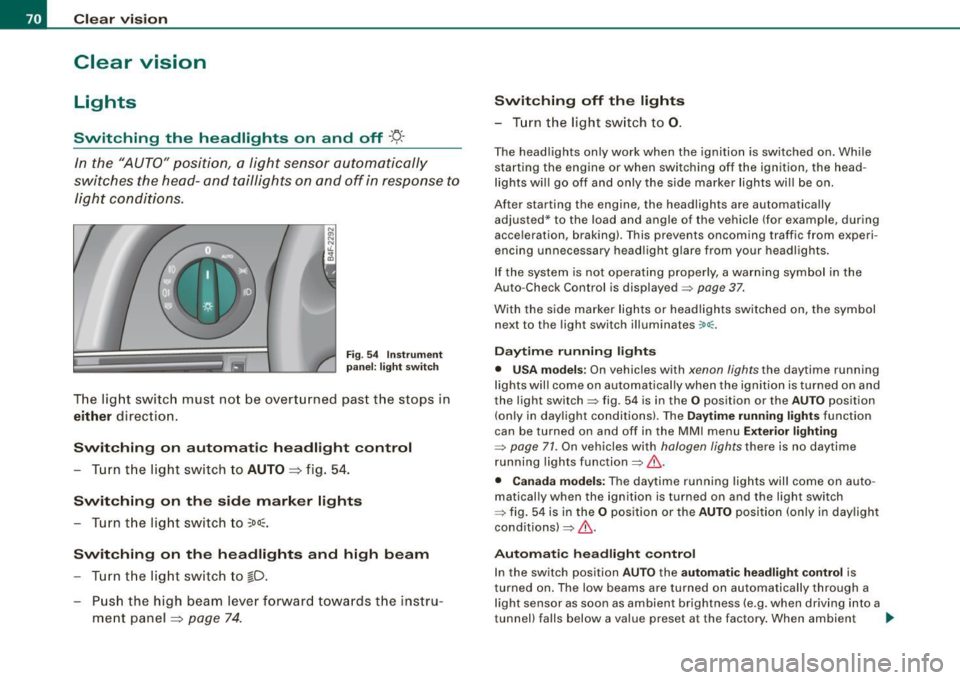
In the "AUTO" position, a light sensor automatically
s w itches the head- and taillights on an d off in resp onse to
l igh t co nditio ns.
Fig . 54 In strument
p anel: light swit ch
T he lig ht switc h must no t be overt urned pas t the stops in
either direc tion .
Switching on automatic headlight control
-Tur n t he light switch to AUTO =:> fig. 5 4.
Switching on the side marker lights
- Turn t he lig ht s witch to ~oo~.
Switching on the headlights and high beam
- Turn t he lig ht switch to ~D.
- Pu sh th e high beam l ever f orwar d tow ards t he ins tru-
m en t panel =:>
page 74 .
Switching off th e lights
- T urn the light switch to 0.
The head lights only work when the ignition is swi tched on. Whi le
starting the engine or when switching off the ignition, the head
l ights wi ll go off and only the side marker lights wi ll be on.
After starting the engine, the headlights are automatically adjusted* to the load and angle of the vehicle (for example, dur ing
acce leration, braking) . T his prevents oncoming traffic from experi
encing unnecessary head ligh t glare from your headligh ts .
If the system is not ope rating properly, a warni ng sy mbol in the
Auto -Check Control is displayed =>
page 37.
With the side marker lights or headlights switched on, the symbol
next to the light switch illuminates
coo:.
Daytime running light s
• USA models : On vehicles with xenon lights the daytime running
l ights wil l come on a utomatica lly when th e ignition is t urned on an d
the light switch => fig. 54 is in the
O position or the AUTO position
(on ly in day light co nditions). The
Daytime running lights func tion
can be turned on and off in the MMI menu
Exterior lighting
=> page 71. On vehicles with halogen lights there is no daytime
running lights function=> &.
• Canada models: The daytime running lights wil l come on auto
matical ly when the ignition is turned on and the ligh t switch
=> fig. 54 is in the
O position or the AUTO position (only in day ligh t
conditions)=> &.
Automatic headlight control
In the switch position AUTO the automatic h eadlight control is
turned on . The low beams are tu rned on automatically through a
l ight sensor as soon as ambient brightness (e .g. when driving into a
tunnel) falls below a value preset at the factory . When ambient ...
Page 84 of 390
Clear vision
& WARNING
Be sure to in sp ec t the cond it ion of y our wiper bl ad es regul arl y. See
y our authorized Audi deale r for repla ceme nt bl ade s.
0 Note
To prevent damage to the wiper sys tem:
• Always loosen blades which are frozen to the windshield before
operating wipers.
• Do not use gasoline, kerosene , paint thinner, or other solvents on
or near the wiper blades .
• Do not attempt to move the wipers by hand .
• The windshield wiper blades must only be replaced when in the
service position ~
page 80! Otherwise, you risk damaging the paint
on the hood or the windshield wiper motor.
[ i ] Tips
Commercial hot waxes app lied by au tomatic car washes affect the
cleanability of the windshield. •
Mirrors
Manual anti-glare adjustment
Standard setting
Move the small lever (located on the bottom edge of the
mi rror) to the fron t.
Anti-glare setting - Move th e sma ll leve r (located on the bottom edge of th e
m irror) to the rear. •
App lies to vehicles: with aut omat icall y dim ming in side mirro r wi th d igit al c om pass
Automatically dimming inside mirror
The automatic dimming function can be turned on and off
if required.
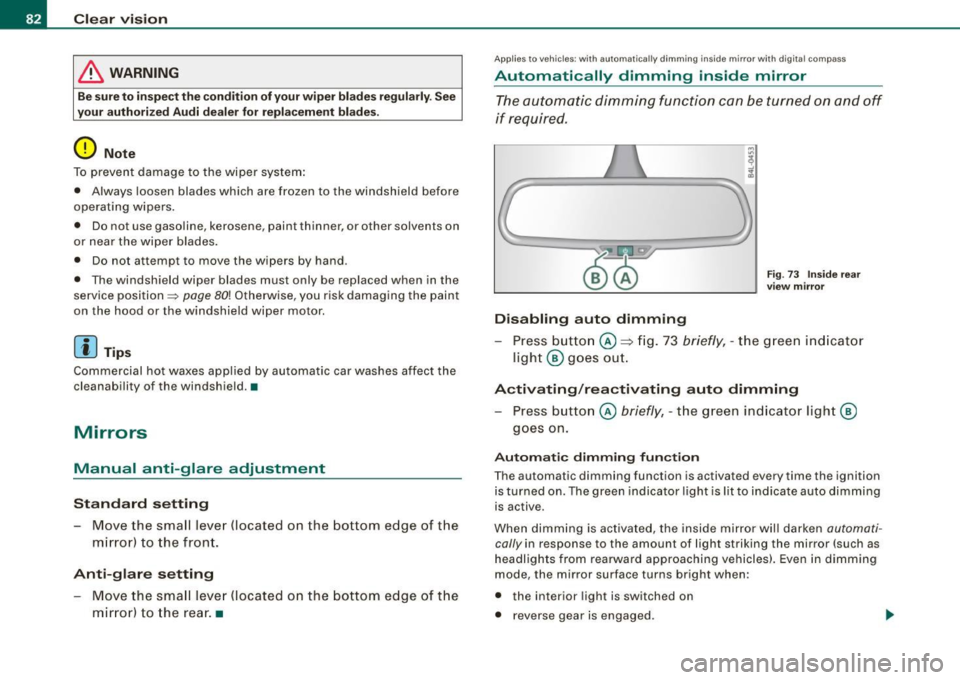
Disabling auto dimming
F ig . 73 Inside rea r
view mi rror
Press button @~ fig . 73 briefly , - the g reen ind icat or
ligh t® goes ou t.
A ctivating /reactivating auto dimming
- Press button @ briefly, -the green indicato r light ®
goes on.
Automat ic dimming fun ction
The automatic dimming function is activated every time the ignition
is turned on. The green indicator light is lit to ind icate auto dimming
is active.
When dimm ing is activated, the inside mirror will darken
automati
cally in response to the amount of light striking the mirror (such as
headlights from rearwa rd approaching vehicles}. Even in dimm ing
mode , the mirror surface turns bright when :
• the interior light is switched on
• reverse gear is engaged .
Page 89 of 390
Seats and storage
General recommendations
Why is your seat adjustment so important? The safety belts and the airbag system can only provide
maximum protection if the front seats are correctly
adjusted.
The re are various ways of adjusting the front seats to provide safe
and comfortable support for the driver and the front passenger.
Adjust your seat properly so that:
• you can easily and quickly reach all the switches and controls in
the instrument panel
• your body is properly supported thus reducing physical stress
and fatigue
• the safety belts and airbag system can offer maximum protec
tion
~ page 212.
In the follow ing sections, you will see exactly how you can best
adjust your seats.
There are special regulations and instructions for installing a child safety seat on the front passenger's seat. Always follow the informa
tion regarding child safety provided in~
page 234, "C hild Safety".
& WARNING
Incorrect seating position of the driver and all other passengers
can result in serious personal injury.
• Always keep your feet on the floor when the vehicle is in motion
- never put your feet on top of the instrument panel, out of the
window or on top of the seat cushion. This applies especially to
the passengers. If your seating position is incorrect, you increase
the risk of injury in the case of sudden braking or an accident. If
Controls and equip
ment
Seats and storage
& WARNING (continued)
the airbag inflates and the seating position is incorrect, this could
result in personal injury or even death.
• It is important for both the driver and front passenger to keep
a distance of at least 10 inches (25 cml between themselves and
the steering wheel and/or instrument panel. If you're sitting any closer than this, the airbag system cannot protect you properly. In
addition, the front seats and head restraints must be adjusted to
your body height so that they can give you maximum protection.
• Always try to keep as much distance as possible between your
self and the steering wheel or instrument panel.
• Do not adjust the driver's or front passenger's seat while the
vehicle is moving. Your seat may move unexpectedly, causing
sudden loss of vehicle control and personal injury . If you adjust
your seat while the vehicle is moving, you are out of position. •
Driver's seat
The correct seat position is important for safe and relaxed
driving.
We recommend that you adjust the driver's seat in the
following manner:
Adjust the seat in fore and aft direction so that you can
easily push the pedals to the floor while keeping your
knees slightly bent=>
& in "Why is your seat adjustment
so important?".
- Adjust the seatback so that when you sit with your back
against the seatback, you can still grasp the top of the
steering wheel. ..,
I • •
Page 90 of 390
Seats and storage
- Position the head restraint according to the occupant's height ~
page 93. For maximum protection, the top of
the head restraint should be at least at eye level, prefer
ably higher and ideally level with the top of the head
~ page 197, fig. 190.
& WARNING
Never place any objects in the driver's footwell. An object could
get into the pedal area and interfere with pedal function . In case
of sudden braking or an accident, you would not be able to brake
or accelerate. •
Front passenger's seat
Always move the front passenger seat into the rearmost
position.
To avoid contact with the airbag while it is deploying, do not
sit any closer to the instrument panel than necessary and
always wear the three-point safety belt provided adjusted
correctly. We recommend that you adjust the passenger's
seat in the following manner:
- Move the front passenger seat into the rearmost position
of t he fore and aft adjustment range~
& in "Why is
your seat adjustment so important?" on
page 87.
- Bring the backrest up to an (a lmost) upright position . Do
not ride with the seat reclined.
- The ideal position for the head restraint is with the upper
edge of the restraint level with the top of your head
~ page 93. You should not lower the top of the restraint
below the level of your eyes. - Place your
feet on the floor in front of the passenger 's
seat. •
Power seat
Controls
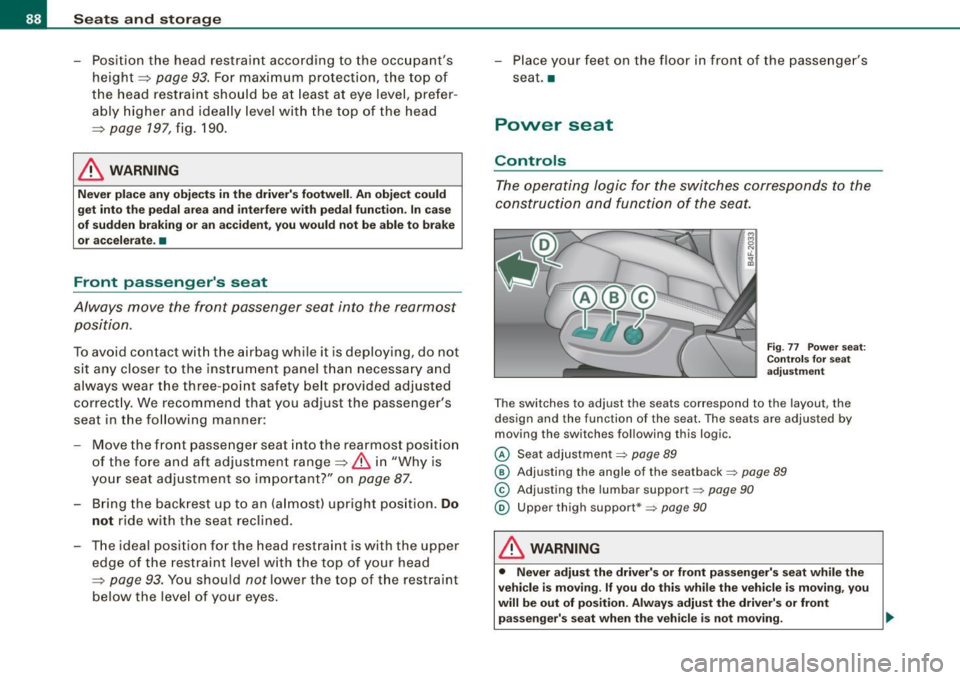
The operating logic for the switches corresponds to the
construction and function of the seat.
Fig. 77 Power seat:
Controls for seat
adjustment
Th e switches to adjust the seats correspond to the layout, the
design and the function of the seat. The seats are adjusted by
moving the switches following this logic.
© Seat adjustment=> page 89
@ Adjusting the angle of the seatback => page 89
© Adjusting the lumbar support => page 90
@ Upper thigh support*=> page 90
& WARNING
• Never adjust the driver's or front passenger's seat while the
vehicle is moving.
If you do this while the vehicle is moving, you
will be out of position. Always adjust the driver's or front
passenger's seat when the vehicle is not moving. _,,,
Page 93 of 390
Seat memory
Applies to vehicles: w ith seat memory
Driver's seat memory
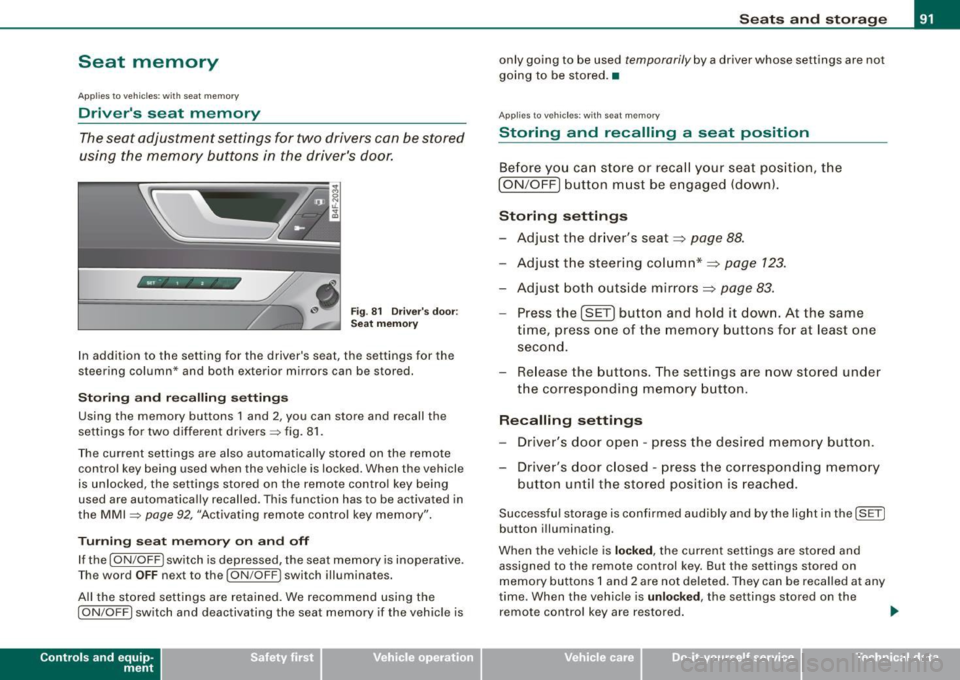
The seat adjustment settings for two drivers con be stored
using the memory buttons in the driver's door.
Fig . 81 Driver's door :
Seat memory
In addition to the setting for the driver's seat, the settings for the
steering column* and both exterior mirrors can be stored.
Storing and reca lling settings
Using the memory buttons 1 and 2, you can store and recall the
settings for two different drivers=> fig. 81.
The current settings are also automatically stored on the remote control key being used when the vehicle is locked. When the vehicle
is unlocked, the settings stored on the remote contro l key being
used are automatically recalled. This function has to be activated in
the MMI =>
page 92, "Activating remote control key memory".
Turning seat memory on and off
If the [ ON/OFF ! switch is depressed, the seat memory is inoperative.
Th e word OFF next to the [ON/OFF) switch illuminates.
All the stored settings are retained. We recommend using the
I ON/OFF] switch and deactivating the seat memory if the vehic le is
Con tro ls and eq uip
ment
Seats and storage
only going to be used temporarily by a driver whose settings are not
going to be stored. •
Applies to veh icles: w ith seat memory
Storing and recalling a seat position
Before you can store or recall your seat position, the
I ON/OFF] button must be engaged (down) .
Storing settings
- Adjust the driver's seat~
page 88.
-Adjust the steering column*~ page 123.
-Adjust both outside mirrors~ page 83.
-Press the !SE T] button and hold it down. At the same
time, press one of the memory buttons for at least one
second.
- Release the buttons. The settings are now stored under
the corresponding memory button.
Recalling settings
- Driver's door open -press the desired memory button.
- Driver's door closed -press the corresponding memory
button until the stored position is reached.
Successful storage is confirmed audibly and by the light in the [ SET)
button illuminating.
When the vehicle is
locked, the current settings are stored and
assigned to the remote control key. But the settings stored on
memory buttons 1 and 2 are not deleted. They can be recalled at any
time. When the vehicle is
unloc ked, the settings stored on the
remote control key are restored . ..,
Vehicle care I I irechnical data