ESP AUDI S6 2008 Service Manual
[x] Cancel search | Manufacturer: AUDI, Model Year: 2008, Model line: S6, Model: AUDI S6 2008Pages: 390, PDF Size: 88.42 MB
Page 170 of 390
• .___A_ u_d_ i _P _a_ r_ k_ i_ n ..:g=-- S_ y=-- s_t _ e _m _____________________________________________ _
Please note that low objects already signalled by a warning can
disappear fro m the system 's detectio n range and wil l n ot con tinu e
to be signa lled .
If the distance to an obstacle remains the same, the vo lume of the
d istance wa rni ng i s gradually reduced after a bout 4 seconds .
Approaching another obstacle wi ll result in the distance warning
sound ing at the nor mal vo lume agai n.
Malfunctions in the system
If a warnin g tone is audible for about five seconds when you turn on
the ignition, there is a ma lfunction in the system. Have the prob lem
corrected by y our aut horiz ed Aud i dealer .
Keep the sensors in the rear bumper c lean and free from ice so that
t he acoustic park ass is t sy ste m can f unction pro per ly .
& WARNING
• Sensors have dead spaces in which objects cannot be
detected . Be e specially alert for small children and animals , since
they are not always detected by the sensors.
• The Acoustic Parking System is not a substitute for the dr iver's
own caution and alertne ss. Ultimate respon sibility always
remains with the driver during parking and similar maneuvers .
Always watch where you are driving .
• You should always adjust the volume and frequen cy of the
chimes so that you can easily hear the acoustic distance warning
even if the radio is playing , the air-condit ioner blower is on High or
there i s a high level of out side noise .
- Check the settings whenever anyone else has driven the
vehicle before you.
0 Note
• Reme mber that l ow obstacles for wh ic h a warn ing has already
been issued may "dive" below the system's sensing zone if the
v e h icl e is be ing backed u p closer. In this cas e, th e wa rning so und shutting off does
not indicate that you have c
leared the obstacle .
In stea d, impact is im min ent.
• Objects such as trai ler hitches, chains, narrow posts or fences
cov ered by a t hin lay er of p ain t may no t always be dete cte d by t he
system . T hey can stil l damage your vehicle without warning.
[ i ] Tips
K eep the sensors in the rear bumper clean and free of snow and ice
so tha t the acou stic parki ng a ssis t system ca n fu nc tio n proper ly . •
Ap plie s to v ehic le s : w ith Audi P arki ng Syst em ( re arl
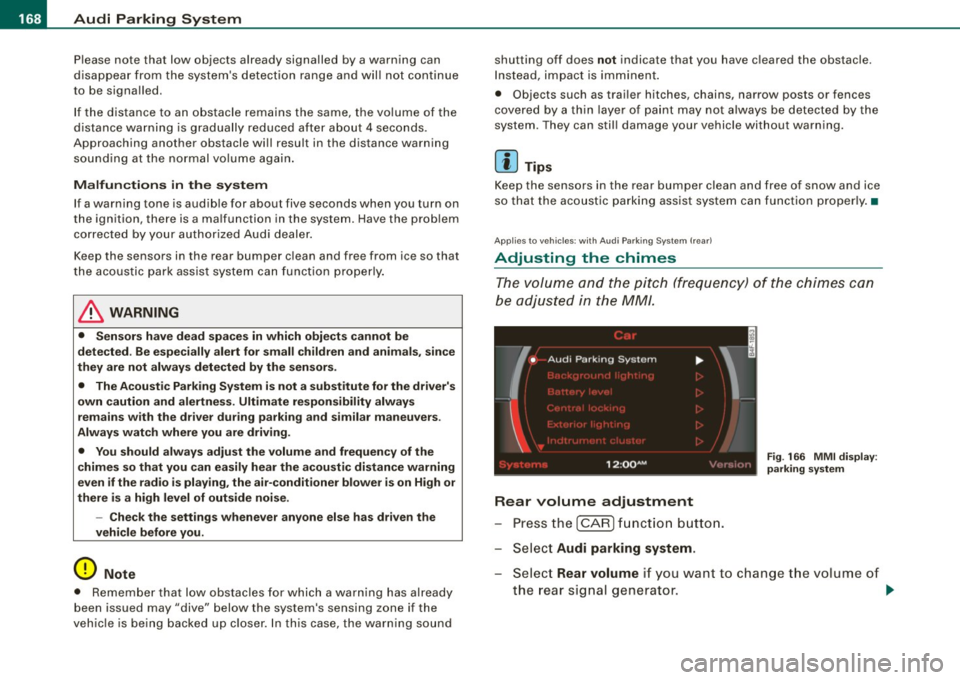
Adjusting the chimes
Th e vo lum e and t he pitc h (freq uency) o f th e c him es can
be adju ste d i n th e
MM/ .
Rear volume adjustment
Pre ss th e [ CAR ] fun ctio n butt on.
S el ect
Audi parking system.
Fig . 166 MMI display :
pa rking system
S elect Rear volume if you want to change t he volume of
t h e rear si gnal genera tor .
~
Page 172 of 390
• .___A_ u_d_ i _P _a_ r_ k_ i_ n ..:g=-- S_ y=-- s_t _ e _m _____________________________________________ _
-Switch the ignition off, the entire acoustic parking
system is automatically deactivated.
The rear-view camera will deactivate automatically when you shift
into a forward gear and drive faster than about
9 mph (15 km/h) .
The delay in deactivating the camera provides an uninterrupted
view behind the vehicle especially when maneuvering in tight parking spaces and prevents the picture from turning off the every
time you shift out of reverse.
The vehicle -obstacle distance at which the sensors start to measure
is
about:
To the side 2 ft (0.60 m)
Center rear 5.2 ft (1.60 ml
Backing up
Distance notification when backing up starts when an obstacle is
detected that is within range of the Audi Parking System. As the
distance decreases, the time between the chimes gets shorter .
When the distance is less than
1 ft (0.30 m), the chime becomes a
continuous tone. Here, at the latest, you should stop backing up.
Please note that low objects already signaled by Audi Parking
System can become so close that they can no longer be detected
and will not continue to be signaled .
If the distance to an obstacle stays the same, the volume of the
distance signal chime is gradually reduced after about
4 seconds
(does not affect the continuous signal tone). Approaching another
obstacle will cause the distance signal to sound again at the normal
volume.
Distance signal tones
Distance is signaled by chimes from the rear signal generator. The
volume and the pitch of the chimes can be adjusted in the MMI
=>
page 178.
Rear-view camera (rear view)
The rear -view camera picture ~ page 173, fig. 172 appears in the
MMI Display as a mirror image . The rear-view camera picture has
orientation lines and marked surfaces projected into it, as an aid to
the parking process=>
page 171 . The red line in the picture
=>
page 171, fig. 168 or=> page 171, fig. 169 indicates the collision
area . Here , at the latest, you should stop backing up~&.
If the warning message appears in the display but not the rear-view
camera picture, read and confirm the warning message. The
acoustic distance signal is always active.
If you press a function button on the MMI terminal, the rear -view
camera picture disappears. The rear-view camera picture reappears
the next time you park.
When the rear -view camera picture is displayed, you can adjust the
volume and frequency of the acoustic parking via the control button
with the
Settings function ~ page 179.
Further information on the warning message and the MMI terminal
can be found in the MMI instruction booklet.
& WARNING
• Sensors have blind spots in which objects cannot be detected.
Be especially careful to check for small children and animals
before backing up. Small children and animals will not always be
detected by the sensors.
• The Audi Parking System is not a substitute for being careful
and alert when backing up. Be especially careful during parking
and similar maneuvers. Always watch where you are driving and
make sure that nothing is in the way.
• Remember that low obstacles which have already been
signaled may pass below the system's sensing zone when the
vehicle is backing up. The fact that the signal stops does not mean
that you have cleared the obstacle. When the signal stops, impact is imminent . Objects such as trailer hitches, chains, narrow posts
or fences covered by a thin layer of paint may not always be
~
Page 174 of 390
-Audi Parking System -------=--=---------------
"Parking mode
1" appears by default in the MMI Display if the rear
v iew came ra is activate d=>
page 169 . You can switch to " parki ng
mode
2" by pressing the control button with the mode @
=> page 173, fig. 173 function . By repeatedly p ressing the control
button with the
mode function, you can switch back and forth
between "parking mode
1 " and "pa rking mode 2".
Orientation lines and marked surfa ces
Orientati on l ines and col ored ma rke d surfaces( => page 173, fig . 172
or=>
page 175, fig. 174) are projected into the rear -view camera
pictu res, subject to the two diffe rent par king modes . These orienta
tion lines and surfaces offer aid when parking or maneuvering. The
orientation lines and su rfaces refer to the height of a leve l driving
sur face.
When the indicated orientation lines and indicated blue surfaces
sup erimpos e veh ic le s or o bjects, a t the lates t, t he respectiv e
d istance to the vehicles or objects has become too short
=>
p age 177 .
If the tr unk lid is open, the o rien tat io n lin es and marked su rfaces are
not displayed .
& WARNING
• The rear-view camera has blind spots , in which objects cannot
be detected . Be especially careful to check for small children and
animals before backing up . Small children and animals will not
always be detected by the sensors.
• The Audi Parking System is not a substitute for being careful
and alert when backing up . Be especially careful during parking
and similar maneuvers . Always watch where you are driving and
make sure that nothing is in the way.
• Remember that low obstacles which have already been
signaled may pass below the system 's sensing zone when the
vehicle is backing up . The fact that the signal stops does not mean
that you have cleared the obstacle . When the signal stops , impact
is imminent . Objects such as trailer hit ches, chains , narrow posts
& WARNING (continued )
or fences covered by a thin layer of paint may not always be
detected by the sy stem. They can still damage your vehicle
without warning .
• Always make sure that the volume and frequency of the chime s
is adjusted so that you can easily hear the acoustic distance signal
even if the radio is playing , the air -conditioner blower is on High or
there is a high level of outside noise .
- Check the settings whenever someone else has driven the
vehicle before you .
• Improper reliance on the Audi Parking System can cause colli
sions and serious personal injury .
- Never rely only on parking assi st w hen changing backing up .
- Always check rear view mirrors to make sure it is safe to back
up .
[ i ] Tips
• Before parking with the rear -view camera, the Adaptive Air
Su spensi on* co mfort or automatic mode must be switched on
=>
page 21.
• The rea r-v iew ca mera pic ture is avai la bl e as soon as the M MI
Display or the MMI is sw itched on, or the start -up phase is
completed.
• I n order for the rear-view camera to function proper ly, the
c a m era len s=>
page 169, fig . 16 7 mu st be kept clea n, a nd free of
snow and ice. P lease follow the additional notes on=>
page 180.
• The came ra c overage a ngle changes when the trunk lid is open .
T herefore, the rear-view camera picture is d isplayed without orien
t a tion lin es an d w ith out blue surfaces .•
Page 176 of 390
-Audi Park in g Sy ste m
-------===--~------------------------------------
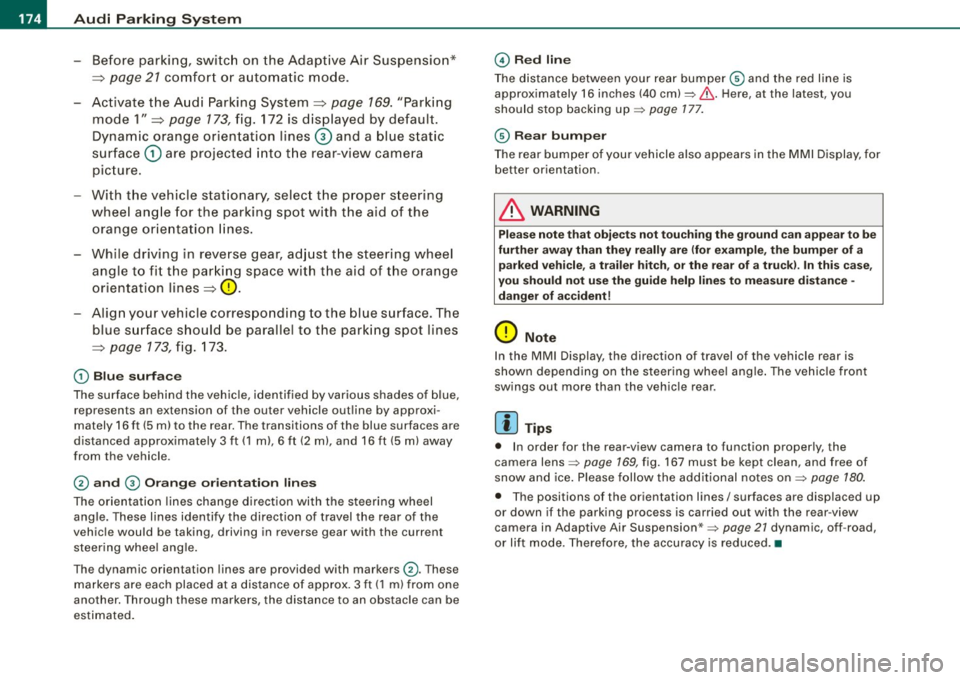
-Before parking, switch on the Adaptive Air Suspension*
=>
page 21 comfor t or automatic mode.
- Activate the Audi Parking System=>
page 169. "Parking
mode 1" =>
page 173, fig. 172 is displayed by default.
Dynamic orange orien tation lines© and a blue s tatic
surface
G) are projected i nto t he rear-view camera
pic ture .
- With the vehicle stat ionary, select the proper steer ing
wheel ang le for the parking spot with the aid of the
orange orie ntation lines.
- While driv ing in reverse gear, ad just t he steering wheel
angle to fit the parking space w ith the aid of the orange
orientation lines=>
0.
- Align your vehicle corresponding to the blue surface. The
blue surface should be parallel to the park ing spot lines
=>
page 173, fig . 173.
G) Blu e surface
The surface behind the vehic le, identified by various shades of b lue,
rep resents an extension of the outer vehicle out line by approxi
mately 16 ft (5 ml to the r ear. Th e transitions of the blue surfac es are
distanced approx imately 3 ft (1 ml , 6
ft (2 m) , and 16 ft (5 m) away
from the vehicle .
0 and G) O ra ng e or ien ta tion lin es
The orientation lines change direct ion with the steering wheel
angle. These lines identify the direction of travel the rear of the
vehic le would be taking , driving in reverse gear with the current
steer ing whee l ang le.
Th e dynamic or ientation lines ar e provid ed with mark ers
0 -These
markers are each placed at a distance of approx . 3 ft ( 1 m) from one
ano ther. Through these markers , the distance to an obstacle can be
estimated.
© Redli ne
The distance between your rear bumper® and the red line is
approximately 16 inches (40 cm):::::,&. Here, a t the latest, you
should stop backing up:::::,
page 177 .
© Rear bum per
The rear bumper of your vehicle also appears in the MMI Display, for
better orientation .
& WARNING
Please n ote t hat obje cts n ot tou ch ing th e ground can ap pear to be
fu rther away th an th ey re ally ar e (for example , the bumper of a
p arked vehi cle , a trai ler hit ch, o r th e rea r of a tr uck). In this case,
yo u shou ld not u se th e gu ide h elp lin es to mea sur e di stan ce -
d anger of accident !
0 Note
In the MMI Display, the di rection of travel of the vehicle rear is
shown depending on the steering whee l ang le . The vehicle front
swings out more than the vehic le rear .
[ i ] T ip s
• In o rder for the rear -v iew camera to function proper ly , the
camera lens:::::,
page 169 , fig. 167 must b e kept cl ean, and free of
snow and ice. P lease follow the add itional notes on :::::,
page 180.
• The posit ions of the orientation lines / surfaces are disp laced up
o r down if the parking process is carried out with the rear -view
camera in Adaptiv e Air Suspension *:::::,
page 21 dynamic , off -road ,
or lift mode. Therefore, the accuracy is reduced. •
Page 178 of 390
• .___A_ u_d_ i _P _a_ r_ k_ i_ n ..:g=-- S_ y=-- s_t _ e _m _____________________________________________ _
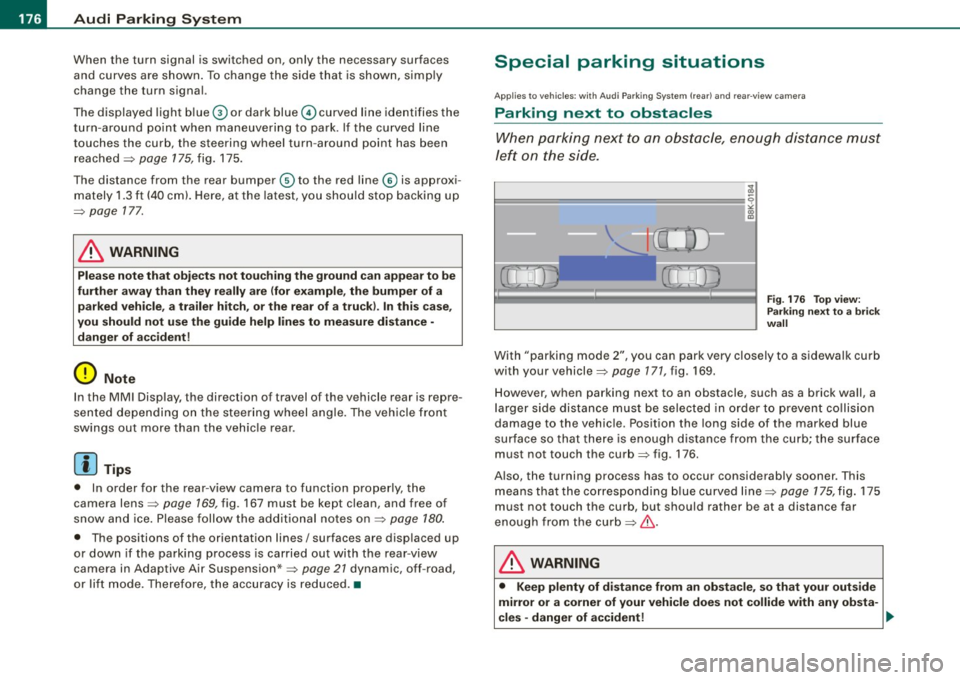
When the turn signal is switched on, only the necessary surfaces
and curves are shown. To change the side that is shown, simply
change the turn signal.
The displayed light blue® or dark blue © curved line identifies the
turn-around point when maneuvering to park. If the curved line
touches the curb, the steering wheel turn -around point has been
reached =>
page 175, fig. 175.
The distance from the rear bumper © to the red line@ is approxi
mately 1.3 ft (40 cm). Here, at the latest, you should stop backing up
=>
page 177.
& WARNING
Please note that objects not touching the ground can appear to be
further away than they really are (for example, the bumper of a parked vehicle, a trailer hitch, or the rear of a truck).
In this case,
you should not use the guide help lines to measure distance -
danger of accident!
0 Note
In the MMI Display, the direction of travel of the vehicle rear is repre
sented depending on the steering wheel angle. The vehicle front
swings out more than the vehicle rear .
[ i] Tips
• In order for the rear-view camera to function properly, the
camera lens=>
page 169, fig. 167 must be kept clean, and free of
snow and ice. Please follow the additional notes on=>
page 180.
• The positions of the orientation lines/ surfaces are displaced up
or down if the parking process is carried out with the rear-view
camera in Adaptive Air Suspension*=>
page 21 dynamic, off -road,
or lift mode. Therefore, the accuracy is reduced. •
Special parking situations
Applies to vehicles : with Audi Parkin g System (rea r) and rear-view camera
Parking next to obstacles
When parking next to an obstacle, enough distance must
left on the side.
=
Fig. 176 Top view:
Parking next
to a brick
wall
With "parking mode 2", you can park very closely to a sidewalk curb
with your vehicle=>
page 171, fig. 169.
However, when parking next to an obstacle, such as a brick wall, a
larger side distance must be selected in order to prevent collision
damage to the vehicle. Position the long side of the marked blue
surface so that there is enough distance from the curb; the surface
must not touch the curb=> fig. 176 .
Also, the turning process has to occur considerably sooner. This means that the corresponding blue curved line=>
page 175, fig. 175
must not touch the curb, but should rather be at a distance far
enough from the curb=>&.
& WARNING
• Keep plenty of distance from an obstacle, so that your outside
mirror or a corner of your vehicle does not collide with any obsta-
cles -danger of accident! ..
Page 180 of 390
• .___A_ u_d_ i _P _a_ r_ k_ i_ n ..:g=-- S_ y=-- s_t _ e _m _____________________________________________ _
& WARNING (continued)
• Maintain plenty of distance from an obstacle, so that your
outside mirror or a corner of your vehicle does not collide with any
obstacles - danger of accident!
• The Audi Parking System is not a substitute for being careful
and alert when backing up. Be especially careful during parking
and similar maneuvers. Always watch where you are driving and
make sure that nothing is in the way.
• When maneuvering or parking, do not only use the MMI Display
for orientation. Certain objects -depending on the screen resolu
tion -may not, or not entirely, be displayed ; for example trailer
hitches, chains, narrow posts, or fences . •
Settings in the MMI
App lies to veh ic les: witn Av(li Pi, rk ing System (rear! and rear-view camera
Adjusting the chimes -option 1
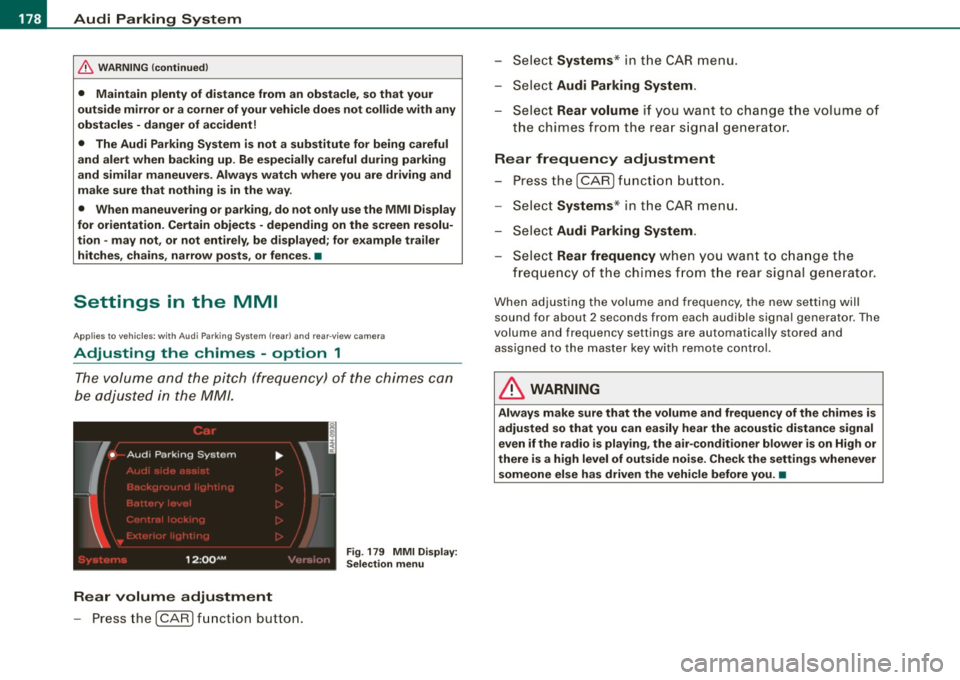
The volume and the pitch (frequency) of the chimes can
be adjusted in the MM/.
Fig . 179 MMI Display:
Selection menu
Rear volume adjustment
- Press the [CARI function button. -
Select
Systems * in the CAR menu .
- Select
Audi Parking System .
-Select Rear volume if you want to change the volume of
the chimes from the rear signal generator.
Rear frequency adjustment
- Press the [CAR I function button.
- Select
Systems* in the CAR menu .
- Select
Audi Parking System .
-Select Rear frequency when you want to change the
frequency of the chimes from the rear signal generator.
When adjusting the volume and frequency, the new setting will
sound for about 2 seconds from each audible signal generator . The
volume and frequency settings are automatically stored and assigned to the master key with remote control.
& WARNING
Always make sure that the volume and frequency of the chimes is
adjusted so that you can easily hear the acoustic distance signal
even if the radio is playing, the air-conditioner blower is on High or
there is a high level of outside noise. Check the settings whenever someone else has driven the vehicle before you. •
Page 182 of 390
• .___A_ u_d_ i _P _a_ r_ k_ i_ n ..:g=-- S_ y=-- s_t _ e _m _____________________________________________ _
Applies to vehic les: with Audi Park ing System (rearl and rear-view camera
Rear-view camera tips
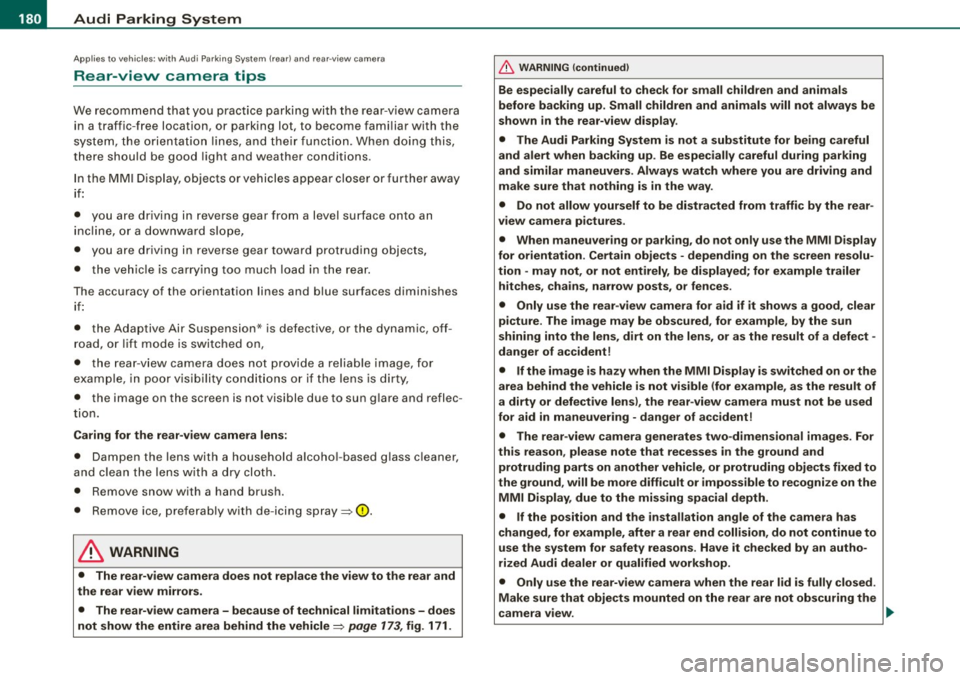
We recommend that you practice parking with t he rear -view camera
in a traff ic -free location, or parking lot, to become fami liar with the
system, the orientati on line s, a nd th eir functi on. When doi ng this,
there should be good light and weather conditions.
In the MMI Display, objects or vehicles ap pea r closer or further away
i f:
• you are driving in reverse gear from a level surface onto an
inc lin e, o r a downwa rd sl ope,
• you are driving in reverse gear toward protruding objects,
• the ve hicle is carrying too much load in the rear.
The accuracy of the orientation lines and blue surfaces diminishes if :
• the Adaptive Air Suspension* is defective, or th e dynamic, off
road, o r lift mode is swi tched on,
• the rear -view camera does not provide a reliable image, for
exam ple, in po or vi sibi lit y c ondi tio ns or if the lens is dirt y,
• the image on the screen is not visible due to sun g lare and reflec
t ion .
Caring for the rear-view camera lens:
• Dampen the lens with a household a lcoho l- based g lass c leaner,
and c lean th e lens wit h a dry cl oth.
• Remove snow with a hand brush.
• Remove ice, preferably with de -icing spray~
0.
& WARNING
• The rear-v iew camera does not replace the view to the rear and
the rear view mirrors .
• The rear-view camer a - because of technical limitat ions -does
not show the entire area behind the vehicle~
page 17 3, fig. 171.
& WARNING (continued )
Be especially careful to che ck for small children and animals
before backing up . Small children and animals will not alway s be
shown in the rear-view display .
• The Audi Parking System is not a sub stitute for being careful
and alert when back ing up . Be especially careful during parking
and similar maneuver s. Always watch where you are driving and
make su re that nothing is in the way .
• Do not allow yourself to be distracted from traffic by the rear
view camera pi ctures .
• When maneuvering or parking , do not only u se the MMI Display
for orientat ion . Certain obje cts - depending on the screen resolu
tion -may not, or not entirely, be displayed ; for example tr ailer
hitches , cha ins , narrow posts , or fences .
• Only use the rear -view camera for aid if it shows a good , clear
picture . The image may be obscured , for example , by the sun
shining into the lens, dirt on the lens, or as the result of a defect -
danger of accident!
• If the image i s hazy when the MMI Display is switched on or the
area behind the vehicle is not visible (for e xample , as the result of
a dirty or defective lens ), the rear -view camera must not be used
for aid in maneuver ing - danger of accident!
• The rear -view camera generates two -dimensional images . For
this reason , please note that recesses in the ground and
protruding parts on another vehicle , or protruding objects fixed to
the ground , will be more difficult or impossible to recognize on the
MMI Di splay, due to the missing spacial depth .
• If the position and the installation angle of the camera has
changed, for example , after a rear end collision , do not continue to
use the system for safety reasons . Have it checked by an autho
rized Audi dealer or qualified work shop .
• Only use the rear-v iew camera when the rear lid is fully closed .
Make sure that objects mounted on the rear are not obscuring the
camera v iew .
Page 191 of 390
___________________________________________________ H_ o_m_ e_ L_ i_ n _ k_ @_ R __ JIIII
Pro gra mmin g th e bump er mounted tr ansmitt er
1. Hold th e original remote control at a distance between 0 -
5 in. (0- 13 cm) from the bumper below the appropriate
headlight for your vehicle (use the shortest distance
poss ible).
2. Aim the remote control just below the pass enger side
headlight.
3. Press and hold the activation button on the remote
control.
4 . The emergency flashers will flash three t ime s (after
abo ut
15-60 seconds) w hen the programming is
successful. Now release the button on the remote
control.
- I f the device utilizes a ro lling code, please follow phase
3
of ~ page 186, "Programmi ng the Home Link® trans
mitter" for rolling code programming .
This pr oce dure w ill cause the ex ist ing prog ram ming on the
H om eli nk® butto n to be eras ed! •
Applies to vehicles: with Homelink® unive rsal remote contro l
Erasing the programming of the HomeLink ®
transmitter
When you erase the programming, the programming on
all three of the transmitter channels with be lost!
- Perform steps 1 to 4 as described on~ page 187 , "Phase
1: programming the overhead keypad".
When comp leted, the Homelink ® system wil l be in the program
ming mode and is then ready to learn the codes for remote
controlled devices.
Controls and equip
ment
[ i ] Tip s
• Programmed buttons cannot be erased indiv idual ly.
• For security reasons you are advised to erase the programming
of the Homelink® system before you sell your vehicle. •
Applies to veh icles : w ith Homelink® universal remote control
Information and accessories
If you wou ld like more information on Homelink ®, where to
purchase the Homelink® compatib le products, or would like to
purchase the Homelink ® Home Lighting Package, please cal l toll
free: 1-800-355-3515.
[ i ] Tip s
• The Homelink ® universal transmitter complies with part 15 of
the FCC rules and RSS -210 of IC part 15 . Operation is subject to the
following conditions :
- this device may not cause harmful interference, and
- this dev ice must accept any interference that may be received
inc luding interference that may cause undesired operation.
• Changes or modifications not express ly approved by the party
responsible for compliance could void the user's authority to
operate the device (DOC : ISTC 1763 102 264 Prince MODEUFCC ID :
CB2 V94800). •
I • •
Page 194 of 390
........ _o_ r_iv _i_ n""' g::;._ S_ a_f _e _ly =---------------------------------------------------
Driving Safely
General notes
Safe driving habits
Please remember -safety first!
This chapter contains important information, tips, suggestions and
warnings that you need to read and observe for your own safety, the safety of your passengers and others. We have summarized here
what you need to know about safety belts, airbags, child restraints as well as child safety. Your safety is for us
priority number 1. Always
observe the information and warnings in this section -for your own
safety as well as that of your passengers.
The information in this section applies to all model versions of your
vehicle. Some of the features described in this sections may be
standard equipment on some models, or may be optional equip
ment on others. If you are not sure, ask your au thorized Audi dealer .
& WARNING
• Always make sure that you follow the suggestions and heed
the WARNINGS in this Manual. It is in your interest and in the interest of your passengers.
• Always keep the complete Owner's Literature in your Audi
when you lend or sell your vehicle so that this important informa
tion will always be available to the driver and passengers.
• Always keep the Owner's literature handy so that you can find
it easily if you have questions. •
Safety equipment
The safety features are part of the occupant restraint
system and work together to help reduce the risk of injury
in a wide variety of accident situations.
Your safety and the safety of your passengers should not be left to
chance. Advances in technology have made a variety of features
available to help reduce the risk of injury in an accident. The
following is a list of just a few of the safety features in your Audi:
• sophisticated safety belts for driver and all passenger seating
positions,
• safety belt pretensioners,
• safety belt force limiters for the front seats,
• safety belt height adjustment systems for the front seats,
• automatic safety belt height adjustment for the rear seats,
• front airbags,
• side airbags in the front seats and outer rear seats *,
• side curtain airbags (SIDEGUARD),
• special LATCH anchorages for child restraints,
• head restraints for each seating position ,
• adjustable steering column.
These individual safety features, can work together as a system to
help protect you and your passengers in a wide range of accidents.
These features cannot work as a system if they are not always correctly adjusted and correctly used.
Safety is everybody's responsibility! •
Page 195 of 390
________________________________________________ D_r_iv _ i _n_ g~ S_ a_ fe_ ly __ l!III
Important things to do before driving
Safety is everybody's job! Vehicle and occupant safety
always depends on the informed and careful driver.
For your safety and the safety of your passengers, before
driving always:
-Make sure that all lights and signals are operat ing
correctly.
- Make sure that the tire pressure is correct.
- Make sure that all windows are clean and afford good
visibility to the outside.
- Secure all luggage and other items carefully~
page 107.
-Make sure that noth ing can interfere w ith the pedals.
- Adjust front seat, head restraint and mirrors correctly for your height .
- Instruct passengers to adjust the head restraints
according to their height.
- Make sure to use the right ch ild restraint correctly to
protect children ~
page 234, "Child Safety ".
- Sit properly in your seat and make sure that your passen
gers do the same~
page 87, "General recommenda
tions".
- Fasten your safety belt and wear it p roperly. Also instruct
your passengers to fasten the ir safety belts properly
~ page 202. •
Controls and equip
ment Safety first
Vehicle operation
What impairs driving safety?
Safe driving is directly related to the condition of the
vehicle, the driver as well as the driver's ability to concen
trate on the road without being distracted.
The driver is responsible for the safety of the vehicle and all
of its occupants. If your ability to drive is impaired, safety
risks for everybody in the vehicle increase and you also
become a hazard to everyone else on the road ~& .There
fore:
Do not let yourself be distracted by passengers or by
using a cellular telephone .
NEVER drive when your driving ability is impaired (by
medications, alcohol, drugs, etc.).
- Observe all traffic laws, rules of the road and speed limits
and plain common sense .
- ALWAYS adjust your speed to road, traffic and weather
conditions.
- Take frequent breaks on long trips. Do not drive for more
than two hours at a stretch.
- Do NOT drive when you are tired, under pressure or when
you are stressed .
& WARNING
Impaired driving safety increases the risk of serious personal
injury and death whenever a vehicle is being used. •
Vehicle care Do-it-yourself service Technical data