warning light AUDI S8 2008 Workshop Manual
[x] Cancel search | Manufacturer: AUDI, Model Year: 2008, Model line: S8, Model: AUDI S8 2008Pages: 404, PDF Size: 52.7 MB
Page 146 of 404
___ A_ d
_ a__,p_ t_ i_ v _e_ C_ r_ u_ is_e_ C_ o_n _ t_ r_o _l ___________________________________________ _
DISTANCE 1 DISTANCE 2 DISTANCE 3 DISTANCE 4
Symbol
~-~---~--~--~---~-~----~
-
Time interval
Dynamics 1 second
Sporting 1.3 seconds
Standard 1
.8 seconds
Standard 2.3
seconds
Comfortable
& WARNING
• Following other vehicles too closely increases the risk of colli
sions and serious personal injury.
• Setting short distances to the traffic ahead reduces the time
and distance available to bring your vehicle to a safe stop and
makes it even more necessary to pay close attention to traffic.
• Always use good judgment and select a safe following distance
for the traffic, road and weather conditions.
[ i) Tips
• Distance can be adjusted using the slider switch on the lever and
th rough
Adaptive Cruise Control in the MMI menu => page 148. The
settings in the MMI menu are stored automatically and allocated to
the remote control key.
• If the distance was not set in the MMI menu
Adaptive Cruise
Control ,
it is rese t to the fa ctory setting DISTANCE 3 when the igni
tion is turned on. •
Driver information
Applies to ve hicles: w it h Ad aptive Cru ise Co ntro l
Displays in the instrument cluster
Depending on the driving situation , driver information is
displayed in the instrument cluster.
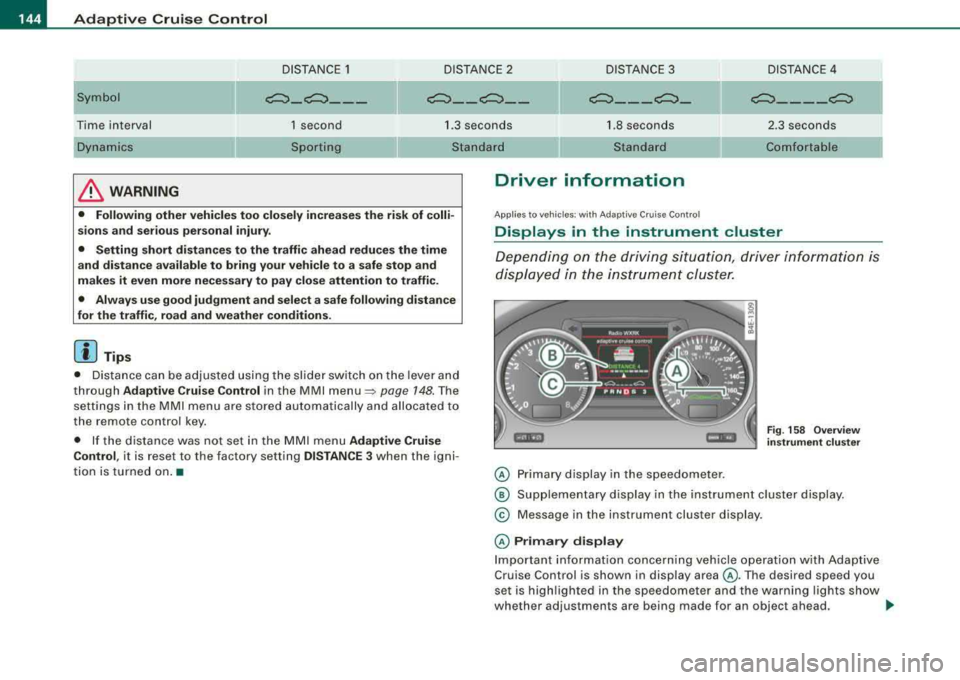
© Primary display in the speedometer .
Fig. 158 Overview
instrument cluster
@ Supplementary display in the instrument cluster display.
© Message in the instrument cluster display.
© Primary display
Important information concerning vehicle operation with Adaptive
Cruise Control is shown in display area @. Th e desired sp eed you
set is highlighted in the speedometer and the warning lights show
wh ether adjus tmen ts are being mad e for an objec t ahead .
.,,
Page 147 of 404
_____________________________________________ A_ d..:.a..! p..:. t
_ i_ v _ e.;__ C.,...._ ru.;__ is..:. e.;__ C.::..: o..:.n..:.. t:.:. r..: o ..:. I_--..J_
This information is always displayed. Display area © is therefore
called the
primary di sp la y .
© S upple men tary displ ay
In display area @ information from the navigation system and the
trip computer is disp layed in addition to information about Adaptive
Cruise Control.
You can select among the different information by repeated brief taps on the RESET button on the windshield wiper
lever => page 39,
"Operation ".
Particularly on your first trips with Adaptive Cruise Control, the
s uppl em en ta ry di spla y should be turned on.
@ Message
The information in area © is not displayed permanently. Informa
tion is displayed on ly if you change the time interval , if there is a
malfunction or if the Adaptive Cruise Control is turned off. •
Applies to vehicles : with Ada ptive C ruise Cont rol
Primary display in the speedometer
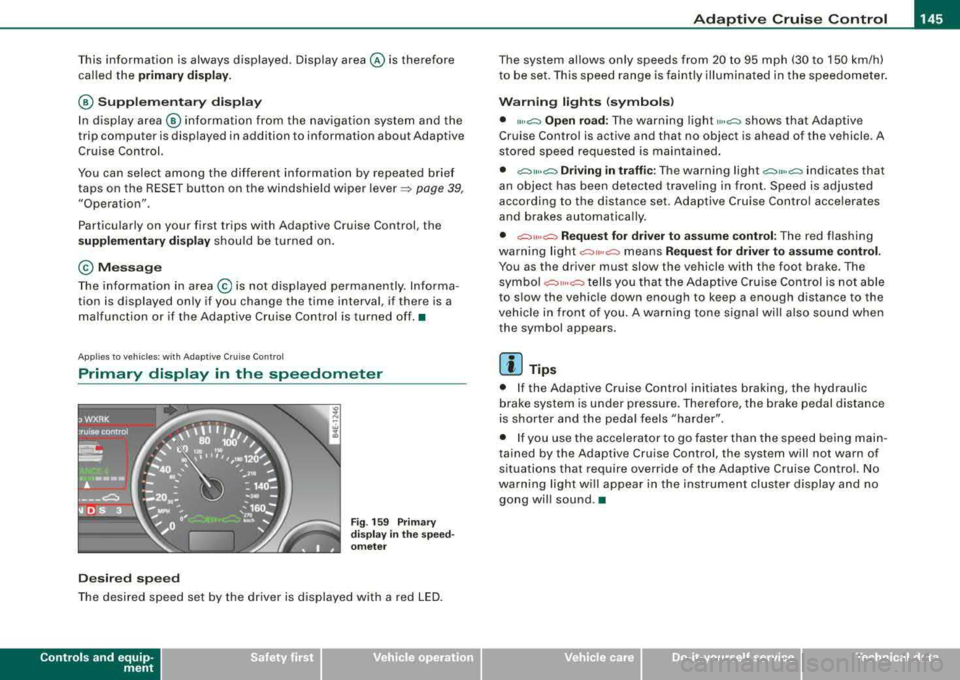
De sire d sp eed
Fig . 159 Prim ary
di spl ay
in the s pee d
o m ete r
The desired speed set by the driver is displayed with a red LED.
Contro ls a nd eq uip
ment
The system al lows only speeds from 20 to 95 mph (30 to 150 km/h)
to be set. This speed range is faintly illuminated in the speedometer.
W arn ing lights (symbols )
• ""c:::, Open road: The warning light ,,.,c:::, shows that Adaptive
Cruise Control is active and that no object is ahead of the vehicle . A
stored speed requested is maintained .
• c::::,11 .. c:::, Driving i n tr aff ic: The warning light c:::,11«c:::, indicates that
an object has been detected travel ing in front . Speed is adjus ted
according to the distance set. Adaptive Cruise Control accelerates
and brakes automatica lly.
• c:::,,, ,,c:::, Re quest f or driver t o assume control : The red flashing
warning light
c::::,11 .. c:::, means Reque st for driver to assume control .
You as the driver must slow the vehicle with the foot brake . The
symbo l
c::::,11,,c:::, tells you that the Adaptive Cruise Control is not able
to s low the vehic le down enough to keep a enough distance to the
vehicle in front o f you . A warning tone signal wi ll also sound when
the symbol appears.
[ i ] Tip s
• If the Adaptive Cruise Control initiates braking, the hydraulic
brake system is under pressure. Therefore, the brake pedal distance
is shorter and the peda l feels "harder" .
• I f you use the accelerator to go faster than the speed being main
tained by the Adaptive Cruise Control, the system will not warn of
situations that require override of the Adaptive Cruise Control. No
warning light will appear in the instrument cluster display and no gong wil l sound .•
Vehicle care I I irechnical data
Page 149 of 404
_____________________________________________ A_ d_a ....: p_ t_ i_ v _e_ C_ ru_ is_ e_ C_ o_n_ t_ r_o _ l _ __._
Ap plie s to vehic les: with Adaptive Cru ise Co nt rol
Messages
The text messages and symbols shown in this area of the
display are not displayed perm anently .
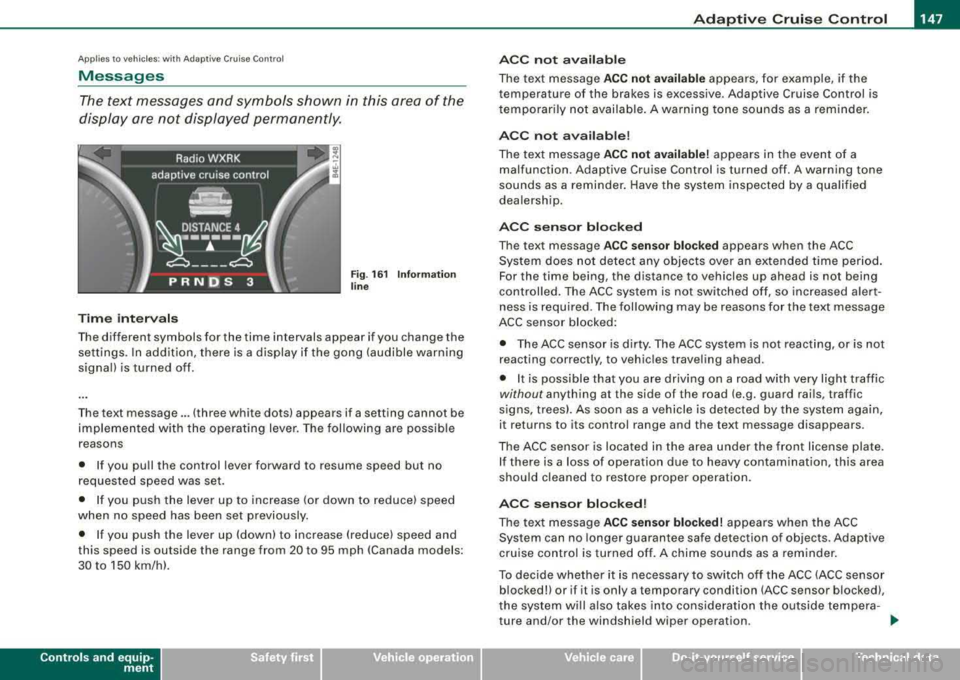
Time interval s
Fig . 16 1 Informa tion
lin e
The different symbols for the time intervals appear if you change the
settings. In addition, there is a display if the gong (audible warning
signa l) is turned off.
The text message ... (three white dots) appears if a setting cannot be
implemented with the operat ing lever. The fol lowing are possible
reasons
• If you pu ll the control lever forward to resume speed but no
requested speed was set.
• I f you push the lever up to increase (or down to reduce) speed
when no speed has been set previously.
• I f you push the lever up (down) to increase (reduce) speed and
this speed is outside the range from 20 to 95 mph !Canada models:
30 to 150 km/h) .
Controls a nd eq uip
ment
A CC not a vailab le
The text message ACC not av ailabl e appears, for example, if the
temperature of the brakes is excessive . Adaptive Cruise Control is
t emporarily not availab le . A warning tone sounds as a rem inder.
A CC not available !
The text message ACC not av ailabl e! appears in the event of a
malfunction. Adaptive Cruise Control is turned off . A warning tone
sounds as a reminder. Have the system inspected by a qua lified
dea lersh ip.
ACC senso r blocked
The text message AC C s en so r blo cked appears when the ACC
System does not detect any objects over an extended time period .
For the time being, the distance to vehicles up ahead is not being
cont rolled . The ACC system is not switched off, so increased alert
ness is required. The following may be reasons for the text message
ACC sensor blocked:
• The ACC sensor is dirty. The ACC system is not react ing, or is not
reacting correctly, to vehic les traveling ahead.
• It is possible that you are driving on a road with very light traffic
without any thing at the side of the road (e.g. guard rai ls, traffic
s igns, trees). As soon as a vehicle is detected by the system again,
it returns to its control range and the text message d isappears .
The ACC sensor is located in the area under the front license plate .
I f there is a loss of operation due to heavy contamination, this area
should cleaned to restore proper operation.
AC C senso r bl ock ed!
The text message ACC sensor blocked! appears when the ACC
System can no longer guarantee safe detection of objects . Adaptive
cruise control is turned off . A chime sounds as a reminder.
To decide whether it is necessary to switch off t he ACC (ACC sensor
blocked!) or if it is only a temporary condition (ACC sensor blocked),
the system wi ll a lso takes into cons ideration the outside tempera -
ture and/or the windshield wiper operation .
.,_
Vehicle care I I irechnical data
Page 153 of 404
Audi lane assist -_____________________ __.
Audi lane assist
Lane assist
Applies to vehicles: with lane assist
Description
Lane assist helps you keep your vehicle in your lane.
Lane assist uses a camera to detect lane boundary lines. If the
system detects that your vehicle is about to leave a lane boundary
line, the steering wheel
vibrates to alert the driver. If lane assist
detects boundary lines on both sides of the vehicle's lane, the
system enters active standby mode, which is indicated by the green
indicator light/: on the instrument cluster.
If the system is in active standby mode and the turn signal is acti
vated before driving over the boundary line, the warning does not
occur since the system allows for intentional lane changes.
The system is designed for driving on freeways and expanded high
ways and thus works only at speeds of 40 mph (65 km/h) or more.
& WARNING
• Lane assist will not keep your vehicle in your lane. The system
only warns the driver when the vehicle is leaving the lane. The
driver is always responsible for keeping the vehicle in the lane.
• The camera is not able to detect all lane boundary lines and in
some cases might also detect lane structures or objects as
boundary lines. This can lead to incorrect warnings or warnings
that fail to go off at all.
• The camera's visibility can be impaired by vehicles ahead of
you, for instance, or by rain, snow, heavy spray or light shining into
the camera lens. This can cause lane assist to fail to detect
boundary lines. •
Contro ls a nd eq uip
ment
Applies to vehicles: with lane assist
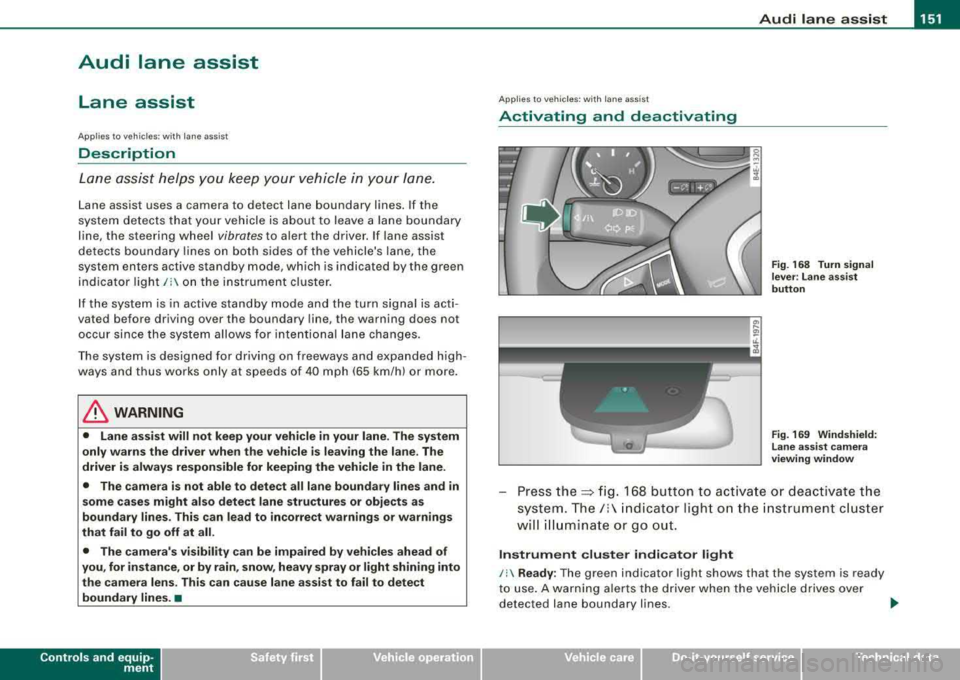
Activating and deactivating
Fig. 168 Turn signal
lever : Lane assist
button
Fig . 169 Windshield:
Lane assist camera
viewing window
Press the:::> fig. 168 button to activate or deactivate the
system.
The/: indicator light on the instrument cluster
will illuminate or go out.
Instrument cluster indicator light
/: Ready : The green indicator light shows that the system is ready
to use. A warning alerts the driver when the vehicle drives over
detected lane boundary lines.
.,.
Vehicle care I I irechnical data
Page 154 of 404
-
Audi lane assist
----------------
I Not re ad y: The yellow ind icator light shows that the system is
t urned on but unab le to send a warning . This can be due to the
following:
• There are no boundary lines, or there is on ly one boundary line
present .
• The boundary lines are not detected (e.g. due to snow, dirt, wet
conditions or light shining into the camera lens) .
• More than two boundary lines (such as at construction sites) are
located in the vehicle's lane .
• The vehicle's speed is below the speed needed to activate it,
which is abou t 40 mph (65 km/h).
• The lane is narrower than about 8 ft . (2 .5 m), or wider than about
16
ft . (5 m).
• The curve is too sharp .
Notes on th e instr umen t clu ste r displa y
When the lane assist turns off automatically , the instrument cluster
indicator goes out and one of the following messages appears on
the display:
Audi lan e assist not available: C urre ntl y no se nsor vis ion
This message appears when the camera can no longer function
because it cannot detect the boundary lines. This may be due to the
following :
• The exterior s ide of the camera viewing
window => page 151,
fig. 169 is covered with dirt or ice. Clean this part of th e windshield.
• The camera v iew ing window is fogged up on the inside. In t his
case, wait until the fog disappears before turning lane assist on
aga in.
• The system was unable to detect boundary lines over an
extended period of time due to road conditions (such as snow
covered lanes). Do not turn lane assist on again unti l the lines can
be more easily detected .
Audi lane assist not ava ila bl e
A temporary malfunction is preventing lane assist from operating .
Try turning on lane assist again a t a la ter t ime.
Audi l ane ass is t: sys te m f ault
T he system should be checked by an authorized Audi dealer or other
qual ified workshop .
[ i ] Tips
• Make sure that the camera viewing window => page 151, fig. 169
is not covered by stickers or similar objects .
• Always keep the camera view ing w indow c lean . This can usual ly
b e don e by op erat ing the windshield wipers. •
App lies to vehicles: w it h l ane assist
MMI settings
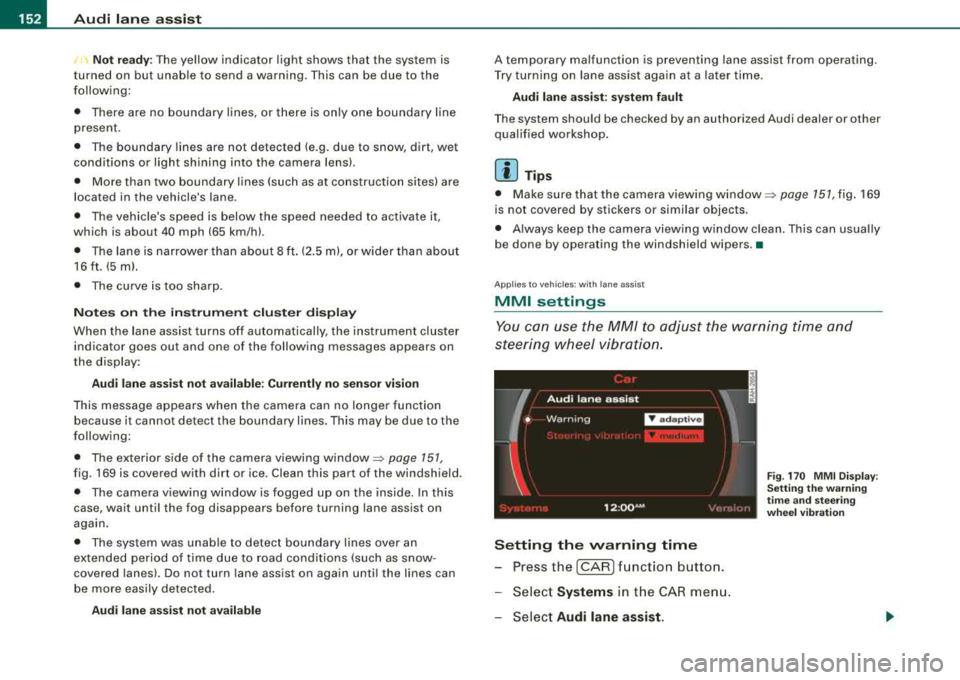
You can use the MM/ to adjust the warning time and
steering wheel vibration.
Setting the warning time
- Press the [CAR ] function button.
- Select
Systems in the CAR men u.
- Select
Audi l ane ass is t.
Fig . 17 0 M MI D isp lay :
Se ttin g th e w arning
t im e a nd stee ring
w hee l v ibr ati on
Page 157 of 404
Audi side assist -
----------------
Dea ctivating
Press the button again . The indicator l ight on the butto n
goes out .
The system can assist when driving on highways and secondary
roads . The system works only at speeds faster than 37 mph (60
km/h).
& WARNING
• Improper reliance o n the side assist s ystem can cause colli
s ions and seriou s pers onal injury:
- Ne ver rel y only on side a ssis t w hen ch anging l anes .
- Always che ck re ar view mirror s to make sur e that it i s safe to
c hange lane s.
• Side assi st cannot dete ct all vehicle s under all condition s
danger of accident!
• Side a ssist cannot detect vehicles in time to alert you when
they app roach from behind at very high speed , or fall drop b ack
very quickly.
• The radar sen sor's
vi sion ca n be redu ced or entirel y blo cked b y
rain , snow , and heavy spray . Thi s can result in side a ssis t not
a dequately dete cting veh icles or , in some cases , not detect ing
them at all . Always keep an eye on the direction you are traveling
and the relevant ar ea around th e vehi cle .
• Please note that side a ssis t indicate s th ere are approaching
vehi cle s, or vehi cle s in your bl ind spot , onl y after your vehicle has
reached a driving speed of at lea st 37 mph (60 km /h).
• Side as sist sign al doe s not work around t ight corner s (turning
radiu s less than 218 yard s, or 200
ml.
• Side a ssist is no repla cement for the driver's full attention . The
driver alone i s re spon sible for lane ch anges and similar driving
maneuver s. Always k eep an eye on the d ire ction you are tr aveling
and the relevant area around the vehi cle .
Controls and equip ment
0 Note
• To ensure that you do not adverse ly affect s ide assist, do not
b lock the area on the rear bumper where the radar sensors are
located with foreign objects (suc h as stickers or bicycle racks).
• Make su re that the signal light on the outside mirror is not
b locked by stickers or other items.
[ i ] Tip s
• Side ass ist automatically deactivates if it detects that the radar
sensors are
blocked => page 167. The indicator light on the button
goes out.
• The area on the bumper where the radar sensors are located
must consistently re main free of snow, ice, and heavy so iling so that
side assist can function properly. Follow the additiona l notes on
=> page 761.
• Additiona l tinting on the front side windows can make it harder
to see and correct ly understand the s ignal light on the outside
mirror. •
Applies to veh ic les: with side ass ist
Sensor detection area
Fig . 17 4 Schem atic
illu stratio n: Senso r
det ection ar ea
.,.
Page 163 of 404
_________________________________________________ A
_ u_ d_ i _s _ i_d _e _ a_s_ s_ i_ s _t __ lJIII
Fig . 182 Narr ow lane s:
Si de ass is t m ay detec t
vehi cle s two la ne s
a w ay
Side assist's detection area is designed to cover lanes of standard
width to the left and r ight of your travel lane, depend ing on whethe r
you drive in the center of your lane or c loser to the edge .
I f you drive in narrow lanes, side assist's detection area may also
include other lanes - especially if you tend to dr ive on the edge of
your
lane~ fig . 182. Under these conditions, vehicles can also be
de tec ted tha t are two lanes away, and side ass ist then c ould switch
between the informational and warning stage signa ls.
When d riving in very wide lanes, vehicles in t he adjacent lane may
not be detected because they are not ins ide the detection area. •
Notes
Applies to vehicles: with side ass is t
Messages in instrument cluster display
If side assist turns off automatically, the indicator light on the
b utton wil l go out a nd you w ill see a message in the i nstrument
cluster disp lay :
Audi side a ssist not available : sen sor s pos sibly blocked
T he side assist sensors are bui lt into the rear bumper on the left and
r ight ( not visi ble on the
ou ts id e) ~ page 154, fig. 171 . To ensure t hat
you do not adverse ly affect the way side assist functions, foreign
Controls and equip
ment
objects (such as stickers or bicyc le racks) should not be attached to
t he area on the rear bumper where the sens ors are loca ted. If s ide
assist functions are adversely affected, you will see this message in
the instrument cluster display. Remove anything that may be b locking the sensors .
I f no vehic le is detected for a longer period of time while driving,
s ide assist wil l also switch o ff automatica lly.
Audi side a ssist currently not available
If there is a temporary prob lem (such as the vehic le's battery charge
being low), side assist cannot be activated temporarily .
Audi side assis t : sy stem fault
Have t he system chec ked by an autho rized Audi dealer o r qualified
workshop. •
Applies to vehic les: with side assist
Safety tips
The side ass ist detec tion may be li mit ed when dr iv ing a round
narrow street corners, on hilly streets, and under poor weather
conditions.
I t is possible that the radar sensors may a ls o detec t other objects,
such as high or staggered guardrails.
Side ass ist does not measu re actual la ne w idth. The system
assumes a fixed lane width. Detection in the left and right lanes is
based on this assumed lane width. When driving on narrow roads or
when driv ing to the left or right of the center of a travel lane, it is
possible that vehicles wi ll be detected that are
not in the lane next
to the lane you are using.
& WARNING
• Improper relian ce on the side assi st system c an cau se colli
sions and serious personal injury:
Page 167 of 404
_________________________________________________ A_ u_t_ o_ m_ a_t _i _c _ t
_ ra_ n_s_ m __ is_s_ io_ n _ ___.1111
Select R only when the vehicle is at a full stop and the engine is
running at idle
speed => & in "Driving the automatic transmission"
on
page 763 .
Before you move the selector lever to R, press both the button in the
handle of the selector lever
and the brake peda l at the same time .
When the ignition is on, the backup lights illuminate when the selector lever is moved into
R.
N -Neutral
The transmission is in neutral in this position. Shift to this position
for standing with the brakes applied =>
page 165.
When the vehicle is stationary or at speeds below 3 mph (5 km/h),
you must always apply the footbrake before and while moving the lever out of
N.
D -Normal position for driving forward
Position Dis for normal city and highway driving. It ranges from zero
to top speed and all six gears shift automatically, depending on
engine load, driving speed and automatically selected shift
programs.
When the vehicle is stationary or at speeds below 3 mph (5 km/h),
you must always apply the foot brake before and while moving the
lever to
D out of N .
In certain circumstances it may be advantageous to temporarily
switch to the manual shift program to manually select gear ratios to
match specific driving
conditions => page 167.
S -Sport position
Select this position for sportier performance. In this position, the
transmission will not upshift as soon, allowing the vehicle to use the increased power available at higher engine speeds to achieve live
lier acceleration.
When the vehicle is stationary or at speeds below 3 mph (5 km/h),
you must always apply the foot brake before and while moving the
lever to
S out of N.
Contro ls a nd eq uip
ment
& WARNING
Read and follow all WARNINGS => & in "Driving the automatic
transmission " on
page 163.
0 Note
Coasting downhill with the transmission in N and the engine not
running will result in damage to the automatic transmission and
possibly the catalytic converter. •
Automatic Shift Lock (ASL)
Automatic shift lock prevents you from accidentally
shifting into a forward gear or into reverse, thus causing
the vehicle to move unintentionally.
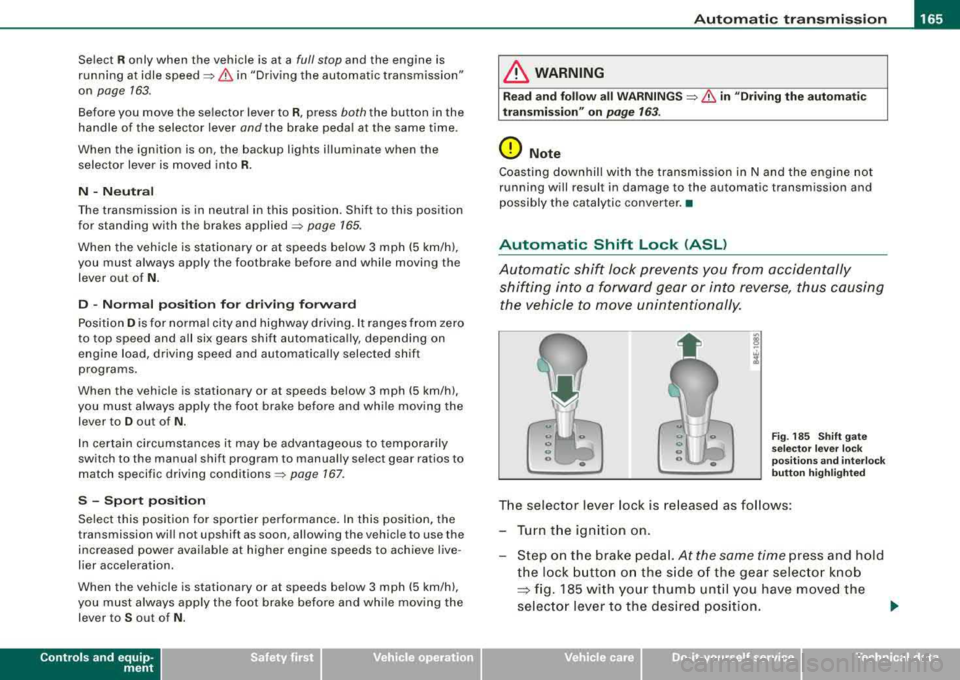
Fig . 185 Shift gate
selector lever lock
positions and interlock
button highlighted
The selector lever lock is released as follows :
Turn the ignition on.
Step on the brake pedal.
At the same time press and hold
the lock button on the side of the gear selector knob
=:> fig. 185 with your thumb until you have moved the
selector lever to the desired position.
~
Vehicle care I I Technical data
Page 168 of 404
___ A_ u_ t
_ o_ m_ a_ t_ i_ c _ t_r _a _n_ s_ m_ is_ s_io _ n ________________________________________________ _
Aut om at ic se lec tor l ever lock
The se lector lever is locked in the P and N pos itions when the ign i
tion is turned on. To move the lever from these positions the driver
must depress t he brake peda l. As a reminder to t he driver, the
follow ing warn ing appears in the instrument c luster disp lay when
the selector is in
P and N :
When stationar y appl y foot brak e while selecting gear
A time de lay e lement prevents the selector lever from lock ing when
it is moved through the
N position (going from R to D l. The locking
e lement will lock the selector lever if the lever is left in N (Neutral)
for more than approximate ly 1 second, without the brake peda l
being pressed.
At speeds above about 3 mph (5 km/h) the Automatic Shift Lock is
automatically deactivated in the
N pos ition .
Interlock button
The lock button on t he se lector lever prevents the lever from being
accidentally shifted into certain positions. Pressing this button
deactivates the selector lever lock. Depending on the direction of
the shift, the selector lever locks at different positions . The positions
a re h igh lighted in the
il lustration => page 165, fig. 185.
Igniti on k ey sa fe ty in te rlock
The key cannot be removed from the ignition un less the selector
lever is in the
P park position. When the ignition key is removed, the
selector leve r wil l be locked in the
P posi tion .•
Kick-down
T he kick-down feature allows the vehicle to generate
maximum acceleration.
When you press t he accelerator peda l beyond the resistance point
that is reached at ful l throttle, the transmission will select a lower
gear ratio based on vehic le speed and engine RPM. The engine RP M
wi ll be control led to produce maximum vehicle acce leration as long as you continue to press the accelerator pedal beyond this resis
t ance po int.
& WARNING
Be careful when u sing th e kick -down feature on slippery road s.
R apid ac cel erat ion m ay ca use th e ve hic le to skid . •
Dynamic shift program (DSP)
T he aut omatic transmission is electronically controlled.
T he transmission is self adapting and wi ll autom ati ca lly select the
best shift program suited to t he driving condi tions and drivi ng s tyle.
The transmission will se lect one of the
eco nom y programs when
you drive at a steady speed or a gradual ly changing speed without
heavy acce leration . T his achieves optimum fuel efficiency, with ear ly
upshifting and delayed downshifting .
T he trans mission wil l automat ica lly select the
s porty shift programs
when you drive at higher speeds, or with heavy acce leration and
frequen tly changing speeds . Upshifts are de layed to make full use
of engine power. Down shifting takes place at higher engine speeds
t han in the economy programs .
The selection of the most suitab le shift program is a continuous,
automatic process . The driver can also make the transmission
switch to a sporty program by
quickl y pressing down the gas peda l.
T his causes the transmission to shift down to a lower gear to
achieve rapid acceleration, e.g . for quickly passing ano ther veh ic le .
You do not need to press the gas pedal into the kick-down range .
After the transmission has upshifted, t he original program is
selected according to your driving style.
An additional shift program allows the automatic transmission to select the proper gear for uph ill and downh ill gradients.
T his prevents the transmission from upshifting and downshifting
unnecessa rily on hi lls. The transmiss ion will shift down to a lower
~
Page 173 of 404

Advan ce d Parkin g Sy ste m Ill
-------------~--
-Press the sw it c h P111! in t he cen ter console =:> page 170,
fig. 192 to activate the Aud i pa rking system manually.
Activation of the acoustic park ing system is confirmed by
a brief acknowledgement sound. The indicator light in
the switc h lights up.
De activation
-If yo u drive forwa rds faster t han approx. 6 mph (1 0 km/h},
or
-if you switc h the ignition off, the entire acoustic parking
assist is automatically deactivated, or
-you can press the switch P111A. in the center console
=:> page 170, fig. 192 to deact ivate the Audi parking
system. The indicator light in the switch goes out.
You have to turn on the acoustic parking assist manuall y if you wish
to park the vehicle forwards or if you wish to approach an obstacle
forwards and want a distance warning .
The range at whic h the sensors start to measure is about:
Front
Rear
W arn in g tone s side
cen ter
side
cen ter 3
ft
(0 .90 ml
4f t
(1 .20 ml
2 ft (0.60 ml
Dis tance wa rn ing is given by chimes which are generated by a
signal generator . The volume and the pitch of the chimes can be
adjusted in the MM I
=> page 180.
Mute
I n t he case of vehic les with automatic transmission, an acoustic
distance warning is discontinued when the transmission selector
Controls and equip ment lever is moved to the P position
. However, the system remains
active . As soon as the selector lever is moved fro m the
P pos it ion
and the vehicle approaches an obstacle, the acoustic distance
warning resumes.
Dr iving fo rw ard /b ac kw ard
Dista nce warn ing w hen driving fo rward/ backward is based on
detection of an obstac le in the range of the parking assist. As the
distance decreases, t he time interval betwee n the aud ible t ones
becomes shorter.
When the distance is less than approx .
1 ft (0.30 m), the tone
becomes cont inuous. At th is po int you shou ld stop backing up or
driving forward .
I f the distance to an obstacle re m ains the same, the vo lume of the
distance warning is gradua lly reduced after about
4 seconds (does
not app ly to the zone for the continuous tone). If you start to
approach the detected obstacle again, the distance warning will
sound at the norma l volume again.
P arking
When you se lect another gear when park ing (e .g . reverse/forwa rd),
the warning tones are temporarily suppressed, but the visua l
display remains on the MMI display . If you start approaching a
detected obstac le again, the distance warning wi ll sound at the
normal volume again .
Vi su a l displa y
The segments on t he MMI d isp lay indicate a change in the distance
between the vehicle and an obstacle . The number of segments
displayed depends on the obstac les in front of or behind the
vehic le. The c loser the vehic le comes to the obstacle, the closer t he
segments approach the
vehic le => page 170, fig. 193. When the
seg ment before last is d isplaye d, the ve hicle has reac hed the coll i
sion zone. At this point you should stop backing up or driving
f orward
=> & . ~