instrument cluster AUDI S8 2009 User Guide
[x] Cancel search | Manufacturer: AUDI, Model Year: 2009, Model line: S8, Model: AUDI S8 2009Pages: 408, PDF Size: 91.63 MB
Page 29 of 408
& WARNING !continued)
• Work with due care when handling the high-voltage section of
gas discharge (xenon) lights. Failure to do so could result in death
or serious injury.
[ i J Tips
Have the bulb replaced or the connection repaired by your autho
rized Audi Service department. •
Service interval display
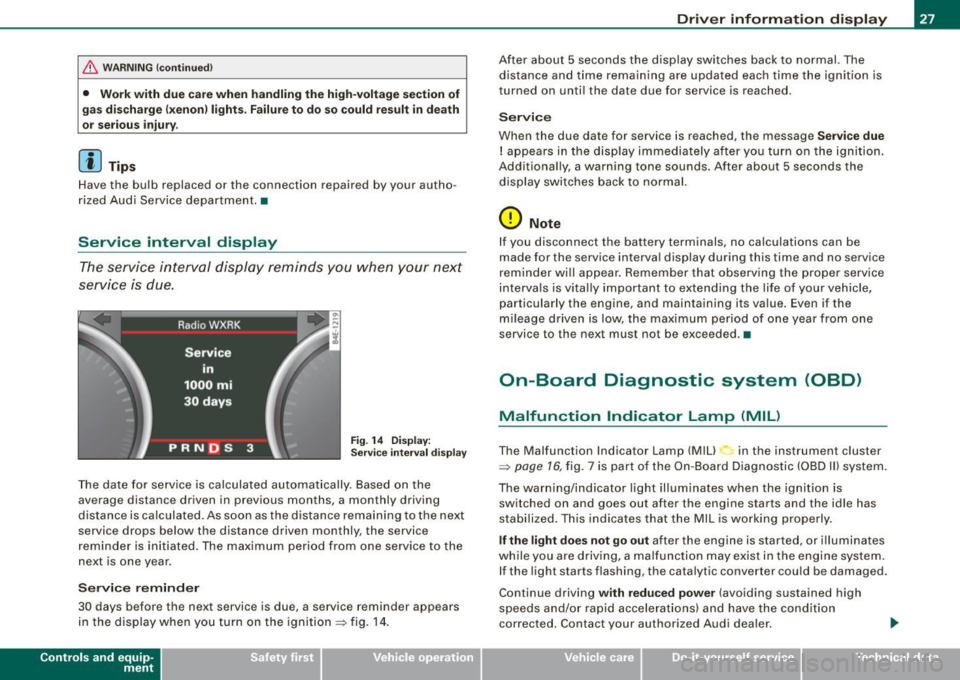
The service interval display reminds you when your next
service is due.
Fig. 14 Display:
Service interval display
The date for service is calculated automatically. Based on the
average distance driven in previous months, a monthly driv ing
distance is calculated . As soon as the distance remaining to the next
service drops below the distance driven monthly, the service
reminder is initiated. The maximum period from one service to the
next is one year.
Service reminder
30 days b efore the next service is due, a service reminder appears
in the display when you turn on the ignition => fig. 14.
Contro ls and eq uip
ment
Driver information display
After about 5 seconds the display switches back to normal. The
distance and time remaining are updated each time the ignition is
turned on until the date due for service is reached .
Service
When the due date for service is reached, the message Service due
! appears in the display immediately after you turn on the ignition.
Additionally, a warning tone sounds . After about 5 seconds the
display switches back to normal.
0 Note
If you disconnect the battery terminals, no calculations can be
made for the service interval display during this time and no service
reminder will appear . Remember that observing the proper service
intervals is vitally important to extending the life of your vehicle,
particularly the engine, and maintaining its value . Even if the
mileage driven is low, the maximum period of one year from one
service to the next must not be exceeded. •
On-Board Diagnostic system (OBD)
Malfunction Indicator Lamp (MIL)
The Malfunction Indicator Lamp (Mill in the instrument cluster
=>
page 16, fig. 7 is part of the On -Board Diagnostic (OBD II) system.
The warning/indicator light illuminates when the ignition is switched on and goes out after the engine starts and the idle has
stabilized. This indicates that the MIL is working properly.
If the light does not go out after the engine is started, or illuminates
while you are driving, a malfunction may exist in the engine system. If the light starts flashing , the catalytic converter could be damaged .
Continue driving
with reduced power (avoiding sustained high
speeds and/or rapid accelerations) and have the condition
corrected. Contact your author ized Audi dealer .
Vehicle care I I irechnical data
Page 31 of 408
If a component is malfunctioning or if the need for an urgent repair
has been detected, this will appear in the instrument cluster display.
You will also hear an audible warning tone. The displays are color
coded in either red or yellow depending on their level of priority.
A red symbol means
Danger, a yellow symbol indicates Warning . In
certain situations, information message for the driver appear in
addition to the red and yellow symbols.
Function test: automatic transmission
The Auto-Check Control will automatically perform a test each time
you switch on the ignition. With the selector lever in
P or N, the
following message appears in the display:
When stationary apply foot brake while selecting gear.
When you a select a different gear (for example: R, D, etc.), the
message will disappear and the Auto-Check function is displayed.
I f there is a malfunction, then the malfunction message will appear
about 15 seconds after the you start the vehicle. At the same time
you will hear a warning tone. •
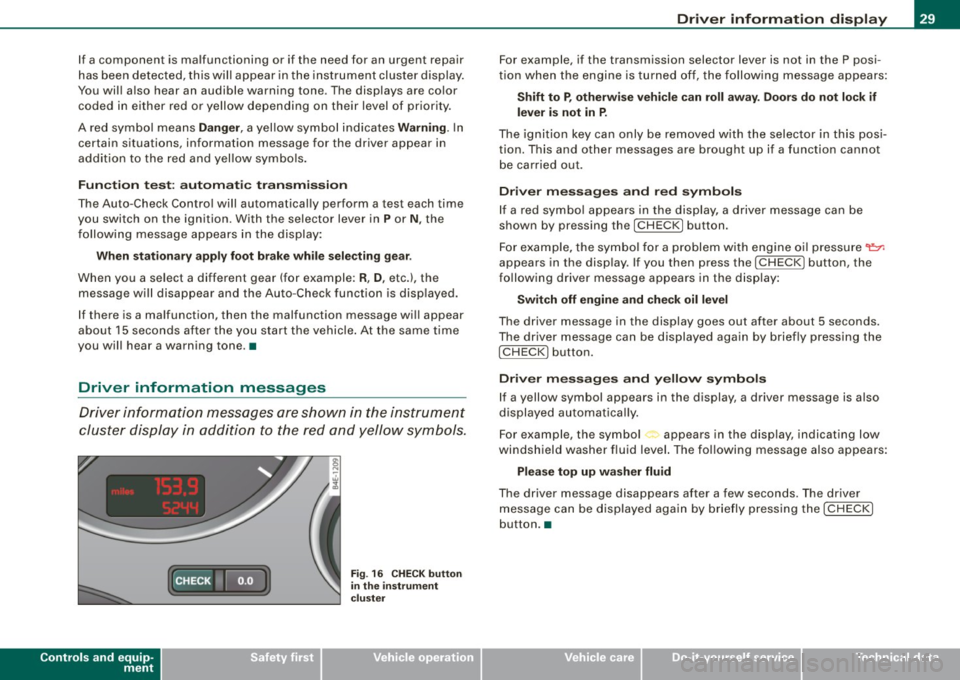
Driver information messages
Driver information messages are shown in the instrument
cluster display in addition to the red and yellow symbols.
Controls and equip
ment
Fig . 16 CHECK button
in the instrument
cluster
Driver information display
For example, if the transmission selector lever is not in the P posi
tion when the engine is turned off, the following message appears:
Shift to P, otherwise vehicle can roll away. Doors do not lock if
lever is not in P.
The ignition key can only be removed with the selector in this posi
tion. This and other messages are brought up if a function cannot
be carried out.
Driver messages and red symbols
If a red symbol appears in the display, a driver message can be
shown by pressing the
I CHECK] button.
For example, the symbol for a problem with engine oil pressure~
appears in the display. If you then press the !CHECK ] button, the
following driver message appears in the display:
Switch off engine and check oil level
The driver message in the display goes out after about 5 seconds.
The driver message can be displayed again by briefly pressing the
I CHECK] button.
Driver messages and yellow symbols
If a yellow symbol appears in the display, a driver message is also
displayed automatically.
For example, the symbol<., appears in the display, indicating low
windshield washer fluid level. The following message also appears:
Please top up washer fluid
The driver message disappears after a few seconds. The driver
message can be displayed again by briefly pressing the
I CHECK]
button. •
I • •
Page 32 of 408
Driver informati on displ ay
Red symbols
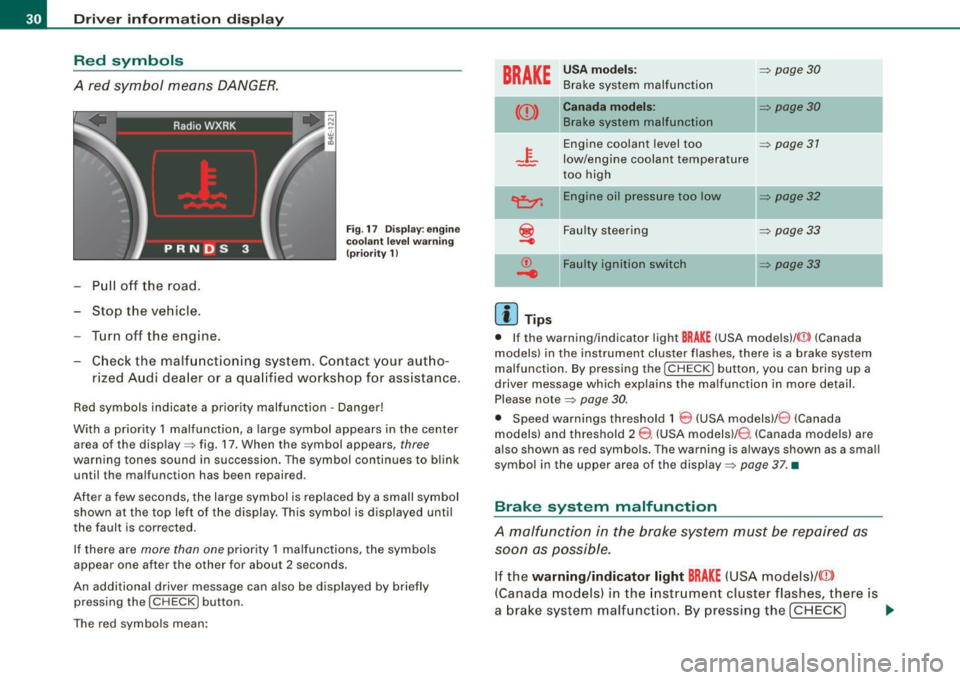
A red symbol means DANGER.
Pull off the road.
- Stop the vehicle.
- Turn off the engine.
Fig . 17 Dis play : en gine
coola nt leve l warnin g
(pr iorit y 1
l
Check the malfunctioning system. Contact your aut ho
rized Audi dea ler or a qua lified workshop for assistance.
Red symbols indicate a pr io rity malfunction -Danger !
With a priority 1 malfunction, a large symbol appears in the center area of the display => fig. 17. When the symbol appears,
three
warning tones sound in succession . The symbol continues to blink
until the malfunction has been repaired .
After a few seconds, the large symbol is replaced by a small symbol shown at the top left of the display. This symbol is displayed until
the fault is corrected.
If there are
more than one priority 1 malfunctions, the symbo ls
appear one after the other for about 2 seconds .
An additional driver message can a lso be d isplayed by briefly
pressing the
( CH ECK I button .
The red symbols mean:
BRAKE
U SA mod els:
Brake system malfunction
=> page 30
((D) C anada mod els:
Brake system malfunction
II=> page 30
Engine coolant level too => page 31
low/engine coolant temperature
too high
~ En gine o il p ress ure too low ]I=> page 32
-
~ Faulty steering => page 33
...
© F au lt y ig nition s witch
.....
=> page3 3
[ i ] Tips
• If the warning/indicator light BRAKE (USA models)/ {(D) (Canada
models) in the instrument cluster flashes, there is a brake system
malfunction. By pressing the [
CHECK] button, you can bring up a
driver message which exp lains the malfunction in more detail.
Please note =>
page 30.
• Speed warnings threshold 1 8 (USA modelsl/ 0 (Canada
models ) and threshold 2
8 , (USA modelsl/ 8 (Canada models) are
a lso shown as red symbo ls . The warning is a lways shown as a sma ll
symbo l in the upper area of the display=>
page 37 . •
Brake system malfunction
A malfunction in the brake system must be repaired as
soon as possible.
If the warning /indi cator light BRAKE (USA models)/ ((D)
(C anada models) in the instr ument cluster flashes, there is
a brake system malfunctio n. By pressing the
I CHECK] ~
Page 40 of 408
Driver informati on displ ay
The speed warning symbol 8 (USA models)/ 0 (Canada models) will
appear briefly in the display when you release the button to indicate
that the maximum speed has been stored successful ly .
The maximum speed remains stored until it is changed by pressing
t he button again briefly or unti l it is deleted by a lengthy push on the
button. •
Speed warning 2: setting a speed limit
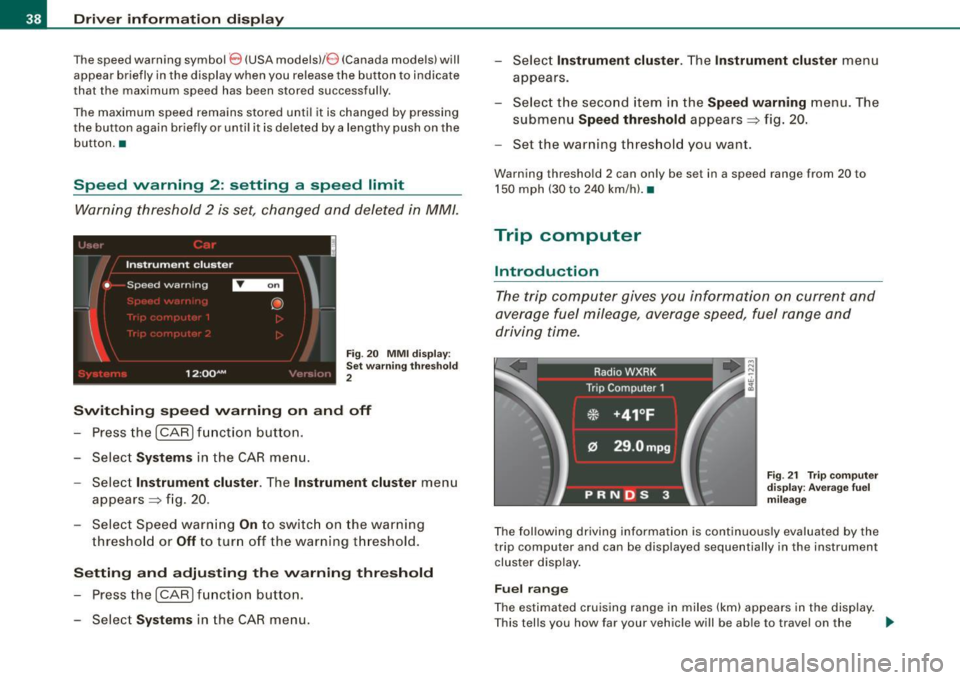
Warning threshold 2 is set, changed and deleted in MM/.
t _i•,,( '1
Instrument cluster
• Speed warning
I .
12:QQAM
i
'
@
\_:'.' '' :, ) ..
Fig. 20 MMI d ispl ay :
Set w arning thr esho ld
2
Switching sp eed warning on and off
- Press the (CARI fun ction button .
- Select
Systems in the CA R menu.
- Select
Instrument cluster . The Instrument cluster menu
appears=> fig. 20 .
- Select Speed warn ing
On to switc h on the warning
thresho ld or
Off to tur n off the warning th reshold.
Setting and adjusting the warning thr eshold
- Press the (CARI function butto n.
- Select
Systems in the CAR menu. -
Selec t
Instrument clu ster. T he In strument clu ster menu
appears.
- Selec t th e seco nd item in the
Speed warning menu. The
submenu
Speed threshold appears=> fig. 20.
- Set the warning th reshold you want.
Warning threshold 2 can only be set in a speed range from 20 to
150 mph (30 to 240 km/h). •
Trip computer
Introduction
The trip computer gives you information on current and
average fuel mileage, average speed, fuel range and
driving time.
F ig . 2 1 Trip co m pute r
d is pl ay : Ave ra ge fuel
mil eag e
The fol lowing driving information is continuously evaluated by the
trip computer and can be displayed sequentially in the instrument
cluster display .
Fuel range
The estimated cruising range in miles (km) appears in the display .
T his tells you how far your vehic le will be ab le to travel on the _.,
Page 43 of 408
-Select System s in the CAR menu .
- Selec t
Instrument cluster .
-Select Trip computer 1 or Trip computer 2 .
-Select, for examp le, Fuel range On to turn on the display
or
Off to turn the disp lay off.
All values in the single -trip or the total -trip memory can be reset to
zero simultaneously in MMI. In addition you can determine what
driving information from the trip computer should be shown in the
instrument cluster display. If one of the pieces of driver information
is turned off, that driver information will not be shown in the display .
The information will continue to be calcu lated by the trip computer
and can be turned back
on at any time. •
Tire pressure monitoring system
Applies t o vehi cle s: with n re pre ss ure moni toring sys te m
General notes I)
Each tire, including the spare (if provided}, should be checked
month ly when cold and inflated to the inflation pressure recom
mended by the vehicle manufacturer on the vehicle placard or tire
inflation pressure label. (If your vehicle has tires of a different size
than the size indicated on the vehicle placard or tire inflation pres
sure label, you should determine the proper tire inflation pressure
for those tires.}
As an added safety feature, your vehicle has been equipped with a
tire pressure monitoring system (TPMSl that illuminates a low tire pressure tellta le when one or more of your tires is significantly
under-inflated . Accordingly, when the low tire pressure te lltale i llu
minates, you should stop and check your tires as soon as possible,
and inflate them to the proper pressure. Driving on a significantly
under -inflated tire causes the tire to overheat and can lead to tire
Controls and equip
ment
Dr ive r informat ion di spl ay
failure . Under -inflation also reduces fuel efficiency and tire tread
life, and may affect the vehicle's handling and s topping ability.
Please note that the TPMS is not a substitute for proper tire mainte
nance, and it is the driver 's responsibility to maintain correct tire
pressure, even if under-inflation has not reached the leve l to trigger
illumination of the TPMS low tire pressure te lltale.
Your vehic le has a lso been equipped with a TPMS malfunction indi
cator to indicate when the system is not operating proper ly. The
TPMS ma lfunction indicator is combined w ith the low ti re p ressure
tel ltale . When the system detects a malfunction , the telltale wil l
flash for approximately one minute and then remain continuously
il luminated . This sequence will cont inue upon subsequent vehicle
start -ups as long as the malfunction exists.
When the ma lfunction indicator is illuminated, the system may not
be able to detect or signal low tire pressure as intended . TPMS
mal functions may occur for a variety of reasons, including the
insta llation of replacement or alternate tires or wheels on the
vehic le that prevent the TPMS from funct ioning properly. A lways
check the TPMS malfunction tellta le after replacing one or more
tires or whee ls on your vehicle to ensure that the replacement or
alternate tires and wheels allow the TPMS to continue to function
properly. •
Applies t o vehic les : w ith Tire press ure mon itoring sy stem
Introduction
The tire pressure monitoring system moni tors air pressure
in all four roa d wheels and the spare tire* while the
vehicle is moving.
As soon as the tire pressure monitoring system senses a significant loss of air pressure in one o r severa l tires, text messages and yellow
symbo ls appear in the instrument cluster display to alert the driver.
The L warni ng light in the instrument cluster comes on when the
tire is significantly underinflated
=> page 20. _,,
I • •
Page 45 of 408
Applies to vehi cle s: w ith nr e pressu re monitoring syst em
Significant loss of air pressure '
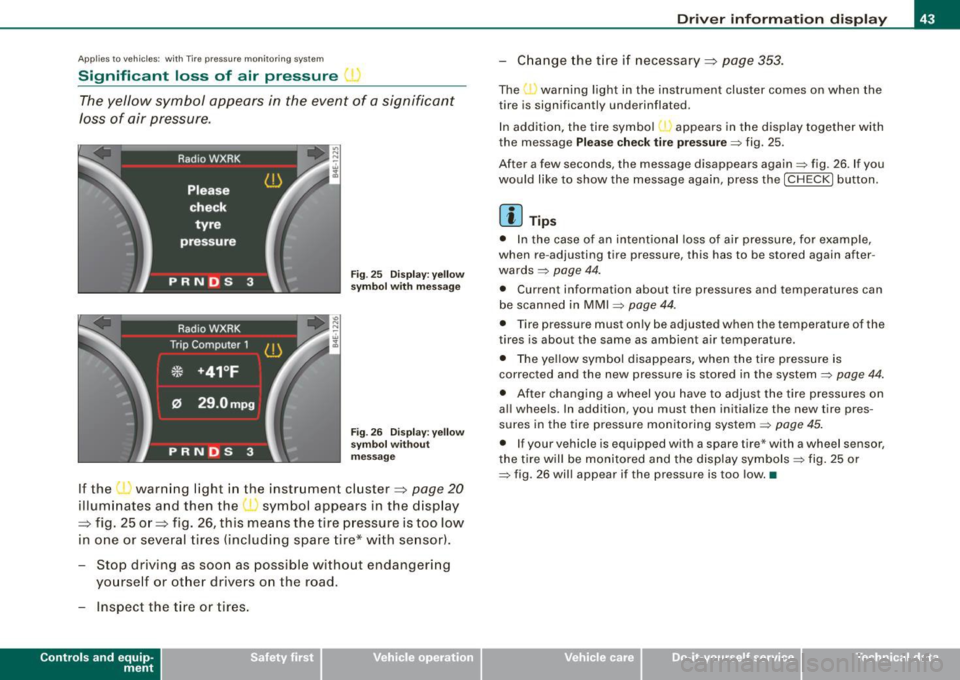
The yellow symbol appears in the event of a significant
loss of air pressure.
Fig. 25 Display: yellow
sy mbol with message
Fig . 26 Display: yellow
sy mbol without
mess age
If the ' ' warning light in the instrument cluster=:> page 20
illuminates and then the symbol appears in the display
=:> fig. 25 or=:> fig. 26, this means the tire pressure is too low
in one or several tires (including spare tire* with se nsor).
- Stop driving as soon as possible without endangering
yourself or other drivers on the road.
- Inspect the t ire or tires .
Contro ls and eq uip
ment
Driver information display
-Chang e the tire i f necessary =:> page 353.
The warning light in the instrument cluster comes on when the
tire is significantly underinflated.
In addition, the tire symbol appears in the display together with
the message
Please check tire pressure=> fig. 25.
After a few seconds, the message disappears again=> fig. 26 . If you
would like to show the message again, press the [ CH ECK] button.
[ i ] Tips
• In the case of an intentional loss of air pressure, for example,
when re -adjusting tire pressure, this has to be stored again after
wards =>
page 44.
• Current information about tire pressures and temperatures can
be scanned in MMI
~ page 44.
• Tire pressure must only be adjusted when the temperature of the
tires is about the same as ambient air temperature.
• The yellow symbol disappears, when the tire pressure is
corrected and the new pressure is stored in the system~
page 44.
• After changing a wheel you have to adjust the t ire pressures on
al l whee ls. In addition, you must then initialize the new tire pres
sures in the tire pressure monitoring system~
page 45.
• If your vehicle is equipped with a spare tire* with a wheel sensor,
the tire will be monitored and the display symbols~ fig. 25 or
~ fig. 26 will appear if the pressure is too low. •
Vehicle care I I irechnical data
Page 48 of 408
Driver informati on displ ay
Ap plies to vehicles : w ith n,e pre ss ure monito ring syst em
Malfunctions
A malfunction can have various causes.
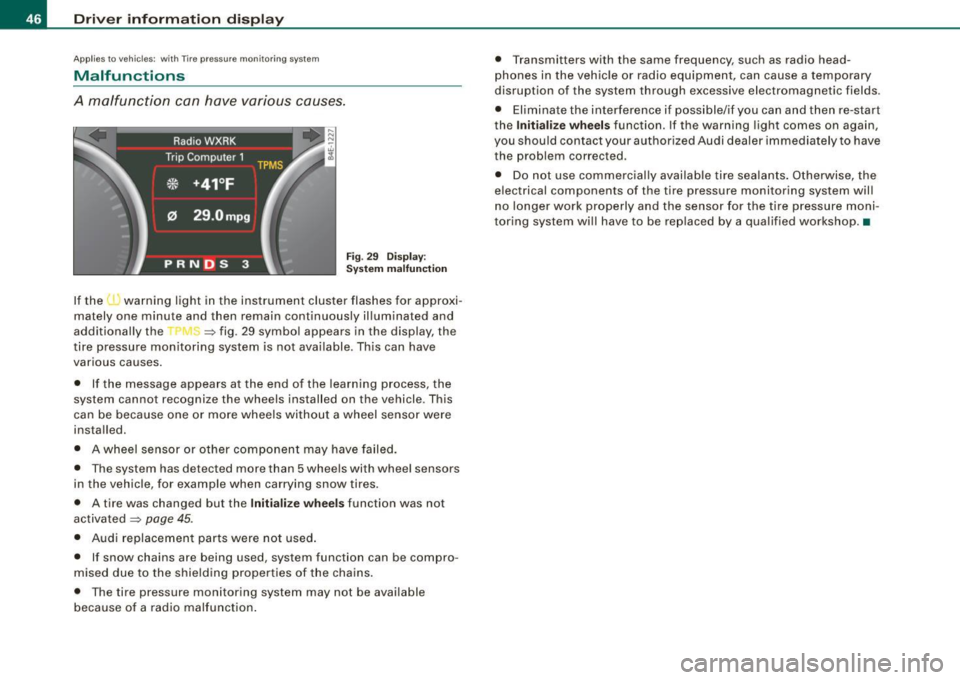
Fi g. 2 9 Dis p lay :
S ystem m alfun ction
If the l · warning light in the instrument cluster flashes for approxi
mately one minute and then remain continuously il luminated and
additional ly the
-r J ~ fig . 29 symbo l appears in the display, the
tire pressure monitoring system is not ava ilable . Th is can have
various causes.
• If the message appears at the end of the learning process, the
system cannot recognize the wheels installed on the vehicle. This
can be because one or more wheels without a wheel sensor were
installed.
• A wheel sensor or other componen t may have failed.
• The system has detected more than 5 whe els with wheel sensors
in the vehicle, for example when carrying snow tires.
• A tire was changed but the
Initiali ze wheels function was not
activated
=:> page 45.
• Audi replacemen t parts were not used .
• If snow chains are being used, system function can be compro
mised due to the shielding properties of the chains.
• The tire pressure monitoring system may not be available
because of a radio malfunction . • T
ransmitters with the same frequency, such as radio head
phones in the vehicle or radio equipment, can cause a temporary
disruption of the system through excessive electromagnetic fields .
• Eliminate the interference i f possible/if you can and then re-start
the
I n itia lize w heel s function . If the warning light comes on again,
you shou ld contact your authorized Audi dealer immediately to have
the problem corrected .
• Do not use commercial ly availab le tire sealants . Otherwise, the
electrical components of the tire pressure monitoring system will
n o l onger work properly and the sensor for the tire p ressure moni
toring system wi ll have to be replaced by a qua lified workshop .•
Page 51 of 408
Battery operation in the master key is monitored by a check light .
The check light flashes when one of the buttons on the master key
is pressed . If the check light does not flash, the battery is dead and
has to be replaced .
In addition, when the battery is dead the symbol appears in the
instrument cluster display as well as the message :
Please ch ange key battery
We recommend having the battery changed by an Audi Dealer .•
Electronic immobilizer
T he immob ili z er helps to prevent unauthorized use of
y o ur vehicle.
A computer chip inside your key automatically deactivates the e lec
tr onic im mob ilizer when you insert the key in the ign iti on lock, or on
vehic les with Convenience key*, when the key is inside the vehicle .
When you remove the key from the ignition lock, or on vehicles with
Convenience key, when you remove the key from the vehicle, the
e lectronic immobilizer is automatica lly activated once again.
If an unauthor ized key was used,
SAFE is disp layed continuously in
the odometer disp lay field.
& WARNING
Always take the key w ith you when you leave the vehicle. The key
c an disarm the electronic engine immob ilizer and permit an unau
thori zed person to start the engine and enable oper atio n of the
vehicle sy stem s such a s power window or power sunroof leading
to s eriou s personal injury .
[ i ] Tip s
• Your engine can on ly be started using the factory-equipped key.
Controls and equip
ment
Opening and clo sing
• You may not be ab le to start your vehic le if an ignition key of a
different ve hicle make is a lso l oca ted on your set of keys .
• F or Dec laration of Comp liance to United States FCC and Industry
Canada regulations =>
page 385 . •
Power locking system
General description
T he power locking system locks or unlocks all doors and
the rear lid simultaneousl y.
The power loc kin g system in your veh ic le incorporates the following
functions:
• Central locking function
• Selective unlock feature=>
page 52
• Remo te contro l fea ture => page 48
• Convenience key*=> page 58
• Ant i-theft a larm system => page 60
All the doors and the rear lid are locked by the central locking
system when you lock the v ehicle. You can set whether general ly
only the driver's door or all doors and the rear lid should be
unlocked when you open t he vehic le in the MM I menu
Central
loc king
to suit your individua l desires=> page 52.
Unlocking the vehicle
You can un lock the vehic le from outside either by using the remote
co ntrol
or by tur ning the key i nside the driver's door lock. When you
unlo ck your vehic le:
• The anti -theft ala rm system is deactivated briefly .
• The vehicle interior lights i lluminate for approximately 30
sec ond s.
• All turn signal lights wi ll flash twice when the car is unlocked. .,,_
I • •
Page 57 of 408
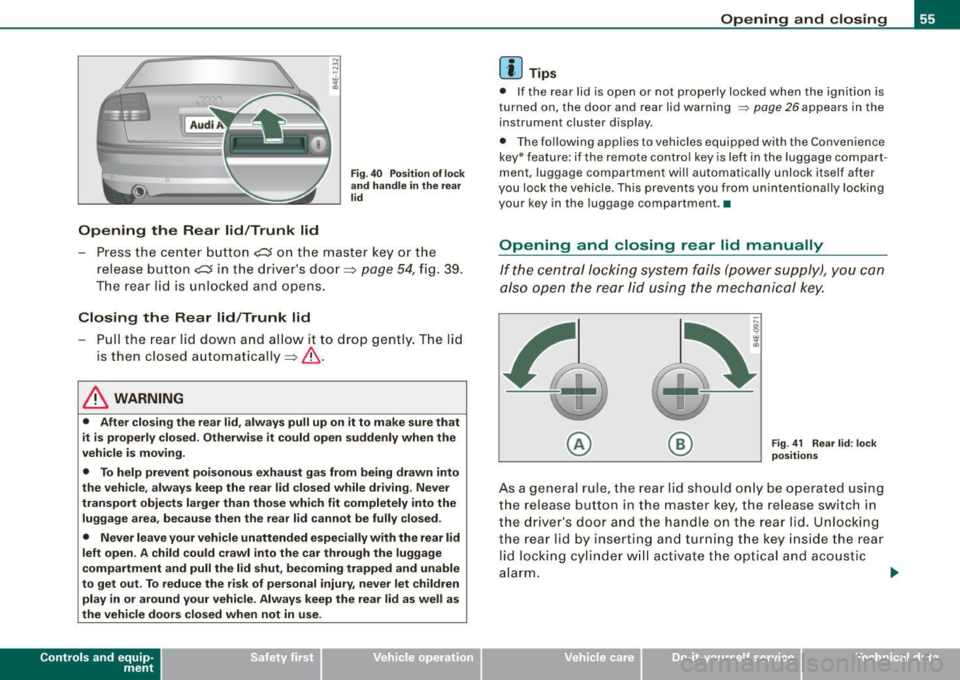
Opening the Rear lid/Trunk lid
Fig. 40 Position of lock
and handle in the rear
lid
- Press the center button c::s on the master key or the
release button
C::5 in the driver's door=> page 54, fig. 39.
The rear lid is unlocked and opens.
Closing the Rear lid/Trunk lid
-Pull the rear lid down and allow it to drop gently. The lid
is then closed automatically =>& .
& WARNING
• After closing the rear lid, always pull up on it to make sure that
it is properly closed. Otherwise it could open suddenly when the
vehicle is moving.
• To help prevent poisonous exhaust gas from being drawn into
the vehicle, always keep the rear lid closed while driving. Never
transport objects larger than those which fit completely into the
luggage area, because then the rear lid cannot be fully closed.
• Never leave your vehicle unattended especially with the rear lid
left open. A child could crawl into the car through the luggage
compartment and pull the lid shut, becoming trapped and unable
to get out. To reduce the risk of personal injury, never let children
play in or around your vehicle. Always keep the rear lid as well as
the vehicle doors closed when not in use.
Con tro ls and eq uip
ment
Opening and closing
[ i ] Tips
• If the rear lid is open or not properly locked when the ignition is
turned on, the door and rear lid warning
~ page 26 appears in the
instrument cluster display.
• The following applies to vehicles equipped with the Convenience
key* feature: if the remote control key is lef t in the luggage compart
ment, luggage compartment will automatically unlock itself after
you lock the vehicle. This prevents you from unintentionally locking
your key in the luggage compartment. •
Opening and closing rear lid manually
If the central locking system fails (power supply), you can
also open the rear lid using the mechanical key.
© ®
Fig
. 41 Rear lid: lock
positions
As a general rule, the rear lid should only be operated using
the release button in the master key, the release switch in
the driver's door and the handle on the rear lid. Unlocking
the rear lid by inserting and turning the key inside the rear
lid locking cylinder will activate the optical and acoustic
alarm.
~
Vehicle care I I irechnical data
Page 72 of 408
Clear vision
control is activated. The high beam function must first be switched
on in the MMI
=> page 70 .
Light Se nsor M alfu nction
In the event of a ligh t sensor mal funct ion, the driver is notified in the
instrument cluster display:
~ Autom atic headlights /aut om atic wipers defe ctive
For safety reasons the low beams are turned on permanently wit h
the switch in
AUTO . However, you can continue to turn the lights on
and off using the light switch . Have the light sensor checked as soon
as possible at a dealership.
& WARNING
• Never use d aytime running lights to see where you are going .
The y are not bright enough and will not let you see f ar enoug h
ahead for s afet y, espe cially at du sk or when it is dark. Alw ays
switch on the low beams at du sk or when i t is dark .
• Autom ati c he adli ght s are onl y intended to as sist the dr iver .
The y do not relie ve the d riv er of his re spon sib ility to che ck the
he adlights and to turn them on manuall y according to t he current
ligh t and vi sibility conditions . For example , fog and ra in cannot be
dete cted by the light sen sor s. S o alw ays switch on the he adlights
under these weather con dition s and when dr iving in the dark
gD .
• Cras hes ca n happen when you c annot s ee the ro ad ahe ad and
when you cannot be seen by other motor ists .
- Alw ays turn on the headlight s so that you can see ahe ad and
s o that others can se e your c ar from th e ba ck.
[ i J Tips
• With the switch in AUTO front fog lights and rear fog lights
cannot be turned on in addition. • I
f you remove the ignition from the ignition lock while the head
l ights are s till on, a bu zzer w ill sound as long as the driver's door is
open to remind you to turn off the l ights .
• Always observe the specific local regulations for your area as to
when to use your lights. •
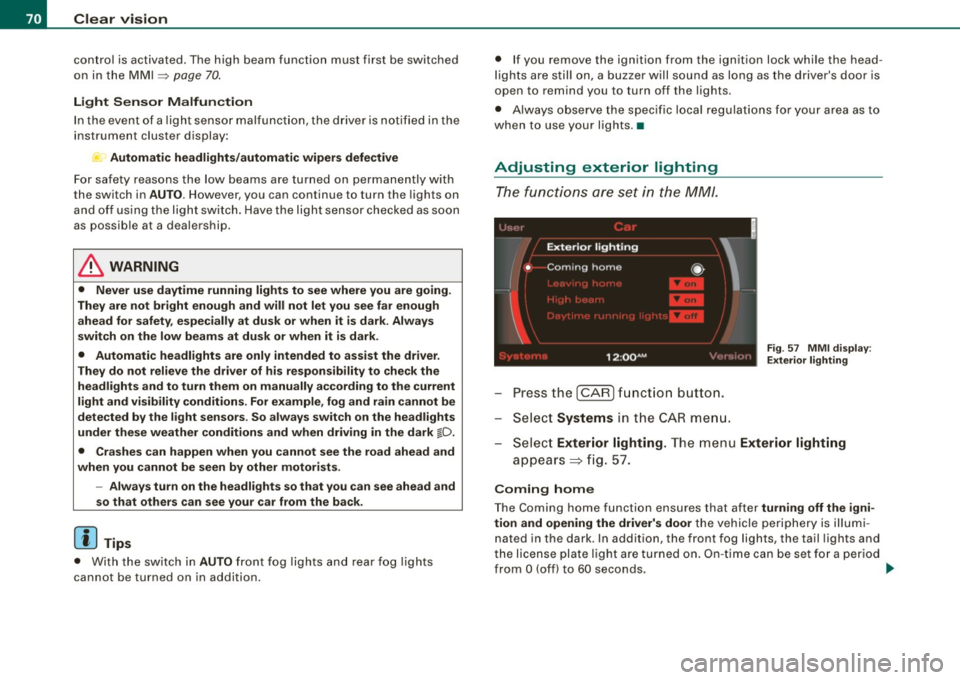
Adjusting exterior lighting
The functions are set in the MM/.
Press the I CAR] function button.
- Select
Systems in the CA R menu.
Fig. 57 MM I dis pla y:
E xt eri or ligh ting
- Sele ct Exterior lighting. The menu Exterior lighting
appears => fig . 57.
C oming h ome
The Coming home function ensures that after tu rni ng off the igni
tion and open ing the driv er's d oor
the vehicle periphery is illum i
nated in the dark . In addition, the front fog lights, the tail lights and
the license plate light are turned on . On -ti me can be set fo r a per iod
from
O (off) to 60 seconds. ~