instrument cluster AUDI S8 2009 Owner's Manual
[x] Cancel search | Manufacturer: AUDI, Model Year: 2009, Model line: S8, Model: AUDI S8 2009Pages: 408, PDF Size: 91.63 MB
Page 75 of 408
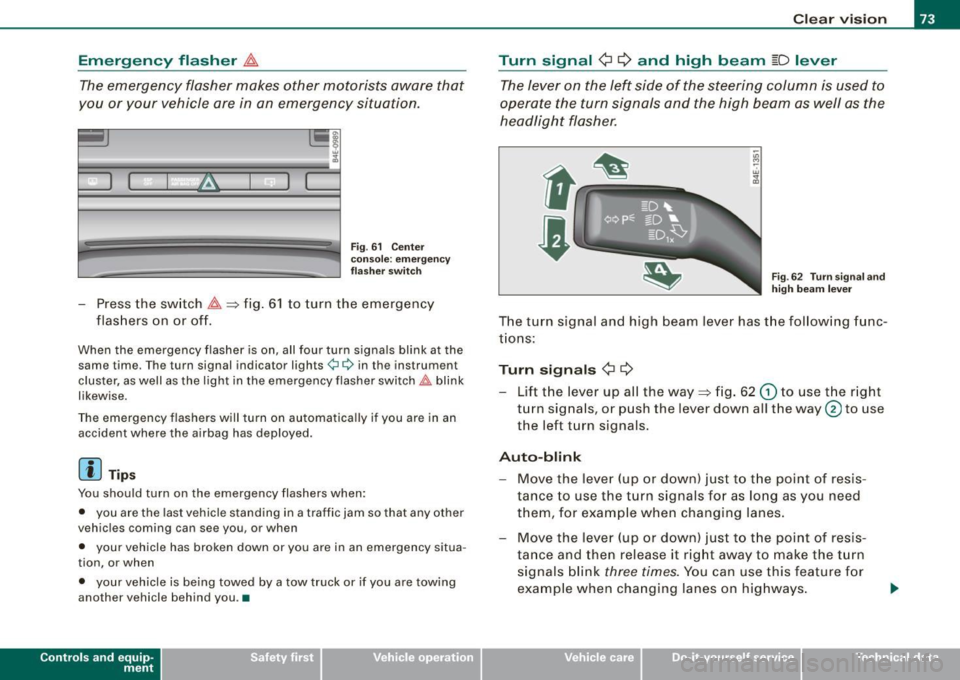
Emergency flasher ~
The emergency flasher makes other motorists aware that
you or your vehicle are in an emergency situation.
I
Fig . 61 Cente r
conso le: emergency
f lashe r swi tc h
- Press the switch ~~fig . 61 to turn the emergency
flashers on or off.
When the emergency flasher is on, all four turn signals blink at the same time. The turn signal indicator lights¢¢ in the instrument
cluster, as well as the light in the emergency flasher switch~ blink
likewise.
The emergency flashers will turn on automatica lly if you are in an
accident where the airbag has deployed.
[ i ] Tip s
You should turn on the emergency flashers when:
• you are the last vehicle standing in a traffic jam so that any other
vehicles coming can see you, or when
• your vehicle has broken down or you are in an emergency situa
tion, or when
• your vehicle is being towed by a tow truck or if you are towing
another vehicle behind you. •
Contro ls and eq uip
ment
C lea r v is ion
Turn signal ¢ ¢ and high beam ~D lever
The lever on the left side of the steering column is used to
operate the turn signals and the high beam as well as the
headlight flasher.
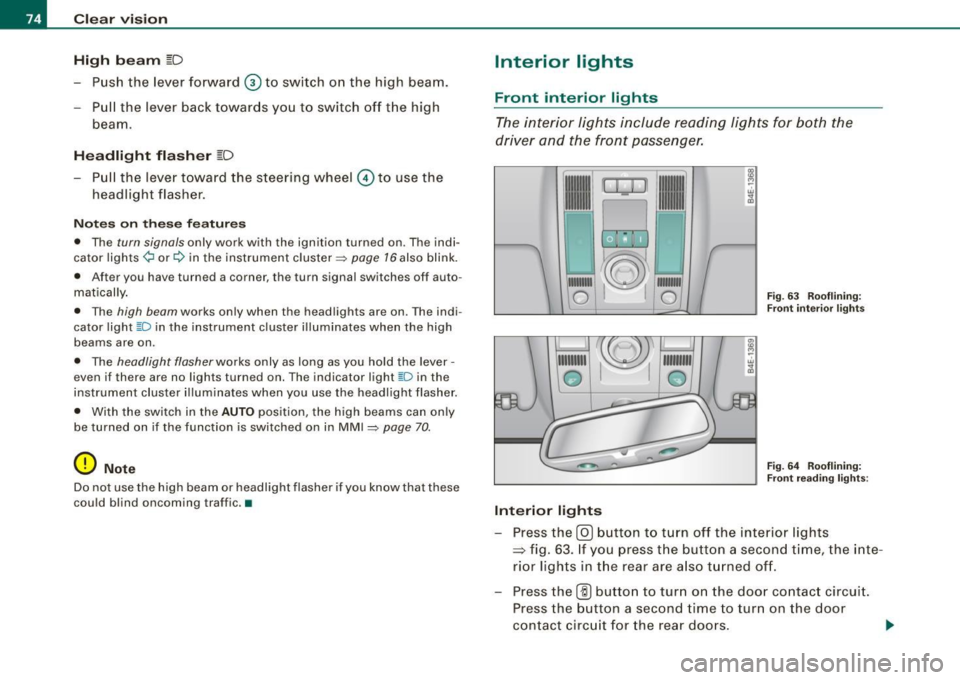
-"' M
-w
"' a,
Fig . 62 Turn s igna l and
high beam lever
The turn signal and high beam lever has the follow ing func
tions:
Turn si gnals ¢ ¢
- Lift the lever up all the way~ fig. 62 G) to use the r ight
turn signals, or push the lever down all the way@ to use
the left turn signals.
Aut o-blink
- Move the lever (up or down) just to t he point of resis
tance to use the turn signals for as long as you need
them, for example when changing lanes.
- Move the lever (up or down) just to t he point of resis
ta nce and then release it right away to make the turn
signals blink
three times. You can use this feature f or
example when changing lanes on highways.
Vehicle care I I irechnical data
Page 76 of 408
Clear vision
High beam
~D
-Push the lever forward 0 to switch on the high beam.
Pull the lever back towards you to switch off the high
beam.
Headlight flasher ~D
- Pull the lever toward the steering wheel © to use the
headlight flasher.
Notes on these features
• The turn signals only work with the ignition turned on. The indi
cator lights ¢ or¢ in the instrument cluster~ page 16 also blink.
• After you have turned a corner, the turn signal switches off auto
matically.
• The high beam works only when the headlights are on. The indi
cator light ~D in the instrument cluster illuminates when the high
beams are on.
• The headlight flasher works only as long as you hold the lever -
even if there are no lights turned on. The indicator light [Din the
instrument cluster illuminates when you use the headlight flasher.
• With the switch in the
AUTO position, the high beams can only
be turned on if the function is switched on in MMI
~ page 70.
0 Note
Do not use the high beam or headlight flasher if you know that these
could blind oncoming traffic. •
Interior lights
Front interior lights
The interior lights include reading lights for both the
driver and the front passenger.
--
1111
~ . ~D
ro,:q
111111111
0
Interior lights
111111111
111111111
0 Fig. 63 Rooflining:
Front interior lights
Fig. 64 Rooflining:
Front reading lights ;
- Press the @J button to turn off the interior lights
~ fig. 63. If you press the button a second time, the inte
rior lights in the rear are also turned off.
- Press the
(ID button to turn on the door contact circuit.
Press the button a second time to turn on the door
contact circuit for the rear doors.
Page 121 of 408
_________________________________________________ W_ a_ r_ m __ a_n_ d_ c_ o_ld _ __. 1111111
Ap plies to vehicles: with heated rear se ats
Heated rear seats
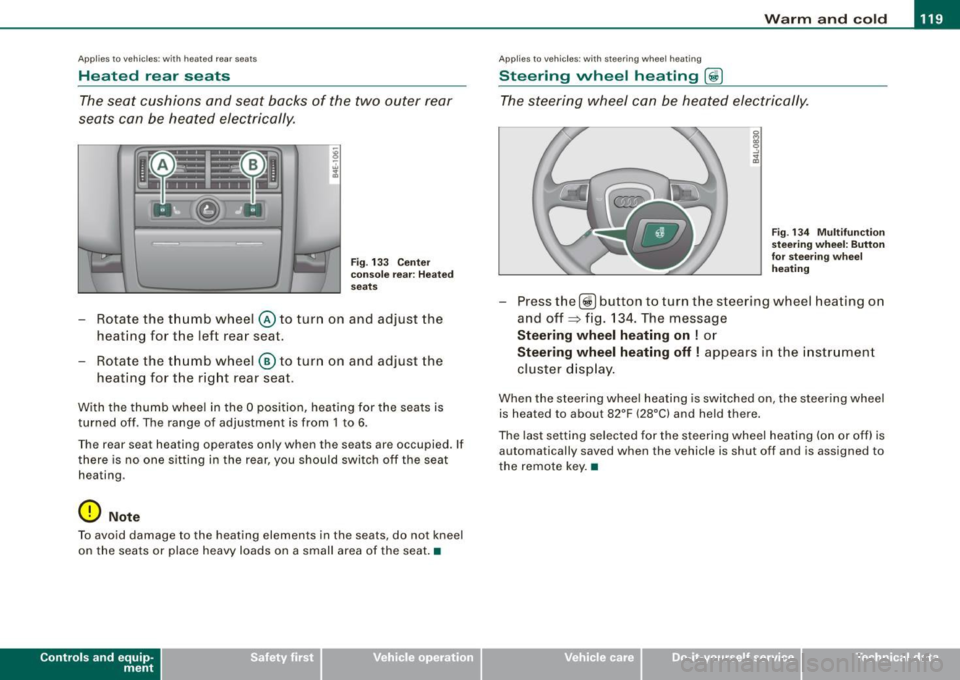
The seat cushions and seat backs of the two outer rear
seats can be heated electrically.
' ' ' 1 · ' ' --
------ ------~ ~
I I I I I I
Fig . 133 Center
console rear : Heated
seats
- Rotate the thumb wheel @ to turn on and adjust the
heating for the left rear seat.
- Rotate the thumb wheel
® to turn on and adjust the
heating for the right rear seat.
With the thumb wheel in the O position, heating for the seats is
turned off . The range of adjustment is from 1 to 6.
The rear seat heating operates only when the seats are occupied. If
there is no one sitting in the rear, you should switch off the seat
heating .
0 Note
To avoid damage to the heating elements in the seats , do not kneel
on the seats or place heavy loads on a small area of the seat. •
Contro ls and eq uip
ment
Ap plies to vehicle s: with ste erin g w heel heatin g
Steering wheel heating @
The steering wheel can be heated electrically.
Fig . 134 Multifunction
steering wheel: Button
for steering wheel
heating
Press the[@!] button to turn the steer ing wheel heating on
and off~ fig. 134. The message
Steering wheel heating on ! or
Steering wheel heating off! appears in the instrument
cluster display.
When the steering wheel heating is switched on , the steering wheel
is heated to about 82°F (28°C) and held there.
The last setting selected for the steering wheel heating (on or off) is
automatically saved when the vehicle is shut off and is assigned to
the remote key. •
Vehicle care I I irechnical data
Page 135 of 408

On the road -
----------------
& WARN IN G ( continu ed )
required to steer or bra ke the vehicle . If you are not prepa red , th is
c ould re sult in a collision and serious per sonal in jur y.
• For your safet y, move the sele ctor lever t o the P po sition , then
turn off the engine . Otherwise the veh icle could inadvertently roll
away .
• After t urning off th e engine , the r adi ator f an c an come on and
run for up to 10 mi nute s -even if the i gnition i s switc hed off . Like
wise , the fan could come on if the temperature in the engin e
c omp artment r ais e s due to heat build up or if you le ave the vehi cle
s tandin g in direct sunlight .
0 Note
After driving at high engine load, heat can build up in the engine
compartment after you have turned off the engine. This can damage
t he engine . Let the veh icle stand and run in idle for about 2 minutes
before turning off the engine .•
Ap plies to ve hicles : w ith Conve nie nce key
Driver's messages in the instrument cluster
Messages appear in the instrument cluster to let the
driver know if something is missing or if some thing must
be done.
No ke y identified
This message appears when you press the [ START ] button, but
there is no remote control key insi de the vehicle or if the system
does not recogni ze the key . For example, if your key is
shielded by
an object or
encased, i.e . inside an a lum inum briefcase, the signal
from the key cannot be detected. Electronic devices such as cell
phones can also interfere with the radio signal.
Controls and equip
ment P
re ss br ake pedal to start engine
This message appears when you press the I S TART] button when
starting the engine but you have not depressed the brake pedal.
En gage N or P to start e ngine
This message appears when you start the engine but the selector
lever is not in the P or N position. The e ngine can be sta rted o nly if
the selector lever is in one of these two positions.
.!., Key not in vehicle
This message appears together with the ..Z. symbol when the
remote control key is removed from t he vehicle whi le the eng ine is
running . This is to remind you that you should not continue your trip
without you r key .
If the key is no longer inside the veh ic le when you turn off the
engine, you will not be able to switch on the ignition or restart the
engine. Also, you will not be ab le to lock the vehicle from the
outside.
S hift to P, othe rwis e vehi cle ca n roll a way. Door s do not lo ck i f lev er
is not in P.
This message appears for your safety together wit h an aud ib le
warning signa l when you press the [S TO P] button but the selector
lever is not in the P position and you open the driver 's door . Move
the selector lever into P, otherwise the vehic le could roll away. In
addition, you w ill not be able to lock the vehicle with either the lock
button located on the door handle or the remote control.
T o engage steering lo ck, press a nd hold STOP button
This message appears for your personal safety if you switch off the
eng ine and the ignition by pressing the
I S TOP ] button and then
open the driver's door . In this case, the steering will still not be
locked . The stee ring wheel wi ll lock :
• I f you press the
I STOP ] button for longer than 1 second.
• I f you lock the vehicle from the outside .•
I • •
Page 136 of 408
• ..__O_ n_ t_ h _e _ ro_ a_d __________________________________________________ _
Electromechanical parking brake
Operation
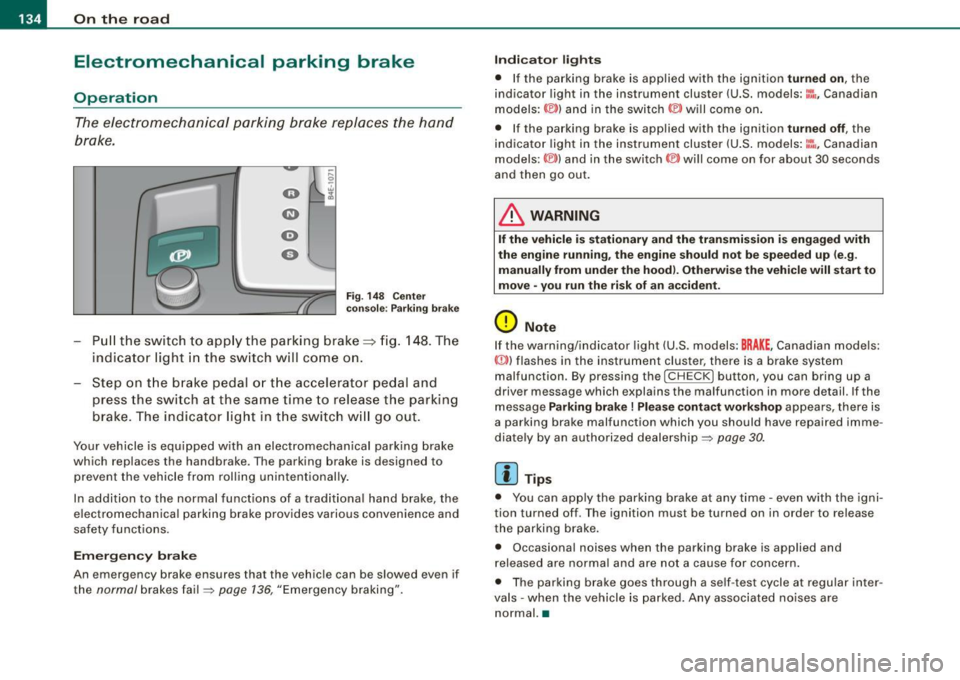
The electromechanical parking brake replaces the hand
brake.
F ig. 148 Cen ter
co nso le: P arki ng br ake
Pu ll the switch to app ly the parking brake==> fig. 148 . The
indicator light in the sw itch will com e on.
Step on t he brake ped al o r th e accelerat or pedal and
press the switch at the s am e time to rel eas e the parking
brake . The indicator light in t he switch w ill go out .
Your vehicle is equipped w ith an electromechanical parking brake
which replaces the handbrake . The parking brake is designed to
prevent the vehicle from rolling unintentionally .
In addition to the norma l functions of a trad itiona l hand brake, the
e lectromechanical parking brake provides various convenience and
safety functions.
Em erg en cy brake
An emergency brake ensures that the vehicle can be slowed even if
the
normal brakes fa il=> page 136, "Emergency braking".
Indi ca to r light s
• If the pa rking brake is app lied with the ignition turned on, the
indicator light in the instrument cluster (U.S. models:~-Canadian
models: ©) and in the switch © will come on .
• If the parking brake is applied with the ignition
turned off , the
indicator light in the instrument cluster (U .S . models :~~ , Canadian
models :(®) ) and in the switch(®) will come on for about 30 seconds
and then go out.
& WARNING
If the vehicle i s stationary and the transmis sio n i s e ngag ed with
the eng ine running , th e engine should n ot b e speeded up (e .g .
manu ally from under the ho od). Oth erw ise th e vehi cle will start t o
mo ve • you r un the ris k of an acc ident .
0 Note
If the warning/indicator light (U .S . models: BRAKE , Canadian models:
{(j))) flashes in the instrument cluster, there is a brake system
malfunction . By pressing the
I C HE CK] button , you can bring up a
driver message which explains the malfunction in more detail. If the
message
Parking brake ! Plea se conta ct w ork shop appears, there is
a parking brake malfunction which you should have repaired imme
diate ly by an authorized dealership=:>
page 30.
[ i ] Tips
• You can app ly the parking brake at any time -even with the igni
tion turned off . T he ignition mus t be turned on in order to release
the parking brake.
• Occasional noises when the parking brake is applied and
released are norma l and are not a cause for concern .
• The parking brake goes through a se lf -test cycle at regular inter
va ls - when the vehicle is parked. Any associated no ises are
normal. •
Page 138 of 408
• .___O_ n_ t_h _e _ r_o _a_ d __________________________________________________ _
Starting off with a trailer
T o prevent rolling back unintentionally on an incline, do
the following:
- Keep the switch pulled and depress the accelerator. The
parking brake stays applied and preve nts the vehicle
f rom rolling backward .
- You can release the switch o nce you are sure t hat you are
deve lop ing enough forward momentum at the whee ls as
you depress the accelerator.
Depending on the weight of the rig (vehicle and trailer) and the
severity of the incline, you may roll backwards as you start. You can
prevent rol ling backwards by holding the parki ng brake sw itch
pul led out and acce lerating -just as you would when starting on a
h ill with a conventional hand brake. •
Emergency braking
In the event that the conventi on al b rake system fails or
locks.
- Pull th e swi tch and continu e to pull it to slow you r veh icle
with t he par king brake in an emergency .
- As soon as you r elease the switch or acc elerate, the
braking pro cess s tops .
If you pull the swi tch and hold it above a speed of about 5 mph (8
km/h), the emergency braking function is initiated . T he vehicle is
braked at all fou r whee ls by activating the hydraulic brake system .
Brake performance is similar to making an emergency stop~&.
So that emergency braking is not activated by mistake, an audib le
warning tone (buzzer) sounds when the switch is pulled . As soon as the switch is released, or the accelerator pedal is depressed, emer
gency b raking stops .
& WARNING
Emergency braking should only be u sed in an emergen cy, when
the normal foot br ake has f ailed or the br ake ped al i s obstructed .
U sing the parking brake to perform emergen cy brakin g will slow
yo ur vehicle a s if yo u had made a full brake app lication . The law s
of phy sic s cannot be su spe nded even with E SP and it s asso ciated
c ompon ents ( AB S, ASR, EDS ). In corner s and whe n ro ad or
w eather conditions are bad , a full brak e application can cau se the
vehi cle to skid or the r ear end to break a way -ri sking an
ac cident .•
Driver messages in the instrument cluster
Caution: Vehicle parked too steep
T his message appears when the parking brake is applied on an
incline that exceeds about 30%.
I n this case the b raking power of the park ing brake may
not be
adequ ate
to prevent the vehicle from rol ling unintentionally.
Plea se relea se parking br ake
This message appears, when a gear is selected and the acce lerator
pedal is depressed -release the parking brake.
Pre ss brake peda l to release parking brake
T his driver message appears when the switch to release the parking
brake was pressed. The parking brake can only be released if you
press the brake or accelerator peda l and press the switch at the
same time .
Parking brake malfun ction !
This d river message appears together with the yellow
when there is a parking brake malfunction. symbol
Page 139 of 408

_________________________________________________ O_ n_ t_h _e _ ro_ a_d _ __._
0 Not e
If the warning/indicator light (U.S. models : BRAKE, Canadian models:
CCD) ) flashes in the instrument cluster, there is a brake system
malfunction. By pressing the
I CHECK] button, you can bring up a
driver m essage which explains the malfunction in more detail. If the
message
P arking br ake ! Plea se contact work shop appears, there is
a parking brake malfunction which you should have repaired imme
diate ly by an au thorized dealership ~
page 30. •
Cruise control
Switching the system on
The cruise control system makes it possible to drive at a
constant speed starting at 20 mph (30 km/h).
Con tro ls and eq uip
ment
F ig . 149 Contro l le v er
w ith set butt on F
ig . 150 D ispla y:
Se lecte d sp ee d
Pull the lever to positi on G) => fig. 149 to swi tc h the
system on .
Drive a t th e speed yo u w ish to set .
Press button
© to set that speed.
The display ~ fig. 150 will show the set speed. The display may vary
depe nding on the type of display in your vehic le. The indicator light
CRUISE (US model)/ 0" (Canadian model) will a lso light up in the
instrument cluster.
The speed is kept constant via an engine output adjustment or active brake intervention .
& WARNING
• Alway s pa y attention to traffic even when the crui se control is
s w itched o n. You are alwa ys respo nsible f or your speed and the
d is tan ce bet ween your vehicl e and other vehi cle s.
• For safety reason s, the cruise con trol s hould not be used in the
c ity , in stop -and -go tra ffi c, o n twi sting road s and when road condi
tion s are po or (s uch a s ice, fog, gr avel , he avy rain and h ydro
pl anin g) -ris k of a ccident.
• Turn off the crui se co ntro l te mpo rarily whe n ente rin g turn
lan es, highwa y exit la ne s or in con stru ction zon es.
Vehicle care
I I irechnical data
Page 141 of 408
__________________________________________ ...;A~d~a~p~t~iv~e~C~ru~is~e~C:_:o~n~t!..ro~I _J __
Adaptive Cruise Control
Speed and distance control system
Applies to vehic les : with Adaptive C ruise Cont rol
Description
The Adaptive Cruise Control driver assistance program is
a combined speed and distance control system.
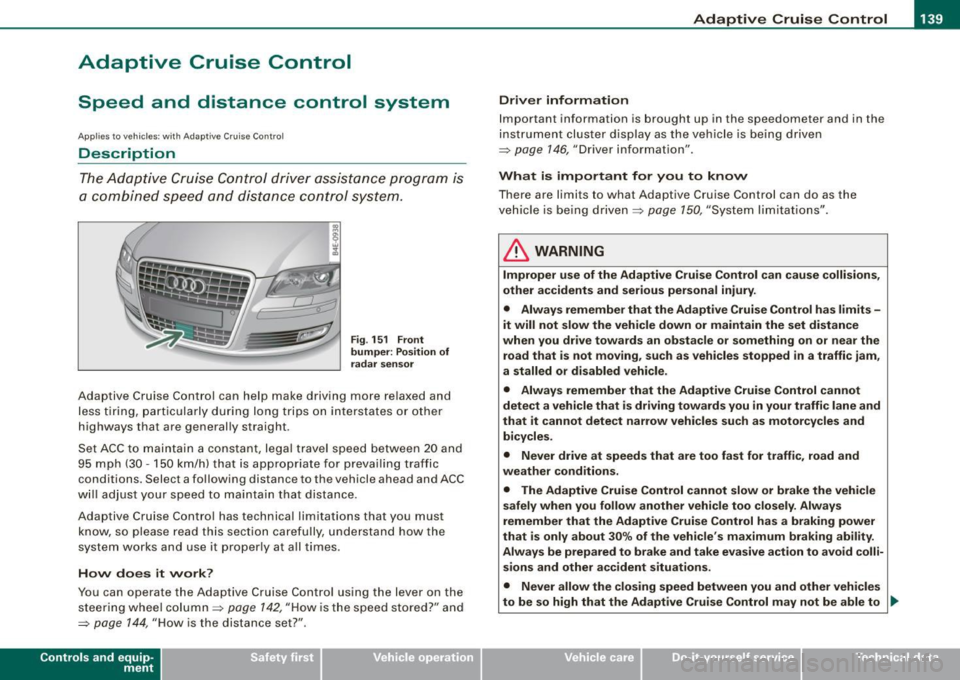
Fig. 151 Front
bumper: Position of
radar sensor
Adaptive Cruise Control can help make driving more relaxed and
less tiring, particularly during long trips on interstates or other
highways that are generally straight .
Set ACC to maintain a constant, legal travel speed between 20 and
95 mph (30 -150 km/h) that is appropriate for prevailing traffic
conditions. Select a following distance to the vehicle ahead and ACC
will adjust your speed to maintain that distance .
Adaptive Cruise Contro l has technical limitations that you must
know, so please read this section carefully, understand how the
system works and use it proper ly at all times .
How does it work?
You can operate the Adaptive Cruise Control using the lever on the
steering wheel column =>
page 142, "How is the speed stored?" and
=>
page 144, "How is the distance set?" .
Contro ls and eq uip
ment
Driver information
Important information is brought up in the speedometer and in the
instrument cluster display as the vehicle is being driven
=> page 146, "Driver information" .
What is important for you to know
There are limits to what Adaptive Cruise Control can do as the
vehicle is being driven =>
page 150, "System limitations" .
& WARNING
Improper use of the Adaptive Cruise Control can cause collisions,
other accidents and serious personal injury.
• Always remember that the Adaptive Cruise Control has limits -
it will not slow the vehicle down or maintain the set distance
when you drive towards an obstacle or something on or near the
road that is not moving, such as vehicles stopped in a traffic jam,
a stalled or disabled vehicle.
• Always remember that the Adaptive Cruise Control cannot
detect a vehicle that is driving towards you in your traffic lane and
that it cannot detect narrow vehicles such as motorcycles and
bicycles .
• Never drive at speeds that are too fast for traffic, road and
weather conditions .
• The Adaptive Cruise Control cannot slow or brake the vehicle
safely when you follow another vehicle too closely. Always
remember that the Adaptive Cruise Control has a braking power
that is only about 30% of the vehicle 's maximum braking ability.
Always be prepared to brake and take evasive action to avoid colli
sions and other accident situations.
• Never allow the closing speed between you and other vehicles
to be so high that the Adaptive Cruise Control may not be able to _,,,
Vehicle care I I irechnical data
Page 144 of 408
• ..__A_ d_a...: p:,..._ ti_v _ e_ C_ ru_ is_ e_ C_ o_n_ t_ r_ o _ l ___________________________________________ _
Switching the system off
-Press the lever to position @(latched). •
Applies to veh icles: with Adapt ive Cruise Cont rol
Hovv is the speed stored ?
'° "' M
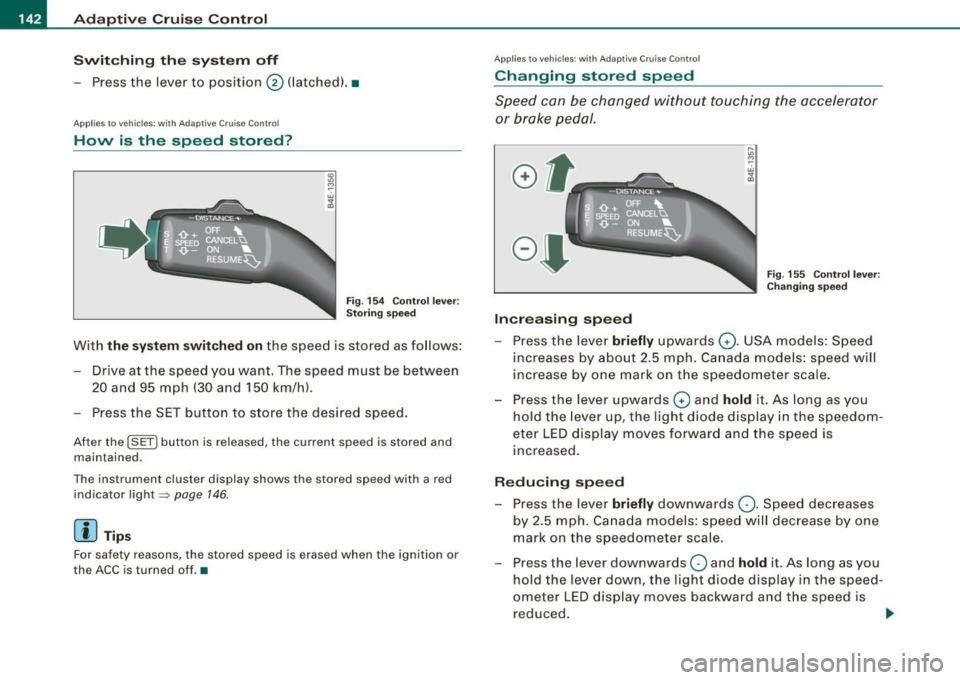
Fig. 154 Control lever:
Storing speed
With the system switched on the speed is stored as follows:
- Drive at the speed you want. The speed must be between 20 and 95 mph (30 and 150 km/h).
- Press the SET button to store the desired speed.
After the (SETI button is released, the current speed is stored and
maintained.
The instrument cluster display shows the stored speed with a red
indicator light~
page 146.
[ i ] Tips
For safety reasons, the stored speed is erased when the ignition or
the ACC is turned off.•
App lies to vehic les: w it h Adapt ive Cruise Contro l
Changing stored speed
Speed can be changed without touching the accelerator
or brake pedal.
Increasing speed
....
"' M ~ w .,
"'
Fig . 155 Control lever:
Changing speed
- Press the lever briefly upwards Q. USA models: Speed
increases by about 2.5 mph. Canada models: speed will
increase by one mark on the speedometer scale.
- Press the lever upwards
Q and hold it. As long as you
hold the lever up, the light diode display in the speedom
eter LED display moves forward and the speed is
increased.
Reducing speed
- Press the lever briefly downwards Q. Speed decreases
by 2.5 mph. Canada models: speed will decrease by one
mark on the speedometer scale.
- Press the lever downwards
O and hold it. As long as you
hold the lever down, the light diode display in the speed
ometer LED display moves backward and the speed is reduced. ._
Page 146 of 408
• ..__A_ d_a...: p:,..._ ti_v _ e_ C_ ru_ is_ e_ C_ o_n_ t_ r_ o _ l ___________________________________________ _
[ i J Tips
When the system is turned off temporarily, the speed set at that
time is stored .•
Ap plies to ve hic les: wit h Ad aptive Cruise Contro l
Hovv is the distance set?
Distance can be set in four stages .
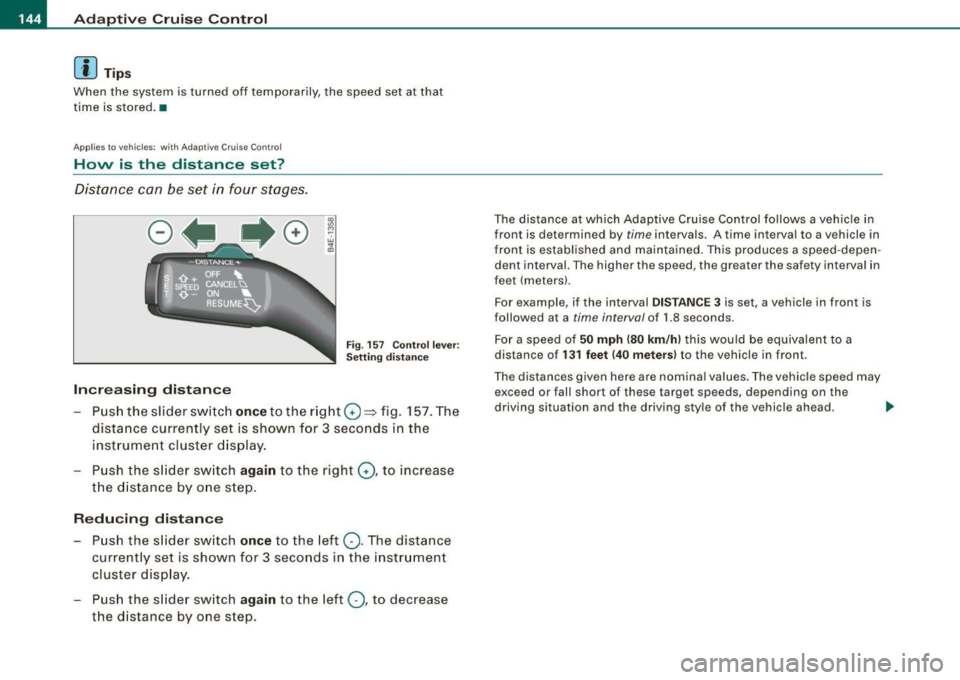
Fig . 157 C ontrol l ev er:
Sett in g d ista nce
Increasing distance
Pus h the slider switc h once to the rig ht 0 => fig. 157 . The
dista nce currently se t is shown for 3 seconds in the
instrument cluster d isp lay.
- Pu sh the s lider sw it c h
a gain to the right G) , to inc rease
the distanc e by o ne step.
Reducing distan ce
- Push the s lider switch once to the left Q . The distance
cur rently set is shown for 3 seconds in the instrument
cluster disp lay .
- Push the s lider switch
again to the left Q , to decrease
the d istance by one step.
The distance at which Adaptive Cruise Contro l fo llows a vehicle in
front is determined by
time intervals. A time int erval to a v ehicl e in
front is estab lished and maintained . This produces a speed -depen
dent interval. The higher the speed, the greater the saf ety interval in
feet (meters).
For example, if the interval
DI STA NCE 3 is set , a vehicle in front is
followed at a
time interval of 1.8 seconds .
Fo r a speed o f
50 mph (80 km /h ) this would be equivalent to a
distance of
1 3 1 feet (40 meters ) to the ve hicle in fron t.
The distances given here are nominal values . The vehicle speed may
exceed or fall short of these target speeds, depending on the
driving situation and the driving sty le of the v ehicle ahead.
~