seat memory AUDI S8 2010 Owners Manual
[x] Cancel search | Manufacturer: AUDI, Model Year: 2010, Model line: S8, Model: AUDI S8 2010Pages: 384, PDF Size: 90.95 MB
Page 4 of 384
Table of contents
Table of contents
Vehicle literature
About this Owner's Manual ............. ...... .
Controls and
equipment .............. .
Instruments and controls ... .
General illustration ........... .
Instruments and
warning/indicator Lights ..... .
Instruments ................ .
Warning/indicator ligh ts ...... .
Driver information display ... .
Introduction ............ ... . .
On-Board Diagno stic system
(OBD) ....................... .
Auto Ch eck Control ........... .
Speed warning system ........ .
Tr ip computer ............... .
Opening and closing ......... .
Keys ........................ .
Power locking system ........ .
Rear lid/Trunk lid ......... ... .
Child safety Lock ............. .
Convenience key ............. .
Anti-theft alarm system ...... .
Power windows .............. .
Sliding/tilting power sunroof .. .
Clear vision .. ................ .
Lights ....... ......... ...... .
Interior ligh ts ........ ....... .
5
6
8
9
9
10
10
14
22
22
25
26
35
36
39
39
41
46
49
so
52
53
57
60
60
65 Vi
sion
Wiper and washer system
Mirrors
Seats and storage ........... .
General recommendations .... .
Power seat ....... ........... .
Head restraint s .... .......... .
Armr est ................. ... .
Seat memory ................ .
Rear seats ............. ..... .
Indiv idual rear seats ......... .
Luggage compartment .. ..... .
Roof rack ................... .
Cupho lder .................. .
Ashtray ..................... .
Cigarette Lighter/socket ...... .
Long cente r console .... ...... .
Storage ............. ....... .
Warm and cold ........... ... .
Climat e controls ...... ... .. .. .
W ind shield defogging/defrosting
Rear climate controls ........ .
Basic settin gs ............... .
On the road ................. .
s . teenng .................... .
I gn ition lock and ign ition switch
S tarti ng and stopping the en gine
Starting and stopping the engine
us ing the Convenience ke y .....
Electromechanical park ing brake
C ru ise control ............... . 68
70
7
4
76
76
77
81
83
8 4
85
87
90
92
9 4
96
97
98
98
103
103
112
114
115
11 7
11 7
118
119
120
123
126
Adaptive Cruise Control ....... 128
Speed and distance control
system
Driver information .......... .. .
System Limitation s ........... .
A d' l . u I ane assist ............. . .
128
135
139
142
Lane assist . . . . . . . . . . . . . . . . . . . 142
Audi side assist ............... 145
Lane Change Assistan t . . . . . . . . . 145
No tes ..... ......... .......... 152
Automatic transmission 154
tiptronic ® (6-speed automatic
transmission ) . . . . . . . . . . . . . . . . . 1 54
Advanced Parking System ..... 161
Advanced Parking System with
rear view camera .............. 161
Specia l park ing situat ions . . . . . . 169
Tow ing hitch ........... ....... 1 71
Settings in the MMI ......... ... 171
Saf ety tips .... ................ 173
Adaptive Air Suspension 176
Adaptiv e Air Suspens ion and
Damp ing . . . . . . . . . . . . . . . . . . . . . 176
Homelink ® ............. ...... 181
Universal remote control
181
Safety first ............... 186
Driving Safely ................. 186
General notes . . . . . . . . . . . . . . . . . 186
Proper occupan t seating
positions . . . . . . . . . . . . . . . . . . . . . 188
Driver and passenger side
footwell . . . . . . . . . . . . . . . . . . . . . . 192
Page 11 of 384
Instruments and controls
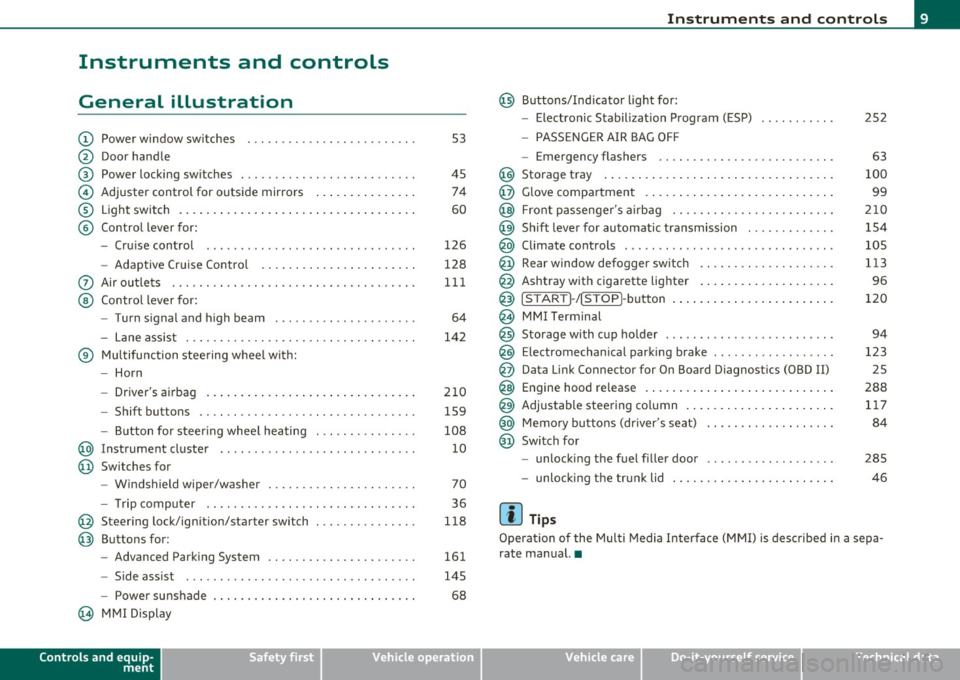
General illustration
(D Power window switches . .. .. .. ... .. ... .. ... ... . .
@ Door handle
@ Power locking switches . .. .. ......... .. .. .... ... .
© Adjuster control for outside mirrors .............. .
® Light switch ............... . ... ..... ....... ... .
© Control lever for:
- Cruise contro l ............ .... ... . ... ....... .
- Adaptive Cruise Control . ................... .. .
0 Air outlets .... .... .. .. .. ... ... ............. .. .
@ Control lever for:
- Turn signal and high beam .................... .
- Lane assist ................ ...... .. .. .. .. ... .
® Multifunction steering wheel with:
- Horn
- Driver's airbag ....................... ....... .
- Shift buttons .... .. .. .. .. .... ............... .
- Button for steer ing whee l heating . .. .. ... ...... .
@ Instrument cluster .................. .... ... ... .
@ Switches for
- Windshield wiper/washer ................ .. ... .
- Tr ip computer .. .......... . .. .... .. .. .... ... .
@ Steering lock/ignition/starter switch .............. .
@ Buttons for:
- Advanced Parking System .... .. .... .. ...... ... .
- Side ass ist ........... ........ ... ..... ... ... .
- Power sunshade
@ MMI Display
Controls and equip
ment Safety first
53
45 74
60
126
128
111
64
142
210 159
108 10
70
36
118
161
145
68
Instruments and controls
@ Buttons/Indicator light for:
- Electronic Stabilization Program (ESP)
- PASSENGER AIR BAG OFF
- Emergency flashers .. .. .. .. .. .... .. ......... .
@ Storage tray .................. .. .. .. ......... .
@ Glove compartment .... .... .. .. .... ........... .
@ Front passenger 's airbag .................... .. . .
@ Sh ift lever for automatic transmission ........... . .
@ Climate controls . .. .................... .... ... .
@ Rear window defogger switch .. .. .. .. .. .... ..... .
@ Ashtray with cigarette lighter ................... .
@ IS TART ]-/IS TOP]-button . ... ................ ... .
@ MMI Terminal
@ Storage with cup holder ..... .. .. .. ............. .
@ Electromechanical parking brake ... .. ...... ..... . .
@ Da ta Link Connector for On Board Diagnostics (OBD II)
@ Engine hood release ........................... .
@ Adjustable steering column ..................... .
@ Memory buttons (driver's seat) .................. .
@ Switch for
- unlock ing the fuel filler door ....... ....... .... .
- unlock ing the trunk lid
[ i ] Tips
252
63
100
99
210
154
105
113
96
120
94
123 25
288 117
84
285
46
Operation of the Multi Media Interface (MMI) is described in a sepa
rate manual. •
Vehicle care Technical data
Page 42 of 384

Opening and closing Master key with remote control
The remote control allows you to lock or unlock the
vehicle electronically.
Fig. 24 Fold-up
master key with
remote control
- To fold the key out and back in place, press the release
button~ fig. 24.
The transmitter and battery are located in the head of the remote
control. The receiver is located inside the vehicle. The maximum
effective range depends on several things. Remember, if the battery
is weak, the effective range decreases.
If you need to replace the remote contro l, or if you need to have it
repaired, you must see you r author ized Aud i dealer. Only then can you
use the key again.
Personalizing the master key
When the ignition is turned off or when the vehicle is locked, vario us
convenience sett ings are stored automatically and assigned to the
key that was used. The sett ings assigned to the key are automatically
recalled w ith you unlock the vehicle or when you open a door or when
you switch on the ignition .
• Climate control
• Centra l locking
• Windows and rear window sun blind •
Background lighting*
• Seat memory
• Adaptive Cru ise Contro l*
• Audi lane and s ide assist*
• Adva nced Parking System*
The
Remote control key f un ction must be activated in MMI
=> page 85, so that the settings for the driver's seat (including the
sett ings for the head restraint, steering column, safety belt height
and exterior mirrors) are saved on the master key through the seat
memory when the vehicle is locked, and are set automat ica lly when
the vehicle is unlocked.
[ i ] Tips
• If the ign it ion is switched on, the remote control system is deacti
va ted .
• The remote control system can be affected by other systems oper
ating in the same frequency range close to the vehicle, such as mobile
telephones, te lev ision broadcasting stations, etc.
• For Declaration of Compliance to United States FCC and Industry
Canada regulations =>
page 364. •
Battery replacement, master key
. w ',!
Fig. 25 Check light in
the master key ..
Page 77 of 384

You are well-advised to fold the outside mirrors in when maneuvering in tight spaces or w hen leaving t he car pa rked close to othe r vehicles.
Tilting the passenger's side outside mirror
When yo u move the se lecto r lever in to R (Reve rse), the mi rror on the
front passenger's door (knob turned to® =>
page 74, fig . 70) w ill tilt
sligh tly downw ard. This make is easier for you to see the curb when
you are back ing into a parking space .
The mirror returns to its initial position as soon as reverse gear is disengaged and vehicle speed is above about 9 mph (15 km/h). The
mirror also returns to its initia l position if the switch is moved to the
dr iver's ou ts ide mir ror © or Neutral @ .
Memory setting for the outside mirrors
When the seat position is saved in memo ry, t he position of the
outs ide mirrors is saved at the same time=>
page 84.
Automatic anti-glare for the outsid e mirro rs
The o utside mir rors dim at the same time as the inside mirro r. When
the ign ition is sw itched on, the mirrors automatically dim depend ing
on the amo unt of light strik ing the m irro rs (such as head lights
shini ng into the veh icle from t he rear) .
When you turn on the inter ior light, or when you move the se lector
lever in to R (Reve rse), the anti-glare f unct ion s tops and the mir rors
return to their orig inal condition (not darkened) .
& WARNING
Broken glass of automatic dimming mir ro r can cause electrolyte
fluid leakage . Electrolyte fluid c an irritat e skin, eye s, and respira
tory system.
• Repeated or prolonged e xposure to electrolyte can cause irrita
tion to the resp iratory system, especially among people w ith
asthma or other re spiratory condition s. Get fresh air immediately
by leaving the vehicle or, if that is not possible , open windows and
door s all the way.
Controls and equip
ment Safety first
Clear v
ision
& WARNING (co ntinued )
• If electrolyte get s into the eye s, flu sh them thoroughly with
large amount s of clean water for at l east 15 minut es; medical
attention i s re commended .
• If electrolyte contact s skin, flush affected area w ith clean
water for at least 15 minute s and then wash affe cted area with
soap and water; medical attention is recommend ed . Thoroughly
wash affected clothing and shoes befo re reu se.
• If swa llowed and person is consciou s, rinse mouth with water
for at least 15 minutes. Do not induce vomiting unle ss instructed
to do so by medical prof essional. Get medi cal attention immedi
atel y.
0 Note
• Curved (i.e. convex) mirror surfaces increase yo ur field of v iew .
Remembe r th at vehicles or o ther objects will appea r smalle r and
farther away than when seen in a flat mirror. If you use this mirror to es tima te dist ances of following veh icles whe n chang ing lanes, yo u
cou ld estimate incorrectly and cause an acc ident .
• If the mirror ho using is moved un intent io na lly (for examp le, w hile
parking your ve hicle), then you must first fold the mirror electr ically.
Do not read just the mirro r ho using manually. Yo u could damage the
motor w hich controls the mirror .
[ i ] Tips
• If
there should be a malfunction in the electrical system, you can
sti ll adjust the outs ide mir rors by pressing the edge of the mirror .
• The au tomatic anti-glare feature on the mirror will not operate
prope rly if the light sh ining on the i nside m irro r is bloc ked by ot her
objects .•
Vehicle care Technical data
Page 86 of 384
Seats and storage
Seat memory
Driver's seat memory
The seat adjustment settings for four drivers can be
stored using the memory buttons in the driver's door .
Fig. 8 4 Driv er's do or:
S ea t memory
In addition to the setting for the driver's seat, the settings for the
head restraints, safety belt height, steering column and both exterior
mirrors can be stored .
Storing and rec all ing settings
Using the memory buttons 1, 2, 3 and 4 , you can store and recall the
settings for four different drivers~ fig. 84.
T he current settings are also automatically stored on the remote
control key being used when the vehicle is locked. When the vehicle is
unlocked, the settings s tored on the remote control key be ing used
are automatically recalled. This function has to be activated in MMI
~pogeBS .
Turning se at m em ory on and off
If the [ ON/OFF] switch is depressed, the seat memo ry is inope rative.
The word
OFF next to the [ ON/OFF] switch illuminates.
All the sto red settings are retained. We recommend using the
[ ON/OFF ] switch and deact ivat ing the seat memory if the vehicle is only going to be used
temporarily by a driver whose settings are not
going to be stored. •
Storing and recalling a seat position
Before you can store or recall your seat position, the
[ ON/OFF) button must be engaged (down).
Storing settings
- Adjust the driver's seat==>
page 77.
- Adjust the head restraint==>
page 81.
-Adjust the steering column==> page 117 .
-Adjust both outside mirrors==> page 74. In the tilt-down
position, the passenger m irror can be adjusted to the
preferred position and saved in the seat memory .
- Press the
[SET) button and hold it down. At the same
time , press one of the memory buttons for at least one
second .
- Release the bu ttons. The settings are now stored under
the corresponding memory button .
Recalling settings
- Driver's door open - press the desired memory button.
- Driver's door closed - press the corresponding memory
button until the stored position is reached.
When the vehicle is lock ed, the current settings are stored and
assigned to the remote control key. But the settings stored on
memory buttons 1 to 4 are not deleted. They can be recalled at any
time. Whe n the vehicle is
unlock ed , the sett ings stored on the
remote control key are restored . .,_
Page 87 of 384

If your vehicle is driven by other persons using your remote control
key, you should save your individual seat position on one of the
memory buttons . You can recall your settings again simply and
conveniently by pressing the corresponding memory button. When
the vehicle is locked, these settings are automatically re-assigned to
the remote control key and stored.
& WARNING
• For safety reasons, the seat setting can only be recalled when
the vehicle is stationary -otherwise you risk having an accident.
• In an emergency, the recall operation can be stopped by
pressing the [
ON/OFF] button or by briefly pressing any given
memory button. •
Activating remote control key memory
To be able to recall the stored settings with the remote
control key, the function has to be activated in MMI.
- Select: Function button (CAR]> Systems > Seat
adjustment > Driver's seat> Remote control key > on .
Con tro ls a nd e quip
m en t Vehicle
OP-eration
Seats and storage
Passenger's seat memory
Using the memory buttons in the passenger's door, you
can store and recall four seat settings.
Fig. 85 Passe nger's
door: seat memory
Storing and recalling settings
Using the memory buttons 1, 2, 3 and 4, you can store and recall the
sett ings for four different passengers::::;, fig. 85.
Turning seat memory on and off
If the [ ON/OFF] switch is depressed, the seat memory is inoperative.
The word
OFF next to the [ ON/OFF ] switch illuminates.
All the stored settings are retained. Now the seat can only be
adjusted electrically in the normal way. •
Rear seats
General information
Safe transportation of passengers on the rear seats
requires proper safety precautions.
All passengers on the rear seats must be seated in compliance with
the safety guidelines explained in::::;,
page 197 and ::::;, page 206. The .,
Vehicle care Do-it-yourselt service iTechnical data
Page 119 of 384
_________________________________________________ O_ n_ t_ h_ e_ r _o_ a_d _ __.fflll
On the road
Steering
Adjusting steering wheel position
The steering wheel position can be adjusted for height
and reach.
First, adjust t he driver's se at correct ly.
Height adjustment
Fig . 13 0 Swit ch f or
steering whee l adjust
m ent
- P ush t he swi tch © up or down ~ fig. 130. The st e e ring
whe el h eig ht chang es f or as l ong as y ou press t he swi tch .
Reach adjustment
- Push the switc h@ forward or backward~ fig. 130 . T he
steering w heel reach changes for as long as you press the
switch .
There m ust be at least 10 inches (25 cm) between your chest and the
center of the steering whee l.
If you cannot sit more than 10 inches
(25 cm) from the steer ing wheel, see if adaptive equ ipment is ava il-
Cont rols a nd e quip
m en t Vehicle
OP-eration
able to help you reach the pedals and increase the d istanc e from the
stee ring wheel.
F or detailed info rmation on how to adjus t the d river' s se at, see
~ page 77.
Th e stee ring wheel ca n be adjusted even when the ign ition is turned
Off . For veh icles with seat memory, the individual pos it io ns for the
steering wheel can be stored along with the seat pos ition.
& WARNING
Improper use of steering wheel adjustment and improper seating
position can cause serious personal injury .
• Adjust the steering wheel column only when the vehicle is not
moving to prevent loss of vehicle control. • Adjust the driver 's seat or steering wheel so that th ere is a
minimum of 10 inches (25 cm ) between your chest and the
steering wheel~
page 188, fig. 198. If you cannot maintain this
m inimum distance, the airbag system cannot protect you prop
erly.
• If physical l imitations p revent you from sitting 10 inches (25
c m ) or more from the steering wheel, che ck with your authorized
Audi dealer to see if adapt ive equipment is a vailable.
• If the steering wheel is aligned with your face, the supp le
mental dri ver 's ai rbag cannot prov ide as much protection in an
accident . Always make sure that the steering wheel i s aligned with
your chest.
• Always hold the steering wheel with your hands at the 9 o 'clock
and 3 o 'clock posit ions to reduce the risk of personal injury if the
driver's airbag deploys .
• Never hold the steering wheel at the 12 o'clock position or with
your hands inside the steering wheel rim or on the steering wheel
hub. Holding the stee ring wheel the wrong way can cause serious
~
Vehicle care Do-it-yourselt service iTechnical data
Page 210 of 384
........ _A_ i_rb _ a_,g,:;._ s_, y'- s_ t_e _m ________________________________________________ _
Child restraints on the front seat - some
important things to know
- Be sure to read the important information and heed the WARNINGS for important details about children and Advanced Airbags =:>
page 231.
Even though your veh icle is eq uipped with an Advanced Airbag
System, make certain that all children, especially those
12 years and
younger, a lways r ide in the back seat properly rest rained for the ir age
and size . The airbag on the passenger side makes the front seat a
potentially dangerous place fo r a child to r ide. The front seat is not
the safest p lace for a child in a forward-facing c hild seat . It can be a
very d angerous pla ce fo r an in fant or a ch ild in a rearwa rd-faci ng sea t.
The Advanced Airbag System in your vehicle has been cert ified to
comply with the req uirements of United States Federa l Motor Vehicle
Safety Standard
208 as applicable at the time your vehicle was manu
factured .
T he S ta n dard requi res the front airbag on the passenger side to be
turned off ("suppressed") if a child up to about one year of age
restra ined in o ne of the rea r-facing or forward -fa cing in fant
restra ints listed in Federa l Motor Vehicle Safety Standard
208 with
w hich the Advanced Airbag System in your ve hicl e was ce rtified has
been installed o n the front passenger seat . For a listing of the ch ild
restraints that were used to certify compliance with the US Safety
Standard=>
page 233 .
The PASSENGER AIR BAG OFF light in the instrument panel tells you
w hen the front Advanced Ai rbag on the passenge r side has been
turned off by the electronic control unit .
Eac h time you t urn on the ign ition, the
PASSENGER AIR BAG OFF
light will come on for a few seconds and:
• will stay on if the front passenger seat is not occupied,
• will stay on if there is a small ch ild or child rest rai nt on the front
passenger seat, •
will go off if the front passenger seat is occup ied by an adult as
registe red by t he weigh t-sens ing ma t:::::>
page 217, "Moni toring the
Advanced Airbag System" .
Th e
PASSENGER AIR BAG OFF light comes on when the control unit
detects a tota l we igh t on the front passenger seat t hat req uires the
front airbag to be turned off.
If the total we ight on the front passenge r sea t is more than that of a
typical 1 year-old child but less than the weight of a small adu lt, the
front ai rbag on the passenger side can dep loy (the
PASSENGER AIR
BAG OFF
lig ht does not come on). If the PASSENGER AIR BAG OFF
light does not come on, the fro nt airbag on the passenger side has
not been tu rned off by the e lectro nic cont rol u nit and can deploy if
the cont rol unit senses an impact that meets the conditions stored in
its memory.
Fo r example , the a irbag may deploy if:
• a small child that is heavier than a typical 1 year-old child is on the
front passenge r seat (regard less of whet her the child is in one of the
child seats listed:::::>
page 233), or
• a chi ld who has outgrown ch ild restra ints is o n the front passenger
seat.
If the fron t passenger a irbag is turned off, the
PASSENGER AIR BAG
OFF
light comes on in the instrument cluster and stays on.
Th e front a irbag on the passenger side may
not dep loy (the
PASSENGER AIR BAG OFF li ght does not illum inate and stay lit) even
if a small ad ult o r teenage r, or a passenger who is not sitting upright
w it h th e ir back against a non-recli ned backrest w it h their feet on the
veh icle floor in front of the seat is on the front passenger seat
=>
page 188, "Prope r seat ing pos ition for the dr ive r".
If the front passenger airbag deploys, the Federal Standard requires
t he airbag to meet the " low risk" deployment criteria to red uce the
r isk of injury through interaction with the airbag. "Low risk" deploy
ment occurs in those crashes that ta ke place a t lower decelerations as
defined in the elec tronic control unit:::::>
page 218, "PASS ENGER AIR
BAG O FF light".
liJ,
Page 214 of 384
-Airbag system
----
--=----------------
When a perso n is detected on the fro nt passenger seat, we ig hi ng
mo re t han t he total we ight of a chi ld t hat i s ab out 1 year old
restra ined in o ne of the rear -facing or forward -fac ing infant
restraints (listed in Fed eral Moto r Vehicle Safety Sta ndard
208 with
w hich the Advanced A irbag System in you r veh icle was cert ified), the
front airbag on the passenge r side may or may not dep loy.
Th e
PASSENGER AIR BAG OFF ligh t co mes on when the ele ct ronic
control un it detects a tota l weight on t he front passenger seat t hat
re qu ires the fron t air bag to be turned of f. If the
PASSENGER AIR
BAG OFF
li ght does not come on, the front a irbag on the passenger
side has not been tu rned of f by the con trol unit and can dep loy i f the
cont rol un it senses an impact that meets the cond itions stored in its
memory.
If the tota l weig ht o n th e fron t passenger seat is more than that of a
typical
1 year-old, but less than the weight of a small adult, the front
a ir bag o n the p assenge r sid e m ay deploy (the
PASSENGER AIR BAG
OFF
lig ht does not come on).
For example , the airbag may deploy if:
• a small ch ild that is heav ie r th an a typ ica l 1 year-o ld child is on the
front passenger seat (regard less of whethe r the chi ld is in one of the
c hild se ats liste d=>
page 23 3),
• a child who has outgrown chi ld rest rai nts is on t he front passenger
se at.
If the front passenger a irbag is turned off, the
PASSENGER AIR BAG
OFF
lig ht in the cen ter of t he ins trume nt panel w ill come on and stay
on.
T he front a irbag on the passenger side may
not deploy (the
PASSENGER AIR BAG OFF light do es not illum inate and s tay lit) if:
• a small a dult or teenager is on the front passenger seat
• a passenger w ho i s not sit ting up rig ht w ith their back against a
non -reclined bac krest with the ir feet on the ve hicle floor in front of
th e seat is o n the fr ont pas senge r seat.
If the front passenge r a irbag dep loys, the Federal Standard requires
t he airbag to mee t the "low risk" deployment c rit er ia to help reduce the risk of in
jury t hrough interaction with the a irbag. "Low r isk"
de ploymen t oc cur s in th o se cra shes that take plac e at l owe r de celer
ations as defined in the elect ronic contro l unit=>
page 217 .
Always remember: Even t hough your ve hicle is eq uipped with
Adv anced Airbags, the safes t pla ce for child ren is prope rly re st rai ned
on the back seat. Please be sure to read the important in formation in
th e sections t hat foll ow and be su re t o hee d all of the WA RNINGS .
& WARNING
To reduce the risk of injury when an airbag inflate s, always wear
safety belts properly.
• If you are unrestrained, leaning forward, sitting sideways or
out of position in any way, your risk of injury is much higher .
• You will also receive serious injuries and could even be killed if
you are up against the airbag or too close to it when it inflates -
even with an Advanced Airbag =>
page 206.
& WARNING
A child in a rearward-facing child seat installed on the front
pa ssenger seat will be seriou sly injured and can be killed if the
front airbag inflates -even with an Advanced Airbag System.
• Although the Advanced Airbag System in your vehicle is
designed to turn off the front airbag when a rearward-facing child
restraint has been installed on the front passenger seat, nobody
can absolutely guarantee that deployment is impossible in all
conceivable situation s that may happen during the useful life of
your vehicle .
• The inflating airbag will hit the child seat or infant carrier with
great force and will smash the child seat and child against the
backrest, center armre st, door , or roof .
• Always install rearward-facing child restraints on the rea r seat .
• If you must install a rearward facing child seat on the front
passenger seat because of exceptional circumstances and the
Page 372 of 384

__ _::_A:!: l~ p::_ h :....:..:: a:.:b::: e::..::. t:.:ic ::a::.: l:....:..: i n~ d:.:e ~ x::.._ ___________________________________________ _
Outside temperature display .... .... 23 Electronic speed limiter .. ...... .... ... 26 Malf u nction symbo l ....... ... . ... . 29
Sound system d isplay .............. 23
Electronic stabili zation prog ram ( ES P) Radiator fan
.................... 299
Dr iver Information System How the system works ...... .... .. 252 T
emperatu re gauge .......... ..... 10
Digita l speedometer .... ... ... .. ... 23 Wa rning/indicator l ights .. . .. .... .. 16 Engine data .. .. .. ...... ... .. .. .. .. 360
Dr ive r's seat .. .. .. .. .. .. .. ... ....... 77 Eme rgency braking . ............... . 12 5 Engine hood
Dr iver 's sea t memory ................. 84 Emergency closing Clos
ing ......................... 289
Act ivat ing remote control key ....... 85 Power su nroof ................. 58, 59 How to release the
hood ........ .. 288
Recalling a seat position ............ 84
Emergency flasher .. ..... ..... .. ... .. 63 Engine oil
.......... .......... ..... 291
Storing a seat position ... .. .. .. .... 84
Warning/indicator l ights .. . .. .... .. 17 Add
ing .... .... .... .. . .. .. .. .. .. 29 4
Dr iv ing messages .................... 27
Eme rgency locking ................. .. 46 Add
itives .... ....... ...... .... .. 294
Dr iv ing safely ... .. .. ............. .. 186
Driving through water . .......... ... . 263
Dr iv ing time . ... .. .. .. .. .. ..... ..... 36
Duplicate key ....................... 39
DVD playe r for navigat ion system ...... 102 Emergency
locking of doors ... .. ...... 46
Emergency st arting .... ..... ... .. .. . 3 48
Emergency towing .................. 350
E me rgency warning triang le ... .. .. .. . 332
E nergy managemen t .. ............. . 258 Cha
nging .... ....... .... .. .. .. .. 295
C hecking the engine oil leve l ... .. .. 293
I n dicat io ns and condi tions requiring ex tra
check ing . .. .. .. .. ............. 293
Oi l co nsumpt ion .. .. ... ... ..... .. 293
Oil grades ...................... 291
E
Battery power ................... 259
Dr ive r no tifica tion . .... ..... ... .. . 259 Oi
l level symbo l ................... 33
Pressu re malfunction .............. 30
Eas y entry feature
118 Engine
4.2 l, 8-cylinder (350 hp) ........ .. 290 Recommended oil check
inte rv a ls . .. 293
Sen sor defective .. .. .. .. .......... 33
Electrome chanical pa rking bra ke
Emergency br aki ng .. .. .. .. .... .. . 12 5
Ma lf u nct ion . .... .... ..... ... . .. . 12 5
Operation ... .. .. .. ... ... .... ... 1 23
Parking ... .. ..... ....... ... . ... 1 24
Releasing and app ly ing . .. .... ..... 123
Sta rting off w ith a trailer .. .. .. .... 125
Warning/ind icator lights . .......... 20
Electroni c dif feren tial loc k (EDL) 6
.0 l , 12-cylinde r (450 hp) ... ... .. . 291
Compa rtme nt .. .. .. .. .. .... . 2 9 0, 29 1
Coolan t ........................ 296
Hood .. ................. .. .. .. . 288
St art ing .. . .. .... .. .. .... .. . 1 18 , 119
Sta rting with jumpeir cab les ... .. .. . 3 48
Stopp ing . .. .. ... .. .. .... .. .. .. . 120
E ngine comp artment ................ 290
Safety ins truct ions .... .. .. .. .. ... 289 Spe
cifica tion and vis cosi ty .. ... .. .. 2 91
Engine speed lim itation ....... ... ... .. 33
Environment Break-in pe riod . ...... ......... .. 261
Catalytic converter .. .... ......... 262
Disposing of your veh icle battery .. .. 304
Dr iv ing at hig h speeds ............ 264
Dr iv ing to mi nimize pollution and noise ..
263
How the system wor ks ... ..... .... 253
Wa rning/indicator lights ... .. ... ... 19
Electron ic immobili ze r ... .. .... .. .. 12, 41 Wor
king the e ng ine compar tment .. 289
Engine coolant ... ... ... ...... .... .. 296
Add ing coolant .................. 298 Fuel
.... ...... ........... .... .. 285
Fuel economy .. .... ....... .... .. 263
Leaks under your vehicle . ......... 289
Electronic power contro l
Checking the engine coo la nt level ... 297
Letting the vehicle stand and warm up
(EPC) warning/ indicator light ........ 16
Expa nsio n tank .................. 297 264