check AUDI S8 2013 Owner's Guide
[x] Cancel search | Manufacturer: AUDI, Model Year: 2013, Model line: S8, Model: AUDI S8 2013Pages: 318, PDF Size: 79.34 MB
Page 123 of 318
Parking systems
General information
App lies to vehicles: with park in g system plus/rear view
camera/peripheral cameras
Depending on your vehicle's equipment, vari
ous parking aids will help you when parking
and maneuvering.
The
advanced parking system with rear view
camera
ass ists you when parking by audibly
and v isua lly indicating objects detected
in
front of
and behind the vehicle . The rear view
camera shows the area behind the vehicle in
the Infotainment display. This display assists
you when you are cross or para llel parking
c:;,page 122.
The peripheral cameras assist you with park
ing and maneuvering. You are aided by various
cameras depending on the vehicle equipment level ¢
page 126. In addition, you are assist
ed by the functions from the sensors
c:;, page 122, Sensors, c:;, page 124 , Visual
display .
A WARNING
-Always look fo r traff ic and check the area
around your vehicle by looking at it di
rect ly as well. The parking system cannot
replace the driver's attention. The driver
is a lways respons ible for safety during
parking and for all other maneuvers.
- Please note that some sur faces, such as
clothing, are not detected by the system .
- Sensors and cameras have blind spots in
which peop le and objects cannot be de
tected. Be especially cautious of children
and animals.
- The sensors can be displaced by impacts
or damage to the radiator grille, bumper,
wheel housing and the underbody. The
parking systems may become impaired
as a result. Have your authorized Audi
dealer or qualified workshop check their
function.
- Make sure the sensors are not covered by
stickers, deposits or any other obstruc
t ions as it may impair the sensor func-
Parking systems 121
tion. For information on cleaning, refer
to
c:;, page 218.
(D Note
-Some objects are not detected by the
system under certain circumstances:
- Objects such as barr ier chains, trailer
draw bars, vertical poles or fences
- Objects above the sensors such as wall
extensions
- Objects w ith specific surfaces or struc
tures such as chain link fences or pow
der snow .
- If you continue driving closer to a low-ly
ing object, it may disappear from the
sensor range. Note that you w ill no lon
ger be warned about this obstacle .
(D Tips
- The system may provide a warning even
though there are no obstacles in the cov
erage area in some situations, such as:
- certain road surfaces or for long grass.
- externa l ult rason ic so urces e.g. from
cleaning vehicles.
- heavy rain, snow or thick vehicle ex
haust.
- We recommend that you practice park
ing in a traffic-free location or parking
lot to become familiar w ith the system.
When doing this, there should be good
light and weather cond itions.
- You can change the volume and pitch of
the signals as we ll as the disp lay
c:;, page 131.
-Please refer to the instructions for tow
ing a trailer
c:;, page 131.
- What appears in the infotainment dis
play is somewhat time-delayed.
Page 125 of 318
If the distance to an obstacle remains con
stant, the volume of the distance warning
gradually drops after about four seconds (this
does not apply in the continuous tone range).
Rear view camera
The rear view camera is locat ed above the rear
license plate bracket. Make sure that the lens
for the parking system
r::;, fig. 131 is not cov
ered by deposits or any other obstructions be
cause this can affect the function of the park
ing system. For information on clean ing, refer
to
c;, page 218.
The rear view camera coverage area includes
(Dr::;, fig. 130. Only this area is shown in the
Infotainment display. Objects that are outside
of this area @are not displayed.
The accuracy of the orientation lines and the
blue surfaces is reduced if the adaptive air
suspens ion* is faulty, if the veh icle is lifted or
if the
dynamic mode is activated r::;, page 109.
A WARNING
-Always read and follow the applicable
warnings
r::;, &. in General information on
page 121.
- If the position and the installation angle
of the rear view camera was changed, for
example, after a collision, do not contin
ue to use the system for safety reasons.
Have it checked by your authorized Audi
dealership or authorized repair facility.
- Only use the rear view camera to assist
you if it shows a good, clear picture. For
example, the image may be affected by
the sun shining into the lens, dirt on the
lens or if there is a system fault.
- Use the rear view camera only if the lug
gage compartment lid is comp letely
closed. Make sure any objects you may
have mounted on the luggage compart
ment lid do not block the rear view cam
era .
- The camera lens enlarges and distorts the field of vision. The object appears both altered and inaccurate on the
screen.
Parking systems 123
-In certain situations, people or objects in
the display appear closer or further
away:
- objects that do not touch the ground,
such as the bumper of a parked vehicle,
a trailer hitch or the rear of a truck. Do
not use the help lines in this case.
- If driven from a level surface onto an
inclin e, or a downward slope.
-If driven toward protruding objects.
- If the vehicle is carrying too much load
in the rear.
(D Note
-Always read and follow the applicable
warnings
r::;, (D in General information on
page 121.
- The orange colored orientation lines in
the Infotainment display show the vehi cle path depending on the steering
wheel angle. The front of the vehicle
front swings out more than the rear of
the vehicle. Maintain plenty of distance
so that your outside mirror or a corner of
your vehicle does not collide with any ob stacles.
Page 128 of 318
126 Parking systems
long side of the blue surface so that there is
sufficient space from the obstacle. The sur
face m ust not be to uchi ng. You will a lso need
to start tur ning the steer ing wheel much ear
lier. The blue curve
r:::;, fig. 13 7 must not touch
the obstacle and should have sufficient room .
@ Tips
The left or right orientation lines and sur
faces will be displayed, depending on the turn signa l be ing used .
Peripheral cameras
Introduction
Applies to vehicles: with top view camera system
In addition to the f unctions from the sensors
c::> page 122, Sensors, c::> page 124, Visual dis
play,
this parking system contains peripheral
cameras. Depending on the ve hicle equ ip
ment, you are assisted by various
views such
as periphera l view, corner views at the front
and rear of the veh icle, and views di rectly in
fro nt of o r behind the vehicle.
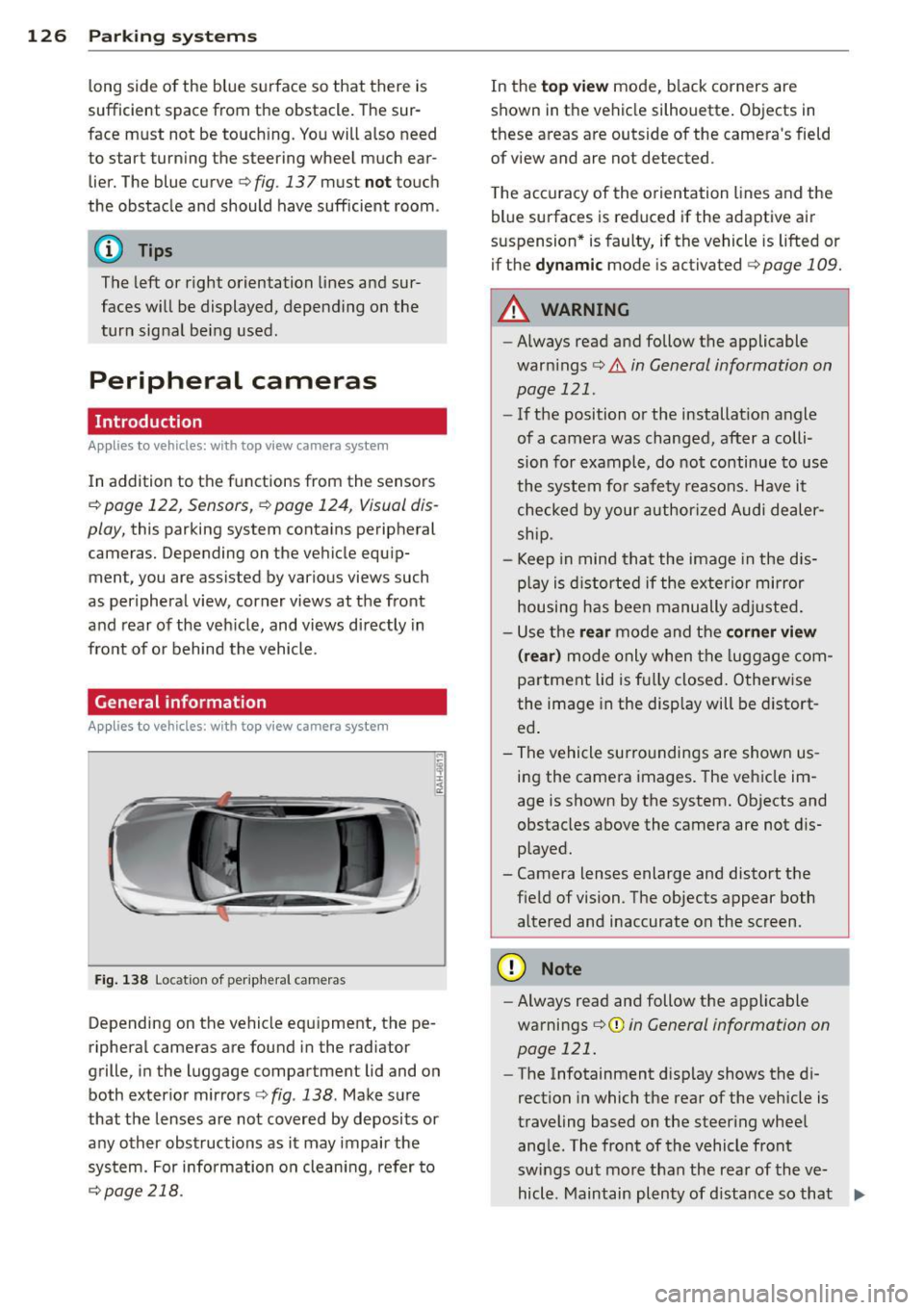
General information
Applies to vehicles: with top view camera system
Fig. 138 Locat io n of peripheral cameras
Depending on the vehicle equ ipment, the pe
ripheral cameras are found in the radiator
grille, i n the luggage compartment lid and on
both exterior mirrors
r:::;, fig . 138 . Make sure
that the lenses are not covered by deposits or
any other obstructions as it may impair the
system. For information on cleani ng, refer to
c::> page 218.
In the to p view mode, b lack corners are
shown in t he vehicle silhouette . Objects in
these areas are outside of the camera 's field
of
view and are not detected .
T he accuracy of the o rientation lines and the
blue surfaces is reduced if the adaptive air
suspension * is faulty, if the vehicle is lifted or
if the
dy namic mode is activated r:::;, page 109.
A WARNING
-- Always read and follow the applicable
warn ings
r:::;, & in General information on
page 121 .
-If the position or the installat io n angle
of a camera was changed, after a colli
sion for example, do not continue to use
the system fo r safety reasons. Have it
checked by your author ized Audi deale r
sh ip.
- Keep in mind that the image in the dis
p la y is distorted if the exterior mi rror
housing has bee n manually adjusted .
- U se the
rear mode and the corn er view
( rear)
m od e only when the luggage com
partment lid is fu lly closed . Otherw ise
the image in the display will be d istort
ed .
- The vehicle surro undings are shown us
ing the came ra images. The vehicle im
age is shown by the system. Ob jects and
obstacles above the camera are not d is
p layed.
- Camera lenses enlarge and distort the field of vision. The objects appear both
altered and inaccurate on the screen.
(D Note
- Always read and follow the applica ble
warnings
¢ (I) in General information on
page 121.
- The Infotainment d isplay shows the di
rection in which the rear of the vehicle is
traveling based on the steer ing whee l
ang le. The front of the vehicle front
sw ings out mo re than the rear of the
ve
hicl e. M aintain pl enty of d istance so that .,_
Page 157 of 318
as defined in the electronic control unit
¢ page 163, PASSENGER AIR BAG OFF light .
Always remember, a chi ld seat or inf ant ca rri
e r i nsta lled on the front seat may be struck
and knocked out of position by the rapidly in
flating passenger's airbag in a frontal colli
sion. The airbag could greatly red uce the ef
fectiveness of the child restraint and even se riously injure the child during inflat ion.
F or this reason, and because the back seat is
the safest p lace for children -when properly
restra ined accord ing to their age and si ze -we
strongly recommend that children always sit
in the back seat¢
page 176, Child Safety.
A WARNING
A child in a rearward-facing child seat in
stalled on the front passenger seat will be
ser iously injured and can be killed if the
front airbag inflates -even with an Ad
vanced Airbag System .
- The inflating a irbag w ill hit the child seat
or infant carrier w ith great force and w ill
smash the ch ild seat and child against
the backrest, center armrest, door or
roof .
- Always install rear -facing child seats on
the rear seat .
- If you mus t install a rearward facing
child seat on the front passenge r seat
because of exceptiona l circumstances
and the
PASSENGER AIR BAG OFF light
does not come on and stay on, immedi
ately install the rear-facing chi ld seat in a
rear seating position and have the airbag
system inspected by your Aud i deale r.
- Forward-fac ing ch ild seats installed on
the front passenger's seat may interfere
with the deployment of the airbag and cause serious pe rsonal injury to the
child.
A WARNING
If, in exceptional c ircumstances, you mus t
install a forwa rd-facing child restra int on
the front passenger's seat:
A irbag system 15 5
-Always make sure the forward-facing
seat has been designed and certified by
its manufacturer for use on a front seat
with a passenger front and s ide a irbag.
- Never put the forward-facing child re
straint up against or very near the instru ment panel.
- Always move the passenger seat into its
rearmost position in the seat's fore and
aft adjustment range, as fa r away from
the airbag as possible before installing
the forward-fa cing ch ild restra int. The
backrest mus t be ad justed to an upright
posi tion.
- Ma ke sure that the
PASSENGER AIR BAG
OFF
li ght comes on and stays on all the
time wheneve r the ignit ion is swi tched
on.
A WARNING
To reduce the risk of serious injury, make
sure that the
PASSENGER AIR BAG OFF
light will be displayed whenever a child re
straint is installed on the front passenger
seat and the ignition is sw itched on.
- If the
PASSENGER AIR BAG OFF light
does not stay on, perform the checks de
scribed ¢
page 163, Monitoring the Ad
vanced Airbag System .
-Take t he chi ld restraint off the front pas
senger seat and install it properly at one
of the rear seat positions if the
PASSEN
GER AIR BAG OFF
light does not stay on.
- Have the airbag system inspected by
your Aud i dea le r i mmediately.
- Always carefully follow instructions from
child restraint manufacture rs when in
stalling ch ild restra ints.
A WARNING
If, in except iona l circumstances, you must
ins tall a forward o r rearwa rd-facing child
restra int on the front passenger's se at:
- Imp roper install ation of ch ild restrai nts
can reduce their effec tiveness o r even
preven t them from providing any protec
tion. •
•
Page 161 of 318
-Always make sure the forward-facing
seat has been des igned and certified by
its manufacturer for use on a front seat
with a passenger front and side airbag.
- Never put the forward-facing child re
straint up aga inst or very near the instru
ment panel.
- Always move the passenger seat into its
rearmost position in the seat's fore and
aft adjustment range, as far away from
the a irbag as poss ible, before insta lling
the fo rward -facing child restraint. T he
b ackres t m ust be adjus ted to an upr igh t
posit ion.
- Make su re that the
PASSENGER AIR BAG
OFF
light comes on and s tays on all the
t ime whenever the ignition is switched
on .
Advanced Airbag System components
The front passenger seat in your vehicle has a
l ot of very important parts of the Advanced
Airbag System in it. These parts include the
weight-sens ing mat, sensors, wiring, brack
ets, and more . The function of the system in
the front passenger seat is checked by the
e lectronic control un it when the ign it ion is on .
The control un it mon itors the Advance d Air
bag Sys tem and turn s the a irbag i ndica tor
light on when a ma lfunction in t he system
compo nents is detected . The function of the
ai rbag indicator light is described in greater
deta il below. Because the front passenger
seat contains important parts of the Ad
va nced A irbag System, you must take care to
prevent it from being damaged . Damage to
the seat may p revent the Advanced A irbag for
the front passenger seat from doing its job in
a crash .
The front Advanced Airb ag System
consists of the following:
- Crash senso rs in the front of the veh icle that
measu re ve hicle accelera tion/decele ra ti on
to provide info rm ation to the Advanced Air
bag System abo ut the severity of the crash.
A irbag system 159
-An elect ron ic cont ro l unit, with integrated
crash sensors for front and side impacts .
The control un it "decides" whether to f ire
the front a irbags based on the informat ion
received from the crash sensors. The control
unit also "decides" whether the safety belt
prete nsione rs shou ld be act iva ted.
- An Advanced A irbag w it h gas generator and
cont ro l valve for the d river ins ide the steer
ing wheel h ub.
- An Advanced A irbag w ith gas generator and
cont ro l valve inside the instrument pa ne l for
the front passenger .
- A weight -sensing mat unde r the upho lstery
padding of the front passenge r seat cushion
that measures the to tal weight o n the seat.
The info rmat ion reg iste red is sent continu
ously to the elect ronic con trol u nit to regu
la te deployment of the front Advanced Air
bag on the passenger side .
- An airbag moni tor ing sys tem and ind icator
light in the instr ument cluster
¢ page 163.
-A sen sor in each fron t seat regis ters the dis
t ance betwee n the respec tive seat and the
steering whee l or instrument panel. The i n
formation registered is sent cont inuo usly to
the electron ic contro l unit to regulate de
ployment of the front Advanced A irbags .
- The
PASSENGER AIR BAG OFF light comes
on and stays on in the center o f the instr u
ment panel¢
page 163, fig. 168 and tells
you whe n the front Advanced Airbag on the
passe nger side has been tu rned off.
- A sensor below the safety belt latch for the
front seat passenger to measure t he tension
on the safety belt. The tension o n the safety
be lt and the weight regis tered by the
weigh t-sensi ng mat he lp the cont rol uni t
"de cide" whe ther the front airbag fo r the
front passenge r seat should be turned off or
not
~ page 154, Child restraints on the
front seat -some important things to
know.
- A sensor in t he safety be lt latch fo r the d riv
er and for the front seat passenger that
senses w hethe r th at safety belt is latched or
not and transmits this information to the
electronic control unit.
•
•
Page 166 of 318
164 Airbag sys te m
- the weight regis tered on the front passen
ger seat is equa l to or less tha n the com
bined weight of a ty pical 1 year-old restrain
ed in one of the rear-facing or forward
facing infant restraints listed in Federal Mo
tor Vehicle Safety Standard 208 with which
the Advanced Airbag System in your vehicle
was certified .
If the front passenger seat is not occupied,
the front airbag will not deploy, and the
PA S
SENGER AIR BAG OFF
li ght w ill stay on. Nev
e r i nsta ll a rearwa rd-fac ing ch ild restra int on
the front passenger seat, the safest place fo r
a child in any kin d of child restraint is at o ne
of the seat ing positions on the rear seat
¢ page 154, Child restraints on the front seat
- some important things to know
and
¢ page 176, Child Safety .
If the PASSENGER AIR BAG OFF light c om es
on
when one o f the conditions listed above is
met, be sure to check the light regularly to
make certa in that the
PASSENGER AIR BAG
OFF
light stays on cont inuo usly whenever the
ignit io n is on. If the
PASSENGER AIR BAG
OFF light does not appear on and does not
stay on all the time, stop as soon as it is safe
to do so and
- react ivate the system by switc hing the igni
t ion off and then switch ing it on again;
- remove and re install the child restraint.
Make sure that the child restraint is properly
installed and that the safety be lt fo r the
front passenger seat has been correct ly
r o uted throug h the child rest raint as descri
bed in the chi ld restrai nt ma nufactu rer's i n
stru ct ions;
- make su re that the convertible locking fea
t u re on the sa fe ty be lt for the front p assen
ger seat has been activated and that the
safety belt has been pulled tight . The belt
must not be loose or have loops of slack so
that the sensor below the safety be lt latch
on the seat can do its job
¢ page 186.
- ma ke sure that th ings that may increase the
weight of the chi ld and child seat are not be
ing transported on the front passenger seat; -
make sure that the sa fety belt tension sen
sor is not blocked. S hake the safety be lt
latch on the front passenger seatback and
forth;
- If a strap or tether is be ing used to tie the
child seat to the front passenger seat, make
sure that it is not so t ight that it causes the
weight-sensi ng mat to measure more
weight than is actually on the seat .
If the PASSENGER AIR BAG OFF light still
does not come on
and does not stay on con
t in uous ly (when the ignition is switched on),
- take the child restraint off the front passen -
ger seat and install it proper ly at one of the
rear seat positions. Have the airbag system
inspected by your Audi dealer immed iate ly.
- move the child to a rear seat position and
make sure that the child is properly restra in
ed in a ch ild restra int that is appropriate for
its s ize and age.
The
PASSENGER AIR BAG OFF light should
NOT come on when t he ignit ion is on and an
adult is s itting in a proper seating position on
the front passenge r seat. If the
PASSENGER
AIR BAG OFF
light comes on and stays on o r
flashes fo r about 5 seconds w hile d riving, un
der these c ircumstances, make sure tha t:
- the adult on the front passenge r seat is
prope rly seated on the cente r of the sea t
cushion with his or her back up aga inst the
backrest and the backrest is not re cli ned
¢ page 135, Proper occupan t seating posi
tions,
- t he adult is not tak ing we ight off the sea t by
holding on to the passenger assis t handle
above the front passenger door or s upport
ing their weight on the armrest,
- t he sa fety belt is being properly worn and
that the re is not a lot of s lack in the safety
be lt webb ing,
- accesso ry seat covers or cushions or other
things that may cause an incorrect reading
or impression on the weight-sensing mat
under the upho lstery of the seat have been
removed from the front passenger seat, .,..
Page 189 of 318
-Forward-facing child safety seats or in
fant carriers installed on the front pas
senger's seat may interfere with the de ployment of the airbag and cause serious
injury to the child.
- It is safer to install a forward-facing
child safety seat on the rear seat .
- Always read and heed all WARNINGS
whenever using a child restrained in ave
hicle is being used
c:::;, page 176 . Special
precautions apply when installing a child
safety seat on the front passenger seat
c:::;, page 154, Child restraints on the front
seat -some important things to know.
A WARNING
-
Always take special precautions if you
must install a forward or rearward-facing
child restraint on the front passenger's
seat in exceptional situations:
- Whenever a forward or rearward-facing
child restraint is installed on the front
passenger seat, the
PASSENGER AIR
BAG OFF light must come on and stay on
whenever the ignition is switched on.
- If the
PASSENGER AIR BAG OFF light
does not come on and stay on, perform
the checks described
c> page 163, Moni
toring the Advanced Airbag System .
-Take the child restraint off the front pas
senger seat and install it properly at one
of the rear seat positions if the
PASSEN
GER AIR BAG OFF
light does not stay on
whenever the ignition is switched on.
- Improper installation of child restraints
can reduce their effectiveness or even
prevent them from providing any protec
tion.
- An improperly installed child restraint
can interfere with the airbag as it de
ploys and seriously injure or even kill the
child.
- Always carefully follow the manufactur
er's instructions provided with the child
safety seat or carrier.
- Never place additional items on the seat
that can increase the total weight regis-
Child Safety 187
tered by the weight-sensing mat and can
cause injury in a crash.
A WARNING
Forward-facing child restraints:
- Always make sure the forward-facing
seat has been designed and certified by
its manufacturer for use on a front seat
with a passenger front and side airbag.
- Never put the forward-facing child re
straint up, against or
very near the in
strument panel.
- Always
move the passenger seat into its
rearmost position in the seat 's fore and
aft adjustment range, as far away from
the airbag as possible before installing
the forward-facing child restraint . The
backrest must be adjusted to an upright
position.
- Make sure that the
PASSENGER AIR BAG
OFF
light comes on and stays on all the
time whenever the ignition is switched
on.
A WARNING ...==-
Rearward-facing child restraints:
-A child in a rearward-facing child safety
seat installed on the front passenger
seat will be seriously injured and can be
killed if the front airbag inflates -
even
with an Advanced Airbag System.
- The inflating airbag will hit the child
safety seat or infant carrier with great
force and will smash the child safety seat
and child against the backrest, center
armrest, door or roof .
- Always be especially careful if you must
install a rearward facing child safety seat
on the front passenger seat in exception
al circumstances .
- A tight tether strap on a rearward-facing
child restraint attached to the front pas
senger seat can put too much pressure
on the weight-mat in the seat and regis
ter a heavier weight in the Advanced Air
bag System. The heavier weight regis
tered can make the system work as •
•
Page 199 of 318
(D Note
The sensors can be displaced by impacts or damage to the bumper , whee l housing and
underbody. This can affect the function of
the Audi pre sense system. Have your au
thor ized Audi dealer check to make sure
that the system is working properly .
(D Tips
-Certain Audi pre sense functions are not
available when ASR is sw itched off (sport
mode) or when driving in reverse .
- The Audi pre sense functions may not be
ava ilable if there is a malfunction in the
ESC system or the airbag control mod
u le.
- The Audi pre sense front/plus functions
are not available if there is a ma lfunction
i n the adapt ive cru ise control* system
¢ page 100.
- The Audi pre sense rear/plus functions
are not available if there is a ma lfunction
i n the Audi side assist* system
¢ page 100 .
Audi pr e sense 197
•
•
Page 202 of 318

200 Intelligent technology
-ABS and ASR on ly work correctly when
all four wheels are equipped w ith ident i
ca l tires. Different tire s izes can lead to a
reduction in engine power.
- You may hear noises when the systems described are working.
- If the indicator light
DJ or m:11 (USA
models) ;tiJ (Canada models) appears,
there may be a malfunct ion
c::;, page 19,
c::;, page 18 .
Switching on and off
ESC turns on automatically when you start
the engine.
Fig. 188 Center console w ith ESC OFF button
Switching ASR off (sport mode)
In certain situat io ns, you can switch ASR and
ESC into sport mode by pressing the button
l!l
c::;, fig. 188. The indicator light II comes on
and the mess age Stabilization control (ESC ):
Off warning! Reduced stability appears. ASR
deactivates completely and the assistance provided by the ESC system is limited. Switch
to sport mode on ly when your driving skills,
traffic and weather cond itions permit .
I n some situations, it may be useful to switc h
ASR off to let the wheels slip. Example:
- Rocking the vehicle back and forth when it is
stuck
- Driving in deep snow or on loose ground
- Driving with snow cha ins
Switching ASR on Press the button[!] aga in. The message Stabi
lization control (ESC): On appears.
A WARNING
- Drive whee ls can sp in and you can lose
control of the vehicle more eas ily when
ASR and ESC are in sport mode, especial
ly when the road is slippery.
- Sw itch to sport mode only when your
driving skills, traff ic and weather condi
tions permit.
@ Tips
You cannot sw itch sport mode on when
adaptive c ruise control* is working.
Braking
General information
What affects braking efficiency?
-
Operating conditions and driving habits
The brakes on today's automobiles are still
subject to wear, depending largely on operat
ing condit ions and driving habits
c::;, &. . On
vehicles that are either dr iven mostly in stop
and-go city traffic or are driven hard, the
brake pads should be checked by your author
ized Audi dea ler more often than specified in
the Warranty
& Maintenance booklet. Failure
to have your brake pads inspected can result
in reduced brake performance.
On steep slopes, you should use the braking
effect of the engine. This way, you prevent un
necessary wear on the brake system. If you
must use your brakes, do not hold the brakes
down continuously. Pump the brakes at inter
vals .
Operating noise
Noises may occur when braking depending on
the speed, braking force and outside condi
tions such as temperature and humidity.
Due to the nature of the materia ls used in ce
ramic brake rotors*, noises may become more
apparent at low speeds. .,..
Page 203 of 318
Effect of w ate r and ro ad sa lt
In certain situa tions, for example after driving
through water, in heavy rain, after overnight
condensation or after washing your car, the
braking effect can be reduced by moisture or
ice on the brake rotors and brake pads. The
brakes must be dried first wit h a few careful
brake applications.
At higher speeds and with the windshield wip
ers turned on, the brake pads press against
the brake rotors for a short amount of time.
This occurs at regular intervals w ithout the
driver noticing and provides for better brake response time under wet condit ions.
The effectiveness of the brakes can be reduced
when the vehicle is dr iven o n a salt-covered
road and the brakes are not used . Likewise,
you clean
off accumulated sa lt coating from
brake discs and pads with a few caut ious ap
p lications of the brake¢&. -
Due to their surface characteristics, ceram ic
brake roto rs* absorb mo isture in such condi
tions. This can cause a temporary reduction in
b rak ing fo rce compared to d ry brakes. You can
compensate for this by pressing the brake pedal harder .
Corrosion
There may be a tendency for dirt to build up
on the brake pads and corrosion to form on
the discs if the car is not dr iven regularly or
on ly for short t rips with little use of the
brakes.
I f t he b rakes are not used frequently, or if co r
rosion has formed on the dis cs, it is advisable
to clean
off the pads and discs by brak ing
firm ly a few times from a moderately high
speed ¢.&. .
Faults in the brake system
If you should notice a sudden increase in
b rake peda l travel, then o ne of the two bra ke
circuits may have failed~ .&..
Int ellig ent technolog y 201
Low br ake fluid level
Malfunctions can occu r in the bra ke system if
the b rake fluid level is too low. The brake fluid
level is monitored electronica lly.
Brake lining wear status
B rake lining wear may be checked by visual in
spe ct ion of the condition of the brake pads
through the open ings in the wheel. If neces
sary, the whee l may be removed for this in
spection
r=;, page 2 7 3, Changing a wheel.
_& WARNING
-You should perform braking maneuvers
for the purpose of cleaning the brake
system only if road conditions permit.
Other road users must not be put at risk -
you may cause an accident!
- Before descend ing a steep grade, reduce
speed and sh ift transmission into a lower
gear or lower dr iving range . Do not ride
the brakes or hold t he pedal down too
long o r too often. Th is could cause the
brakes to get hot and diminish braking
efficiency .
- Do not "ride the brakes" by rest ing you r
foo t on the pedal when you do not intend
to b rake . This may cause the brakes to
overheat, premature wear and increased
stopping distance.
- Under certain climatic and operating
conditions such as passing thro ugh wa
ter, dr iv ing in heavy rain or after washing
the vehicle, the effectiveness of the brakes can be reduced. In winter, ice can
accumu late on the brake pads, lin ings,
discs and drums . Carefully app ly brakes
for a test. Brakes w ill dry and ice coat
ings w ill be cleaned
off after a few care
fu l brake applicat ions.
- Driving for an extended period of time on
salt- cove red roads without using your
brakes can a lso affect braking efficiency .
Clean
off accum ulated salt coating from
brake discs and pads with a few careful
brake applications.
•
•