brakes AUDI TT COUPE 2016 User Guide
[x] Cancel search | Manufacturer: AUDI, Model Year: 2016, Model line: TT COUPE, Model: AUDI TT COUPE 2016Pages: 322, PDF Size: 52.86 MB
Page 91 of 322
Downloaded from www.Manualslib.com manuals search engine ...... N
> u. CX> ...... u:>
"' ...... u:> ......
-There is no vehicle stabilization when ESC/
ASR are switched off.
(D Tips
-When the cruise control system is switched
on, ESC/ ASR cannot be switched off or sport
mode cannot
be switched on.
- Malfunctions in the rear spoiler
or the Audi
magnetic ride may make
it impossible to
switch the ESC/ ASR off or to switch sport
mode on.
Brakes
New brake pads
New brake pads do not achieve their full braking
effect during the first 250 mi (400 km) . They
must be "broken in" first. However, you can com
pensate
for the slightly reduced braking force by
pressing
firmly on the brake pedal. Avoid heavy
braking during the break-in period.
Wear
Brake pad wear depends largely on the way the
vehicle is driven and on operating conditions.
This is especially true
if you are driving frequently
in
the city and on curves or with a sporty driving
style.
Operating noise
Noises may occur when braking depending on the
speed, braking force and outside conditions such
as temperature and humidity.
Effect of water and road salt
In certain situations, for example after driving
through water, in heavy
rain, after overnight con
densation
or after washing your car, the braking
effect can be reduced by moisture or ice on the
brake rotors and brake pads. The brakes
must be
"dried" first with a few careful brake applica
tions.
At higher speeds and with the windshield wipers
turned
on, the brake pads press against the brake
rotors
for a short amount of time. This action
which is
not felt by the driver happens at regular
Intelligent Technology
intervals and facilitates a better reaction time for
the brakes in wet weather.
T
he braking effect can also be reduced if you are
driving on salted roads and you do
not apply the
brakes for Long periods of time. The Layer of salt
on the brake rotors and pads must be worn off
first when the brakes are applied.
Corrosion
Leaving the vehicle parked for Long periods of
time, Low mileage and avoiding heavy braking
can contribute
to corrosion on the brake rotors
and
dirty brake pads.
If you usually avoid heavy braking or ifthere is
corrosion present, occasiona l heavy braking
at
high speeds is recommended to clean the brake
rotors and
pads¢.&..
Brake system malfunction
if you notice that the brake pedal travel has sud
denly gotten Larger, then a brake circuit may have
failed. Drive
to an authorized Audi dealer or au
thorized Audi Service Facility immediately to have
the problem corrected. On the way there, drive
with reduced speed and keep in mind that a Long
braking distance and increased pressure on the
brake pedal will be necessary.
Low brake fluid level
When the brake fluid Level is Low, malfunctions in
the brake system may occur. The brake fluid Level
is electronically monitored.
Brake booster
The brake booster amplifies the pressure you ap
ply to the brake pedal. It only works when the en
gine is running.
A WARNING
-New brake pads do not achieve their full
braking effect during the first 250 mi
(400 km). They must be "broken in" first.
However, you
can compensate for the
slightly reduced braking force by pressing
firmly on the brake pedal. Avoid heavy brak-
ing during
the break-in period. ~
89
Page 92 of 322
Downloaded from www.Manualslib.com manuals search engine Intelligent Technology
-Only apply the brakes for the purpose of
cleaning the brake system when road and
traffic conditions permit. You must not en
danger other road users. This increases the
risk of an accident.
-
On steep slopes, reduce the speed and se
lect a lower gear or lower selector lever po
sition . Drive
as little as possible while press
ing the brake pedal and avoid putting your
left foot on the brake pedal while driving.
This could
cause the brakes to overheat and
impair the efficiency of the brakes.
-
Do not let the brakes "grind" by always
keeping
your foot on the brake pedal. This
can
cause the brakes to over heat, increase
wear and increase brak ing distance u nneces
sari ly.
-
Certa in weather and operating cond it io ns
such as driving through water, driving in
heavy rain or driving after washing your ve
hicle
can impair the effectiveness of the
brakes. In the winter, ice may build up on
the brake pads, rotors and drums. Check
these components by braking carefully. Ap
plying
the brakes carefully several times
dries the brakes and removes ice build-up.
- The efficiency
of the brakes can also be im
paired by driving
for long stretches on roads
covered with salt without using the brakes.
You can remove salt deposits from the
brake rotors and pads by carefully applying
the brakes several times.
-If the front spoiler is damaged or you install
another spoiler, make sure the front wheel
brakes are ventilated properly. Otherwise,
the brake system could overheat, wh ic h re
duces
thei r effectiveness.
- Failure
of a brake circuit impairs braking
performance, which increases braking dis
tance.
Avoid driving the vehicle and have it
towed it to the nearest authorized Audi
dealer or authorized Audi Service Facility.
- Never
let the vehicle roll while the engine is
stopped because this increases the risk of an
accident.
-
If the brake booster is not working, you will
have
to press much harder on the brake
90
pedal to compensate for the lack of the
booster.
@ Note
-Never let the brakes "rub" by pressing the
pedal lightly when braking is not really nec
essary. This
causes the brakes to overheat
and increases braking distance and causes
wear.
- Before driving a long
distance on a steep
slope, decrease your speed and select a low
er driving gear. This makes use of the en
gine braking effect and relieves the brakes.
If you need to brake additionally, brake in
interva ls and not continuously.
(D Tips
-Ifthe brake booster is not work ing, you
must press the brake pedal w ith much more
force than normal.
-
If you retrofit your vehicle with a front spoil
er wheel covers or similar items, make sure '
that the air flow to the front wheels is not
interrupted. Otherwise the brake system
can become too hot.
Electromechanical
steering
The electromechanical steering supports the
driver's steering movements.
Power steering adapts electronically based on
the vehicle speed.
Indicator lights and messages
• Steering: malfunction! Please stop vehicle
If this indicator light turns on and stays on and
this message appears, the power steering may
have failed.
Stop the vehicle in a safe location as soon as pos
sible.
Do not continue driving. See an authorized
Audi dealer or authorized Audi Service Facility for
assistance.
i:t-D Steering: malfunction! You may continue
driving
Page 96 of 322
Downloaded from www.Manualslib.com manuals search engine Intelligent Technology
Information about data
recorded by vehicle
control modules
Your vehicle is not equipped with a crash data re
corder. This device is installed by some vehicle
manufacturers to record data about crashes so
that it can be analyzed later. Crash data record
ers are also called "Event Data Recorders (EDR)".
In some legal jurisdictions, it is not permitted to
access or download data reco rded by pre-instal
led crash
data recorders in order to evaluate a
crash without clear consent of the vehicle owner.
Your vehicle is not equipped with a crash data re
corder. However it does contain a variety of elec
tronic control modules for various vehicle sys
tems such as engine function, exhaust treatment
or airbags and safety belts.
These electronic control modules record vehicle
data during normal driving for diagnosis and re
pair
purposes. The recording capability of the
electronic control modules is limited to data only
·no sound is recorded. If the control module de·
tects a system malfunction or other change in
status, a very limited amount of data is recorded
for an extremely small period of time. Data that
is recorded in such a case may include vehicle
speed, driving direction, the load on the brakes
and head restraints and performance in the event
of an accident or other change in status. The
stored data can only be read or downloaded with
specia l devices .
94
Page 246 of 322
Downloaded from www.Manualslib.com manuals search engine Checking and Filling
-The auxiliary radiator fan switches on auto
matically when the engine coolant reaches a
certain temperature and will continue to run
until the coolant temperature drops.
Brake fluid
Checking brake fluid level
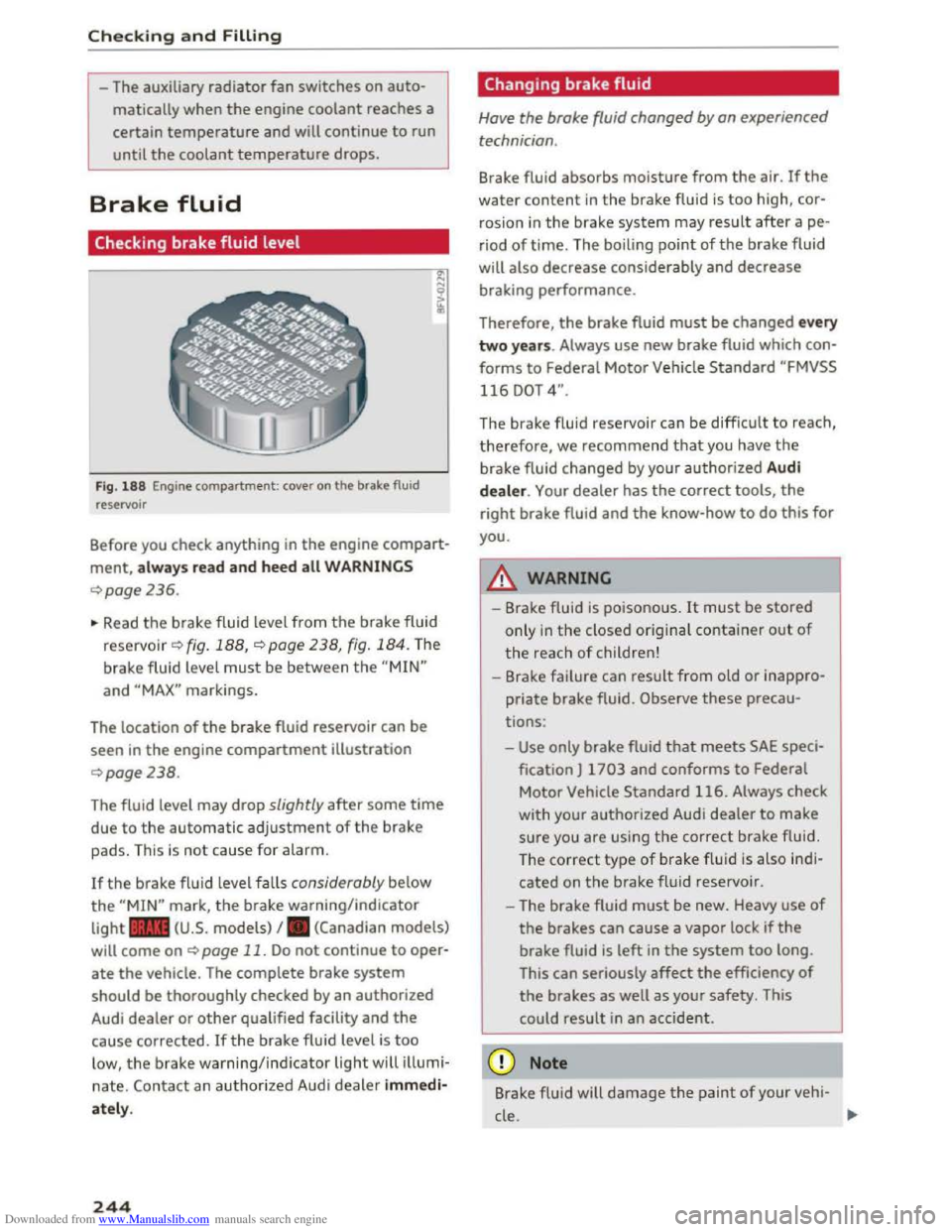
Fig. 188 Engine compartment: cover on the brake fluid
reservoir
Before you check anything in the engine compart
ment, always read and heed all WARNINGS
¢page 236.
~ Read the brake fluid level from the brake fluid
reservo ir ¢ fig. 188, ¢page 238, fig. 184. The
brake fluid level must be between the "MIN"
and "MAX" markings.
The location
of the brake fluid reservoir can be
seen in the engine compartment illustration
¢page238.
The fluid level may drop slightly after some time
due to the automatic adjustment of the brake
pads. This is not cause for alarm.
If the brake fluid level falls considerably below
the "MIN" mark, the brake warning/indicator
light .. (U.S. models) I. (Canadian models)
will come on ¢ page 11. Do not continue to oper
ate the vehicle. The complete brake system
should be thoroughly checked by an authorized
Audi dealer or other qualified facility and the
cause corrected. Ifthe brake fluid level is too
low, the brake warning/indicator light will illumi
nate. Contact an authorized Audi dealer immedi
ately.
244
Changing brake fluid
Have the brake fluid changed by an experienced
technician .
Brake fluid absorbs moisture from the air. If the
water content in the brake fluid is too high, cor
rosion in
the brake system may result after ape
riod of time. The boiling point of the brake fluid
will
also decrease considerably and decrease
braking performance.
Therefore, the brake fluid must be changed every
two years. Always use new brake fluid which con
forms to Federal Motor Vehicle Standard "FMVSS
116 DOT 4".
The brake fluid reservoir can be difficult to reach,
therefore, we recommend that you have the
brake fluid changed by your authorized Audi
dealer. Your dealer has the correct tools, the
right brake fluid and the know-how to do this for
you.
8._ WARNING
- Brake fluid is poisonous. It must be stored
only in the closed original container out of
the reach of children!
-Brake failure can result from old or inappro
priate brake fluid. Observe these precau
tions:
-Use only brake fluid that meets SAE speci
fication
J 1703 and conforms to Federal
Motor Vehicle Standard 116. Always check
with
your authorized Audi dealer to make
sure you are using the correct brake fluid.
The
correct type of brake f lui d is also ind i
cated on the brake fluid reservoir .
- The
brake fluid must be new. Heavy use of
the brakes can cause a vapor lock if the
brake fluid is left in the system too long.
This
can seriously affect the efficiency of
the brakes as well as your safety. This
could
result in an accident.
CD Note
Brake flu id will damage the paint of your veh i-
cle .
JIJ.
Page 254 of 322

Downloaded from www.Manualslib.com manuals search engine Wheels
be happy to provide more infor
mation.
® Mud and snow capability
"M/S" or "M+S" indicates the tire
has characteristics that make it
suitable for driving on mud and
snow. & indicates a winter t ire.
@ Compos ition of the tire cord
and materials
The number of plies indicates the
number of rubberized fabric lay
ers in the tire. In general: the
more layers, the more weight a
tire can carry. Tire manufacturers
must also specify the materials
used in the tire. These include
steel, nylon, polyester and other
materials.
@Maximum permitted load
This number indicates the maxi
mum load in kilograms and
pounds that the tire can carry.
@Uniform tire quality grade
standards for treadwear,
traction and temperature
resistance
Tread wear, t raction and temper
ature ranges c:> page 266.
252
@ Running direction
~ Maximum permitted
inflation pressure
This number indicates the maxi
mum pressure to which a tire can
be inflated under normal operat
ing conditions.
Glossary of tire and loading
terminology
Accessory weight
means the combined weight (in
excess of those standard items
wh ich may be replaced) of auto
matic transmission, power steer
ing , power brakes, power win
dows, power seats, radio , and
heater, to the extent that these
items are available as factory-in
stalled equipment (whether in
stalled or no t).
Aspect ratio
means the ratio of the height to
the width of the tire in percent.
Numbers of SS o r lower indicate a
low
sidewall for improved steer
ing response and better overa ll
handling on dry pavement.
Bead
means the part of the tire that is
made of steel wires, wrapped or ...
Page 256 of 322
Downloaded from www.Manualslib.com manuals search engine Wheels
(c) Vehicle capacity weight, and
(d) Production options weig ht
Maximum (permissible)
inflation pressure
means the maximum cold infla
tion pressure to which a tire may
be inflated. Also called "maxi
mum inflation pressure."
Normal occupant weight
means 150 lbs (68 kg) times the
number of occupants seated in
the vehicle up to the total seating
capacity of your vehicle .
Occupant distribution
means distribution of occupants
in a vehicle.
Outer diameter
means the overall diameter of an
inflated new tire.
Overall width
means the linear distance be
tween the exteriors of the side
walls of an inflated tire, including
elevations due to labeling, deco
rations, or protective bands or
ribs .
Ply
means a layer of rubber-coated
parallel cords.
254
Production options weight
means the combined weight of
those installed regular production
options weighing over 5 lbs (2.3
kg) in excess of those standard
items which they replace, not pre
viously
considered in curb weight
or accessory weight, including
heavy
duty brakes, ride levelers,
roof rack, heavy duty battery, and
special trim.
Radial ply tire
means a pneumatic tire in which
the ply cords that extend to the
beads are la id at substantially 90
degrees to the centerline of the
tread.
Recommended inflation
pressure
see¢ page 253, Cold tire infla
tion pressure.
Reinforced tire
means a tire designed to operate
at higher loads and at higher in
flation pressures than the corre
sponding standard tire. Rein
forced tires may be identified as
"XL", "xl", "EXTRA LOAD", or "RF"
on the sidewall. ...
Page 265 of 322
Downloaded from www.Manualslib.com manuals search engine The fact that there is an upper
limit
to your vehicle's Gross Vehi
c le Weight Rating
means that the
total weight of whatever is being
carried
in the vehicle is Limited.
The more passengers
in the vehi
c le or passengers who are heavier
than the standard weights as
sumed mean
that Less weight can
be carried as Luggage .
The Gross Vehicle Weight Rating
and
the Gross Axle Weight Rating
are listed on the safety compli
ance sticker
Label Located on the
driver 's side B-pillar ¢page 260,
fig. 194.
.&_WARNING
Overloading a vehicle can cause
Loss of vehicle control, a crash
or
other accident, serious per
sonal injury, and even
death.
- Carrying more weight than
your vehicle was designed
to
carry will prevent the vehicle
from handling properly and
increase
the risk of the Loss of
vehicle control.
-The brakes on a vehicle that
has been overloaded may not
be able to stop the vehicle
within a safe distance.
Wheels
-Tires on a vehicle that has
been overloaded can fail sud
denly, including a blowout and
sudden deflation, causing
Loss
of control and a crash.
-Always make sure
that the to
tal Load being transported
does not make the vehicle
heavier
than the vehicle's
Gross
Vehi cle Weight Rating.
Determining correct load
limit
Use the example below to calcu
late
the total weight of the pas
sengers and Luggage or
other
things that you plan to transport
so that you can make sure that
your vehicle will not be overload
ed.
Steps for Determining Correct
Load Limit
1. L ocate the statement "THE
COMBINED WEIGHT OF OCCU
PANTS AND CARGO SHOULD
NEVER EXCEED XXX KG OR XXX
LBS" on your vehic le's placard
(tire inflation pressure
Label)
¢page 260, fig. 194. .,..
263
Page 273 of 322
Downloaded from www.Manualslib.com manuals search engine -To reduce the risk of cuts, protect yourself
from sharp metal components when wash
ing th e underbody or the inside of the wheel
housings.
- After
washing the vehicle, the brak ing effect
may be delayed due to moisture on the
brake rotors or ice in the w inter. The brakes
must be dried first w ith a few careful brake
applications.
CD Note
-If you wash the vehicle in an automatic car
wash, yo u must retract the extendable rear
spoiler* if necessary, and fold the exterior
mirrors in to red uce the risk of damage.
Power folding exterior mirrors* must on ly
be fol
ded in and ou t u sing the power folding
function.
-
To p reve nt paint d amage, d o not wash th e
vehicle in dir
ect sunlight.
Care and cleaning
- To red uce the risk of damage to the surface,
do
not use insect removing sponges, kitchen
sponges or s imilar items.
-
Matte finish painted veh icle components:
-To reduce the risk of damage to the sur-
face, do not use polishing agents or hard
wax.
- Never u
se protective wax. It can destroy
the matte finish effect.
-
Do not place any stickers or magnetic
signs on vehicle parts painted with matte
finish paint. The paint could be damaged
when the stickers or magnets are re
moved .
@ For the sake of the environment
Only wash the vehicle in facilities sp ec ia ll y de
signed for that pu rpose. This will reduce the
risk of dirty water contamina ted with oil from
entering the sewer sys tem.
Cleaning and care information
When cleaning and ca ring for individua l vehicle
components, refer to the follow ing tables. The
information contained there is simply recom
mendations. For q uestions or for components
that are not listed, consult an authoriz e d Audi
de a
ler or authorized Audi Service Facility. Also
f o ll
ow the informa tion found in~.&..
Ext erior cleaning
Component Situation Solution
Windshield wiper Deposits ~poge42
blades
Headlights /
Deposits Soft sponge with
a mild soap solutiona)
Tail lights
Sensors
Deposits soft cloth with solvent-free clean ing solution
Snow/ice Hand brush/solvent
-free de-icing spray
Wheels Road salt Water
Brake dust Acid-free special cleaning sol u tion
E x haust tail p ipes Road salt Water, clean ing solution suitable for stainless steel, if nee -
essary
Decorative parts/ Deposits Mild soap solution a>, a cleaning solution suitable for stain-
trim less steel, if necessary
271
Page 304 of 322
Downloaded from www.Manualslib.com manuals search engine Index
Audio track . . . . . . . . . . . . . . . . . . . . . . . . . . 162
Audi phone
box.................... .. . 111
Audi Service Repair Manuals and Literature 294
Audi virtual cockpit (instrument cluster) . . . . 8
AUTO
Automatic climate control system . . . . . . . 53
Automatic headlights . . . . . . . . . . . . . . . . .
36
Auto Lock (centra l locking) . . . . . . . . . . . . . . 25
Automatic
belt retractor . . . . . . . . . . . . . . . 184
Automatic climate control system
refer to Climate control system (automatic) .53
Automatic key . . . . . . . . . . . . . . . . . . . . . . . . . 25
Automatic post-collision brak ing system . . .
87
Automatic transmission . . . . . . . . . . . . . . . . . 64
Driving tips . . . . . . . . . . . . . . . . . . . . . . . . . . 66
Emergency mode . . . . . . . . . . . . . . . . . . . . . 70
Hill descent control . . . . . . . . . . . . . . . . . . . 68
Kick-down . . . . . . . . . . . . . . . . . . . . . . . . . . . 69
Launch Control-Program . . . . . . . . . . . . . . . 69
malfunction . . . . . . . . . . . . . . . . . . . . . . . . . 65
Selector lever emergency release . . . . . . . . 71
Selector lever lock . . . . . . . . . . . . . . . . . . . . 65
Selector lever positions . . . . . . . . . . . . . . . .
64
Shifting manually . . . . . . . . . . . . . . . . . . . . 68
Steering wheel with shift paddles. . . . . . . . 68
tiptronic . . . . . . . . . . . . . . . . . . . . . . . . . . . . 68
Automatic wipe/wash system . . . . . . . . . . . . 41
Automatic zoom . . . . . . . . . . . . . . . . . . . . . . 141
Auto Safety Hotline . . . . . . . . . . . . . . . . . . . 178
AUX input . . . . . . . . . . . . . . . . . . . . . . . . . . . 155
Average consumption . . . . . . . . . . . . . . . . . . . 23
Average speed . . . . . . . . . . . . . . . . . . . . . . . . 23
Avoid damaging
the vehicle . . . . . . . . . . . . . . 56
B
Balance (sound) . . . . . . . . . . . . . . . . . . . . . . 169
Bass (sound) . . . . . . . . . . . . . . . . . . . . . . . . . 169
Battery . . . . . . . . . . . . . . . . . . . . . . . . . . . . . 245
Charge level . . . . . . . . . . . . . . . . . . . . . . . . . 92
Charging . . . . . . . . . . . . . . . . . . . . . . . . 13, 247
Disconnecting/connecting . . . . . . . . . . . . . 245
Energy management . . . . . . . . . . . . . . . . . . 92
Important warnings . . . . . . . . . . . . . . . . . 245
Indicator light . . . . . . . . . . . . . . . . . . . . . . . 13
Jump starting . . . . . . . . . . . . . . . . . . . . . . .
288
Location . . . . . . . . . . . . . . . . . . . . . . . . . . . 245
302
Not running for long periods of time . . . . 245
Replacing the battery . . . . . . . . . . . . . . . . 248
Winter operat ion . . . . . . . . . . . . . . . . . . . . 245
Working on the battery . . . . . . . . . . . . . . . 24S
Befo re
driv ing . . . . . . . . . . . . . . . . . . . . . . . . 171
Better route . . . . . . . . . . . . . . . . . . . . . . . . . 143
Blended gasoline . . . . . . . . . . . . . . . . . . . . . 231
B locked route . . . . . . . . . . . . . . . . . . . . . . . .
138
Blocking roads . . . . . . . . . . . . . . . . . . . . . . . 13 7
B lower (climate
control system) . . . . . . . . . . 53
Bluetooth Audio player . . . . . . . . . . . . . . . . . . . . . . . .
152
Connect ing a cell phone . . . . . . . . . . . . . . 110
Device search . . . . . . . . . . . . . . . . . . . . . . . 119
Settings . . . . . . . . . . . . . . . . . . . . . . . . . . . 119
Booster seats . . . . . . . . . . . . . . . . . . . . . . . . 221
Brake
fluid
Changing the brake fluid . . . . . . . . . . . . . . 244
Checking the brake fluid level . . . . . . . . . . 244
Brakes . . . . . . . . . . . . . . . . . . . . . . . . . . . . . . . 89
Brake assist system . . . . . . . . . . . . . . . . . . . 87
Brake booster . . . . . . . . . . . . . . . . . . . . . . . . 89
New brake pads . . . . . . . . . . . . . . . . . . . . . . 89
Parking brake . . . . . . . . . . . . . . . . . . . . . . . . 61
Brake system
Brake
fluid . . . . . . . . . . . . . . . . . . . . . . . . . 244
Brake fluid specifications for refill and re
placement . . . . . . . . . . . . . . . . . . . . . . . . .
244
Fluid reservoir . . . . . . . . . . . . . . . . . . . . . . 244
Worn brake pads symbol . . . . . . . . . . . . . . . lS
Braking
Brake assist . . . . . . . . . . . . . . . . . . . . . . . . .
87
Emergency braking function . . . . . . . . . . . . 62
Indicator light . . . . . . . . . . . . . . . . . . . . . . . 11
Break-in period
Tires . . . . . . . . . . . . . . . . . . . . . . . . . . . . . . . 56
Break-in security feature . . . . . . . . . . . . . . . .
25
Breaking in
New tires . . . . . . . . . . . . . . . . . . . . . . . . . . 257
Browser
refer to Media center . . . . . . . . . . . . . . . . . 160
Bulb failure (indicator light) . . . . . . . . . . . . . 16
Bulb replacement . . . . . . . . . . . . . . . . . . . . . 287
Buttons
Multifunction steering wheel . . . . . . . . 20, 22