service AUDI TT COUPE 2016 Owner's Manual
[x] Cancel search | Manufacturer: AUDI, Model Year: 2016, Model line: TT COUPE, Model: AUDI TT COUPE 2016Pages: 322, PDF Size: 52.86 MB
Page 64 of 322
Downloaded from www.Manualslib.com manuals search engine Driving
-If driver's door is opened while the ignition
is
switched on, the parking brake sets auto
matically. This prevents unintended rolling
of the vehicle.
- Occasional noises
when the parking brake is
applied
and released are normal and are not
a cause for concern.
-
When the vehicle is parked, the parking
brake goes through a self-test cycle at regu
lar intervals. Any noises associated with this
are normal.
-If the. (USA models) I. (Cana-
da models) indicator lights or llJ indicator
lig ht
turn on, there could be a malfunction
in the park ing brake ~page 11.
-If there is a power failure, the parking brake
will not set if it is released, and it will not
release if it is set~.&.. See an authorized
Audi dealer or authorized Audi Service Fa
cility for
assistance.
Parking
.... Press the brake pedal to stop the vehicle.
.... Pull the switch~ to set the parking brake .
.... Place the selector lever in the P position.
.... Turn the engine off~,&.
.... Turn the steering wheel when parking on in
clines
so that the wheels will roll into the curb
if the vehicle starts moving .
A WARNING
-Always take the vehicle key with you when
leaving the vehicle, even for a short period
of time. This applies particularly when chi l
dren remai n in the vehicle. Otherwise the
children could start the engine, release the
parking brake or operate electrical equip
ment (e.g. power windows). There is the risk
of an accident.
-
When the vehicle is locked, no one -particu
larly
not children should remain in the vehi
cle. Locked
doors make it more difficult for
emergency workers to get into the vehicle,
which
puts lives at risk.
62
Starting from a stop
The start assist function ensures that the park
ing brake
is released automatically upon start
mg.
Stopping and applying parking brake
.... Pull the switch~ to set the parking brake.
Starting and automatically releasing the
parking brake
Requirement: the driver's door must be closed
and the driver's safety belt must be fastened.
.... When you press the accelerator pedal, the
parking brake is automatically released and
your vehicle begins to move.
When stopping at a traffic signal or stopping in
city traffic, the park ing brake can be applied. The
vehicle
does not have to be held with the brake
pedal. The parking brake eliminates the tendency
to creep when a selector lever position is engag
ed. As soon as you press the accelerator pedal,
the parking brake releases automatically and the
vehicle starts to move .
Starting on slope s
When starting on inclines, the hill start assist
prevents the vehicle from unintentionally rolling
back. The braking force
of the parking brake is
not released until sufficient driving force has
been built up at the wheels.
(0 Tips
For safety reasons, the parking brake is re
l
eased automatically onl y when the driver's
safety be lt is fastened and the driver's door is
l ocked.
Emergency braking function
In the event that the conventional brake system
fails or locks.
.... To brake your vehicle in an emergency, pull the
~switch and hold it pulled.
.... As soon as you release the button or accelerate,
the braking stops. .,..
Page 68 of 322
Downloaded from www.Manualslib.com manuals search engine Automatic t ra nsmission
Interlock button
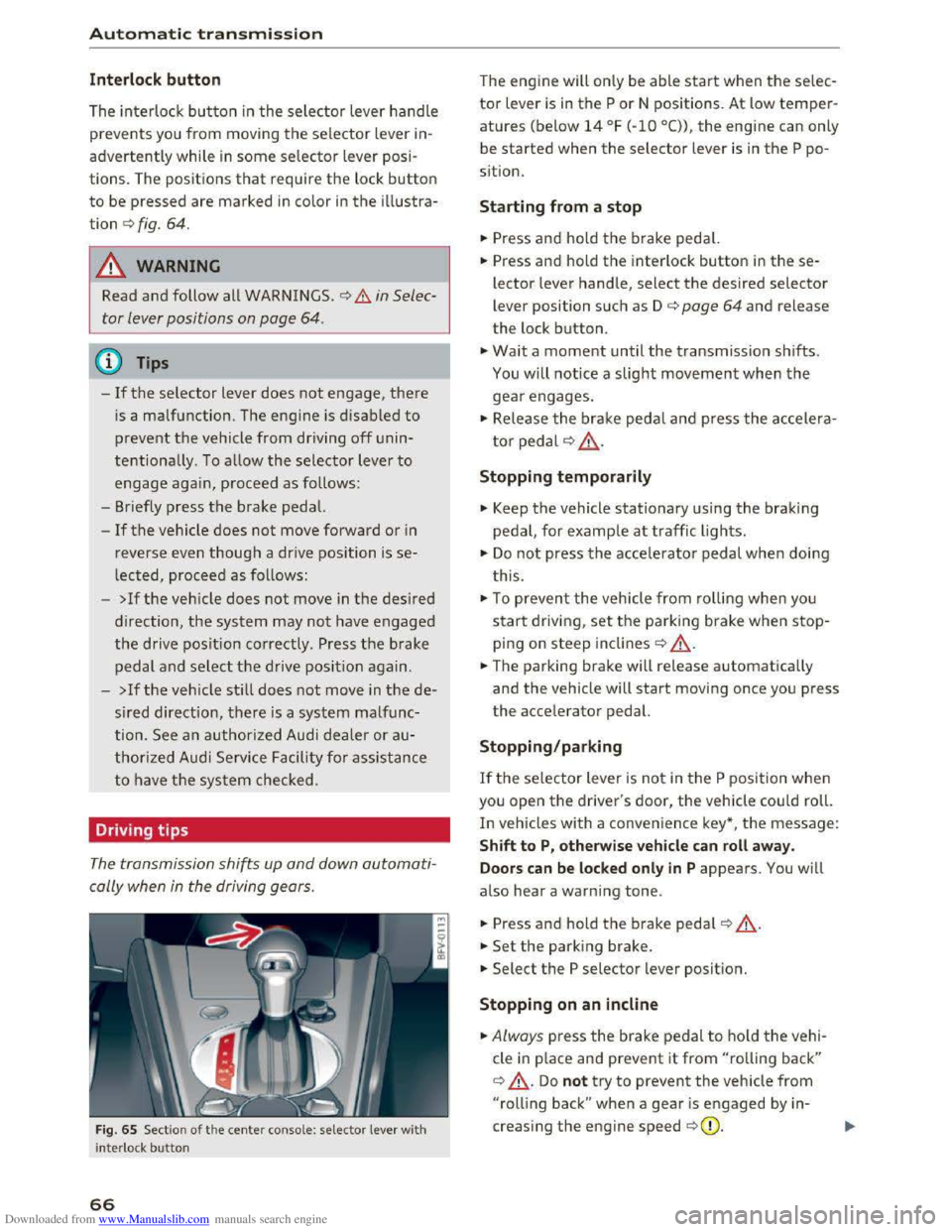
The interlock button in the selector lever handle
prevents you from moving the selector lever in
advertently while in some selector lever posi
tions. The positions that require the lock button
to be pressed are marked in color in the illustra
tion c::> fig. 64.
A WARNING
Read and follow all WARNINGS . c::> .&. in Selec
tor lever positions on page
64.
(!') Tips
-If the selector lever does not engage, there
is a malfunction. The engine is disabled to
prevent the vehicle from driving off unin
tentionally. To allow the selector lever to
engage agai n , proceed as follows :
- Briefly
press the brake pedal.
-If the vehicle does not move forward or in
reverse even though a drive position is se
lected, proceed as follows:
-
>Ifthe vehicle does not move in the desired
direction, the system may not have engaged
the drive position correctly . Press the brake
pedal and select the drive position again.
-
>If the veh icle sti ll does not move in the de
s ired direction, there is a system malfunc
tion. See an authorized Audi dealer or au
thorized Audi Service Facility for assistance
to have the system checked.
Driving tips
The transmission shifts up and down automati
cally when
in the driving gears.
Fig. 65 Sect io n of the cente r conso le: selecto r lever wit h
i nte rlock bu
tton
66
The engine will only be able start when the selec
tor lever is in the P or N positions. At low temper
atures (below 14 °F (-10 °C)), the engine can only
be
started when the selector lever is in the P po
s i
tion.
Starting from a stop
... Press and hold the brake pedal.
... Press and hold the interlock button in these
lector lever handle, select the desired selector
lever position such as D c::> page 64 and release
the lock button .
... Wait a moment until the transmission shifts.
You will notice a slight movement when the
gear engages.
... Release the brake pedal and press the accelera
tor pedal c::> .& ..
Stopping temporaril y
.,. Keep the vehicle stationary using the braking
pedal, for example at traffic lights.
.,. Do not press the accelerat o r pedal when doing
t his .
.,. To preven t the vehicle from ro llin g when you
start driving, set the parking brake when stop
ping on steep inclines c::> ,&..
... The parking brake will release automatically
and the vehicle will start moving once you press
the accelerator pedal.
Stopping/par king
If the selector lever is not in the P position when
you open the driver's door, the vehicle could roll.
In vehicles with a convenience key*, t he message:
S h ift to P, otherwise veh icle can roll awa y.
Door s can be locked only in
P appears. You will
also hear a warning tone .
... Press and hold the b rake pedal c::> ,&. .
... Set the park ing brake .
... Select the P selector lever position.
Stopping on an incl in e
... Always press the brake pedal to ho ld the vehi
cle
in p lace and prevent it from "rolling back"
c::> ,&.. Do not try to prevent the vehicle from
"rolling back" when a gear is engaged by in
creasing the engine speed c::>(D.
Page 72 of 322
Downloaded from www.Manualslib.com manuals search engine Automatic transmission
-When accelerating using the launch control
program, all vehicle
parts are subject to
heavy loads . This can lead to increased
wear.
Emergency mode
In the event of a system malfunction, there is on
emergency program.
If all of the selecto r lever positions are highlight
ed wit h a light background
in the Infotainment
display, there is a system malfunction and the S
tronic transmiss ion is running in the emergency
program . The vehicle can still be driven
in emer
gency mode,
but only with reduced speed and
not in a
ll gears. In some cases, the vehicle can
n ot dri
ve in rever se .
@Note
If the transmission runs in emergency mode,
drive
to an author ized Audi dealer or author
ized
Audi Service Facility immediately to have
the malfunction corrected.
Transmission malfunction
• Transmission : malfunction! Please stop ve
hicle and s
hift to P
There is a malfunction in the t ra nsmission. Park
the vehicle securely and do not continue driving.
See an authorized
Audi dealer or authorized Audi
Service Facility for assistance .
• Transmis sio n : too hot. Please stop vehicle
The transmission is too hot and can become dam
aged .
Stop and let the transmission cool with the
engine running (at idle) in the P selector lever po
sition. Then
the indicato r light and the message
turn off, drive to an authorized Audi dea le r or a u
thorized Audi Se rvice Facility immediately to have
the ma lfunction cor rected . If the indicator light
and
the driver message do not turn off, do not
continue driving. See an authorized
Audi dealer
or authorized Audi Service Facility for assistance .
[o] Tran smission : malfunction! You can contin
ue dri
ving. See owner's manual
70
Drive to an au thorized Audi dealer or authori zed
Audi Service Facility immediate ly to have the
malfunction corrected.
[o] Transmiss ion : malfunction! You may contin
ue driving. No rever se gear
Drive to an authorized Audi dealer or authorized
Audi Service Facility immed iately to have the
malfunction corrected .
ml Transmi ss ion: malfunction! You may contin
ue driving in D
until engin e off
Drive the vehicle away from moving traffic and
park . See an
authorized Audi dealer or authorized
Audi Service Facility for assistance.
ml Tran smiss ion: too hot. Please adapt driving
style
Continue driving moderately. When the indicator
light turns off, you can continue driving normal
l
y.
ml Tran smission: please press brake pedal a nd
s elect gear again
If the transmiss ion mal f u nct ions because the
temperatu re is too high, a message appears
when
the transmission is cooled .
Page 80 of 322
Downloaded from www.Manualslib.com manuals search engine Assis t
are indicated by the time they enter your "blind
spot",
at the latest.
© Vehicles left behind
If you slowly pass a vehicle that side assist has
detected ( the difference in speed betwee n the
vehicle and your vehicle is less than 9 mph or 15
km/h), the display in the exterior mirror turns on
as soon as the vehicle enters your blind spot.
The display will not turn o n if you quick ly pass a
vehicle that side assist has detected (the differ
ence in speed between
the vehicle and your vehi
cle
is greater than 9 mph or 15 km/h).
Functional limitations
The radar senso rs a re designed to detect the left
and right adjacent lanes when the road lanes are
the normal width. In some situations, the display
in the exter ior mirr or may turn on even though
there
is no vehicle located in the area that is criti
cal
for a lane change. For example:
-
If the lanes are narrow or if your are driving on
the edge of your lane. If this is the case, the
system may have detected the vehicle in anoth
er lane
that is not adjacent to your current lane.
-
If you are driving through a curve. Side assist
may react
to a vehicle that is one lane over
from the adjacent lane.
-
If side assist reacts to other objects (such as
high or displaced guard rails).
-
In poor weather conditions . The side assist
functions are limited.
Do not cover the radar senso rs c::> fig. 77 w it h
stic kers, deposits, bicycle wheels or
other ob
jects,
because this will affect the function. For in
formation on cleaning, see c::>poge 270.
.&. WARNING
-Always pay attention to traffic and to the
area around your vehicle. Side assist cannot
replace a
driver's attention. The driver alone
is always responsible for lane changes and
similar driving maneuvers.
-
In some situati ons, the system may not
function or its function may be limited. For
example:
78
-If vehicles are app roaching or being left
behind very quickly . The display may not
turn on in time.
-
In poor weather condit ions such as heavy
r ain, snow or heavy
mist.
-
On very wide lanes, in tight curves, or if
there is a r ise in the road surface. Vehicles
i n
the adjacent lane may not be detected
because they are outside
of the sensor
range.
-
Audi side assist cannot detect all vehicles
under
all conditions, which can increase the
risk of acciden ts.
-Please note that side assist only disp lays ap
proach ing vehicles
or veh icles in your blind
spot if your vehicle is traveling at l east
19 mph (30 km/h).
-In certain situations, th e system may not
work or its function may be limited. For ex
ample:
- The displ
ay may not turn on at the right
time if vehicles are approaching or passing
very quickly.
-In poor weathe r condit ions, such as heavy
rain, snow or fog .
-
In very wide lanes, in tight cu rves or when
there are slopes in the roadway, vehicles
i n
the neighboring lanes may not be de
tected because they a re outside
of the
senso r range.
CD Note
The sensors can be displaced by impacts or
damage
to the bumper, wheel housing and
underbody. This
can affect the system. Have
an authorized Audi dealer or authorized Audi
Service
Facility check thei r f unct ion .
(D Tips
-If the window glass in the driver's door or
front passenger 's door has been tinted, the
display in th e exterior mirror may be misin
terpreted.
- For
an explanation on conform ity with the
FCC reg ulations in the United States and the
Industry Canada regulatio ns, refer to
c::>poge 297.
Page 81 of 322
Downloaded from www.Manualslib.com manuals search engine Switching on and off
App lies to: vehicles with Audi side assist
The system can be switched on/off in the Info
tainment system.
"'Select in the Infotainment system: IM ENUI but
ton >Vehicle > left control button >Driver as
sistance >Audi side assist
An activated system will signal every time the ig
nition is switched on by turning the displays in
the exterior mirrors on briefly.
Adjusting the display brightness
Applies to: vehicles with Audi side assist
The display brightness can be adjusted in the In
fotainment system.
"'Select in the Infotainment system: IM ENUI but
ton >Vehicle > left control button >Driver as
sistance >Audi side assist
The display brightness adjusts automatically to
the brightness of the surroundings, both in the
information and in the warning stage. In very
dark or very bright surroundings, the display is
already set to the minimum or maximum level by
the automatic adjustment. In such cases, you
may notice no
change when adjusting the bright
ness, or the change may only be noticeable once
the surroundings change.
Adjust
the brightness to a level where the display
in the information stage will not disrupt your
view forward. If you change the brightness, the
display in the exterior mirror will briefly show the
brightness level in the information stage. The
brightness of the warning stage is linked to the
brightness in the information stage and is adjust
ed along with the information stage adjustment.
-Side assist is not active while you are mak
ing the adjustment.
- Your settings are automatically stored and
assigned to the remote control key being
used.
Assist
Driver messages
Applies to: vehicles with Audi side assist
If the side assist switches off automatically, a
message appears in the Infotainment system dis
play.
@i Audi side assist: currently unavailable.
Sensor vision restricted due to surroundings.
See owner's
manual
The radar sensors' vision is affected. Do not cover
the area in front of the sensors with bike wheels,
stickers, dirt or other objects. Clean the area in
front of the sensors, if necessary q page 77,
fig. 77.
@i Audi side assist: currently unavailable.
See owner's
manual
Side assist cannot be switched on temporarily be
cause there is a malfunction (for example, the
battery charge level may be too low).
@i Audi side assist: malfunction! Please
contact
Service
The system cannot guarantee that it will detect
vehicles correctly and it is switched off. The sen
sors have been displaced or are faulty. Have the
system checked by an authorized Audi dealer or
authorized Audi Service Facility soon.
Audi drive select (drive
settings)
Introduction
Applies to: vehicles with Audi drive select
Drive select makes it possible to experience dif
ferent types of vehicle settings in one vehicle.
The driver can
select from three modes, Comfort,
Auto and Dynamic, using the~.~;\,~ button in the
center console or by using the Infotainment sys
tem. This allows you to switch between a sporty
and a comfortable driving mode, for example. In
the Individual mode, the settings can be adjust
ed to your personal preferences. This makes it
possible to combine settings such as a sporty en-
gine
tuning with light steering. .,.
79
Page 84 of 322
Downloaded from www.Manualslib.com manuals search engine Parking systems
Parking systems
General information
Applies to: vehicles with rear parking system/parking system
plus
Depending on your vehicle's equipment, various
parking aids will
help you when parking and ma
neuvering.
The r
ear pa rk ing syst em is an audible parking aid
that warns you of obstacles behind the vehicle
9page82.
The parking syste m plus assists you when park
ing by audibly and visually indicating
objects de
tected in front of and behind the vehicle
9page 83.
The rearv iew cam era shows the area behind the
vehicle in the Infotainment d isplay. The lines in
the rearview camera image help you to park or
maneuver~ page 84. The parking system plus
functions are also available~ page 83.
A WARNING
r-= ---'
-Always look for traffic and check the area
around your vehicle by looking at it directly
as well. The parking system cannot replace
the driver's attention. The driver is always
responsible when entering or leaving a park
ing
space and during similar maneuvers.
-
Please note that some surfaces, such as
clothing,
are not detected by the system.
-Sensors and cameras have blind spots in
which people and objects cannot be detect
ed. Be especia lly cautious of small children
and animals.
- The
sensors can be displaced by impacts or
damage to the radiator grille, bumper,
wheel housing and the underbody. The park
ing
system may become impaired as a re
sult. Have an authorized Audi dealer or au
thorized Audi Service Facility check their
function.
- Make
sure the sensors are not obstructed by
stickers,
deposits or other materials. If they
are, the sensor function could be impaired.
For
additional information on cleaning, re
fer to ~page 2 70.
82
-Some objects are not detected or displayed
by
the system under certain circumstances:
- Objects
such as barrier chains, trailer draw
bars, vertical poles or fences
- Objects above
the sensors such as wall ex
tensions
-Objects with specific surfaces or struc
tures such as chain link fences or powder
snow
-If you continue driving closer to a low-lying
object, it may
disappear from the sensor
range. Note that you will no longer be
warned about this obstacle.
- Keep enough distance from the curb to
avoid damage to the rims.
(D Tips
-The system may provide a warning even
though there are no obstacles in the cover
age area in some situations, such as:
-
certain road surfaces or for long grass.
-external ultrasonic sources e.g. from
cleaning vehicles.
- heavy rain, snow,
or thick vehicle exhaust.
-We recommend that you practice parking in
a traffic-free location or parking lot to be
come familiar with the system. When doing
this,
there should be good light and weath
er conditions.
-
You can change the volume of the signals.
-
What appears in the display is slightly de-
layed.
- The
sensors must be kept clean and free of
snow and ice for the park assist to operate.
Rear parking system
Description
Applies to: vehicles with rear parking assist
The rear parking system is an audible parking
aid.
Description
There is a sensor in the rear bumper cover. If
these detect an obstacle, audible signals warn
you.
Page 88 of 322
Downloaded from www.Manualslib.com manuals search engine Parking systems
in the parking space c) fig. 86. Use the mark
ings @
to help you estimate th e distance from
an obstacle. Each marking represents approxi
mately 3 ft (1 m) . The blue area represents an
extension of the vehicle's outline by approxi
mately 16 ft (5 meters) to the rear.
.,.. While driving in reverse gear, adjust the steer
ing wheel angle to fit the parking space using
the orange orientation lines for assistance
c) .&. in General information on page 84, c)(i)
in General information on page 85.@ displays
the rear bumper. Stop the vehicle, at the latest,
when
the red orientation line @ borders an ob
j ect.
Adjusting the display
and the warning tones
A pp lies to: vehicles with park ing system plus
The display and warning tones can be adjusted in
the Infotainment.
.,.. Select in the Infotainment system: IMENUI but
ton > Vehicle > left control button >Dr iver as
sistance > Parking aid.
Warning tones
Front volume -volume for the front area
Rear volume -volume for the rear area
Entertainment fader -when the parking system
is turned on, the volume of the aud io/video
source
is l owered.
The newly selected level is demonstrated briefly
b y the sou nd
generator.
(}) Tips
The settings are automatically stored a nd as
signed to the remote control key that is in
use.
Error messages
Applies to: vehicles with rear parking system/parking system
plus
Rear parking aid : malfunction! Obstacles not
detected
Front parking aid : malfunction! Obstacles can
not be detected
86
Parking aid: malfunction! Obstacles cannot be
detected
There is a system malfunction if the LED in the
pg~ button blinks when switching on the system.
If the error is not corrected before you switch off
the ignition, the LED in the pg~ button will blink
the next time you switch on the parking system
by shifting into reverse . As long as the error is ac
tive, you can display
the error messages in the
second tab of the driver information system.
Parking system plus*
If a sensor or speaker is faulty, the JM symbol
will
appear in front of/behind the vehicle in the
Infotainment display. If a rear sensor is faulty,
o nl y o
bstacles that a re in areas@and@ are
s h own c) page 83, fig. 80. If a front sensor is
faulty, only obstacles that are in areas© and @
ar e show n.
Drive
to an authorized Audi dealer or authorized
Audi Service Facility immediately
to have the
malfunction corrected.
Page 91 of 322
Downloaded from www.Manualslib.com manuals search engine ...... N
> u. CX> ...... u:>
"' ...... u:> ......
-There is no vehicle stabilization when ESC/
ASR are switched off.
(D Tips
-When the cruise control system is switched
on, ESC/ ASR cannot be switched off or sport
mode cannot
be switched on.
- Malfunctions in the rear spoiler
or the Audi
magnetic ride may make
it impossible to
switch the ESC/ ASR off or to switch sport
mode on.
Brakes
New brake pads
New brake pads do not achieve their full braking
effect during the first 250 mi (400 km) . They
must be "broken in" first. However, you can com
pensate
for the slightly reduced braking force by
pressing
firmly on the brake pedal. Avoid heavy
braking during the break-in period.
Wear
Brake pad wear depends largely on the way the
vehicle is driven and on operating conditions.
This is especially true
if you are driving frequently
in
the city and on curves or with a sporty driving
style.
Operating noise
Noises may occur when braking depending on the
speed, braking force and outside conditions such
as temperature and humidity.
Effect of water and road salt
In certain situations, for example after driving
through water, in heavy
rain, after overnight con
densation
or after washing your car, the braking
effect can be reduced by moisture or ice on the
brake rotors and brake pads. The brakes
must be
"dried" first with a few careful brake applica
tions.
At higher speeds and with the windshield wipers
turned
on, the brake pads press against the brake
rotors
for a short amount of time. This action
which is
not felt by the driver happens at regular
Intelligent Technology
intervals and facilitates a better reaction time for
the brakes in wet weather.
T
he braking effect can also be reduced if you are
driving on salted roads and you do
not apply the
brakes for Long periods of time. The Layer of salt
on the brake rotors and pads must be worn off
first when the brakes are applied.
Corrosion
Leaving the vehicle parked for Long periods of
time, Low mileage and avoiding heavy braking
can contribute
to corrosion on the brake rotors
and
dirty brake pads.
If you usually avoid heavy braking or ifthere is
corrosion present, occasiona l heavy braking
at
high speeds is recommended to clean the brake
rotors and
pads¢.&..
Brake system malfunction
if you notice that the brake pedal travel has sud
denly gotten Larger, then a brake circuit may have
failed. Drive
to an authorized Audi dealer or au
thorized Audi Service Facility immediately to have
the problem corrected. On the way there, drive
with reduced speed and keep in mind that a Long
braking distance and increased pressure on the
brake pedal will be necessary.
Low brake fluid level
When the brake fluid Level is Low, malfunctions in
the brake system may occur. The brake fluid Level
is electronically monitored.
Brake booster
The brake booster amplifies the pressure you ap
ply to the brake pedal. It only works when the en
gine is running.
A WARNING
-New brake pads do not achieve their full
braking effect during the first 250 mi
(400 km). They must be "broken in" first.
However, you
can compensate for the
slightly reduced braking force by pressing
firmly on the brake pedal. Avoid heavy brak-
ing during
the break-in period. ~
89
Page 92 of 322
Downloaded from www.Manualslib.com manuals search engine Intelligent Technology
-Only apply the brakes for the purpose of
cleaning the brake system when road and
traffic conditions permit. You must not en
danger other road users. This increases the
risk of an accident.
-
On steep slopes, reduce the speed and se
lect a lower gear or lower selector lever po
sition . Drive
as little as possible while press
ing the brake pedal and avoid putting your
left foot on the brake pedal while driving.
This could
cause the brakes to overheat and
impair the efficiency of the brakes.
-
Do not let the brakes "grind" by always
keeping
your foot on the brake pedal. This
can
cause the brakes to over heat, increase
wear and increase brak ing distance u nneces
sari ly.
-
Certa in weather and operating cond it io ns
such as driving through water, driving in
heavy rain or driving after washing your ve
hicle
can impair the effectiveness of the
brakes. In the winter, ice may build up on
the brake pads, rotors and drums. Check
these components by braking carefully. Ap
plying
the brakes carefully several times
dries the brakes and removes ice build-up.
- The efficiency
of the brakes can also be im
paired by driving
for long stretches on roads
covered with salt without using the brakes.
You can remove salt deposits from the
brake rotors and pads by carefully applying
the brakes several times.
-If the front spoiler is damaged or you install
another spoiler, make sure the front wheel
brakes are ventilated properly. Otherwise,
the brake system could overheat, wh ic h re
duces
thei r effectiveness.
- Failure
of a brake circuit impairs braking
performance, which increases braking dis
tance.
Avoid driving the vehicle and have it
towed it to the nearest authorized Audi
dealer or authorized Audi Service Facility.
- Never
let the vehicle roll while the engine is
stopped because this increases the risk of an
accident.
-
If the brake booster is not working, you will
have
to press much harder on the brake
90
pedal to compensate for the lack of the
booster.
@ Note
-Never let the brakes "rub" by pressing the
pedal lightly when braking is not really nec
essary. This
causes the brakes to overheat
and increases braking distance and causes
wear.
- Before driving a long
distance on a steep
slope, decrease your speed and select a low
er driving gear. This makes use of the en
gine braking effect and relieves the brakes.
If you need to brake additionally, brake in
interva ls and not continuously.
(D Tips
-Ifthe brake booster is not work ing, you
must press the brake pedal w ith much more
force than normal.
-
If you retrofit your vehicle with a front spoil
er wheel covers or similar items, make sure '
that the air flow to the front wheels is not
interrupted. Otherwise the brake system
can become too hot.
Electromechanical
steering
The electromechanical steering supports the
driver's steering movements.
Power steering adapts electronically based on
the vehicle speed.
Indicator lights and messages
• Steering: malfunction! Please stop vehicle
If this indicator light turns on and stays on and
this message appears, the power steering may
have failed.
Stop the vehicle in a safe location as soon as pos
sible.
Do not continue driving. See an authorized
Audi dealer or authorized Audi Service Facility for
assistance.
i:t-D Steering: malfunction! You may continue
driving
Page 93 of 322
Downloaded from www.Manualslib.com manuals search engine ..... N
G: CX)
.....
"' U"I
.....
"' .....
If the indicator light turns on, the steering wheel
may be more difficult to move or more sensitive
than usual. The steering wheel may also be at an
angle when driving straight.
Drive slow ly to an authorized Audi dealer or au
thorized Audi Service Facility to have the mal
function corrected.
@ Tips
If the. or '~ij indicator light only stays on
for a short time, you may continue driving.
ALL wheel drive (quattro)
In all wheel drive, all four wheels ore powered.
General information
In all wheel drive, the driving power is divided be
tween all four wheels. This happens automatical
ly depending on your driving behavior as well as
the current road conditions. c::> page 87, Electron
ic
stabilization control (ESC).
The all wheel drive concept is designed for high
engine power. Your vehicle is exceptionally pow
erful and has excellent driving characteristics
both under normal driving conditions and on
snow and ice. Always read and follow safety pre
cautions c::> &..
Winter tires
By using all wheel drive, your vehicle has good
forward motion with standard tires in winter con
ditions. However,
in winter we recommend using
winter or all season tires on all four wheels, be
cause this will improve the broking effect.
Snow chains
If there are snow chain laws, snow chains must
also be used on vehicles with all wheel drive
c::> page 265, Snow chains.
Replacing tires
For vehicles with all wheel drive, only wheels with
the same rolling circumference should be used.
Avoid
wheels with different tread depths
c::> page 257, New tires or wheels.
Intelligent Technology
Offroad vehicle?
Your Audi is not an offroad vehicle -there is not
enough ground clearance. For this reason, avoid
difficult
terrain.
&,,!!_ARNING
-I
-Also, in vehicles with all wheel drive, adapt
your driving style to the current road and
traffic conditions. Do not let the increased
safety provided tempt you into taking risks,
because this increases the risk of an acc i
dent.
- The braking ability
of your vehicle is limited
to the traction of the wheels. In this way, it
is not different from a two wheel drive vehi
cle.
Do not be tempted to accelerate to a
h
igh speed when the road is slippery this in
creases the risk of an accident.
- Note
that on wet streets, the front wheels
can "hydrop lane" if driving at speeds that
are too high. Unlike front wheel drive
veh icl
es, the engine does not rev higher sud
denly when the vehicle begins hydroplaning .
For
this reason, pay attention to the road
conditions
regard less of your speed.
Rear spoiler
The extendoble rear spoiler increases driving sta
bility.
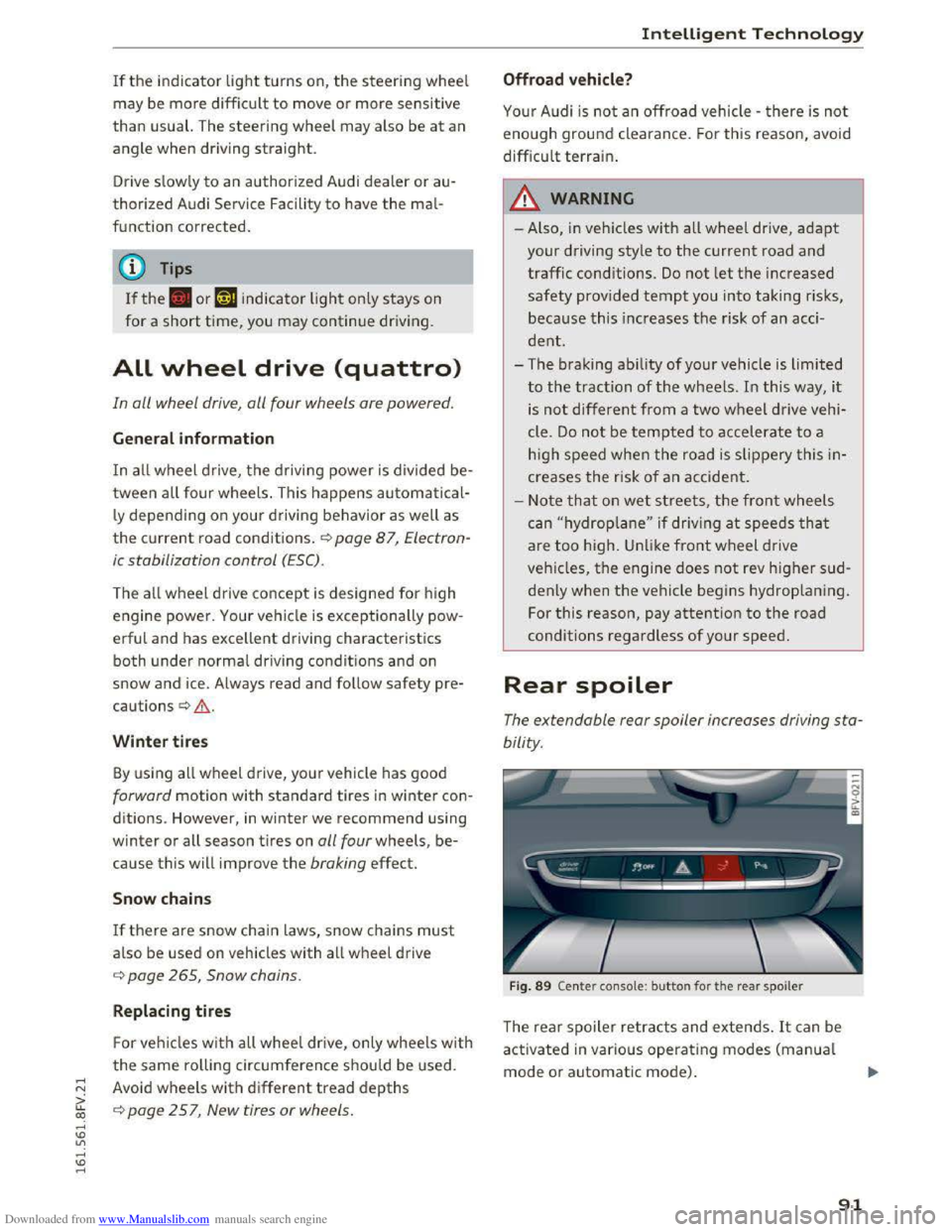
Fig. 89 Center console: button for the rear spoiler
The rear spoiler retracts and extends. It can be
activated in various operating modes (manual
mode or automatic mode) .
91