turn signal AUDI TT COUPE 2016 Owner's Manual
[x] Cancel search | Manufacturer: AUDI, Model Year: 2016, Model line: TT COUPE, Model: AUDI TT COUPE 2016Pages: 322, PDF Size: 52.86 MB
Page 172 of 322
Downloaded from www.Manualslib.com manuals search engine System settings
Microphone sensitivity: the vo lume of a phone
call can be adjusted during the phone call using
the control knob.
Navigation
Voice guidance:~ page 138, Voice guidance.
Voice guidance during phone call: 9 page 138,
Voice guidance.
Voice guidance volume: the voice guidance vol
ume can be adjusted during active route guid
ance by turning the control knob.
Entertainment fader: the volume of audio play
back can be
temporarily lowered when the park
i n g
system or voice guidance is active .
Voice recognition
Short dialog : prompts in a shorter format can be
switched on or off.
Speech dialog system volume: you can adjust
the volume of the announcements by turning the
control knob.
Parking aid*
You can adjust the signal tone volume by turning
the control knob.
-Adjusting the Front volume : select and con
firm
High , Medium or Low .
- Adjusting
the Rear volume: select and confirm
High, Medium or Low.
MMI touch
The volume
of the MM! touch voice prompts can
be
adjusted by turning the control knob.
Audi Heartbeat
You can adjust the Audi Heartbeat volume by
turning the control knob.
170
Restarting the MMI
(reset)
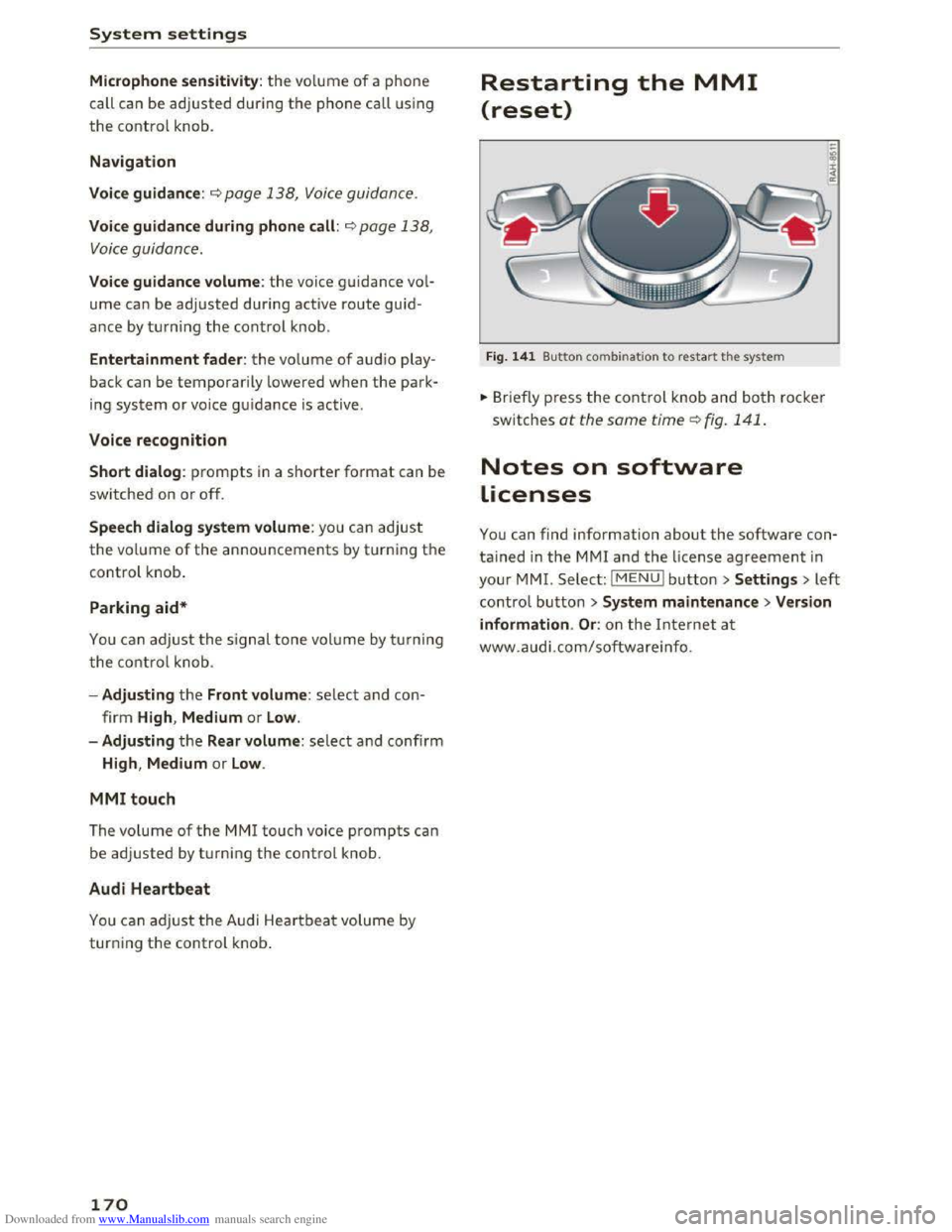
Fig. 141 Button combination to restart th e system
... Briefly press the control knob and both rocker
switches at the same time Q fig. 141 .
Notes on software
Licenses
You can find information about the software con
tained in the MMI and the license agreement in
your MM!. Select: I MENU! button >Settings > left
control button > System maintenance >Version
information .
Or: on the Internet at
www.audi.com/softwareinfo.
Page 194 of 322
Downloaded from www.Manualslib.com manuals search engine Airbag system
not, or to signal that it is occupied by some
one who is heavier than the person actually
sitting on the seat. The presence of addi
tional objects could cause the passenger
front airbag to be turned on when it should
be off, or could cause the airbag to work in a
way
that is different from the way it would
have worked
without the object on the seat.
Front airbags
Description of front airbags
The airbag system can provide supplemental
protection to properly restrained front
seat occu
pants.
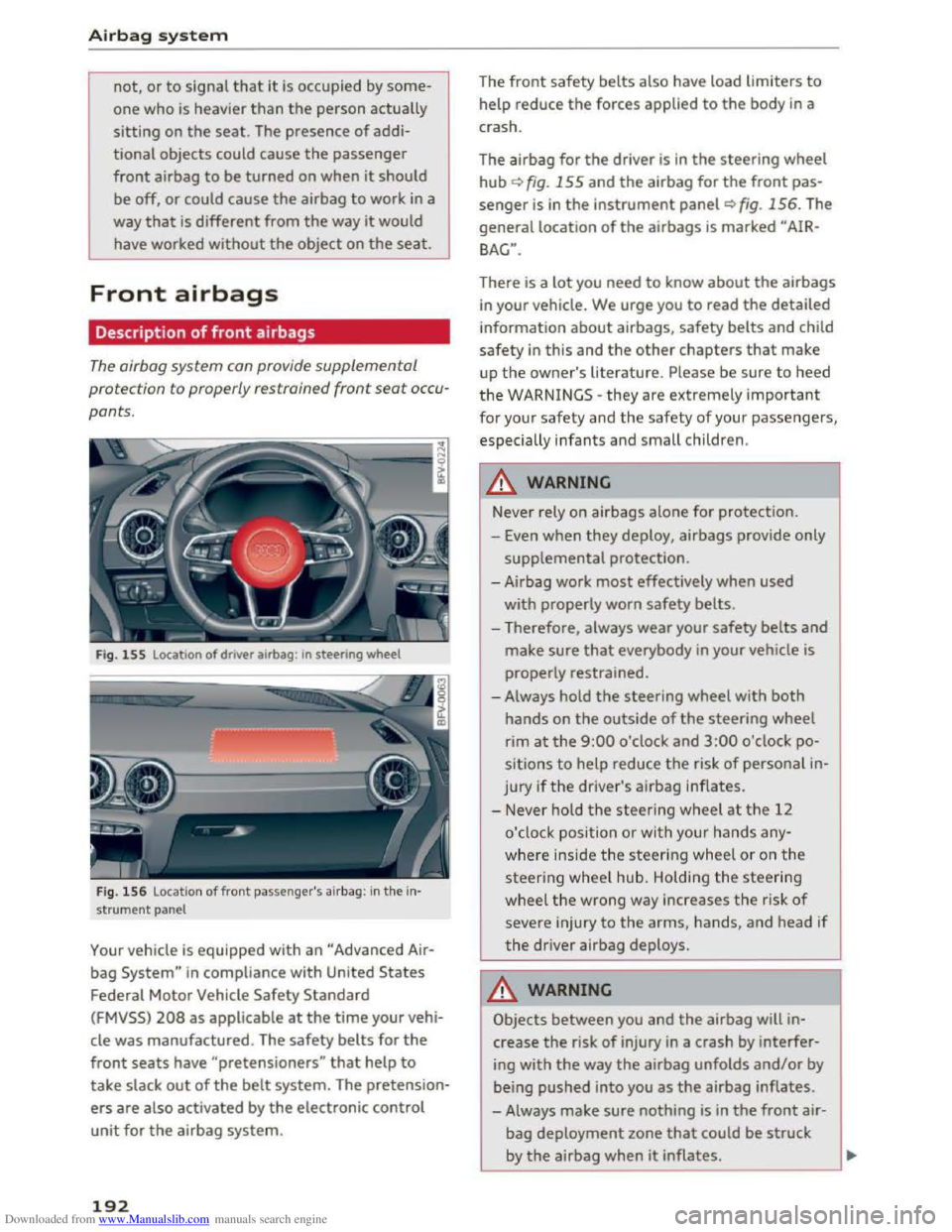
Fig. 155 Locat ion of driver airbag : in steering wheel
Fig.
156 Location of front passenger's airbag: in the in·
strument panel
Your vehicle is equipped with an "Advance d Air
bag System" in compliance with United States
Federal Motor Vehicle Safety Standard
(FMVSS) 208 as applicable at the time your vehi
cle
was manufactured. The safety belts for the
front seats have "pretensioners" that help to
take slack out of the belt system. The pretension
ers are also activated by the electronic control
unit for the airbag system.
192
The front safety belts also have load limiters to
help reduce the forces applied to the body in a
crash.
The airbag
for the driver is in the steering wheel
hub i::> fig. 155 and the airbag for the front pas
senger is in the instrument panel i::> fig. 156. The
general location of the airbags is marked "AIR
BAG".
There is a lot you need to know about the airbags
in your vehicle. We urge you to read the detailed
information about airbags, safety belts and child
safety in this and the other chapters that make
up the owner's literature. Please be sure to heed
the WARNINGS -they are extremely important
for your safety and the safety of your passengers,
especially infants and small children .
_&WARNING
-
Never rely on airbags alone for protection.
- Even when they deploy, airbags provide only
supplemental protection.
-Airbag work most effectively when used
with properly
worn safety belts.
- Therefore, always
wear your safety belts and
make sure that everybody in your vehicle is
properly
restrained.
- Always hold the steering wheel with both
hands on the outside of the steering wheel
rim at the 9:00 o'clock and 3:00 o'clock po
sitions
to help reduce the risk of personal in
jury if the driver's airbag inflates.
-Never hold the steering wheel at the 12
o'clock position or with your hands any
where inside the steering wheel or on the
steering wheel hub. Holding the steering
wheel the wrong way increases the risk of
severe injury to the arms, hands, and head if
the driver airbag deploys.
_&WARNING
Objects between you and the airbag will in
crease the risk of injury in a crash by interfer
ing with the way the airbag unfolds and/or by
being pushed into you as the airbag inflates.
- Always
make sure nothing is in the front air-
bag deployment zone that could be struck
by the airbag when it inflates. _____ ___.
Page 201 of 322
Downloaded from www.Manualslib.com manuals search engine those areas and yourself. These objects
could cause injury in a crash, especially
when the airbags inflate.
- Never recline
the front passenger's seat to
transport objects. Items can also move into
the area of the side airbag or the front air
bag during braking or in a sudden maneu
ver. Objects near the airbags can become
projectiles and cause injury, particularly
when the seat is reclined.
- Never place
or transport objects on the
front passenger seat. Objects on the front
passenger seat could cause the capac itive
sensor in the seat to signal to airbag system
that the seat is occup ied by a person when it
in fact is not, or that the person on the seat
is heavier than he or she actually is. The
change in electric capacitance because of
such objects can cause the passenger front
airbag to be turned on when it should be
off, or can cause the a irbag to work in a way
that is diffe rent from the way it would have
worked without objects on the seat.
- Always make sure that there is nothing on
the front passenger seat that will cause the
capaciti ve passenger detection system in
the seat to signal to the Airbag System tha t
the seat is occupied by a person when it is
not, or to signa l that it is occupied by some
one who is heavier than the person actually
sitting on
the seat. The presence of an ob
ject could cause the passenger front airbag
to be turned on when it should be off, or
cou ld cause the air bag to work in a way that
is different from the way it wou ld have
worked witho ut the object on the seat.
- Never tilt the front passenger seat backrest
forward when the vehicle is moving. An in
flating airbag will force the backrest back
ward and can injure rear seat occupants.
_&WARNING
The fine dust created when airbags deploy can
cause breathing problems for people w ith a
history
of asthma or other breathing condi
tions.
Airba g system
- To reduce the ris k of breathing problems,
those with asthma or other respiratory con
ditions should get fresh a ir right away by
getting out of the vehicle or opening win
dows or doors.
-
If you are i n a collision in which airbags de
p loy, wash your hands and face with mild
soap and water before eating.
-
Be carefu l not to get the dust into your eyes,
or into any cuts or scratches.
-Ifthe residue should get into your eyes,
f lush
them w ith water.
Monitoring the
Advanced Airbag System
t~~ Airbag monitoring indicator light
Two separate indicators monitor the function of
the Advanced Airbag System: the airbag moni
toring indicator light and the PASSENGER AIR
BAG OFF light.
The Advanced Airbag System as well as the side
airbags and side curta in airbags with ejection
mitigation features (including the electronic con
trol unit, sensors and system wiring) are all
monitored continuously to make sure that they
are functioning properly whenever the ignition is
on. Every time you turn on the ign ition, the a ir
bag system indica to r light II will come on for a
few
seconds ( function check).
The system must be inspected when the
indicator light II:
-does not come on when the ignition is sw itched
on,
-
does not go out a few seconds after you have
switched on the igni tion, or
-comes on while driving .
If an airbag system malfunction is detected, the
indicator light will first start flashing to catch the
driver's attention and then stay on continuously
to serve as a constant rem inder to have the sys
tem inspected immediately.
If a malfunction occurs that turns the front air-
bag on
the passenger side off, the PASSENGER ..,.
199
Page 317 of 322
Downloaded from www.Manualslib.com manuals search engine .....
Temperature display
Exterior
temperature . . . . . . . . . . . . . . . . . . 19
Temperature indicator
Coolant . . . . . . . . . . . . . . . . . . . . . . . . . . . . . . 8
T ether anchors . . . . . . . . . . . . . . . . . . . . . . .
228
Tether strap . . . . . . . . . . . . . . . . . . . . . . . . . 228
Text message .. .................. 114, 115
Sending a contact . . . . . . . . . . . . . . . . . . . 118
Text messages
refer to Text message . . . . . . . . . . . . 1 14, 115
Tie-downs . . . . . . . . . . . . . . . . . . . . . . . . . . .
177
Time . . . . . . . . . . . . . . . . . . . . . . . . . . . . 23 , 166
tiptronic (automatic transmission) . . . . . . . . 68
Tire Mobility System (tire repair set) . . . . . . 275
Tires .. .. .. .. .. ................. .. .. . 250
A ll wheel drive . . . . . . . . . . . . . . . . . . . . . . . 91
L ow aspect ratio tires . . . . . . . . . . . . . . . .
265
Repair set .. .. ................. .... . 275
Replacing . . . . . . . . . . . . . . . . . . . . . . . . . . 277
Service life . . . . . . . . . . . . . . . . . . . . . . . . . 258
Tire pressure . . . . . . . . . . . . . . . . . . . . . . . 260
Tire pressure monitoring system . . . 26 7, 268
Tire pressure ta ble . . . . . . . . . . . . . . . . . . . 261
Tread wear indicators . . . . . . . . . . . . . . . .
258
Unidirectional . . . . . . . . . . . . . . . . . . . . . . . 252
Uniform
tire quality grading . . . . . . . . . . . 266
T ires and wheels
Glossary
of tire and loading terminology . 252
Tires and vehicle load limits . . . . . . . . . . . 262
TMC/TMCpro
re fer to Traffic information (TMC) . . . . . . 143
Tone (sound) . . . . . . . . . . . . . . . . . . . . . . . . . 169
Tool .... .. .. .. .. ............. .. .. .. . 275
Towing
Tow trucks . . . . . . . . . . . . . . . . . . . . . . . . .
290
Towing loop . . . . . . . . . . . . . . . . . . . . . . . . . 275
TPMS (tire pressure monitoring system) . . . 268
Traffic information (TMC) . . . . . . . . . . . . . . 142
Opening . . . . . . . . . . . . . . . . . . . . . . . . . . . 143
Reading aloud . . . . . . . . . . . . . . . . . . . . . .
143
Showing on the map . . . . . . . . . . . . . . . . . 143
Volume . . . . . . . . . . . . . . . . . . . . . . . . . . . .
169
Transmission malfunction (indicator light) . . 70
r.1 Transport Canada . . . . . . . . . . . . . . . . . . . . . 178
a: co Treb le (sound) . . . . . . . . . . . . . . . . . . . . . . . 169 .....
Troub leshooting
Audi connect . . . . . . . . . . . . . . . . . . . . . . .
130
Media drives . . . . . . . . . . . . . . . . . . . . . . . . 164
Navigation . . . . . . . . . . . . . . . . . . . . . . . . . 144
Radio . . . . . . . . . . . . . . . . . . . . . . . . . . . . . 148
Telephone . . . . . . . . . . . . . . . . . . . . . . . . . . 120
Turn signals . . . . . . . . . . . . . . . . . . . . . . . . . . 37
T w i
tter (Aud i connect) . . . . . . . . . . . . . . . . . 124
u
Unfastening safety belts . . . . . . . . . . . . . . . 186
Uniform tire quality grading . . . . . . . . . . . . 266
Units of measurement
Unlocking/locking 166
by remote control . . . . . . . . . . . . . . . . . . . . 27
with the central locking switch . . . . . . . . . . 29
with the convenience key. . . . . . . . . . . . . . . 28
Unlocking and locking
On the door lock cylinder . . . . . . . . . . . . . . . 30
Updating station (radio) . . . . . . . . . . . . . . . . 145
USB adapter (Audi) . . . . . . . . . . . . . . . . . . . . 155
USB stick
refer to Audi music interface . . . . . . . . . . . 155
Using Audi connect services
MMI control panel . . . . . . . . . . . . . . . . . . . 121
Voice recognition system 106
v
Vanity mirror . . . . . . . . . . . . . . . . . . . . . . . . . . 40
Vehicle
Care/cleaning . . . . . . . . . . . . . . . . . . . . . . .
270
Dimensions . . . . . . . . . . . . . . . . . . . . . . . . . 299
Out of serv ice . . . . . . . . . . . . . . . . . . . . . . . 274
Vehicle identification label . . . . . . . . . . . . . 298
V ehicl e Identification Number (VIN) . . . . . . 298
Vehicle jack ... .. .. ........... 275, 280, 283
Vehicle
tool kit . . . . . . . . . . . . . . . . . . . . . . . 275
Version information . . . . . . . . . . . . . . . . . . . 166
View (multifunction steering wheel) . . . . 20, 22
Voice guidance . . . . . . . . . . . . . . . . . . . . . . .
138
During a call . . . . . . . . . . . . . . . . . . . . . . . . 138
T raffic . . . . . . . . . . . . . . . . . . . . . . . . . . . . . 138
also refer to Multifunction
steering wheel .
................ 20, 21, 22
Voice
mail . . . . . . . . . . . . . . . . . . . . . . . . . . . 116
315