battery AUDI TT COUPE 2017 Owners Manual
[x] Cancel search | Manufacturer: AUDI, Model Year: 2017, Model line: TT COUPE, Model: AUDI TT COUPE 2017Pages: 322, PDF Size: 79.73 MB
Page 12 of 322
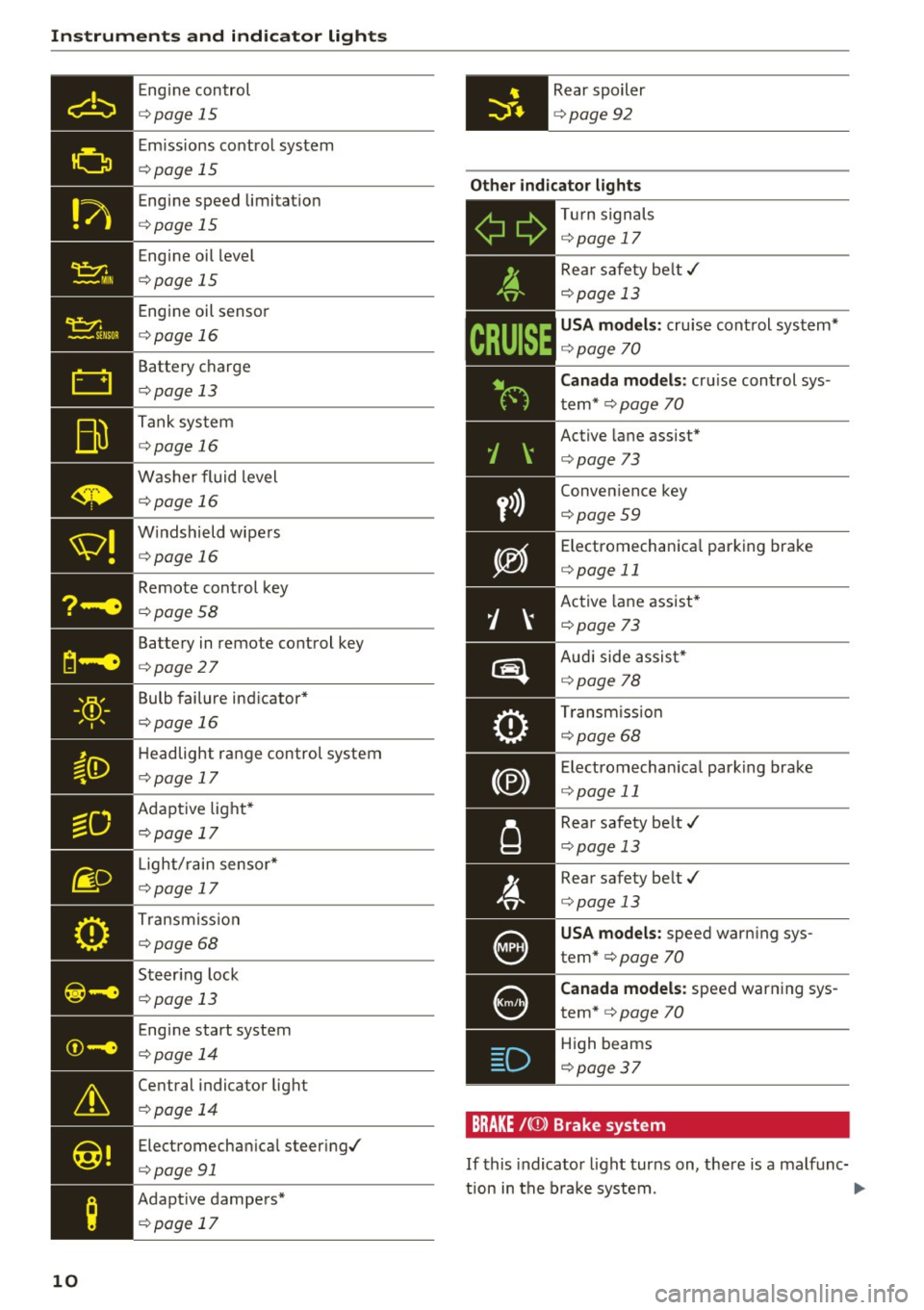
Instruments and indicator lights
Engine control
c::> page 15
Emi ssions control system
c::> page 15
Engine speed limitat io n
c::> page 15
Engine oil level
c::> page 15
Engine oil senso r
c::> page 16
Battery charge
c::> page 13
Tank system
c::> page 16
Washer fluid level
c::> page 16
W indshield wipe rs
c::> page 16
Remote control key
c::> page 58
Battery in remote control key
c::> page 27
Bulb failure ind icator *
c::> page 16
Headlight range control system
c::> page 17
Adaptive light*
c::> page 17
- Light/
rain sensor*
• c::> page 17
Transmiss ion
c::> page 68 0
. . I I
~-e ... , . , ,.
I .
©-e .... , .. ,
&
Central indicator light
c::> page 14
@!
Electromechan ical steer ing./
c::> page 91
;
Adapt ive dampers*
c::> page 17
10
Rear spoiler
c::> page 92
Other indicator lights
- T
ur n signals
Ii ii c::> page 17
y>))
D
Rea r safety be lt./
c::> page 13
USA mod els : cru ise cont rol system*
c::> page 70
C anada models : cruise control sys
tem *
c::> page 70
Active lane assist*
c::> page 73
Conven ience key
c::> page 59
Electromechanica l park ing brake
c::> page 11
Active lane assist*
¢ page 73
Audi side assist *
c::>page 78
Transm iss io n
c::> page 68
Electromechan ica l park ing brake
c::> page 11
Rear safety belt./
c::> page 13
Rear safety belt./
c::> page 13
USA models: speed warn ing sys
tem"
c::> page 70
Canada models: speed warn ing sys
tem*
c::> page 70
High beams
<=:> page 37
BRAKE /{(JJ) Brak e sys te m
If this indicato r light turns on, there is a malfunc-
tion in the b rake system .
.,.
Page 15 of 322
co
co
.... N
" N .... 0
0
Vl c:o
-If the engine oil level is correct and the indica
tor light still blinks , turn the engine off and do
not continue driving. See an authorized Audi
dealer or authori zed Audi Service Facility for as
sistance.
The oil pressure warning is not an oil level in
dicator. Always check the oil level regularly.
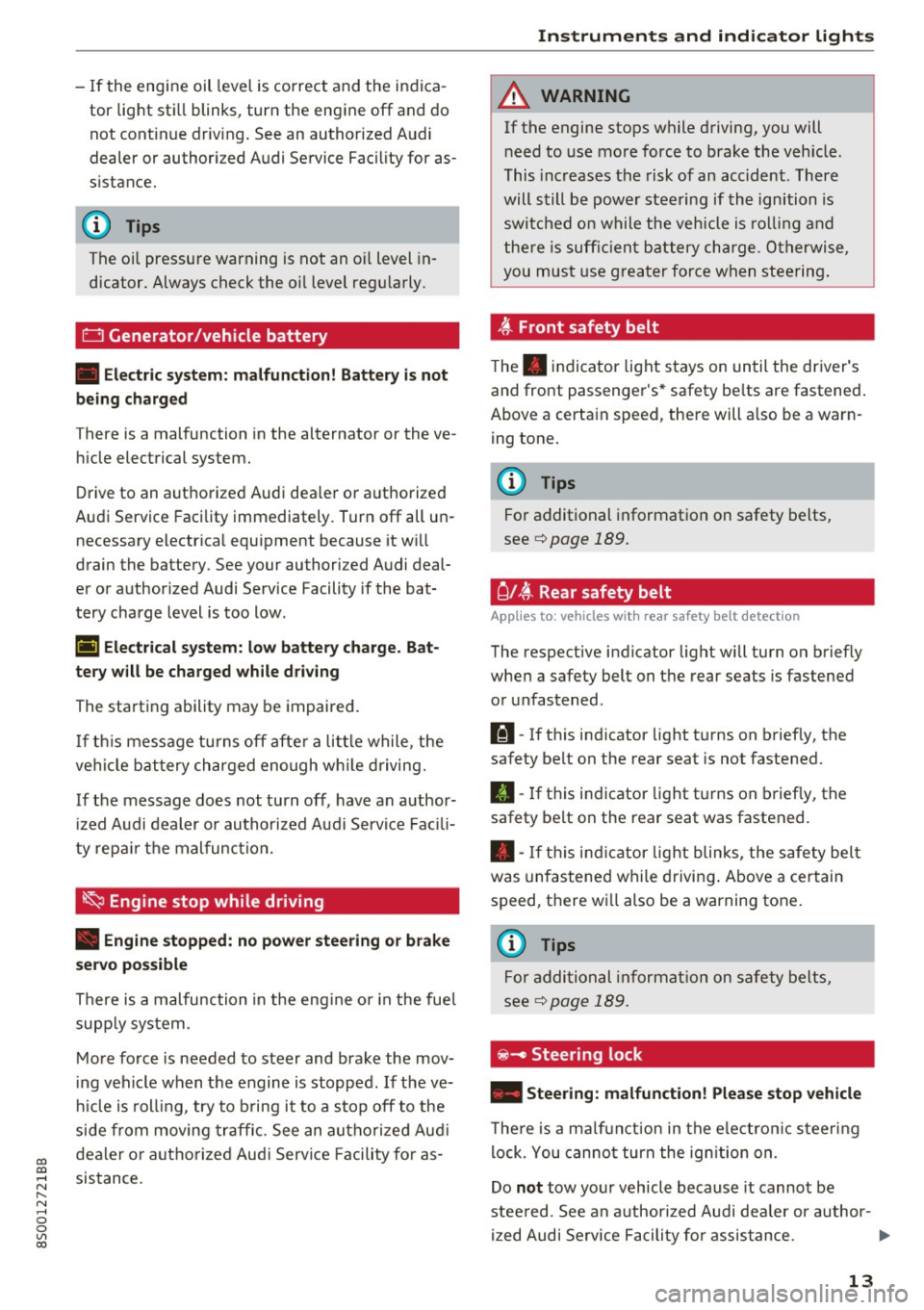
0 Generator/vehicle battery
• Electric system: malfunction! Battery is not
being charged
T here is a malfunction in the alternator or the ve
hicle electrical system.
Drive to an authorized Audi dealer or authorized
Audi Service Facility immediately. Turn off all un
necessary electrical equipment because it will
drain the battery . See your authori zed Audi deal
er or authorized Audi Service Facility if the bat
tery charge level is too low .
(•) Electrical system: low battery charge. Bat·
tery will be charged while driving
The starting ability may be impaired.
If this message turns off after a little while , the
vehicle battery charged enough while driving.
If the message does not turn off, have an author
ized Audi dealer or authorized Audi Service Facili
ty repair the malfunction.
~ Engine stop while driving
• Engine stopped: no power steering or brake
servo possible
There is a malfunction in the engine or in the fuel
supply system .
More force is needed to steer and brake the mov
ing vehicle when the engine is stopped. If the ve
hicle is rolling , try to bring it to a stop off to the
side from moving traffic. See an authorized Audi
dealer or authorized Audi Service Facility for as
sistance .
Instruments and indicator lights
A WARNING
-
If the engine stops while driving, you will
need to use more force to brake the vehicle .
This increases the risk of an accident . There
will still be power steering if the ignition is
switched on while the vehicle is rolling and
there is sufficient battery charge. Otherwise,
you must use greater force when steering.
~ Front safety belt
The. indicator light stays on until the driver's
and front passenger's* safety belts are fastened.
Above a certain speed, there will also be a warn ing tone.
@ Tips
For additional information on safety belts,
see
c::> page 189.
C l~ Rear safety belt
Applies to : vehicles with rear safety belt detection
The respective indicator light will turn on briefly
when a safety belt on the rear seats is fastened
or unfastened .
111-If this indicator light turns on briefly, the
safety belt on the rear seat is not fastened.
II-If this indicator light turns on briefly, the
safety belt on the rear seat was fastened.
• -If this indicator light blinks, the safety belt
was unfastened while driving. Above a certain
speed, there will also be a warning tone .
(D Tips
For additional information on safety belts,
see
¢page 189.
~ - Steer ing lock
• Steering: malfunction! Please stop vehicle
There is a malfunction in the electronic steering
lock. You cannot turn the ignition on.
Do
not tow your vehicle because it cannot be
steered. See an authorized Audi dealer or author-
ized Audi Service Facility for assistance.
1111>
13
Page 25 of 322
CD
CD
.... N
" N .... 0
0
Ill co
Tachometer
The tachometer displays the engine speed in rev
olutions per minute (RPM) .
The beginning of the red zone in the tachometer
indicates the maximum permissible engine speed
for all gears once the engine has been broken in
and when it is warm. Before reaching the red
zone, you should shift into the next higher gear,
choose the Dor S selector lever position, or re
move your foot from the accelerator pedal.
@ Note
The needle in the tachometer may only be in
the red area of the gauge for a short per iod of
time or there is a risk of damaging the engine .
The location where the red zone begins varies
depending on the engine.
@) For the sake of the environment
Upshifting early helps you to save fuel and re
duce operating noise.
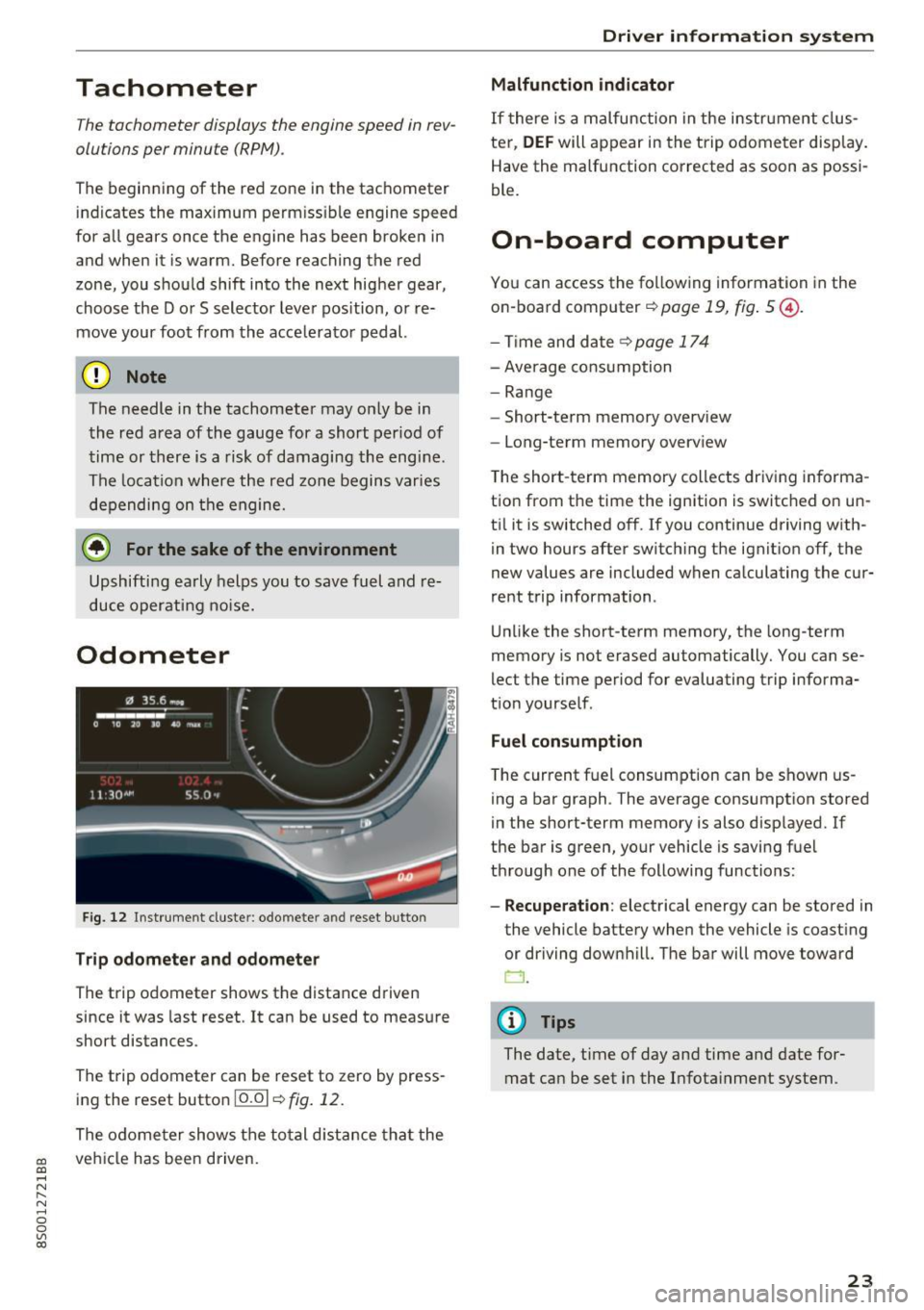
Odometer
Fig. 12 Instrument cluste r: odomete r and reset button
Trip odometer and odometer
The trip odometer shows the distance driven
since it was last reset . It can be used to measure
short distances .
The trip odometer can be reset to zero by press ing the reset button 10.01
r=> fig. 12.
The odometer shows the total d istance that the
veh icle has been driven.
Driver in forma tion system
Malfunction indicator
If there is a malfunction in the instrument clus
ter,
DEF will appear in the trip odometer disp lay.
Have the malfunction corrected as soon as possi
ble.
On-board computer
You can access the following information in the
on-board computer
r=> page 19, fig . 5 @ .
-Time and date ~page 174
-Average consumption
-Range
- Short-term memory overv iew
- Long-term memory overview
The short -term memory collects driving informa
tion from the time the ignition is switched on un
til it is switched off. If you continue driving with·
in two hours after switching the ignition off, the
new values are included when calculating the cur
rent trip information .
Unlike the short-term memory, the long-term
memory is not erased automatically. You can se
lect the time period for evaluating trip informa
tion yourself .
Fuel consumption
The current fuel consumption can be shown us
ing a bar graph . The average consumption stored
in the short-term memory is also displayed. If
the bar is green, your vehicle is saving fuel
through one of the following functions:
- Recuperation : electrical energy can be stored in
the vehicle battery when the vehicle is coasting or driving downhill. The bar will move toward
CJ .
(D Tips
The date, time of day and time and date for
mat can be set in the Infotainment system.
23
Page 29 of 322
LED and batteries in the remote control key
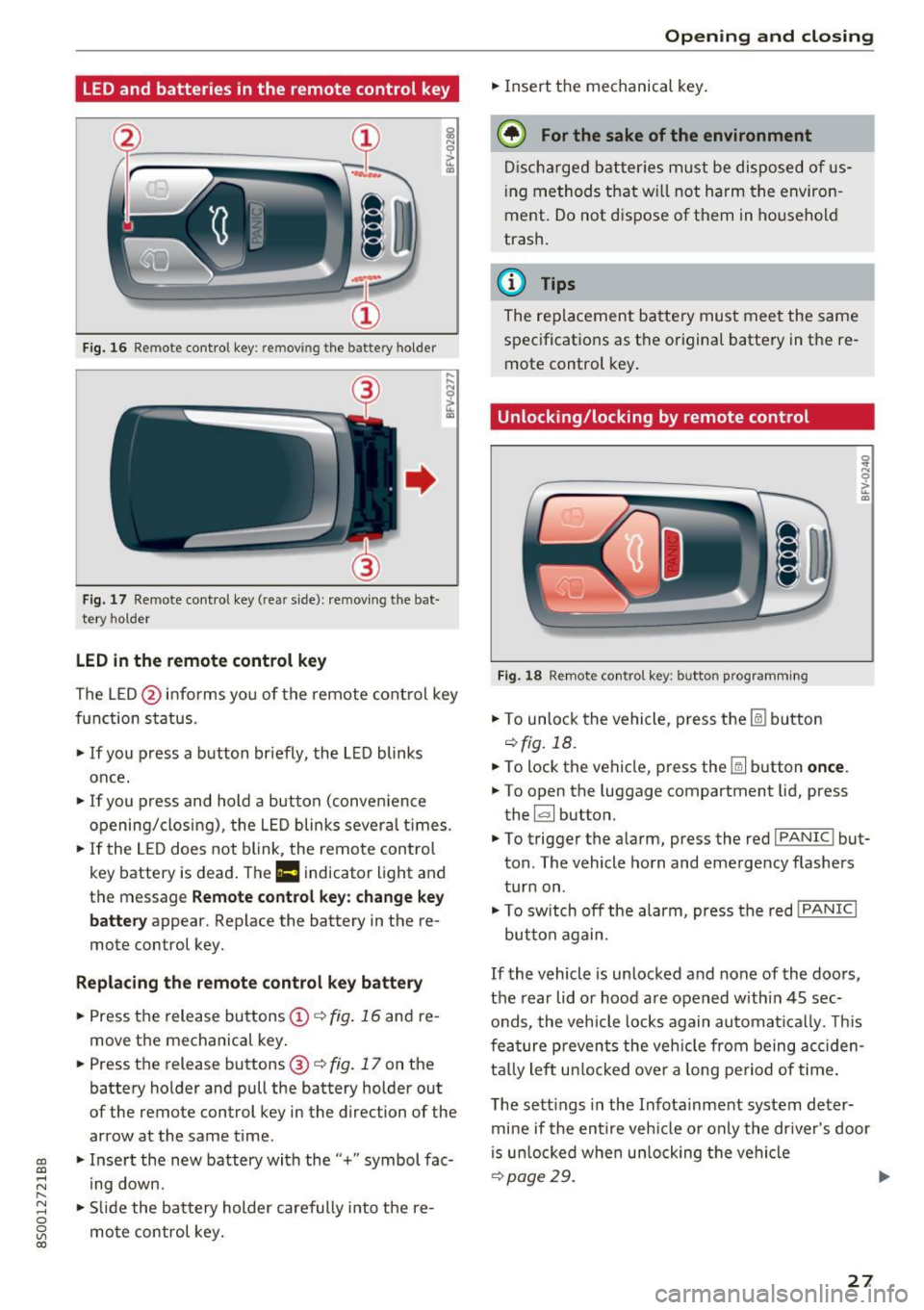
Fig. 1 6 Rem ot e con trol key : rem ovin g the ba ttery hol der
Fi g. 17 Re mote con trol key ( rea r side) : rem ovin g the bat
te ry ho ld er
LED in the remote control key
! a,
... ... N
~ ... a,
The L ED @ in fo rms you of the remote cont ro l key
function s tatus .
• If you press a button br iefly , the L ED blinks
once .
• If you press and hold a but ton (conve nience
opening/closi ng) , the L ED blinks sever al times .
"" If the LED does not blink, the remo te con trol
key battery is dead . The
Ill indicator light and
t h e message
Remote control key: change key
battery
appear. Replace the battery in the re
mote control key.
Replacing the remote control key battery
• Press t he release bu ttons © q fig. 16 and re
move t he mechanical key .
• Press t he r elease buttons @
q fig. 17 on the
batte ry holder and pull the battery holder out
of the remote control key in the direction of the arrow at the same time .
~ • Inse rt the new battery with the "+ " symbol fac-
;:::: ing down.
" 8 "" Slide the bat tery holder carefully i nto t he re-
~ mo te con trol key. co
Open ing and closing
• Insert t he mechanical key .
@) For the sake of the environment
Disc har ged batt er ies m ust be dispo se d of us
ing m ethod s tha t w ill not harm t he environ
ment. Do not d ispose o f them in ho useho ld
trash .
@ Tips
The re placeme nt ba tte ry mus t mee t the same
s p ec ificat io ns as t he origi nal batte ry in the re
mote control key .
Unlocking/locking by remote control
Fig . 18 Remote con tro l ke y: butto n prog ra m ming
• To unlo ck the veh icle , press t he Ii bu tton
q fig. 18.
• To lock the vehicle, press the
[ml button once .
.. To open the luggage compartment lid, press
the ~ button.
• To trigge r the a larm , press the red
I PANIC ! but
ton . The vehicle horn and emerge ncy flashers
tur n on .
• To sw itch off the al arm, press the red
! PANIC I
button again .
If the vehicle is un locked and none of the doors ,
the rear lid o r hoo d are open ed withi n 45 sec
onds, the vehicle locks again automa tica lly. Thi s
f ea tu re p reven ts the ve hicle from being accid en
ta lly le ft unl ocke d over a long pe riod of time .
T he se tt ings in the Infota inme nt system de ter
mine if the entire veh icle o r on ly the dr ive r's door
i s u nloc ked whe n un loc king the ve hicl e
qp age29. ..,..
27
Page 30 of 322

Opening and closing
& WARNING
No one, especially children, should stay in the
vehicle when it is locked from the outside, be
cause the w indows can no longer be opened
from the inside¢
page 30. Locked doors
make it more difficu lt for eme rgency workers
to get into the vehicle, which puts lives at
risk.
@ Tips
- Only use the remote control key when you
a re within view of the vehicle.
- Do not use the remote control when you are
in side the vehicle. Otherwise, you could un
in tent ionally lock the vehicle. If you then
tried to start the engine or open a door, the
alarm would be triggered. If this happens,
press the un lock button@.
- The selector lever must be in the P position
on vehicles with a convenience key*. Other
wise the vehicle will not be ab le to lock .
- Only use the panic function in an emergen
cy.
Unlocking and locking with the
convenience key
App lies to: ve hicles with conven ience key
The doors and luggage compartment lid can be
unlocked/locked without using the remote con
trol key .
Fig. 19 Door han dle : senso r
Unlocking the vehicle
.,. Grip the door handle . The door unlocks auto
matically.
.,. Pull on the door handle to open the door.
28
.... 0 0
0
~ al
Locking the vehicle
.,. Place the selector lever in the P position (auto
matic transmissions), or else the vehicle wi ll
not be able to lock.
.,. To lock the vehicle, close the door and touch
the sensor in the door handle once¢
fig. 19. Do
not hold the door handle while doing this .
You can unlock/lock the vehicle at every door.
The remote control key cannot be more than ap
prox imately S ft (1.5 m) away from the door han
dle. It makes no difference whether the master
key is in your jacket pocket or in your briefcase,
for example .
If you hold the door handle while locking, this
can impair the locking function.
The door cannot be opened for a brief period di
rectly after locking it. This way you have the op
portunity to check if the doors locked correctly.
The settings in the Infotainment system deter
mine if the entire vehicle or on ly one of the doors
is un locked when un locking the vehicle
¢ page 29.
& WARNING
Read and follow ing all WARNINGS. ¢ A in
Key set on page 26
{!) Tips
If your vehicle is left standing for a long peri
od of t ime, note the following :
- The proximity sensor sw itches off after a
few days to
save energy. You then have to
pull once on the door handle to un lock the
vehicle and a second time to open it.
- The energy management system gradually
turns off unnecessary convenience functions
to prevent the veh icle battery from drain ing
and to maintain the vehicle's ability to start
for as lon g as poss ible. You may not be ab le
to unlock your vehicle using the convenience
key.
- For an explanati on on conformity with the
FCC reg ulations in the United States and the
Industry Canada regulations, see
¢page 304.
-
Page 39 of 322

CD
CD
.... N
" N ...... 0
0
Ill co
-If the battery has been discharging for a
wh ile, the parking light may sw itch off auto
matically. Always make sure your vehicle is
parked and adequately lit according to the
laws . Avo id using the parking lights for sev
eral hours.
- Always observe legal regulations when us
ing the light ing systems described.
(D Tips
- The light sensor for the automatic head
lights* is in the rearview mirror mount. Do
not place any stickers in th is area on the
windsh ield.
- Some exterior lighting functions can be ad
justed
Qpage 37.
-If you turn off the ignition wh ile the exterior
lights are on and open the door, a warning
tone so unds .
- In some markets, the ta il lights will sw itch
on when the dayt ime run ning lights switch
on.
- In cool or damp weather, the inside of the
headlights, turn signals and tail lights can
fog over due to the temperature difference
between the inside and outs ide. They will
clear short ly after switching them on. This
does not affect the service life of the light
ing.
Turn signal and high beam lever
The Lever operates the turn signals, the high
beams and the headlight flasher.
@
,
t
@
F ig. 31 Turn signal and high bea m lever
N
5 0
~ a:,
Lights and V ision
Turn signals ¢ 9
The turn signa ls act ivate when yo u move the lev
er into a turn signal position when the ignition is
switched on.
(D -rig ht tu rn signal
@ -left turn signal
The turn signa l blinks three times if you tap the
lever (convenience turn signa l).
High beams and headlight flasher
~D
Move the lever to the corresponding position:
@ -high beams on
@-high beams off or headlight flasher
T he
II indicator light in the instrument cluster
turns on.
A WARNING
= H igh beams can cause glare for other drivers,
which increases the risk of an accident. For
this reason, only use the high beams or the
headlight flasher when they will not create
g lare for other dr ivers.
Adjusting the exterior lighting
The functions are adjusted in the Infotainment
system .
.,. Select in the Infotainment system: I MENU ! but
ton> Vehicle > left control button >Vehicle set
tings > Exterior lighting .
Automatic headlights
You can adjust the following settings in the Au
tomatic headlights menu:
Activation time -you can adjust if the headlights
switch on Early, Medium or Late according to the
sensit ivity of the light sensor.
Audi adaptive light * -you can sw itch adaptive
light
On and Off .
Daytime running lights*
USA models: the daytime running lights can be
switched on or off using the MM I. Select
On or
Off .
37
Page 48 of 322
Sea ts and stor age
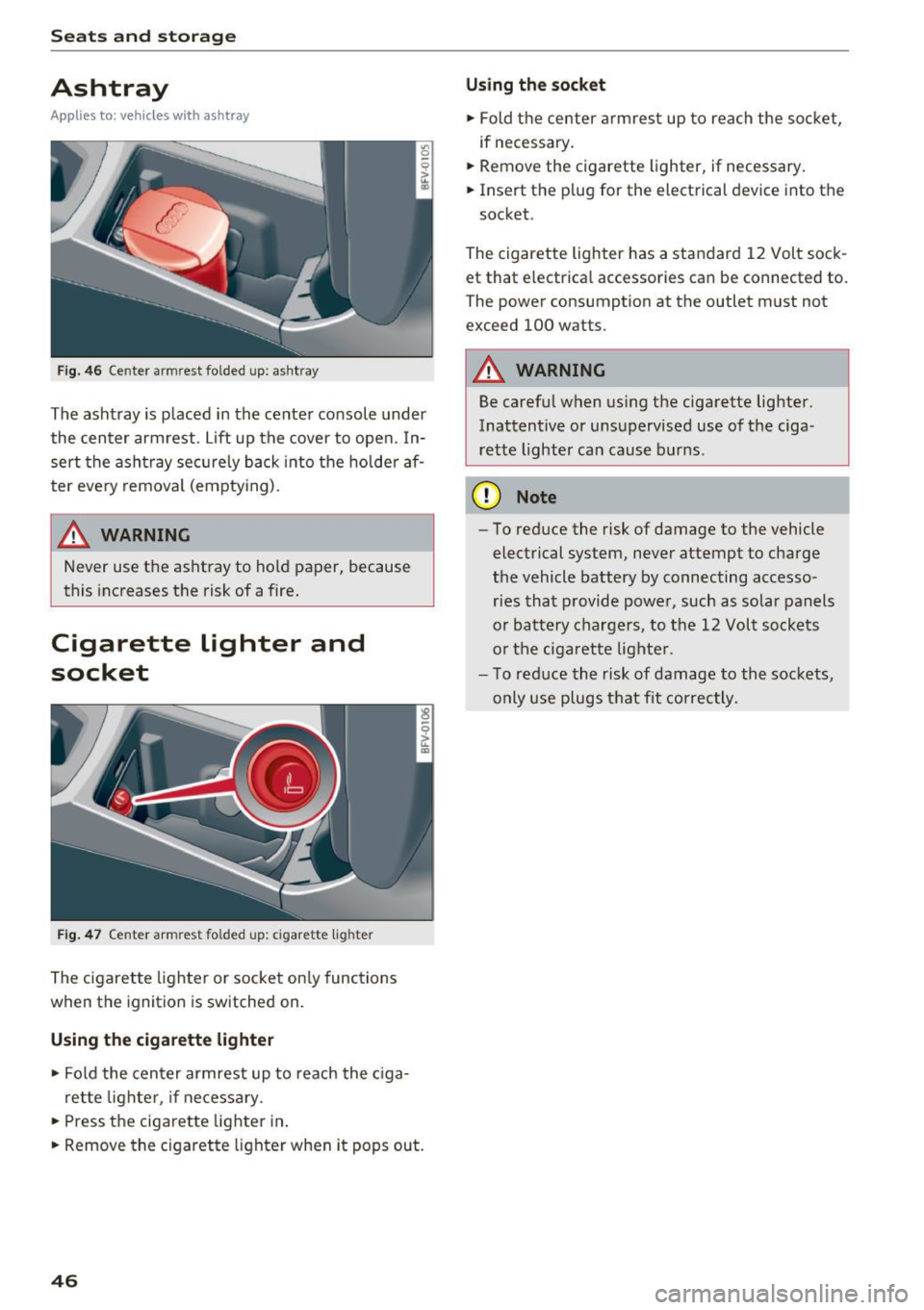
Ashtray
Applies to: vehicles with ashtray
Fig . 4 6 Center armrest folded up: ashtray
The ashtray is placed in the center console under
the center armrest . Lift up the cover to open. In
sert the ashtray sec urely back i nto the holde r af
ter eve ry remova l (empty ing).
A WARNING
Never use the ashtray to hold paper, because
this increases the risk of a fire .
Cigarette lighter and
socket
Fig. 4 7 Center armrest fo lded up: cigarette lighter
The cigarette lighter or socket on ly functions
when the ignition is switched on.
Using the cigarette lighter
.,. Fol d the cen ter armrest up to reach the c iga
ret te lighter, if necessary .
.,. Press the ciga re tte lighter in .
.,. Remove the cigarette lighter when it pops out.
46
U si ng th e soc ket
.,. Fold the center armrest up to reach the socket,
if necessary .
.,. Remove the cigarette lighter, if necessary .
.,. Insert the plug for the electrical device into the
socket.
The cigarette lighter has a standard 12 Volt sock
et that electr ical accessories can be connected to.
The power consumption at the outlet must not
exceed 100 watts.
A WARNING
Be carefu l when using the cigarette lighter.
Inattentive or unsupervised use of the ciga
re tte lighter can cause burns.
(D Note
- To reduce the risk of damage to the vehicle
electrical system, neve r attempt to charge
the vehicle battery by connecting accesso ries that p rovide powe r, such as solar panels
or battery chargers, to the 12 Volt sockets
or the ciga rette lighte r.
- To reduce the risk of damage to the sockets,
only use plugs t hat fit correctly.
-
Page 55 of 322

CD
CD
.... N
" N ...... 0
0
Ill co
1- 1 Switching recirculation mode on and off
The recirculation mode can be turned on manual
l y or automatica lly* .
- Swi tchi ng manual recirculat ion mode on and
off: press
l '-"'> I
- Automa tic* recirculation mode: auto rec ircula
t ion needs to be activa ted in the Infotainmen t
system. Selec t in the Infota inment system :
I MENU I button >Vehicle > left control button
>Vehicle settings> Air conditioning > Auto re
circulation .
The air quality sensor that is de
signed for diese l and gasoline exhaust auto
matically switches the recirculation mode on or
off depend ing on the level of pollutants in the
outside air .
In recircu lation mode, the air inside the vehicle is
circu lated and filtered . This prevents the unfil
tered air outside the vehicle from entering the
vehicle interio r. We recommend switching recir
culation mode on when dr iv ing through a tunnel
or when sitting in traffic
c::> .&,.
Recirculation mode is switched off by pressing
the ~ button or
I AU TO I orl w MAX !.
I@ MAXI Switching defrost on and off
The winds hield and side windows are defrosted
or cleared of condensation as quickly as possible.
The optimum amount of a ir flows main ly out of
the vents under the windshield . Recirculation
mode switches off . The temperature is controlled
automatically .
The
IAUTOI button switches the defroster off.
I @ REAR I Switching the rear window defogger
on and off
If the rear w indow defogger is activated when
the ignition is switched on, the battery manage
ment determines based on the battery charge if
it is possib le to turn on. Otherwise, the rear win
dow defogger functions with the engine running
and switches off automatically after approxi
mately 10 -20 min utes, depending on the out
side temperature.
To prevent t he rear w indow defogger from
switching off automatically, press and hold the
I@ REARI button for more than two seconds. This
Warm and cold
remains stored up to approximately 15 minutes
after t urning off the ignition.
.&_ WARNING
-
You should not use the recirculation mode for
an extended period since no fresh a ir is drawn
in. With the air-conditioning switched off, the
windows can fog up, which increases the risk
of an acc ident .
Adjusting the air vents
Fig. 57 Cock pit: adjust ing the a ir vents
To adjust the direction of air flow, turn the
ridged outer ad justment wheel
(D e::> fig . 57.
To adjust the amount of air flow , move the lever
@ on the a ir vent. To stop the air flow, move the
lever all the way to the left.
Seat heating
Fig. 58 Air vents: seat heat ing
The seat heating has three levels . The se lected
heat leve l is indicated by the LED.
.,. To switch the seat heating on, press the~ but
ton once.
.,. To switch to a lower level, press the~ button
aga in.
IJl,,
53
Page 60 of 322
Driving
-Never turn off the engine before the vehicle
has come to a complete stop.
- The brake booster and power steering only
work when the engine is running. If the en
gine is
off, you have to use more force when
steering or braking. Because you cannot
steer and brake as you usually would, this
could lead to accidents and serious injuries.
(D Note
Avoid high engine speed, full throttle, and
heavy engine load if the engine has not
reached operating temperature yet. You could
damage the engine.
@ For the sake of the environment
Do not let the engine run while parked to
warm up. Begin driving immediately . This re
duces unnecessary emissions.
{D) Tips
-Some noise after starting the engine is nor
mal and is no cause for concern.
- If you leave the vehicle with the ignition
switched on, the ignition will switch
off af
ter a certain amount of time . Make sure that
electrical equipment such as the exterior
lights are switched
off.
Stopping the engine
.,. Bring the vehicle to a full stop.
.,. Move the selector lever into the P position .
... Press the
I START ENGINE STOPI button
¢ page 57, fig. 60.
Emergency off function*
If it is absolutely necessary, the engine can also
be turned
off while driving at speeds starting at
4 mph (7 km/h). To switch the engine
off, press
the
! START ENGINE STOPI button twice in a row
briefly or press and hold for longer than two sec
onds.
_&. WARNING
- Never turn off the engine before the vehicle
has come to a complete stop.
58
- Please note that the brake booster and pow
er steering only work when the engine is
running. When the engine
off, you must use
more force to steer or brake the vehicle. Be
cause the usual steering and braking capa
bility is not available, the risk of accidents or
. . . . mJunes increases.
- For safety reasons, always park the vehicle
with the selector lever in the P position.
Otherwise, there is the risk that the vehicle
could roll.
- After the engine has been switched off, the
radiator fan can continue to run for up to 10
minutes -even with the ignition switched
off. It can also switch on again after some
time if the coolant temperature rises as the
result of heat buildup or if the engine is al
ready warm and the engine compartment is
also heated by the sun's rays.
(D Note
If the engine has been under heavy load for
an extended period of time, heat builds up in
the engine compartment after th@ engine is
switched
off and there is a risk of damaging
the engine . For this reason, let the engine run
at idle for approximately two minutes before
shutting it
off.
Messages
Turn off ignition before leaving vehicle. Battery
is discharging
This message appears and a warning tone sounds
if you open the driver's door when the ignition is
switched on. Switch the ignition
off so that the
battery will not discharge.
Pressing start/stop button again will switch off
engine.
This message appears when you press the
I START ENGIN E STOP ! button while driving.
Engine start system: malfunction! Please con
tact Service
The engine automatic start system has a mal
function. Drive to an authorized Audi dealer or
autho rized Audi Service Facility immediately to
IJlo-
Page 61 of 322

CD
CD
.... N
" N ...... 0
0
Ill co
have the malfunction corrected. To start the en
gine, press and hold the
! START ENGINE STOPI
button.
DJ R emot e control key : hold b ack of key
again st the d esignated are a. See owner's man
ual
This message appea rs if the re is no convenie nce
key inside the vehicle or if the system does not
recognize the key . The conven ience key may not
be recognized, for example, if it is cove red by an
object that
disrupts the signal (such as a brief
case), or if the key battery is weak. Electronic de
vices such as cell phones can also interfere with
the signal.
To still be able to start or stop the eng ine, see
c:::> page 59, Starting the engine when there is a
malfunction .
Ill Remote control key : key not recogn ized . Is
the ke y still in th e vehi cle?
The Ill ind icator light turns on and this message
appears if the conve nience key was removed from
the vehicle when the engine was running.
If the
conven ience key is no longer in the vehicle, you
cannot switch the ign ition on or start the engine
once you stop it. You a lso cannot lock the vehicle
from the outside .
Please press brake p edal
This message appears if you do not press the
brake pedal when starting the eng ine.
Please pr ess clut ch p edal
This message appea rs in vehicles w it h manual
transmissions if you do not press the clutch pedal
when sta rting the engine . The engine can on ly be
started when t he clu tch pedal is pressed.
Pl ease select N or P
This message appea rs when starting or stopping
the eng ine if the selector lever is not in the Nor P
position . The engine will not start/stop.
Shift to P , otherw ise vehi cle can roll awa y.
Doors can be lo cked i n P only
This message appears for safety reasons a long
with a warning tone. It appears if the selector
lever for the automatic transmission is not in the
D rivi ng
P position when switch ing the ignit ion off w ith
the
I START ENGINE STOPI b utton. P lace these
l ector lever in the P position. The veh icle cou ld
roll if the lever is not in P. You also cannot lock
the vehicle using the locking sensor on the door handle or using the conven ience key .
Starting the engine when there is a
malfunction
It may not be possible to start the engine under
certain circumstances, for example if th e battery
in the vehicle key is drained, if interference is af
fected the key or if there is a system malfunc
tion.
F ig. 61 Steering column/ remote control key: starting the
e n g in e if there is
a m alfunct ion
As long as the message y >l) Remote control key :
hold back of key against the designated are a.
See owner's manual
is displayed, you can emer
gency start your vehicle.
.. Press the brake pedal
c:::> .&. in Starting the en
gine on page 57.
... Press the ~I s=T ~A ~ R~ T~ E_N _G _I _N =E - S~ T= o- P~I button .
.,. Ho ld the master key in the location ind icated as
shown in the illustrat ion
y >l) c:::, fig. 61. The engine
w ill start.
.. If the engine does not automat ica lly start,
press the
! S TART ENGINE STOPI butto n again .
(D Tips
You can view the message aga in by pressing
the
I S TA RT ENGINE S TOP I button.
59