ignition AUDI TT ROADSTER 2008 User Guide
[x] Cancel search | Manufacturer: AUDI, Model Year: 2008, Model line: TT ROADSTER, Model: AUDI TT ROADSTER 2008Pages: 316, PDF Size: 70.1 MB
Page 27 of 316
If, however, the Malfunction Indicator Lamp (MIU comes on,
always drive to your nearest authorized Audi dealer or qualified
workshop and have the vehicle checked.
For more information =>
page 216, "Refuelling".•
Service interval display
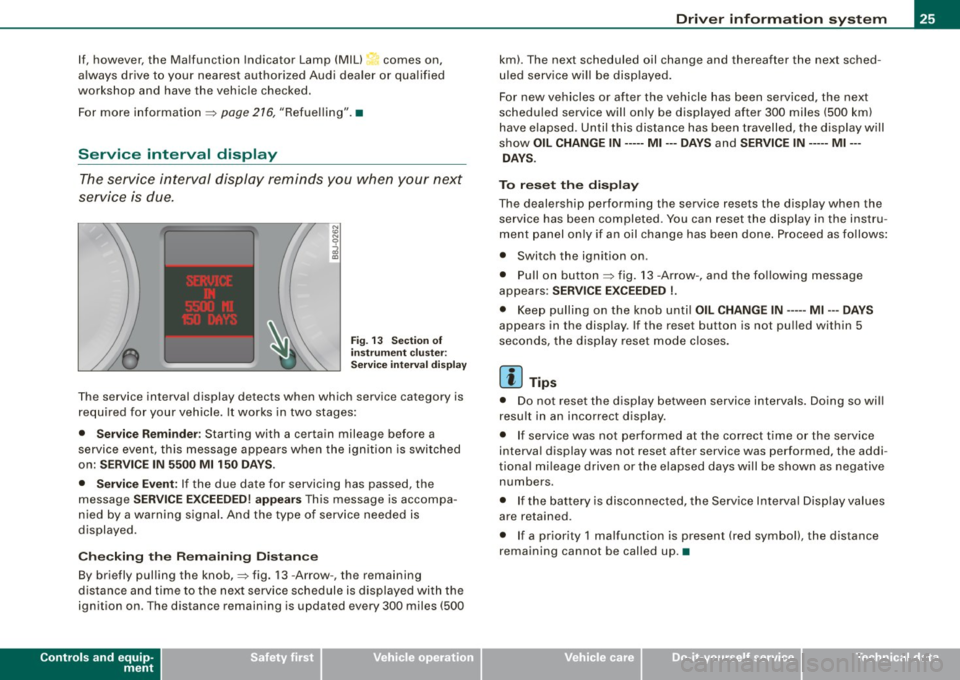
The service interval display reminds you when your next
service is due.
Fig. 13 Section of
instrument cluster:
Service interval display
The service interval display detects when which service category is
required for your vehicle. It works in two stages:
• Service Reminder : Starting with a certain mileage before a
service event, this message appears when the ignition is switched
on:
SERVICE IN 5500 Ml 150 DAYS.
• Service Event:
If the due date for servicing has passed, the
message
SERVICE EXCEEDED! appears This message is accompa
nied by a warning signal. And the type of service needed is
displayed.
Checking the Remaining Distance
By briefly pulling the knob,=> fig. 13 -Arrow -, the remaining
distance and time to the next service schedule is displayed with the
ignition on . The distance remaining is updated every 300 miles (500
Controls and equip
ment
Driver information system
km). The next scheduled oil change and thereafter the next sched
uled service will be displayed.
For new vehicles or after the vehicle has been serviced, the next
scheduled service will only be displayed after 300 miles (500 km)
have elapsed. Until this distance has been travelled, the display will
show
OIL CHANGE IN----- Ml ---DAYS and SERVICE IN----- Ml --
DAYS.
To reset the display
The dealership performing the service resets the display when the service has been completed . You can reset the display in the instru
ment panel only if an oil change has been done. Proceed as follows:
• Switch the ignition on .
• Pull on button=> fig.
13 -Arrow-, and the following message
appears:
SERVICE EXCEEDED !.
• Keep pulling on the knob until OIL CHANGE IN ---- -Ml ---DAYS
appears in the display. If the reset button is not pulled within 5
seconds, the display reset mode closes.
[ i] Tips
• Do not reset the display between service intervals. Doing so will
result in an incorrect display.
• If service was not performed at the correct time or the service
interval display was not reset after service was performed, the addi
tional mileage driven or the elapsed days will be shown as negative
numbers.
• If the battery is disconnected, the Service Interval Display values
are retained.
• If a priority 1 malfunction is present (red symbol), the distance
remaining cannot be called up. •
I • •
Page 28 of 316
Driver inf ormation sy ste m
On-Board Diagnostic system (08D)
Malfunction Indicator Lamp (MIL )
The Malfunction Indicator Lamp (MIU in the instrument cluster
=:> page 16, fig. 6 is part of the On -Board Diagnos tic (OBD II) system.
The warning/indicator ligh t ill uminates when the ignition is
switched on and goes out after the engine starts and the idle has
stabilized . This indicates that the MIL is working properly .
If th e light d oes not go out after the engine is started, or illuminates
while you are driving, a ma lfunction may exist in the engine system.
If the light starts flashing, the catalytic converter cou ld be damaged .
Continue driving
w ith redu ced pow er (avoiding sustained high
speeds and/or rapid acce lerations) and have the condition
corrected. Contact your authorized Audi dealer.
If the light illuminates, the e lectronic speed limiter may also be
malfunctioning. For more information=:>
page 26, "E lectronic speed
limiter".
An imprope rly clo sed fuel filler c ap m ay als o c au se th e MIL light t o
illumi nate =:. page 216. •
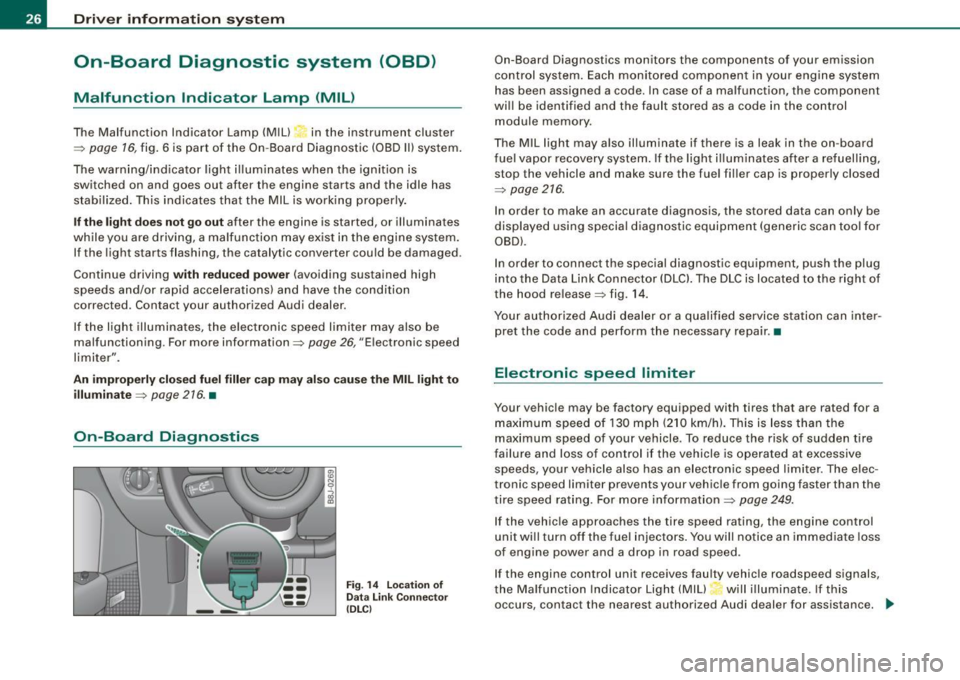
On-Board Diagnostics
F ig . 14 L ocation of
Data Link Co nnector
( DL Cl
On -Board Diagnostics monitors the components of your emission
control system. Each monitored component in your engine system
has been assigned a code. In case of a malfunction, the component
will be identified and the fault stored as a code in the control
module memory .
The MIL light may also illuminate if there is a leak in the on -board
f ue l vapor recovery system. If the light i lluminates after a refuelling,
stop the vehicle and make sure the fuel filler cap is properly closed
=:>
page 216.
In order to make an accurate diagnosis, the stored data can only be
displayed using special diagnostic equipment (generic scan too l for
OBD).
In order to connect the special diagnostic equipment, push the plug
into the Data Link Connector (DLCl. The DLC is located to the right of
the hood release =:> fig . 14.
Your authorized Audi dealer or a qualified service station can inter
pret the code and perform the necessary repair. •
Electronic speed limiter
Your vehicle may be factory equipped with tires that are rated for a
maximum speed of 130 mph (210 km/h). This is less than the
maximum speed of your vehicle. To reduce the risk of sudden tire
failure and loss of control if the vehicle is operated at excessive
speeds, your vehicle also has an electronic speed limiter . The elec
tronic speed limiter prevents your vehic le from going faster than the
tire speed rating. For more in formation=:>
page 249.
If the vehicle approaches the tire speed rating, the engine control
unit will turn off the fue l injectors. You will notice an immediate loss
of engine power and a drop in road speed .
If the engine control unit receives faulty vehicle roadspeed signals,
the Ma lfunction Indicator Light (MIU will illuminate. If this
occurs, contact the nearest authorized Audi dealer for assistance.
~
Page 29 of 316
& WARNING
Always observe the posted speed limits and adjust your speed to suit prevailing road, traffic and weather conditions. Never drive
your vehicle faster than the maximum speed rating of the tires
installed. •
Menu display
Introduction
0 ,...
"' 9 .., 00 m
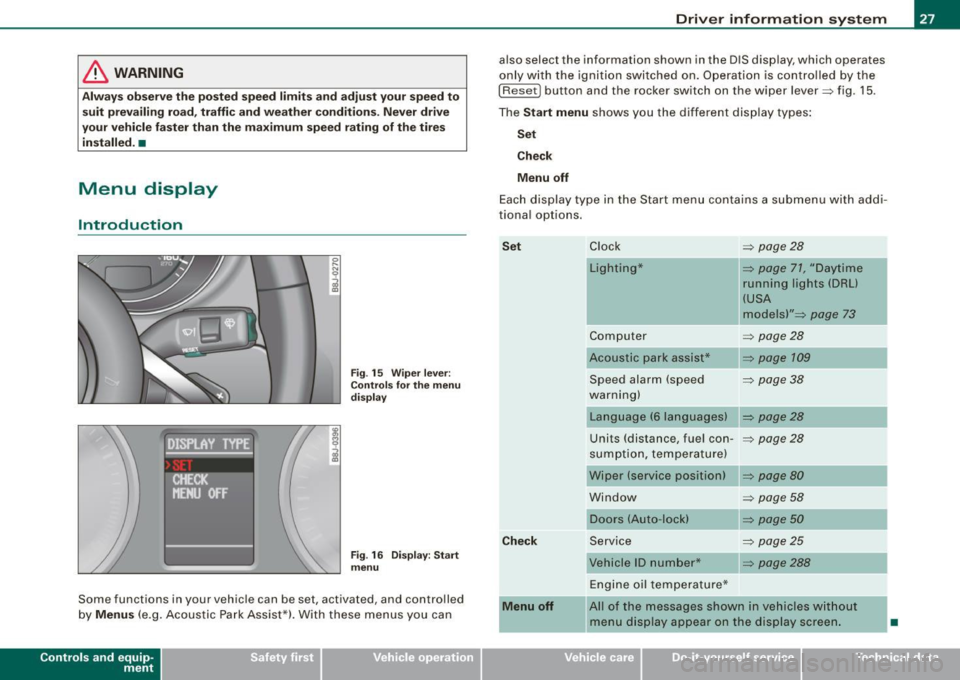
Fig. 15 Wiper lever:
Controls for the menu
display
"'
"'
~ m
Fig . 16 Display: Start
menu
Some functions in your vehicle can be set, activated , and controlled
by
Menus (e.g. Acoustic Park Assist*). With these menus you can
Con tro ls and eq uip
ment
Driver information system
also select the information shown in the DIS display, which operates
only with the ignition switched on. Operation is controlled by the
I Reset) button and the rocker switch on the wiper lever::::, fig. 15.
The Start menu shows you the different display types:
Set
Check
Menu off
Each display type in the Start menu contains a submenu with addi
tional options.
Set
Check
Menu off Clock ::::, page 28
Lighting* => page 71, "Daytime
running lights (DRU
(USA
models)" =>
page 73
Computer ::::, page 28
Acoustic park assist* => page 109
Speed alarm (speed ::::, page 38
warning)
Language (6 languages) => page 28
Units (distance, fuel con-::::, page 28
sumption, temperature)
Wiper (service position) => page80
Window => page 58
Doors (Auto-lock) => page 50
Service ::::, page 25
Vehicle ID number* => page288
Engine oil temperature*
l! AII of the messages shown in vehicles without
menu display appear on the display screen.
•
Vehicle care I I Technical data
Page 31 of 316
- Press the (Reset ) button. The Start menu appears
=>
page 27, fig . 16.
- Press the rocker switch until
Set is d isplayed .
- Press the
( Reset ) button. All the menus appear.
- Press the rocker switch until the desired line is high -
lighted (cursor) =>
page 28, fig. 18.
- P ress the
( Reset ) button.
- If necessary, scroll by selecting and activating the
symbol fo r "Next page" or "Previous page".
When you have selected the Computer menu and activated it by
pressing the
I R ese t] button, two computer levels appear (compu ter
1 and computer 2). Now you have to select the level you want using
the rocker switch and activat e it with the
[Res et] but ton .•
Selecting settings (part 2)
Con tro ls and eq uip
ment
COMPUTER 1
1i oRESfl' I
. oDRIIJE Tll'IE
DISTANCE ···
-.1AV. HPH
>BACK
N 9
i
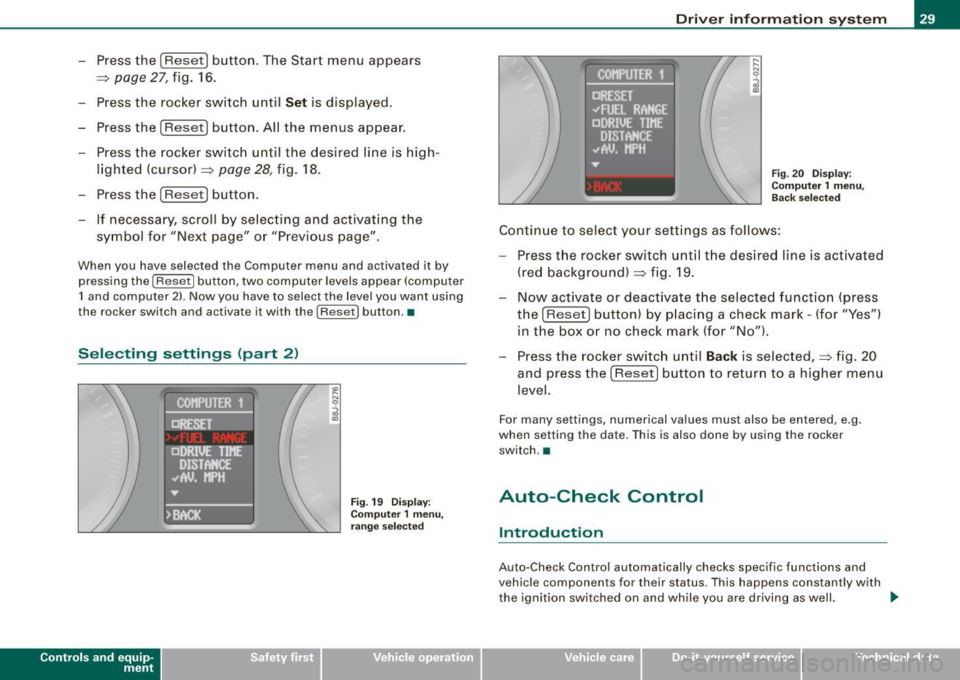
Fig. 19 D ispla y :
Co mpu ter 1 menu,
r a n ge sele cted
Dri ver in form ati on syst em
Fig . 20 Dis pla y:
Co mput er 1 menu ,
Back s elec ted
C ontinue to select your setti ngs as follows:
- Press the rocker switch until the desired line is activated
(red background) ~ fig . 19.
- Now activate or deactivate t he selected functio n (press
the
I Reset) button) by p lacing a chec k mark -(for "Yes ")
in t he box or no check mark (for "No ").
- Press the rocke r switch until
Back is selected, => fig. 20
and press the
(Reset ] button to return to a higher menu
level.
For many settings , numerical values must also be entered, e .g .
when setting the date. This is also done by using the rocker
switch .•
Auto-Check Control
Introduction
Auto-Check Cont rol automatically checks specific functions and
vehicle components for the ir status . Th is happens constantly with
t he ignition switched on and wh ile you are driving as well. .,
Vehicle care I I Technical data
Page 33 of 316
Applies to vehi cles : wi th m anua l tra nsmi ssion
Function test: manual transmission
When the ignition is switched on, the Auto-Check Control automati
cally performs an operational check . If the functions tested are O .K .,
no message is shown in the display.
If one or more faul ts exist, the driver information disappears
approximately 15 seconds after the engine has been started and the
appropriate fault symbol appears in the display.
If malfunctions exist , this is indicat ed by r ed (prio rity
1) or yellow
(priority
2) symbols. A warning signal sounds at the same time. •
Applies to vehicle s: with autom ati c tra nsm iss io n
Function test: automatic transmission
Th e Auto-Check Con trol will automatically p erform a test each tim e
you switch on the ignition. When the selector lever in
P or N, the
following message appears in the display :
WHEN STATIONARY APPLY FOOTBRAKE WHILE SELECTING GEAR.
When you a select a different gear (for example: R, D, etc.), the
messag e will disappear and th e Auto-Check function is display ed .
If the functions tested are O.K., no message is shown in the display .
If there is a malfunction, then the malfunction message will appear
about 15 seconds after the you start the vehicle. At the same time
you will hear a warning tone.
[ i] Tips
On vehicles with automatic transmission*, the driver message
WHEN STATIONARY APPLY FOOTBRAKE WHILE SELECTING GEAR
cannot be shown again. This driver message appears in the display
only un til a gear is engaged. •
Controls and equip
ment
Driver information system
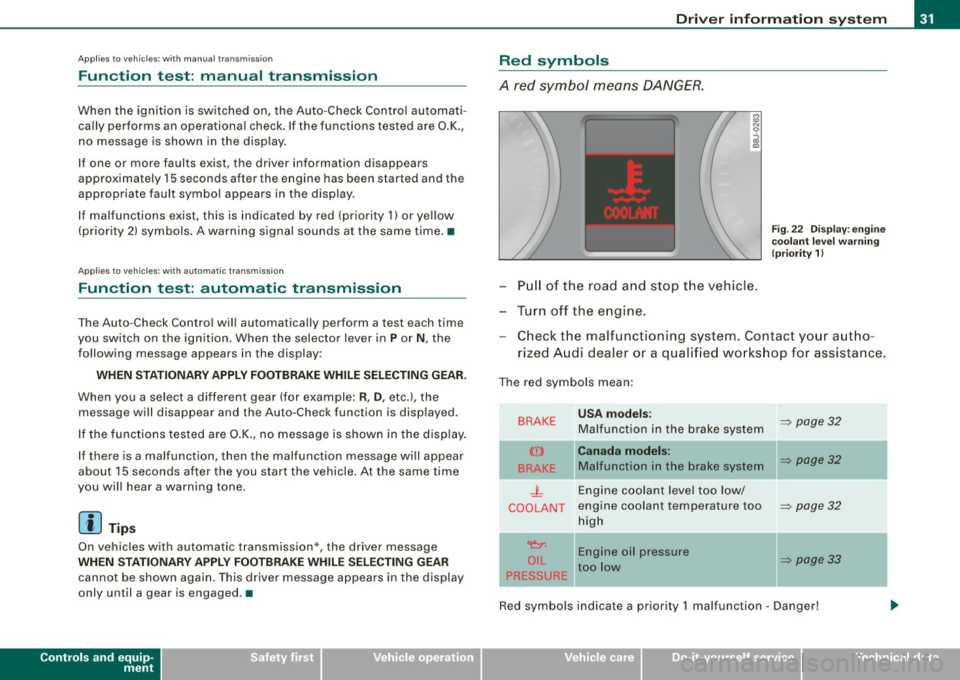
Red symbols
A red symbol means DANGER.
Pull of the road and stop the vehicle.
Turn off the engine.
Fig . 22 Display : engine
coolant level warning
(priority 1)
Check the malfunctioning system . Contact your autho
rized Audi dealer or a qualified workshop for assistance.
The red symbols mean :
BRAKE
(Ci)
BRAKE
.J_
COOLANT
'e:1:
O IL
PRESSURE
-
USA models:
Malfunction in the brake system
Canada models:
Malfunction in the brake system
Engine coolant level too low/
engine coolant tempera ture too
high
Engine oil pressure
too low
-
~ page 32
~ page32
~ page32
~ page33
Red symbols indicate a priority 1 malfunc tion - Danger!
I • •
Page 39 of 316
When this symbol ' illuminates, it means that Adaptive Light is
defective. Go to a qualified workshop to have the headlights or the
control unit for the Adaptive Light repaired. •
Applies to vehic les: w it h tir e p ressure monitor in g system
Tire pressure monitoring system J
Tire pressure that is too low must be corrected as soon as
possible .
If the 'symbol flashes for about one minute after the igni
tion is switched on and then remains on, there is a malfunc
tion in the system. Consult the nearest authorized Audi
dealer as soon as possible.
Additional information about the tire pressure monitoring system
can be found: => page 41. •
Speed warning system
Overview
The speed warning system helps you to keep your driving
speed below a set speed limit.
Controls and equip
ment
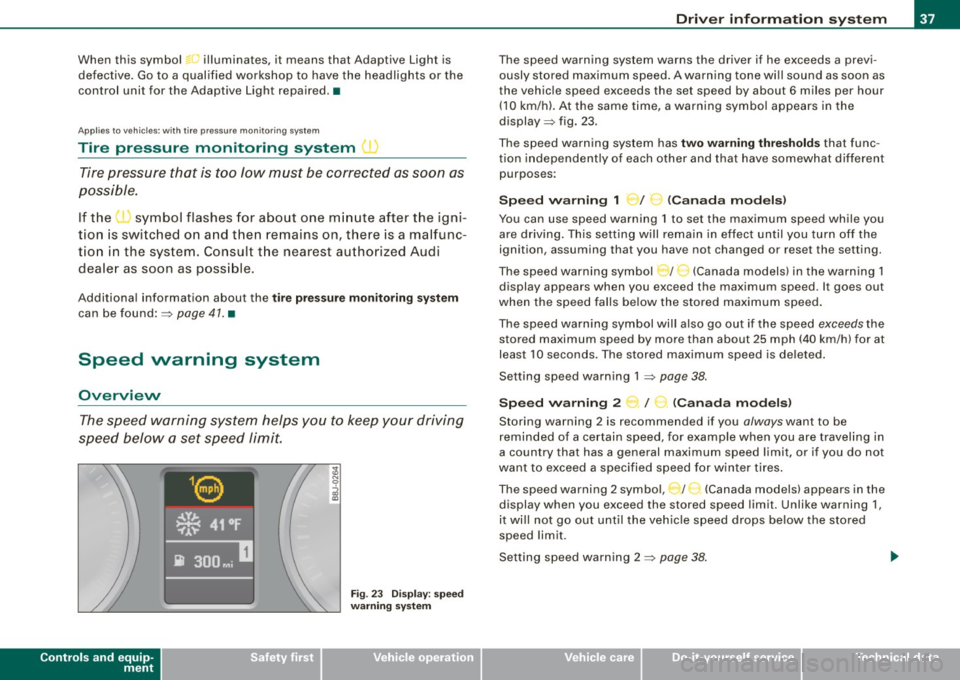
Fig . 23 Display: speed
warning system
Driver inform ation system
The speed warning system warns the driver if he exceeds a previ
ously stored maximum speed. A warning tone wi ll sound as soon as
the vehicle speed exceeds the set speed by about 6 miles per hour (10 km/h). At the same time, a warning symbol appears in the
display=> fig. 23.
The speed warning system has
two warning thresholds that func
tion independently of each other and that have somewhat different
purposes :
Speed warning 1 )f ..._ (Canada models)
You can use speed warning 1 to set the maximum speed while you
are driving . This setting will remain in effect until you turn off the
ignition, assuming that you have not changed or reset the setting.
The speed warning symbol
J I ,.... (Canada models) in the warning 1
display appears when you exceed the maximum speed . It goes out
when the speed falls below the stored maximum speed.
The speed warning symbol will also go out if the speed
exceeds the
stored maximum speed by more than about 25 mph (40 km/h) for at
least 10 seconds. The stored maximum speed is deleted .
Setting speed warning 1 =>
page 38.
Speed warning 2 ...,,, /
e!. (Canada models)
Storing warning 2 is recommended if you always want to be
reminded of a certain speed, for example when you are traveling in
a country that has a general maximum speed limit, or if you do not
want to exceed a specified speed for winter tires.
The speed warning 2 symbol, / ) (Canada models) appears in the
display when you exceed the stored speed limit. Unlike warning 1,
it wi ll not go out until the vehicle speed drops below the stored
speed limit .
Setting speed warning 2 =>
page 38 .
I • •
Page 40 of 316
Driver inf ormation sy ste m
[ i J Tip s
Even though your vehicle is equ ipped with a speed warning system ,
you should still watch the speedometer to make sure you are not
driving faste r than the speed limit. •
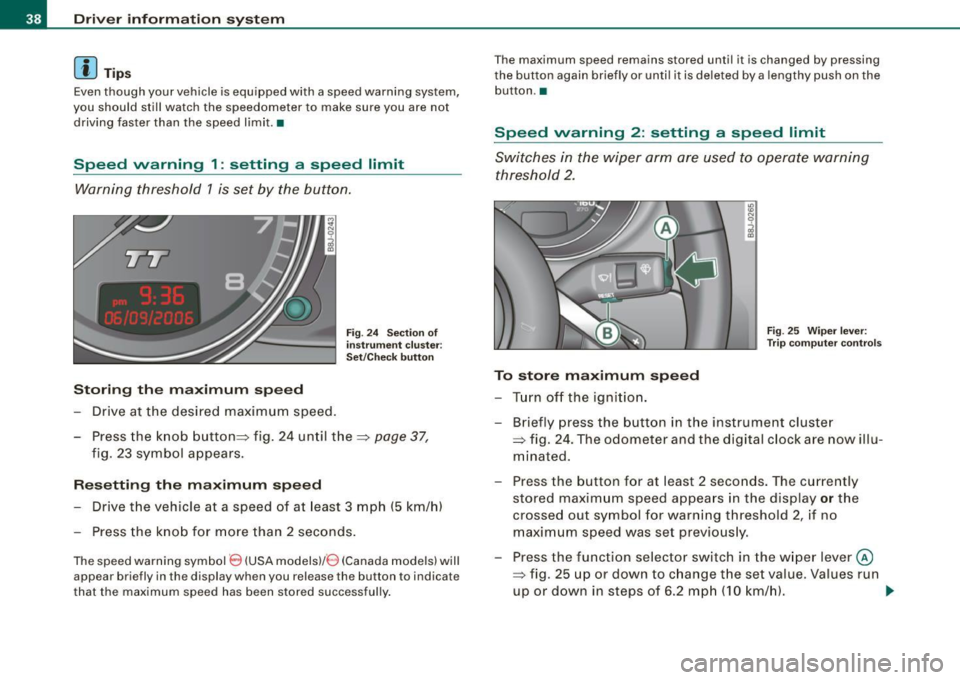
Speed warning 1 : setting a speed limit
Warning threshold 1 is set by the button.
Storing the ma ximum speed
Drive at the desired maximum speed.
Fig . 2 4 Sec tio n of
in strum en t cl ust er:
Set/C hec k butto n
- Press the knob button~ fig. 24 until the ~ page 37,
fig. 23 symbol appears .
Resetting the max imum spe ed
- Drive the vehicle at a speed of at least 3 mph (5 km/h)
- Press the knob for more than 2 seconds .
The speed warning sy mbol 8 (USA models)/ 8 (Canada models) will
appear briefly in the d isplay when you release the button to indica te
that the maximum speed has been stored successfully . T
he maximum speed remains stored until it is changed by pressing
t he button again briefly or unti l it is dele ted by a lengthy push on the
but ton .•
Speed warning 2 : setting a speed limit
Switches in the wiper arm are used to operate warning
threshold 2.
To stor e maximum spee d
-Turn off the ignition.
Fig . 25 Wiper leve r:
T rip computer con tro ls
- Briefly press the button in the instrument cluster
=> fig. 24 . The odometer and the digital clock are now illu
mina ted .
- Press the button for at least 2 seconds. The currently stored maximum speed appears in the display
or the
crossed out symbol for warning threshold 2, if no
maximum speed was set previous ly.
- Press the function selector switch in the w iper lever @
=> fig. 25 up or down to c hange the set value . Va lues run
up or down in steps of 6 .2 mph (10 km/h). .,_
Page 41 of 316
To del ete maximum sp eed
-Turn off the ignition.
- Briefly press the button in the instrument cluste r
=>
page 38, fig . 24. The odometer and the digital clock are
now illuminated.
- Press the button for at leas t 2 seconds. T he curren tly
stored maximum speed appears in the display.
Press the rese t button in the w ipe r lever ®=>
page 38,
fig. 25 until the crossed out speed warni ng symbol fo r
warning threshold 2 appears in the d isplay.
A few seconds after the adjustment is comp leted, the illumination
for the odometer and the digital clock wi ll go out .
[ i J Tip s
This warning threshold can a lso be controlled through the trip
computer ~
page 28, "Navigating the menu". •
Contro ls and eq uip
ment
Dri ver in form ati on syst em
Trip computer
Introduction
The trip computer gives you inf ormation on current and
average fuel mileage, average speed, fuel range and
driving time .
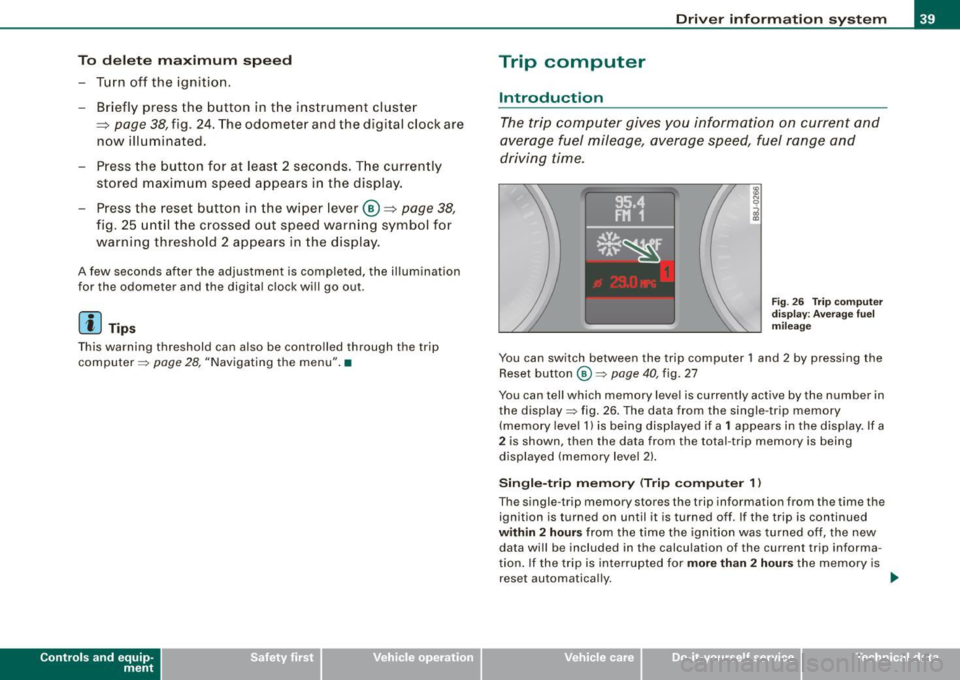
Fig . 2 6 Trip c omput er
di sp lay: Ave ra g e f uel
mi lea ge
You can switch between the trip computer 1 and 2 by pressing the
Reset button
@ ~ page 40 , fig. 27
You can tell which memory level is currently active by the number in
the display ~ fig . 26 . The data from the single -trip memory
(memory level 1) is being disp layed if a
1 appears in the display. If a
2 is shown, then the data from the total -trip memory is being
displayed (memory leve l 2) .
Sin gle -trip mem ory (Trip compute r 1)
The single -t r ip memory stores the trip information from the time the
ignition is turned on until it is turned off. If the trip is continued
within 2 hour s from the time the ignition was turned off, the new
data wi ll be included in the calcu lation of the current trip informa
tion. If the trip is interrup ted for
more than 2 hour s the memory is
reset automatica lly. _,.
Vehicle care I I irechnical data
Page 43 of 316
Switchin g bet w ee n m enu l ev els
- Tap the Rest button ® briefly to reach the various menu
levels one after the other ("Computer 1 ", "Computer 2",
"Navigation system"* and "Start menu") .
Rese ttin g th e fun ction to z ero
- Select the desired function.
- Push the reset button ® for at least two seco nds .
The trip computer only operates when the ignition is on. When you
turn on the ignition, the function that was in use when you last
turned the ignition off will be displayed .
In addition to the trip computer information (memory level 1 or 2)
and navigation information can be displayed. To switch the display
between the different systems, tap the Reset button
@ briefly .
You can reset the following va lues to zero using the reset button:
• driving time
• average mileage
• average speed
In addition,
a ll the values in the single -trip or the total-trip memory
can be de leted simu ltaneously .
[ i ] Tips
• If you hold down the reset button for longer than 2 seconds, the
current value (for example, average fuel consumption) will be reset
to zero .
• Malfunction displays in Auto -Check Control are shown even with
the display switched off.
• All stored values will be lost if the vehicle battery is
disconnected. •
Controls and equip
ment
Dri ver infor mat io n sy ste m
Tire pressure monitoring system
General notes
As an added safety feature, your vehicle has been equipped with a
tire pressure monitoring system (TPMS) that illuminates a low tire
pressure telltale when one or more of your tires is significant ly
under -inflated. The TPMS only provides a low tire pressure warning
and does not reinflate your tires.
Accordingly, when the low tire pressure tellta le illuminates, you
should stop and check your tires as soon as possib le, and inflate
them to the proper pressure. Driving on a significantly under
inflated t ire causes the tire to overheat and can lead to tire failure .
Under -inflation a lso reduces fuel efficiency and tire tread l ife, and
may affect the vehicle's handling and stopping ability.
(D Note
• Please note that the TPMS is not a substitute for proper tire
maintenance, and it is the driver's respons ib ility to maintain correct
tire pressure, even if under -inflation has not reached the level to
trigger illumination of the TPMS low tire pressure telltale .
• Each tire, including the spare, should be checked monthly when
cold and inflated to the inflat ion pressure recommended by the
vehic le manufacturer on the vehicle p lacard or tire inflation pres
s u re label. (If your vehicle has tires of a different size than the size
indicated on the vehicle placard or tire inflation pressure labe l, you
should determine the proper tire inflation pressure for those
tires.) •
TPMS malfunction indicator
Your vehic le has a lso been equipped with a TPMS malfunction indi
cator to indicate when the system is not operating proper ly . The
TPMS malfunction indicator is combined with the low tire pressure _.,
I • •
Page 46 of 316
Driver inf ormation sy ste m
Storing tire pressures
Correct storage of specified pressure is the basic require
ment for reliable tire pressure monitoring.
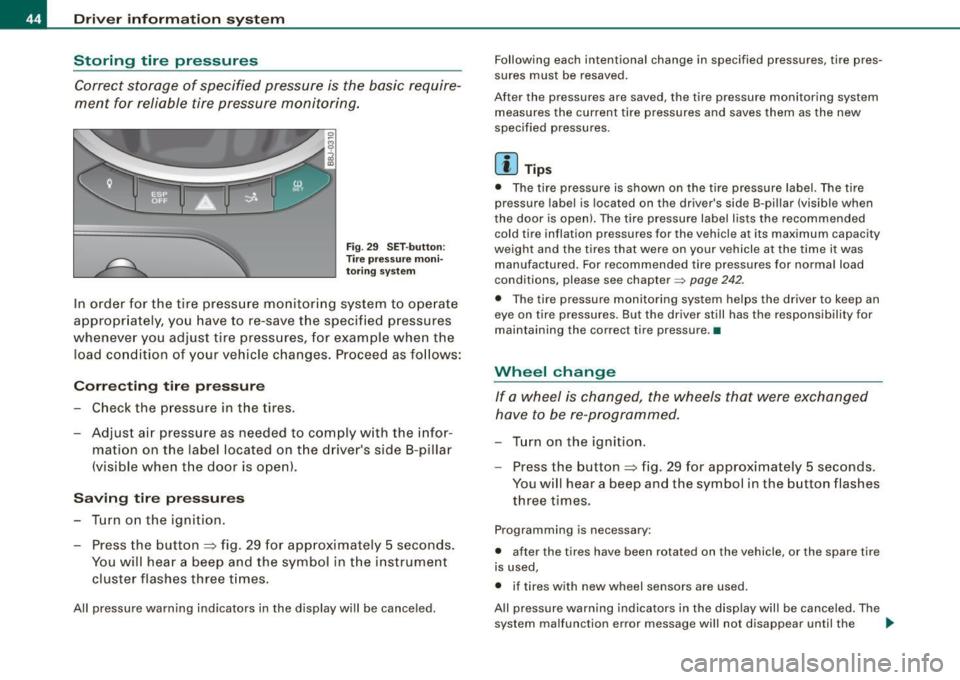
F ig . 29 S ET -butt on:
T ire pressure mon i
t or ing syste m
In order for the tire pressure monitori ng system to operate
appropr iately, you have to re-save the specified p ressures
whenever you adjust tire pressures, for example when the load co nd ition of your vehicle changes. Proceed as fo llows:
Corr ecting tir e pr es sure
Check the pressure in the t ires.
- Adjust air pressure as needed to comply w ith the infor
mat ion on the label located on the driver's side B -pillar
(visible when the door is open) .
Saving tire pressures
-Turn on the igniti on.
- Press the button :::> fig. 29 for app rox imately 5 seconds.
You will hear a beep and the symbol in the instrument
cluster flashes three t imes .
All pressure warning indicators in the d isplay will be canceled. Following each intentional change in specified pressures, ti
re pres
sures must be resaved.
After the pressures are saved, the tire pressure monito ring system
measures the current tire pressures and saves them as the new
spec ified pressures .
[ i ] Tip s
• The tire pressure is shown on the tire pressure labe l. The tire
pressur e lab el is located on the driv er's sid e B-pillar (visible when
the door is open). The tire pressure label l ists the recommended
cold tir e inflation pr essur es for the vehic le at its maximum capacity
weigh t and the tires that were on your vehicle at the time it was
manufactured . For recommended tire pressures for norma l load
conditions, please see chapter~
page 242.
• The tire pressure monitoring syst em he lps the driver to keep an
eye on tire pressures. But the driver still has the responsibility for
maintaining the cor rect tire pressure .•
Wheel change
If a wh eel is ch anged , the wheels tha t were exchan ged
have to be re -programmed.
- Tu rn on the ignition.
- Press the button :::> fig. 29 for approximately 5 seconds .
You will hear a beep and the symbol in the button flashes
three times.
Programming is necessary :
• after the t ires have been rotated on the vehicle, or the spare tire
is used,
• if tires with new wheel sensors are used .
All pressure warning indicators in the disp lay wil l be canceled . The
system malfunction error message will not disapp ear until the .,_