ignition AUDI TT ROADSTER 2008 Owner's Manual
[x] Cancel search | Manufacturer: AUDI, Model Year: 2008, Model line: TT ROADSTER, Model: AUDI TT ROADSTER 2008Pages: 316, PDF Size: 70.1 MB
Page 49 of 316
Opening and closing
Keys
Key set
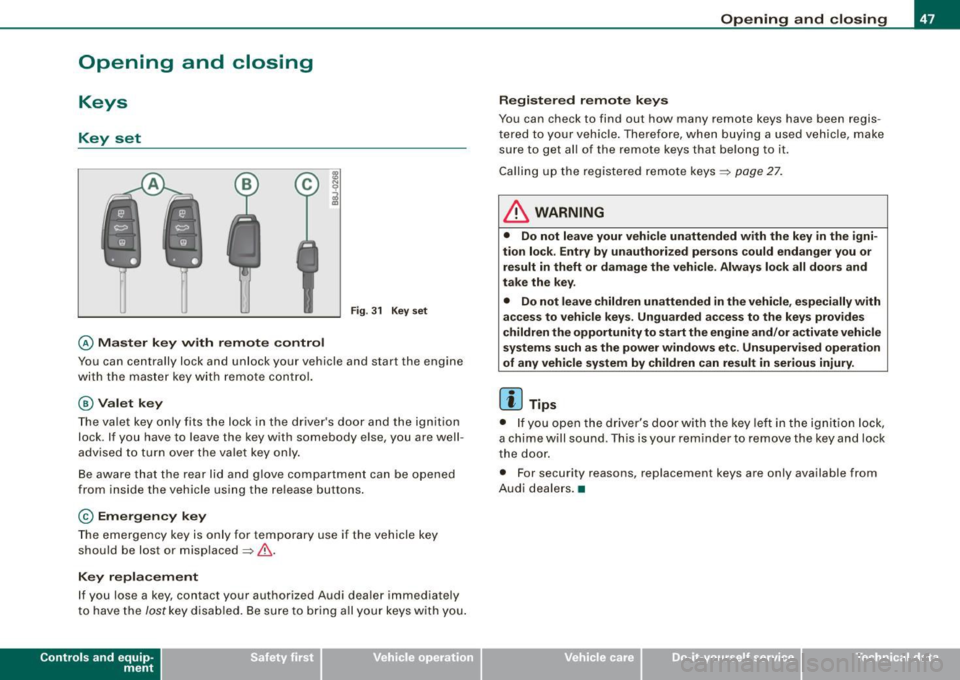
Fig. 31 Key set
© Master key with remote control
Y ou can centrally lock and unlock your vehicle and start the engin e
wi th the mas te r key wit h remote c ontr ol.
@ Valet key
The va let key only fits the lock in the driv er's d oor an d the ignition
lock . If you have to leave the key with somebody e lse, you are well
advised to turn over the vale t key o nly .
B e aware that t he rea r lid and glove co mpartme nt can be opened
from inside the vehicle usi ng the re lea se b uttons .
© Emergency key
The emerge ncy ke y is only fo r tempo rar y use if the vehicle key
should be lost or misplaced=> &.
Key replacement
If you lose a ke y, contact your authorized Audi dea ler immedia tely
t o have the
Jost k ey disa bled. Be s ure to br ing a ll yo ur k eys wit h you.
Con tro ls and eq uip
ment
Opening and closing
Registered remote keys
You can chec k to find out how many remote keys have been regi s
te re d to you r vehi cle. Th ere for e, wh en bu ying a used v ehicle , ma ke
su re to get a ll of t he remote keys that belong to it.
Ca lling up the registered remote ke ys =>
page 27.
& WARNING
• Do not leave your vehicle unattended with the key in the igni
tion lock . Entry by unauthorized persons could endanger you or
result in theft or damage the vehicle . Always lock all doors and
take the key .
• Do not leave children unattended
in the vehicle, especially with
access to vehicle keys . Unguarded access to the keys provides
children the opportunity to start the engine and/ or a ctivate vehicle
systems such as the power windows etc . Unsupervised operation
of any vehicle system by children can result in serious injury .
[ i ] Tips
• If y ou open the dri ver's doo r with the key left i n the ig nit ion loc k,
a chi me will sound . Thi s is your rem inde r to remove the ke y an d lock
t he door.
• F or security reasons, replacement keys are only available from
A udi deale rs.•
Vehicle care I I irechnical data
Page 50 of 316
Opening and closing
Master key with remote control
The remote control allows you to lock or unlock the
vehicle electronically.
"' N
0
i
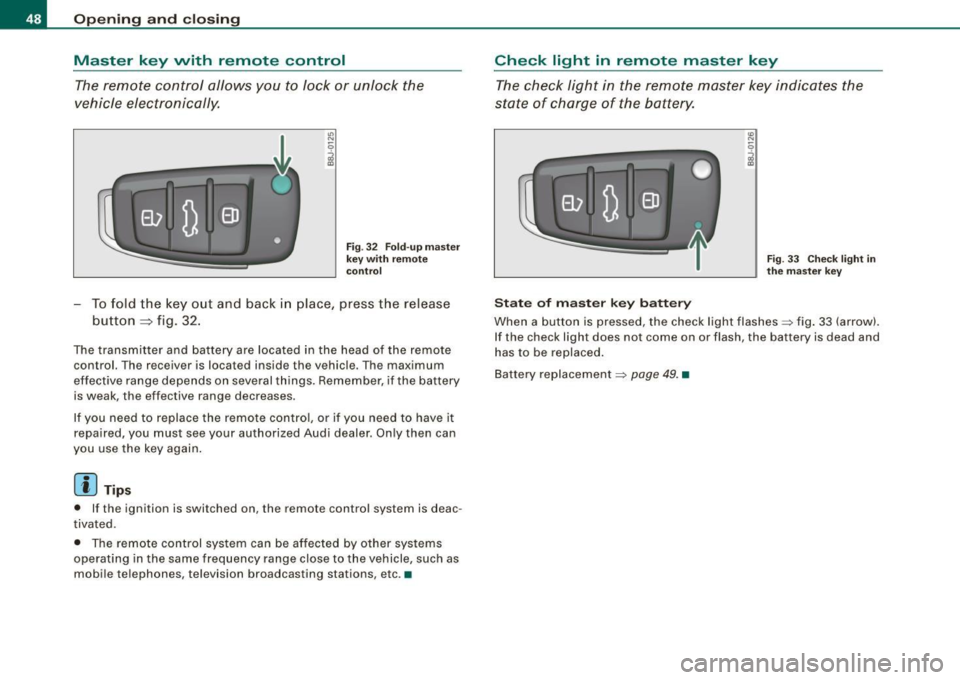
Fig. 32 Fold -up master
key with remote
control
- To fold the key out and back in place, press the release
button
=:> fig. 32.
The transmitter and battery are located in the head of the remote
control. The receiver is located inside the vehicle. The maximum
effective range depends on several things. Remember, if the battery
is weak, the effective range decreases.
If you need to replace the remote control, or if you need to have it
repaired, you must see your authorized Audi dealer. Only then can
you use the key again.
[ i ] Tips
• If the ignition is switched on , the remote control system is deac
tivated.
• The remote control system can be affected by other systems
operating in the same frequency range close to the vehicle, such as
mobile telephones, television broadcasting stations, etc. •
Check light in remote master key
The check light in the remote master key indicates the
state of charge of the battery.
State of master key battery
Fig. 33 Check light in
the master key
When a button is pressed, the check light flashes=> fig. 33 (arrow).
If the check light does not come on or flash, the battery is dead and
has to be replaced.
Battery replacement=>
page 49. •
Page 51 of 316
Master key battery replacement
Each master key contains a battery housed under the
cover.
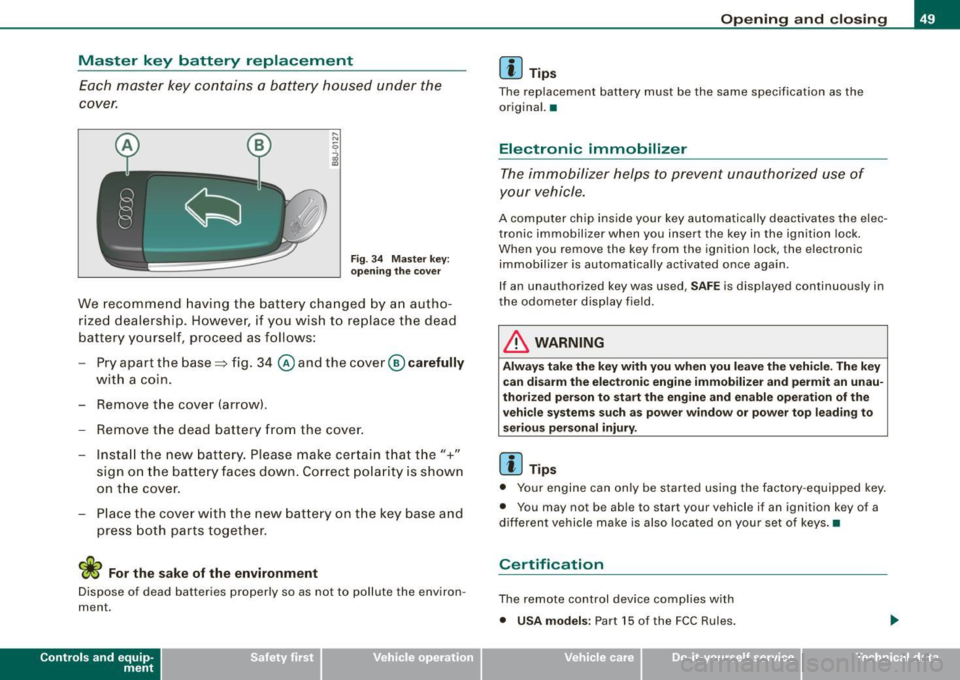
Fig . 3 4 Master key:
o peni ng the cover
We recommend having the battery cha nged by a n autho
rized dealership. However, if y ou wish to replace the dead
battery y ourself, proceed as follows :
- Pry apart the base => fig. 34
@ and the cover@ carefully
with a coin.
- Remove the cove r (arrow).
- Remove the dead battery from the cover.
- I nsta ll the new battery . Pl eas e make ce rtain t hat t he" +"
sign on the batte ry faces down . Correct po la rity is shown
on t he cover .
- Place the cover w ith the new bat tery on t he key base and
press both parts together .
For the sake of the environment
Dispose of dead batteries proper ly so as not to pol lute the environ
ment.
Con tro ls and eq uip
ment
Op ening and clo sing
[ i ] Tip s
The replacement battery must be the same specification as the
origina l.•
Electronic immobilizer
The immobilizer helps to prevent unauthorized use of
your vehicle.
A computer chip inside your key automatically deactivates the elec
tronic immobilizer when you insert the key in the ignition lock.
When you remove the key from the ignition lock, the e lectronic
immobil izer is automatically activated once again.
If an unauthorized key was used, SA FE is displayed continuously in
the odometer display field .
& WARNING
Always ta ke the key with y ou when you le ave the vehi cle. The key
ca n dis arm the el ectroni c eng ine immob ilizer and permit an un au
thori zed p erson to start the engine and enabl e ope ration of the
v ehi cle s ystems su ch a s po wer window or power t op leading to
s eri ous pe rso nal injury .
[ i ] Tip s
• Your engine can only be started using the fac tory -equipped key .
• You may not be ab le to start your vehicle if an ignition key of a
different vehicle make is a lso loca ted on your set of keys .•
Certification
The remote control device comp lies with
• USA models : Part 15 of the FCC Rules.
Vehicle care
I I irechnical data
Page 52 of 316
Openin g a nd clo sin g
• Cana da mo dels: RSS-210 of Industry Canada .
Operation is subject to the following conditions:
• this device may not cause harmful interference, and
• this device must accept any interference received, including
interference that may cause undesired operation.
0 Note
The manufacturer is not responsible for ANY RADIO OR TV interfer ence caused by unauthorized modifications to this equipment.
Changes or modifications to this unit not express ly approved by the
party responsib le for comp liance could void the user's authority to
operate the equipment .•
Power locking system
General description
The power locking system Jocks or unlocks all doors
simultaneously.
The power locking system in your vehicle incorpora tes the following
functions:
• Central locking function
• Remote contro l feature
=> page 48 .
• Anti -Theft Alarm System
=> page 56.
You can lock and un lock the veh icle from outside either with the
k ey s or the remot e control transmitter inside the master key.
Act ivatin g the po wer loc king sy ste m lo ck s or unlo cks all doo rs
s im ult ane ously.
You can also open or close the windows when you lock or unlock the
driver's door using the key . For safety reasons, you cannot use the
remote contro l to open/close the windows . T
he selective unlock feature makes it possible to open just the
driver's door.
If the power locking system should malfunction, you can lock and
unlock each lock individually using the vehicle key.
A ut om atic lock ing*
The automatic locking feature locks all the vehicle doors and the rear lid when you drive faster than 9 mph (15 km/h) .
You can unlock the vehicle from the inside by:
• removing the key from the ignition switch (the vehicle wi ll auto
matically un lock itself) or
• pressing the unlock part of the power lock switch
oc:'i:l or
pulling the door handle (to open the door).
If you wish, you can have an authorized Audi dealer convert your
power door lock system to automatic loc king .
Unlo cking /locking t he vehi cle
When you unlo ck your vehicle:
• T he anti -theft alarm system is deactivated briefly .
• The vehicle interior lights illuminate for approximate ly 30
seconds.
When you
lo ck the vehicle:
• All doors are locked .
• The anti-theft alarm system is activated.
• The vehicle interior lights turn off.
• The anti-theft alarm system is activated . The horn of the anti
theft a larm system wi ll sound and the anti -theft alarm system readi
ness light, located in the center of the instrument panel below the
windshie ld on the right side of the air vent, will start to blink. .,_
Page 53 of 316
& WARNING
• When you lock your vehicle from outside, nobody -especially
children · should remain inside the vehicle. Remember, when you
lock the vehicle from the outside the windows cannot be opened
from the inside.
• When you leave the vehicle, always remove the ignition key and
take it with you. This will prevent passengers (children, for example) from accidentally being locked in the vehicle should they
accidentally press the power locking switch.
• Do not leave children inside the vehicle unsupervised. In an
emergency it would be impossible to open the doors from the
outside without the key.
[ i J Tips
• In the event of a crash with airbag deployment all locked doors
will be automatically unlocked to give access to the vehicle occu
pants from the outside .
• If the power locking system should malfunction, you can lock
each door individually using the vehicle key.
• If the power locking system should fail, you can still open the
fuel tank flap in an emergency=>
page 218.
• You are well advised not to keep valuables inside an unattended
vehicle, visible or not . Even a properly locked vehicle cannot provide
the security of a safe! •
Contro ls and eq uip
ment
Opening and closing
Unlocking and locking the vehicle with the
remote control
How the remote control works.
Fig. 35 Remote
control : function
buttons
Whether only the driver's door or the entire vehicle is
unlocked when the opening button@ is pressed once,
depends on the settings in the Driver information system
Central locking menu => page 27.
To unlock the vehicle m
-Press button @.
- Press button ©
two times within two seconds to unlock
all doors and the rear lid .
To lock the vehicle 63
-Press button @ => & in "General description" on
page 50.
-Watch that all turn signal lights flash once.
To unlock rear lid only e::5
-Press button @for approximately one second.
Vehicle care I I irechnical data
Page 54 of 316
Openin g a nd clo sin g
PANIC B utton
- Push the red button@to activate the panic function. The
horn sounds and the turn signals flash.
- Push the button ® again to deactivate the panic func-
tion.
The remote controls allows you to:
• lock or unlock the vehicle
• selectively unlock the rear lid.
The turn signals wi ll flash briefly whenever you lock or unlock the
vehic le. Also, the interior light will come on or go off whenever you
open or close the driver's door.
The transmitter and battery are located in the head of the remote control. The receiver is located inside the vehicle. The maximum
effective range depends on several things. Remember, if the battery
is weak, the effective range decreases.
The remote -contro l key contains a fo ld -out key that you can use to
manually lock or unlock the vehicle and to start the engine.
If you need to replace the remote contro l, or if you need to have it
repaired, you must see your authorized Audi dealer . On ly then can
you use the key again.
& WARNING
Re ad and follo w all WARNINGS ~ & in "General de scr iption " on
page 50 .
[ i J Tips
• The remote control key is automatically deactivated when the
ignition is switched on.
• The operation of the remote control key can be temporarily
disrupted by interference from transmitters in the vicinity of the vehic
le working in the same frequency range (e.g . a cell phone,
radio equipment).
• In order to make sure the locking function is working, you should
a lways keep your eye on the vehic le to make sure it is properly
locked .
• Do not use the remote control if you are inside the ca r, otherwise
you may unintentionally lock the vehicle, and then you would set off
the an ti-theft alarm when you try to start the engine or open a door.
I n case this happens anyhow, push the unlock button@.
• Use the panic func tion only if you are in an emergency
situation. •
Resetting the remote control
The remote con tr o l must be reset if the vehicle does not
unlock.
- Press the unlock
III button on the remote control.
- Unlock or lock the vehicle once at t he door lock using the
stem of the remote control key.
T he synchronization process must not take longer than 30
seco nds. •
Page 57 of 316
Rear lid/trunk lid
Opening and closing rear lid
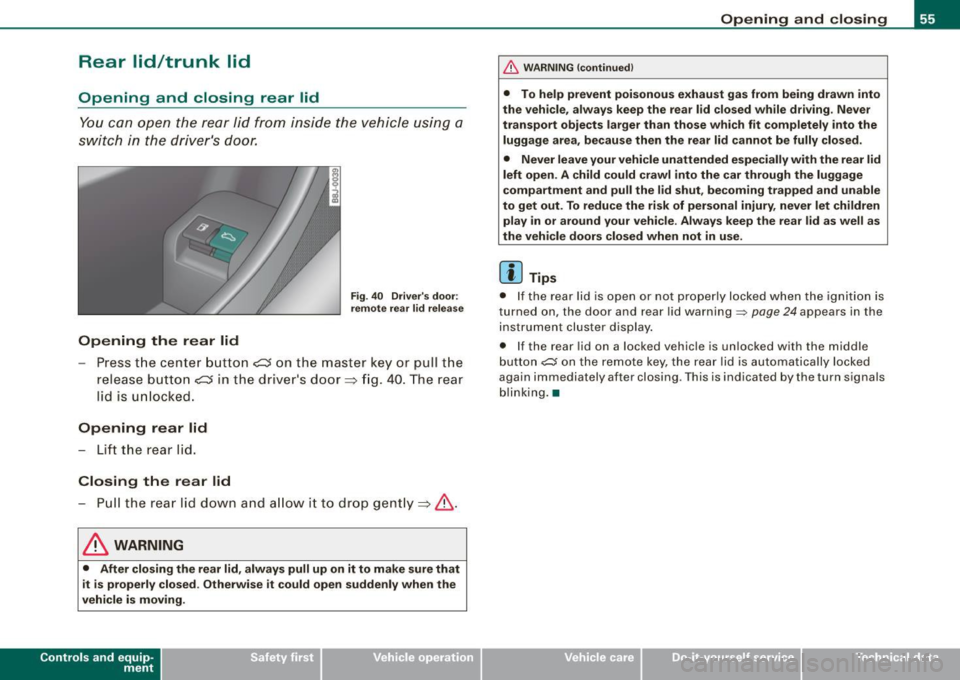
You can open the rear lid from inside the vehicle using a
switch in the driver's door.
Opening the rear lid
Fig . 40 Driver's door:
remote rear lid release
-Press the center button e::5 on the master key or pull the
release button
C::5 in the dr iver's door=> fig. 40. The rear
lid is unlocked.
Opening rear lid
- Lift the rear lid.
Closing the rear lid
- Pull the rear lid down and allow it to drop gently=>& .
& WARNING
• After closing the rear lid, always pull up on it to make sure that
it is properly closed. Otherwise it could open suddenly when the
vehicle is moving.
Con tro ls and eq uip
ment
Opening and closing
& WARNING !continued)
• To help prevent poisonous exhaust gas from being drawn into
the vehicle, always keep the rear lid closed while driving. Never
transport objects larger than those which fit completely into the
luggage area, because then the rear lid cannot be fully closed.
• Never leave your vehicle unattended especially with the rear lid
left open. A child could crawl into the car through the luggage
compartment and pull the lid shut, becoming trapped and unable
to get out. To reduce the risk of personal injury, never let children
play in or around your vehicle . Always keep the rear lid as well as
the vehicle doors closed when not in use.
[ i] Tips
• If the rear lid is open or not properly locked when the ignition is
turned on, the door and rear lid warning~
page 24 appears in the
instrument cluster display.
• If the rear lid on a locked vehicle is unlocked with the m iddle
button
~ on the remote key, the rear lid is automatically locked
again immediately after closing . This is indicated by the turn signals
blinking. •
Vehicle care
I I irechnical data
Page 59 of 316
When w ill the anti th eft ala rm sys te m be trigge re d ?
When the vehicle is locked, the alarm system mon itors and protects
the following parts of the vehicle :
• engine compartment
• luggage compartment
• doors
• ignition
When the system is activated, the alarm will be triggered if one of the doors , the engine hood or the rear lid are opened, or if the igni
tion is turned on .
The anti -theft alarm sys tem will also go off when the battery is
disconnected .
You can also trigger the alarm by pressing the PANIC button on your remo te -control key . This will alert other people in case of emer
gency. Press the
PANIC button again to turn off the a larm.
H ow is the ant i-th eft al arm s witche d o ff wh en
t riggered ?
The alarm system is switched off when you unlock the vehic le using
t he remote -con tro l key or when the ignition is swi tched on . The
alarm will also switch itse lf off when it comes to the end of its cycle .
Emerg en cy fla sher
The emergency flasher wil l b link brief ly when the doors, engine
hood and rear lid are properly closed .
If the emergency flashers do not blink, check the doors, engine hood
and rear lid to make sure they are properly closed. If you close a
door, the hood or the rear lid with the anti-theft alarm switched on,
the emergency flashers will blink only after you have closed the
door or lid.
[ i ] Tips
• For the ant i-theft a larm system to function properly, make sure
all vehicle doors and windows are closed before leaving the vehicle.
Con tro ls and eq uip
ment
Op ening and clo sing
• When you open the vehicle from the driver's door using the key,
the central locking swi tch wi ll work only after you have swi tched on
the ignition .•
Power windows
Controls
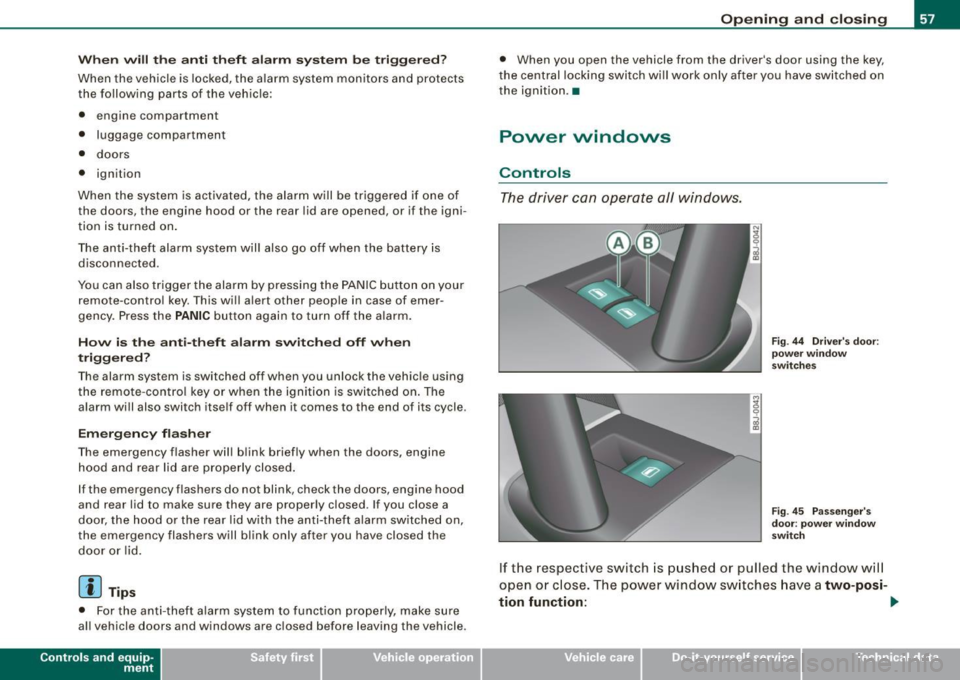
The driver can operate all windows.
M ;g 0
i
F ig . 44 Dri ver's door:
p ow er w in dow
swi tc hes
Fi g. 4 5 Passe nger's
d oor : p ow er window
swi tch
If the respective switch is pushed or pulled the window wil l
open or close. The power window sw itches have a
two-posi -
tion fun ction :
1)1,
Vehicle care I I Technical data
Page 60 of 316
Opening and closing
Opening the windows
- Press the switch and hold it down until the window has
reached the desired position.
- Press the switch
briefly to open the window automati
cally. By briefly pressing the switch again, the downward
travel of the window can be stopped in any position
=> & .
Closing the windows
- Pull the switch and hold it until the window has reached
the desired position.
- Pull the switch
briefly to close the window automatically.
By briefly pressing the switch again, the upward travel of
the window can be stopped in any position => & .
Switch @:::::, page 57, fig. 44 operates the window in the driver's
door.
Switch @ operates the window in the front passenger's door.
& WARNING
• Do not leave children unattended in the vehicle, especially with
access to vehicle keys. Unsupervised use of the keys can result in
starting of the engine and use of vehicle systems such as power
windows, etc. which could result in serious injury.
• Remember -you can still open or close the power windows for
about ten minutes after the ignition is switched off. Only when
either of the front doors are opened are the power windows
switched off.
• Be careful when closing the windows. Check to see that no one
is in the way, or serious injury could result!
• Always remove the ignition key whenever you leave your
vehicle.
& WARNING (continued)
• If you lock your vehicle from the outside, no one, especially chil
dren, should remain in the vehicle.
• Do not stick anything on the windows or the windshield that
may interfere with the driver's field of vision.
[ i] Tips
• When the doors are opened, the windows are automatically
lowered 10 mm.
• The windows can still be opened and closed for about ten
minutes after the ignition has been turned off. The power windows
are not shut off until one of the front doors is opened .•
Convenience close /open feature
You can close or open the windows from outside when
you lock or unlock your car with the key.
Closing the windows
Fig. 46 Key turns for
opening and closing
- Insert the key into the lock of the driver's door.
- Make sure that the windows are not blocked=>& .
Page 62 of 316
Folding top
Folding top
Folding top
General
The comprehensively engineered design of the fabric folding top
allows it to be operated quickly and simply. When open, the folding
top is stowed completely in a tonneau provided specifically for this
purpose.
In normal operating conditions, the folding top is wind -and water
proof. Under certain circumstances, a small quantity of droplets might form, but only in extremely inclement weather, e.g. torrential
or continuous heavy rain. This is normal and not a cause for
concern .
Follow the care instructions =>
page 203, "Folding top care" to main
tain the folding top's attractive appearance and to keep it wind- and
waterproof. Please follow these instructions as well:
• Stow and open the folding top only when it is clean . When the
top is folded away, sharp -edged contaminants can build up as silt
and cause wear spots on the rear window, which may damage the
folding top over time. Of course, ice and snow should also be
removed before opening the folding top.
• Under no circumstances should you use sharp -edged or abrasive
objects to remove ice and snow. Use a commercial ice scraper to
remove ice from of the rear window.
• The folding top should be opened only if it is completely dry . If
the folding top is opened and then stored wet, unattractive indenta
tions may develop. In addition, over time, mold and mildew stains
can develop.
• Do not leave the folding top open for several weeks at a time;
instead, open and close it from time to time so that the fabric does
not discolor where it folds, and to prevent creases from forming. This is especially
important if it happens to be stowed while still
damp on occasion.
• Because the fabric becomes less flexible when temperatures
drops below zero, we recommend not operating the folding top
below0°C.
& WARNING
• When operating the folding top, make sure that any external
factors {e.g. the wind) do not impair its function or endanger other
drivers.
• Never drive while the folding top is not properly secured. Other
wise, it may be pulled open by the wind. This can cause injuries
and damage to the vehicle -danger of an accident!
• When opening and closing the folding top make sure to keep
yourself and others clear of all moving parts. Risk of injury!
0 Note
• Always make sure that there is enough clearance above the
vehicle so that the folding top is not damaged when opening and
closing.
• Do not place any objects in the tonneau to avoid damage when
opening the folding top.
[ i] Tips
• The folding top should be operated only with the ignition
switched on.
• When parking the car with the folding top open, bear in mind
that the vehicle's interior is not protected from damage due to unex pected weather conditions, or unauthorized access. It is therefore
advisable to close the folding top before leaving the vehicle. If
~