ESP BMW 740I 1998 User Guide
[x] Cancel search | Manufacturer: BMW, Model Year: 1998, Model line: 740I, Model: BMW 740I 1998Pages: 211, PDF Size: 1.68 MB
Page 65 of 211
64n
Automatic transmissionSpecial functionsIn program A, the Adaptive Transmis-
sion Control influences several special
functions in the selection of the drive
gear.
With the system active, some shifts that
would be made in other modes will be
suppressed. The system also reacts to
special situations by executing shifts
that would not occur with a conven-
tional transmission.Control of the winter programA winter program is automatically se-
lected when the vehicle is operated on
slippery road surfaces (snow and ice).
When this program is active, the trans-
mission starts in 2nd gear and shifts
into the higher gears earlier. This pro-
gram improves response under winter
driving conditions by providing en-
hanced traction and vehicle stability.
ATC leaves the winter program when it
registers a high-traction road surface,
when the Sport program is selected and
when ASC+T/DSC is deactivated.
Electronic transmission control
moduleIf the message "TRANS. FAILSAFE
PROG" appears in the Check Control,
there is a fault in the gearshift electronic
system or in the transmission itself.
You can still place the selector lever in
all positions. However, it is possible
that not all gears are available for the
vehicle's forward drive.
If this happens, avoid extreme engine
loads and consult the nearest autho-
rized BMW center.
Do not work in the engine com-
partment when a drive gear (for-
ward or reverse) is engaged. If you do
this, the vehicle could move.<
For towing, tow-starting or jump-start-
ing the vehicle, refer to pages 179, 180.
Page 70 of 211
69n
RepairsIndexOverview Controls Car care Technology Data
Wiper/Washer systemon the traffic conditions. This is espe-
cially important under adverse weather
conditions.
To activate the rain sensor:
From ignition key position 1 and up,
move the lever to position 1. The wipers
travel once across the windshield, re-
gardless of the weather.
You can leave the lever permanently in
position 1. It is then only necessary to
activate the rain sensor from ignition
key position 1 and up. To do this
>turn rotary dial 7 briefly or
>use either the automatic windshield
washer 5 or the automatic intensive
washer 6.
To modify the sensitivity of the rain
sensor:
Turn rotary dial 7.
Turn the rain sensor off in auto-
matic car washes.
If you do not, damage may occur if the
wipers switch on unintentionally.<
2 Normal wiper speedWhen the vehicle is stationary, the wip-
ers switch automatically to intermittent
wipe (not on vehicles with rain sensor).3 Fast wiper speedWhen the vehicle is stationary, the wip-
ers operate at normal speed (not on ve-
hicles with rain sensor).5 Automatic windshield washerThe system sprays washer fluid against
the windshield and activates the wipers
for a brief period.
If you only pull the lever briefly, the sys-
tem sprays washer fluid onto the wind-
shield without activating the wipers.Headlamp washers
*
If they are on, the headlamps will also
be cleaned every fifth time you activate
the automatic windshield washer.Do not use the washers if there is
any danger that the fluid will
freeze on the windshield, otherwise vi-
sion could be obscured. For this rea-
son, use an antifreeze agent. Refer to
page 142.
Do not use the washers when the reser-
voir is empty, since this could cause
damage to the washer pump.<
Windshield washer jetsThe windshield washer jets and the
windshield in the wiper sweep area are
defrosted automatically when the igni-
tion key is in position 2.
Page 75 of 211
74n
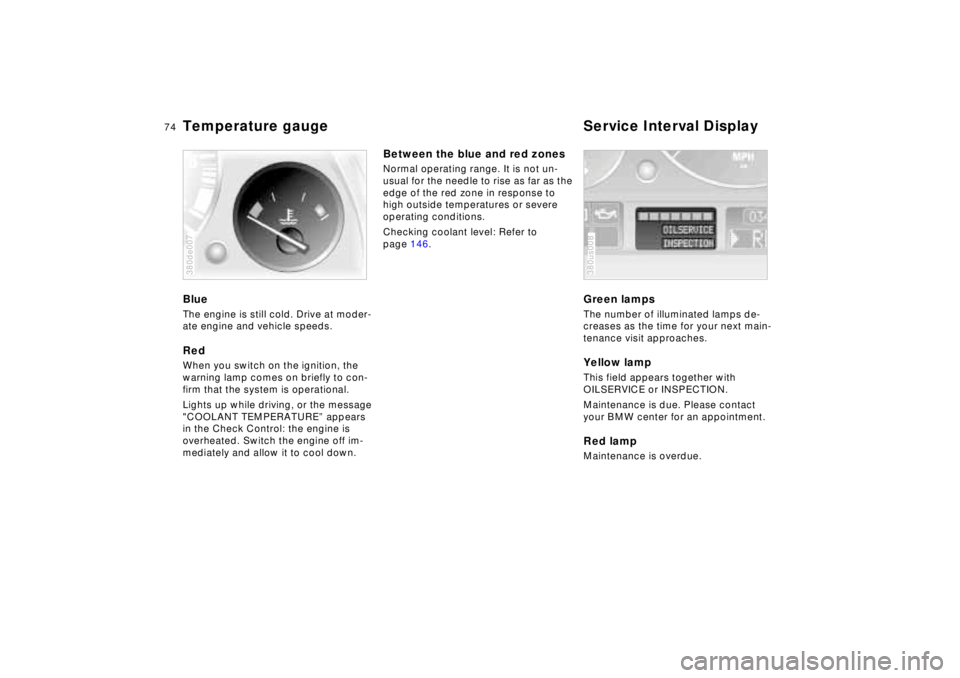
Temperature gauge Service Interval DisplayBlueThe engine is still cold. Drive at moder-
ate engine and vehicle speeds.RedWhen you switch on the ignition, the
warning lamp comes on briefly to con-
firm that the system is operational.
Lights up while driving, or the message
"COOLANT TEMPERATURE” appears
in the Check Control: the engine is
overheated. Switch the engine off im-
mediately and allow it to cool down.380de007
Between the blue and red zonesNormal operating range. It is not un-
usual for the needle to rise as far as the
edge of the red zone in response to
high outside temperatures or severe
operating conditions.
Checking coolant level: Refer to
page 146.
Green lampsThe number of illuminated lamps de-
creases as the time for your next main-
tenance visit approaches.Yellow lampThis field appears together with
OILSERVICE or INSPECTION.
Maintenance is due. Please contact
your BMW center for an appointment.Red lampMaintenance is overdue.380us008
Page 86 of 211
85n
RepairsIndexOverview Controls Car care Technology Data
Onboard computerAverage fuel consumptionThe computer can calculate average
fuel consumption rates for two different
distances at the same time (simulta-
neous data for an entire journey and for
a single segment of it, for instance).
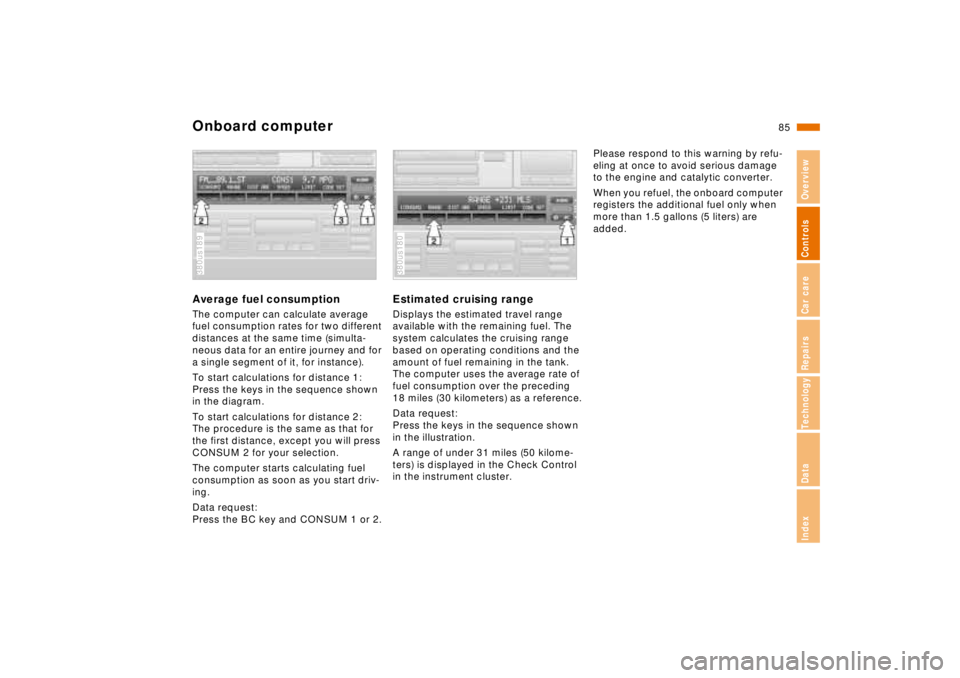
To start calculations for distance 1:
Press the keys in the sequence shown
in the diagram.
To start calculations for distance 2:
The procedure is the same as that for
the first distance, except you will press
CONSUM 2 for your selection.
The computer starts calculating fuel
consumption as soon as you start driv-
ing.
Data request:
Press the BC key and CONSUM 1 or 2.380us189
Estimated cruising rangeDisplays the estimated travel range
available with the remaining fuel. The
system calculates the cruising range
based on operating conditions and the
amount of fuel remaining in the tank.
The computer uses the average rate of
fuel consumption over the preceding
18 miles (30 kilometers) as a reference.
Data request:
Press the keys in the sequence shown
in the illustration.
A range of under 31 miles (50 kilome-
ters) is displayed in the Check Control
in the instrument cluster.380us180
Please respond to this warning by refu-
eling at once to avoid serious damage
to the engine and catalytic converter.
When you refuel, the onboard computer
registers the additional fuel only when
more than 1.5 gallons (5 liters) are
added.
Page 89 of 211
88n
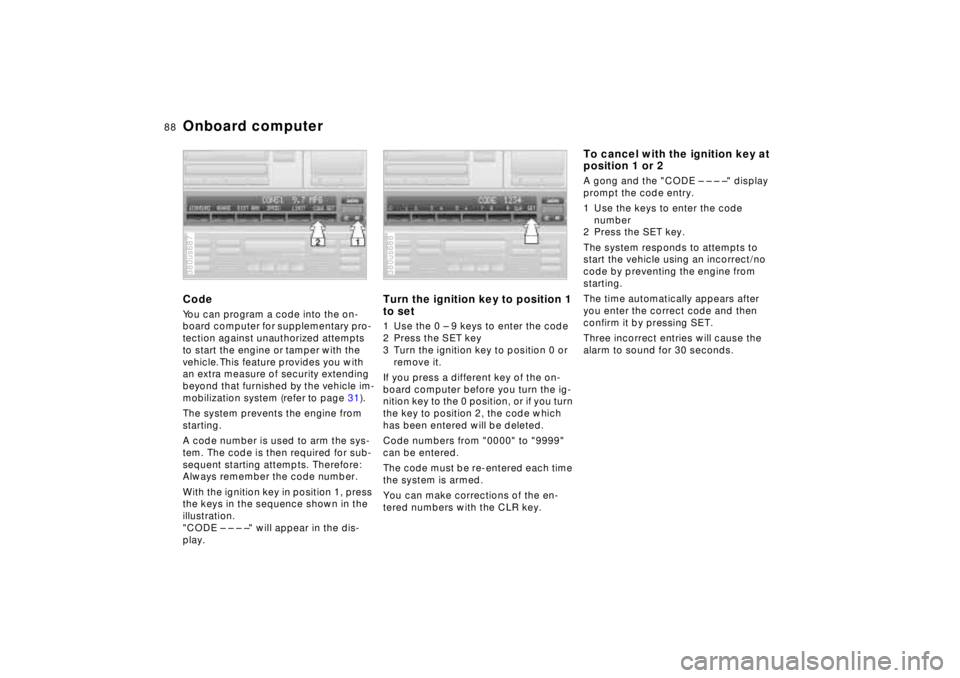
Onboard computerCodeYou can program a code into the on-
board computer for supplementary pro-
tection against unauthorized attempts
to start the engine or tamper with the
vehicle. This feature provides you with
an extra measure of security extending
beyond that furnished by the vehicle im-
mobilization system (refer to page 31).
The system prevents the engine from
starting.
A code number is used to arm the sys-
tem. The code is then required for sub-
sequent starting attempts. Therefore:
Always remember the code number.
With the ignition key in position 1, press
the keys in the sequence shown in the
illustration.
"CODE – – – –" will appear in the dis-
play.380us687
Turn the ignition key to position 1
to set1 Use the 0 – 9 keys to enter the code
2 Press the SET key
3 Turn the ignition key to position 0 or
remove it.
If you press a different key of the on-
board computer before you turn the ig-
nition key to the 0 position, or if you turn
the key to position 2, the code which
has been entered will be deleted.
Code numbers from "0000" to "9999"
can be entered.
The code must be re-entered each time
the system is armed.
You can make corrections of the en-
tered numbers with the CLR key.380us688
To cancel with the ignition key at
position 1 or 2A gong and the "CODE – – – –" display
prompt the code entry.
1 Use the keys to enter the code
number
2 Press the SET key.
The system responds to attempts to
start the vehicle using an incorrect/no
code by preventing the engine from
starting.
The time automatically appears after
you enter the correct code and then
confirm it by pressing SET.
Three incorrect entries will cause the
alarm to sound for 30 seconds.
Page 91 of 211
90n
Park Distance Control (PDC)
*
The PDC assists you when you are
parking. Acoustic signals warn you
of the distance to an obstacle. In addi-
tion, four ultrasonic sensors in each the
front and rear bumpers measure the
distance from the nearest object. The
monitoring range for the four front sen-
sors and that of the two rear corner
sensors ends approx. 2 feet (60 cm)
beyond the respective bumper. The two
center sensors cover a distance of
approx. 5 feet (1.50 m).380de619
The system starts to operate automati-
cally about one second after you move
the selector lever to "R" when the igni-
tion key is in position 2. It is similarly
deactivated when you move the selec-
tor lever position from the "R" position.
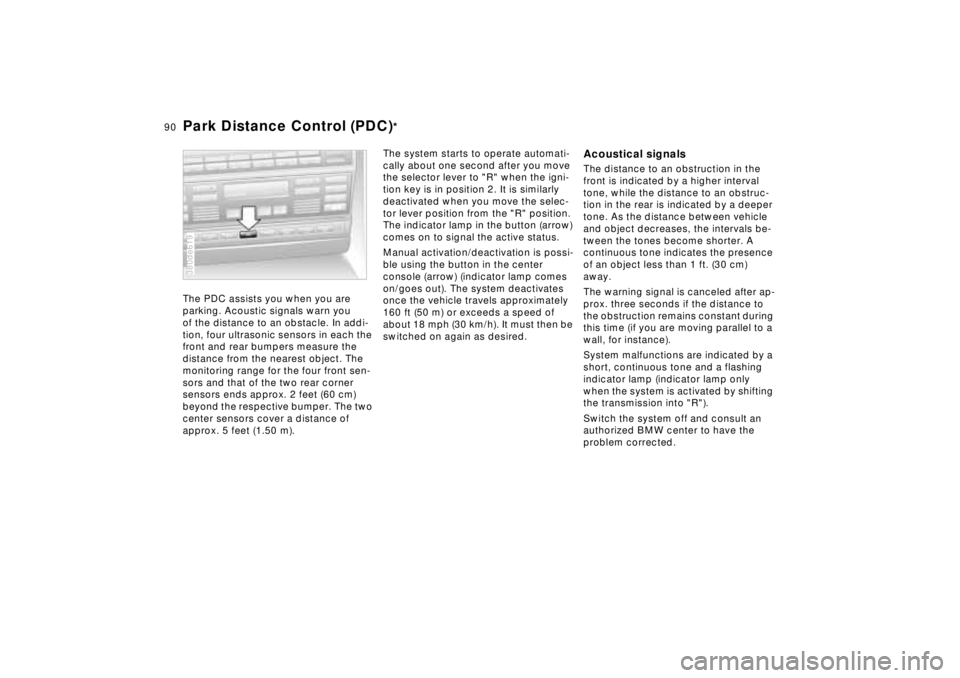
The indicator lamp in the button (arrow)
comes on to signal the active status.
Manual activation/deactivation is possi-
ble using the button in the center
console (arrow) (indicator lamp comes
on/goes out). The system deactivates
once the vehicle travels approximately
160 ft (50 m) or exceeds a speed of
about 18 mph (30 km/h). It must then be
switched on again as desired.
Acoustical signalsThe distance to an obstruction in the
front is indicated by a higher interval
tone, while the distance to an obstruc-
tion in the rear is indicated by a deeper
tone. As the distance between vehicle
and object decreases, the intervals be-
tween the tones become shorter. A
continuous tone indicates the presence
of an object less than 1 ft. (30 cm)
away.
The warning signal is canceled after ap-
prox. three seconds if the distance to
the obstruction remains constant during
this time (if you are moving parallel to a
wall, for instance).
System malfunctions are indicated by a
short, continuous tone and a flashing
indicator lamp (indicator lamp only
when the system is activated by shifting
the transmission into "R").
Switch the system off and consult an
authorized BMW center to have the
problem corrected.
Page 92 of 211
91n
RepairsIndexOverview Controls Car care Technology Data
Park Distance Control (PDC)
*
The PDC does not remove the
driver's personal responsibility for
evaluating the distance between the ve-
hicle and any obstacles. Even when
sensors are involved, there is a blind
spot in which objects cannot be de-
tected. This applies especially in those
cases where the system approaches
the physical limits of ultrasonic mea-
surement, as occurs with tow bars and
trailer couplings, and in the vicinity of
thin and painted objects.
Certain sources of sound, such as a
loud radio, could drown the PDC signal
tone.<
Keep the sensors clean and free
of ice or snow in order to ensure
that they continue to operate effectively.
Do not apply high-pressure spray to the
sensors for a prolonged period of time.
Maintain an adequate distance of more
than approx. 4 inches (10 cm).<
Page 93 of 211
92n
ASC+T/DSC
*
Automatic Stability Control plus
Traction (ASC+T)/Dynamic
Stability Control (DSC)
*
These systems help provide additional
dynamic stability, particularly when ac-
celerating and cornering.
The DSC system enhances the benefits
of the ASC+T. In addition to optimizing
vehicle stability and traction when ac-
celerating or starting from a standstill,
another benefit is realized in cornering
stability. Of course, this is subject to the
limits imposed by the laws of physics.
The system activates automatically
each time you start the engine.380de621
Indicator lamp
The indicator light in the instru-
ment cluster goes out shortly af-
ter you switch on the ignition.
Refer to page 21.
Indicator lamp flashes:
The system is actively regulating drive
torque in response to monitored vehicle
operating conditions.
If the indicator lamp fails to go out after
the engine is started, or if it comes on
during normal driving:
If the system has not been deactivated,
there is a system malfunction. The vehi-
cle remains operational, but without
ASC+T/DSC. Consult your authorized
BMW center for repair.
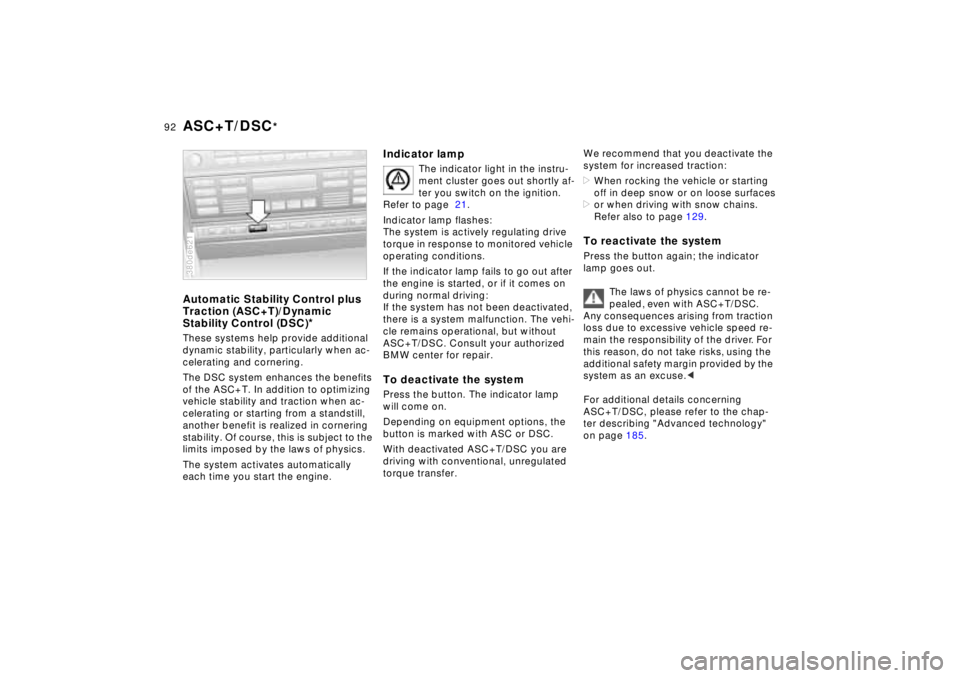
To deactivate the systemPress the button. The indicator lamp
will come on.
Depending on equipment options, the
button is marked with ASC or DSC.
With deactivated ASC+T/DSC you are
driving with conventional, unregulated
torque transfer.
We recommend that you deactivate the
system for increased traction:
>When rocking the vehicle or starting
off in deep snow or on loose surfaces
>or when driving with snow chains.
Refer also to page 129.To reactivate the systemPress the button again; the indicator
lamp goes out.
The laws of physics cannot be re-
pealed, even with ASC+T/DSC.
Any consequences arising from traction
loss due to excessive vehicle speed re-
main the responsibility of the driver. For
this reason, do not take risks, using the
additional safety margin provided by the
system as an excuse.<
For additional details concerning
ASC+T/DSC, please refer to the chap-
ter describing "Advanced technology"
on page 185.
Page 102 of 211

101n
RepairsIndexOverview Controls Car care Technology Data
Automatic climate control1 Air flow directed against windshield
and door windows
2 Air flow toward the upper body
The rotary dials allow infinitely-vari-
able regulation of the air supply,
changes in the air-flow direction,
and temperature regulation.
(Change air-flow direction in the
rear passenger area with the levers
in the center of the vent). In the
closed position, air flows out at the
upper center of the instrument
panel only104
3 Front footwell ventilation
There are corresponding air vents in
the rear footwell as well
4 Automatic air distribution –
left-hand side102
5 Individual air distribution –
left-hand side102
6 Temperature control –
left-hand side103
7 Temperature and air flow display,
left- and right-hand
sides103,104
8 Temperature control –
right-hand side103
9 Residual heat mode104
10 Individual air distribution –
right-hand side10211 Automatic air distribution –
right-hand side102
12 Air supply – right-hand side104
13 Recirculated-air mode/Automatic
recirculated-air control (AUC)103
14 Air conditioner103
15 Rear window defroster70, 103
16 Defrosting the windows and remove
condensation103
17 Air grill for interior temperature sen-
sor - please keep clear and unob-
structed
18 Air supply – left-hand side104
Page 104 of 211
103n
RepairsIndexOverview Controls Car care Technology Data
Automatic climate controlAutomatic recirculated-air control
(AUC)
You can respond to unpleasant
external odors by temporarily
stopping the flow of outside air. The
system then recirculates the air cur-
rently within the vehicle. Press the but-
ton repeatedly to run through the fol-
lowing control sequence:
>Indicator lamps off: Fresh air flows
into the vehicle
>Left-hand indicator lamp on – AUC
mode: The system detects pollutants
in the outside air and responds by
deactivating the outside air flow when
required. The system then recircu-
lates the air currently within the vehi-
cle
>Right-hand indicator lamp on: The
flow of external air into the vehicle is
permanently blocked. The system
then recirculates the air currently
within the vehicle.
If you have a multi-function steering
wheel with the AUC button (refer to
page 23), you can also switch between
"OFF" and AUC from there.
If the windows fog over in the re-
circulated-air mode, switch this
mode off and increase the air supply as
required.<
Rear window defroster
When the rear window defroster
is activated, the indicator lamp
comes on. The rear window defroster
switches off automatically.
Temperature
You can make individual
temperature settings on the
driver's side and the front passenger
side. Your settings will be shown in the
display 7. The displayed temperatures
are reference values for the interior
temperature. We recommend 707
(226) as a comfortable setting,
whether the air conditioner is operating
or not. When you start the vehicle, the
system ensures that the selected tem-
perature is achieved as quickly as pos-
sible. It then maintains this tempera-
ture, regardless of the season.
You can set uncontrolled heater
output at up to 907 (326). Full
cooling output is available from the air
conditioner down to 607 (166).<
Air supply
In the "AUTO" program, the
air flow is controlled auto-
matically. AUTO will appear in the dis-
play, refer to the overview on page 100.
Use "+" and "–" to vary the air flow.
When your setting is displayed by bars,
the automatic air flow is switched off.
Automatic air distribution maintains its
setting. You can reactivate the auto-
matic air flow by pressing the "AUTO"
button.
When you press "– " during operation at
minimum blower speed all displays are
canceled: The fan, heating and air con-
ditioner are switched off. The outside
air supply is closed. By pressing any
button of the automatic climate control
(except the "REST" button 9), you can
switch the system back on.