ESP BMW 740I 1998 Owner's Guide
[x] Cancel search | Manufacturer: BMW, Model Year: 1998, Model line: 740I, Model: BMW 740I 1998Pages: 211, PDF Size: 1.68 MB
Page 144 of 211
143n
RepairsIndexOverview Controls Car care Technology Data
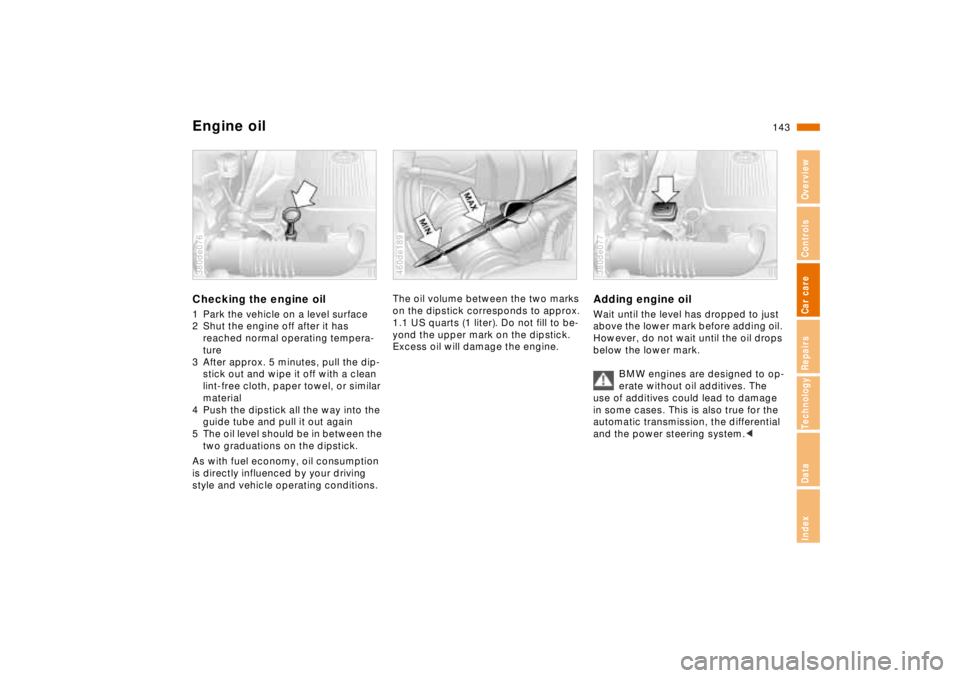
Engine oilChecking the engine oil1 Park the vehicle on a level surface
2 Shut the engine off after it has
reached normal operating tempera-
ture
3 After approx. 5 minutes, pull the dip-
stick out and wipe it off with a clean
lint-free cloth, paper towel, or similar
material
4 Push the dipstick all the way into the
guide tube and pull it out again
5 The oil level should be in between the
two graduations on the dipstick.
As with fuel economy, oil consumption
is directly influenced by your driving
style and vehicle operating conditions.380de076
The oil volume between the two marks
on the dipstick corresponds to approx.
1.1 US quarts (1 liter). Do not fill to be-
yond the upper mark on the dipstick.
Excess oil will damage the engine.460de189
Adding engine oilWait until the level has dropped to just
above the lower mark before adding oil.
However, do not wait until the oil drops
below the lower mark.
BMW engines are designed to op-
erate without oil additives. The
use of additives could lead to damage
in some cases. This is also true for the
automatic transmission, the differential
and the power steering system.< 380de077
Page 150 of 211
149n
RepairsIndexOverview Controls Car care Technology Data
The BMW Maintenance SystemThe BMW Maintenance System has
been designed as a reliable means of
providing maximum driving and operat-
ing safety – and as cost-effectively as
possible for you.
Please keep in mind that regular main-
tenance is not only necessary for the
safety of your vehicle, but also plays a
significant role in maintaining the resale
value of the vehicle.380us008
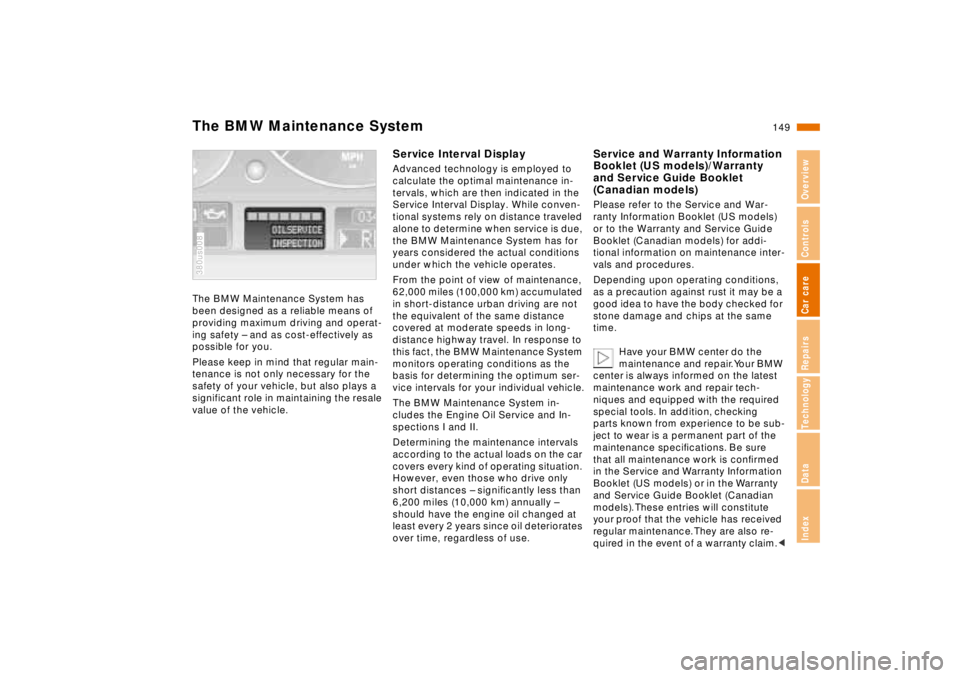
Service Interval DisplayAdvanced technology is employed to
calculate the optimal maintenance in-
tervals, which are then indicated in the
Service Interval Display. While conven-
tional systems rely on distance traveled
alone to determine when service is due,
the BMW Maintenance System has for
years considered the actual conditions
under which the vehicle operates.
From the point of view of maintenance,
62,000 miles (100,000 km) accumulated
in short-distance urban driving are not
the equivalent of the same distance
covered at moderate speeds in long-
distance highway travel. In response to
this fact, the BMW Maintenance System
monitors operating conditions as the
basis for determining the optimum ser-
vice intervals for your individual vehicle.
The BMW Maintenance System in-
cludes the Engine Oil Service and In-
spections I and II.
Determining the maintenance intervals
according to the actual loads on the car
covers every kind of operating situation.
However, even those who drive only
short distances – significantly less than
6,200 miles (10,000 km) annually –
should have the engine oil changed at
least every 2 years since oil deteriorates
over time, regardless of use.
Service and Warranty Information
Booklet (US models)/Warranty
and Service Guide Booklet
(Canadian models)Please refer to the Service and War-
ranty Information Booklet (US models)
or to the Warranty and Service Guide
Booklet (Canadian models) for addi-
tional information on maintenance inter-
vals and procedures.
Depending upon operating conditions,
as a precaution against rust it may be a
good idea to have the body checked for
stone damage and chips at the same
time.
Have your BMW center do the
maintenance and repair. Your BMW
center is always informed on the latest
maintenance work and repair tech-
niques and equipped with the required
special tools. In addition, checking
parts known from experience to be sub-
ject to wear is a permanent part of the
maintenance specifications. Be sure
that all maintenance work is confirmed
in the Service and Warranty Information
Booklet (US models) or in the Warranty
and Service Guide Booklet (Canadian
models). These entries will constitute
your proof that the vehicle has received
regular maintenance. They are also re-
quired in the event of a warranty claim.<
Page 151 of 211

150n
Caring for your carWashing your carYou can have your new BMW washed
in an automatic car wash. Car wash
systems that do not employ brushes are
preferable.
Wipe away tough dirt and loosen and
remove dead insects before washing
the car.
To prevent spots, avoid washing when
the hood is still warm, or immediately
after and during exposure to strong
sunlight.
When using an automatic car wash, be
sure that:
>The car wash system is suited for the
dimensions of your vehicle
>No damage will occur on vehicles
with attached body accessories (such
as spoilers or antennas). If you are
uncertain, consult the manager of the
car wash
>The wheels and tires of your vehicle
cannot be damaged by the convey-
ance devices of the car wash system
>The vehicle is cleaned with minimum
brush pressure, and that ample water
is available for washing and rinsing.Vehicles with rain sensor
*:
Clean the windshield regularly. Wax
from automatic car washes or insects,
for example, can cause malfunctions in
the function of the rain sensor.
Turn the rain sensor off in auto-
matic car washes. If you do not,
damage may occur if the wipers switch
on unintentionally.<
Parts of the car which are inaccessible
to the automatic washer - such as door
sills, door and hood edges, etc. -
should be cleaned by hand.
In the winter months, it is especially im-
portant to ensure that the car is washed
on a regular basis. Large quantities of
dirt and road salt are difficult to remove,
and they also cause damage to the ve-
hicle.
If spray wands or high-pressure
washers are used, be sure to
maintain an adequate distance between
the spray source and the vehicle's sur-
face.
Inadequate distance and excessive
pressure can damage or weaken the
finish, making it more susceptible to
subsequent attack. In addition, mois-
ture could penetrate to vehicle compo-
nents, leading to long-term damage.<
When cleaning the headlamps,
please observe the following:
>Do not clean by wiping with a dry
cloth (scratches). Never use abra-
sives or strong solvents to clean the
covers
>Remove dirt and contamination
(such as insects) by soaking with
BMW Car Shampoo and then rinsing
with plenty of water
>Always use a deicer spray to remove
accumulated ice and snow – never
use a scraper.<
After washing the car, apply the
brakes briefly to dry them. Braking
efficiency might otherwise be reduced
by the moisture, and the brake rotors
could also be corroded.<
Page 152 of 211

151n
RepairsIndexOverview Controls Car care Technology Data
Caring for your carExterior finishTo provide effective corrosion protec-
tion, multilayer paintwork is applied at
the factory. Cataphoretic immersion
priming techniques are supplemented
using special body-cavity protectants,
with the application of specially-devel-
oped and extensively tested materials.
A layer of flexible PVC is first applied to
the undercarriage. Following this, a
comprehensive undercoating treatment
with a wax-based protectant is applied.
Regular maintenance makes an impor-
tant contribution to maintaining the
safety and value of your vehicle.
Increasing awareness of the effects of
harmful environmental factors on a ve-
hicle's exterior finish have led paint and
vehicle manufacturers to initiate pro-
grams designed to further improve the
durability of their finishes. Despite this,
environmental factors that occur locally
or regionally can have negative effects
on the finish of your vehicle. These
should guide you in determining the fre-
quency and extent of your efforts to
maintain the vehicle finish.Depending upon material and type of
impact (perforation of paint layer), phys-
ical stresses from sand, road salt,
gravel, etc., can cause corrosion to
start extending beneath the finish, start-
ing at the point of impact.
Road dirt, tar spots, dead insects, ani-
mal droppings (strong alkali effect) and
tree excretions (resins and pollen) all
contain substances capable of causing
damage when allowed to remain on the
finish of your car for any period of time
(spots, etching, flaking, separation in
the top coat).
In industrial areas, deposits of flue dust,
lime, oily soot, precipitation containing
sulfur-dioxide (acid rain) and other envi-
ronmental pollutants will damage the
car's finish unless adequate care is pro-
vided – even though this is generally
limited to the outside horizontal sur-
faces.In coastal regions, high levels of atmo-
spheric salt and humidity promote cor-
rosion.
In tropical zones, temperatures of over
1057 (406) in the shade prevail, in
addition to heavy ultraviolet radiation
and high humidity. Under those circum-
stances, light exterior finishes reach
temperatures of up to 1757 (806) and
dark finishes up to 2507 (1206).
Page 153 of 211

152n
Caring for your carCaring for the vehicle finishRegular washing is a preventive mea-
sure against long-term effects from
substances that are harmful to the vehi-
cle's finish, especially if you drive your
vehicle in areas with high levels of air
pollution or aggressive natural sub-
stances (tree resins, pollen).
Nevertheless, you should immediately
remove especially aggressive sub-
stances. Failure to do so can lead to
changes in the paint's chemical struc-
ture or to discoloration. Gasoline spilled
during refueling, oil, grease and brake
fluid should always be cleaned away
immediately, as should bird droppings.
All of these substances cause damage
to the finish.
Any contamination remaining on the
surface of the vehicle will be especially
conspicuous after washing. Use clean-
ing fluid or alcohol with a clean cloth or
cotton pad to remove. Remove tar
spots with tar remover. After cleaning,
the affected areas should be waxed to
ensure continued protection.
A full range of car-care products is
available from your BMW center.<
Waxing your carProtect the finish using carnauba or
synthetic-based waxes only.
The best way to determine when the
finish needs to be waxed is by noting
when water stops beading on the sur-
face.
You can use a glass cleaner to remove
any wax or silicone that may have been
left on the windows during waxing.
A full range of car-care products is
available from your BMW center.<
Paint damageYou can touch up small areas of dam-
age with BMW spray paint or a BMW
touch-up stick.
The color code of your vehicle is lo-
cated on a tag near the vehicle's data
plate and on the first page of the Ser-
vice and Warranty Information Booklet
(US models) or of the Warranty and Ser-
vice Guide Booklet (Canadian models).
Damage caused by flying stones,
scratches, etc., must be touched up
without delay to prevent rust from form-
ing.
If corrosion has started to form in an
area with paint damage, remove all rust
and clean the area. Then prime the area
with a BMW Primer Stick. Finally, apply
the finish coat. Wait a few days, then
polish the repaired area. Finish by ap-
plying a wax preservative.
More extensive paint damage should be
repaired professionally in accordance
with the manufacturer's instructions.
Your BMW center uses original BMW
finish materials in accordance with ap-
proved repair procedures.
Page 155 of 211

154n
Caring for your carCaring for other vehicle
components and materialsLight-alloy wheels should be treated
with alloy wheel cleaner, especially dur-
ing the winter months. However, do not
use aggressive products containing ac-
ids, strong alkalis or abrasives. Do not
use steam cleaners operating at tem-
peratures above 1407 (606). Follow
the manufacturer's instructions.
If your vehicle has chromed parts
* such
as window moldings, door handles or
other parts, clean these parts especially
carefully with ample clean water, espe-
cially if they have an accumulation of
road salt. You may wish to add a car
shampoo supplement to the water. Use
a chrome polish for an additional treat-
ment.
Plastic components, vinyl upholstery,
headliners, lamp lenses, the clear cover
of the instrument panel and compo-
nents with a sprayed dull black surface
can be cleaned with water (add plastic
cleaner as required). Do not allow mois-
ture to soak through the seats or head-
liner. Never use solvents such as lac-
quer thinner, heavy-duty grease
remover, fuels, etc.
Rubber components should be cleaned
with water only; a rubber treatment or
silicone spray may also be applied.Clean the wiper blades with soapy wa-
ter. The wiper blades should be re-
placed twice a year, before and after
the cold season.
Use only wiper blades approved
by BMW.<
The safety belts should be cleaned with
a mild soap and water solution without
being removed from the car. Never at-
tempt chemical or dry cleaning, as
damage to the belt fabric could result.
After cleaning, never allow the inertia
reel to retract the belts until they are
completely dry. Dirty safety belts pre-
vent the inertia reel mechanism from re-
tracting the strap properly, and thus
constitute a safety hazard.
Heavily soiled floor carpets and mats
*
can be cleaned with an interior cleaner.
The floor mats can be removed from the
vehicle for cleaning.
Please use only a damp cloth to clean
wooden fascia panels and components.
Follow up by drying with a soft cloth.
A full range of car-care products is
available from your BMW center.<
Leather careThe leather upholstery used by BMW is
a natural product of the highest quality,
processed using state-of-the-art meth-
ods to ensure that it will maintain its
high quality for years to come, provided
that it is properly cared for.
Because this product is manufactured
using natural materials, you must make
allowance for its special characteristics
as well as for the peculiarities of its use
and care.
Regular periodic cleaning and care are
essential, as dust and road dirt act as
abrasives in the pores and creases of
the material. This leads to wear spots
and premature brittleness on the sur-
face of the leather. We therefore sug-
gest that you clean the leather with a
vacuum cleaner or dust cloth at fre-
quent intervals.
For cleaning, use BMW leather cleaning
foam.
Page 157 of 211
156n
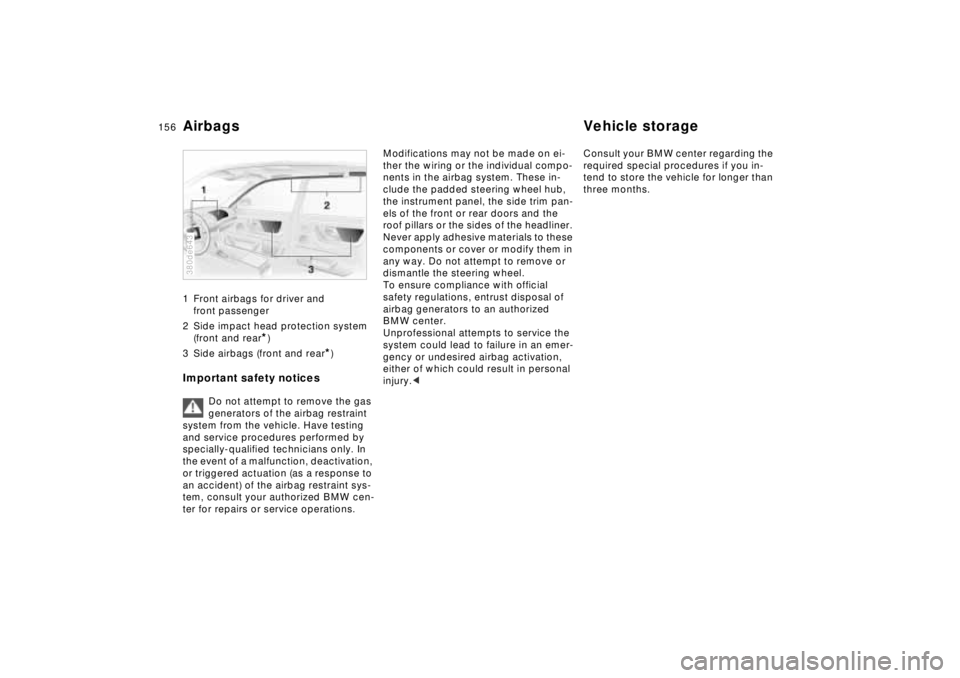
Airbags Vehicle storage1 Front airbags for driver and
front passenger
2 Side impact head protection system
(front and rear
*)
3 Side airbags (front and rear
*)
Important safety notices
Do not attempt to remove the gas
generators of the airbag restraint
system from the vehicle. Have testing
and service procedures performed by
specially-qualified technicians only. In
the event of a malfunction, deactivation,
or triggered actuation (as a response to
an accident) of the airbag restraint sys-
tem, consult your authorized BMW cen-
ter for repairs or service operations.
380de643
Modifications may not be made on ei-
ther the wiring or the individual compo-
nents in the airbag system. These in-
clude the padded steering wheel hub,
the instrument panel, the side trim pan-
els of the front or rear doors and the
roof pillars or the sides of the headliner.
Never apply adhesive materials to these
components or cover or modify them in
any way. Do not attempt to remove or
dismantle the steering wheel.
To ensure compliance with official
safety regulations, entrust disposal of
airbag generators to an authorized
BMW center.
Unprofessional attempts to service the
system could lead to failure in an emer-
gency or undesired airbag activation,
either of which could result in personal
injury.< Consult your BMW center regarding the
required special procedures if you in-
tend to store the vehicle for longer than
three months.
Page 159 of 211
158n
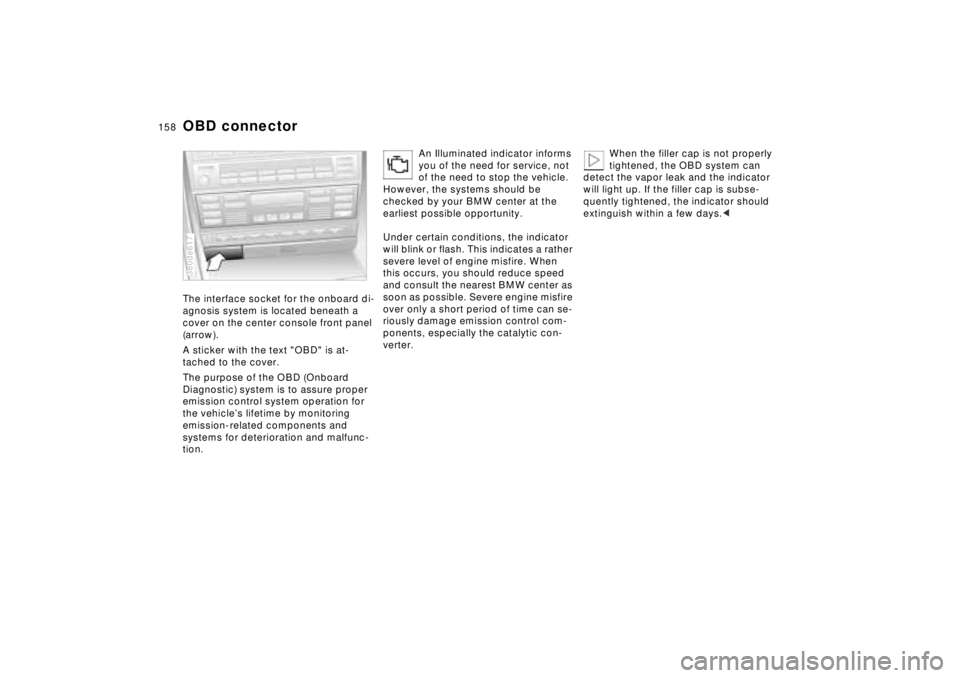
OBD connectorThe interface socket for the onboard di-
agnosis system is located beneath a
cover on the center console front panel
(arrow).
A sticker with the text "OBD" is at-
tached to the cover.
The purpose of the OBD (Onboard
Diagnostic) system is to assure proper
emission control system operation for
the vehicle’s lifetime by monitoring
emission-related components and
systems for deterioration and malfunc-
tion.380de617
An Illuminated indicator informs
you of the need for service, not
of the need to stop the vehicle.
However, the systems should be
checked by your BMW center at the
earliest possible opportunity.
Under certain conditions, the indicator
will blink or flash. This indicates a rather
severe level of engine misfire. When
this occurs, you should reduce speed
and consult the nearest BMW center as
soon as possible. Severe engine misfire
over only a short period of time can se-
riously damage emission control com-
ponents, especially the catalytic con-
verter.
When the filler cap is not properly
tightened, the OBD system can
detect the vapor leak and the indicator
will light up. If the filler cap is subse-
quently tightened, the indicator should
extinguish within a few days.<
Page 170 of 211

169n
RepairsIndexOverview Controls Car care Technology Data
Remote control4 Release button 1, LED 3 will flash
slowly for a maximum of 10 seconds
5 The central locking system activates
and releases all lock mechanisms in
rapid succession to indicate that the
initialization procedure has been
successfully completed.
If the LED does not flash or the central
locking system fails to respond, you
must repeat the initialization procedure.
If you possess additional transmitters
for your vehicle (up to a maximum
of four units), you must now initialize
these as well. Be sure that no more
than 30 seconds is allowed to elapse
between the individual initialization pro-
cedures. Do not actuate the steering
lock during this time.
In the event of a system malfunction,
please contact your authorized BMW
center, who can also provide you with
replacement transmitters.To prevent unauthorized use of the
transmitter, surrender only the
door and ignition key or the spare key
(refer to page 30) for valet parking).<
Page 174 of 211
173n
RepairsIndexOverview Controls Car care Technology Data
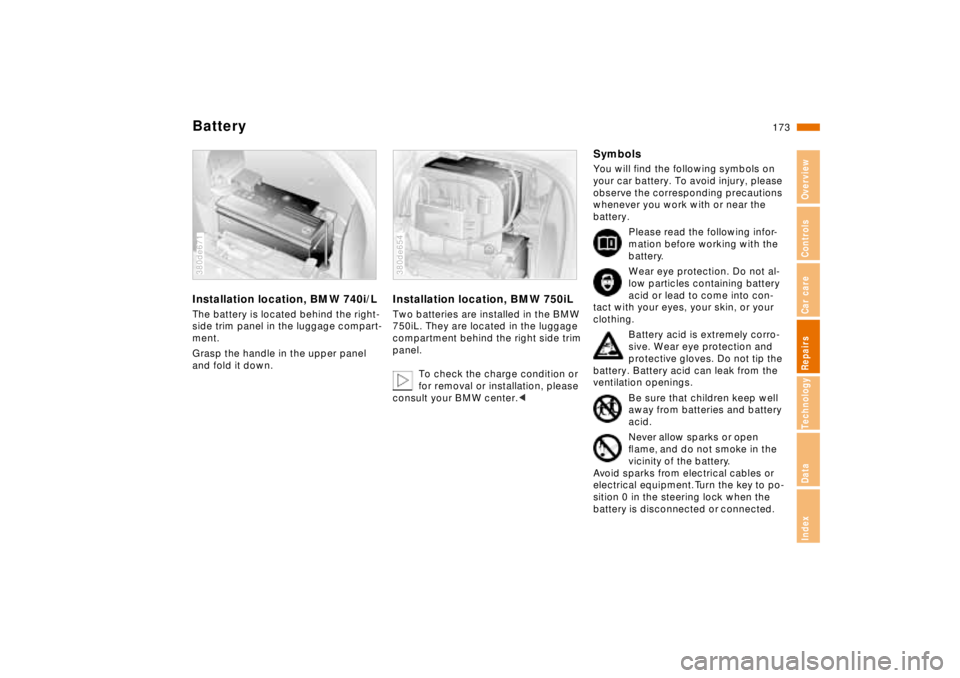
BatteryInstallation location, BMW 740i/LThe battery is located behind the right-
side trim panel in the luggage compart-
ment.
Grasp the handle in the upper panel
and fold it down.380de671
Installation location, BMW 750iLTwo batteries are installed in the BMW
750iL. They are located in the luggage
compartment behind the right side trim
panel.
To check the charge condition or
for removal or installation, please
consult your BMW center.< 380de654
SymbolsYou will find the following symbols on
your car battery. To avoid injury, please
observe the corresponding precautions
whenever you work with or near the
battery.
Please read the following infor-
mation before working with the
battery.
Wear eye protection. Do not al-
low particles containing battery
acid or lead to come into con-
tact with your eyes, your skin, or your
clothing.
Battery acid is extremely corro-
sive. Wear eye protection and
protective gloves. Do not tip the
battery. Battery acid can leak from the
ventilation openings.
Be sure that children keep well
away from batteries and battery
acid.
Never allow sparks or open
flame, and do not smoke in the
vicinity of the battery.
Avoid sparks from electrical cables or
electrical equipment. Turn the key to po-
sition 0 in the steering lock when the
battery is disconnected or connected.