radio BMW M3 CONVERTIBLE 2012 Owners Manual
[x] Cancel search | Manufacturer: BMW, Model Year: 2012, Model line: M3 CONVERTIBLE, Model: BMW M3 CONVERTIBLE 2012Pages: 255, PDF Size: 6.32 MB
Page 4 of 255
Contents
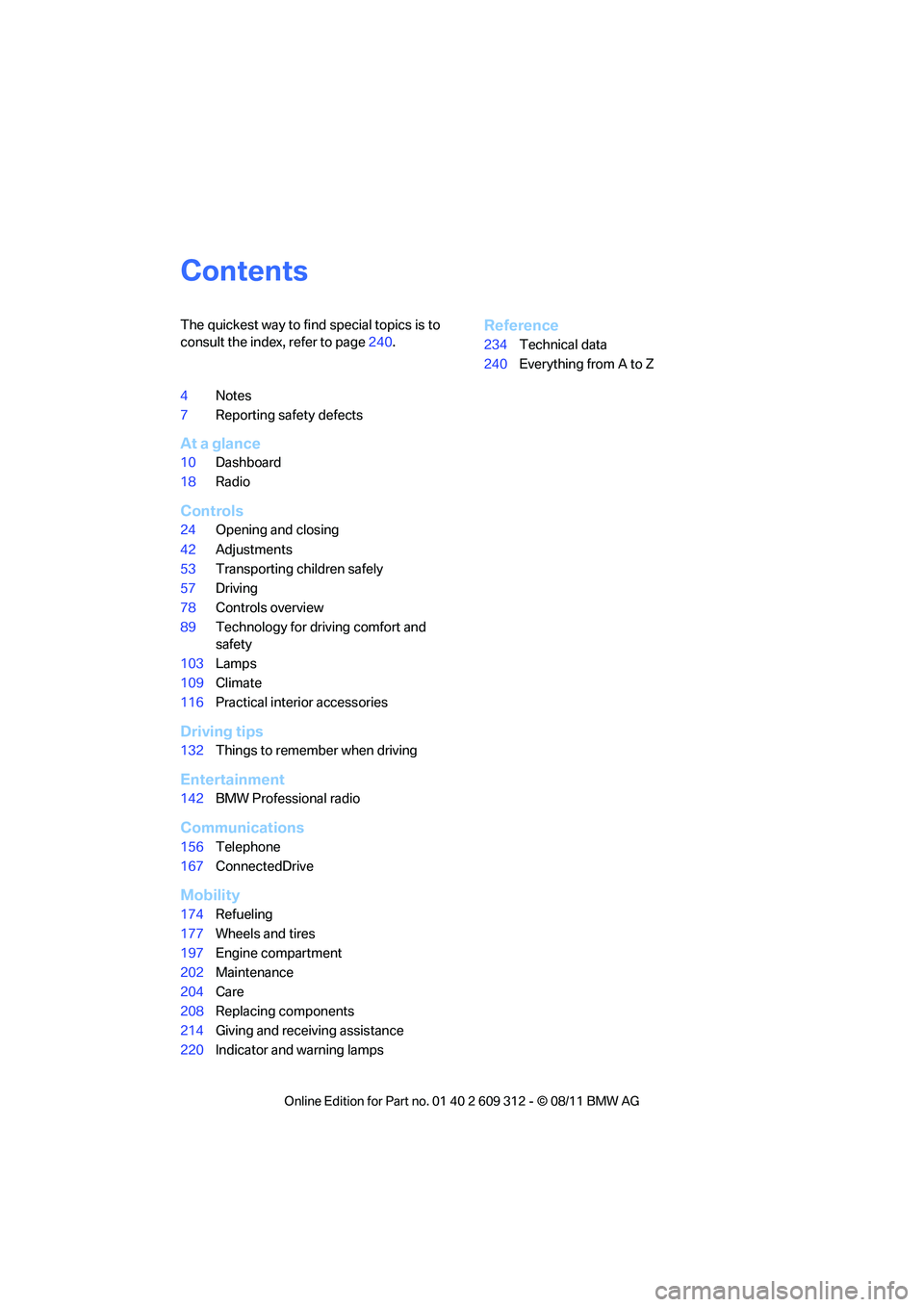
The quickest way to find special topics is to
consult the index, refer to page240.
4 Notes
7 Reporting safety defects
At a glance
10Dashboard
18 Radio
Controls
24Opening and closing
42 Adjustments
53 Transporting children safely
57 Driving
78 Controls overview
89 Technology for driving comfort and
safety
103 Lamps
109 Climate
116 Practical interior accessories
Driving tips
132Things to remember when driving
Entertainment
142BMW Professional radio
Communications
156Telephone
167 ConnectedDrive
Mobility
174Refueling
177 Wheels and tires
197 Engine compartment
202 Maintenance
204 Care
208 Replacing components
214 Giving and receiving assistance
220 Indicator and warning lamps
Reference
234Technical data
240 Everything from A to Z
Online Edition for Part no. 01 40 2 609 312 - \251 08/11 BMW AG
Page 6 of 255
5
Notes
Vehicle equipment
This Owner's Manual de
scribes all models and
all series-specific equipm ent, country-specific
equipment, and optional equipment that is
offered in the series. For this reason, this
Owner's Manual also de scribes and illustrates
some equipment that may not be available in
your vehicle, for example due to the special
options or national-market version selected.
This also applies to safety related functions and
systems.
If equipment and models are not described in
this Owner's Manual, please consult the
accompanying Supplementary Owner's Hand-
books.
Status of this Owner's Manual
at time of printing
BMW pursues a policy of continuous, ongoing
development that is conceived to ensure that
our vehicles continue to embody the highest
quality and safety standards combined with
advanced, state-of-the-art technology. For this
reason, it is possible in exceptional cases that
features described in this Owner's Manual
could differ from those on your vehicle.
Updates after press date
Updates after press date for the Owner's Man-
uals, when necessary, are issued as appendices
to the printed Quick Reference Guide for the
vehicle.
For your own safety
Maintenance and repair
Advanced technology, e.g. the use of
modern materials and powerful electron-
ics, requires specially adapted maintenance
and repair methods. You should therefore have
the corresponding work on your vehicle per-
formed only by your BMW center or at a work- shop that works according to BMW repair pro-
cedures with correspondingly trained
personnel. If this work
is not carried out prop-
erly, there is a danger of subsequent damage
and related sa fety hazards.<
Parts and accessories
For your own safety, use genuine parts
and accessories a pproved by BMW.
When you purchase accessories tested and
approved by BMW and Or iginal BMW Parts, you
simultaneously acquire the assurance that they
have been thoroughly te sted by BMW to ensure
optimum performance when installed on your
vehicle.
BMW warrants these parts to be free from
defects in material and workmanship.
BMW will not accept any liability for damage
resulting from installation of parts and accesso-
ries not approved by BMW.
BMW cannot test every pr oduct made by other
manufacturers to verify if it can be used on a
BMW safely and without ri sk to either the vehi-
cle, its operation, or its occupants.
Original BMW Parts, BMW Accessories and
other products approved by BMW, together
with professional advice on using these items,
are available from all BMW centers.
Installation and operation of accessories not
approved by BMW, such as alarms, radios,
amplifiers, radar detectors, wheels, suspension
components, brake dust shields, telephones,
including operation of any mobile phone from
within the vehicle withou t using an externally
mounted antenna, or transceiver equipment, for
instance, CBs, walkie-talkies, ham radio or sim-
ilar accessories, may ca use extensive damage
to the vehicle, compromi se its safety, interfere
with the vehicle's electrical system or affect the
validity of the BMW Limited Warranty. See your
BMW center for additional information.<
Online Edition for Part no. 01 40 2 609 312 - \251 08/11 BMW AG
Page 12 of 255
11
Dashboard
At a glance
4
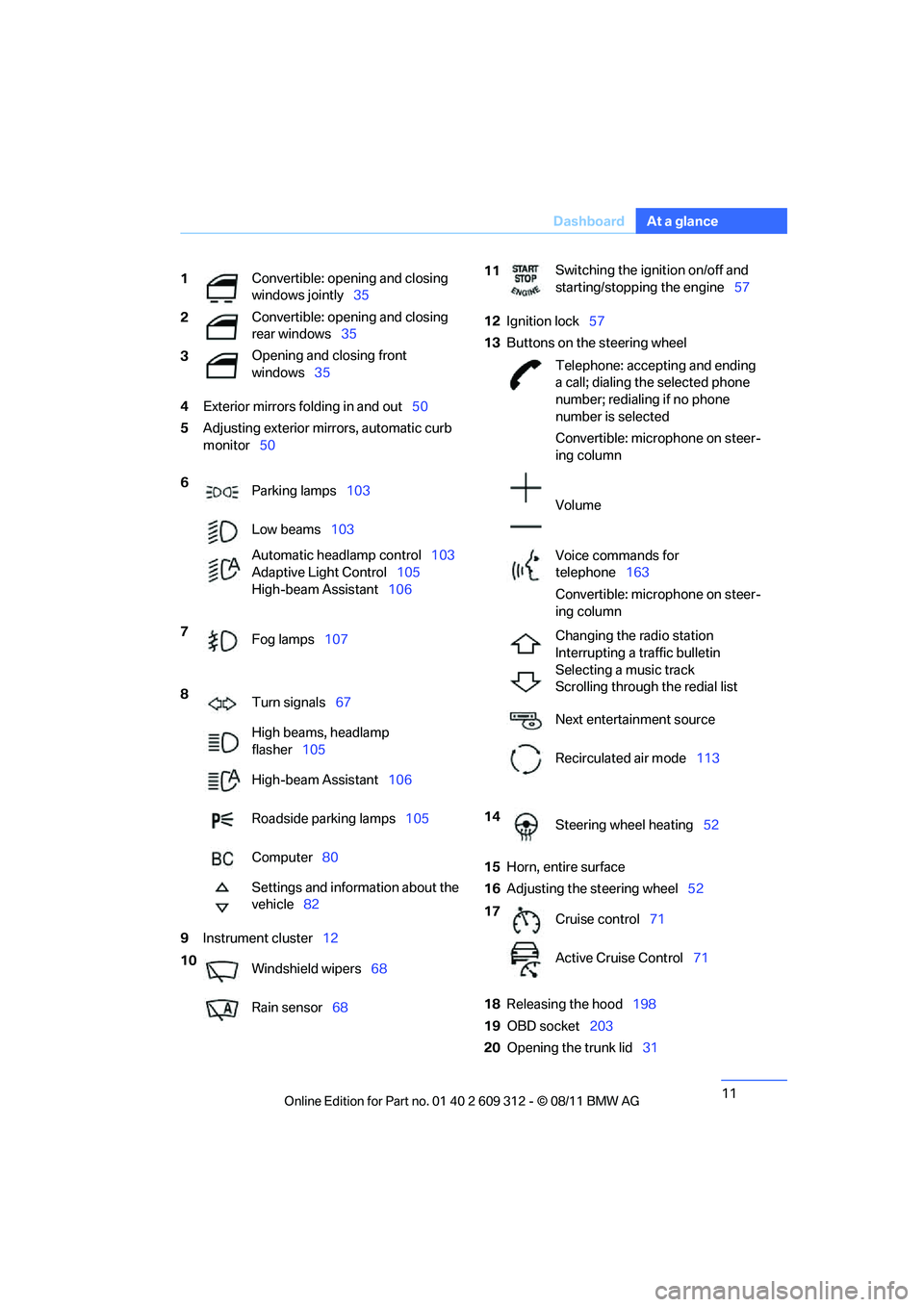
Exterior mirrors fo lding in and out50
5 Adjusting exterior mirrors, automatic curb
monitor 50
9 Instrument cluster 12 12
Ignition lock 57
13 Buttons on the steering wheel
15 Horn, entire surface
16 Adjusting the steering wheel 52
18 Releasing the hood 198
19 OBD socket 203
20 Opening the trunk lid 31
1
Convertible: opening and closing
windows jointly
35
2 Convertible: opening and closing
rear windows
35
3 Opening and closing front
windows
35
6 Parking lamps 103
Low beams 103
Automatic head lamp control103
Adaptive Light Control 105
High-beam Assistant 106
7 Fog lamps 107
8 Turn signals 67
High beams, headlamp
flasher 105
High-beam Assistant 106
Roadside parking lamps 105
Computer 80
Settings and information about the
vehicle 82
10 Windshield wipers 68
Rain sensor 68
11Switching the ignition on/off and
starting/stopping the engine
57
Telephone: accepting and ending
a call; dialing the selected phone
number; redialing if no phone
number is selected
Convertible: microphone on steer-
ing column
Volume
Voice commands for
telephone 163
Convertible: microphone on steer-
ing column
Changing the radio station
Interrupting a traffic bulletin
Selecting a music track
Scrolling through the redial list
Next entertainment source
Recirculated air mode 113
14 Steering wheel heating 52
17 Cruise control 71
Active Cruise Control 71
Online Edition for Part no. 01 40 2 609 312 - \251 08/11 BMW AG
Page 15 of 255
14
At a glanceDashboard
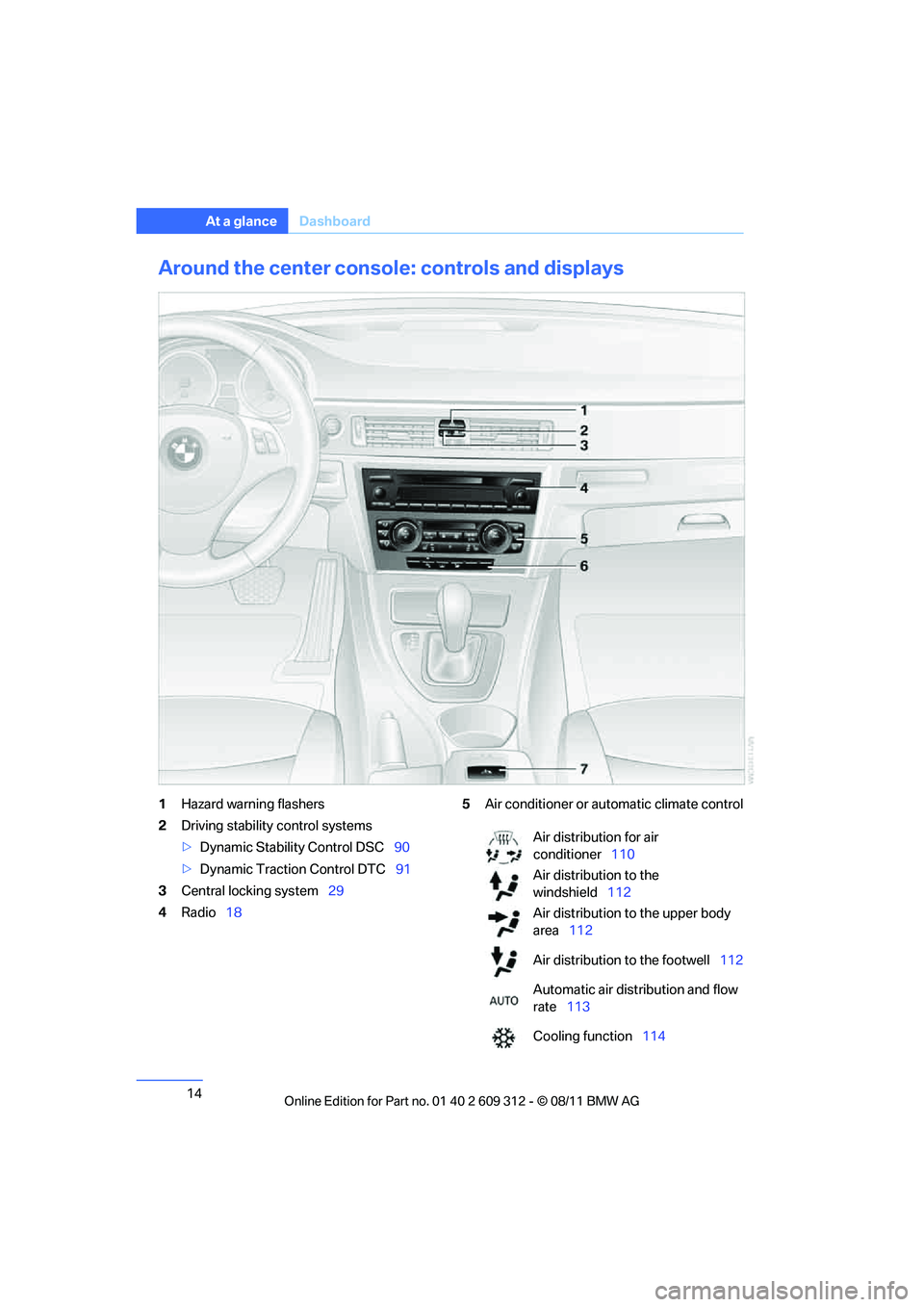
Around the center consol e: controls and displays
1Hazard warning flashers
2 Driving stability control systems
>Dynamic Stability Control DSC 90
> Dynamic Traction Control DTC 91
3 Central locking system 29
4 Radio 18 5
Air conditioner or automatic climate control
Air distribution for air
conditioner 110
Air distribution to the
windshield 112
Air distribution to the upper body
area 112
Air distribution to the footwell 112
Automatic air distribution and flow
rate 113
Cooling function 114
Online Edition for Part no. 01 40 2 609 312 - \251 08/11 BMW AG
Page 19 of 255
18
At a glanceRadio
Radio
Vehicle equipment
In this chapter, all pr oduction, country, and
optional equipment that is offered in the model
range is described. For this reason, descrip-
tions will be given of some equipment that may not be available in a vehi
cle, for example due to
the special options or national-market version
selected. This also app lies to safety related
functions and systems.
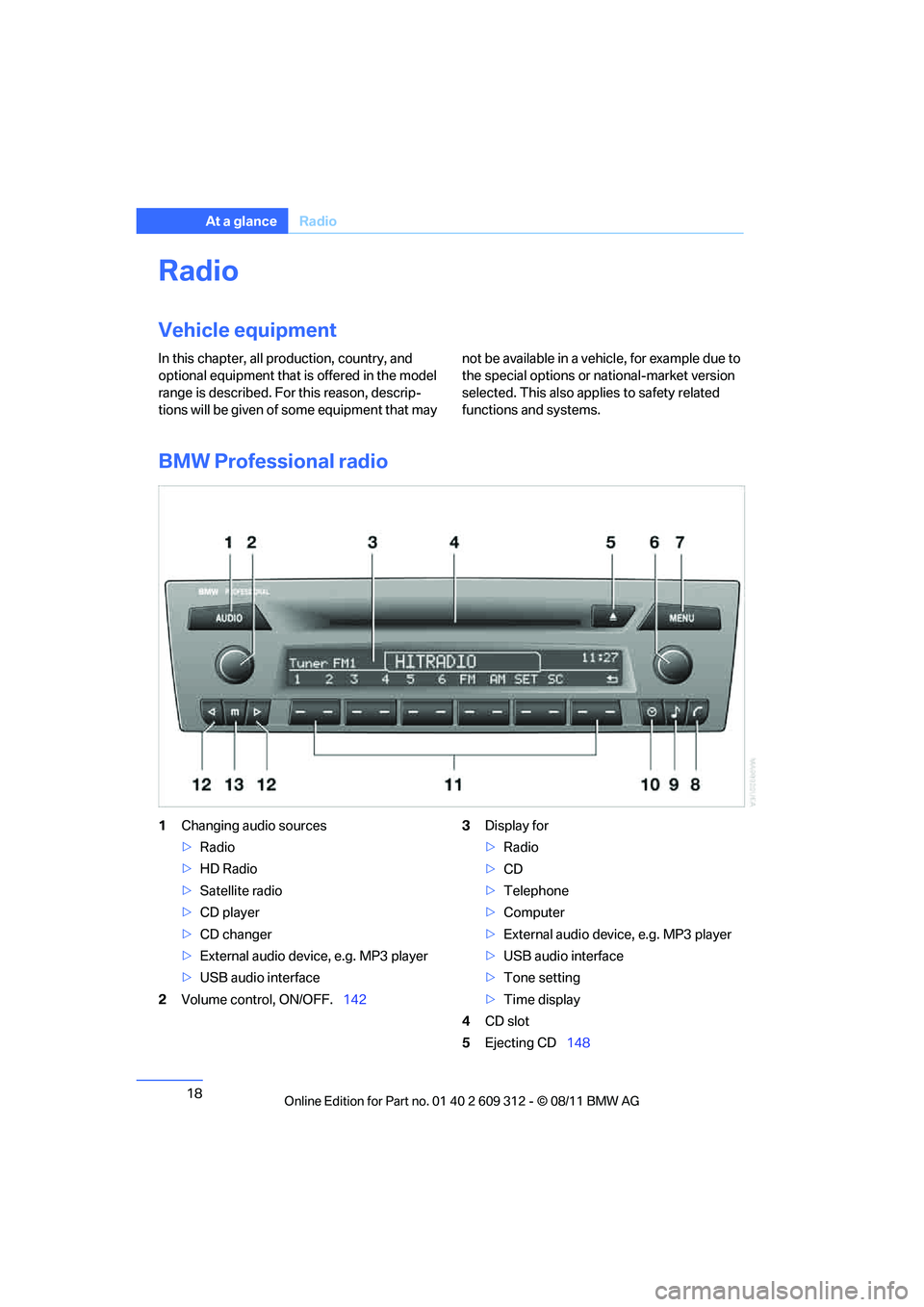
BMW Professional radio
1 Changing audio sources
>Radio
> HD Radio
> Satellite radio
> CD player
> CD changer
> External audio device, e.g. MP3 player
> USB audio interface
2 Volume control, ON/OFF. 1423
Display for
>Radio
> CD
> Telephone
> Computer
> External audio device, e.g. MP3 player
> USB audio interface
> Tone setting
> Time display
4 CD slot
5 Ejecting CD 148
Online Edition for Part no. 01 40 2 609 312 - \251 08/11 BMW AG
Page 20 of 255
19
Radio
At a glance
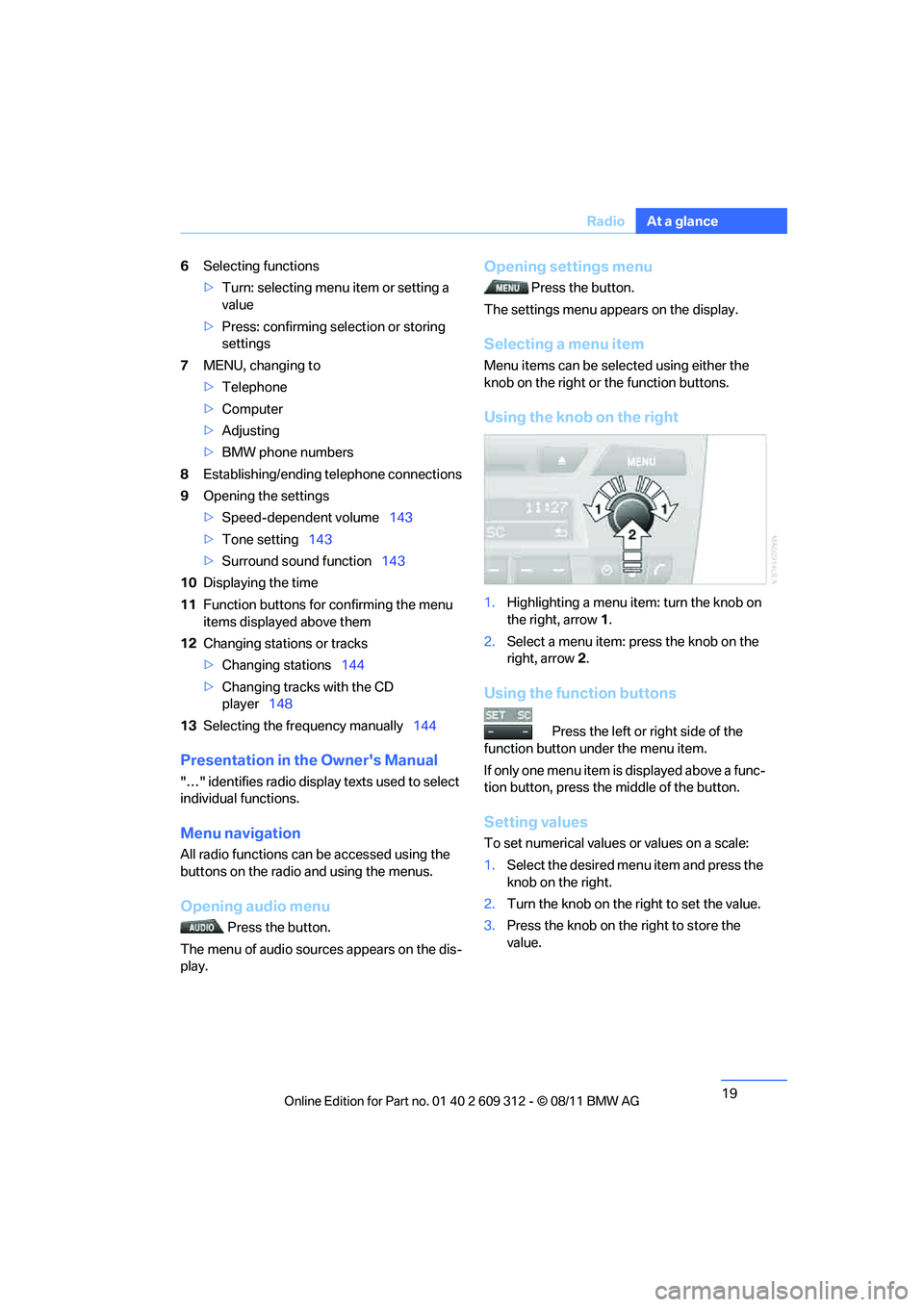
6
Selecting functions
>Turn: selecting menu item or setting a
value
> Press: confirming selection or storing
settings
7 MENU, changing to
>Telephone
> Computer
> Adjusting
> BMW phone numbers
8 Establishing/ending telephone connections
9 Opening the settings
>Speed-dependent volume 143
> Tone setting 143
> Surround sound function 143
10 Displaying the time
11 Function buttons for confirming the menu
items displayed above them
12 Changing stations or tracks
>Changing stations 144
> Changing tracks with the CD
player 148
13 Selecting the frequency manually 144
Presentation in the Owner's Manual
"…" identifies radio display texts used to select
individual functions.
Menu navigation
All radio functions can be accessed using the
buttons on the radio and using the menus.
Opening audio menu
Press the button.
The menu of audio sources appears on the dis-
play.
Opening settings menu
Press the button.
The settings menu appears on the display.
Selecting a menu item
Menu items can be sele cted using either the
knob on the right or the function buttons.
Using the knob on the right
1. Highlighting a menu item: turn the knob on
the right, arrow 1.
2. Select a menu item: press the knob on the
right, arrow 2.
Using the function buttons
Press the left or right side of the
function button under the menu item.
If only one menu item is displayed above a func-
tion button, press the middle of the button.
Setting values
To set numerical values or values on a scale:
1. Select the desired menu item and press the
knob on the right.
2. Turn the knob on the right to set the value.
3. Press the knob on th e right to store the
value.
Online Edition for Part no. 01 40 2 609 312 - \251 08/11 BMW AG
Page 21 of 255
20
At a glanceRadio
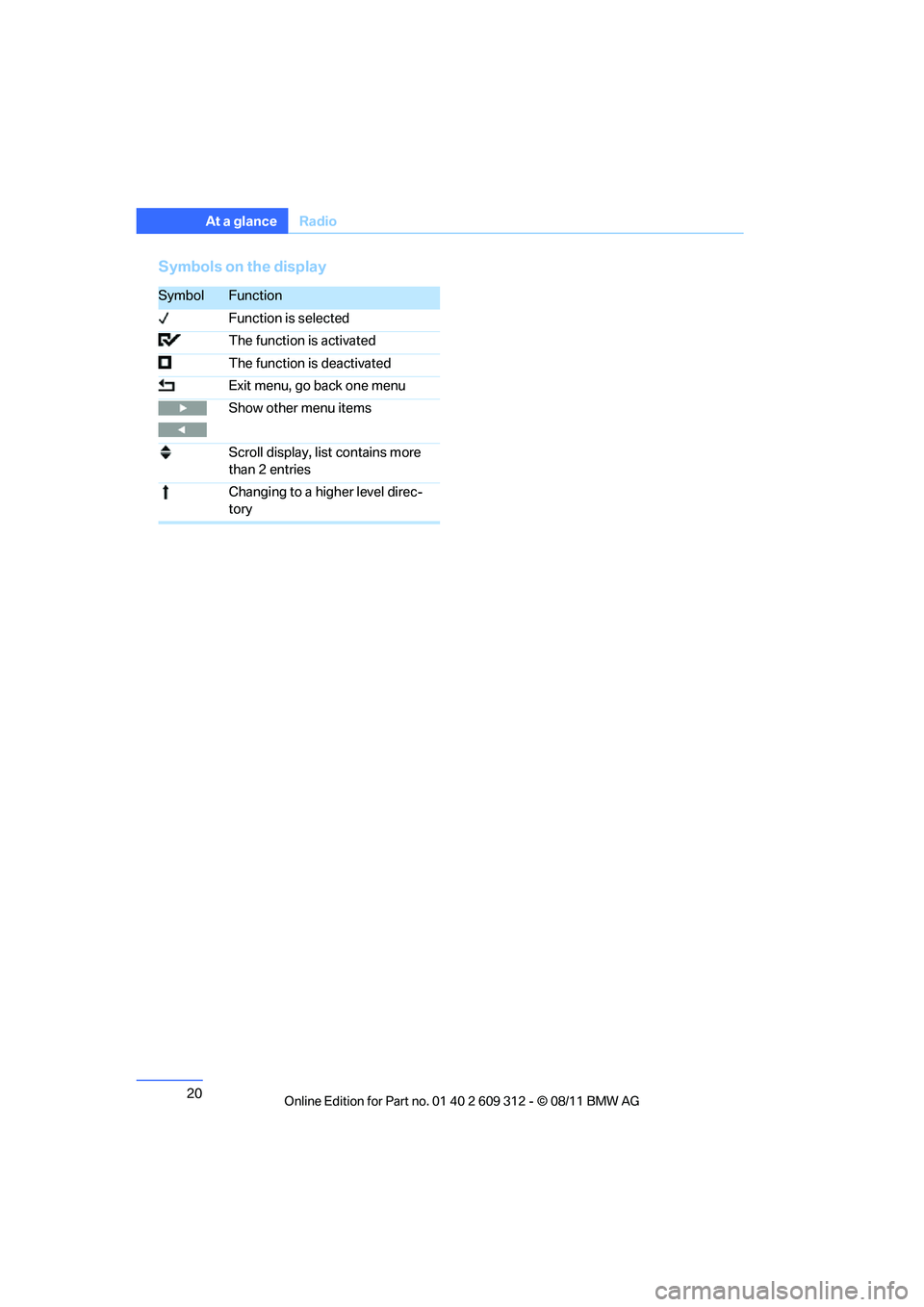
Symbols on the display
SymbolFunction
Function is selected
The function is activated
The function is deactivated
Exit menu, go back one menu
Show other menu items
Scroll display, list contains more
than 2 entries
Changing to a higher level direc-
tory
Online Edition for Part no. 01 40 2 609 312 - \251 08/11 BMW AG
Page 22 of 255

21
Radio
At a glance
Online Edition for Part no. 01 40 2 609 312 - \251 08/11 BMW AG
Page 29 of 255
28
ControlsOpening and closing
>
The hazard warning flashers are acti-
vated and an acoustic signal sounds
during unlocking/locking.
> The function is deactivated.
7. Press button 2.
The setting is stored.
Calling up the driver's seat position
The driver's seat position last set is stored for
the remote control currently in use.
You can select whether or not the seat is reset
to that position automatically.
When this Personal Profile function is
used, first make sure that the footwell
behind the driver's seat is free of obstacles.
Failure to do so could cause injury to persons or
damage to objects as a result of a rearward
movement of the seat. <
The adjusting procedure is halted immediately
when you touch a seat adjustment switch or
one of the memory buttons.
Activating/deactivating automatic
call-up
For operating principle refer to page 82.
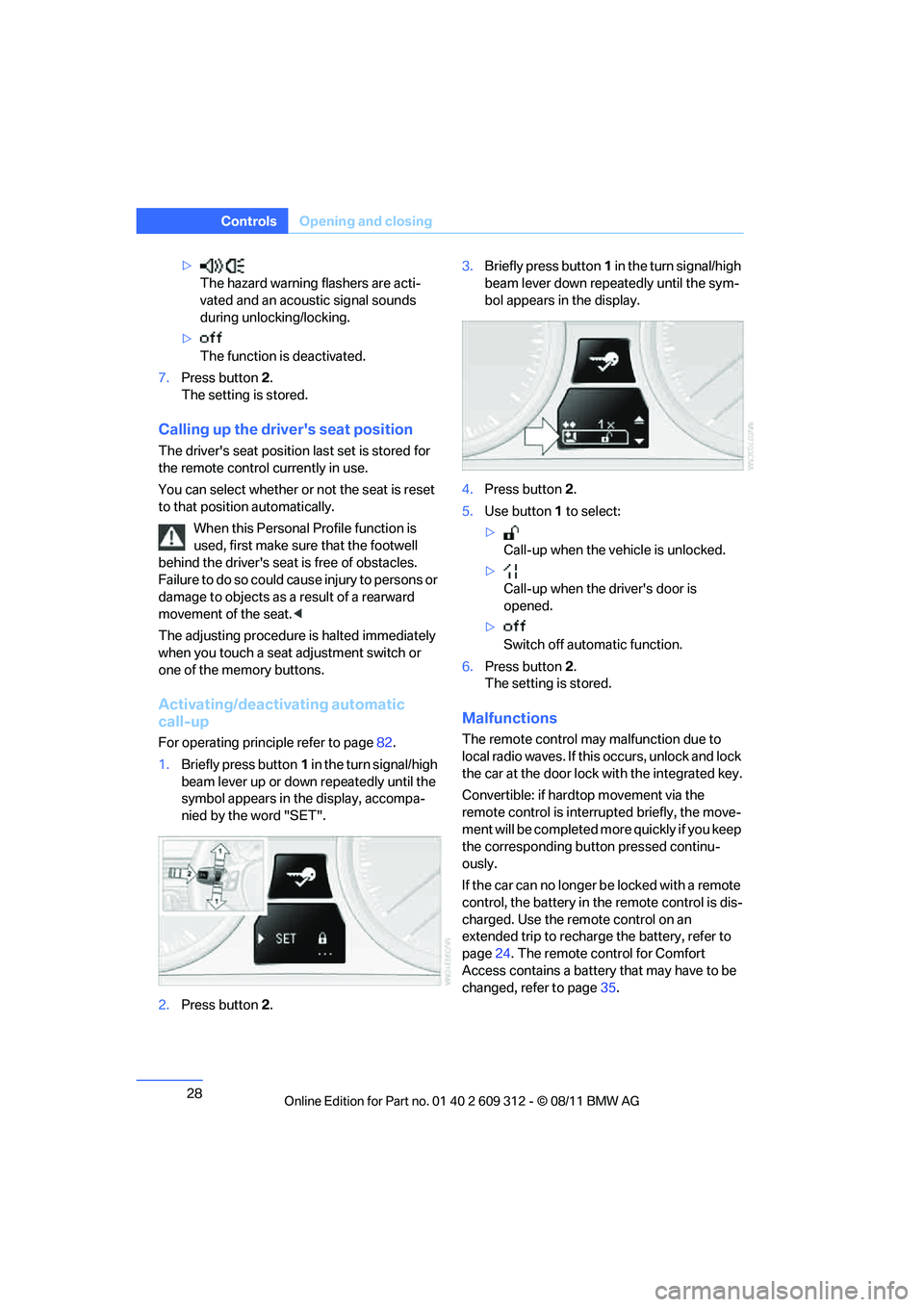
1. Briefly press button 1 in the turn signal/high
beam lever up or down repeatedly until the
symbol appears in the display, accompa-
nied by the word "SET".
2. Press button 2. 3.
Briefly press button 1 in the turn signal/high
beam lever down repeatedly until the sym-
bol appears in the display.
4. Press button 2.
5. Use button 1 to select:
> Call-up when the vehicle is unlocked.
> Call-up when the driver's door is
opened.
> Switch off automatic function.
6. Press button 2.
The setting is stored.
Malfunctions
The remote control may malfunction due to
local radio waves. If this occurs, unlock and lock
the car at the door lock with the integrated key.
Convertible: if hardtop movement via the
remote control is interru pted briefly, the move-
ment will be completed mo re quickly if you keep
the corresponding button pressed continu-
ously.
If the car can no longer be locked with a remote
control, the battery in th e remote control is dis-
charged. Use the remote control on an
extended trip to rechar ge the battery, refer to
page 24. The remote control for Comfort
Access contains a battery that may have to be
changed, refer to page 35.
Online Edition for Part no. 01 40 2 609 312 - \251 08/11 BMW AG
Page 35 of 255
34
ControlsOpening and closing
Functional requirement
>There are no external sources of interfer-
ence in the vicinity.
> The remote control mu st be outside the
vehicle to lock it.
> The next unlocking and locking cycle is not
possible until after approx. 2 seconds.
> It is only possible to start the engine if the
remote control is inside the vehicle.
Comparison to the standard remote
control
The above functions can be controlled by
pressing the remote control buttons or by using
Comfort Access.
If you notice a brief delay while opening or
closing windows, the glass roof or retract-
able hardtop, the system is checking whether a
remote control is inside the vehicle. Please
repeat the opening or closing procedure, if nec-
essary. <
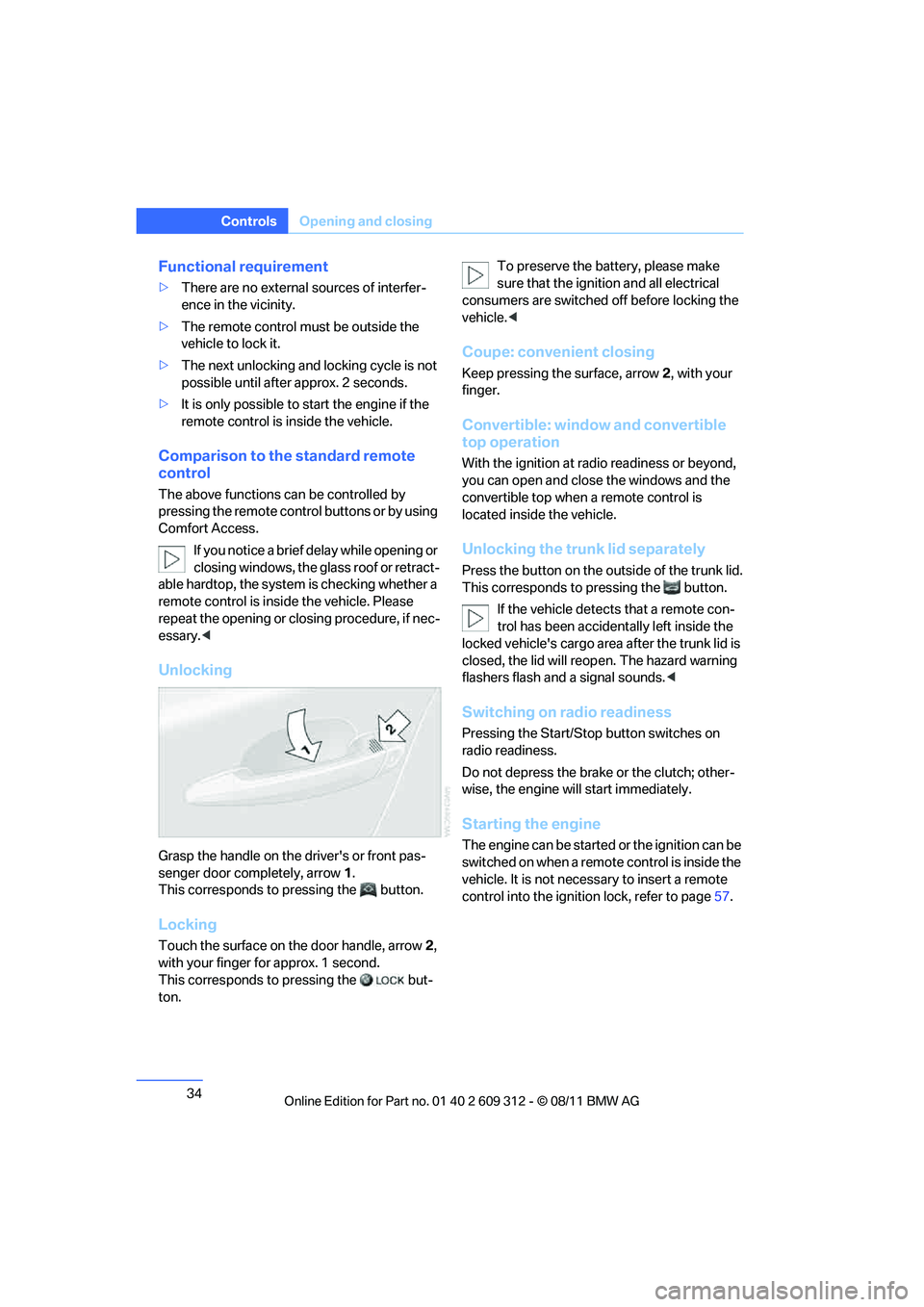
Unlocking
Grasp the handle on the driver's or front pas-
senger door completely, arrow 1.
This corresponds to pressing the button.
Locking
Touch the surface on the door handle, arrow 2,
with your finger for approx. 1 second.
This corresponds to pressing the but-
ton. To preserve the battery, please make
sure that the ignition
and all electrical
consumers are switched off before locking the
vehicle. <
Coupe: convenient closing
Keep pressing the surface, arrow 2, with your
finger.
Convertible: window and convertible
top operation
With the ignition at ra dio readiness or beyond,
you can open and close the windows and the
convertible top when a remote control is
located inside the vehicle.
Unlocking the trunk lid separately
Press the button on the outside of the trunk lid.
This corresponds to pressing the button.
If the vehicle detects that a remote con-
trol has been accident ally left inside the
locked vehicle's cargo area after the trunk lid is
closed, the lid will reop en. The hazard warning
flashers flash and a signal sounds. <
Switching on radio readiness
Pressing the Start/Stop button switches on
radio readiness.
Do not depress the brake or the clutch; other-
wise, the engine will start immediately.
Starting the engine
The engine can be started or the ignition can be
switched on when a remote control is inside the
vehicle. It is not necessa ry to insert a remote
control into the ignition lock, refer to page 57.
Online Edition for Part no. 01 40 2 609 312 - \251 08/11 BMW AG