check BUICK LACROSSE 2009 Owner's Guide
[x] Cancel search | Manufacturer: BUICK, Model Year: 2009, Model line: LACROSSE, Model: BUICK LACROSSE 2009Pages: 428
Page 174 of 428
Oil Life
Press the gages button until OIL LIFE displays. This
mode shows an estimate of the oil’s remaining useful
life. If you see OIL LIFE 99% on the display, that means
99% of the current oil life remains. The engine oil life
system will alert you to change your oil on a schedule
consistent with your driving conditions.
When the remaining oil life is low, the CHANGE OIL
SOON message will appear on the display. You should
change your oil as soon as possible. SeeEngine Oil
on page 5-15. In addition to the engine oil life system
monitoring the oil life, additional maintenance is
recommended in the Maintenance Schedule in this
manual. SeeScheduled Maintenance on page 6-4
for more information.
Remember, you must reset the OIL LIFE yourself after
each oil change. It will not reset itself. Also, be careful not
to reset the OIL LIFE accidentally at any time other than
when the oil has just been changed. It cannot be reset
accurately until the next oil change. To reset the engine
oil life system, seeEngine Oil Life System on page 5-18.
The display will show 100% when the system is reset.
Tire Pressure
On vehicles with the Tire Pressure Monitor System
(TPMS), press the gages button until FRONT TIRE
PRESSURE displays. This mode shows the pressure
for the front tires. To view the pressure for the rear
tires, press the gages button again until REAR TIRE
PRESSURE displays. The tire pressure will be shown in
either pounds per square inch (psi) or kilopascals (kPa).
If a low tire pressure condition is detected by the
system while driving, a message advising you to check
the pressure in a specic tire will appear in the display.
SeeInflation - Tire Pressure on page 5-61andDIC
Warnings and Messages on page 3-56for more
information.
If the tire pressure display shows dashes or blanks
instead of a value, there may be a problem with
your vehicle. If this consistently occurs, see your
dealer/retailer for service.
3-52
Page 179 of 428
BATTERY SAVER ACTIVE
This message displays when the system detects that
the battery voltage is dropping beyond a reasonable
level. The battery saver system starts reducing certain
features of the vehicle that you may be able to notice.
At the point that the features are disabled, this message
is displayed. It means that the vehicle is trying to
save the charge in the battery.
Turn off all unnecessary accessories to allow the battery
to recharge.
The normal battery voltage range is 11.5 to 15.5 volts.
If your vehicle has an uplevel DIC, you can monitor
the battery voltage by pressing the gages button until
BATTERY displays.
CHANGE OIL SOON
This message displays when service is required for
the vehicle. See your dealer/retailer. SeeEngine Oil on
page 5-15andScheduled Maintenance on page 6-4for
more information.
The CHANGE OIL SOON message is reset by
acknowledging the message. The OIL LIFE screen
under the gages menu on the DIC must also be reset.
See “Oil Life” underDIC Operation and Displays on
page 3-48andEngine Oil Life System on page 5-18.
This message displays while the ignition is in ON/RUN.
Press any of the DIC buttons to acknowledge this
message and to clear it from the screen.This message continues to display for two seconds
if it has not been acknowledged when the engine
is turned off. It also re-displays for two seconds if the
message has been acknowledged, but the condition
still exists when the engine is turned off.
If the condition still exists, the message re-appears
when the engine is turned on.
CHARGING SYSTEM FAILURE
This message displays when there is a problem with the
generator and battery charging systems. Driving with this
problem could drain the battery. Turn off all unnecessary
accessories. Stop and turn off the vehicle as soon as it is
safe to do so. Have the electrical system checked by your
dealer/retailer immediately.
This message displays and a chime sounds while the
ignition is in ON/RUN. Press any of the DIC buttons
to acknowledge this message and to clear it from the
screen.
This message continues to display for two seconds
if it has not been acknowledged when the engine
is turned off. It also re-displays for two seconds if the
message has been acknowledged, but the condition
still exists when the engine is turned off.
If the condition still exists, the message re-appears
when the engine is turned on.
3-57
Page 180 of 428
CHECK GAS CAP
This message may display if the fuel cap is not on, or is
not fully tightened. The check gas cap light also appears
on the instrument panel cluster. SeeCheck Gas Cap
Light on page 3-47. Check the fuel cap to ensure that it is
on properly. The diagnostic system can determine if the
fuel cap has been left off or improperly installed. A loose
or missing fuel cap allows fuel to evaporate into the
atmosphere. A few driving trips with the cap properly
installed should turn this message off. SeeFilling the
Tank on page 5-8for more information.
This message displays while the ignition is in ON/RUN.
Press any of the DIC buttons to acknowledge this
message and to clear it from the screen.
This message continues to display for two seconds
if it has not been acknowledged when the engine
is turned off. It also re-displays for two seconds if the
message has been acknowledged, but the condition
still exists when the engine is turned off.
If the condition still exists, the message re-appears
when the engine is turned on.
CHECK TIRE PRESSURE
On vehicles with the Tire Pressure Monitor System
(TPMS), this message displays when the pressure in one
or more of the vehicle’s tires needs to be checked. This
message also displays LEFT FRONT, RIGHT FRONT,
LEFT REAR, or RIGHT REAR to indicate which tire
needs to be checked. You can receive more than one tire
pressure message at a time. To read the other messages
that may have been sent at the same time, press the
set/reset button. If a tire pressure message appears on
the DIC, stop as soon as you can. Have the tire pressures
checked and set to those shown on the Tire Loading
Information label. SeeTires on page 5-54,Loading the
Vehicle on page 4-20, andInflation - Tire Pressure on
page 5-61. The DIC also shows the tire pressure values.
SeeDIC Operation and Displays on page 3-48. If the tire
pressure is low, the low tire pressure warning light comes
on. SeeTire Pressure Light on page 3-39.
This message displays while the ignition is in ON/RUN.
Press any of the DIC buttons to acknowledge this
message and to clear it from the screen.
This message continues to display for two seconds
if it has not been acknowledged when the engine
is turned off. It also re-displays for two seconds if the
message has been acknowledged, but the condition
still exists when the engine is turned off.
If the condition still exists, the message re-appears
when the engine is turned on.
3-58
Page 191 of 428
SERVICE PARK LAMPS
This message displays when there is a problem with the
park lamps. Check to see if the park lamp fuse is blown
and replace the fuse if necessary. SeeFuses and Circuit
Breakers on page 5-99andInstrument Panel Fuse Block
on page 5-100for more information. If changing the fuse
does not correct the problem, see your dealer/retailer.
This message only displays while the ignition is in
ON/RUN. Press any of the DIC buttons to acknowledge
this message and to clear it from the screen.
This message continues to display for two seconds
if it has not been acknowledged when the engine
is turned off. It also re-displays for two seconds if the
message has been acknowledged, but the condition
still exists when the engine is turned off.
If the condition still exists, the message re-appears
when the engine is turned on.
SERVICE STABILITY SYSTEM
If your vehicle has StabiliTrak, this message displays if
there has been a problem detected with StabiliTrak.
A warning light also appears on the instrument panel
cluster. SeeTraction Control System (TCS) Warning
Light on page 3-37. SeeStabiliTrak
®System on
page 4-6for more information.
If this message turns on while you are driving, pull off
the road as soon as possible and stop carefully. Try
resetting the system by turning the ignition off and then
back on. If this message still stays on or turns back on
again while you are driving, your vehicle needs service.
Have the StabiliTrak System inspected by your dealer/
retailer as soon as possible.
This message displays only while the ignition is in
ON/RUN. Press any of the DIC buttons to acknowledge
this message and to clear it from the screen.
This message continues to display for two seconds
if it has not been acknowledged when the engine
is turned off. It also re-displays for two seconds if the
message has been acknowledged, but the condition
still exists when the engine is turned off.
If the condition still exists, the message re-appears
when the engine is turned on.
3-69
Page 214 of 428
BAND:Press to listen to the radio while a CD is
playing. The inactive CD remains inside the radio for
future listening.
CD:Press to play a CD while listening to the radio.
The CD symbol displays when a CD is loaded.
EQ (Equalization):Press to select an equalization
setting while playing a CD. The equalization is set while
a CD is played. See “EQ” listed previously for more
information. If an EQ setting is selected for a CD,
it is activated each time a CD is played.
Z(Eject):Press to eject a CD. Eject is activated
while either the ignition or radio is off. CDs can
be loaded while the ignition and radio is off if this
button is pressed rst.
Playing an MP3 CD-R Disc
The vehicle’s radio may have the MP3 CD-R disc
capability feature. For more information, seeUsing
an MP3 on page 3-95later in this section.
Using List Mode
The Six-Disc CD player has a feature called song list.
This feature is capable of saving 20 track selections.
To save tracks into the song list feature:
1. Turn the CD player on and load it with at least one
CD. See “LOAD” listed previously in this section for
more information.
2. Check to see that the CD player is not in song list
mode. LIST should not display. If LIST is displayed,
press the LIST button to turn it off.
3. Select the desired CD by pressing the numbered
pushbutton and then use the
parrow to locate
the track to be saved. The track begins to play.
4. Press and hold the LIST button to save the track
into memory. When LIST is pressed, one beep
sounds immediately. After two seconds of
continuously pressing the LIST button, TRACK
ADD displays and two beeps sound to conrm the
track has been saved.
5. Repeat Steps 3 and 4 for saving other selections.
S-LIST FULL displays if more than 20 selections
are saved.
3-92
Page 216 of 428
CD Messages
CHECK CD:If this message displays and/or the CD
comes out, it could be for one of the following reasons:
It is very hot. When the temperature returns to
normal, the CD should play.
The road is very rough. When the road becomes
smoother, the CD should play.
The CD is dirty, scratched, wet, or upside down.
The air is very humid. If so, wait about an hour and
try again.
The format of the CD might not be compatible.
Depending on the radio, see “MP3 Format”
later in this section.
There could have been a problem while burning
the CD.
The label could be caught in the CD player.
If the CD is not playing correctly, for any other reason,
try a known good CD.
If any error occurs repeatedly or if an error cannot
be corrected, contact your dealer/retailer. If the radio
displays an error message, write it down and provide
it to your dealer/retailer when reporting the problem.
Care of CDs
CD sound quality can be reduced due to CD quality,
the method of recording, the quality of the music that has
been recorded, and the way the CD has been handled.
Handle them carefully. Store CD(s) in their original cases
or other protective cases and away from direct sunlight
and dust. The CD player scans the bottom surface of the
disc. If the surface of a CD is damaged, such as cracked,
broken, or scratched, the CD does not play properly or
not at all. Do not touch the bottom side of a CD while
handling it; this could damage the surface. Pick up CDs
by grasping the outer edges or the edge of the hole and
the outer edge.
If the surface of a CD is soiled, take a soft, lint free
cloth or dampen a clean, soft cloth in a mild, neutral
detergent solution mixed with water, and clean it.
Make sure the wiping process starts from the center
to the edge.
3-94
Page 221 of 428
No Info:No artist, song title, category, or text
information is available at this time on this channel.
The system is working properly.
Not Found:There are no channels available for the
selected category. The system is working properly.
XM Locked:The XM receiver in the vehicle may
have previously been in another vehicle. For security
purposes, XM receivers cannot be swapped between
vehicles. If this message is received after having
the vehicle serviced, check with your dealer/retailer.
Radio ID:If tuned to channel 0, this message will
alternate with the XM Radio 8 digit radio ID label.
This label is needed to activate the service.
Unknown:If this message is received when tuned
to channel 0, there may be a receiver fault. Consult
with your dealer/retailer.
Chk XMRcvr:If this message does not clear within a
short period of time, the receiver may have a fault.
Consult with your dealer/retailer.Bluetooth®
Vehicles with a Bluetooth system can use a Bluetooth
capable cell phone with a Hands Free Prole to make and
receive phone calls. The system can be used while the
key is in ON/RUN or ACC/ACCESSORY position. The
range of the Bluetooth system can be up to 30 ft. (9.1 m).
Not all phones support all functions, and not all phones
are guaranteed to work with the in-vehicle Bluetooth
system. See gm.com/bluetooth for more information
on compatible phones.
Voice Recognition
The Bluetooth system uses voice recognition to interpret
voice commands to dial phone numbers and name tags.
Noise:Keep interior noise levels to a minimum. The
system may not recognize voice commands if there is
too much background noise.
When to Speak:A short tone sounds after the system
responds indicating when it is waiting for a voice
command. Wait until the tone and then speak.
How to Speak:Speak clearly in a calm and
natural voice.
3-99
Page 241 of 428
Antilock Brake System (ABS)
This vehicle has the Antilock Brake System (ABS), an
advanced electronic braking system that will help
prevent a braking skid.
When the engine is started and the vehicle begins to
drive away, ABS checks itself. A momentary motor
or clicking noise might be heard while this test is going
on, and it might even be noticed that the brake pedal
moves a little. This is normal.
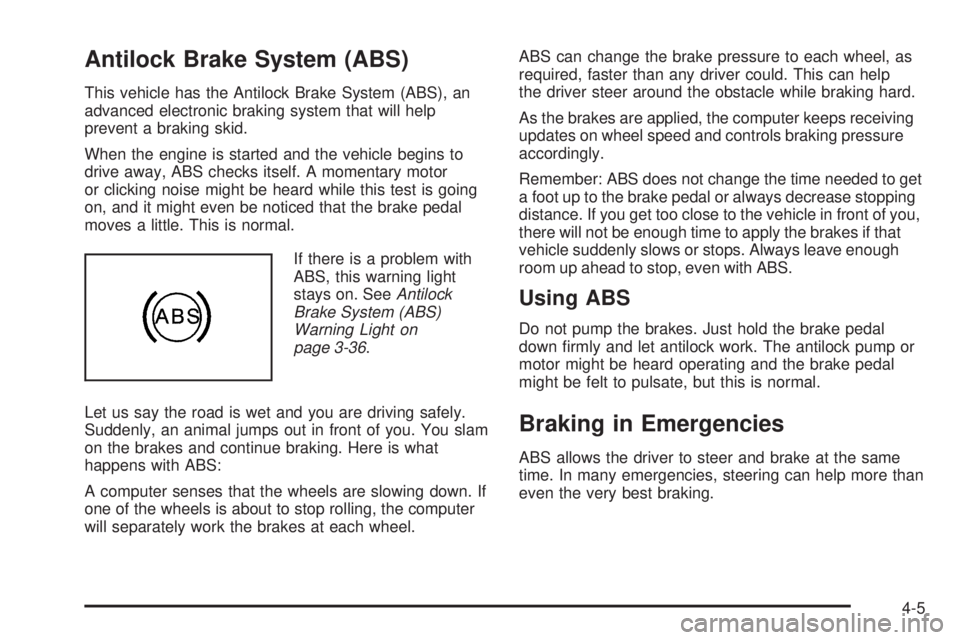
If there is a problem with
ABS, this warning light
stays on. SeeAntilock
Brake System (ABS)
Warning Light on
page 3-36.
Let us say the road is wet and you are driving safely.
Suddenly, an animal jumps out in front of you. You slam
on the brakes and continue braking. Here is what
happens with ABS:
A computer senses that the wheels are slowing down. If
one of the wheels is about to stop rolling, the computer
will separately work the brakes at each wheel.ABS can change the brake pressure to each wheel, as
required, faster than any driver could. This can help
the driver steer around the obstacle while braking hard.
As the brakes are applied, the computer keeps receiving
updates on wheel speed and controls braking pressure
accordingly.
Remember: ABS does not change the time needed to get
a foot up to the brake pedal or always decrease stopping
distance. If you get too close to the vehicle in front of you,
there will not be enough time to apply the brakes if that
vehicle suddenly slows or stops. Always leave enough
room up ahead to stop, even with ABS.
Using ABS
Do not pump the brakes. Just hold the brake pedal
down rmly and let antilock work. The antilock pump or
motor might be heard operating and the brake pedal
might be felt to pulsate, but this is normal.
Braking in Emergencies
ABS allows the driver to steer and brake at the same
time. In many emergencies, steering can help more than
even the very best braking.
4-5
Page 251 of 428
Before Leaving on a Long Trip
To prepare your vehicle for a long trip, consider having
it serviced by your dealer/retailer before departing.
Things to check on your own include:
Windshield Washer Fluid:Reservoir full? Windows
clean — inside and outside?
Wiper Blades:In good shape?
Fuel, Engine Oil, Other Fluids:All levels checked?
Lamps:Do they all work and are lenses clean?
Tires:Are treads good? Are tires inated to
recommended pressure?
Weather and Maps:Safe to travel? Have
up-to-date maps?
Highway Hypnosis
Always be alert and pay attention to your surroundings
while driving. If you become tired or sleepy, nd a
safe place to park your vehicle and rest.
Other driving tips include:
Keep the vehicle well ventilated.
Keep interior temperature cool.
Keep your eyes moving — scan the road ahead
and to the sides.
Check the rearview mirror and vehicle instruments
often.
4-15
Page 252 of 428
Hill and Mountain Roads
Driving on steep hills or through mountains is different
than driving on at or rolling terrain. Tips for driving
in these conditions include:
Keep the vehicle serviced and in good shape.
Check all uid levels and brakes, tires, cooling
system, and transmission.
Going down steep or long hills, shift to a
lower gear.
{CAUTION:
If you do not shift down, the brakes could get so
hot that they would not work well. You would then
have poor braking or even none going down a hill.
You could crash. Shift down to let the engine
assist the brakes on a steep downhill slope.
{CAUTION:
Coasting downhill in N (Neutral) or with the ignition
off is dangerous. The brakes will have to do all the
work of slowing down and they could get so hot
that they would not work well. You would then
have poor braking or even none going down a hill.
You could crash. Always have the engine running
and the vehicle in gear when going downhill.
Stay in your own lane. Do not swing wide or cut
across the center of the road. Drive at speeds
that let you stay in your own lane.
Top of hills: Be alert — something could be in your
lane (stalled car, accident).
Pay attention to special road signs (falling rocks
area, winding roads, long grades, passing or
no-passing zones) and take appropriate action.
4-16