light BUICK REGAL 1996 User Guide
[x] Cancel search | Manufacturer: BUICK, Model Year: 1996, Model line: REGAL, Model: BUICK REGAL 1996Pages: 356, PDF Size: 17.97 MB
Page 76 of 356
A E
C
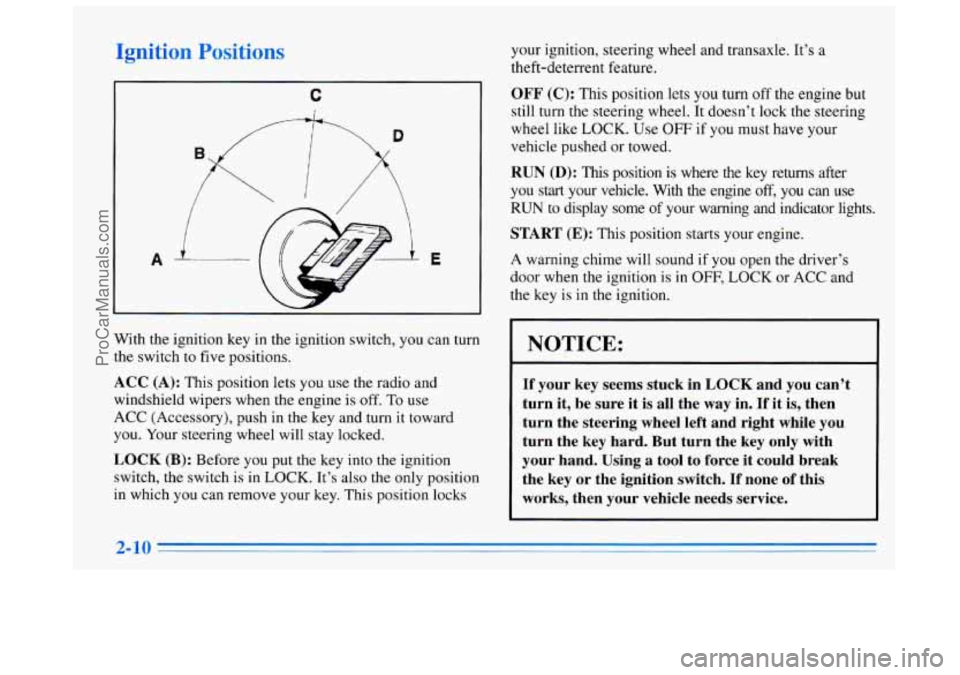
With the ignition key in the ignition switch, you can turn
the switch to five positions.
ACC (A): This position lets you use the radio and
windshield wipers when the engine is
off. To use
ACC (Accessory), push in the key and turn
it toward
you. Your steering wheel will stay locked.
LOCK (B): Before you put the key into the ignition
switch, the switch is in
LOCK. It’s also the only position
in which you can remove your key. This position locks your
ignition, steering wheel and transaxle. It’s
a
theft-deterrent feature.
OFF (C): This position lets you turn off the engine but
still turn the steering wheel. It doesn’t lock the steering
wheel like LOCK. Use OFF
if you must have your
vehicle pushed or towed.
RUN (D): This position is where the key returns after
you start your vehicle. With the engine
off, you can use
RUN to display some of your warning and indicator lights.
START (E): This position starts your engine.
A warning chime will sound if you open the driver’s
door when the ignition is
in OFF, LOCK or ACC ,and
the key is in the ignition.
- .. - _- -
NOTICE:
If your key seems stuck in LOCK and you can’t
turn it, be sure
it is all the way in. If it is, then
turn the steering wheel left and right while you
turn the key hard. But turn the key only with
your hand. Using
a tool to force it could break
the key or the ignition switch.
If none of this
works, then your vehicle needs service.
ProCarManuals.com
Page 93 of 356
If a bulb is burned out, replace it to help avoid an
accident. If the arrows don’t go on at all when you
signal a turn, check for burned-out bulbs and check the
fuse (see “Fuses and Circuit Breakers’’ in
the Index).
A chime will sound if you leave your turn signal on for
more than 1/2 mile
(0.8 km).
Headlamp High/Low Beam
To change your headlamps
from low beam to high
beam, or high
to low, pull
the multifunction lever all
the way toward you. Then
release it. When
the high
beams are on, a light on
the
instrument panel also will
be on.
Windshield Wipers
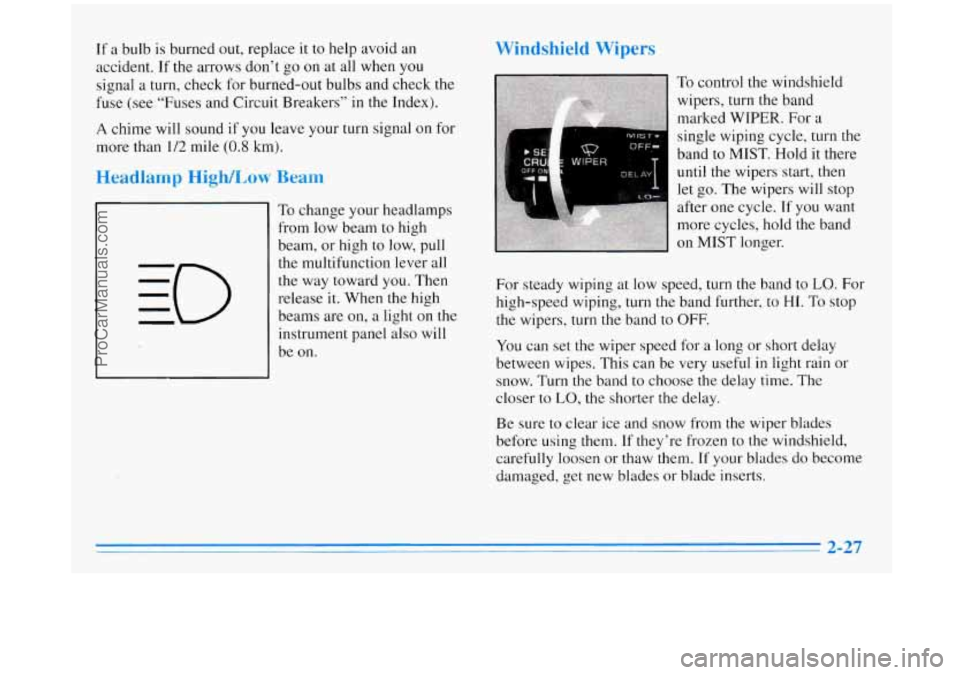
To control the windshield
wipers, turn the band
marked WIPER.
For a
single wiping cycle, turn the
band to MIST. Hold it there
until the wipers start, then
let go. The wipers will stop
after one cycle.
If you want
more cycles, hold the band
on
MIST longer.
For steady wiping at low speed, turn the band to
LO. For
high-speed wiping, turn the band further, to
HI. To stop
the wipers, turn the band to
OFF.
You can set the wiper speed for a long or short delay
between wipes. This can be very useful in light rain or
snow. Turn the band to choose the delay time. The
closer to
LO, the shorter the delay.
Be sure
to clear ice and snow from the wiper blades
before using them.
If they’re frozen to the windshield,
carefully loosen or thaw them. If your blades do become
damaged, get new blades
or blade inserts.
ProCarManuals.com
Page 96 of 356
Resuming a Set Speed
Suppose you set your cruise control at a desired speed
and then
you apply the brake. This, of course, shuts off
the cruise control. But you don’t need to reset it.
If you leave your cruise control switch on when
you’re not using cruise, you might hit
a button
and
go into cruise when you don’t want to.
You could be startled and even lose control.
Keep the cruise control switch
OFF until you
want to use
it.
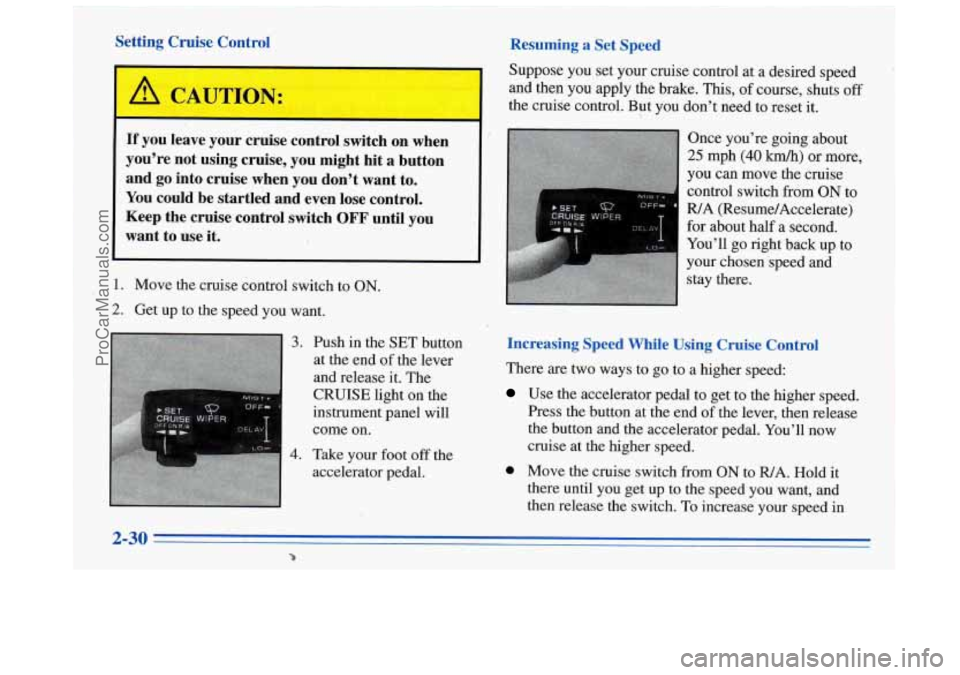
1. Move the cruise control switch to ON.
2. Get up to the speed you want.
3. Push in the SET button
at the end of the lever
and release it. The
CRUISE light on the
instrument panel will
come on.
4. Take your foot off the
accelerator pedal.
WA (Resume/Accelerate)
for about half a second.
You’ll go right back up to
your chosen speed and
stay there.
Increasing Speed While Using Cruise Control
There are two ways to go ,to a higher speed:
Use the accelerator pedal to get to the higher speed.
Press the button at the end of the lever, then release
the button and the accelerator pedal. You’ll now
cruise at the higher speed.
0 Move the cruise switch from ON to WA. Hold it
there until you get up to the speed
you want, and
then release
the switch. To increase your speed in
2-30
11
ProCarManuals.com
Page 97 of 356
very small amounts, move the switch to R/A.
Each time you do this, your vehicle will go about
1 mph (1.6 kdh) faster.
The accelerate feature will
only work after you set
the cruise control speed by pushing the
SET button.
Reducing Speed While Using Cruise Control
There are two ways to reduce your speed while using
cruise control:
Push in the SET button until you reach the lower
speed you want,
then release it.
To slow down in very small amounts, push the
SET button for less than half a second. Each time
you do this, you’ll go
1 mph (1.6 kmh) slower.
Passing Another Vehicle While Using Cruise Control
Use the accelerator pedal to increase your speed. When
you take your foot off the pedal, your vehicle will slow
down to the cruise control speed you set earlier.
Using Cruise Control on Hills
How well your cruise control will work on hills depends
upon your speed, load and the steepness
of the hills.
When going up steep hills, you may have to step on the
accelerator pedal to maintain your speed. When going
downhill, you may have to brake or
shift to a lower gear
to keep your speed down.
Of course, applying the brake
takes you out
of cruise control. Many drivers find this to
be too much trouble and don’t use cruise control on
steep hills.
Ending Cruise Control
There are two ways to turn off the cruise control:
Step lightly on the brake pedal; OR
Move the cruise switch to OFF.
Erasing Cruise Speed Memory
When you turn off the cruise control or the ignition, or
shift into PARK (P) or NEUTRAL (N), your cruise
control set speed memory
is erased.
ProCarManuals.com
Page 98 of 356
Lamps
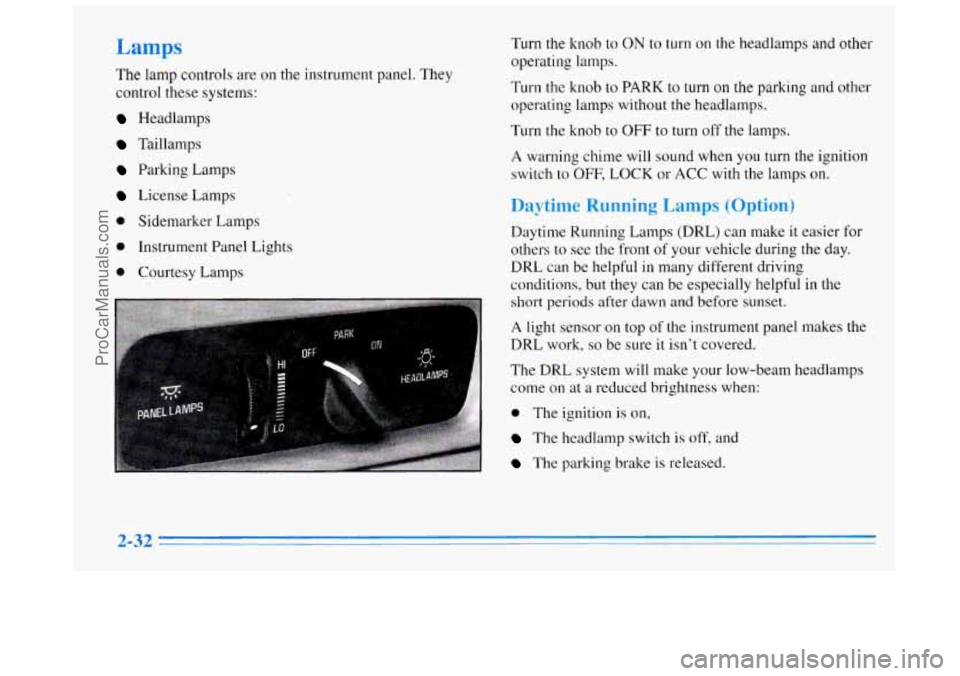
The lamp controls are on the instrument panel. They
control these systems:
Headlamps
Taillamps
Parking Lamps
License Lamps
0 Sidemarker Lamps
0 Instrument Panel Lights
0 .Courtesy Lamps Turn
the knob
to ON to turn on the headlamps and other
operating lamps.
Turn the knob to
PARK to turn on the parking and other
operating lamps without the headlamps.
Turn the knob to
OFF to turn off the lamps.
A warning chime will sound when you turn the ignition
switch to
OFF, LOCK or ACC with the lamps on.
Daytime Running Lamps (Option)
Daytime Running Lamps (DRL) can make it easier for
others to see the front
of your vehicle during the day.
DRL can be helpful in many different driving
conditions, but
they can be especially helpful in the
short periods after dawn and before sunset.
A light sensor on top of the instrument panel makes the
DRL work, so be sure it isn’t covered.
The DRL system will make your low-beam headlamps
come on at a reduced brightness when:
0 The ignition is on,
The headlamp switch is off, and
The parking brake is released.
2-32
ProCarManuals.com
Page 99 of 356
When the DRL are on, only your low-beam headlamps
will be on. The taillamps, sidemarker and other lamps
won’t be on. Your instrument panel won’t be lit
up either.
When it’s dark enough outside, your low-beam
headlamps will change to
full brightness. The other
lamps that come on with your headlamps will also
come on.
When it’s bright enough outside, the regular lamps will
go off and your low-beam headlamps change to the
reduced brightness of DRL.
To idle your vehicle with the DRL off, set the parking
brake while the ignition
is in OFF or LOCK. Then start
your vehicle. The DRL will stay off until you release the
parking brake.
As with any vehicle, you should turn on the regular
headlamp system when you need it.
Interior Lamps
Instrument Panel Brightness Control
You can brighten or dim the instrument panel lights by
moving
the PANEL LAMPS dial. If you turn the dial
past
HI, your courtesy or interior lamps will come on.
Courtesy Lamps
When any door is opened, several lamps come on. These
lamps are courtesy lamps. They make
it easy for you to
enter and leave your vehicle. You can also turn these
lamps on by moving the PANEL LAMPS dial all the
way up past
HI.
Some of the lamps have switches so you can turn them
on, even when the doors are closed. These lamps are
reading lamps.
To avoid draining your battery, be sure to
turn
of€ all reading lamps when leaving your vehicle.
ProCarManuals.com
Page 106 of 356
Ashtrays and Lighter . NOTICE: The center front ashtray may be on the instrument panel
or
on the console. To remove either ashtray, open the lid
and lift out the ashtray.
To remove the rear ashtray, open it, push down on the
snuffer and pull
out the ashtray.
Don’t hold a cigarette lighter in with your hand
while it is heating.
If you do, it won’t be able to
back away from the heating element when it’s
ready. That can make it overheat, damaging the
lighter and the heating element.
NOTICE:
Don’t put papers and other things that burn
into your ashtrays.
If you do, cigarettes or other
smoking materials could set them
on fire,
causing damage.
Sun Visors
To block out glare, you can swing down the visors. You
can also move them from side to side. The visors also
have extenders that
you can pull out for added coverage.
To use the lighter, just push it in all the way and let go.
When it’s ready, it will pop back by itself.
2-40
ProCarManuals.com
Page 107 of 356
Visor Vanity Mirrors
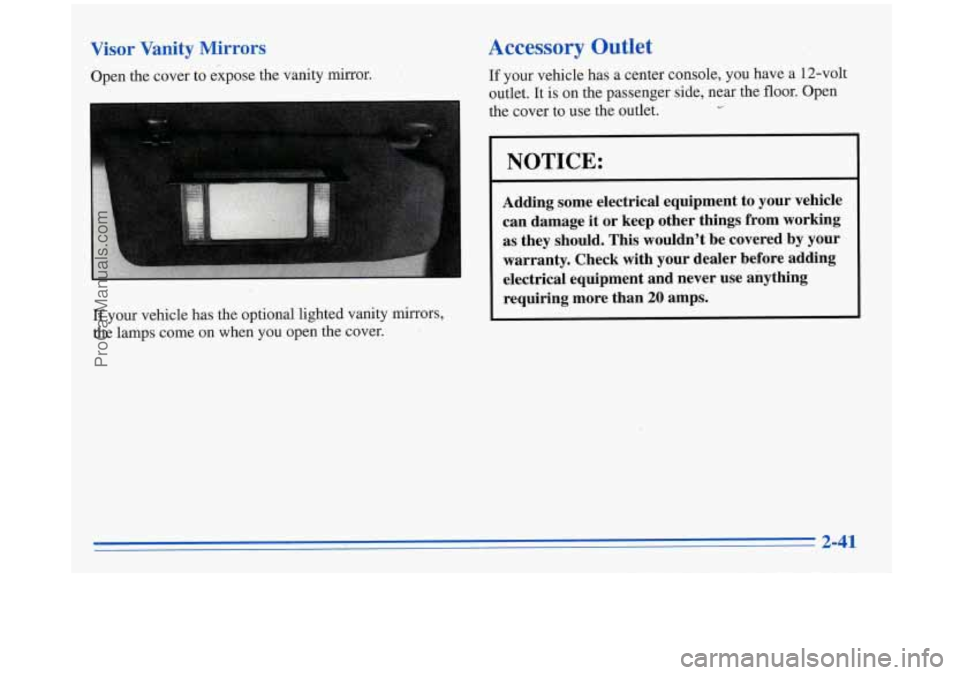
Open the cover to expose the vanity mirror.
If your vehicle has the optional lighted vanity mirrors,
the lamps come on when you open the cover.
Accessory Outlet
If your vehicle has a center console, you have a 12-volt
outlet.
It is on the passenger side, near the floor. Open
the cover to use the outlet. -
NOTICE:
Adding some electrical .equipment to your vehicle
can damage it or keep other things from working
as they should. This wouldn’t be covered by your
warranty, Check with your dealer before adding electrical equipment and never use anything
requiring more than
20 amps.
__- 2-41
1. %
ProCarManuals.com
Page 112 of 356
Warning Lights, Gages and
Indicators
This part describes the warning lights and gages that
may be on your vehicle. The pictures will help you
locate them.
Warning lights and gages can signal that something is
wrong before it becomes serious enough to cause an
expensive repair or replacement. Paying attention to
your warning lights and gages could also save you or
others from injury.
Warning lights come on when there may be or is
a
problem with one of your vehicle’s functions. As you
will see
in the details on the next few pages, some
warning lights come on briefly when you start
the
engine just to let you know they’re working. If you are
familiar with this section, you should not be alarmed
when this happens.
Gages can indicate
when there may be or is a problem
with one
of your vehicle’s functions. Often gages and
warning lights work together to let you know when
there’s
a problem with your vehicle. When
one of the warning lights comes
on and stays on
when you are driving,
or when one of the gages shows
there may be
a problem, check the section that tells you
what to do about it. Please follow this manual’s advice.
Waiting
to do repairs can be costly -- and even
dangerous.
So please get to know your warning lights
and gages. They’re
a big help.
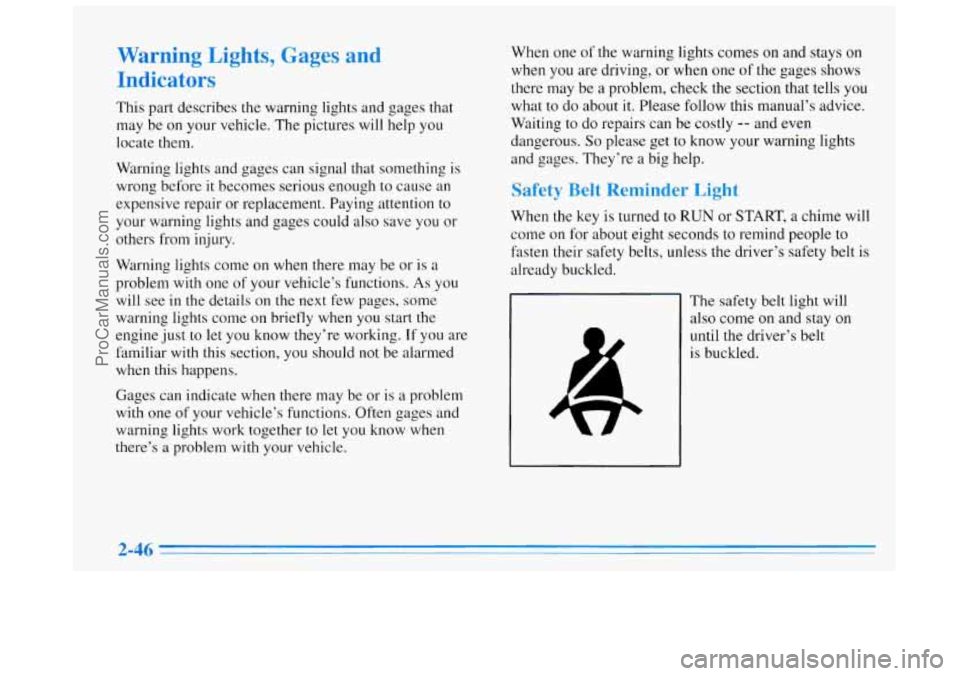
Safety Belt Reminder Light
When the key is turned to RUN or START, a chime will
come on for about eight seconds
to remind people to
fasten their safety belts, unless the driver’s safety belt is
already buckled.
The safety belt light will
also come on and stay on
until the driver’s belt is buckled.
ProCarManuals.com
Page 113 of 356
Air Bag Readiness Light
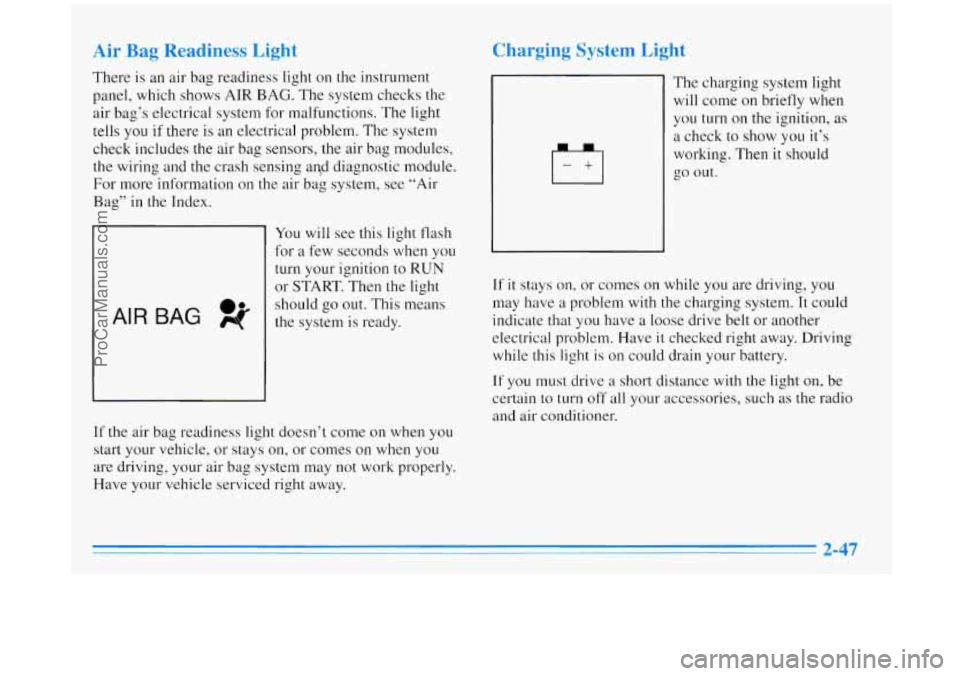
There is an air bag readiness light on the instrument
panel, which shows
AIR BAG. The system checks the
air bag’s electrical system for malfunctions. The light
tells you if there is an electrical problem. The system
check includes
the air bag sensors, the air bag modules,
the wiring and the crash sensing
and diagnostic module.
For more information on the air bag system, see “Air
Bag” in the Index.
AIR BAG pf 0.
You will see this light flash
for a few seconds when you
turn your ignition to
RUN
or START. Then the light
should go out. This means
the system is ready.
If the air bag readiness light doesn’t come on when you
start your vehicle, or stays on, or comes on when you
are driving, your air bag system may not work properly.
Have your vehicle serviced right away.
Charging System Light
The charging system light
will come on briefly when
you turn
on the ignition, as
a check to show you it’s
working. Then it should
go out.
If it stays on, or comes on while you are driving, you
may have
a problem with the charging system. It could
indicate that you have
a loose drive belt or another
electrical problem. Have
it checked right away. Driving
while this light is on could drain your battery.
If you must drive a short distance with the light on, be
certain to turn
off all your accessories, such as the radio
and air conditioner.
ProCarManuals.com