ignition CADILLAC CATERA 1997 1.G Owners Manual
[x] Cancel search | Manufacturer: CADILLAC, Model Year: 1997, Model line: CATERA, Model: CADILLAC CATERA 1997 1.GPages: 338, PDF Size: 18.02 MB
Page 15 of 338
Downloaded from www.Manualslib.com manuals search engine If your vehicle is in PARK (P), you can recall mirror and
seating positions by pressing and holding one of the
three memory buttons. This will adjust the seat and
mirrors
to where you have previously programmed
them. Seat and mirror movement is immediately stopped
if the memory button is released or if a seat or mirror
control is moved.
Note that the exterior mirrors will only adjust when the
ignition is turned on.
Heated Front Seat (Option)
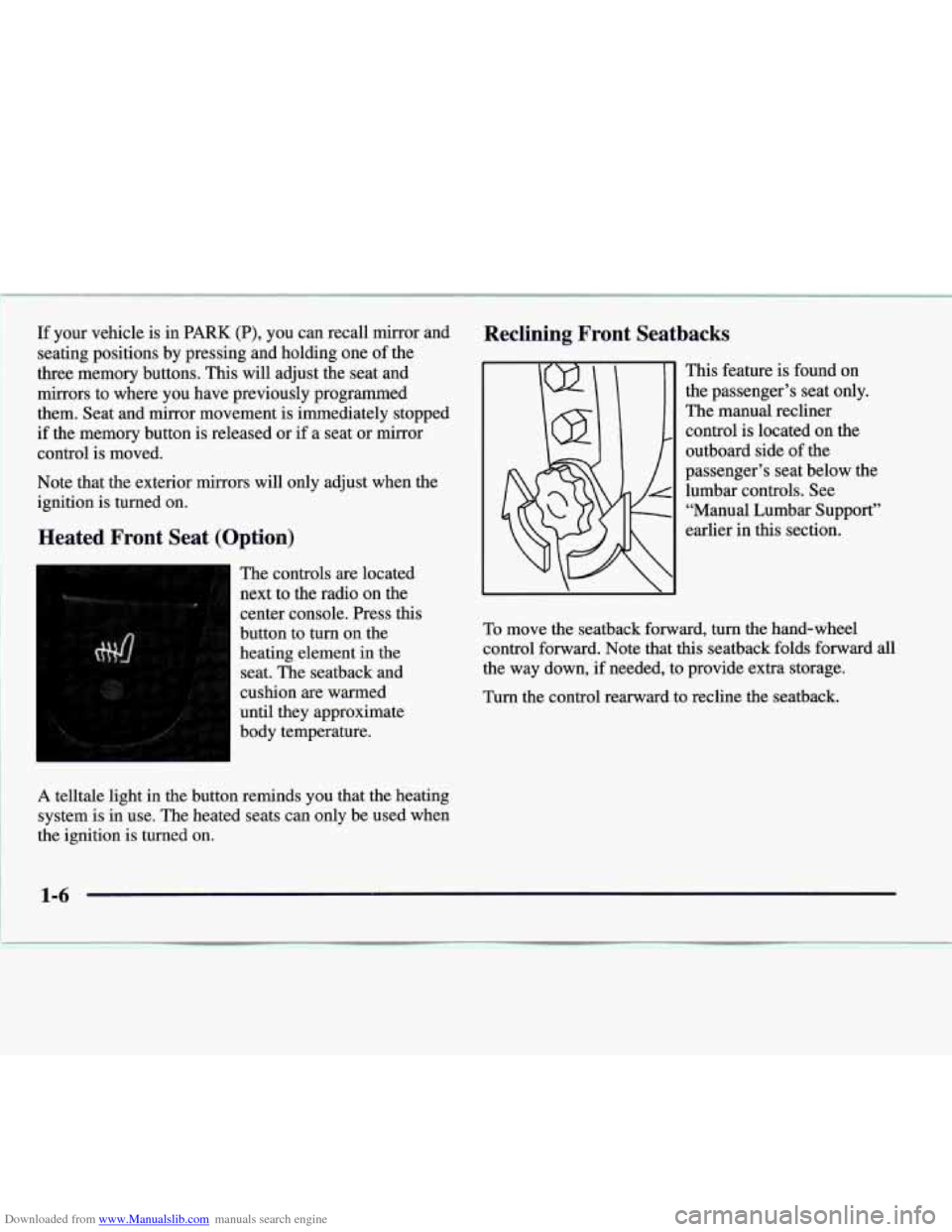
The controls are located
next to the radio on the
center console. Press this
button to
turn on the
heating element
in the
seat. The seatback and
cushion are warmed
until they approximate
body temperature.
A telltale light in the button reminds you that the heating
system is in use. The heated seats can only be used when
the ignition is turned on.
Reclining Front Seatbacks
This feature is found on
the passenger’s seat only.
The manual recliner
control is located on the
outboard side of the
passenger’s seat below the
lumbar controls. See “Manual Lumbar Support”
earlier in this section.
To move the seatback forward, turn the hand-wheel
control forward. Note that this seatback folds forward all
the way down,
if needed, to provide extra storage.
Turn the control rearward to recline the seatback.
Page 20 of 338
Downloaded from www.Manualslib.com manuals search engine Heated Rear Seat (Option)
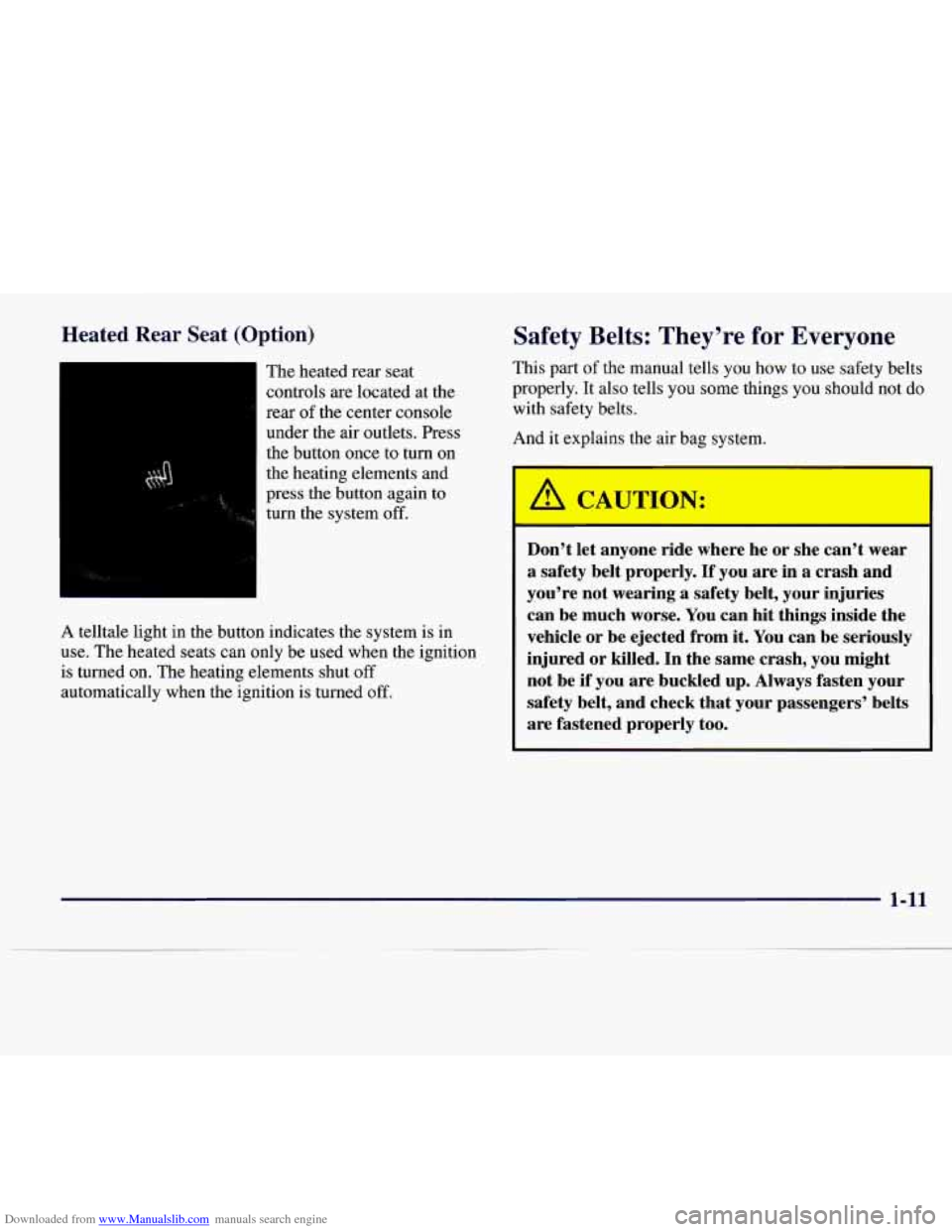
The heated rear seat
controls are located at the
rear
of the center console
under the air outlets. Press
the button once to turn
on
the heating elements and
press the button again to
turn the system
off.
A telltale light in the button indicates the system is in
use. The heated seats can only be used when the ignition
is turned on. The heating elements shut
off
automatically when the ignition is turned off.
Safety Belts: They’re for Everyone
This part of the manual tells you how to use safety belts
properly.
It also tells you some things you should not do
with safety belts.
And it explains the air bag system.
A CAU-ION:
Don’t let anyone ride where he or she can’t wear
a safety belt properly. If you are in a crash and
you’re not wearing a safety belt, your injuries
can be much worse. You can hit things inside the
vehicle or be ejected from it. You can be seriously
injured or killed. In the same crash, you might
not be
if you are buckled up. Always fasten your
safety belt, and check that your passengers’ belts
are fastened properly too.
1-11
Page 41 of 338

Downloaded from www.Manualslib.com manuals search engine Servicing Your Air Bag-Equipped Cadillac
Air bags affect how your Catera should be serviced.
There
are parts of the air bag systems in several places
around your vehicle. Your Catera dealer and the Catera
Service Manual have information about servicing your
vehicle and the air bag systems.
To purchase a service
manual, see “Service and Owner Publications” in
the Index.
A JAUTION:
For up to 10 seconds after the ignition key is
turned off and the battery is disconnected, an air
bag can still inflate during improper service. You
can be injured
if you are close to an air bag when
it inflates. Avoid
wires wrapped with yellow felt,
wires wrapped with yellow tape or yellow
connectors. They
are probably part of the air bag
systems. Be sure to follow proper service
procedures, and make sure the person
performing work for you
is qualified to do so.
The air bag systems do not need regular maintenance.
Rear Seat Passengers
It’s very important for rear seat passengers to buckle up!
Accident statistics show that unbelted people in the rear
seat are hurt more often in crashes than those who are
wearing safety belts.
Rear passengers who aren’t safety belted can be thrown
out of the vehicle in a crash. And they can strike others
in the vehicle who are wearing safety belts.
Rear Seat Outside Passenger Positions
n
Lap-Shoulder Belt
The positions next to the windows have lap-shoulder
belts. Here’s how to wear one properly.
1-32
Page 62 of 338
Downloaded from www.Manualslib.com manuals search engine ,== -a .
Section 2 Features and Controls
Here you can learn about the many standard and optional features on your Catera, and information on starting,
shifting and braking. Also explained are the instrument panel and the warning systems that tell you
if everything is
working properly
-- and what to do if you have a problem.
2-2
2-
3
2-6
2- 10
2-1 1 2-12
2-
13
2- 14
2-15
2-16
2-
17
2-19
2-24 2-25
2-27
Keys
Door Locks
Remote Keyless Entry System (RKE)
Trunk
Theft
Theft-Deterrent (System)
Immobilizer
New Vehicle “Break-In”
Ignition Positions Starting Your Engine
.Engine Coolant Heater
Automatic Transmission Operation
Parking Brake
Shifting Into PARK
(P)
Shifting Out of PARK (P) 2-28
2-29
2-29
2-30
2-32
2-32
2-39
2-46
2-48
2-50
2-5
1
2-52
2-55
2-5 8
2-6
1
Parking Over Things That Burn
Engine Exhaust
Running Your Engine While You’re Parked
Windows Tilt Wheel
Turn Signal/Multifunction Lever
Lamps Mirrors
Storage Compartments
Ashtrays and Cigarette Lighter
Cellular Telephone
Sunroof
Universal Transmitter
Instrument Panel
Warning Lights, Gages and Indicators
Page 63 of 338
Downloaded from www.Manualslib.com manuals search engine Keys
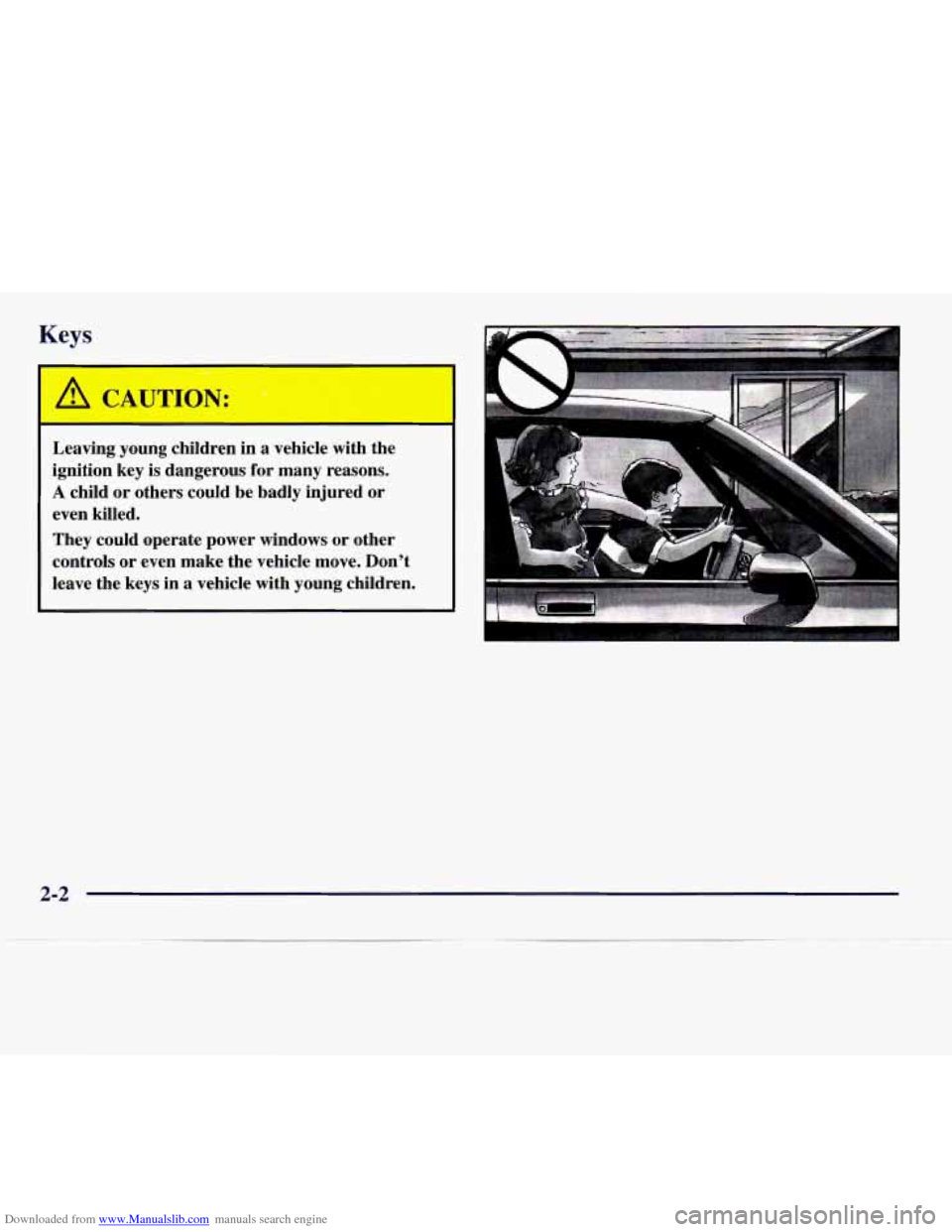
Leaving young children in a vehicle with the
ignition key is dangerous for many reasons.
A child or others could be badly injured or
even killed.
They could operate power windows or other
controls or even make the vehicle move. Don’t
leave the keys in a vehicle with young children.
2-2
Page 64 of 338

Downloaded from www.Manualslib.com manuals search engine One key is used for the
ignition, the doors and
all other locks. (Note that
there is
no lock cylinder
for the
trunk or the
passenger’s door.)
If you’ve lost your key or need to have a new one made,
you will have to contact your Catera dealer for the
correct key code.
NOTICE:
Door Locks
Your Catera has a number of new features that
can help prevent theft. You can have a lot of
trouble getting into your vehicle
if you ever
lock your keys inside and you
may have to
damage your vehicle to get in. Be sure you
have extra keys. Unlocked
doors can be dangerous.
Passengers
-- especially children -- can easily
open the doors and fall out. When a door
is
locked, the inside handle won’t open it.
Outsiders can easily enter through an unlocked
door when you slow down or stop your vehicle.
This may not be
so obvious: You increase the
chance of being thrown out of the vehicle in
a
crash if the doors aren’t locked. Wear safety belts
properly, lock your doors, and you will be
far
better off whenever you drive your vehicle.
There are several ways to lock and unlock your vehicle.
From the outside, use your key or the Remote Keyless
Entry (RKE) transmitter. This will avoid setting
off the
optional theft deterrent alarm.
2-3
Page 65 of 338
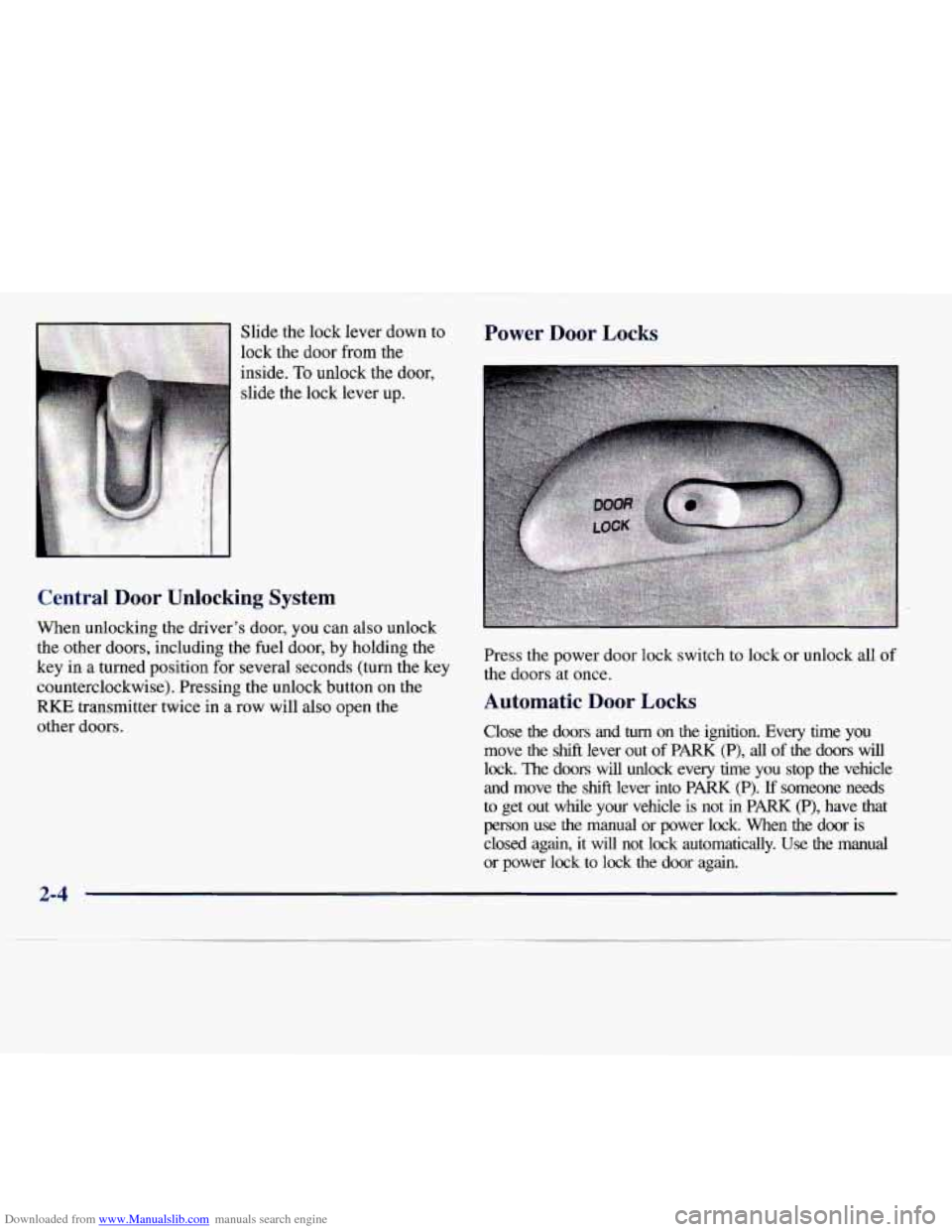
Downloaded from www.Manualslib.com manuals search engine Slide the lock lever down to
lock the
door from the
inside.
To unlock the door,
slide the lock lever
up.
Central Door Unlocking System
When unlocking the driver's door, you can also unlock
the other doors, including the fuel door,
by holding the
key
in a turned position for several seconds (turn the key
counterclockwise). Pressing the unlock button on the
RKE transmitter twice in a row will also open the
other doors.
Power Door Locks
Press the power door lock switch to lock or unlock all of
the doors at once.
Automatic Door Locks
Close the doors and turn on the ignition. Every time you
move the
shift lever out of PARK (P), all of the doors will
lock. The doors will unlock every time you stop the vehicle
and move the shift lever into PARK (P). If someone needs
to get out while your vehicle is not
in PARK (P), have that
person use the manual
or power lock. When the door is
closed again, it
will not lock automatically. Use the manual
or power lock
to lock the door again.
2-4
Page 66 of 338
Downloaded from www.Manualslib.com manuals search engine Programmable Automatic Door Locks
Each RKE transmitter supplied with your vehicle can be
programmed to suit each driver’s door lock preference.
The two RKE transmitters are identified on the back
with either a
“I” or a “2”, which allows either driver to
program their own door locks.
With
RKE, the automatic door locks can be programmed
to lock when the shift lever
is moved out of PARK (P)
and unlock when the shift lever
is moved back into
PARK (P). The door locks can also be programmed to
remain locked whether or not the shift lever
is returned
to the PARK (P) position.
With the ignition on, the transmission in PARK
(P)
and the brake pedal pressed in, you are now ready to
begin programming.
To enable the doors to lock when shifting out of PARK (P)
and to unlock when shifting back into
PARK (P), press
the lock button on
the RKE transmitter four times within
five seconds.
To disable the door unlock feature when shifting back
into PARK (P), press the unlock button on the
RKE
transmitter four times within five seconds. The doors
will lock when the shift lever is moved out of
PARK (P)
and will remain locked when the shift lever is moved
back into
PARK (P).
Keep
in mind that pressing the lock or unlock buttons on
the
RKE transmitter several times in a row (about 12
times) may cause the vehicle’s system to lock you out. If
this happens, wait about
30 seconds before trying to
enter your vehicle again.
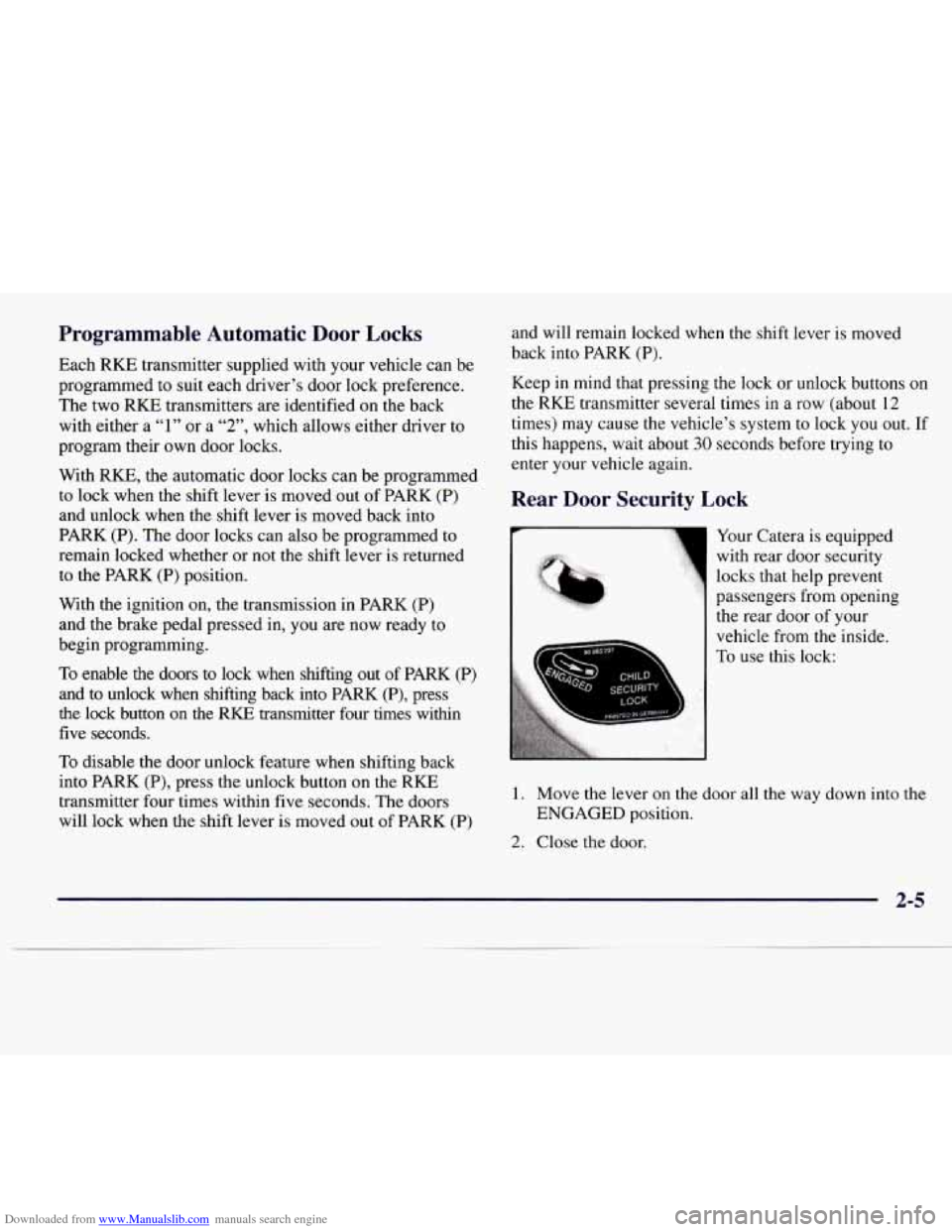
Rear Door Security Lock
:.‘%is.:.
‘D
Your Catera is equipped
with rear door security
locks that help prevent
passengers from opening
the rear door of your
vehicle from the inside.
To use this lock:
1. Move the lever on the door all the way down into the
2. Close the door.
ENGAGED
position.
2-5
Page 67 of 338
Downloaded from www.Manualslib.com manuals search engine 3. Do the same thing to the other rear door lock.
The rear doors of your vehicle cannot be opened from
the inside when this feature
is in use.
When you want to open a rear door when the security
lock is on:
1. Unlock the door from the inside.
2. Then open the door from the outside.
To cancel the rear door lock:
1. Unlock the door from the inside and open the door
from the outside.
2. Move the lever all the why Bp.
3. Do the same for the other rear door.
The rear door locks will now work normally.
Anti-Lockout Feature
Leaving your key in any ignition position with any
door open will disable the use
of the power door lock
switches.
If you close the door, you can lock it using the
RKE system. It is always recommended that you remove
the ignition key when locking your vehicle.
Leaving Your Vehicle
If you are leaving your vehicle, open the door, set the
locks from the inside, get out and close the door.
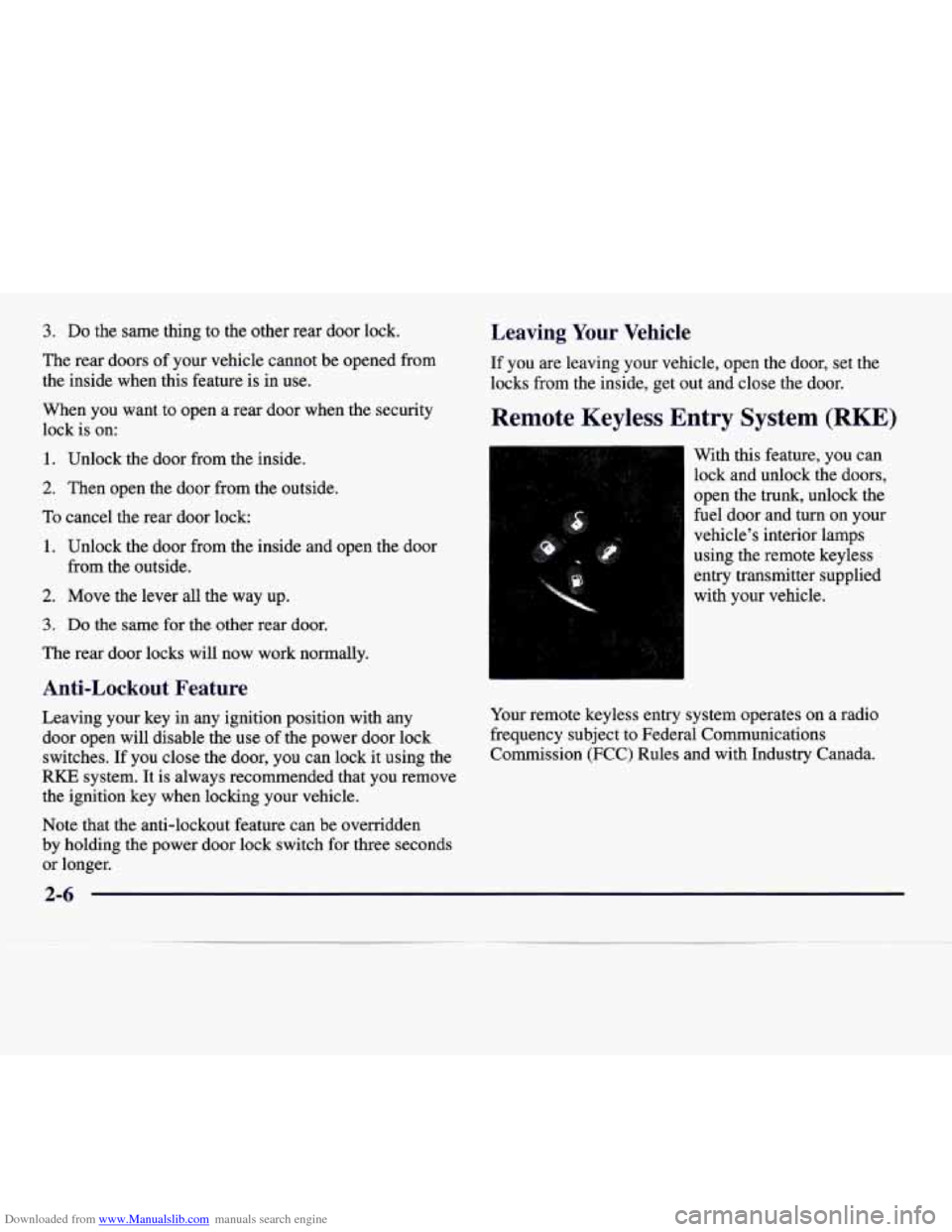
Remote Keyless Entry System (RKE)
With this feature, you can
lock and unlock the doors,
open the trunk, unlock the
fuel door and
turn on your
vehicle’s interior lamps
using the remote keyless
entry transmitter supplied
with your vehicle.
Your remote keyless entry system operates on a radio
frequency subject to Federal Communications
Commission
(FCC) Rules and with Industry Canada.
Note that the anti-lockout feature can be overridden
by holding the power door lock switch for three seconds
or longer.
Page 72 of 338
Downloaded from www.Manualslib.com manuals search engine To access, fold down the driver’s side rear seat and
reach through to the trunk compartment to find the
release handle. For more information
on how to fold the
rear seats, see “Folding the Rear Seat” in the Index.
Pulling the handle opens the trunk.
Theft
Vehicle theft is big business, especially in some cities.
Although your Catera has a number of theft-deterrent
features, we know that nothing we put on it can make it
impossible to steal. However, there are ways you can help.
Key in the Ignition
If you leave your vehicle with the keys inside, it’s an
easy target for joy riders or professional thieves
-- so
don’t do it.
When you park your Catera and open the driver’s door,
you’ll hear a chime reminding you to remove your key
from the ignition and
take it with you. Always do this.
Your steering wheel will be locked, and
so will your
ignition and transmission. And remember to lock
the doors.
Parking at Night
Park in a lighted spot, close all windows and lock your
vehicle. Remember to keep your valuables out of sight.
Put them in a storage area, or take them with you.
Parking Lots
If you park in a lot where someone will be watching
your vehicle, it’s best to lock it
up and take your keys.
But what if you have to leave your key? What if you
have to leave something valuable in your vehicle?
Put your valuables in a storage area, like your trunk
0 Lock the glove box.
or glove
box.
2-11